Quick Start Guide


EN
1-1
• Read this product manual thoroughly before attempting to use
this product. Store the product manual in a safe location so it
may be referenced at any time.
• Do not look directly into the light lens of the device as your eyes
may be damaged by a strong laser.
• When the projector is working, do not block the projection lens
with any object.
• If you encounter an issue with the product, do not attempt to
disassemble it without authorization. Contact professional
after-sales personnel to resolve the issue.
Safety Notice
Certificate of
Conformity
CERTIFICATE
INSPECTED
Letter of Thanks
Dear JMGO User,
Thank you for choosing JMGO projectors to enhance your life!
Whether it is for an immersive home cinema experience, creating
a healthier viewing environment for your children, or elevating
your outdoor adventures, we are truly honored to be part of your
journey. Your trust and expectations inspire us to keep innovating.
With advanced pure Triple-color laser technology, a revolutionary
gimbal design for versatile projection, and our proprietary
operating system, we have redefined the audiovisual experience.
We have also introduced eco-friendly, portable packaging to
make your projector travel-friendly, ensuring you can take your
cinematic experience anywhere.
At JMGO, our mission goes beyond delivering outstanding visuals;
we strive to inspire a more relaxed, diverse lifestyle. Whether it is
bonding with family, celebrating with friends, or enjoying peaceful
moments alone, we hope JMGO becomes your trusted companion.
We are excited to continue surprising you with more as you
explore your JMGO projector. If you have any feedback or
suggestions, we would love to hear from you via email at:
Thank you for letting us be part of your story.
Warm regards,
Chief Executive Officer & Chief Experience Officer
JMGO
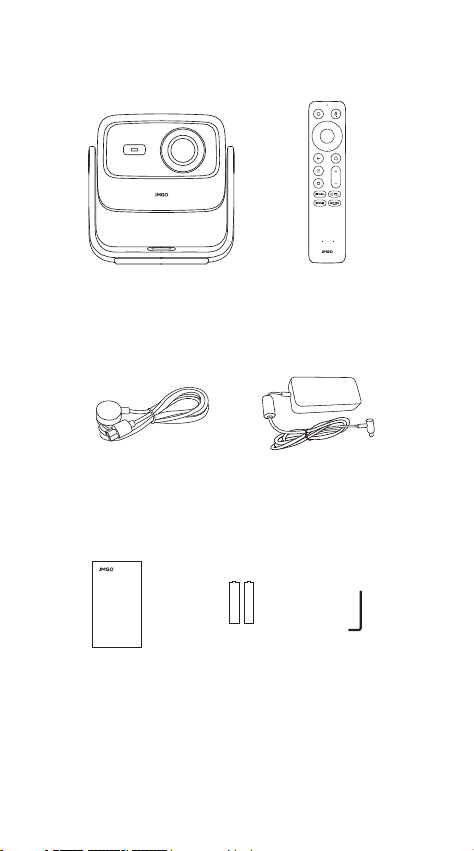
Scope of Delivery
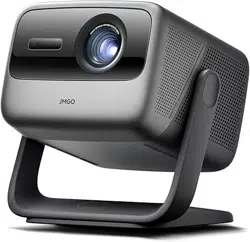
Projector Body
Remote
Control
Power Cable Power Adapter
Quick Start
Guide
Allen Wrench
AAA Battery
x 2
1-2
Quick Start
Guide
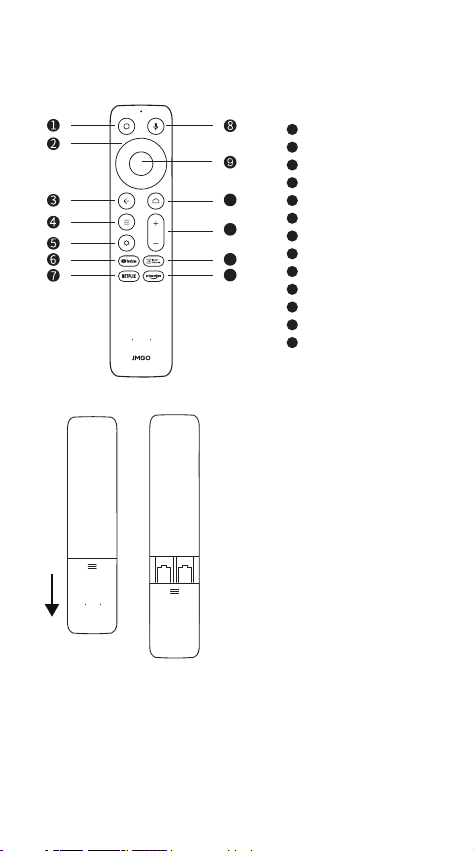
1. Slide down to open the
back cover, and then install
2 AAA batteries.
2. Insert new batteries
matching the polarity (+/-)
and close the battery
compartment.
1-3
Remote Control
• After the projector is turned on, press and hold return button
and home button on the remote control for 3 seconds at the
same time to enter Bluetooth pairing.
Power On/Off
Direction Keys
Return
Menu
Settings
YouTube
Netflix
Google Assistant
Confirm
Home
Volume
Input Source
Prime Video
1
2
3
4
5
6
7
8
9
10
11
12
13
10
11
12
13
• JMGO App is a mobile application for multi-screen interaction
with JMGO projector. Using JMGO App can help you obtain better
projection experience.
• Mobile phone for remote control—the mobile phone is also a
remote control with JMGO App, and the projection remote
control is more convenient.
Download and Install of
"JMGO App"
Product Manual
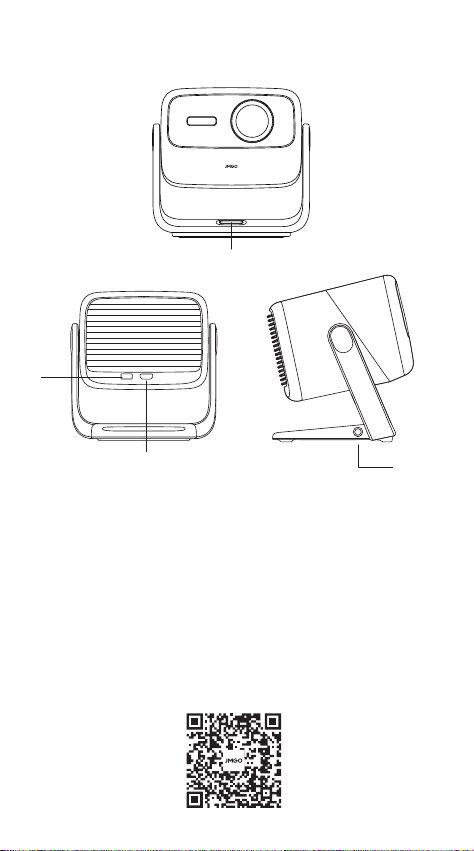
Power Port
Power Button
Power on/off: The power button is a physical button, short press to
power on or off.
1-4
USB
HDMI(eARC)
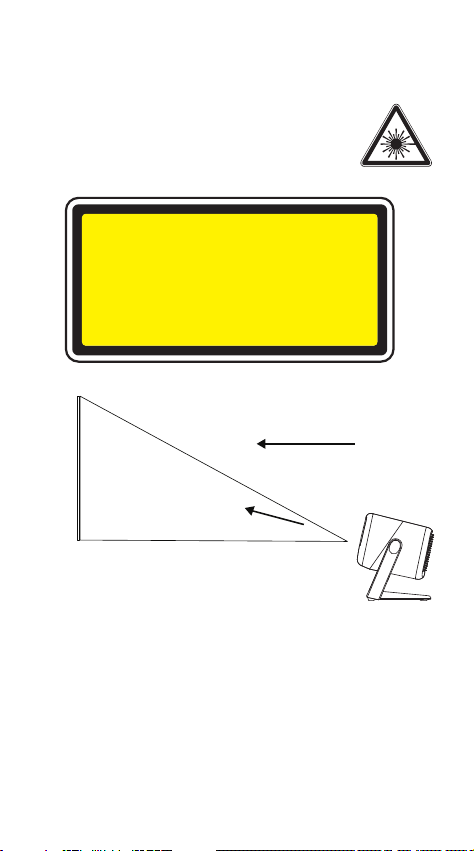
Laser Safety Standard: Class 1 in compliance with the IEC
60825-1:2014.
The maximum output of laser radiation:0.39mW
Emission Wavelength:
Blue: 455~475nm
Red: 635~655nm
Green: 515~535nm
Product Laser Safety Parameters
Safety Warning:
Viewing direction
Laser beam direction
Screen
1-5
Class 1 Laser product
RG1
Complies with IEC 60825-1:2014 and IEC
62471-5:2015.
Caution
Google TV is the name of this device's software experience and a
trademark of Google LLC.
Google, YouTube and Google Cast are trademarks of Google LLC.
Google Assistant is not available in certain languages and
countries. Availability of services varies by country and language.
This product contains a laser module. Do not disassemble or
modify this module in a manner not specified in the manual
without authorization. Failure to follow this guideline may result in
personal injury.
RG1 IEC 62471-5:2015.
This device complies with Part 15 of the FCC Rules. Operation is subject to
the following two conditions:(1) this device may not cause harmful
interference, and (2) this device must accept any interference received,
including interference that may cause undesired operation.
Note: This equipment has been tested and found to comply with the limits
for a Class B digital device, pursuant to part 15 of the FCC Rules. These
limits are designed to provide reasonable protection against harmful
interference in a residential installation. This equipment generates, uses
and can radiate radio frequency energy and, if not installed and used in
accordance with the instructions, may cause harmful interference to
radio communications. However, there is no guarantee that interference
will not occur in a particular installation. If this equipment does cause
harmful interference to radio or television reception, which can be
determined by turning the equipment off and on, the user is encouraged
to try to correct the interference by one or more of the following
measures:
- Reorient or relocate the receiving antenna.
- Increase the separation between the equipment and receiver.
- Connect the equipment into an outlet on a circuit different from that to
which the receiver is connected.
- Consult the dealer or an experienced radio/TV technician for help.
FCC Radiation Exposure Statement
This projector complies with FCC RF radiation exposure limits set forth for
an uncontrolled environment. This device should be installed and
operated with a minimum distance of 20cm between the radiator and
user body. This transmitter must not be co-located or operating in
conjunction with any other antenna or transmitter.
FCC WARNING: This equipment may generate or use radio frequency
energy. Changes or modifications to this equipment may cause harmful
interference unless the modifications are expressly approved in the
instruction manual. The user could lose the authority to operate this
equipment if an unauthorized change or modification is made.
This remote has been evaluated to meet general RF exposure
requirement.
This remote can be used in portable exposure condition without
restriction.
The Bluetooth® word mark and logos are registered trademarks
owned by Bluetooth SIG, Inc. and any use of such marks by
[licensee name] is under license. Other trademarks and trade
names are those of their respective owners
Manufactured under license from Dolby Laboratories. Dolby,
Dolby Audio, and the double-D symbol are trademarks of Dolby
Laboratories Licensing Corporation.
1-6
For DTS patents, see http://patents.dts.com. Manufactured under
license from DTS, Inc. or DTS Licensing Limited. DTS, DTS-HD, and
the DTS-HD logo are registered trademarks or trademarks of DTS,
Inc. in the United States and other countries.
© 2021 DTS, Inc. ALL RIGHTS RESERVED.
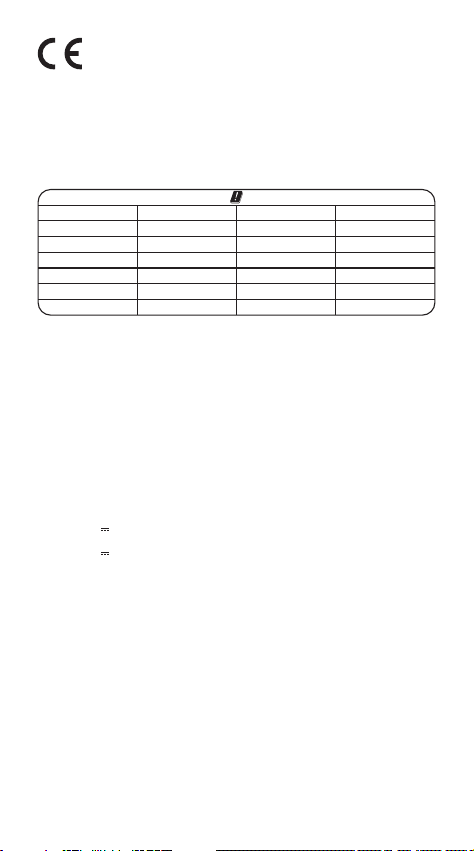
EU Declaration Conformity
Hereby, SHENZHEN HOLATEK CO., LTD. declares that this device is in
compliance with the essential requirements and other relevant
provisions of Directive 2014/53/EU. In accordance with Article10(2) and
Artical10(10), This product is allowed to use in all EU member states.
A complete declaration of conformity can be obtained at:
https://global.jmgo.com/
1-7
AT BE BG
HR
CY
CZ
DK SE
EE FI FR DE
EL
HU
IE
LI
IT LV LT
LU
MT NL
PL
ES
PT RO SK SI
The device can operate in EU Member State without restricted.
The device is restricted to indoor use only when operating in the 5150 to
5250MHz frequency range.
Warnings
1. EUT operation temperature range: 0ºC to 40ºC.
2. Do not store the device in temperatures lower -20 ºC and higher than
60 ºC.
3. Adapter shall be installed near the equipment and shall be easily
accessible.
4. To power the device, Please use a matching power supply adapter
offered by the authorized producer, unauthorized adapter may cause
charger exploding or damage the machine.
5. Plug the adapter power socket in 100-240VAC socket, others may
cause charger exploding or damage the machine. The plug considered
as disconnect device of adapter.
Adapter:
Input: AC 100-240V 50/60Hz 2.0A
Output: 24V 4.17A 100W
Technical description:
Rating: 24V 4.17A
Frequency Range: Bluetooth: 2402-2480 MHz
2.4G WiFi (20 MHz): 2412 - 2472 MHz
2.4G WiFi (40 MHz): 2422 - 2462 MHz
5G WiFi(H20): 5180 - 5240 MHz
5G WiFi(H40): 5190 - 5230 MHz
5G WiFi(H80): 5210 MHz
5G WiFi: 5745 - 5825 MHz
Transmit Power: Bluetooth: 3.45 dBm EIRP
2.4G WiFi: 15.53 dBm EIRP
5G WiFi: 16 dBm EIRP
Radiation Exposure Statement
This device complies with RF radiation exposure limits set forth for an
uncontrolled environment. This transmitter must not be co-located or
operating in conjunction with any other antenna or transmitter. This
device must operate with a minimum distance of 20 cm between the
radiator and user body.

1-8
After-Sales Service Channels
If you encounter any problems while using the product, contact us through
one of the following channels:
After-Sales Website: https://global.jmgo.com/
After-Sales service email: [email protected]