
@Weinghouse
QUICK START GUIDE
TABLE OF CONTENTS
PACKAGE CONTENT
1
INSTALLING THE TV STAND
2
LOCATION OF CONNECTORS
3
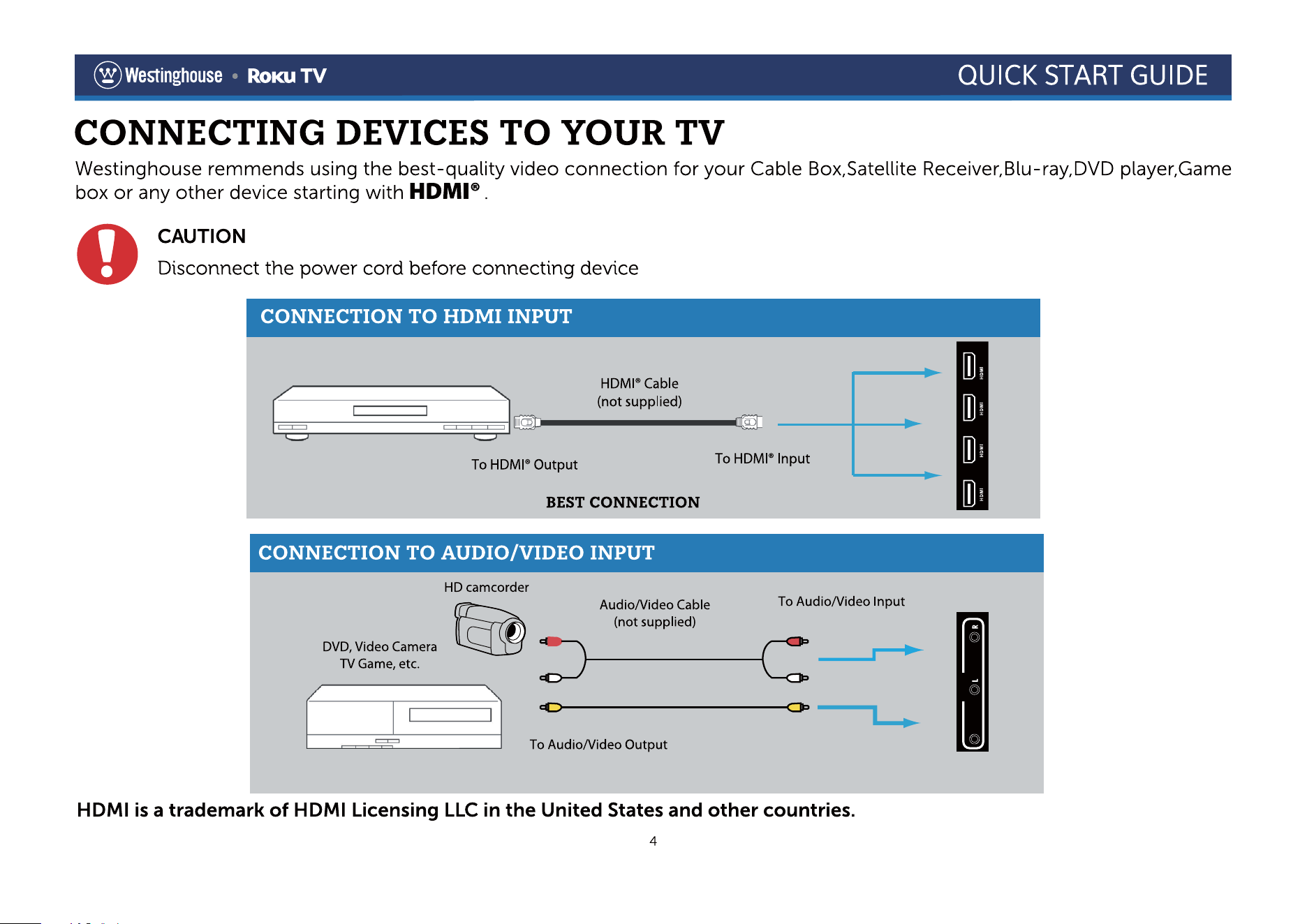
CONNECTING DEVICES TO YOUR TV
4
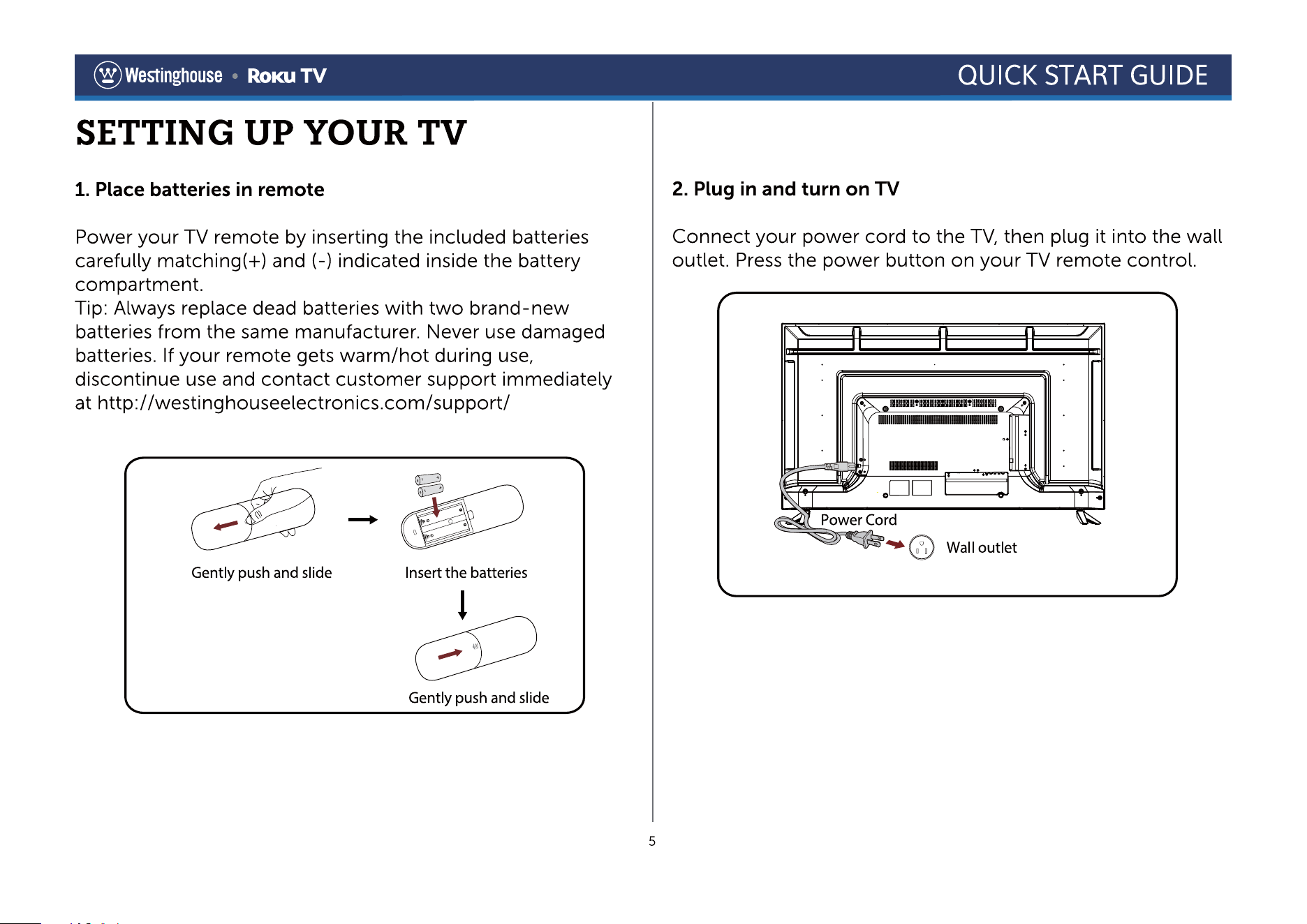
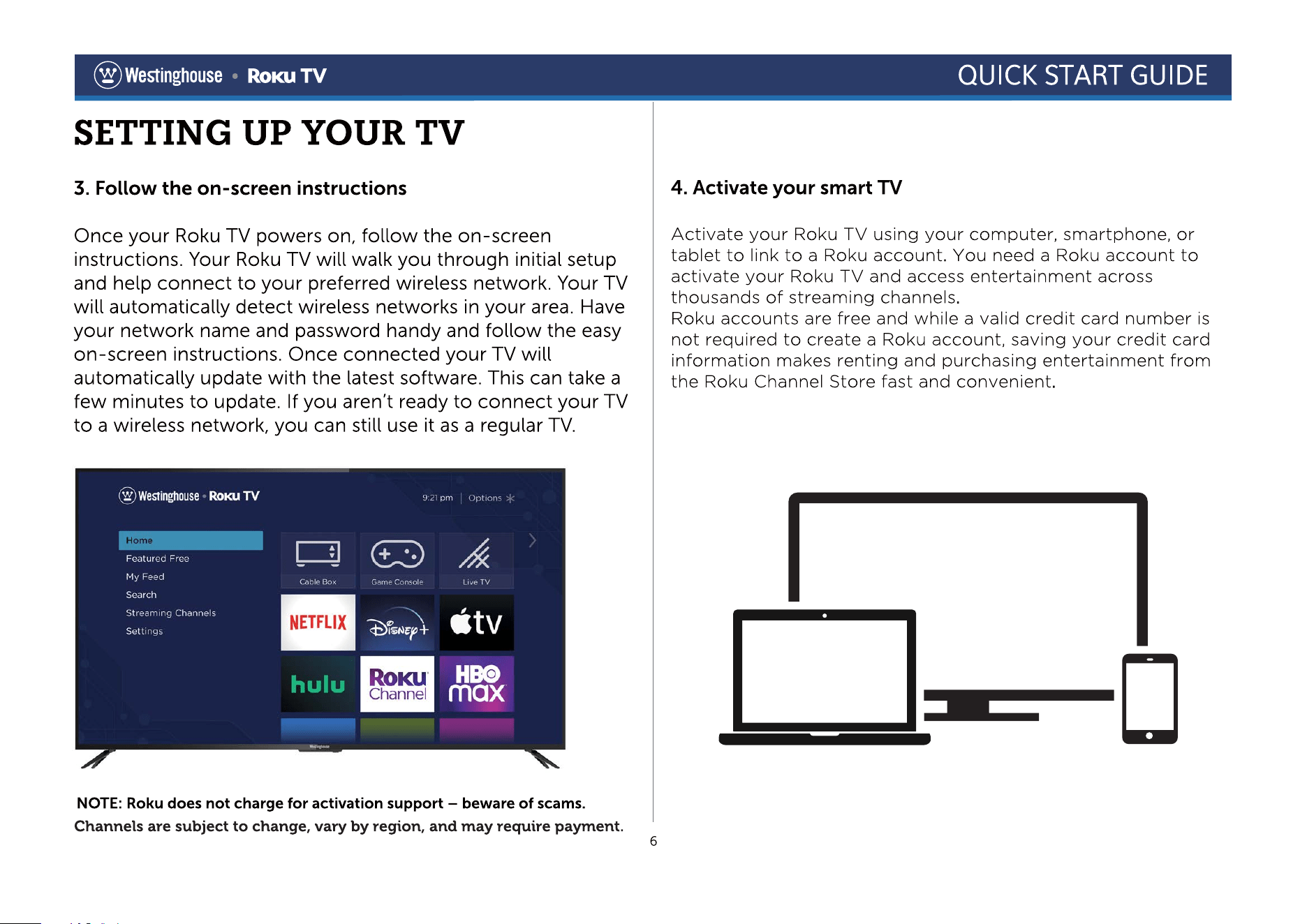
SETTING UP YOUR TV
5
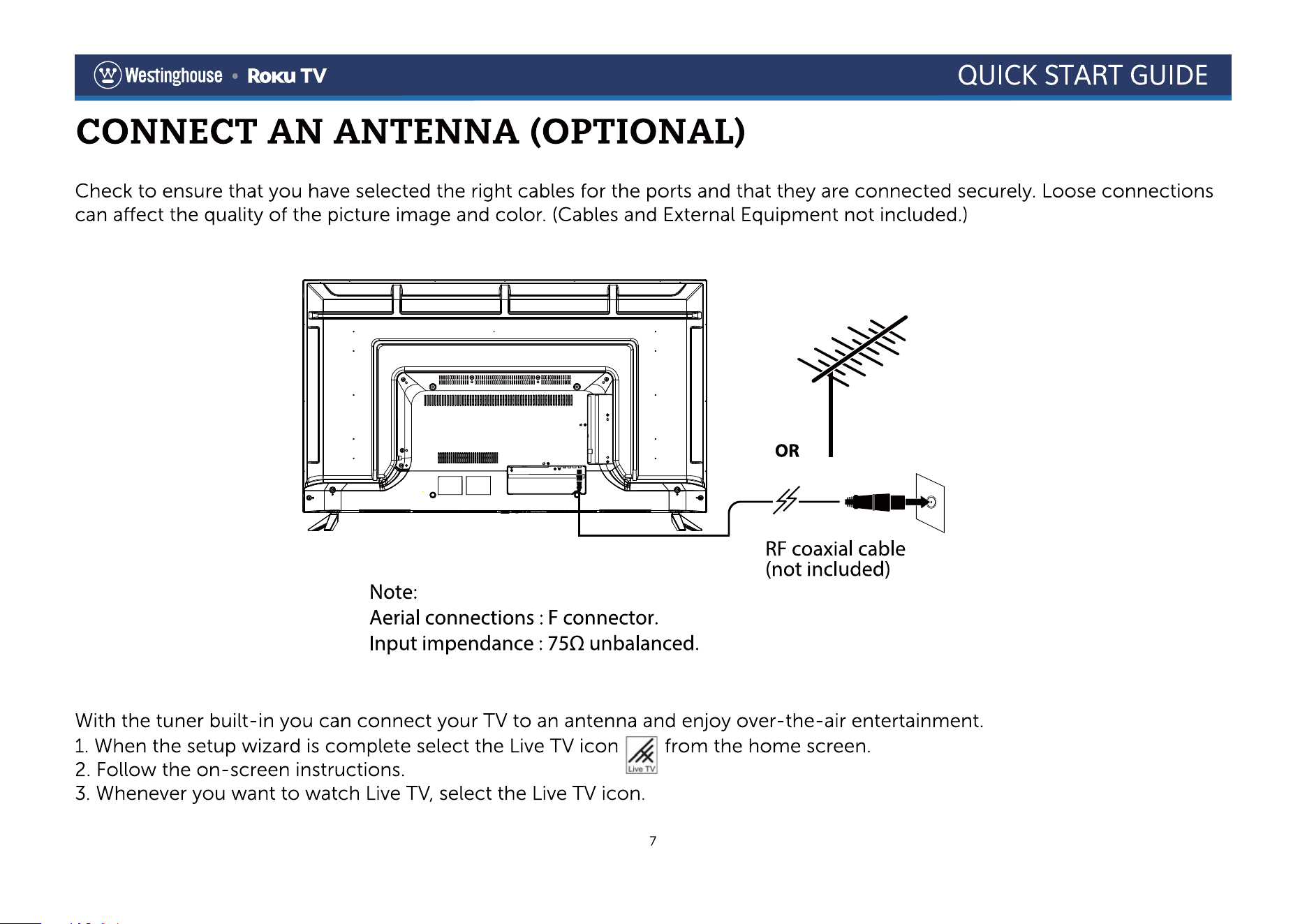
CONNECT AN ANTENNA (OPTIONAL)
7
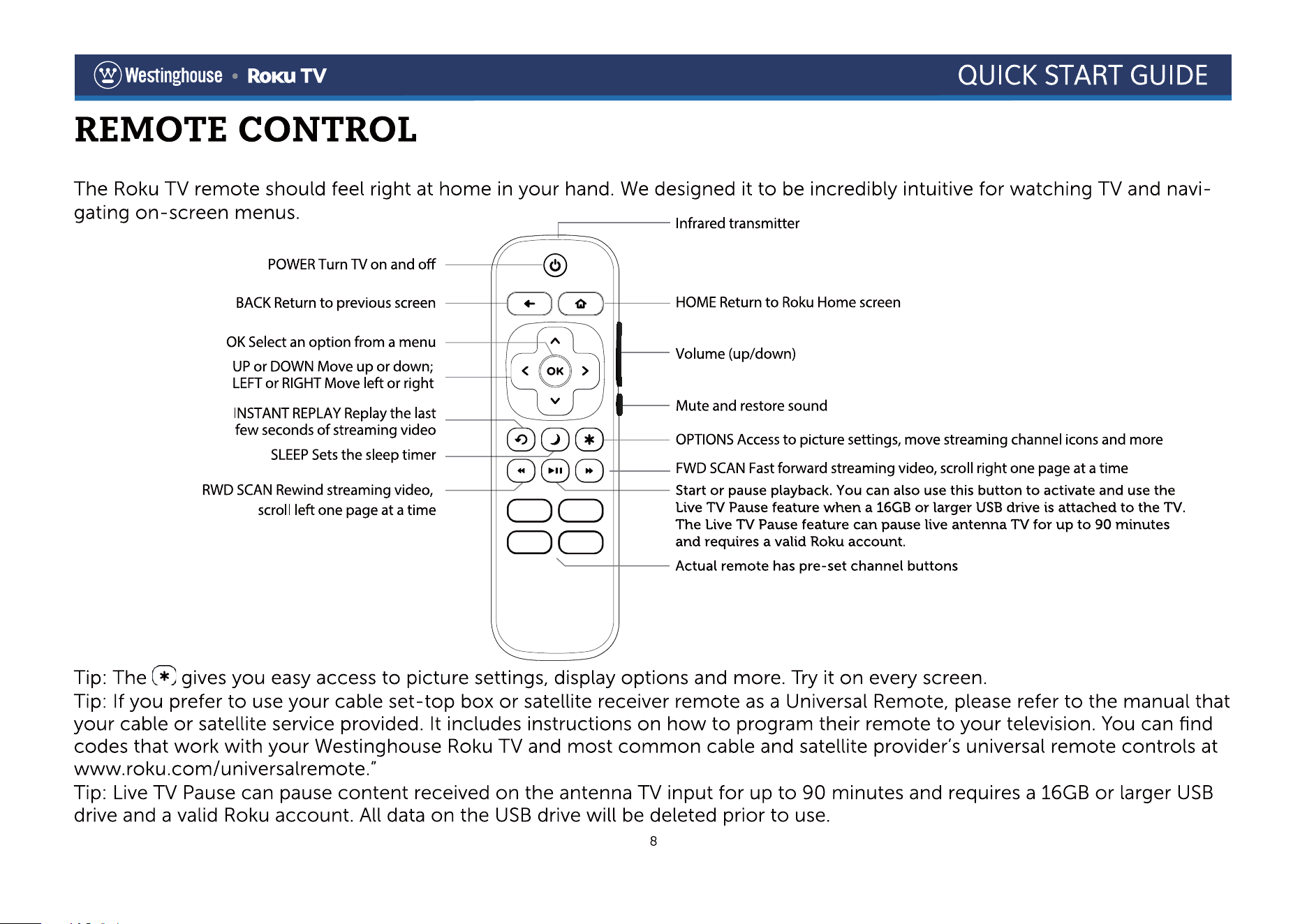
REMOTE CONTROL
8
This Quick Start Guide is provided so that you can properly set up your new TV.
CONTACT US / TECH SUPPORT
9
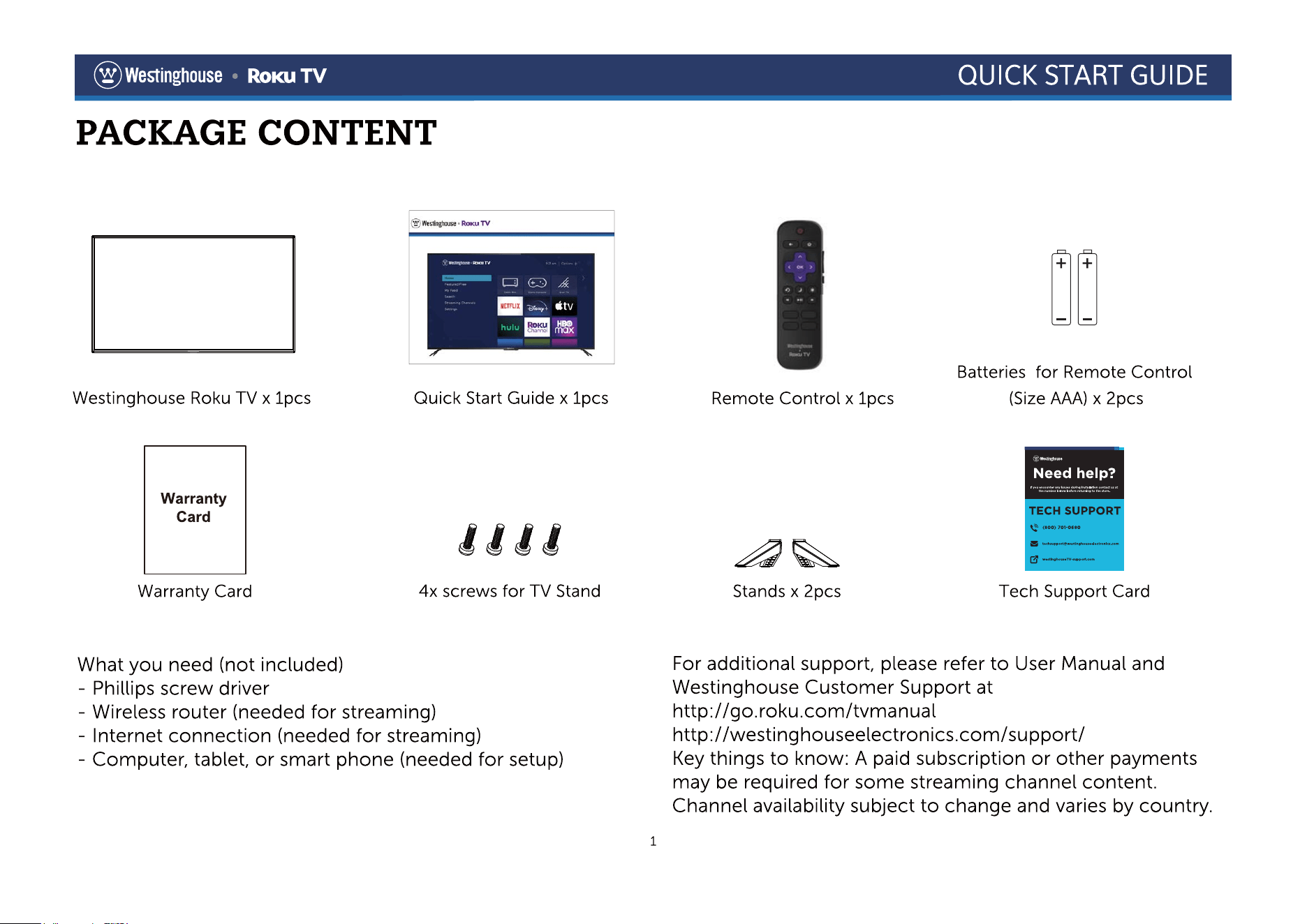
*The picture is for reference only, subject to the actual product.
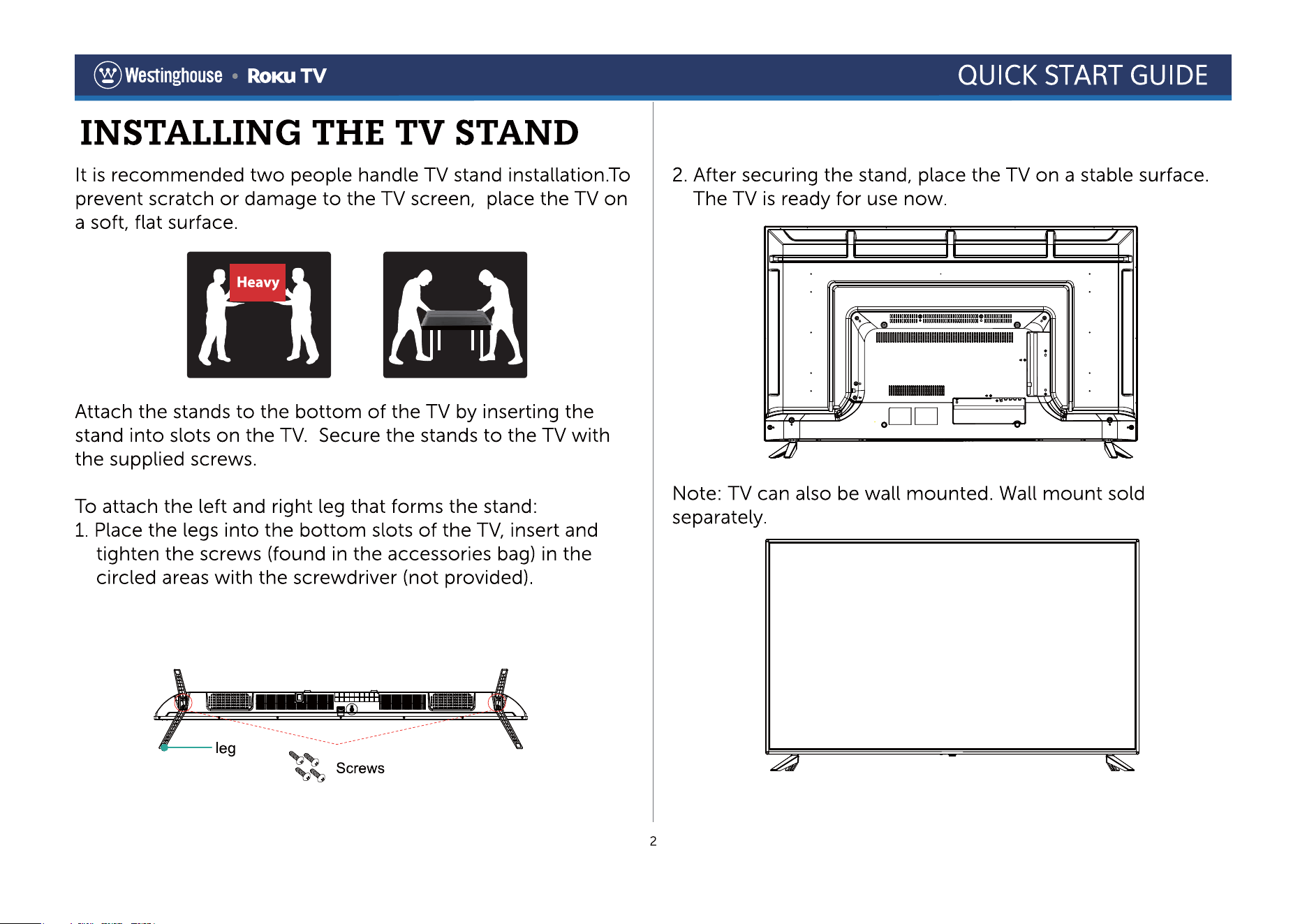
*The picture is for reference only, subject to the actual product.
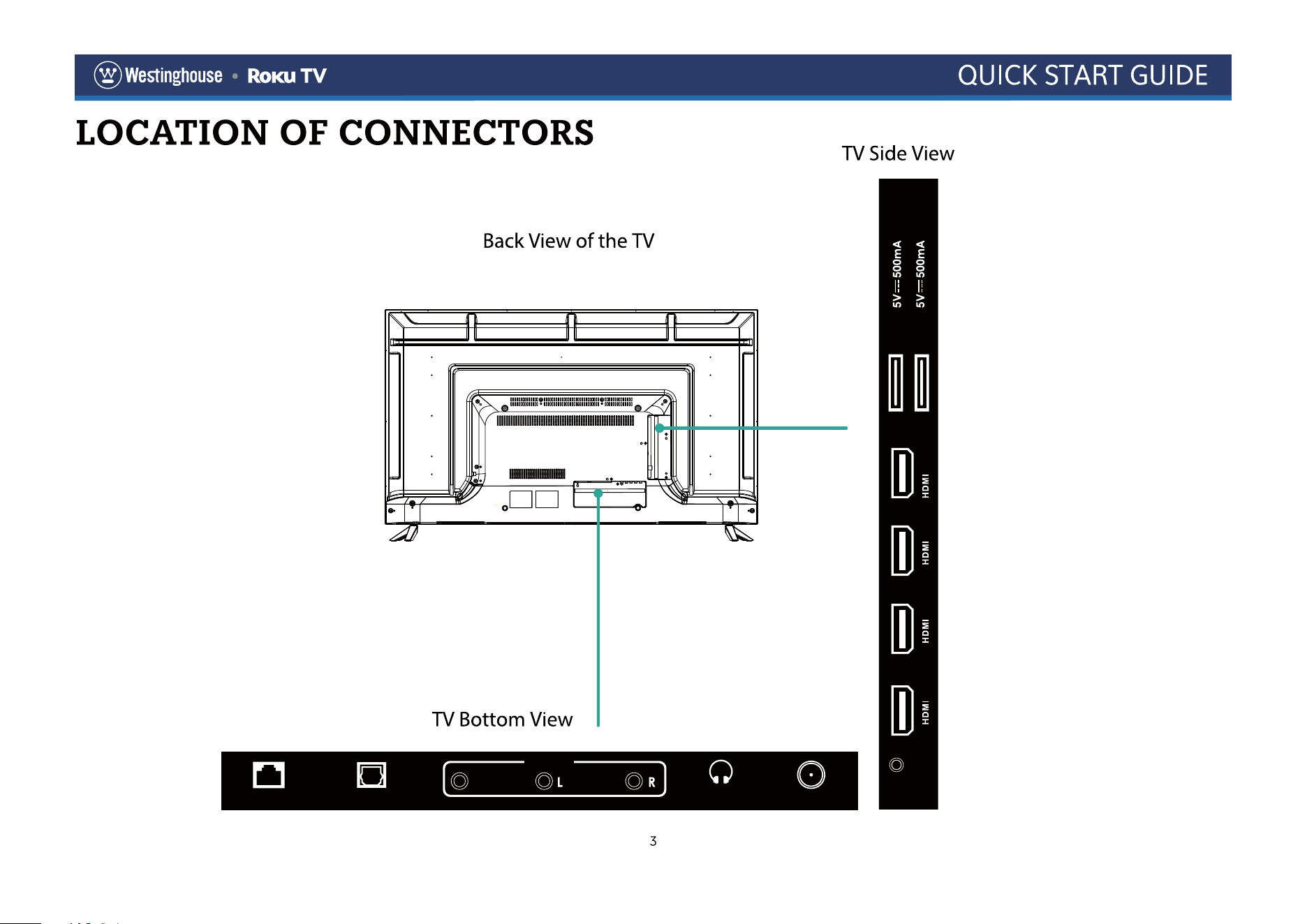
RESET
USB1
USB2
1 (ARC)234
CVBS
LAN OPTICAL HEADPHONE
AV IN
RF IN (75 )
CVBS
AV IN
1 (ARC)234
*The picture is for reference only, subject to the actual product.

@Weinghouse
QUICK START GUIDE
Register your products online: www.westinghouseelectronics.com/support
Enjoy these benefits by registering your product online today!
Up-to-date product information
Exciting promotional offers
Industry news
Westinghouse Electronics has a comprehensive online privacy policy designed to protect our online visitor's information.
Please visit www.westinghouseelectronics.com/privacy/ for our complete Online Privacy Policy.
Need help? Contact us at: (800) 701-0680
or go to www.westinghouseelectronics.com/support
® Weinghouse
9
Roku, Roku TV and the Roku l
ogo are the trademarks or registered trademarks of
Roku, Inc. All other trademarks and logos herein are the property of their respective
own
ers.
© 2021 Westinghouse All Rights R
eserved.