
Contents
"
characteristics and effects ..
...............................
1
appearance and functions
............................
.....
2
installation ..... ...
.......
..
..........
...
.......................
3
remote
control panel ...
.......
........................
.. .. ..
.4
battery installation diagram for remote control ....
..
4
operation
of
OVO
system
...................................
5
system setup
...................................................
5
functional description
of
USB/SO ..........
..
..
..........
?
menu function setup ....
........
..
.. .......
............
......
?
introduction
of
door control line
...........
.............. 1 0
Removal
of
simple faults .....
.........
....
................
11
Cautions
..
.
.............................
.
......................
12

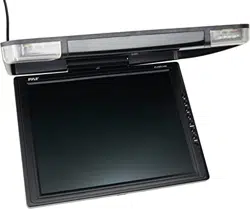
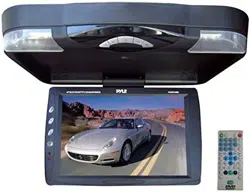
characteristics and effects
> DVD
> super-thin design is combined perfeclly and the crystal glass
style
for top panel
> digital technique, sharp image and
no
interference
> transmit frequency range of audio signal: FM87 .7MHz/
FM88.1MHtiFM88.5MHtiFM88.9MHtiFM106.7MHz/
FMl
07
.1
MHz/FMl
07.5MHz/FMl 07.9MHz.
> double period of infrared
em
ission
> audio/video input and output
> fully functional remote operation
> USB/SD/games
> built-
in
speakers
Specifications
Size
of
screen:
9.4 inch/1 0.4
inch
Pixel
: 9.4
inch:
800x3 eRGB) x480
10.4
inch:
1024x3 eRGB) x600
Rated
voltage:
DC12V(voltage
range:10V-14Vj
Power:
about
13W
-1-
Appearance and functions
G)
Power switch and mode swit
ch
(D
analogue- and next song
(2)
play and pause @Iight switch
@down and
in
/out
(2)
standby switch
@
up
and stop
®l
open
ke
y
@analogue+ and last song
@menu
-2-
@disc-in mouth

Installation
1. remove four screws
on
the bottom and disassemble metallic
support, as picture 1
2. screw down the top of
metallic
support, as picture2. Make room for
wire (please
be
double careful to not
damage the top
of
the machine)
1)
A
¥s
A
A
A
3.install metallic support, link all parts and make room for wire
(keep the wire
orderly lest extrude DVD chips, install special
screw to avoid becoming loose )
®
-3-
A
Q
I
Remote control
TFT menu
",_
'ch<lnnlel
to add and subtract
power
SWIICI1
-
••
TV I DVD sWllcn
--
.
A
•••
automatic se;3rch
--
I-
eeee
numeric
Ke
y
--
_.
GOO
back
rev
v
in,d
-
forward rewi
DVD menu -
e
OGOO
I
R/ L witch A- 8
volume to add
volume to subtract
mute
battery installation diagram for remote
control
attention:
1. do not directly touch infrared light
2. do not press remote control when
disassembling the battery cover
of
remote control
3.
take out battery when rarely using
p>
<Z)
compact
tightly the
fastener
'
PUll
out the
battery
holder
4.
normally, battery life is about one year. replace battery when the remote
control
is
not sensitive.
-4-
,

Operation
of
DVD
system
Play
DVDIDCD/CD
Put the DVD disc into the mouth with the label of disc upwards to
autoplay Press .
/I\o
n panel
ore
on remote control to stop.
Press
~II
on panel or @ on remote control to pause.
Play
MP3
Insert the file storage media into the machine
to
autoplay
Press.fA
on
panel
or
9
on
remote control to stop.
Press
~II
on
panel
or
@
on
remote control to pause.
Press
~II
on panel
or@
on
remote control when pausing to replay
Replay
1. Press 8 to repeat one or more songs
2.press numeric key to directly
play the specified song
System
setup
Press button of setup
on
remote control to enter system and set menu.
Press
0 0 0 0 on remote control to choose modification item
and press
• to enter,as below picture.
-5-
1
J
)
J
1.Television system: set DVD output image format and three formats of
NTSCIPALIAUTO can
be
chosen.
2.resume
play: switch of resuming play after power off
3.screen protection: switch of screen protection icon
4.screen picture ratio: choose image output ratio as per request
5.password: set new 4 a password and the
initial password of system
is
[0000]
6.
level set: set parents lock
as
per different levels
7.setup
of
default value: restore factory's initial settings
> •
8.language showed
on
the screen: choose the language showed
in
the
menu
as
per request
9.
audio language: set disc output language
10. subtitle language:
se
t disc subtitle language
11.menu language: set menu language of disc
Remark: the disc must support audio
language, subtitle language and
menu
language.
-6-

introduction of USB/SO function
1.enter: press @ under
DVD
mode and switch to the mode you need
in
DVD ,USB and
SD
mode.
2.quit: press e
or
@ under USB/
SD
mode and then switch to DVD
mode.
Menu function setup
Press
§on
panel
or.
on
remote control to enter the main menu.
Then
press"
Y < >
on
panel or 0
000
on
remote control
to
setup and adjust
Main menu includes below parts
Image
Volume
Function
System
Preset
Time
Detailed setup
as
below diagram
1.image setup
PICTU
RE
1.
brightness
2. contrast
3. color
4.
reset: restore factory's
initial setting
-7-
2.
Vo
lume setup
1. volume adjust
2. infrared switch
I
3.
FM
switch
3. Functional setup
1. language setup
2. image display setup
4.system setup
Remark: this function applies to the machine type
with
TV function.
1. color mode adjustment
2. accompanying sound
adjustment
3.
channel swap
4.
copy
-8-

5.preset
Remark: this fun ction
applies to the machine type with TV function
1.
automatic channel searching
2.manual channel searching
3.channel fine-tuning
4.band segment
display
5.program No.
6.
Channel over the switch
6.
time setup
1.
sleep timer function
2.
clock setup function
3.
timing
of
the shutdown function
4.
function of resuming by alarm
-9-
2.audio frequency
Press"
i V
on
panel or
CDCD
on remote control and the screen displays
menu, then press <I> on panel
or
88
on
remote control t9 set
accordingly.
a:
volume
Audio control, (you can choose infrared/s peaker/radio/speaker, speaker/radio,
infrared/speaker/radio , radio, infrared, infrared/speaker, infrared/radio)
3.
Functions
Press A /
Von
panel or
CDCD
on
remote control and the screen
displays below menu pictures, then press <I> on panel or
88
on
remote control to set accordingly
introduction of
door
control
line
Attention
~
/
the
red
wire connects
DC
power +12V
the
black wire connects door control-12V
the yellow wire connects door control+12V
Customer can choose door control type
according to his own
vehicle type.
-10-
- I

Removal
of
simple fault
Faults
possible
reasons
No
sound and
image
power is disconnected; the machine
is
not turned
on
No
image
standby switch is pressed down; disc
is
scratched;
signal wire is disconnected; TV signal is weak
--
No
sound
volume too low or the volume setup is not workable
Weak signal
adjust
th
e antennae; no appropriate frequency
Black screen
incorrect setup of image
luminance and contrast;
Undervoltage
Blurring
and
TV
signal is weak; disc is scratched
unstable image
adjust the antennae;
Image dithering TV may not receive the signal;
influence
of
buildinas or mountains in this region
Snow pattern
on
no signal or weak signal for TV;
TV is interfered by other
signal;
the screen
antennae is not
installed properly
Color
cast
function menu setup
is
incorrect;
weak
sianal
No
power
voltage
is
not accurate: check interconnect circuit;
Fuse is disconnected: change fuse specification
No
image after
only audio frequency for the disc;
loading the disc
disc is scratched;
disc format is not supported
In
stable sound
caused by
DVD is dirty or
se
ri
ously damaged
vibration
-
Instable sound
disc is dirty or scratched;
even with no
vibration
clean or replace the disc
-11-
Attention
1.00 not put the machine in the rain or damp environment lest outbreak
of
fire or any damage to machine.
2.Do not repair the machine by
yourself. Please turn off the machine and
inform us
if
any problem found , the factory or the agent will arrange spe-
cialized personnel to disassemble and repair the machine for you .
3.Please keep the machine away from dampness, dust, oil and straight sunlight.
4.Do not use diluents or other chemical cleaner when cleaning the machine.
Please clean the machine by soft cloth with special cleaner.
5.Please
keep the machine
in
a good
en
vironment. The storage temperature
for this machine
is
from
_20
°C
to
70
T and the operating temperature for this
machine is from -10T
to
60
°C
.
6.00
not play without the support of disc, this machine supports DIVX I
MPEG4
I
DVD
/
DVD+R
I
SVCD
/
VCD
/
DVCD
/
CD
/
MP3
/
WMA
/
CD-~
RW
I HDCD + _R I JPEG or
CD
- ROM7.
7.Please
prevent the machine from the influence of other equipment.
8.For your safety,
please do not turn
on
or operate this
ma
chine when driving
as it may
be
illegal in some countries and regions.
9.Safe power
supply:
DC
12V(voltage range: 1
OV-14
V).
Attention
There may
be
some small and bright spots
on
the screen.
This is a common
technical matter and does not indicate
any
quality problem of this machine.
-12-