USER GUIDE
Wireless BT Streaming Mini Audio Mixer
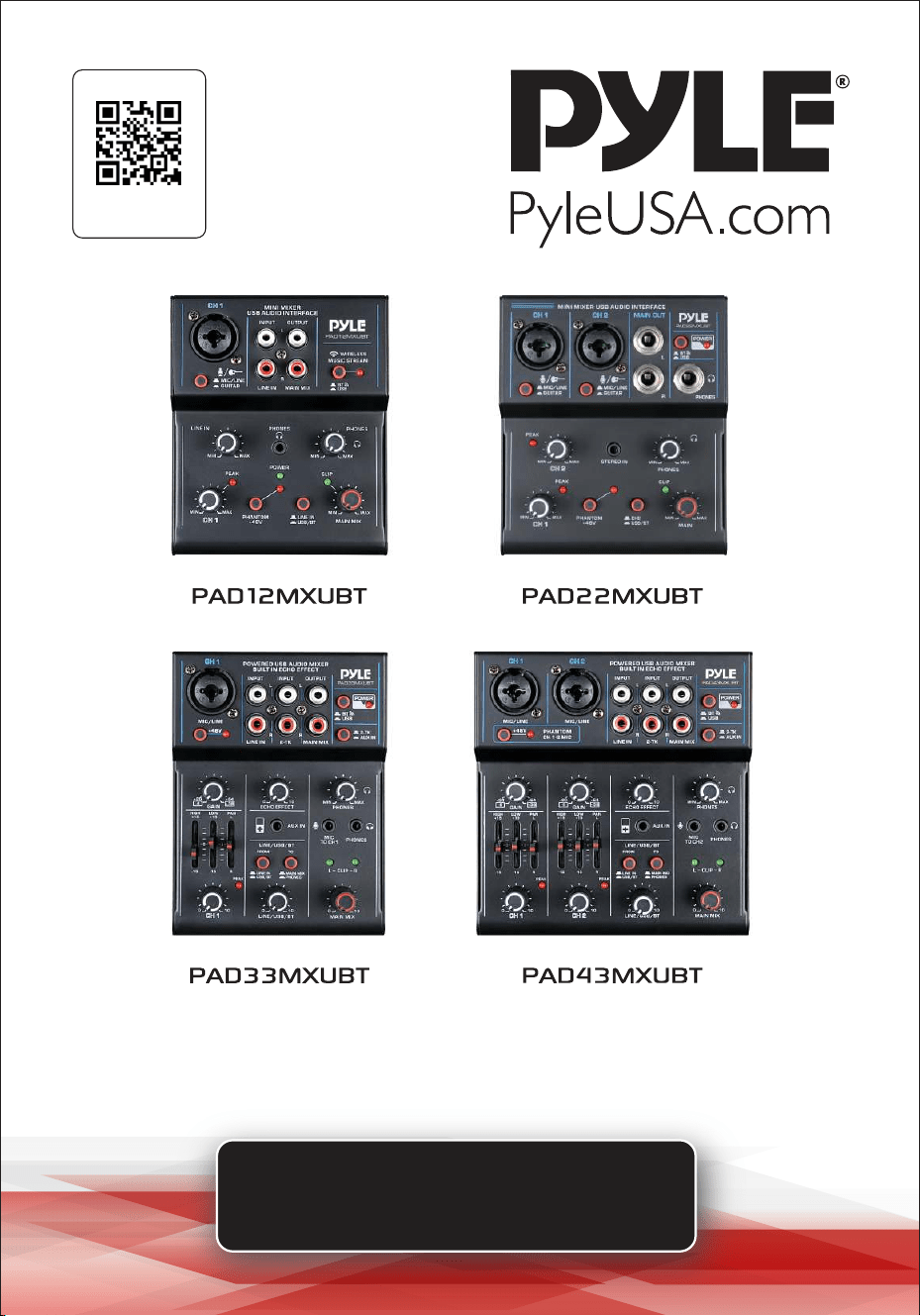
PAD12MXUBT - PAD22MXUBT - PAD33MXUBT - PAD43MXUBT
Visit Our Website
SCAN ME
PyleUSA.com

www.PyleUSA.com
2
For the best results and satisfaction with your new unit, please read
this manual thoroughly and keep it for future reference.
FEATURES:
• Ultra-low Noise Design with High Headroom
• USB Sound Card/Audio Interface for Computer Playing & Recording
• +48V Phantom Power
• DC 5V Power Supply or PC Power Supply
• Rugged Metal Chassis
MODEL-SPECIFIC FEATURES:
PAD12MXUBT & PAD22MXUBT:
• Combo Jack (XLR + 6.35mm) for MIC/LINE/GUITAR Inputs
• RCA Jacks for Stereo Input and Output (PAD12MXUBT)
• Independent 3.5mm Stereo Input Jack (PAD22MXUBT)
• 6.35mm Jacks for Stereo Input and Output (PAD22MXUBT)
• 3.5mm Jack for Earphone Monitor Output
PAD33MXUBT & PAD43MXUBT:
• Built-in Echo Effect
• Extremely Musical 2-Band EQ & PAN on Each Channel
• Combo Jacks (XLR + 6.35mm) for MIC/LINE Inputs
• Independent 3.5mm Stereo Input Jack
• Flexible Connectivity for Various External Devices
• RCA Jacks for Stereo Input and Output
• 2-TK RCA Input Jacks
• 3.5mm Jacks for Microphone Input & Earphone Monitor Output
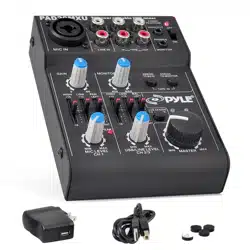
WHAT'S IN THE BOX:
• Mini Mixer
• (2 Flat Plug) Power Adapter
• USB Cable
California Prop 65 Warning
WARNING:
This product may expose you to chemicals, which is known to
the state of California to cause cancer, birth defects and other
reproductive harm. Do not ingest.
For more info go to: www.P65warnings.ca.gov
www.PyleUSA.com
3
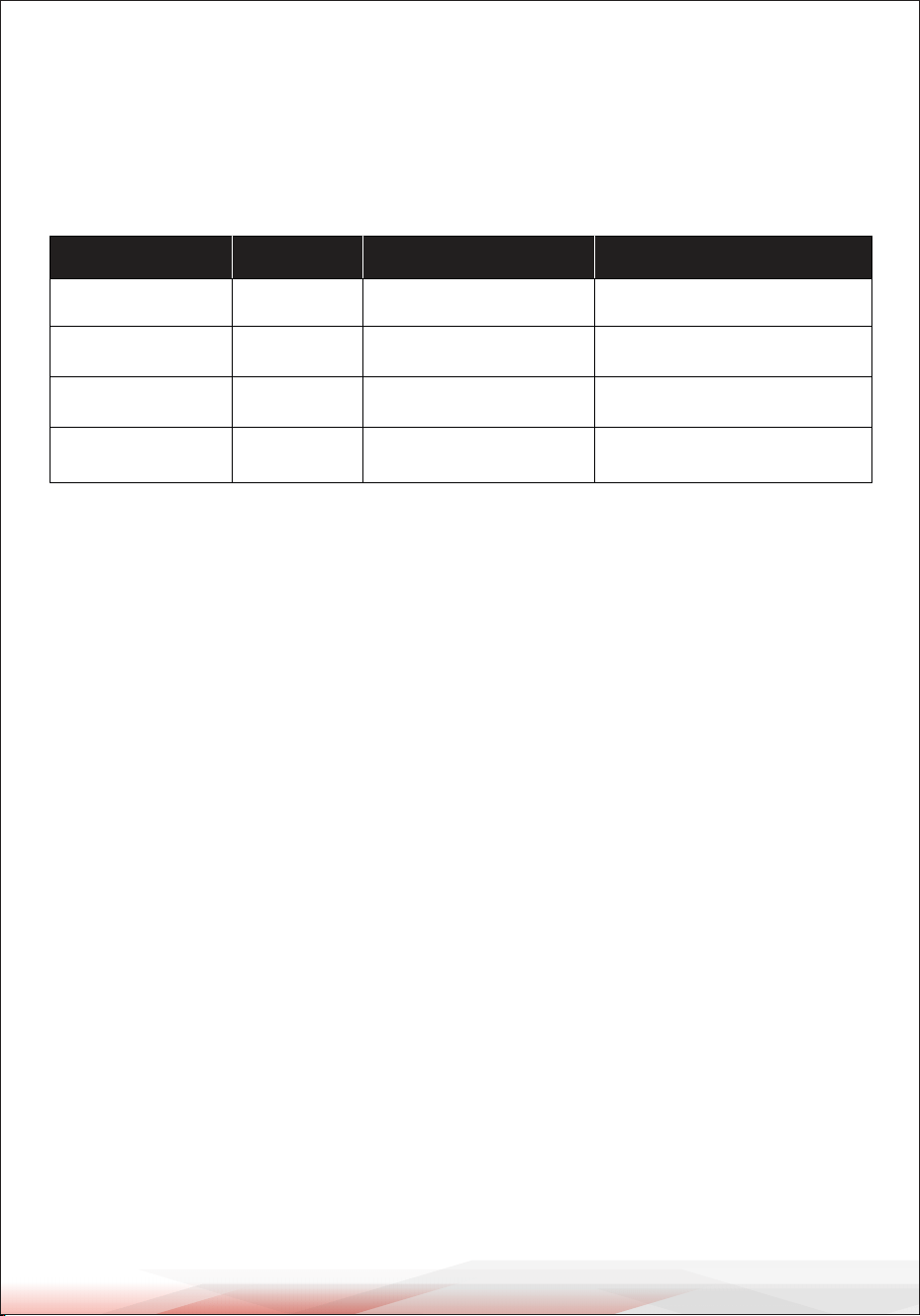
PAD12MXUBT 2
Model Channels Power Consumption
5W
Dimensions (L x W x H)
4.72'' x 3.95'' x 1.38''
PAD22MXUBT 2
5W 4.80'' x 4.19'' x 1.38''
PAD33MXUBT 3
5W 5.35'' x 3.95'' x 1.38''
PAD43MXUBT 4 7W 5.35'' x 5.13'' x 1.38''
TECHNICAL SPECS:
• USB Sound Card: 2.0 Type-B
• Power Supply: DC 5V, 500mA
• Voltage: 100/240V
• USB Cable Length: 3.94 ft.
ATTENTION
To avoid malfunction, damage to the product, data loss, or harm to other property,
please follow these guidelines:
• Do not use the device near a TV, radio, stereo equipment, mobile phone, or other
electronic devices, as this may cause interference or noise.
• To prevent panel discoloration, unstable operation, or internal damage, avoid
exposing the device to excessive dust, vibration, extreme temperatures, or direct
sunlight. Do not place it near a heater or leave it inside a car during the day.
• Avoid placing vinyl, plastic, or rubber objects on the device, as they may cause
discoloration.
• When cleaning, use a dry, soft cloth. Do not use paint thinners, solvents, cleaning
fluids, or chemically treated wipes.
• Condensation may form inside the device due to sudden temperature changes,
such as when moving it between different environments or when an air
conditioner is turned on or off. Using the device while condensation is present
can cause damage. If condensation is suspected, allow the device to sit for
several hours before turning it on, ensuring it is completely dry.
• Avoid setting all controls to their maximum levels. Depending on the connected
devices, this may cause feedback and damage the speakers.
• When powering on your audio system, always turn on the power amplifier last
to prevent speaker damage. When turning off the system, turn off the power
amplifier first for the same reason.
www.PyleUSA.com
4
PRECAUTIONS WHEN USING THE USB 2.0 AND 5V DC TERMINALS
When connecting the USB 2.0 port to a computer, follow these precautions to
avoid crashes, malfunctions, or data loss:
• If the computer or mixer crashes, restart the application software or computer
operating system, or disconnect and reconnect the mixer before powering it on
again.
• Use an AB-type USB cable. A USB 3.0 cable is not compatible.
• Before connecting the computer to the USB 2.0 port, disable any power-saving
mode (such as suspend, sleep, or standby).
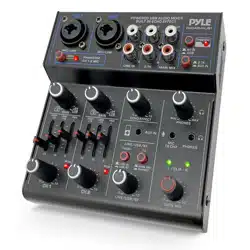
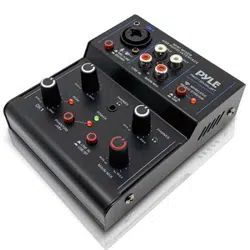
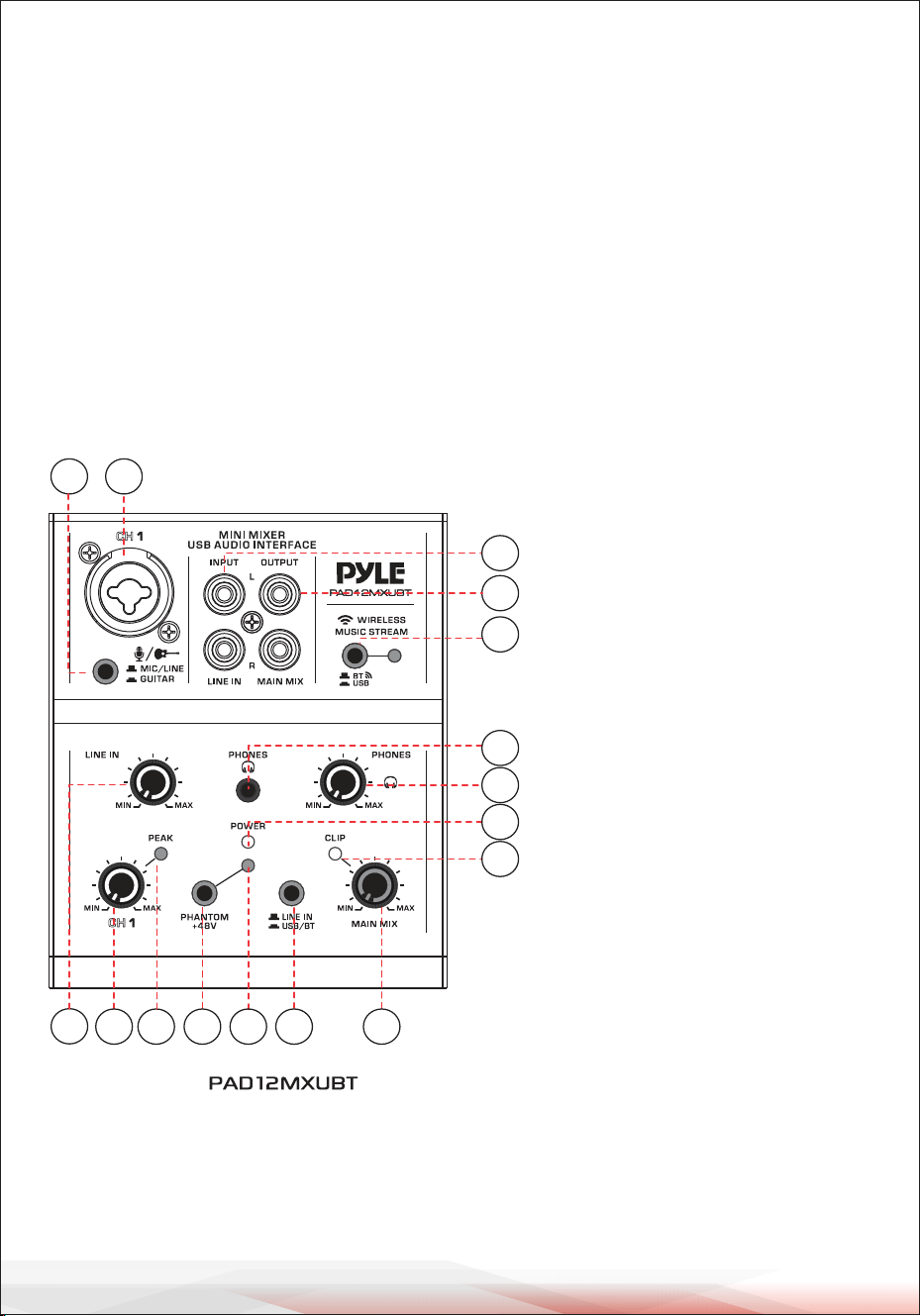
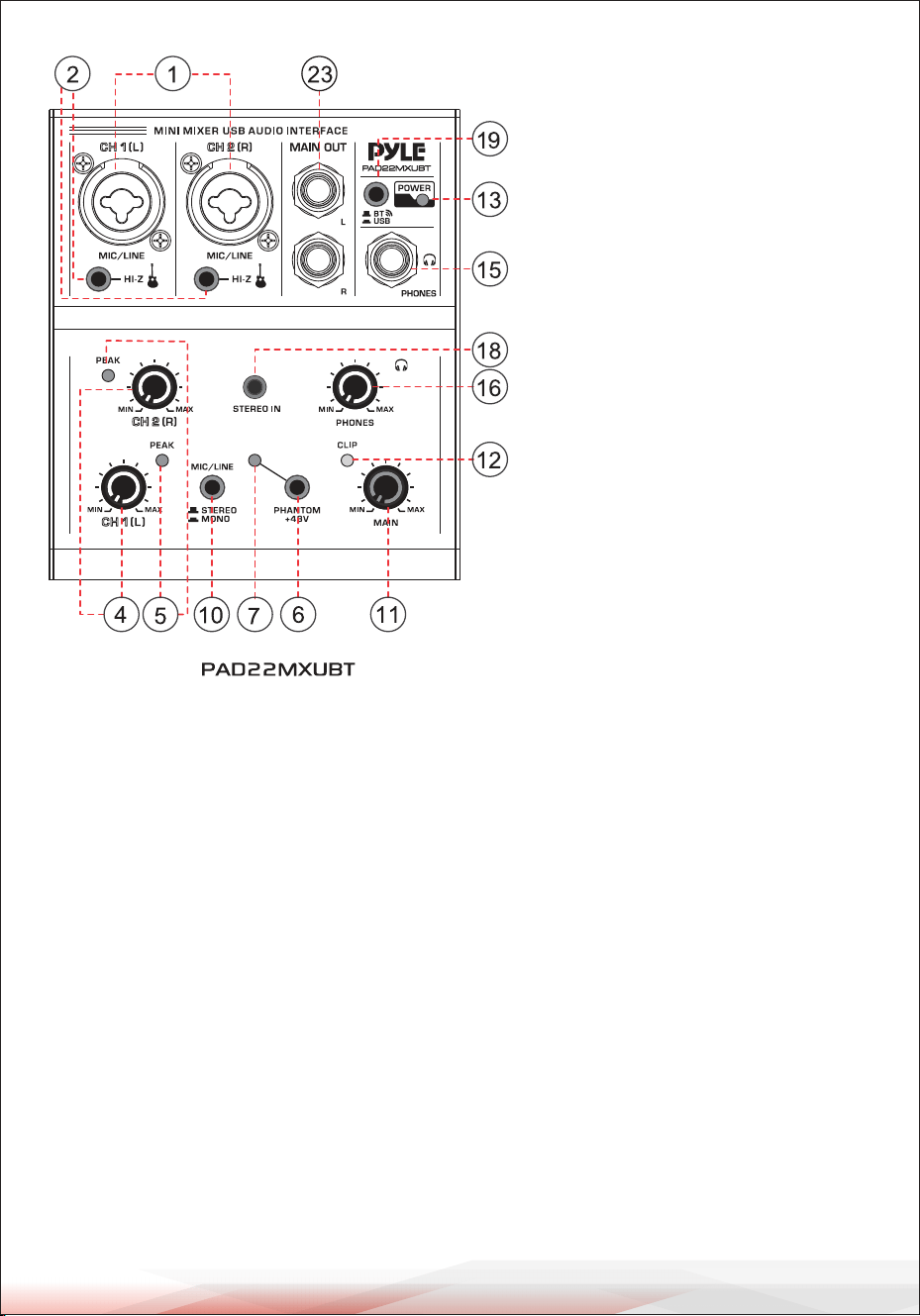
CONTROLS AND FUNCTIONS FOR PAD12MXUBT - PAD22MXUBT
1
2
3
5
20
22
16
14
4
6
7 8
11
12
13
19
1. [MIC/LINE & GUITAR] Input
Jack: This combo jack can be
used to connect a mono signal,
such as an XLR microphone or
a 1/4” line input device. It can
also connect to an instrument
like an electric guitar or bass,
but they must be converted
using the switch.
2. [MIC/LINE & GUITAR]
Converting Switch: Used to
switch between different
input sources.
• Press and hold this switch to
connect to a high-impedance
audio source, such as an
electric guitar or bass.
• When the switch is released, it
connects to an XLR micro-
phone or a 1/4” low-
impedance audio device.
3. [LINE IN] Controller: Adjusts
the volume of the RCA LINE IN
input.
www.PyleUSA.com
5
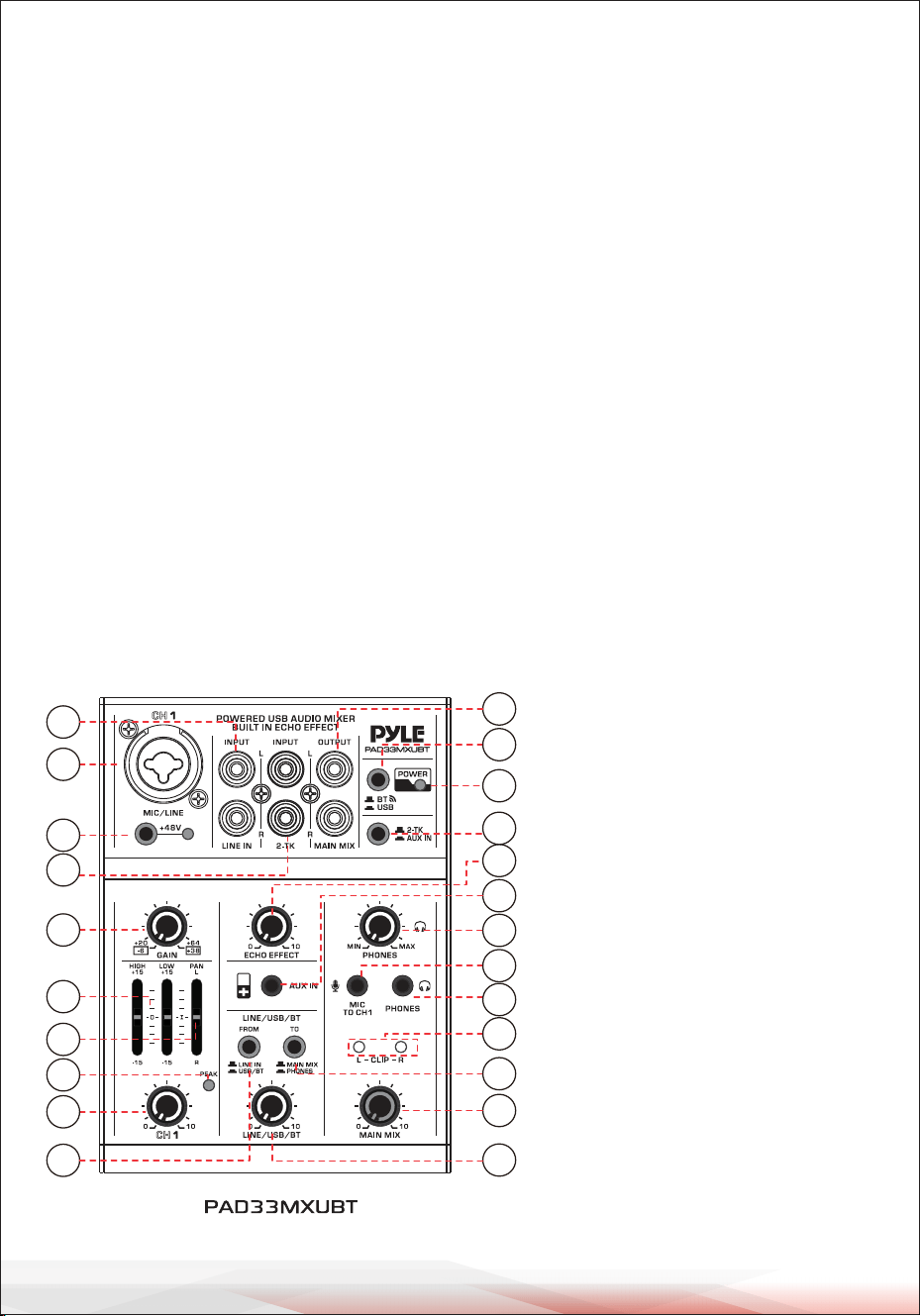
9. Input Select Switch:
• When the switch is up, the input signal is from stereo CH 2/3 and AUX IN.
• Press and hold it to switch the input signal to USB/BT.
10. MIC/LINE Input Converting Switch:
• When the switch is up, it functions as a STEREO input, connecting MIC/LINE
CH 1 (L) and MIC/LINE CH 2 (R), where CH 1 (L) is the left channel and CH 2 (R)
is the right channel, forming a stereo signal.
• Press and hold the switch to enable MONO input, keeping CH 1 and CH 2
separate.
11. [MAIN] Controller: Adjusts the volume of the MAIN and USB PORT output.
12. [CLIP] LED Indicator: Lights up when the MAIN output signal is too high.
13. [POWER ON] LED: Lights up when the mixer is powered on.
14. [PHONES] 3.5mm Output Jack:
Connects to earphones with a stereo phone plug.
15. [PHONES] 6.35mm Output Jack:
Connects to earphones with a stereo phone plug.
4. [CH 1/2/3] Controller: Adjusts
the volume of signal inputs
for CH 1, 2, and 3.
5. [PEAK] LED Indicator Light:
Lights up when the input
signal is too high.
6. [PHANTOM +48V] Switch:
Activates the phantom power
supply for the XLR connector,
providing +48V phantom
power.
7. [PHANTOM POWER] LED:
Lights up when phantom
power is on.
8. Input Select Switch:
• When the switch is up, the
input signal is from LINE IN.
• Press and hold it to switch the
input signal to USB/BT.
www.PyleUSA.com
6
16. [PHONES] Controller: Adjusts the volume of earphones.
17. [AUX IN] 3.5mm Jack: Auxiliary stereo input for connecting various external
audio devices.
18. [STEREO IN] 3.5mm Jack: Auxiliary stereo input for external audio devices.
The volume can be adjusted through the external audio device or the MAIN
controller.
19. [BT/USB] Convert Switch:
• When the switch is up, it connects to Wireless BT.
• Press and hold it to switch to USB.
20. [LINE IN] Stereo RCA Input Jacks: Connects an audio source with a line-level
signal, such as a CD player or tape deck.
21. [CH 2/3 STEREO INPUT] Jacks: Connects to a line-level device (e.g., an electric
keyboard) via 6.35mm plugs. If only the L (MONO) jack is used, the mixer sends
the same mono signal to both the L and R outputs.
22. [MAIN MIX] Stereo RCA Output Jacks: Connects to the input of an amplifier
or recorder.
23. [MAIN] Stereo 6.35mm Output Jacks: Connects to the input of an amplifier
or recorder.
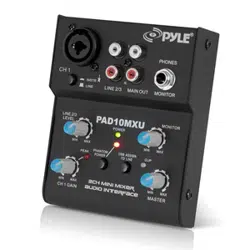
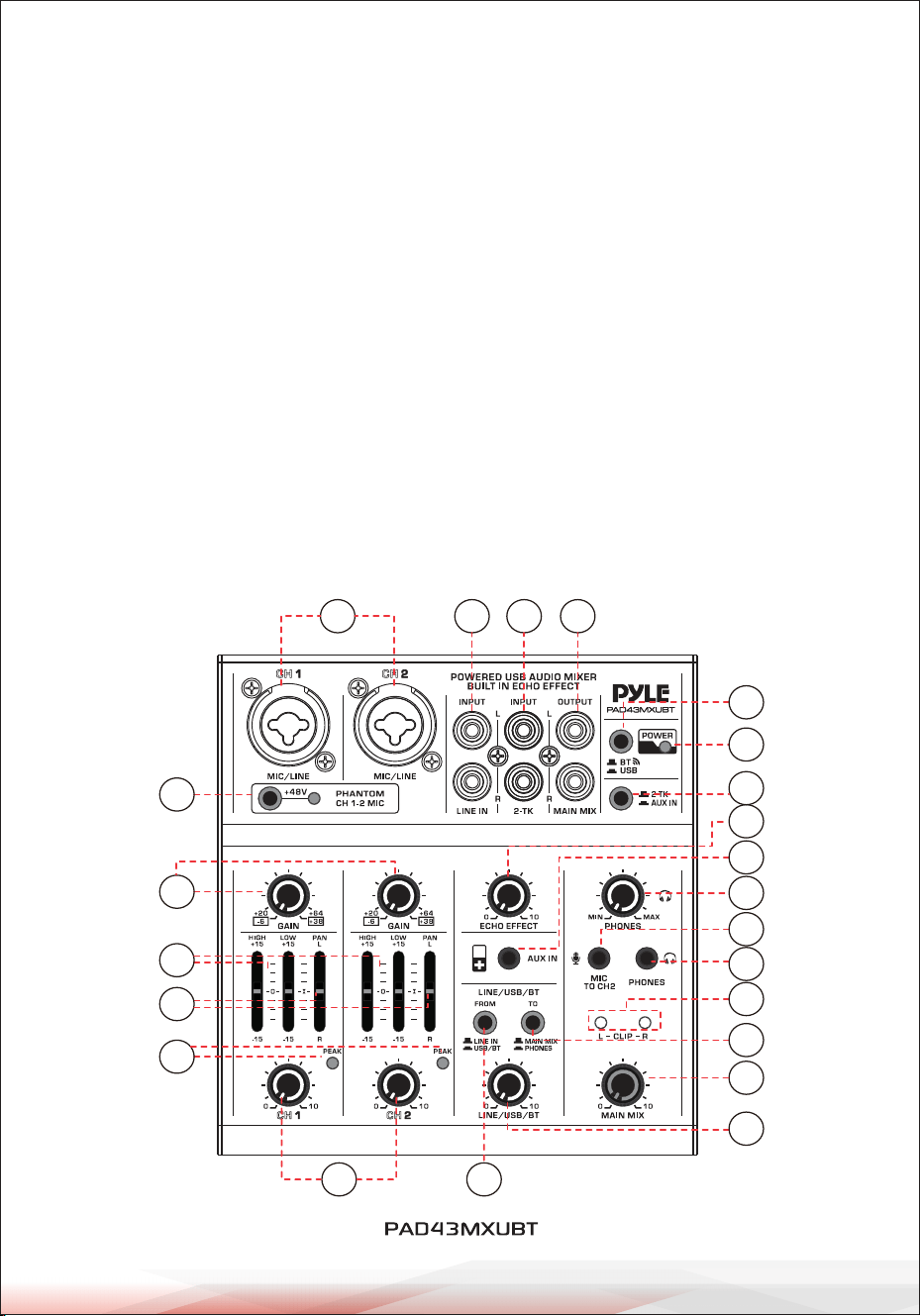
CONTROLS AND FUNCTIONS FOR PAD33MXUBT - PAD43MXUBT
1
2
3
5
7
6
8
4
9
10
11
12
13
18
24
23
16
17
19
22
20
15
14
1. [MIC/LINE] Input Jack:
Used to connect a mono signal,
such as an XLR microphone or
a 1/4” line input device.
2. [+48V PHANTOM POWER]
Button/LED: When turned on,
the LED lights up, providing
+48V DC phantom power to
the XLR input. Turn this on
when using a condenser
microphone that requires
phantom power.
3. [LINE IN] Stereo RCA Input
Jacks: Connects an audio
source with a line-level signal,
such as a CD player or tape
deck.
www.PyleUSA.com
7
4. [2-TK] Stereo RCA Input Jacks: Connects an audio source with a line-level signal,
such as a recorder or MP3 player.
5. [MAIN MIX] Stereo RCA Output Jacks: Connects to the input of an amplifier or a
recorder.
6. [POWER ON] LED: Lights up when the mixer is powered on.
7. [BT/USB] Convert Switch:
• When the switch is up, it connects to Wireless BT.
• Press and hold it to switch to USB.
8. Input Select Switch:
• When the switch is up, the input signal is from 2-TK.
• Press and hold it to switch the input signal to AUX IN.
9. [GAIN] Controller: Adjusts the basic volume of CH 1/2 for maximum performance.
If the volume gets too loud, the PEAK LED indicator will flash.
10. [HIGH & LOW] Tone Controller: Adjusts the high and low frequencies for CH 1/2.
11. [PAN] Controller: Controls the stereo balance of the channel signal.
1
2
3
4
9
10
11
12
13
5
7
6
8
18
24
23
17
19
22
21
15
14
16

www.PyleUSA.com
8
• When centered, the signal is evenly distributed between L & R.
• When turned fully to the left, only Channel L receives the signal.
• When turned fully to the right, only Channel R receives the signal.
12. [CH 1/2] Controller: Adjusts the volume of signal input for CH 1/2.
13. [PEAK] LED Indicator: Lights up when the input signal is too high.
14. [ECHO EFFECT] Controller: Adjusts the echo effect.
15. [AUX IN] 3.5mm Jack: Auxiliary input for external audio devices.
The volume can be adjusted using the external audio device or the MAIN MIX
controller.
16. Input Select Switch:
• When the switch is up, the input signal is from LINE IN.
• Press and hold it to switch the input signal to USB/BT.
17. Output Select Switch:
• When the switch is up, the output is assigned to MAIN MIX.
• Press and hold it to assign the output to PHONES.
18. [LINE/USB/BT] Controller: Adjusts the volume of the LINE/USB/BT channel.
19. [PHONES] Controller: Adjusts the volume of the earphones.
20. [MIC TO CH1] Jack: 3.5mm microphone input, sending audio to CH 1.
21. [MIC TO CH2] Jack: 3.5mm microphone input, sending audio to CH 2.
22. [PHONES] 3.5mm Output Jack:
Connects to earphones with a stereo phone plug.
23. [CLIP L & R] LED Indicators:
Light up when the MAIN MIX output signal is too high.
24. [MAIN MIX] Controller: Adjusts the volume of MAIN MIX and USB PORT output.
WIRELESS BT CONNECTIVITY
• Instantly receives wireless music streaming audio
• Compatible with all your favorite devices:
(iPhone, Android smartphones, iPad, tablet, MP3 player, etc.)
• Wireless BT Version: 5.0
• Wireless BT Network Name: ‘MP’
• Wireless BT Range: 50 ft.
www.PyleUSA.com
9
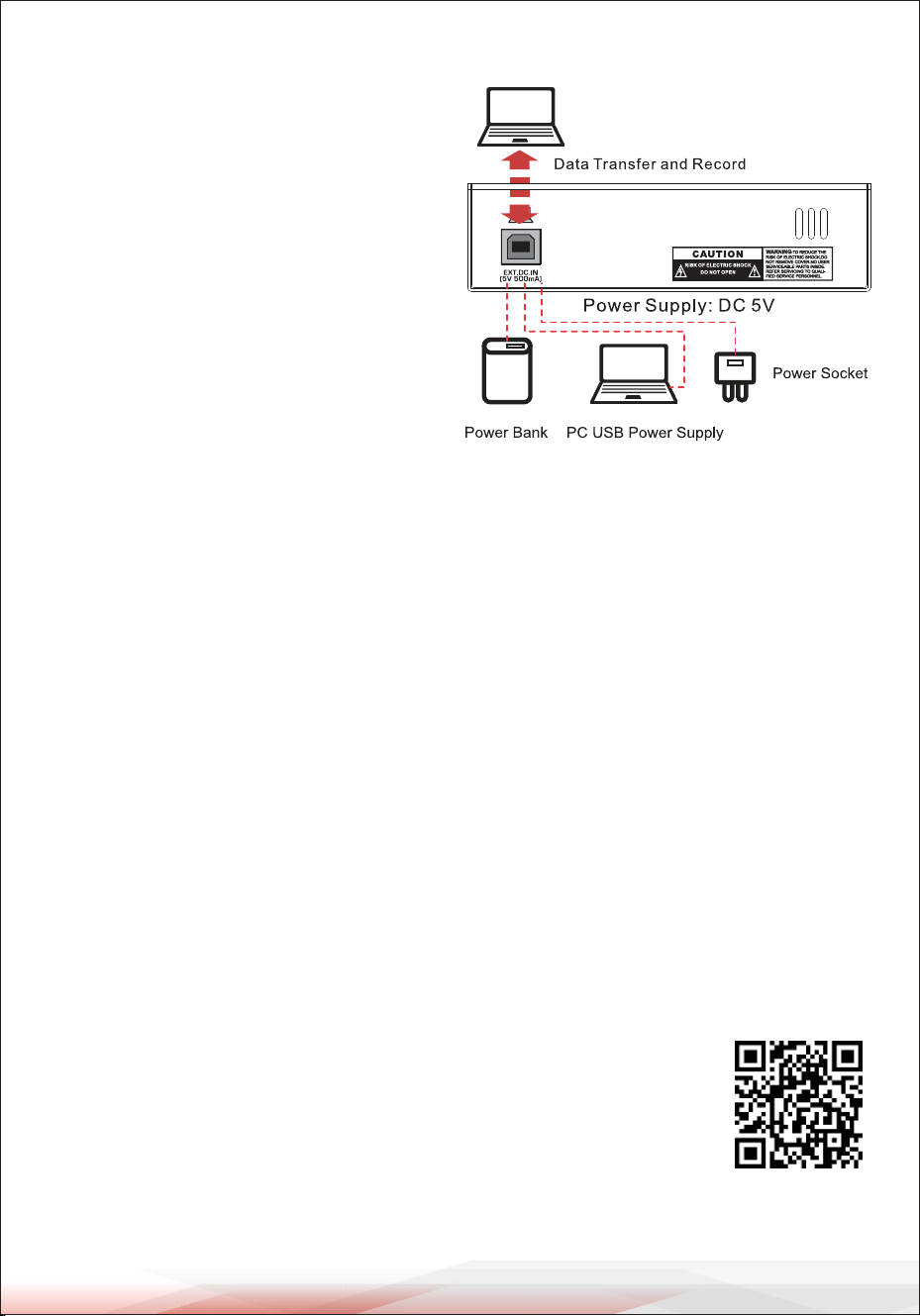
USB 2.0 TERMINAL
Use the included USB 2.0 cable to
connect the Local unit’s USB port to
a USB port on your computer.
When connected, the computer
supplies power to the mixer, allowing
audio data to be transmitted between
the mixer and the computer.
The USB port can also be used with a
USB power adapter or USB power bank
to supply power to the mixer.
External Power Supply Requirements:
When using an external power source, it must meet the following requirements:
• Output Voltage: 4.8V to 5.2V
• Output Current: 0.5A or higher
Note:
If using a USB power adapter or USB power bank for power, data transfer and
recording will not be possible. The mixer must be connected to a computer for
these functions.
CLEANING, MAINTENANCE, AND STORAGE
• Wipe with a soft, dry cloth; avoid chemicals or abrasives.
• Check cables and ports regularly for dust or damage.
• Keep in a cool, dry place; use a cover when not in use.
Register Product
Thank you for choosing PyleUSA. By registering your product, you
ensure that you receive the full benefits of our exclusive warranty
and personalized customer support.
Complete the form to access expert support and to keep your
PyleUSA purchase in perfect condition.
Start Here
PyleUSA.com/pages/register
Model Number:
PAD12MXUBT

Questions or Comments?
We are here to help!
Phone: 1.718.535.1800
PyleUSA.com/ContactUs