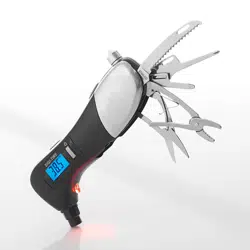
FEATURES
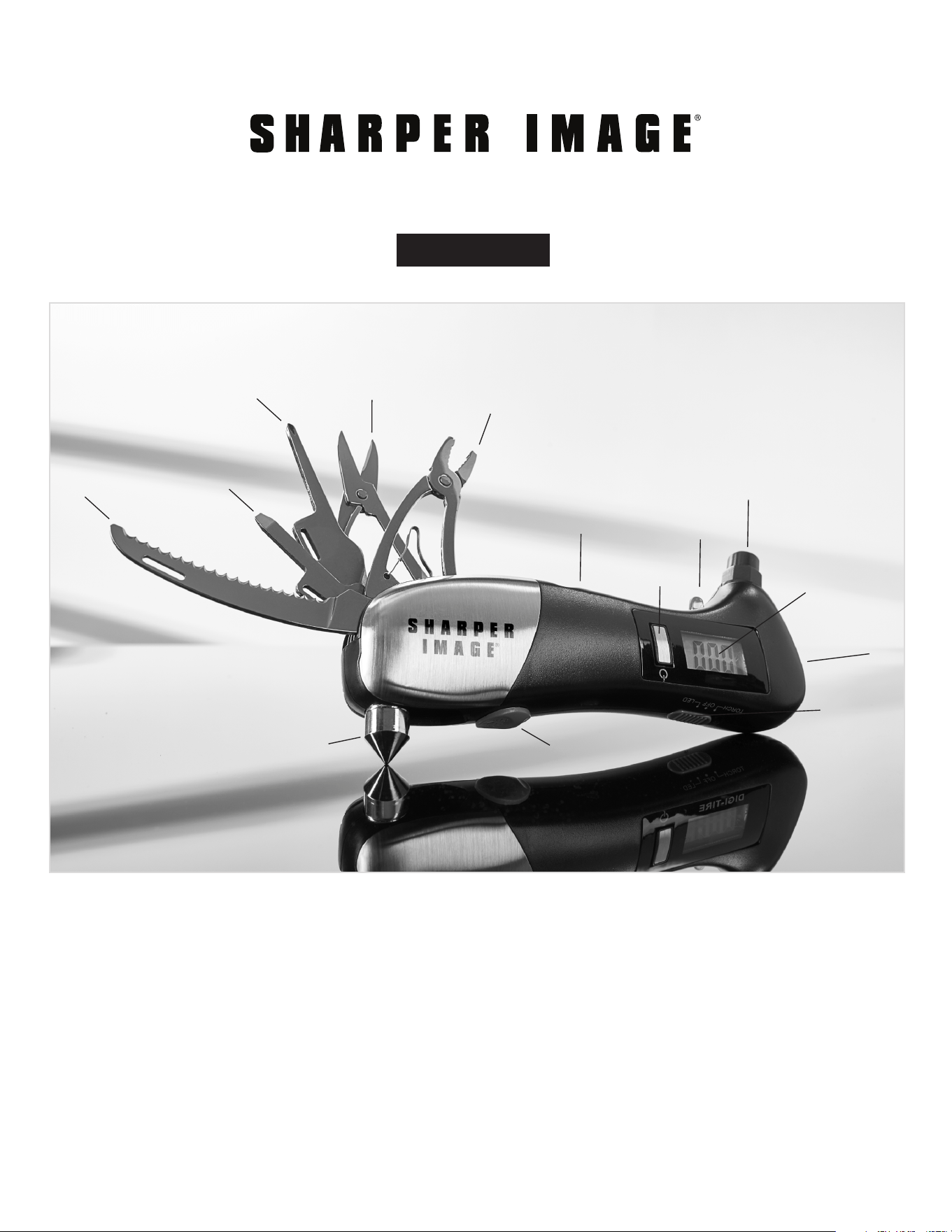
A. Seatbelt cutter
B. Flat head screwdriver with tire tread ruler
C. Phillips head screwdriver
D. Scissors
E. Pliers
F. Pop-up window breaker
G. Window breaker release
H. Tire gauge power button
I. Red LED work light
J. LED switch
K. Backlit digital display
L. White LED flashlight
M. Battery door (not shown, on reverse side)
N. Tire Gauge
O. AAA battery (not shown)
P. Travel pouch (not shown)
- 1 -
Item No. 205393
User Guide
CAR EMERGENCY TOOL WITH DIGITAL TIRE GAUGE
A
F
G
J
K
L
B
C
D
E
H
M
I
N

- 2 -
OPERATION OF DIGITAL TIRE GAUGE
• Install 1 AAA battery.
• Press the power button. The display will read “0.0 PSI.”
• Remove dust cap from tire and apply the nozzle of the gauge firmly onto the tire valve.
• The readout will last for approximately 10 seconds, then the display will automatically
turn off.
SPECIFICATIONS
• Measurement Range: 2 PSI (min.) to 150 PSI (max)
• Accuracy: +/- 1 PSI
• Power supply: 1X AAA battery
WARRANTY / CUSTOMER SERVICE
Sharper Image branded items purchased from SharperImage.com include a 1-year
limited replacement warranty. If you have any questions not covered in this guide, please
call our Customer Service department at 1 (877) 210-3449. Customer Service agents
are available Monday through Friday, 9:00 a.m. to 6:00 p.m. ET.
The SHARPER IMAGE® name and logo are registered trademarks.
©Sharper Image. All Rights Reserved.