
Regulatory, Safety, and Environmental
Notices User Guide
SUMMARY
This guide provides regulatory, safety, and environmental information that is compliant with U.S., Canadian,
and international regulations for notebook computers, tablets, desktops, thin clients, personal workstations,
all-in-ones, and point-of-sale terminals.

Legal information
© Copyright 2022–2024 HP Development
Company, L.P.
Bluetooth is a trademark owned by its
proprietor and used by HP Inc. under
license. ENERGY STAR and the ENERGY
STAR mark are registered U.S. marks. Java
is a registered trademark of Oracle and/or
its affiliates. WiGig is a registered trademark
of Wi-Fi Alliance.
The information contained herein is subject
to change without notice. The only
warranties for HP products and services are
set forth in the express warranty statements
accompanying such products and services.
Nothing herein should be construed as
constituting an additional warranty. HP shall
not be liable for technical or editorial errors
or omissions contained herein.
Fifth Edition: September 2024
First Edition: July 2022
Document Part Number: N25728-005

Table of contents
1 About this guide..................................................................................................................................................................................................................................... 1
2 Regulatory notices............................................................................................................................................................................................................................. 2
Accessing regulatory labels................................................................................................................................................................................................. 2
Federal Communications Commission Class B notice.................................................................................................................................... 3
Modifications........................................................................................................................................................................................................................ 3
Cables........................................................................................................................................................................................................................................ 3
Products with wireless LAN devices or HP Mobile Broadband Modules.................................................................................. 4
Wireless devices with 5.925 GHz–7.125 GHz...................................................................................................................................................4
Global Class A notices.............................................................................................................................................................................................................. 4
Federal Communications Commission Class A notice......................................................................................................................... 4
Modifications............................................................................................................................................................................................................. 4
Cables.............................................................................................................................................................................................................................5
Australia notice........................................................................................................................................................................................................ 5
European Union and UK notice..................................................................................................................................................................... 5
Japan notice ..............................................................................................................................................................................................................5
South Korea notice................................................................................................................................................................................................5
Taiwan notice.............................................................................................................................................................................................................5
Belarus regulatory notice.......................................................................................................................................................................................................5
Brazil notice ......................................................................................................................................................................................................................................6
Canada notices..............................................................................................................................................................................................................................6
European Union and UK regulatory notices ..............................................................................................................................................................6
Declaration of Conformity .......................................................................................................................................................................................... 6
Products with radio functionality (EMF)...................................................................................................................................................7
Restrictions for products with radio functionality (select products only)......................................................................7
Radio frequency bands and maximum power levels (select products and countries only).............................7
Ergonomics notice.................................................................................................................................................................................................8
European telephone network declaration (Modem/Fax)........................................................................................................... 8
Australia and New Zealand notice ...................................................................................................................................................................................8
China WWAN notice....................................................................................................................................................................................................................9
China radio equipment notice.............................................................................................................................................................................................9
微功率短距离无线电发射设备使用声明...................................................................................................................................................................... 9
China Radio Management of Wireless Charging Equipment notice (select products only)..................................................9
Japan notice...................................................................................................................................................................................................................................10
Wireless LAN, Wireless WAN, and Bluetooth® certification markings......................................................................................10
Mexico notice.................................................................................................................................................................................................................................10
Eurasian Union regulatory notices.................................................................................................................................................................................. 11
Производитель и дата производства....................................................................................................................................................................11
Өндіруші жəне өндіру мерзімі ..................................................................................................................................................................... 11
iii

Местные представители:...................................................................................................................................................................................11
Жергілікті өкілдіктері:........................................................................................................................................................................................ 11
Singapore wireless notice.................................................................................................................................................................................................... 12
South Korea notices ................................................................................................................................................................................................................. 12
Regulatory submission document...................................................................................................................................................................... 12
Thailand wireless notice........................................................................................................................................................................................................13
Taiwan NCC notices.................................................................................................................................................................................................................. 13
無線 LAN 802.11 裝置/藍牙裝置/短距離通訊裝置:....................................................................................................................................13
Airline travel notice.................................................................................................................................................................................................................... 13
User-replaceable battery notices...................................................................................................................................................................................13
Factory-sealed battery notices........................................................................................................................................................................................13
Laser compliance ....................................................................................................................................................................................................................... 14
Telecommunications device approvals...................................................................................................................................................................... 14
Modem notices............................................................................................................................................................................................................................. 14
U.S. modem statements.............................................................................................................................................................................................. 15
Canada modem statements...................................................................................................................................................................................15
Japan modem statements .......................................................................................................................................................................................16
New Zealand modem statements.......................................................................................................................................................................16
Voice support ...........................................................................................................................................................................................................17
Macrovision Corporation notice.......................................................................................................................................................................................17
3 Safety notices.....................................................................................................................................................................................................................................18
Important safety information.............................................................................................................................................................................................18
Heat-related safety warning notice...............................................................................................................................................................................19
Potential safety conditions notice..................................................................................................................................................................................19
Installation conditions.............................................................................................................................................................................................................19
Acoustics notice..........................................................................................................................................................................................................................19
Battery notices............................................................................................................................................................................................................................20
Fan notices ..................................................................................................................................................................................................................................... 22
Headset and earphone volume level notice .......................................................................................................................................................... 22
Laser safety ................................................................................................................................................................................................................................... 23
Power supply and power cord set requirements................................................................................................................................................ 23
Power supply class I grounding requirements..........................................................................................................................................23
Brazil notice............................................................................................................................................................................................................. 23
Denmark .................................................................................................................................................................................................................... 23
Finland ......................................................................................................................................................................................................................... 23
Norway........................................................................................................................................................................................................................ 23
Sweden....................................................................................................................................................................................................................... 23
Power supply requirements.....................................................................................................................................................................................24
China..............................................................................................................................................................................................................................24
For use in Norway.................................................................................................................................................................................................24
Power cord set requirements .................................................................................................................................................................................24
Power cord notice........................................................................................................................................................................................................... 25
iv

DC plug of external HP power supply.................................................................................................................................................... 25
Japan power cord notice .......................................................................................................................................................................................... 25
Japan power cord requirements......................................................................................................................................................................... 25
Pinch hazard.................................................................................................................................................................................................................................. 25
TV antenna connectors protection............................................................................................................................................................................... 25
External television antenna grounding ........................................................................................................................................................... 25
Lightning protection...................................................................................................................................................................................................... 26
Note to CATV system installer ..............................................................................................................................................................................26
Travel notice................................................................................................................................................................................................................................... 26
China safety notices.................................................................................................................................................................................................................27
China altitude notice.....................................................................................................................................................................................................27
China tropical warning notice.................................................................................................................................................................................27
Norway and Sweden cable grounding notice for products with a TV tuner................................................................................... 28
Taiwan eyesight notice...........................................................................................................................................................................................................28
使用過度恐傷害視力....................................................................................................................................................................................................28
France le contrôle parental ................................................................................................................................................................................................ 28
Quels sont les risques liés à l'exposition des mineurs aux services de navigation sur Internet ?.....................28
Quels sont les risques liés à la surexposition ou l'exposition précoce des enfants aux écrans ? .....................29
Vos outils de contrôle parental sur les ordinateurs HP ...................................................................................................................... 29
Les déclarations de conformité au titre de la loi n° 2022-300 du 2 mars 2022 visant à renforcer le
contrôle parental sur les moyens d'accès à internet........................................................................................................................... 29
4 Environmental notices .................................................................................................................................................................................................................30
Electronic hardware, packaging and battery recycling..................................................................................................................................30
Disposal of waste equipment by users......................................................................................................................................................................30
Brazil alkaline battery disposal........................................................................................................................................................................................30
Brazil hardware recycling information .......................................................................................................................................................................30
France Triman WEEE and recycling label...................................................................................................................................................................31
Korea disposal and recycling notices..........................................................................................................................................................................31
Taiwan battery recycling information........................................................................................................................................................................... 31
Turkey WEEE regulation.......................................................................................................................................................................................................... 31
ENERGY STAR® Certification (select products only) ........................................................................................................................................ 32
Chemical substances.............................................................................................................................................................................................................33
Perchlorate material–special handling may apply.............................................................................................................................................33
China environmental notices ............................................................................................................................................................................................33
China PC energy label ............................................................................................................................................................................................................34
China RoHS.....................................................................................................................................................................................................................................37
笔记本电脑和平板电脑产品中有害物质或元素的名称及含量.......................................................................................................37
台式机、瘦客户端、个人工作站、一体机和销售点终端产品中有害物质或元素的名称及含量 .............................38
台灣針對筆記型電腦和平板電腦的有害物質限制使用管理辦法 (RoHS)..........................................................................................40
限用物質含有情況標示聲明書..............................................................................................................................................................................40
v

台灣針對桌上型電腦、精簡型電腦、個人工作站、一體成形電腦及銷售點終端機的有害物質限制使用管理
辦法 (RoHS)...................................................................................................................................................................................................................................... 41
限用物質含有情況標示聲明書............................................................................................................................................................................... 41
India restriction of hazardous substances (RoHS)............................................................................................................................................ 42
Information for European Union Commission Regulation 1275/2008.................................................................................................43
IT ECO declarations ................................................................................................................................................................................................................. 43
Japan restriction of hazardous substances (RoHS)........................................................................................................................................43
Ley para el Aprovechamiento Sustentable de la Energía de México .................................................................................................. 43
TCO Certified................................................................................................................................................................................................................................44
TCO Certified Edge................................................................................................................................................................................................................... 45
Index................................................................................................................................................................................................................................................................46
vi
About this guide1
This guide provides regulatory, safety, and environmental information that is compliant with U.S.,
Canadian, and international regulations for notebook computers, tablets, desktops, thin clients, personal
workstations, all-in-ones, and point-of-sale terminals.
To access the latest user guides, go to http://www.hp.com/support, and follow the instructions to find
your product. Then select User Guides.
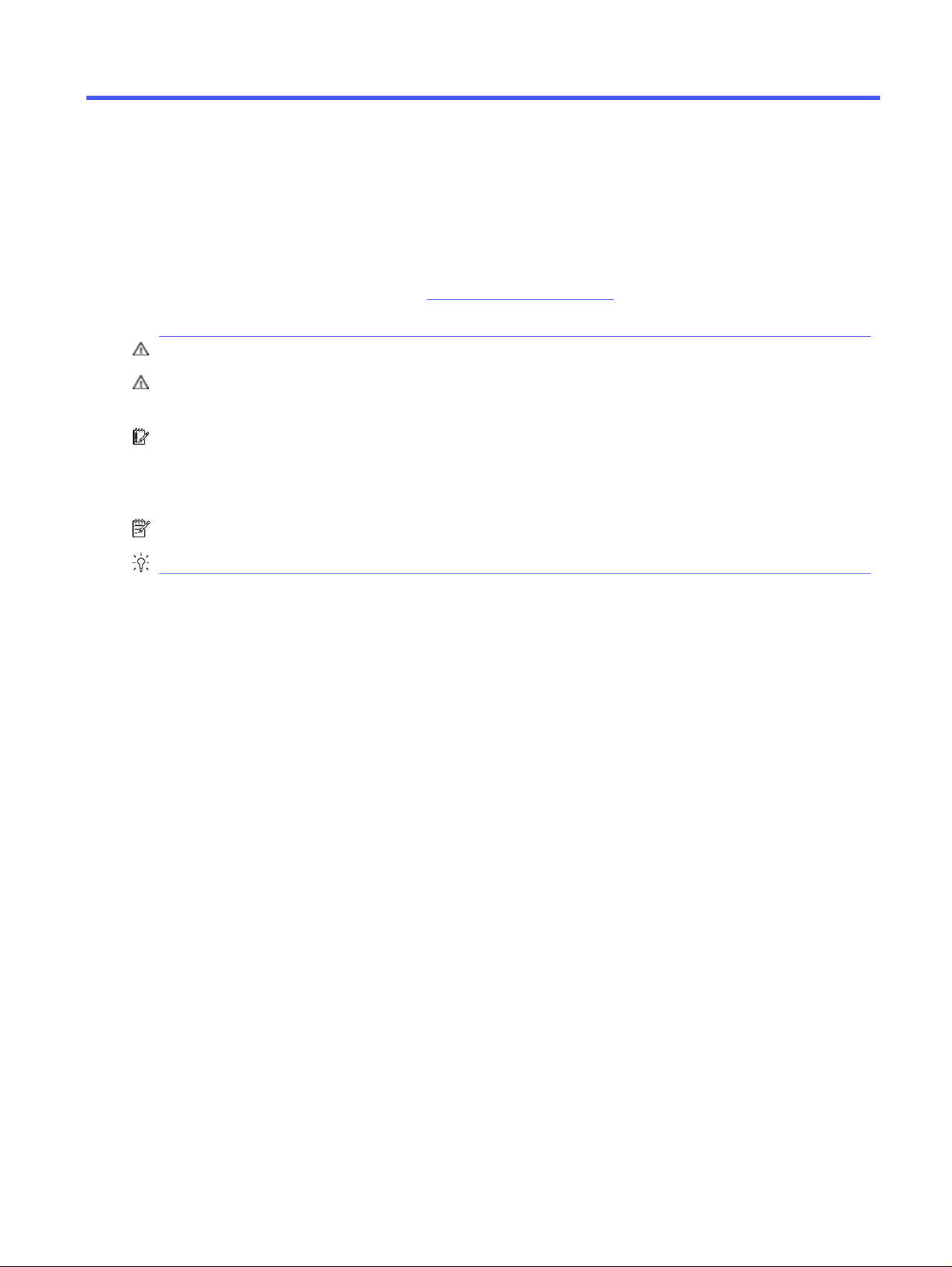
WARNING! Indicates a hazardous situation that, if not avoided, could result in serious injury or death.
CAUTION: Indicates a hazardous situation that, if not avoided, could result in minor or moderate
injury.
IMPORTANT: Indicates information considered important but not hazard-related (for example,
messages related to property damage). Warns the user that failure to follow a procedure exactly as
described could result in loss of data or in damage to hardware or software. Also contains essential
information to explain a concept or to complete a task.
NOTE: Contains additional information to emphasize or supplement important points of the main text.
TIP: Provides helpful hints for completing a task.
About this guide
1

Regulatory notices2
This chapter provides country- and region-specific non-wireless and wireless regulatory notices and
compliance information for the computer product. Some of these notices may not apply to your product.
One or more integrated wireless devices may be installed. In some environments, the use of wireless
devices may be restricted. Such restrictions may apply aboard airplanes, in hospitals, near explosives, in
hazardous locations, and so on. If you are uncertain of the policy that applies to the use of this product,
ask for authorization to use it before you turn it on.
Accessing regulatory labels
Some products might also provide electronic regulatory labels (e-labels) that can be accessed through
the system BIOS.
Regulatory labels, which provide country or regional regulatory information (for example, FCC ID), might
be physically located on the bottom of the computer, inside the battery bay (select products only), under
the removable service door (select products only), on the back of the display, or on the wireless or
modem module.
NOTE: Electronic labels are not available on all products.
NOTE: Devices not for sale or use in the United States might not contain an FCC ID.
NOTE: The list of available electronic label items varies depending on the computer model and
installed devices.
To view electronic regulatory labels:
1. Turn on or restart the computer.
2. Press esc or f10 to enter Computer Setup.
3. Depending on your computer model, use one of the following methods to view an electronic label:
a. Use a pointing device or the arrow keys to select Advanced or Main, select Electronic Labels,
and then press enter.
b. Use a pointing device or the arrow keys to select one of the listed items, and then press OK.
– or –
a. Use a pointing device or the arrow keys to select Main, and then select Electronic Label
System.
b. Press enter. The electronic label is displayed.
4. To exit Computer Setup menus without making any changes, complete one of these steps:
● Select the Exit icon in the lower-right corner of the screen, and then follow the on-screen
instructions.
● Use the arrow keys to select Main, select Ignore Changes and Exit, and then press enter.
2
Chapter 2 Regulatory notices

Federal Communications Commission Class B notice
This equipment has been tested and found to comply with the limits for a Class B digital device, pursuant
to Part 15 of the FCC Rules. Use the following notices for Class B products.
These limits provide reasonable protection against harmful interference in a residential installation. This
equipment generates, uses, and can radiate radio frequency energy and, if not installed and used in
accordance with the instructions, may cause harmful interference to radio communications. However,
there is no guarantee that interference will not occur in a particular installation.
If this equipment does cause harmful interference to radio or television reception, which can be
determined by turning the equipment off and on, the user is encouraged to try to correct the
interference using one or more of the following measures:
● Reorient or relocate the receiving antenna.
● Increase the separation between the equipment and receiver.
● Connect the equipment to an outlet on a circuit that is different from the one that the receiver is
connected to.
● Consult the dealer or an experienced radio or television technician for help.
This device complies with Part 15 of the FCC Rules. Operation is subject to the following two conditions:
1. This device may not cause harmful interference.
2. This device must accept any interference received, including interference that may cause undesired
operation.
For questions regarding this product, contact HP using any of these methods:
● Write to:
HP Inc.
1501 Page Mill Road
Palo Alto, CA 94304
● Call HP at 650-857-1501
● Email techregshelp@hp.com
To identify this product, refer to the part, series, or model number found on the product.
Modifications
The FCC requires the user to be notified that any changes or modifications made to this device that are
not expressly approved by HP may void the user's authority to operate the equipment.
Cables
To maintain compliance with FCC Rules and Regulations, connections to this device must be made with
shielded cables having metallic RFI/EMI connector hoods.
Federal Communications Commission Class B notice
3

Products with wireless LAN devices or HP Mobile Broadband Modules
This device must not be colocated or operating in conjunction with any other antenna or transmitter.
WARNING! Exposure to Radio Frequency Radiation The radiated output power of this device is below
the FCC radio frequency exposure limits. Nevertheless, the device should be used in a manner that is in
conformance with the expected typical usage.
Wireless devices with 5.925 GHz–7.125 GHz
The operation of this device is prohibited for control of or communications with unmanned aircraft
systems.
Global Class A notices
Use these notices for Class A products.
Federal Communications Commission Class A notice
This equipment has been tested and found to comply with the limits for a Class A digital device, pursuant
to Part 15 of the FCC rules.
These limits are designed to provide reasonable protection against harmful interference when the
equipment is operated in a commercial environment. This equipment generates, uses and can radiate
radio frequency energy and, if not installed and used in accordance with the instructions, may cause
harmful interference to radio communications. Operation of this equipment in a residential area is likely
to cause harmful interference in which case the user will be required to correct the interference at his
own expense.
For questions regarding this product:
● Write to:
HP Inc.
1501 Page Mill Road
Palo Alto, CA 94304
● Call HP at 650-857-1501
– or –
● Email techregshelp@hp.com
To identify this product, refer to the part, series, or model number found on the product.
Modifications
The FCC requires the user to be notified that any changes or modifications made to this device that
are not expressly approved by Hewlett Packard Enterprise may void the user's authority to operate the
equipment.
4
Chapter 2 Regulatory notices
Cables
To maintain compliance with FCC Rules and Regulation, connections to this device must be made with
shielded cables having metallic RFI/EMI connector hoods.
Australia notice
Use this notice for Class A products in Australia.
WARNING! This is a Class A product. In a domestic environment, this product may cause radio
interference in which case the user may be required to take adequate measures.
European Union and UK notice
Use this notice for Class A products in the European Union and UK.
WARNING! This is a Class A product. In a domestic environment, this product may cause radio
interference in which case the user may be required to take adequate measures.
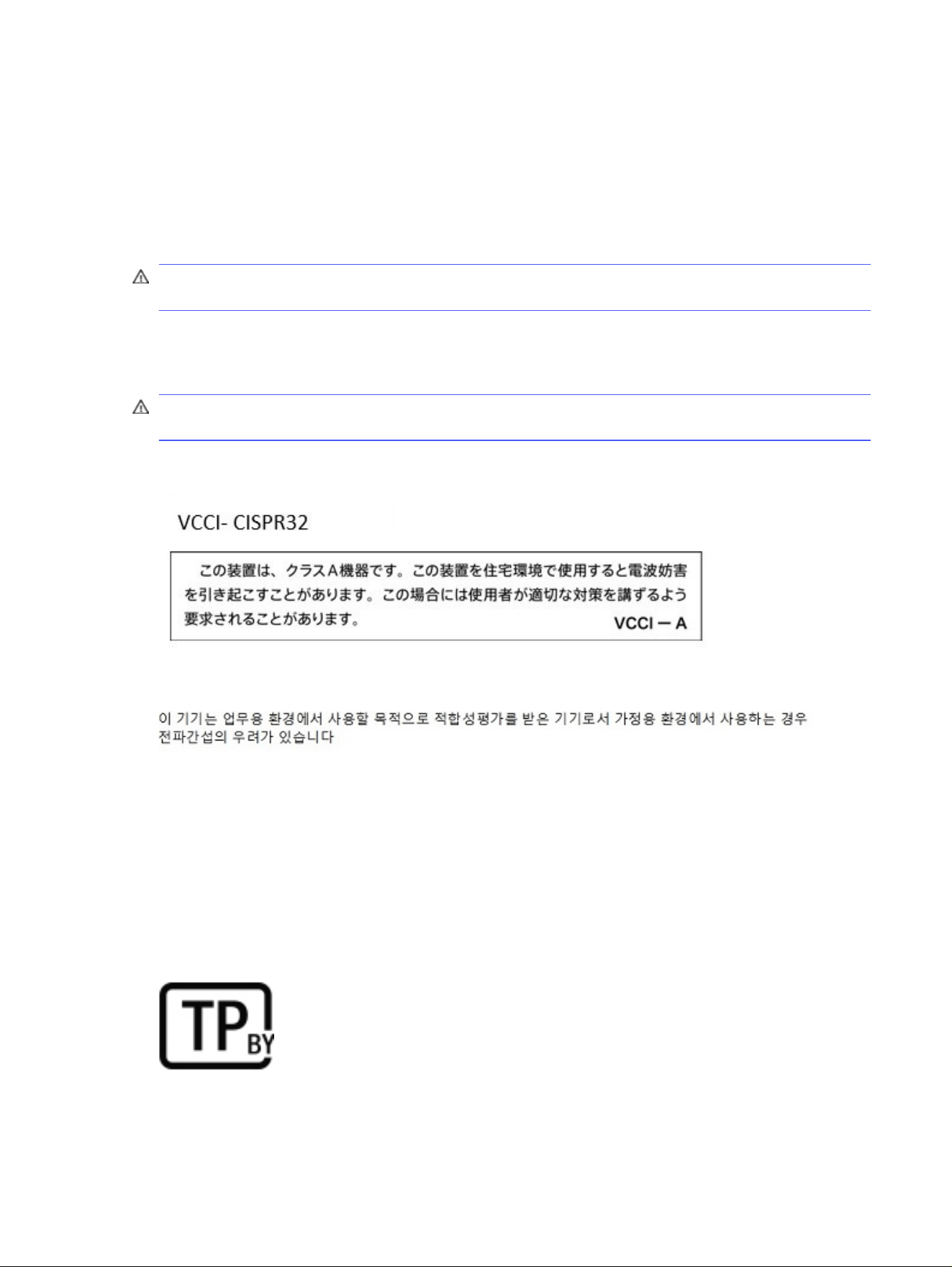
Japan notice
South Korea notice
Taiwan notice
此為甲類資訊技術設備
為避免電磁干擾,本產品不應安裝或使用於住宅環境。
Belarus regulatory notice
The product complies with the Belarus National Radio/Telecom Technical Regulation TR 2018/024/BY.
Cables
5

Brazil notice
Este equipamento não tem direito à proteção contra interferência prejudicial e não pode causar
interferência em sistemas devidamente autorizados.
IMPORTANT: A alimentação de energia é predefinida para 220/230V. Se você possuir tomada elétrica
de 110/115V, por favor, altere a chave na parte traseira do seu computador para a tensão correta.
Para maiores informações, consulte o site da ANATEL – www.anatel.gov.br.
Canada notices
If this device has WLAN or Bluetooth capability, the device complies with Industry Canada licence-
exempt RSS standard(s). Operation is subject to the following two conditions: (1) this device may not
cause interference, and (2) this device must accept any interference, including interference that may
cause undesired operation of the device.
WARNING! Exposure to Radio Frequency Radiation: The radiated output power of this device is below
the Industry Canada radio frequency exposure limits. Nevertheless, the device should be used in a
manner that is in conformance with the expected typical usage.
IMPORTANT: Wireless devices operating in the 6 GHz band shall not be used for control of or
communications with unmanned aircraft systems.
IMPORTANT: When using IEEE 802.11a, n, or ac wireless LAN, this product is restricted to indoor use,
due to its operation in the 5.15 GHz to 5.25 GHz frequency range. Industry Canada requires this product
to be used indoors for the frequency range of 5.15 GHz to 5.25 GHz to reduce the potential for harmful
interference to co-channel mobile satellite systems. High-power radar is allocated as the primary user
of the 5.25 GHz to 5.35 GHz and 5.65 GHz to 5.85 GHz bands. These radar stations can cause
interference with and/or damage to this device.
The antennas for this device are not replaceable. Any attempt at user access will damage your
computer.
European Union and UK regulatory notices
The European Union and UK have their own set of regulatory notices.
Declaration of Conformity
Products bearing the CE marking and UK marking have been constructed so that they can operate in at
least one EU Member State and UK and comply with one or more of the following EU Directives and the
equivalent UK Statutory Instruments as may be applicable:
RED 2014/53/EU; Low Voltage Directive 2014/35/EU; EMC Directive 2014/30/EU; Ecodesign Directive
2009/125/EC; RoHS Directive 2011/65/EU.
Compliance with these directives is assessed using applicable European Harmonised Standards.
The full EU and UK Declaration of Conformity can be found at the following website:
http://www.hp.eu/certificates. Search with the product model name or its Regulatory Model Number
(RMN), which may be found on the regulatory label.
The point of contact for regulatory matters: Email reg@hp.com.
6
Chapter 2 Regulatory notices
Products with radio functionality (EMF)
Use this notice when you need to provide EMF data for radio operation.
This product incorporates a radio transmitting and receiving device. For notebook computers and all-in-
one computers in normal use, a separation distance of 20 cm ensures that radio frequency exposure
levels comply with EU requirements. Products designed to be operated at closer proximities, such
as tablet computers, comply with applicable EU requirements in typical operating positions. Products
can be operated without maintaining a separation distance unless otherwise indicated in instructions
specific to the product.
Restrictions for products with radio functionality (select products only)
Some products in some countries have restrictions on radio function.
IMPORTANT: IEEE 802.11 wireless LAN with 5.15 GHz–5.35 GHz and/or Wi-Fi 6E Low Power Indoor 5.945
GHz–6.425 GHz (or 5.925 GHz–6.425 GHz in UK) frequency bands are restricted for indoor use only in all
countries reflected in the matrix. Using this WLAN application outdoors might lead to interference
issues with existing radio services.
Radio frequency bands and maximum power levels (select products and countries only)
The table shows radio frequency bands and maximum power levels for some products and some
countries.
Table 2-1
Radio frequency bands and maximum power levels (select products and countries only)
Radio Technology Maximum Transmit Power EIRP (mW)
Bluetooth; 2.4 GHz 100
NFC; 13.56 MHz 10
RFID; 865–868 MHz/915–921 MHz 2000/4000
WLAN Wi-Fi 802.11; 2.4 GHz, 5 GHz, 6 GHz 100, 200, EU: 200/25 (LPI/VLP), UK: 250/25 (LPI/VLP)
SRD Wi-Fi 802.11; 5725–5875 MHz 25
WWAN 5G NR (450 MHz–7125 MHz) 400
WWAN 4G LTE; 700/800/900/1800/2100/2300/2600/3500 MHz 200
WWAN 3G UTMS; 900/2100 MHz 250
Products with radio functionality (EMF) 7
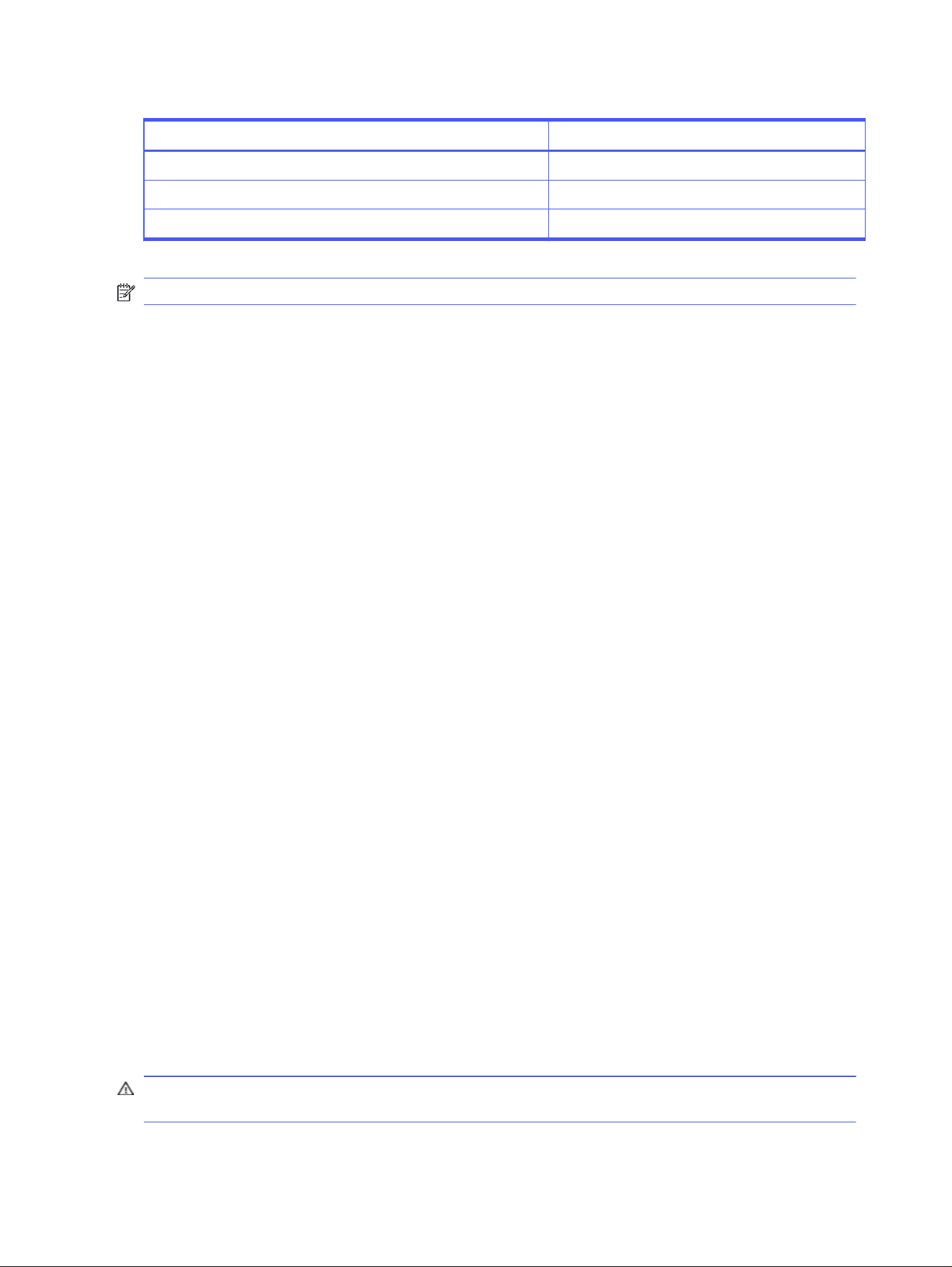
Table 2-1 Radio frequency bands and maximum power levels (select products and countries only) (continued)
Radio Technology Maximum Transmit Power EIRP (mW)
WWAN 2G GSM GPRS EDGE; 900 MHz 2000
WWAN 2G GSM GPRS EDGE; 1800 MHz 1000
WiGig® 802.11ad; 60 GHz 316
NOTE: Use only HP-supported software drivers and correct country settings to ensure compliance.
Ergonomics notice
When a mobile computer is used at the office workstation for display work tasks where the Visual
Display Unit (VDU) Directive 90/270/EEC is applicable, an adequate external keyboard is required.
Depending on the application and task, an adequate external monitor may also be necessary to attain
working conditions comparable to a workstation setup.
Ref: EK1-ITB 2000 (voluntary GS certification)
Mobile computers bearing the "GS" approval mark meet the applicable ergonomic requirements.
Without external keyboards, they are suitable only for short-time use for VDU tasks.
During mobile use with disadvantageous illumination conditions (e.g. direct sunlight) reflections may
occur, which result in reduced readability.
A computer system comprising HP brand products meets the applicable ergonomic requirements if
all affected constituent products bear the "GS" approval mark, for example Business Desktop PC,
keyboard, PC-mouse and monitor.
Please pay attention when installing a dedicated Tower, Micro Tower Business Desktop PC or
Workstation that is not intended to be installed/used in the direct field of view at visual display
workplaces. To avoid annoying reflections at visual display workplaces, this device must not be placed in
the direct field of view.
European telephone network declaration (Modem/Fax)
The product herewith complies with the requirements of the applicable Directive and carries the CE
marking accordingly. However, due to differences between the individual PSTNs provided in different
countries/regions, the approval does not, of itself, give an unconditional assurance of successful
operation on every PSTN network termination point. In the event of problems, you should contact your
equipment supplier in the first instance.
Australia and New Zealand notice
This equipment incorporates a radio transmitting and receiving device. In normal use, a separation
distance of 20 cm ensures that radio frequency exposure levels comply with the Australian and New
Zealand Standards.
The computer must be connected to the Telecommunication Network through a line cord that meets the
requirements of AS/CA S008.
WARNING! Modems without integral RJ11 connector that are shipped with this computer should not
be installed in any other device.
8
Chapter 2 Regulatory notices

China WWAN notice
重要信息:本公司建议用户通过官方渠道进行系统更新,非官方渠道的更新可能会带来安全风险。
China radio equipment notice
型号核准代码显示在产品本体的铭牌上
微功率短距离无线电发射设备使用声明
如果适用,使用微功率短距离无线电设备应符合国家无线电管理有关规定。
(一)本产品符合《微功率短距离无线电发射设备目录和技术要求》的具体条款和使用场景。天线类型为內
置 FPC 天线,控制、调整及开关等使用方法详见用户手册,使用时温度和电压的环境条件详见用户手册。
(二)不得擅自改变使用场景或使用条件、扩大发射频率范围、加大发射功率(包括额外加装射频功率放大
器),不得擅自更改发射天线;
(三)不得对其他合法的无线电台(站)产生有害干扰,也不得提出免受有害干扰保护;
(四)应当承受辐射射频能量的工业、科学及医疗(ISM)应用设备的干扰或其他合法的无线电台(站)干扰;
(五)如对其他合法的无线电台(站)产生有害干扰时,应立即停止使用,并采取措施消除干扰后方可继续
使用;
(六)在航空器内和依据法律法规、国家有关规定、标准划设的射电天文台、气象雷达站、卫星地球站(含
测控、测距、接收、导航站)等军民用无线电台(站)、机场等的电磁环境保护区域内使用微功率设备,应当
遵守电磁环境保护及相关行业主管部门的规定;
(七)禁止在以机场跑道中心点为圆心、半径 5000 米的区域内使用各类模型遥控器。
China Radio Management of Wireless Charging Equipment
notice (select products only)
(一)无线充模组由 PCB 板、电磁线圈、电子组件等组成,经过加工成品后,通电时电磁线圈(初级线圈)能
产生电磁场。其与无线充电设备使用,利用贴片中的接收线圈(次级线圈)接收无线充电发射板产生电磁
声,并将磁能转化为电能。额定传输功率:15W。工作频率范围:120~130KHz。
(二)设备符合国家《无线充电(电力传输)设备无线电管理暂行规定》以及产品质量、电磁辐射和电气安全
等法律法规、国家标准等有关规定;
(三)不得擅自改变使用场景或使用条件、扩大工作频率范围、加大传输功率(包括额外加装功率放大器);
(四)不得对其他合法的无线电业务及台(站)产生有害干扰,也不得提出免受无线电干扰和辐射无线电波
干扰的保护要求,如对其他合法的无线电业务及台(站)产生有害干扰时,应立即停止使用,并在采取措施
消除有害干扰后方可继续使用;
(五)无线充电设备禁用区域,禁止使用无线充电功能;
(六)使用无线充电设备如对广播业务的接收造成影响,应立即停止使用无线充电设备;
(七)在船舶、航空器和铁路机车(含动车组列车)内使用无线充电设备应当遵守本规定及相关行业主管部
门的规定
China WWAN notice
9

Japan notice
V-2 規定適合の場合
この装置は、クラス B 情報技術装置です。この装置は、家庭環境で使用することを目的としていますが、この
装置がラジオやテレビジ ョン受信機に近接して使用されると、受信障害を引き起こすことがあります。
取り扱い説明書に従 って正しい取り扱いをして下さい。
VCCI-B
VCCI32-1 規定適合の場合
この装置は、クラス B 機器です。この装置は、住宅環境で使用することを目的としていますが、この装置がラ
ジオやテレビジ ョン受信機に近接して使用されると、受信障害を引き起こすことがあります。
取り扱い説明書に従 って正しい取り扱いをして下さい。
VCCI-B
5GHz 帯及び 6GHz 帯を使用する特定無線設備は屋内使用に限られています。この機器を屋外で使用する
ことは電波法で禁じられています。
Wireless LAN, Wireless WAN, and Bluetooth® certification markings
この機器は、技術基準適合証明または工事設計認証を受けた無線設備を搭載しています。
This product contains certified radio equipment.
Some products may use electronic regulatory labels (e-labels). To view the certification mark and
numbers on an e-label, please refer to the previous “Accessing regulatory labels” section.
一部の製品では、電子規定ラベル(e ラベル)が使用されています。e ラベルの技適マークと認証番号を確認
するには、「規定ラベルの確認」の項目をご覧ください
Mexico notice
Declaración para México
La operación de este equipo está sujeta a las siguientes dos condiciones: (1) es posible que este equipo
o dispositivo no cause interferencia perjudicial y (2) este equipo o dispositivo debe aceptar cualquier
interferencia, incluyendo la que pueda causar su operación no deseada.
Aviso sobre conexiones inalámbricas para México:
En el caso de PC de escritorio, equipos All-in-One, terminales de punto de venta, thin clients y
workstations en uso normal e instalados con un dispositivo de transmisión y recepción de radio, una
distancia de separación de 20 cm garantiza que los niveles de exposición a radiofrecuencia cumplan
con los requisitos de México.
10
Chapter 2 Regulatory notices

Eurasian Union regulatory notices
The following notices might apply to products sold in the Eurasian Union.
Производитель и дата производства
HP Inc.
Адрес: 1501 Page Mill Road, Palo Alto, California 94304, U.S.
Дата производства зашифрована в 10-значном серийном номере, расположенном на наклейке со
служебной информацией изделия.
4-я, 5-я и 6-я цифры обозначают год и неделю производства. 4-я цифра обозначает год, например, «3»
обозначает, что изделие произведено в «2013» году.
5-я и 6-я цифры обозначают номер недели в году производства, например, «12» обозначает «12-ю» неделю.
Өндіруші жəне өндіру мерзімі
HP Inc.
Мекенжайы: 1501 Page Mill Road, Palo Alto, California 94304, U.S.
Өнімнің жасалу мерзімін табу үшін өнімнің қызмет көрсету жапсырмасындағы 10 таңбадан тұратын
сериялық нөмірін қараңыз.
4-ші, 5-ші жəне 6-шы сандар өнімнің жасалған жылы мен аптасын көрсетеді. 4-ші сан жылын көрсетеді,
мысалы «3» саны «2013» дегенді білдіреді.
5-ші жəне 6-шы сандар берілген жылдың қай аптасында жасалғанын көрсетеді, мысалы, «12» саны «12-ші»
апта дегенді білдіреді.
Местные
представители:
Россия: ООО "ЭйчПи Инк",
Российская Федерация, 125171, г. Москва, Ленинградское шоссе, 16А, стр.3,
телефон/факс: +7 495 797 35 00 / +7 499 92132 50
Казахстан : Филиал компании "ЭйчПи Глобал Трэйдинг Би.Ви.", Республика Казахстан, 050040, г.
Алматы, Бостандыкский район, проспект Аль-Фараби, 77/7,
телефон/факс: +7 727 355 35 52
Жергілікті
өкілдіктері:
Ресей: ООО "ЭйчПи Инк",
Ресей Федерациясы, 125171, Мәскеу, Ленинград шоссесі, 16A блок 3,
Телефон/факс: +7 495 797 35 00 / +7 499 92132 50
Қазақстан: "ЭйчПи Глобал Трэйдинг Би.Ви. "компаниясының Қазақстандағы филиалы, Қазақстан
Eurasian Union regulatory notices
11
Республикасы, 050040, Алматы к., Бостандық, Әл-
Фараби даң.ылы, 77/7,
Телефон/факс: +7 727 355 35 52
Singapore wireless notice
Turn off any WWAN devices while you are aboard aircraft. The use of these devices aboard aircraft is
illegal, may be dangerous to the operation of the aircraft, and may disrupt the cellular network. Failure
to observe this instruction may lead to suspension or denial of cellular services to the offender, or legal
action, or both.
Users are reminded to restrict the use of radio equipment in fuel depots, chemical plants, and where
blasting operations are in progress.
As with other mobile radio transmitting equipment, users are advised that for satisfactory operation of
the equipment and for the safety of personnel, no part of the human body should be allowed to come too
close to the antennas during operation of the equipment.
This device has been designed to comply with applicable requirements for exposure to radio waves,
based on scientific guidelines that include margins intended to assure the safety of all people,
regardless of health and age. These radio wave exposure guidelines employ a unit of measurement
known as the specific absorption rate (SAR). Tests for SAR are conducted using standardized methods,
with the phone transmitting at its highest certified power level in all used frequency bands. The SAR data
information is based on CENELEC standards EN50360 and EN50361, which use the limit of 2 watts per
kilogram, averaged over 10 grams of tissue.
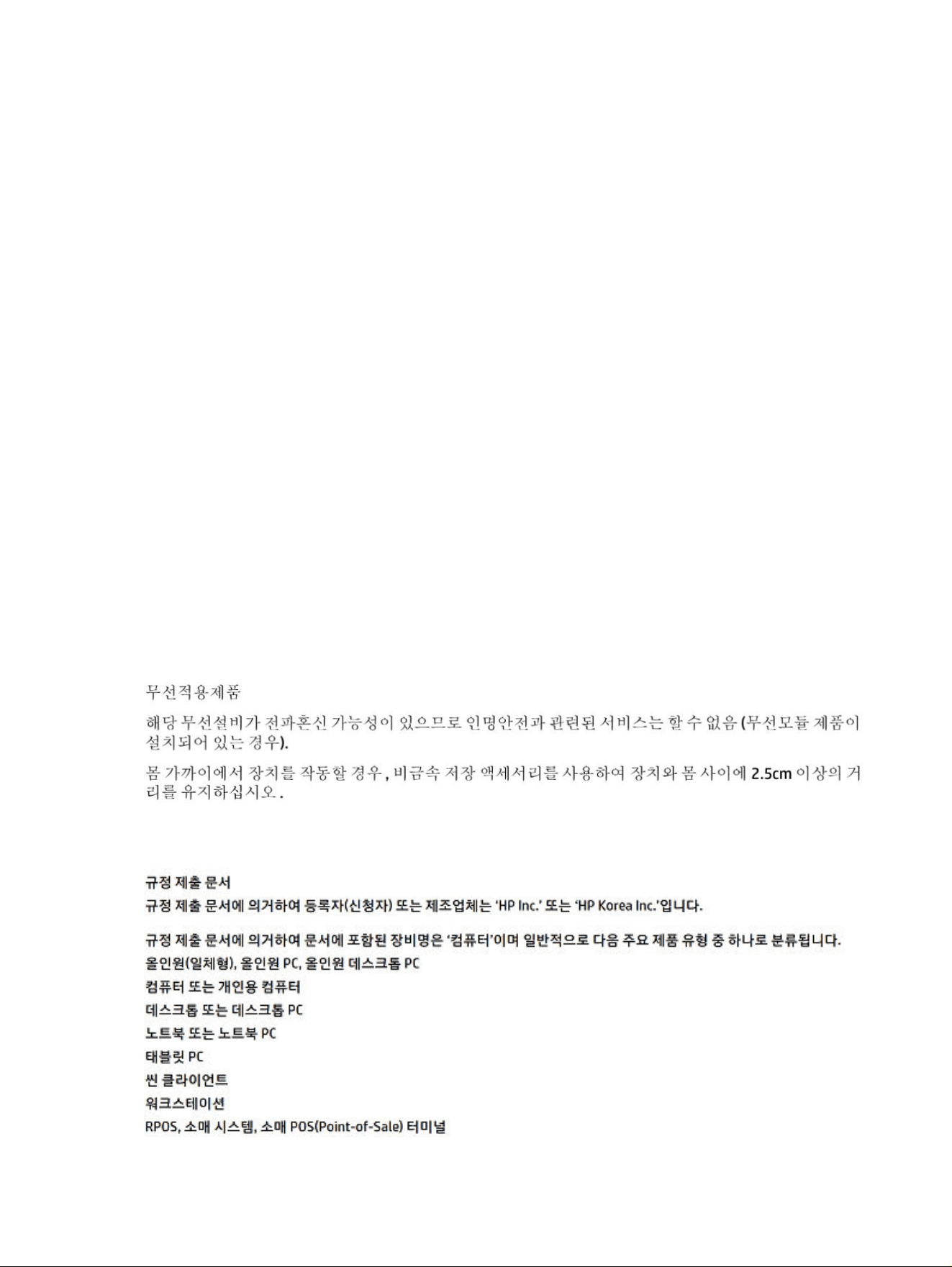
South Korea notices
Regulatory submission document
12 Chapter 2 Regulatory notices

Thailand wireless notice
เครื่องโทรคมนาคมและอุปกรณ์นี้ มีความสอดคล้องตามมาตรฐานหรือข้อกําหนดของ กสทช.
(This telecommunication equipment conforms to the requirements of NBTC.)
เครื่องวิทยุคมนาคมนี้มีระดับการแผ่คลื่นแม่เหล็กไฟฟ้ าสอดคล้องตามมาตรฐานความปลอดภัยต่อสุขภาพของมนุษย์จากการ
ใช้เครื่องวิทยุคมนาคมที่คณะกรรมการกิจการโทรคมนาคมแห่งชาติประกาศกําหนด
This radio communication equipment has the electromagnetic field strength in compliance with the
Safety Standard for the Use of Radio communication Equipment on Human Health announced by the
National Telecommunications Commission.
Taiwan NCC notices
The following notices apply to Taiwan.
無線 LAN 802.11 裝置/藍牙裝置/短距離通訊裝置:
取得審驗證明之低功率射頻器材,非經核准,公司、商號或使用者均不得擅自變更頻率、加大功率或變更
原設計之特性及功能。低功率射頻器材之使用不得影響飛航安全及干擾合法通信;經發現有干擾現象時,
應立即停用,並改善至無干擾時方得繼續使用。前述合法通信,指依電信管理法規定作業之無線電通信。
低功率射頻器材須忍受合法通信或工業、科學及醫療用電波輻射性電機設備之干擾。
應避免影響附近雷達系統之操作。
高增益指向性天線只得應用於固定式點對點系統。
減少電磁波影響,請妥適使用。
Airline travel notice
Use of electronic equipment aboard commercial aircraft is at the discretion of the airline.
User-replaceable battery notices
When a battery has reached the end of its useful life, do not dispose of the battery in general household
waste. Follow the local laws and regulations in your area for computer battery disposal.
HP encourages customers to recycle used electronic hardware, HP original print cartridges, and
rechargeable batteries. For more information about recycling programs, refer to the HP website at
http://www.hp.com/recycle.
For information about removing a user-replaceable battery, refer to the user guide included with the
product.
Factory-sealed battery notices
The battery[ies] in this product cannot be easily replaced by users themselves. Removing or replacing
the battery could affect your warranty coverage. If a battery is no longer holding a charge, contact
support.
When a battery has reached the end of its useful life, do not dispose of the battery in general household
waste. Follow the local laws and regulations in your area for battery disposal.
Thailand wireless notice
13
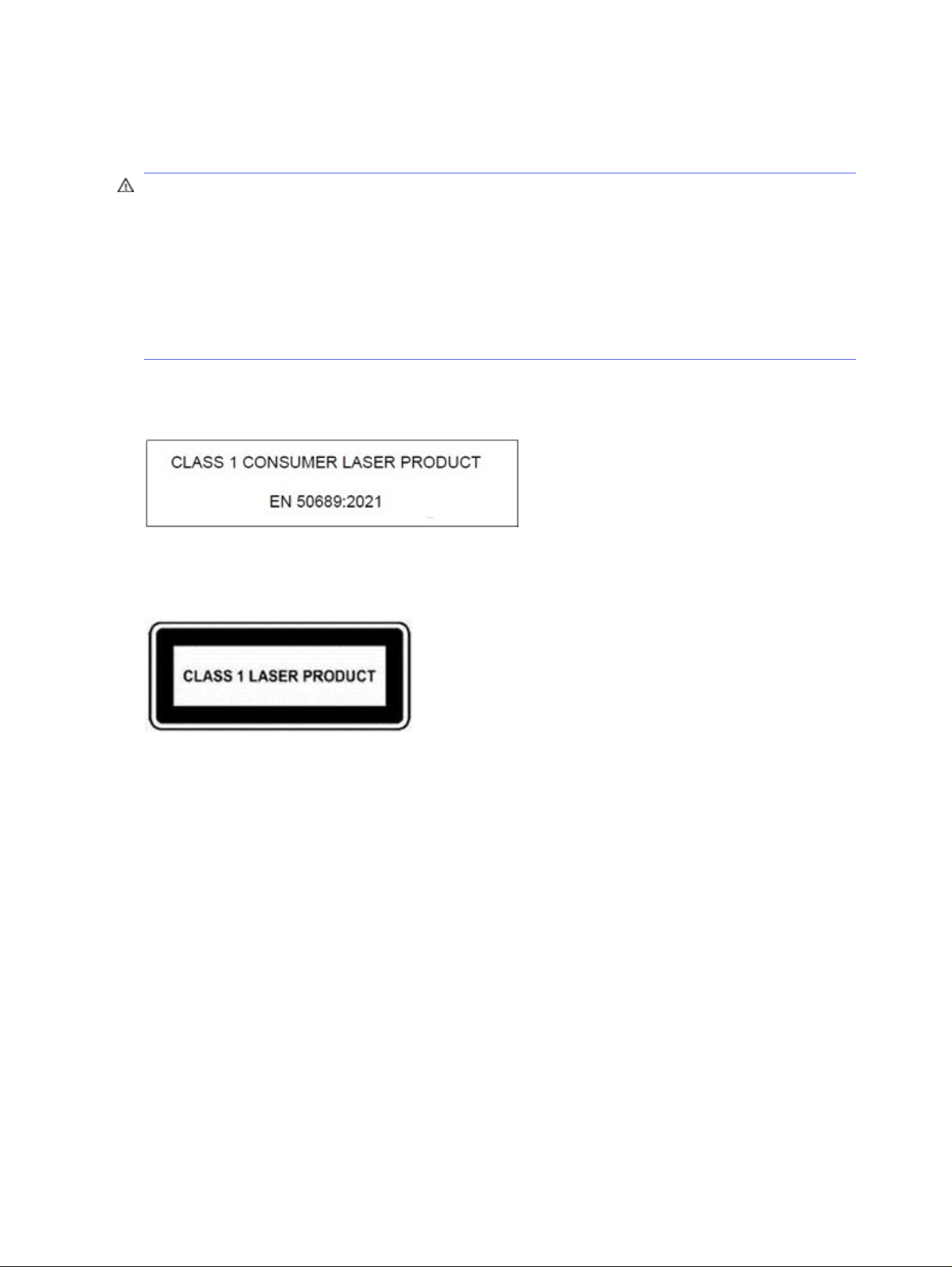
Laser compliance
Use this notice to warn of possible radiation exposure from incorrect laser usage.
WARNING! Use of controls or adjustments, or performance of procedures other than those specified
in the laser product installation guide, may result in hazardous radiation exposure. To reduce the risk of
exposure to hazardous radiation:
● Do not try to open the module enclosure. There are no user-serviceable components inside.
● Do not operate controls, make adjustments, or perform procedures to the laser device other than
those specified in the laser product installation guide.
● Allow only authorized service providers to repair the unit.
This product may be provided with an optical storage device (for example, a CD or DVD drive) and/or a
fiber optic transceiver. Each of these devices that contain a laser is classified as a Class 1 Laser Product
in accordance with IEC/EN 50689:2021 and meets the requirements for safety of that standard.
Each laser product complies with US FDA regulations of 21 CFR 1040.10 and 1040.11 or complies with
those regulations except for deviations pursuant to Laser Notice No. 50 dated June 24, 2007 or Laser
Notice No. 56, dated May 8, 2019.
Telecommunications device approvals
The telecommunications device in the computer is approved for connection to the telephone network in
the countries and regions whose approval markings are indicated on the product label located on the
bottom of the computer or on the modem.
Refer to the user guide included with the product to ensure that the product is configured for the
country or region where the product is located. Selecting a country or region other than the one where
it is located may cause the modem to be configured in a way that violates the telecommunication
regulations/laws of that country or region. In addition, the modem may not function properly if the
correct country or region selection is not made. If, when you select a country or region, a message
appears that states that the country or region is not supported, this means that the modem has not
been approved for use in this country or region and thus should not be used.
Modem notices
Canada, Japan, New Zealand, and the U.S. have their own sets of modem notices.
14
Chapter 2 Regulatory notices

U.S. modem statements
This equipment complies with Part 68 of the FCC Rules and the requirements adopted by the ACTA.
On the bottom of the computer or on the modem is a label that contains, among other information, a
product identifier in the format US:AAAEQ##TXXXX. Provide this information to the telephone company
if you are requested to do so.
Applicable certification jack USOC = RJ11C. A plug and jack used to connect this equipment to the
premises wiring and telephone network must comply with the applicable FCC Part 68 rules and
requirements adopted by the ACTA. A compliant telephone cord and modular plug is provided with
this product. It is designed to be connected to a compatible modular jack that is also compliant. See
installation instructions for details.
The REN is used to determine the number of devices that may be connected to a telephone line.
Excessive RENs on a telephone line may result in the devices not ringing in response to an incoming call.
In most but not all locations, the sum of RENs should not exceed five (5.0). To be certain of the number
of devices that may be connected to a line, as determined by the total RENs, contact the local telephone
company. For products approved after July 23, 2001, the REN for this product is part of the product
identifier that has the format US:AAAEQ##TXXXX. The digits represented by ## are the REN without a
decimal point (e.g., 03 is a REN of 0.3). For earlier products, the REN is separately shown on the label.
If this HP equipment causes harm to the telephone network, the telephone company will notify you
in advance that temporary discontinuance of service may be required. But, if advance notice isn't
practical, the telephone company will notify you as soon as possible. Also, you will be advised of your
right to file a complaint with the FCC if you believe it is necessary.
The telephone company may make changes to its facilities, equipment, operations, or procedures
that could affect the operation of the equipment. If this happens, the telephone company will provide
advance notice in order for you to make necessary modifications to maintain uninterrupted telephone
service.
If trouble is experienced with this equipment, call technical support. If the equipment is causing harm
to the telephone network, the telephone company may request that you disconnect the equipment until
the problem is resolved. You should perform repairs only to the equipment specifically discussed in the
“Troubleshooting” section of the user guide, if one is provided.
Connection to party line service is subject to state tariffs. Contact the state public utility commission,
public service commission, or corporation commission for information.
If your home has specially wired alarm equipment connected to the telephone line, ensure that the
installation of this HP equipment does not disable your alarm equipment. If you have questions about
what will disable alarm equipment, consult your telephone company or a qualified installer.
The Telephone Consumer Protection Act of 1991 makes it unlawful for any person to use a computer or
other electronic device, including a fax machine, to send any message unless such message clearly
contains in a margin at the top or bottom of each transmitted page, or on the first page of the
transmission, the date and time it is sent and an identification of the business, other entity, or other
individual sending the message, and the telephone number of the sending machine or such business,
other entity, or individual. The telephone number provided may not be a 900 number or any other
number for which charges exceed local or long-distance transmission charges.
In order to program this information into your fax machine, you should complete the steps outlined in the
faxing software instructions.
Canada modem statements
This equipment meets the applicable Industry Canada technical specifications.
U.S. modem statements
15
The Ringer Equivalence Number, REN, is an indication of the maximum number of devices allowed to be
connected to a telephone interface. The termination on an interface may consist of any combination of
devices, subject only to the requirement that the sum of the RENs of all devices does not exceed 5. The
REN for this terminal equipment is 1.0.
Japan modem statements
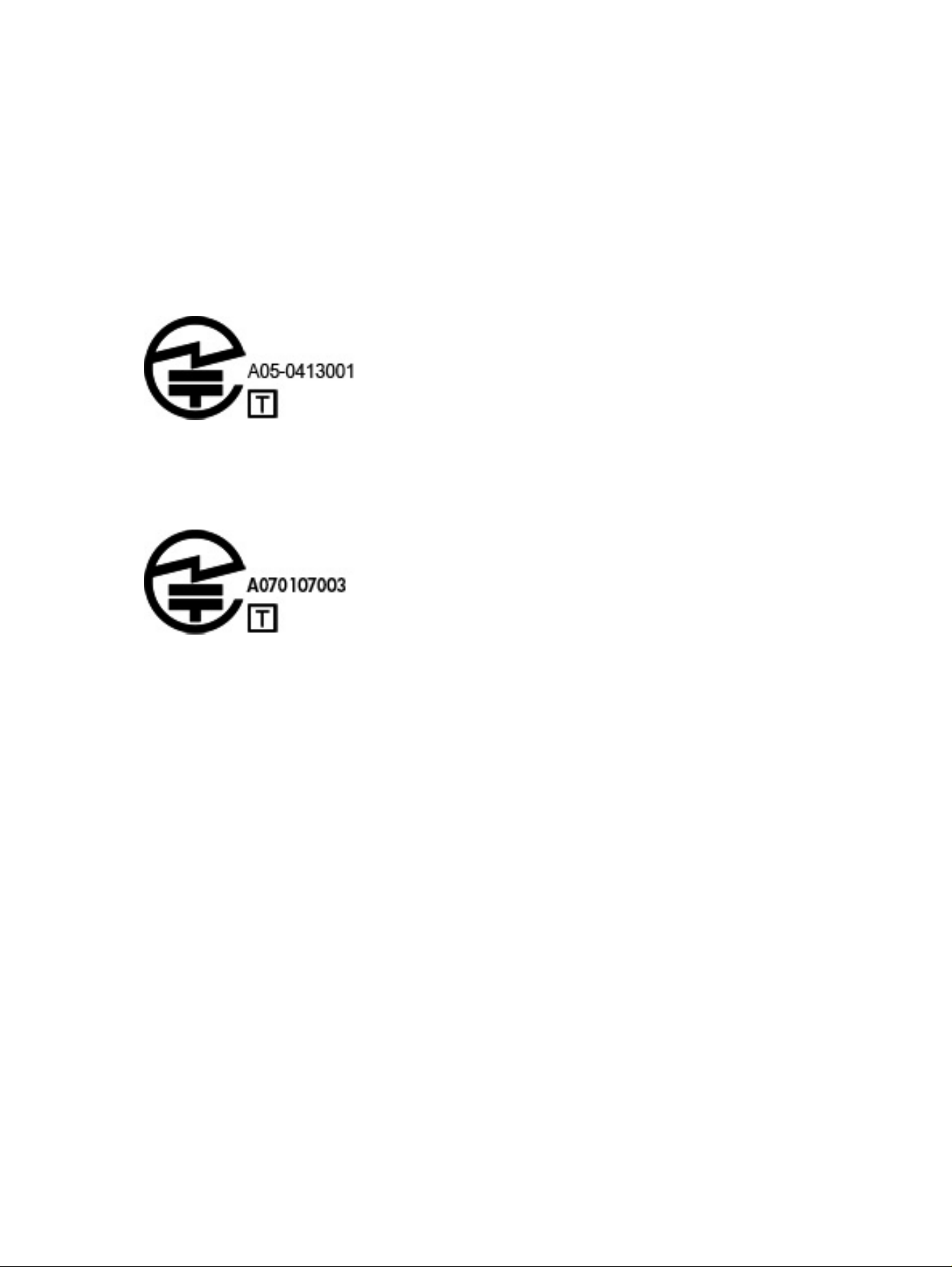
If the computer does not have the Japanese certification mark on the bottom of the computer, refer to
the appropriate certification marking below.
The Japanese certification mark for the V.92 56K Data/Fax Modem is below:
If the computer does not have the Japanese certification mark on the bottom of the computer, refer to
the appropriate certification marking below.
The Japanese certification mark for the LSI Corporation PCI-SV92EX Soft modem is below:
New Zealand modem statements
The grant of a Telepermit for any item of terminal equipment indicates only that Telecom has accepted
that the item complies with minimum conditions for connection to its network.
It indicates no endorsement of the product by Telecom, nor does it provide any sort of warranty. Above
all, it provides no assurance that any item will work correctly in all respects with another item of
Telepermitted equipment of a different make or model, nor does it imply that any product is compatible
with all of Telecom's network services.
This equipment is not capable, under all operating conditions, of correct operation at the higher
speeds for which it is designed. Telecom will accept no responsibility should difficulties arise in such
circumstances.
If this device is equipped with pulse dialing, note that there is no guarantee that Telecom lines will always
continue to support pulse dialing.
Use of pulse dialing, when this equipment is connected to the same line as other equipment, may give
rise to bell tinkle or noise and may also cause a false answer condition. Should such problems occur, the
user should
not
contact the Telecom Faults Service.
Some parameters required for compliance with Telecom's Telepermit requirements are dependent on
the equipment (PC) associated with this device. The associated equipment shall be set to operate within
the following limits for compliance with Telecom's Specifications:
● There shall be no more than 10 call attempts to the same number within any 30-minute period for
any single manual call initiation.
16
Chapter 2 Regulatory notices

● The equipment shall go on-hook for a period of not less than 30 seconds between the end of one
attempt and the beginning of the next attempt.
● Where automatic calls are made to different numbers, the equipment shall be set to go on-hook for
a period of not less than 5 seconds between the end of one attempt and the beginning of the next
attempt.
● The equipment shall be set to ensure that calls are answered between 3 and 30 seconds of receipt
of ringing (So set between 2 and 10).
Voice support
All persons using this device for recording telephone conversations shall comply with New Zealand law.
This requires that at least one party to the conversation is aware that it is being recorded. In addition,
the Principles enumerated in the Privacy Act 1993 shall be complied with in respect to the nature of the
personal information collected, the purpose for its collection, how it is to be used, and what is disclosed
to any other party.
This equipment shall not be set to make automatic calls to the Telecom ‘111' Emergency Service.
Macrovision Corporation notice
This product incorporates copyright protection technology that is protected by method claims of certain
U.S. patents and other intellectual property rights owned by Macrovision Corporation and other rights
owners.
Use of this copyright protection technology must be authorized by Macrovision Corporation and is
intended for home and other limited viewing uses only, unless otherwise authorized by Macrovision
Corporation. Reverse engineering or disassembly is prohibited.
Voice support
17

Safety notices3
Your product documentation might require one or more of these safety notices.
Important safety information
These notices could apply to many products.
WARNING! To reduce the risk of serious injury, read the
Safety & Comfort Guide
. It describes proper
workstation setup, posture, and health and work habits for computer users, and provides important
electrical and mechanical safety information. This guide is located on the web at
http://www.hp.com/ergo and on the Documentation CD that is included with the product.
The computer may be heavy; be sure to use ergonomically correct lifting procedures when moving it.
Install the computer near an AC outlet. The AC power cord is your computer’s main AC disconnecting
device and must be easily accessible at all times. If the power cord provided with your computer has
a grounded plug, always use the power cord with a properly grounded AC outlet to avoid the risk of
electric shock.
To reduce the possibility of an electric shock from the telephone network, plug your computer into
the AC outlet before connecting it to the telephone line. Also, disconnect the telephone line before
unplugging your computer from the AC power outlet.
Always disconnect the modem cord from the telephone system before installing or removing your
computer cover.
Do not operate the computer with the cover removed.
For your safety, always unplug the computer from its power source and from any telecommunications
systems (such as telephone lines), networks, or modems before performing any service procedures.
Failure to do so may result in personal injury or equipment damage. Hazardous voltage levels are inside
the power supply and modem of this product.
As a safety precaution, if the system power load exceeds the specific configuration’s capacities, the
system may temporarily disable some USB ports.
WARNING! To reduce the risk of fire, electric shock, and injury to persons when using this device,
always follow basic safety precautions, including the following:
● Do not use this product near water—for example, near a bathtub, wash bowl, kitchen sink or laundry
tub, in a wet basement, or near a swimming pool.
● Avoid using this product during an electrical storm. There is a remote risk of electric shock from
lightning.
● Do not use this product to report a gas leak while in the vicinity of the leak.
● Always disconnect the modem cable before opening the equipment enclosure or touching an
uninsulated modem cable, jack, or internal component.
● If this product was not provided with a telephone line cord, use only No. 26 AWG or larger
telecommunication line cord.
18
Chapter 3 Safety notices

● Do not plug a modem or telephone cable into the RJ-45 (network) jack.
SAVE THESE INSTRUCTIONS.
IMPORTANT: If your computer is provided with a voltage select switch for use in a 115 or 230 V power
system, the voltage select switch has been preset to the correct voltage setting for use in the
particular country/region where it was initially sold. Changing the voltage select switch to the incorrect
position can damage your computer and void any implied warranty.
This product has not been evaluated for connection to an “IT” power system (an AC distribution system
with no direct connection to earth, according to applicable safety standards).
Heat-related safety warning notice
Use this notice if injury from excessive heat is a possibility.
WARNING! To reduce the possibility of heat-related injuries or of overheating the mobile computer, do
not place the mobile computer directly on your lap or obstruct the computer air vents. Use the mobile
computer only on a hard, flat surface. Do not allow another hard surface, such as an adjoining optional
printer; or a soft surface, such as pillows or rugs or clothing, to block airflow. Also, do not allow the AC
adapter to contact the skin or a soft surface, such as pillows or rugs or clothing, during operation. The
computer and AC adapter provided by HP comply with the user-accessible surface temperature limits
defined by applicable safety standards.
CAUTION: To reduce the risk of heat-related injuries, do not touch internal hot surfaces until internal
surfaces have cooled down to room temperature.
Potential safety conditions notice
Use this notice to warn users about the possibility that a failure was not safe and controlled.
If you notice any of the following conditions (or if you have other safety concerns), do not use the
computer: crackling, hissing, or popping sound, or a strong odor or smoke coming from the computer.
It is normal for these conditions to appear when an internal electronic component fails in a safe and
controlled manner. However, these conditions may also indicate a potential safety issue. Do not assume
it is a safe failure. Turn off the computer, disconnect it from its power source, and contact technical
support for assistance.
Installation conditions
See installation instructions before connecting this equipment to the input supply.
WARNING! Energized and moving parts may be inside the computer. Disconnect power to the
equipment before removing the enclosure. Replace and secure the enclosure before re-energizing the
equipment.
Acoustics notice
Use this notice when the sound pressure level might be lower than recommended or expected.
Sound pressure level (LpA) is far below 70dB(A) (operator position, normal operation, according to ISO
7779). To display product noise emission data, go to “IT ECO Declarations” at http://www.hp.com/go/ted,
and then select a product category from the drop-down menu.
Heat-related safety warning notice
19

Battery notices
One or more of these safety notices might apply to your product's battery.
WARNING! The product may contain an internal lithium manganese dioxide, vanadium pentoxide, or
alkaline battery or battery pack. There is risk of fire and burns if the battery pack is not handled
properly.
WARNING! Do not attempt to recharge the battery.
WARNING! Do not expose to temperatures higher than 60°C (140°F).
WARNING! To reduce potential safety issues, only the battery provided with the computer, a
replacement battery provided by HP, or a compatible battery purchased as an accessory from HP
20
Chapter 3 Safety notices
should be used with the computer. Fast charging may not be available for non-compatible or non-HP
batteries.
WARNING! To reduce the risk of fire or burns, do not disassemble, crush, puncture, short external
contacts, or dispose of in fire or water.
WARNING! Risk of explosion if the battery is replaced by an incorrect type. Dispose of used batteries
according to the instructions.
WARNING! Replace only with the HP spare battery designated for this product.
WARNING! Do not ingest the battery, which would be a Chemical Burn Hazard.
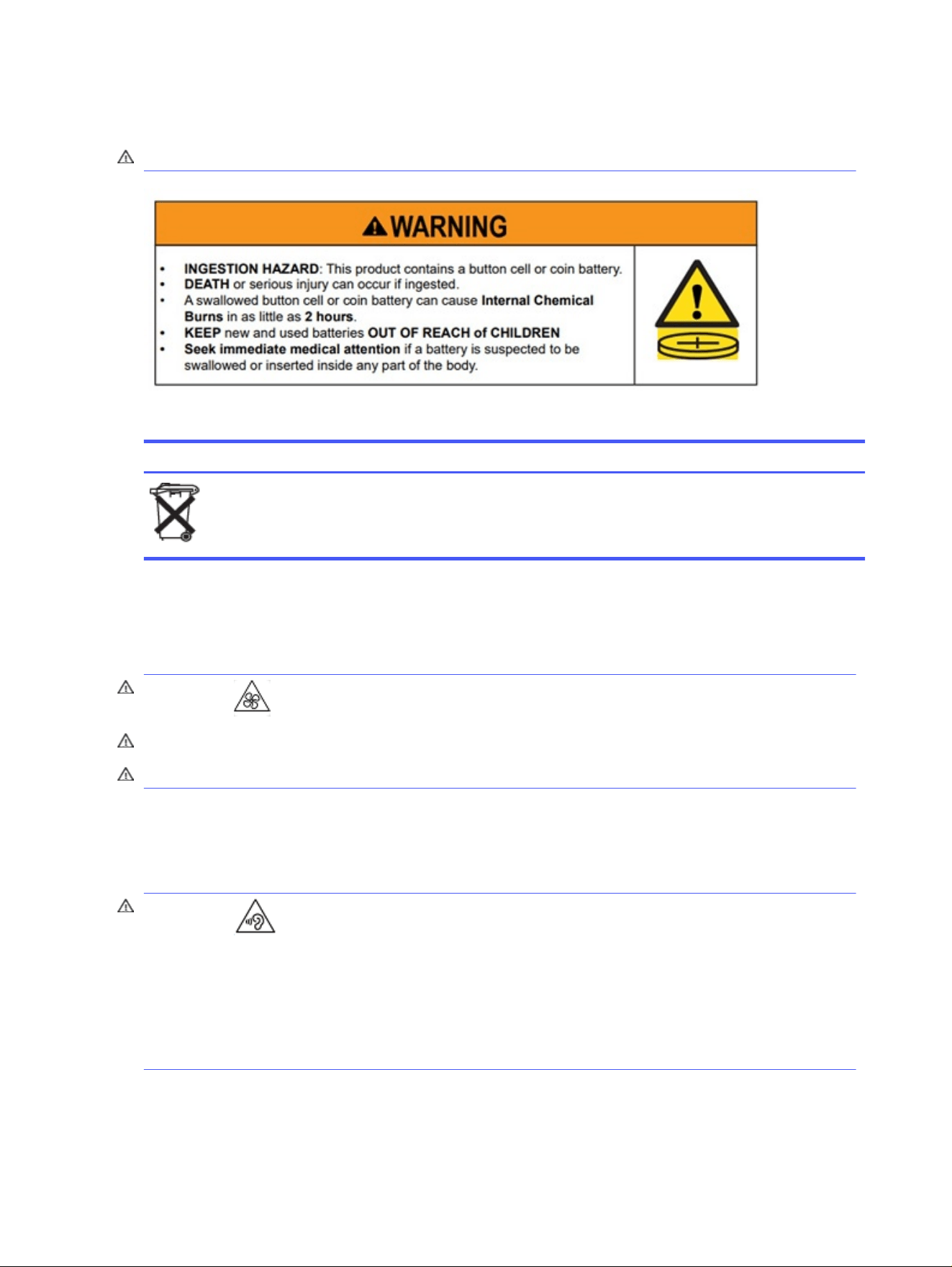
WARNING! This product contains a coin/button cell battery. If the coin/button cell battery is
swallowed, it can cause severe internal burns in just 2 hours and can lead to death.
WARNING! Select products contain a non-replaceable coin/button cell battery.
WARNING! Keep new and used batteries away from children.
WARNING! If the battery compartment does not close securely, stop using the product and keep it
away from children.
WARNING! If you think batteries might have been swallowed or placed inside any part of the body,
seek immediate medical attention.
WARNING! Leaving a battery in an environment surrounded by extremely high temperatures can
result in an explosion or the leakage of flammable liquid or gas.
WARNING! A battery subjected to extremely low air pressure may result in an explosion or the
leakage of flammable liquid or gas.
WARNING! Remove and immediately recycle or dispose of used batteries according to local
regulations and keep away from children. Do NOT dispose of batteries in household trash or incinerate.
WARNING! Even used batteries may cause severe injury or death.
WARNING! Call a local poison control center for treatment information.
WARNING! Non-rechargeable batteries are not to be recharged.
WARNING! Do not force discharge, recharge, disassemble, heat above (60°C (149°F). ) or incinerate.
Doing so may result in injury due to venting, leakage or explosion resulting in chemical burns.
WARNING! Ensure the batteries are installed correctly according to polarity (+ and -).
WARNING! Do not mix old and new batteries, different brands or types of batteries, such as alkaline,
carbon-zinc, or rechargeable batteries.
WARNING! Remove and immediately recycle or dispose of batteries from equipment not used for an
extended period of time according to local regulations.
WARNING! Always completely secure the battery compartment. If the battery compartment does not
close securely, stop using the product, remove the batteries, and keep them away from children.
WARNING! Only replace the battery with a compatible battery type. The compatible battery type for
Desktop Workstations, Desktop Computers, and All-in-One Computers is CR2032, for HP Z Captis is
CR2025, and for HP Chromebox is ML 1220.
WARNING! The compatible battery type for Notebook ZBook Fury is CR2025, for ZBook Studio,
ProBook Fortis, Pro x360 Fortis is CR2016, for EliteBook630/640/650/645/655, ZBook Power, Pro
Battery notices
21
mt440, Elite mt645, ProBook is CR2032 and for EliteBook830/840/860/835/845/865, ZBook Firefly, Elite
mt845, Elite x360, Pro x360, EliteBook 1040 is CR1620.
WARNING! The nominal battery voltage is 3V.
Table 3-1 Battery disposal icon and description
Icon Description
Batteries, battery packs, and accumulators should not be disposed of with the general household waste.
In order to forward them to recycling or proper disposal, please use the public collection system or return
them to HP, an authorized HP partner, or their agents.
Fan notices
Use one or more of these notices to warn users about the dangers of injuries from spinning fan blades.
WARNING! Keep body parts away from moving parts.
WARNING! Keep body parts away from fan blades.
WARNING! Keep body parts out of the motion path.
Headset and earphone volume level notice
This notice warns about the danger of high volume settings for headsets and earphones.
WARNING! To prevent possible hearing damage, do not listen at high volume levels for long
periods.
Adjustment of the volume control as well as the equalizer to other settings than the center position
may increase the ear-/headphones output voltage and therefore the sound pressure level. The use
of factors influencing the ear-/headphones output other than those specified by the manufacturer
(e.g. operating system, equalizer software, firmware, driver) may increase the ear-/headphones output
voltage and therefore the sound pressure level.
22
Chapter 3 Safety notices

Laser safety
For products equipped with optical drives or fiber optic transceivers.
This product may be provided with an optical storage device (i.e., CD or DVD drive) and/or fiber optic
transceiver. These contain lasers and are classified as Class 1 Laser Products in accordance with the
standard IEC/EN 60825-1:2014 and comply with its requirements.
Each laser product complies with US FDA Regulations of 21 CFR 1040.10 and 1040.11 or complies with
those regulations except for deviations pursuant to Laser Notice No. 50, dated June 24, 2007 or Laser
Notice No. 56, dated May 8, 2019.
WARNING! Use of controls or adjustments or performance of procedures other than those specified
herein or in the laser product’s installation guide may result in hazardous radiation exposure. To reduce
the risk of exposure to hazardous radiation:
● Do not try to open the module enclosure. There are no user-serviceable components inside.
● Do not operate controls, make adjustments, or perform procedures to the laser device other than
those specified herein.
● Allow only HP Authorized Service technicians to repair the unit.
Power supply and power cord set requirements
Different countries have different requirements for power supplies and power cords.
Power supply class I grounding requirements
For protection from fault currents, the equipment shall be connected to a grounding terminal. Plug the
system power cord into an AC outlet that provides a ground connection. Substitute cords may not
provide adequate fault protection. Only use the power cord supplied with this product or an HP Inc.
authorized replacement.
Brazil notice
Este equipamento deve ser conectado obrigatoriamente em tomada de rede de energia elétrica que
possua aterramento (três pinos), conforme a norma nbr abnt 5410,visando a segurança dos usuários
contra choques elétricos.
Denmark
Apparatets stikprop skal tilsluttes en stikkontakt med jord, som giver forbindelse til stikproppens jord.
Finland
Laite on liitettävä suojakoskettimilla varustettuun pistorasiaan.
Norway
Apparatet må tilkoples jordet stikkontakt.
Sweden
Apparaten skall anslutas till jordat uttag.
Laser safety
23

Power supply requirements
The power supplies on some products have external power switches. The voltage select switch feature
on the product permits it to operate from any line voltage between 100-127 or 200-240 volts AC. Power
supplies on those products that do not have external power switches are equipped with internal circuits
that sense the incoming voltage and automatically switch to the proper voltage.
WARNING! To reduce potential safety issues, HP recommends using only HP-branded AC adapters.
China
消费者若使用电源适配器供电,则应购买配套使用获得 CCC 认证并满足标准要求的电源适配器
For use in Norway
Some products are designed for an IT power system with phase-to-phase voltage 230 V.
Power cord set requirements
One or more of these notices might apply to your product's power cord.
WARNING! To reduce the risk of electric shock or damage to the equipment:
● Plug the power cord into an AC outlet that is easily accessible at all times.
● Disconnect power from the computer by unplugging the power cord from the AC outlet.
● If provided with a 3-pin attachment plug on the power cord, plug the cord into a grounded (earthed)
3-pin outlet. Do not disable the power cord grounding pin, for example, by attaching a 2-pin adapter.
The grounding pin is an important safety feature.
The power cord set received with the product meets the requirements for use in the country where the
equipment was originally purchased. Use only the power cord provided with the unit or an authorized
replacement power cord from HP Inc. or an approved HP Inc. source. Replacement part numbers may be
found at http://www.hp.com/support.
Power cord sets for use in other countries must meet the requirements of the country where you use
the product. For more information on power cord set requirements, contact your authorized HP dealer,
reseller, or service provider.
WARNING! Do not use power cords from other products. Mismatched power cords may result in a
shock and fire hazard.
The requirement listed below is applicable to all countries:
■
The power cord must be approved by an acceptable accredited agency responsible for evaluation in
the country where the power cord set will be installed.
The power cord should be routed so that it is not likely to be walked on or pinched by items placed upon
it or against it. Particular attention should be paid to the plug, electrical outlet, and the point where the
cord exits from the product.
WARNING! Do not operate this product with a damaged power cord set. If the power cord set is
damaged in any manner, replace it immediately. Damaged cords may result in user exposure to
hazards.
24
Chapter 3 Safety notices
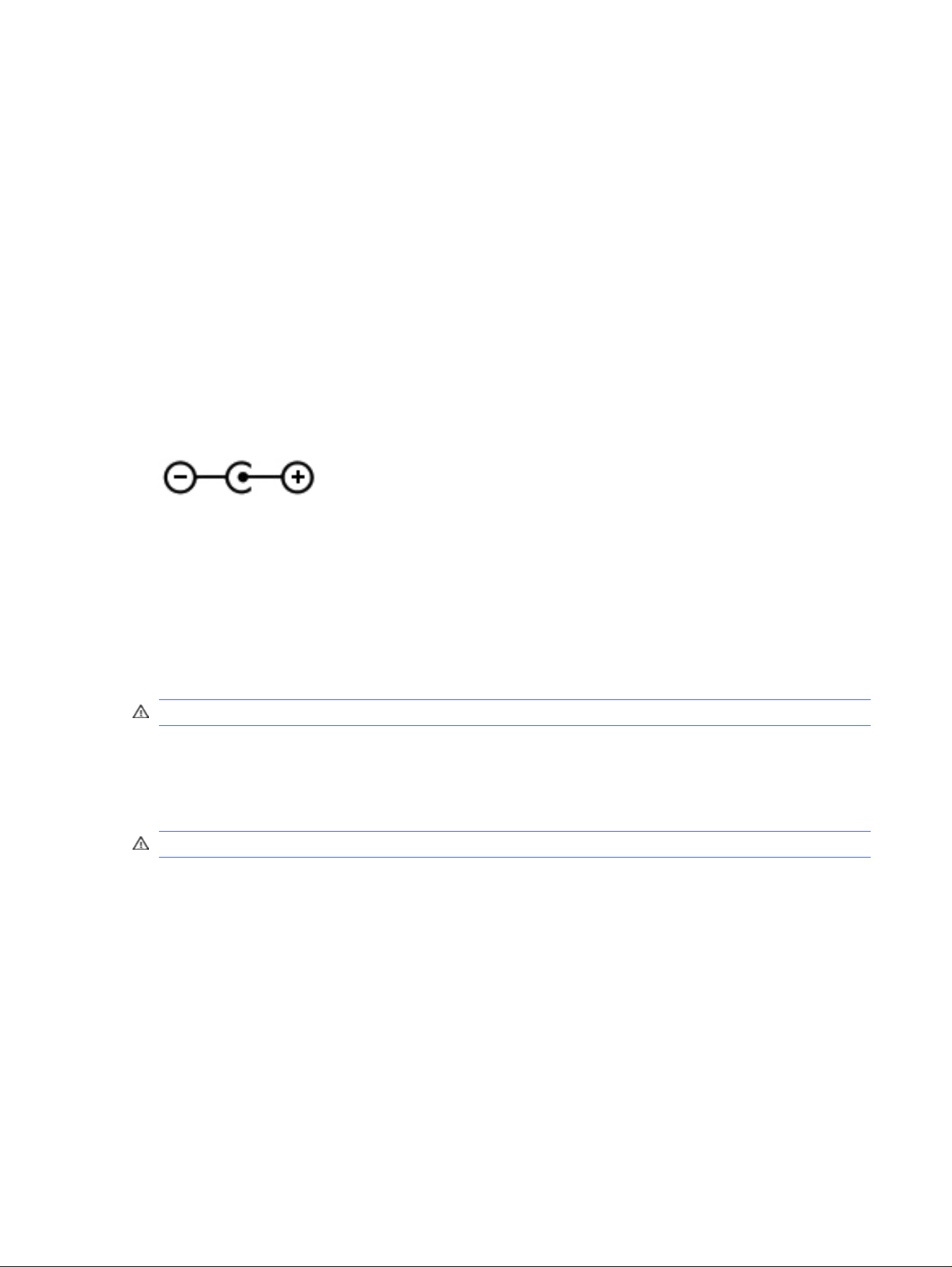
Power cord notice
If you were not provided with a power cord for the computer or for an external power accessory
intended for use with the computer, you should purchase a power cord that is approved for use in your
country or region.
The power cord must be rated for the product and for the voltage and current marked on the product's
electrical ratings label. The voltage and current rating of the cord should be greater than the voltage
and current rating marked on the product. In addition, the diameter of the wire must be a minimum of
0.75 mm²/18 AWG, and the length of the cord must be between 1.0 m (3.2 ft) and 2 m (6.56 ft). If you have
questions about the type of power cord to use, contact your authorized service provider.
A power cord should be routed so that it is not likely to be walked on or pinched by items placed upon
it or against it. Particular attention should be paid to the plug, electrical outlet, and the point where the
cord exits from the product.
DC plug of external HP power supply
The diagram illustrates the DC plug of external HP power supply.
Japan power cord notice
製品には、同梱された電源コードをお使い下さい。
同梱された電源コードは、他の製品では使用出来ません。
Japan power cord requirements
For use in Japan, use only the power cord received with this product.
CAUTION: Do not use the power cord received with this product on any other products.
Pinch hazard
Use this notice to warn about the possibility of pinching injuries.
WARNING! Observe pinch hazard areas. Keep fingers away from closing parts.
TV antenna connectors protection
Several safety notices might apply to TV antenna connectors.
External television antenna grounding
If an outside antenna or cable system is connected to the product, be sure the antenna or cable system
is electrically grounded so as to provide some protection against voltage surges and built-up static
charges.
Article 810 of the National Electrical Code, ANSI/NFPA 70, provides information with regard to proper
electrical grounding of the mast and supporting structure, grounding of the lead-in wire to an
antenna-discharge unit, size of grounding conductors, location of antenna-discharge unit, connection
to grounding electrodes, and requirements for the grounding electrode.
Power cord notice
25
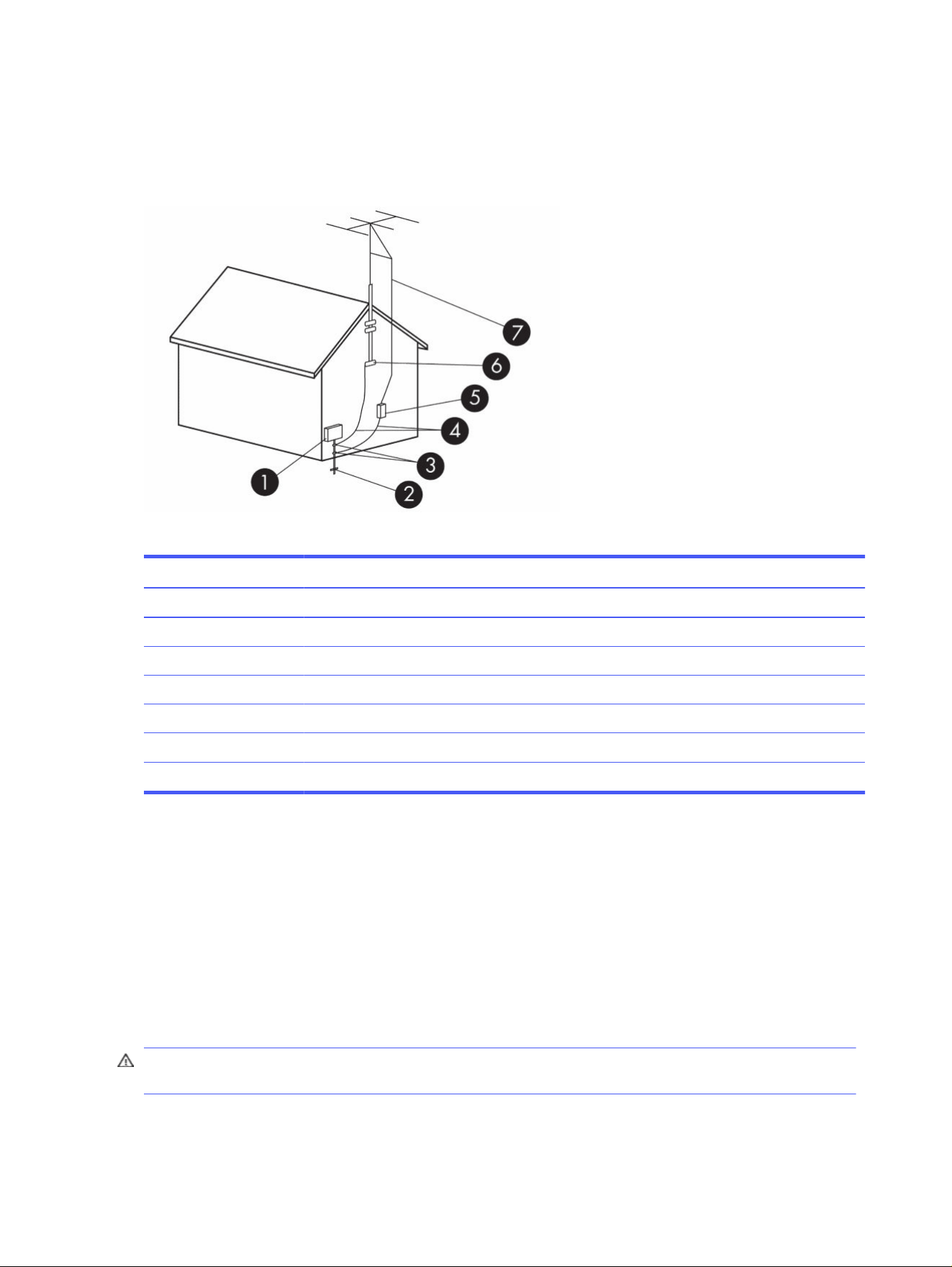
Lightning protection
For added protection of any product during a lightning storm, or when it is left unattended and unused
for long periods of time, unplug the product from the wall outlet and disconnect the antenna or cable
system. This will prevent damage to the product from lightning and power line surges.
Table 3-2 Antenna Grounding
Reference Grounding Component
1 Electric Service Equipment
2 Power Service Grounding Electrode System (NEC Art 250, Part III)
3 Ground Clamps
4 Grounding Conductors (NEC Section 810.21)
5 Antenna Discharge Unit (NEC Section 810.20)
6 Ground Clamp
7 Antenna Lead-in Wire
Note to CATV system installer
This reminder is provided to call the CATV systems installer’s attention to section 820.93 of the National
Electric Code, which provides guidelines for proper grounding and in particular, specify that the Coaxial
cable shield shall be connected to grounding system of the building, as close to the point of cable entry
as practical.
Travel notice
Use this notice to warn about the possibility of serious injury from voltage converter kits.
WARNING! To reduce the risk of electric shock, fire, or damage to the equipment, do not attempt to
power the computer with a voltage converter kit sold for appliances.
26
Chapter 3 Safety notices
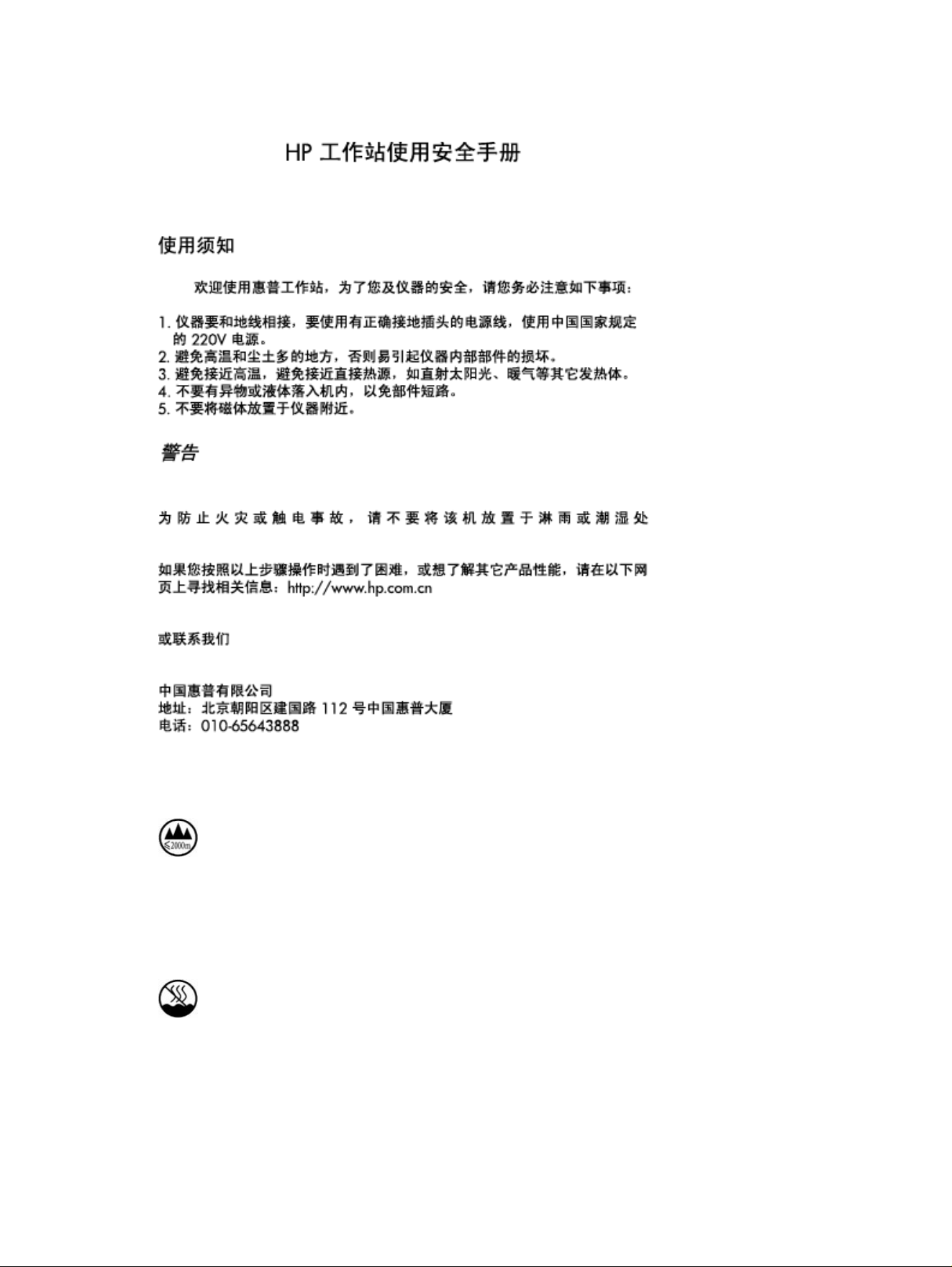
China safety notices
China altitude notice
海拔警告仅适用于在海拔 2000m 及以下地区使用的产品
海拔警告仅适用于在海拔 2000m 及以下地区使用的产品。
China tropical warning notice
热带警告仅适用于在非热带气候条件下使用的产品。
热带警告仅适用于在非热带气候条件下使用的产品。
China safety notices
27

Norway and Sweden cable grounding notice for products with a
TV tuner
Norway and Sweden require a galvanic isolator for grounding.
CAUTION: To reduce potential safety issues, use a galvanic isolator when connecting to a cable
distribution system.
Taiwan eyesight notice
This eyesight notice applies to products in Taiwan.
使用過度恐傷害視力
注意事項:
(1) 使用 30 分鐘請休息 10 分鐘。
(2) 未滿 2 歲幼兒不看螢幕,2 歲以上每天看螢幕不要超過 1 小時。
France le contrôle parental
Les outils numériques font partie intégrante de la vie quotidienne des enfants et des adolescents. Mal
utilisés, ces outils comportent des risques pour leur santé mentale et physique.
Le contrôle parental est primordial pour protéger vos enfants et adolescents des contenus inappropriés
en ligne et limiter le temps d'écran.
Les ordinateurs HP équipés d'un système d'exploitation permettent l'activation d'un contrôle parental
afin de restreindre ou de contrôler l'accès des mineurs à des contenus légalement interdit ou régis par
la loi du 17 juin 1998 relative à la prévention et à la répression des infractions sexuelles ainsi qu'à la
protection des mineurs.
Avant de confier un ordinateur HP à votre enfant, assurez-vous de prendre connaissance des
informations ci-dessous sur les risques liés à l'exposition des mineurs à des contenus inappropriés
et à leur surexposition ou exposition précoce aux écrans.
Vous trouverez également ci-dessous les caractéristiques essentielles et fonctionnalités proposées par
le dispositif de contrôle parental installé sur les ordinateurs HP et les déclarations de conformité au titre
de la loi n° 2022-300 du 2 mars 2022 visant à renforcer le contrôle parental sur les moyens d'accès à
internet.
Quels sont les risques liés à l'exposition des mineurs aux services de navigation
sur Internet ?
En navigant sur Internet, les enfants et adolescents peuvent être confrontés à des contenus violents,
pornographiques ou portant atteinte à la dignité humaine (incitation à la haine, racisme, antisémitisme,
discrimination, mais aussi apologie de l'anorexie, de la mutilation, du suicide…). Ils peuvent également
être confrontés à des contenus inadaptés à leur âge ou être la cible de harceleurs en ligne. Cette
exposition peut entraîner un choc ou un traumatisme psychologique.
28
Chapter 3 Safety notices

Quels sont les risques liés à la surexposition ou l'exposition précoce des enfants
aux écrans ?
Les écrans font aujourd'hui partie du quotidien avec une exposition des enfants dès le plus jeune âge.
Cependant, une exposition trop précoce et excessive aux écrans peut entraîner des effets néfastes sur
la santé des enfants : troubles du sommeil, de la mémoire ou de l'attention, manque d'activité physique.
La plateforme officielle d’information et d’accompagnement à la parentalité numérique
https://jeprotegemonenfant.gouv.fr/ propose des outils, des conseils et des ressources pratiques pour
mieux informer et accompagner les parents afin qu’ils protègent leurs enfants. Nous vous invitons à
vous familiariser avec les outils mis à disposition sur cette plateforme pour vous aider à accompagner
votre enfant dans un usage raisonné des écrans.
L'association e-enfance propose des actions de sensibilisation sur les usages numériques
responsables et les risques potentiels auprès des jeunes et des parents.
Vos outils de contrôle parental sur les ordinateurs HP
Les ordinateurs HP sont équipés du système d'exploitation Windows fourni par Microsoft ou ChromeOS
fourni par Google, selon le modèle.
Grâce aux solutions de contrôle parental Microsoft Family Safety et Google Family Link, vous pourrez
créer un environnement sécurisé pour votre famille en filtrant le contenu en ligne et en limitant le temps
d’écran de votre enfant. Les solutions Microsoft Family Satefy et Google Family Link permettent ainsi de :
● bloquer le téléchargement de contenus accessibles à partir de boutiques d'application, qui sont
interdits ou inappropriés pour les mineurs ;
● bloquer l’accès aux contenus préinstallés sur l'ordinateur, qui sont interdits ou inappropriés pour les
mineurs ;
● appliquer des limites de temps d'écran sur les appareils, applications et jeux.
Pour prendre connaissance des caractéristiques essentielles et des fonctionnalités détaillées de
Microsoft Family Safety, cliquez sur le lien Bien démarrer avec Microsoft Family Safety.
Pour prendre connaissance des caractéristiques essentielles et des fonctionnalités détaillées de
Google Family Link, cliquez sur le lien Premiers pas avec Family Link.
Les déclarations de conformité au titre de la loi n° 2022-300 du 2 mars 2022 visant
à renforcer le contrôle parental sur les moyens d'accès à internet
Cliquez sur le lien Le contrôle parental.
Quels sont les risques liés à la surexposition ou l'exposition précoce des enfants aux écrans ?
29
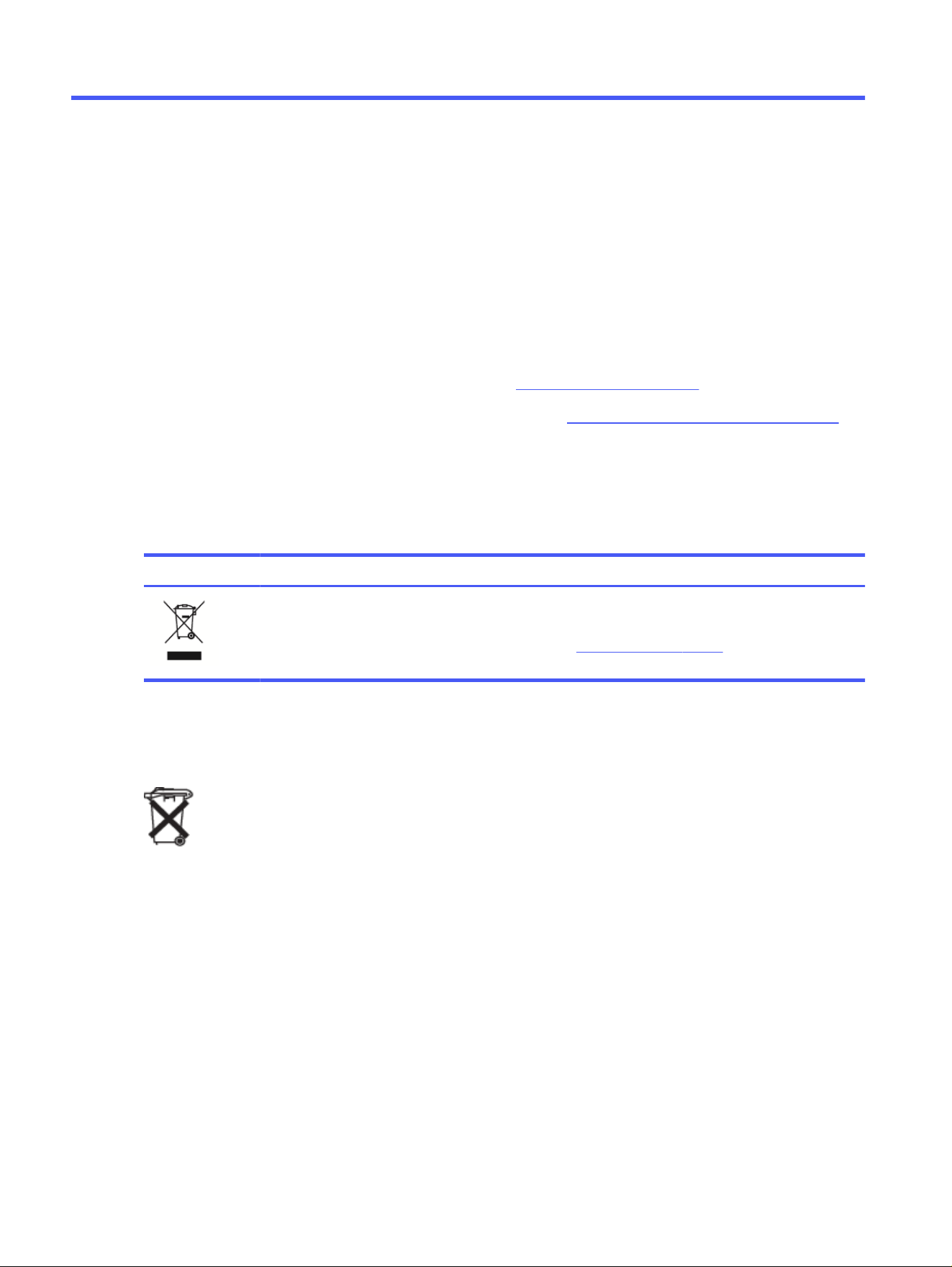
Environmental notices4
This chapter provides country- and region-specific environmental notices and compliance information.
Some of these notices may not apply to your product.
Electronic hardware, packaging and battery recycling
HP encourages customers to recycle used electronic hardware, HP original print cartridges packaging,
and rechargeable batteries.
For more information about recycling programs, go to http://www.hp.com/recycle.
For information about recycling the product in Japan, refer to http://www.hp.com/jp/hardwarerecycle/.
Disposal of waste equipment by users
Use this notice to explain the icon associated with waste disposal.
Table 4-1
Disposal of waste equipment icon and its description
Icon Description
This symbol means do not dispose of your product with your other household waste. Instead, you should
protect human health and the environment by handing over your waste equipment to a designated
collection point for the recycling of waste electrical and electronic equipment. For more information, please
contact your household waste disposal service or go to http://www.hp.com/recycle.
Brazil alkaline battery disposal
Não descarte o produto eletrônico em lixo comum
Este produto eletroeletrônico e seus componentes não daven ser descartados no lixo comum, pois
embora estejam em conformidade com padrões mundiais de restrição a substâncias nocivas, podem
conter, ainda que em quantidades mínimas, substâncias impactantes ao meio ambiente. Ao final da vida
útil deste produto, o usuário deverá entregá-lo à HP. A não observância dessa orientação sujeitará o
infrator às sanções previstas em lei. Após o uso, as pilhas e/ou baterias dos produtos HP deverão ser
entregues ao estabelecimento comercial ou rede de assistência técnica autorizada pela HP.
Para maiores informações , inclusive sobre os pontos de recebimento, acesse: http://www.hp.com.br/
reciclar
Brazil hardware recycling information
Não descarte o produto eletrônico em lixo comum
30
Chapter 4 Environmental notices
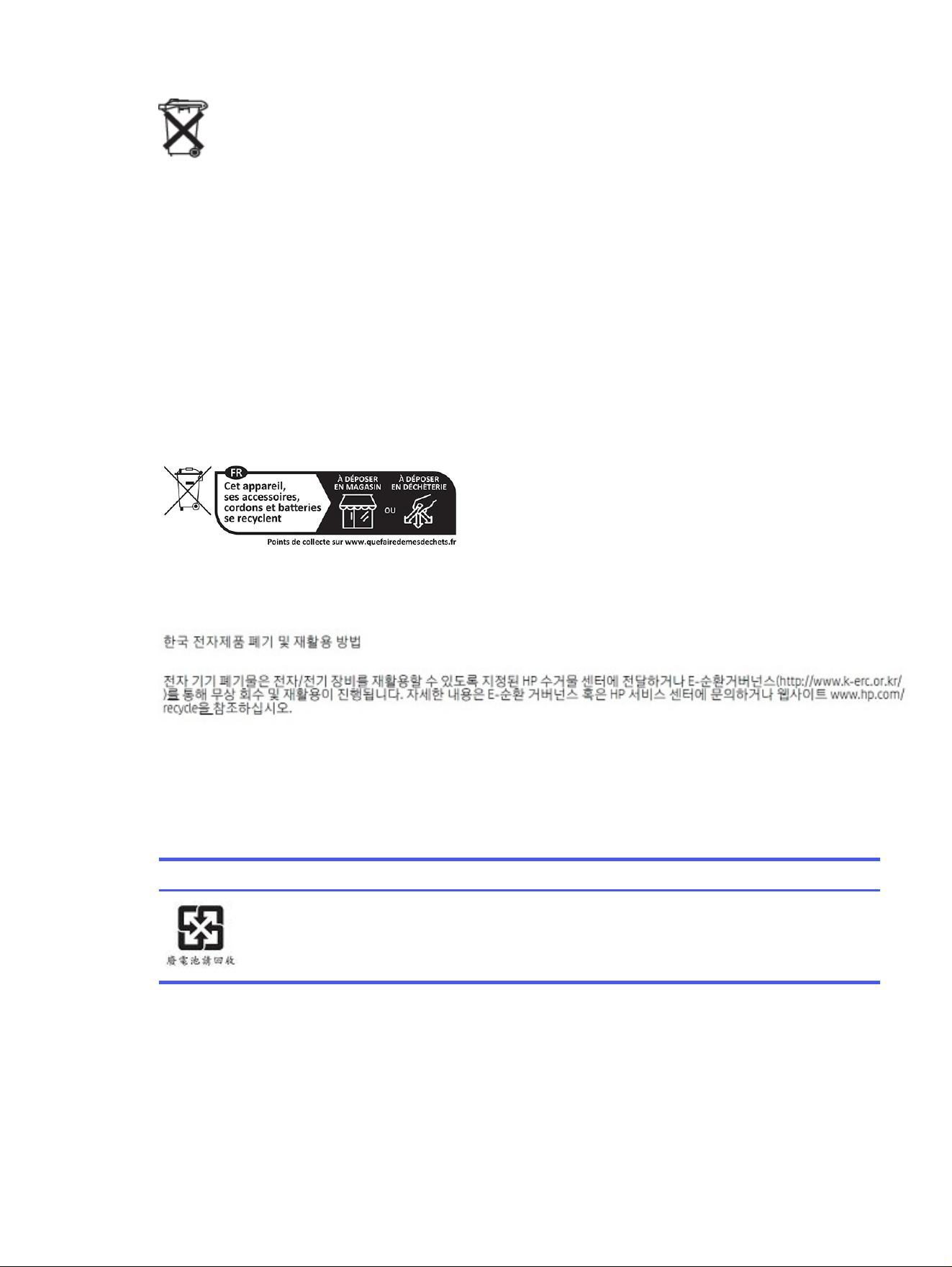
Este produto eletroeletrônico e seus componentes não daven ser descartados no lixo comum, pois
embora estejam em conformidade com padrões mundiais de restrição a substâncias nocivas, podem
conter, ainda que em quantidades mínimas, substâncias impactantes ao meio ambiente. Ao final da vida
útil deste produto, o usuário deverá entregá-lo à HP. A não observância dessa orientação sujeitará o
infrator às sanções previstas em lei. Após o uso, as pilhas e/ou baterias dos produtos HP deverão ser
entregues ao estabelecimento comercial ou rede de assistência técnica autorizada pela HP.
Para maiores informações , inclusive sobre os pontos de recebimento, acesse: http://www.hp.com.br/
reciclar
France Triman WEEE and recycling label
Use this notice to explain the icon associated with recycling.
Korea disposal and recycling notices
Taiwan battery recycling information
This notice provides the regulations for battery manufacture and recycling in Taiwan.
Table 4-2
Taiwan battery recycling icon and its description
Icon Description
The Taiwan EPA requires dry battery manufacturing or importing firms, in accordance with Article 15 of
the Waste Disposal Act, to indicate the recovery marks on the batteries used in sales, giveaways, or
promotions. Contact a qualified Taiwanese recycler for proper battery disposal.
Turkey WEEE regulation
Türkiye Cumhuriyeti: AEEE Yönetmeliğine Uygundur
France Triman WEEE and recycling label
31
ENERGY STAR
®
Certification (select products only)
ENERGY STAR is a U.S. Environmental Protection Agency voluntary program that helps businesses and
individuals save money and protect our climate through superior energy efficiency.
Products that earn the ENERGY STAR prevent greenhouse gas emissions by meeting strict energy
efficiency criteria or requirements set by the U.S. Environmental Protection Agency. As an ENERGY
STAR Partner, HP Inc. has followed the U.S. EPA’s enhanced product certification process to ensure that
products marked with the ENERGY STAR logo are ENERGY STAR certified per the applicable ENERGY
STAR guidelines. The following logo appears on all ENERGY STAR-certified computers:
A key ENERGY STAR requirement for computer products is power management features that
significantly reduce energy consumption when the product is not in use. Power management allows
a computer to automatically enter a low power “sleep” mode, or other low power mode, after a defined
period of inactivity. The power management features have been preset as follows when the computer is
operating on AC power:
Table 4-3
Preset power management features when the computer is operating on AC power
Computer type Time to activate display sleep
mode
Time to activate computer
sleep mode (minutes)
Resuming from sleep mode
Notebooks, Mobile
Workstations
Less than or equal to 15
minutes (varies by model)
Less than or equal to 30
minutes (varies by model)
Product will exit sleep mode
when the power/sleep button
is pressed.
If Wake-on-Lan (WOL) is
enabled, the system can
resume from sleep in
response to a network signal.
Tablets/Slates Less than or equal to 1 minute Not applicable Not applicable
Desktops, Integrated
Desktops, Workstations
Less than or equal to 15
minutes (varies by model)
Less than or equal to 30
minutes (varies by model)
Product will exit sleep mode
when user interacts with any
input device, including the
mouse or keyboard.
If Wake-on-Lan (WOL) is
enabled, the system can
resume from sleep in
response to a network signal.
Thin clients Less than or equal to 15
minutes (varies by model)
Less than or equal to 30
minutes when sleep mode is
supported by the operating
system (varies by model)
When sleep mode is
supported by operating
system product will exit
sleep mode when user
interacts with any input
device, including the mouse
or keyboard.
If Wake-on-Lan (WOL) is
enabled, the system can
resume from sleep in
response to a network signal.
32 Chapter 4 Environmental notices
For computers that support an always-on, always-connected use profile where internet access is
available (such as tablets and slates), alternative low power modes - such as Short or Long Idle modes
(as defined in the ENERGY STAR Computer Program Requirements) are provided that consume very little
power (</= 10 Watts) and when applicable, maximize product battery life. These alternative low power
modes are dynamic, with the display sleep mode activated within 1 minute of user inactivity.
The computer exits Sleep when the power/Sleep button is pressed. When the Wake On LAN (WOL)
feature is enabled, the computer can also exit Sleep in response to a network signal.
Additional information on the potential energy and financial savings of the power management feature
can be found on the EPA ENERGY STAR Power Management website at
https://www.energystar.gov/products/ask-the-experts/how-optimize-power-management-settings-savings
.
Additional information on the ENERGY STAR program and its environmental benefits are available on the
EPA ENERGY STAR website at http://www.energystar.gov.
ENERGY STAR and the ENERGY STAR mark are registered trademarks owned by the U.S. Environmental
Protection Agency.
Chemical substances
HP is committed to providing our customers with information about the chemical substances in our
products as needed to comply with legal requirements such as REACH (Regulation EC No. 1907/2006 of
the European Parliament and the Council).
A chemical information report for this product can be found at http://www.hp.com/go/reach.
Perchlorate material–special handling may apply
The computer’s real-time clock battery may contain perchlorate and may require special handling when
recycled or disposed of in California.
See https://dtsc.ca.gov/perchlorate/.
China environmental notices
Chemical substances 33
China PC energy label
China requires this notice of energy efficiency.
In accordance with “The Regulation of the Implementation on China Energy Label for Microcomputers,”
this microcomputer has an Energy Efficiency Label. The energy efficiency grade, TEC (Typical Energy
Consumption), and product category presented on the label are determined and calculated according to
the standard GB28380-2012.
1. Energy Efficiency Grades
The grade is determined by the standard with the calculation of base consumption level with the
sum of all the allowances for additional components such as main memory and graphics card. For
products of any grade, the TEC should not exceed the value specified in the following table:
Table 4-4
Typical Energy Consumption (TEC) values
Product Type TEC (kilowatt hour)
Grade 1 Grade 2 Grade 3
Desktop microcomputer, AIO Category A 98.0+∑Efa 148.0+∑Efa 198.0+∑Efa
Category B 125.0+∑Efa 175.0+∑Efa 225.0+∑Efa
Category C 159.0+∑Efa 209.0+∑Efa 259.0+∑Efa
Category D 184.0+∑Efa 234.0+∑Efa 284.0+∑Efa
Portable Computer Category A 20.0+∑Efa 35.0+∑Efa 45.0+∑Efa
Category B 26.0+∑Efa 45.0+∑Efa 65.0+∑Efa
Category C 54.5+∑Efa 75.0+∑Efa 123.5+∑Efa
NOTE: ∑Efa is the sum of power factor of product additional functions.
2. Typical Energy Consumption
The energy consumption figure presented on the label is the data measured with the
representative configuration that covers all the configurations in the registration unit which
is selected according to “The Regulation of the Implementation on China Energy Label for
34
Chapter 4 Environmental notices

Microcomputers." Thus, actual energy consumption of this specific microcomputer may not be the
same as the TEC data presented in the label.
3. Product Category
The product category is determined by the standard according to the microcomputer’s
configuration. The categorization of products complies with the regulations in the following table:
Table 4-5 Product category and configuration description
Product Type Configuration Description
Desktop microcomputer, AIO Portable Computer
Category A The desktop microcomputer and AIO whose
configuration is out of the scope of
Category B, C, and D
The portable computer whose configuration
is out of the scope of Category B and C
Category B CPU physical core number of 2, and system
memory of not less than 2 GB
A Discrete GPU
Category C CPU physical core number of over 2, with at
least one of the following features:
1. System memory of not less than 2 GB
2. A Discrete GPU
The product that has a CPU physical core
number of not less than 2, system memory
of not less than 2GB, A Discrete GPU with
Frame Buffer Width not less than 128-bit.
Category D CPU physical core number of not less than
4, with at least one of the following features:
1. System memory of not less than 4 GB
2. A Discrete GPU with Frame Buffer
Width not less than 128-bit
For more details on the specification, please refer to the standard GB28380-2012.
本机根据 《微型计算机能源效率标识实施规则》 的要求加施中国能效标识。能效标识中显示的能效等级、
典型能源消耗和产品类型均根据《微型计算机能效限定值及能效等级》 (GB28380-2012)的要求确定。对
上述标识内容的说明如下:
China PC energy label
35
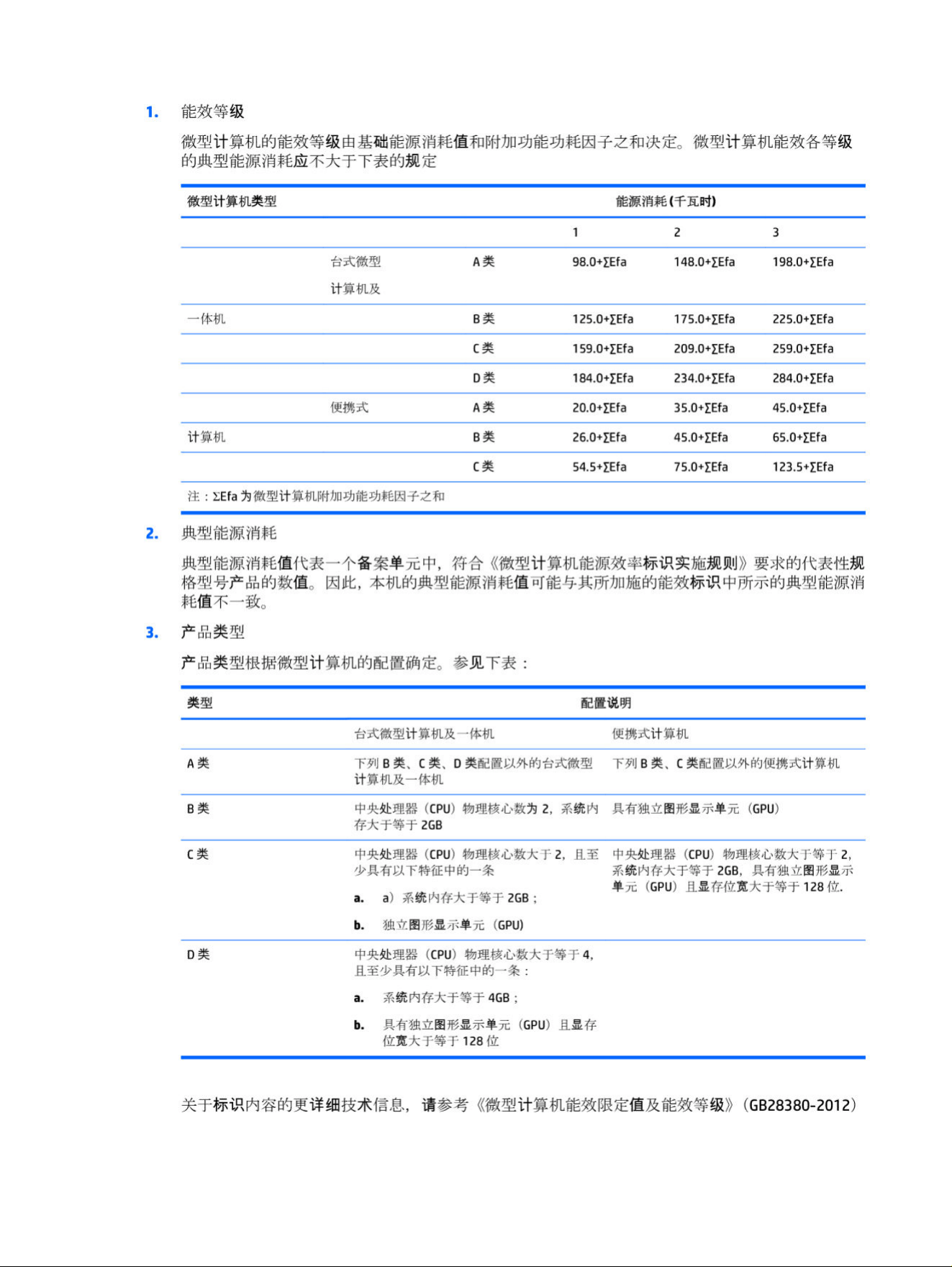
36 Chapter 4 Environmental notices
China RoHS
China uses the following notices for RoHS.
笔记本电脑和平板电脑产品中有害物质或元素的名称及含量
根据中国《电器电子产品有害物质限制使用管理办法》
Table 4-6 产品中有害物质或元素的名称及含量 根据中国《电器电子产品有害物质限制使用管理办法》
有害物质
部件名称 铅 (Pb) 汞 (Hg) 镉 (Cd)
六价铬
(Cr(VI)) 多溴联苯 (PBB) 多溴二苯醚 (PBDE)
电池 X O O O O O
线缆 X O O O O O
摄像头 X O O O O O
机箱/其他 X O O O O O
闪存读卡器 X O O O O O
软盘驱动器 X O O O O O
硬盘驱动器 X O O O O O
耳机 X O O O O O
I/O PCA X O O O O O
键盘 X O O O O O
液晶显示器 (LCD) 面板 X O O O O O
介质(CD/DVD/软盘) O O O O O O
内存 X O O O O O
主板、处理器、散热器 X O O O O O
鼠标 X O O O O O
光盘驱动器 X O O O O O
对接设备选件 X O O O O O
电源适配器 X O O O O O
电源 X O O O O O
电源组 X O O O O O
投影仪 X O O O O O
遥控器 X O O O O O
China RoHS 37
Table 4-6 产品中有害物质或元素的名称及含量 根据中国《电器电子产品有害物质限制使用管理办法》 (continued)
有害物质
部件名称 铅 (Pb) 汞 (Hg) 镉 (Cd)
六价铬
(Cr(VI)) 多溴联苯 (PBB) 多溴二苯醚 (PBDE)
智能卡/Java™ 读卡器 X O O O O O
扬声器(外置) X O O O O O
电视调谐器 X O O O O O
USB 闪存驱动器 X O O O O O
USB 集线器 X O O O O O
网络摄像头 X O O O O O
无线接收器 X O O O O O
无线网卡 X O O O O O
本表格依据 SJ/T 11364 的规定编制。
O:表示该有害物质在该部件所有均质材料中的含量均在 GB/T 26572 规定的限量要求以下。
X:表示该有害物质至少在该部件的某一均质材料中的含量超出 GB/T 26572 规定的限量要求。
此表中所有名称中含 "X" 的部件均符合中国 RoHS 达标管理目录限用物质应用例外清单的豁免。
此表中所有名称中含 "X" 的部件均符合欧盟 RoHS 立法。
注:环保使用期限的参考标识取决于产品正常工作的温度和湿度等条件
台式机、瘦客户端、个人工作站、一体机和销售点终端产品中有害物质或元素的名
称及含量
根据中国《电器电子产品有害物质限制使用管理办法》
Table 4-7
产品中有害物质或元素的名称及含量 根据中国《电器电子产品有害物质限制使用管理办法》
有害物质
部件名称 铅 (Pb) 汞 (Hg) 镉 (Cd)
六价铬
(Cr(VI)) 多溴联苯 (PBB) 多溴二苯醚 (PBDE)
电池 X O O O O O
线缆 X O O O O O
摄像头 X O O O O O
机箱/其他 X O O O O O
38 Chapter 4 Environmental notices
Table 4-7 产品中有害物质或元素的名称及含量 根据中国《电器电子产品有害物质限制使用管理办法》 (continued)
有害物质
部件名称 铅 (Pb) 汞 (Hg) 镉 (Cd)
六价铬
(Cr(VI)) 多溴联苯 (PBB) 多溴二苯醚 (PBDE)
风扇 X O O O O O
闪存读卡器 X O O O O O
软盘驱动器 X O O O O O
硬盘驱动器 X O O O O O
耳机 X O O O O O
散热器 X O O O O O
I/O PCA X O O O O O
键盘 X O O O O O
液晶显示器 (LCD) 面板 X O O O O O
介质(CD/DVD/软盘) O O O O O O
内存 X O O O O O
主板、处理器、散热器 X O O O O O
鼠标 X O O O O O
光驱 X O O O O O
对接设备选件 X O O O O O
电源适配器 X O O O O O
电源 X O O O O O
投影仪 X O O O O O
遥控器 X O O O O O
智能卡/Java™ 读卡器 X O O O O O
固态驱动器 X O O O O O
扬声器(外置) X O O O O O
触控笔 X O O O O O
触控板 X O O O O O
电视调谐器 X O O O O O
USB 闪存驱动器 X O O O O O
USB 集线器 X O O O O O
网络摄像头 X O O O O O
无线接收器 X O O O O O
无线网卡 X O O O O O
3D 捕获台/转盘 X O O O O O
台式机、瘦客户端、个人工作站、一体机和销售点终端产品中有害物质或元素的名称及含量 39
Table 4-7 产品中有害物质或元素的名称及含量 根据中国《电器电子产品有害物质限制使用管理办法》 (continued)
有害物质
部件名称 铅 (Pb) 汞 (Hg) 镉 (Cd)
六价铬
(Cr(VI)) 多溴联苯 (PBB) 多溴二苯醚 (PBDE)
本表格依据 SJ/T 11364 的规定编制。
O:表示该有害物质在该部件所有均质材料中的含量均在 GB/T 26572 规定的限量要求以下。
X:表示该有害物质至少在该部件的某一均质材料中的含量超出 GB/T 26572 规定的限量要求。
此表中所有名称中含 "X" 的部件均符合中国 RoHS 达标管理目录限用物质应用例外清单的豁免。
此表中所有名称中含 "X" 的部件均符合欧盟 RoHS 立法。
注:环保使用期限的参考标识取决于产品正常工作的温度和湿度等条件
台灣針對筆記型電腦和平板電腦的有害物質限制使用管理辦法
(RoHS)
限用物質含有情況標示聲明書
Declaration of the Presence Condition of the Restricted Substances Marking
Table 4-8
限用物質含有情況標示聲明書 Declaration of the Presence Condition of the Restricted Substances
Marking
限用物質及其化學符號
Restricted substances and its chemical symbols
單元 Unit 鉛 Lead (Pb) 汞 Mercury (Hg) 鎘 Cadmium
(Cd)
六價鉻
Hexavalent
chromium (Cr
+6
)
多溴聯苯
Polybrominated
biphenyls (PBB)
多溴二苯醚
Polybrominated
diphenyl ethers
(PBDE)
纜線 Cables — ◯ ◯ ◯ ◯ ◯
機殼/其他
Chassis/Other
— ◯ ◯ ◯ ◯ ◯
輸入/輸出印刷
電路組件 I/O
PCAs
— ◯ ◯ ◯ ◯ ◯
液晶顯示器
(LCD) 面板
Liquid crystal
display (LCD)
panel
— ◯ ◯ ◯ ◯ ◯
記憶體 Memory ◯ ◯ ◯ ◯ ◯ ◯
主機板、處理
器、散熱器
Motherboard,
processor, heat
sinks
— ◯ ◯ ◯ ◯ ◯
電源組 Power
pack
— ◯ ◯ ◯ ◯ ◯
40 Chapter 4 Environmental notices
Table 4-8 限用物質含有情況標示聲明書 Declaration of the Presence Condition of the Restricted Substances
Marking (continued)
限用物質及其化學符號
Restricted substances and its chemical symbols
電源供應器
Power supply
— ◯ ◯ ◯ ◯ ◯
儲存裝置
Storage
Devices
— ◯ ◯ ◯ ◯ ◯
無線裝置
Wireless
Devices
— ◯ ◯ ◯ ◯ ◯
備考 1: 「超出 0.1 %」及「超出 0.01 %」係指限用物質之百分比含量超出百分比含量基準值。
Note 1: "Exceeding 0.1 wt %" and "exceeding 0.01 wt %" indicate that the percentage content of the restricted substance exceeds
the reference percentage value of presence condition.
備考 2: 「◯」係指該項限用物質之百分比含量未超出百分比含量基準值。
Note 2: "◯" indicates that the percentage content of the restricted substance does not exceed the percentage of reference
value of presence.
備考 3: 「—」係指該項限用物質為排除項目。
Note 3: The "—" indicates that the restricted substance corresponds to the exemption.
若要取得最新版使用指南,請前往 http://www.hp.com/support,並依照指示尋找您的產品。然後選取「使
用手冊」。
To access the latest user guides, go to http://www.hp.com/support, and follow the instructions to find
your product. Then select Manuals.
台灣針對桌上型電腦、精簡型電腦、個人工作站、一體成形電腦
及銷售點終端機的有害物質限制使用管理辦法 (RoHS)
限用物質含有情況標示聲明書
Declaration of the Presence Condition of the Restricted Substances Marking
Table 4-9
限用物質含有情況標示聲明書 Declaration of the Presence Condition of the Restricted Substances
Marking
限用物質及其化學符號
Restricted substances and its chemical symbols
單元 Unit
鉛 Lead
(Pb)
汞
Mercury
(Hg)
鎘
Cadmium
(Cd)
六價鉻
Hexavalent
chromium
(Cr
+6
)
多溴聯苯
Polybrominated
biphenyls (PBB)
多溴二苯醚
Polybrominated
diphenyl ethers
(PBDE)
纜線 Cables — ◯ ◯ ◯ ◯ ◯
機座/其他 Chassis/Other — ◯ ◯ ◯ ◯ ◯
台灣針對桌上型電腦、精簡型電腦、個人工作站、一體成形電腦及銷售點終端機的有害物質限制使用管理辦法 (RoHS)
41
Table 4-9 限用物質含有情況標示聲明書 Declaration of the Presence Condition of the Restricted Substances
Marking (continued)
限用物質及其化學符號
Restricted substances and its chemical symbols
單元 Unit
鉛 Lead
(Pb)
汞
Mercury
(Hg)
鎘
Cadmium
(Cd)
六價鉻
Hexavalent
chromium
(Cr
+6
)
多溴聯苯
Polybrominated
biphenyls (PBB)
多溴二苯醚
Polybrominated
diphenyl ethers
(PBDE)
輸入/輸出印刷電路組件
I/O PCAs
— ◯ ◯ ◯ ◯ ◯
液晶顯示器 (LCD) 面板
Liquid crystal display
(LCD) panel (for AIO only)
— ◯ ◯ ◯ ◯ ◯
記憶體 Memory ◯ ◯ ◯ ◯ ◯ ◯
主機板、處理器、散熱器
Motherboard, processor,
heat sinks
— ◯ ◯ ◯ ◯ ◯
電源供應器 Power supply — ◯ ◯ ◯ ◯ ◯
儲存裝置 Storage
Devices
— ◯ ◯ ◯ ◯ ◯
備考 1: 「超出 0.1 %」及「超出 0.01 %」係指限用物質之百分比含量超出百分比含量基準值。
Note 1: "Exceeding 0.1 wt %" and "exceeding 0.01 wt %" indicate that the percentage content of the restricted substance exceeds
the reference percentage value of presence condition.
備考 2: 「◯」係指該項限用物質之百分比含量未超出百分比含量基準值。
Note 2: "◯" indicates that the percentage content of the restricted substance does not exceed the percentage of reference
value of presence.
備考 3: 「—」係指該項限用物質為排除項目。
Note 3: The "—" indicates that the restricted substance corresponds to the exemption.
若要取得最新版使用指南,請前往 http://www.hp.com/support,並依照指示尋找您的產品。然後選取「使
用手冊」。
To access the latest user guides, go to http://www.hp.com/support, and follow the instructions to find
your product. Then select Manuals.
India restriction of hazardous substances (RoHS)
This product, as well as its related consumables and spares, complies with the reduction in hazardous
substances provisions of the "India E-waste Rule 2016."
It does not contain lead, mercury, hexavalent chromium, polybrominated biphenyls or polybrominated
diphenyl ethers in concentrations exceeding 0.1 weight % and 0.01 weight % for cadmium, except where
allowed pursuant to the exemptions set in Schedule 2 of the Rule.
42
Chapter 4 Environmental notices

Information for European Union Commission Regulation
1275/2008
The European Union requires this notice about power consumption.
To locate product power consumption data, including when the product is in networked
standby with all wired network ports connected and wireless devices connected,
refer to section P14 “Additional information” of the product IT ECO Declaration at
http://www.hp.com/hpinfo/globalcitizenship/environment/productdata/itecodesktop-pc.html.
Where applicable, activate and deactivate a wireless network using the instructions included in the
product user guide or the operating system. Information is also available at http://www.hp.com/support.
IT ECO declarations
Use these links to provide locations for IT ECO declarations.
Notebook or tablet PCs
Desktop PCs and Thin Clients
Workstations
Japan restriction of hazardous substances (RoHS)
2008 年、日本における製品含有表示方法、JISC0950 改定版が公示されました。製造事業者は、2006 年 7
月 1 日以降に販売される電気・電子機器の特定化学物質の含有に付きまして情報提供を義務付けられてい
ます。
製品の部材表示に付きましては、http://www.hp.com/go/jisc0950/ を参照してください。
A Japanese regulatory requirement, defined by specification JIS C 0950, 2008, mandates that
manufacturers provide Material Content Declarations for certain categories of electronic products
offered for sale after July 1, 2006.
To view the JIS C 0950 material declaration for this product, visit http://www.hp.com/go/jisc0950.
Ley para el Aprovechamiento Sustentable de la Energía de
México
Ley para el Aprovechamiento Sustentable de la Energía de México
Se ha etiquetado este producto en conformidad con la Ley para el Aprovechamiento Sustentable de la
Energía de México, que requiere la divulgación del consumo de energía del modo de uso normal (modo
inactivo) y del modo de espera. Su producto es una de las muchas configuraciones de esta familia
de modelos; el consumo de energía del modo inactivo de su configuración específica puede diferir de
la información de la etiqueta. El consumo real de energía de su producto puede ser mayor o menor
que el valor informado en la etiqueta de energía de producto para México a causa de factores como
la configuración (componentes y módulos seleccionados) y el uso (tareas que se están efectuando,
software instalado y en ejecución, etc.).
NOTE: Esta ley no es aplicable a las estaciones de trabajo.
Information for European Union Commission Regulation 1275/2008
43
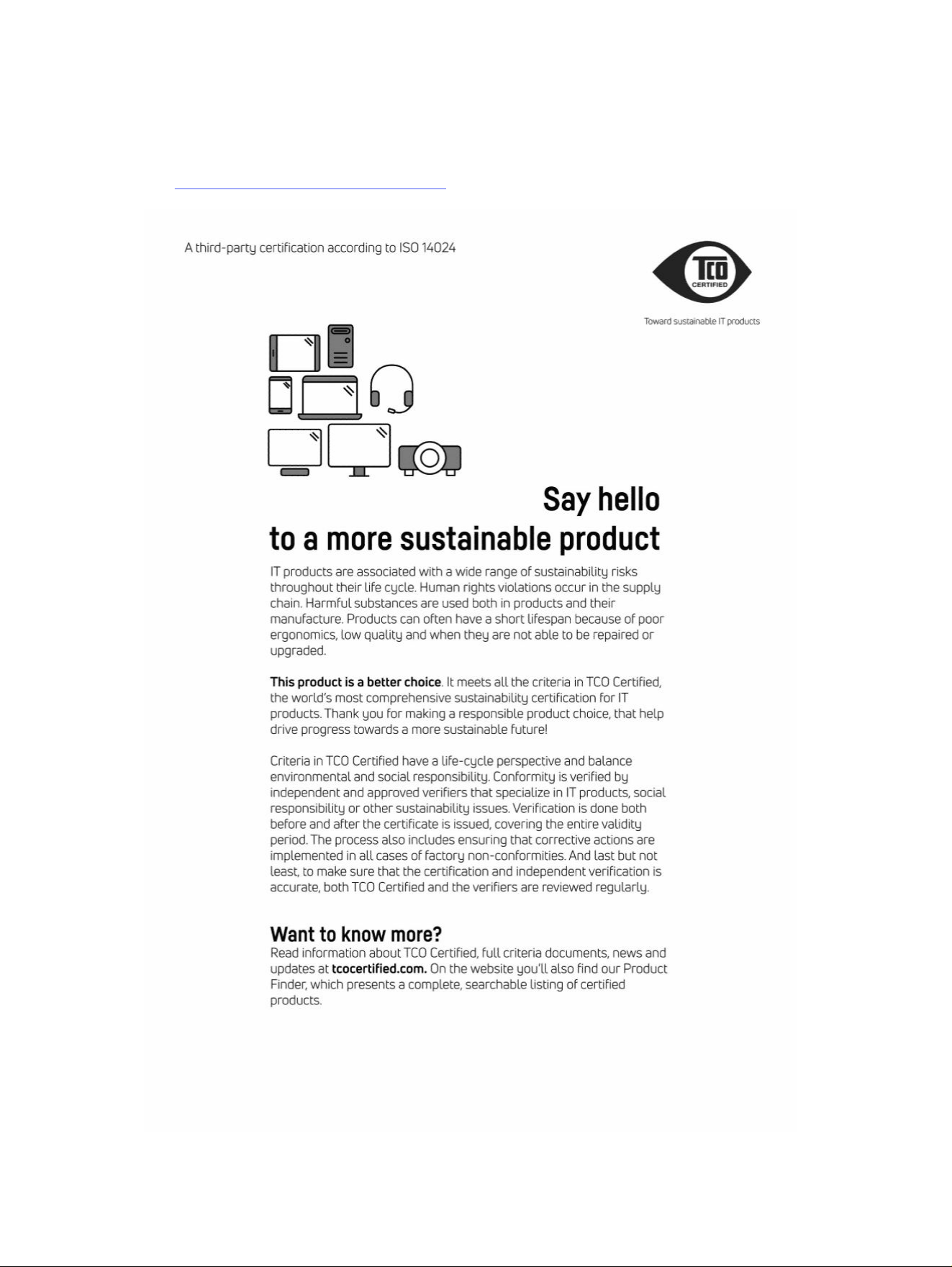

Index
A
airline travel notice 13
altitude notice 27
Aviso para o Brasil 6
avisos
Brasil 6
B
battery 20
battery notice 13, 30
battery recycling 30
Belarus regulatory notice 5
Brazil notice 6, 23
C
cable grounding notice 28
Canada modem statement 15
Canada notices 6
China environmental notices 33
China PC energy label 34
Class A product notice,
Australia 5
Class A product notice, European
Union and UK 5
D
disposal notices
battery 30
battery, user replacement 13
equipment 30
factory sealed battery 13
E
electronic hardware and battery
recycling 30
ENERGY STAR certification 32
environmental notices 30
equipment disposal notice 30
ergonomics notice 8
European Union Commission
Regulation 1275/2008 43
F
fan notice 22
Federal Communications
Commission
notebook computers
cables 3, 5
notebook computers Class A
notice 4
notebook computers Class B
notice 3
notebook computers
modifications 3, 4
G
Global Class A notices 4
cables 5
modifications 4
GS Notice 8
H
headset and earphone volume
level notice 22
I
India restriction of hazardous
substances notice 42
J
Japan modem statement 16
Japan notice 10
Japan power cord notice 25
Japan restriction of hazardous
substances notice 43
K
Korea disposal and recycling
notice 31
L
labels, regulatory 2
laser safety notice 14, 23
M
Macrovision Corporation
notice 17
maximum power levels 7
Mexico wireless notice 10
modem notices 14
modem statements
Canada 15
Japan 16
New Zealand 16
U.S. 15
modifications, notebook
computers
Federal Communications
Commission 3
N
New Zealand modem
statement 16
notices
airline travel 13
battery 13, 20, 30
Belarus regulatory 5
Brazil 6, 23
Canada 6
environmental 30
equipment disposal 30
ergonomics 8
fan 22
headset and earphone volume
level 22
India restriction of hazardous
substances 42
Japan 10
Japan power cord 25
Japan restriction of hazardous
substances 43
Korea disposal and
recycling 31
laser safety 14, 23
Macrovision Corporation 17
Mexico 10
modem 14
perchlorate material 33
power cords 25
Singapore 12
South Korea 12
Taiwan 13
Thailand wireless notice 13
travel 26
notices, notebook computers
Federal Communications
Commission 3, 4
46
Index

P
power cord notice 25
R
radio frequency bands 7
recycling, electronic hardware and
battery 30
regulatory submission document,
South Korea 12
S
Singapore wireless notice 12
South Korea notice 12
South Korea regulatory
submission document 12
T
Taiwan notice 13
TCO Certified Certification 44
TCO Certified Edge
Certification 45
Thailand wireless notice 13
travel notice 26
tropical warning notice 27
TV tuner, cable grounding
notice 28
U
U.S. modem statement 15
V
voice support 17
volume level notice, headset and
earphone 22
W
wireless devices 4
wireless LAN devices 4
Symbols/Numerics
台灣對於危險物質的限制注意事
項 40, 41
注意事項
台灣有害物質限制 40, 41
Index
47