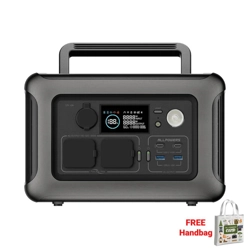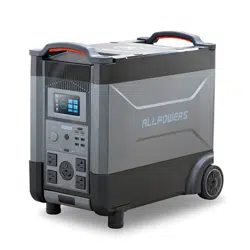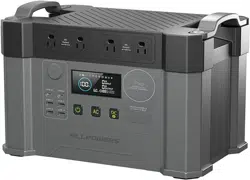
R1500
R1500
R1500
R1500
140mm
180mm
便携式储能系统
Model:R1500
本手册中所述的产品及材料会因技术升级原因随时更改,本公司保留说明书内容变更及解释的最终权利。
1.安全说明
2.规格参数
3.使用指南
3.1产品外观介绍
3.2显示屏图标介绍
3.3交流充电
3.4太阳能充电
3.5电池扩展包
3.6 UPS功能(不间断电源)
3.7 APP使用
4.常见问题
5.故障显示及处理
6.包装内容
7.声明
8.联系我们
(3)
(3)
(5)
(5)
(5)
(6)
(7)
(8)
(8)
(9)
(14)
(15)
(16)
(16)
(16)
目 录
(2)
3.2
显示屏图标介绍
3.使用指南
①
⑤
⑬⑫ ⑭ ⑮ ⑯ ⑰ ⑱⑥ ⑦ ⑧ ⑨ ⑩ ⑪
②
③
④
(5)
功能介绍
电量百分比
输入功率数
输出功率数
AC输出赫兹数
剩余时间,故障码
节电模式标识
快充模式标识
静音模式标识
输出过载标识
功能介绍
高温告警标识
电池包并机标识
DC指示标识
AC指示标识
UPS指示标识
风扇工作标识
车充输出标识
蓝牙连接标识
WIFI连接标识
标号
①
②
③
④
⑤
⑥
⑦
⑧
⑨
标号
⑩
⑪
⑫
⑬
⑭
⑮
⑯
⑰
⑱
本产品交流充电采用了ALLPOWERS的快充技术且工作模式分为:快充,标准,静音三种。三种
模式的最大输入功率为:快充1500W,标准1000W,静音400W。产品出厂默认为静音模式。用户可在
APP中进行交流充电工作模式的切换,具体详见“3.7 APP使用”。
当交流输入电流持续大于20A(100-120V), 10A(220-240V)的异常状况时,设备会进行自我保
护,过载保护器按键将会自动弹出,确认本产品没有故障后,按下交流过载保护器即可恢复充电。
当交流输入电流过高,可能导致电源保护开关跳闸,确认本产品没有故障后,打开电源保护开关,
产品恢复使用。
请使用产品原装标配的AC充电线,ALLPOWERS对因使用其它非官方充电线造成的损坏不承
担任何责任。请直接连接市电插口,不建议经过排插,同时注意家庭线路能否持续7A电流。如果以
上条件不满足,请切换标准模式或静音模式进行充电。
3.3
交流充电
(6)
用户可以按照如图方式串联太阳能板给本产品充电。
* 当电量低于5%时,请24小时内及时充电,避免产品处于低电压状态。
3.4 太阳能充电
(7)
在使用本产品进行太阳能板进行充电时,请按照用户手册规范进行连接。
连接太阳能板前,请确认该太阳能板的输出电压规格在60V以内,避免对产品造成损坏。
本产品可叠加ALLPOWERS电池包进行容量扩充,最大可支持2个电池包的叠加。
在使用本产品进行叠加电池包时,请按照ALLPOWERS电池包的用户手册进行操作。
请注意在这种状态下,额定最大输出功率不变,仅电池容量叠加。
请用本司提供的连接线进行叠加电池包,以避免对产品造成损坏。
3.5 电池叠加包
(8)
用户可以按照如下图方式进行叠加电池包。
本产品支持UPS(不间断电源)功能,您在通过交流电充电线连接电网和本产品的交流输入
端口,电器可以使用本产品的交流输出端口工作(此时交流电来自电网,而不是电池),当电网突
然断电后,本产品可以在15ms内自动切换为本产品电池供电模式。使用过程中建议只使用一台
设备,不要同时使用多台设备以免引发本产品过载保护,如果没有按照指示操作造成储能不能正
常运行或者数据丢失,本司不承担相应的责任。
注意:
1,在连接电网时需先开启AC输出,并确保UPS功能图标点亮状态下方可断电进入UPS切换功能。
2,为保证UPS正常工作,市电电压范围在(100~120)V时AC输出口连接设备的最大功率应不超过
1500W;市电电压范围在(220~240)V时,AC输出口连接设备的最大功率应不超过2000W。否则
市电和产品将同时给设备供电,直到产品电量消耗到5%关闭AC输出为止。
3.6 UPS功能(不间断电源)
平时 满电状态下,家庭电源直接给设备供电。
电器
正常供电
(9)
3.7.1 APP下载:
可用手机扫描下面二维码下载并安装APP
3.7.2蓝牙连接储能:
①确认设备和手机蓝牙处于开启状态, 详见“4.常见问题:第10条”;
②在手机APP上点击上方的⊕图标进入蓝牙接界面;
③点击下一步扫描搜索设备;
④选择对应设备,单击进行连接;
⑤连接成功后在蓝牙设备栏中显示AP R1500 V2.0。
IOS
Android
3.7 APP使用
停电 R1500自动给设备供电。
无法供电
(10)
2、储能设备设置操作说明
①充电功率工作模式设置:可以设置为快充模式、标准模式、静音模式;
②节电模式开关,可以设置在AC、DC无功率输出情况下储能设备
在1小时、2小时、4小时、6小时自动关机。
(11)
(13)
1.产品使用什么类型的电池?
本产品使用高品质磷酸铁锂电池。
2.产品交流输出口能带什么设备?
本产品的交流输出口额定功率为1800W,峰值功率3000W,可以给大多数家用电器供电,但在使用
前建议您确认电器的功率大小,并确保所有负载设备功率之和小于额定功率。
3.怎样知道产品可以供电多久?
本产品的液晶显示屏会显示续航时间,对用电稳定的设备可按该时间估计。
4.怎样判断产品属于充电状态?
充电时,液晶显示屏会显示剩余充电时间,电池电量百分比外的电量指示圈有旋转动画效果,并显
示输入功率。
5.如何清洁本产品?
请使用干燥、柔软的干净的布或纸巾对本产品进行擦拭。
6.如何储存产品?
储存时,请首先将本产品关闭,然后存储在干燥、通风的室温环境的地方。请勿将本产品置于水源、
火源、化学品附近。长期存储时,建议每三个月对电池进行放电到30%,再充电到60%,以延长本产
品使用寿命。
7.本产品可以带上飞机吗?
不可以。
8 可以同时充电和放电吗?
是的,产品支持同时充电放电。
9.产品的实际输出容量和用户手册标的容量是一致的吗?
用户手册标的容量是本产品电池包的额定容量。由于本产品在充、放电过程中存在一定的效率损
耗,因此产品的实际输出容量要低于用户手册标的容量。
10.如何开启/关闭 设备的蓝牙&WIFI?
设备的蓝牙&WIFI出厂默认为开启状态,开启/关闭方式:开机后长按“DC OUTPUT” 按键3秒直到
显示屏上的蓝牙&WIFI图标变更。图标常亮为开启状态,图标消失为关闭状态。
11. 如何开启/关闭按键的提示音?
设备的按键提示音出厂默认为开启状态,开启/关闭方式:开机后同时长按
“DC OUTPUT+AC OUTPUT”按键3秒直到提示音响起。
4.常见问题
(14)
(15)
ALLPOWERS R1500
AC充电线 MC4转XT60充电线 用户手册及保修卡
在使用本产品之前,请阅读本产品的用户手册,以保证在完全理解后正确使用。如果没有正确
操作本产品,您可能会对自身或他人造成严重伤害,或者导致产品损坏和财产损失。一旦使用本产
品,即视为您已理解、认可和接受本文档全部条款和内容。使用者承诺对自己的行为及因此而产生
的所有后果负责。ALLPOWERS不承担因用户未按《用户手册》使用产品所引发的一切损失。
在遵从法律法规的情况下,本公司享有对本文档及本产品所有相关文档的最终解释权。如有
更新、改版或终止,恕不另行通知,请访问ALLPOWERS官方网站以获取最新的产品信息。
6.包装内容
7.声明
(16)
本产品不适用于航空航天设备、干线通信设备、核电控制设备、医疗设备等对可靠性和安全性
要求极高的设备,使用前请务必确认 是否适配再进行使用。如果使用本产品用于上述设备或设备
过程中,因本产品故障导致的任何人身伤害、火灾或设备或设备故障,我们概不负责。
如果您对我们的产品及服务有任何疑问或者需要帮助,请电邮至 [email protected]om
我们的官网: www.allpowers.com
8.联系我们
3.1 产品外观介绍
电器
X
X
X
X
XT60 650W
(12-60V)
ALLPOWERS
太阳能板
(可多个串并联)
高清数显
USB-C *2 输出
过载保护器
电源开关
太阳能输入 XT60
DC按键
AC按键
AC 输入
USB-A *2 输出
并机口
车充输出口
AC*4 输出
(12)
本产品是储能电池,请务必采取基本的预防措施,包括:
1.务必在干燥且通风良好的地方操作产品,如果受潮,请在使用前彻底擦干。
2.为降低受伤风险,在儿童附近使用本产品时需要密切监视。
3.请勿用手指伸入产品中,否则可能会导致触电或者其他危险。
4.请勿用金属接触AC接口,否则可能会导致触电,火灾等危险。
5.在充电或者使用产品过程中,请勿阻塞产品通风口,否则可能会对产品造成永久性损坏。
6.请不要将产品暴露在雨、雪中。
7.禁止在强静电或者强磁场环境中使用本产品。
8.请使用专为产品设计的电缆,对于第三方设备造成的破坏,本公司不承担任何责任。
9.请勿随意拆卸产品,本产品如需服务或维修,请找合格的修理人员。
10.使用不当,摔落或者过度用力可能会导致产品损坏。
11.处理废旧电池时,请将不同电化学体系的电池分开。
12.发生火灾时,可使用干粉灭火器或浸入水中。
13.务必让产品远离火源和热源。
净重: 约16.7KG
尺寸: 413mm*312mm*265mm
电池容量: 1152Wh (48V 24Ah)
Wi-Fi: 支持
蓝牙: 支持
UPS不间断电源: 支持
基础参数
1.安全说明
2.规格参数
(3)
最大功率
(220~240)V
~6.8A
交流充电线
AC 输出: 220-240V额定功率1800W(峰值功率3000W)
USB-A快充*2: 5V 3A,9V 2A,12V 1.5A,36W Max
USB-C输出*2: 5/9/15V 3A, 20V 5A,200W Max
车充口输出: 12V 10A,120W Max
无线充输出*2:30W Max
AC输入: (220~240)V~6.8A Max
太阳能输入: (12~60)V 13A, 650W Max
车充输入: 12V/24V DC
输入功率
输出功率
电池类型: LFP磷酸铁锂
保护类型: 高温保护、低温保护、过放保护、过充保护、过载保护、短路保护、过流保护
电池规格
充电温度范围: 0℃~40℃
放电温度范围: -10℃~40℃
存储温度范围: -20℃~40℃(20~30℃最佳)
工作湿度范围: 10 - 90%
运行温度
认证
(4)
①
②
AP R1500 2.0
(3)
(3)
(5)
(5)
(5)
(6)
(7)
(8)
(8)
(9)
(14)
(15)
(16)
(16)
(16)
①
⑤
⑬⑫ ⑭ ⑮ ⑯ ⑰ ⑱⑥ ⑦ ⑧ ⑨ ⑩ ⑪
②
③
④
Persentag Benchachi
Turnomber Ben in Put-Bällen
Turnomber Ott Bolt Kugeln
Akotpt Hertz Nongber
Timaremenin, Ford Codd
Balsa Venmode Aiken
Fastchachmode Aiken
Multmore Aiken
Ottput O'Frod Aiken
Khattempe-Latour-Voningmark
Barry Park MechAiken
Dirk Indicaster Aiken
Akin di Castel Aiken
Das UPS Symbol
Anti-OperatingID
Kachachiotpt Aiken
Bluetooth-Symbo
WIFI-Symbo
①
②
③
④
⑤
⑥
⑦
⑧
⑨
⑩
⑪
⑫
⑬
⑭
⑮
⑯
⑰
⑱
R1500+Zusätzliche Batterie
(1) Einstellung für den Arbeitsmodus der Ladeleistung: kann auf den Schnellmodus /
Standardmodus / Mute-Modus eingestellt werden;
(2) Einstellung des Betriebsmodus, eingestellt auf Energiesparmodus, können Sie die
AC- oder DC-Ausschaltzeit auf 1 Stunde oder 2 Stunden, 4 Stunden, 6 Stunden einstellen,
das in diesem Modus arbeitende Kraftwerk, AC oder DC wird nach der eingestellten
Zeit ausgeschaltet.
Finktyne Inter Duquetian
ALLPOWERS R1500
AC-Ladekabel MC4 to XT60
Aufladekabel
Bedienungsanleitung
und Garantiekarte
Nummer
Finktyne Inter DuquetianNummer
Die Wechselstromversorgung dieses Produkts verwendet die AP-POWER-Schnellladetechnologie, und
die Ladeleistung kann über den Wechselstromlade-Schnellmodus/Standardmodus/Stummmodus
angepasst werden. Die maximale Eingangsleistung im Schnellmodus kann 1500 W erreichen; der
maximale Ladeeingang im Standardmodus kann 1000W erreichen; Mute-Modus 400 W
(selbstregulierende Technologie), um Stummschaltung zu erreichen. Die Standard-Eingangsleistung
des benutzerdefinierten Ladens ist der Mute-Modus, und die Anpassung der Ladeleistung muss im
Modusschalter in der APP eingestellt werden, siehe „3.7 Bedienungsanleitung“ für Details.
3.3 AC Ladung
Dieser R1500 kann ALLPOWERS Smart Extra Battery zur Kapazitätserweiterung verwenden und kann die
Überlagerung von maximal 2 Akkus unterstützen.
Wenn Sie dieses Produkt für den Anschluss einer zusätzlichen Batterie verwenden, schließen Sie es bitte
gemäß den Spezifikationen des Benutzerhandbuchs an.
Bitte beachten Sie, dass sich im Anschlusszustand die Nennausgangsleistung nicht ändert, sondern nur
die Batteriekapazität überlagert.
Bitte verwenden Sie zum Anschluss das von uns bereitgestellte Anschlusskabel, um Schäden am Produkt
zu vermeiden.
Benutzer können die Kraftwerkskapazität wie in der folgenden Abbildung gezeigt anschließen.
3.5 Intelligente Zusatzbatterie
Dieses Produkt unterstützt die UPS Funktion (unterbrechungsfreie Stromversorgung). Sie verbinden das
Stromnetz und den AC-Eingangsanschluss dieses Produkts über das AC-Ladekabel, und das elektrische
Gerät kann den AC-Ausgangsanschluss dieses Produkts zum Arbeiten verwenden (zu diesem Zeitpunkt
kommt der Wechselstrom aus dem Stromnetz, nicht aus dem Batterie). Wenn das Stromnetz plötzlich
unterbrochen wird, kann dieses Produkt innerhalb von 15 ms automatisch in den
Batteriestromversorgungsmodus dieses Produkts wechseln. Es wird empfohlen, während des Gebrauchs
nur ein Gerät zu verwenden und nicht mehrere Geräte gleichzeitig zu verwenden, um den
Überlastungsschutz dieses Produkts zu vermeiden. Wenn das Powerstation nicht normal funktioniert oder
Daten verloren gehen, wenn der Betrieb nicht gemäß den Anweisungen erfolgt, übernimmt unser
Unternehmen keine entsprechende Verantwortung.
Hinweis: 1. Bitte schalten Sie zuerst den AC-Ausgang ein und schließen Sie dann die Steckdose an.
Stellen Sie sicher, dass das USV-Symbol leuchtet. Bei einem Stromausfall wird die USV-Funktion
automatisch eingeschaltet.
2. Um sicherzustellen, dass die USV funktioniert, sollte die maximale Leistung der AC-Ausgangsanschlüsse
1500 W nicht überschreiten, wenn der Netzspannungsbereich 100–120 V beträgt; die maximale Leistung
der AC-Ausgangsanschlüsse sollte 2000 W nicht überschreiten, wenn der Netzspannungsbereich 220V
beträgt ~240 V. Andernfalls versorgen das Stromnetz und das Kraftwerk die Geräte gleichzeitig mit Strom,
bis das Kraftwerk nur noch 5 % des Stroms verbraucht und den Wechselstromausgang abschaltet.
3.6 UPS Funktion (unterbrechungsfreie Stromversorgung)
3.7.1 APP herunterladen:
Verwenden Sie Ihr Mobiltelefon, um den QR Code unten zu scannen, um die APP herunterzuladen und
zu installieren.
3.7.2 Bluetooth-Verbindung Powerstation:
① Bestätigen Sie, dass das Powerstation und das Bluetooth des Mobiltelefons eingeschaltet sind;
So aktivieren Sie Bluetooth. Siehe “4.FAQ: Q10”;
②Klicken Sie auf das Symbol ⊕ in der Bluetooth-Geräteleiste in der mobilen APP, um die
Bluetooth-Verbindungsoberfläche aufzurufen
③Klicken Sie auf Weiter, um zu scannen und nach Powerstationen zu suchen
④Wählen Sie das entsprechende Powerstation aus und klicken Sie, um es zu verbinden
⑤ Nach erfolgreicher Verbindung wird AP R1500 V2.0 in der Bluetooth-Geräteleiste angezeigt
3.7.3 WIFI Verbindung:
①Klicken Sie auf die Daten des Powerstation und dann auf den Namen ALLPOWERS, um den QR Code
für die WIFI-Verbindung anzuzeigen.So schalten Sie WIFI ein. Siehe “4.FAQ: Q10”;
②Klicken Sie auf das Symbol ⊕ in der WIFI-Geräteleiste in der mobilen APP, um die
WIFI-Verbindungsschnittstelle aufzurufen;
③Wählen Sie das tragbare Kraftwerk aus, um die Verbindungsseite aufzurufen
④ Klicken Sie auf Scannen, scannen Sie den QR-Code auf dem Gerät, um das Gerät zu verbinden und
zu binden;
⑤Nach erfolgreicher Bindung wird der Name des Powerstation angezeigt und ob das Powerstation
online ist, wie in der Abbildung unten gezeigt.
3.8.4 Bedienungsanleitung für die mobile APP
Q1. Welchen Batterietyp verwendet das Produkt?
Dieses Produkt verwendet hochwertige Lithium-Eisenphosphat-Batterien (LFP).
Q2. Welche Ausrüstung kann der AC-Ausgangsport des Produkts tragen?
Der Wechselstromausgang dieses Produkts hat eine Nennleistung von 100V-120V 1800W
(Spitze 3000W) oder 220V-240V 1800W (Spitze 3000W), die die meisten Haushaltsgeräte
mit Strom versorgen kann.
Es wird empfohlen, die Leistung des Elektrogeräts zu bestätigen und sicherzustellen, dass
die Summe der Leistung aller Lastgeräte kleiner als die Nennleistung ist.
Q3. Woher wissen Sie, wie lange das Produkt Strom liefern kann?
Der LCD-Bildschirm dieses Produkts zeigt die Akkulaufzeit an, die für Geräte mit stabilem
Stromverbrauch geschätzt werden kann.
Q4. Wie kann man beurteilen, ob das Produkt aufgeladen wird?
Während des Ladevorgangs zeigt der LCD-Bildschirm die verbleibende Ladezeit an und der
Batterieanzeigekreis außerhalb des Batterieprozentsatzes hat einen atmenden
Animationseffekt.
Q5. Wie wird dieses Produkt gereinigt?
Wischen Sie dieses Produkt mit einem trockenen, weichen, sauberen Tuch oder
Papiertuch ab.
Q6. Wie lagere ich das Produkt?
Schalten Sie dieses Produkt bei der Lagerung bitte zuerst aus und lagern Sie es dann an
einem trockenen, belüfteten Ort bei Raumtemperatur. Legen Sie dieses Produkt nicht in
Wasser in der Nähe. Bei längerer Lagerung wird empfohlen, den Akku alle drei Monate auf
30% zu entladen und auf 60% aufzuladen, um die Lebensdauer dieses Produkts
zu verlängern.
Q7. Darf dieses Produkt mit ins Flugzeug genommen werden?
Nein.
Q8. Können Kollegen laden und entladen?
Ja, das Produkt unterstützt gleichzeitiges Laden und Entladen.
Q9. Stimmt die tatsächliche Ausgangskapazität des Produkts mit der Zielkapazität im
Benutzerhandbuch überein?
Die in der Bedienungsanleitung angegebene Kapazität ist die Nennkapazität des Akkus
dieses Produkts. Da dieses Produkt beim Lade- und Entladevorgang einen gewissen
Effizienzverlust aufweist Daher ist die tatsächliche Ausgangskapazität des Produkts geringer
als die im Benutzerhandbuch angegebene Kapazität.und Anzeige der Eingangsleistung.
Q10. Wie schalte ich Bluetooth und WIFI des Kraftwerks ein/aus?
Bluetooth und WLAN sind werkseitig deaktiviert. Ein-/Ausschalten: Nachdem Sie das Gerät
eingeschaltet haben,Halten Sie die Taste "DC OUTPUT" 3 Sekunden lang gedrückt, bis das
Bluetooth- und WIFI-Symbol auf dem Änderungen anzeigen. Das Symbol ist im Ein-Zustand
immer an, im Aus-Zustand verschwindet das Symbol.
Q11. Wie schalte ich den Piepton der Taste ein/aus?
Der Piepton der Taste ist werkseitig standardmäßig eingeschaltet Ein-/Ausschalten: Halten Sie
nach dem Einschalten des Geräts die Taste “DC OUTPUT+AC OUTPUT” 3 Sekunden lang
gedrückt, bis der Aufforderungston ertönt.
Bevor Sie dieses Produkt verwenden, lesen Sie bitte die Bedienungsanleitung dieses Produkts,
um die korrekte Verwendung nach vollständigem Verständnis sicherzustellen. Wenn Sie dieses
Produkt nicht richtig bedienen, können Sie sich selbst oder anderen schwere Verletzungen
zufügen oder zu Produkt- und Sachschäden führen. Sobald Sie dieses Produkt verwenden, wird
davon ausgegangen, dass Sie alle Bedingungen und Inhalte dieses Dokuments verstanden,
anerkannt und akzeptiert haben. Der Nutzer verpflichtet sich, für sein eigenes Handeln und alle
daraus entstehenden Folgen einzustehen. ALLPOWERS ist nicht verantwortlich für alle Verluste,
die dadurch entstehen, dass der Benutzer das Produkt nicht gemäß dem Benutzerhandbuch
verwendet.
In Übereinstimmung mit Gesetzen und Vorschriften behält sich das Unternehmen das Recht der
endgültigen Auslegung dieses Dokuments und aller zugehörigen Dokumente zu diesem
Produkt vor.
Wenn es ohne vorherige Ankündigung aktualisiert, überarbeitet oder beendet wird, besuchen Sie
bitte die offizielle Website von ALLPOWERS, um die neuesten Produktinformationen zu erhalten.
Dieses Produkt ist nicht für den Einsatz in Anwendungen bestimmt, die eine extrem hohe
Zuverlässigkeit und Sicherheit erfordern, wie z. Bitte treffen Sie eine Beurteilung, nachdem Sie
die Eignung dieses Produkts und dieses Geräts selbst vollständig bestätigt haben. Wenn dieses
Produkt in den oben genannten Geräten oder Geräten verwendet wird, übernehmen wir keine
Verantwortung für Personenschäden, Brände oder Fehlfunktionen des Geräts oder der Geräte,
die durch den Ausfall dieses Produkts verursacht werden.
Wenn Sie Fragen haben oder Hilfe zu unseren Produkten und Dienstleistungen benötigen,
senden Sie bitte eine E-Mail an [email protected]om
Unsere offizielle Website: www.allpowers.com
IOS
Android
3.7 APP Bedienungsanleitung
Wenn der AC-Eingangsstrom weiterhin anormal größer als 20A(100-120V), 10A(220-240V) ist , stellen
Sie ein, dass sich das Powerstation selbst schützt, und die Überlastschutztaste wird automatisch
angezeigt. Nachdem Sie bestätigt haben, dass das Produkt nicht fehlerhaft ist, drücken Sie den
AC-Überlastschutz, der Ladevorgang kann fortgesetzt werden. Wenn der AC-Eingangsstrom zu hoch ist,
kann dies dazu führen, dass der Leistungsschutzschalter auslöst. Nachdem Sie sich vergewissert haben,
dass das Produkt nicht fehlerhaft ist, schalten Sie den Netzschutzschalter ein, das Produkt nimmt die
Verwendung wieder auf.
Bitte verwenden Sie das Original-Standard-AC-Ladekabel des Produkts. ALLPOWERS übernimmt keine
Verantwortung für Schäden, die durch die Verwendung anderer inoffizieller Ladekabel verursacht
werden. Bitte direkt an die Wandsteckdose anschließen. Es wird nicht empfohlen, über die
Verlängerungssteckdose zu gehen. Achten Sie dabei darauf, ob die Haushaltsleitung für 7A
Strom ausreicht. Wenn die oben genannten Bedingungen nicht erfüllt sind, schalten
Sie bitte zum Laden in den Standard Modus oder Stumm Modus.
4. FAQ
6. Lieferumfang
8. Kontact uns
7. Erklärung
Portable Power Station
Model:R1500
Die in diesem Handbuch beschriebenen Produkte und Materialien können aufgrund technischer
Verbesserungen jederzeit geändert werden. Das Unternehmen behält sich das letzte Recht vor, den Inhalt
des Handbuchs zu ändern und zu erläutern.
Stromausfall Der R1500 versorgt das Gerät automatisch mit Strom.
Normalerweise Bei voller Ladung versorgt das Stromnetz das Gerät direkt mit Strom.
Stromausfall
Die Elektrogeräte
Die Elektrogeräte
Ein
1.Sicherheitshinweise
2.Spezifikationen
3.Benutzerführung
3.1 Produktdetails
3.2 LCD Anzaige
3.3 AC Ladung
3.4 Solar Ladung
3.5 Intelligente Zusatzbatterie
3.6 UPS Funktion (unterbrechungsfreie Stromversorgung)
3.7 APP Bedienungsanleitung
4. FAQ
5. Fehlerbehebung
6. Lieferumfang
7. Erklärung
8. Kontakt uns
INHALT
(2)
3.1 Produktdetails
3.2 LCD-Anzeige
3.Benutzerhandbuch
(5) (6)
(8)
(9)
(10)
(11)
(12)
(13) (14)
(15)
(16)
XT60 650W
(12-60V)
Benutzer können das Produkt aufladen, indem sie Solarmodule in Reihe schalten, wie in der
Abbildung gezeigt.
* Um zu vermeiden, dass die powerstation eine niedrige Spannung hat, laden Sie sie bitte innerhalb von
24 Stunden auf, wenn die Leistung weniger als 5 % beträgt.
ALLPOWERS
Solar Panel
Wenn Sie dieses Produkt zum Aufladen von Solarmodulen verwenden, schließen Sie es bitte gemäß den
Spezifikationen des Benutzerhandbuchs an. Bevor Sie das Solarpanel anschließen, bestätigen Sie bitte,
dass die Ausgangsspannungsspezifikation des Solarpanels innerhalb von 60V liegt, der maximale Strom
13A beträgt und die maximale Ladeleistung innerhalb von 650W liegt.
3.4 Solar Ladung
AC-Ladekabel
(220~240)V~6.8A
Max
(Fast charge)
(7)
Bei diesem Produkt handelt es sich um eine Powerstationbatterie. Treffen Sie grundlegende
Vorsichtsmaßnahmen, einschließlich:
1. Achten Sie darauf, das Produkt an einem trockenen und gut belüfteten Ort zu betreiben, und wenn es
nass wird, trocknen Sie es vor dem Gebrauch gründlich ab.
2. Um das Verletzungsrisiko zu verringern, ist eine genaue Überwachung erforderlich, wenn dieses
Produkt in der Nähe von Kindern verwendet wird.
3. Stecken Sie Ihre Finger nicht in das Produkt, da es sonst zu Stromschlägen oder anderen Gefahren
kommen kann.
4. Berühren Sie die AC-Schnittstelle nicht mit Metall, da dies sonst zu Stromschlägen, Bränden und
anderen Gefahren führen kann.
5. Blockieren Sie während des Ladens oder Verwendens des Produkts nicht die Belüftungsöffnungen des
Produkts, da dies andernfalls zu dauerhaften Schäden am Produkt führen kann.
6. Bitte setzen Sie das Produkt nicht Regen und Schnee aus.
7. Es ist verboten, dieses Produkt in Umgebungen mit starker statischer Elektrizität oder starken
Magnetfeldern zu verwenden.
8. Bitte verwenden Sie das speziell für das Produkt entwickelte Kabel. Das Unternehmen übernimmt
keine Verantwortung für Schäden, die durch Geräte von Drittanbietern verursacht werden.
9. Zerlegen Sie das Produkt nicht nach Belieben. Wenn dieses Produkt Service oder Wartung benötigt,
wenden Sie sich bitte an eine qualifizierte Werkstatt.
10. Unsachgemäße Verwendung, Herunterfallen oder übermäßige Krafteinwirkung können das Produkt
beschädigen.
11. Bitte trennen Sie bei der Entsorgung gebrauchter Batterien die Batterien verschiedener
elektrochemischer Systeme.
12. Im Brandfall kann ein Trockenpulver-Feuerlöscher verwendet oder in Wasser getaucht werden.
13. Achten Sie darauf, das Produkt von Feuer und Wärmequellen fernzuhalten.
Nettogewicht: ca. 16.7KG(36.8lbs)
Größe
: 413*312*265mm(16.25*12.28*10.43in)
Batteriekapazität
: : 1152Wh (48V 24Ah)
Wi-Fi
: Unterstützt
Bluetooth
: Unterstützt
UPS (unterbrechungsfreie Stromversorgung)
: Unterstützt
Allgemeine Information
1.Sicherheitshinweise
2.Spezifikationen
(3)
AC-Ladung: (220~240)V~6.8A Max
Solarladung: (12~60)V 13A, 650W Max
Autoladegerät: Unterstützt 12 V/24 V DC
Eingänge
AC (*4): 220-240V 1800W Max (Surged 3000W)
USB-A Fast charge (*2): 5V 3A,9V 2A,12V 1.5A,36W Max
USB-C (*2): 5/9/15V 3A, 20V 5A, 200W Max
Car cigarette: 12V 10A,120W Max
Drahtloses Ladegerät(*2): 30W Max
Ausgänge
Batterietyp: LFP Lithium-Eisen-Phosphat
Schutzart: Hochtemperaturschutz, Niedertemperaturschutz, Überentladungsschutz,
Überladungsschutz, Überlastschutz, Kurzschlussschutz, Überstromschutz
Informationen zum Akku
Ladetemperatur: 0°C ~ 40°C (32°F ~ 104°F)
Entladungstemperatur: -10°C~40°C (14℉~104℉)
Lagertemperatur: -20°C~40°C (-4℉~104℉) *empfohlen: 20~30°C
Betriebs Feuchtigkeitsbereich: 10 - 90%
Umgebungsbetriebstemperatur
Zertifizierung
(4)
①
②
Einstellungen
Design-Einstellungen
Stummschaltungsmodus
im Arbeitsmodus
Energiesparmodus
Abschaltzeiten im ECO-Modus
Firmware-Upgrade
Gerät entfernen
AP R1500 2.0
Restzeit der
Ausgabe anzeigen
AP R1500
Verbleibende
Batteriekapazität
anzeigen
Eingangsleistung
anzeigen
Ausgangsleistung
anzeigen
AC-Schalter
DC-Schalter
Optionen zur
Frequenzumschaltung
デバイスを 追加
(3)
(3)
(5)
(5)
(5)
(6)
(7)
(8)
(8)
(9)
(14)
(15)
(16)
(16)
(16)
①
⑤
⑬⑫ ⑭ ⑮ ⑯ ⑰ ⑱⑥ ⑦ ⑧ ⑨ ⑩ ⑪
②
③
④
機能紹介
バッテリー残 量
入力電力
出力電力
周波数
出力に対し使用余剰時間、故障コード
エコモード
急速充電モード
静音充電モード
過負荷警告マーク
機能紹介
高温警告マーク
容量拡張マーク
DC出力マーク
AC出力マーク
UPS作動マーク
ファン作動マーク
シガーソケット出力マーク
Bluetoothマーク
Wi-Fi接続マーク
番号
①
②
③
④
⑤
⑥
⑦
⑧
⑨
番号
⑩
⑪
⑫
⑬
⑭
⑮
⑯
⑰
⑱
2.充電モード設置操作
①充電モード:急速充電モード、普通充電モード、静音充電モード
②エコモードをオンにすれば、スタンドバイ時間を1、2、4、6時間に変更できます。
設定時間が経過すると、電源が自動的にオフになります。
1.アプリの使用
①
②
⑤
XT60 650W
(12-60V)
R1500+拡張バッテリー
(2)
(5) (6)
(7) (8)
(9)
(10)
(11)
(12)
(13) (14)
(15)
(16)
ポータブル電源
型番:R1500
ALLPOWERS R1500
AC充電ケーブル ソーラー充電ケーブル 取扱説明書&保証カード
本機のAC充電にはALLPOWERS急速充電技術が採用されており、急速充電モード/普通充電モード/
静音充電モード3つのモードにより、入力電力の大きさを制御できます。急速充電最大電力は1500W
で、普通充電モードでは最大電力1000Wです。静音充電モードの電力は400W(自主調整技術)で静音
効果を実現しております。カスタム充電の既定値は静音充電モード(400W)になっていますが、
「3.7アプリ操作」にて本機の充電モード設定で変更できます。
3.2
液晶パネルの操作方法
3.3
AC充電
以下の画像のようにソーラーパネルを直列接続して本機を充電できます。
* 低電圧にならないように、バッテリー残量が5%以下になれば、
24時間内に必ず充電を行ってください。
ALLPOWERS
ソーラーパネル
ALLPOWERSソーラーパネルを使用し本機に充電する場合、上記の接続図解に従い、充電を行ってく
ださい。本機の破損の発生を防ぐために、接続する前に、ソーラーパネルの出力電圧は60V以内、最
大電流は13A以内(最大650W以内)であることを予めご確認ください
3.4ソーラー充電
ALLPOWERS R1500は同時に複数台(最大2台まで)のバッテリーに接続することでバッテリー
容量を増やすことができます。
接続方法の詳細は下記の説明に従って行ってください。
容量拡張の状態で、定格出力の電力は変わらずに、容量のみ増やしますので、ご注意ください。
破損の発生にならないように、ALLPOWERS社の専用接続ケーブルを使用してください。
下記の接続図解に従い、ALLPOWERS R1500との接続を操作してください。
3.5 容量拡張
※ご注意:
1.UPS機能が作動するには、まずは、電源をオンにし、AC出力をオンにしてから、AC充電ケーブルと
接続してください。液晶画面にてUPSマークが表示されると、機能がオンになります。
2.通常時、UPS機能をONにすると、電力がポータブル電源内のバッテリーを経由することなく直接
電力を供給することになりますので、ご使用される家電製品の消費電力が1500Wまでであることを予
めご確認ください。合計消費電力1500Wを超えると、家庭のコンセント及びバッテリー両方から給電
し、バッテリー残量が5%になれば、AC出力が自動的にオフになります。
通常時 R1500は満充電の状態で、ACからの充電はそのままスルーして、電気製品に給電します。
※日本で一般家庭の場合、100V(一般家庭の電圧)x15A=1500Wですので、
停電時 停電のとき、R1500は自動的に給電開始します。
本機はUPS機能を搭載しております。AC充電ケーブルを使用して家庭用コンセントと本機のAC入力
ポートに接続することで、自動的にUPSモードになり電気製品を使用する際はバッテリーの電力量
を使用することなく出力することができます。(UPSモード時、電力はバッテリーではなく家庭用コン
セントから供給されています。)この状態で家庭コンセントからの電力供給が停止した場合、15㎳以
内に本機のバッテリーから直接電力供給が行われるモードに自動的に切り替わります。また複数台
のデバイスを同時に接続していると、ACコンセントからバッテリーに切り替わった時に過負荷保護
機能が作動する可能性があるため、UPS機能を主要目的となる場合では、デバイスは1台のみの接
続を推奨しています。誤った方法でのご使用により、デバイスが正常に作動しない、データが消失下
などの状況が発生した場合において、ALLPOWERS社は責任を負いかねます。
3.6 UPS機能(無停電電源装置)
3.7.1 アプリのダウンロード方法
下 記 のQRコ ードをスキャンし、
ALLPOWERSアプリをインストールしてください。
3.7.2 BLUETOOTH接続
①ポータブル電源及びスマートフォンのBLUETOOTH機能がオンになったことを確認してください,
Bluetooth機能をオンにする方法につき、「4.よくあるご質問:Q10」を参照してください。
②スマートフォンのアプリにて⊕マークをタップし、BLUETOOTH接続画面に入ります。
③デバイスを検 出します。
④「AP R1500 V2.0」をタップし、接続を行ってください。
⑤接続成功の場合、BLUETOOTHデバイス画面にて「AP R1500 V2.0」が表示されます。
3.7.3 Wi-Fi接続
①液晶パネルの「データ」をタップし、「ALLPOWERS」でWi-Fi接続QRコードが表示されます,
WIFI機能をオンにする方法につき、「4.よくあるご質問:Q10」を参照してください。
②スマートフォンのアプリにて⊕マークをタップし、Wi-Fi接続画面に入ります。
③ポータブル電源を選択して接続ページに
④「 ス キ ャ ン 」を タ ッ プ し 、① の Q R コ ー ド を ス キ ャ ン し 、接 続 を 行 っ て く だ さ い 。
⑤接続成功の場合、Wi-Fiデバイス画面にて「AP R1500 V2.0」が表示されます。
3.7.4 アプリの使用
Q1:本機で使用されているバッテリーの種類を教えてください。
A:本機には高品質のリン酸鉄リチウムイオンバッテリーが使用されています。
Q2:本機のAC出力ポートに接続できるデバイスを教えてください。
A:本機のAC出力ポートの定格出力は1800W、サージ出力は3000Wであるため、ほとんどの家庭用
電気製品への電力供給に対応しています。ただしご使用になる前に、電気製品の消費電力を確認し
たうえで、すべての接続デバイスの消費電力が定格電力以下であることをご確認いただくことを
推 奨しています。
Q3:接続している電気製品の残り使用時間を確認する方法を教えてください。
A:電気製品を使用中、本機のディスプレイには電力供給可能な時間が表示されています。消費電力
が大きく変動しない電気製品であれば、この表示時間を参考にできます。
Q4:充電できているかどうか判断する方法を教えてください。
A:充電状態の場合、ディスプレイにはフル充電に所要時間が表示され、バッテリー残量表示ロゴの
周りのインジケータが時計回りに回転し、入力電力も表示されてます。
Q5:本機の清掃方法を教えてください。
A:乾いた柔らかい布などで拭き掃除を行ってください。
Q6:製品の保管方法を教えてください。
A:製品保管時は、本機の電源がオフになっていることを確認したうえで、乾燥した風通しのよい場所
で保管し、高温多湿な場所で保管しないようにしてください。また長期間使用しない場合は、バッテリ
ーの使用寿命の低下を防ぐために、3ヶ月に1回の頻度でバッテリー残量を30%まで放電してから、
再び60%まで充電することを推奨しています。
Q7:本機を飛行機に乗せることはできますか。
A:飛行機に乗せることはできません。
Q8:充電しながら家電製品に給電できますか。
A:本機はパススルー機能に対応していますので、充電しながら本機を使用しても問題ないです。
Q9:本機の実際出力容量は、本取扱説明書の表記容量と一致していますか。
A:取扱説明書に記載されている容量は、内蔵バッテリーの定格容量です。本機は充電および放電プロ
セス中に一定の効率損失があるため、実際の出力容量は、表記容量より低くなる可能性があります。
Q10. Bluetooth機能/WIFI をオン/オフにするにはどうすればいいですか。
A:出荷時はオフの状態に設定されております。オン/オフする方法: 本体の電源をオンにした後、
ディスプレイの Bluetooth & WIFI アイコンが変わるまで、「DC OUTPUT」ボタンを 3 秒間押し続
けます。常時点灯状態はオンで、アイコンが消えたらオフ状態になります。
Q11. ボタンの提示音をオン/オフするにはどうすればいいですか。
A:出荷時はオンの状態に設定されております。オン/オフする方法: 本体の電源をオンにした後、
本体の電源をオンにした後、提示音が鳴るまで「DC OUTPUT+AC OUTPUT」ボタンを 3 秒間
押し続 けてくだ さい 。
ご使用の前に、この取扱説明書をよくお読みいただき、正しくお使いください。お読みになった後は大
切 に 保 管してくだ さい 。
誤った取扱いをすると、製品の故障・トラブルなどで重度の損害を与える可能性や、または財産損失などの事
例を引き起こす場合があります。本機を使用した時点で、この取扱説明書内のすべての条項及び内容を理解
したうえでの使用を同意したものとします。
本取扱説明書の記載事項が遵守されないことにより生じた破損や損害について、当社は一切の責任を負い
か ね ます のでご承 知くだ さい 。
資料の更新、バージョン変更、サービス終了が生じた場合においても、お客様に対して通達を行いませんので、
ALLPOWERS株式会社の公式サイトにアクセスして、最新の製品情報をご確認ください。
本製品は、航空宇宙機器、幹線通信機器、原子力制御機器、医療機器など、極めて高い信頼性、安全性が必要
とされる用途への使用を意図しておりませんので、これらの用途には本製品の適合性をお客様に於いて十分
ご確認のうえ、ご判断ください。上記の設備または機器に本製品を使用する場合、本製品の故障に起因する人
身事故、火災事故または機器もしくは設備の誤動作については、
一切責任を負いません。
・使いかた、お手入れ、修理などは、まず、お買い求め先へご相談ください。
・転居や贈答品などでお困りの場合は、次の窓口にご相談ください。
サポートセンター: [email protected]
※ご相談窓口におけるお客様の個人情報の取扱について
・お客様の個人情報をご相談対応や、修理対応などにご利用させていただく場合がございます。
・個人情報を適切に管理し、修理業務等を委託する場合や正当な理由がある場合を除き、第三者に
開示・提供いたしません。
・個人情報の関するお問い合わせは、ご相談いただきました窓口にご連絡ください。
公式サイト:www.allpowers.jp
IOS
Android
3.7 アプリ操作
AC入力電流が20A(100-120V), 10A(220-240V)以上などの製品スペックを超えた状態が継続した
場合、保護機能が作動し、充電過負荷ユニットのボタンが自動で飛び出します。製品に故障などの問
題 が発 生していないことを確認してから、充電過負荷ユニットのボタンを押し込むことで充電を再開
できるようになります。
AC充電には、付属品のAC充電ケーブルを使用してください。同梱以外の非純正品の充電ケーブルを
使用することにより生じた破損・故障に対して、ALLPOWERS社は責任を負いかねます。また、延長ケ
ーブルなどを経由せずに家庭コンセントに直接接続してください。家庭用コンセントが15Aの電流に
耐えられるかご契約内容・規格を確認しご使用ください。
上記の条件を満たさない場合は、普通充電モードまたは静音充電モードに切り替えてから充電を行
ってくだ さい 。
1.安全上のご注意
2.仕様詳細
3 .使 い か た
3.1 各部の名称
3.2 液晶パネルの操作方法
3.3 AC充電
3.4 ソーラー充電(PV充電)
3.5 容量拡張
3.6 UPS(無停電電源装置)について
3.7 アプリ操作
4.よくあるご質問(FAQ)
5 .故 障 か な ?と 思 っ た ら
6.同梱品一覧
7.免責事項
8 .お 問 い 合 わ せ
目 次
※はじめに取扱説明書をご確認し、正しく安全にお使いください。
※ご使用前に「安全上のご注意」を必ずおよみください。
※本機の仕様および外観は、 改善・改良のため予告なく変更することがあります
(3)
本機は蓄電池でございます。
使用上の事故・トラブルを未然に防ぐために以下の内容を必ずお守りください。
ご使用前に「安全上のご注意」をよくお確かめの上、正しくご使用ください。
①本機は防水仕様ではありませんので、雨や雪にさらさないでください。万が一、水などに濡れた場
合、本機を風通しの良い日陰でよく乾かしてからご使用ください。
②結露や湿気が多い場所での保管はお控えください。故障などを防ぐため、風通しの良い場所を選
んで本機を保管してください。
③お子様やペットが不用意に触れる場所への設置及び保管はしないでください。お子様やペットの
近くで本機を使用するときは、ケガをさせないよう十分にご注意ください。
④本機の開口部や隙間、穴などから指を入れたり、異物を入れたりしないでください。故障やけがや
感電、火災の原因になります。
⑤ACの出力・入力ポートに金属類の異物で接触しないでください。けがや感電、火災の原因になります。
⑥使用中または充電中に、本機の通風孔をふさがないでください。通風孔をふさぐと内部に熱がこも
り、故障や火災の原因になります。
⑦強い磁場や静電気が発生するところでの使用や保管はしないでください。
⑧本機の専用ケーブルをご使用ください。他社製のアクセサリーによるいかなる損傷・損害・動作不
良について、当社は一切の責任を負いません。
⑨本機を分解、改造しないでください。メンテナンス、修理、部品交換などが必要な場合、お問い合わ
せしていただき、指定の配送業者にてお客様自身で発送をお願いいたします。製品を分解しようとし
た痕跡がある場合、保証対象外となります。
⑩本機のスペックを超えた使用方法及び充電は大変危険ですのでご注意ください。
⑪本機に衝撃を与えたり、転倒させたりしないでください。けがや故障、火災の原因になります。
⑫本機にリチウムイオン電池が含まれています。廃棄する場合は、地方自治体の廃棄処理に関連す
る条例または規則に従ってください。
⑬火事が起きた際、粉末消火器で消火してください。あるいは、本機に水をかけて消化してください。
⑭本機を火気や熱源から遠ざけてください。
重量: 約16.7KG
サイズ: 413*312*265mm
基本スペック
1.安全上のご注意
2.仕様詳細
3.使いかた
4.よくあるご質問(FAQ)
6. 同梱品一覧
8. お問い合わせ
7. 免責事項
AC充電ケーブル
AP-POWER急速充電
最大1500W
この場合、最大定格出力は1500Wとなります。
電気供給あり
電気製品
電気供給なし
電気製品
③②
デバイスを 追加
デバイスをルーターの近くに配置してください
デバイスの接続に成功しました。
デバイスへの情報転送に成功しました。
デバイスはネットワークに接続中...
配信ネットワークは成功しています。
③
確認
ログイン
(4)
バッテリー容量:1152Wh (48V 24Ah)
Wi-Fi機能: 搭載
Bluetooth機能: 搭載
UPS機能(無停電電源装置): 搭載
AC入力: (100~120)V~15A Max
PV入力: (12~60)V 13A, 最大650W
車より充電: 12V/24V対応
入力スペック
AC出力: 100V定格出力1800W(サージ3000W)
USB-A急速出力X2: 5V 3A,9V 2A,12V 1.5A, 合計最大36W
USB-C出力X2: 5/9/15V 3A, 20V 5A, 合計最大200W
シガーソケット: 12V 10A, 合計最大120W
ワイヤレス充電X2: 最大30W
出力スペック
セル種類: リン酸鉄リチウムイオン(LiFePO4)
保護機能: 高温保護、低温保護、過電圧保護、過負荷保護、過充電保護、短絡保護、過電流保護
バッテリースペック
充電温度範囲: 0℃~40℃
放電温度範囲: -10℃~40℃
保管温度範囲: -20℃~40℃(推奨:20~30℃)
作動湿度范围: 10℃ - 90%
★使用可能な範囲の温度は外気温ではなく製品内部の温度に起因しますのでご注意ください。
温度範囲
認証
エコモードの時間設定
設定
アップ グレード
①
②
AP R1500 2.0
AP R1500
電力供給可能な時間
バッテリー容 量
入力電力
周波数切替
出力電力
AC出力ボタン
DC出力ボタン
(3)
(3)
(5)
(5)
(5)
(6)
(7)
(8)
(8)
(9)
(14)
(15)
(16)
(16)
(16)
①
⑤
⑬⑫ ⑭ ⑮ ⑯ ⑰ ⑱⑥ ⑦ ⑧ ⑨ ⑩ ⑪
②
③
④
Function Introduce
Percentage of charge
The number of input Power
The number of output Power
AC output hertz number
Time remaining, fault code
Power saving mode icon
Fast charge mode icon
Mute mode icon
Output overload icon
Function Introduce
High temperature warning mark
Battery pack merge icon
DC indicates the icon
AC indicates the icon
The UPS indicates the ID
Fan operating ID
Car charge output icon
Bluetooth connection icon
WIFI connection icon
Number
①
②
③
④
⑤
⑥
⑦
⑧
⑨
Number
⑩
⑪
⑫
⑬
⑭
⑮
⑯
⑰
⑱
⑤
①
⑤
R1500+Extra Battery
Portable Power Station
Model:R1500
ALLPOWERS R1500 AC Charging cable MC4 to XT60
charging cable
User Manual and
Warranty Card
The AC power of this product adopts AP-POWER fast charging technology, and the charging power can
be adjusted through the AC charging Fast Mode/Standard Mode/Mute Mode. The maximum input of
Fast Mode can reach 1500W ; the maximum input of charging in Standard Mode can reach 1000W;
Mute Mode 400W (self-adjusting technology) to achieve mute. The default input power of custom
charging is Mute Mode, and the charging power is adjustment needs to be set in the mode switch in
the APP, see "3.7 operation guide " for details.
3.1 Product appearance introduction
3.2 Introduction of Display (Touch) Icons
3.3 AC charging
This R1500 can use ALLPOWERS Smart Extra Battery for capacity expansion, and can support the
superposition of 2 battery packs at most.
When using this product for extra battery connection, please connect it according to the specifications of
the user manual.
Please note that in the connection state, the rated maximum output power does not change, only the
battery capacity is superimposed.
Please use the connection cable provided by our company for connecting to avoid damage to the product.
Users can connect the power station capacity as shown in the figure below.
3.5 Smart Extra Battery
This product supports UPS (Uninterruptible Power Supply) function. You connect the power grid and the
AC input port of this product through the AC charging cable, and the electrical appliance can use the AC
output port of this product to work (at this time, the AC power comes from the power grid, not the battery).
When After the power grid is suddenly cut off, this product can automatically switch to the battery power
supply mode of this product within 15ms. It is recommended to use only one device during use, and do
not use multiple devices at the same time to avoid overload protection of this product. If the power station
fails to operate normally or data is lost if the operation is not in accordance with the instructions, our
company does not assume the corresponding responsibility.
Note: 1.Please turn on the AC output first, and then plug wall outlet, make sure that the UPS icon is on.
When power outage, UPS function will be automatically turned on.
2. To ensure the UPS works, the maximum power of the AC output ports should not exceed 1500W when
the mains voltage range is 100~120V; the maximum power of the AC output ports should not exceed
2000W, when the mains voltage range is 220~240V. Otherwise, the mains and the power station will supply
power to the devices at the same time until the power station consumes to 5% of the power and turns
off the AC output.
3.6 UPS function (uninterruptible power supply)
3.7.1 APP download:
Use your mobile phone to scan the QR code below to download and install the APP
3.7.2 Bluetooth connection power station:
① Confirm that the power station and mobile phone Bluetooth are turned on;
The way to turn on Bluetooth. See “4.FAQ: Q10”
②Click the ⊕ icon in the Bluetooth device bar on the mobile APP to enter the
Bluetooth connection interface
③Click Next to scan and search for power station
④Select the corresponding power station and click to connect
⑤ After the connection is successful, AP R1500 V2.0 will be displayed in the Bluetooth device bar
3.7.3 WIFI connection:
①Click the data on the power station, and click the ALLPOWERS name to pop up the WIFI connection
QR code;The way to turn on WIFI. See “4. FAQ: Q10”;
②Click the ⊕ icon in the WIFI device bar on the mobile APP to enter the WIFI connection interface;
③Select the portable power station to enter the connection page
④ Click Scan, scan the QR code on the device to connect and bind the device;
⑤ After the binding is successful, the name of the power station and whether the power station is online will
be displayed as shown in the figure below.
3.7.4 Mobile APP Operation Instructions
Q1. What type of battery does the product use?
This product use high-quality lithium iron phosphate batteries(LFP).
Q2. What devices can R1500 power?
The AC output port of this product has a rated power of 100V-120V 1800W (peak 3000W)
or 220V-240V 1800W (peak 3000W), which can supply power to most household appliances.
It is recommended that you confirm the power of the electrical appliance and ensure that
the sum of the power of all load devices is less than the rated power.
Q3. How to know how long the product can supply power?
The LCD screen of this product will display the battery life, which can be estimated for devices
with stable power consumption.
(1) Charging power working mode setting: can be set to Fast Mode/Standard
Mode/Mute Mode;
(2) Operation mode setting, set to power saving mode, you can set the AC or DC off time to
1 hour or 2 hours , 4 hours, 6 hours, the power station working in this mode,AC or DC will
be turned off after the set time.
Q4. How to judge the product is charging?
When charging, the LCD screen will display the remaining charging time, and the battery
indicator circle outside the battery percentage has a breathing animation effect.
5. How to clean the product?
Wipe this product with a dry, soft, clean cloth or paper towel.
Q6. How to store the product?
When storing, please turn off this product first, and then store in a dry, ventilated place with
room temperature. Do not place this product in water nearby. For long-term storage, it is
recommended to discharge the battery to 30% and recharge to 60% every three months to
prolong the service life of this product.
Q7. Can this product be brought on the plane?
No.
Q8.Can the R2500 be charged while using?
Yes, the product supports simultaneous charging and discharging.
Q9. Is the actual output capacity of the product consistent with the target capacity in the
user manual?
The capacity indicated in the user manual is the rated capacity of the battery pack of this
product. Since this product has a certain efficiency loss during the charging and discharging
process Therefore, the actual output capacity of the product is lower than the capacity
specified inthe user manual. and display the input power.
Q10. How to turn on/off the Bluetooth & WIFI of the power station?
The bluetooth & WIFI is turned off by factory default. Turn it on/off: After turning on the device,
press and hold the "DC OUTPUT" button for 3 seconds until the bluetooth & WIFI icon on the
display changes. The icon is always on for the on state, the icon disappears to the off state.
Q11. How to turn on/off the beep of the button?
The beep of the button is turned on by default at the factory. Turn it on/off: After turning on the
device, press and hold the "DC OUTPUT+AC OUTPUT" button for 3 seconds until the prompt
sound sounds.
Before using this product, please read the user manual of this product to ensure correct use
after full understanding. If you do not operate this product correctly, you could cause serious
injury to yourself or others, or result in product damage and property damage. Once you use
this product, you are deemed to have understood, recognized and accepted all terms and
content of this document. The user undertakes to be responsible for his own actions and all
consequences arising therefrom. ALLPOWERS is not responsible for all losses caused by the
user's failure to use the product in accordance with the User Manual.
In compliance with laws and regulations, the company reserves the right of final
interpretation of this document and all related documents of this product.
If it is updated, revised or terminated without prior notice, please visit the ALLPOWERS
official website for the latest product information.
This product is not intended for use in applications that require extremely high reliability and
safety, such as aerospace equipment, trunk communication equipment, nuclear power control
equipment, and medical equipment. Please make a judgment after fully confirming the suitability
of this product and this device by yourself. If this product is used in the above equipment or
equipment, we will not be held responsible for any personal injury, fire, or malfunction of the
equipment or equipment caused by the failure of this product.
If you have any questions or need assistance with our products and services,
please email :[email protected]
Our official website: www.allpowers.com
IOS
Android
3.7 APP operation guide
When the AC input current continues to be abnormally larger than 20A(100-120V), 10A(220-240V) input
current is larger than 15A), set the power station will protect itself, and the overload protector button
will automatically pop up. After confirming that the product is not faulty, press the AC overload
protector, charging can be resumed. When the AC input current is too high, it may cause the power
protection switch to trip. After confirming that the product is not faulty, turn on power protection
switch, the product resumes use.
Please use the original standard AC charging cable of the product, ALLPOWERS will not bear any
damage caused by the use of other unofficial charging cables bear any responsibility. Please connect
directly to the wall power socket. It is not recommended to go through the extension power socket.
At the same time, pay attention to whether the household line can last for 7A (220V-240V) /
15A (100V-120V).If the above conditions are not met, please switch to standard mode or mute mode
for charging.
1. Safety Instructions
2. Specifications
3. User Guide
3.1 Product Appearance Introduction
3.2 Introduction of Display (Touch) Icons
3.3 AC Charging
3.4 Solar Charging
3.5 Smart Extra Battery
3.6 UPS Function (Uninterruptible Power Supply)
3.7 APP Operation Guide
4. FAQ
5. Troubleshooting
6. Package Contents
7. Statement
8. Contact US
(2)
(5) (6)
(8)
(9)
(10)
(11)
(12)
(13) (14)
(15)
(16)
CONTENTS
The products and materials described in this manual will be changed at any time due to technical upgrades.
The company reserves the final right to change and explain the contents of the manual.
3.User guide
4. FAQ
6. Package Contents
8. Contact us
7. Statement
③②
Power cut off The R1500 automatically powers the device.
Normally When fully charged, the power grid supply directly supplies power to the device.
Power outage
The electrical appliances
The electrical appliances
Power on
②
Add device
Add device
Please place the device as close to
the router as possible
connected device successfully.
The transfer of information to the device was successful.
The device is connected to the network...
Distribution network is successful.
③
Login
Confirm
XT60 650W
(12-60V)
Users can charge the product by connecting solar panels in series as shown in the figure.
* To avoid the powerstation being in a low voltage, please charge it within 24 hours when the power is
less than 5%.
ALLPOWERS
Solar Panel
When using this product for solar panel charging, please connect according to the user manual
specifications.
Before connecting the solar panel,please confirm that the output voltage specification of the solar panel is
within 60V, the maximum current is 13A, and the maximum charging power is within 650W.
3.4 Solar charging
(7)
AC Charging cable
(100~120)V~15A,
(220~240)V~6.8A
Max
(Fast charge)
Net weight: Approximately 16.7KG(36.8lbs)
Size: : 413*312*265mm(16.25*12.28*10.43in)
Battery capacity: 1152Wh
(48V 24Ah)
Wi-Fi: Support
Bluetooth: Support
UPS (uninterruptible power supply): Support
This product is an power station battery, please make sure to take basic precautions, be sure to take
basic precautions including:
1. Be sure to operate the product in a dry and well ventilated place, and if it gets wet, dry it thoroughly
before use.
2. To reduce the risk of injury, close monitoring is required when using this product near children.
3. Do not stick your fingers into the product, otherwise it may cause electric shock or other dangers.
4. Do not touch the AC interface with metal, otherwise it may cause electric shock, fire and other dangers.
5. During charging or using the product, do not block the product vents, otherwise it may cause permanent
damage to the product.
6. Please do not expose the product to rain and snow.
7. It is forbidden to use this product in the environment of strong static electricity or strong magnetic field.
8. Please use the cable specially designed for the product, the company does not assume any
responsibility for the damage caused by the third party equipment.
9. Do not disassemble the product at will. If this product needs service or maintenance, please find a
qualified repairer.
10. Improper use, falling or excessive force may cause damage to the product.
11. When disposing of used batteries, please separate batteries of different electrochemical systems.
12. In case of fire, dry powder fire extinguisher can be used or immersed in water.
13. Be sure to keep the product away from fire and heat sources.
General Information
(3)
1.Safety Instructions
2.Specifications
AC Input: (100~120)V~15A Max, (220~240)V~6.8A Max
Solar Input: (12~60)V 13A, 650W Max
Car Charger Input: 12V/24V DC
Input Ports
AC Output: 100-120V/220-240V 1800W Max (Surged 3000W)
USB-A*2: 5V 3A,9V 2A,12V 1.5A,36W Max
USB-C*2: 5/9/15V 3A, 20V 5A, 200W Max
Car port: 12V 10A,120W Max
Wireless charger*2: 30W Max
Output Ports
Battery type: LFP Lithium Iron Phosphate
Protection type: High temperature protection, Low temperature protection, Over
discharge protection, Over charge protection, Overload protection, Short circuit
protection, Over current protection
Battery Info
Charge Temperature: 0°C ~ 40°C (32°F ~ 104°F)
Discharge Temperature: -10°C~40°C(14℉~104℉)
Storage Temperature: -20°C~40°C(-4℉~104℉)*recommend:20~30℃
Operating humidity range: 10 - 90%
Environmental Operating Temperature
Certification
(4)
①
②
Setting
set up
Work Mode Mute Mode
ECO Mode
ECO Mode Shutdown times
Firmware upgrade
Remove device
AP R1500 2.0
④
R1500
④
R1500
④
R1500
④
R1500
⑤
R1500
R1500
③②
④
R1500
⑤
R1500
R1500
R1500
①
②
Gerät hinzufügen
Bitte platzieren Sie das Gerät so
nah wie möglich am Router
verbundenes Gerät erfolgreich.
Die Übertragung der Informationen zum Gerät war erfolgreich.
Das Gerät ist mit dem Netzwerk verbunden...
Vertriebsnetz ist erfolgreich.
⑤
③
Login
Confirm
④
R1500
③②
④
R1500
⑤
R1500
1、储能设备基本操作说明
3.7.4 手机APP使用说明
显示输出剩余时间
显示设备剩余电量
显示输入功率
AC开关
DC开关
车充开关
频率切换
显示输出功率
R1500
E102
E103
E104
E105
E107
E210
E211
E212
E301
Charging low temperature
protection
Charging high temperature
protection
Discharge low temperature
protection
Discharge high temperature
protection
Total output (AC+DC)
discharge overload
AC discharge overload
AC discharge short circuit
MPPT input overvoltage
AC discharge overcurrent
Automatic recovery after ambient temperature
recovery
Stop charging, check the product vent's is
ventilated or not, will automatically recover
after the temperature drops down
Automatic recovery after ambient
temperature recovery
It is recommended to shut down and let it stand
for more than 2 hours, and it will automatically
recover after the product temperature
drops down
Remove part of the load and turn on the
AC manually again
Remove the load and turn on the AC
manually again
Remove the load, turn on the AC manually again,
do not use power station for the devices which
exceed the rated output power of the
power station
Remove the load, repair the load circuit and
turn the AC manually
Remove the solar panel, do not use a solar
panel which exceeds the rated voltage range
of power sation to charge the power station
Other faults
= xx xx is
the fault number
Indicator
Problem
The fault code is displayed at the position ⑤ of the display screen, and the related fault type and
recovery method are as follows.
Solution
5. Troubleshooting
Please consult customer service for details
故障表示
故障説明
処理方法
故障コードはディスプレイ画面⑤の位置に表示され、関連する障害の詳細と復旧方法は以下にてご確認ください。
充電を停止させ、すべての通風孔塞がれていないか
確認してください。温度が下がると復帰します。
電源をオフにし、2時間以上放置してから、
温度が下がると復帰します。
負荷を取り除き、再びAC出力をオンにしてください。
負荷を取り除き、再びAC出力をオンにしてください。
負荷を取り除き、再びAC出力をオンにしてください。
負荷を取り除き、再びAC出力をオンにしてください。
合計消費電力が定格出力以下であることをご確認ください。
ソーラーパネルとの接続を取り除き、PV入力電圧範囲内
であることを予めご確認ください。
温度が上がると復帰します。
温度が上がると復帰します。
充電低温保護
充電高温保護
放電低温保護
放電高温保護
放電過負荷保護(AC+DC)
AC放電過電流保護
AC放電過負荷保護
AC放電短絡保護
MPPT入力過電圧保護
E102
E103
E104
E105
E107
E210
E211
E212
E301
5. 故障かな?と思ったら
そのた=〇〇
〇〇=故障番号
E102
E103
E104
E105
E107
E210
E211
E212
E301
Other faults = xx xx is
the fault number
Fehlercode
Der Fehlercode wird an Position ⑤ des Anzeigebildschirms angezeigt, und der zugehörige Fehlertyp
und die Wiederherstellungsmethode sind wie folgt.
Typ
Lösung
Ladeschutz bei niedriger
Temperatur
Lade-Hochtemperaturschutz
Schutz vor niedrigen
Entladungstemperaturen
Entladungs-
Hochtemperaturschutz
Entladungsüberlastung des
Gesamtausgangs (AC+DC).
Überlastung der
Wechselstromentladung
AC-Entladungskurzschluss
Überspannung am
MPPT-Eingang
AC-Entladungsüberstrom
Remove abnormal load and manually turn
on DC again
Unterbrechen Sie den Ladevorgang und prüfen
Sie, ob die Entlüftungsöffnungen des Produkts
belüftet sind. Der Ladevorgang wird automatisch
wiederhergestellt, sobald die Temperatur
gesunken ist
Automatische Wiederherstellung nach
Wiederherstellung der Umgebungstemperatur
Es wird empfohlen, das Gerät herunterzufahren
und länger als 2 Stunden stehen zu lassen.
Es erholt sich automatisch, sobald die
Produkttemperatur gesunken ist
Entfernen Sie einen Teil der Last und schalten
Sie die Klimaanlage manuell wieder ein
Entfernen Sie die Last und schalten Sie die
Klimaanlage manuell wieder ein
Entfernen Sie die Last, schalten Sie den
Wechselstrom manuell wieder ein. Verwenden
Sie das Kraftwerk nicht für Geräte, die die
Nennausgangsleistung des Kraftwerks
überschreiten
Entfernen Sie die Last, reparieren Sie den
Lastkreis und schalten Sie den
Wechselstrom manuell ein
Entfernen Sie das Solarpanel. Verwenden Sie
zum Laden des Kraftwerks kein Solarpanel,
dessen Nennspannung den
Nennspannungsbereich des Kraftwerks
überschreitet
5. Fehlerbehebung
Please consult customer service for details
故障类型
故障恢复方法
在显示屏⑤位置显示故障码,对应的故障类型和恢复方法如下。
5.故障显示及处理
其他故障=xx
xx为故障编号,详情咨询客服
环境温度恢复后自动恢复充电低温保护
充电高温保护
放电低温保护
放电高温保护
总输出(AC+DC)放电过载
AC放电过流
AC放电过载
AC放电短路
MPPT输入过压
停止充电,检查产品的进出风口是否畅通,
排除原因待温度降低后自动恢复
移除负载,重新手动开启AC,请勿用于
超过本产品额定输出功率的设备
移除太阳能板,请勿使用超过本产品额定
电压范围的太阳能板给产品充电
移除负载,修复负载电路并重新手动开启AC
环境温度恢复后自动恢复
建议关机静置2小时以上,待产品温度
降低后自动恢复
移除部分负载,重新手动开启AC
移除负载,重新手动开启AC
故障码
E102
E103
E104
E105
E107
E210
E211
E212
E301
无线充输出
Output 36W
Wireless
液晶表示パネル
USB-C 出力x2
過負荷保護装置
電源オン/オフ
ソーラー入力 XT60
DCボタン
AC ボタン
AC入力ポート
USB-A 出力x2
容量拡張
接 続 ポート
シ ガ ー ソケット 出 力
AC 出力x4
ワイヤレス充電
Output 36W
Wireless
LED-Anzeige
USB-C-Ausgang *2
Überlastschutz
Power On/Of
Solareingang
AC Input
USB- -Ausgang *2
Extra Batterie
Anschluss
Car Port Ausgang
AC-Ausgang * 4
Drahtloses
Ladegerät
Output 36W
Wireless
Gleichstrom Ein/Aus Wechselstrom ein/aus
LCD Display
USB-C*2 Output
Overload protector
Power On/Of
Solar Input
AC Input
USB-A*2 Output
Extra Battery
Connector
Car Port Output
AC*4 Output
Wireless Charger
Output 36W
Wireless
DC On/Off
AC On/Of
R1500
3.7.3 WIFI连接:
①在手机APP上点击下方⊕图标进入WIFI连接界面, 详见“4.常见问题:第10条”;
②选择需要连接的储能设备类型AP R1500 V2.0;
③输入热点WIFI用户名和密码并确定;
④选择需要连接的设备,如AP R1500 V2.0;
⑤APP进行连接,并显示连接状态。
①
②
③
④
⑤
R1500
1
AP R1500
Display output
remaining time
Display remaining
battery capacity
Display input
power
Display
output
power
AC switch
DC switch
Frequency
switching
options
R1500+电池包