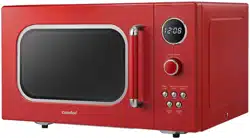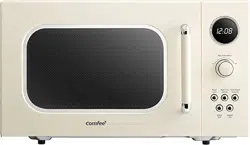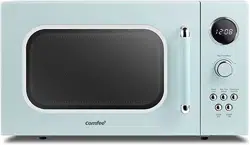
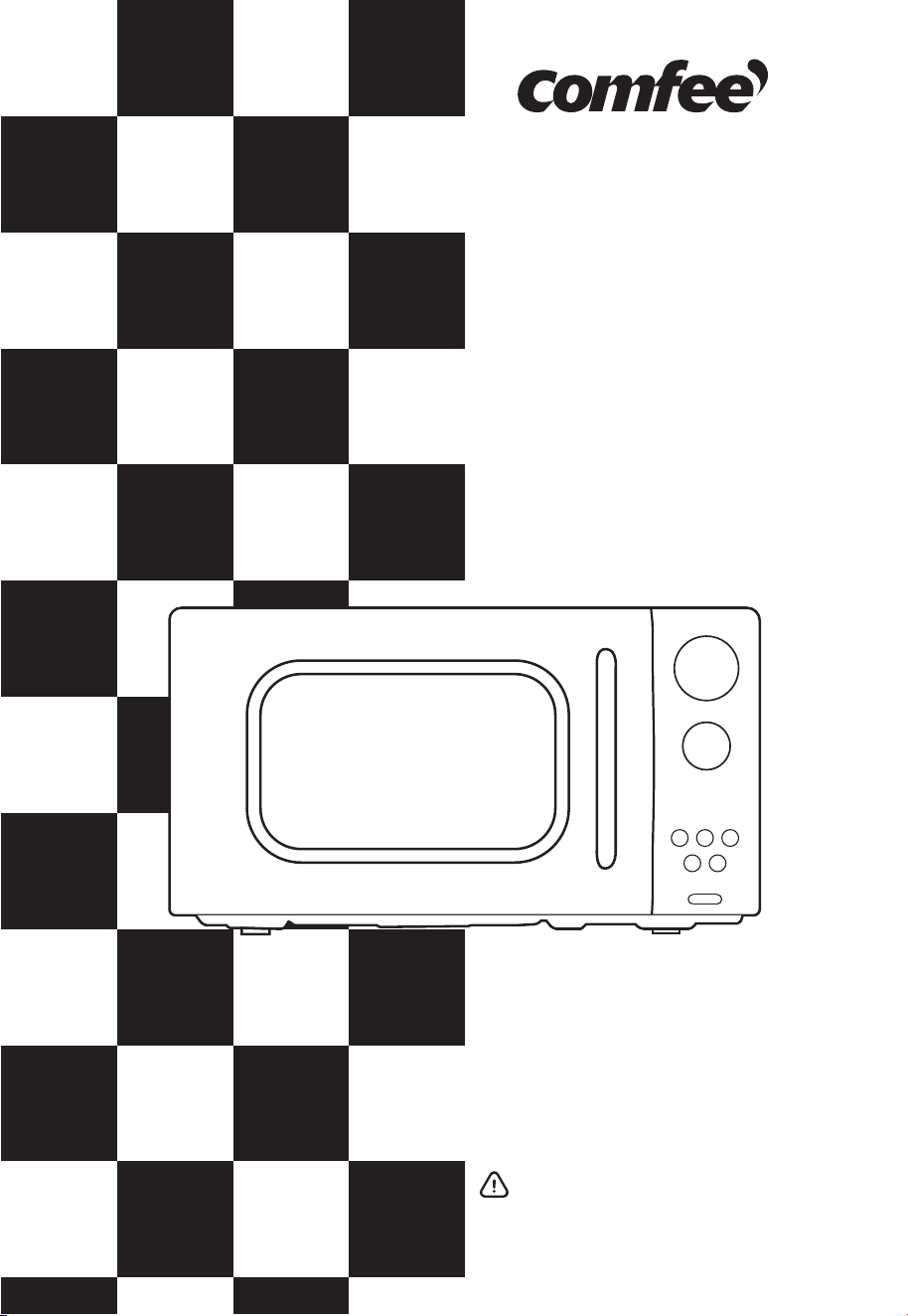
Microwave
Oven
Instruction Manual
CMO -MMP 02AA( AT)
Read these instructions carefully before using
your microwave oven, and keep it carefully.
If you follow the instructions, your oven will
provide you with many years of good service.
SAVE THESE INSTRUCTIONS CAREFULLY

2
01
PRECAUTIONS TO AVOID POSSIBLE
EXPOSURE
TO EXCESSIVE MICROWAVE ENERGY
(a) Do not attempt to operate this oven with the door open
since this can result in harmful exposure to microwave
energy. It is important not to break or tamper with the
safety interlocks.
(b) Do not place any object between the oven front face
and the door or allow soil or cleaner residue to
accumulate on sealing surfaces.
(c) Do not operate the oven if it is damaged. It is
particularly important that the oven door closes
properly and that there is no damage to the:
- DOOR (bent)
- HINGES AND LATCHES (broken or loosened)
- DOOR SEALS AND SEALING SURFACES
(d)
The oven should not be adjusted or repaired by
anyone except properly qualified service personnel.
SPECIFICATIONS
Model:
Rated Voltage/Frequency:
Rated Input Power(Microwave):
Rated Output Power(Microwave):
CMO-MMP02AA(AT)
120VAC 60Hz
1400 W
900 W

3
IMPORTANT SAFETY INSTRUCTIONS
WARNING
To reduce the risk of burns, electric shock, fire, injury to
persons or exposure to excessive microwave energy:
02
When using electrical appliances basic safety
precautions should be followed, including the following:
Read all instructions before using the appliance.
2. Read and follow the specific: "PRECAUTIONS TO AVOID
POSSIBLE EXPOSURE TO EXCESSIVE MICROWAVE ENERGY"
found on page 2.
3. This appliance must be grounded. Connect only to
properly grounded outlet. See "GROUNDING INSTRUC
TIONS" found on page 6.
4. Install or locate this appliance only in accordance with
the provided installation instructions.
5. Some products such as whole eggs and sealed
containers -for example, closed glass jars - are able to
explode and should not be heated in this oven.
6. Use this appliance only for its intended use as de
scribed in the manual. Do not use corrosive chemicals
or vapors in this appliance. This type of oven is
specifically designed to heat, cook or dry food. It is not
designed for industrial or laboratory use.
1.
HOT CONTENTS CAN CAUSE SEVERE BURNS. DO NOT
ALLOW CHILDREN TO USE THE MICROWAVE. Use caution
when removing hot items.
7.

4
8.
9.
10.
12.
13.
14.
15.
16.
11.
Do not operate this appliance if it has a damaged cord
or plug, if it is not working properly, or if it has been
damaged or dropped.
This appliance should be serviced only by qualified
service personnel. Contact nearest authorized service
facility for examination, repair, or adjustment.
Do not cover or block any openings on the appliance.
Do not store this appliance outdoors. Do not use this
product near water - for example, near a kitchen sink, in
a wet basement, near a swimming pool, or similar
location.
Do not immerse cord or plug in water.
Keep cord away from heated surface.
Do not let cord hang over edge of table or counter.
When cleaning surfaces of door and oven that comes
together on closing the door, use only mild, nonabrasive
soaps, or detergent applied with a sponge or soft cloth.
To reduce the risk of fire in the oven cavity:
1). Do not overcook food. Carefully attend appliance
when paper, plastic, or other combustible materials
are placed inside the oven to facilitate cooking.
2). Remove wire twist-ties from paper or plastic bag
before placing bag in oven.
3). If material inside of the oven ignite, keep oven door
closed, turn oven off, and disconnect the power cord,
or shut off power at the fuse or circuit breaker panel.
4). Do not use the cavity for storage purposes. Do not
leave paper products, cooking utensils, or food in the
cavity when not in use.

5
17. Liquids, such as water, coffee, or tea are able to be
overheated beyond the boiling point without appearing
to be boiling. Visible bubbling or boiling when the
container is removed from the microwave oven is not
always present.
THIS COULD RESULT IN VERY HOT LIQUID SUDDENLY BOILING
OVER WHEN THE CONTAINER IS DISTURBED OR A UTENSIL IS
INSERTED INTO THE LIQUID.
To reduce the risk of injury to persons:
1) Do not overheat the liquid.
2) Stir the liquid both before and halfway through
heating it.
3) Do not use straight-sided containers with narrow
necks.
4) After heating, allow the container to stand in the
microwave oven for a short time before removing
the container.
5) Use extreme care when inserting a spoon or other
utensil into the container.
SAVE THESE INSTRUCTIONS
HOUSEHOLD USE ONLY
(NOT FOR COMMERCIAL USE)
6
03
TO REDUCE THE RISK OF INJURY TO
PERSONS
GROUNDING INSTALLATION
DANGER
Electric Shock Hazard
Touching some of the internal components can cause serious
personal injury or death. Do not disassemble this appliance.
WARNING
WARNING
Electric Shock Hazard
This appliance must be grounded. In the event of an electrical
short circuit, grounding reduces the risk of electric shock by
providing an escape wire for the electric current. This appli-
ance is equipped with a cord having a grounding wire with a
grounding plug. The plug must be plugged into an outlet that is
properly installed and grounded.
Improper use of the grounding can result in a risk of
electric shock. Consult a qualified electrician or serviceman if
the grounding instructions are not completely understood,
or if doubt exists as to whether the appliance is properly
grounded. If it is necessary to use an extension cord, use only
a 3-wire extension cord that has a 3-blade grounded plug,
and 3-slot receptacle that will accept the plug on the
appliance. The marked rating of the extension cord shall be
equal to or greater than the electrical rating of the appliance.
Improper use of the grounding can result in electric shock. Do
not plug into an outlet until appliance is properly installed and
grounded.

7
04
A short power-supply cord is provided to reduce the
risks resulting from becoming entangled in or tripping
over a longer cord.
Longer cord sets or extension cords are available and
may be used if care is exercised in their use.
If a long cord or extension cord is used:
1) The marked electrical rating of the cord set or
extension cord should be at least as great as the
electrical rating of the appliance.
2) The extension cord must be a grounding-type
3-wire cord.
3) The longer cord should be arranged so that it will
not drape over the counter top or tabletop where it
can be pulled on by children or tripped over
unintentionally.
1.
2.
3.

04
RADIO INTERFERENCE
8
This device complies with part 18 of the FCC Rules.
Operation of the microwave oven may cause interference
to your radio, TV or similar equipment.
When there is interference, it may be reduced or
eliminated by taking the following measures:
1) Clean door and sealing surface of the oven
2) Reorient the receiving antenna of radio or television.
3) Relocate the microwave oven with respect to
the receiver.
4) Move the microwave oven away from the receiver.
5) Plug the microwave oven into a different outlet so
that microwave oven and receiver are on different
branch circuits.
1.
2.
This equipment generates, uses and can radiate radio
frequency energy and, if not installed and used in
accordance with the instructions, may cause harmful
interference to radio communications. However, there
is no guarantee that interference will not occur in a
particular installation. If this equipment does cause
harmful interference to radio or television reception,
which can be determined by turning the equipment off and
on, the user is encouraged to try to correct the interference
by one or more of the following measures:
—Reorient or relocate the receiving antenna.
—Increase the separation between the equipment and
receiver.
—Connect the equipment into an outlet on a circuit
different from that to which the receiver is connected.
—Consult the dealer or an experienced radio/TV
technician for help.)
3.

9
05
UTENSILS
CAUTION
Personal Injury Hazard
Tightly-closed utensils could explode. Closed
containers should be opened and plastic pouches
should be pierced before cooking.
See the instructions on "Materials you can use in
microwave oven or to be avoided in microwave oven."
There may be certain non-metallic utensils that are not
safe to use for microwaving. If in doubt, you can test the
utensil in question following the procedure below.
1. Fill a microwave-safe container with 1 cup of cold water
(250ml) along with the utensil in question.
2. Cook on maximum power for 1 minute.
Utensil Test:
3. Carefully feel the utensil. If the empty utensil is warm, do
not use it for microwave cooking.
4. Do not exceed 1 minute cooking time.

10
Materials you can use in microwave oven
Dinnerware
Glass jars
Oven cooking
bags
Paper plates
and cups
Paper towels
Parchment paper
Plastic
Glassware
Utensils
Browning dish
Plastic wrap
Thermometers
Wax paper
Remarks
Follow manufacturer’s instructions. The bottom of browning
dish must be at least 3/16 inch (5mm) above the turntable.
Incorrect usage may cause the turntable to break.
Microwave-safe only. Follow manufacturer's instructions. Do
not use cracked or chipped dishes.
Always remove lid. Use only to heat food until just warm. Most
glass jars are not heat resistant and may break.
Heat-resistant oven glassware only. Make sure there is no
metallic trim. Do not use cracked or chipped dishes.
Follow manufacturer’s instructions. Do not close with metal tie.
Make slits to allow steam to escape.
Use for short–term cooking/warming only. Do not leave oven
unattended while cooking.
Use to cover food for reheating and absorbing fat. Use with
supervision for a short-term cooking only.
Use as a cover to prevent splattering or a wrap for steaming.
Microwave-safe only. Follow the manufacturer’s instructions.
Should be labeled "Microwave Safe". Some plastic containers
soften, as the food inside gets hot. "Boiling bags" and tightly
closed plastic bags should be slit, pierced or vented as
directed by package.
Microwave-safe only. Use to cover food during cooking to
retain moisture. Do not allow plastic wrap to touch food.
Microwave-safe only (meat and candy thermometers).
Use as a cover to prevent splattering and retain moisture.

11
Materials to be avoided in microwave oven
Food carton with
metal handle
Metal or
metal trimmed
utensils
Paper bags
Plastic foam
Wood
Metal twist ties
Utensils
Aluminum tray
Remarks
May cause arcing. Transfer food into microwave-safe dish.
May cause arcing. Transfer food into microwave-safe dish.
Metal shields the food from microwave energy. Metal trim
may cause arcing.
May cause arcing and could cause a fire in the oven.
May cause a fire in the oven.
Plastic foam may melt or contaminate the liquid inside when
exposed to high temperature.
Wood will dry out when used in the microwave oven and may
split or crack.
12
06
SETTING UP YOUR OVEN
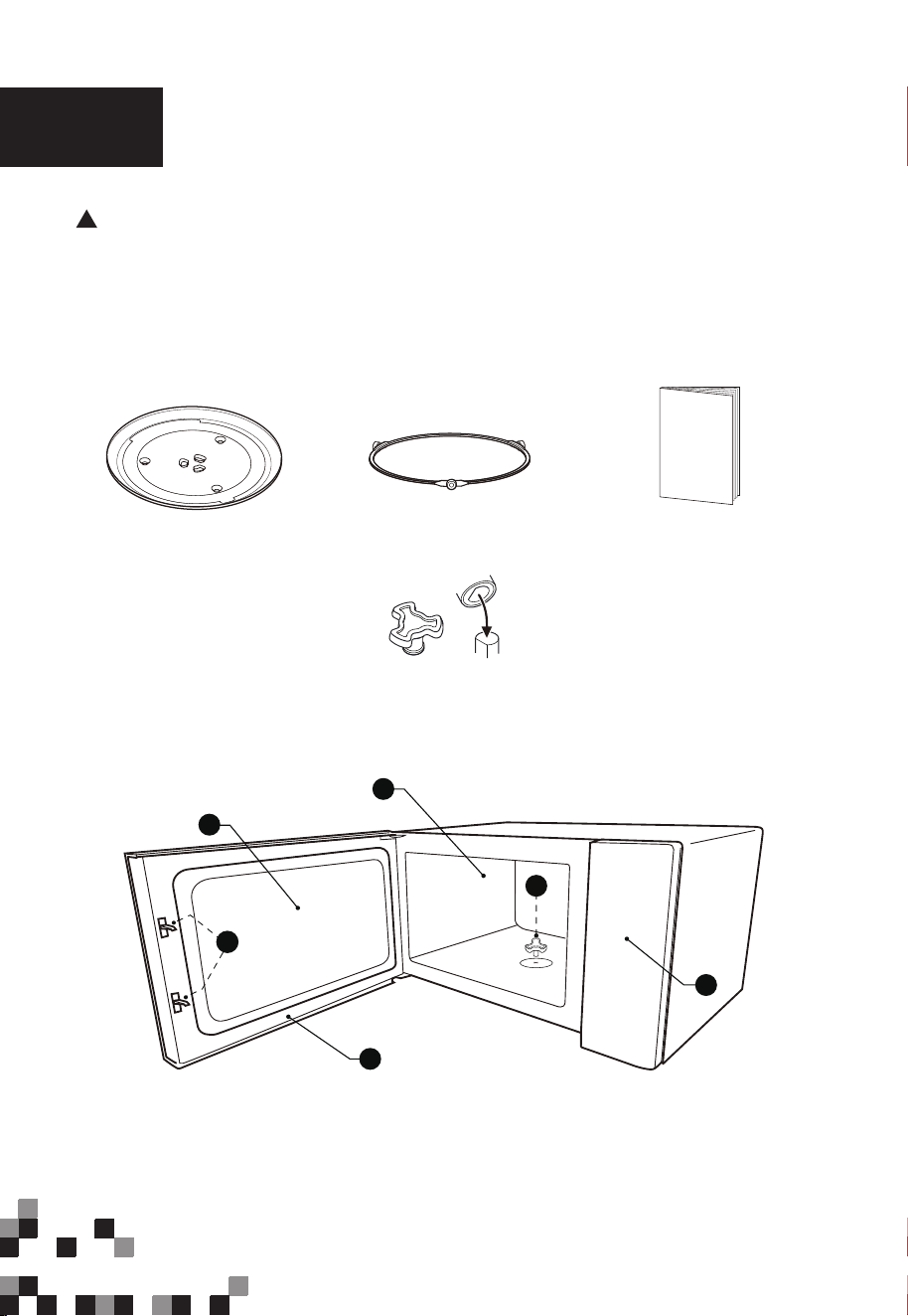
Names of Oven Parts and Accessories
In case of any differences between the appliance and the
pictures in this manual, the product shall prevail.
Remove the oven and all materials from the carton and oven
cavity. Your oven comes with the following accessories:
Glass Tray Turntable Ring Assembly Instruction Manual
Turntable Shaft
A) Safety interlock system
B) Observation window
C) Door assembly
D) Oven cavity
E) Turntable shaft
F) Control panel
F
B
D
C
A
E
13
TURNTABLE INSTALLATION
Cleaning the cooking compartment and putting the turntable in place. For
new installations, make sure all packaging and shipping tape has been
removed from the turntable shaft. Before using the appliance to prepare food
for the first time, you will need to put the turntable in place correctly. You must
clean the cooking compartment and accessories.
Notes:
1. Never use the appliance without the turntable. Make sure that it is
properly engaged. The turntable can turn clockwise or anti-clockwise.
2. Never place the glass tray upside down. The glass tray should never be
restricted.
3. Both glass tray and turntable ring assembly must always be used during
cooking.
4. All food and containers of food are always placed on the glass tray for
cooking.
5. Never restrict the movement of the turntable.
6. If glass tray or turntable ring assembly cracks or breaks, contact your
nearest authorized service center.
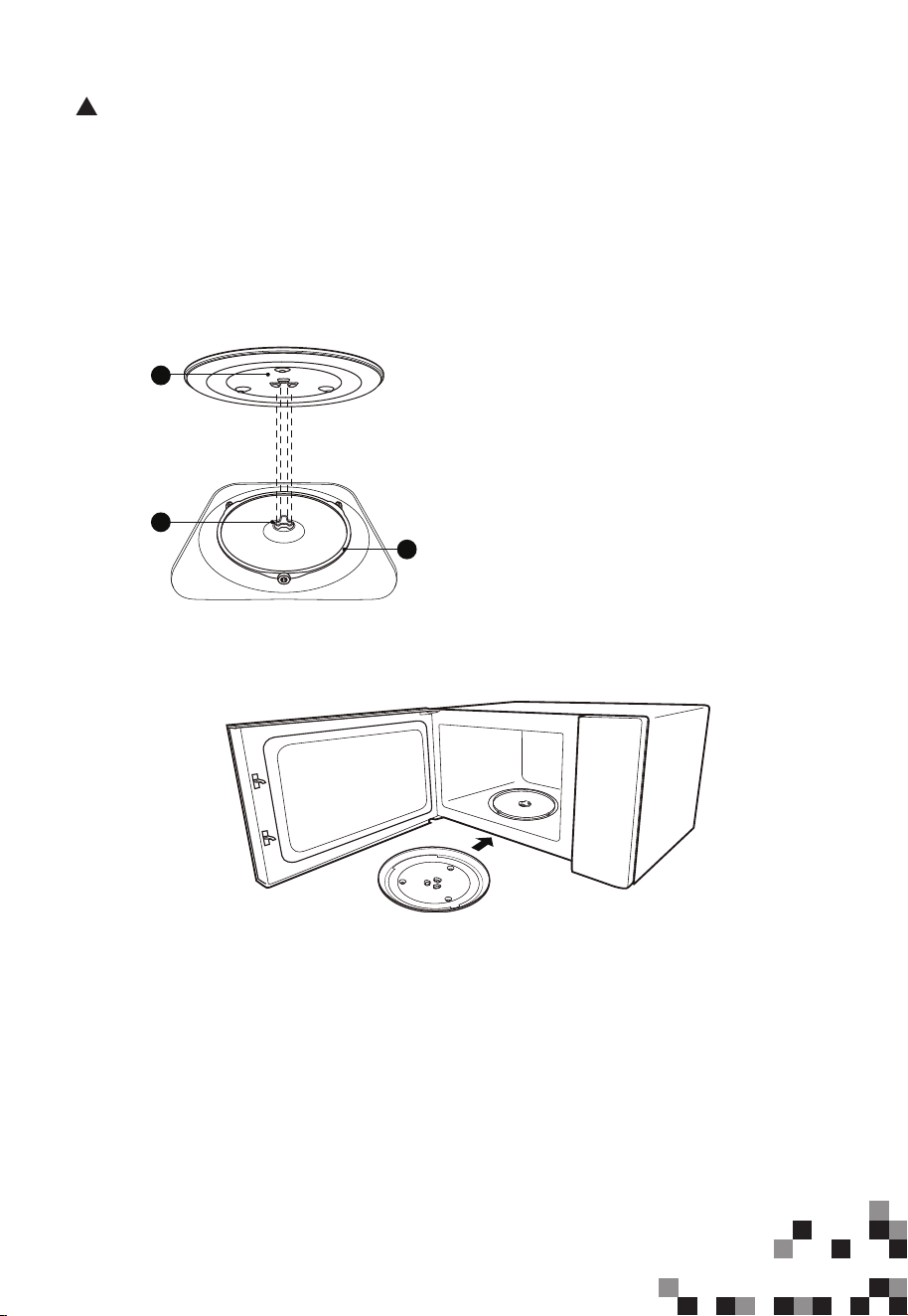
How to put the turntable in place:
1. Place the turntable ring assembly ③
into the recess in the cooking com-
partment.
2. Place the glass tray ① on the
turntable ring assembly ③. Fit the
raised, curved lines in the center of the
glass tray bottom between the three
spokes of the shaft. Make sure that the
glass tray ① engages in the turntable
shaft ② in the centre of the cooking
compartment floor. The rollers on the
shaft should fit inside the turntable
bottom ridge.
3
2
1
14
07
INSTALLATION
COUNTERTOP INSTALLATION
Remove all packing material and accessories. Examine the oven
for any damage such as dents or broken door. Do not install if
oven is damaged.
Cabinet:
Remove any protective film found on the microwave oven cabinet
surface. Do not remove Waveguide cover that is attached to the
oven cavity to protect the magnetron.
WARNING: Do not install oven over a
range cooktop or other heat-producing
appliance. If installed near or over a
heat
source, the oven could be
damaged and the warranty would
be void.
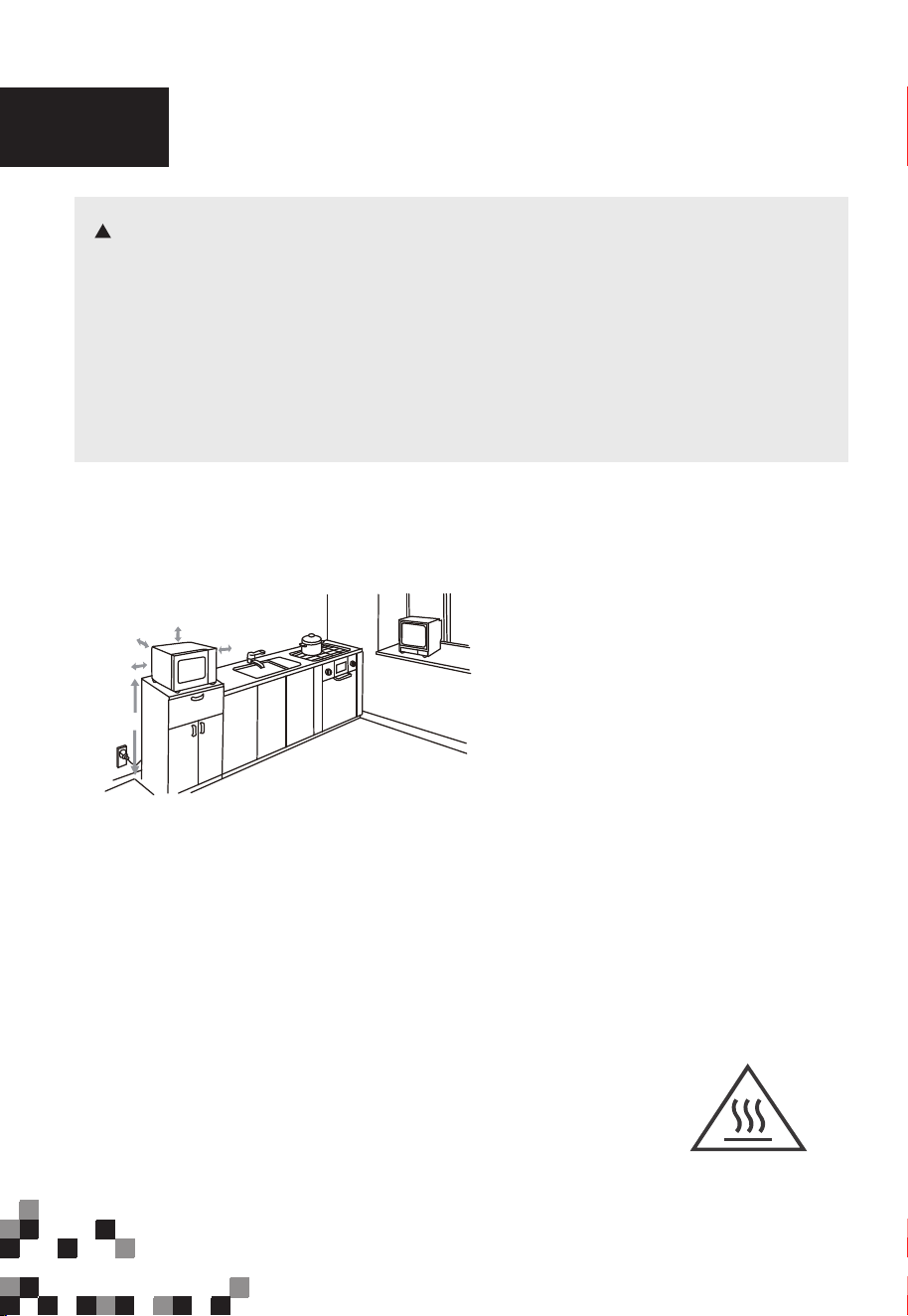
(1) Leave a minimum clearance of 12
inches (30cm) above the oven.
(2) Do not remove the legs from the
bottom of the oven.
3.0 inch(7.5cm)
>36 inch(91.4cm)
3.0 inch(7.5cm)
12 inch(30cm)
OPEN
1. Select a level surface that provide
enough open space for the intake
and/or outlet vents.
The accessible surface
may be hot during
operation.
A minimum clearance of 3.0 inches
(7.5cm) is required between the
oven and any adjacent walls. One
side must be open.
The minimum installation height
is 36 inches(91.4cm).
(3) Blocking the intake and/or outlet
openings can damage the oven.
(4) Place the oven as far away from
radios and TV as possible.
Operation of microwave oven
may cause interference to your
radio or TV reception.
2. Plug your oven into a standard
household outlet. Be sure the
voltage and the frequency is the
same as the voltage the frequency
on the rating label.
15
08
OPERATION
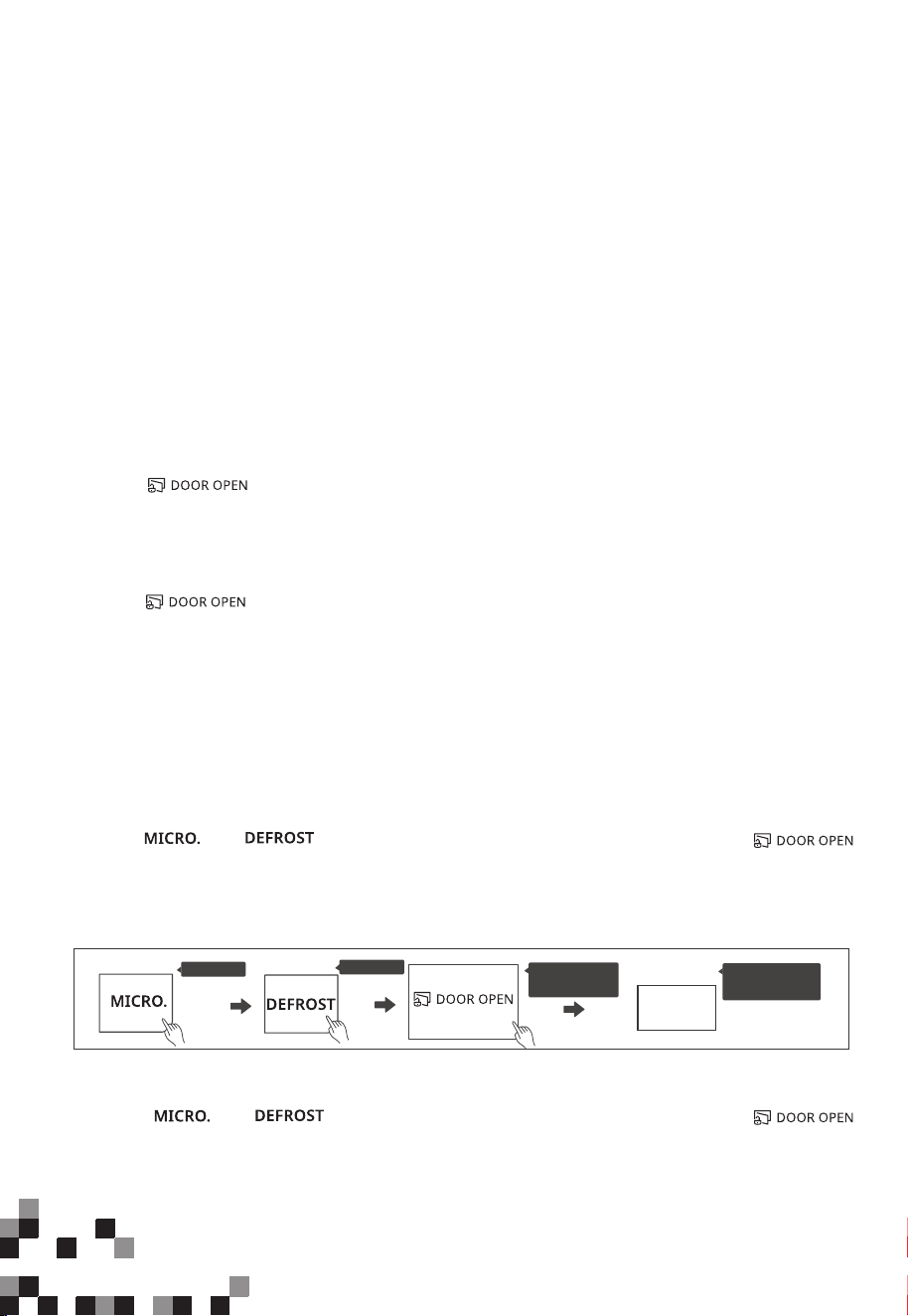
Control Panel
16
1. Safety Lock
Safety Lock is a system that safeguards against unintended activation of the oven,
providing a protective measure to ensure child safety.
Initiating the cooking automatically triggers the lock. The lock will also stay engaged
for 30 minutes after cooking ends.
Safety Lock is active by default. It will only be deactivated if the user chooses to do so
manually. Even in the event of a power disconnection, the oven will preserve the state
of the safety lock, whether it is activated or deactivated.
(1) How the safety lock works
Press “ ” during operation and open the door within 10 seconds,
or the safety lock will re-engage. The door will stay unlocked until cooking is initiated.
Press “ ” within 30 minutes after cooking is complete to manually disable
the door lock and switch to standby mode. If no key is pressed, the lock will automatically
disengage after 30 minutes.
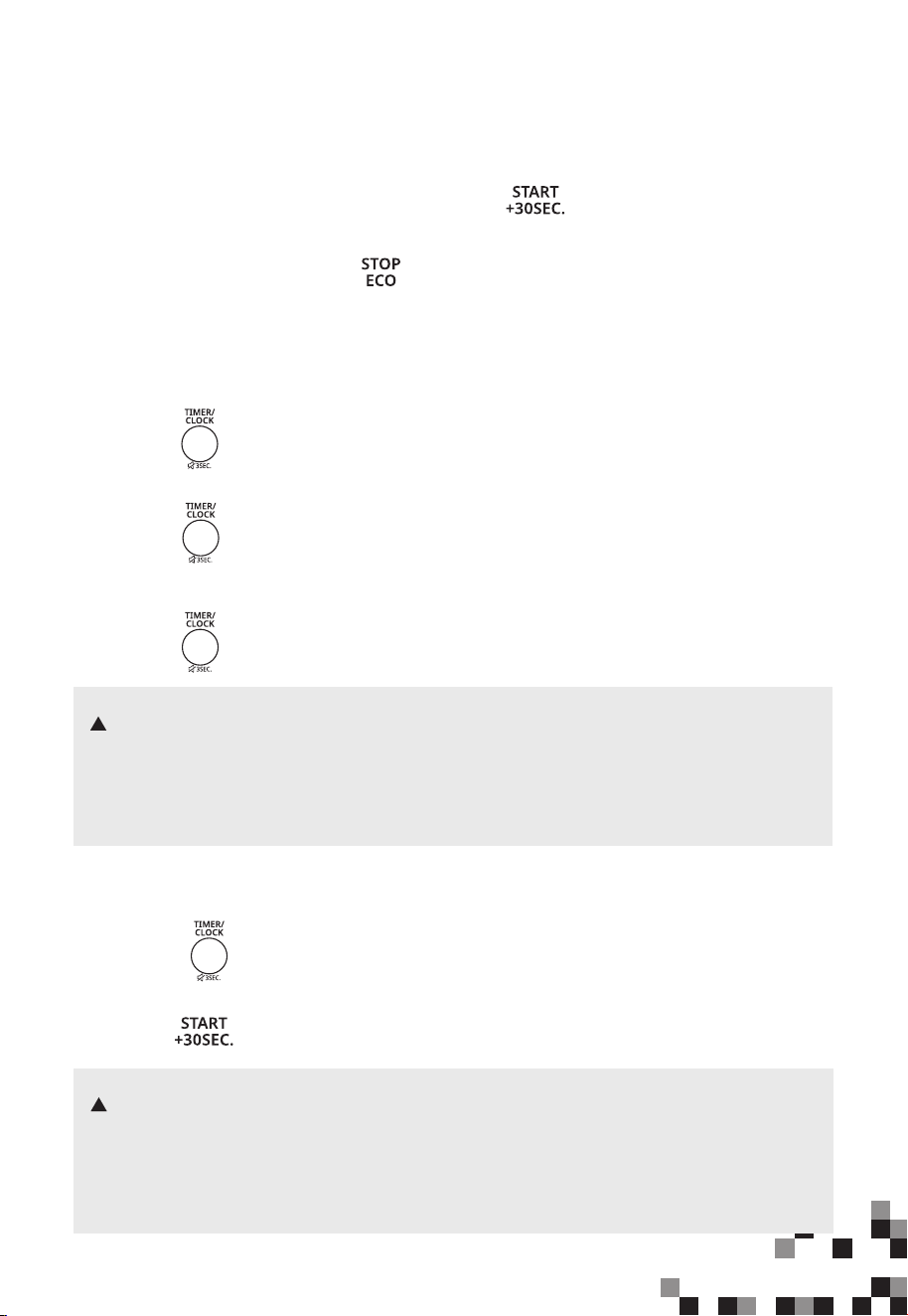
(2) Unlock the door
(3) Deactivate the safety lock
If there are no children in the house, you can choose to permanently deactivate the safety
lock function.
Press “ ” , “ ” in consecutive order and then press and hold “ ”
for three seconds within 30 seconds, the screen will display “ULoc”, indicating the successful
deactivation of the safety lock.
Press X1
Press X1
ULoc
The screen
display
Press and
hold 3s
Or:
(4) Re-activate the safety lock
Press “ ” , “ ” in consecutive order and then press and hold “ ”
for three seconds within 30 seconds, the screen will display “Loc”, indicating the successful
re-activation of the safety lock.
17
NOTES
NOTES
Standby Mode
(1) When the microwave oven is plugged into an outlet, “0:00” shows on the display.
The Buzzer sounds.
(2) Once the cooking settings are configured, if “ ” is not pressed within 1 minute,
the oven will return to the standby mode. The setting is invalid.
(3) In the process of setting, if “ ” is pressed or if there is no operation
within 1 minute, the setting is invalid.
3. Setting the Clock
(1) To reset the clock, please repeat step 1 to step 5.
(2) The clock is a 12-hour display. If the clock is not set, it will not work when powered.
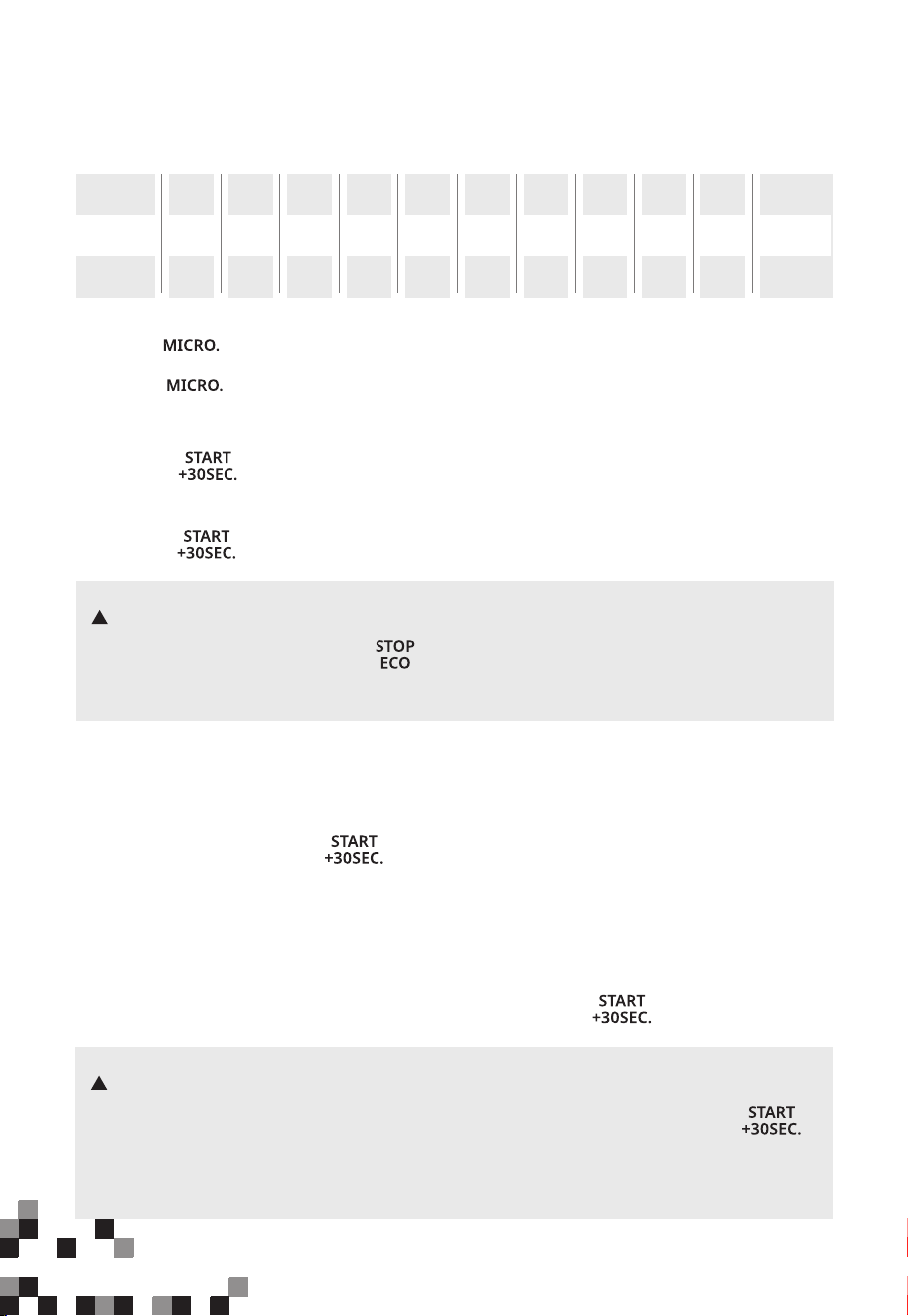
4. Setting the Kitchen Timer
(1) Press “ ” once and then “00:00” will display.
(2) Turn the knob to set the desired time. The maximum time value is “95:00”.
(3) Press “ ” to confirm. The timer starts counting down.
(1) The kitchen timer is different from the 12-hour system. The Kitchen Timer is a timer.
(2) Any other program can’t be set during the kitchen timer.
2.
(1) Press “ ” twice and then “00:00” will display.
(2) Turn the knob to set the hour figures.
(3) Press “ ” to confirm.
(4) Turn the knob to set the minute figures.
(5) Press “ ” to confirm. The clock is set.
(1) To reset the clock, please repeat step 1 to step 5.
(2) The clock is a 12-hour display. If the clock is not set, it will not work when powered.
18
Microwave Cooking
5.
6. Speedy Cooking
11 power levels are available.
Power
Display
90%
P90
80%
P80
70%
P70
60%
P60
50%
P50
40%
P40
30%
P30
20%
P20
10%
P10
0%
P0
9 8 7 6 5 4 3 2 1
0
Level
100%
P100
10
NOTE
NOTE
In the process of setting, if the “ ” is pressed or if there is no operation
within 1 minute, the setting is invalid.
(1) In standby mode, press “ ” to cook food at 100% power level for 30 seconds.
Each press on the same key can increase 30 seconds and the maximum time
value is “95:00”.
(2)In standby mode, turn the knob left to set a cooking time with 100% power. Continue
to turn the knob to adjust the cooking time. Then press “ ” to start cooking.
In microwave cooking and defrosting by time state, each more press on “ ”
can increase the cooking time by 30 seconds. (Except the auto menu and defrost
by weight.)
(1) Press “ ” once and then “P100” will display.
(2) Press “ ” repeatedly or turn the knob to set the power level. The 11 power levels
are available.
(3) Press “ ” to confirm.
(4) Turn the knob to set the cooking time. The maximum time value is “95:00”.
(5) Press “ ” to start cooking.
19
NOTE
NOTES
7. Defrost by Weight
(1) Press “ ” once
(2) Turn the knob to set the weight of the food. The range of weight is 4~100Oz.
(3) Press “ ” to start defrosting.
The buzzer will sound to remind you to turn the food over during defrosting.
If no operation, the oven will continue working.
8. Defrost by Time
(1) The defrost power is P30 and it cannot be changed.
(2) The buzzer will sound to remind you to turn the food over during defrosting.
If no operation, the oven will continue working.
To enter ECO mode:
In standby mode, close the door and then press “ ” once. The screen will turn off.
To cancel ECO mode:
In ECO mode, pressing any key, or opening the door will cancel it.
9. ECO Function
(1) Press “ ” twice and then the screen will display “dEF2”.
(2) Turn the knob to set the defrost time. The maximum time value is “95:00”.
(3) Press “ ” to start defrosting.
20
10. Multi-Stage Cooking
NOTES
(1) Two cooking stages can be set in multi-stage cooking.
(2) If you set the defrost function, it will work automatically in the first stage.
(3) The auto menu and speedy cooking cannot be set as one of the multi-stage.
(4) In the multi-stage cooking state, press “ ” can increase the cooking time.
(Except the auto menu and defrost by weight.)
To activate the mute mode:
In standby mode, press and hold “ ” for 3 seconds and then “oFF” will display.
When you press the key, it does not make a sound.
To deactivate the mute mode:
In mute mode, press and hold “ ” for 3 seconds. The buzzer will sound and then
the screen will display “on”.
11. Mute mode
Example: Defrost food for 5 minutes and then cook with 80% microwave power for
7 minutes.
(1) Press “ ” twice and then the screen will display “dEF2”.
(2) Turn the knob to set the desired defrost time to 5 minutes.
(3) Press “ ” once and then “P100” will display.
(4) Press “ ” repeatedly or turn the knob to set the power level to P80.
(5) Press “ ” to confirm the microwave power.
(6) Turn the knob to set the cooking time to 7 minutes.
(7) Press “ ” to start cooking.
21
12. Auto Menu
Auto Menu Chart
1.75Oz
3.2Oz
3.5Oz
1.75
3.2
3.5
1 (8Oz)
2 (16Oz)
3 (24Oz)
P100
P100
P100
P80
P100
P100
Menu Weight Display
Power Level
1
2
3
4Oz
8Oz
16Oz
4
8
16
(1) Turn the knob right, and then “A1” will display.
(2) Continue to turn the knob to choose the menu you need. The 6 auto menus are available.
(3) Press “ ” to confirm.
(4) Turn the knob to set the weight of the food.
(5) Press “ ” to start cooking.
A1
A5
A4
A3
A2
VEGETABLE
BEVERAGE
1cup(120ml)
2cups(240ml)
3cups(360ml)
4Oz
8Oz
14Oz
4
8
14
1
2
3
A6
DINNER PLATE
9Oz
12Oz
18Oz
9
12
18
POPCORN
POTATO
PIZZA
15. Turntable reset function
You can use this function to reset the utensil to its original position in the oven after
cooking. It is easy for you to take food out of the oven. The default turntable reset
function is on.
NOTES
(1) This function is valid for a complete cooking. If you press “ ”
and open or close the oven door during cooking, this function is invalid.
(2) If the cooking time is within 5 minutes, the accuracy of the turntable is within 30
degrees.
(3) If you open the oven door or press “ ” during the resetting
turntable process, and then the screen will display “Loc”.
22
13. Lock Function for Children
You can use this function to disable the screen buttons and prevent your child from
accidentally turning the oven on.
To activate the lock:
In standby mode, press and hold “ ” for three seconds. A long beep sounds
and “ ” will display.
To deactivate the lock:
In the locked state, press and hold “ ” for three seconds. A long beep sounds.
(1) If the clock has been set, the current time will display for three seconds by pressing
“ ” once in the cooking state.
(2) In the microwave cooking state, press “ ” to inquire about the power level.
It will display for three seconds.
14. Inquiring Function

23
09
MAINTENANCE
Troubleshooting
Check your problem by using the chart below and try the solutions for each problem. If the
microwave oven still does not work properly, contact the nearest authorized service center.
TROUBLE
Oven will not start
POSSIBLE CAUSE
POSSIBLE REMEDY
a. Electrical cord for oven is
not plugged in.
b. Door is open.
c. Wrong operation is set.
a. Plug into the outlet.
b. Close the door and try
again.
c. Check instructions.
Arcing or sparking
a. Materials to be avoided in
microwave oven were
used.
b. The oven is operated when
empty.
c. Spilled food remains in the
cavity.
a. Use microwave-safe
cookware only.
b. Do not operate with oven
empty.
c. Clean cavity with wet towel.
Unevenly cooked
foods
a. Materials to be avoided in
microwave oven were
used.
b. Food is not defrosted
completely.
c. Cooking time, power level
is not suit ble.
d. Food is not turned or stirred.
a. Use microwave-safe
cookware only.
b. Completely defrost food.
c. Use correct cooking time,
power level.
d. Turn or stir food.
Overcooked foods
Cooking time, power level is
not suitable.
Use correct cooking time,
power level.
Undercooked foods
a. Materials to be avoided in
microwave oven were used.
b. Food is not defrosted
completely.
c. Oven ventilation ports are
restricted.
d. Cooking time, power level is
not suitable.
a. Use microwave-safe
cookware only.
b. Completely defrost food.
c. Check to see that oven venti-
lation ports are not restricted.
d. Use correct cooking time,
power level.
Improper defrosting
a. Materials to be avoided in
microwave oven were used.
b. Cooking time, power level is
not suitable.
c. Food is not turned or stirred.
a. Use microwave-safe
cookware only.
b. Use correct cooking time,
power level.
c. Turn or stir food.
a

24
ONE YEAR LIMITED WARRANTY
This product carries a warranty stating that it will be free from defects in material
and workmanship for a period of one year from the date of delivery. This
warranty is valid for the original retail delivery from the date of initial retail
If service is required during the warranty period, properly pack your unit. We
recommend using the original carton and packing materials.
If additional assistance is needed, please contact customer assistance at:
The serial number can be found on the back cabinet. We suggest that you record
the serial number of your unit in the space below for future reference
Product registration is not mandatory. Failure to complete and return the card or
form does not diminish the consumer' s warranty rights.
Model Number:_______________________
Serial Number:________________________
IMPORTANT:
1. This warranty does not cover damages resulting from accident, misuse or abuse,
lack of reasonable care, the affixing of any attachments not provided with the
product, loss of parts, or subjecting the appliance to any but the specified
voltage. ( Read directions carefully. )
2. This warranty is void if this product is ever used for other than private household
purposes.
3. This warranty is void if this product is ever used outside of United State .
Midea America Corp. expressly disclaims all responsibility for consequential
damages or incidental losses caused by use of the appliance. Some states do not
allow this exclusion or limitation of incidental or consequential losses so the
foregoing disclaimer may not apply to you. This warranty gives you specific legal
rights, and you may also have other rights which may vary from state to state.
SAVE THIS FOR YOUR RECORDS
Made in China
Tel.: 866-646-4332
E-mail: officialservice comfeeappliance.com@@@@@@@@
@
delivery and is not transferable. Keep your original sales receipt. The date of delivery
establishes the warranty period??????, should service be required.