
www.auna-multimedia.com
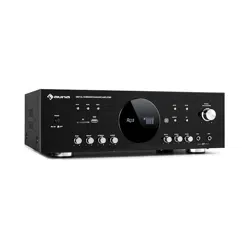
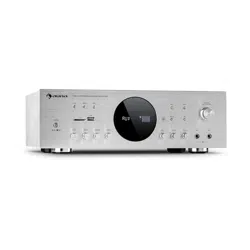
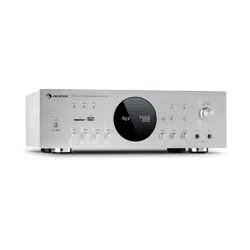
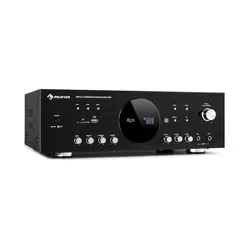
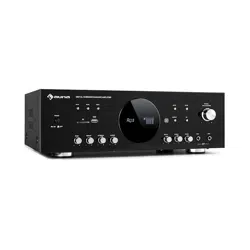
Amp-218 BT
HiFi-Karaoke-Verstärker
HiFi Karaoke Amplifier
Amplificateur Hifi avec BT
Amplificador HiFi con BT
Amplificatore HiFi con BT
10034623 10036138

3
DE
TECHNISCHE DATEN
Artikelnummer 10034623, 10036138
Stromversorgung 230 V~ 50 Hz
RMS-Leistung 2 x 120 W RMS +
3 x 50 W RMS
Speicheranschlüsse USB / MMC
Mikrofonanschlüsse 2 Stück
BT-Spezikationen
Frequenzband
Max. Sendeleistung
2402–2480MHz
2,3dBm
Sehr geehrter Kunde,
wir gratulieren Ihnen zum Erwerb Ihres Gerätes.
Lesen Sie die folgenden Hinweise sorgfältig
durch und befolgen Sie diese, um möglichen
Schäden vorzubeugen. Für Schäden, die durch
Missachtung der Hinweise und unsachgemäßen
Gebrauch entstehen, übernehmen wir keine
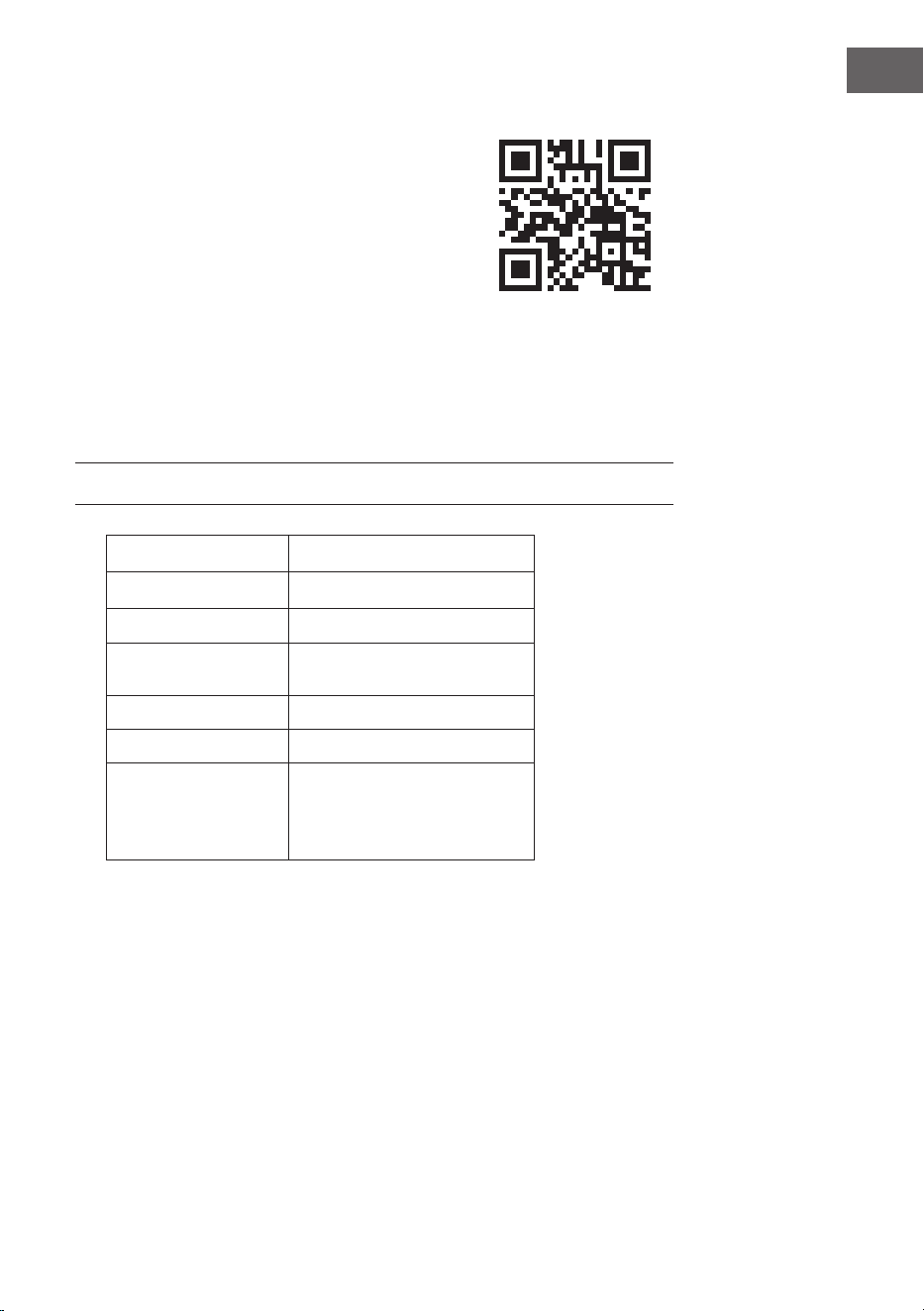
Haftung. Scannen Sie den QR-Code, um Zugri auf
die aktuellste Bedienungsanleitung und weitere
Informationen rund um das Produkt zu erhalten.
4
DE
SICHERHEITSHINWEISE
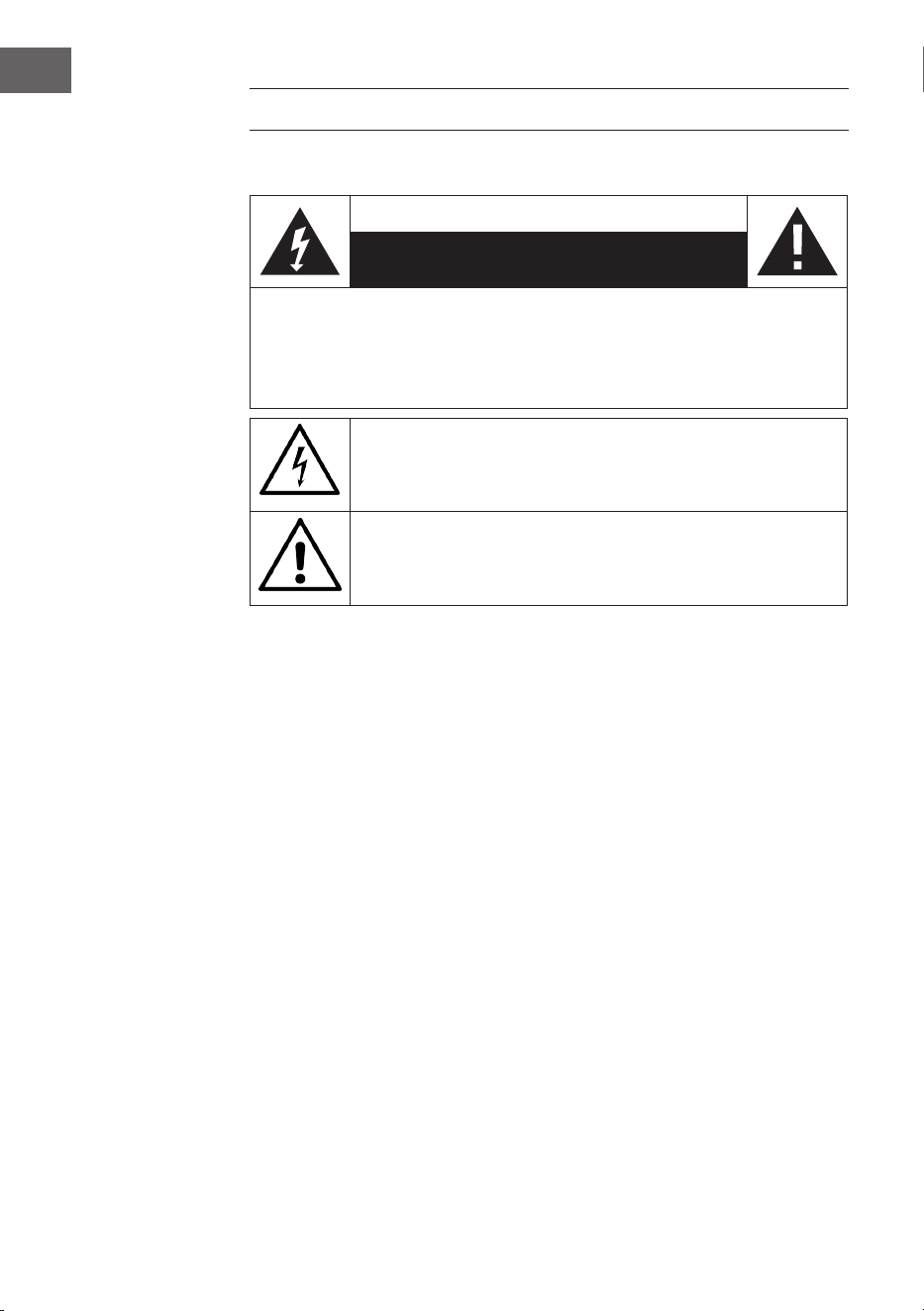
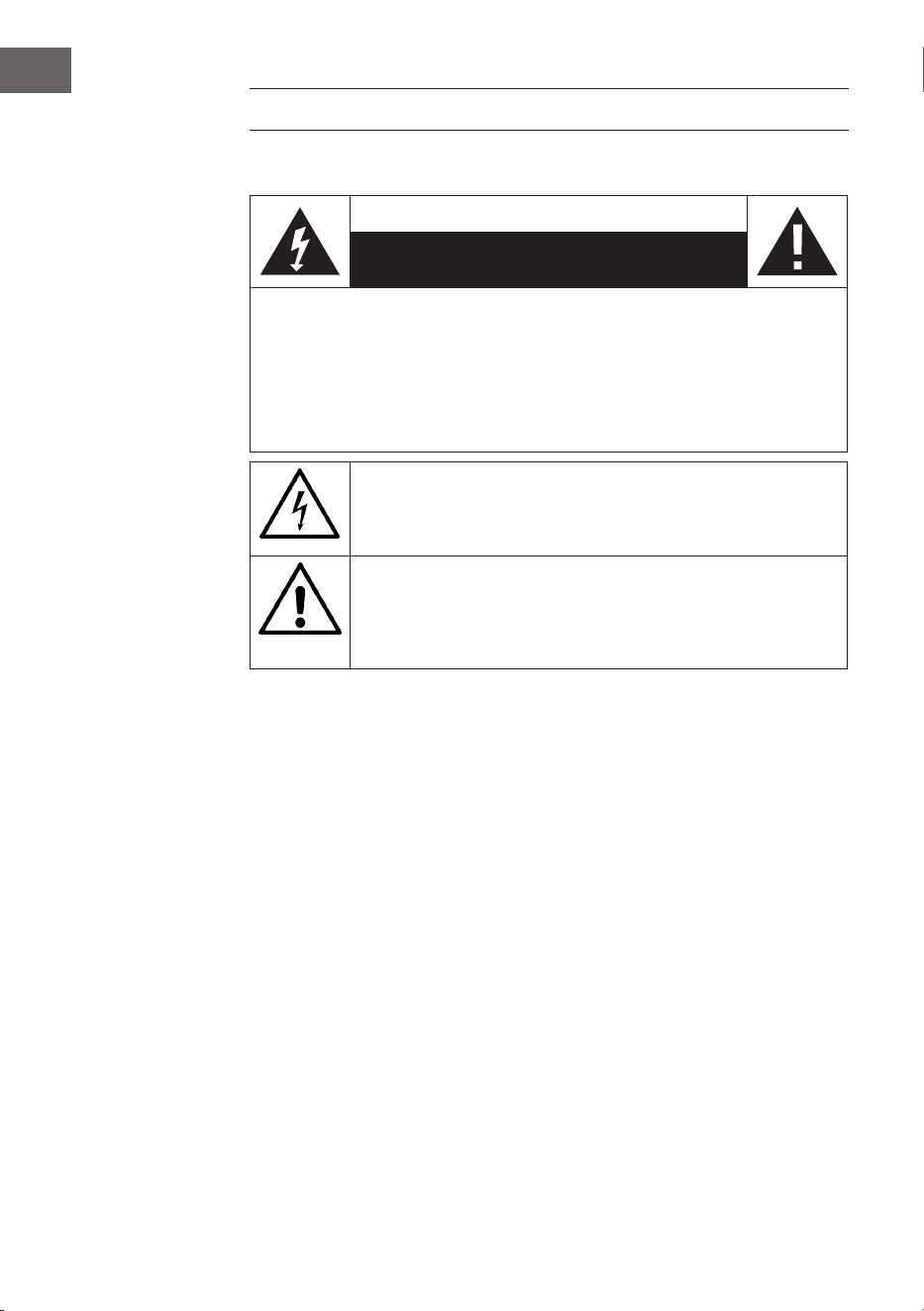
Erklärung der Symbole auf dem Gerät
CAUTION
RISK OF ELECTRIC SHOCK
DO NOT OPEN
WARNUNG: UM DIE GEFAHR EINES STROMSCHLAGS UND EINER
PERSONENVERLETZUNG ZU VERRINGERN, DAS GEHÄUSE NICHT ÖFFNEN. KEINE FÜR
DEN BENUTZER ZU WARTENDEN TEILE IM GERÄT. WENDEN SIE SICH IM FALLE EINER
REPARATUR NUR AN QUALIFIZIERTES PERSONAL.
Das Blitzsymbol mit dem Dreieck macht Sie auf gefährliche elektrische
Spannung in diesem Gerät aufmerksam, die hoch genug ist, um eine
Stromschlaggefahr darzustellen. Das Gehäuse nicht önen!
Das Ausrufezeichen mit dem Dreieck macht Sie darauf aufmerksam,
dass in der Dokumentation für das Gerät wichtige Bedienungs- und
Wartungshinweise enthalten sind.
Kinder ab 8 Jahren, psychisch, sensorisch und körperlich eingeschränkte
Menschen dürfen das Gerät nur benutzen, wenn sie vorher von einer für
sie verantwortlichen Aufsichtsperson ausführlich mit den Funktionen und
den Sicherheitsvorkehrungen vertraut gemacht wurden und die damit
verbundenen Risiken verstehen.
Pege
• Halten Sie den Verstärker trocken. Falls er nass wird, wischen Sie ihn
sofort trocken.
• Verwenden Sie den Verstärker ausschließlich in Umgebungen mit einer
guten Luftzirkulation.
• Schützen Sie den Verstärker vor Staub und Schmutz.
• Gelegentlich mit einem feuchten Tuch wischen, und das Gerät sieht aus
wie neu.
• Verwenden Sie keine scharfen chemischen Reinigungsmittel oder
Lösungsmittel.
5
DE
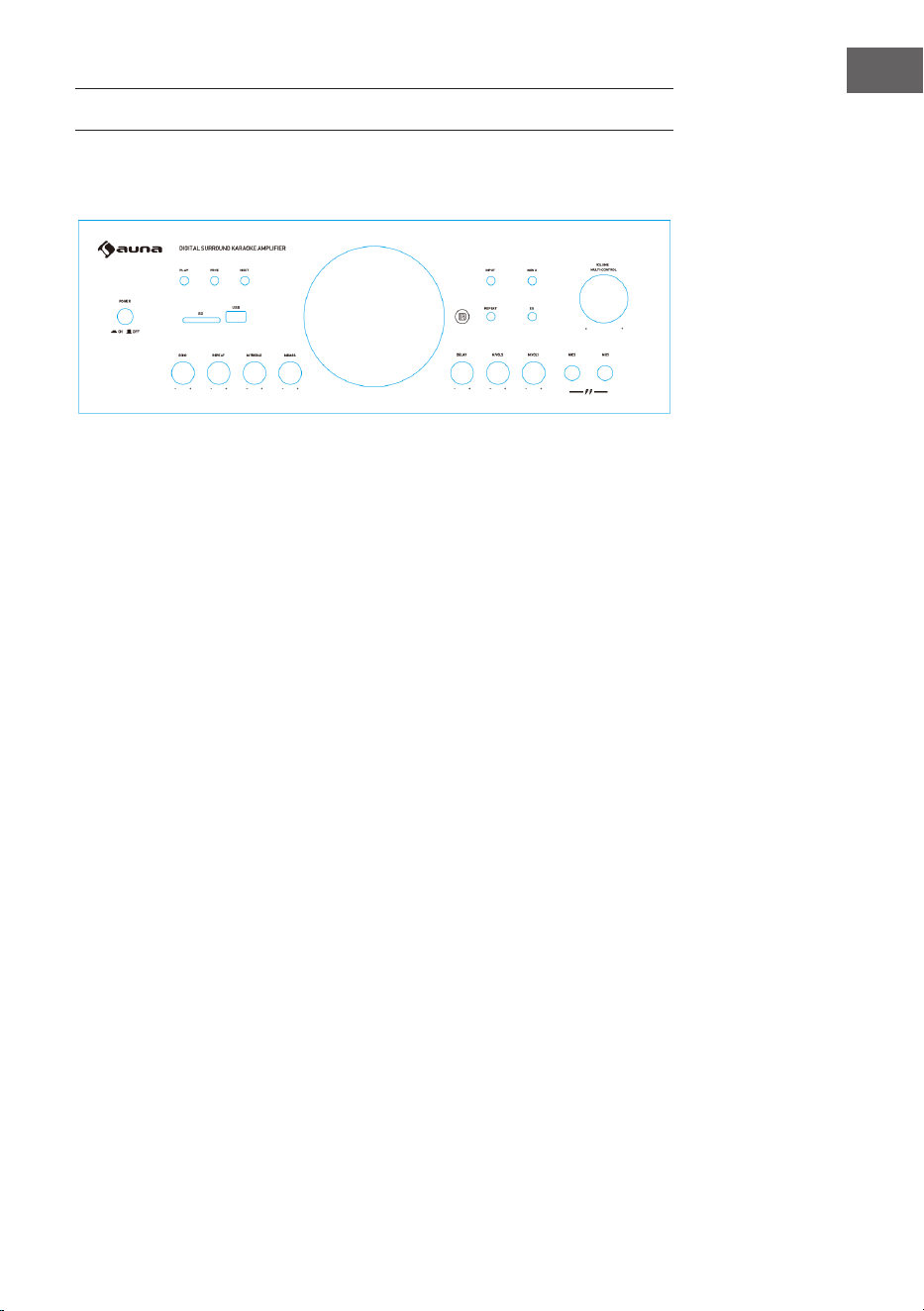
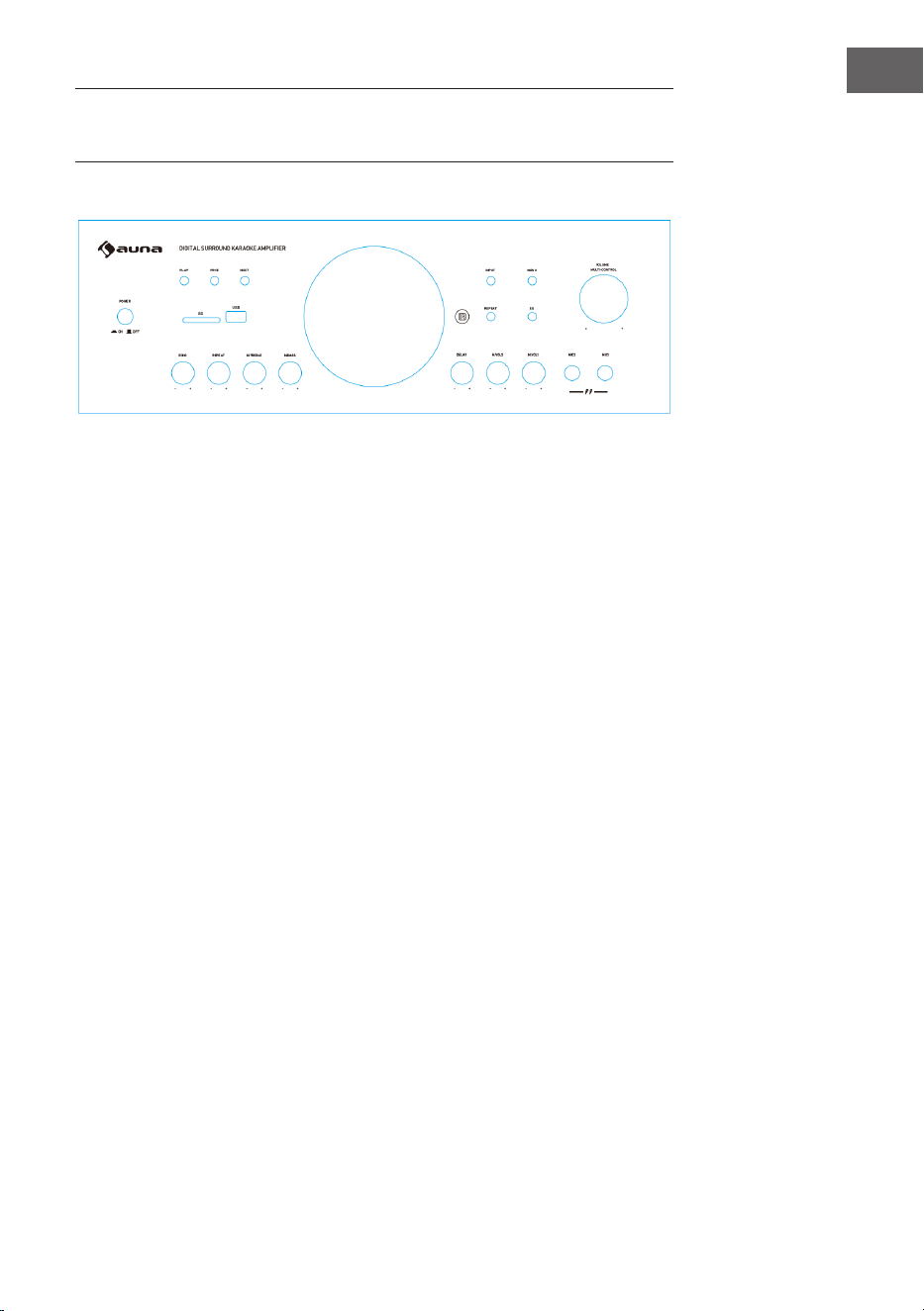
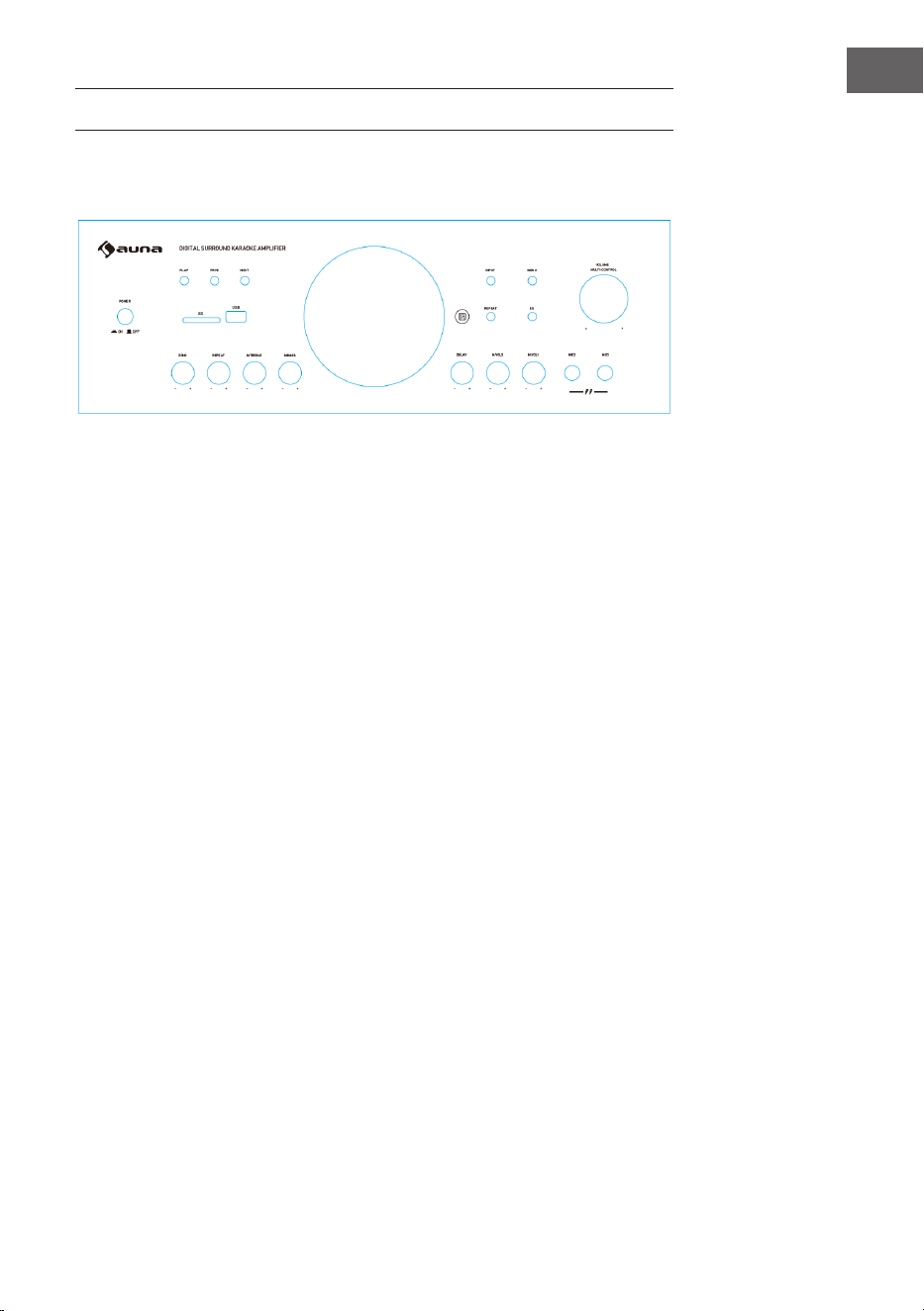
EIGENSCHAFTEN UND BEDIENELEMENTE
1 POWER: Den Verstärker ein- oder ausschalten.
2 PLAY/PAUSE: Wiedergabe und Pause.
3 PRE: Wahl des vorigen Titels
4 NEXT: Wahl des nächstens Titels
5 SD: Stecken Sie Ihre SD-Karte hier ein.
6 USB-Anschluss: zur Wiedergabe von USB-Speichermedien.
7 Input: Wahlschalter die Quelle.
8 MENU: Diese Taste und anschließend den Lautstärkeregler drücken, um
Bass, Höhen, Balance und Lautstärke einzustellen.
9 REPEAT: Diese Taste drücken, um den aktuellen Titel zu wiederholen.
Erneut drücken, um alle Titel zu wiederholen. Ein drittes Mal drücken,
um die Titel in zufälliger Reihenfolge wiederzugeben.
10 EQ: Zwischen den voreingestellten Equalizermodi wechseln.
11 VOLUME: Die Ausgangslautstärke einstellen.
12 ECHO: Das Mikrofonecho einstellen.
13 REPEAT: Einstellen der Echowiederholung
14 MIC TREBLE: Höhenregler Mikrofon
15 MIC BASS: Bassregler Mikrofon
16 MIC DELAY: Mikrofonverzögerung einstellen
17 M.VOL2: Einstellen der Mikrofonlautstärke für Mikrofon 2.
18 M.VOL1: Einstellen der Mikrofonlautstärke für Mikrofon 1.
19 Mikrofonlautstärke: Einstellen der Mikrofonlautstärke.
20 Mikrofoneingänge: Schließen Sie hier die Mikrofone an.
1
2
3 4
5
6
7
8
9 10
11
12 13 14 15 16 17 18
19
Vorderseite
6
DE
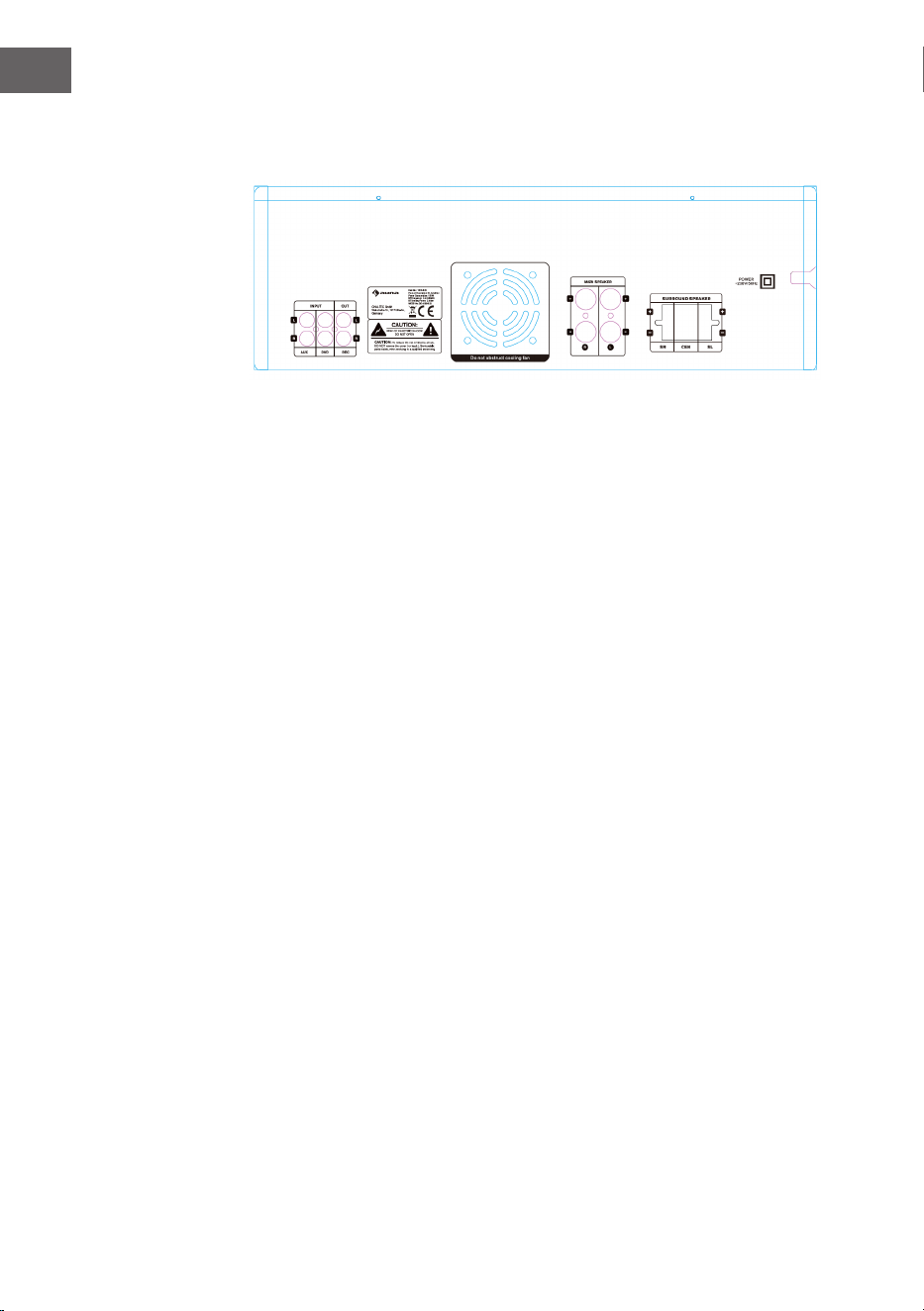
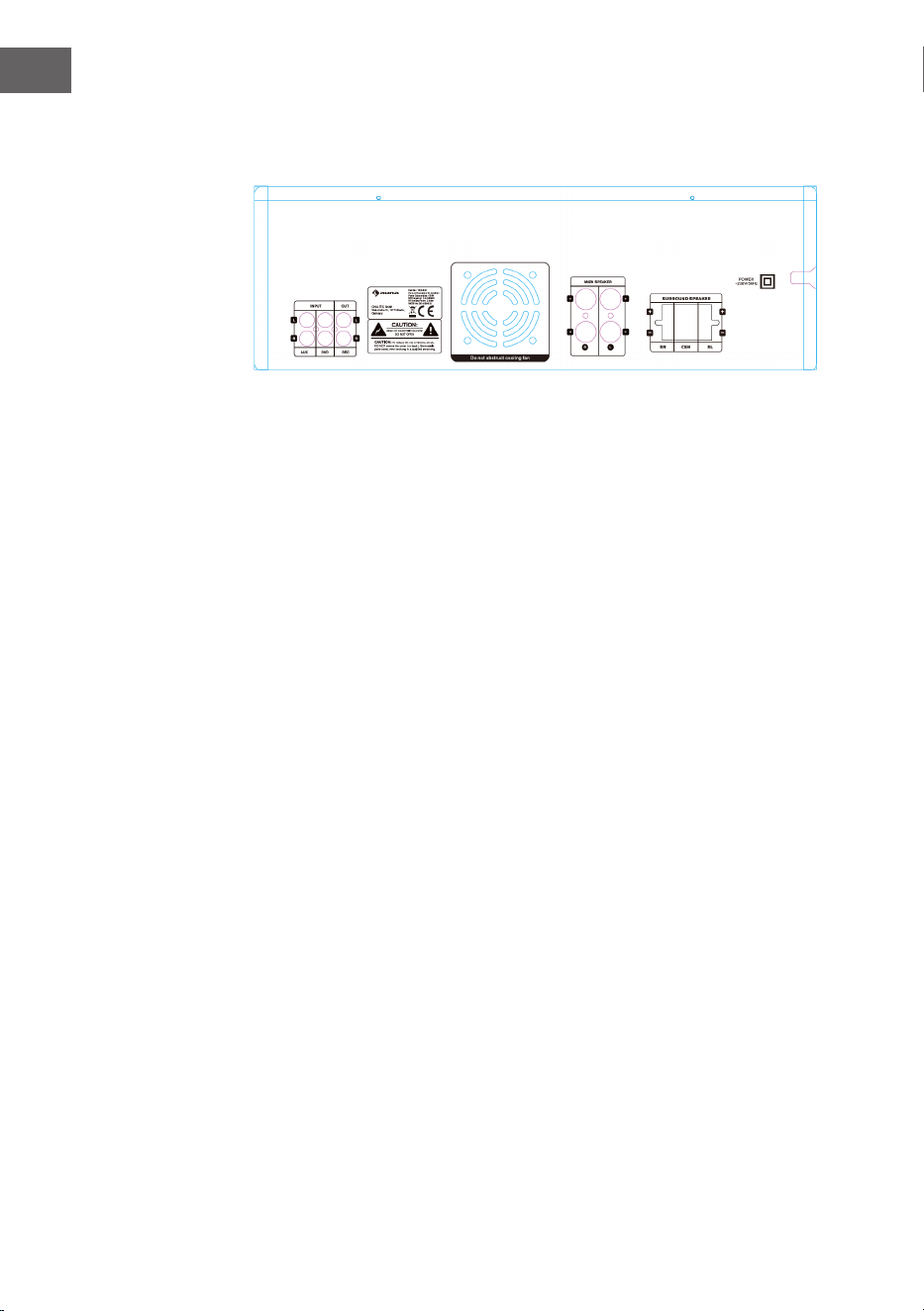
Rückseite
1 AUX-Einfang
Anschluss Ihres CD-Players oder eines anderen Geräts über Cinch
2 DVD-Eingang
Anschluss eines DVD-Players oder eines anderen Geräts über Cinch
3 Aufnahmeausgang
Anschluss eines anderes Aufnahmegeräts
4 Lautsprecheranschlüsse
5 Anschluss für Surround-Lautsprecher
1 2 3
4
5
7
DE
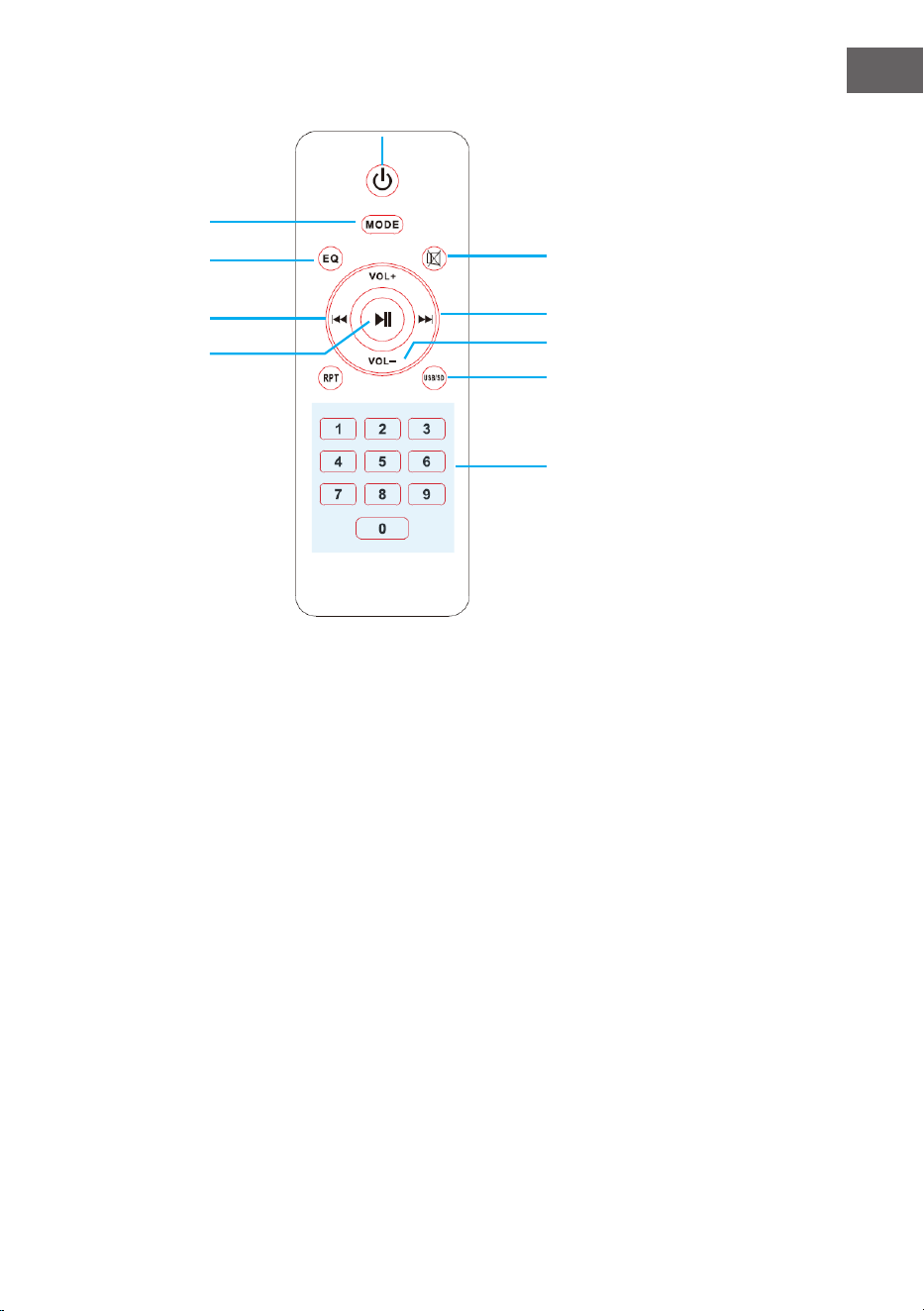
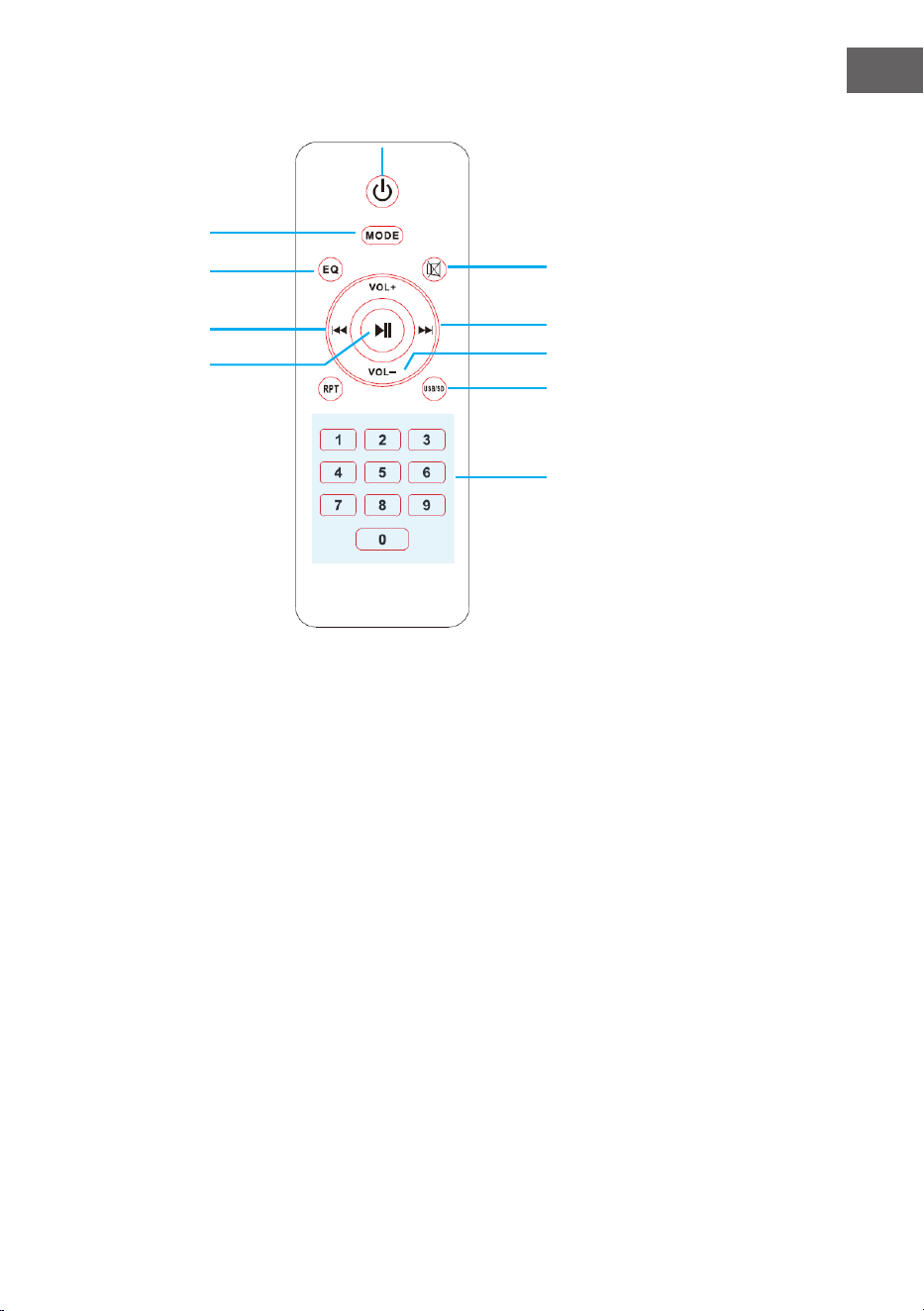
Fernbedienung
1 EIn/Aus: Drücken Sie diese
Taste, um den USB-Dekoder
ein- oder auszuschalten.
2 Mode: Drücken Sie diese
Taste, um zwischen allen
Eingangsquellen zu wechseln.
3 EQ: Drücken Sie diese Taste, um
zwischen allen voreingestellten
Equalizer-Modi zu wechseln.
4 Stumm: Drücken Sie
diese Taste, um die
Lautsprecherausgänge
stummzuschalten.
5 Titel zurück: Drücken Sie diese
Taste, um zum vorherigen Titel
zurückzukehren.
6 Wiedergabe/Pause: Drücken
Sie diese Taste zur Wiedergabe.
Erneut drücken, um zu
pausieren.
7 Titel vor: Drücken Sie diese
Taste, um zum nächsten Titel zu
wechseln.
8 Lautstärkeregler: Drücken
Sie eine dieser Tasten, um die
Lautstärke des Hauptausgangs
zu verringern oder zu erhöhen.
9 Wiederholung/
Zufallswiedergabe: Drücken
Sie diese Taste, um den
aktuellen Titel, alle Titel zu
wiederholen oder zufällige Titel
abzuspielen.
10 USB/SD: Drücken Sie diese
Taste, um den Eingangsmodus
schnell zwischen USB- und SD-
Eingang umzuschalten.
11 Zahlentasten: Verwenden Sie
diese Taste, um die Titelnummer
einzugeben und schnell zu
diesem Titel zu wechseln.
5
6
2
4
7
8
10
3
11
1

8
DE
WIEDERGABE ÜBER BT
Sie können externe Geräte mit eingebautem BT mit dem Verstärker
drahtlos verbinden und über angeschlossene Lautsprecher wiedergeben.
Bei der Herstellung der Verbindung erklingt ein hörbarer Ton, der bei der
Herstellung der Verbindung hilft.
1. Der Verstärker muss eingeschaltet und die Lautstärke herunter geregelt
sein. Um einen besseren Empfang zu haben, schließen Sie die BT-
Antenne auf der Rückseite an.
2. BT/LINE drücken. Eine Stimme spricht „Power on“ und „Pairing“. Dann
ist der Verstärker automatisch bereit, sich mit einem externen Gerät zu
koppeln.
3. Schalten Sie bei dem externen Gerät BT ein.
4. Suchen Sie nach verfügbaren BT-Geräten. Achten Sie darauf, dass Sie
innerhalb der Empfangsreichweite sind. Wählen Sie aus der Liste der
verfügbaren Geräte „Amp-218BT“.
5. Nach der Kopplung hören Sie Stimme, die sagt „Your device is
connected“ (Ihr Gerät ist gekoppelt). Dann wurde die BT-Kopplung
erfolgreich durchgeführt und Sie haben eine BT-Verbindung hergestellt.
6. Sie können nun über das externe Gerät Musik wiedergeben.

9
DE
FEHLERBEHEBUNG
Fehler Grund Lösung
Kein Ton
Die Audioquelle oder die
Lautsprecher sind nicht
richtig angeschlossen.
Überprüfen Sie die
Verkabelung.
Die Gesamtlautstärke ist
auf Min. eingestellt.
Regeln Sie die Lautstärke
auf eine höhere
Einstellung.
Die Lautsprecherkabel
haben die falsche
Impedanz.
Überprüfen Sie, dass die
Lautsprecherkabel die
richtige Impedanz haben.
Der Verstärker hat sich
abgeschaltet.
Schalten Sie den
Verstärker aus und
lassen ihn abkühlen.
Gewährleisten Sie eine
gute Luftzirkulation und
schalten das Gerät dann
wieder ein.
Rückkopplung
Das Mikrofon und die
Lautsprecher sind zu dicht
beieinander.
Positionieren Sie das
Mikrofon und die
Lautsprecher neu.
10
DE
SPEZIELLE ENTSORGUNGSHINWEISE FÜR
VERBRAUCHER IN DEUTSCHLAND
Entsorgen Sie Ihre Altgeräte fachgerecht. Dadurch wird gewährleistet,
dass die Altgeräte umweltgerecht verwertet und negative Auswirkungen
auf die Umwelt und menschliche Gesundheit vermieden werden. Bei der
Entsorgung sind folgende Regeln zu beachten:
• Jeder Verbraucher ist gesetzlich verpichtet, Elektro- und
Elektronikaltgeräte (Altgeräte) sowie Batterien und Akkus
getrennt vom Hausmüll zu entsorgen. Sie erkennen die
entsprechenden Altgeräte durch folgendes Symbol der
durchgestrichene Mülltonne (WEEE-Symbol).
• Sie haben Altbatterien und Altakkumulatoren, die nicht vom Altgerät
umschlossen sind, sowie Lampen, die zerstörungsfrei aus dem
Altgerät entnommen werden können, vor der Abgabe an einer
Entsorgungsstelle vom Altgerät zerstörungsfrei zu trennen.
• Bestimmte Lampen und Leuchtmittel fallen ebenso unter das Elektro-
und Elektronikgesetz und sind dementsprechend wie Altgeräte zu
behandeln. Ausgenommen sind Glühbirnen und Halogenlampen.
Entsorgen Sie Glühbirnen und Halogenlampen bitte über den Hausmüll,
sofern sie nicht das WEEE-Symbol tragen.
• Jeder Verbraucher ist für das Löschen von personenbezogenen Daten
auf dem Elektro- bzw. Elektronikgerät selbst verantwortlich.
Rücknahmepicht der Vertreiber
Vertreiber mit einer Verkaufsäche für Elektro- und Elektronikgeräte von
mindestens 400 Quadratmetern sowie Vertreiber von Lebensmitteln mit
einer Gesamtverkaufsäche von mindestens 800 Quadratmetern, die
mehrmals im Kalenderjahr oder dauerhaft Elektro- und Elektronikgeräte
anbieten und auf dem Markt bereitstellen, sind verpichtet,
1. bei der Abgabe eines neuen Elektro- oder Elektronikgerätes an einen
Endnutzer ein Altgerät des Endnutzers der gleichen Geräteart, das
im Wesentlichen die gleichen Funktionen wie das neue Gerät erfüllt,
am Ort der Abgabe oder in unmittelbarer Nähe hierzu unentgeltlich
zurückzunehmen und
2. auf Verlangen des Endnutzers Altgeräte, die in keiner äußeren
Abmessung größer als 25 Zentimeter sind, im Einzelhandelsgeschäft
oder in unmittelbarer Nähe hierzu unentgeltlich zurückzunehmen; die
Rücknahme darf nicht an den Kauf eines Elektro- oder Elektronikgerätes
geknüpft werden und ist auf drei Altgeräte pro Geräteart beschränkt.

11
DE
• Bei einem Vertrieb unter Verwendung von Fernkommunikationsmitteln
ist die unentgeltliche Abholung am Ort der Abgabe auf Elektro- und
Elektronikgeräte der Kategorien 1, 2 und 4 gemäß § 2 Abs. 1 ElektroG,
nämlich „Wärmeüberträger“, „Bildschirmgeräte“ (Oberäche von mehr
als 100 cm²) oder „Großgeräte“ (letztere mit mindestens einer äußeren
Abmessung über 50 Zentimeter) beschränkt. Für andere Elektro- und
Elektronikgeräte (Kategorien 3, 5, 6) ist eine Rückgabemöglichkeit in
zumutbarer Entfernung zum jeweiligen Endnutzer zu gewährleisten.
• Altgeräte dürfen kostenlos auf dem lokalen Wertstohof oder in
folgenden Sammelstellen in Ihrer Nähe abgegeben werden: www.take-
e-back.de
• Für Elektro- und Elektronikgeräte der Kategorien 1, 2 und 4 bieten
wir auch die Möglichkeit einer unentgeltlichen Abholung am Ort der
Abgabe. Beim Kauf eines Neugeräts haben Sie die Möglichkeit, eine
Altgerätabholung über die Webseite auszuwählen.
• Batterien können überall dort kostenfrei zurückgegeben werden, wo sie
verkauft werden (z. B. Super-, Bau-, Drogeriemarkt). Auch Wertsto- und
Recyclinghöfe nehmen Batterien zurück. Sie können Batterien auch per
Post an uns zurücksenden. Altbatterien in haushaltsüblichen Mengen
können Sie direkt bei uns von Montag bis Freitag zwischen 08:00 und
16:00 Uhr unter der folgenden Adresse unentgeltlich zurückgeben:
Chal-Tec Fulllment GmbH
Norddeutschlandstr. 3
47475 Kamp-Lintfort
• Wichtig zu beachten ist, dass Lithiumbatterien aus Sicherheitsgründen
vor der Rückgabe gegen Kurzschluss gesichert werden müssen (z. B.
durch Abkleben der Pole).
• Finden sich unter der durchgestrichenen Mülltonne auf der Batterie
zusätzlich die Zeichen Cd, Hg oder Pb ist das ein Hinweis darauf, dass
die Batterie gefährliche Schadstoe enthält. (»Cd« steht für Cadmium,
»Pb« für Blei und »Hg« für Quecksilber).
Hinweis zur Abfallvermeidung
Indem Sie die Lebensdauer Ihrer Altgeräte verlängern, tragen Sie dazu
bei, Ressourcen eizient zu nutzen und zusätzlichen Müll zu vermeiden.
Die Lebensdauer Ihrer Altgeräte können Sie verlängern, indem Sie defekte
Altgeräte reparieren lassen. Wenn sich Ihr Altgerät in gutem Zustand
bendet, könnten Sie es spenden, verschenken oder verkaufen.

12
DE
HINWEISE ZUR ENTSORGUNG
Wenn es in Ihrem Land eine gesetzliche Regelung
zur Entsorgung von elektrischen und elektronischen
Geräten gibt, weist dieses Symbol auf dem Produkt
oder auf der Verpackung darauf hin, dass dieses
Produkt nicht im Hausmüll entsorgt werden darf.
Stattdessen muss es zu einer Sammelstelle für
das Recycling von elektrischen und elektronischen
Geräten gebracht werden. Durch regelkonforme
Entsorgung schützen Sie die Umwelt und die
Gesundheit Ihrer Mitmenschen vor negativen
Konsequenzen. Informationen zum Recycling
und zur Entsorgung dieses Produkts, erhalten
Sie von Ihrer örtlichen Verwaltung oder Ihrem
Hausmüllentsorgungsdienst.
Dieses Produkt enthält Batterien. Wenn es in Ihrem
Land eine gesetzliche Regelung zur Entsorgung
von Batterien gibt, dürfen die Batterien nicht im
Hausmüll entsorgt werden. Informieren Sie sich
über die örtlichen Bestimmungen zur Entsorgung
von Batterien. Durch regelkonforme Entsorgung
schützen Sie die Umwelt und die Gesundheit Ihrer
Mitmenschen vor negativen Konsequenzen.
KONFORMITÄTSERKLÄRUNG
Hersteller:
Chal-Tec GmbH, Wallstraße 16, 10179 Berlin,
Deutschland.
Importeur für Großbritannien:
Berlin Brands Group UK Limited
PO Box 42
272 Kensington High Street
London, W8 6ND
United Kingdom
Hiermit erklärt Chal-Tec GmbH, dass der
Funkanlagentyp Amp-218 BT der Richtlinie 2014/53/
EU entspricht. Der vollständige Text der EU-
Konformitätserklärung ist unter der folgenden
Internetadresse verfügbar: use.berlin/10034623
13
EN
TECHNICAL DATA
Item number
10034623, 10036138
Power supply
230 V~ 50 Hz
RMS power 2 x 120 W RMS +
3 x 50 W RMS
Storage media USB / MMC
Microphone inputs 2
BT specications
Frequency band
Maximum radio-
frequency power
2402–2480MHz
2.3dBm
Dear Customer,
Congratulations on purchasing this device. Please
read the following instructions carefully and follow
them to prevent possible damages. We assume
no liability for damage caused by disregard of the
instructions and improper use. Scan the QR code
to get access to the latest user manual and more
product information.
14
EN
SAFETY INSTRUCTIONS
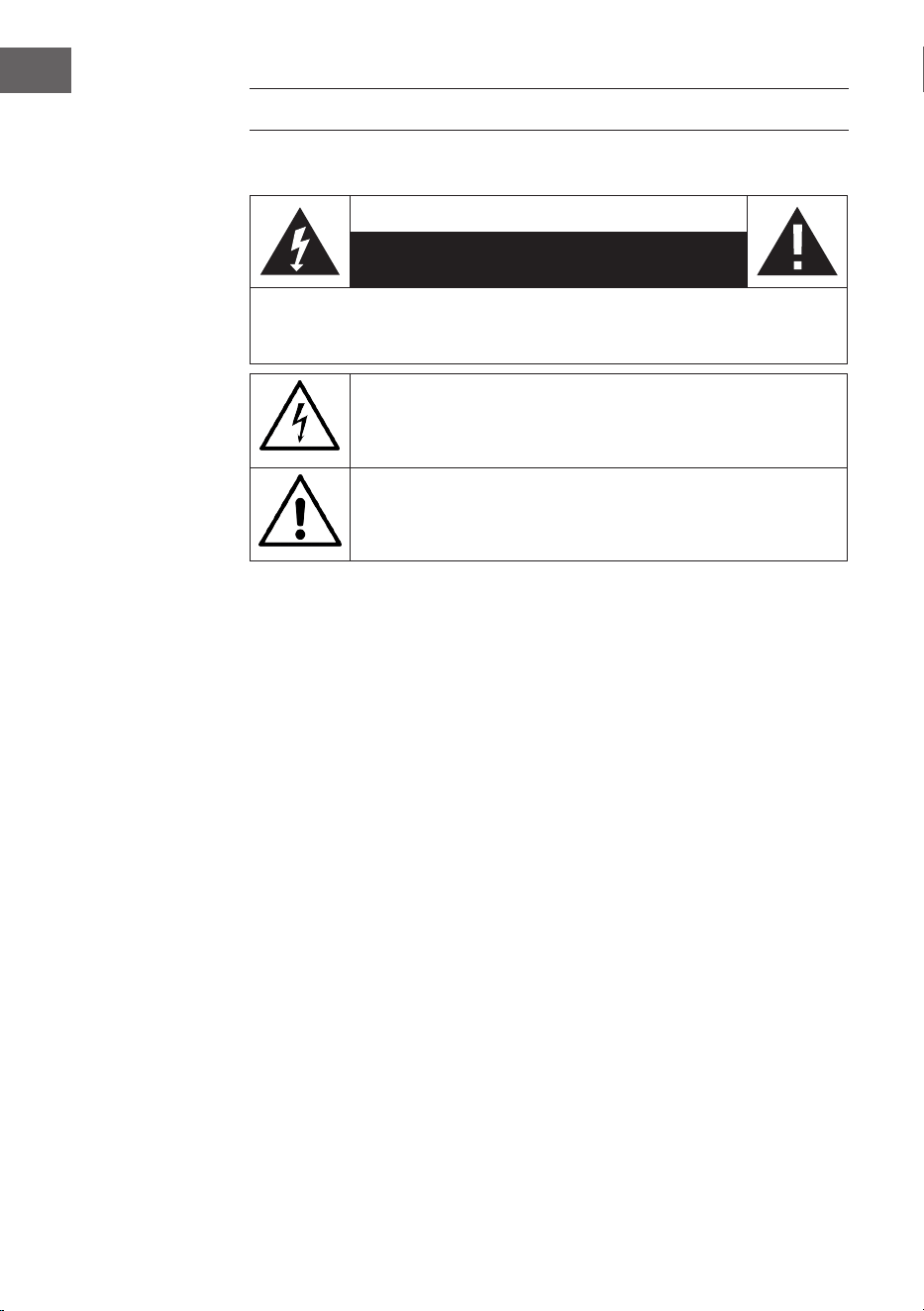
Explanation of the symbols on the appliance
CAUTION
RISK OF ELECTRIC SHOCK
DO NOT OPEN
WARNING: TO REDUCE THE RISK OF ELECTRIC SHOCK; DO NOT REMOVE THE COVER
OR BACK. NO USER-SERVICEABLE PARTS INSIDE: REFER SERVICING TO QUALIFIED
PERSONNEL.
The lightning symbol is intended to alert you to the presence of
uninsulated, dangerous voltage within this product‘s enclosure that
might be of suicient magnitude to constitute a risk of electric shock.
Do not open the product case.
The exclamation symbol is intended to inform you that important
operating and maintenance instructions are included in the literature
accompanying this product..
Children over the age of 8 and persons with reduced physical, sensory
or mental capabilities or those with a lack of experience and knowledge
may only use the device if they are instructed on how to do so by a person
responsible for their safety, or if they are supervised and understand the
hazards associated with the use of the device.
Care
• Keep the amplier dry. If it gets wet, wipe immediately.
• Use the amplier only in well-ventilated installations.
• Handle the amplier away from dust and dirt.
• Wipe occasionally with a damp cloth to keep it looking new.
• Do not use harsh chemical, solvents or detergents
15
EN
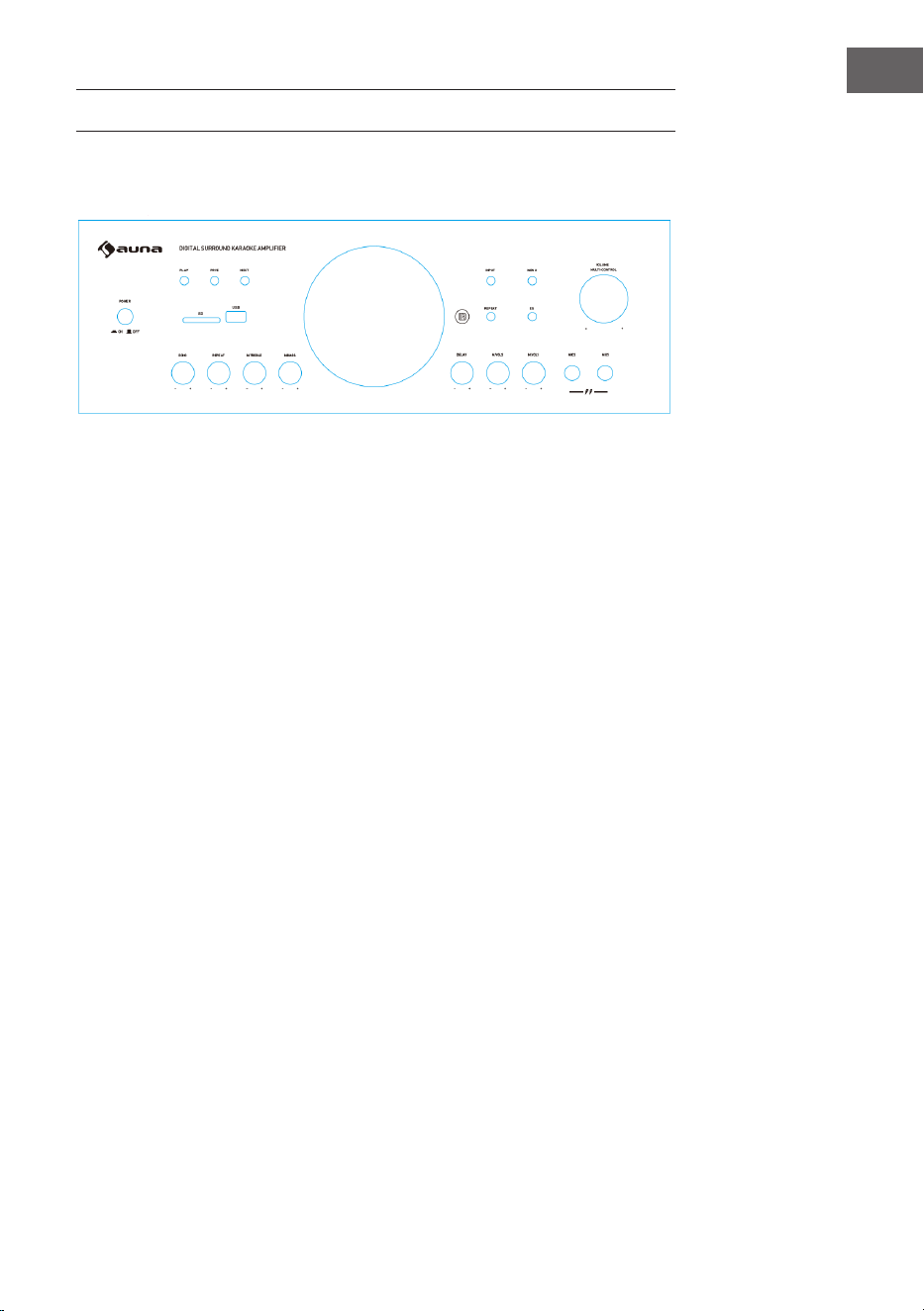
FEATURES AND CONTROLS
Front
1
2
3 4
5
6
7
8
9 10
11
12 13 14 15 16 17 18
19
1 Power: Press this switch to turn on/o the unit.
2 Play/Pause: Press this button to play. Press again to pause.
3 Previous: Press this button to go back to previous track.
4 Next: Press this button to go to next track.
5 SD CARD Input: Connect your SD card here.
6 USB Input: Connect your USB here.
7 Input: Press this button to switch among all input modes.
8 MENU: Press this button rst and use the volume knob to adjust bass,
treble, balance and main volume.
9 REPEAT: Press this button to repeat current track. Press again to repeat
all tracks. Press the third time to play random tracks.
10 EQ: Press this button to switch among all preset equalization modes.
11 Volume: Use this knob to adjust the volume of main output.
12 Echo: Use this knob to adjust the echo of microphone.
13 REPEAT: Use this knob to adjust the repeat eect of echo.
14 MIC TREBLE: Use this knob to adjust the treble of microphone.
15 MIC BASS: Use this knob to adjust the bass of microphone.
16 MIC DELAY: Use this knob to adjust the delay of microphone.
17 MIC Volume 2: Use this knob to adjust the volume of microphone 2.
18 MIC Volume 1: Use this knob to adjust the volume of microphone 1.
19 MIC INPUTS: Connect your microphones here
16
EN
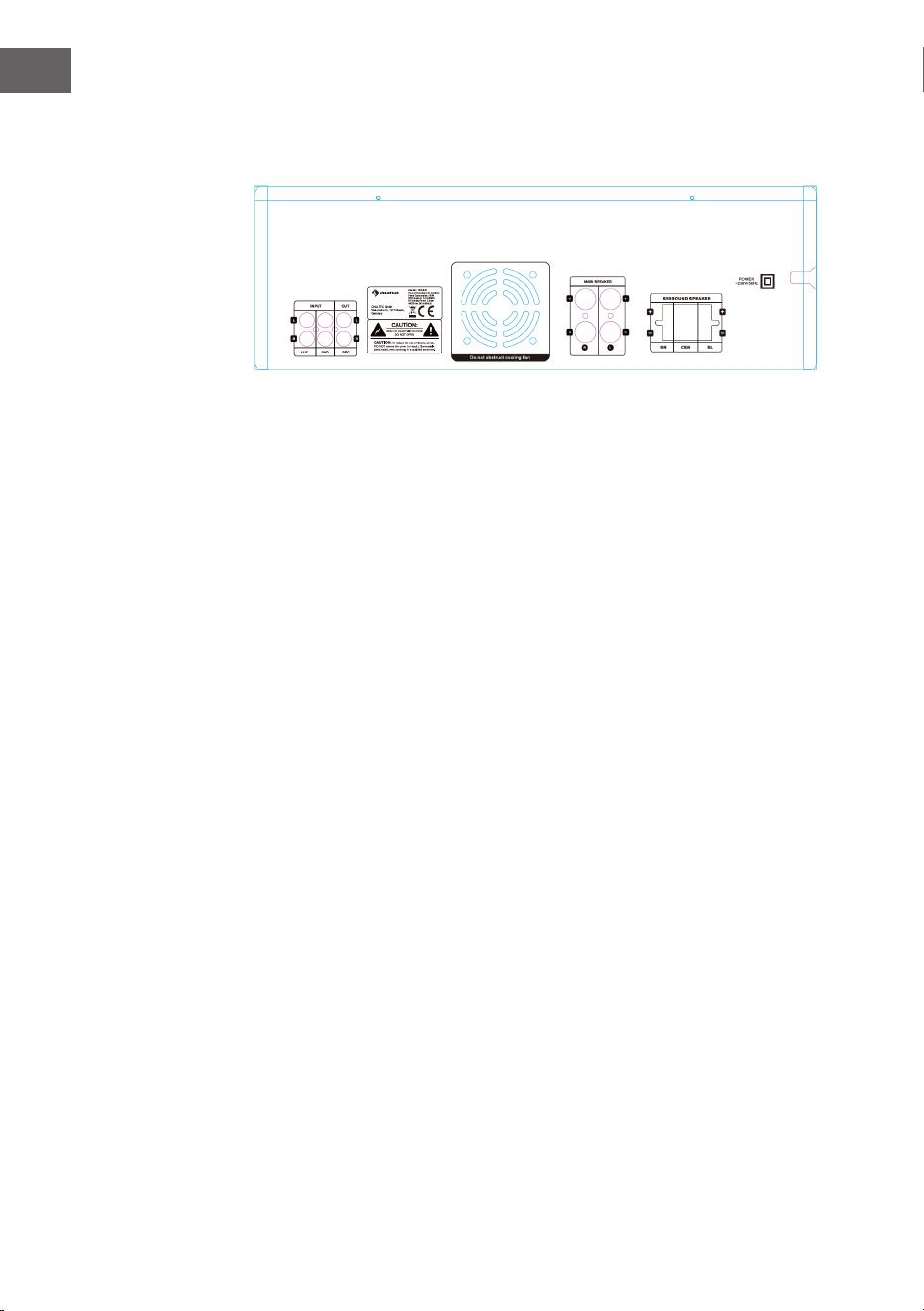
Back
1 AUX Input: Connect your CD player or other RCA signal source here.
2 DVD Input: Connect your DVD player or other RCA signal source here.
3 REC Output: Connect this output to another tape recorder.
4 Main Outputs: Connect your speakers here.
5 Surrounding Speakers: Connect your surrounding speakers here.
1 2 3
4
5
17
EN
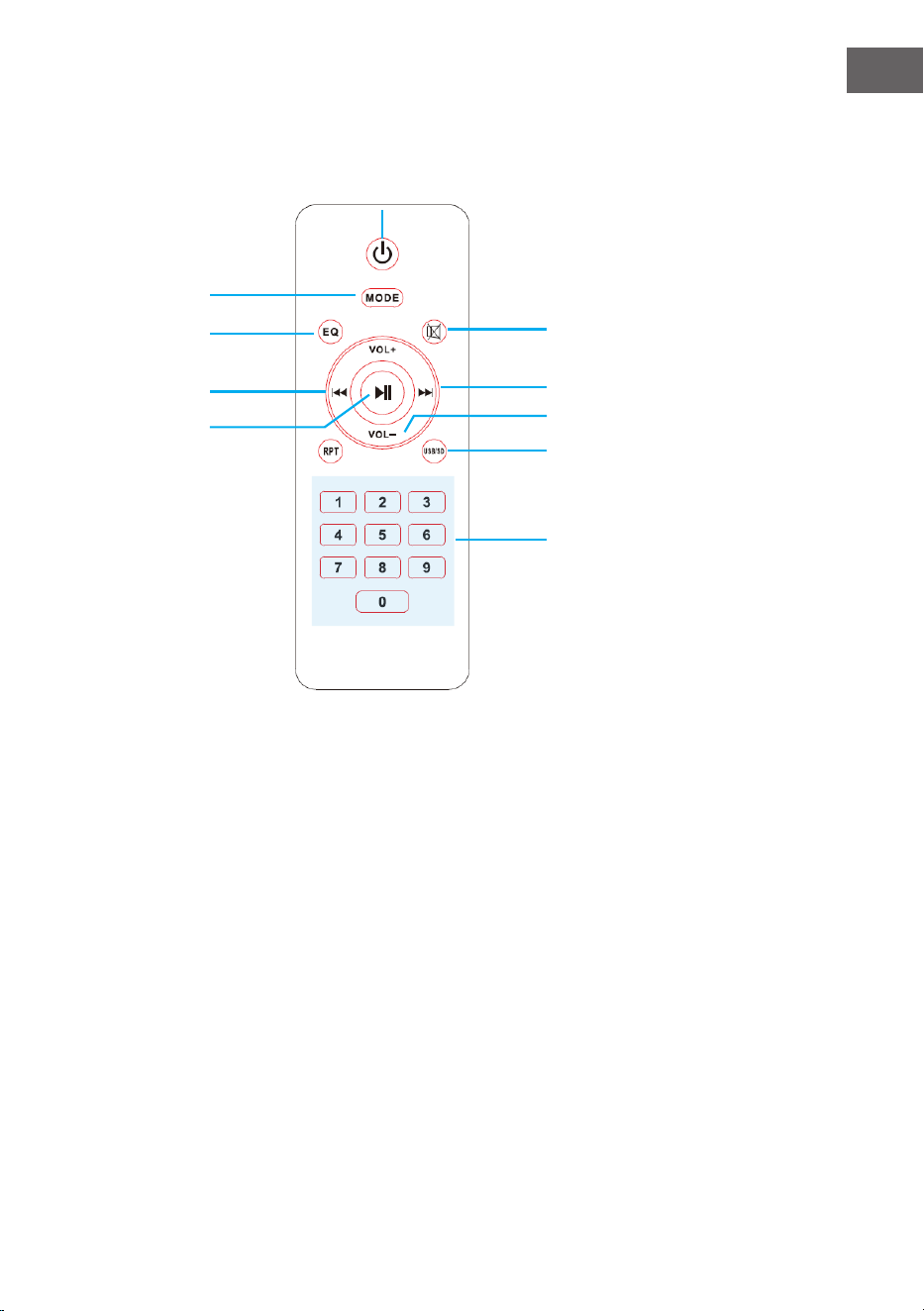
Remote Control
1 POWER: Press this key to power
ON/OFF USB decoder.
2 Mode: Press this key to switch
among all input modes.
3 EQ: Press this key to switch
among all preset equalization
modes.
4 MUTE: Press this key to mute
speaker outputs.
5 Previous: Press this button to
go back to previous track.
6 Play/Pause: Press this button to
play. Press again to pause.
7 Next: Press this button to go to
next track.
8 Volume Controls: Press either
of these keys to decrease or
increase the volume of main
output.
9 Repeat/Random: Press this
key to repeat current track, all
tracks or play random tracks.
10 USB/SD: Press this key to
quickly switch input mode
between USB and SD inputs.
11 Number keys: Use this key to
enter the track number and
quickly go to that track.
5
6
2
4
7
8
10
3
11
1

18
EN
BT OPERATION
External devices which have a built-in BT feature can be connected to this
amplier wirelessly to play through the amplier‘s speakers. If your amp
is connected to speakers, you will hear audible tones which will help for
connecting.
1. At rst be sure that the amplier is powered on, and turn the volume to
low. Please remember to connect the BT Antenna at the back panel for
better receiving signal.
2. Press the BT/Line button switch in on the front panel, you will hear
the voice „POWER ON“ and also „PAIRING“, and then the unit is
automatically ready to pair with your external device.
3. Turn on the BT of your external device.
4. Search for available BT devices and make sure to be within range of
your amp, and wait for your device to select “AMP-218BT” on the pairing
devices lists of BT networks.
5. Once connecting you will hear a voice say, “Your Device is Connected“,
then the BT pairing is successful and your have established a BT
connection.
6. You can now play music on your external device through the amplier.

19
EN
TROUBLESHOOTING
Problem Possible Reason Solution
No sound
Sound source or speakers
may not be connected
properly.
Check all connections.
Master volume control
may be set to a minimum.
Adjust the volume control
to a higher setting.
The speaker's wire might
be the wrong impedance.
Make sure that the
speakers that you have
connected to the amp are
matching in impedance.
The amplier is shutting
down or powering o
Turn the amplier o and
let it cool, make sure that
the amplier is properly
ventilated, and then turn
it back on..
Feedback
Microphone and speakers
are
to close together
Reposition the
microphone and speakers

20
EN
DISPOSAL CONSIDERATIONS
If there is a legal regulation for the disposal of
electrical and electronic devices in your country,
this symbol on the product or on the packaging
indicates that this product must not be disposed of
with household waste. Instead, it must be taken to
a collection point for the recycling of electrical and
electronic equipment. By disposing of it in accordance
with the rules, you are protecting the environment and
the health of your fellow human beings from negative
consequences. For information about the recycling
and disposal of this product, please contact your local
authority or your household waste disposal service.
This product contains batteries. If there is a legal
regulation for the disposal of batteries in your country, the
batteries must not be disposed of with household waste.
Find out about local regulations for disposing of batteries.
By disposing of them in accordance with the rules, you are
protecting the environment and the health of your fellow
human beings from negative consequences.
DECLARATION OF CONFORMITY
Manufacturer:
Chal-Tec GmbH, Wallstrasse 16, 10179 Berlin,
Germany.
Importer for Great Britain:
Berlin Brands Group UK Limited
PO Box 42
272 Kensington High Street
London, W8 6ND
United Kingdom
Hereby, Chal-Tec GmbH declares that the radio
equipment type Amp-218 BT is in compliance with
Directive 2014/53/EU. The full text of the EU declaration
of conformity is available at the following internet
address: use.berlin/10034623
For Great Britain: Hereby, Chal-Tec GmbH declares that
the radio equipment type Amp-218 BT is in compliance
with the relevant statutory requirements. The full text of
the declaration of conformity is available at the following
internet address: use.berlin/10034623
21
FR
FICHE TECHNIQUE
Numéro d‘article 10034623, 10036138
Alimentation 230 V~ 50 Hz
Puissance RMS 2 x 120 W RMS +
3 x 50 W RMS
Accès mémoire USB / MMC
Prise micro 2 Stück
Spécications BT
Bande de fréquences
Puissance de radiofréquence
maximale
2402–2480MHz
2,3dBm
Chère cliente, cher client,
Toutes nos félicitations pour l’acquisition de ce
nouvel appareil. Veuillez lire attentivement et
respecter les instructions de ce mode d’emploi
an d’éviter d’éventuels dommages. Nous ne
saurions être tenus pour responsables des
dommages dus au non-respect des consignes et
à la mauvaise utilisation de l’appareil. Scannez
le QR-Code pour obtenir la dernière version du
mode d'emploi ainsi que d'autres informations
concernant le produit.
22
FR
CONSIGNES DE SÉCURITÉ
Explication des symboles sur l'appareil
CAUTION
RISK OF ELECTRIC SHOCK
DO NOT OPEN
MISE EN GARDE : POUR RÉDUIRE LE RISQUE DE CHOC ÉLECTRIQUE ET DE BLESSURES,
N'OUVREZ PAS LE BOÎTIER. L'APPAREIL NE CONTIENT AUCUNE PIÈCE À MAINTENIR
PAR L'UTILISATEUR. ADRESSEZ-VOUS UNIQUEMENT A UN PERSONNEL QUALIFIÉ EN
CAS DE RÉPARATION.
Le symbole de la foudre avec le triangle attire votre attention sur une
tension électrique suisamment dangereuse dans cet appareil pour
présenter un risque de choc électrique. N'ouvrez pas le boîtier !
Le point d'exclamation point dans le triangle équilatéral est destiné
à alerter l'utilisateur de la présence d'importantes instructions
d'utilisation et d'entretien et de maintenance dans les documents qui
accompagnent ce produit.
Les enfants à partir de 8 ans, les personnes aux capacités mentales,
physiques ou psychiques réduites ne peuvent utiliser l'appareil que
s'ils ont été familiarisés en détail avec les fonctions et les consignes
de sécurité par une personne responsable de leur sécurité et s'ils
comprennent les risques associés.
Entretien
• Gardez l'amplicateur au sec. S'il est mouillé, essuyez-le
immédiatement.
• N'utilisez l'amplicateur que dans des environnements bien ventilés.
• Protégez l'amplicateur de la poussière et de la saleté.
• Essuyez-le de temps en temps avec un chion humide pour lui
conserver son apparence neuve.
• N'utilisez pas de produits de nettoyage chimiques ou de solvants
agressifs.
23
FR
CARACTÉRISTIQUES ET ÉLÉMENTS DE
COMMANDE
1 POWER : pour allumer ou éteindre l‘amplificateur
2 PLAY/PAUSE: lecture et pause
3 PRE: choix du titre précédent
4 NEXT: choix du titre suivant
5 SD: insérez ici votre carte SD
6 Port USB : pour la lecture de supports de stockage USB
7 Input: sélecteur de source
8 MENU: Appuyez sur cette touche puis sur la commande de
volume pour régler les graves, les aigus, la balance et le volume
9 REPEAT: Appuyez sur cette touche pour répéter la piste en
cours. Appuyez à nouveau pour répéter toutes les pistes.
Appuyez une troisième fois pour lire les pistes dans un ordre
aléatoire.
10 EQ: Basculer entre les modes d‘égalisation prédéfinis
11 VOLUME: réglage du volume de sortie
12 ECHO: réglage de l‘effet écho du micro
13 REPEAT: Réglez la répétition de l‘écho
14 MIC TREBLE: réglage des aigus du micro
15 MIC BASS: réglage des graves du micro
16 MIC DELAY: réglage du delay du micro
17 M.VOL2: réglage du volume du micro 2
18 M.VOL1: réglage du volume du micro 1
19 Volume du micro : réglage du volume micro
20 Entrées micro : branchez ici des micros
1
2
3 4
5
6
7
8
9 10
11
12 13 14 15 16 17 18
19
Face avant
24
FR
Dos de l'appareil
1 Entrée AUX
Connectez votre lecteur CD ou tout autre appareil par RCA
2 Entrée DVD
Connexion d‘un lecteur DVD ou d‘un autre appareil par RCA
3 Sortie d‘enregistrement
Connectez un autre appareil d‘enregistrement
4 Prises d‘enceintes
5 Prise d‘enceinte surround
1 2 3
4
5
25
FR
Télécommande
1 Marche/Arrêt : appuyez sur
cette touche pour allumer ou
éteindre le décodeur USB.
2 Mode : appuyez sur cette
touche pour basculer parmi
toutes les sources d'entrées.
3 EQ : appuyez sur cette touche
pour basculer entre tous les
modes d'égaliseur prédénis.
4 Muet : appuyez sur cette touche
pour couper les sorties des
enceintes.
5 Titre précédent : appuyez sur
cette touche pour reculer d'un
titre
6 Lecture / pause : appuyez
sur cette touche pour lancer
la lecture. Appuyez à nouveau
pour mettre en pause.
7 Titre suivant : appuyez sur
cette touche pour avancer d'un
titre.
8 Contrôle du volume : Appuyez
sur l'une de ces touches pour
diminuer ou augmenter le
volume de la sortie principale.
9 Répétition / lecture aléatoire
: appuyez sur cette touche pour
répéter la piste actuelle, répéter
toutes les pistes ou lire des
pistes aléatoires.
10 USB / SD : appuyez sur
ce bouton pour basculer
rapidement le mode d'entrée
entre l'entrée USB et l'entrée
SD.
11 Touches chirées : utilisez
cette touche pour saisir le
numéro de piste et accéder
rapidement à cette piste.
5
6
2
4
7
8
10
3
11
1

26
FR
LECTURE PAR BT
Vous pouvez connecter sans l des appareils externes avec le BT intégré à
l‘amplicateur et les lire sur les enceintes branchées. Vous entendrez un son
de conrmation lors de l‘établissement de la connexion.
1. L‘amplicateur doit être allumé et le volume au minimum. Pour une
meilleure réception, connectez l‘antenne BT à l‘arrière.
2. Appuyez sur BT / LINE. Une voix dit „Power on“ et „Pairing“.
L‘amplicateur est alors automatiquement prêt à être couplé avec un
appareil externe.
3. Allumez l‘appareil externe BT.
4. Vériez les appareils BT disponibles. Assurez-vous que vous êtes dans la
zone de réception. Sélectionnez „Amp-218BT“ dans la liste des appareils
disponibles.
5. Après le couplage, vous entendrez la voix dire „Your device is connected“
(Votre appareil est connecté). La connexion BT est alors établie avec
succès.
6. Vous pouvez maintenant lire de la musique sur l‘appareil externe.

27
FR
RÉSOLUTION DES PROBLÈMES
Problème Cause Solution
Pas de son
La source audio ou les
enceintes ne sont pas
connectées correctement.
Vériez le câblage.
Le volume global est réglé
sur min.
Augmentez le volume.
Les câbles d'enceintes ont
une mauvaise impédance.
Vériez que les câbles
d'enceinte ont la bonne
impédance.
L'amplicateur s'est
éteint.
Éteignez l'amplicateur
et laissez-le refroidir.
Assurez une bonne
circulation de l'air, puis
rallumez l'appareil.
Retours
Le micro et les enceintes
sont trop proches l'un de
l'autre.
Repositionnez le micro et
les enceintes.

28
FR
CONSEILS POUR LE RECYCLAGE
S‘il existe une réglementation pour l‘élimination ou le
recyclage des appareils électriques et électroniques
dans votre pays, ce symbole sur le produit ou sur
l‘emballage indique que cet appareil ne doit pas
être jeté avec les ordures ménagères. Vous devez le
déposer dans un point de collecte pour le recyclage
des équipements électriques et électroniques.
La mise au rebut conforme aux règles protège
l‘environnement et la santé de vos semblables des
conséquences négatives. Pour plus d‘informations
sur le recyclage et l‘élimination de ce produit, veuillez
contacter votre autorité locale ou votre service de
recyclage des déchets ménagers.
Ce produit contient des piles. S‘il existe une
réglementation pour l‘élimination ou le recyclage
des piles dans votre pays, vous ne devez pas les
jeter avec les ordures ménagères. Renseignez-vous
sur les dispositions locales relatives à la collecte
des piles usagées. La mise au rebut conforme aux
règles protège l‘environnement et la santé de vos
semblables des conséquences négatives.
DÉCLARATION DE CONFORMITÉ
Fabricant :
Chal-Tec GmbH, Wallstraße 16, 10179 Berlin,
Allemagne.
Importateur pour la Grande Bretagne :
Berlin Brands Group UK Limited
PO Box 42
272 Kensington High Street
London, W8 6ND
United Kingdom
Le soussigné, Chal-Tec GmbH, déclare que
l’équipement radioélectrique du type Amp-218 BT est
conforme à la directive 2014/53/UE. Le texte complet
de la déclaration UE de conformité est disponible à
l’adresse internet suivante : use.berlin/10034623
29
ES
DATOS TÉCNICOS
Número del artículo 10034623, 10036138
Potencia 230 V~ 50 Hz
Rendimiento RMS 2 x 120 W RMS +
3 x 50 W RMS
Conexiones de almacenamiento USB / MMC
Conexión del micrófono 2 piezas
Especicaciones de BT
Banda de frecuencia
Potencia máxima de radiofrecuencia
2402–2480MHz
2,3dBm
Estimado cliente:
Le felicitamos por la compra de este producto y
le agradecemos su conanza. Lea atentamente
el manual de instrucciones para evitar posibles
daños. No nos responsabilizamos de los daños
causados si no se han tenido en cuenta las
instrucciones de este manual. Escanee el código
QR para descargar el manual de instrucciones más
reciente en su idioma y más informaciones acerca
de este producto.
30
ES
INSTRUCCIONES DE SEGURIDAD
Explicación de los símbolos del dispositivo
CAUTION
RISK OF ELECTRIC SHOCK
DO NOT OPEN
PRECAUCIÓN: PARA REDUCIR EL RIESGO DE UNA DESCARGA ELÉCTRICA, NO ABRA LA
TAPA NI LA PARTE TRASERA DE LA UNIDAD. ESTE DISPOSITIVO DEBE ESTAR CONECTADO
A TIERRA. NO HAY PIEZAS QUE PUEDAN SER REPARADAS POR EL CLIENTE DENTRO DE
LA UNIDAD. POR FAVOR, PÓNGASE EN CONTACTO CON EL SERVICIO DE ATENCIÓN
AL CLIENTE O CON PERSONAL SIMILAR CUALIFICADO PARA EL MANTENIMIENTO Y LA
REPARACIÓN.
El símbolo del rayo con punta de echa dentro de un triángulo
equilátero indica un alto voltaje dentro de la unidad que constituye un
riesgo de descarga eléctrica.
El signo de exclamación dentro de un triángulo equilátero indica que
en la literatura que acompaña al aparato hay importantes instrucciones
de funcionamiento y mantenimiento que deben seguirse. Este símbolo
indica un doble aislamiento entre las partes que se pueden tocar y
las que no
Los niños a partir de los 8 años de edad y las personas con
discapacidades mentales, sensoriales y físicas sólo podrán utilizar el
dispositivo si un supervisor responsable los ha familiarizado a fondo
con las funciones y las precauciones de seguridad y comprende los
riesgos asociados.
Cuidado
• Mantenga el amplicador seco. Si se moja, límpielo y séquelo
inmediatamente.
• Use el amplicador sólo en ambientes con buena circulación de aire.
• Proteja el amplicador del polvo y la suciedad.
• De vez en cuando limpie con un paño húmedo y la unidad se verá como
nueva.
• No utilice limpiadores químicos o disolventes fuertes.
31
ES
CARACTERÍSTICAS Y FUNCIONES
1 POWER: Encienda o apague el amplificador.
2 PLAY/PAUSA: Reproducción y pausa.
3 PRE: Seleccione la pista anterior
4 NEXT: Seleccione el siguiente título
5 SD: Inserte su tarjeta SD aquí.
6 Puertos USB: para la reproducción de medios de
almacenamiento USB.
7 Entradas: el selector cambia la fuente.
8 MENÚ: Presione este botón y luego el control de volumen para
ajustar los bajos, los agudos, el balance y el volumen.
9 REPETIR: Presione este botón para repetir la pista actual.
Presione de nuevo para repetir todas las pistas. Presiona una
tercera vez para reproducir las pistas en orden aleatorio.
10 EQ: Cambia entre los modos de ecualización preestablecidos.
11 VOLUMEN: Ajuste el volumen de salida.
12 ECHO: Ajuste el eco del micrófono.
13 REPETICIÓN: Ajustar la repetición del eco
14 MIC TREBLE: Control de agudos del micrófono
15 MIC BASS: Micrófono de control de bajos
16 MICRO DELAY: Ajustar el retardo del micrófono
17 M.VOL2: Ajustar el volumen del micrófono 2
18 M.VOL1: Ajustar el volumen del micrófono 1
19 Volumen del micrófono: Ajuste el volumen del micrófono para
el Micrófono 1
20 Entradas de micrófono: Conecta los micrófonos aquí
1
2
3 4
5
6
7
8
9 10
11
12 13 14 15 16 17 18
19
Parte delantera
32
ES
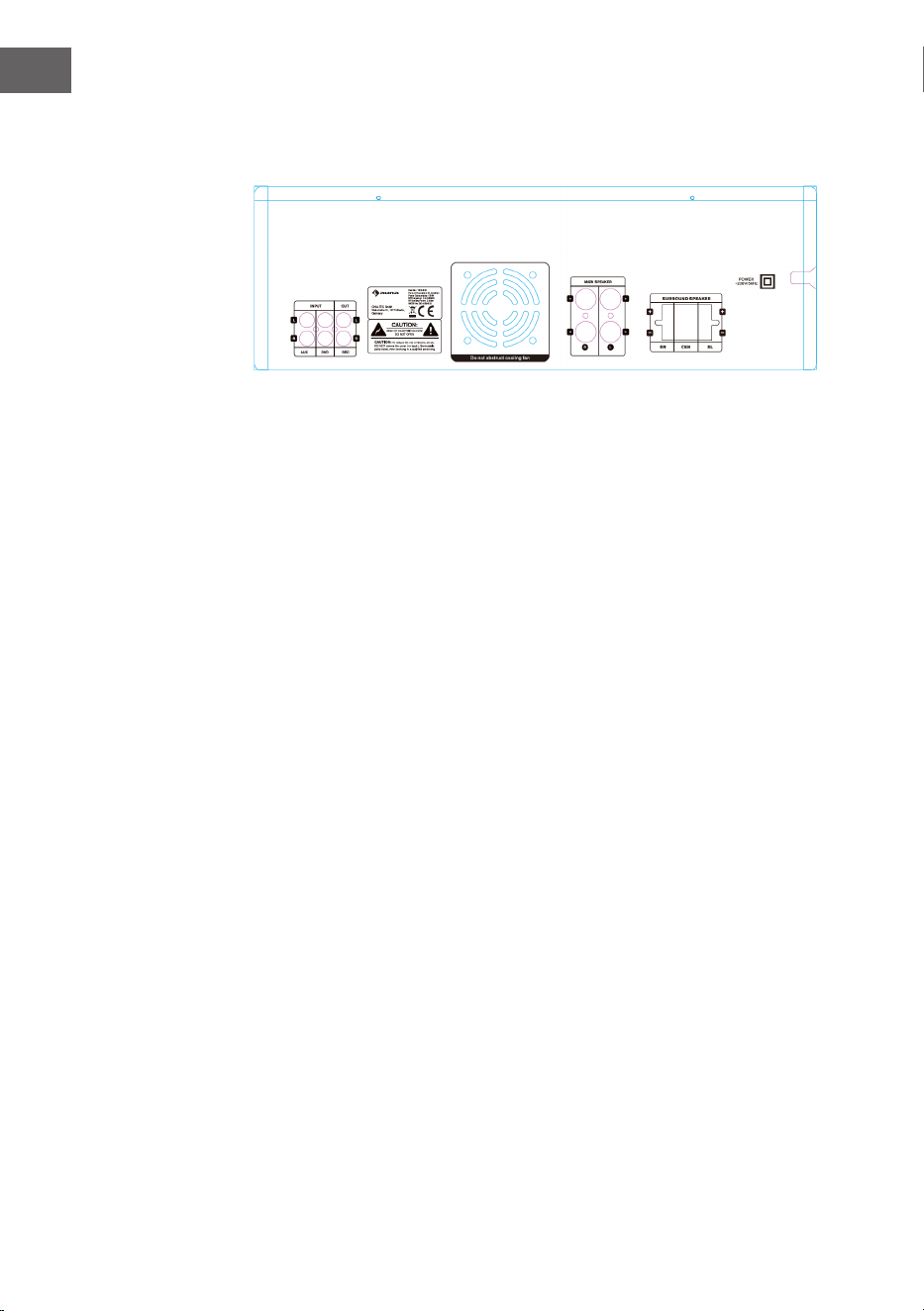
Parte posterior
1 Captura AUX
Conectando tu reproductor de CD u otro dispositivo a través de cinch
2 Entradas de DVD
Conectando un reproductor de DVD u otro dispositivo a través de Cinch
3 Salida de grabación
Conectando otro dispositivo de grabación
4 Terminales de altavoz
5 Conexión para altavoces de sonido envolvente
1 2 3
4
5
33
ES
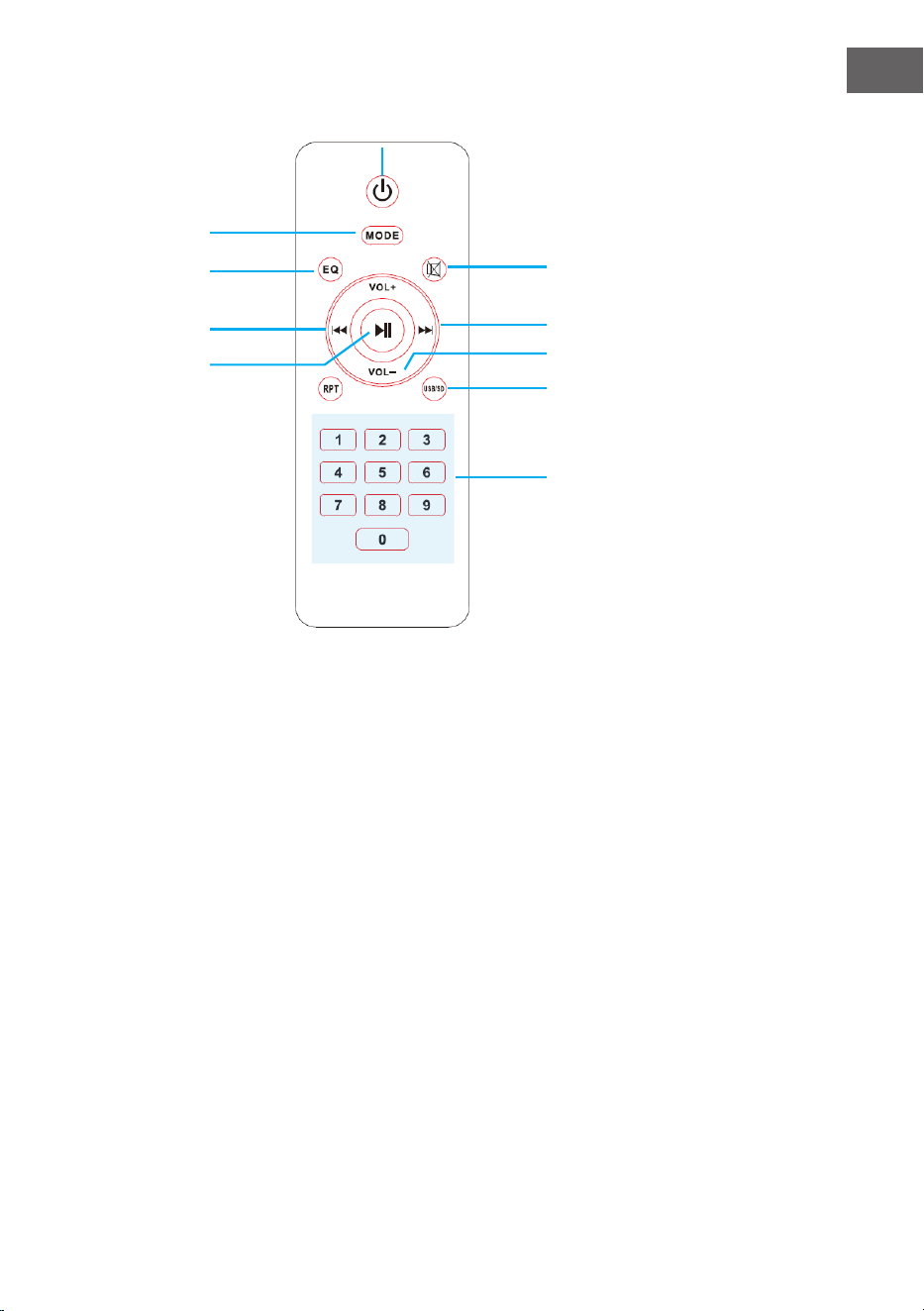
Mando a distancia
1 Encendido / Apagado: Pulsa
este botón para encender o
apagar el decodicador USB.
2 Modo: Pulsa este botón para
cambiar de fuente de entrada.
3 EQ: Pulsa este botón
para cambiar el modo de
ecualización predeterminado.
4 Modo silencio: Pulsa este
botón para silenciar las salidas
de altavoz.
5 Vuelta a la pista anterior:
Pulsa este botón para
retroceder a la pista anterior.
6 Reproducción/Pausa: Pulsa
este botón para reproducir.
Vuelve a pulsar este botón para
hacer una pausa.
7 Siguiente pista: Pulsa este
botón para cambiar a la
siguiente pista.
8 Control de volumen: Pulsa uno
de estos botones para reducir
o aumentar el volumen de la
salida principal.
9 Repetición/Reproducción
aleatoria: Pulsa este botón para
repetir la pista actual y todas
las pistas o para reproducir las
pistas de manera aleatoria.
10 USB/SD: Pulsa este botón para
cambiar rápidamente el modo
de entrada entre entrada USB y
entrada SD.
11 Botones con números: Usa
este botón para proporcionar
el número de la pista a la que
quieres cambiar y acceder a
ella rápidamente.
5
6
2
4
7
8
10
3
11
1

34
ES
REPRODUCCIÓN EN BT
Puede conectar de forma inalámbrica dispositivos externos con BT
incorporado al amplicador y reproducir a través de los altavoces
conectados. Cuando se hace la conexión, un tono audible se hace sonar
para ayudar a establecer la conexión.
1. El amplicador debe estar encendido y el volumen bajo. Para una mejor
recepción, conecte la antena BT en el panel trasero.
2. Presione BT/LINE. Una voz dice „Encendido“ y „Emparejamiento“.
Entonces el amplicador está automáticamente listo para acoplarse a un
dispositivo externo.
3. Encienda el BT en el dispositivo externo.
4. Busque los dispositivos de BT disponibles. Asegúrese de que estás
dentro del rango de recepción. Seleccione „Amp-218BT“ de la lista de
dispositivos disponibles.
5. Después del emparejamiento, escuchará una voz que dice „Su dispositivo
está conectado“. Entonces el emparejamiento de BT se ha realizado con
éxito y ha establecido una conexión de BT.
6. Ahora puedes reproducir música a través del dispositivo externo.

35
ES
RESOLUCIÓN DE PROBLEMAS
Error Causa Solución
No hay sonido
La fuente de audio
o los altavoces no
están conectados
correctamente.
Revisa el cableado.
El volumen total está
jado en Min.
Ajuste el volumen a un
valor más alto.
Los cables del altavoz
tienen la impedancia
incorrecta.
Compruebe que los
cables del altavoz tienen
la impedancia correcta.
El amplicador se ha
apagado.
Apague el amplicador
y deje que se enfríe.
Asegure una buena
circulación de aire y luego
vuelve a encender la
energía.
Realimentación
El micrófono y los
altavoces están
demasiado juntos.
Reposiciona el micrófono
y los altavoces.

36
ES
RETIRADA DEL APARATO
Si en su país existe una disposición legal relativa a
la eliminación de aparatos eléctricos y electrónicos,
este símbolo estampado en el producto o en
el embalaje advierte que no debe eliminarse
como residuo doméstico. En lugar de ello, debe
depositarse en un punto de recogida de reciclaje
de aparatos eléctricos y electrónicos. Una gestión
adecuada de estos residuos previene consecuencias
potencialmente negativas para el medio ambiente
y la salud de las personas. Puede consultar más
información sobre el reciclaje y la eliminación de este
producto contactando con su administración local o
con su servicio de recogida de residuos.
Este producto contiene baterías. Si en su país existe
una disposición legal relativa a la eliminación de
baterías, estas no deben eliminarse como residuo
doméstico. Infórmese sobre la normativa vigente
relacionada con la eliminación de baterías. Una
gestión adecuada de estos residuos previene
consecuencias potencialmente negativas para el
medio ambiente y la salud de las personas.
DECLARACIÓN DE CONFORMIDAD
Fabricante:
Chal-Tec GmbH, Wallstraße 16, 10179 Berlín, Alemania.
Importador para Gran Bretaña:
Berlin Brands Group UK Limited
PO Box 42
272 Kensington High Street
London, W8 6ND
United Kingdom
Por la presente, Chal-Tec GmbH declara que el tipo
de equipo radioeléctrico Amp-218 BT es conforme
con la Directiva 2014/53/UE. El texto completo de la
declaración UE de conformidad está disponible en la
dirección Internet siguiente: use.berlin/10034623
37
IT
DATI TECNICI
Numero articolo 10034623, 10036138
Alimentazione 230 V~ 50 Hz
Potenza RMS 2 x 120 W RMS +
3 x 50 W RMS
Connessioni per supporti di memoria USB / MMC
Connessioni microfono 2 pezzi
Speciche BT
Bande di frequenza
Massima potenza a radiofrequenza
2402–2480MHz
2,3dBm
Gentile Cliente,
La ringraziamo per aver acquistato il dispositivo.
La preghiamo di leggere attentamente le seguenti
istruzioni per l’uso e di seguirle per evitare
possibili danni tecnici. Non ci assumiamo alcuna
responsabilità per danni scaturiti da una mancata
osservazione delle avvertenze di sicurezza e da
un uso improprio del dispositivo. Scansionare il
codice QR seguente, per accedere al manuale
d’uso più attuale e per ricevere informazioni sul
prodotto.
38
IT
AVVERTENZE DI SICUREZZA
Spiegazione dei simboli sul dispositivo
CAUTION
RISK OF ELECTRIC SHOCK
DO NOT OPEN
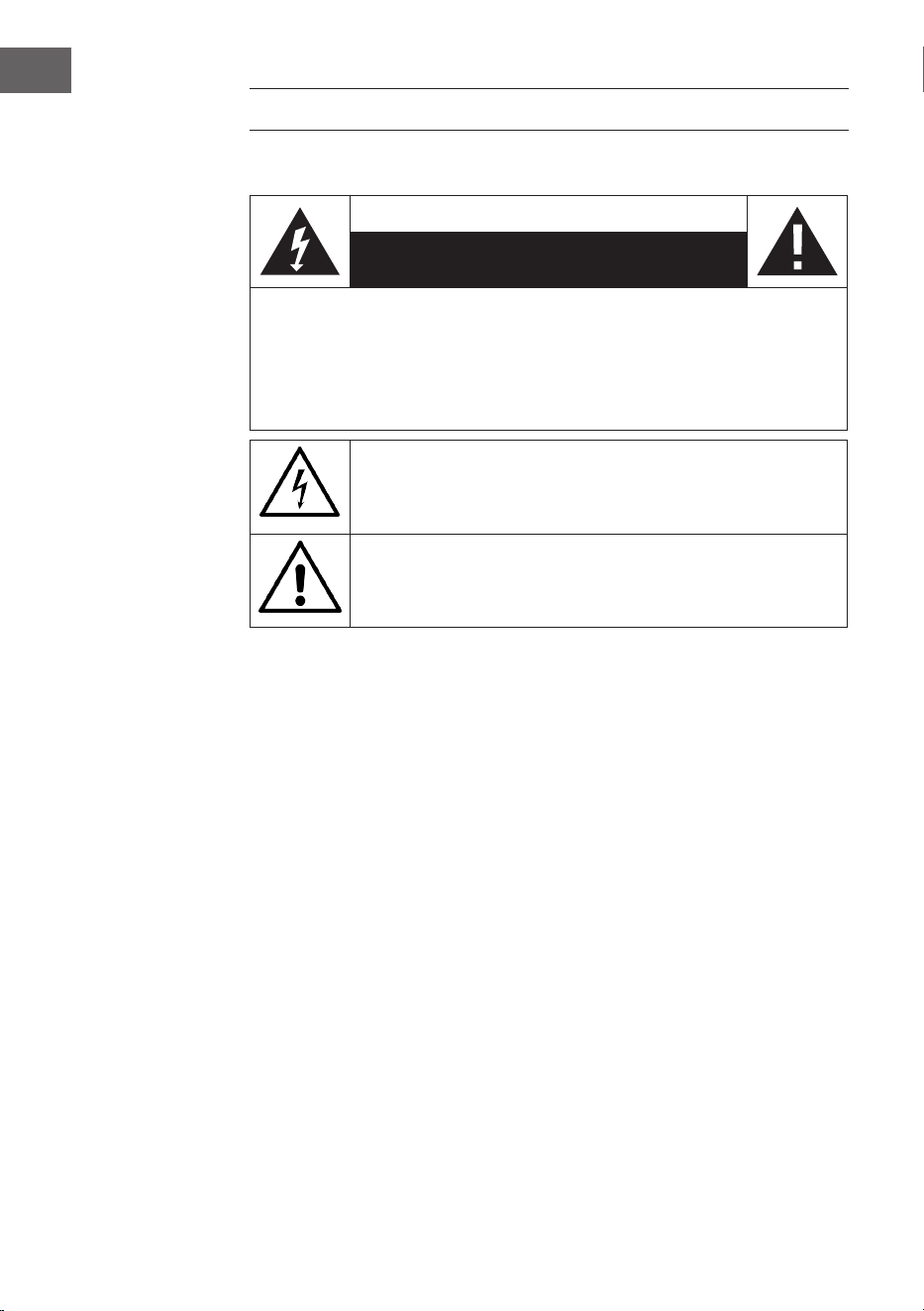
AVVERTENZA: PER RIDURRE IL RISCHIO DI FOLGORAZIONE E LESIONI A PERSONE,
NON APRIRE L’ALLOGGIAMENTO. QUESTO DISPOSITIVO DEVE ESSERE DOTATO DI
MESSA A TERRA. IL DISPOSITIVO NON CONTIENE COMPONENTI CHE NECESSITANO
DI MANUTENZIONE DA PARTE DELL’UTENTE. PER RIPARAZIONI RIVOLGERSI A
PERSONALE COMPETENTE E QULIFICATO.
Il simbolo del lampo con la punta a freccia all’interno del triangolo
serve a indicare la presenza di una tensione pericolosa all’interno del
prodotto, che rappresenta un pericolo di folgorazione per persone. Non
aprire l’alloggiamento!
Il punto esclamativo all’interno del triangolo serve a indicare la
presenza di importanti indicazioni relative a utilizzo e manutenzione
del dispositivo contenute nel manuale accluso al prodotto.
Bambini a partire da 8 anni e persone con limitate capacità siche,
psichiche e sensoriali possono utilizzare il dispositivo solo se sono
stati precedentemente istruiti in modo esaustivo da una persona
responsabile del loro controllo sulle funzioni e le procedure di sicurezza
e comprendono i rischi associati.
Manutenzione
• Tenere asciutto l’amplicatore. Se si bagna, asciugarlo
immediatamente.
• Utilizzare l’amplicatore solo in ambienti con una buona circolazione
d’aria.
• Proteggere l’amplicatore da sporco e polvere.
• Occasionalmente, passare un panno umido sul dispositivo e tornerà a
sembrare come nuovo.
• Non utilizzare detergenti chimici aggressivi o solventi.
39
IT
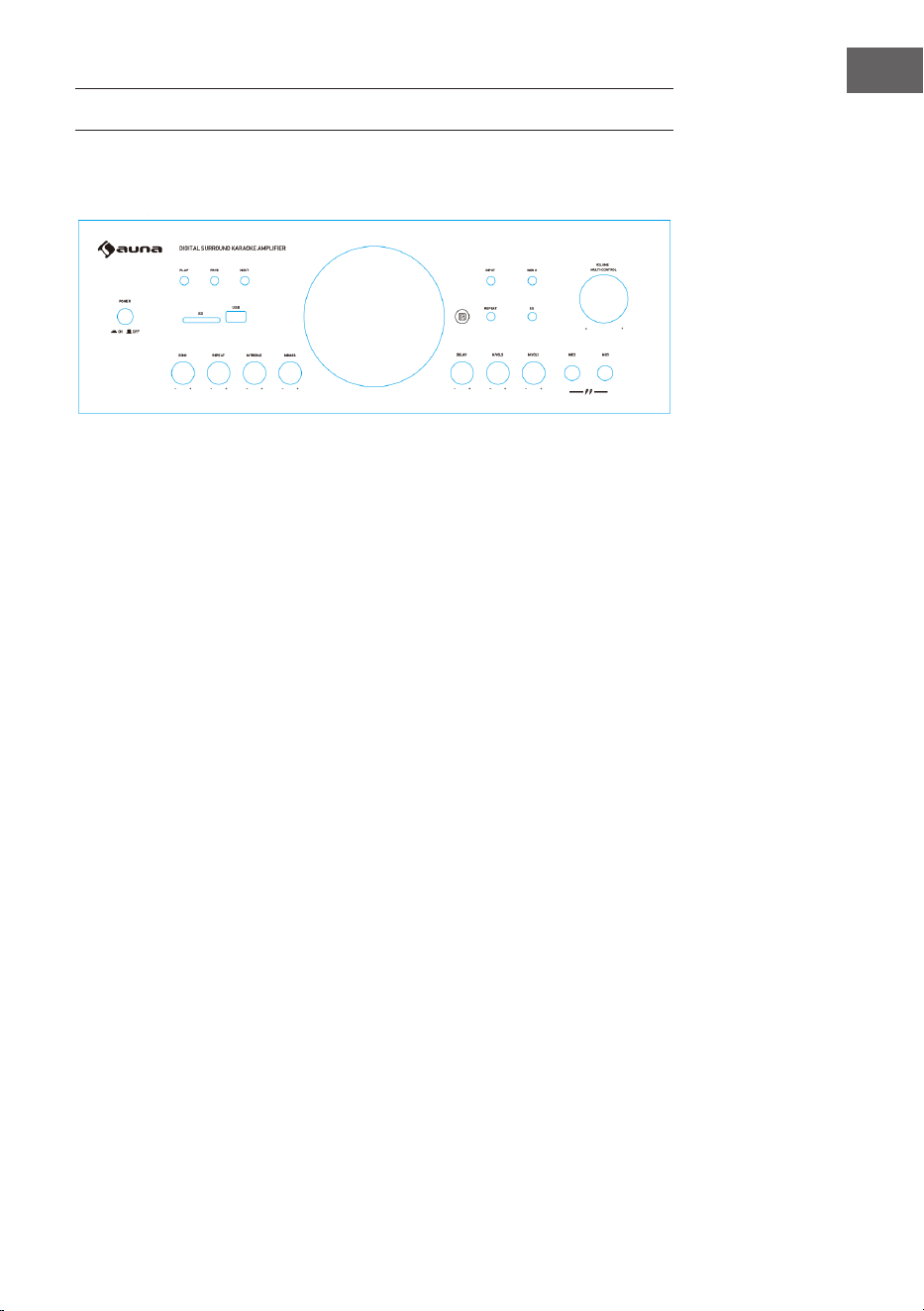
CARATTERISTICHE ED ELEMENTI CONTROLLO
1 POWER: accendere e spegnere l’amplificatore.
2 PLAY/PAUSE: avviare e mettere in pausa la riproduzione.
3 PRE: scegliere il titolo precedente.
4 NEXT: scegliere il titolo successivo.
5 SD: inserire qui la scheda SD.
6 Connessione USB: per riprodurre da supporti di memoria USB.
7 Input: interruttore per selezionare la fonte.
8 MENU: premere questo tasto e poi la manopola del volume per
impostare bassi, alti, balance e volume.
9 REPEAT: premere questo tasto per ripetere il titolo attuale.
Premere di nuovo per ripetere tutti i titoli. Premere una terza
volta per avviare la riproduzione casuale dei titoli.
10 EQ: passare da una modalità di equalizzazione predefinita a
un’altra.
11 VOLUME: impostare il volume in uscita.
12 ECHO: impostare l’effetto eco del microfono.
13 REPEAT: impostare la ripetizione dell’eco.
14 MIC TREBLE: regolazione alti del microfono.
15 MIC BASS: regolazione bassi del microfono.
16 MIC DELAY: impostare il ritardo del microfono.
17 M.VOL2: impostare il volume del microfono 2.
18 M.VOL1: impostare il volume del microfono 1.
19 Volume microfono: impostare il volume del microfono.
20 Ingressi microfono: collegare qui i microfoni.
1
2
3 4
5
6
7
8
9 10
11
12 13 14 15 16 17 18
19
Lato anteriore
40
IT
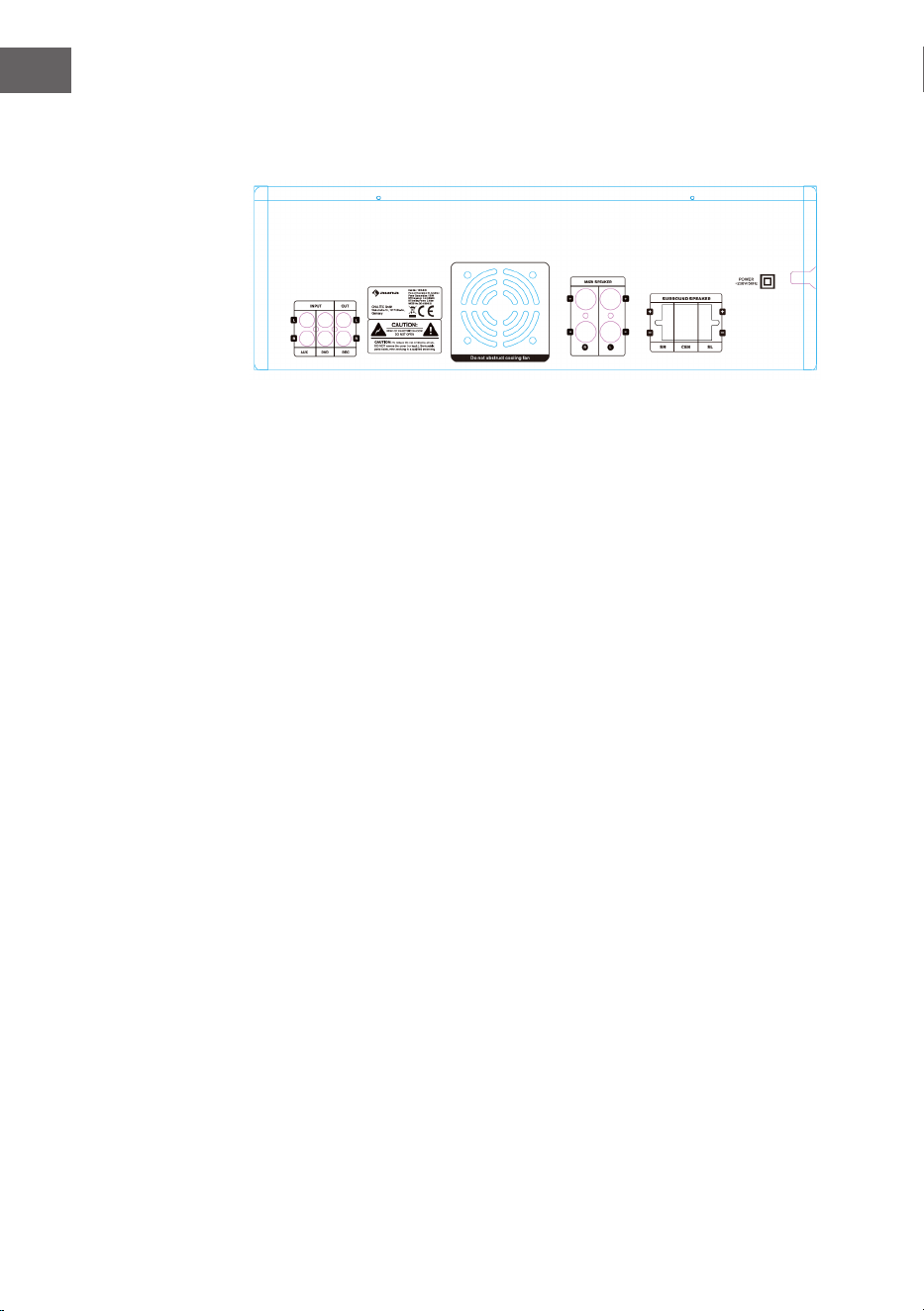
Parte posteriore
1 Ingresso AUX
Collegamento per lettore CD o per altri dispositivi tramite RCA
2 Ingressp DVD
Collegamento per un lettore DVD o per altri dispositivi tramite RCA
3 Uscita di registrazione
Collegamento di un altro dispositivo di registrazione
4 Connessioni altoparlanti
5 Connessione per altoparlanti surround
1 2 3
4
5
41
IT
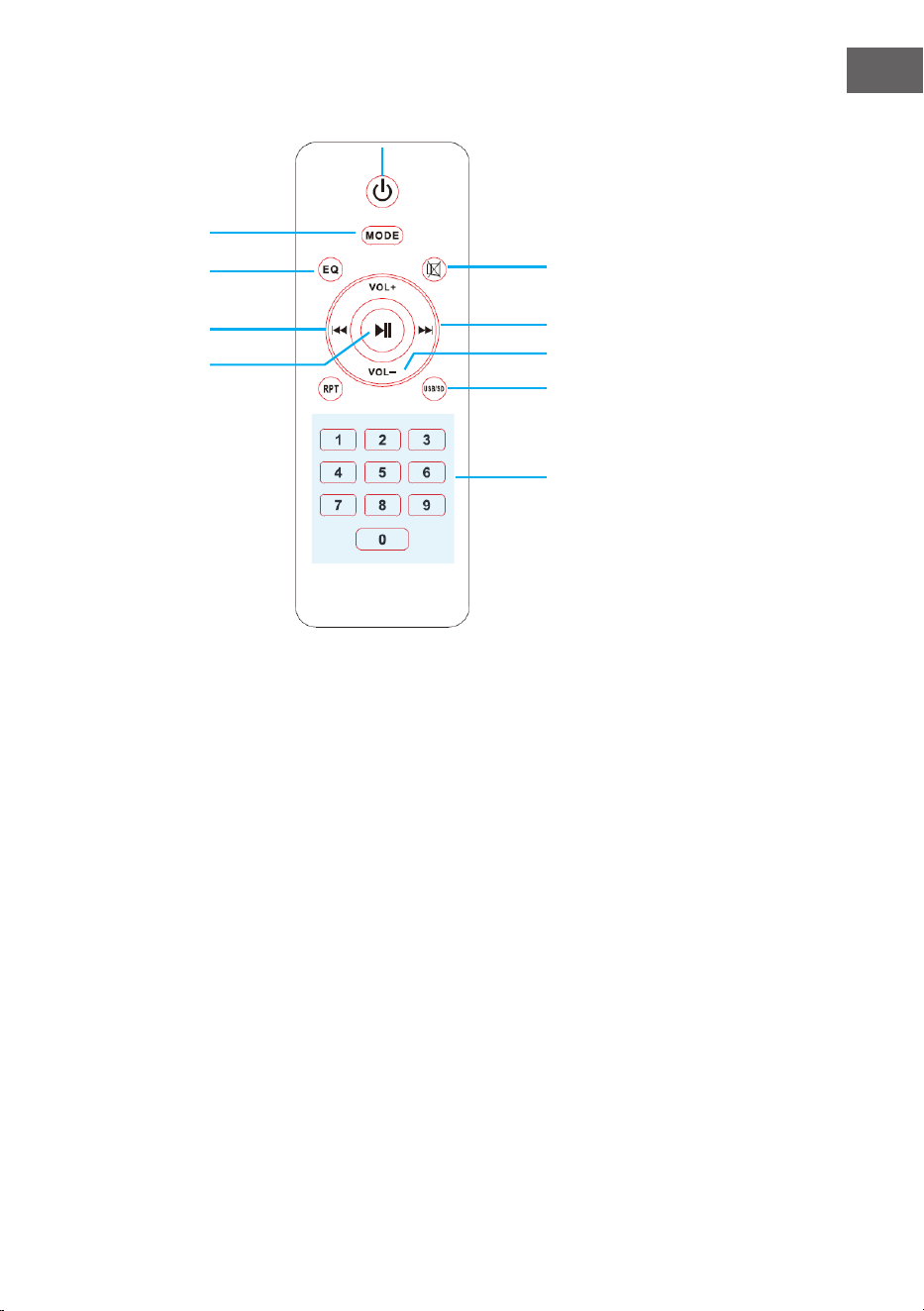
Telecomando
1 On/O: premere questo tasto
per accendere o spegnere il
decoder USB.
2 Mode: premere questo tasto
per scorrere tra le varie fonti di
ingresso.
3 EQ: premere questo tasto per
scorrere tra tutte le modalità
equalizer impostate di default.
4 Mute: premere questo tasto
per silenziare le uscite degli
altoparlanti.
5 Brano indietro: premere questo
tasto per ritornare al brano
precedente.
6 Play/Pause: premere questo
tasto per riprodurre e premere
di nuovo per mettere in pausa.
7 Brano avanti: premere questo
tasto per passare al brano
successivo.
8 Regolazione del volume:
premere uno di questi tasti per
alzare o abbassare il volume
dell'uscita principale.
9 Ripetizione/Riproduzione
casuale: premere questo tasto
per ripetere il brano attuale,
tutti i brani o per riprodurre i
brani a caso.
10 USB/SD: premere questo tasto
per passare velocemente tra le
modalità di ingresso USB e SD.
11 Tasti numerici: utilizzare questo
tasto per inserire il numero
di un brano e raggiungerlo
rapidamente.
5
6
2
4
7
8
10
3
11
1

42
IT
RIPRODUZIONE TRAMITE BT
È possibile collegare senza li dispositivi esterni con BT integrato
all’amplicatore e ascoltare tramite altoparlanti collegati. Mentre si
stabilisce la connessione, si sente un segnale acustico che aiuta a realizzare
il collegamento.
1. L’amplicatore deve essere acceso e il volume al minimo. Per ottenere
una migliore ricezione, collegare l’antenna BT sul retro.
2. Premere BT/LINE. Una voce esclama “Power on” e “Pairing”.
L’amplicatore è automaticamente pronto per l’accoppiamento con un
dispositivo esterno.
3. Accendere il BT sul dispositivo esterno.
4. Cercare i dispositivi BT disponibili. Assicurarsi di trovarsi entro il
raggio di portata della ricezione. Scegliere “Amp-218BT” dalla lista dei
dispositivi disponibili.
5. Dopo l’accoppiamento, la voce esclama “Your device is connected) (il
dispositivo è accoppiato). L’accoppiamento BT ha avuto successo ed è
stata stabilita la connessione BT.
6. Ora potete riprodurre musica dal dispositivo esterno.

43
IT
CORREZIONE DEGLI ERRORI
Errore Causa Soluzione
Nessun audio.
La fonte audio o gli
altoparlanti non sono
collegati.
Controllare i cavi.
Il volume principale è al
minimo.
Alzare il volume.
I cavi degli altoparlanti
hanno un’impedenza
sbagliata.
Controllare che i cavi
degli altoparlanti abbiano
l’impedenza giusta.
L’amplicatore si è
spento.
Spegnere l’amplicatore
e lasciarlo rareddare.
Garantire una suiciente
circolazione d’aria e
riaccenderlo.
Feedback.
Il microfono e gli
altoparlanti sono troppo
vicini.
Riposizionare microfono e
altoparlanti.

44
IT
SMALTIMENTO
Se nel proprio paese si applicano le
regolamentazioni inerenti lo smaltimento di
dispositivi elettrici ed elettronici, questo simbolo
sul prodotto o sulla confezione segnala che questi
prodotti non possono essere smaltiti con i riuti
normali e devono essere portati a un punto di
raccolta di dispositivi elettrici ed elettronici. Grazie
al corretto smaltimento dei vecchi dispositivi si
tutela il pianeta e la salute delle persone da possibili
conseguenze negative. Informazioni riguardanti
il riciclo e lo smaltimento di questi prodotti si
ottengono presso l’amministrazione locale oppure il
servizio di gestione dei riuti domestici.
Il prodotto contiene batterie. Se nel proprio
paese si applicano le regolamentazioni inerenti
lo smaltimento di batterie, non possono essere
smaltite con i normali riuti domestici. Preghiamo
di informarvi sulle regolamentazioni vigenti sullo
smaltimento delle batterie. Grazie al corretto
smaltimento dei vecchi dispositivi si tutela l’ambiente
e la salute delle persone da conseguenze negative.
DICHIARAZIONE DI CONFORMITÀ
Produttore:
Chal-Tec GmbH, Wallstraße 16, 10179 Berlino,
Germania.
Importatore per la Gran Bretagna:
Berlin Brands Group UK Limited
PO Box 42
272 Kensington High Street
London, W8 6ND
United Kingdom
Il fabbricante, Chal-Tec GmbH, dichiara che il tipo
di apparecchiatura radio Amp-218 BT è conforme
alla direttiva 2014/53/UE. Il testo completo della
dichiarazione di conformità UE è disponibile al
seguente indirizzo Internet: use.berlin/10034623