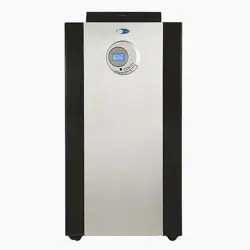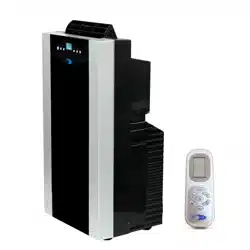
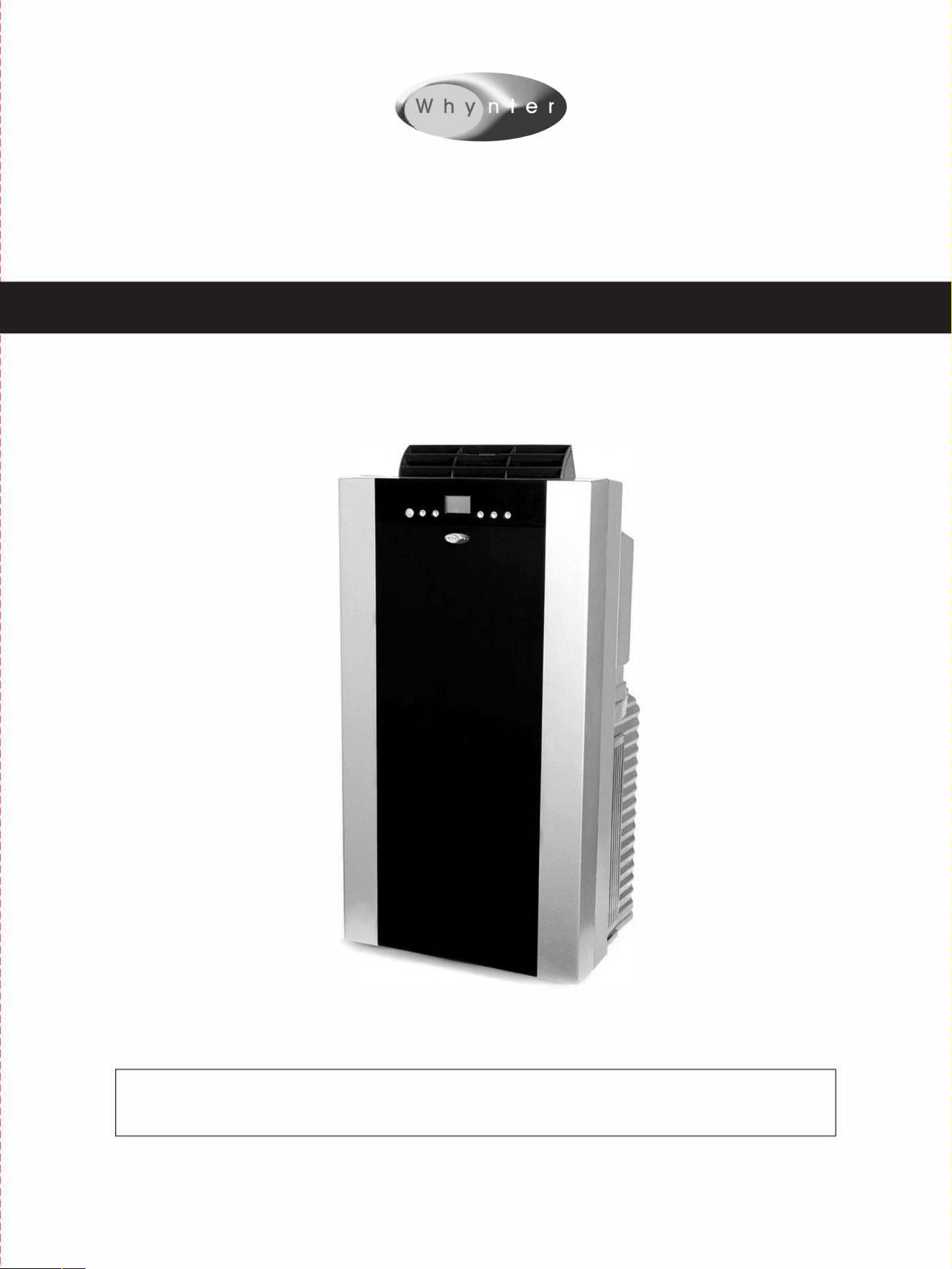
WHYNTER ECO-FRIENDLY 14,000 BTU PORTABLE AIR CONDITIONER WITH HEER
MODEL#: ARC-14SH
Instruction Manual
Congratulations on your new WHYNTER product. To ensure proper operation, please read this Instruction
Manual carefully before using this product. Keep this manual in a safe place for future reference.
BLE OF CONTS
INTRODUCTION
3
SAFETY PRECAUTIONS
4-7
IDENTIFICATION OF ACCESSORIES
8
IDENTIFICATION OF PARTS
9
OPERATING YOUR AIR CONDITIONER
10
INSTALLATION INSTRUCTIONS
11-12
AIR FILTERS INSTALLATION
13
OPERATION INSTRUCTIONS
14-15
WATER DRAINAGE
16
REMOTE CONTROL
17
CARE AND MAINTENANCE
18
TECHNICAL DATA
19
TROUBLESHOOTING
20-21
WARRANTY INFORMATION
22
2IPage
Thank you for choosing the Whynter portable air conditioner. Please follow the instructions provided
in this user guide to obtain the very best performance from your portable air conditioner and take full
advantage of the many features your portable air conditioner oers you. We trust that your Whynter
air conditioner will provide the performance and reliability that we stand for.
Please keep this user manual in a safe place for future reference.
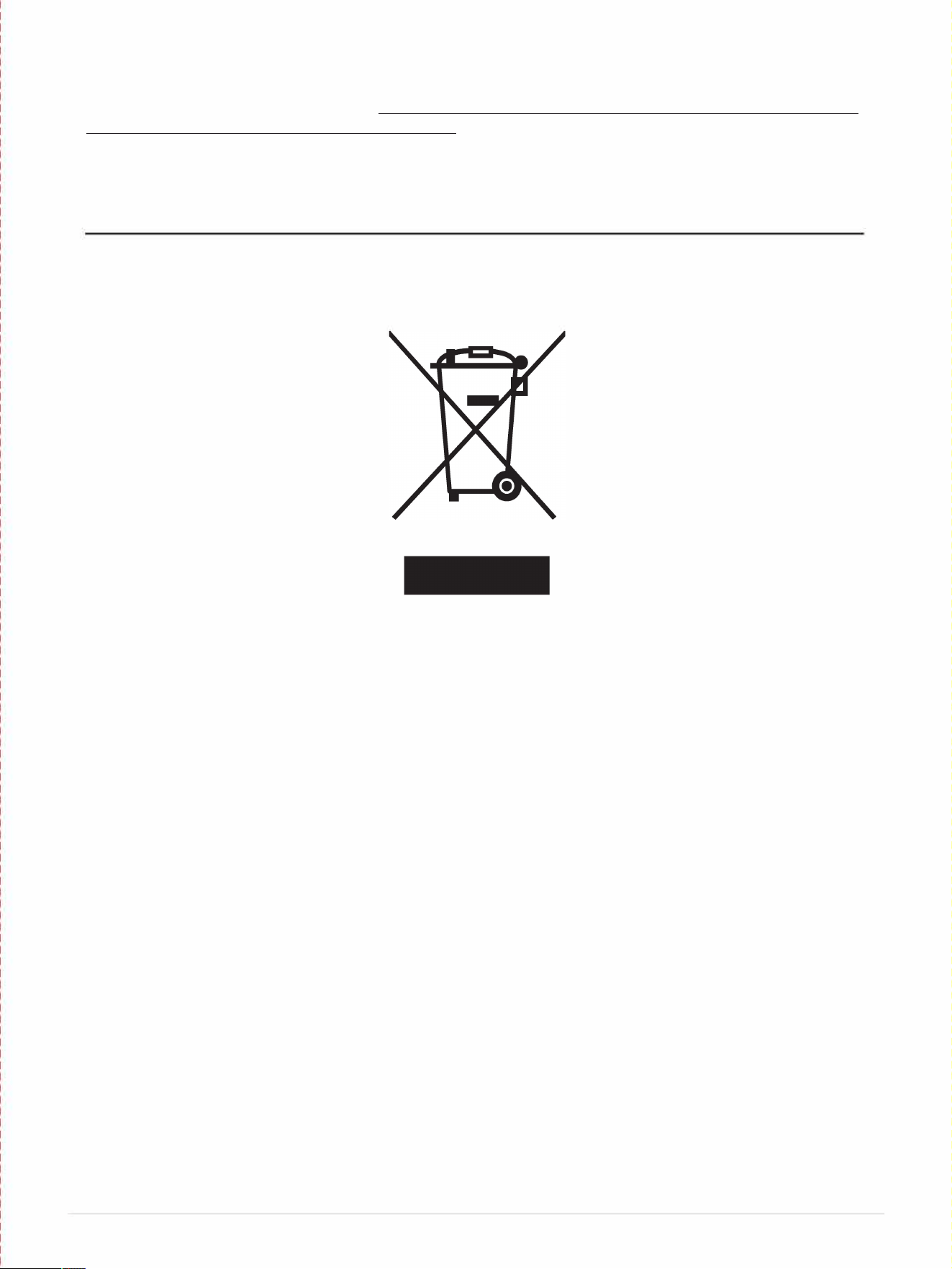
DISPOSAL
This symbol on the product or its packaging indicates that the appliance cannot be treated as normal
domestic trash, but must be handed in at a collection point for recycling electric and electronic
appliances. Your contribution to the correct disposal of this product protects the environment. Further
information about the recycling of this product can be obtained from your local municipal authority.
31Page
Your safety and the safety of others are very important to us.
To reduce the risk of fire, electrical shock or injury when using your appliance, follow these basic precautions.
SAFETY PRECAUTIONS
Before the portable air conditioner is used, it must be properly positioned and installed
as detailed in this manual.
A DANGER A
•
Do not under any circumstances cut or remove the third (ground) prong from the power
cord.
•
Make sure this unit is connected to a correctly grounded power supply outlet. Do not use an
eension cord or power strip.
•
The power cord is UL listed. It has a built-in L.C.D.I. (leakage, current, detection,
interruption) circuit breaker for added safety. If the power supply is interrupted, press the
reset button to reconnect the unit to power source.
•
It is recommended to use a separate circuit that its size should be 15 Amps for the air
conditioner.
•
Do not use an excessively wet cloth, industrial solvents, oil-based products to clean this
portable air conditioner.
•
To avoid the risk of shock, the product should never be used in bathrooms, shower rooms,
or in any other steamy or wet areas.
•
Do not store or use gasoline or other flammable vapors and liquids in the vicinity of this or
any other appliances.
•
Do not repair, disassemble and/or modify the unit by yourself.
•
Always turn o the portable air conditioner when cleaning the air filter, and transporting.
•
Do not turn this unit on and o by plugging and unplugging. Always use the ON/OFF switch.
A WARNING A
•
Transport the unit in an upright position only, or leave it in an upright position for a
minimum of 4 hours before first use.
•
Ensure curtains or other objects are not obstructing the air inlet filters.
•
Do not bend or crush the exhaust hose while in use.
•
Always allow at least 20" of clearance around the unit for ventilation. Do not use this unit
inside closets, cabinets and/or cramped spaces between furniture.
•
This unit is optimized to operate in an ambient temperature of 64
°
F - 95
°
F.
•
This unit must be installed in an area protected from the element, such as wind, rain, water
spray or drips.
•
The unit should not be located next to ovens, grills or other sources of high heat.
•
Always place the unit on even and hard and level surface.
•
Do not sit or place objects on the unit.
•
Do not allow children to climb, stand or hang on the unit. The air conditioner could tip over
and get damaged and/or seriously injure somebody.
41Pa ge
the manufacturer or an
•
If the power cord on this unit is damaged it must be replaced by the manufacturer, its service
agent or qualified persons in order to avoid a hazard.
•
This appliance is not intended for use by children or other persons without assistance or
supervision if their physical, sensory or mental capabilities prevent them from using it safely.
Children should be supervised to ensure that they do not play with the appliance.
•
This appliance is intended for domestic use only, any other use may invalidate the warranty
and might be dangerous.
•
Do not pierce or burn.
•
Use only implements recommended by the manufacturer for defrosting or cleaning.
•
Do not use the appliance in a room with continuously operating sources of ignition (eg. Open
flames, an operating gas appliance or an operating electrical heaters.
•
Do not perforate any of the components in the refrigerant circuit.
•
Refrigerant gas may be odorless.
•
Stagnation of possible leaks of refrigerant gas in unventilated rooms could lead to fire or an
explosion hazard should the refrigerant come in contact with electric heaters, stoves or other
sources of ignition.
•
Use care when storing the appliance to prevent mechanical faults.
•
Only persons authorised by an accredited agency certifying their competence to handle
refrigerants in compliance with sector legislation should work on refrigerant circuits.
•
Maintenance and repairs requiring the assistance of other qualified personnel must be
carried out under the supervision of specialists in the use of inflammable refrigerants.
THE MANUFACTURER DISCLAIMS ANY RESPONSIBILITY IF THE ABOVE INSTRUCTIONS
ARE NOT FOLLOWED.
WARNING
Do not use means to accelerate the defrosting process or to
clean,other than those recommended by the manufacturer.
The appliance shall be stored in a room without continuously
operation ignition sources (r example: open flames, an operating
gas appliance or an operating electric heater.)
Do not pierce or bum.
Be aware that refrigerants may not contain an odor.
NOTE: The manufacturer may provide other suitable examples or
may provide additional inrmation about the refrigerant odor.
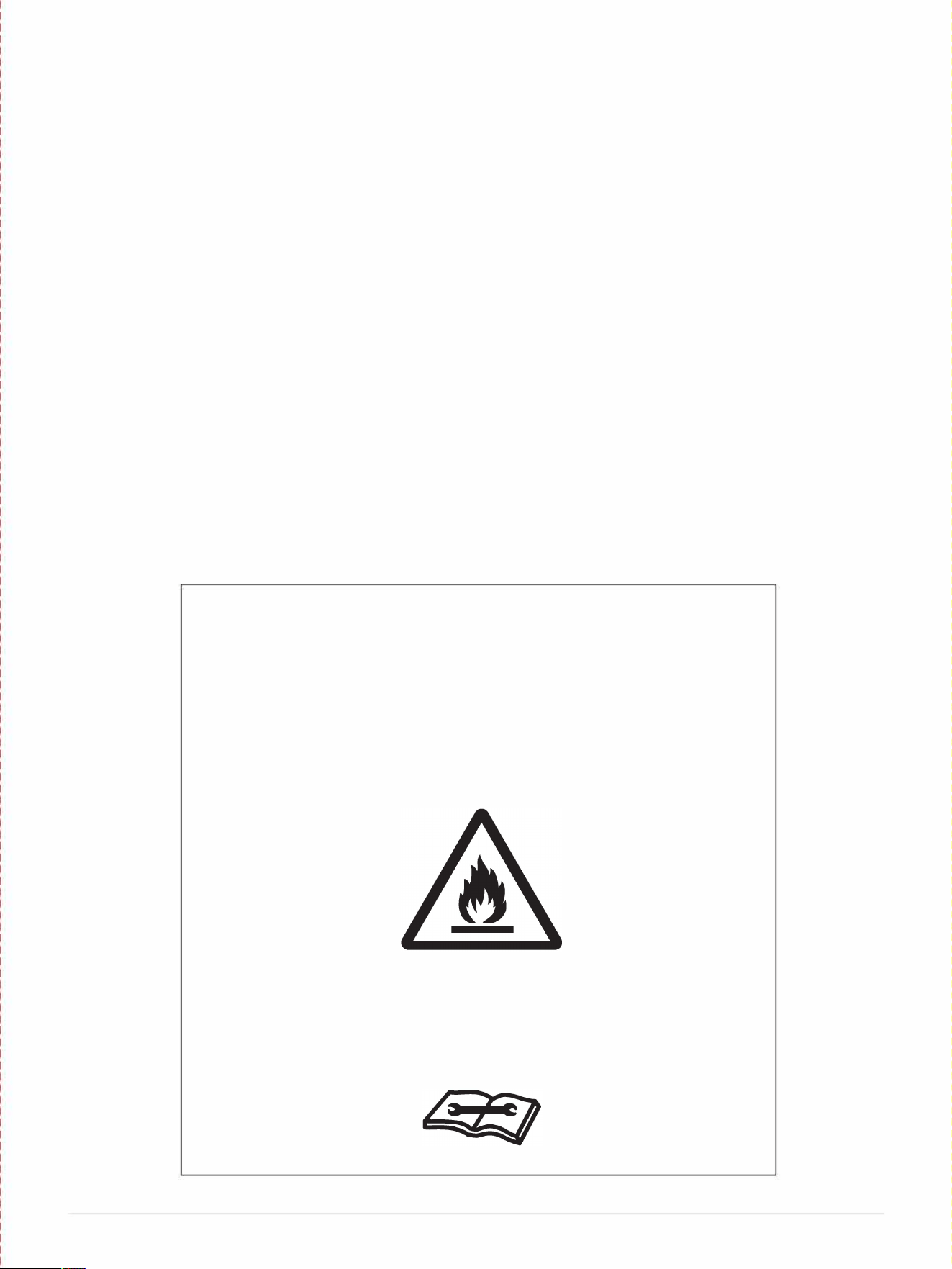
Warning
:
Risk of fire/Flammable materials
User Manual
Seice indicator: check User Manual
61Page
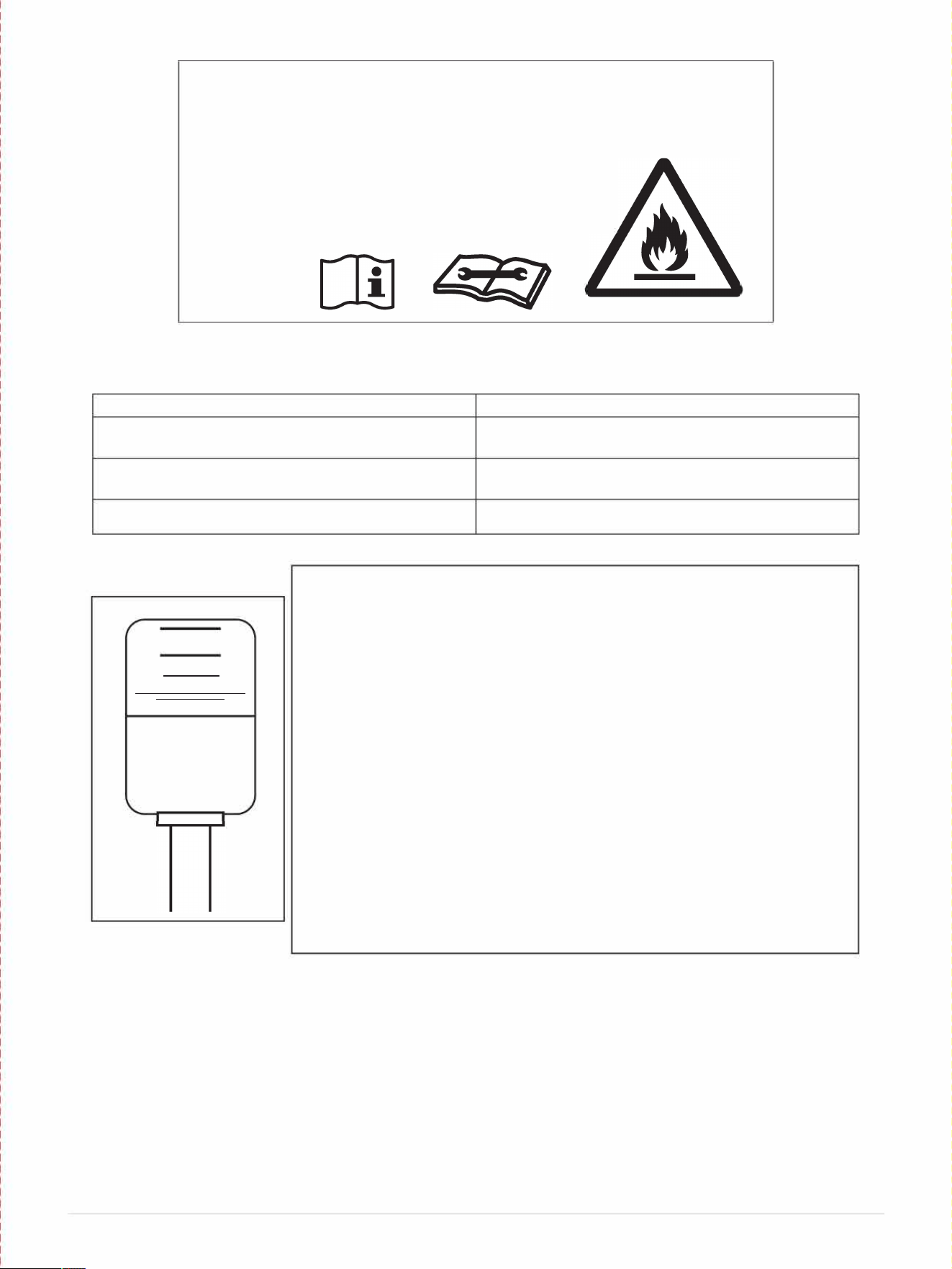
DANGER- Risk Of Fire Or Explosion. Flammable Refrigerant
Used. To Be Repaired Only By Trained Service Personnel. Do
Not Puncture Refrigerant Tubing. CAUTION - Risk Of Fire Or
Explosion. Dispose Of Properly In Accordance With Federal Or
Local Regulations. Flammable Refrigerant Used.
w
Caution, risk of fire
OPERATING CONDITION
[I I]
RESET
I I
TEST
MODE ROOM TEMPERURE
COOL
Higher than 64
°
F
DRY Higher than 60
°
F
HEAT
Higher than 45
°
F
Your portable air conditioner is supplied with a Leakage-Current
Detection and Interruption (LCDI) plug. This plug reduces the risk of
fire due to arcing faults in the power supply cord. Please follow the
instructions below to ensure that LCDI plug works properly.
1.
Plug the power cord to a grounded wall outlet. Do not plug to
a power strip or eension cord.
2.
Press the TEST button on the plug. This should trip the plug
and cut the power to the air conditioner. If the plug does not
trip and the unit comes on, please contact technical support.
3.
Press the RESET button to start the air conditioner.
4.
Do NOT use the TEST and RESET buttons to turn the air
conditioner on and o.
71Page
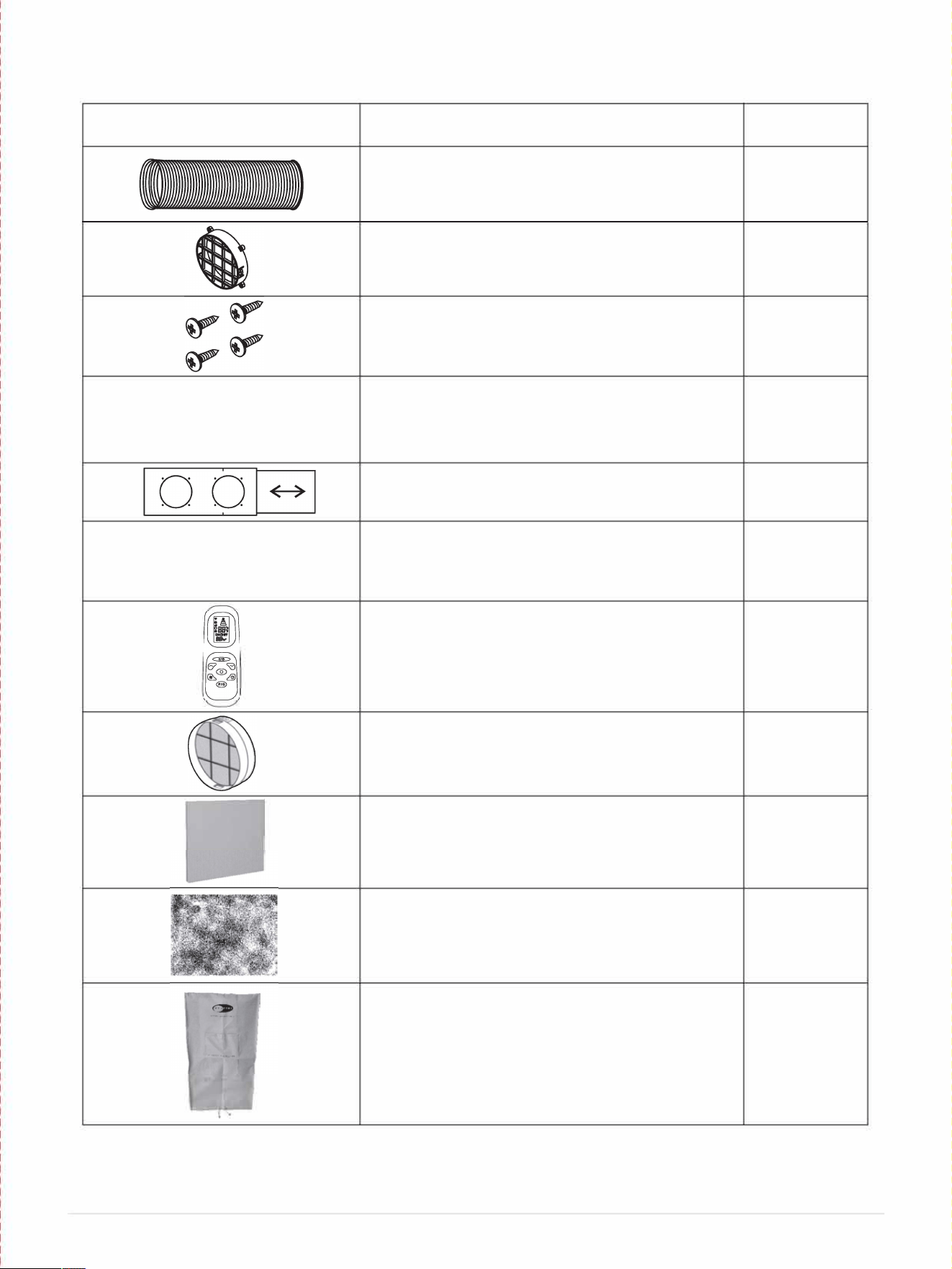
IDENTIFICATION OF ACCESSORIES
Note: Please it whynter.com for optional accessoes information
IMAGE
ACCESSORY NAME
QUANTITY
Intake and Exhaust hose
2 pieces
Fixtures
2 pieces
** attached to the covers upon unboxing **
Screws
8 pieces
�
Hose connectors
4 pieces
Window slider kit
1 set
Covers
** attached to the fixtures upon unboxing **
2 pieces
Remote control
1 piece
Optional Intake filter (sold separately)
1 piece
Optional 3M
™
filter (sold separately)
1 piece
Carbon Filter
1 piece
Storage Cover
1 piece
** The fixture pieces may come attached to the cover pieces. To remove, twist the
cover pieces to allow the tab from the fixtures to disengage from the covers, and twist
the covers to remove from the fixtures.
SI Page
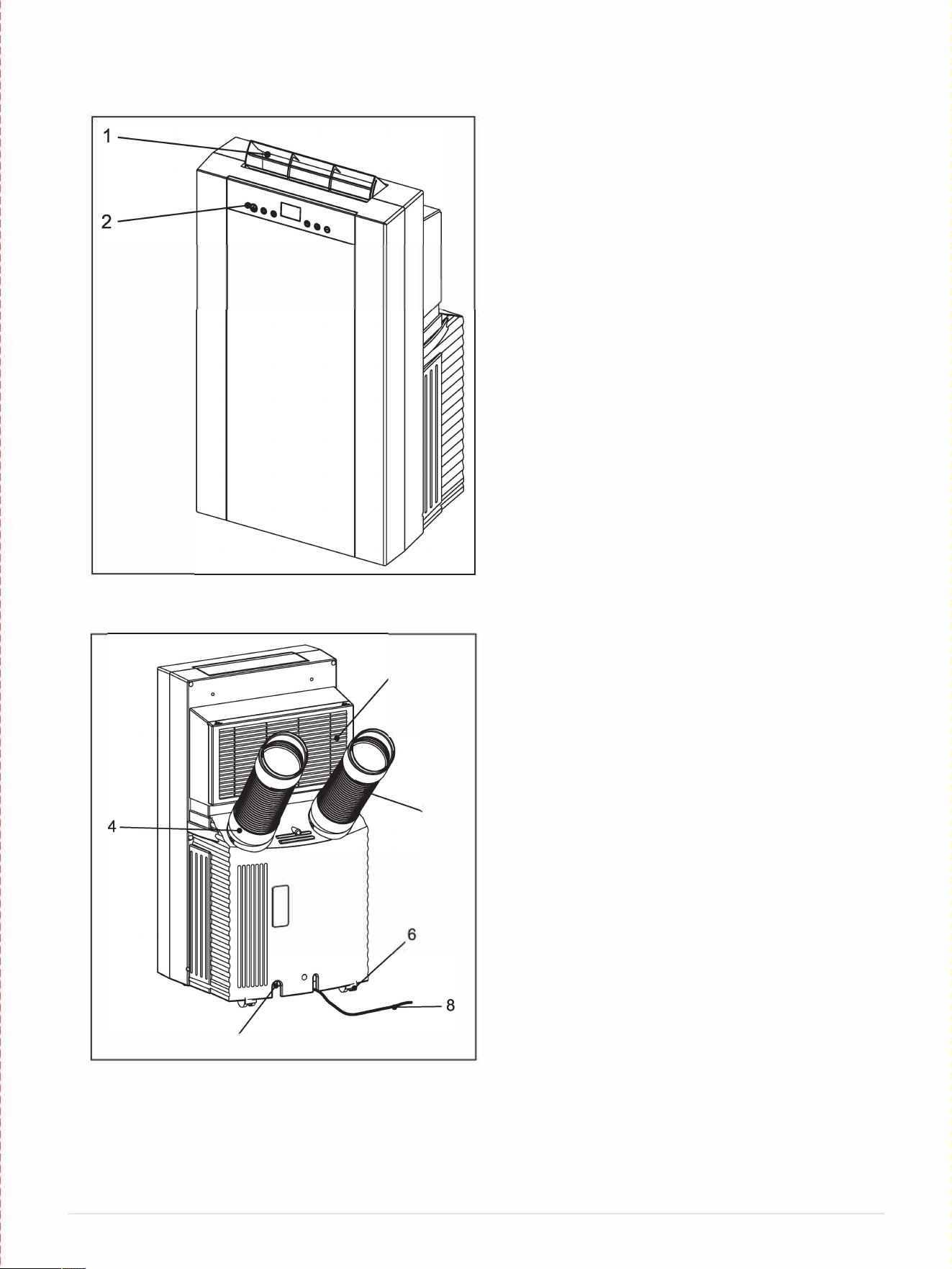
IDENTIFICION OF PARTS
Front
Rear
3
5
7
1. Air vent
2. Control panel
3. Evaporator air intake / air filter
4. Air intake hose
5. Air exhaust hose
6. Casters
7. Drain plug
8. Power cord
91Page
OPERATING YOUR AIR CONDITIONER
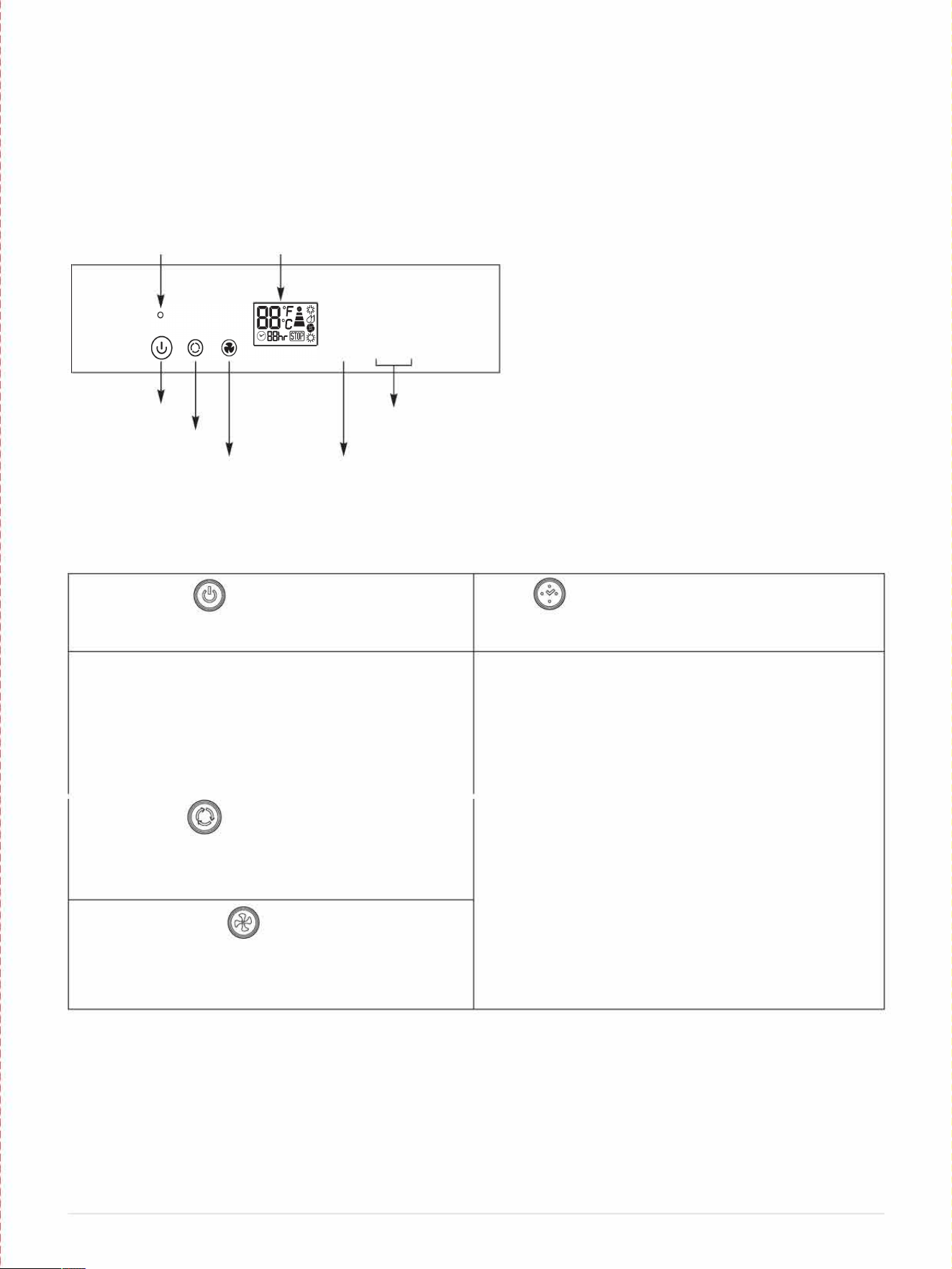
Before you begin, thoroughly familiarize yourself with the control panel, remote control and all of
the functions. Follow the symbol for the desired function. The unit can be controlled by the unit
control panel alone or with the remote control.
CONTROL PANEL
Warning Light
LCD Display
i�
•
Cooling mode
-
High fan speed
-
-
Dehumidify mode
Med fan speed
-
-
Fan only mode
•
Low fan speed
-
0 0
◊
Heating mode
□□
O
F
□□O
C
Display set temperature
Power Control
Mode Control
Fan Speed Control
Timer /Temp
Set Control
Timer Control
Power Control
Timer
Warning light
the machine will stop running
0 88hr Display timer setting of auto switch on/off
Turns the unit on and off.
Turns the timer function on and o.
Warning Light
Timer/ Temperature Set Control
Condensation water may accumulate in the unit. If the
Adjusts set thermostat temperature and timer.
internal reservoir becomes full, the warning light and the
The display temperature is the set temperature.
STOP light will come on and the unit will stop until the
water is drained.
NOTE: This unit is capable of displaying set temperature
in Fahrenheit or in Celsius. To convert from one to the
------------------
Mode Control
Controls the 4 function modes: COOL, DEHUMIDIFY
FAN and HEAT.
Fan Speed Control
Controls the 3 fan speeds: High, Medium & Low.
NOTE: Unit does not need to be vented in Fan mode
other, press and hold the Up and Down buttons for 3
seconds.
10IPage
INSTALLATION INSTRUCTIONS
Location
The air conditioner should be placed on a hard and level suace strong enough to support its weight.
The unit is equipped with caster wheels for portability. It should only be rolled on smooth, flat suaces.
Use caution when rolling on carpet surfaces. Do not attempt to roll the unit over objects.
The air inlet and outlet should be free of any obstructions and be placed with at least 20" of clearance
for eicient air-conditioning and circulation.
Exhaust hose Installation
When using the air conditioner, the hot air from the exhaust hose must be exhausted out of the room to
complete the air exchange of the condenser. The intake hose is optional. When the unit is operating in
dehumidiing or fan-only mode, installation of the exhaust hose is optional.
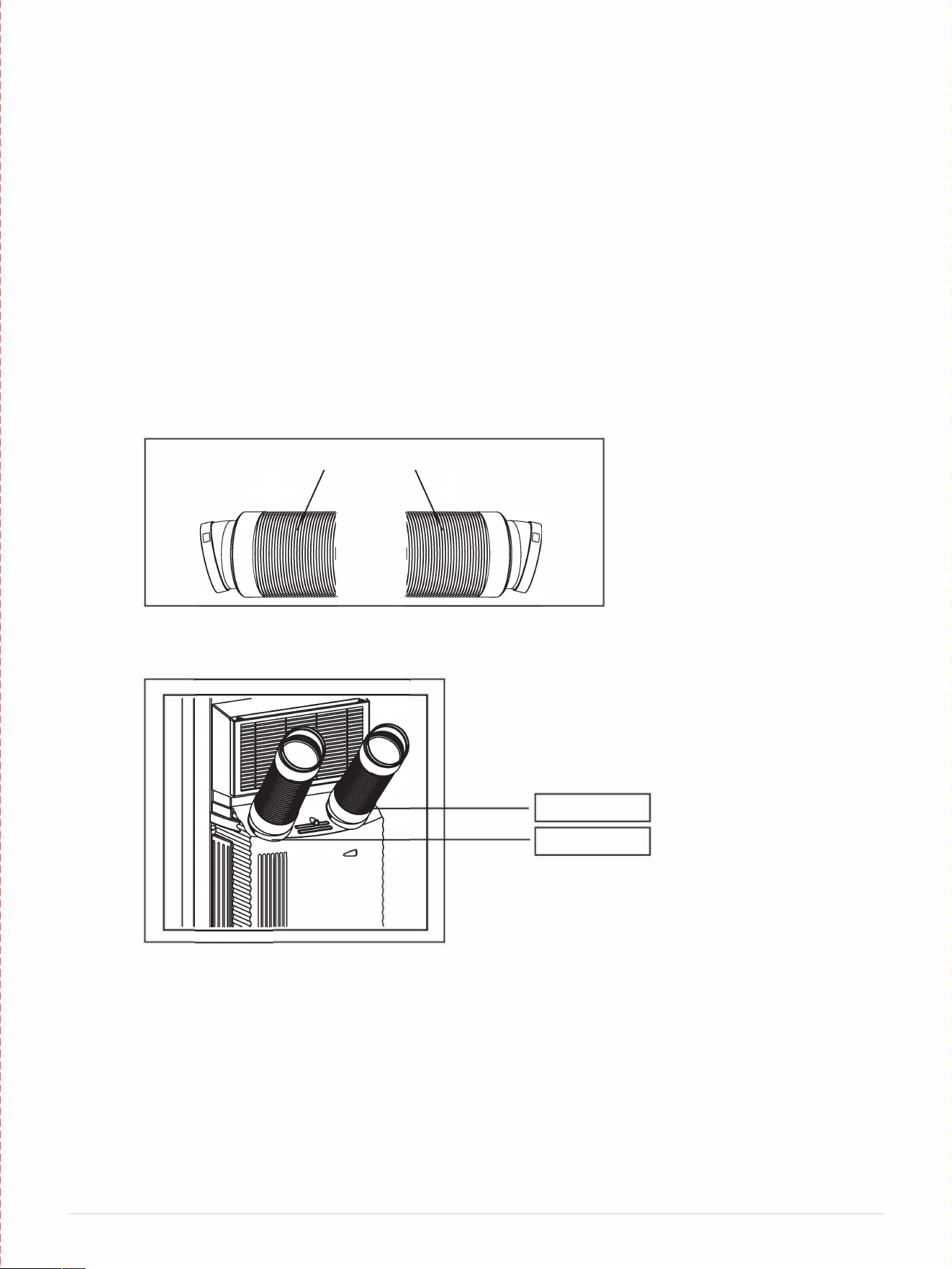
1.
Fully expand each end of the exhaust hose about 6".
2.
Install the hose connectors onto the exhaust and intake hoses by threading counterclockwise.
Hose Connector
Exhaust Hose
\
Hose Connector
I
3. Align the tab cut-outs of each of the hose connectors to the tabs on the air exhaust and air intake at
the rear of the unit and snap in place.
D
EXHAUST
INTAKE
If installing the optional air intake hose in an area with poor air quality, we recommend
purchasing the intake hose pre-filter accessory.
Only extend the hose to the necessary length, keeping it as short and as straight as possible.
We do not recommend extending the hose more than 9' long.
If you are interested in purchasing an additional exhaust hose, please contact
[email protected] for retail sales information or visit www.whynter.com for a list of optional
accessories.
11 IPage
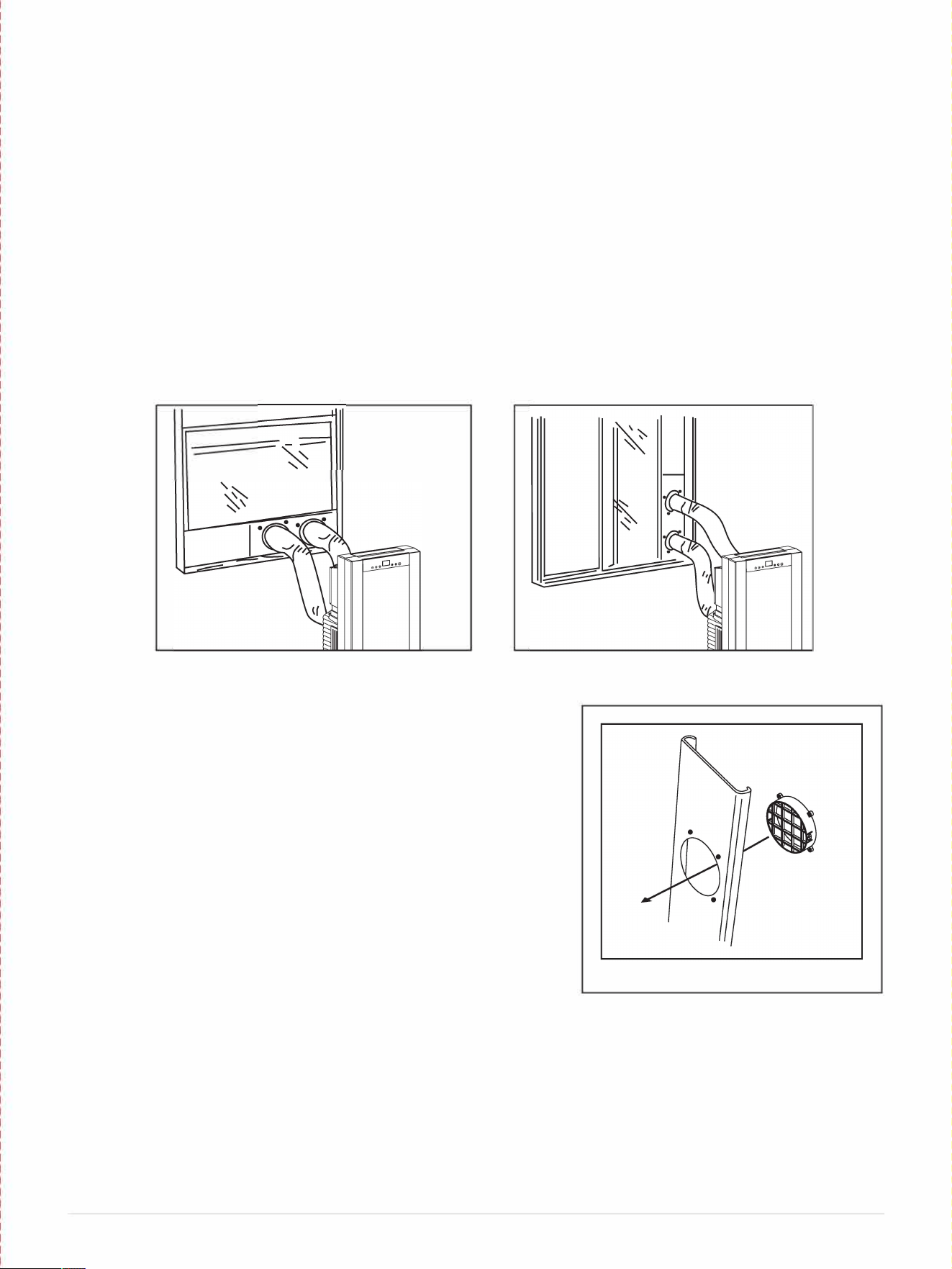
Window kit Installation
The window kit has been designed to fit most standard vertical and horizontal windows. However, it
may be necessary to modi the installation procedures to accommodate your window.
NOTE:
• If your window opening is smaller than the minimum length of the window slider kit, the window
slider kit can be cut to fit the window opening. Never cut into the exhaust and intake hose cut-outs on
the window slider kit.
• If your window opening is larger than the maximum length of the window slider kit, additional
material will be needed to cover the open space such as, Plexiglas, PVC plastic, ply wood, etc.
Alternately, an additional window slider kit can be purchased to be used in combination with the
included kit.
• When using the window slider kit on a window or sliding door, additional security measures may be
needed.
1. Open the window approximately 5".
2. Adjust the length of the window slider to the same length and
width of the opening of the window. Cut the window slider if
necessa to fit the length of your window.
3. Insert the fixture through the back grooved side of the window
slider hose-cutout, aligning the screw holes on the fixture with
the screw holes on the unit. Place the screws in the holes from
the front of the window slider kit and tighten. (Fig. 1)
4. Adjust the slider kit to fit your window. The slider kit comes with
screws installed on the main window piece. The long and short
extension pieces can be adjusted to fit your window, and the
screws can be tightened to keep the extension pieces from
sliding. Additional holes can be drilled in the window kit to allow
for a further range of adjustment.
5. Fit the window slider kit into the window opening and close the
window to secure the window slider kit. For long term
installation, you may screw the window kit into your window
frame.
6. Move the air conditioner close to the window, extend the hose
to the necessary length, keeping it as short and as straight as
possible and attach the other end of the hose to the window
slider kit.
7. Align the tab cut-outs of the hose connector to the tabs on the
fixture and snap the hose connector to the window slider kit.
12IPage
Figure 1
AIR FILTERS INSTALLATION
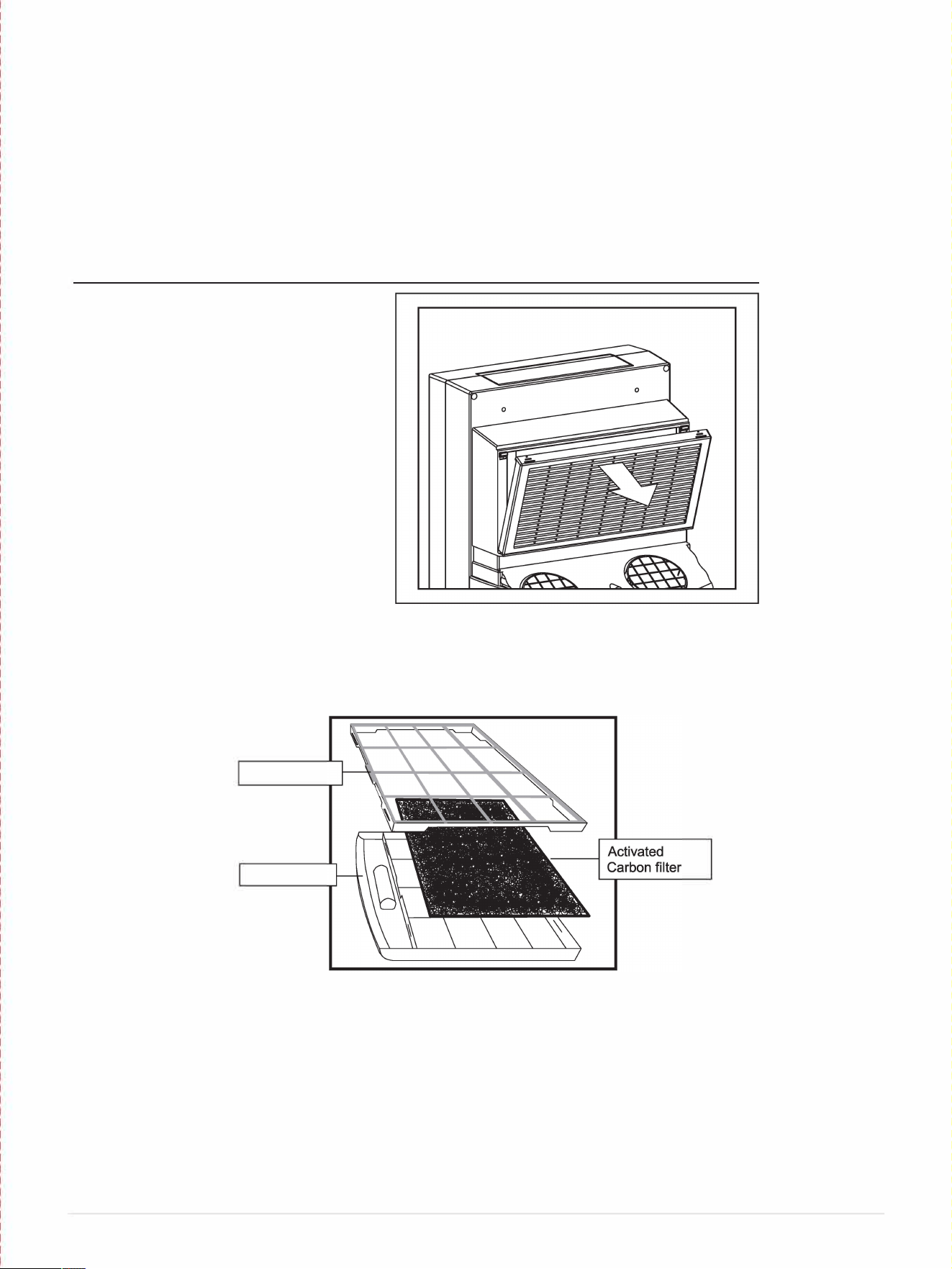
Your Whynter portable air conditioner is equipped with a washable Pre-Filter and an Activated
Carbon Filter.
The washable Pre-Filter removes large particles such as dust, pet hair and dander.
The Activated Carbon filter is designed to remove smoke and other odors. It is recommended
you replace the Activated Carbon filter every 2-3 months or as needed. Follow the steps below
to install the filters.
WARNING: NEVER OPERE THE AIR CONDITIONER WITHOUT THE PRE-FILTER
1.
Pull up the pre-filter frame
2.
Remove the Pre-Filter from the filter frame.
3.
Place the Activated Carbon filter on the Pre-Filter.
4.
Reattach the filter frame.
5.
Insert the assembled filter frame into the unit.
Filter Frame
Pre-Filter
An optional 3M TM Filter can also be purchased to replace the activated carbon filter. The
3M
™
Filter has an agent that helps inhibit the growth of mold and mildew on the filter. This filter is
electro-statically charged r enhanced particle capture and retention.
**If you are interested in purchasing optional accessories, please contact [email protected] for retail
sales inrmation.
Note: The optional 3M
™
Filter is not washable and should be replaced every 3 months.
13IPage
The temperature setting range of this air conditioner is from 61°F to 89°F. To set the temperature,
press the + or - buttons. This air conditioner has a 5°F temperature cushion; if the set temperature is
within 5°F of the ambient temperature, the fan will switch to low speed and run approximately 5 minutes
before it shuts off. The fan will activate again in approximately 15 minutes and run for 1 minute to
circulate air in the room and detect the ambient room temperature. If the room temperature is higher
than 5° F than the set temperature, the compressor will turn on and the fan will run at the set speed.
Note: When using dehumidifying mode, venting the exhaust hose to the outside is not required.
If vented, the warm air is exhausted to the outside and cooling within the room may occur.
Additionally, if the exhaust hose is not vented, the unit may require more frequent draining.
In this mode, the air conditioner heats the room. To activate heating mode, press the Mode
Control button until the indicator comes on. When the heating mode is set, the rear fan will
start first, followed by the compressor then the air output fan into the room.
95
If the outside temperature is lower than the room temperature, the air intake hose should be removed
and the included cover placed onto the window air intake fixture. The unit will take in air from the room
air filter.

WATER DRAINAGE
The air conditioner has the capacity to dehumidi up to 71 pints per day. The patented self
evaporating function of the unit fully exhausts all condensation automatically in most environments
when humidity is less than 70%. Areas with more than 70% humidity, the self-evaporating function can
still exhaust about 98% of the moisture and the remaining 2% of moisture will be collected in the water
tank of the air conditioner. When there is excess water condensation inside the unit, the air conditioner
stops running and the RED Stop light illuminates. The Stop light indicates that the water condensation
needs to be drained manually:
Manual Drainage:
1. Turn o the unit.
2. Carefully roll the unit to a drain location or position a flat container, dish or optional drain bucket
accessory (sold separately) under the drain area of the lower drain port.
3. Remove the drain cover and rubber plug and the condensed water will drain out automatically.
4. Once all the condensed water is drained, replace the drain rubber plug and cover into the drain firmly.
Note: Please contact [email protected] for retail sales information or visit whynter.com r a list
of optional accessories
16IPage
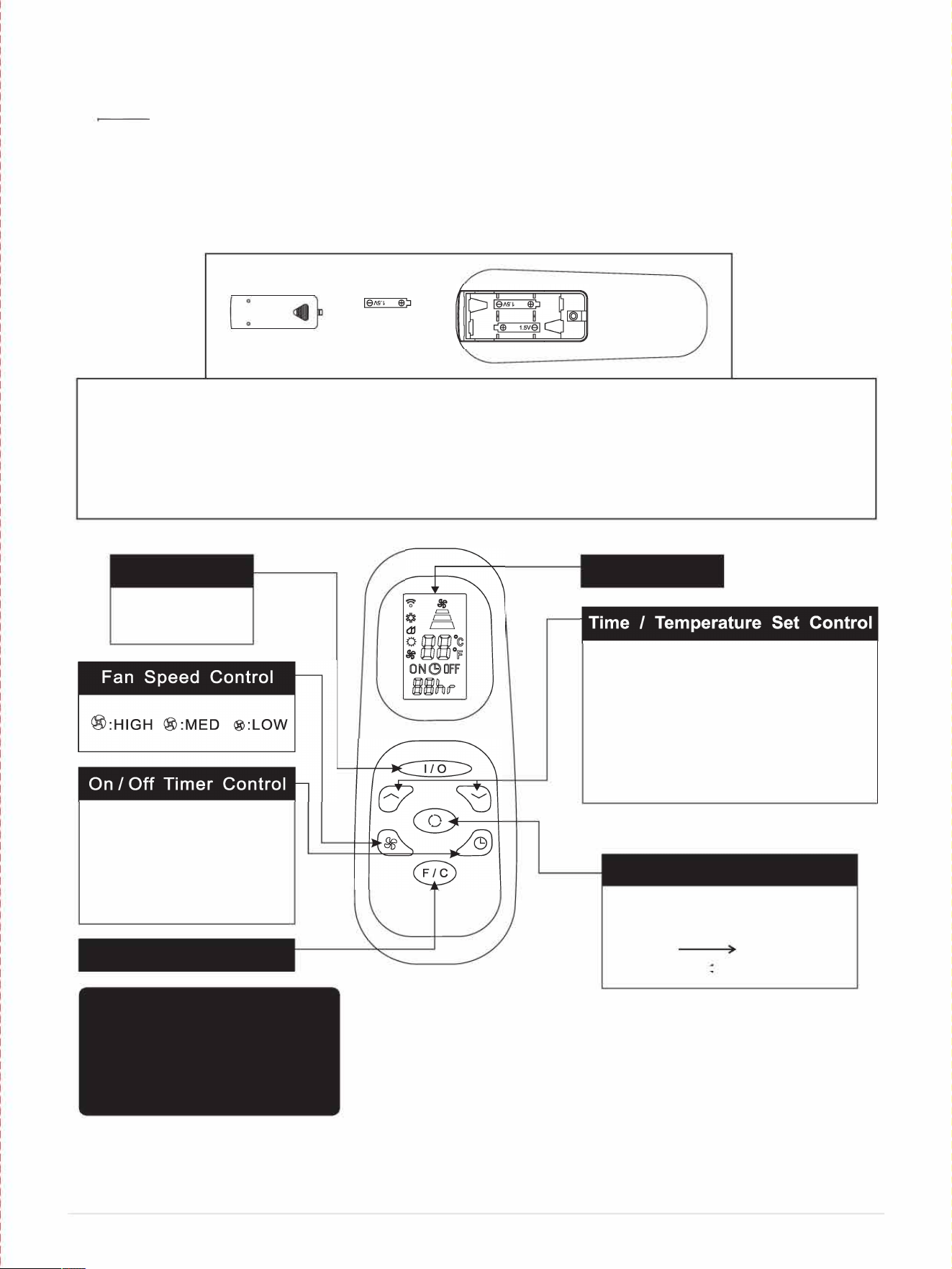
REMOTE CONTROL
The portable air conditioner can be switched on by the remote control.
NOTE:
•
Other appliances in the same room controlled by a remote control (TV, radio, stereo, etc.), may
cause inteerences.
•
Electronic and fluorescent lamps may interfere with the signal transmissions between the remote
control and the air conditioner.
•
Remove the batteries if the remote control is not used for long periods.
�
INSTALLING BATTERIES
•
Only use two AAA 1.5V Batteries in the remote control.
•
Always change both batteries at the same time.
□
To insert the batteries, open the flap on the back of the remote control by sliding if o. Strictly
adhere to the polarity signs on the bottom of the battery housing, close the flap once the batteries
have been inserted.
Power Control
On I O
In running mode:
Auto switch o
In stand-by mode:
Auto switch on
Press "" or "" button
to adjust the time setting
for 1 hour interval.
Fahrenheit/Celsius button
Notes
- Do not drop the remote control.
- Do not place the remote control in a
location exposed to direct sunlight.
- The remote control should be placed
about 1 meter or more away from TV,
or any electical appliances.
17IPage
LCD Display
• Used for adjusting the timer and
temperature.
• The default display on control panel is
set temperature.
• When .. .. or "" key is pressed in
cool mode, the set temperature is
displayed and may be adjusted.
• Timer setting is available from 1-24 hours
by pressing the key"" on"".
Mode Control
Press this button to change the
operation mode in the order of :
Cool
Dehumidi
Heating---- Fan�
Drain all collected condensation from the upper and lower drain ports.
16'' W x 19'' D x 35.5'' H
Noise Level : <51 low / <56 high dBA
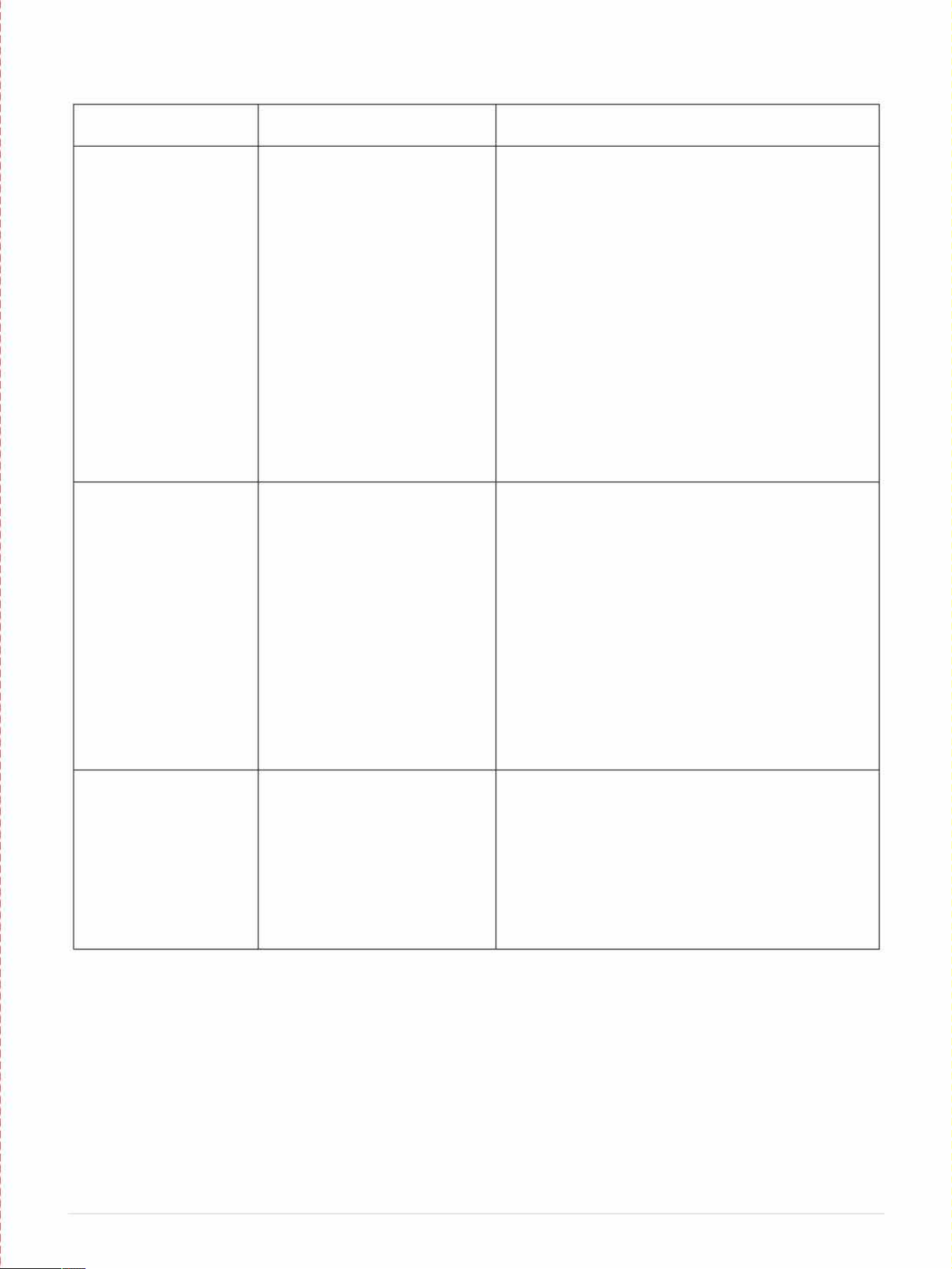
TROUBLESHOOTING
Problem
Possible Causes
Solutions
The portable air
• Power failure / outage.
• Restore the power supply.
conditioner does not
• The automatic switch, line
• Flip the switch / change the fuse / turn the breaker
turn on
fuse, or breaker has been back on. Also note that you may have too many
tripped.
appliances drawing power on one circuit, you may
need to move the other appliances to another
circuit.
• The power supply voltage is
• Move the unit onto another circuit with the correct
too low.
voltage.
• The power cord is damaged.
• Contact Whynter Service Department. Only
authorized personnel should replace damaged
power cord or power plug.
• The L.C.D.I. power plug for the
• Press the Reset button on the L.C.D.I. power plug.
unit is tripped.
• The internal water reservoir is • Drain water from the air conditioner.
full.
• Possible loose connection • Contact Whynter Service Department
• Internal fuse has blown
The unit turns on but
• The room temperature is
• This unit is designed to work in ambient
the compressor does
outside of the operational
temperatures of 64
°
F to 95
°
F.
not turn on (the fan
tolerances of the unit.
runs but the unit is not
• The Cooling mode is not on.
• Press the MODE button until the COOL light is
cooling)
shown on the display.
• The compressor has not
• Give the compressor 3 minutes to turn on after the
turned on yet because of its
Cooling mode has been selected.
time delay.
• The set temperature is too
• Set the air conditioner to a lower temperature. It is
high.
recommended to set the temperature to at least
5
°
F of the ambient temperature.
• The internal water reservoir is
• Either manually drain the water by removing the
full.
drain plug or allow the unit to exhaust the water
itself by running the fan only mode. Then cooling
will resume.
The air coming out of
• The filters are dirty or
• Clean the air filters.
the unit is not very
obstructed.
cold, or the airflow
• The air intake or exhaust is
• Make sure there is at least 20" of clearance from
volume is weak
obstructed. the air intake. Make the length of the exhaust hose
is as short as possible.
• The unit is set in DRY or FAN
• Set the unit to the cooling mode.
mode.
• The unit is set to low fan
• Set the unit to a higher fan speed.
speed.
20 IP age
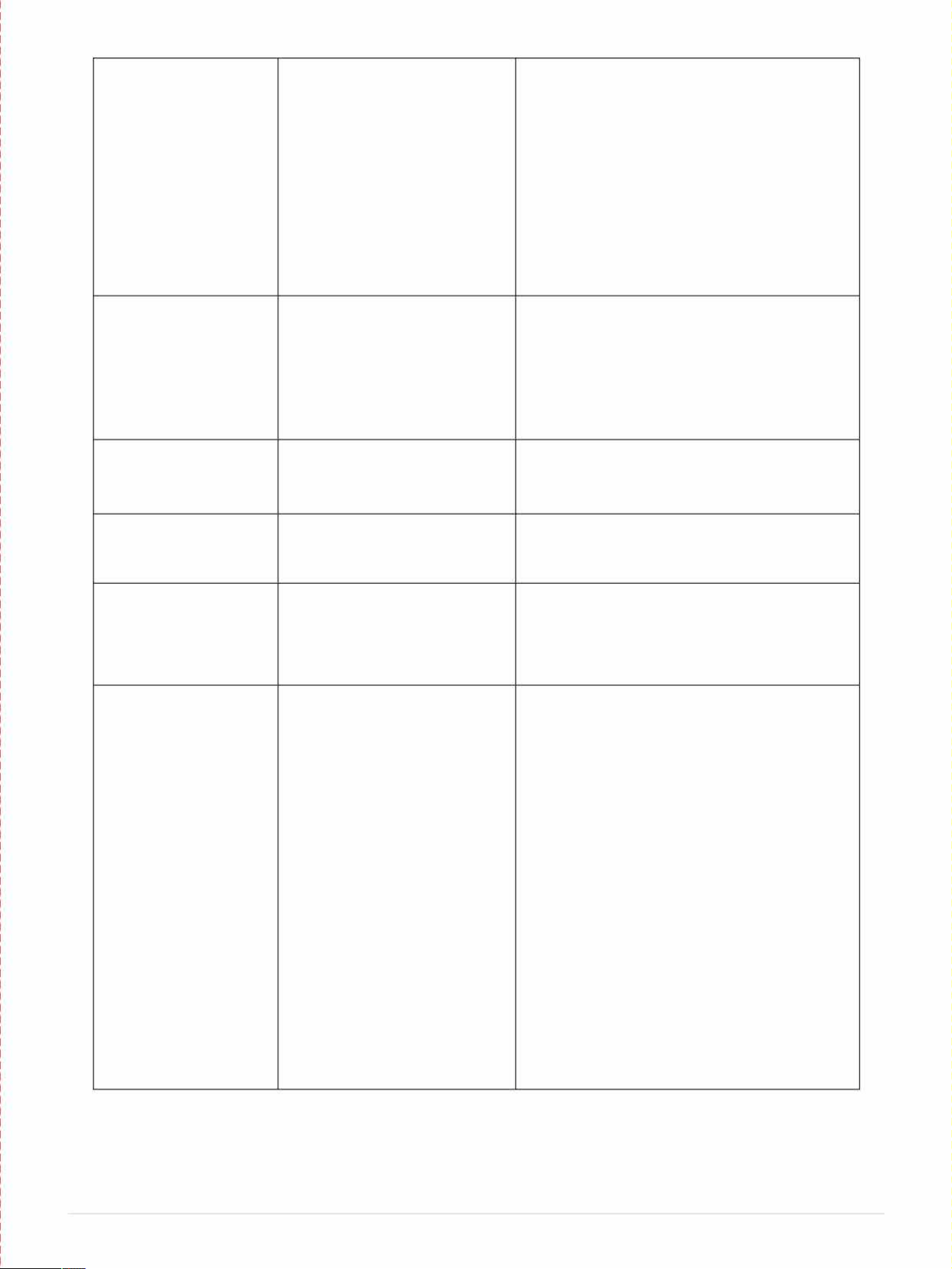
The unit has worked for a
• Windows or doors are open.
• Close all windows and doors.
long time, but the room is
• There are too many people in
• You may need additional cooling or another
not cold enough
the room.
air conditioner.
• There is direct sunshine into
• Close curtains or blinds and try to minimize
the room. the amount of direct sunlight into the room.
• The room is a kitchen or with
• You may need additional cooling or another
many heat-producing
air conditioner.
appliances
• There is a server in the room.
• You may need additional cooling or another
air conditioner.
• The room is too large.
• You may need additional cooling or another
air conditioner.
The unit is very noisy
• The unit is not level.
• Make sure the unit is on hard, level and
stable surface.
• The surface underneath the
• Move the unit to a location with a level and
unit is uneven.
hard floor.
• Low power voltage. • Make sure the wall outlet and support the
required power consumption of the air
conditioner and do not use an extension cord.
The unit leaks water
• The unit is tilted or not leveled • Make use the unit is leveled.
• The water tank is full. • Drain water from the drain plug at the back of
the air conditioner.
The unit needs to be
• The humidity in the area may
• Remove the intake hose if the outside
drained too oen
very high
humidity is high or it is raining
• Possible loose connection
• Contact Whynter Service Department
Fan speed cannot be
• Fan speed dierences are not
• The fan speed dierence is not very
changed
very noticeable
noticeable when the compressor is on. Try
setting the unit to Fan only mode, you should
be able to hear the dierence between high
and low fan speed settings.
The unit does not heat
• The room temperature is too
• The heat pump of the air conditioner does not
low.
operate when temperature is below 45F.
• The heating mode is not on.
• Press the MODE button until the HEAT light is
show on the display
• The compressor has not
• Give the compressor 3 minutes to turn on
turned on yet because of its
aer the Heating mode has been selected.
time delay.
• The set temperature is too low.
• Set the air conditioner to a higher
temperature. It is recommended to set the
temperature to at least 5F of the ambient
temperature.
• The internal water reservoir is
• Either manually drain the water by removing
full.
the drain plug or allow the unit to exhaust the
water itself by running the fan only mode. The
cooling will resume.
• The humidity in the area may
• Remove the intake hose if the outside
very high humidity is high or it is raining
• There may be a loose
• Contact Whynter Service Department
connection
21 IP age
2023