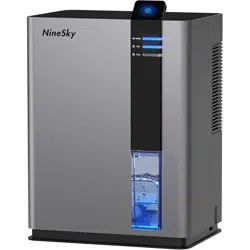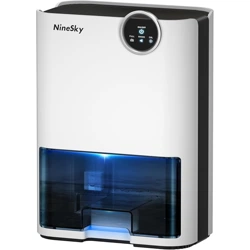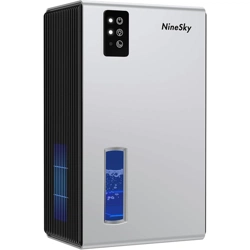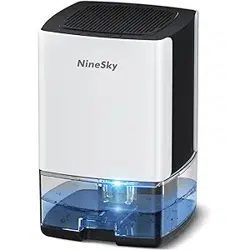

NineSky
High-PerformanceDehumidifier
UserManual&OperatingInstructions
Downloadedfromhttps://theninesky.com/
TableofContents
1. SafetyInstructions
2. ProductOverview
3. TechnicalSpecifications
4. InstallationGuide
5. OperationInstructions
6. Maintenance&Care
7. Troubleshooting
8. WarrantyInformation
9. ContactInformation

1.SafetyInstructions
⚠IMPORTANTSAFETYINFORMATION
PleasereadallinstructionscarefullybeforeoperatingyourNineSkydehumidifier.Keepthismanualforfuturereference.
BeforeYouBegin
Ensuretheunitisunpluggedbeforecleaningorperformingmaintenance
Donotoperatetheunitwithadamagedpowercordorplug
Keeptheunitawayfromheatsourcesanddirectsunlight
Donotusetheunitintemperaturesbelow41°F(5°C)orabove95°F(35°C)
Ensureadequateventilationaroundtheunit(minimum12inchesonallsides)
Donotblockairintakeorexhaustvents
Keeptheunitlevelduringoperation
Donotinsertobjectsintotheunit
ElectricalSafety
Useonlyagroundedelectricaloutlet
Donotuseextensioncords
Ensuretheelectricalsupplymatchestheunit'srequirements
Unplugtheunitduringelectricalstorms
Iftheunitgetswet,unplugimmediatelyandcontactcustomerservice
2.ProductOverview
What'sIncluded
NineSkyDehumidifierUnit
RemovableWaterTank
DrainageHose(6feet)
UserManual
WarrantyCard
KeyFeatures
Energy-efficientcompressortechnology
DigitalhumiditycontrolwithLEDdisplay
Auto-shutoffwhentankisfull
Continuousdrainageoption
Washableairfilter
Timerfunction(1-24hours)
Low-noiseoperation
Automaticdefrostfunction
ControlPanelComponents

PowerButton:Turnsuniton/off
HumiditySetting:Adjuststargethumidity(30-80%)
TimerButton:Setsauto-shutofftimer
FanSpeed:Adjustsfanspeed(Low/High)
LEDDisplay:Showscurrenthumidityandsettings
FilterIndicator:Alertswhenfilterneedscleaning
TankFullIndicator:Lightswhentankneedsemptying

3.TechnicalSpecifications
Specification Details
MoistureRemovalCapacity 50pintsperday(at80°F,60%RH)
CoverageArea Upto4,500squarefeet
WaterTankCapacity 1.8gallons(6.8liters)
OperatingTemperatureRange 41°F-95°F(5°C-35°C)
OperatingHumidityRange 35%-85%RH
PowerConsumption 590watts
ElectricalRequirements 115V,60Hz,6.5A
RefrigerantType R-410A
NoiseLevel ≤48dB
Dimensions(W×D×H) 15.4"×11.1"×24.3"
Weight 41.9lbs(19kg)
4.InstallationGuide
UnpackingYourDehumidifier
1. Carefullyremovetheunitfromthepackaging
2. Removeallprotectivematerialsandtape
3. Checkforanyvisibledamageduringshipping
4. Ensureallcomponentsareincluded
5. Keeppackagingmaterialsuntilyouconfirmtheunitworksproperly
ChoosingtheRightLocation
Placeonaflat,stablesurface
Ensureminimum12inchesclearanceonallsides
Keepawayfromheatsourcesanddirectsunlight
Ensureeasyaccesstopoweroutlet
Positionforeasywatertankremoval
Avoidareaswithexcessivedustordebris
InitialSetup
1. Allowtheunittosituprightforatleast2hoursbeforefirstuse
2. Removethewatertankandwashwithwarm,soapywater
3. Drythetankcompletelybeforereinstalling

4. Installthewashableairfilter
5. Plugtheunitintoagroundedelectricaloutlet
Note:Ifyouplantousecontinuousdrainage,connectthedrainagehosetothereardrainportbeforepositioningtheunit.

5.OperationInstructions
FirstTimeOperation
1. PressthePowerbuttontoturnontheunit
2. TheLEDdisplaywillshowthecurrentroomhumidity
3. SetyourdesiredhumiditylevelusingtheHumiditybuttons
4. Selectfanspeed(Lowforquietoperation,Highforfasterdehumidification)
5. Theunitwillautomaticallystartwhenroomhumidityexceedsthesetlevel
SettingTargetHumidity
RecommendedSettings:
Basements:50-60%RH
Livingareas:40-50%RH
Storageareas:40-50%RH
Laundryrooms:50-60%RH
Usetheup/downarrowstoadjusthumidityin5%increments
Theunitwillcycleon/offtomaintainthesethumiditylevel
TimerFunction
1. PresstheTimerbuttontoactivate
2. Usetheup/downarrowstosethours(1-24)
3. Theunitwillautomaticallyshutoffafterthesettime
4. PressTimeragaintocancelthetimerfunction
WaterRemovalOptions
Option1:WaterTank
Theunitwillautomaticallyshutoffwhenthetankisfull
The"TankFull"indicatorwilllightup
Removethetankbypullingitstraightout
Emptythewaterandreinstallthetank
PressPowertoresumeoperation
Option2:ContinuousDrainage
Connecttheprovideddrainhosetothereardrainport
Routethehosetoafloordrainorsink
Ensurethedrainendislowerthantheunit
Removethewatertankorleaveitinplaceasbackup
6.Maintenance&Care
RegularMaintenanceSchedule

Weekly
Emptyandcleanthewatertank
Checkandcleantheairfilterifneeded
Wipedowntheexteriorwithadampcloth
Monthly
Deepcleanthewatertankwithmilddetergent
Cleantheairintakeandexhaustvents
Checkthedrainagehoseforblockages(ifused)
Seasonally
Vacuumthecoilsandinternalcomponents
Inspectthepowercordfordamage
Checkallconnectionsandfittings
CleaningInstructions
WaterTank
1. Removethetankfromtheunit
2. Washwithwarmwaterandmilddetergent
3. Fordeepercleaning,useasolutionof1tspbleachpergallonofwater
4. Rinsethoroughlyanddrycompletely
5. Reinstallensuringproperalignment
AirFilter
1. Removethefilterfromthefrontpanel
2. Vacuumoffloosedebris
3. Washwithwarmwaterandmilddetergent
4. Allowtoairdrycompletelybeforereinstalling
5. Replacefilterevery12monthsorasneeded
⚠Warning:Alwaysunplugtheunitbeforecleaning.Neverimmersetheunitinwateroruseharshchemicals.

7.Troubleshooting
CommonIssuesandSolutions
UnitWon'tStart
Checkthattheunitispluggedinsecurely
Ensurethepoweroutletisworking
Verifythewatertankisproperlyinstalled
Checkthatthefilterisinstalledcorrectly
Makesureroomtemperatureiswithinoperatingrange
NotRemovingEnoughMoisture
Checkthatdoorsandwindowsareclosed
Cleanorreplacetheairfilter
Ensureadequateairflowaroundtheunit
Verifythehumiditysettingisappropriate
Checkforairleaksintheroom
UnitCyclesOnandOffFrequently
Thisisnormaloperationwhenthetargethumidityisreached
Checkthatthehumiditysensorisn'tblocked
Ensuretheunitisn'tnearheatsources
Verifytheroomsizeiswithintheunit'scapacity
UnusualNoise
Ensuretheunitislevelandstable
Checkthatnothingisblockingthefan
Cleantheairfilter
Verifyallpanelsaresecurelyattached
IceFormation
Checkthatroomtemperatureisabove65°F(18°C)
Cleantheairfilter
Ensureadequateairflowaroundtheunit
Theunithasautomaticdefrost-allowittocompletethecycle
WaterLeakage
Checkthatthewatertankisproperlyseated
Inspectthetankforcracksordamage
Ensurethedrainagehoseisproperlyconnected(ifused)
Verifytheunitislevel
ErrorCodes
ErrorCode Meaning Solution

E1 Temperaturesensorerror Unplugfor30minutes,thenrestart.Contactserviceifproblempersists.
E2 Humiditysensorerror Checkforblockagesaroundsensor.Contactserviceifneeded.
E3 Tanknotdetected Ensurewatertankisproperlyinstalledandseated.
E4 Systemerror Unplugunitfor1hour,thenrestart.Contactserviceifproblemcontinues.

8.WarrantyInformation
LimitedWarrantyCoverage
NineSkyprovidesacomprehensivewarrantyforyourdehumidifier:
Parts&Labor:2yearsfromdateofpurchase
Compressor:5yearsfromdateofpurchase
Coverage:Manufacturingdefectsandcomponentfailuresundernormaluse
What'sNotCovered
Damageduetomisuse,abuse,ornegligence
Damagefrompowersurgesorelectricalissues
Normalwearandtearitems(filters,etc.)
Damagefromfreezingorextremetemperatures
Unitswithremovedoralteredserialnumbers
Damagefromunauthorizedrepairs
Important:Keepyouroriginalpurchasereceiptasproofofpurchasedate.Registeryourproductonlineathttps://theninesky.com/
within30daysofpurchaseforfullwarrantycoverage.
WarrantyService
Toobtainwarrantyservice:
1. ContactNineSkycustomerservice
2. Provideyourmodelnumber,serialnumber,andpurchasedate
3. Describetheproblemyou'reexperiencing
4. Followthetechnician'stroubleshootingguidance
5. Ifrepairisneeded,servicewillbearranged
9.ContactInformation
NineSkyCustomerSupport
TechnicalSupport
Phone:1-800-NINESKY(1-800-646-3759)
Hours:Monday-Friday,8:00AM-6:00PMEST
Email:[email protected]
Warranty&Parts
Phone:1-800-NINESKY(1-800-646-3759)
Email:[email protected]
OnlineResources

Website:https://theninesky.com/
SupportPortal:https://theninesky.com/support
ProductRegistration:https://theninesky.com/register
SocialMedia
Facebook:@NineSkyOfficial
Twitter:@NineSky
Instagram:@ninesky_official
BeforeCalling:Haveyourmodelnumber,serialnumber,andpurchasedateready.Trythetroubleshootingstepsinthismanual
first.
NineSkyDehumidifierUserManual
Model:NS-DH50|Version2.1|©2025NineSkyCorporation
Downloadedfromhttps://theninesky.com/
Specificationssubjecttochangewithoutnotice.Forthemostcurrentinformation,visithttps://theninesky.com/