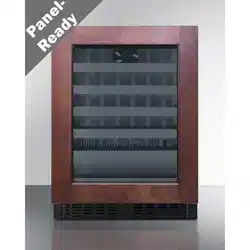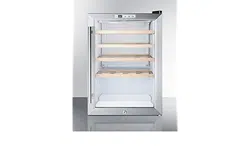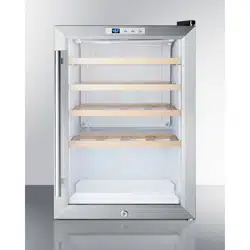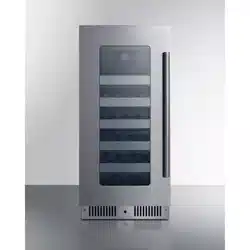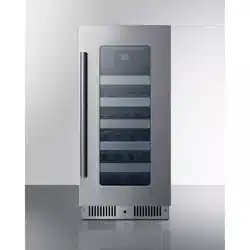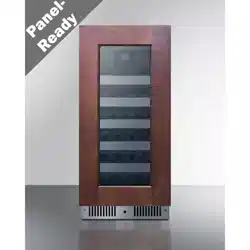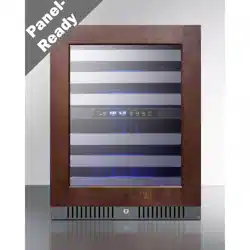
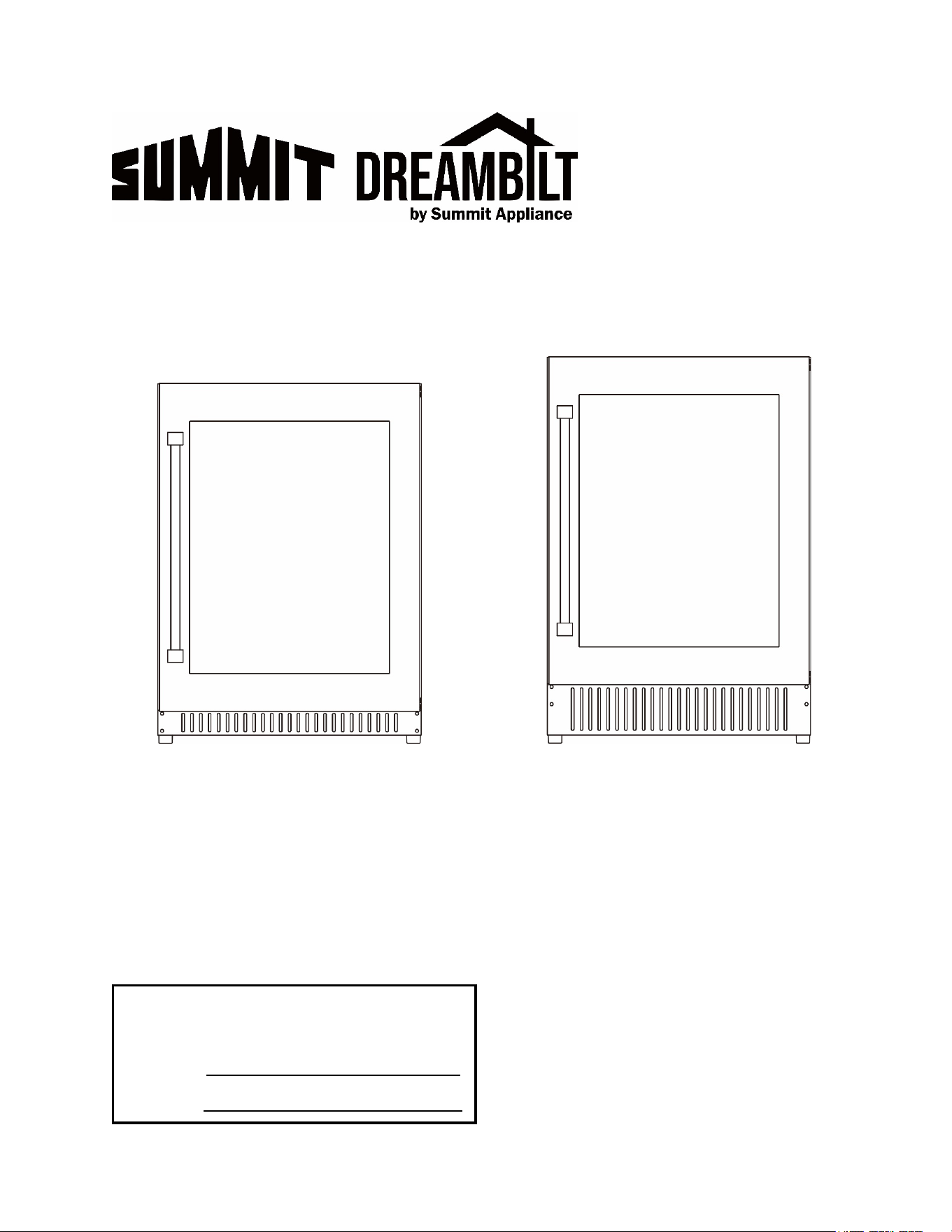
TWO-ZONE WINE CELLAR
ALWC532PNR
DBWC24134ADA
SWC532BLBISTPNR
DBWC24133
User Manual
BEFORE USE, PLEASE READ AND FOLLOW ALL SAFETY RULES AND OPERATING INSTRUCTIONS.
Felix Storch, Inc.
An ISO 9001:2015 registered company
770 Garrison Ave
Bronx, New York 10474
www.summitappliance.com
Write Model and Serial Numbers here:
Model No.:
Serial No.:

2
TABLE OF CONTENTS
Appliance Safety 3
Important Safeguards 3-4
Location of Parts 5
Installation Instructions 6-11
Before Using the Appliance 6
Installation of your Appliance 6
Electrical Connection 6-7
Built-in Under-counter Instructions 7-8
Anti-tip Bracket Installation 8
Installation of the Handle 9
Reversing the Door Swing 9
Panel Ready Installation 10-11
Operating your Appliance 12-13
Control
Panel
12
ON/OFF Power 12
Lock 12
Light 12
Setting the Temperature 12
Temperature Conversion 13
Care and
Maintenance
14
Cleaning your Appliance 14
Power Failure 14
Transporting your Appliance 14
Energy-Saving Tip 14
Troubleshooting 15
Limited Warranty 16
3
APPLIANCE SAFETY
Your safety and the safety of others are very important.
We have
provided many important safety messages in this manual and on your appliance.
Always read and obey all safety messages.
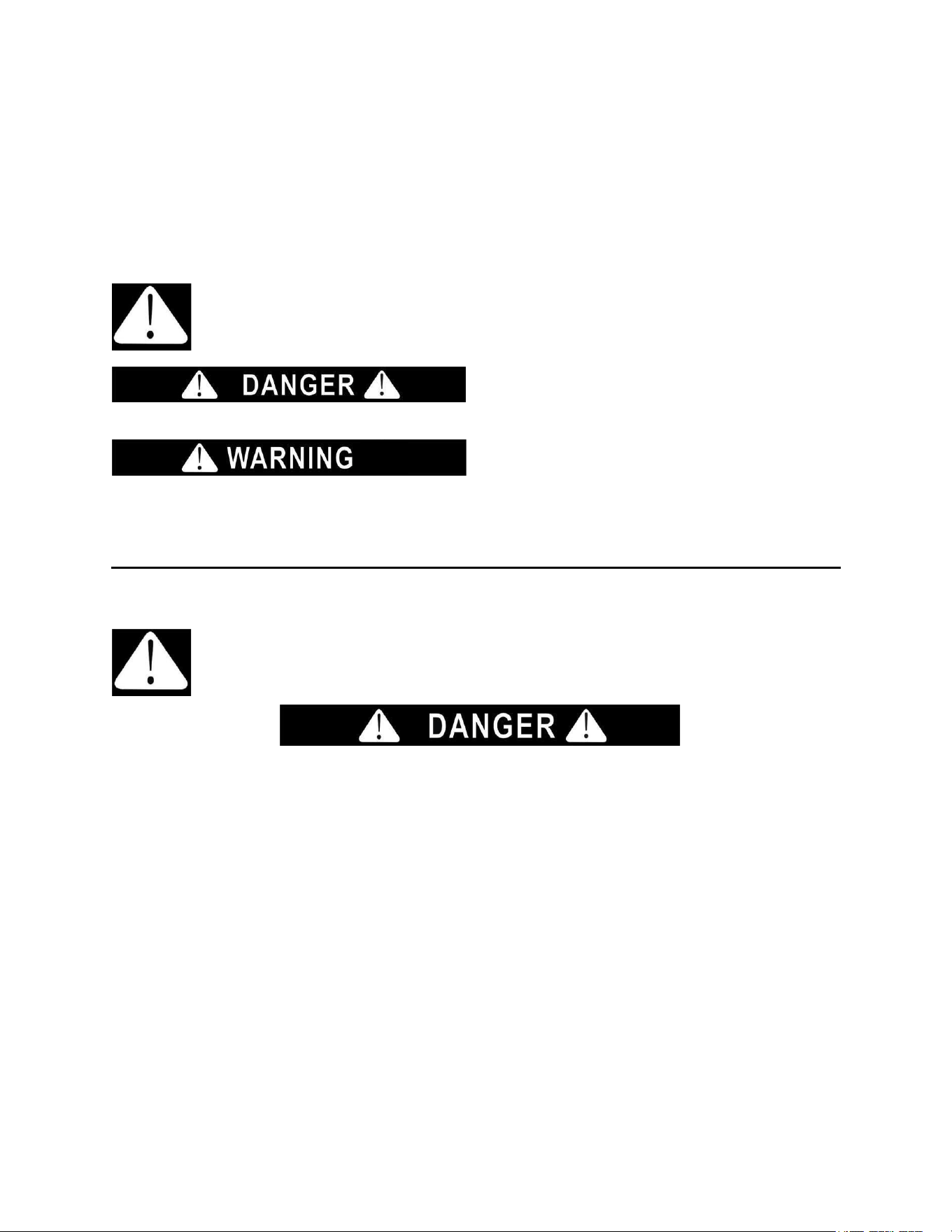
This is the Safety Alert Symbol. The symbol alerts you to potential hazards that
can kill or injure you and others. All safety messages will follow the Safety Alert
Symbol and either the word DANGER or WARNING.
DANGER means that failure to heed this safety
statement may result in severe personal injury or
death.
WARNING means that failure to
heed this safety statement may
result in extensive product damage,
serious personal injury, or death.
All safety messages will alert you about the potential hazard, tell you how to reduce the chance of injury,
and let you know what can happen if the instructions are not followed.
IMPORTANT SAFEGUARDS
Before the appliance is used, it must be properly positioned and installed as described in
this manual, so read the manual carefully. To reduce the risk of fire, electrical shock or
injury when using the appliance, follow basic precautions, including the following:
•
Plug into a grounded 3-prong outlet, do not remove grounding prong, do not use an adapter, and do
not use an extension cord.
•
Replace all panels before operating.
•
It is recommended that a separate circuit serving only your appliance be provided. Use receptacles
that cannot be turned off by a switch or pull chain.
•
Never clean appliance parts with flammable fluids. These fumes can create a fire hazard or
explosion. And do not store or use gasoline or other flammable vapors and liquids in the vicinity of this
or any other appliance. The fumes can create a fire hazard or explosion.
•
Do not connect or disconnect the electric plug when your hands are wet.
•
Unplug the appliance or disconnect power before cleaning or servicing. Failure to do so can result in
electrical shock or death.
•
Do not attempt to repair or replace any part of your appliance unless it is specifically recommended in
this manual. All other servicing should be referred to a qualified technician.
•
These appliances are CFC- and HFC-free and contain small quantities of Isobutane (R600a) which is
environmentally friendly, but flammable. It does not damage the ozone layer, nor does it increase the
greenhouse effect. Care must be taken during transportation and setting up of the appliance that no
parts of the cooling system are damaged. Leaking coolant can ignite and may damage the eyes.
•
In the event of any damage:
o
Avoid open flames and anything that creates a spark,
o
Disconnect from the power source,
4
o
Air the room in which the appliance is located for several minutes, and
o
Contact the Service Department for advice.
•
The more coolant there is in an appliance, the larger the room in which it should be installed. In the
event of a leakage, if the appliance is in a small room, there is the danger of combustible gases
building up. For every ounce of coolant, at least 325 cubic feet of room space is required. The amount
of coolant in the appliance is stated on the data plate inside the appliance. It is hazardous for anyone
other than an Authorized Service Person to carry out servicing or repairs to this appliance.
•
Take serious care when handling, moving, and using the appliance to avoid either damaging the
refrigerant tubing or increasing the risk of a leak.
•
Replacing component parts and servicing shall be done by factory-authorized service personnel to
minimize the risk of possible ignition due to incorrect parts or improper service.
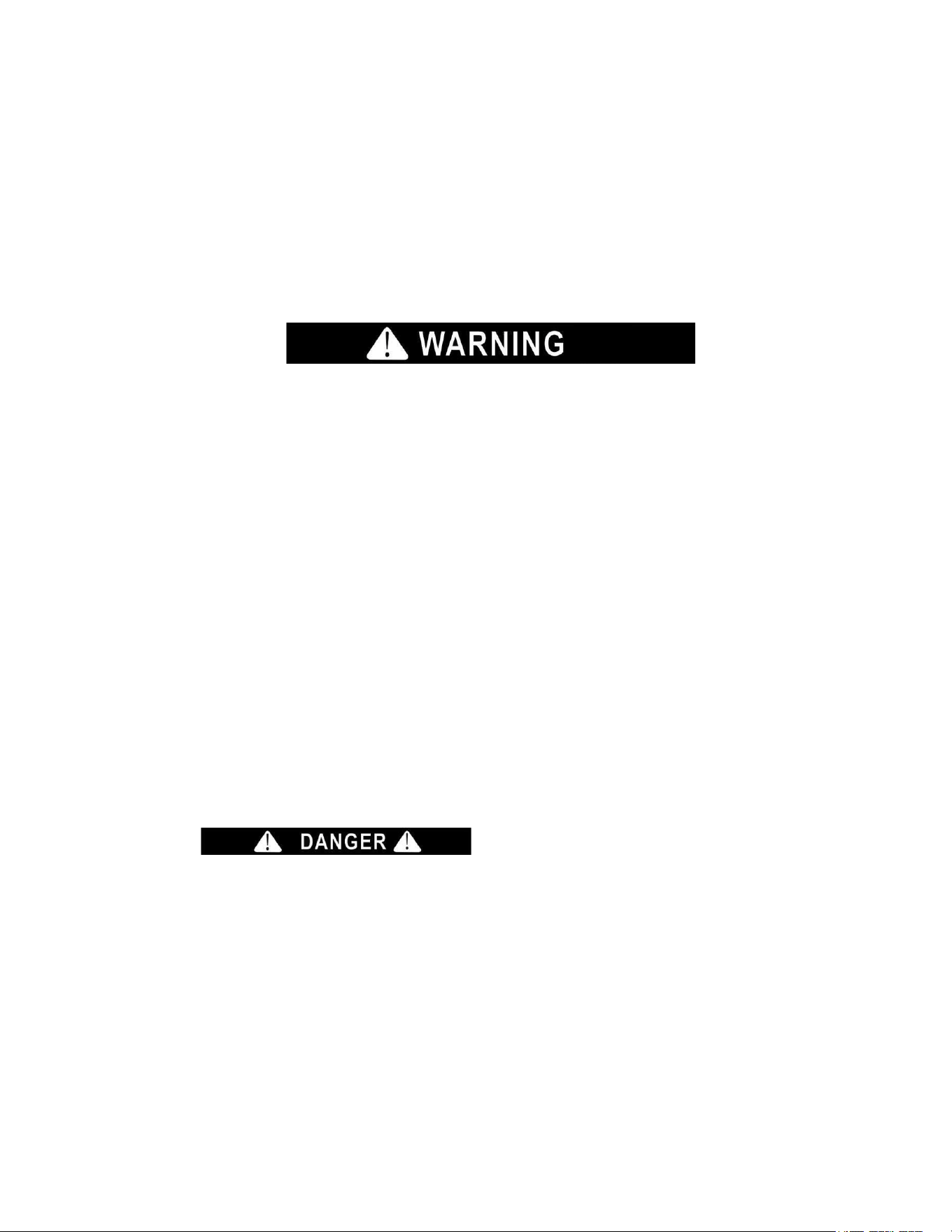
FOLLOW THE WARNING CALLOUTS BELOW ONLY IF APPLICABLE TO YOUR MODEL
•
Use two or more people to move and install the appliance. Failure to do so can result in back or
other injuries.
•
To ensure proper ventilation for your appliance, the front of the appliance must be completely
unobstructed. Choose a well-ventilated area with temperatures above 50°F (10°C) and below 100°F
(38°C).
•
The appliance should not be located next to ovens, grills, or other sources of high heat.
•
The appliance must be installed with all electrical, water, and drain connections in accordance
with state and local codes. A standard electrical supply (115 V AC only, 60 Hz), properly
grounded in accordance with the National Electrical Code and local codes and ordinances, is
required.
•
Do not kink or pinch the power supply cord of the appliance.
•
The size of the fuse (or circuit breaker) should be 15 amperes.
•
It is important that the appliance be leveled in order to work properly. You may need to make several
adjustments to level it.
•
All installations must be in accordance with local plumbing code requirements.
•
Make certain that the pipes are not pinched, kinked, or damaged during installation.
•
Check for leaks after connection.
•
Never allow children to operate, play with or crawl inside the appliance.
•
Do not use solvent-based cleaning agents or abrasives on the interior. These cleaners may
damage or discolor the interior.
•
Use this appliance only for its intended purpose as described in this User Manual.
•
Keep fingers out of the “pinch point” areas. Clearances between the drawers and cabinet are
necessarily small. Be careful closing drawers when children are in the area.
Risk of child entrapment!
Child entrapment and suffocation are not problems of the past. Junked or abandoned appliances are
still dangerous, even if they will “just sit for a few days.”
Before discarding your old appliance:
• Take off the doors
• Leave the shelves in place so that children may not easily climb inside.
- SAVE THESE INSTRUCTIONS -
5
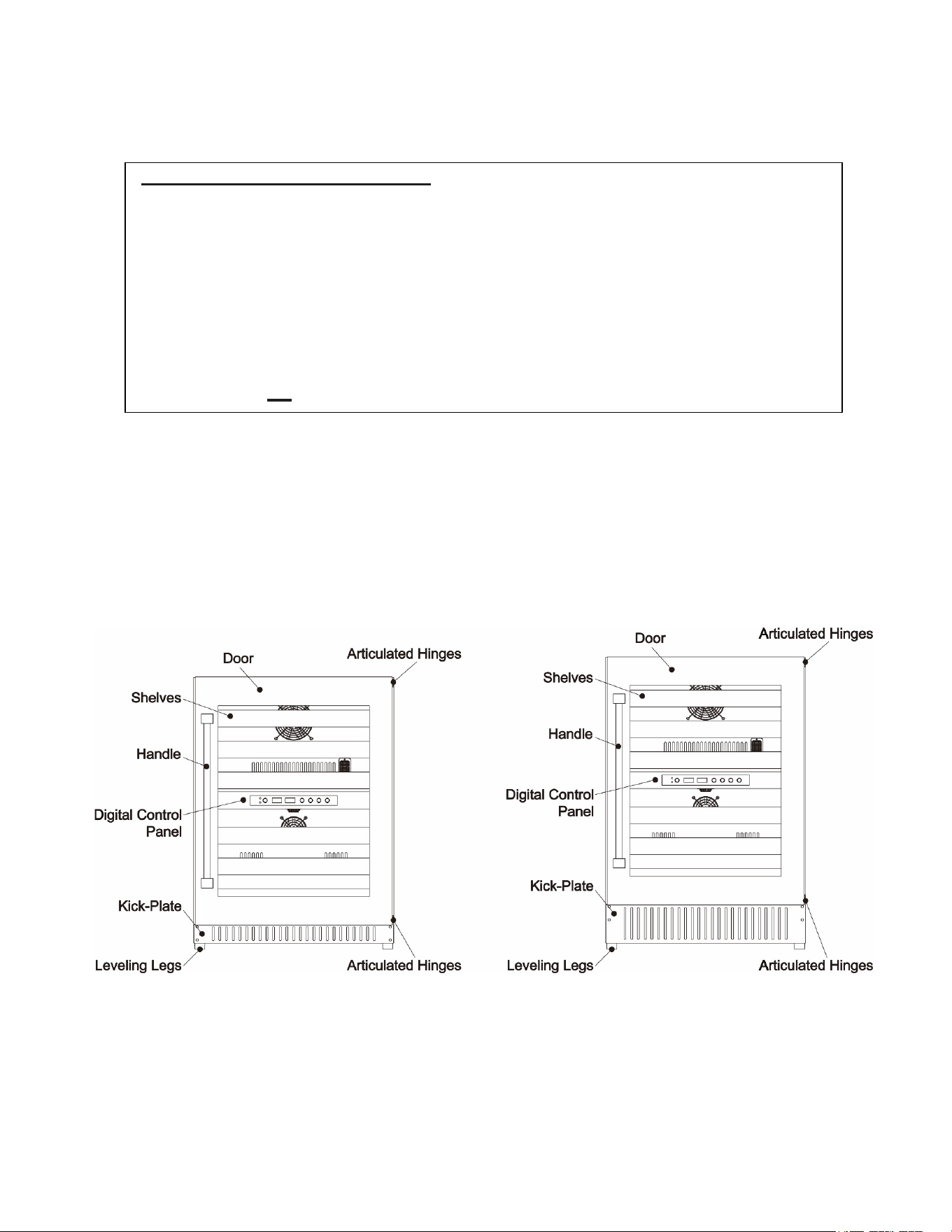
LOCATION OF PARTS
CALIFORNIA
CARB/SNAP
DISCLOSURE
This product uses eco-friendly hydrocarbon refrigerant and fully complies with California
CARB regulations.
However, we are required by California law to provide the following disclosure statement in every
product sold in California:
"This equipment is prohibited from use in California with any refrigerants on the 'List of Prohibited
Substances' for that specific end-use, in accordance with California Code of Regulations, title 17,
section 95374. This disclosure statement has been reviewed and approved by Felix Storch, Inc. and
Felix Storch, Inc. attests, under penalty of perjury, that these statements are true and accurate."
This product does not use any refrigerants on the 'List of Prohibited Substances'"
6
INSTALLATION
INSTRUCTIONS
Before Using Your Appliance
• Remove the exterior and interior packing.
• Before connecting the appliance to the power source, let it stand upright for approximately 2
hours. This will reduce the possibility of a malfunction in the cooling system from handling during
transportation.
• Clean the interior surface with lukewarm water, using a soft cloth. Then, dry thoroughly.
• Install the handles on the drawers if they are not already attached.
Installation of Your Appliance
• This appliance is designed for free standing or built-in (fully recessed) installation. This unit can be
installed indoors or outdoors.
• Place your appliance where the floor is strong enough to support it when it is fully loaded. To
level the appliance, adjust the front leveling legs.
• For free-standing installation, 5” (127mm) of space between the back and sides of the appliance,
and 4” (102mm) at the top, are suggested. This allows the proper air circulation to cool the
compressor and condenser. For built-in installation, keep ¼” (6.35mm) of space between the top
and sides of the appliance, and 2” (51mm) at the rear. Make sure the air vent at the front of the
appliance is never covered or blocked in any way.
• Avoid locating the appliance in moist areas.
• Plug the appliance into an exclusive, properly grounded wall outlet.
NOTE: When the product is installed, there should be a small ventilation gap between the top of the
appliance and the underside of any fitting above (1/4" or 6mm).
Electrical Connection
This app
liance should be properly grounded for your safety. The power cord of this appliance is
equipped with a three-prong plug, which mates with standard three-prong wall outlets to minimize
the possibility of electrical shock.
Do not, under
any circumstances, cut or remove the third (ground) prong from the power cord
supplied. For personal safety, this appliance must be properly grounded. Any questions concerning
power and/or grounding should be directed toward a certified electrician or an authorized service
center.
This app
liance requires a standard 115/120 Volt AC ~60Hz three-prong grounded electrical outlet.
Have the wall outlet and circuit checked by a qualified electrician to make sure the outlet is properly
grounded. When a standard 2-prong wall outlet is encountered, it is your responsibility and
obligation to have it replaced with a properly grounded 3-prong wall outlet.
To prevent accidental injury, the cord should be secured behind the appliance and not left exposed
or dangling.
WARNING
Improper use of the grounded plug can result in the risk of electrical shock. If the power cord is damaged,
have it replaced by a qualified electrician or an authorized service center.
7
The appliance should always be plugged into its own individual electrical outlet, which has a voltage
rating that matches the rating label on the appliance. This provides the best performance and
prevents overloading house wiring circuits, which could cause a fire hazard from overheating. Never
unplug the appliance by pulling on the power cord. Always grip the plug firmly and pull straight out
from the receptacle. Immediately repair or replace all power cords that have become frayed or
otherwise damaged. Do not use a cord that shows cracks or abrasion damage along its length or at
either end. When moving the appliance, be careful not to damage the power cord.
Extension Cord
Due to potential safety concerns under certain conditions, it is strongly recommended that you do
not use an extension cord with this appliance. However, if you must use an extension cord, it is
absolutely necessary that it be a UL/CUL-Listed, 3-wire grounding type appliance extension cord
having a grounding type plug and outlet and that the electrical rating of the cord be 115 volts and at
least 10 amperes.
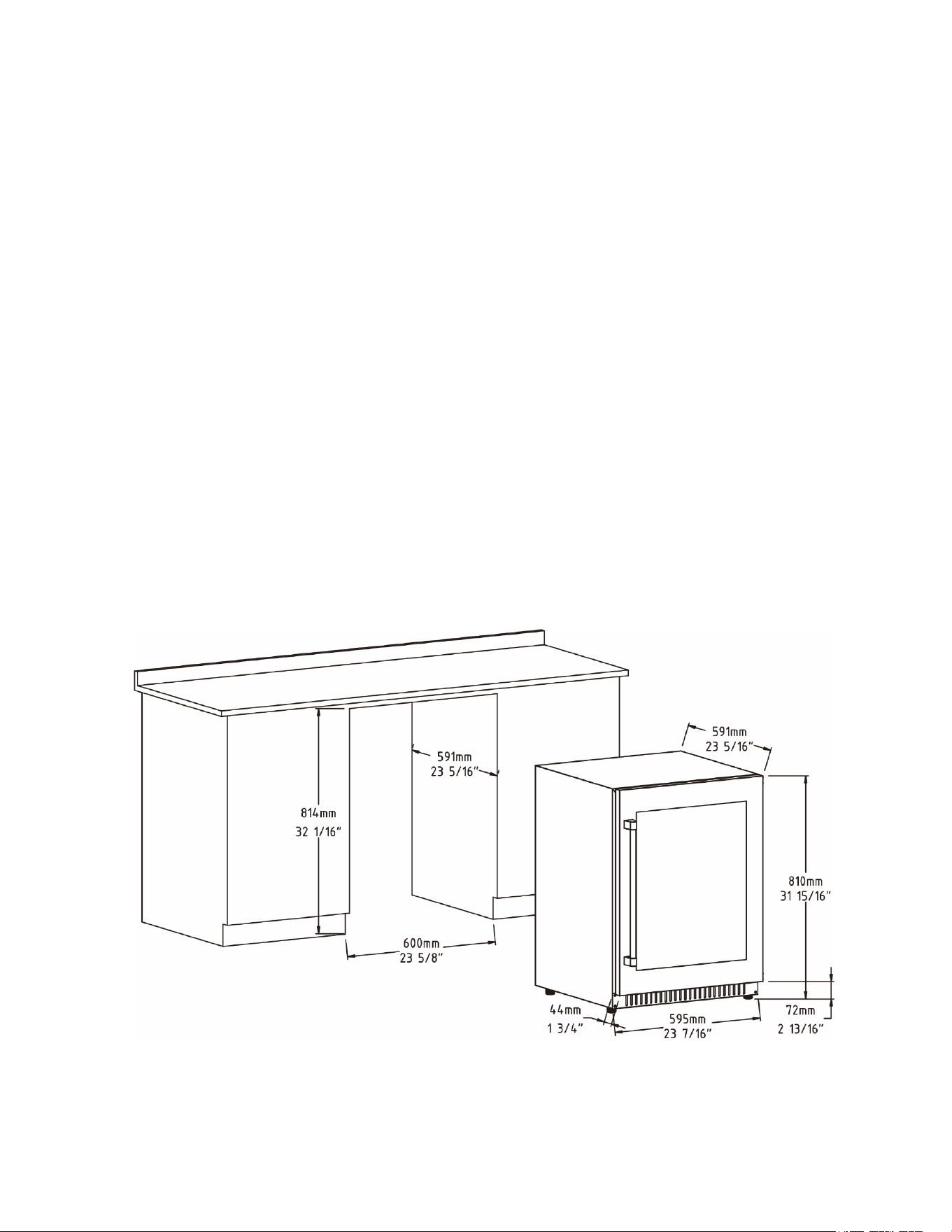
Built-in Under-counter Instructions
Make sure your installation does not block the front ventilation grille. The unit is designed to fit
under worktops, using the height-adjustable ventilation grille to ensure that the feet are concealed
from front view.
If the unit is fully integrated to be installed for fitting kitchen plinth, make sure that the ventilation
gaps in the plinth are at least 300 square centimeters and remove the ventilation grilles, so that
warm air can disperse unhindered. Otherwise, the appliance has to work harder, resulting in an
increase in electricity consumption.
NOTE: When pushing the appliance into the niche, make sure that the mains cable does not get
trapped.
Models: ALWC532PNR, DBWC24134ADA
8
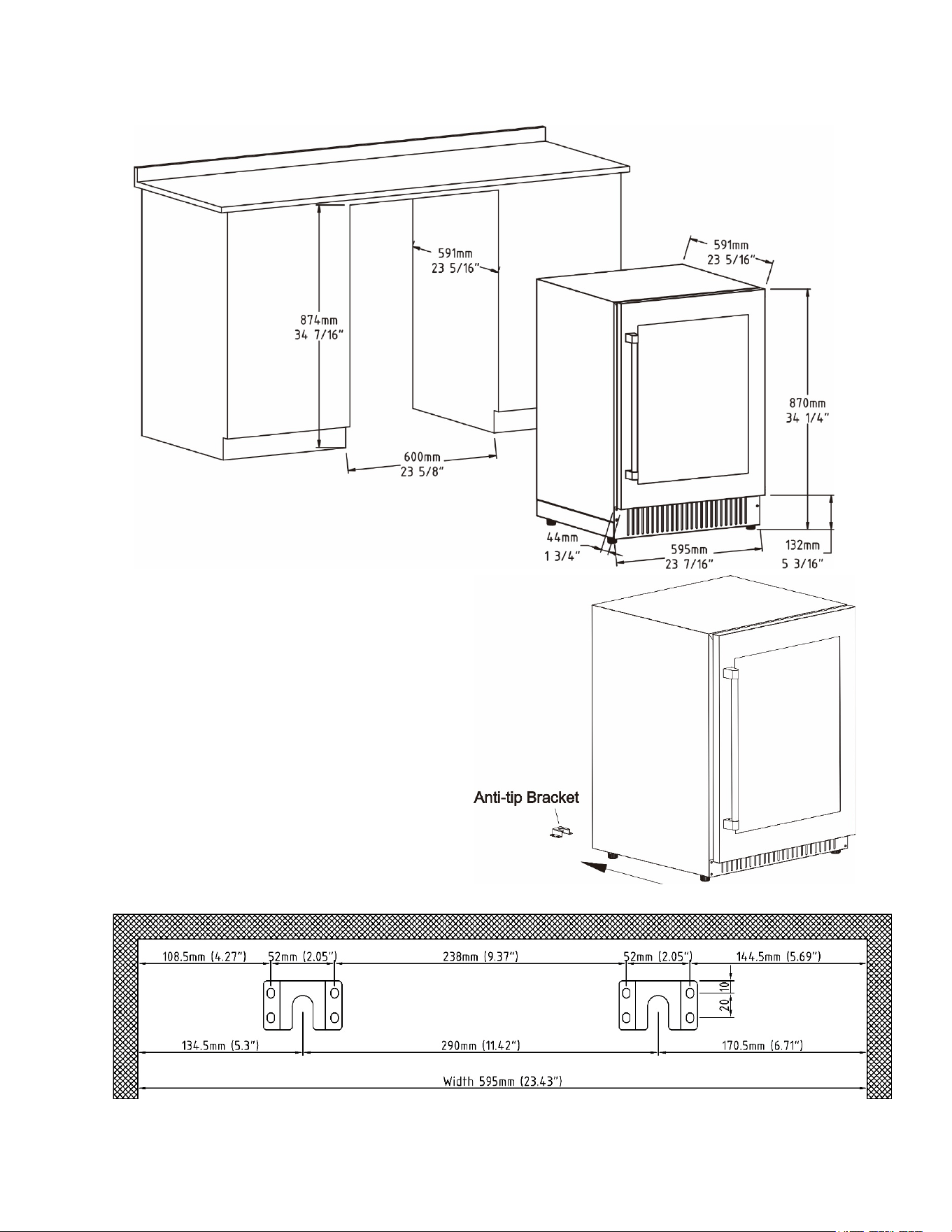
Models: SWC532BLBISTPNR, DBWC24133
Anti-Tip Bracket Installation
To reduce the risk of tipping the appliance by
abnormal usage or improper loading, the
appliance must be secured by properly installing
the anti-tip bracket packed with the appliance.
1. Place the anti-tip bracket on the floor as
shown in the figure to the right.
2. Mark the locations of the 8 holes of the anti-
tip bracket on the floor.
3. Use an 11/50” masonry drill bit and
insert plastic anchors.
4. Secure the anti-tip bracket to the floor, using
screws.
5. Slide the appliance into position, and make
sure the leg engages the anti-tip bracket.
The measurements for the anti-tip bracket installation are illustrated below:
NOTE: If the appliance is relocated, the bracket must be removed and installed in the new location.
9
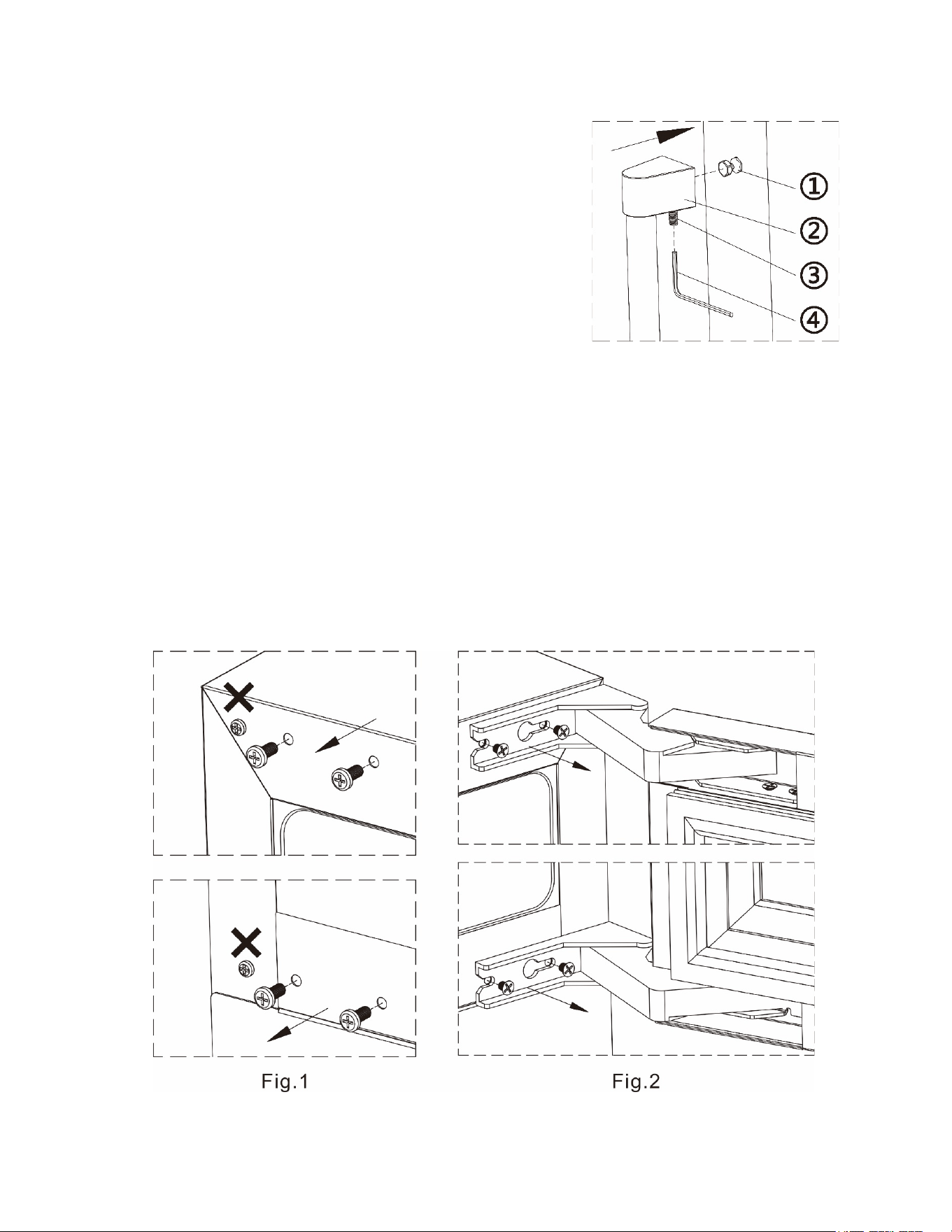
Installation of the Handle (Optional)
If you are not installing a panel over the door frame and would
like to use the provided handle on the stainless steel door trim,
follow the instructions below:
1. Place the handle② over the 2 mounting studs① on the
door frame with the set screws③ pointing down.
2. Push the handle tightly against the door and tighten both of the
2
set screws③ with the Allen key④.
3. Keep the Allen key in a safe place for future use.
Reversing the Door Swing
This
appliance has the capability of the door opening from either the left or right side. The unit is delivered to
you with the door opening from the left side. Should you desire to reverse the opening direction, please
follow the instructions below:
1. Open the door.
2. Remove the screws from the upper and lower left corners
of the unit using a Philips screwdriver. (Fig.1)
3. Remove the two screws of top and bottom hinge using a Philips screwdriver. (Fig.2)
WARNING:
To prevent the door from falling off, it must be held by one person before the screws
are loosened by a second person.
4. Rotate the door 180°, align the hinge over screw hole and slide into position. Tighten screws on top and
bottom.
5. Remove the lock latch from the top of the door and reinstall it in the center mounting hole at the bottom
of the door.
6. Reinstall the previously removed screws back into the upper and lower right corners of the unit.
10
P
anel Ready
Installation
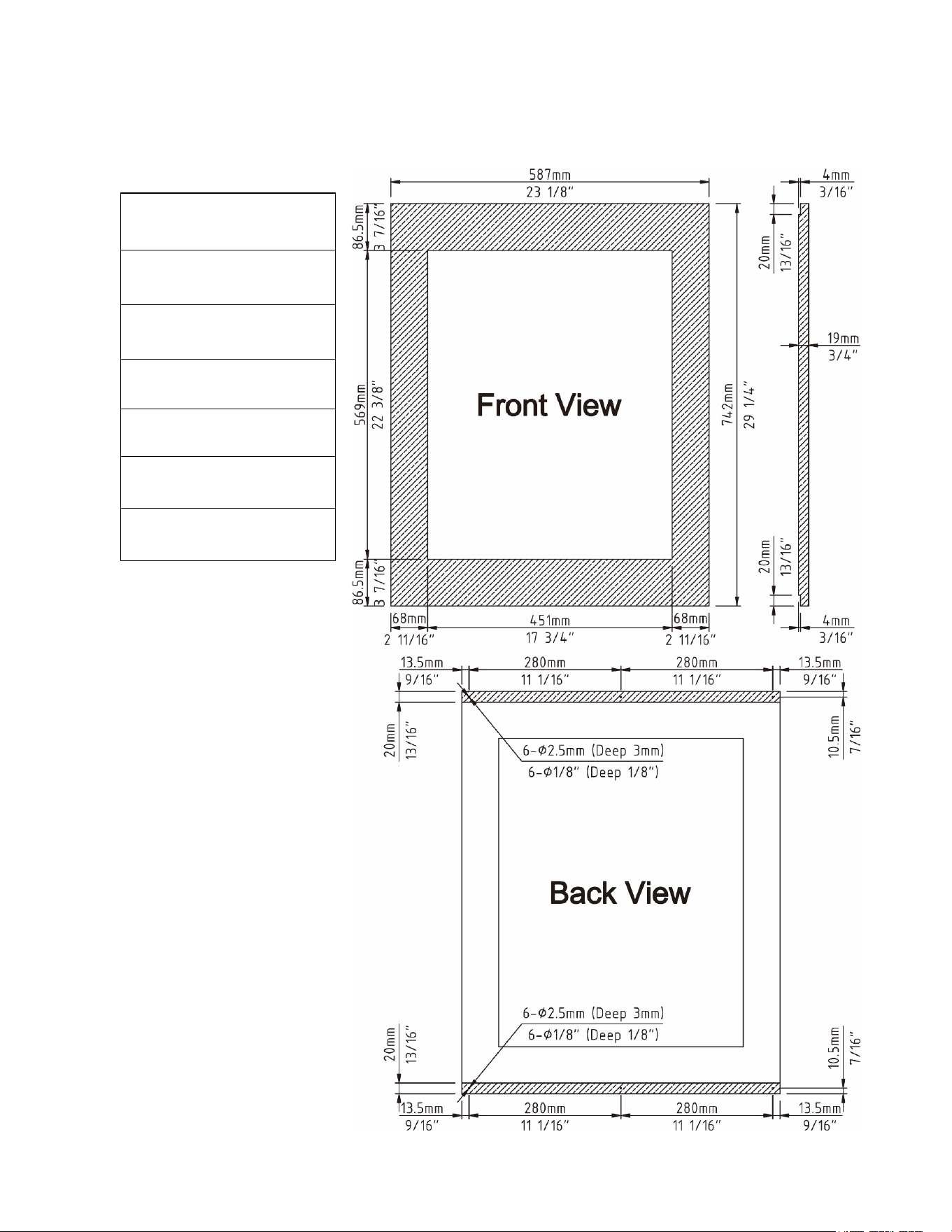
The appliance is designed to be panel ready. To install a custom panel on the front of the doors of your
appliance, follow the steps below:
Overlay Panel
Dimension:
Door Panel Width
:
587mm ( 23 1/8" )
Door Panel Height
:
742mm ( 29 1/4" )
Door Panel Depth
:
19mm ( 3/4" ) max
Door Panel Weight:
10 lb. max
Viewable Area Width:
451mm ( 17 3/4" )
Viewable Area Height:
569mm ( 22 3/8" )
11
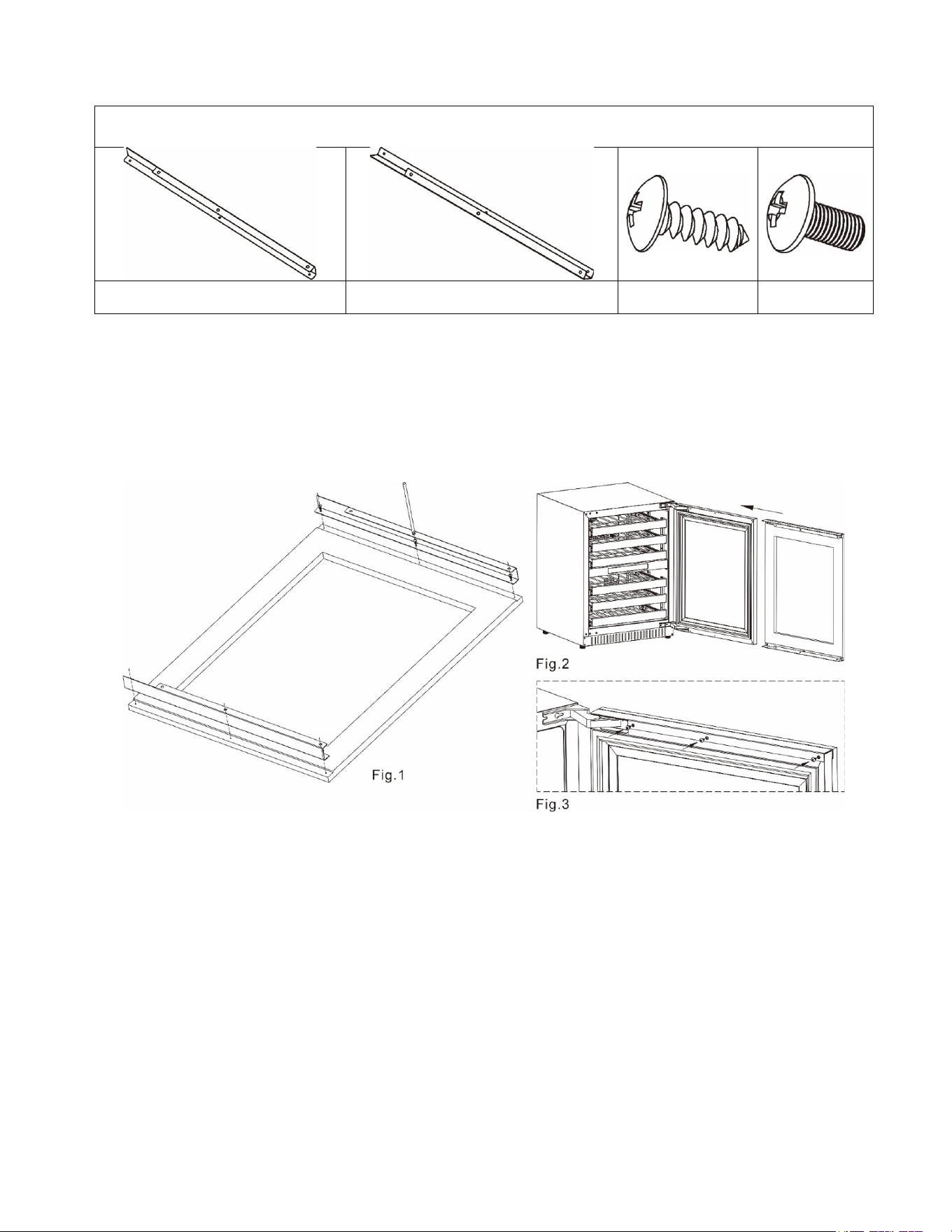
Included in the bracket kit
Top bracket (1) Bottom bracket (1)
Phillips self-tapping
screw (6)
Phillips screw
(6)
Installing the Bracket & Full Overlay Panel Installation
1. Lay the wooden panel (3) on a flat surface.
2. Place the top bracket and bottom bracket along the edge of the panel.
3. Attach the bracket to the wooden panel by using Phillips self-tapping screws.
(Fig.1)
4. Open t
he door and remove the handle.
5. Push the installed wooden panel, in the direction of the door.
(Fig.2)
6. Push i
nto place and secure with Phillips screw.
Installing the handle on the overlay panel
If reusing the handle that came with the unit:
1. Unscrew the studs located on the front face of the door and set them aside for later use.
2. Remove the screws from the door and proceed to mark their positions on the overlay panel by using the
handle as a guide.
3. Use a 3/16” (5mm) drill bit to make the holes on the overlay panel for the screws.
4. Insert the screws, making sure to leave the head of the screw flush with the surface of the panel
(countersink screws if necessary).
5. Take the studs you saved in Step 1 and screw them back. They are now projecting from the face of
the panel.
6. Place the handle over the mounting studs and, using the supplied Allen key, tighten the securing
grub screws to fix the handle. Refer to “Installation of the Handle” (Refer to page 9).
If using a customer supplied handle(s):
1. Attach the handle to the overlay panel by using flat head or countersunk screws.
2. Unscrew the studs located on the front face of the door and save them for later possible use.
12
OPERATING YOUR APPLIANCE
Recommended Temperatures for Chilling Wine
Red Wines:
Dry / White Wines:
48.2 ~ 57.2°F (9 ~ 14°C)
Sparkling Wines:
41 ~ 46.4°F (5 ~ 8°C)
The cabinet temperature may vary slightly depending on whether or not the interior light is ON or OFF, and
whether the bottles are located in the upper/middle or lower section of the cabinet.
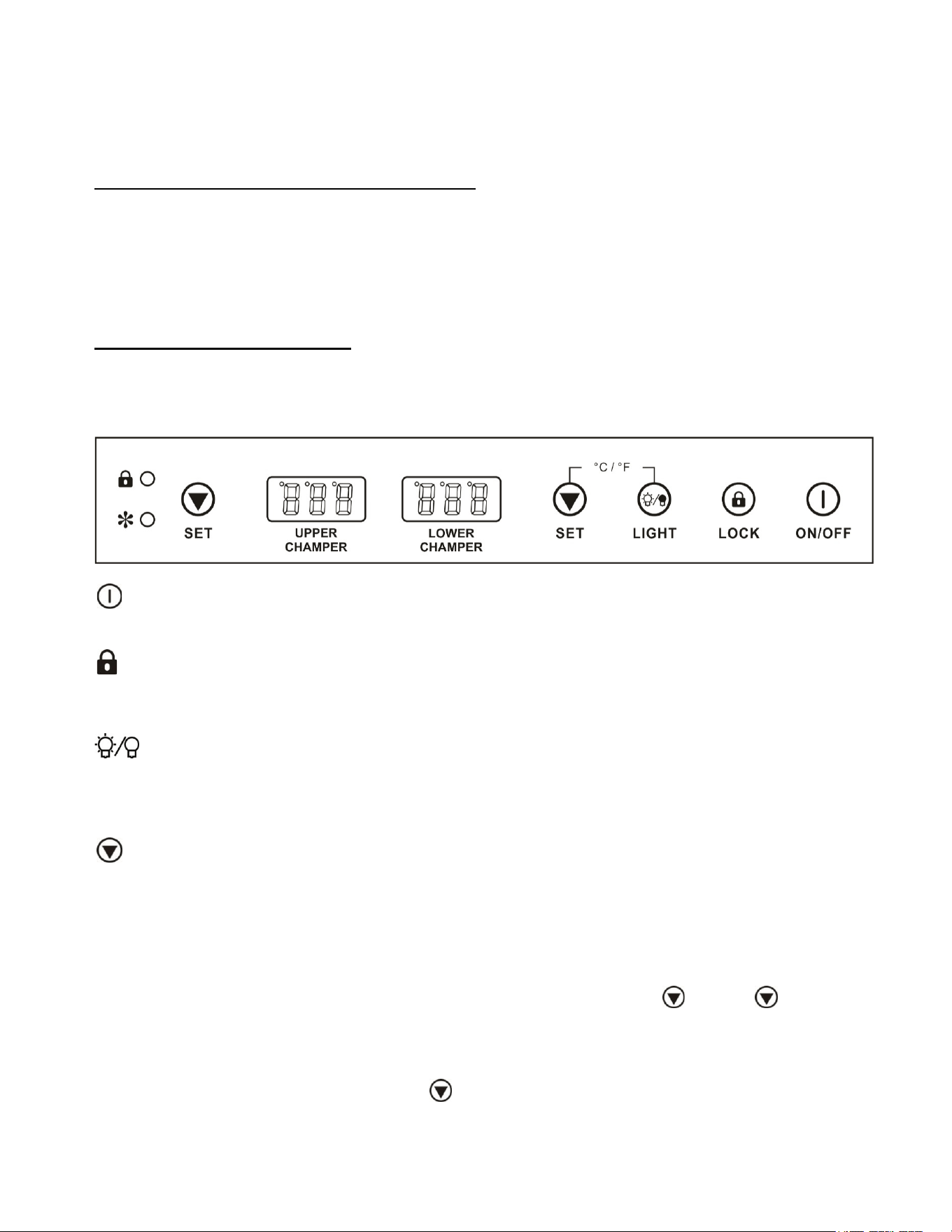
The Controls of Your Appliance
The appliance should be placed where the ambient temperature is between 16 - 35
°
C (61 - 95
°
F). If the
ambient temperature is above or below this range, the performance of the unit may be affected. For
example, placing your unit in extremely cold or hot conditions may cause interior temperatures to fluctuate.
ON/OFF P
ower
To turn the appliance on or off, press the ON/OFF button for 3 seconds.
LOCK
If you press and hold the button for 3 seconds, the control panel will lock and cannot be operated again
until the button is pressed again. After that, it will operate normally.
LIGHT
You can turn the interior light ON or OFF by pushing the button marked LIGHT. The light will turn off
automatically if it remains ON for 10 minutes. Pushing the LIGHT button again will turn the light back on. For
optimum storage of wine, keep the light off except when viewing.
Setting the Temperature
Upper zone adjustable temperature: 41°F to 50°F (5°C to 10°C)
Lower zone adjustable temperature: 50°F to 64°F (10°C to 18°C)
NOTE: For optimal performance, the difference of temperatures set in the two zones should be with the
range 39.2°F ~ 46.4°F (4~8°C)
Set the desired temperature by pressing the corresponding buttons, Left or Right to decrease.
Each press is in 1-degree increment. Once released, set temperature will flash for approximately 5
seconds then revert back to display the internal temperature.
To view your set temperature, press either button once and LED display will flash set temperature for
5 seconds.
59 ~ 64.4°F (15 ~ 18°C)
13
Temperature Conversion
The appliance has the capability to display temperature in either Celsius or Fahrenheit. To change the
temperature scale, press and hold both the and LIGHT buttons simultaneously for approx. 3 seconds.
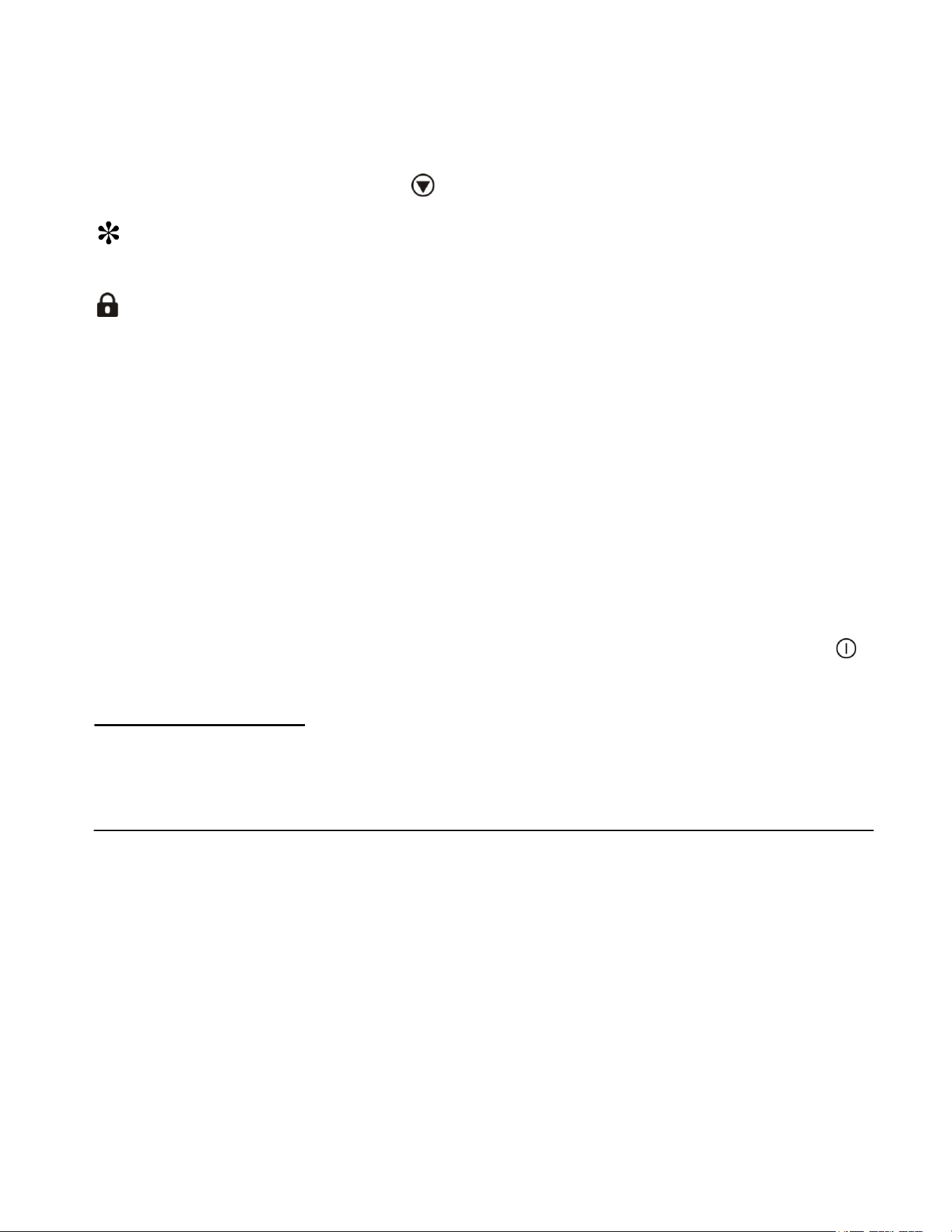
RUN
Indicator light illuminates to signify the cooling mode is currently in operation.
LOCK
If illuminated, indicates the control panel is locked.
NOTES:
If the unit is unplugged or turned off, or if there has been a power failure, you must wait 3 to 5 minutes
before restarting the unit. If you attempt to restart before this time delay, the appliance will not start.
When you use the appliance for the first time, or restart it after it has been shut off for a long time, there
could be a few degrees variance between the temperature you select and the one indicated on the display.
This is normal and due to the length of inactivation time. Once the appliance has been running for a few
hours, everything will be back to normal.
You may notice condensation on the outer surface of the glass door. This occurs when water vapor from
the air contacts the cold surface of the door and the vapor condenses on the glass, causing a fogging
effect. In extreme situations, water can even drip off the door, indicating excessive humidity in the
environment.
If the appliance has been off for less than 5 minutes, the compressor will not restart at once when is
pressed. This behavior is built into the control system to protect the compressor.
Bot
tle Storage & Capacity
Wine bottles can vary in size and shape, and the stated capacity may not apply to every varietal. For a
detailed view showing how your shelves can best accommodate different types of bottles, visit your product
on our website and open the “Shelving Guide” included in the Downloads section.

14
CARE AND MAINTENANCE
Cleaning Your Appliance
• Turn off the power, unplug the appliance, and remove all items.
• Wash the inside surfaces with a warm water and baking soda solution. The solution should
consist of about 2 tablespoons of baking soda to a quart of water.
• Wring excess water out of the sponge or cloth when cleaning the area of the controls or any
electrical parts.
• Wash the exterior of the cooler with a warm solution of mild liquid detergent. Rinse well and wipe
dry with a clean, soft cloth.
Power Failure
Most power failures are corrected within a few hours. If your power is going to be off for a longer
period of time, you need to take the proper steps to protect the contents of your refrigerator.
Transporting Your Appliance
If you need to move your appliance once the box has been discarded:
1. Securely tape down all loose items inside your appliance.
2. Turn the adjustable legs up to the base to avoid damage.
3. Be sure the appliance stays secure in an upright position during transportation. Also, protect the
outside of the appliance with a blanket or similar item.
Energy-Saving Tip
The appliance should be in the coolest area of the room, away from heat-producing appliances
and out of direct sunlight.
15
TROUBLESHOOTING
You can solve many common problems
easily, saving you the cost of a service call. Try the suggestions below to see if you can
solve the problem before calling the servicer.
PROBLEM POS
SIBLE CAUSE REMEDY
Appliance does not operate.
The appliance defrosts automatically in
normal operating conditions.
The appliance is turned off.
Tripped circuit breaker or a blown fuse.
Connect the appliance. Switch on the
appliance.
Switch on the circuit breaker or
replace the fuse.
The appliance is not cold
enough.
The temperature is not set correctly.
The ambient temperature could require a
lower temperature setting.
The condenser is too dirty.
The ventilation opening is blocked or too
dusty.
Check the set temperature. Set a
lower temperature.
Clean the condenser when necessary.
Clear the obstructions and wipe off
the dust.
The appliance turns itself on
and
off frequently.
The room temperature is higher than
average.
A large number of bottles have been
added to the appliance.
Put the appliance in a cooler place.
Leave the appliance to work for a while until the
set temperature has
been reached.
The light does not work.
The appliance is not connected to a power
supply.
A tripped circuit breaker or a blown fuse.
The light was switched off on the control
panel.
Connect the appliance.
Switch on the circuit breaker or replace the
fuse.
Switch on the light.
Vibrations
The appliance is not properly leveled. Level the appliance with
adjustable feet.
The appliance seems to
make too much noise.
The rattling noise may come from the flow of the refrigerant, which is normal. As each cycle
ends, you may hear gurgling sounds caused by the flow of refrigerant in your appliance.
If temperature fluctuations occur, the contraction and expansion of the inner walls
may cause popping and crackling noises.
The appliance is not properly leveled.
Level the appliance with
adjustable feet.
Display “E1”, “E2”.
“E1” or “E2” indicates that the air
temperature sensor has failed.
Call for service.
LED displays “HH”, the alarm
is ringing
The unit’s
internal temperature is higher than
86°F (30°C).
Unplug the appliance and re-plug after 5
minutes. If the alarm and LED do not change
back, contact customer service.
LED displays “LL”, the alarm is
ringing
The unit’s internal temperature is lower than
32°F (0°C).
Unplug the appliance and re-plug after 5
minutes. If the alarm and LED do not change
back, contact customer service.
There is a difference between
the
temperature inside the
appliance and the temperature
shown on display.
The appliance is being turned on for the first
time, after a restart, or a long period out of
operation.
This is normal, leave the appliance running for
several hours and the temperature will stabilize,
if this does not happen, contact customer
support.
If you have checked the table above and find that you still need help with your appliance, call our Customer Service facility at
800-932-4267 (Ext. 513) between 9:00 AM and 5:00 PM ET or visit www.summitappliance.com/support. We will do our
best to answer your questions.
16
LIMITED WARRANTY
ONE-YEAR LIMITED WARRANTY
Within the 48 contiguous United States, for one year from the date of purchase, when this appliance is
operated and maintained according to instructions attached to or furnished with the product, warrantor will
pay for factory-specified parts and repair labor to correct defects in materials or workmanship. Service must
be provided by a designated service company. Outside the 48 states, all parts are warranted for one year
from manufacturing defects. Plastic parts, shelves, and cabinets are warranted to be manufactured to
commercially acceptable standards and are not covered from damage during handling or breakage.
5-YEAR COMPRESSOR WARRANTY
1. The compressor is covered for 5 years.
2. Replacement does not include labor.
ITEMS WAR
RANTOR WILL NOT PAY FOR:
1. Service calls to correct the installation of your appliance, to instruct you how to use your appliance, to
replace or repair fuses or to correct wiring or plumbing.
2. Service calls to repair or replace appliance light bulbs or broken shelves. Consumable parts (such as
filters) are excluded from warranty coverage.
3. Damage resulting from accident, alteration, misuse, abuse, fire, flood, acts of God, improper
installation, installation not in accordance with electrical or plumbing codes, or use of products not
approved by warrantor.
4. Replacement parts or repair labor costs for appliances operated outside the United States.
5. Repairs to parts or systems resulting from unauthorized modifications made to the appliance.
6. The removal and reinstallation of your appliance if it is installed in an inaccessible location or is not
installed in accordance with published installation instructions.
DISCLAIMER OF IMPLIED WARRANTIES – LIMITATION OF REMEDIES
CUSTOMER'S SOLE AND EXCLUSIVE REMEDY UNDER THIS LIMITED WARRANTY SHALL BE
PRODUCT REPAIR AS PROVIDED HEREIN. IMPLIED WARRANTIES, INCLUDING WARRANTIES OF
MERCHANTABILITY OR FITNESS FOR A PARTICULAR PURPOSE, ARE LIMITED TO ONE YEAR.
WARRANTOR SHALL NOT BE LIABLE FOR INCIDENTAL OR CONSEQUENTIAL DAMAGES. SOME
STATES DO NOT ALLOW THE EXCLUSION OR LIMITATION OF INCIDENTAL OR CONSEQUENTIAL
DAMAGES, OR LIMITATIONS ON THE DURATION OF IMPLIED WARRANTIES OF MERCHANTABILITY
OR FITNESS, SO THESE EXCLUSIONS OR LIMITATIONS MAY NOT APPLY TO YOU. THIS WARRANTY
GIVES YOU SPECIFIC LEGAL RIGHTS AND YOU MAY ALSO HAVE OTHER RIGHTS, WHICH VARY
FROM STATE TO STATE.
Felix Storch, Inc.
An ISO
9001:2015 registered company
770 Garrison Ave
Bronx, New York 10474
www.summitappliance.com
For parts and accessory ordering,
troubleshooting, and helpful
hints, visit:
www.summitappliance.com/support
Revised 08-
21-24
P
rinted in China
WARNING: This product can expose you to chemicals including Nickel (
Metallic) which
is known to the State of California to cause cancer.
For more information go to www.P65Warnings.ca.gov
Note: Nickel is a component in all stainless steel and some other metallic compositions.