www.auna-multimedia.com
AV2-CD509
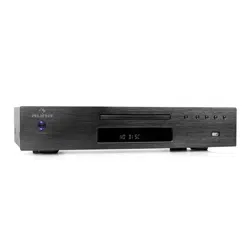
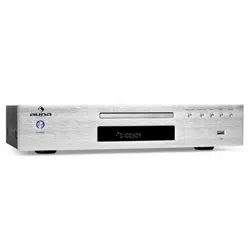
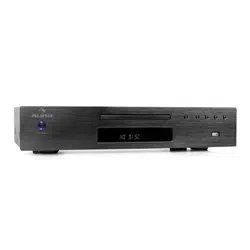
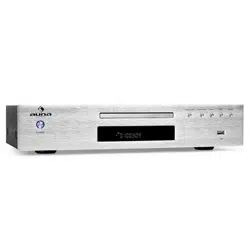
HiFi CD-Player
HiFi CD Player
Reproductor de CD HiFi
Lecteur CD Hifi
Lettore CD HiFi
10005063 10008983

3
DE
English 13
Español 21
Français 29
Italiano 37
Sehr geehrter Kunde,
wir gratulieren Ihnen zum Erwerb Ihres Gerätes.
Lesen Sie die folgenden Hinweise sorgfältig durch
und befolgen Sie diese, um möglichen Schäden
vorzubeugen. Für Schäden, die durch Missachtung der
Hinweise und unsachgemäßen Gebrauch entstehen,
übernehmen wir keine Haftung. Scannen Sie den
folgenden QR-Code, um Zugri auf die aktuellste
Bedienungsanleitung und weitere Informationen rund
um das Produkt zu erhalten:
INHALTSVERZEICHNIS
Sicherheitshinweise 4
Geräteübersicht 6
Fernbedienung 7
Systemanschluss 7
MP3-Funktion 8
USB-Funktion 8
Normal-Funktion 8
Fehlerbehebung 9
Spezielle Entsorgungshinweise für Verbraucher in Deutschland 10
Hinweise zur Entsorgung 12
Hersteller & Importeur (UK) 12
TECHNISCHE DATEN
Artikelnummer 10005063, 10008983
Stromversorgung 220-240 V ~ 50/60 Hz

4
DE
SICHERHEITSHINWEISE
Allgemeine Sicherheitshinweise
VORSICHT
Verletzungsgefahr! Hören Sie nicht mit übermäßig hoher
Lautstärke Musik, da dies zu Hörschäden führen kann.
• Kinder ab 8 Jahren, psychisch, sensorisch und körperlich eingeschränkte
Menschen dürfen das Gerät nur benutzen, wenn sie vorher von einer
für sie verantwortlichen Aufsichtsperson ausführlich mit den Funktionen
und den Sicherheitsvorkehrungen vertraut gemacht wurden und die
damit verbundenen Risiken verstehen.
• Legen Sie nur CDs in das CD-Fach.
• Ö nen Sie niemals die Geräteabdeckung und versuchen Sie keinesfalls,
selbst Reparaturen am Gerät vorzunehmen.
• Wenden Sie sich für Reparaturen an hierfür quali ziertes Personal. Das
Gerät enthält keine vom Nutzer zu wartenden Gerätebestandteile.
• Eine unsachgemäße Handhabung kann zu Schäden am Gerät und zum
Erlöschen des Garantieanspruchs führen.
Stromanschluss
• Verwenden Sie ausschließlich das im Lieferumfang enthaltene Netzteil.
Die Verwendung eines anderen Netzteils kann zum Erlöschen der
Garantie und/oder irreparablen Schäden am Gerät führen.
• Ziehen Sie während Gewittern den Stecker des Geräts aus der
Steckdose.
• Stellen Sie sicher, dass das Gerät ausgeschaltet wurde, bevor Sie den
Netzstecker ziehen.
• Wenn Sie eine Mehrfachsteckdose oder den Stecker als
Trennvorrichtung verwenden, sollten Sie darauf achten, dass diese
immer leicht zugänglich und betriebsbereit sind.
• Werfen Sie Batterien niemals in o enes Feuer und versuchen Sie
keinesfalls, deren Außenhülle zu ö nen.
• Batterien sind, wenn sie verschluckt werden, gesundheitsgefährdend
und sollten deshalb außerhalb der Reichweite von kleinen Kindern
gelagert werden.
5
DE
Belüftung
• Blockieren oder bedecken Sie keinesfalls die Belüftungsö nungen,
Löcher oder Ö nungen des Geräts, mit Gegenständen wie
Teppichen, Tüchern und ähnlichem, da andernfalls die Funktionalität
und/oder die Belüftung für eine sicherer Verwendung nicht
gewährleistet werden können.
• Die Unterseite des Geräts kann warm werden, wenn das Gerät über
einen längeren Zeitraum verwendet wird. Dies ist normal.
Standort
• Vergewissern Sie sich, dass das Gerät auf einer achen und stabilen
Ober äche steht.
• Stellen Sie das Gerät maximal 1,4 Meter von der nächsten
Steckdose entfernt auf. Vergewissern Sie sich, dass das
Netzstromkabel und die Lautsprecherkabel nicht zu einer
Stolperfalle werden können.
• Platzieren Sie das Gerät mindestens einen Meter von anderen
elektrischen Geräten entfernt, um Störgeräusche zu vermeiden.
• Stellen Sie das Gerät so auf, dass es sich innerhalb der Reichweite
von externen BT-Geräten (beispielsweise iPod/ iPhone/iPad/
Androidgeräte/ Computer etc.) be ndet. Die Reichweite beträgt
(ohne Hindernisse) maximal 10 Meter (33 Fuß).
• Achten Sie darauf, dass das Gerät genug Platz nach oben hat, so
dass die Antenne richtig ausgerichtet werden kann.
• Stellen Sie das Gerät niemals direkt auf antike oder polierte
Ober ächen.
Hinweise zum Laser
VORSICHT
Verletzungsgefahr! Berühren Sie niemals die optische
Linse im CD-Fach und schauen sie auch nicht in diese
hinein.
• Bei diesem Gerät handelt es sich um ein Laserprodukt der Klasse 1
• Die Verwendung von nicht in der Bedienungsanleitung aufgeführten
Steuerungen oder eine nicht autorisierte Modi kation des Geräts,
kann zu einer schädlichen Freisetzung von Laserstrahlung führen.
6
DE
GERÄTEÜBERSICHT
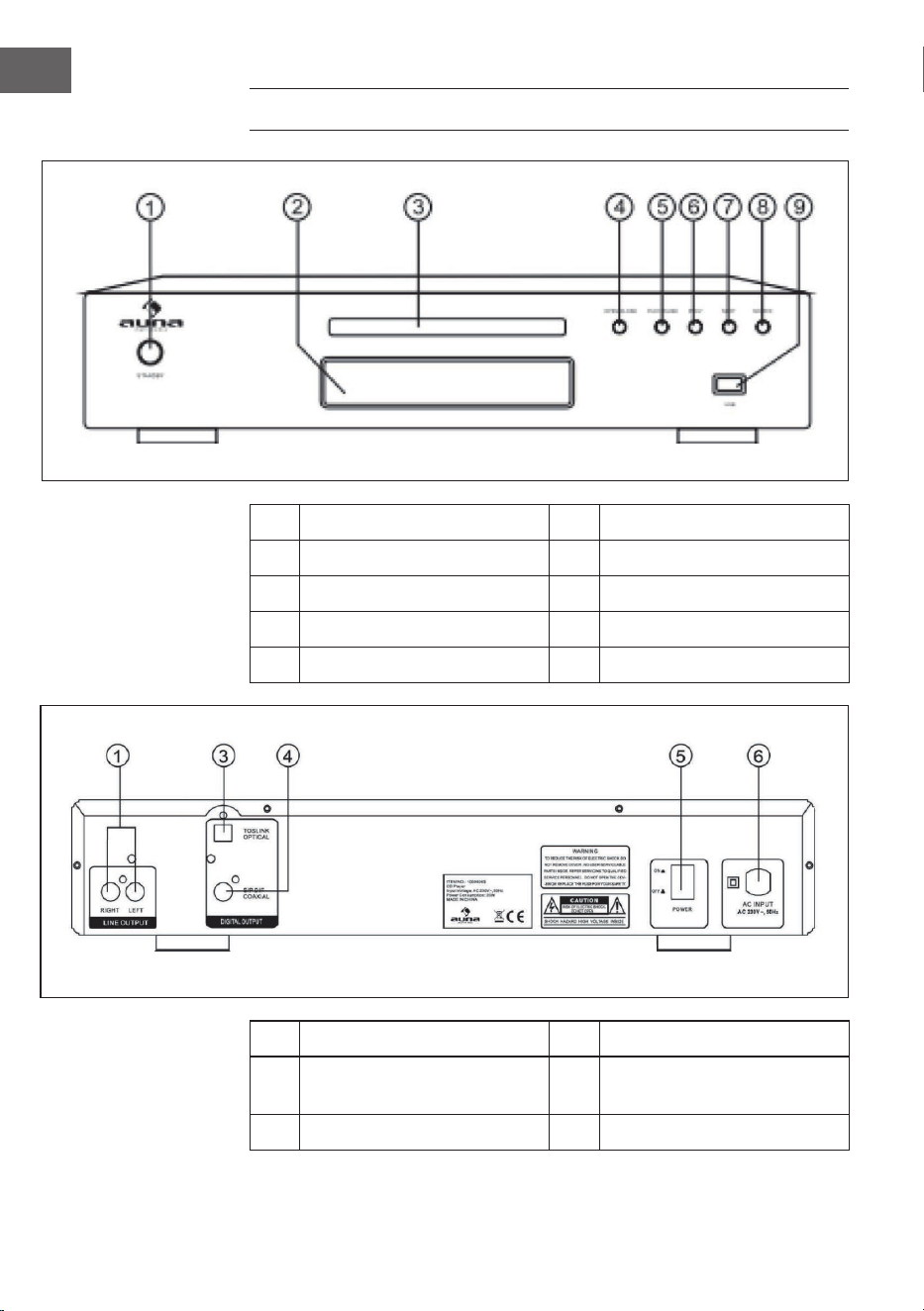
1 Standby-Modus 6 Vorheriger Titel
2 VFD 7 Nächster Titel
3 CD-Lade 8 Eingangsquelle
4 Önen / Schließen 9 USB-Anschluss
5 Wiedergabe / Pause
1 Line Ausgang 5 Netzschalter
3 Optischer Ausgang 6 Stromanschluss 240V ~50Hz
4 Coaxialer Ausgang
7
DE
FERNBEDIENUNG
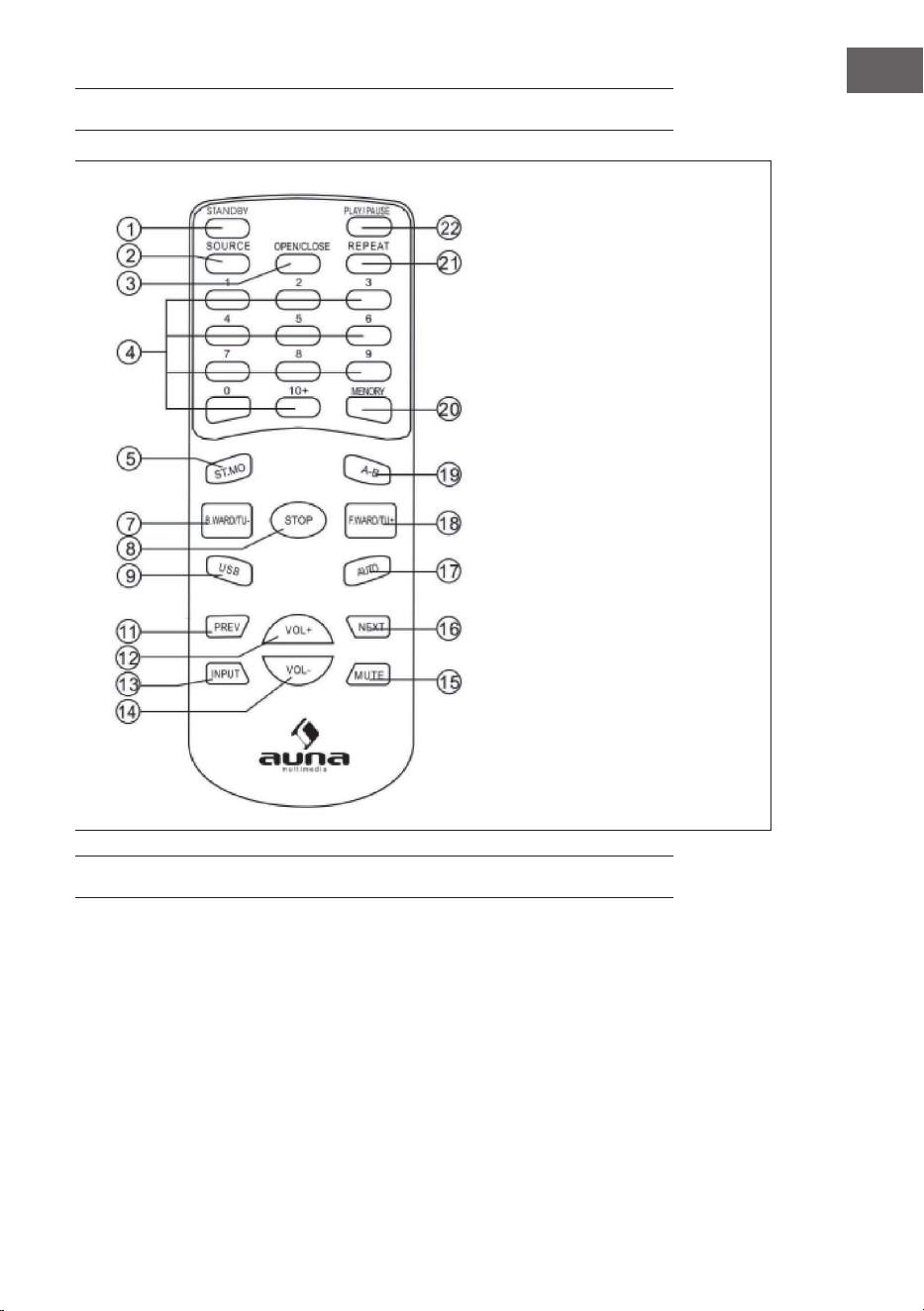
1 Standby-Modus
2 Eingangsquelle
3 Önen /Schließen
4 Nummernfelder
5 Stereo / Mono-
Umschaltung
7 Rücklauf/Frequenz zurück
8 Stop
9 USB
11 zurück
12 Lautstärke +
13 Eingang
14 Lautstärke -
15 Ton aus
16 vor
17 Auto
18 Vorlauf / Frequenz vor
19 A-B
20 Speicher
21 Wiederholen
22 Wiedergabe / Pause
SYSTEMANSCHLUSS
1 Schließen Sie nur neue Komponenten und die anderen Elemente des
Gerätes an, wenn das Gerät abgeschaltet ist.
2 Die Lautsprecherkabel sollen den Farben entsprechend und fest
angeschlossen werden.

8
DE
MP3-FUNKTION
Titel über die Nummerntasten aussuchen
1 Legen Sie eine CD mit MP3-Dateien ein.
2 Geben Sie über die Nummertasten die Titelnummer ein.
3 Drücken Sie STOP um zum Menü zu gelangen.
Wiedergabe wiederholen
Sie können nur einen Titel oder die gesamte CD immer wieder wiederholen.
1 Wählen Sie den gewünschten Titel.
2 Drücken Sie REPEAT; es wird auf dem Display angezeigt.
3 Wenn Sie die Wiederholungsfunktion beendet, wird dieses auch
angezeigt.
Nach dem Beenden sehen Sie wieder die Ordneransicht. Alle weiteren
Funktionen der CD-Wiedergabe sind auch in der MP3-Wiedergabe möglich
(Ton aus, Lautstärke, Pause, usw.).
USB-FUNKTION
Um Lieder von einem USB-Stick oder einem über USB angeschlossenen
MP3-Players wiederzugeben, müssen Sie als Quelle M-CARD wählen.
NORMAL-FUNKTION
1 Trennen Sie das Gerät vom Strom und verbinden Sie das Quellgerät mit
den Eingängen des Gerätes.
2 Schalten Sie das Gerät ein und warten 3-4 Sek. bis die Lautsprecher
arbeiten.
3 Stellen Sie die Lautstärke am Gerät oder über die Fernbedienung ein.
4 „Ton aus“ können Sie über MUTE aus- und einschalten.
9
DE
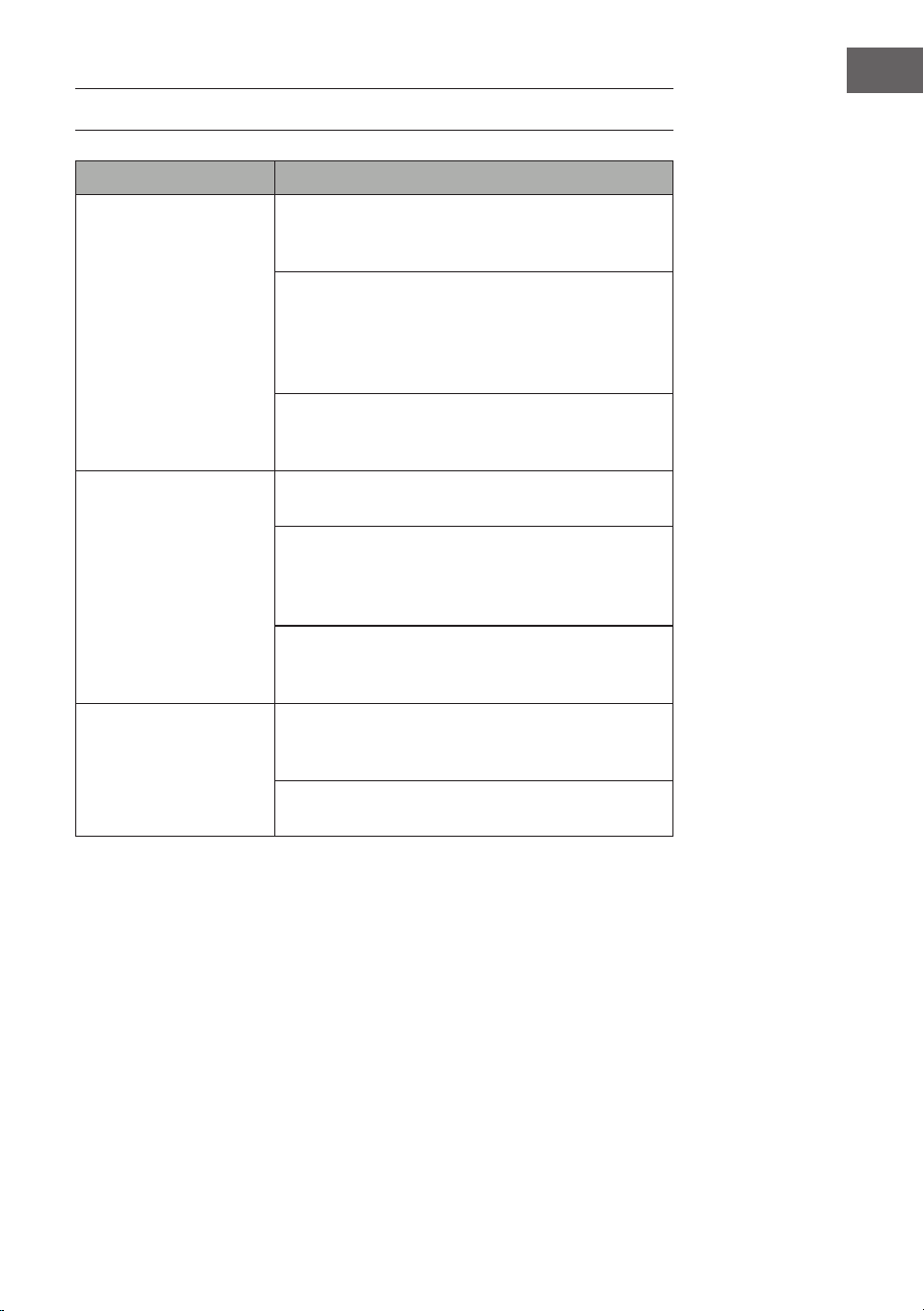
FEHLERBEHEBUNG
Problem Mögliche Ursache und Lösungsansatz
Die CD wird nicht
wiedergegeben
Stellen Sie sicher, dass sich das Gerät im CD-Modus
bendet. Drücken Sie zum Ändern des Modus
mehrfach die Taste Mode.
Entnehmen Sie die CD aus dem CD-Fach und
überprüfen Sie diese auf Kratzer und Markierungen.
Beschädigte CDs können vom Radio nicht
wiedergegeben werden, können Titel überspringen
oder sich nicht richtig drehen.
Überprüfen Sie, ob Sie eine originale Audio-CD oder
eine Kopie eingelegt haben. Oftmals können Kopien
nicht wiedergegeben werden.
Kein Ton/Strom Erhöhen Sie die Lautstärke über die Taste Volume +
des Geräts oder die Taste Vol. + der Fernbedienung.
Überprüfen Sie, ob der Ton stummgeschaltet wurde.
Sollte der Ton stummgeschaltet worden sein, drücken
Sie zur Reaktivierung des Tons kurz die Taste Mute der
Fernbedienung.
Kopfhörer könnten angeschlossen sein. Hören Sie
entweder über die Kopfhörer Musik oder ziehen Sie die
Kopfhörer aus dem Kopfhöreranschluss heraus.
Die Funktionstasten
reagieren nicht
Stellen Sie sicher, dass die Wandsteckdose, welche für
das Gerät verwendet wird, Strom hat und dass sich das
Radio nicht im Standbymodus bendet.
Überprüfen Sie, ob die Tasten, welche Sie verwenden,
im jeweiligen Modus überhaupt verfügbar sind.

10
DE
SPEZIELLE ENTSORGUNGSHINWEISE FÜR
VERBRAUCHER IN DEUTSCHLAND
Entsorgen Sie Ihre Altgeräte fachgerecht. Dadurch wird gewährleistet,
dass die Altgeräte umweltgerecht verwertet und negative Auswirkungen
auf die Umwelt und menschliche Gesundheit vermieden werden. Bei der
Entsorgung sind folgende Regeln zu beachten:
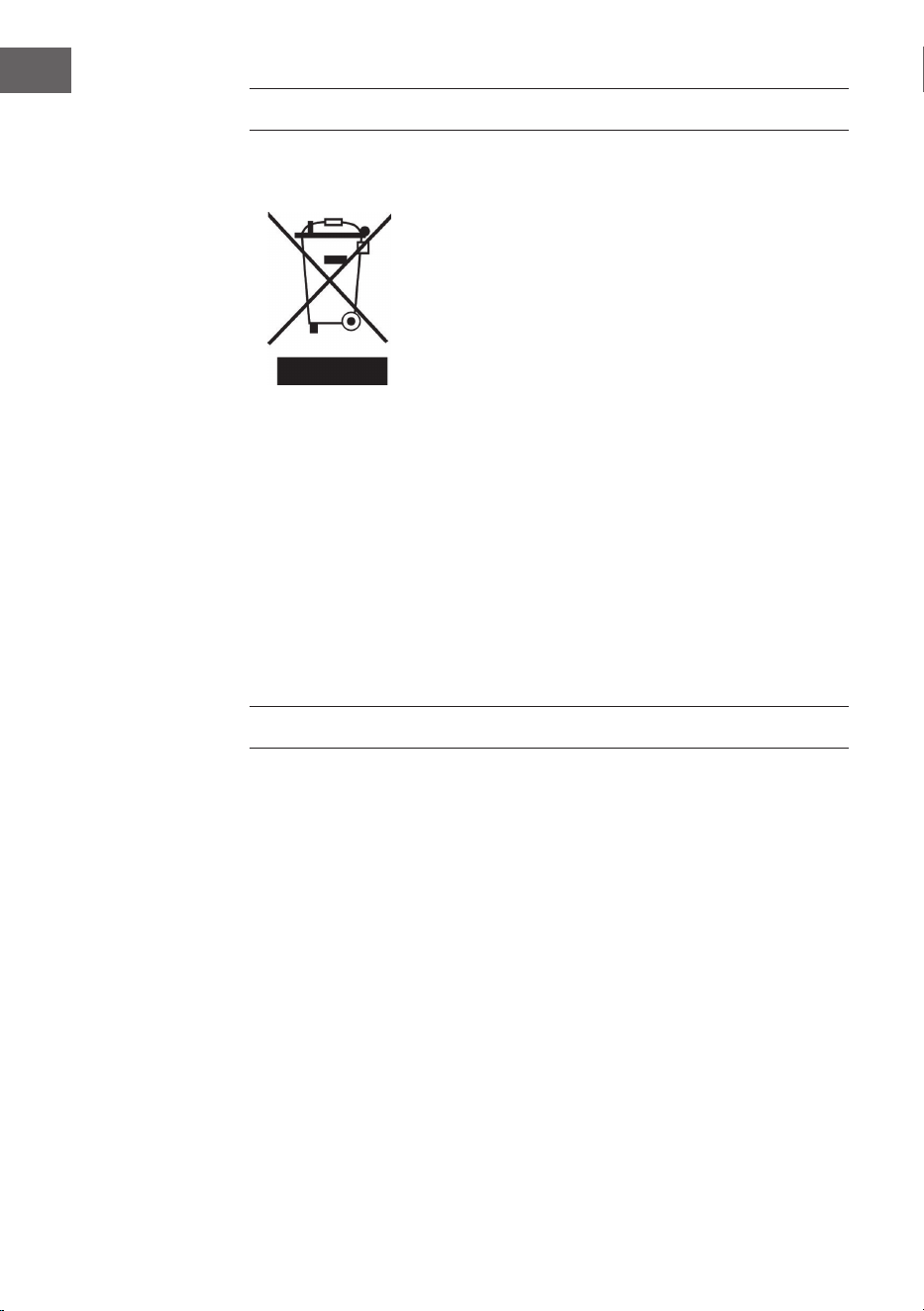
• Jeder Verbraucher ist gesetzlich verpichtet, Elektro- und
Elektronikaltgeräte (Altgeräte) sowie Batterien und Akkus
getrennt vom Hausmüll zu entsorgen. Sie erkennen die
entsprechenden Altgeräte durch folgendes Symbol der
durchgestrichene Mülltonne (WEEE Symbol).
• Sie haben Altbatterien und Altakkumulatoren, die nicht vom Altgerät
umschlossen sind, sowie Lampen, die zerstörungsfrei aus dem
Altgerät entnommen werden können, vor der Abgabe an einer
Entsorgungsstelle vom Altgerät zerstörungsfrei zu trennen.
• Bestimmte Lampen und Leuchtmittel fallen ebenso unter das Elektro-
und Elektronikgesetz und sind dementsprechend wie Altgeräte zu
behandeln. Ausgenommen sind Glühbirnen und Halogenlampen.
Entsorgen Sie Glühbirnen und Halogenlampen bitte über den Hausmüll,
sofern Sie nicht das WEEE Symbol tragen.
• Jeder Verbraucher ist für das Löschen von personenbezogenen Daten
auf dem Elektro- bzw. Elektronikgerät selbst verantwortlich.
Rücknahmepicht der Vertreiber
Vertreiber mit einer Verkaufsäche für Elektro- und Elektronikgeräte von
mindestens 400 Quadratmetern sowie Vertreiber von Lebensmitteln
mit einer Gesamtverkauläche von mindestens 800 Quadratmetern, die
mehrmals im Kalenderjahr oder dauerhaft Elektro- und Elektronikgeräte
anbieten und auf dem Markt bereitstellen, sind verpichtet,
1 bei der Abgabe eines neuen Elektro- oder Elektronikgerätes an einen
Endnutzer ein Altgerät des Endnutzers der gleichen Geräteart, das
im Wesentlichen die gleichen Funktionen wie das neue Gerät erfüllt,
am Ort der Abgabe oder in unmittelbarer Nähe hierzu unentgeltlich
zurückzunehmen und
2 auf Verlangen des Endnutzers Altgeräte, die in keiner äußeren
Abmessung größer als 25 Zentimeter sind, im Einzelhandelsgeschäft
oder in unmittelbarer Nähe hierzu unentgeltlich zurückzunehmen; die
Rücknahme darf nicht an den Kauf eines Elektro- oder Elektronikgerätes
geknüpft werden und ist auf drei Altgeräte pro Geräteart beschränkt.

11
DE
• Bei einem Vertrieb unter Verwendung von Fernkommunikationsmitteln
ist die unentgeltliche Abholung am Ort der Abgabe auf Elektro- und
Elektronikgeräte der Kategorien 1, 2 und 4 gemäß § 2 Abs. 1 ElektroG,
nämlich „Wärmeüberträger“, „Bildschirmgeräte“ (Oberäche von mehr
als 100 cm²) oder „Großgeräte“ (letztere mit mindestens einer äußeren
Abmessung über 50Zentimeter) beschränkt. Für andere Elektro- und
Elektronikgeräte (Kategorien 3, 5, 6) ist eine Rückgabemöglichkeit in
zumutbarer Entfernung zum jeweiligen Endnutzer zu gewährleisten.
• Altgeräte dürfen kostenlos auf dem lokalen Wertstohof oder in
folgenden Sammelstellen in Ihrer Nähe abgegeben werden:
www.take-e-back.de
• Für Elektro- und Elektronikgeräte der Kategorien 1, 2 und 4 an bieten
wir auch die Möglichkeit einer unentgeltlichen Abholung am Ort der
Abgabe. Beim Kauf eines Neugeräts haben sie die Möglichkeit eine
Altgerätabholung über die Webseite auszuwählen.
• Batterien können überall dort kostenfrei zurückgegeben werden, wo sie
verkauft werden (z. B. Super-, Bau-, Drogeriemarkt). Auch Wertsto- und
Recyclinghöfe nehmen Batterien zurück. Sie können Batterien auch per
Post an uns zurücksenden. Altbatterien in haushaltsüblichen Mengen
können Sie direkt bei uns von Montag bis Freitag zwischen 08:00 und
16:00 Uhr unter der folgenden Adresse unentgeltlich zurückgeben:
Chal-Tec Fulllment GmbH
Norddeutschlandstr. 3
47475 Kamp-Lintfort
• Wichtig zu beachten ist, dass Lithiumbatterien aus Sicherheitsgründen
vor der Rückgabe gegen Kurzschluss gesichert werden müssen (z. B.
durch Abkleben der Pole).
• Finden sich unter der durchgestrichenen Mülltonne auf der Batterie
zusätzlich die Zeichen Cd, Hg oder Pb ist das ein Hinweis darauf, dass
die Batterie gefährliche Schadstoe enthält. (»Cd« steht für Cadmium,
»Pb« für Blei und »Hg« für Quecksilber).
Hinweis zur Abfallvermeidung
Indem Sie die Lebensdauer Ihrer Altgeräte verlängern, tragen Sie dazu
bei, Ressourcen eizient zu nutzen und zusätzlichen Müll zu vermeiden.
Die Lebensdauer Ihrer Altgeräte können Sie verlängern indem Sie defekte
Altgeräte reparieren lassen. Wenn sich Ihr Altgerät in gutem Zustand
bendet, könnten Sie es spenden, verschenken oder verkaufen.
12
DE
HINWEISE ZUR ENTSORGUNG
Wenn es in Ihrem Land eine gesetzliche Regelung
zur Entsorgung von elektrischen und elektronischen
Geräten gibt, weist dieses Symbol auf dem Produkt
oder auf der Verpackung darauf hin, dass dieses
Produkt nicht im Hausmüll entsorgt werden darf.
Stattdessen muss es zu einer Sammelstelle für
das Recycling von elektrischen und elektronischen
Geräten gebracht werden. Durch regelkonforme
Entsorgung schützen Sie die Umwelt und die
Gesundheit Ihrer Mitmenschen vor negativen
Konsequenzen. Informationen zum Recycling
und zur Entsorgung dieses Produkts, erhalten
Sie von Ihrer örtlichen Verwaltung oder Ihrem
Hausmüllentsorgungsdienst.
Dieses Produkt enthält Batterien. Wenn es in Ihrem
Land eine gesetzliche Regelung zur Entsorgung
von Batterien gibt, dürfen die Batterien nicht im
Hausmüll entsorgt werden. Informieren Sie sich
über die örtlichen Bestimmungen zur Entsorgung
von Batterien. Durch regelkonforme Entsorgung
schützen Sie die Umwelt und die Gesundheit Ihrer
Mitmenschen vor negativen Konsequenzen.
HERSTELLER & IMPORTEUR (UK)
Hersteller:
Chal-Tec GmbH, Wallstraße 16, 10179 Berlin, Deutschland.
Importeur für Großbritannien:
Berlin Brands Group UK Limited
PO Box 42
272 Kensington High Street
London, W8 6ND
United Kingdom
13
EN
Dear Customer,
Congratulations on purchasing this device. Please read
the following instructions carefully and follow them to
prevent possible damages. We assume no liability for
damage caused by disregard of the instructions and
improper use. Scan the QR code to get access to the
latest user manual and more product information.
CONTENT
Safety Instructions 14
Product Overview 16
Remote Control 17
System Connection 17
MP3-Function 18
USB Function 18
Normal Function 18
Troubleshooting 19
Disposal Considerations 20
Manufacturer & Importer (UK) 20
TECHNICAL DATA
Item number 10005063, 10008983
Power supply 220-240 V ~ 50/60 Hz

14
EN
SAFETY INSTRUCTIONS
General safety instructions
CAUTION
Risk of injury. Do not listen to music at excessive volume as
this may result in a loss of hearing.
• This device may be only used by children 8 years old or older and
persons with limited physical, sensory and mental capabilities
and/ or lack of experience and knowledge, provided that they have
been instructed in use of the device by a responsible person who
understands the associated risks.
• Only put CDs in the CD compartment.
• Never open the device cover. Do not attempt to repair the device by
yourself.
• Consult quali ed personnel for repairs. The device does not contain
user-serviceable device components.
• Improper handling may damage the device and therefore void the
warranty.
Power Connection
• Use only the supplied power adapter. Use of any other adapter will void
the warranty and / or cause irreparable damage to the device.
• Unplug the device from the main power supply during thunderstorms.
• Be sure to turn o the power before unplugging the power cord.
• If you are using a multiple socket power strip or the plug as a splitting
device, ensure that the plugs are always accessible and ready for use.
• Never throw batteries into an open re and do not attempt to open
their outer shells.
• Batteries are harmful if swallowed and should therefore be stored out
of the reach of small children.
15
EN
Ventilation
• Do not block or cover the ventilation holes, vents, or openings of
the unit with anything, such as carpet, cloth, or similar, as otherwise
the openings may not be able to ensure functionality and / or
ventilation for safe use.
• The bottom of the unit may become warm if the unit is used for an
extended period of time. This is normal.
Location
• Make sure the unit is standing on a at and stable surface.
• Do not place the device more than 4.5 feet (1.4 meters) away from
the nearest outlet. Make sure that the power cord and speaker
cords do not create a tripping hazard.
• Place the device at least 3.25 feet (1 meter) away from other
electrical devices in order to avoid noise interference.
• Place the device within the range of external BT devices (for
example, iPod / iPhone / iPad / Android devices / computers, etc.).
The range is (without obstacles) a maximum of 33 feet (10 meters).
• Make sure the device has enough room for the antenna to be
properly aligned.
• Never place the unit directly on antique or polished surfaces.
Notes on the laser
CAUTION
Risk of injury. Never touch the optical lens in the CD
compartment or look directly into it.
• This device is a Class 1 laser product
• The use of controls not listed in the operating instructions or
unauthorized modi cation of the unit may result in the harmful
release of laser radiation.
16
EN
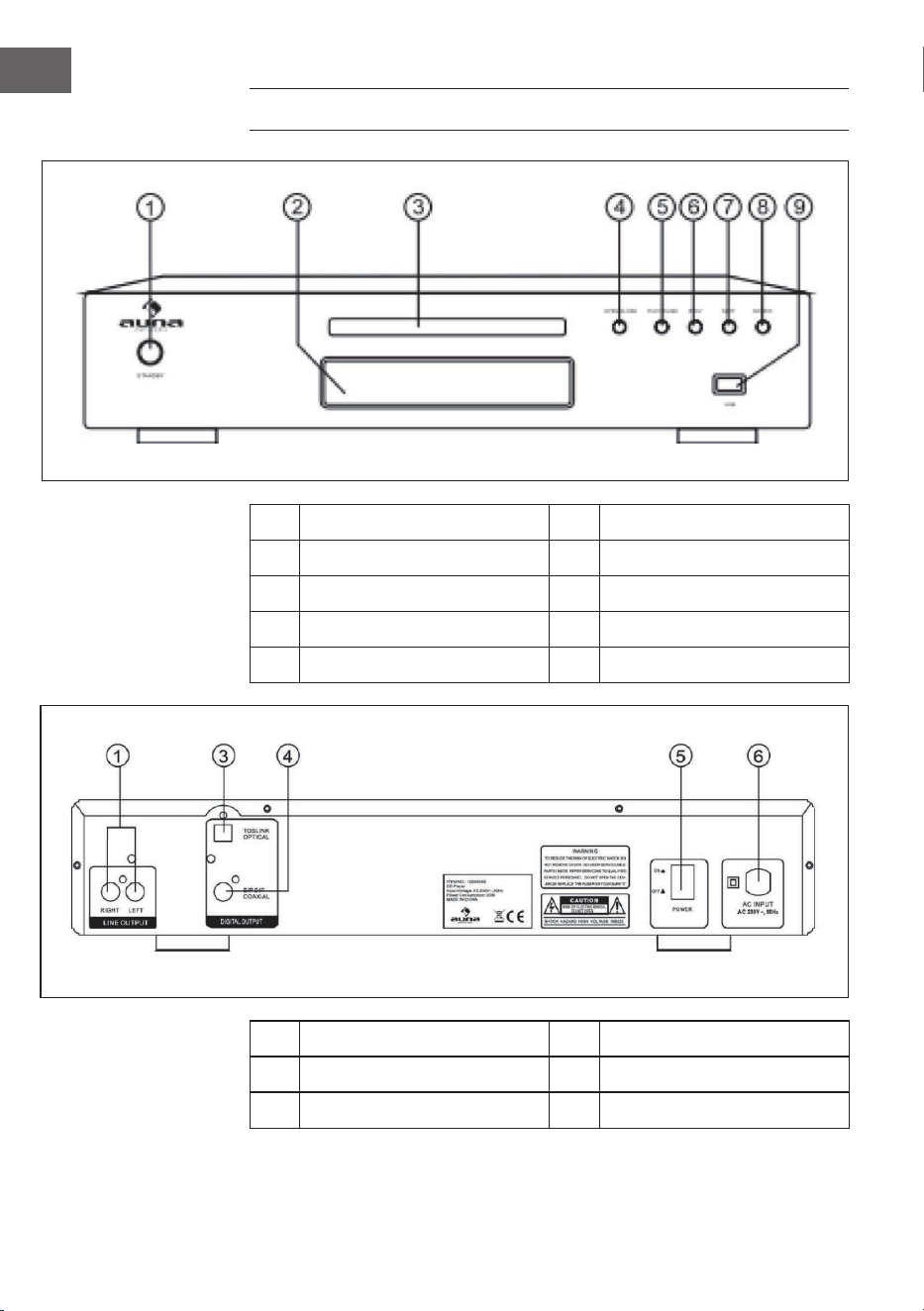
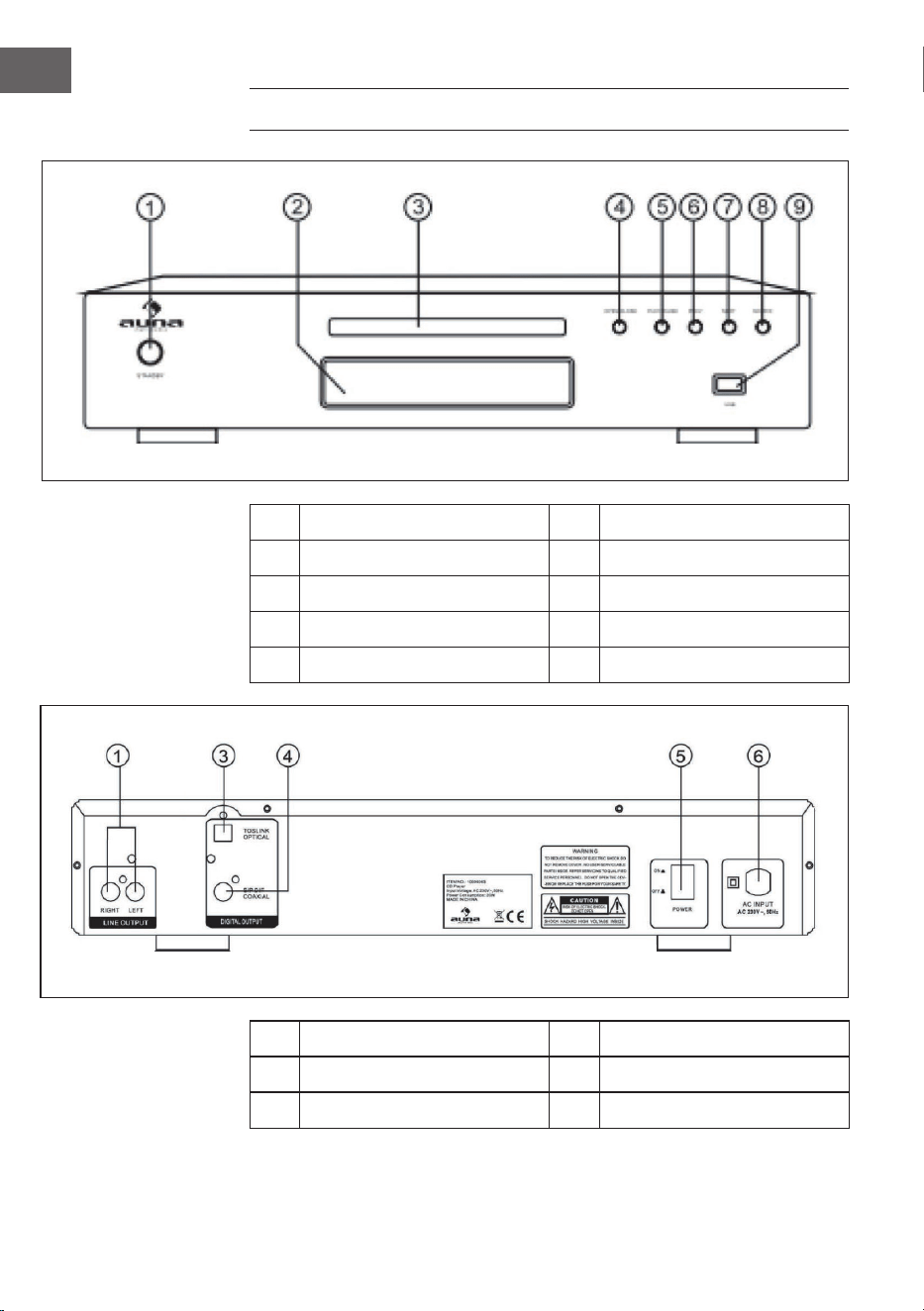
PRODUCT OVERVIEW
1 StandBy 6 Prev
2 VFD 7 Next
3 Disc Tray 8 Source
4 Open / Close 9 USB
5 Play / Pause
1 Line Output 5 Power Switch
3 Optical Output 6 AC Input 240V ~ 50Hz
4 Coaxial Output
17
EN
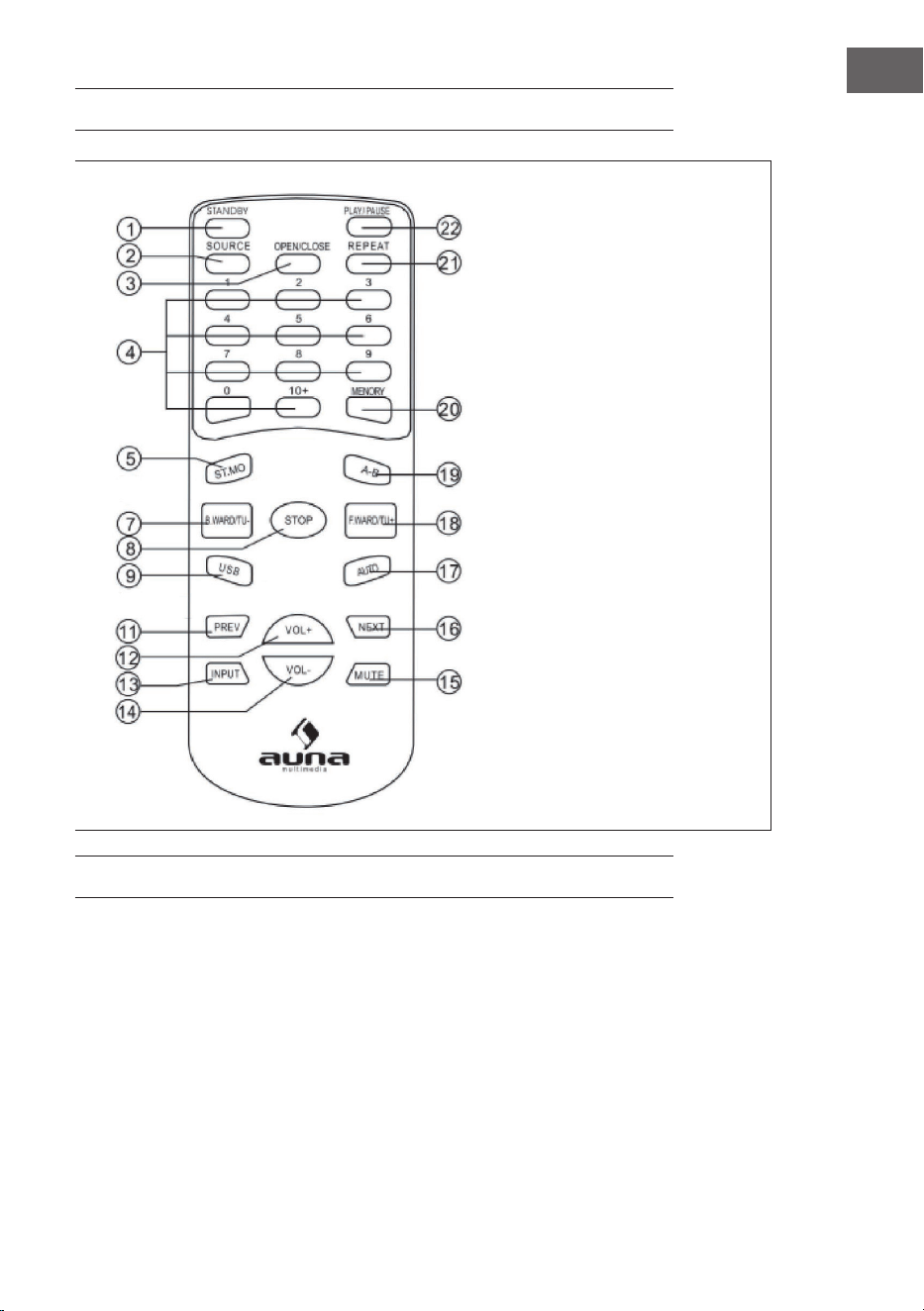
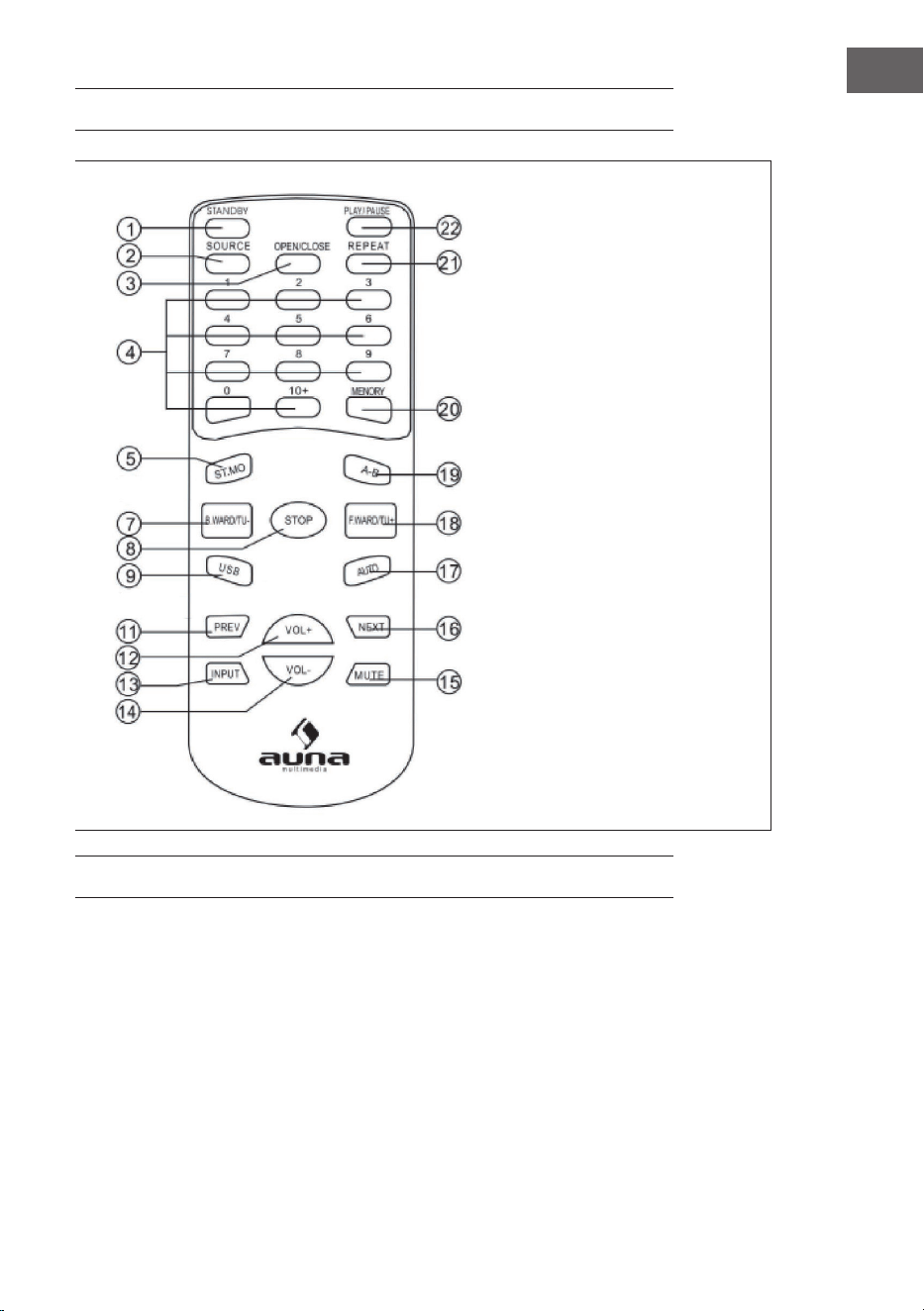
REMOTE CONTROL
1 Standby
2 Source
3 Open / Close
4 Number Button
5 Stereo / Mono
7 B.ward / Tuning-
8 Stop
9 Usb
11 Previous
12 Volume+
13 Input
14 Volume-
15 Mute
16 Next
17 Auto
18 F.ward/Tuning+
19 A-B
20 Memory
21 Repeat
22 Play/Pause
SYSTEM CONNECTION
1 When making connection between this unit and other components, be
sure all connection with power-o.
2 Audio cables are connected according to the dierent color
identication and they should be tted rmly.

18
EN
MP3-FUNCTION
Select the track using numbered buttons
1 Follow the basic operating instructions to insert a Mp3 disc, this
machine will start to search the information on the disc and show it in
the display.
2 Press the number buttons to select the track number desired.
3 Press stop key then direction key to select other menu.
Repeat play
1 Choose a particular song to be repeated.
2 Press the REPEAT button , the Screen will display as illustrated
3 Exit repeat play, the screen will display as illustrated.
When a Mp3 disc is played, the features of mute, volume control, pause and
forwards and backward search will also be available. The operations are the
same with those of CDs.
USB FUNCTION
This CD unit has a USB jack. Press the INPUT key to select M-CARD then you
can insert a USB DISC or a MP3 Player with USB Interface to play the MP3
music.
NORMAL FUNCTION
1 Be sure cut o power, connecting source outputs with corresponded
input jacks.
2 Turn on the power, waiting 3-4 seconds till the speakers function
connected.
3 Adjust the knob VOLUME/MULTI on the front panel or the key VOL+/-
on the remote control to adjust the set- ting of main volume control to
you listening level.
4 Press the MUTE key on the remote control to mute, press it again to.
19
EN
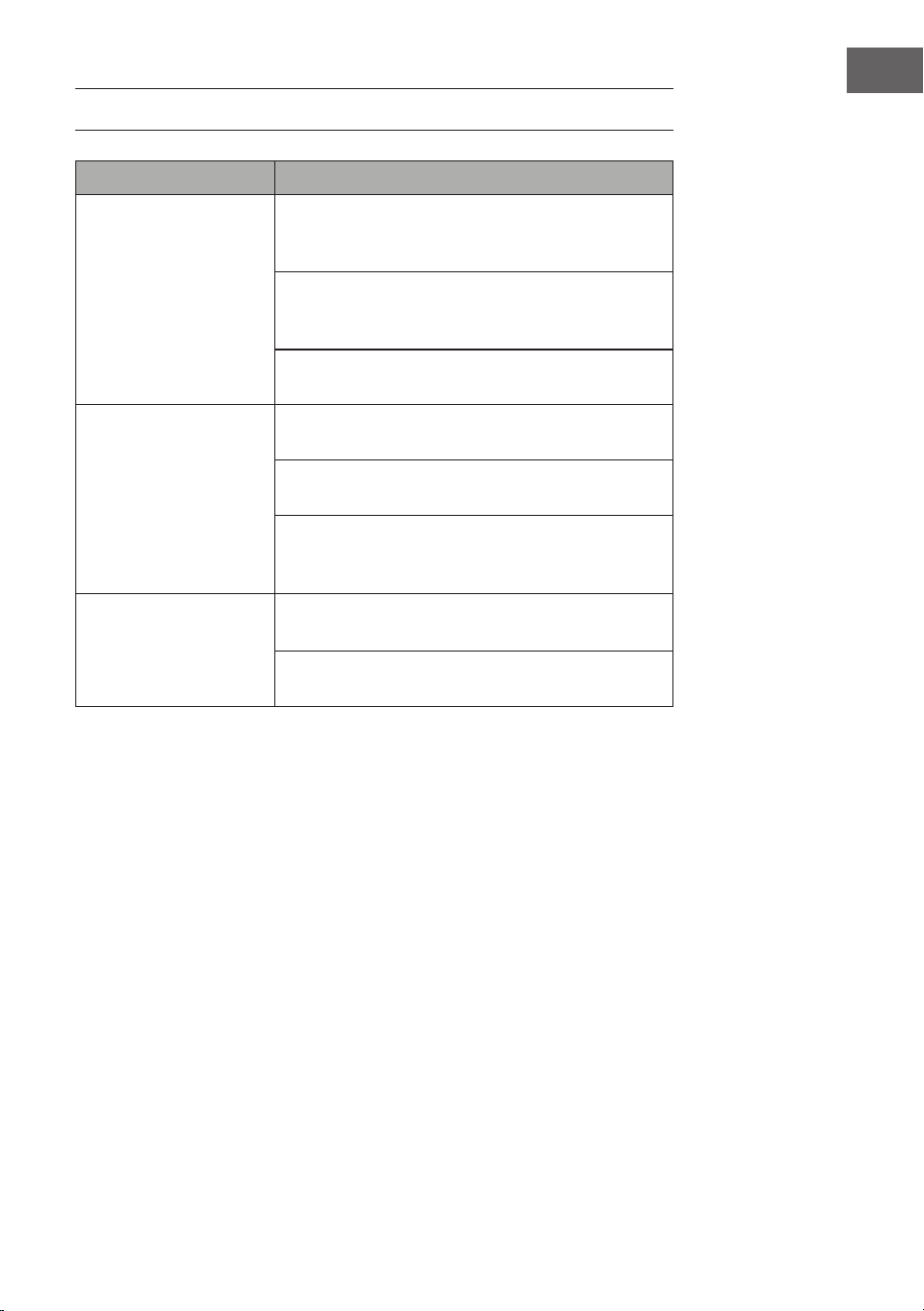
TROUBLESHOOTING
Problem Possible cause and suggested solution
CD Does not play Check that you are in CD mode. Short press the Mode
button on the Micro or on the remote control to
change the mode (check the display).
Take out the CD and check that it is not marked or
scratched. Damaged CDs cannot be played in the
Micro or may skip or not rotate correctly.
Please check that you are using an original audio CD
and not a copy. Often copied CDs will not play.
No sound / power Adjust the volume using the Volume + on the Micro or
the Vol + button on the remote control.
Check that the sound is not muted. Short press the
Mute button on the remote control.
You may have headphones connected. Either use the
headphones to listen to your Micro or unplug the
headphones.
The function buttons do
not respond
Check that mains power wall socket is switched
on and that the Micro is not in Standby mode.
Check that you are trying to use the function buttons
for the mode that you are in.
20
EN
DISPOSAL CONSIDERATIONS
If there is a legal regulation for the disposal of
electrical and electronic devices in your country,
this symbol on the product or on the packaging
indicates that this product must not be disposed
of with household waste. Instead, it must be taken
to a collection point for the recycling of electrical
and electronic equipment. By disposing of it in
accordance with the rules, you are protecting the
environment and the health of your fellow human
beings from negative consequences. For information
about the recycling and disposal of this product,
please contact your local authority or your household
waste disposal service.
This product contains batteries. If there is a legal
regulation for the disposal of batteries in your
country, the batteries must not be disposed of with
household waste. Find out about local regulations
for disposing of batteries. By disposing of them in
accordance with the rules, you are protecting the
environment and the health of your fellow human
beings from negative consequences.
MANUFACTURER & IMPORTER (UK)
Manufacturer:
Chal-Tec GmbH, Wallstrasse 16, 10179 Berlin, Germany.
Importer for Great Britain:
Berlin Brands Group UK Limited
PO Box 42
272 Kensington High Street
London, W8 6ND
United Kingdom
21
ES
Estimado cliente:
Le felicitamos por la adquisición de este producto.
Lea atentamente el siguiente manual y siga
cuidadosamente las instrucciones de uso con el n de
evitar posibles daños. La empresa no se responsabiliza
de los daños ocasionados por un uso indebido del
producto o por haber desatendido las indicaciones de
seguridad. Escanee el código QR para obtener acceso
al manual de usuario más reciente y otra información
sobre el producto:
ÍNDICE DE CONTENIDOS
Vista general del aparato 24
Mando a distancia 25
Conexión de sistema 25
Función de MP3 26
Función de USB 26
Función estándar 26
Resolución de problemas 27
Indicaciones sobre la retirada del aparato 28
Fabricante e importador (Reino Unido) 28
DATOS TÉCNICOS
Número de artículo
10005063, 10008983
Fuente de alimentación
220-240 V ~ 50/60 Hz

22
ES
INDICACIONES DE SEGURIDAD
Advertencias generales de seguridad
ATENCIÓN
Riesgo de lesiones. No escuche la música a un volumen
demasiado alto, pues podría provocar daños auditivos.
• Este aparato puede ser utilizado por niños mayores de 8 años y
personas con discapacidades físicas, sensoriales y mentales y/o con
falta de experiencia y conocimientos, siempre y cuando hayan sido
instruidos sobre el uso del aparato y comprendan los peligros y riesgos
asociados.
• Introduzca solo CD en el compartimento.
• Nunca abra la tapa del aparato ni intente realizar usted mismo
reparaciones en el mismo.
• Contacte con personal cuali cado en caso de reparaciones. El aparato
no contiene ninguna pieza que pueda ser reparada por el usuario.
• Un uso inadecuado puede provocar daños en el aparato y conllevaría a
la cancelación de la garantía.
Toma para suministro eléctrico
• Utilice exclusivamente la fuente de alimentación contenida en el envío.
El uso de otra fuente de alimentación puede provocar la cancelación de
la garantía y/o daños irreparables en el aparato.
• En caso de tormenta, desconecte el enchufe de la toma de corriente.
• Asegúrese de que el aparato esté apagado antes de desconectar el
enchufe.
• Si utiliza una base múltiple o el enchufe como dispositivo de
desconexión, debe tener en cuenta que siempre deba estar accesible y
listo para funcionar.
• Nunca tire las pilas al fuego ni intente abrir la carcasa protectora.
• Las pilas son nocivas si se ingieren y deben guardarse fuera del alcance
de los niños.
23
ES
Ventilación
• Nunca bloquee ni tape los ori cios de ventilación, agujeros o aperturas
del aparato con objetos como alfombras, paños o similares, pues
podrían poner en riesgo su funcionalidad y/o ventilación en cuanto a un
uso seguro.
• La parte inferior del aparato puede calentarse si se utiliza durante un
periodo de tiempo prolongado. Se trata de un fenómeno normal.
Lugar de instalación
• Asegúrese de que el aparato se sitúe sobre una super cie estable y
plana.
• Coloque el aparato a un máximo de 1,4 metros de la toma de corriente
más cercana. Asegúrese de que el cable de alimentación y el cable del
altavoz no provoquen tropiezos.
• Coloque el aparato al menos a un metro de otros dispositivos eléctricos
para evitar interferencias.
• Coloque el aparato de tal manera que se encuentre dentro del alcance
de los dispositivos BT (por ejemplo iPod/iPhone/iPad/dispositivos
Android/ordenador, etc.). El alcance (sin obstáculos) es de un máximo
de 10 metros (33 pies).
• Asegúrese de que el aparato tenga su ciente espacio hacia arriba para
que la antena se pueda orientar correctamente.
• Nunca coloque el aparato sobre super cies antiguas o enceradas.
Indicaciones sobre el láser
ATENCIÓN
Riesgo de lesiones. Nunca toque la lente óptica del
compartimento del CD y no la mire directamente.
• Este aparato es un producto láser de clase 1.
• El uso de mandos no incluidos en el manual de instrucciones o
la ejecución de modi caciones no autorizadas del aparato puede
provocar la liberación de radiación láser.
24
ES
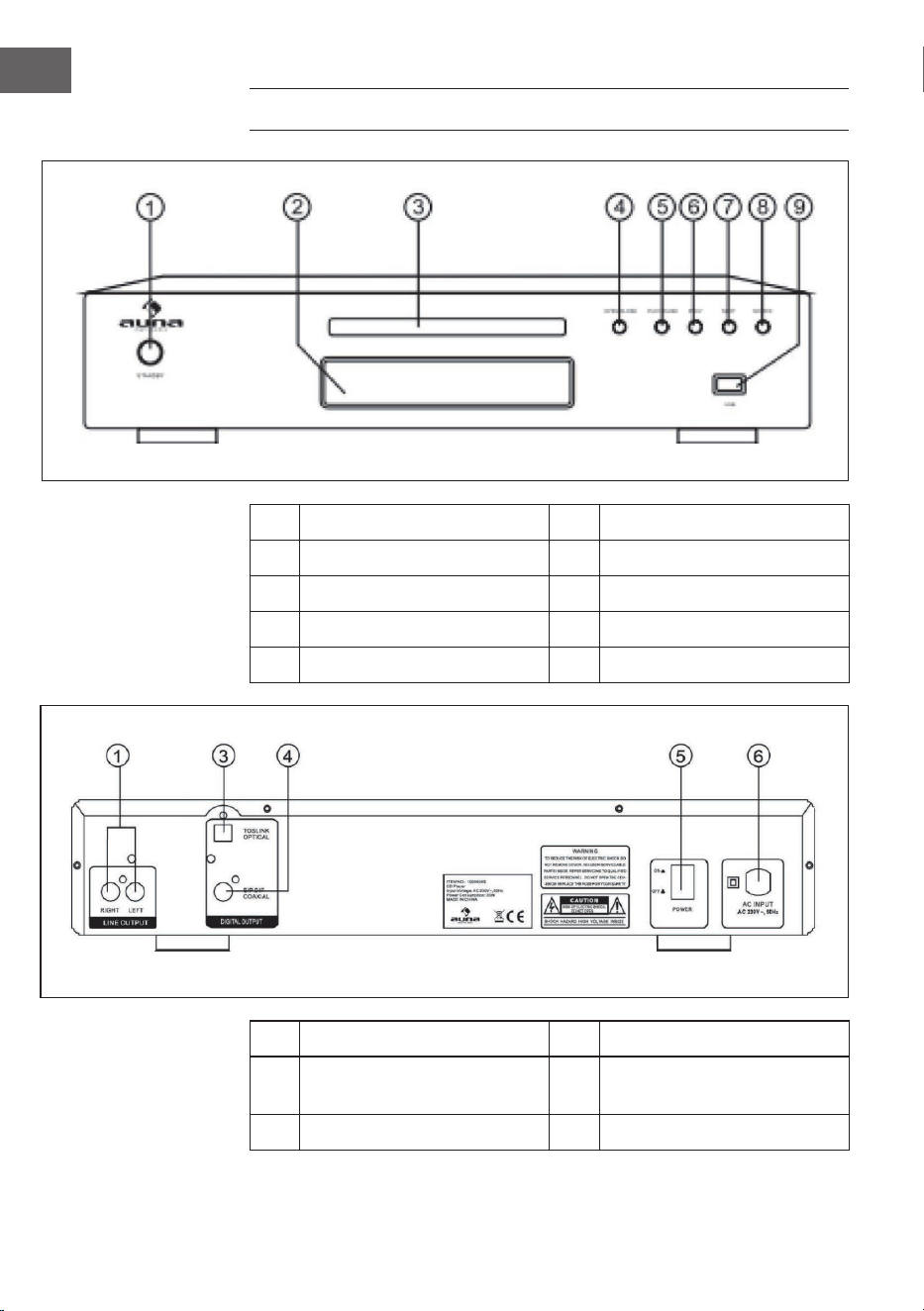
VISTA GENERAL DEL APARATO
1 Modo reposo 6 Pista anterior
2 VFD 7 Siguiente pista
3 Lector de CD 8 Fuente de entrada
4 Abrir / Cerrar 9 Conexión USB
5 Reproducir / Pausar
1 Salida en línea 5 Interruptor ON/OFF
3 Salida óptica 6
Toma de corriente
240V ~50Hz
4 Salida coaxial
25
ES
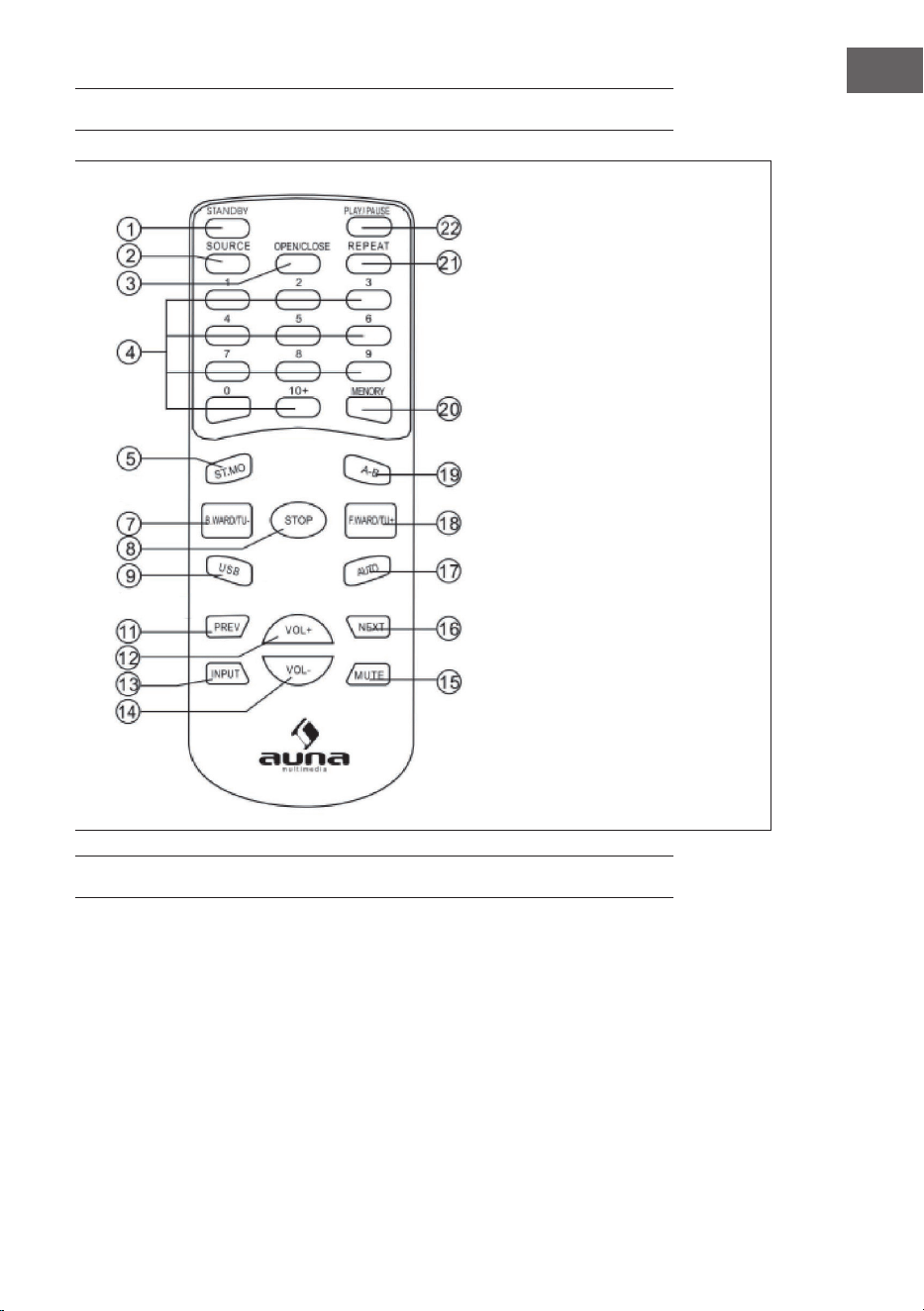
MANDO A DISTANCIA
1 Modo reposo
2 Fuente de entrada
3 Abrir / cerrar
4 Campo numérico
5 Cambio estéreo / mono
7 Ir hacia atrás / Frecuencia
anterior
8 Stop
9 USB
11 Atrás
12 Volumen +
13 Entrada
14 Volumen -
15 Modo silencio
16 Adelante
17 Auto
18 Ir hacia delante / Siguiente
frecuencia
19 A-B
20 Guardar
21 Repetir
22 Reproducir / Pausar
CONEXIÓN DE SISTEMA
1 Solamente conecte los componentes nuevos y otros elementos del
aparato cuando el aparato esté apagado.
2 El cable del altavoz debe conectarse rmemente y coincidir en el color.

26
ES
FUNCIÓN DE MP3
Elegir una pista mediante el campo numérico
1 Introduzca un CD con archivos de MP3.
2 Pulse la tecla numérica para elegir el número de la pista deseada.
3 Pulse STOP para acceder al menú.
Repetir la reproducción
Puede repetir una pista o el CD entero.
1 Elija la pista deseada.
2 Pulse el botón REPEAT; la función aparecerá en la pantalla.
3 Al acabar la función de reproducción, la función desaparecerá de la
pantalla.
Tras nalizar, volverá a la reproducción estándar. Todas las funciones de
reproducción de un CD también están disponibles para la reproducción
MP3 (modo silen- cio, volumen, pausa, etc.).
FUNCIÓN DE USB
Para reproducir canciones desde un lápiz USB u otro reproductor de MP3
conectado por USB, es necesario elegir M-CARD como fuente.
FUNCIÓN ESTÁNDAR
1 Apague el aparato y una la unidad de fuente con la entrada del aparato.
2 Encienda el aparato y espere 3-4 segundos hasta que empiecen a
funcionar los altavoces.
3 Ajuste el volumen en el aparato o a través del mando a distancia.
4 Puede activar/desactivar el modo silencio pulsando la tecla MUTE.
27
ES
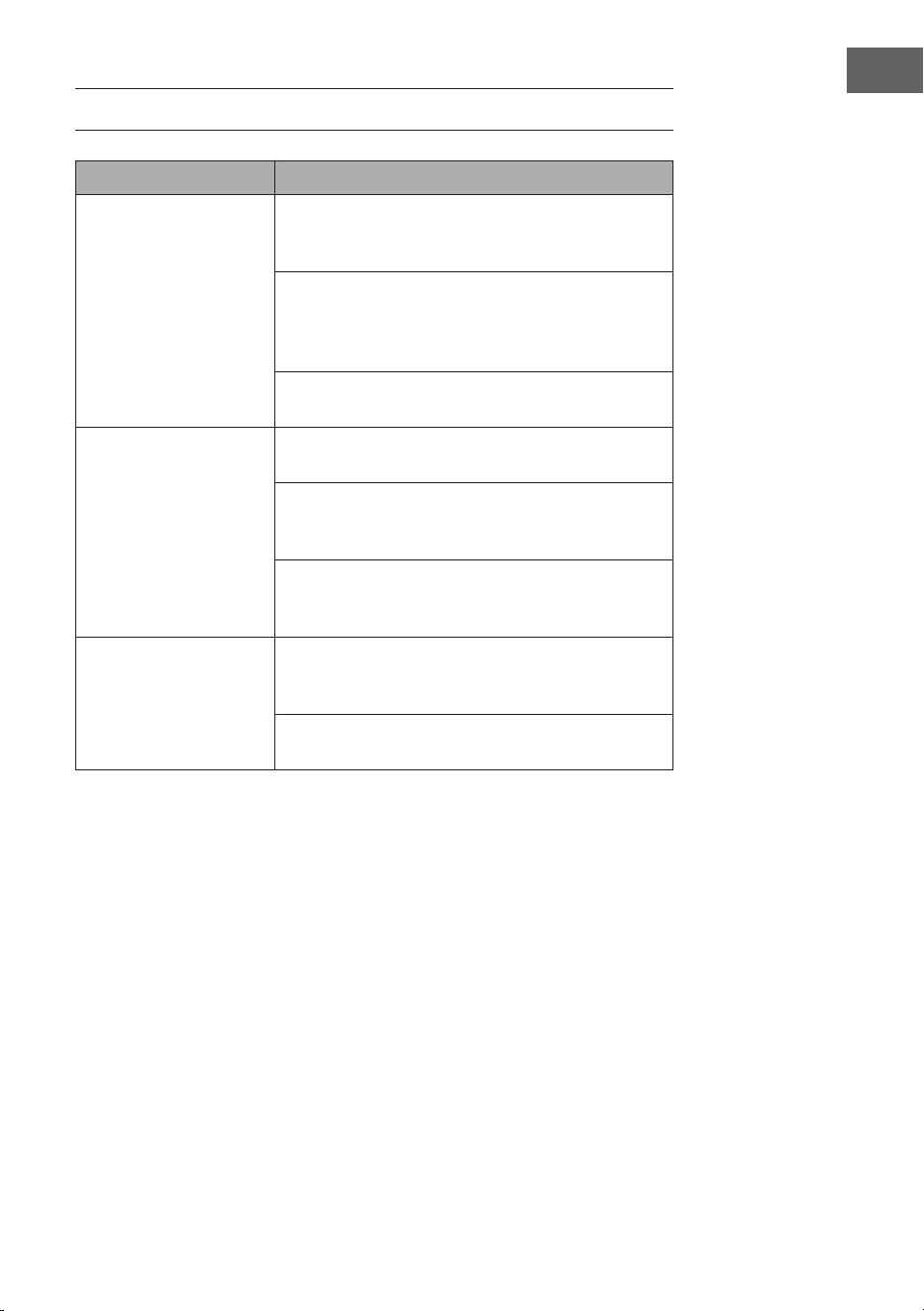
RESOLUCIÓN DE PROBLEMAS
Problema Posible causa y solución
El CD no se reproduce Asegúrese de que el aparato se encuentra en modo
CD. Pulse el botón Mode varias veces para cambiar de
modo.
Retire el CD de su compartimento y compruebe que
este no tenga arañazos ni marcas. Los CD dañados no
pueden ser reproducidos por la radio, pueden saltarse
pistas o no girar correctamente.
Compruebe si ha introducido una copia de CD o un
original. A menudo no se pueden reproducir las copias.
No hay sonido/
electricidad
Aumente el volumen con la tecla Volume + del aparato
o el botón Vol.+ del mando a distancia.
Compruebe que el sonido no se haya silenciado. Si es
así, pulse el botón Mute del mando a distancia para
reactivar el sonido.
Puede que los auriculares estén conectados. Escuche
la música a través de los mismos o desconecte los
auriculares de su toma.
Las teclas de función no
reaccionan.
Asegúrese de que la toma de corriente que se utiliza
para el aparato tiene suministro eléctrico y que la radio
no se encuentre en modo standby.
Compruebe que los botones que utiliza estén
disponibles para el modo en que se encuentra.
28
ES
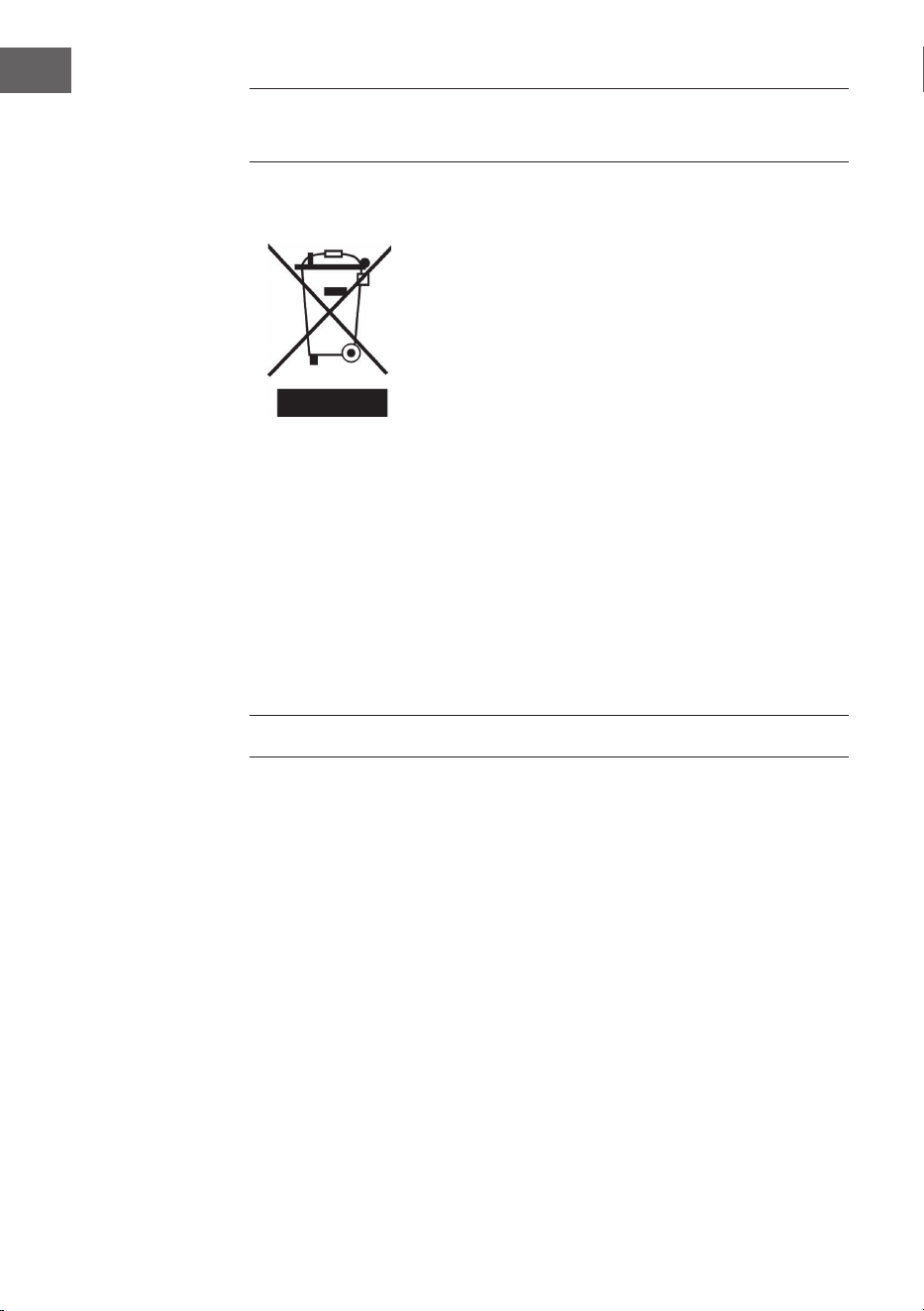
INDICACIONES SOBRE LA RETIRADA DEL
APARATO
Si en su país existe una disposición legal relativa a
la eliminación de aparatos eléctricos y electrónicos,
este símbolo estampado en el producto o en
el embalaje advierte que no debe eliminarse
como residuo doméstico. En lugar de ello, debe
depositarse en un punto de recogida de reciclaje
de aparatos eléctricos y electrónicos. Una gestión
adecuada de estos residuos previene consecuencias
potencialmente negativas para el medio ambiente
y la salud de las personas. Puede consultar más
información sobre el reciclaje y la eliminación de este
producto contactando con su administración local o
con su servicio de recogida de residuos.
Este producto contiene baterías. Si en su país existe
una disposición legal relativa a la eliminación de
baterías, estas no deben eliminarse como residuo
doméstico. Infórmese sobre la normativa vigente
relacionada con la eliminación de baterías. Una
gestión adecuada de estos residuos previene
consecuencias potencialmente negativas para el
medio ambiente y la salud de las personas.
FABRICANTE E IMPORTADOR (REINO UNIDO)
Fabricante:
Chal-Tec GmbH, Wallstraße 16, 10179 Berlín, Alemania.
Importador para Gran Bretaña:
Berlin Brands Group UK Limited
PO Box 42
272 Kensington High Street
London, W8 6ND
United Kingdom
29
FR
Cher client,
Toutes nos félicitations pour l’acquisition de ce nouvel
appareil. Veuillez lire attentivement les instructions
suivantes de branchement et d’utilisation an d’éviter
d’éventuels dommages. Le fabricant ne saurait être tenu
pour responsable des dommages dus au non-respect
des consignes de sécurité et à la mauvaise utilisation
de l’appareil. Scannez le QR-Code pour accéder à
la dernière version du mode d‘emploi et à d‘autres
informations concernant le produit:
SOMMAIRE
Consignes de sécurité 30
Aperçu de l’appareil 32
Télécommande 33
Branchement à la chaîne 33
Fonction MP3 34
Fonction USB 34
Fonction normale 34
Résolution des problèmes 35
Informations sur le recyclage 36
Fabricant et importateur (UK) 36
FICHE TECHNIQUE
Numéro d'article
10005063, 10008983
Alimentation
220-240 V ~ 50/60 Hz

30
FR
CONSIGNES DE SÉCURITÉ
Consignes générales de sécurité
ATTENTION
Risque de blessures ! n‘écoutez pas de musique à trop fort
volume, car cela peut endommager votre audition.
• Cet appareil peut être utilisé par des enfants de 8 ans ou plus et des
personnes ayant des capacités physiques, sensorielles et mentales
limitées et / ou dénuées d‘expérience et de connaissances, à condition
d‘avoir été instruits au fonctionnement de l‘appareil par une personne
responsable et d‘en comprendre les risques associés.
• Ne mettez que des CD dans le lecteur CD.
• N‘ouvrez jamais le capot de l‘appareil et n‘essayez pas de le réparer
vous-même.
• Consultez un personnel quali é pour les réparations. L‘appareil ne
contient aucun élément réparable par l‘utilisateur.
• Une mauvaise manipulation peut endommager l‘appareil et annuler la
garantie.
Branchement
• Utilisez uniquement l’adaptateur secteur fourni. L‘utilisation de tout
autre adaptateur peut annuler la garantie et / ou causer des dommages
irréparables à l‘appareil.
• Pendant les orages, débranchez l‘appareil de la prise de courant.
• Veillez à éteindre l‘appareil avant de débrancher le cordon
d‘alimentation.
• Si vous avez une prise multiple ou utilisez la che pour débrancher
l‘appareil, veillez à ce qu‘elles soient toujours facilement accessibles et
prêtes à fonctionner.
• Ne jetez jamais les piles au feu et n‘essayez pas de les ouvrir.
• Une pile avalée est dangereuse la santé. Les piles doivent donc être
rangées hors de la portée des jeunes enfants.
31
FR
Ventilation
• Ne pas obstruer ni couvrir les ouvertures de ventilation, les trous ou
les ouvertures de l‘appareil avec des objets tels que des tapis, tissus et
similaires, car la fonctionnalité et/ou la ventilation en toute sécurité ne
pourraient pas être garanties.
• Le bas de l‘appareil peut chau er s‘il est utilisé pendant une période
prolongée. Cela est normal.
Emplacement
• Assurez-vous que l‘appareil repose sur une surface plane et stable.
• Ne placez pas l’appareil à plus de 1,4 mètre de la prise la plus proche.
Assurez-vous que le cordon d‘alimentation et les câbles d‘enceintes ne
présentent aucun risque de chute.
• Placez l’appareil à au moins un mètre de tout autre équipement
électrique pour éviter les parasites.
• Con gurez l’appareil pour qu’il se trouve à portée des appareils
BT externes (tels qu‘un iPod / iPhone / iPad / appareils Android /
ordinateurs, etc.). La portée (sans obstacles) est de 10 mètres (33 pieds)
au maximum.
• Assurez-vous que le périphérique dispose de su isamment d‘espace
vers le haut pour pouvoir diriger correctement l‘antenne.
• Ne placez jamais l‘appareil directement sur des surfaces anciennes ou
cirées.
Remarques concernant le laser
ATTENTION
Risque de blessure ! Ne jamais toucher ou regarder
dans l‘objectif optique du compartiment CD.
• Cet appareil est un produit laser de classe 1
• L‘utilisation de commandes autres que celles mentionnées dans le
mode d‘emploi ou toute modi cation non autorisée de l‘appareil
peut entraîner la libération dangereuse de rayons laser.
32
FR
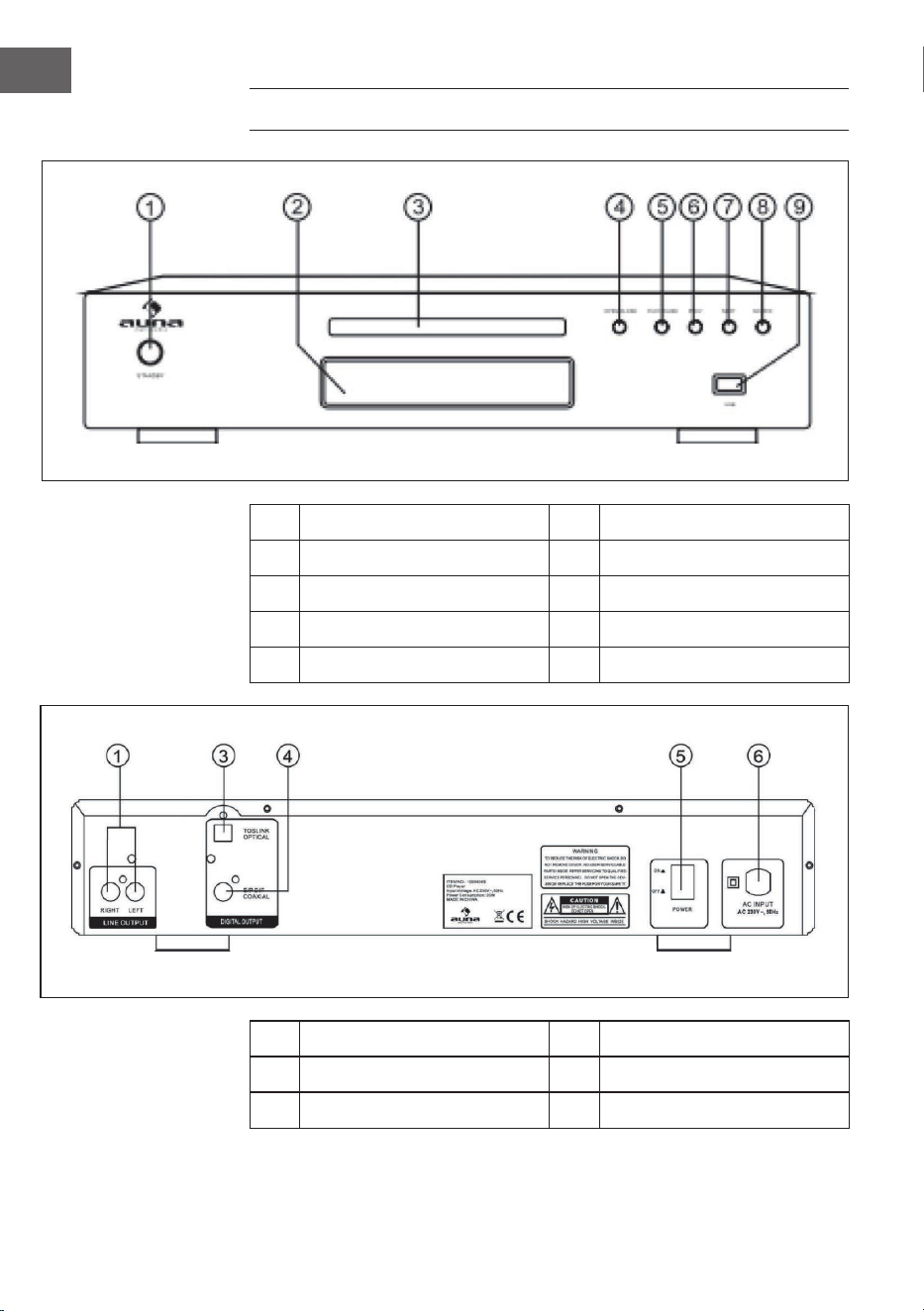
APERÇU DE L’APPAREIL
1 Mode veille 6 Titre précédent
2 VFD 7 Titre suivant
3 Lecteur CD 8 Source d’entrée
4 Ouvrir / fermer 9 Prise USB
5 Lecture / pause
1 Sortie Line 5 Interrupteur
3 Sortie optique 6 Prise secteur 240V ~50Hz
4 Sortie coaxiale
33
FR
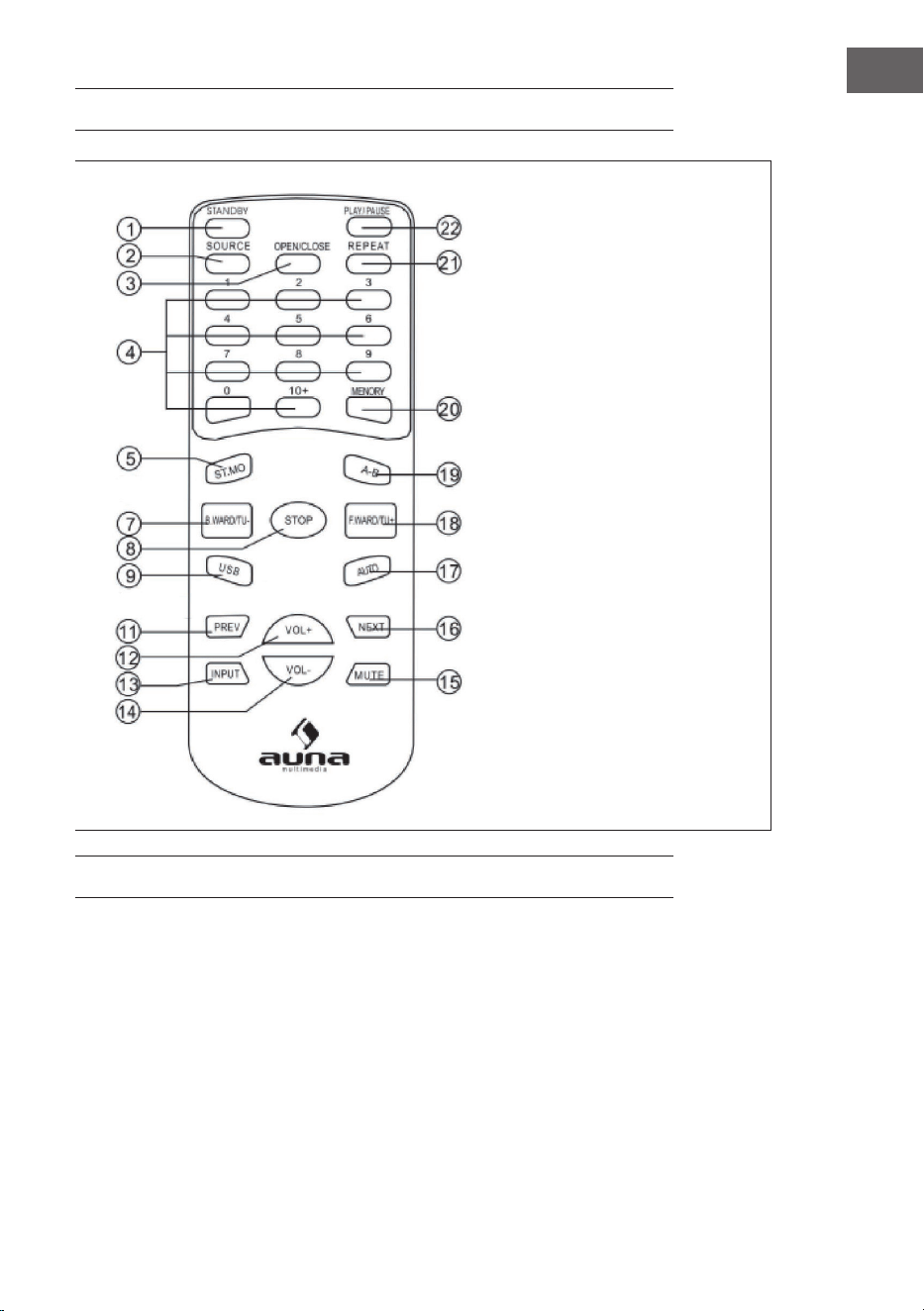
TÉLÉCOMMANDE
1 Mode veille
2 Source d‘entrée
3 Ouvrir/fermer
4 Pavé numérique
5 Stéréo / mono
7 Retour rapide / fréquence
précédente
8 Stop
9 USB
11 Précédent
12 Volume +
13 Entrée
14 Volume -
15 Couper le son
16 Suivant
17 Auto
18 Avance rapide / fréquence
suivante
19 A-B
20 Sauvegarde
21 Répétition
22 Lecture/pause
BRANCHEMENT À LA CHAÎNE
1 Brancher les nouveaux composants avec les autres éléments de
l’appareil uniquement lorsque l’appareil est éteint.
2 Les câbles des enceintes doivent être branchés en concordance avec
les couleurs.

34
FR
FONCTION MP3
Chercher un morceau à l’aide des touches numérotées
1 Insérer un CD contenant des chiers MP3.
2 Entrer le numéro du morceau à l’aides des touches numérotées.
3 Appuyer sur STOP pour accéder au MENU.
Répéter le morceau
Il est possible de répéter un seul morceau ou tous les morceaux du CD.
1 Sélectionner le morceau souhaité.
2 Appuyer sur REPEAT ; l’indication s’aiche à l’écran.
3 Si la fonction de répétition est désactivée, l’indication disparaît.
Toutes les autres fonctions de la lecture de CD sont également possible en
lecture de MP3 (couper le son, volume, pause, etc.)
FONCTION USB
Pour lire des morceaux d’une clé USB ou d’un lecteur MP3 à connexion USB,
il est nécessaire de sélectionner M- CARD comme source.
FONCTION NORMALE
1 Mettre l’appareil hors tension et brancher l’appareil source à l’entrée de
l’appareil.
2 Allumer l’appareil et attendre 3-4 sec. que les enceintes fonctionnent.
3 Régler le volume sur l’appareil ou depuis la télécommande.
4 Couper le son en appuyant sur MUTE.
35
FR
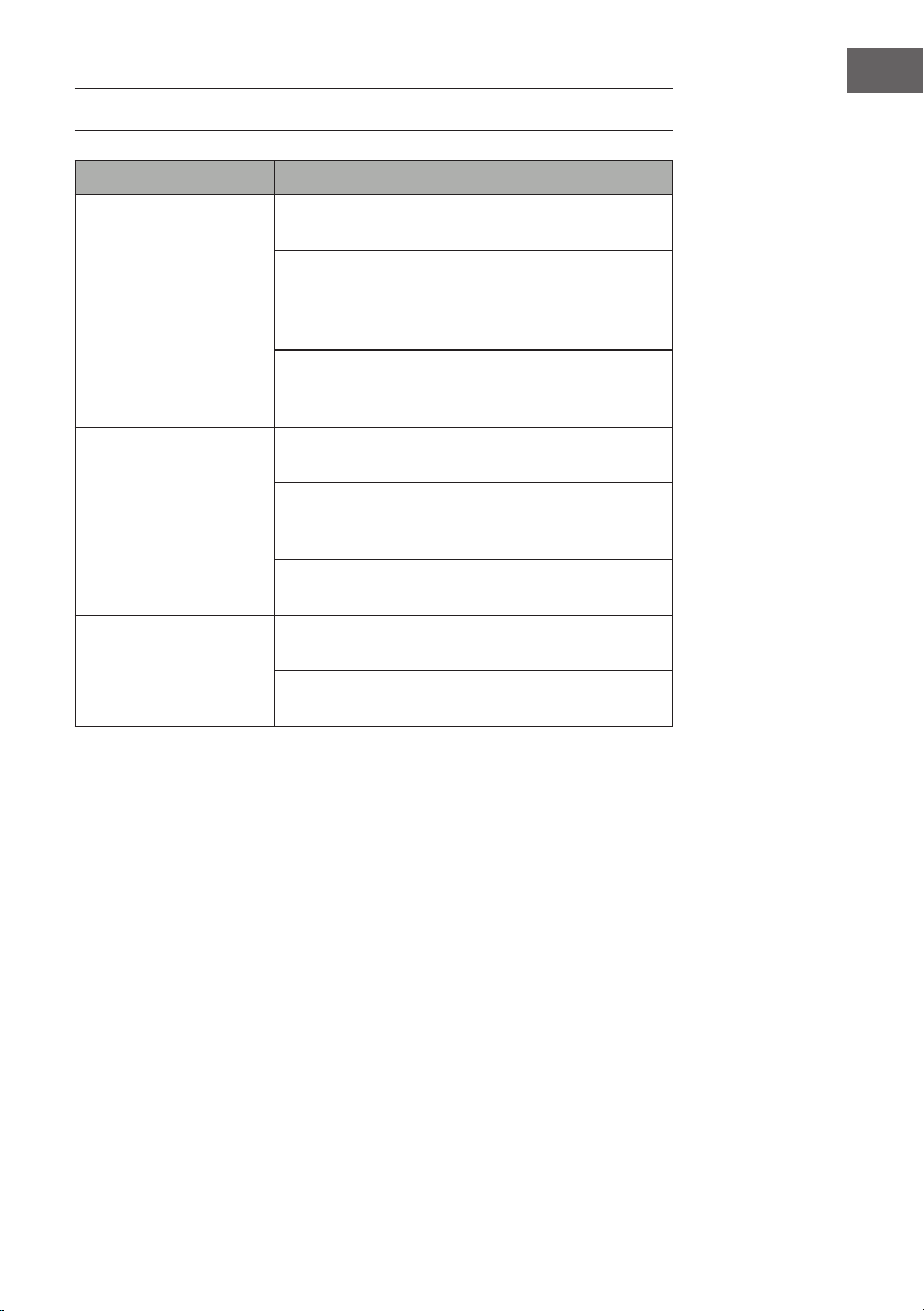
RÉSOLUTION DES PROBLÈMES
Problème Cause possible et solution
Le CD n'est pas lu Vériez que l'appareil est en mode CD. Pour changer
de mode, appuyez plusieurs fois sur la touche Mode.
Retirez le CD du compartiment CD et vériez qu'il
ne présente pas de rayures ni de marques. Les CD
endommagés ne peuvent être lus par la radio, ils
peuvent sauter des titres ou bien ne pas tourner.
Vériez que vous avez inséré un CD audio d'origine et
non une copie. Les copies ont souvent des problèmes
de lecture.
Pas de son/de courant Augmentez le volume avec la touche Volume + de
l'appareil, ou bien la touche Vol. + de la télécommande.
Vériez que la fonction muet n'est pas activée. Si tel
est le cas, appuyez brièvement sur la touche muet de la
télécommande pour rétablir le son.
Des écouteurs sont peut-être branchés. Écoutez de la
musique avec le casque ou retirez-le de la prise casque.
Les touches de fonction
ne répondent pas.
Vériez que la prise murale utilisée pour l'appareil est
sous tension et que la radio n'est pas en mode veille.
Vériez que les touches que vous utilisez sont
disponibles dans chaque mode.
36
FR
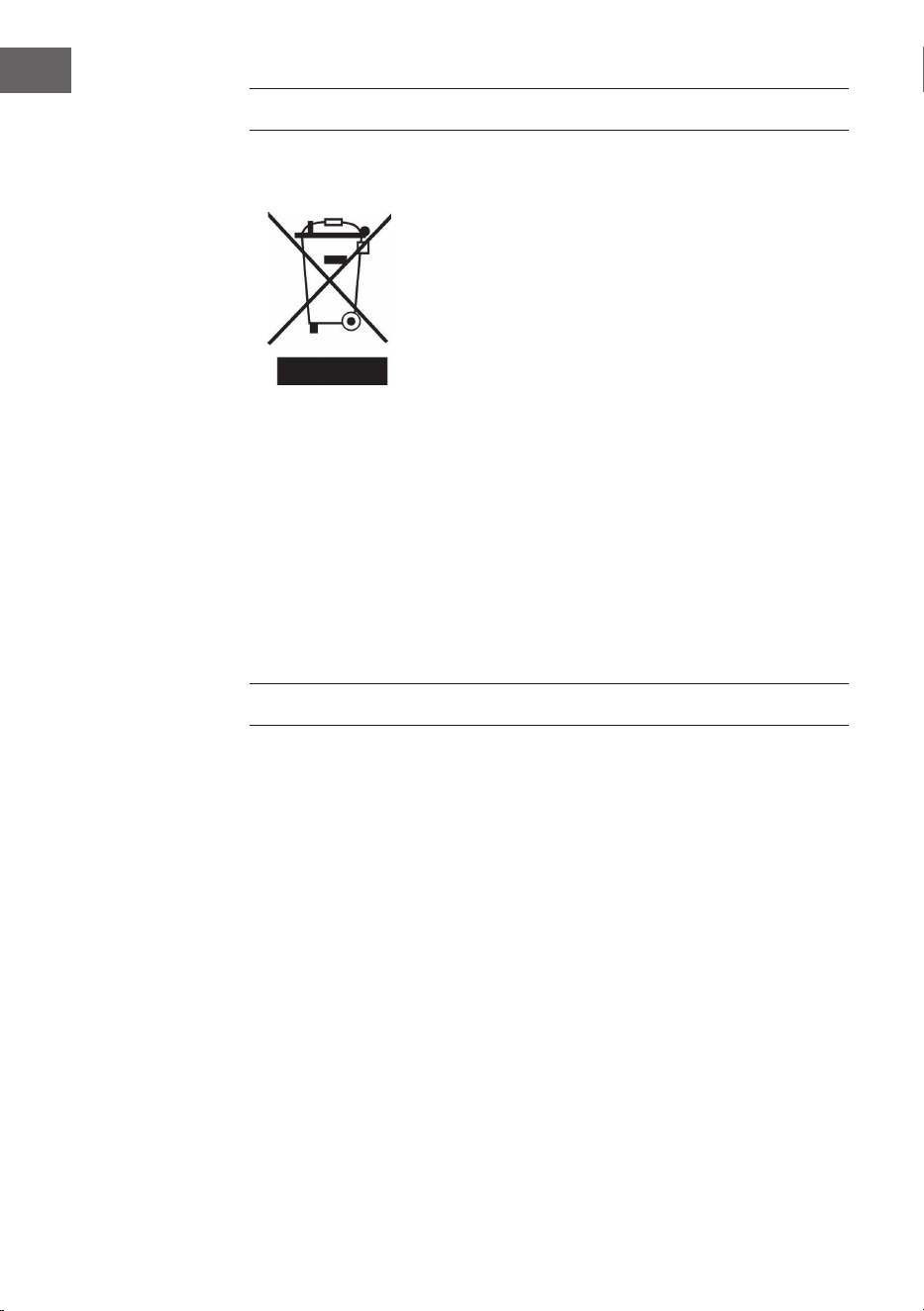
INFORMATIONS SUR LE RECYCLAGE
S‘il existe une réglementation pour l‘élimination ou le
recyclage des appareils électriques et électroniques
dans votre pays, ce symbole sur le produit ou sur
l‘emballage indique que cet appareil ne doit pas
être jeté avec les ordures ménagères. Vous devez le
déposer dans un point de collecte pour le recyclage
des équipements électriques et électroniques.
La mise au rebut conforme aux règles protège
l‘environnement et la santé de vos semblables des
conséquences négatives. Pour plus d‘informations
sur le recyclage et l‘élimination de ce produit, veuillez
contacter votre autorité locale ou votre service de
recyclage des déchets ménagers.
Ce produit contient des piles. S‘il existe une
réglementation pour l‘élimination ou le recyclage
des piles dans votre pays, vous ne devez pas les
jeter avec les ordures ménagères. Renseignez-vous
sur les dispositions locales relatives à la collecte
des piles usagées. La mise au rebut conforme aux
règles protège l‘environnement et la santé de vos
semblables des conséquences négatives.
FABRICANT ET IMPORTATEUR (UK)
Fabricant :
Chal-Tec GmbH, Wallstraße 16, 10179 Berlin, Allemagne.
Importateur pour la Grande Bretagne :
Berlin Brands Group UK Limited
PO Box 42
272 Kensington High Street
London, W8 6ND
United Kingdom
37
IT
Gentile cliente,
La ringraziamo per aver acquistato il dispositivo.
La preghiamo di leggere attentamente le seguenti
istruzioni per l’uso e di seguirle per evitare possibili
danni tecnici. Non ci assumiamo alcuna responsabilità
per danni scaturiti da una mancata osservazione delle
avvertenze di sicurezza e da un uso improprio del
dispositivo. Scansionare il codice QR seguente, per
accedere al manuale d’uso più attuale e per ricevere
informazioni sul prodotto.
INDICE
Avvertenze di sicurezza 38
Descrizione del dispositivo 40
Telecomando 41
Collegare l’impianto 41
Funzione mp3 42
Funzione USB 42
Funzione normale 42
Risoluzione dei problemi 43
Avviso di smaltimento 44
Produttore e importatore (UK) 44
DATI TECNICI
Articolo numero
10005063, 10008983
Alimentazione
220-240 V ~ 50/60 Hz

38
IT
AVVERTENZE DI SICUREZZA
Avvertenze di sicurezza generiche
ATTENZIONE
Pericolo di lesione! Non ascoltare la musica a volume
eccessivamente altro, in quanto può provocare danni
all’udito.
• Questo dispositivo può essere utilizzato da bambini a partire da 8 anni
e da persone con limitate capacità siche e psichiche o con conoscenza
ed esperienza limitate, solo se sono stati istruiti sulle modalità d’uso e
comprendono i rischi e i pericoli connessi.
• Inserire solo CD nel vano per CD.
• Non aprire mai le coperture del dispositivo e non cercare di eseguire
riparazioni in modo autonomo.
• Per eventuali riparazioni, rivolgersi a personale quali cato. Il dispositivo
non contiene componenti che necessitano di manutenzione da parte
dell’utente.
• Una gestione impropria può causare danni al dispositivo e la perdita di
validità della garanzia.
Collegamento alla rete elettrica
• Utilizzare esclusivamente il trasformatore incluso in consegna. L’utilizzo
di un altro trasformatore può causare la perdita di validità della
garanzia e/o provocare danni irreparabili al dispositivo.
• Staccare la spina dalla presa elettrica durante temporali.
• Assicurarsi che il dispositivo sia spento prima di staccare la spina.
• Se si utilizza una presa elettrica multipla o se si utilizza la spina come
separatore, è necessario assicurarsi che queste siano sempre facilmente
accessibili e pronte all’uso.
• Non gettare mai batterie nel fuoco e non cercare assolutamente di
aprire il rivestimento esterno.
• Le batterie possono nuocere alla salute se vengono ingerite e devono
quindi essere conservate fuori dalla portata dei bambini.
39
IT
Ventilazione
• Non bloccare in nessun caso le fessure di ventilazione, i fori
o le aperture del dispositivo con oggetti, come tappeti, teli e
similari, altrimenti non possono essere garantite funzionalità e/o
ventilazione per un utilizzo sicuro.
• Il lato inferiore del dispositivo può diventare caldo dopo utilizzi
prolungati. Questo è del tutto normale.
Luogo di posizionamento
• Assicurarsi che il dispositivo si trovi su una super cie piana e stabile.
• Posizionare il dispositivo a un massimo di 1,4 metri dalla presa
elettrica più vicina. Assicurarsi che non si corra il rischio di
inciampare nel cavo di alimentazione e negli altoparlanti.
• Posizionare il dispositivo ad almeno un metro da altri
elettrodomestici, per evitare rumori di disturbo.
• Posizionare il dispositivo in modo che si trovi entro portata per
dispositivi BT esterni (ad es. iPod/iPhone/iPad/dispositivi Android/
computer/ecc.). La portata (senza ostacoli) è di massimo 10 metri
(33 piedi).
• Assicurarsi che il dispositivo abbia su iciente spazio a disposizione
verso l’alto per poter estrarre correttamente l’antenna.
• Non posizionare il dispositivo direttamente su super ci antiche o
lucidate.
Avvertenze sul laser
ATTENZIONE
Pericolo di lesione! Non toccare mai la lente ottica nel
vano dei CD e non guardare direttamente al suo
interno.
• Questo dispositivo è un prodotto laser di classe 1.
• Un utilizzo diverso da quelli descritti nel manuale d’uso o una
modi ca al dispositivo non autorizzata possono causare l’emissione
di raggi laser dannosi.
40
IT
DESCRIZIONE DEL DISPOSITIVO
1 Modalità standby 6 Titolo precedente
2 VFD 7 Titolo successivo
3 Vano CD 8 Fonte di ingresso
4 Aprire/Chiudere 9 Connessione USB
5 Play/Pausa
1 Uscita line 5 Interruttore di alimentazione
3 Uscita ottica 6
Connessione di
alimentazione 240 V ~50Hz
4 Uscita coassiale
41
IT
TELECOMANDO
1 Modalità standby
2 Fonte di ingresso
3 Aprire/Chiudere
4 Campo numerico
5 Stereo/Mono
6 Indietro/Tornare indietro
sulla frequenza
7 Stop
8 USB
9 Indietro
10 olume+
11 Ingresso
12 Volume-
13 Audio o
14 Avanti
15 Auto
16 Avanti/Avanzare sulla
frequenza
17 A-B
18 Memoria
19 Ripetere
20 Play/Pausa
COLLEGARE L’IMPIANTO
1. Collegare nuovi componenti e gli altri elementi del dispositivo solo
quando questo è spento.
2. Il cavo degli altoparlanti deve avere il colore corrispondente e deve
essere collegato saldamente.

42
IT
FUNZIONE MP3
Cercare un titolo con i tasti numerici
1. Inserire un CD con le MP3.
2. Inserire il numero del titolo con i tasti numerici.
3. Premere STOP per raggiungere il menu.
Funzione di ripetizione
È possibile ripetere un solo titolo o tutto il CD.
1. Scegliere il titolo desiderato.
2. Premere REPEAT; viene indicato sullo schermo.
3. Quando la funzione di riproduzione viene terminata viene indicato sullo
schermo.
Al termine si torna alla visualizzazione cartella. Tutte le altre funzioni della
riproduzione CD sono possibili anche in riproduzione MP3 (audio o,
volume, pausa, ecc.).
FUNZIONE USB
Per riprodurre brani da una chiavetta USB o da lettori MPE collegati tramite
connessione USB, è necessario selezionare M-CARD come fonte.
FUNZIONE NORMALE
1. Scollegare il dispositivo dalla rete elettrica e collegare il dispositivo da
utilizzare come fonte agli ingressi dell’impianto.
2. Accendere il dispositivo e attendere 3-4 secondi che gli altoparlanti
entrino in funzione.
3. Regolare il volume sul dispositivo o con il telecomando.
4. “Audio o” può essere attivato e disattivato premendo MUTE.
43
IT
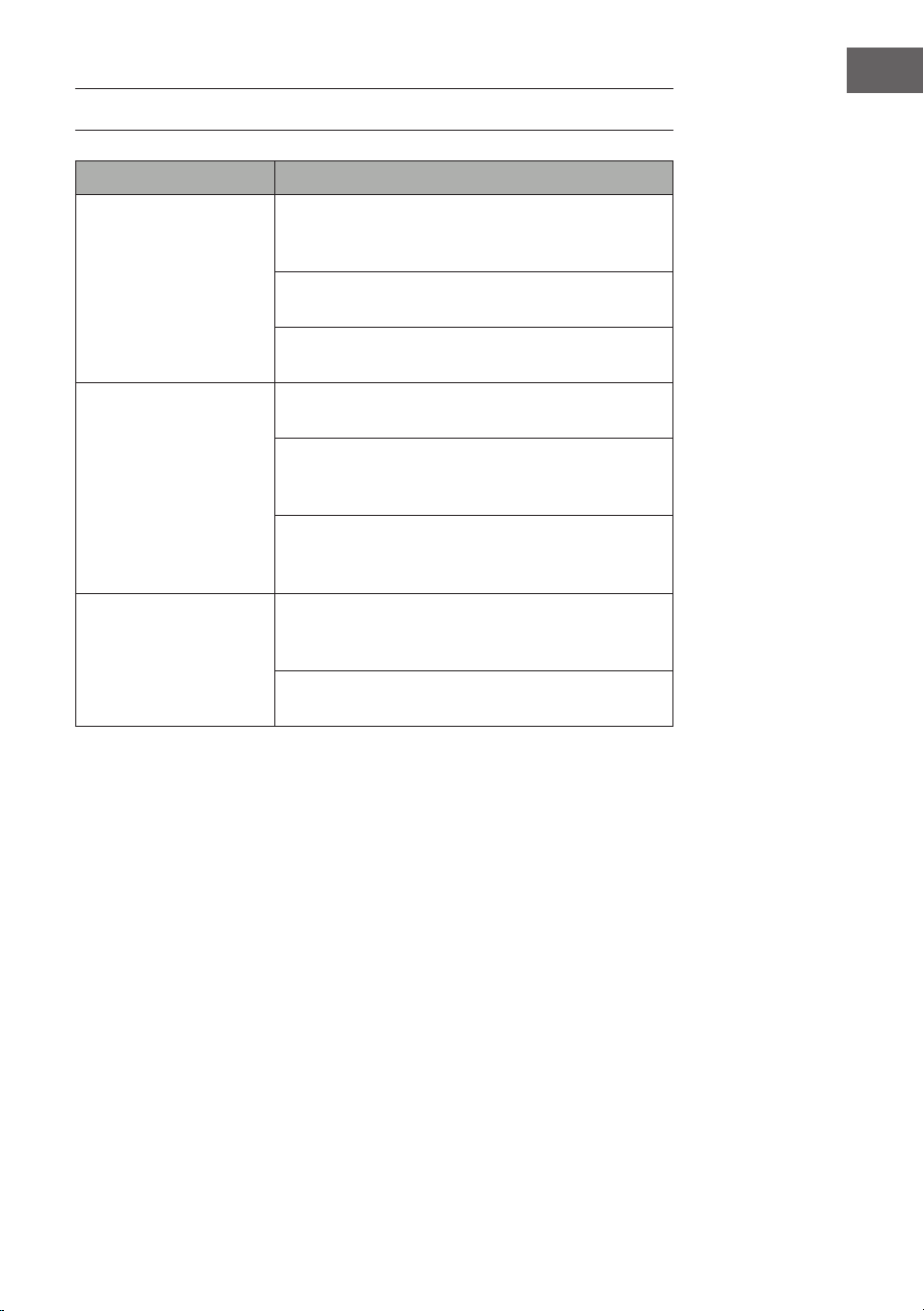
RISOLUZIONE DEI PROBLEMI
Problema Possibile causa e soluzione suggerita
Il CD non viene riprodotto Assicurarsi che l'apparecchio sia in modalità CD.
Premere ripetutamente il pulsante Mode per cambiare
la modalità.
Rimuovere il CD dal vano CD e controllare che non vi
siano grai e segni.
I CD danneggiati potrebbero non essere riprodotti
dalla radio, saltare i brani o non ruotare correttamente.
Mancanza di suono/
corrente
Aumentare il volume utilizzando il pulsante Volume +
sull'apparecchio o il pulsante Vol. + sul telecomando.
Controllare se l'audio è stato disattivato. Se l'audio è
stato silenziato, premere brevemente il tasto Mute sul
telecomando per riattivarlo.
Le cuie potrebbero essere collegate. Ascoltare la
musica attraverso le cuie o scollegarle dal jack per
cuie.
I tasti funzione non
rispondono
Assicurarsi che la presa a muro utilizzata per
l'apparecchio sia alimentata e che la radio non sia in
modalità standby.
Controllare se i tasti utilizzati sono disponibili nella
rispettiva modalità.
44
IT
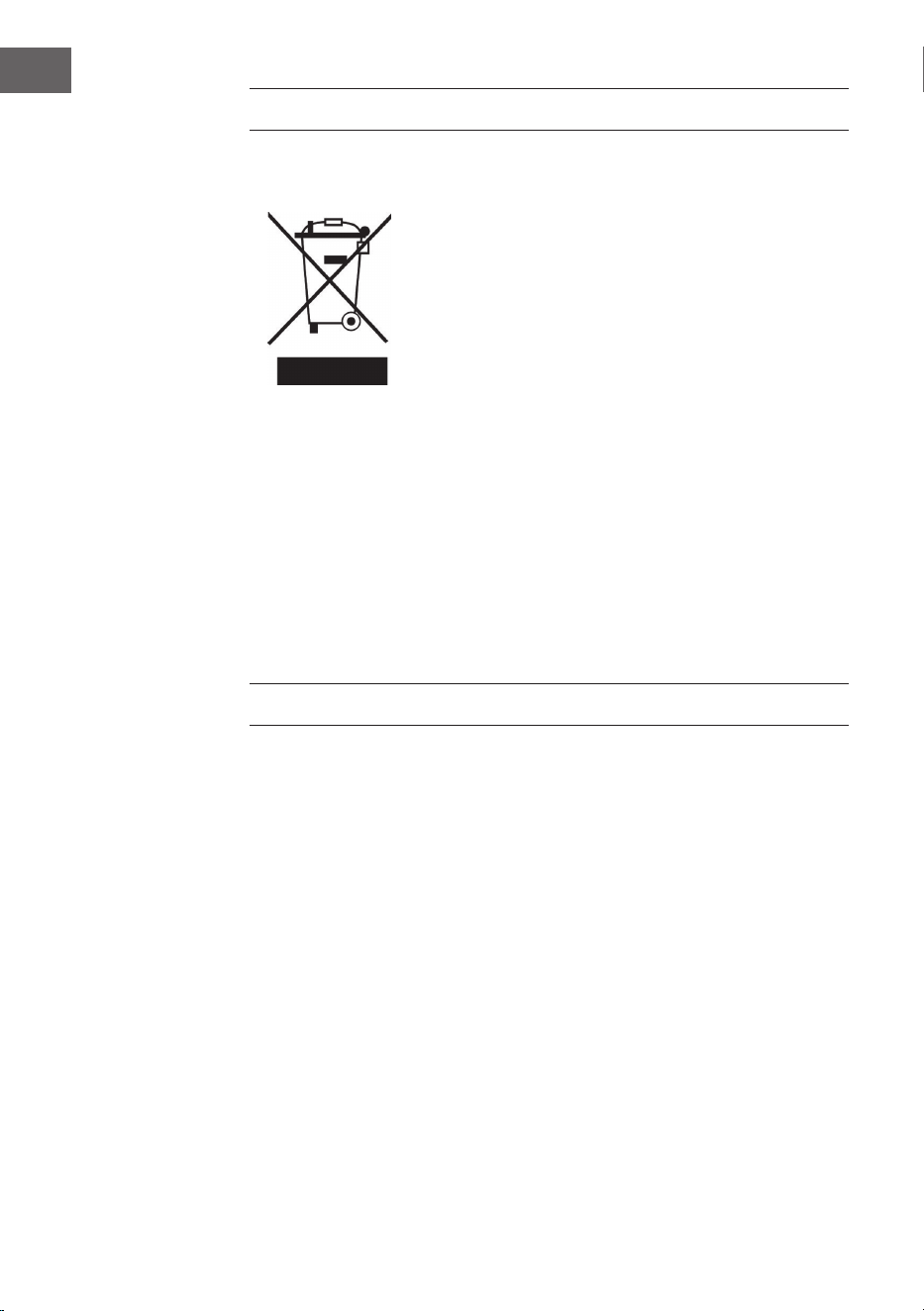
AVVISO DI SMALTIMENTO
Se nel proprio paese si applicano le
regolamentazioni inerenti lo smaltimento di
dispositivi elettrici ed elettronici, questo simbolo
sul prodotto o sulla confezione segnala che questi
prodotti non possono essere smaltiti con i riuti
normali e devono essere portati a un punto di
raccolta di dispositivi elettrici ed elettronici. Grazie
al corretto smaltimento dei vecchi dispositivi si
tutela il pianeta e la salute delle persone da possibili
conseguenze negative. Informazioni riguardanti
il riciclo e lo smaltimento di questi prodotti si
ottengono presso l’amministrazione locale oppure il
servizio di gestione dei riuti domestici.
Il prodotto contiene batterie. Se nel proprio
paese si applicano le regolamentazioni inerenti
lo smaltimento di batterie, non possono essere
smaltite con i normali riuti domestici. Preghiamo
di informarvi sulle regolamentazioni vigenti sullo
smaltimento delle batterie. Grazie al corretto
smaltimento dei vecchi dispositivi si tutela l’ambiente
e la salute delle persone da conseguenze negative.
PRODUTTORE E IMPORTATORE (UK)
Produttore:
Chal-Tec GmbH, Wallstraße 16, 10179 Berlino, Germania.
Importatore per la Gran Bretagna:
Berlin Brands Group UK Limited
PO Box 42
272 Kensington High Street
London, W8 6ND
United Kingdom