
• Keep these instructions.
• Do not drop, puncture or disassemble this product.
• This product shall not be exposed to dripping or splashing.
• Avoid long exposure to direct sunlight, which may cause damage.
• Exposing this product to open flames may cause explosion.
• Do not use the product in strong magnetic field.
• Use clean, soft cloth to clean. Do not use any corrosive
cleaner/oil to clean.
• Keep your attention on the road. Do not operate the controls of
this product while driving.
Please read and understand all instructions before using
this product. If damage is caused by failure to follow the
instructions, the warranty does not apply.
Safety
Instructions
Features
• Hands-free call
• Stream music to car audio via FM Transmitter
• AUX line out
• Dual USB charging ports
• USB flash
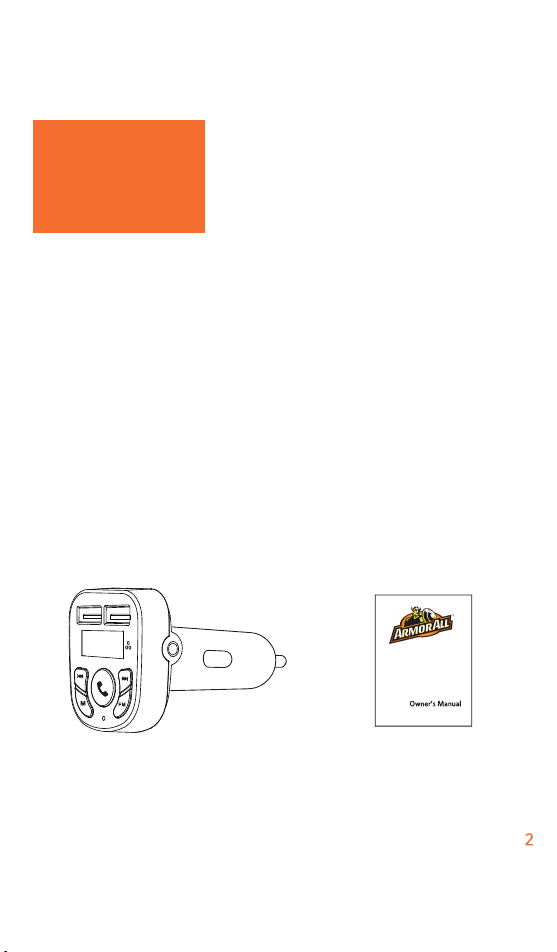
What’s included
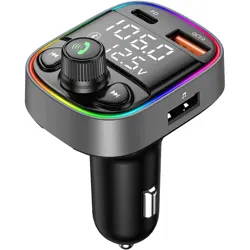
Car Charger FM transmitter Manual
Introduction
• Keep these instructions.
• Do not drop, puncture or disassemble this product.
• This product shall not be exposed to dripping or splashing.
• Avoid long exposure to direct sunlight, which may cause damage.
• Exposing this product to open flames may cause explosion.
• Do not use the product in strong magnetic field.
• Use clean, soft cloth to clean. Do not use any corrosive
cleaner/oil to clean.
• Keep your attention on the road. Do not operate the controls of
this product while driving.
11
11
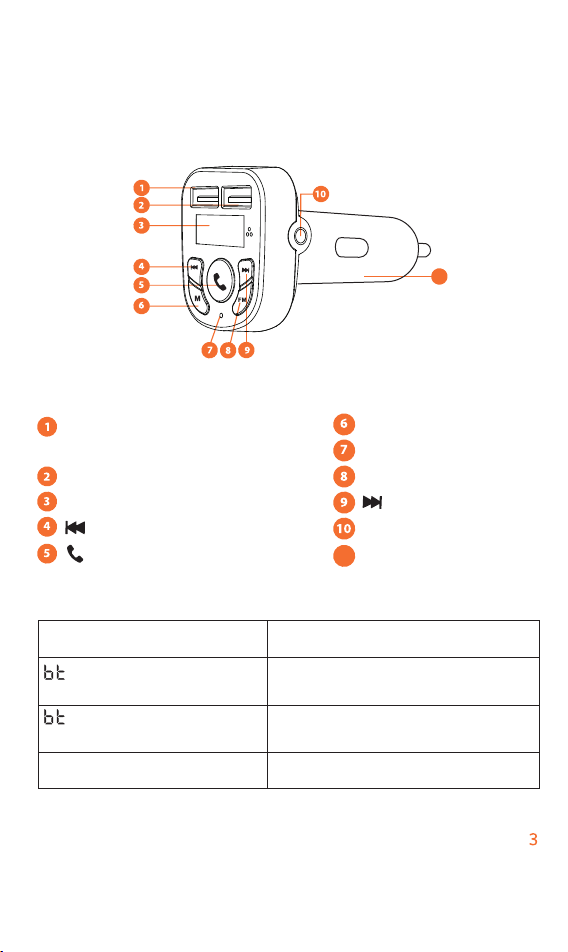
At a Glance
USB charging port \USB flash
drive port
USB charging port
LCD display
/Previous/volume-
/Play/Pause/Answer/End
BT /USB flash Mode
Microphone
FM
/Next /volume+
AUX line out
Car charger adapter
/ Voltage /FM frequency
flashes alternately
/ FM frequency
flashes alternately
FM frequency flashes
NO Bluetooth connected and no
flash drive detected
Bluetooth connected or flash
drive detected
Enter FM mode
LCD indicators Status
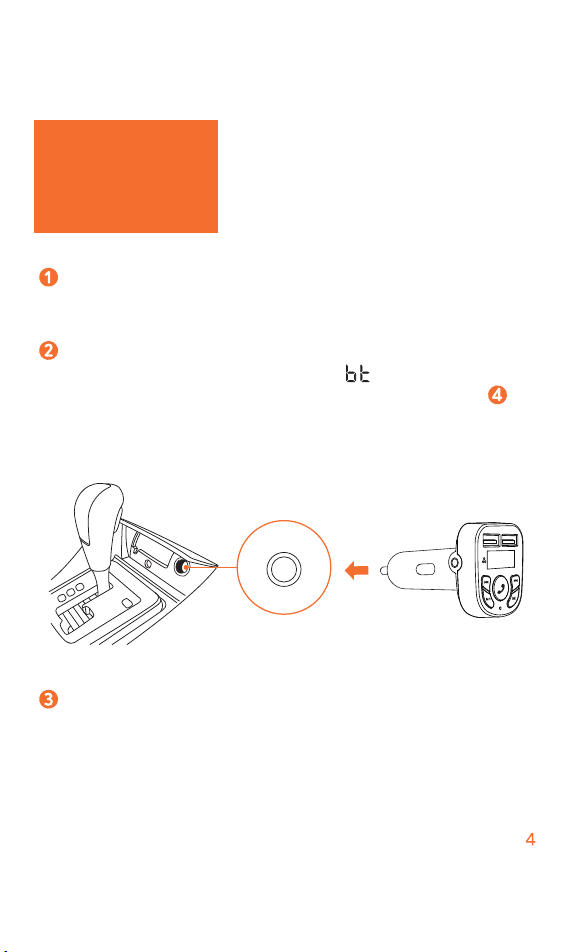
Start your vehicle’s engine and the LCD display will flash
ON. “HI” will be initially displayed, /FM frequency will
flash alternatively. In case you have completed step ,
you would hear a voice prompt “ready to pair”.
Get Started
Plug Car Charger FM transmitter into your
vehicle’s socket lighter socket.
Enable Bluetooth on your smartphone and search for
Bluetooth devices available. Select “AA BT Transmitter”
and connect. Once successfully connected, FM frequency
will be displayed and a voice prompt “pairing succeeded”
will be heard.
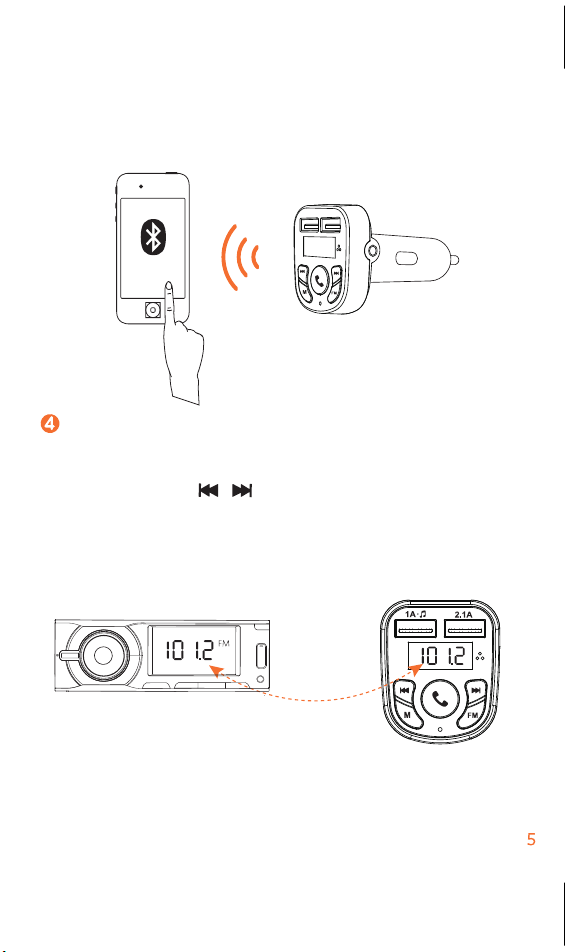
Turn on the FM radio on you car audio deck and tune to
an unoccupied frequency (white noise ) Press FM button
on Car Charger FM transmitter until FM frequency
flashes. Press ( )until the transmitting frequency
matches the frequency selected on your car audio.
Monster BT MF
Transmitter
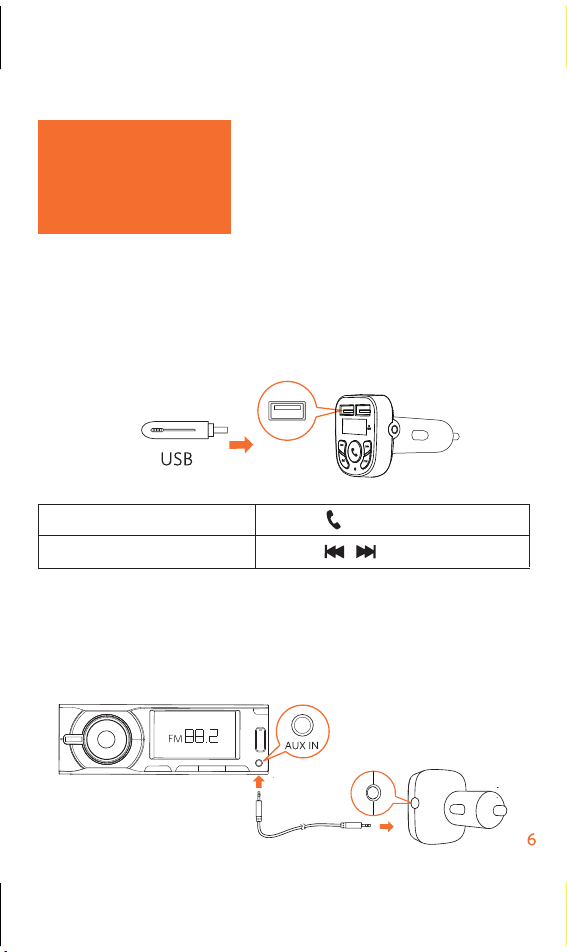
Play Music
When the Car Charger FM transmitter is successfully
connected with your smartphone, you can play music
from your phone. Music can then be streamed to your car
audio via FM transmitter. You can also enjoy music that is
stored on a USB flash drive.
To further reduce echo and cabin noise on your calls you
can connect a 3.5 mm AUX cable (not provided) to AUX
line out socket of the Car Charger FM transmitter and
AUX IN socket of your car audio system.
Play/Pause
Previous/Next track
Press ( )
Press ( )
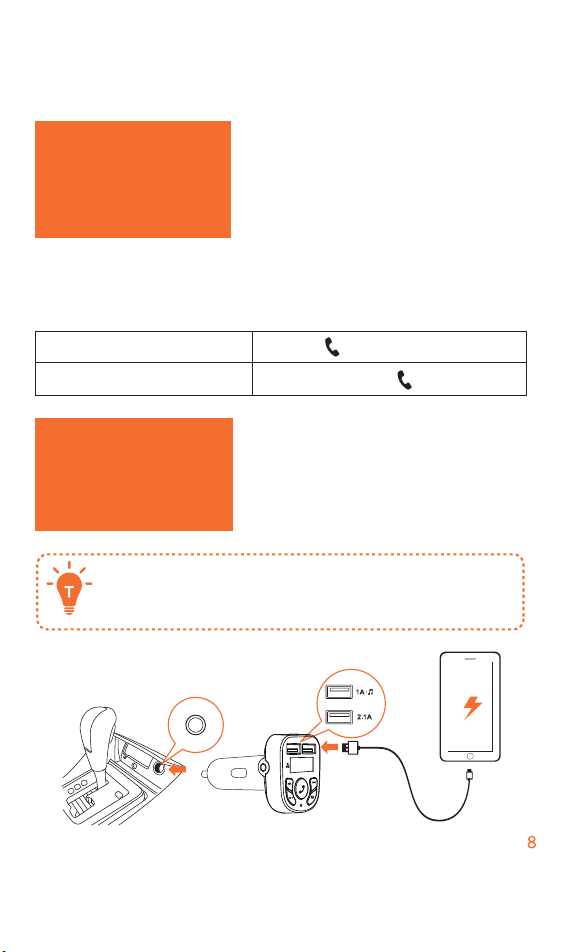
Hands-free Call
When the Car Charger FM transmitter is successfully
connected with your smartphone, you can enjoy convenient
hands-free calls
Answer/End a call Press ( )
Reject a call Press and hold ( ) for 1 second
Charge Your
Devices
The Car Charger FM transmitter contains dual
USB charging ports .You can charge two devices
at the same time with maximum output of 5V/3.1A

Specifications
Specifications are subject to change without notice
DC input :12V-24V
Power output :5v=3.1Max
Bluetooth version: V4.2
Bluetooth transmission distance 10m/393.7 in
Audio format: mp3. wma. flac. wav
FM frequency range :87.5-108 MHz
FM transmission range :2m/78.7 in
USB file system: FAT, FAT32, exFAT
Operating temperature range:-4°F to 104°F/20℃ to 40℃
Storage temperature range :-40°F to 185°F/-40℃ to 85℃
MANUAL
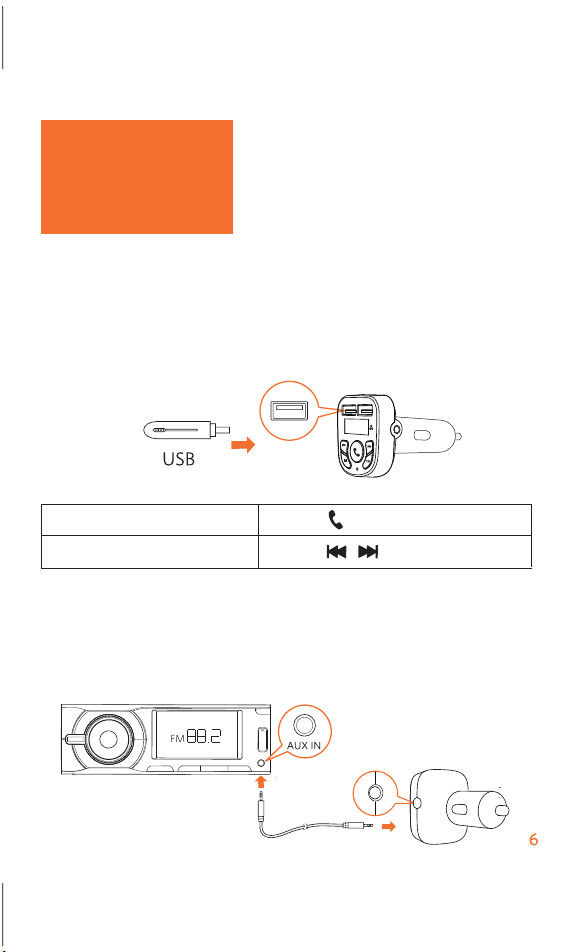
Play Music
When the Car Charger FM transmitter is successfully
connected with your smartphone, you can play music
from your phone. Music can then be streamed to your car
audio via FM transmitter. You can also enjoy music that is
stored on a USB flash drive.
To further reduce echo and cabin noise on your calls you
can connect a 3.5 mm AUX cable (not provided) to AUX
line out socket of the Car Charger FM transmitter and
AUX IN socket of your car audio system.
Play/Pause
Previous/Next track
Press ( )
Press ( )