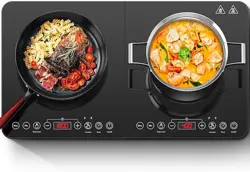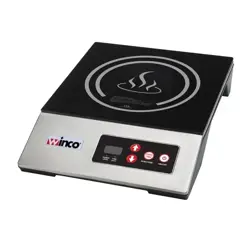
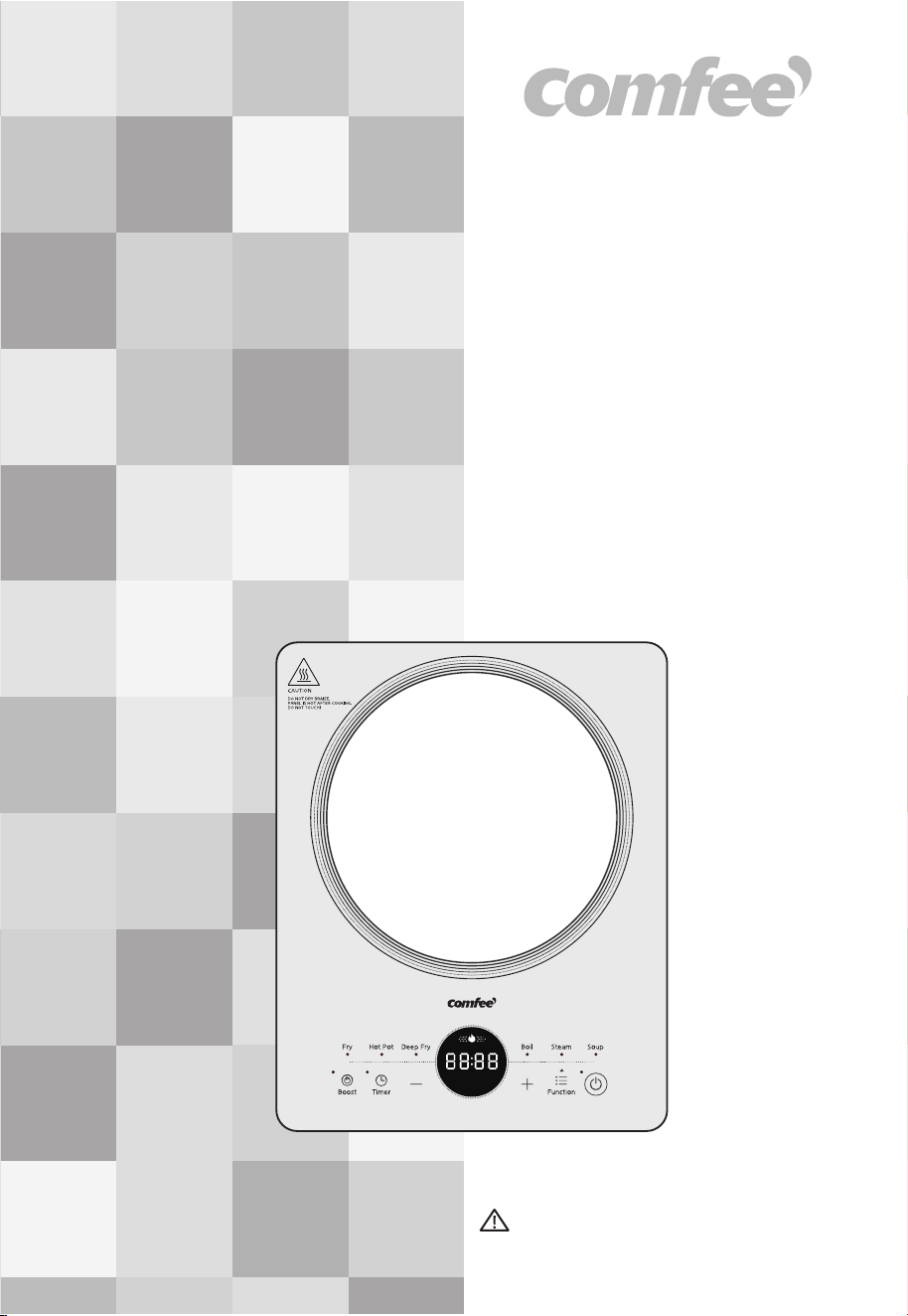
INDUCTION COOKER
CIC-22GGTLA1H
Instruction Manual
IMPORTANT NOTE: For your safety and continued enjoyment of this
product, always read the instruction Manual carefully before using.

THANK YOU LETTER
Thank you for choosing COMFEE Before using your new COMFEE
product, please read this manual thoroughly to ensure that you
know how to operate the features and functions that your new
appliance offers in a safe way.
CONTENT
THANK YOU LETTER
1
SAFETY INSTRUCTIONS
2
PRODUCT OVERVIEW
11
10
SPECIFICATION
CLEANING AND MAINTENANCE
18
TROUBLESHOOTING
19
OPERATING INSTRUCTIONS
12
1
SAFETY INSTRUCTIONS
Read these operating instructions carefully and attentively before
using/commissioning the unit and keep them in the immediate vicinity of the
installation site or unit for later use!
This induction cooker is designed for household use. Please refer to the
instructions for detailed cooking methods.
The signal word indicates a hazard with a medium level of risk which, if
not avoided, may result in death or serious injury.
The signal word indicates a hazard with a low degree of risk which, if not
avoided, may result in minor or moderate injury.
The signal word indicates important information (e.g. damage to
property), but not danger.
This symbol indicates that a service technician should only operate and
maintain this appliance in accordance with the operating instructions.
This symbol indicates that there are dangers to the life and health of
persons due to extremely flammable gas.
Danger
Warning of electrical voltage
Warning
Caution
Attention
Observe instructions
Intended Use
Explanation of Symbols
The following safety guidelines are intended to prevent
unforeseen risks or damage from unsafe or incorrect operation
of the appliance. Please check the packaging and appliance on
arrival to make sure everything is intact to ensure safe
operation. If you find any damage, please contact the retailer or
dealer. Please note modifications or alterations to the appliance
are not allowed for your safety concern. Unintended use may
cause hazards and loss of warranty claims.
2
SAFETY INSTRUCTIONS
• For safety reasons and to avoid damage to the appliance or
injuries to people, please abide by all the safety instructions
below.
• Ignoring safety warnings may result in injuries.
• This appliance does not take into consideration the following
situations:
-use by children or disabled people without supervision;
-children treating it as a toy.
FORBIDDEN
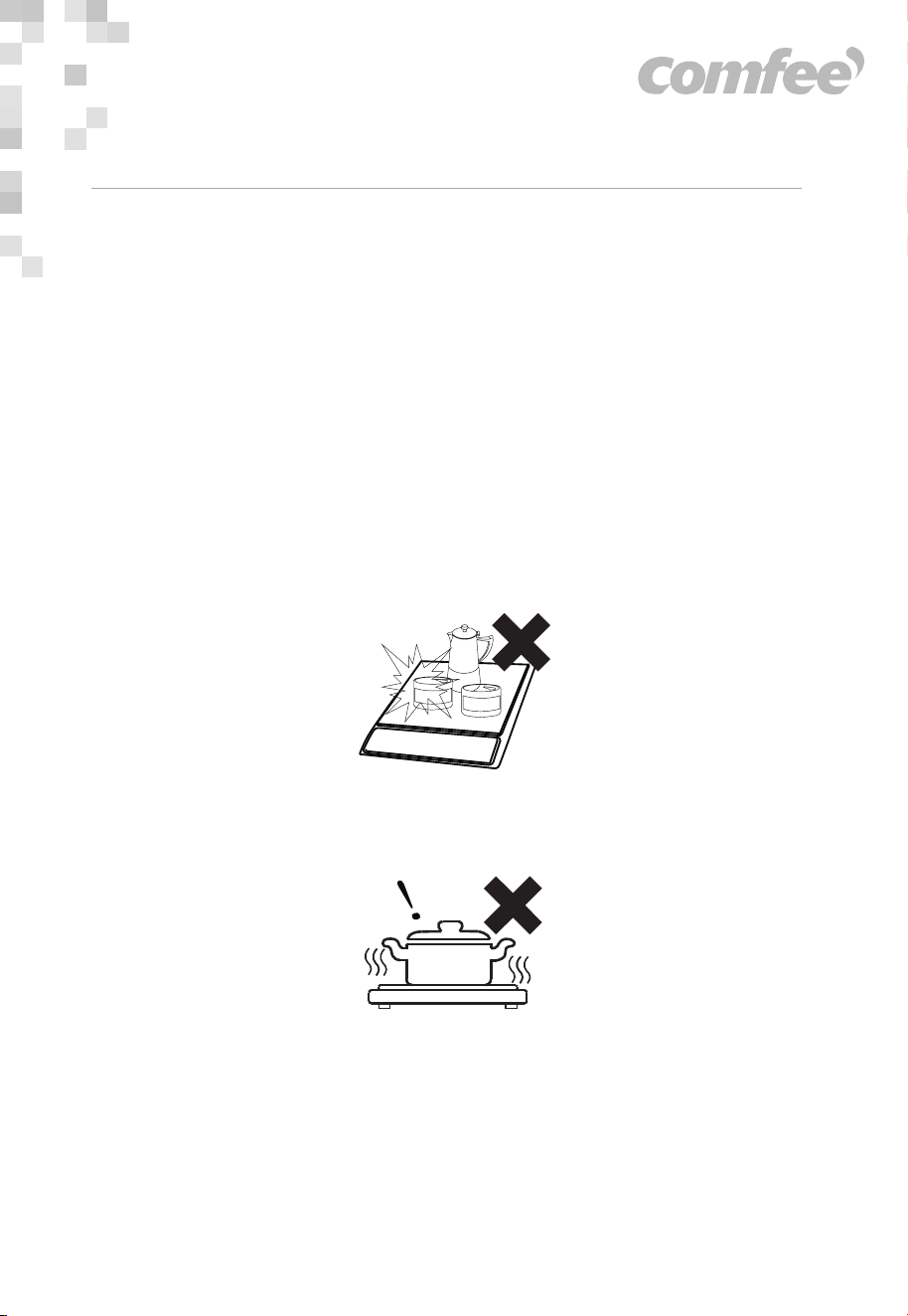
• Never heat food in sealed containers such as compressed
products like cans or coffee pots, to avoid explosion caused by
heat expansion.
• Never let the appliance run unattended. Do not use empty vessels
to avoid affecting product performance and to prevent injury.
SAFETY INSTRUCTIONS
3
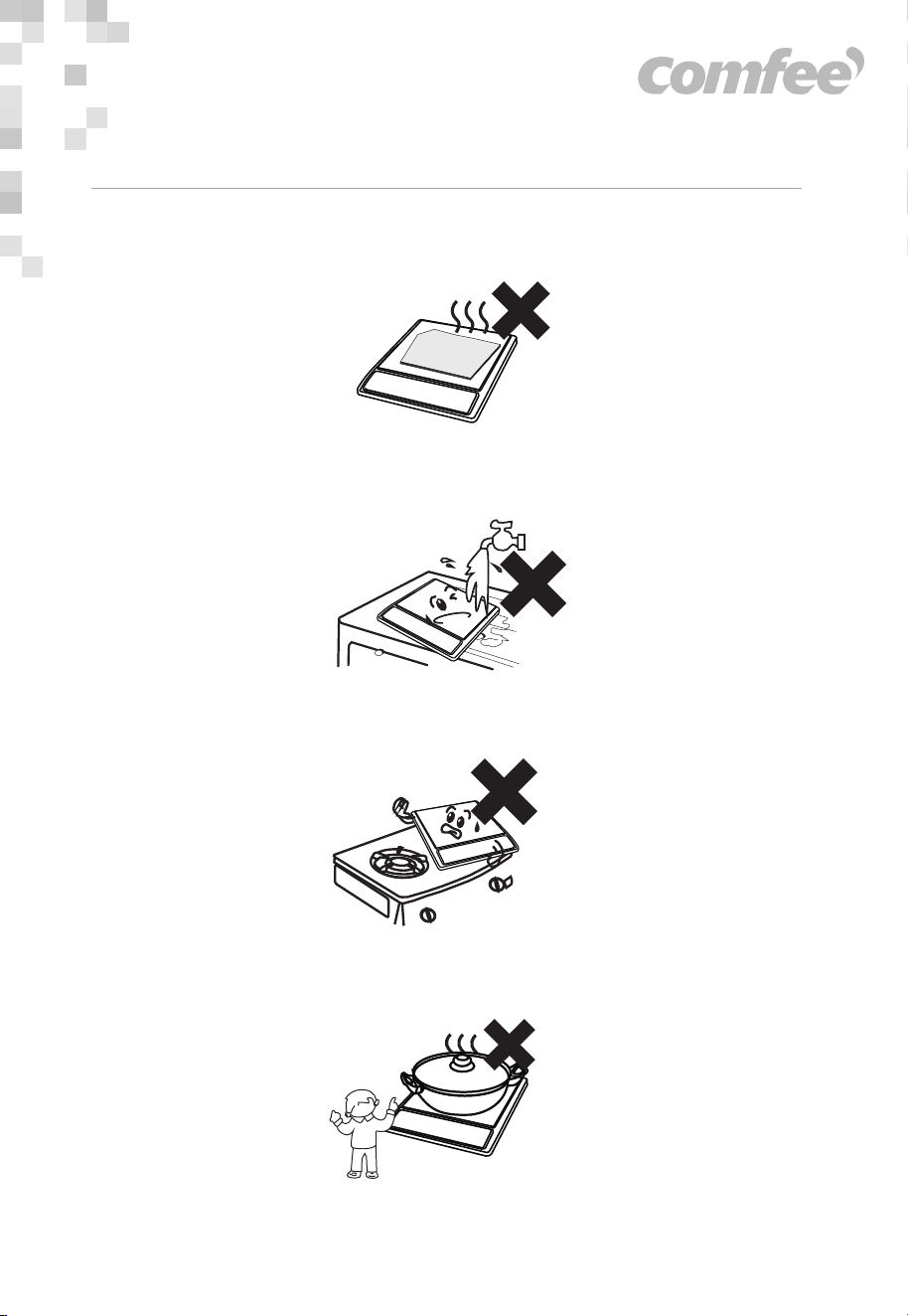
• Do not heat iron items on the induction cooker heating plate. It
can get heated due to high temperature.
• Do not rinse this induction cooker under water. Avoid spilling
water and soup into the internal parts of the induction cooker.
• Do not place the induction cooker when in use, on a gas stove
(the magnetic lines can heat the metal parts of the gas stove)
• Children should be operating this appliance under supervision to
avoid injuries.
SAFETY INSTRUCTIONS
4

• To avoid danger, do not insert any foreign objects, such as iron
wire, nor block the air ventilation opening or entry port.
• Do not place paper, aluminium foil, cloth or other unsuitable
articles onto the induction cooker heating plate.
• Do not put it on any metal platforms (such as iron, stainless steel,
aluminium), or place a non-metal pad less than 10 cm thick on
the heating plate while the cooker is in use.
• This appliance is not intended for use by persons (including
children) with reduced physical, sensory or mental capabilities, or
lack of experience and knowledge, unless they have been given
supervision or instruction concerning use of the appliance by a
person responsible for their safety.Children should be supervised
to ensure that they do not play with the appliance.
• Never connect this appliance to an external timer switch in order
to avoid a hazardeous situation.
• Do not plug in the appliance or operate the control panel with wet
hands.
SAFETY INSTRUCTIONS
5
MANDATORY
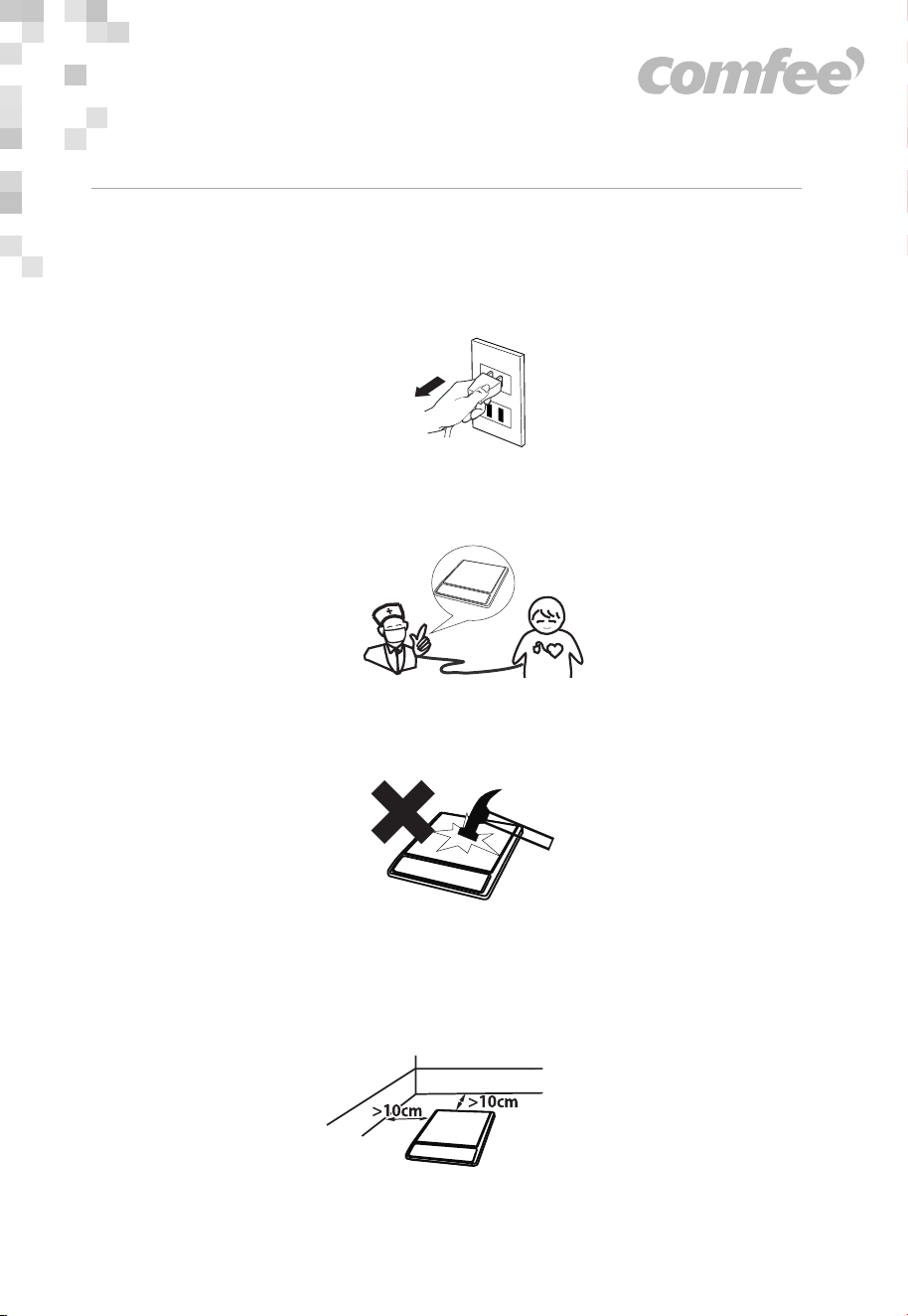
• Unplug the power cord from the outlet after use to avoid fire
and/or damaging the electronic components caused by
prolonged electrical connection.
• People with heart pacemakers should avoid using the appliance.
It is advisable to consult a doctor or pacemaker manufacturer
about your particular situation.
• Avoid causing impacts on the heating plate. It may damage the
plate. If cracking is found on the cooker plate, turn off the
appliance to avoid any electrical shock that might occur.
• When using the induction cooker, place it horizontally and allow
atleast 10 cm of free space between the sides and back of the
induction cooker and the wall. Do not use the induction cooker in
narrow spaces. Please keep the ventilation opening free, for
release of heat.
SAFETY INSTRUCTIONS
6
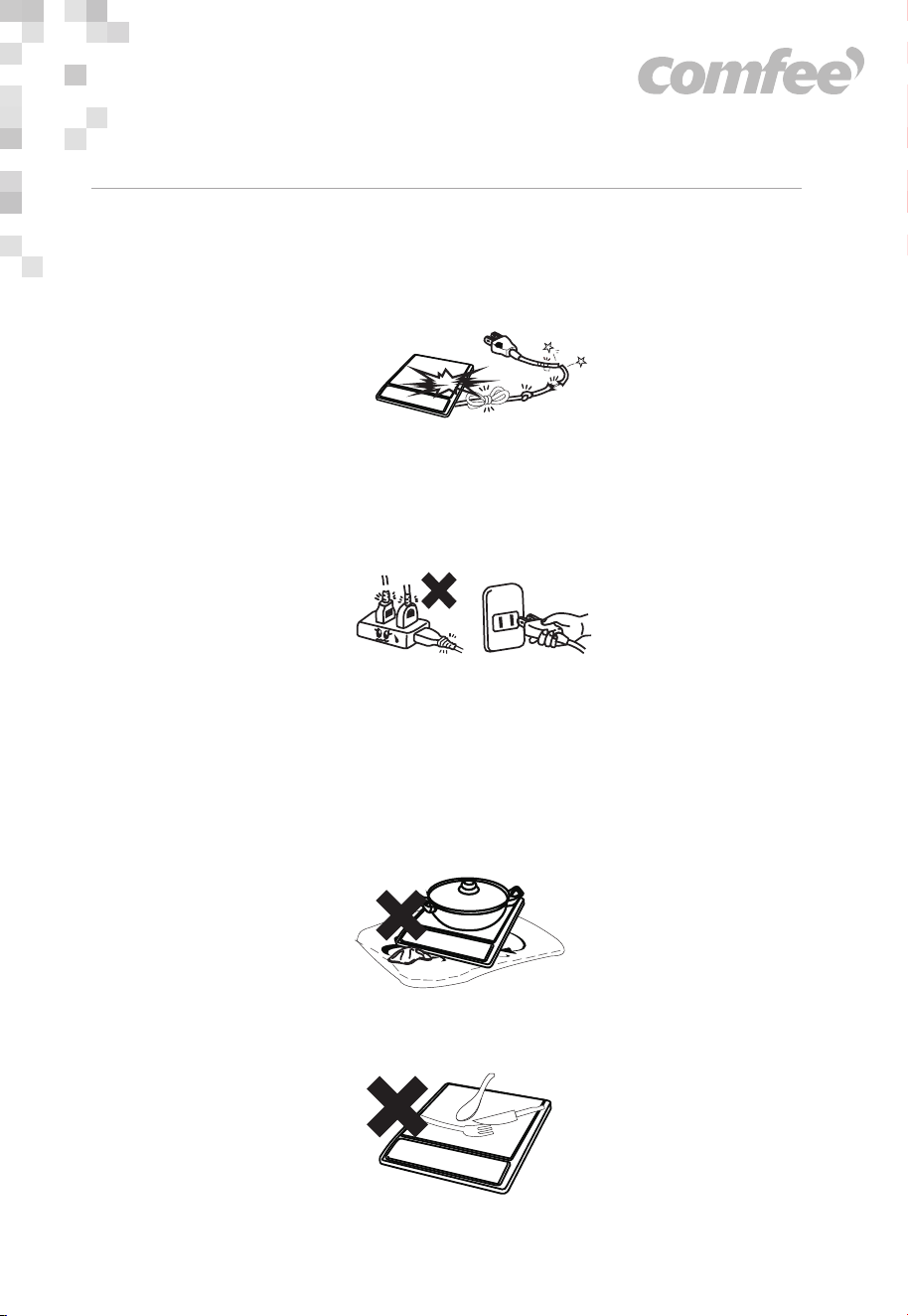
• Do not use the appliance if the plug or the main cord or the
appliance is damaged. If the power cord is damaged, have it
replaced by agent of the manufacturer, its service department or
specialized person from a similar department.
• Please use a dedicated and high quality power outlet, with high
power rating (10A-16A). Do not use poor quality outlets. It is
advisable not to share the power outlet with electrical appliances
with high power ratings, such as an air conditioners, electrical
stoves etc. to avoid fires caused by overburdening the outlet.
• Always make sure the plug is inserted firmly into the socket.
WARNING
• Do not place the induction cooker onto a carpet, tablecloth or thin
paper while on use to avoid blocking the air inlet opening or air
outlet opening, which will affect the heat emission.
• Metal objects, such as knives, forks, spoons and lids should not be
put on the surface of the cooking area, as they will be heated.
SAFETY INSTRUCTIONS
10A-16A
7

• When using the induction cooker or after use, please keep it
clean. Protect the induction cooker from bugs, dust and humidity.
Avoid letting cockroaches etc fall into the internal parts of the
induction cooker and causing a short circuit of the electrical
board. When not in use for a long period, please clean it and put
into a plastic bag to store it.
• This appliance is intended to be used in household and similar
applications such as:
- staff kitchen areas in shops, offices and other working
environments;
- farm houses;
- by clients in hotels, motels and other residential type
environments ;
- bed and breakfast type environments.
• The instructions shall state that appliance are not intended to be
operated by means of an external timer or separate
remote- control system.
• Keep the main cord out of the reach of children. Do not let the
main cord hang over the edge of the table or worktop on which
the appliance stands.
• Do not touch the cooking plate after cooking, as it retains heat
from the cookware.
• Please turn off and unplug the appliance before cleaning,
maintenance or relocation and whenever it is not in use.
• After being used for a long time, the corresponding heating zone
of the induction hotplate is till hot. Never touch the ceramic
surface to avoid burning.
SAFETY INSTRUCTIONS
8

SAFETY INSTRUCTIONS
ATTENTION
• Do not place the induction cooker near a gas stove, kerosene
stove, gas cooker or in any space with an open fire or in an envi-
ronment with high temperature.
• Always clean the induction cooker to prevent mess from getting
into the fan, which could influence the normal operation of the
appliance.
9

IP Code
Dimension
IPX0
350 x 280 x 56mm
Weight 3.17 kg
SPECIFICATIONS
CIC-22GGTLA1HModel
Power Supply Voltage
Frequency
Rated Power Input
220-240V
50/60Hz
2200W
10
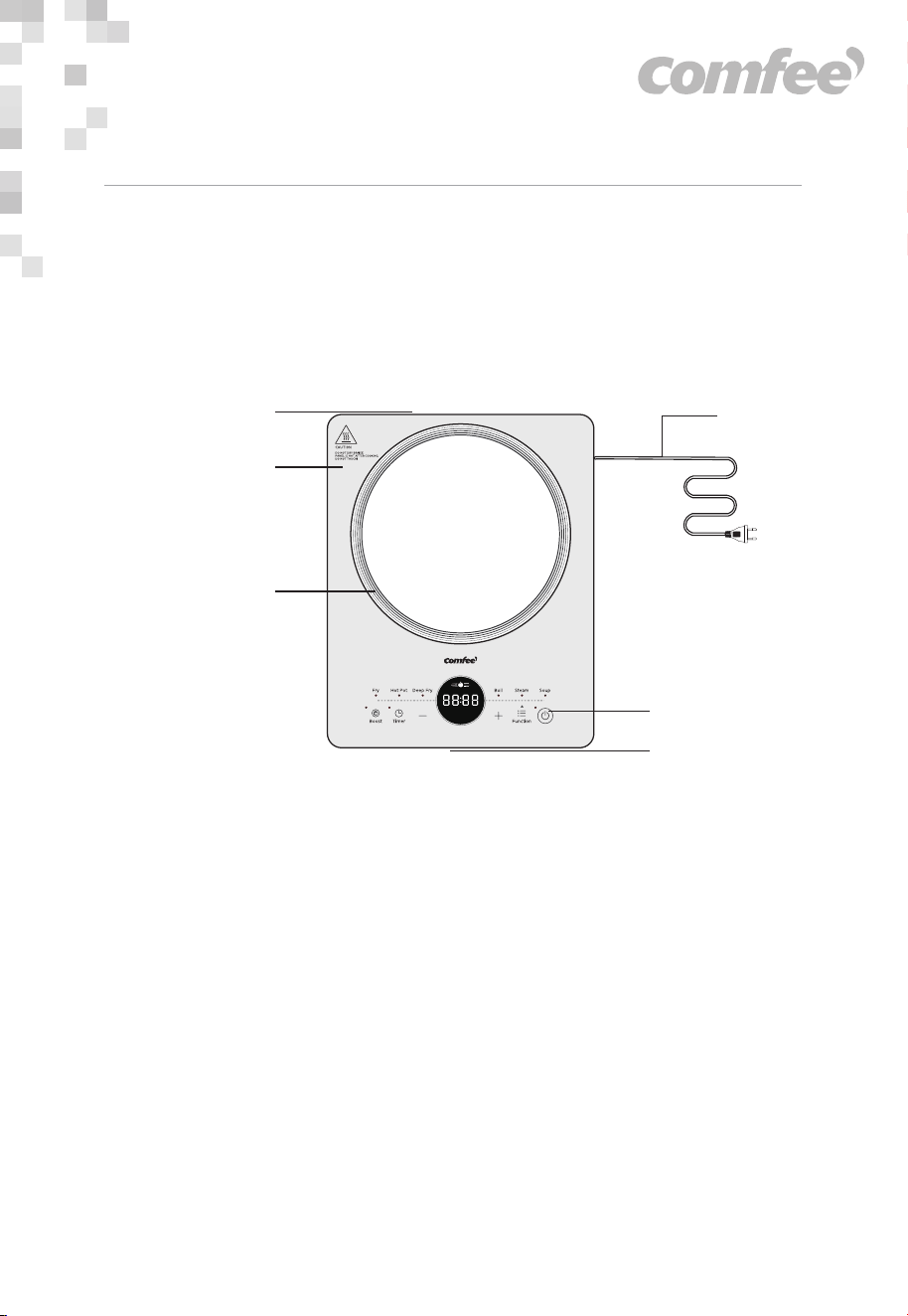
PRODUCT OVERVIEW
NOTE: All the pictures in this manual are for explanation purpose only. Any
discrepancy between the real object and the illustration in the drawing shall be
subject to the real subject.
Control panel
Cooking zone
Air outlet
Ceramic plate
Air intake
Power cord
Component Name
Parts List
This induction cooker is designed for household use. Please refer to the
instructions for detailed cooking methods.
11
OPERATING INSTRUCTIONS
PREPARATION
• Before using, please first check if the power plug connects well with
the power outlet.
• Before placing the pot on the cooker plate, please clean up water
stains, oil spots or any other adherent dirt from the outside surface of
the pot and cooker plate.
• Please put the pot to be heated on the central part of the induction
cooker. Do not put an empty pot on the cooker plate to be heated.
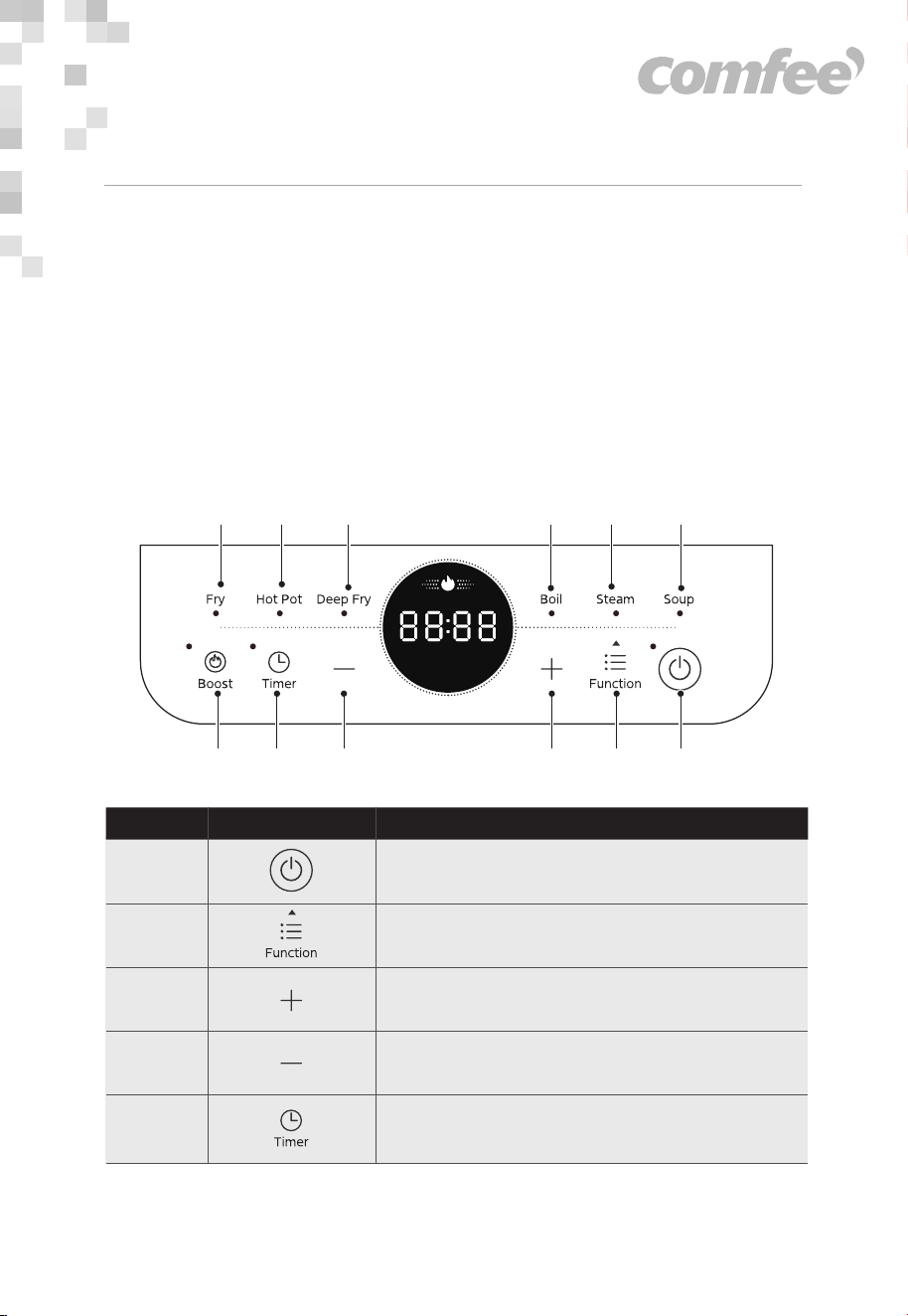
Operation Part
1
2
8 79
5 4 3
6
1012
11
Function description
●
Function Button
1
2
3
4
5
“+” Button
●
●
“ON/STANDBY” Button
●
“-” Button
●
Timer Button
12
6
●
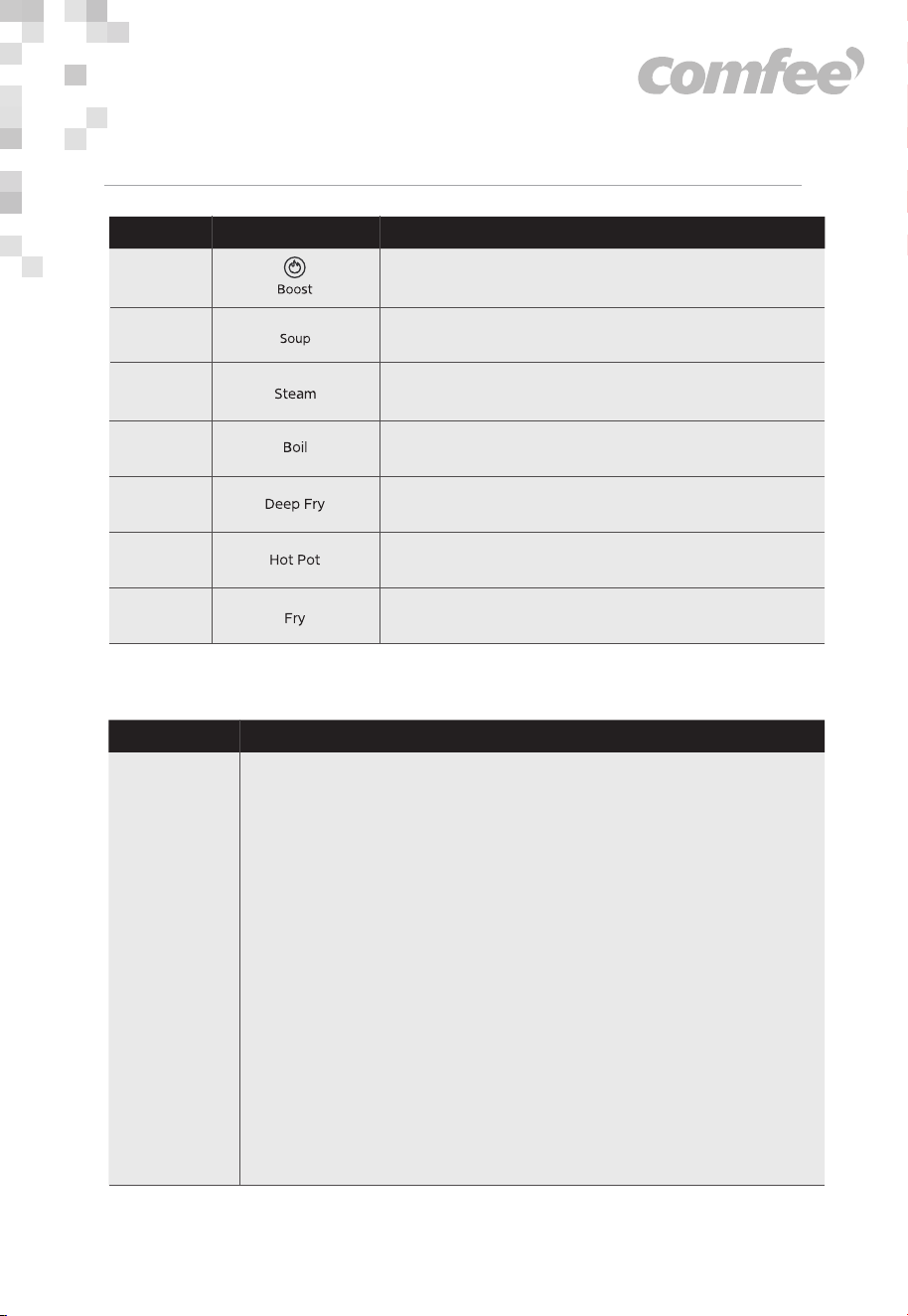
Boost Button
7
●
Soup
Function description
●
Steam
8
●
Boil
9
10
11
12
●
Deep Fry
●
Hot Pot
●
Fry
OPERATING INSTRUCTIONS
Operation GuidelinesFunction
“On/
Standby”
Connecting the power and switching on
• After press the “ON/STANDBY” key, press the function
keys to select the required mode. The induction
cooker enters working mode.
• After press the “ON/STANDBY” key, if no function key
is pressed for 10 seconds, the induction cooker will
switch off automatically.
• After press the function key, if there is no proper pot
on the cooker plate, the induction cooker will not
heat up and the alarm will sound to indicate that a
pot is required. One minute later, it will switch off
automatically.
Switch off
• When the operating time is over, the induction
cooker switches off automatically.
• If switch off is needed in advance, press the
“ ON/STANDBY ” key to turn the appliance off.
Function Selection
13

OPERATING INSTRUCTIONS
Operation Guidelines
Operation GuidelinesFunction
Function selection
• After switching on the appliance, press the
“Function” to enter the desired cooker mode.
• Please refer to “Function Cooking Mode Instruction”
for the details of the corresponding heating
process for each cooking mode.
Hot Pot
Soup
Boil
Fry
Deep Fry
Steam
Power adjustment
• After selecting a mode, you can press “+” or “-” to
adjust the power,and you can slide "Touch slider"
to adjust the power.
• For some modes, during the heating procedure, the
induction cooker can automatically adjust the
power according to the cooking requirement.
• For certain modes, the power is restricted
|complying with the cooking requirement.
“-” ,“+”
Timer adjustment
• If timer function is not activated, the induction
cooker will heat the ingredients for the default time
duration.
• If timer is needed, first press the “Timer” key. When
the numbers blink on the display, press the key “+”
or “-” to adjust the time duration.
• When the adjustment is finished, the number on the
display will be shown after blinking for several
seconds. The induction cooker starts counting
down.
• When the counting down is over, the induction
cooker automatically stops heating and switches
off.
“Timer”
Boost
• After selecting a mode,you can press " BOOST "
button to adjust to maximum power directly. after 3
minutes, it will return to the original function mode
setting.
“Boost”
14

Operation GuidelinesFunction
OPERATING INSTRUCTIONS
• The cooking mode of “Hot pot” fit to heating
requirements, such as hotpot and boiling water. In
the heating procedure, the time and power can be
adjusted at any time.
• The cooking modes of fry and Deep fry fit to high
temperature cooking. In the heating procedure, the
time and power can be adjusted at any time. When
the temperature of the ingredients reaches the
temperature level provided by the selected mode
(the highest temperature of various modes are
different), the induction cooker will switch to interval
heating or stops heating. After the temperature
cools down, the induction cooker restarts heating.
• For the cooking modes of Soup, and Steam, the
induction cooker can automatically control the
power according to the time duration that has been
set and the temperature of the
ingredients. Under these modes, the power can be
adjusted within the adjustable power range at any
time.
Hot Pot
Soup
Steam
Fry
Deep Fry
Users can select among the different cooking modes according to
cooking purpose. For your convenience, we provide the following
instructions:
15
Operation GuidelinesFunction
OPERATING INSTRUCTIONS
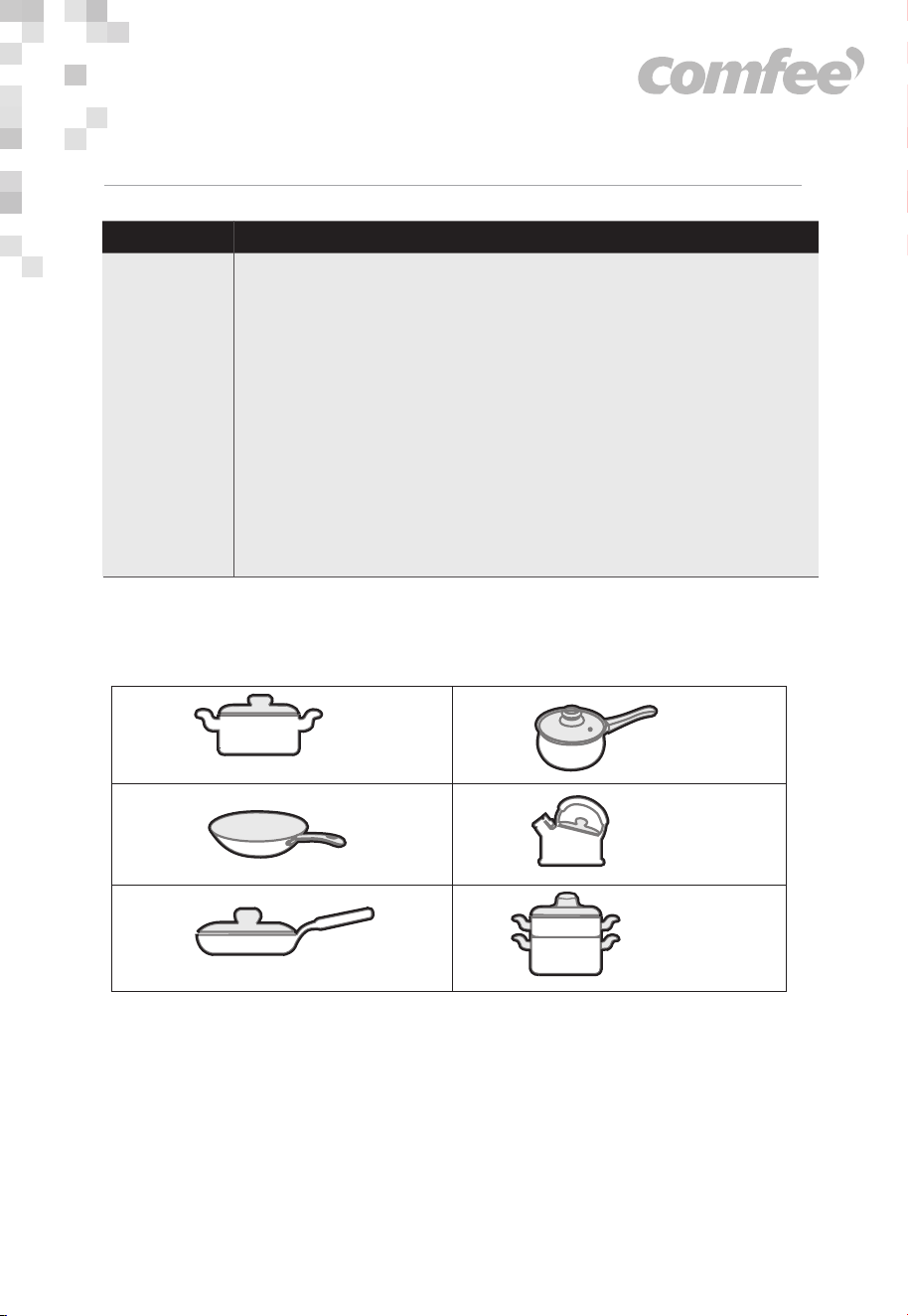
PROPER POTS
a
c
e
f
b
d
Iron stock pot Iron milk pot
Iron wok Iron water kettle
Iron frying pan Iron steamer pan
• Boil mode is for boiling water. When the operating
time is over, the induction cooker can switch off
automatically.
Note:
• It is recommended to put water that occupies 30% to
80% of the pot capacity when boiling water.
• When boiling water, factors such as uneven pot
bottom, scale or weather conditions could influence
the boiling effect.
• Please use the specific stock pot or water kettle when
boiling water.
Boil
16

OPERATING INSTRUCTIONS
• Please use the attached pots sold . Do not use other pots as
replacements to avoid influencing the performance.
• The maximum load for the frying pan is 4kg. When using it, do not let
the weight of the ingredients exceed this weight to avoid danger.
• If other pots are used, please comply with the following conditions:
- Requirements for pot material: containing iron material.
- Requirement of pot shape: with even bottom, the diameter is not less
than 15 cm while not more than 18 cm.
NOTE
• For optimum performance, please use the standard pots provided.
17

• Before cleaning, please switch off the appliance first and then
disconnect the power plug from the power outlet. Wait till the cooker
plate of the induction cooker is not hot and start cleaning.
• After using the induction cooker for a long time, the opening of air
inlet/air outlet will pile up with dust or other dirt, please wipe it with a
soft dry cloth. Dust in the air inlet and outlet can be cleaned by using a
soft brush or a mini vacuum cleaner.
NOTE
• Please do not rinse it with water.
• For oil spots on the cooker plate, wipe the cooker plate by using a soft
moist cloth with a little tooth paste or mild detergent. And then use a
soft moist cloth to wipe it until no stain remains.
• When not using it for a long time, please disconnect the power plug
from the power outlet and protect the induction cooker from any dust
or bugs.
CLEANING AND MAINTENANCE
18

TROUBLESHOOTING
Operation of your appliance can lead to errors and malfunctions. The following tables
contain possible causes and notes for resolving an error message or malfunction. It is
recommended to read the tables carefully below in order to save your time and money
that may cost for calling to the service center.
SolutionKey checking points and trouble shooting
Abnormalities
• Is the power plug properly connected? Is
the switch, power outlet, fuse or power
cord damaged?
After plugging in the power
cord and pressing the
“ON/STANDBY” key, the
indicator and display do
not light up.
• Is the pot material proper?
• For other causes, please take the
appliance to a repairing and
maintenance site to be fixed.
The “ON/STANDBY”
indicator lights up and the
display works normally, but
heating does not start.
• Is the temperature of the oil too high when
frying dishes?
• Is the temperature of the surroundings
very high?
• Is the air inlet or air outlet of the induction
cooker blocked?
• Is the default heating time of the induction
cooker over?
• The self-safety protection of the induction
cooker starts, wait for several minutes and
connect power to use it.
Heating suddenly stops
during the process.
19

•The description above is for diagnosing and checking common issues.
If the problems cannot be solved, please send the product to a repair
and maintenance site or inquiry by calling service number.
•In products without display function, switch/power indicators will blink
to signal potential issues Please pay attention to the key points of
checking to solve the problems.
•Do not disassemble or repair the product by yourself to avoid product
damage or personal injury.
According to Waste of Electrical and Electronic
Equipment (WEEE) directive, WEEE should be
separately collected and treated. If at any time in
future you need to dispose of this product please
do NOT dispose of this product with household
waste. Please send this product to WEEE collect-
ing points where available.
TROUBLESHOOTING
SolutionKey checking points and trouble shooting
Abnormalities
Code of failure
• Wait a moment and press the
"ON/OFF"or "STANDBY" button when the
temperature of the hotplate becomes
normal,the induction hotplate will
operate as usual.
C2
• Please contact the special maintenance
department.
E 1 E2 E3
E4 E7 EU
• Turn off the hotplate, when the voltage
becomes normal, and then turn on the
hotplate, it will operate as usual.
EH EL
20

Facebook: Comfeeth
Line: @comfeethailand
Website: www.feelcomfee.com/th
Customer service: 025117888
Contact Information