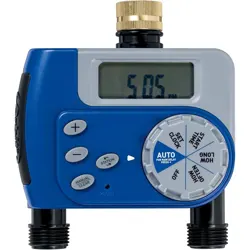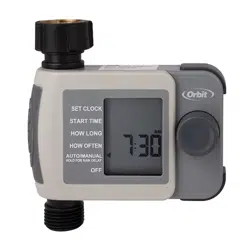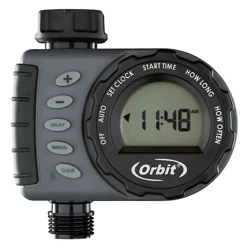
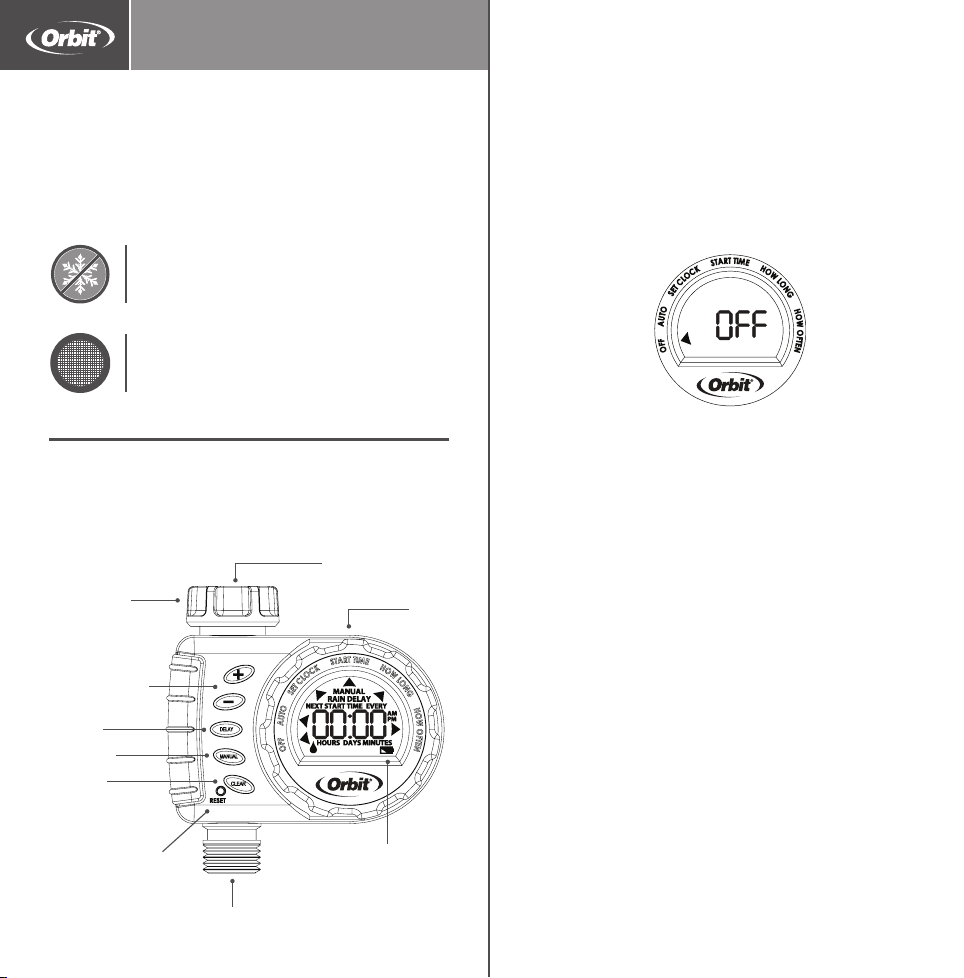
DIAL—Rotate the dial to customize your
watering schedule
DELAY—Use this button to select
RAIN DELAY mode
RESET—Press to clear all programming
MANUAL—Press to water manually
CLEAR—Press to clear programming
+/- Buttons—Use these buttons to adjust
time and system setup
AUTO—Timer waters according to your
customized schedule
SET CLOCK—Set the time of day
START TIME—Select what time you would
like to start watering
HOW LONG—Determine how long to water
HOW OFTEN—Choose how often you
will water
OFF—Turn o all watering
Installing the Batteries
1. Remove the tray on the back of the timer by
sliding or pulling it out.
2. Insert two AA (1.5V) alkaline batteries (not
included) and replace the tray.
Note: Firmly replace the battery tray to ensure
water resistance and increase battery life. You
will know the battery tray is fully inserted if
it does not pull out easily. Used up or dead
batteries must be removed from the timer
and disposed of properly. Replace batteries
when low battery icon appears on display. Do
not dispose of batteries in fire. Batteries may
explode or leak.
Timer Features
Programming the Timer
Set Clock
1. Turn dial to SET CLOCK.
2. Using the +/- buttons, set the time of day,
including AM and PM. Timer advances faster
if button is held down.
3. Turn dial to save changes.
Start Time
1. Turn dial to START TIME.
2. Using the +/- buttons, set your start time,
including AM and PM. Timer advances faster
if button is held down.
3. Turn dial to save changes.
HOSE TAP
CONNECTION
OUTLET
MANUAL
CLEAR
FILTER
DIAL
RESET
LOW
BATTERY
INDICATOR
Printers are responsible
for meeting print
production requirements.
Any changes must be
approved by Orbit
®
.
Printed piece must meet
designated specifications
on this form.
© 2014 Orbit Inc.
This work is the property
of Orbit
®
, and cannot be
used, reproduced or
distributed in any way
without their express
permission.
Dieline
PMS
0000
Fold
PMS
0000
Product
Coverage
PMS
0000
Dims./
Callout
PMS
0000
∙ LB1376310
∙
∙
∙
Orbit
®
1.801.299.5555
orbitonline.com
Glue
Folded Flat Additional Information
PRIN TERS ARE
REQUIRED TO MATCH
ALL SP ECIFIED
PMS COLORS.
K
DATE: 05/26/2015
DESIGNER: NK MARKETING: SW
SOFTWARE: Adobe Indesign CS6
ARTWORK №: 24600-24 rC
L:
W:
H:
0.0" W:
H:3.0"
1.5"
12.0"
6.0"
Timer
When expecting freezing temperatures,
timers should be removed from the
hose faucet and stored indoors to avoid
potential freeze damage.
Filter traps dirt particles, prolonging
life of timer. Clean filter regularly and
replace if worn.
Important, please read!
+/- BUTTONS
DELAY
How Long
1. Turn dial to HOW LONG.
2. Using the +/- buttons, select watering
duration from 1 to 360 minutes. Timer
advances faster if button is held down.
3. Press CLEAR button to reset run time.
4. Turn dial to save changes.
How Often
1. Turn dial to HOW OFTEN.
2. Using the +/- buttons, set your watering
frequency. You may choose to water every 1
hour, 2 hours, 4 hours, 6 hours, 12 hours, or
from 1 to 7 days.
Note: 1 is every day, 2 is every other day, etc
3. Turn dial to save changes.
1 Dial 1 Outlet
Hose Faucet Timer
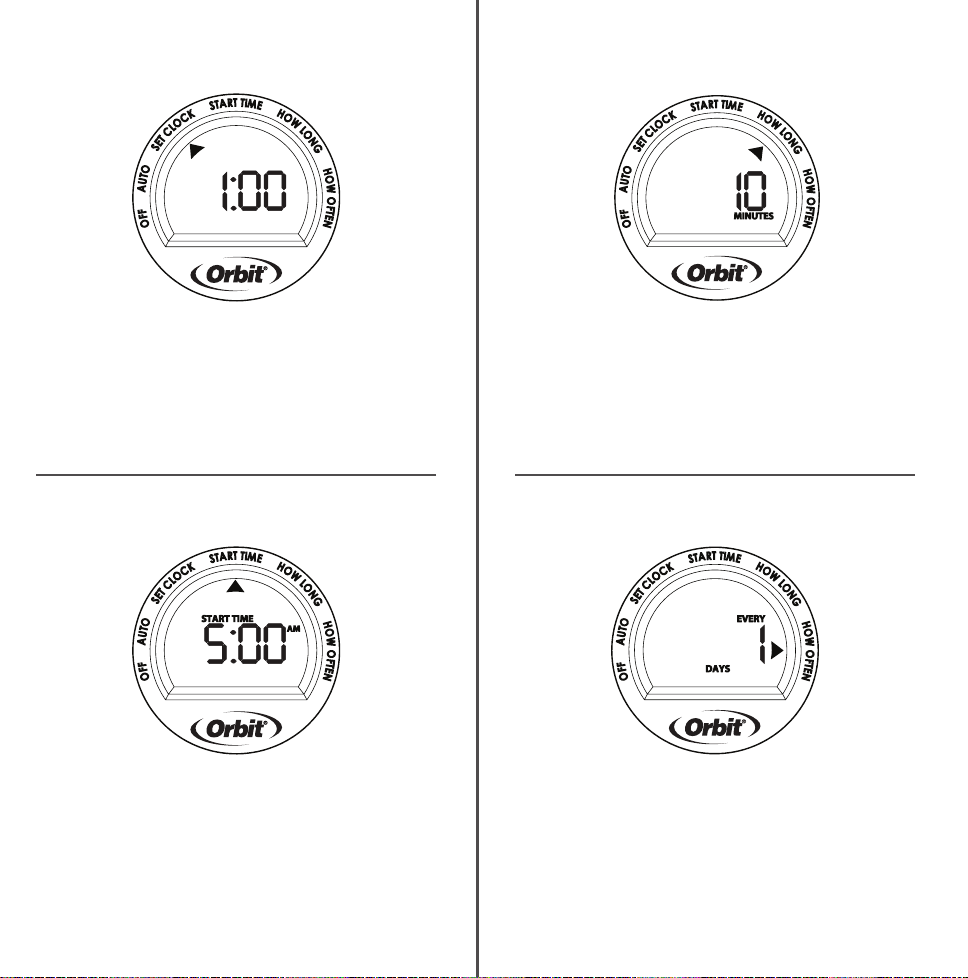
DIAL—Rotate the dial to customize your
watering schedule
DELAY—Use this button to select
RAIN DELAY mode
RESET—Press to clear all programming
MANUAL—Press to water manually
CLEAR—Press to clear programming
+/- Buttons—Use these buttons to adjust
time and system setup
AUTO—Timer waters according to your
customized schedule
SET CLOCK—Set the time of day
START TIME—Select what time you would
like to start watering
HOW LONG—Determine how long to water
HOW OFTEN—Choose how often you
will water
OFF—Turn o all watering
Installing the Batteries
1. Remove the tray on the back of the timer by
sliding or pulling it out.
2. Insert two AA (1.5V) alkaline batteries (not
included) and replace the tray.
Note: Firmly replace the battery tray to ensure
water resistance and increase battery life. You
will know the battery tray is fully inserted if
it does not pull out easily. Used up or dead
batteries must be removed from the timer
and disposed of properly. Replace batteries
when low battery icon appears on display. Do
not dispose of batteries in fire. Batteries may
explode or leak.
Timer Features
Programming the Timer
Set Clock
1. Turn dial to SET CLOCK.
2. Using the +/- buttons, set the time of day,
including AM and PM. Timer advances faster
if button is held down.
3. Turn dial to save changes.
Start Time
1. Turn dial to START TIME.
2. Using the +/- buttons, set your start time,
including AM and PM. Timer advances faster
if button is held down.
3. Turn dial to save changes.
HOSE TAP
CONNECTION
OUTLET
MANUAL
CLEAR
FILTER
DIAL
RESET
LOW
BATTERY
INDICATOR
Printers are responsible
for meeting print
production requirements.
Any changes must be
approved by Orbit
®
.
Printed piece must meet
designated specifications
on this form.
© 2014 Orbit Inc.
This work is the property
of Orbit
®
, and cannot be
used, reproduced or
distributed in any way
without their express
permission.
Dieline
PMS
0000
Fold
PMS
0000
Product
Coverage
PMS
0000
Dims./
Callout
PMS
0000
∙ LB1376310
∙
∙
∙
Orbit
®
1.801.299.5555
orbitonline.com
Glue
Folded Flat Additional Information
PRIN TERS ARE
REQUIRED TO MATCH
ALL SP ECIFIED
PMS COLORS.
K
DATE: 05/26/2015
DESIGNER: NK MARKETING: SW
SOFTWARE: Adobe Indesign CS6
ARTWORK №: 24600-24 rC
L:
W:
H:
0.0" W:
H:3.0"
1.5"
12.0"
6.0"
Timer
When expecting freezing temperatures,
timers should be removed from the
hose faucet and stored indoors to avoid
potential freeze damage.
Filter traps dirt particles, prolonging
life of timer. Clean filter regularly and
replace if worn.
Important, please read!
+/- BUTTONS
DELAY
How Long
1. Turn dial to HOW LONG.
2. Using the +/- buttons, select watering
duration from 1 to 360 minutes. Timer
advances faster if button is held down.
3. Press CLEAR button to reset run time.
4. Turn dial to save changes.
How Often
1. Turn dial to HOW OFTEN.
2. Using the +/- buttons, set your watering
frequency. You may choose to water every 1
hour, 2 hours, 4 hours, 6 hours, 12 hours, or
from 1 to 7 days.
Note: 1 is every day, 2 is every other day, etc
3. Turn dial to save changes.
1 Dial 1 Outlet
Hose Faucet Timer
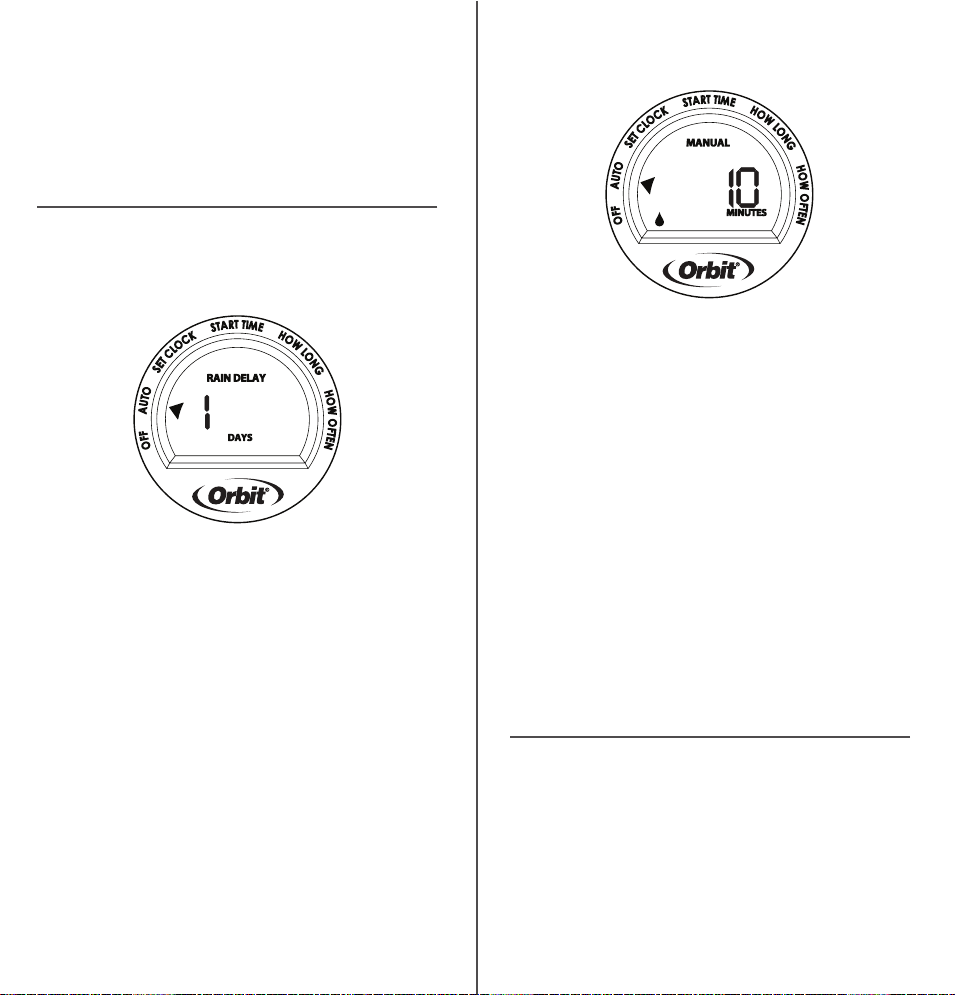
Manual/Hand Watering
This feature allows you to water without
interrupting your set schedule. To access this
feature, follow the steps below.
1. With the dial on AUTO, press the
MANUAL button.
2. Use the +/– buttons to select watering
time from 1 to 360 minutes.
3. Screen will flash between clock and
hours remaining before programmed
cycle resumes.
Note: There may be a slight delay between the
time the manual button is pressed and when
watering begins.
4. To stop manual watering, turn the dial
to OFF.
5. Turn the dial back to AUTO to resume your
programmed watering schedule.
Congratulations!
Your timer is now programmed. Turn your
dial to AUTO to allow your timer to water
according to programmed time, station,
duration, and frequency.
Additional Features
Rain Delay
Rain delay allows you to postpone watering for
a set period of time. To access the rain delay,
follow the steps below.
1. With the dial on AUTO, press the “DELAY”
button.
2. Using the +/- buttons select a delay of 1 to
7 days.
3. Screen will flash between clock and hours
remaining before programmed cycle
resumes.
4. To remove rain delay, turn dial to OFF and
then back to AUTO.
©2014 Orbit Irrigation Products, Inc.
All rights reserved. All trade names are
registered trademarks of respective
manufacturers listed.
Orbit
®
Irrigation Products, Inc.
North Salt Lake, UT 84054
PN 24600-24 rC
Customer Service
1-800-488-6156
orbitonline.com
Troubleshooting
Water does not come on at desired time.
Check if:
• Clock is set to correct time,
including AM and PM.
• Dial is set to “Auto”
• Start time is set to desired time,
including AM and PM.
• Rain Delay is on.
Timer does not water.
Check if:
• Timer is set to AUTO.
• Hose faucet is on.
• Batteries are low.
• Clock is set to correct time,
including AM and PM.
• Rain Delay is on.
Water won’t turn o.
Check if:
• HOW LONG is set to desired time.
• HOW OFTEN is set to desired
interval hour or day.
Working water pressure:
• Minimum: 10 psi
• Maximum: 100 psi
Working temperature:
• Maximum: Do not exceed 120°F
• Minimum: Keep from freezing
Warnings:
For outdoor use with cold water only.
Not for use with appliances.

Manual/Hand Watering
This feature allows you to water without
interrupting your set schedule. To access this
feature, follow the steps below.
1. With the dial on AUTO, press the
MANUAL button.
2. Use the +/– buttons to select watering
time from 1 to 360 minutes.
3. Screen will flash between clock and
hours remaining before programmed
cycle resumes.
Note: There may be a slight delay between the
time the manual button is pressed and when
watering begins.
4. To stop manual watering, turn the dial
to OFF.
5. Turn the dial back to AUTO to resume your
programmed watering schedule.
Congratulations!
Your timer is now programmed. Turn your
dial to AUTO to allow your timer to water
according to programmed time, station,
duration, and frequency.
Additional Features
Rain Delay
Rain delay allows you to postpone watering for
a set period of time. To access the rain delay,
follow the steps below.
1. With the dial on AUTO, press the “DELAY”
button.
2. Using the +/- buttons select a delay of 1 to
7 days.
3. Screen will flash between clock and hours
remaining before programmed cycle
resumes.
4. To remove rain delay, turn dial to OFF and
then back to AUTO.
©2014 Orbit Irrigation Products, Inc.
All rights reserved. All trade names are
registered trademarks of respective
manufacturers listed.
Orbit
®
Irrigation Products, Inc.
North Salt Lake, UT 84054
PN 24600-24 rC
Customer Service
1-800-488-6156
orbitonline.com
Troubleshooting
Water does not come on at desired time.
Check if:
• Clock is set to correct time,
including AM and PM.
• Dial is set to “Auto”
• Start time is set to desired time,
including AM and PM.
• Rain Delay is on.
Timer does not water.
Check if:
• Timer is set to AUTO.
• Hose faucet is on.
• Batteries are low.
• Clock is set to correct time,
including AM and PM.
• Rain Delay is on.
Water won’t turn o.
Check if:
• HOW LONG is set to desired time.
• HOW OFTEN is set to desired
interval hour or day.
Working water pressure:
• Minimum: 10 psi
• Maximum: 100 psi
Working temperature:
• Maximum: Do not exceed 120°F
• Minimum: Keep from freezing
Warnings:
For outdoor use with cold water only.
Not for use with appliances.