Thank you for your purchase!
Instructions
made easy
Register your
product
Discover more innovative
lighting at
www.enbrightenme.com.
Read instructions or watch
an easy-to-follow video.
Scan code or visit
byjasco.com/85715i.
Receive exclusive deals and
register your product.
Scan code or visit
byjasco.com/deals.
Like our product?
Leave a review on your
favorite retailer website
or amazon.com.
Having problems?
Let us know how we
can help.
Call 1-800-225-0653, M-F
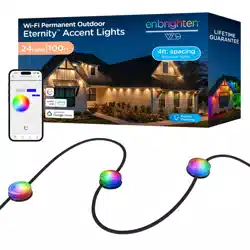
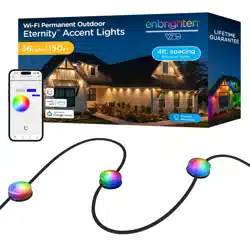
Wi-Fi Permanent Outdoor
Eternity
™
Accent Lights
Congrats on your Enbrighten VIBE Eternity Accent Lights! These dynamic LEDs showcase
your lifestyle with endless customizations and smart controls using the free Enbrighten app.
Plus, they’re designed to last for a lifetime! Please read this entire manual and all safety
warnings before installing. Save these instructions.
Models:
85715, 85716
INSIDE THE BOX
INSTALLATION
LINKING STRANDS
MANUAL CONTROL
FCC/IC – EN
WARRANTY INFORMATION
SPECIFICATIONS
WARNINGS
Download the app
Scan the QR code or search Enbrighten on the
Apple App Store or on Google Play
Remotely operate your smart Eternity Accent Lights with the
easy-to-use Enbrighten app. Follow the available instructions and
resources to set up your smart device.
Voice control works with Amazon
Alexa or Google Assistant
Select “Support” in the Enbrighten app or follow
the steps in the Amazon Alexa or Google Home
app to connect your Enbrighten account
1. 2.
Setup and installation
Add devices, control
the Eternity Accent
Lights from anywhere
and create schedules
3. 4.
Setup and installation
Voice control
IMPORTANT — PLEASE READ
Refer to the manual or visit www.byjasco.com for limitations and restrictions on warranties and the product registration information.
This Jasco product has a limited-lifetime replacement warranty on Enbrighten LED light source only. This product is intended
(and/or designed) for horizontal hanging.
NOTE: When first installing, ideal
temperature for tape application is
between 70-100°F (21-38°C). Surface
temperatures below 50°F (10°C) is NOT
recommended.
1. Uncoil the light strand (A) and plan
your installation. Make sure an outlet
is within reach.
2. Mount the power supply (E) using the
included screws and anchors (F). Use
the power cord clips (D) to secure the
power cord, as needed.
3. Attach each bracket (B) to the back
of LED pucks — press until they click
into place.
4. IMPORTANT: Steps 5-8 should be
done one LED puck at a time.
5. Peel the paper backing from the
tape and firmly press the combined
LED puck and bracket onto the
mounting surface.
WARNING: To avoid damage or
excess strain, do not stretch the cord
between the pucks when installing.
6. Use a flathead screwdriver to gently
pop the LED puck out of the bracket.
7. Use a #1 Phillips-head screwdriver to
secure the bracket with the included
screws (C).
8. Reattach the LED puck to the secured
mounting bracket.
9. Repeat the process for each LED puck.
10. Secure the cord length between the
LED pucks and around corners using
the flat cord clips (D), as needed.
Fasten the clip over the cord and
secure it using the pre-installed screw.
Install the light on eaves, balconies, pergolas and more using the
included screws and 3M VHB tape. Ensure the intended surface is
clean and dry before proceeding.
Mount power supply
Test Wi-Fi strength at the desired location before mounting the
power supply. Move your router or the lights if necessary.
Use the ear tabs on the side and
included hardware to secure the power
supply to a solid surface. (Fig. 1)
IMPORTANT: Do not lay power supply
on the ground or where water may
accumulate.
Press the pairing button on the power supply to manually cycle
through the following modes:
Suppliers Declaration of Conformity | Model # 85715, 85716 | Jasco Products Co., 10 E. Memorial Rd., Oklahoma
City, OK 73114, www.byjasco.com
This device complies with Part 15 of the FCC and Industry Canada license-exempt RSS standards. Operation is
subject to the following two conditions: (1) this device may not cause harmful interference, and (2) this device
must accept any interference received, including interference that may cause undesired operation.
FCC NOTE: The manufacturer is not responsible for any radio or TV interference caused by unauthorized
modifications to this equipment. Such modifications could void the user’s authority to operate the equipment.
NOTE: This equipment has been tested and found to comply with the limits for a Class B digital device, pursuant
to Part 15 of the FCC Rules. These limits are designed to provide reasonable protection against harmful
interference in a residential installation. This equipment generates, uses and can radiate radio frequency energy
and, if not installed and used in accordance with the instructions, may cause harmful interference to radio
communications. However, there is no guarantee that interference will not occur in a particular installation. If this
equipment does cause harmful interference to radio or television reception, which can be determined by turning
the equipment o and on, the user is encouraged to try to correct the interference by one or more of the
following measures:
• Reorient or relocate the receiving antenna.
• Increase the separation between the equipment and receiver.
• Connect the equipment into an outlet on a circuit dierent from that to which the receiver is connected.
• Consult the dealer or an experienced radio/TV technician for help.
Important note: To comply with the FCC RF exposure compliance requirements, no change to the antenna or the
device is permitted. Any change to the antenna or the device could result in the device exceeding the RF
exposure requirements and void user’s authority to operate the device.
CAN ICES-005(B)/NMB-005(B)
1. Amber, 2200K
2. Warm white, 3000K
3. Daylight, 5000K
4. Color fade
5. Stop color fade
6. Red
7. Green
8. Blue
9. Yellow
10. Purple
11. Pink
12. Orange
13. Teal
14. Christmas
15. July 4th
16. Rainbow
17. Halloween
18. Twinkle
19. OFF
ADDING EXTENSION CABLE
Extension cables can be connected between light strands. Ensure the
lights are unplugged before proceeding. The combined length of
strands and extensions cannot exceed 150ft. (45.7m). Ensure the
plastic end cap (H) is tightly secured on any unused end of the cord.
NOTE: Two extension cables cannot be connected.
NOTE: For proper light operation, do not install the extension cable
between the power supply and first light strand.
TRIMMING THE END OF THE STRAND
The very last light strand in a series of strands may be cut to remove
unwanted LED pucks.
WARNING: Completely unplug the power supply before proceeding.
Strands cannot be cut, then reconnected. Cutting a strand will lower
the ingress protection (IP) rating of the product. DO NOT put cut
strands in a location where water may accumulate.
1. Unplug the power supply.
2. Using wire cutters, cut the light strand in a straight line leaving at
least 1in. of cord for easy installation of the silicone end cap (I).
3. Firmly push the silicone end cap over the cut cord until it is firmly
in place. To ensure the best water seal, apply a small amount of
silicone caulk sealant in the end cap before installation.
4. Plug in the power supply.
5. In the Enbrighten app, manually disable the removed LED pucks
following the available instructions and resources.
Model: 85715, 85716
Length: 150ft./36 pucks
Maximum Length: 150ft./36 pucks
Electrical Input Ratings: 120VAC, 60Hz
Input power: 91.8W 1.4A (91.8W 1.4A at maximum length)
Output power: 30VDC 78.8W 2.63A (30VDC 78.8W 2.63A at maximum length)
WARNING: When using outdoor portable luminaires, basic safety precautions should always be followed to reduce the risk
of fire, electrical shock and personal injury, including the following:
a) Ground fault circuit interrupter (GFCI) protection is to be provided on the circuit(s) or outlet(s) to be used for the wet
location portable luminaire. Receptacles are available having built-in GFCI protection and can be used for this measure
of safety.
b) Use only with an extension cord for outdoor use, such as an extension cord of cord type SEW, SEOW, SEOOW, SOW,
SOOW, STW, STOW, STOOW, SJEW, SJEOW, SJEOOW, SJW, SJOW, SJOOW, SJTW, SJTOW, or SJTOOW.
WARNING: Keep packaging bags away from babies and children. Do not use in cribs, beds, carriages, or playpens. The thin
film may cling to nose and mouth and prevent breathing.
RISK OF ELECTRIC SHOCK
• RECEPTACLE OUTLETS USED FOR POWERING ETERNTIY LIGHTS SHALL COMPLY WITH ALL NATIONAL
AND LOCAL ELECTRICAL CODES. CONSULT LOCAL ELECTRICIAN IF UNSURE OF COMPLIANCE REQUIREMENTS.
• DO NOT SUBMERSE.
• DO NOT USE AROUND AQUARIUMS.
• EAVE LIGHTS ARE A WET LOCATION PRODUCT AND HAVE NO SERVICEABLE PARTS.
• DO NOT USE WITH EXTENSION CORD NEAR WATER OR WHERE WATER MAY ACCUMULATE.
• KEEP LAMPS AT LEAST 16FT. (4.8M) FROM POOLS AND SPAS.
• KEEP PLUGS AND RECEPTACLES DRY.
• AVOID DAMAGE TO THE CORDS AND LAMP ASSEMBLIES DURING INSTALLATION. PERIODICALLY INSPECT THE
EAVE LIGHTS FOR PHYSICAL DAMAGE OR OTHER DAMAGE CAUSED BY OUTDOOR EXPOSURE TO THE ELEMENTS.
• REPLACE ANY DAMAGED EAVE LIGHT STRINGS.
• DO NOT INSTALL IN LOCATIONS WHERE EAVE LIGHTS CAN BE STEPPED ON.
• ENSURE ETERNTIY LIGHTS ARE UNPLUGGED FROM POWER DURING INSTALLATION.
• CHILDREN SHOULD NOT BE ALLOWED TO PLAY WITH EAVE LIGHTS.
• UL RECOMMENDS TESTING RECEPTACLES EVERY MONTH TO ENSURE PROPER OPERATION.
RISK OF FIRE
• ETERNTIY LIGHTS ARE DESIGNED TO BE LINKED BY USING THEIR ELECTRICAL PLUGS AND RECEPTACLES TO A
MAXIMUM OF 150FT.
• EAVE LIGHT INTERCONNECTING RECEPTACLES ARE INTENDED ONLY FOR THE LINKING OF COMPATIBLE EAVE
LIGHT STRINGS. DO NOT USE EAVE LIGHT RECEPTACLES FOR ANY OTHER ELECTRICAL PURPOSE.
• NOT INTENDED FOR INSTALLATION OF POWER SUPPLY, LED PUCK, OR CORDS IN CEILINGS, SOFFITS, CABINETS,
ATTICS OR OTHER ENCLOSED SPACES.
MADE IN THAILAND
Distributed by Jasco Products Company LLC,
10 E. Memorial Rd., Oklahoma City, OK 73114.
©JASCO 2025 | 85715, 85716 | 04/22/25 v1
PATENTS/PATENTS PENDING
WWW.BYJASCO.COM/PATENTS
App Store is a service mark of Apple Inc.
Google, Google Play and Google Home are
trademarks of Google LLC.
Amazon, Alexa and all related logos are
trademarks of Amazon.com, Inc. or its aliates.
A
B
x9
x2
x2
E
G
F
C D
Place the lights in the
desired area to test
Wi-Fi strength before
installing following the
provided instructions
SETUP
Pairing button
Step 3
Fig. 1
Step 5
Step 7
Step 8
H I
Step 6
Create an account in
the Enbrighten app
Pair the smart
accent lights near
your router*
*After pairing, download any app or device updates
to access the latest features.
Test the lights
Plug your lights into an outlet. Press the pairing
button on the power supply a few times to
ensure all the LEDs work. Unplug the lights and
follow the instructions below to pair your lights
with the app.
Pairing button
Link multiple sets for a total length of 150ft. (45.7m)/36 lights.
1. Unplug the power supply.
2. Install each strand following the instructions above.
3. Loosen the gasket on the end of the first strand and plug in the
new set of lights.
4. Fasten the gasket to secure the connection.
5. Plug in the power supply. When plugged back in, the power
supply will register the newly linked strands.
Ear tabs
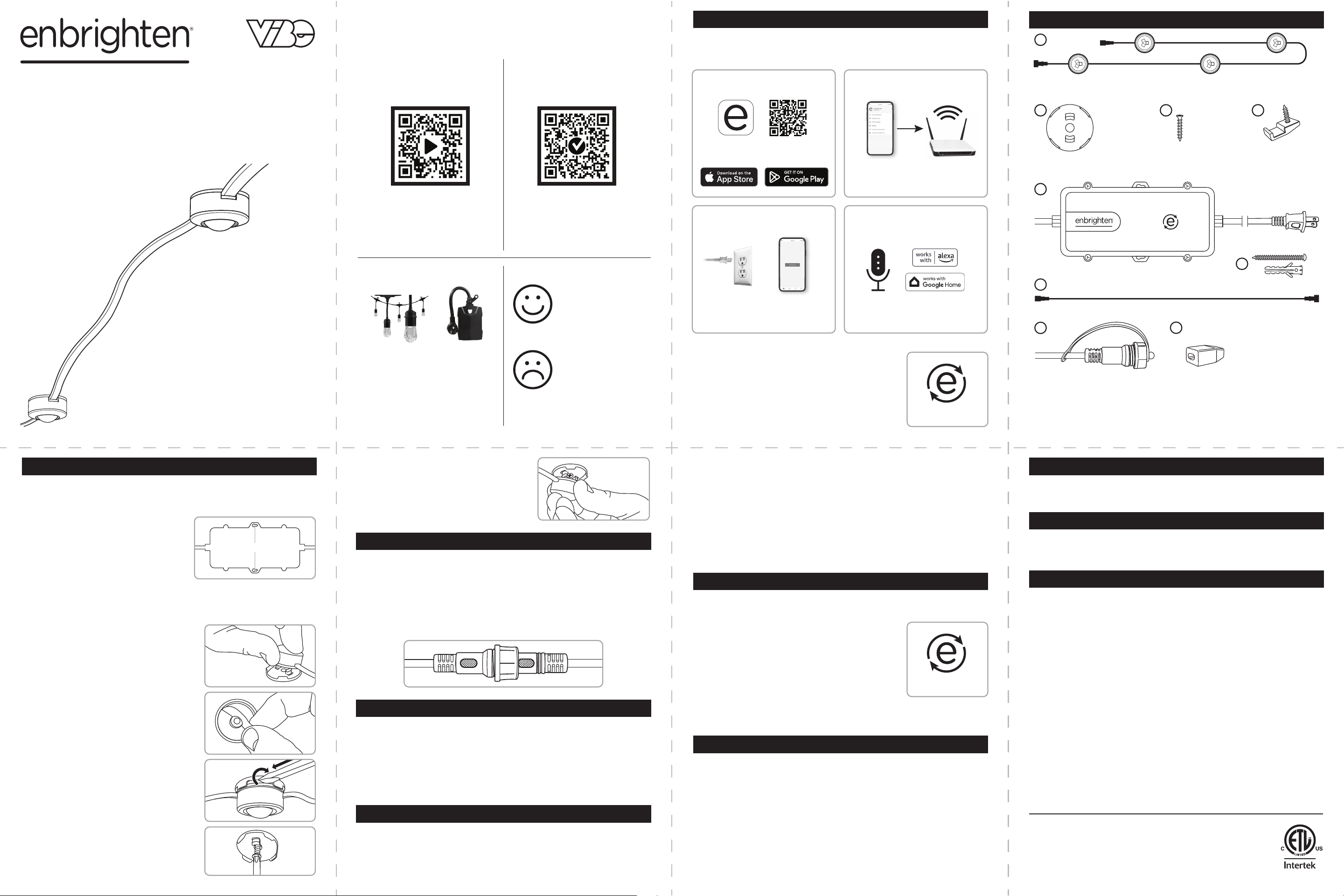
A. Light strand x9
B. Mounting brackets x37
C. Bracket screws x37
D. Cord clips x64
E. Power supply
F. Power supply screws/anchors x2
G. 10ft. extension cable
H. Plastic end cap
I. Silicone end cap
x37 x37 x64
PATENTES/PATENTES PENDIENTES
WWW.BYJASCO.COM/PATENTS
¡Gracias por su compra!
Instrucciones
fáciles
Registre su
producto
Descubra una iluminación más
innovadora en
www.enbrightenme.com.
Lea las instrucciones o mire el
video con el paso a paso.
Escanee el código o visite
byjasco.com/85715i.
Recibe ofertas exclusivas
y registra tu producto.
Escanee el código o visite
byjasco.com/deals.
¿Le gusta nuestro
producto?
Deje una reseña en el
sitio web de su
comercio favorito o en
amazon.com.
¿Tiene algún
problema?
Díganos cómo podemos
ayudar.
Llame al 1-800-225-0653,
de lunes a viernes
DENTRO DE LA CAJA
CONTROL MANUAL
FCC/IC - SP
INFORMACIÓN DE GARANTÍA
ESPECIFICACIONES
ADVERTENCIAS
Descarga la aplicación
Escanee el código QR o busque Enbrighten en
Apple App Store o en Google Play
El control por voz funciona con Amazon Alexa
o Google Assistant
Seleccione "Soporte" en la aplicación Enbrighten
o siga los pasos en la aplicación Amazon Alexa o
Google Home para conectar su cuenta
Enbrighten
1. 2.
Configuración e instalación
3.
Configuración e instalación
Control de voz
IMPORTANTE, LEER
Consulte el manual o visite www.byjasco.com para conocer las limitaciones y restricciones de las garantías y la información de registro del producto.
Este producto Jasco cuenta con una garantía de reemplazo de por vida limitada solo para la fuente de luz LED Enbrighten. Este producto está diseñado
para colgarse horizontalmente.
Presione el botón de emparejamiento en la fuente de alimentación
para recorrer manualmente los siguientes modos:
Declaración de conformidad de proveedores | Modelo n.º 85715, 85716 | Jasco Products Co., 10 E. Memorial Rd., Oklahoma City, OK 73114,
www.byjasco.com
Este dispositivo cumple con la Parte 15 de las normas RSS exentas de licencia de la FCC y de Industria Canadá. El funcionamiento está
sujeto a las dos condiciones siguientes: (1) este dispositivo no puede causar interferencias dañinas y (2) este dispositivo debe aceptar
cualquier interferencia recibida, incluidas las interferencias que puedan causar un funcionamiento no deseado.
NOTA de la FCC: El fabricante no es responsable de ninguna interferencia de radio o televisión causada por modificaciones no
autorizadas a este equipo. Dichas modificaciones podrían anular la autoridad del usuario para operar el equipo.
NOTA: Este equipo ha sido probado y cumple con los límites para un dispositivo digital Clase B, de conformidad con la Parte 15 de las
reglas de la FCC. Estos límites están diseñados para proporcionar una protección razonable contra interferencias dañinas en una
instalación residencial. Este equipo genera, usa y puede irradiar energía de radiofrecuencia y, si no se instala y usa de acuerdo con las
instrucciones, puede causar interferencias dañinas en las comunicaciones por radio. Sin embargo, no hay garantía de que no se
produzcan interferencias en una instalación en particular. Si este equipo causa interferencias dañinas en la recepción de radio o televisión,
lo cual se puede determinar encendiendo y apagando el equipo, se recomienda al usuario que intente corregir la interferencia mediante
una o más de las siguientes medidas:
•
Reorientar o reubicar la antena receptora.
•
Aumentar la distancia entre el equipo y el receptor.
•
Conecte el equipo a una toma de corriente de un circuito diferente al que está conectado el receptor.
•
Consulte al distribuidor o a un técnico experimentado en radio/TV para obtener ayuda.
NOTA IMPORTANTE: En cumplimiento de los requisitos de exposición a RF de la FCC, se prohíbe cualquier cambio en la antena o en el
dispositivo. Cualquier cambio en la antena o en el dispositivo podría provocar que el dispositivo exceda los requisitos de exposición a RF
y anular la autoridad del usuario para operar el dispositivo.
CAN ICES-005(B)/NMB-005(B)
1. Ámbar, 2200K
2. Blanco cálido, 3000K
3. Luz, 5000K
4.
Desvanecimiento del color
5.
Detener la pérdida de color
6. Rojo
7. Verde
8. Azul
9. Amarillo
10. Púrpura
11. Rosa
12. Naranja
13. Verde azulado
14. Navidad
15. 4 de julio
16. Arcoíris
17. Noche de brujas
18. Centelleo
19. APAGADO
Modelo: 85715, 85716
Longitud: 150 pies/36 discos
Longitud máxima: 150 pies/36 discos
Especificaciones eléctricas de entrada: 120VCA, 60Hz
Potencia de entrada: 91.8W 1.4A (91.8W 1.4A en longitud máxima)
Potencia de salida: 30VDC 78.8W 2.63A (30VDC 78.8W 2.63A en longitud máxima)
ADVERTENCIA: Cuando utilice luminarias portátiles para exterior, siempre respete las precauciones básicas para reducir el riesgo
de incendio, descargas eléctricas y lesiones a personas, incluidas las siguientes:
a) Proteja los circuitos o los tomacorrientes que utilizará para alimentar las luminarias portátiles en lugares húmedos mediante
un interruptor de circuito de falla de puesta a tierra (GFCI). Es posible conseguir tomacorrientes con protección GFCI
incorporada para cumplir con esta medida de seguridad.
b) Utilice solo con un cable de extensión para uso exterior, como un cable de extensión de tipo SEW, SEOW, SEOOW, SOW,
SOOW, STW, STOW, STOOW, SJEW, SJEOW, SJEOOW, SJW, SJOW, SJOOW, SJTW, SJTOW o SJTOOW.
ADVERTENCIA: Mantenga las bolsas de empaque lejos del alcance de bebés y niños. No use en cunas, camas, cochecitos ni
corralitos para bebés. La película fina puede adherirse a la nariz y la boca e impedir la respiración.
RIESGO DE SHOCK ELÉCTRICO
• LOS TOMACORRIENTES QUE SE UTILICEN PARA ALIMENTAR LAS LUCES ETERNITY PARA EXTERIOR DEBEN CUMPLIR
CON LOS CÓDIGOS ELÉCTRICOS LOCALES Y NACIONALES. CONSULTE A UN ELECTRICISTA LOCAL SI NO ESTÁ
SEGURO DEL CUMPLIMIENTO DE LOS REQUISITOS.
• NO SUMERJA.
• NO USE CERCA DE ACUARIOS.
• LAS LUCES DE ALERO SON UN PRODUCTO PARA UBICACIONES HÚMEDAS Y NO TIENEN PIEZAS REPARABLES.
• NO LO USE CON UN CABLE DE EXTENSIÓN CERCA DEL AGUA O DONDE PUEDA ACUMULARSE AGUA.
• MANTENGA LAS LUCES A UNA DISTANCIA MÍNIMA DE 16 PIES (4.8M) DE PISCINAS Y SPAS.
• MANTENGA SECOS LOS ENCHUFES Y RECEPTÁCULOS.
• EVITE DAÑOS A LOS CABLES Y CONJUNTOS DE LÁMPARAS DURANTE LA INSTALACIÓN. REVISE PERIÓDICAMENTE
LAS LUCES DE ALERO A FIN DE DETECTAR DAÑOS FÍSICOS U OTROS DAÑOS PROVOCADOS POR LA EXPOSICIÓN A LA
INTEMPERIE.
• REEMPLACE LAS TIRAS DE LUCES DE ALERO QUE ESTÉN DAÑADAS.
• NO INSTALE LAS LUCES DE ALERO EN LUGARES EN QUE SEA PROBABLE PISARLAS.
• ASEGÚRESE DE QUE LAS LUCES ETERNITY PARA EXTERIOR ESTÉN DESENCHUFADAS DURANTE LA INSTALACIÓN.
• NO SE DEBE PERMITIR QUE LOS NIÑOS JUEGUEN CON LAS LUCES DE ALERO.
• UL RECOMIENDA PROBAR LOS RECEPTÁCULOS CADA MES PARA GARANTIZAR EL FUNCIONAMIENTO ADECUADO.
RIESGO DE FUEGO
• LAS LUCES ETERNITY ESTÁN DISEÑADAS PARA UNIRSE USANDO SUS ENCHUFES ELÉCTRICOS Y TOMACORRIENTES A
UNA DISTANCIA MÁXIMA DE 150 PIES (45.72M).
• LOS TOMACORRIENTES INTERCONECTABLES DE LAS LUCES DE ALERO ESTÁN DISEÑADOS SOLO PARA UNIR LUCES
DE ALERO COMPATIBLES. NO USE LOS TOMACORRIENTES DE LAS LUCES DE ALERO PARA NINGÚN OTRO FIN
ELÉCTRICO.
• NO DISEÑADO PARA INSTALACIÓN DE FUENTES DE ENERGÍA, LUCES LED DE DISCO O CABLES EN TECHOS, SOFITOS,
GABINETES, ÁTICOS U OTROS ESPACIOS CERRADOS.
HECHO EN TAILANDIA
Distribuido por Jasco Products Company LLC,
10 E. Memorial Rd., Oklahoma City, OK 73114.
App Store es una marca de servicio de Apple Inc.
Google, Google Play y Google Home son marcas comerciales de Google LLC.
Amazon, Alexa y todos los logotipos relacionados son marcas comerciales de
Amazon.com, Inc. o sus afiliados.
PREPARACIÓN
Botón de
emparejamiento
Coloque las luces en el área
deseada para probar la
intensidad del Wi-Fi antes de
instalarlas siguiendo las
instrucciones proporcionadas
Agregue dispositivos,
controle las luces de acento
Eternity desde cualquier
lugar y cree horarios
4.
Crea una cuenta en la
aplicación Enbrighten
*Después del emparejamiento, descargue cualquier
aplicación o actualización del dispositivo para
acceder a las últimas funciones
Pruebe las luces
Enchufe las luces en un tomacorriente. Presione
el botón de emparejamiento en la fuente de
alimentación varias veces para asegurarse de
que todos los LED funcionen.
Botón de
emparejamiento
INSTALACIÓN
NOTA: Cuando se instala por primera vez, la
temperatura ideal para la aplicación de la
cinta es entre 70 y 100 °F (21 y 38 °C). NO se
recomienda que la temperatura de la
superficie sea inferior a 50 °F (10 °C).
1. Desenrolle la tira de luz (A) y planifique su
instalación. Asegúrese de que haya una
toma de corriente cerca.
2. Monte la fuente de alimentación (E)
utilizando los tornillos y anclajes incluidos
(F). Utilice las pinzas para el cable de
alimentación (D) para asegurarlo según
sea necesario.
3. Coloque cada soporte (B) en la parte
posterior de los discos LED; presione hasta
que encajen en su lugar.
4. IMPORTANTE: Los pasos del 5 al 8 deben
realizarse con un disco LED a la vez.
5. Despegue el papel del reverso de la cinta
y presione firmemente el disco LED junto
con el soporte sobre la superficie de
montaje.
ADVERTENCIA: Para evitar daños o
tensión excesiva, no estire el cordón entre
los discos al hacer la instalación.
6. Utilice un destornillador de punta plana
para sacar con cuidado el disco LED del
soporte.
7. Use un destornillador Phillips n.° 1 para
asegurar el soporte con los tornillos (C)
incluidos.
Instale la luz en aleros, balcones, pérgolas y demás usando los
tornillos incluidos y la cinta VHB de 3M. Asegúrese de que la
superficie prevista esté limpia y seca antes de proceder.
Monte la fuente de alimentación
Pruebe la intensidad de la señal wifi en la ubicación deseada antes de montar la
fuente de alimentación. Mueva el enrutador o las luces si es necesario.
Utilice las pestañas laterales y los herrajes
incluidos para fijar la fuente de alimentación
a una superficie sólida. (Fig. 1)
IMPORTANTE: No coloque la fuente de
alimentación en el suelo o en lugares
donde pueda acumularse agua.
Paso 3
Fig. 1
Paso 5
Paso 7
Paso 6
Pestañas
CONECTAR LAS TIRAS
8. Vuelva a colocar el disco LED en el soporte de
montaje asegurado.
9. Repita el proceso para cada disco LED.
10. Asegure la longitud del cable entre los discos
LED y alrededor de las esquinas utilizando las
pinzas para cable plano (D), según sea
necesario. Fije la pinza sobre el cable y
asegúrelo utilizando el tornillo preinstalado.
Paso 8
Conecte múltiples juegos para una longitud total de 150 pies. (45,7 m)/36 luces.
1. Desconecte la fuente de alimentación.
2. Instale cada tira siguiendo las instrucciones proporcionadas arriba.
3. Afloje la junta en el extremo de la primera tira y conecte el nuevo
juego de luces.
4. Fije la junta para asegurar la conexión.
5. Conecte la fuente de alimentación. Cuando se vuelva a conectar, la
fuente de alimentación registrará las tiras recién conectadas.
ADICIONAR UN CABLE DE EXTENSIÓN
Se pueden conectar cables de extensión entre las tiras de luces. Asegúrese de que las
luces estén desconectadas antes de proceder. La longitud combinada de las tiras y
las extensiones no puede exceder los 150 pies. (45,7 m). Asegúrese de que la tapa de
plástico (H) del extremo esté bien asegurada en cualquier extremo del cable que no
se esté utilizando.
NOTA: No se pueden conectar dos cables de extensión.
NOTA: Para un funcionamiento adecuado de las luces, no instale el cable de
extensión entre la fuente de alimentación y la primera tira de luces.
RECORTAR EL FINAL DE LA TIRA
La última tira de luz de una serie de tiras se puede cortar para eliminar
los discos LED no deseados.
ADVERTENCIA: Desconecte completamente la fuente de alimentación antes
de proceder. Las tiras no se pueden cortar y volver a conectar. Cortar una
tira disminuirá la clasificación de protección de ingreso (IP) del producto. NO
coloque tiras cortadas en un lugar donde se pueda acumular agua.
1. Desconecte la fuente de alimentación.
2. Utilizando un cortacables, corte la tira de luces en línea recta dejando al menos 1 pulgada de
cable para una instalación fácil de la tapa de silicona en el extremo (I).
3. Empuje firmemente la tapa de silicona sobre el cable cortado hasta que quede firmemente
en su lugar. Para garantizar el mejor sellado contra el agua, aplique una cantidad pequeña
de sellador de silicona en la tapa del extremo antes de la instalación.
4. Conecte la fuente de alimentación.
5. En la aplicación Enbrighten, deshabilite manualmente los discos LED eliminados siguiendo
las instrucciones y los recursos disponibles.
A
B
x2
x2
E
G
F
C D
H I
Opere de forma remota sus luces inteligentes de acento Eternity con la
aplicación Enbrighten fácil de usar. Siga las instrucciones y los recursos
disponibles para configurar su dispositivo inteligente.
Empareje las luces
inteligentes de acento
cerca de su enrutador*
Luces wifi permanentes
de acento
Eternity
™
para exteriores
¡Felicitaciones por sus luces de acento Enbrighten VIBE Eternity! Estos LED dinámicos
muestran su estilo de vida con personalizaciones infinitas y controles inteligentes utilizando
la aplicación Enbrighten gratuita. Además, ¡están diseñados para durar toda la vida! Por
favor, lea este manual en su totalidad y todas las advertencias de
seguridad antes de la instalación. Guarde estas instrucciones.
Modelos:
85715, 85716
x9
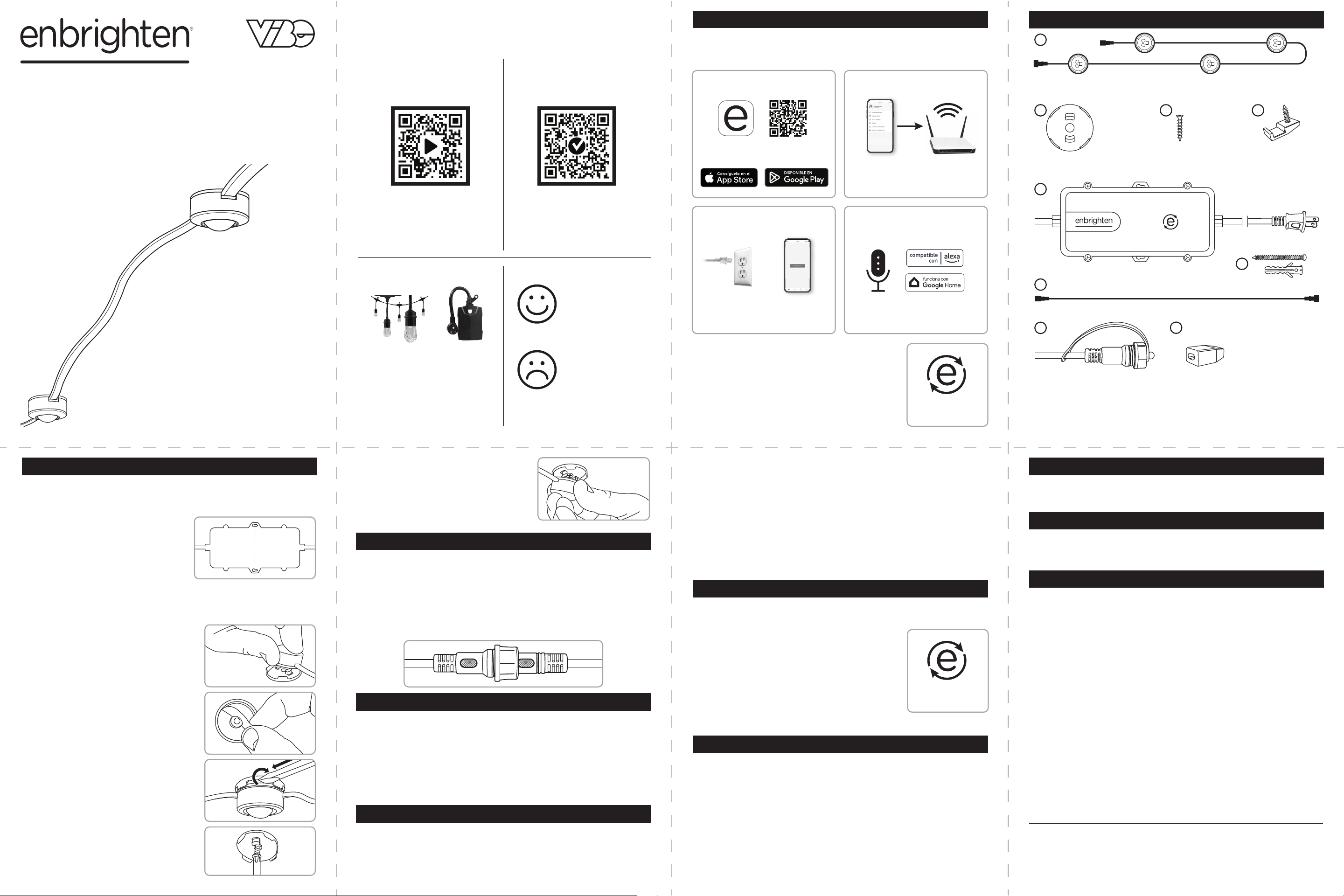
A. Tiras de luces x9
B. Sportes para montaje x37
C. Tornillos de soporte x37
D. Pinzas para cables x64
E. Fuente de alimentación
F. Tornillos/anclajes para fuente de
alimentación x2
G. Cable de extensión de 10 pies
H. Tapa de plástico
I. Tapa de silicona
x37 x37 x64