
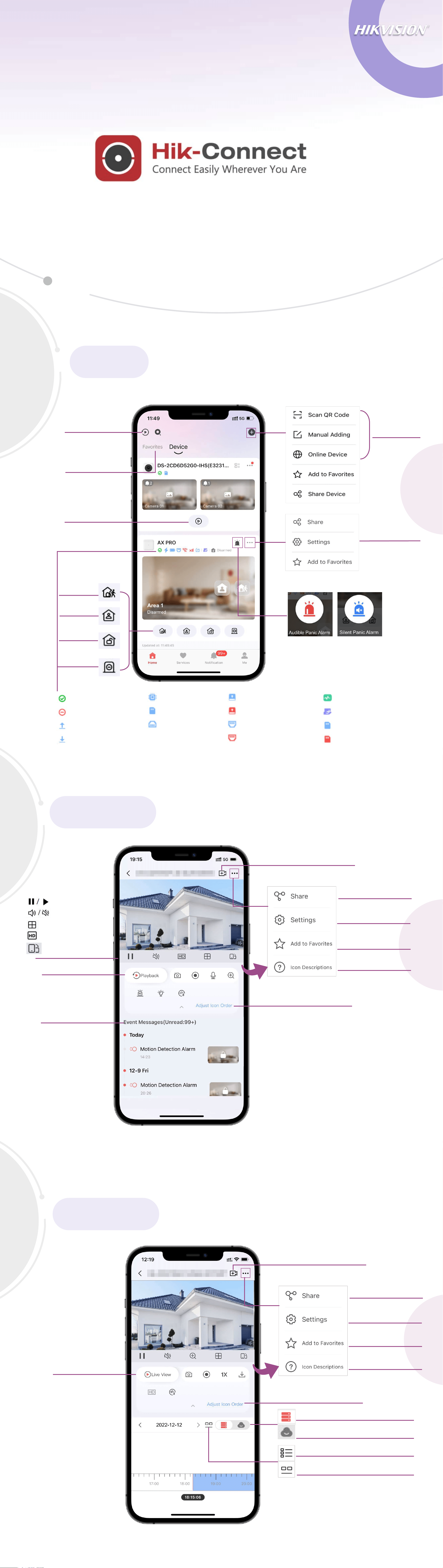
Get Icon Meanings
Live View
Start Playback
Customize Toolbar
Add a device and swipe the live view image
to view the live image of another device
Select devices and
start playback.
Playback
Add Device
Start Live View
Configure Device
Away Arm
Stay Arm
Disarm
Clear Alarm
View Favorites
Home
Playback
Add to Favorites
Set Device Parameters
Share the Device
Add Device for Live View
View Events
Get Icon Meanings
Add a device and swipe image to view
the recorded videos from another device
Add to Favorites
Set Device Parameters
Share the Device
Add Device for Playback
Customize Toolbar
Start Live View
Tap to switch to clip playback
Tap to switch to timeline playback
Tap to play locally stored footages
Tap to play footages stored on cloud
Pause/Start
Audio On/Off
Window Division
Resolution
Landscape View
Note:
When there are multiple windows, double
tap a window to enlarge it, and double tap
again to go back to multiple windows.
O
nline
O
ffline
Uploading Speed
Downloading
Speed
CPU Usage
Memory Usage
Number of Ends
Normal HDD
HDD Exception
N
ormal Ethernet
Ethernet E
xception
In
Health Monitoring
Authorized
Normal
Memory
Memory Exception
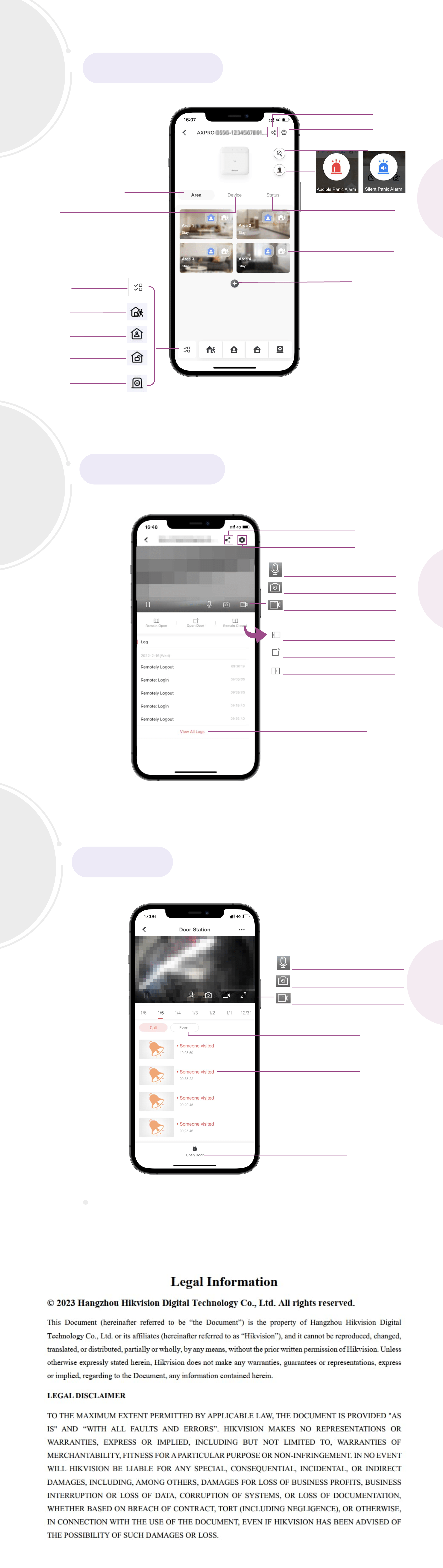
View Areas
Configure Device
View Peripherals and Detectors
Intercom
Security Control
Share Device
Multiple selection
Away Arm
Stay Arm
Disarm
Clear Alarms
View Security Panel Status
Check System Faults
Add Area
Access Control
Share the Device
Tap to make the door remain closed
Tap to make the door remain open
Tap to open the door
Set Device Parameters
Tap to record video
Tap to start two-way audio
Tap to capture pictures
Tap to view all logs
Tap to record video
Tap to start two-way audio
Tap to capture pictures
You can view call history here.
View Event History
Tap to open the door
View Call History
Arm or Disarm an Area