
IMPORTANT SAFETY PRECAUTIONS


Touchscreen Controller User Guide
Pairing
Pairing Massage Chair Via Bluetooth
You must first pair the massage chair with the Touchscreen Controller before you can use it.
Pairing Massage Chair
① Turn on the Touchscreen Controller. On the Home Screen
tap “
Pair Chair”.
② Select your massage chair and tap to pair.
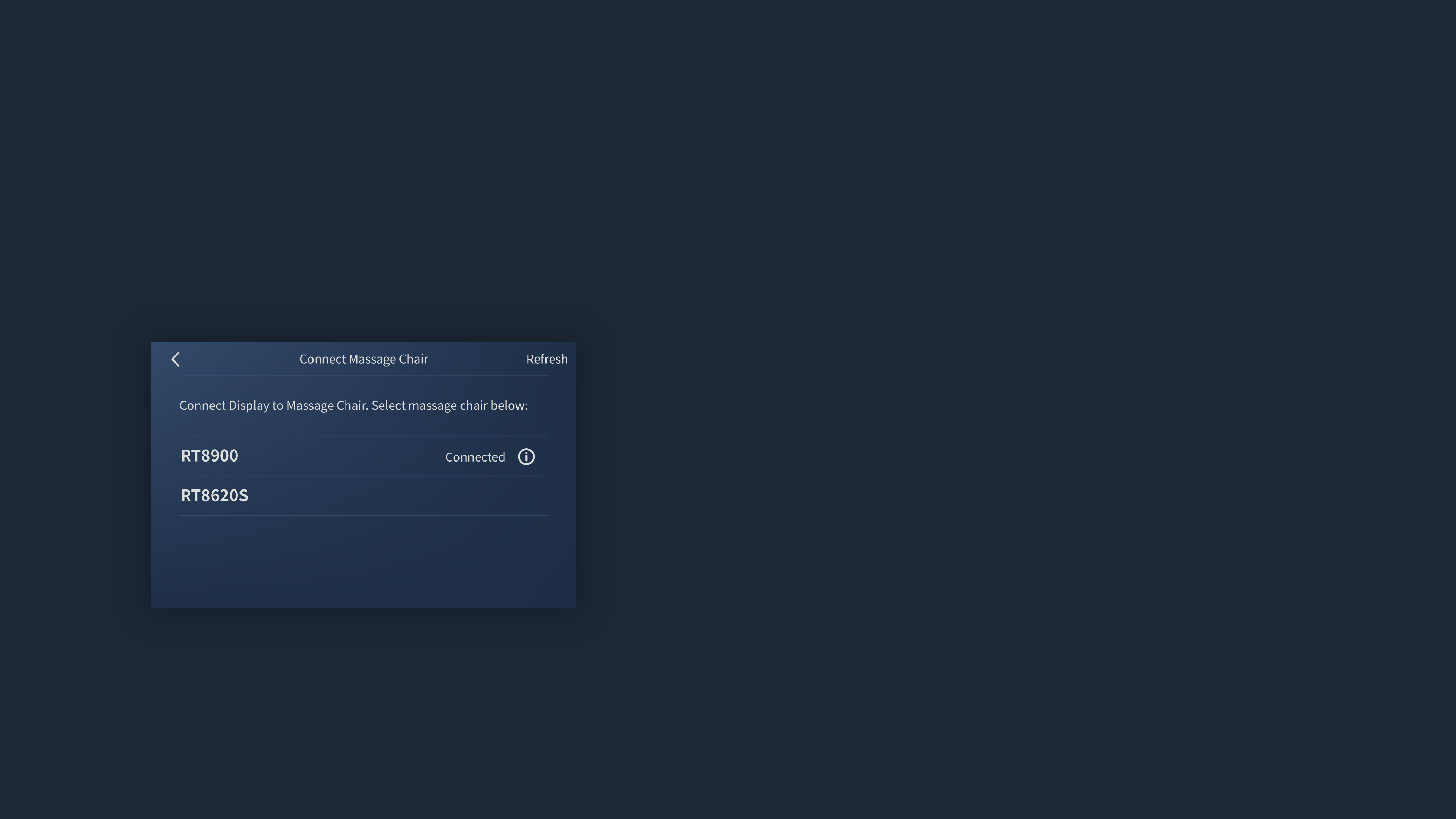
Pairing
Pairing Massage Chair Via Bluetooth
You must first pair the massage chair with the Touchscreen Controller before you can use it.
If Home Screen prompt didn’t show,
① Turn on the Touchscreen Controller, tap
Settings to go to
Settings screen.
② In Settings, choose
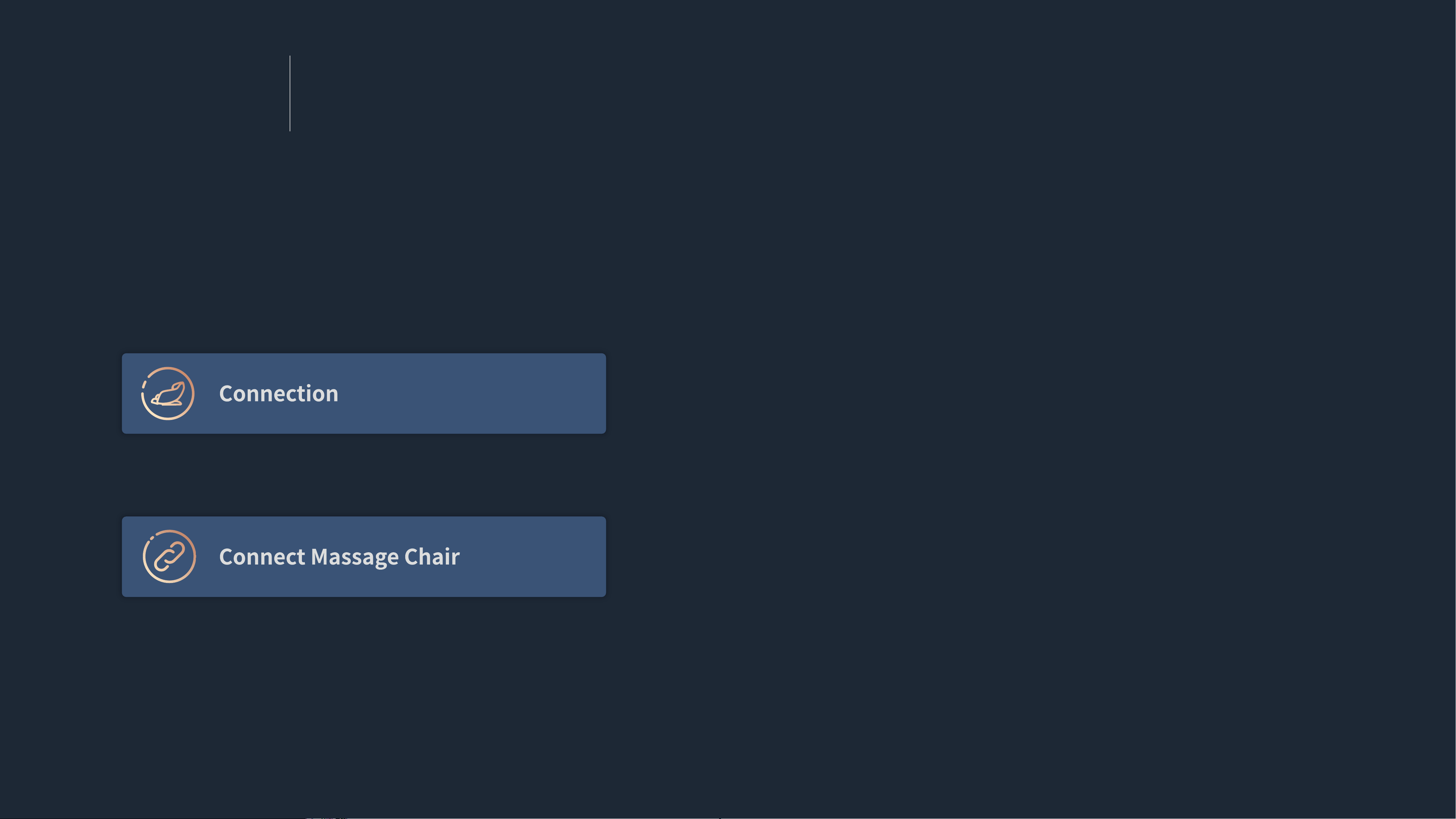
Connection to enter Connection screen.
③ Tap Connect Massage Chair.
④ Select your massage chair and tap to pair.
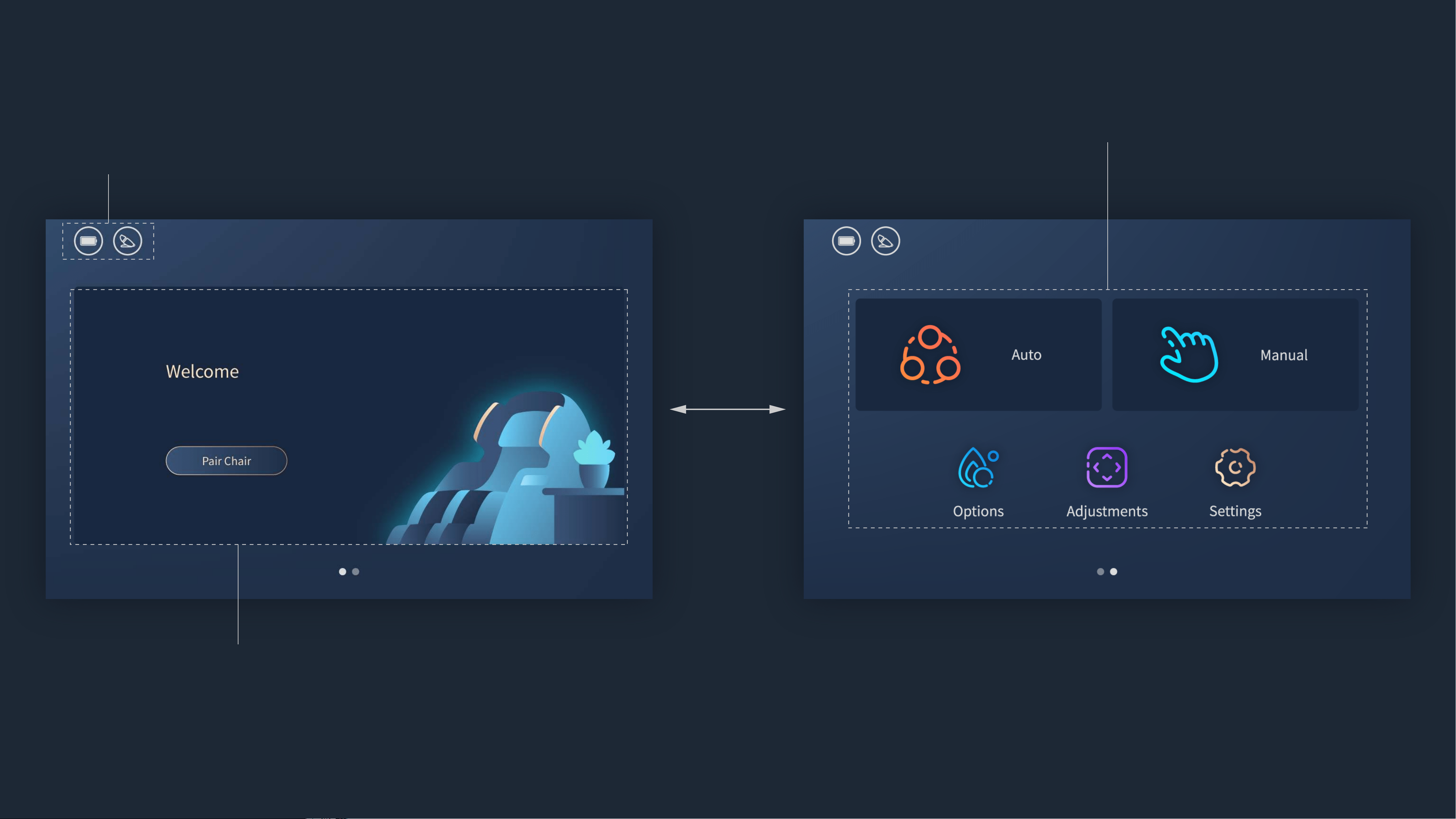
Home Screen
Home Screen may vary depending on the task
you’re performing.
Menu
Status Bar
The icons in the status bar at the top of the screen give
information about the Touchscreen Controller.
swipe
to switch
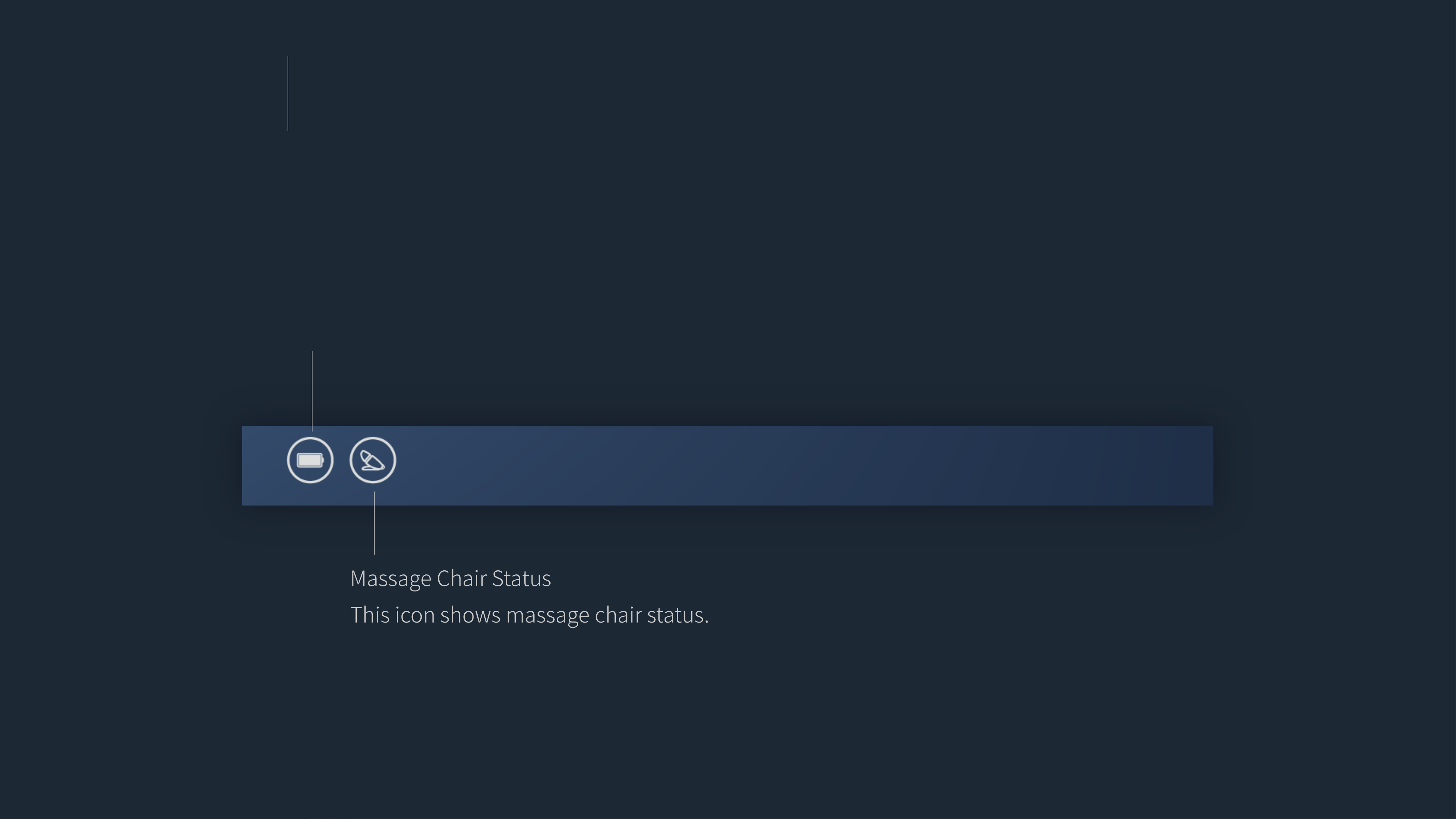
Massage Chair Status
This icon shows massage chair status.
Battery
This icon shows the battery level or charging status.
Status Bar
The icons in the status bar at the top of the screen give information about the Touchscreen Controller.
Some icons are available for operation.
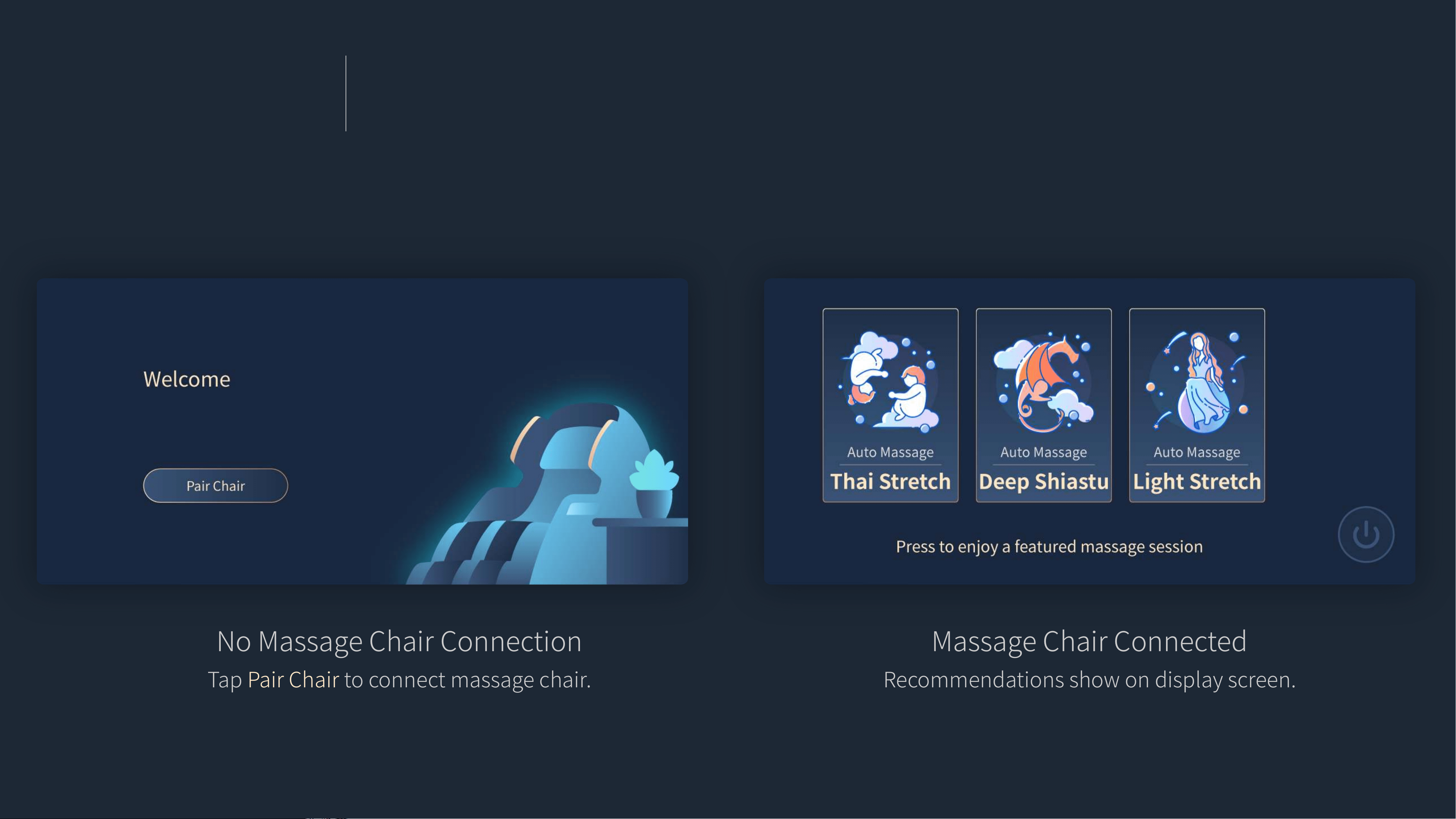
No Massage Chair Connection
Tap Pair Chair to connect massage chair.
Massage Chair Connected
Recommendations show on display screen.
Tap the program you like to start massage.
Tap
Power icon to turn on/off massage chair.
Home Screen
Home Screen may vary depending on the task you’re performing.
(Massage chair connection/Recommendations/Running massage program controls)
Screen frame is highlighted when task is active.
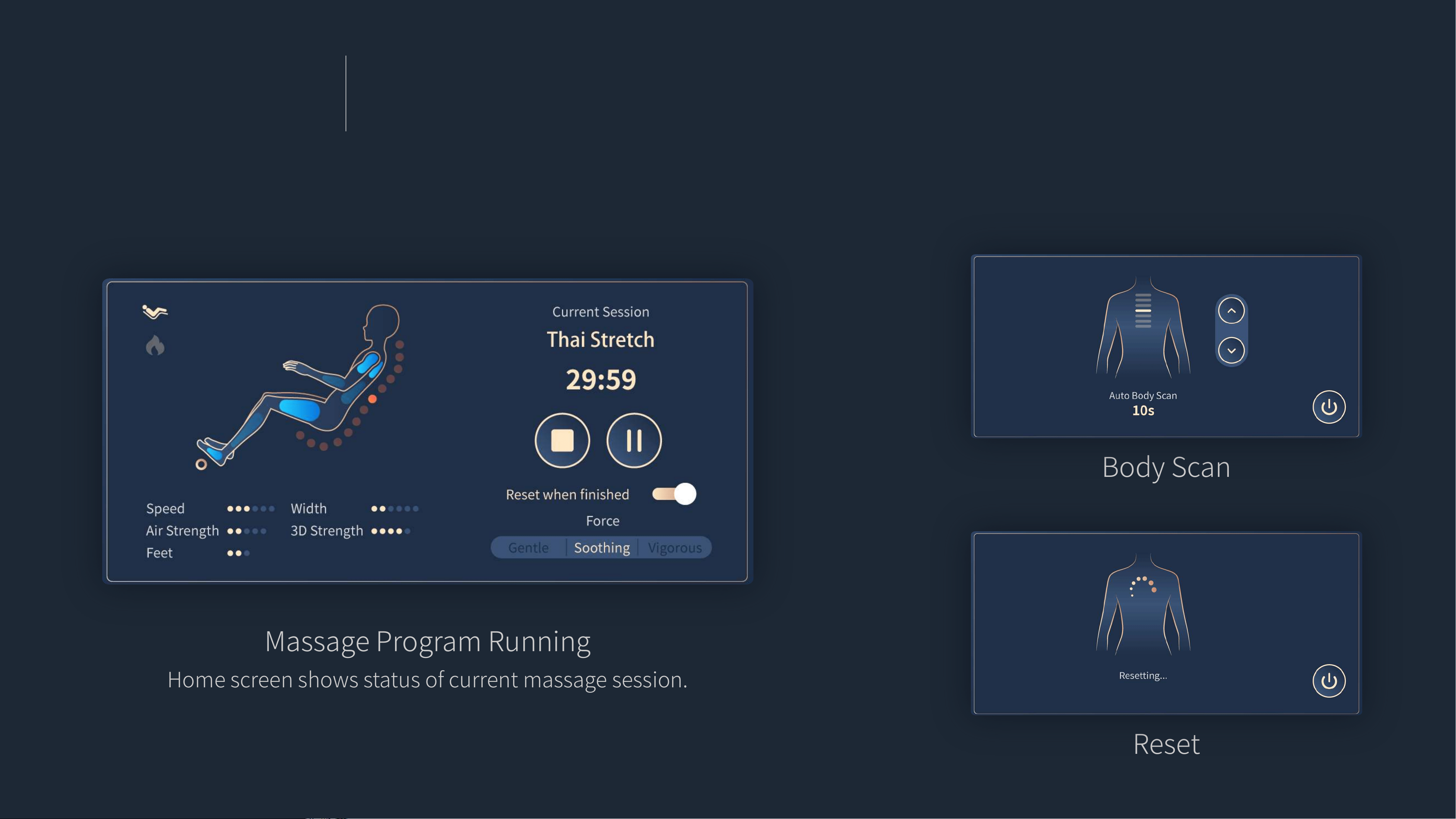
Home Screen
Home Screen may vary depending on the task you’re performing.
(Massage chair connection/Recommendations/Running massage program controls)
Screen frame is highlighted when task is active.
Massage Program Running
Home screen shows status of current massage session.
Tap to stop/pause the massage session.
Body Scan
Reset
Menu
Function Menu
Massage programs/Massage chair adjustment/Settings
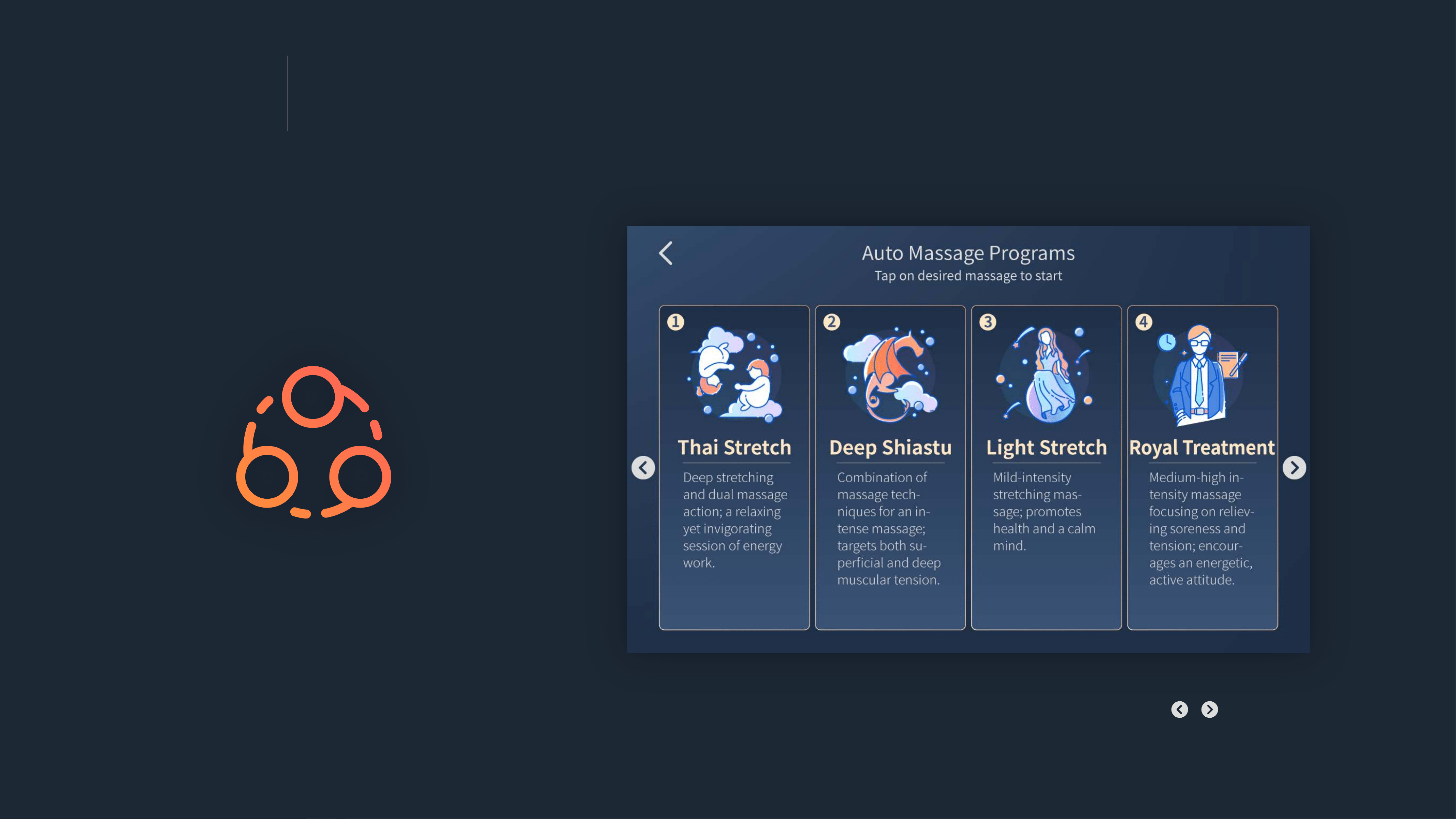
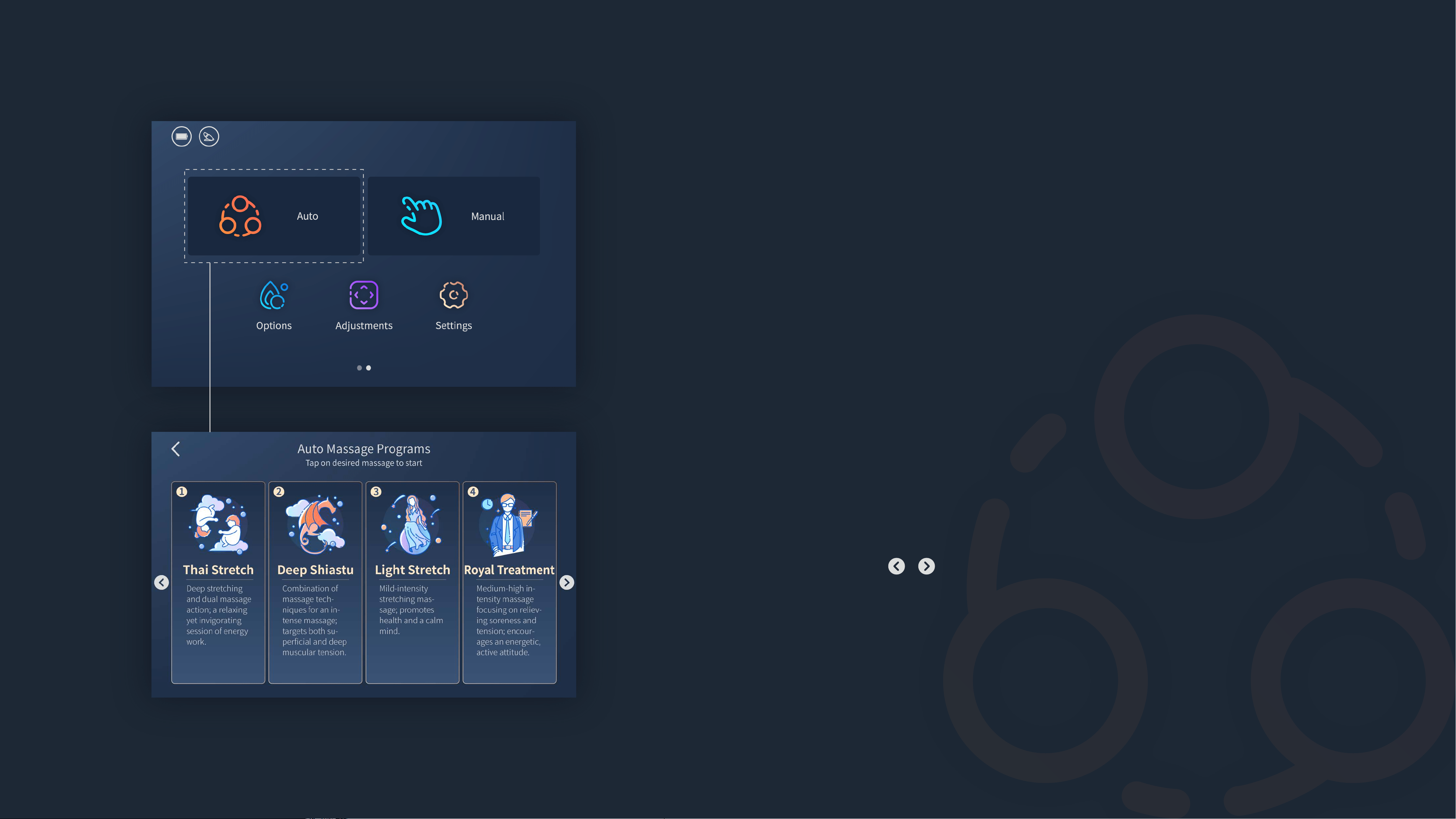
Tap the auto massage program you like to start, tap the “ / ” icon at
both sides of the screen to scroll.
Auto Massage Programs
Go to Auto Massage Programs
Method 1
Press the Power/sleep button to turn on the Touchscreen Controller
(verify that it is connected to the massage chair).
→
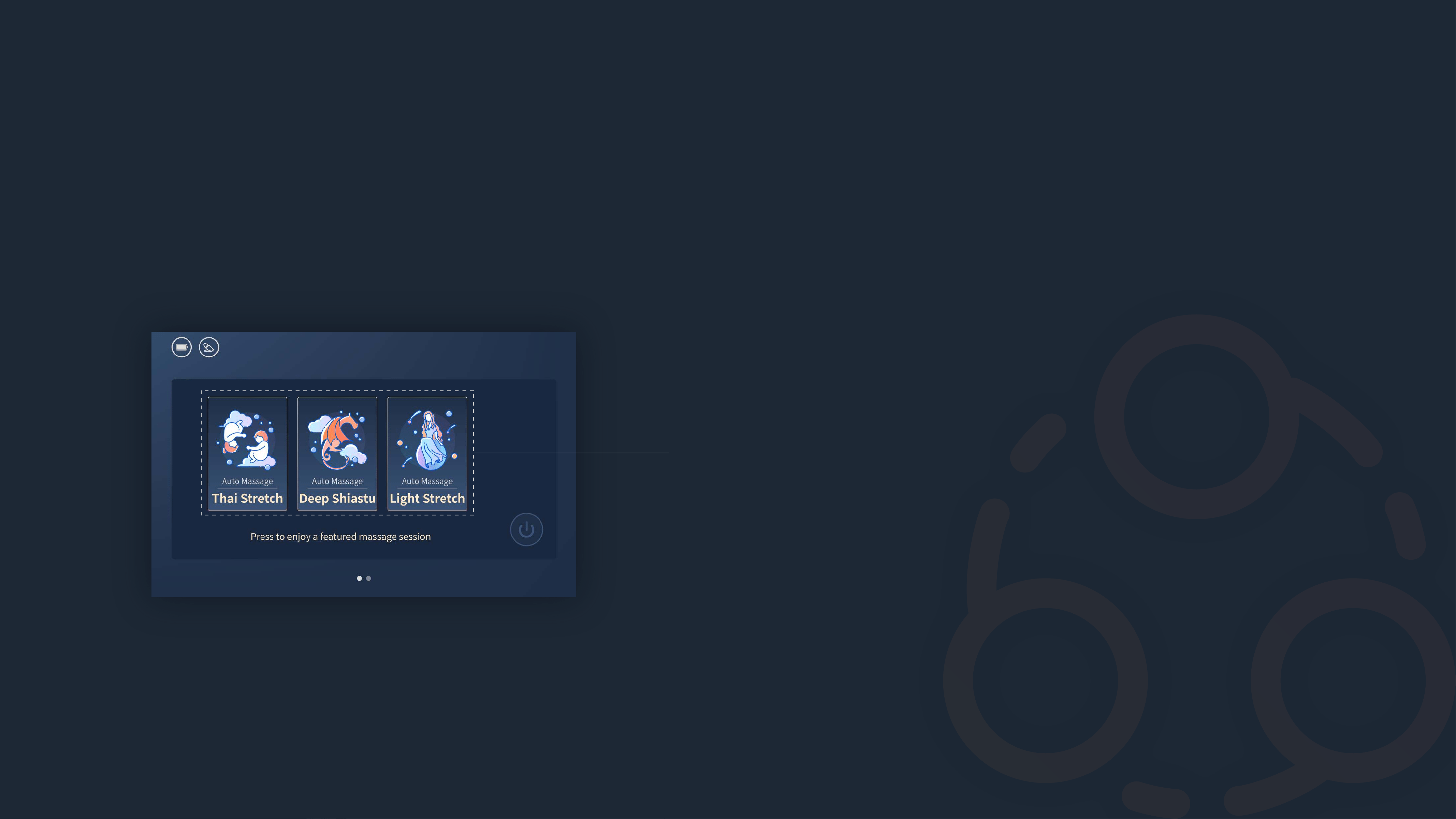
There are
3 featured auto massage programs on Home screen.
→
Tap the program you like to start.
Method 2
Press the Power/sleep button to turn on the Touchscreen Controller
(verify that it is connected to the massage chair).
→
Swipe left on Home screen to go to Menu screen.
→
Tap the
Auto icon on Menu screen to go to Auto screen.
→
You may choose among 12 pre-set Auto wellness massage pro-
grams. Tap the “ / ” icon at both sides of the screen to scroll.
→
Tap the program you like to start.
Menu
Function Menu
Massage programs/Massage chair adjustment/Settings
Tap the massage technique and the way you like to start, you can adjust
the
manual massage settings during the massage session.
Manual Massage
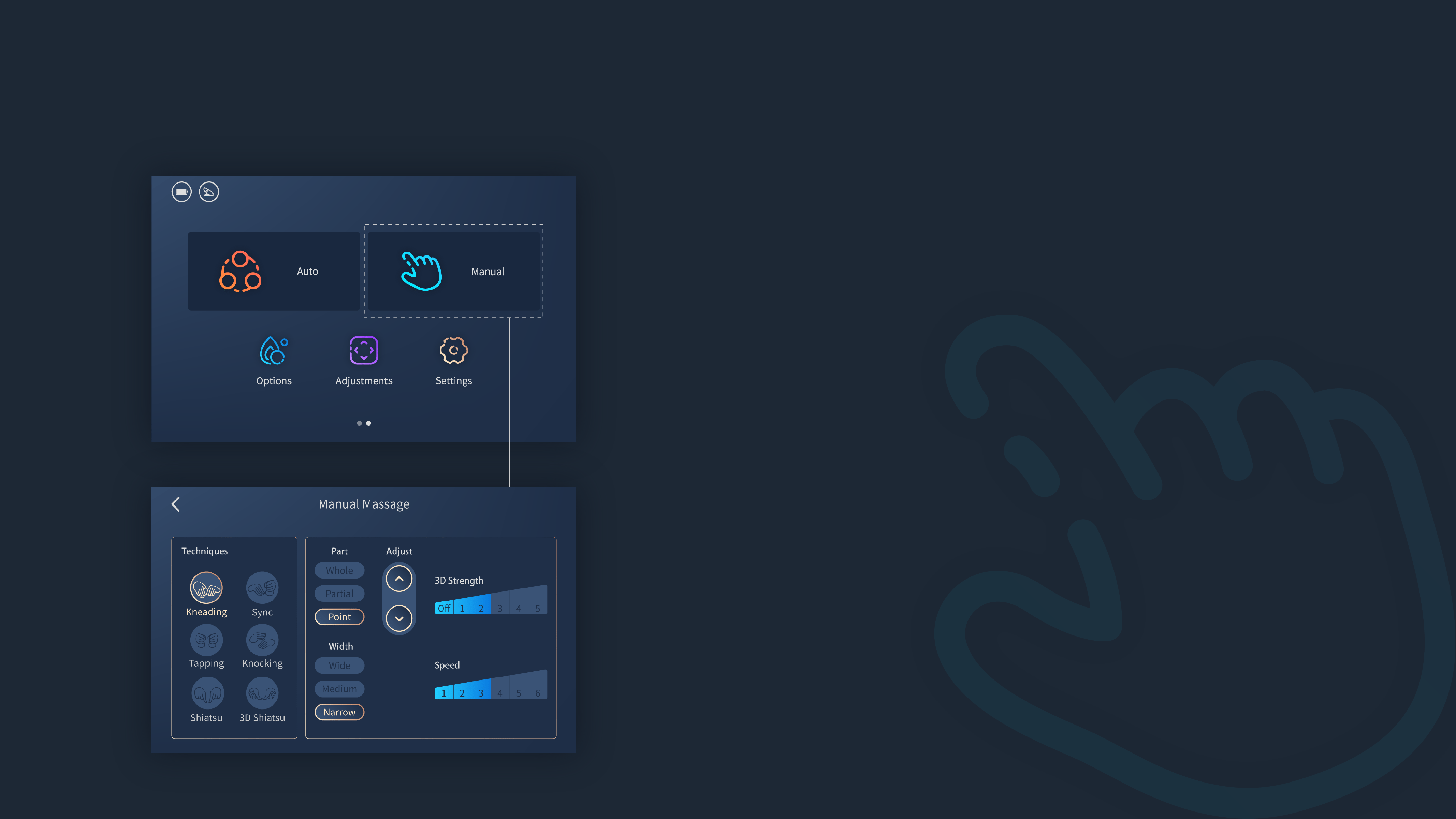
Go to Manual Massage
Press the Power/sleep button to turn on the Touchscreen Controller
(verify that it is connected to the massage chair).
→
Swipe left on Home screen to go to Menu screen.
→
Tap the
Manual icon on Menu screen to go to Manual screen.
→
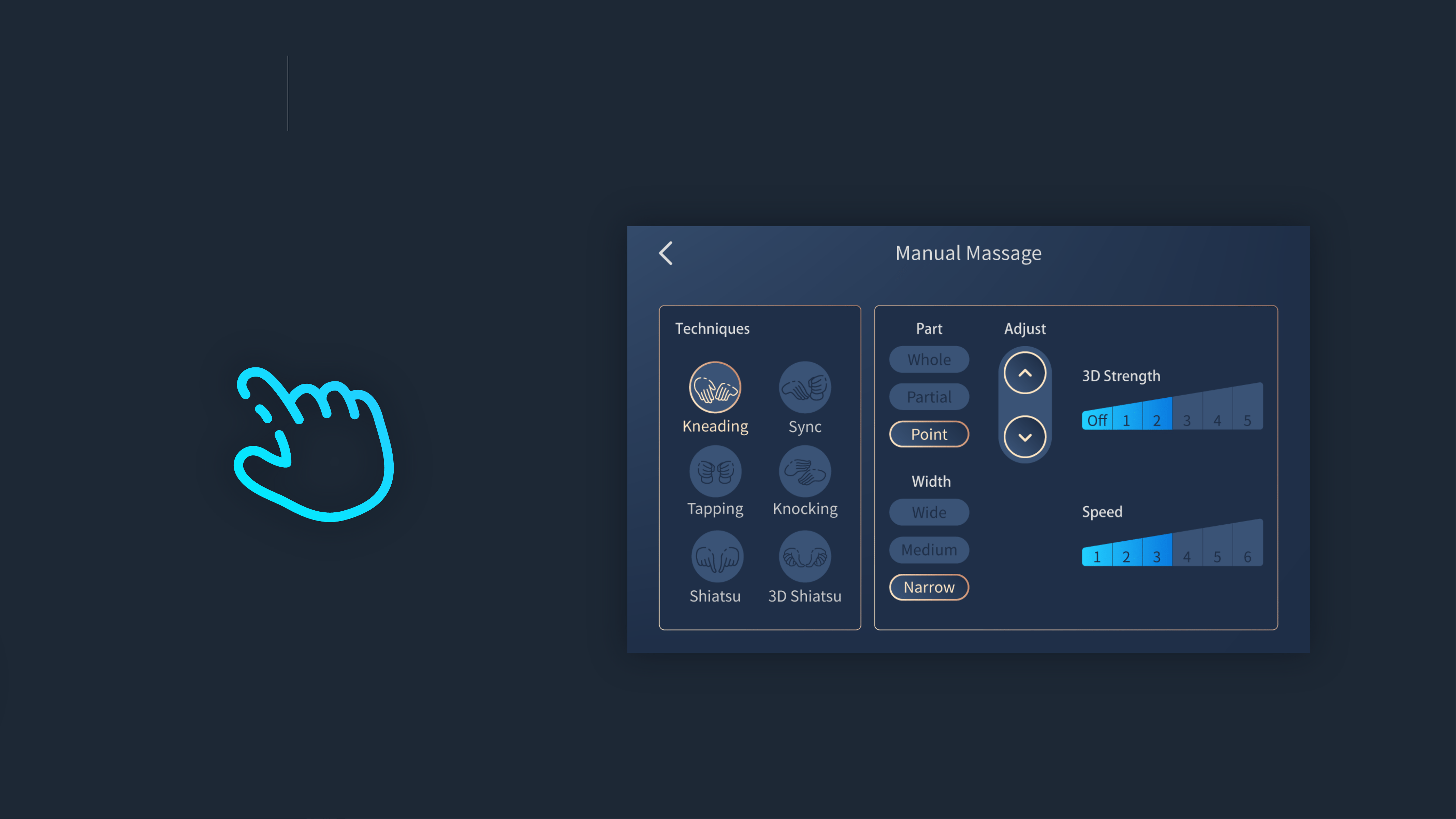
You can choose the massage
Technique you like, and set the
massage
Part, Width, 3D Strength and Speed.
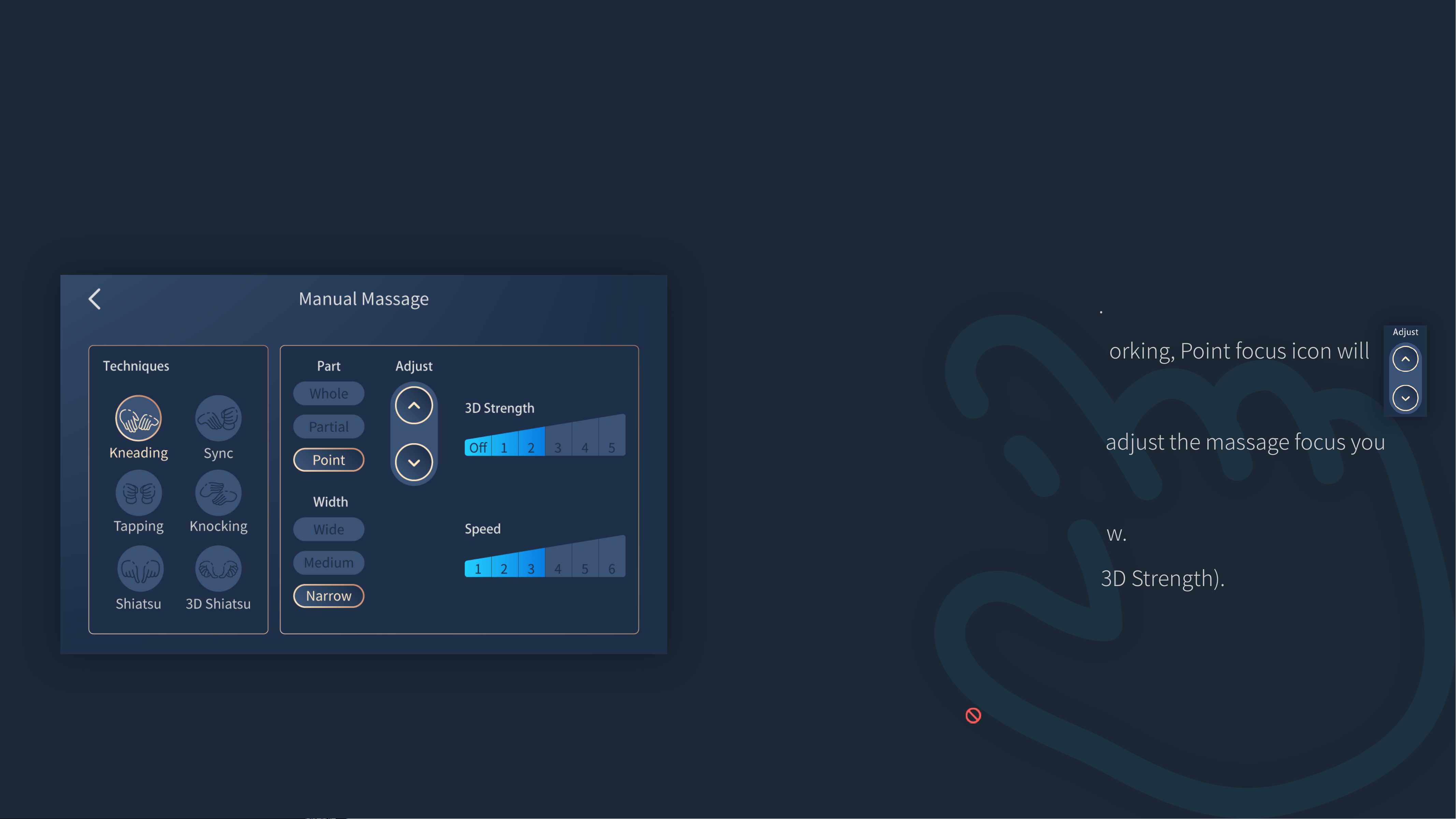
About Manual Massage
Techniques
Part
Width
3D Strength
Speed
Kneading, Tapping, Shiatsu, Sync, Knocking and 3D Shiatsu.
Tap the icon to start.
Whole, Partial and Point.
When Point massage is working, Point focus icon will
show on the screen.
Tap and hold the icon to adjust the massage focus you
desire.
Wide, Medium and Narrow.
5 levels and Off (turn off 3D Strength).
6 levels.
Speed is not adjustable if Shiatsu or 3D Shiatsu massage is
selected.( )
Menu
Function Menu
Massage programs/Massage chair adjustment/Settings
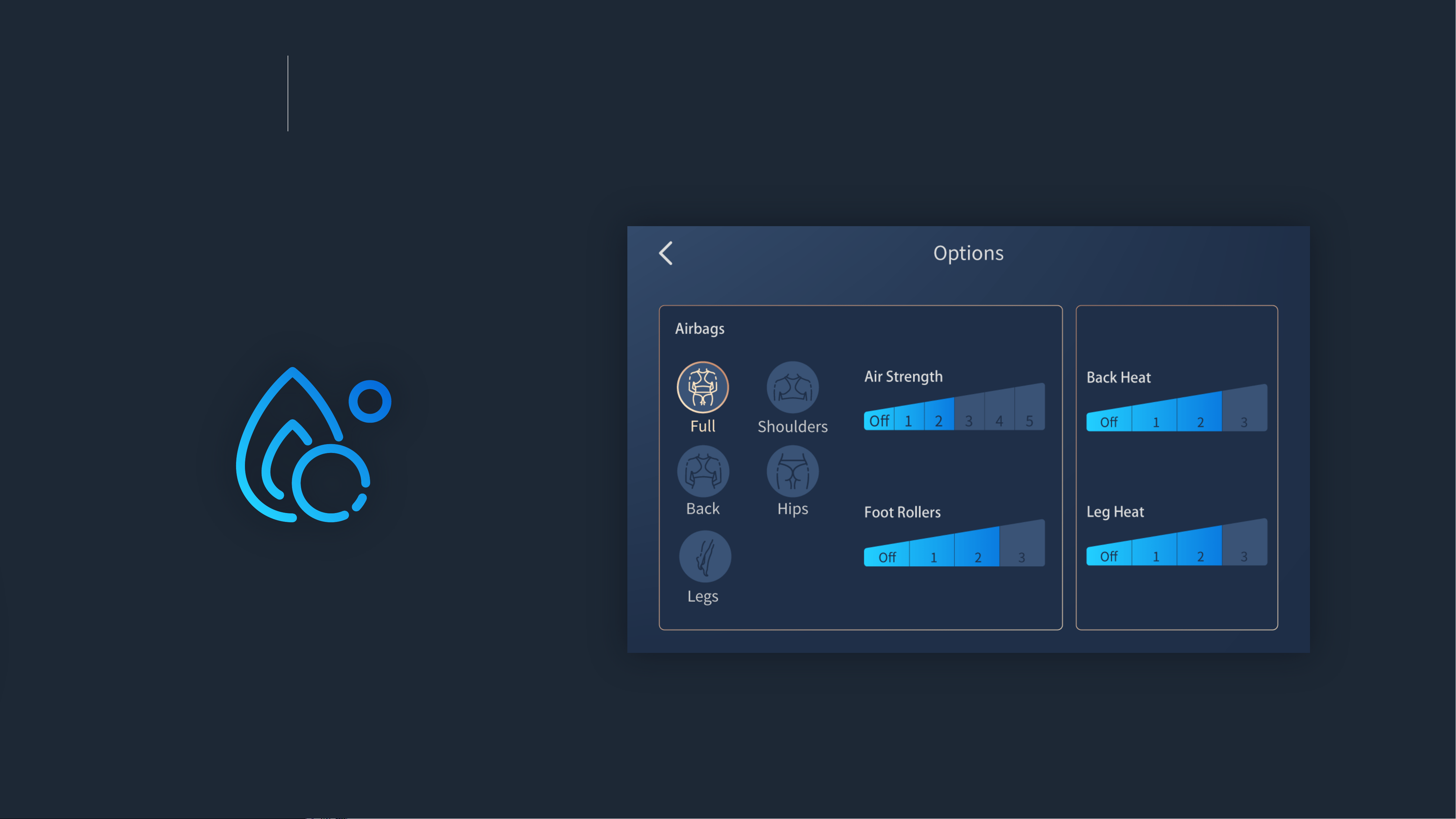
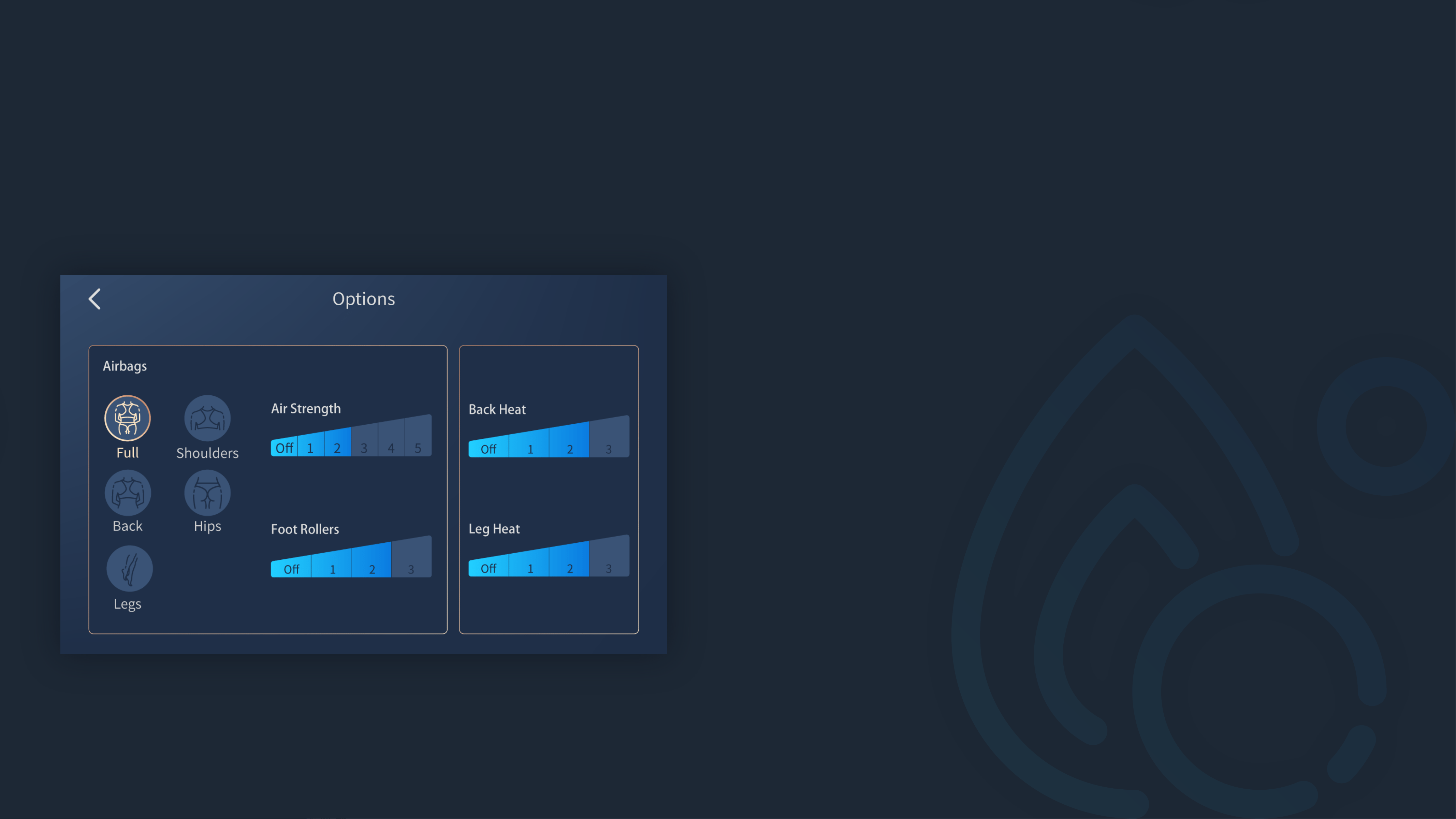
This page shows Airbags, Back Heat, Leg Heat options, you can adjust
the Options settings during the massage session.
Options

Go to Options
Press the Power/sleep button to turn on the Touchscreen Controller
(verify that it is connected to the massage chair).
→
Swipe left on Home screen to go to Menu screen.
→
Tap the
Options icon on Menu screen to go to Options screen.
→
You can choose
Airbags, Air Strength, Foot Rollers, Back Heat
and Leg Heat.
About Options
Airbags
Air Strength
Foot Rollers
Back Heat
Leg Heat
Full, Back, Legs, Shoulders and Hips.
Tap the icon to start.
5 levels and Off (turn off Air Strength).
3 levels and Off (turn off Foot Rollers).
This option is not adjustable if Full or Legs Airbags is
selected.
3 levels and Off (turn off Back Heat).
3 levels and Off (turn off Leg Heat).
Menu
Function Menu
Massage programs/Massage chair adjustment/Settings
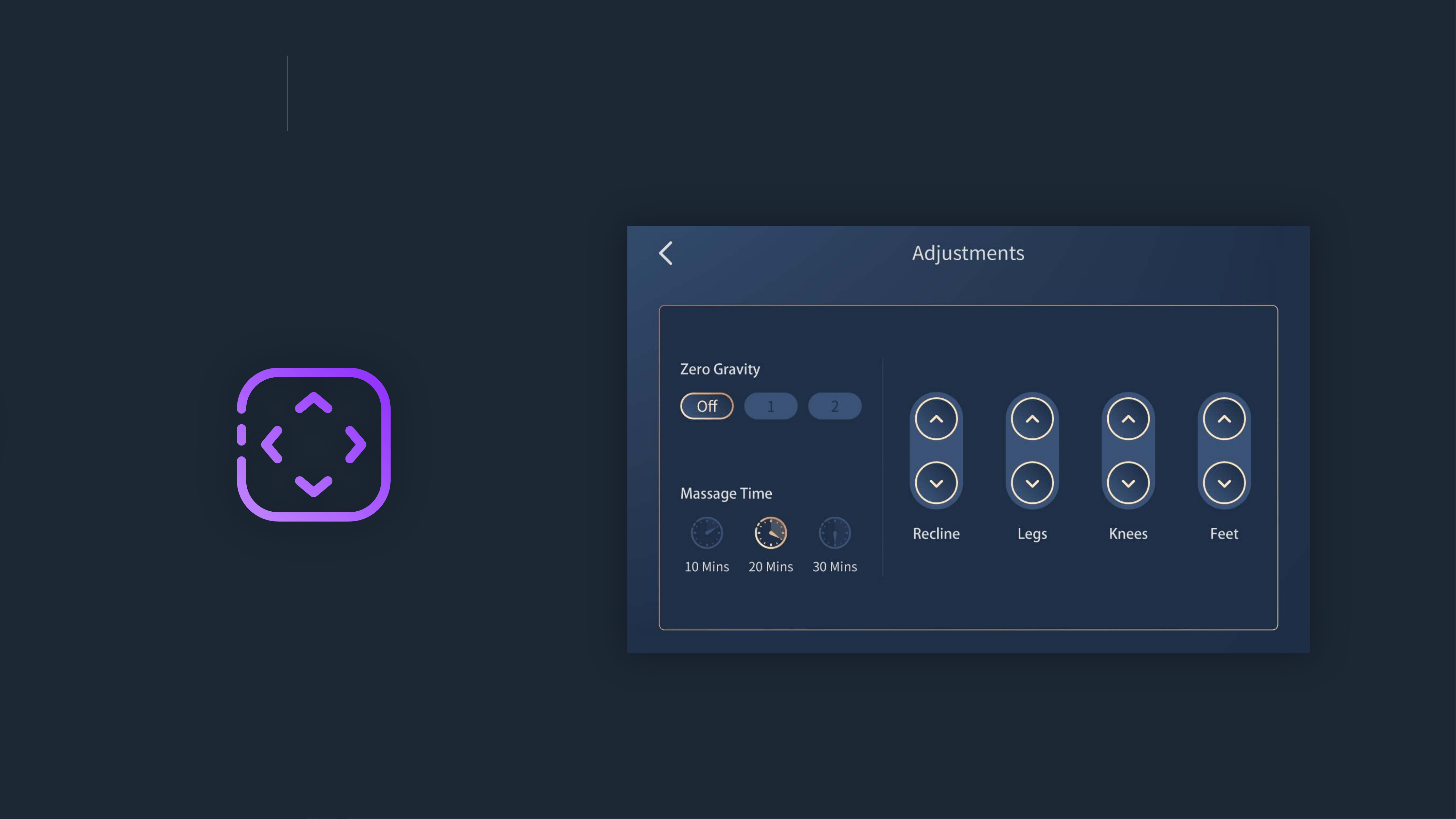
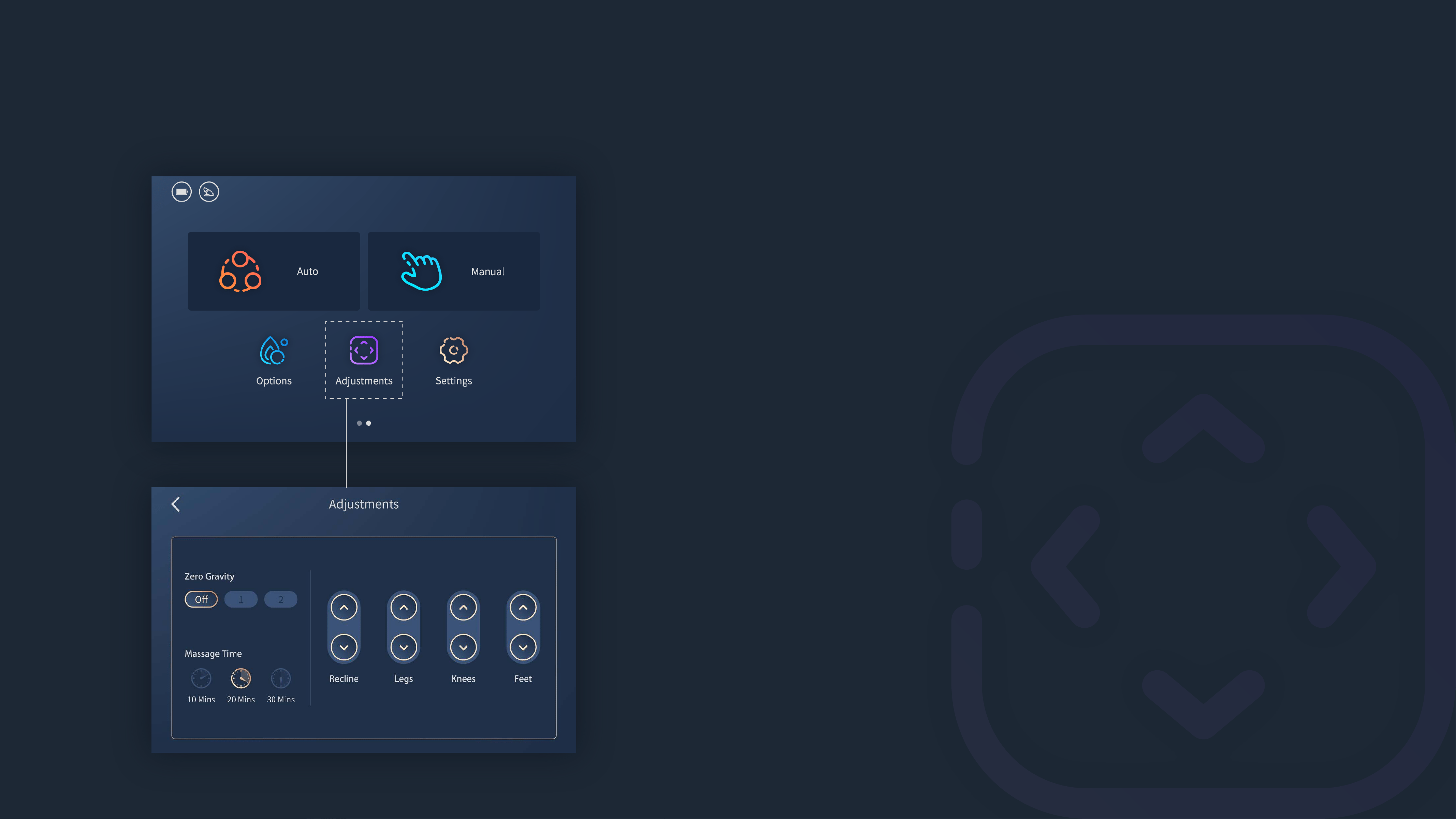
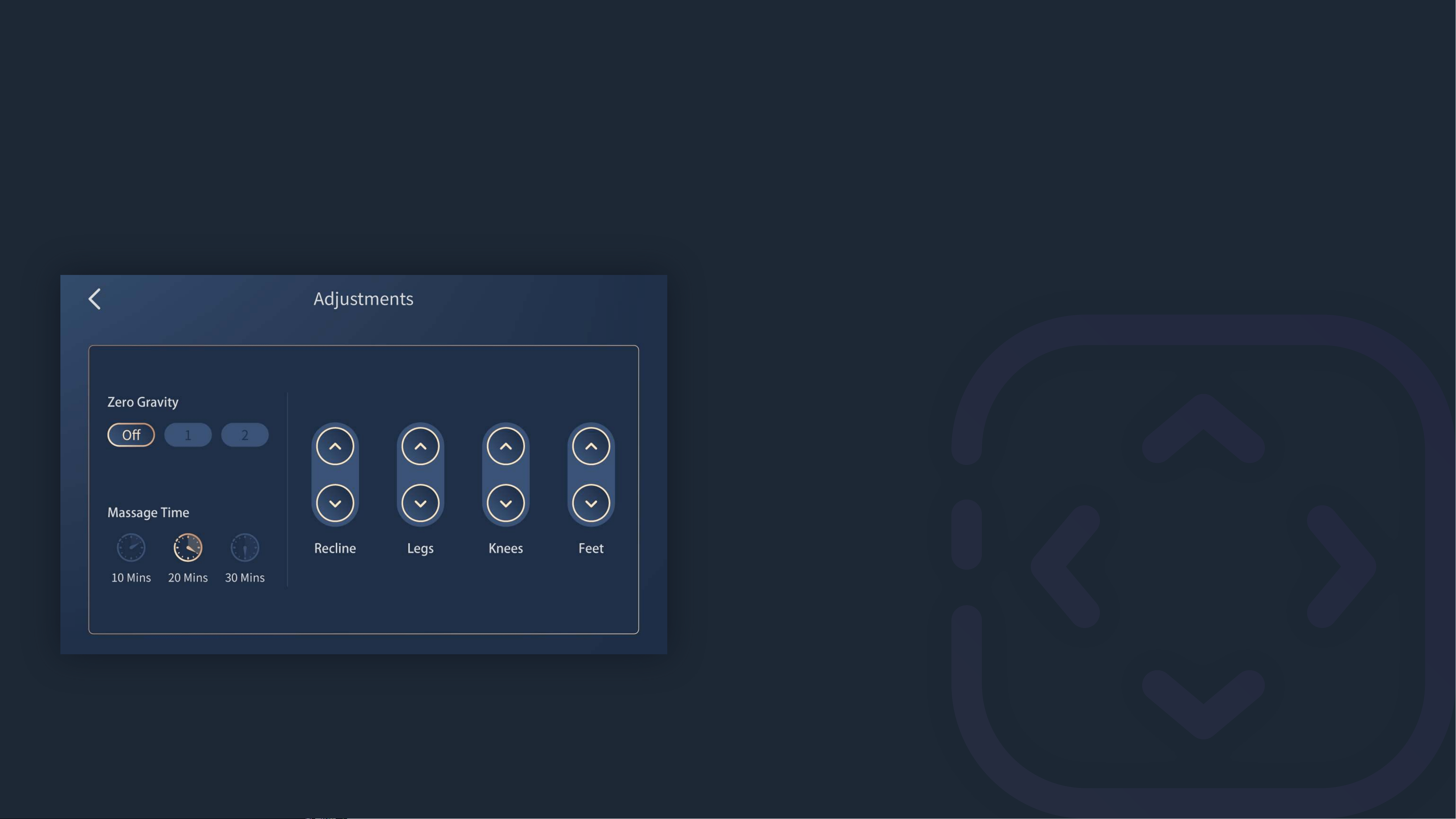
You can adjust Zero Gravity, Massage Time, Back Recline/Legs Up-
/Down/Extend/Retract
in Adjustments.
Adjustments
Go to Adjustments
Press the Power/sleep button to turn on the Touchscreen Controller
(verify that it is connected to the massage chair).
→
Swipe left on Home screen to go to Menu screen.
→
Tap the
Adjustments icon on Menu screen to go to Adjustments
screen.
→
You can adjust
Zero Gravity, Massage Time, Recline, Legs, Knees and Feet.
About Adjustments
Zero Gravity
Massage Time
Recline
Legs
Knees
Feet
Zero 1, Zero 2, and Off (turn off Zero Gravity).
Tap the icon to start.
10mins, 20mins and 30mins.
Tap and hold the icon to recline/incline the mas-
sage chair back.
Tap and hold the icon to lift/lower the massage
chair footrest.
Tap and hold the icon to move the upper part of
legrest up/down.
Tap and hold the icon to extend/retract the the
footrest.
Menu
Function Menu
Massage programs/Massage chair adjustment/Settings
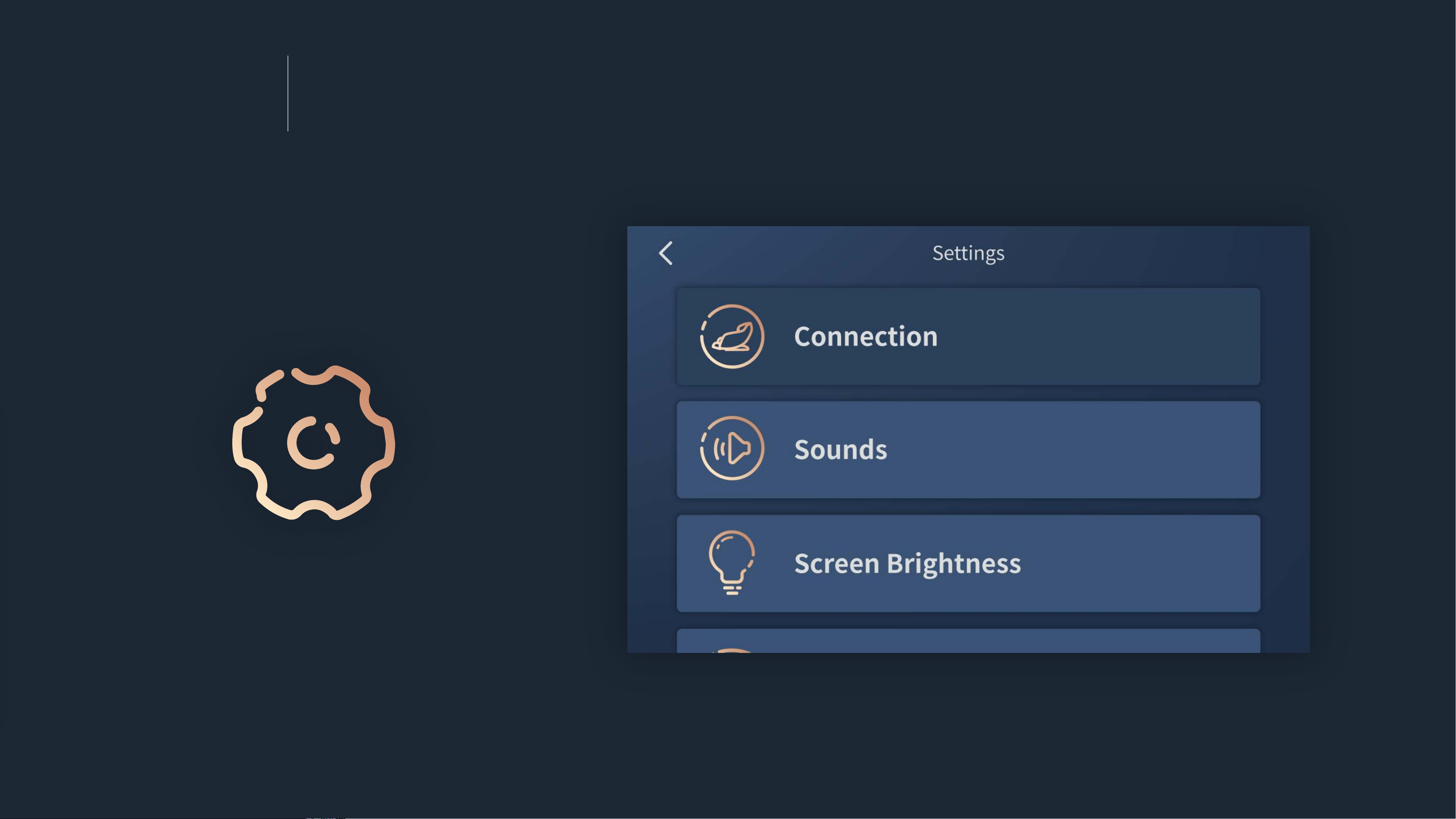
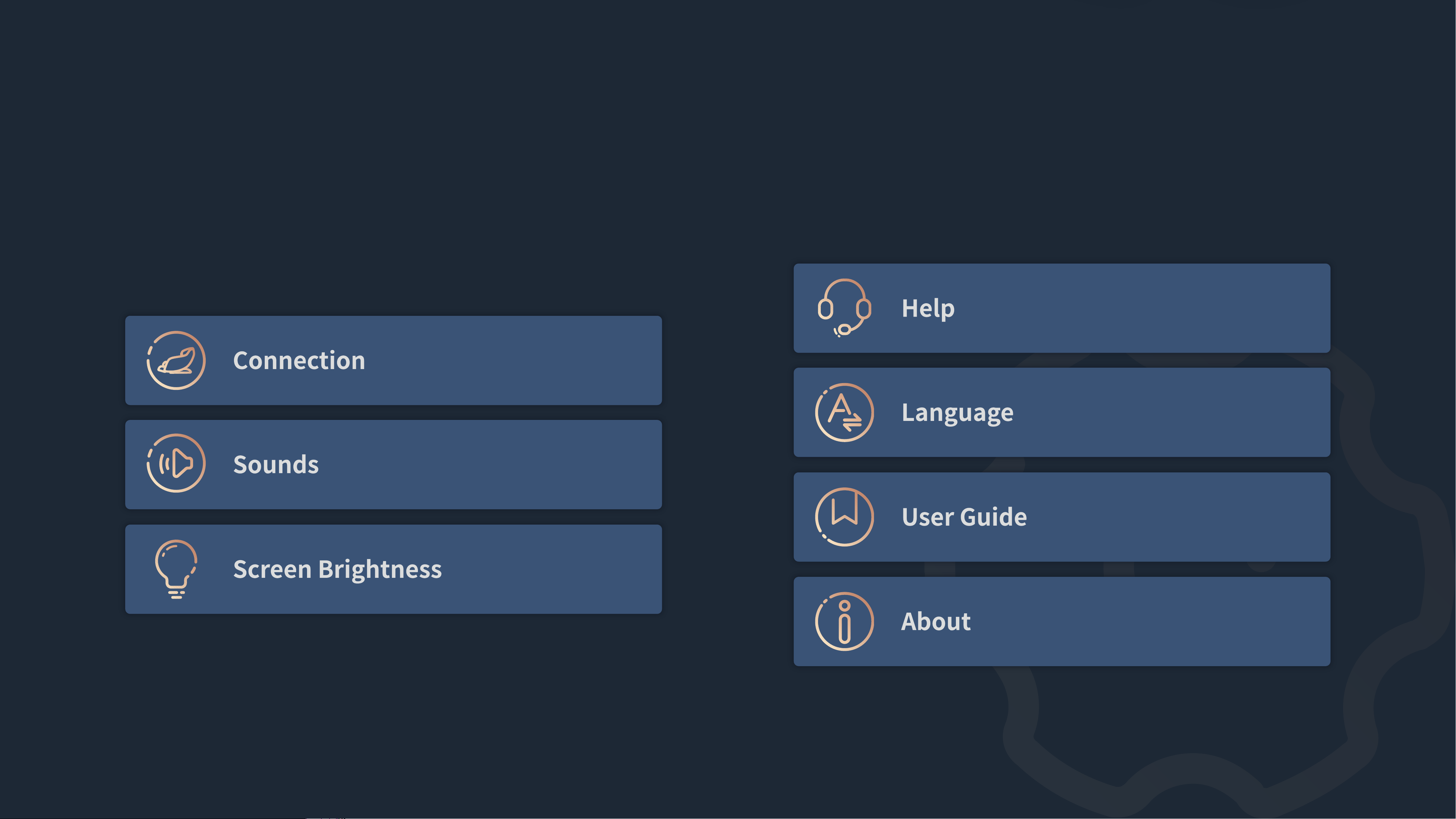
You can check Connection, Sounds, Screen Brightness, Help, Language,
User Guide and About in Settings.
Settings
About Settings

Thank you
Have a great massage