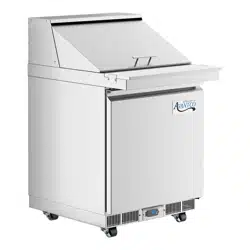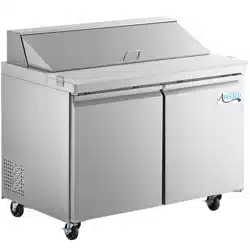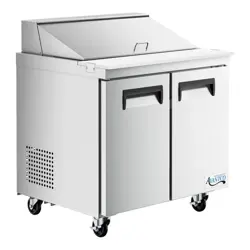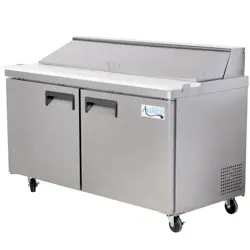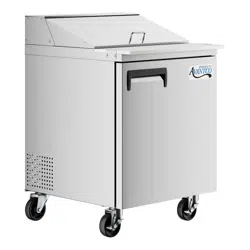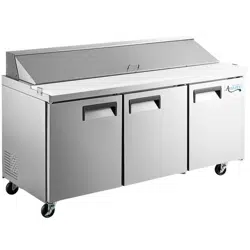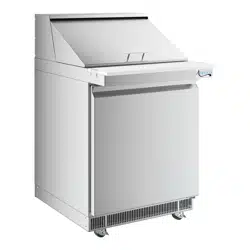
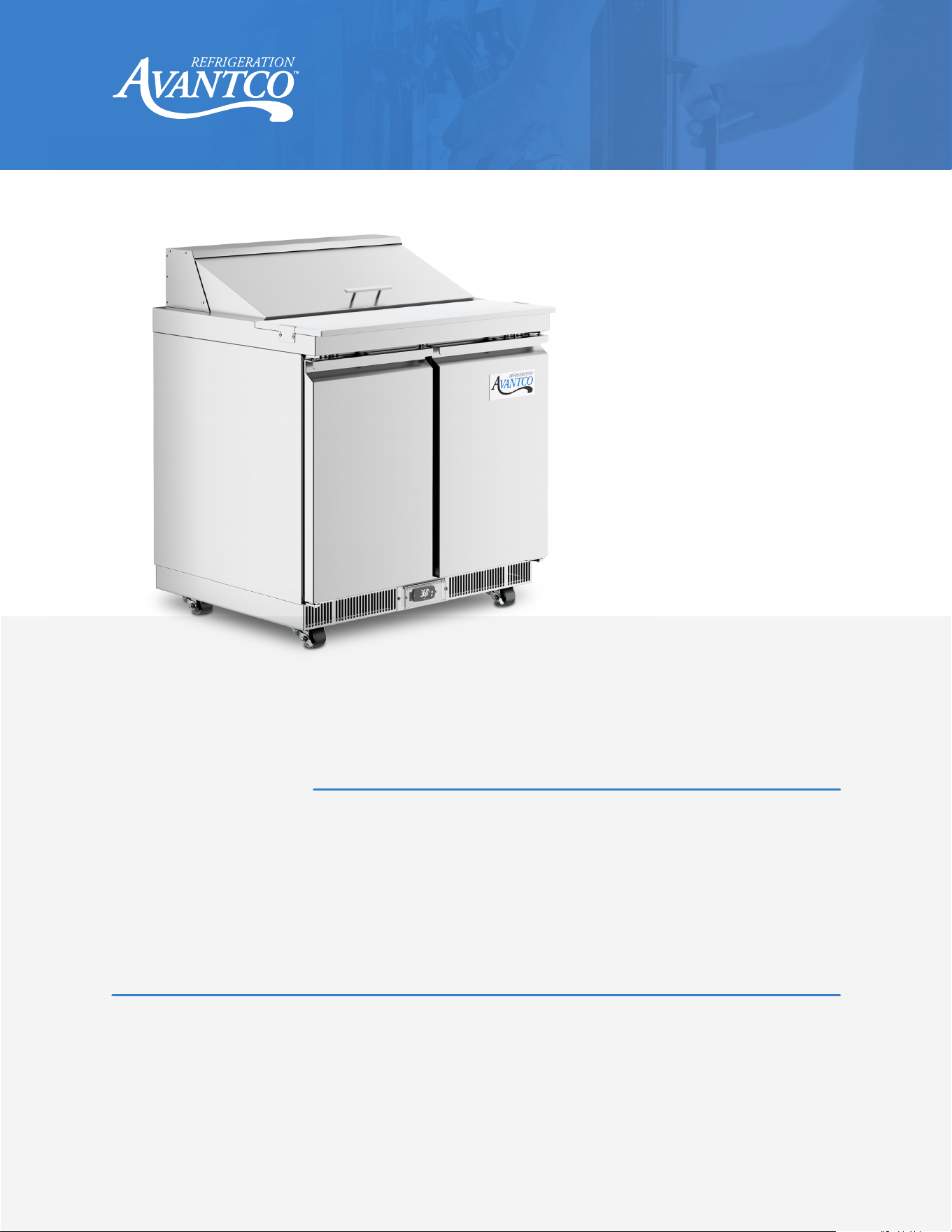
User Manual
www.AvantcoRefrigeration.com
02/2024
#178ZPT27HC
#178ZPT27HCA
#178ZPT27MHC
#178ZPT27MWMS
#178ZPT27WMS
#178ZPT36HC
#178ZPT36MHC
Base Models:
Z Series Prep Tables
Please read the manual thoroughly prior to equipment setup, operation, and maintenance.
Note:
#178ZPT36MWMS
#178ZPT36WMS
#178ZPT48HC
#178ZPT48MHC
#178ZPT48MWMS
#178ZPT48WMS
#178ZPT60HC
#178ZPT60MHC
#178ZPT60MWMS
#178ZPT60WMS
#178ZPT71HC
#178ZPT71MHC
#178ZPT71MWMS
#178ZPT71WMS
178ZPT36HC
2
User Manual
www.AvantcoRefrigeration.com
Refrigerated Prep Tables
Table of Contents
Warnings ............................................................................................................................... 3
Installation ............................................................................................................................ 4
Cabinet Location Guidelines ........................................................................................... 4
Electrical ............................................................................................................................... 5
Adjusting the Temperature .............................................................................................. 5
Controller ............................................................................................................................. 6
Safety / Warning ................................................................................................................. 7
Loading Food Pans ............................................................................................................ 7
Operation / Maintenance ................................................................................................. 8
Cleaning ............................................................................................................................... 7-8
Food Pan Layouts .............................................................................................................. 9-11
Troubleshooting ................................................................................................................ 12
Please read handbook before using
equipment and keep for future use.
NOTICE – USE THIS APPLIANCE FOR ITS INTENDED PURPOSES AS DESCRIBED IN THIS USER MANUAL.
A PROPERLY MAINTAINED UNIT WILL GIVE YOU MANY YEARS OF TROUBLE-FREE SERVICE.
NEMA 5-15
3029079 3029079
3
User Manual
www.AvantcoRefrigeration.com
Refrigerated Prep Tables
DANGER – RISK OF FIRE OR EXPLOSION. FLAMMABLE REFRIGERANT USED. TO BE REPAIRED ONLY BY
TRAINED SERVICE PERSONNEL. DO NOT PUNCTURE REFRIGERANT TUBING.
PELIGRO – RRIESGO DE INCENDIO O EXPLOSION. REFRIGERANTE INFLAMABLE UTILIZADO. PARA
SER REPARADO SOLAMENTE POR PERSONAL DE SERVICIO CALIFICADO. NO PINCHAR LA TUBERÍA
REFRIGERANTE.
DANGER – RISQUE DE FEU OU D’EXPLOSION. LE FRIGORIGÈNE EST INFLAMMABLE. CONFIER LES
RÉPARATIONS À UN TECHNICIEN SPÉCIALISÉ. NE PAS PERFORER LA TUBULURE CONTENANT LE
FRIGORIGENE.
CAUTION – RISK OF FIRE OR EXPLOSION. FLAMMABLE REFRIGERANT USED. CONSULT REPAIR MANUAL/
OWNER’S GUIDE BEFORE ATTEMPTING TO SERVICE THIS PRODUCT. ALL SAFETY PRECAUTIONS MUST BE
FOLLOWED.
ATENCION – RIESGO DE INCENDIO O EXPLOSIÓN. REFRIGERANTE INFLAMABLE UTILIZADO.
CONSULTE EL MANUAL DE REPARACIÓN / GUÍA DEL PROPIETARIO ANTES DE INTENTAR DAR SERVICIO A
ESTE PRODUCTO. DEBEN CUMPLIR CON TODAS LAS PRECAUCIONES DE SEGURIDAD.
ATTENTION – RISQUE DE FEU OU D’EXPLOSION. LE FRIGORIGÈNE EST INFLAMMABLE. CONSULTER LE
MANUEL DU PROPRIÉTAIRE/GUIDE DE RÉPARATION AVANT DE TENTER UNE RÉPARATION. TOUTES LE
MESURES DE SÉCURITÉ DOIVENT ÊTRE RESPECTÉES.
CAUTION – RISK OF FIRE OR EXPLOSION DUE TO PUNCTURE OF REFRIGERANT TUBING; FOLLOW
HANDLING INSTRUCTIONS CAREFULLY. FLAMMABLE REFRIGERANT USED.
ATENCION – RIESGO DE INCENDIO O EXPLOSIÓN DEBIDO A LA PERFORACION DE LA TUBERÍA
REFRIGERANTE; SIGA LAS INSTRUCCIONES DE MANIPULACIÓN CON CUIDADO. REFRIGERANTE
INFLAMABLE UTILIZADO.
ATTENTION – RISQUE DE FEU OU D’EXPLOSION SI LA TUBULURE CONTENTANT LE FRIGORIGÈNE EST
PERFORÉE; SUIVRE LES INSTRUCTIONS DE MANUTENTION AVEC SOIN. LE FRIGORIGÈNE EST
INFLAMMABLE.
CAUTION – RISK OF FIRE OR EXPLOSION DUE TO FLAMMABLE REFRIGERANT USED. FOLLOW
HANDLING INSTRUCTIONS CAREFULLY IN COMPLIANCE WITH LOCAL GOVERNMENT
REGULATIONS.
ATENCION – RIESGO DE INCENDIO O EXPLOSIÓN DEBIDO A REFRIGERANTE INFLAMABLE UTILIZADO.
SIGA LAS INSTRUCCIONES DE MANIPULACIÓN CON CUIDADO CONFORME A LAS REGLAS DE LA
MUNICIPALIDAD.
ATTENTION – RISQUE DE FEU OU D’EXPLOSION SI LE FRIGORIGÈNE EST INFLAMMABLE. SUIVRE LES
INSTRUCTIONS DE MANUTENTION AVEC SOIN CONFORMÉMENT AUX RÈGLEMENTATION
GOUVERNEMENTALE LOCAUX.
Warnings
4
User Manual
www.AvantcoRefrigeration.com
Refrigerated Prep Tables
This unit is intended for use in a temperature-controlled environment less than 75 degrees
Fahrenheit and 60% relative humidity.
IMPORTANT – Please Read Before Installation:
• If the shelf has a raised lip, the lip needs to be installed facing up towards the rear of the cabinet to
promote proper air flow. Failure to install the shelves properly is considered user error and is not
covered by warranty.
• If the unit has recently been transported on its side, please let the unit stand upright for a minimum of
24 hours before plugging it in.
• Make sure that the unit has reached the desired temperature before loading the unit with products.
This unit is meant for keeping cold products cold, not chilling warm products.
• Make sure that there is proper ventilation around the unit in the area where it will operate.
• Make sure all accessories are installed (i.e., shelves, shelf clips, casters) before plugging the unit in.
• Do not attempt to remove or repair any component of the unit. Consult an authorized service
technician for servicing/repair.
• Do not hang on doors or stand inside the unit. Do not sit or stand on top of the unit.
• Do not store flammable, explosive, or corrosive liquids or gas in or near the prep table.
• Please read through the manual in its entirety.
• This unit is designed to perform in a temperature-controlled environment at 60% relative humidity.
• The unit should be located away from doors, air ducts, and fans that could disrupt airflow and
negatively impact performance.
Installation
Cabinet Location Guidelines
• Install the unit on strong and leveled surfaces.
- If the surface is uneven, the unit may be noisy.
- The unit may malfunction if the surface is uneven.
- Keep the cooler stable to avoid vibration and noise.
• Install the unit in an indoor, well-ventilated area.
- Do not use outdoors. For indoor use only.
- Avoid direct sunlight.
- Unit should be placed far from any heating source to avoid decrease of refrigeration eciency.
• Avoid installation in a high humidity and/or dusty area.
- Humidity above 60% can cause the unit to rust, to collect condensation, and may decrease eciency.
- Dust collected on condenser coil will cause unit to malfunction.
• For optimal performance, 3” of clearance is required around all louvered or vented panels to allow for
proper air flow.
- Component failure due to improper installation is not covered under the warranty.
5
User Manual
www.AvantcoRefrigeration.com
Refrigerated Prep Tables
• Select a location away from heat and moisture-generating equipment.
- Ambient temperatures above 75 degrees Fahrenheit may cause the compressor to malfunction.
- For optimal performance, this unit should not be used in environments with ambient temperatures
exceeding 75 degrees Fahrenheit.
- The unit should not be placed in areas with an ambient temperature over 90 degrees Fahrenheit.
- Equipment malfunctions due to ambient temperatures above 90 degrees could void the warranty.
- Do not install this unit inside a closet or alcove.
• Please ensure that the required voltage is being supplied at all times.
• The unit should be plugged into a grounded and properly sized electrical outlet with appropriate
over-current projection. Please refer to the electrical requirements on the unit’s nameplate.
• This unit should have its own dedicated outlet.
• Do not use extention cords.
• Ensure the unit is not resting on or against the electrical cord.
• If the unit is not in use for a long period of time, please unplug the unit from the outlet.
• To avoid shock and fire hazards, do not plug in or unplug the unit with wet hands.
• After unplugging the unit, wait at least 10 minutes before plugging it back in. Failure to do so could
cause damage to the compressor.
• In the event of damage to the electric wires or plug, please contact the after-sales service. Do not at-
tempt to repair it yourself.
• If the voltage is unstable, please choose the suitable automatic voltage regulator.
Electrical
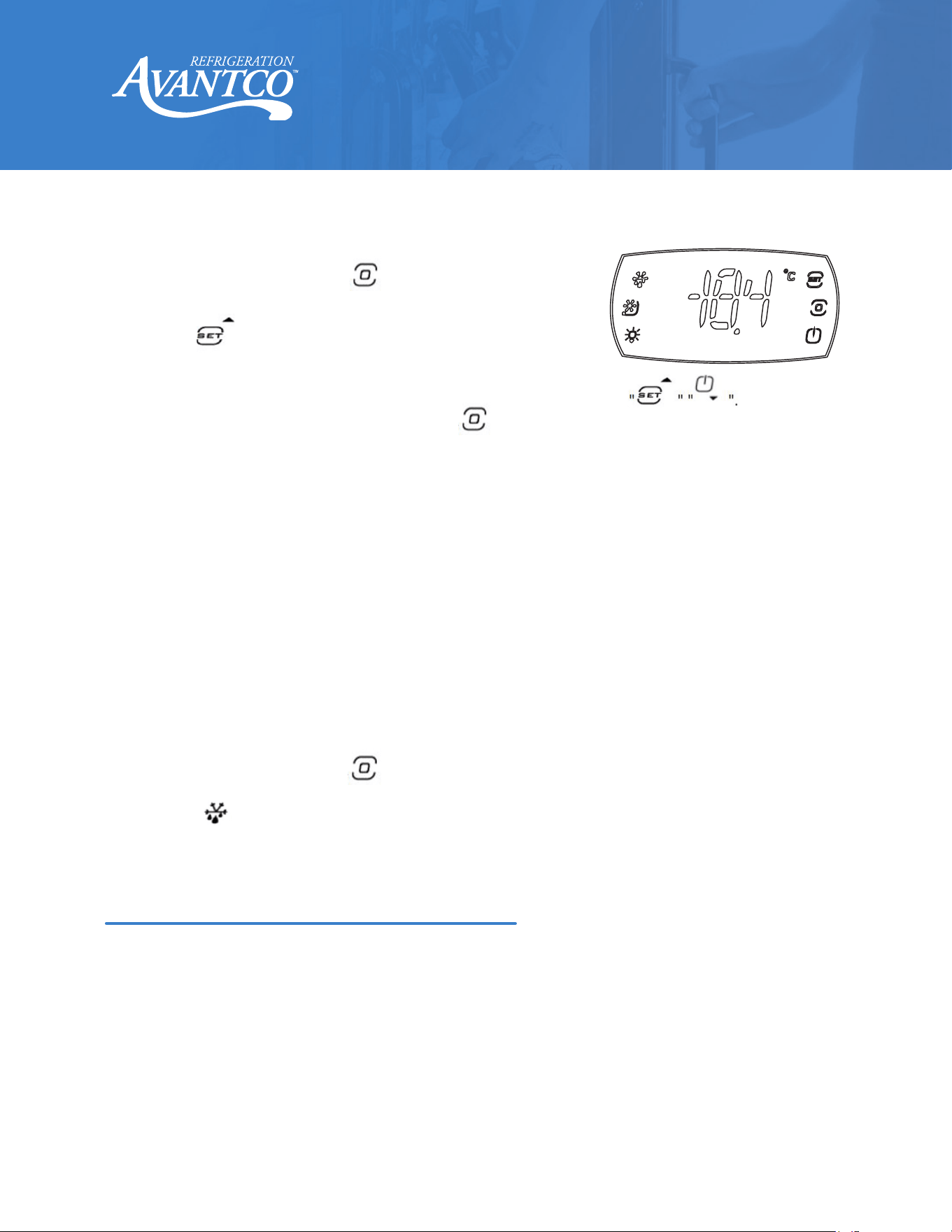
Your new refrigerator is already factory set to run at optimum
temperatures for food safety and should require no adjustments.
Refrigerators are set to cycle between a minimum temperature of 33 degrees Fahrenheit and a maximum
temperature of 40 degrees Fahrenheit.
Adjusting the temperature changes the minimum temperature your unit will run at. Your unit will not run
constantly at this setting. To change it, follow these instructions:
Adjusting the Temperature
6
User Manual
www.AvantcoRefrigeration.com
Refrigerated Prep Tables
Always remember to calculate the dierential if you change the minimum temperature setting.
The cabinet temperature will fluctuate up to +7 degrees over your set minimum temperature
as the compressor runs and shuts o. Setting the temperature too high will result in unsafe
maximum temperatures and possible health code violations.
Your Z Series unit compressor will continue to run when the door is left ajar. After 15 minutes
of being left ajar, an audible alarm will sound. At the same time, the display board will
Running a Manual Defrost Cycle
This unit is pre-programmed to run automatic defrost cycles at preset intervals. However, if you
would like to run a manual defrost cycle at any time, please follow the steps below:
Refrigerator coils are kept below the freezing point (32 degrees Fahrenheit). During
compressor downtime, the evaporator fan continues to circulate air through the evaporator
coil. This air circulation raises the coil temperature above the freezing point, melting any
accumulated frost. Run-o water is drained into the evaporator pan and evaporated. Automatic
defrost timers automatically initiate at pre-set intervals and for a pre-determined duration.
1.
Press and hold the menu key for 3 seconds to enter the menu selection interface. At this
time, the display screen displays “--”, then background button lights up.
2.
Click the button in the upper left corner to start manual defrosting.
3.
Wait for about 7 seconds. The digital display returns to the normal display interface.
Defrost System
Controller
1.
Hold down the menu button for 3 seconds. At this time,
the display screen displays “--”, then background button lights
up.
2.
Select button and click. At this time, enter temperature
setting interface. The display screen displays the current set
value.
3.
Adjust the downtime temperature value used by the user pressing
4.
After the adjustment, click the menu button to return the menu selection interface.
5.
Wait for about 7 seconds. The digital display will automatically save and exit and return to the
normal display interface.
7
User Manual
www.AvantcoRefrigeration.com
Refrigerated Prep Tables
Pizza prep units and sandwich prep units are designed to function with all pans in place, even if some pans
are to be left empty. For maximum food freshness, fill the pans only with an amount that can be used in a
specific usage period. During non-use, please close the insulated lid cover.
Loading Food Pans
Please pay close attention to the safety notices in this section. Disregarding these notices may lead to
serious injury and/or damage to the unit.
ATTENTION
• To minimize shock and fire hazards, be sure not to overload outlet. Please designate one outlet for
your unit.
• Do not use extension cords.
• Do not put your hands under the unit while it is being moved.
• When the unit is not in use for a long period of time, please unplug the unit from the outlet.
• After unplugging the unit, wait at least 10 minutes before plugging it back in. Failure to do so could
cause damage to the compressor.
UNPLUG CORD
• To minimize shock and fire hazards, please do not plug or unplug the cord with wet hands.
• During maintenance and cleaning, please unplug the unit.
Safety / Warning
PROPER GROUNDING REQUIRED
• To minimize shock and fire hazards, make sure that the unit is properly grounded.
WARNING
• Do not attempt to remove or repair any component unless instructed by factory.
• Make sure that the unit is not resting on or against the electrical cord and plug.
• To minimize personal injury, do not hang on the doors.
• Do not store any flammable and explosive gas or liquids inside the unit.
• Do not attempt to alter or tamper with the electrical cord.
Loading Product
• Make sure there is at least four inches of clearance from the evaporator.
• Ensure all shelves are sitting level and properly secured before loading products.
• Do not store flammable and explosive gas or liquids inside the unit.
8
User Manual
www.AvantcoRefrigeration.com
Refrigerated Prep Tables
Condenser Coil Cleaning Instructions:
A dusty condenser may lead to high energy consumption, less cooling eectiveness,
and compressor damage.
1. Disconnect the electrical power from the unit.
2. Remove the front cover and base cover with a screwdriver.
3. Using a soft brush and/or vacuum, remove the dirt, lint, etc. from the finned condenser coil in a
vertical direction.
4. Clean the condenser with a commercial condenser coil cleaner, available from any kitchen equipment
retailer. Ex: Noble Chemical Tech Line.
5. After cleaning, straighten any bent condenser fins with a fin comb.
6. When finished, be sure to reinstall the front cover and base cover.
7. Reconnect the electrical power to the unit.
Cleaning the Fan Blades and Motor
• If necessary, clean the fan blades and motor with a soft cloth.
• If it is necessary to wash the fan blades, cover the fan motor to prevent moisture damage.
Cleaning the Interior of the Unit
• When cleaning the cabinet interior, use a solvent of warm water and mild soap.
• Do not use steel wool, caustic soap, abrasive cleaners, or bleach that may damage the interior finish.
• Wash door gaskets on a regular basis, preferably weekly.
• Simply remove the door gasket from the frame of the door, soak in warm water and soap for thirty (30)
minutes, dry it with a soft cloth, and replace it.
• Check door gaskets for proper seal after they are replaced.
• Periodically remove the shelves and pilasters from the unit and clean them with mild soap and warm
water. To remove the pilasters, first, remove the shelves and shelf brackets. Then, simply lift the
pilaster up and out.
Cleaning the Condenser Coil
• For ecient operation, keep the condenser surface free of dust, dirt, and lint.
• We recommend cleaning the condenser coil at least once per month.
WARNING: DISCONNECT THE POWER CORD BEFORE CLEANING ANY PARTS OF THE UNIT
NOTE: We strongly recommend that any servicing be performed by an authorized service technician.
Operation / Maintenance
9
User Manual
www.AvantcoRefrigeration.com
Refrigerated Prep Tables
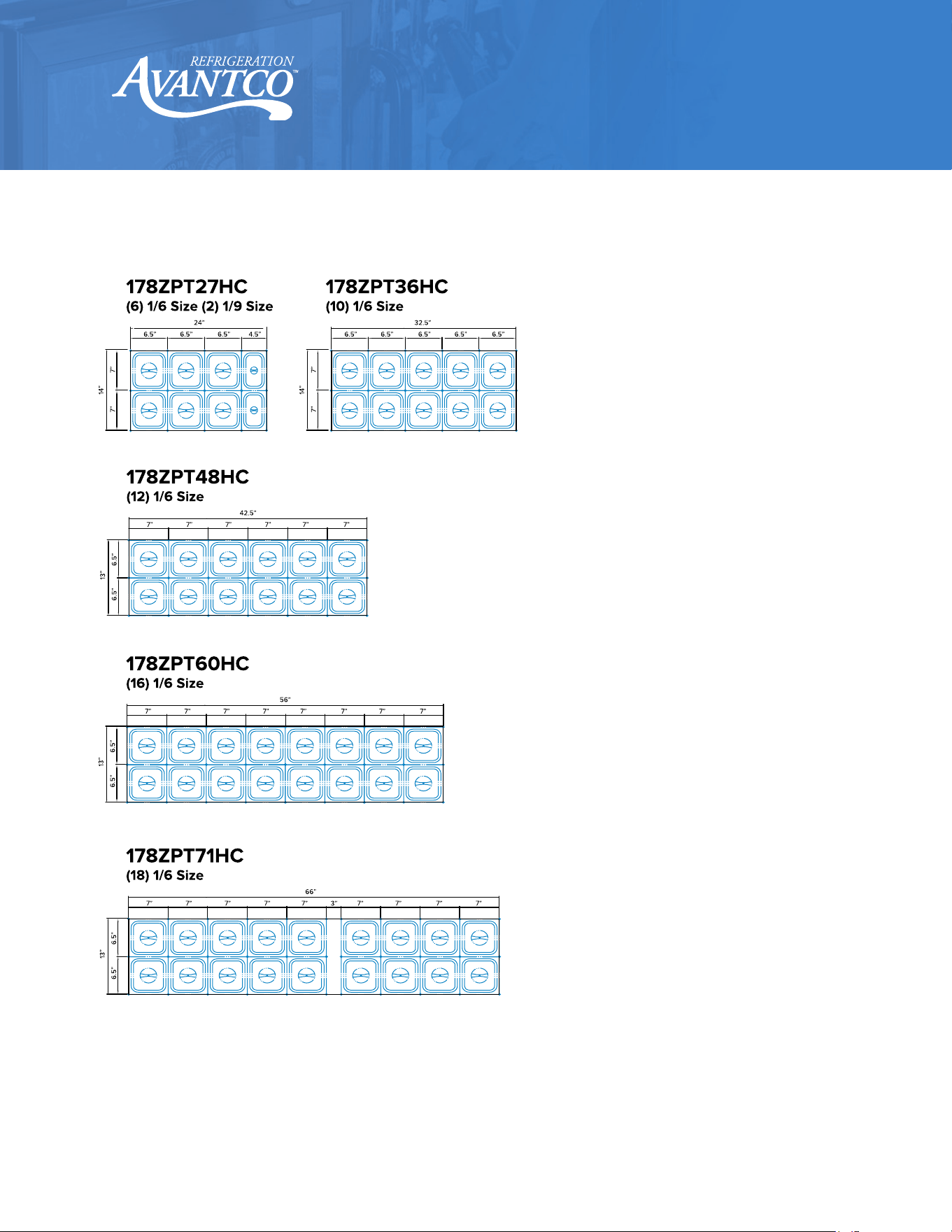
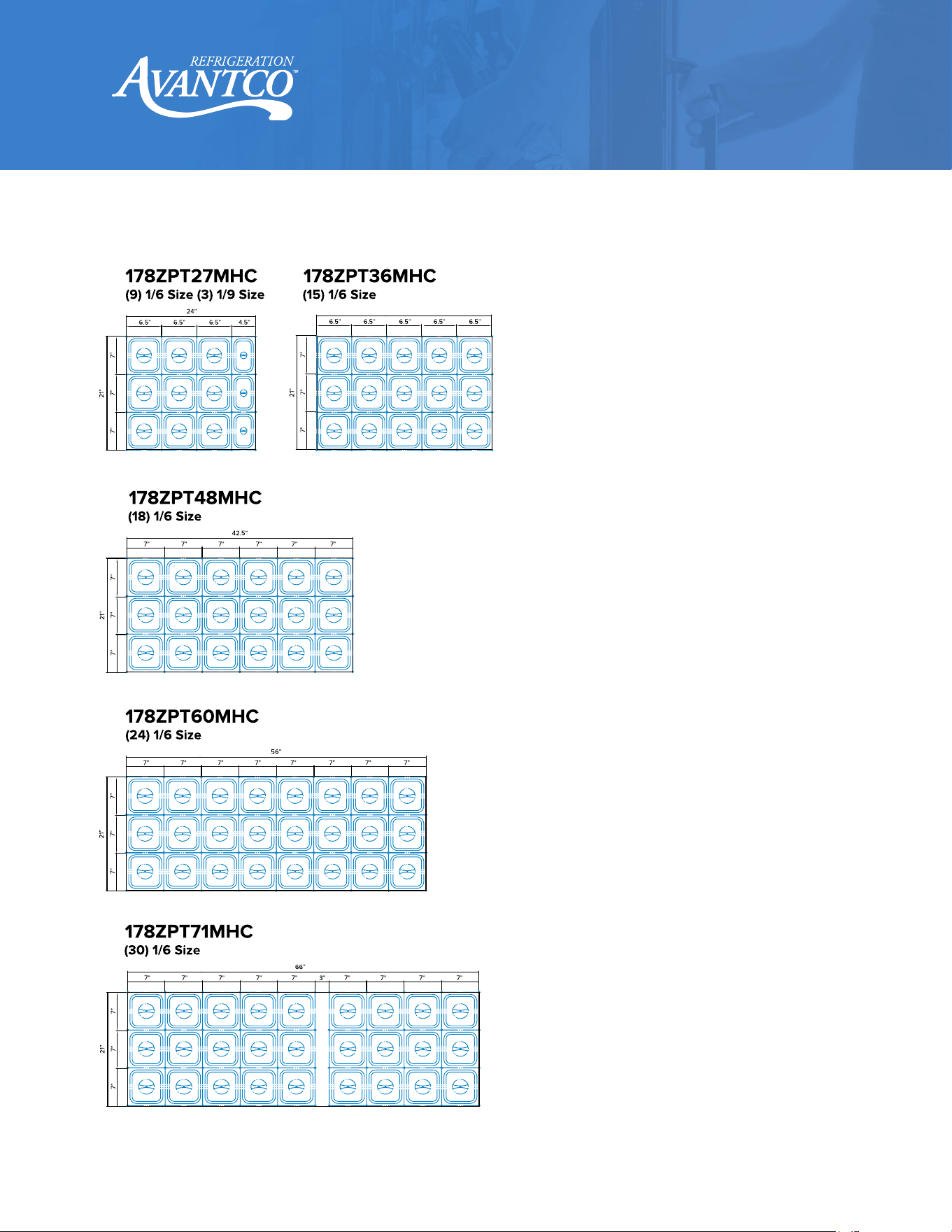
Food Pan Layouts
10
User Manual
www.AvantcoRefrigeration.com
Refrigerated Prep Tables
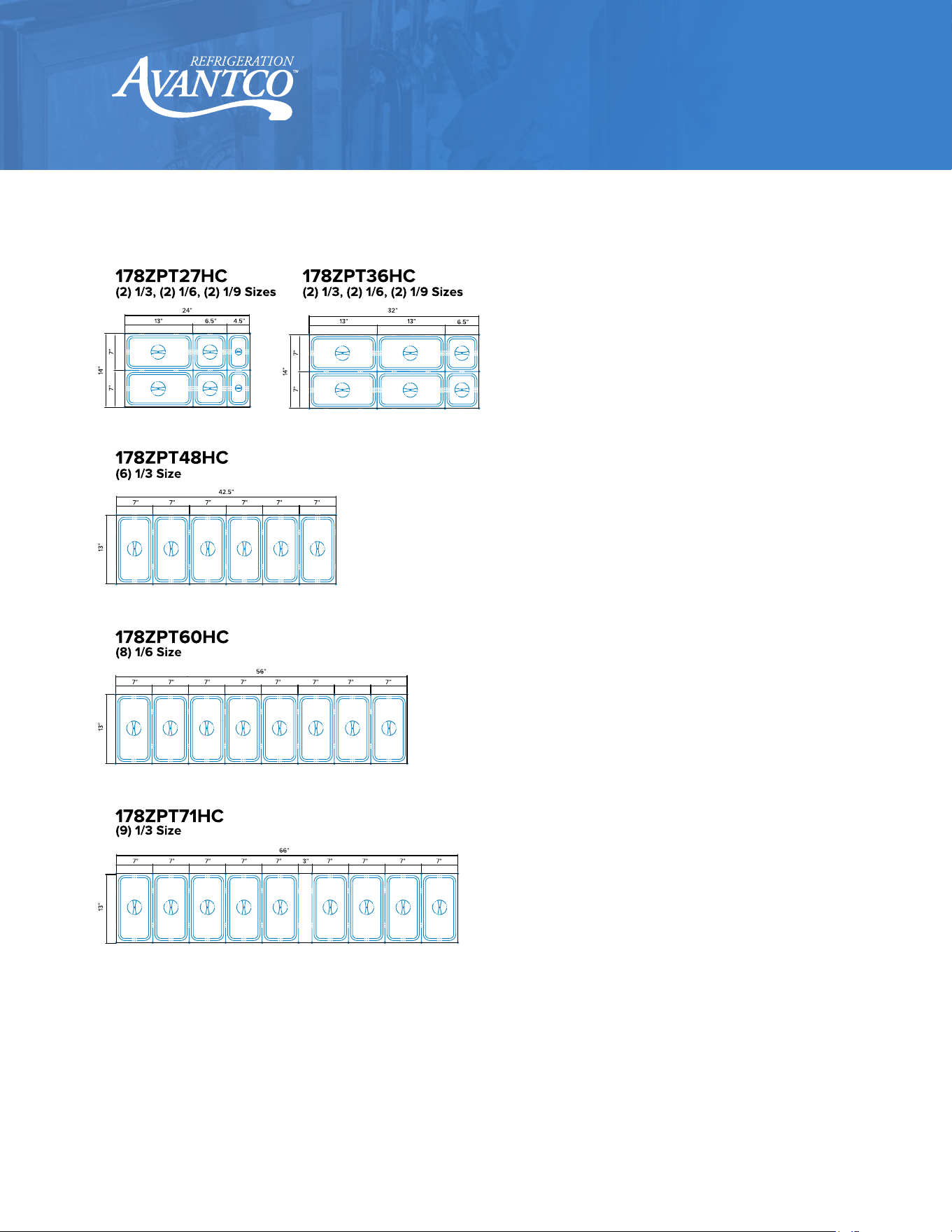
Food Pan Layouts
11
User Manual
www.AvantcoRefrigeration.com
Refrigerated Prep Tables
Food Pan Layouts
12
User Manual
www.AvantcoRefrigeration.com
Refrigerated Prep Tables
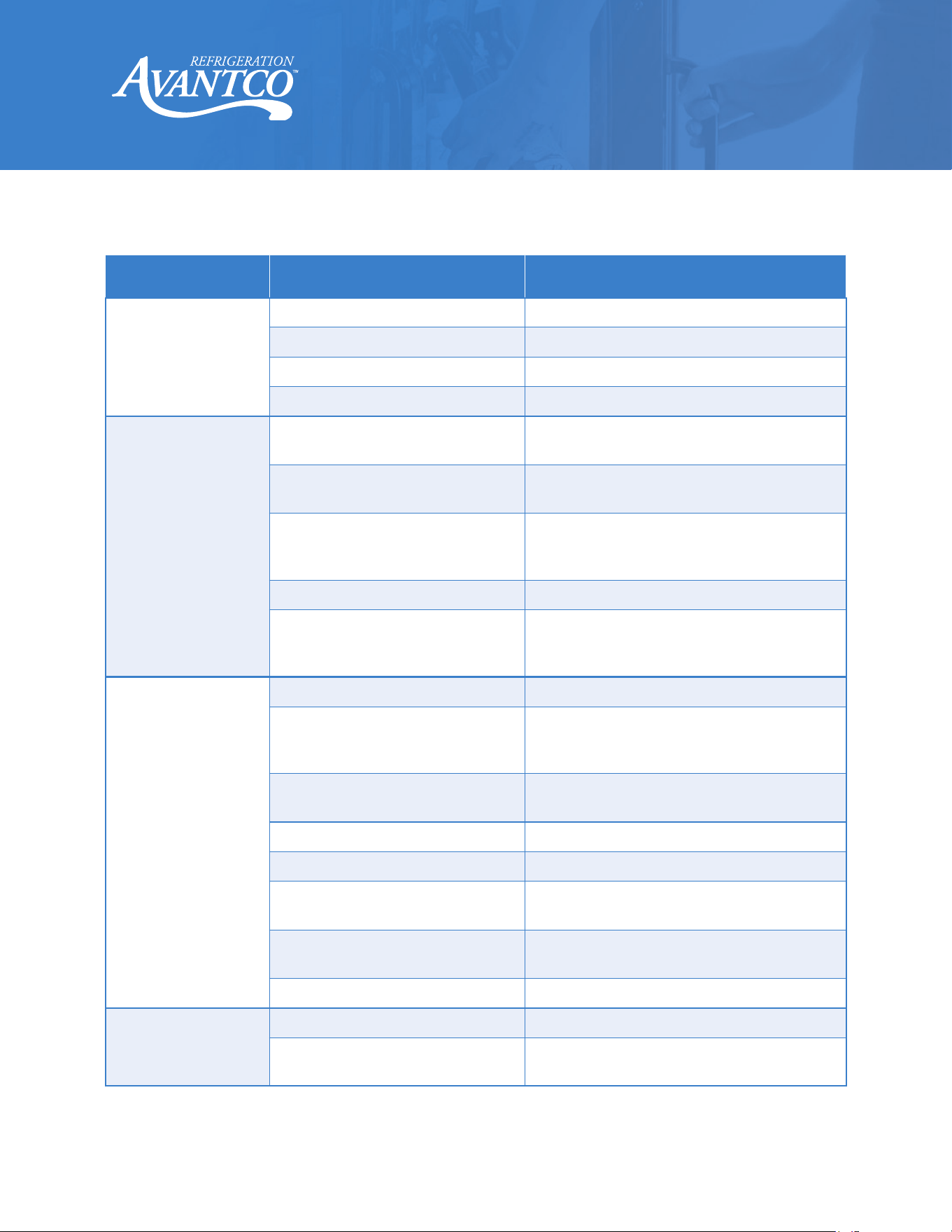
Troubleshooting
Problem
Possible Cause
Possible Solution
Compressor is not
running.
Fuse blown or circuit breaker tripped. Replace fuse or reset circuit breaker.
Power cord unplugged. Plug in power cord.
Thermostat set too high. Set thermostat to lower temperature.
Cabinet in defrost cycle. Wait for defrost cycle to finish.
Condensing units run for
long periods of time.
Excessive amount of warm product
placed in cabinet.
Allow adequate time for product to cool down.
Prolonged door opening or door ajar.
Ensure doors are closed when not in use. Avoid
opening doors for long periods of time.
Door gasket(s) not sealing properly.
Ensure gaskets are snapped in completely.
Remove gasket and wash with soap and water.
Check condition of gasket and replace if necessary.
Dirty condenser coil. Clean the condenser coil. (Page 8)
Evaporator coil iced over.
Unplug unit and allow coil to defrost. Make sure
thermostat is not set too cold. Ensure that door
gasket(s) are sealing properly.
Cabinet temperature is
too warm.
Thermostat set too warm. Set thermostat to lower temperature.
Air flow blocked.
Re-arrange product to allow for proper air flow.
Make sure there is at least four inches of clearance
from evaporator.
Excessive amount of warm product
placed in cabinet.
Allow adequate time for product to cool down.
Fuse blown or circuit breaker tripped. Replace fuse or reset circuit breaker.
Dirty condenser coil. Clean the condenser coil. (Page 8)
Evaporator coil iced over.
Ensure doors are closed when not in use. Avoid
opening doors for long periods of time.
Low refrigerant levels.
Contact a service technician to check refrigerant
levels.
Door is slightly ajar. Make sure door is completely closed.
Condensation is
collecting on the cabinet
and/or floor.
Gasket is not sealing properly. Clean, repair, or replace the gasket as necessary.
Relative humidity is above 60%.
Move unit to area below relative humidity or lower
humidity level.