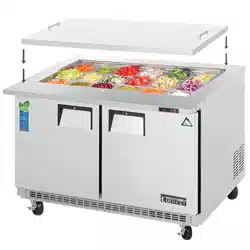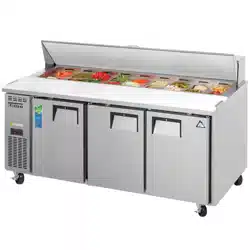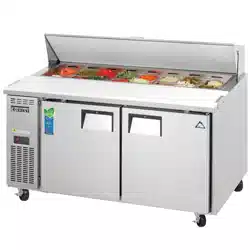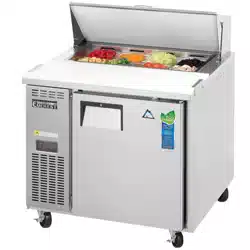
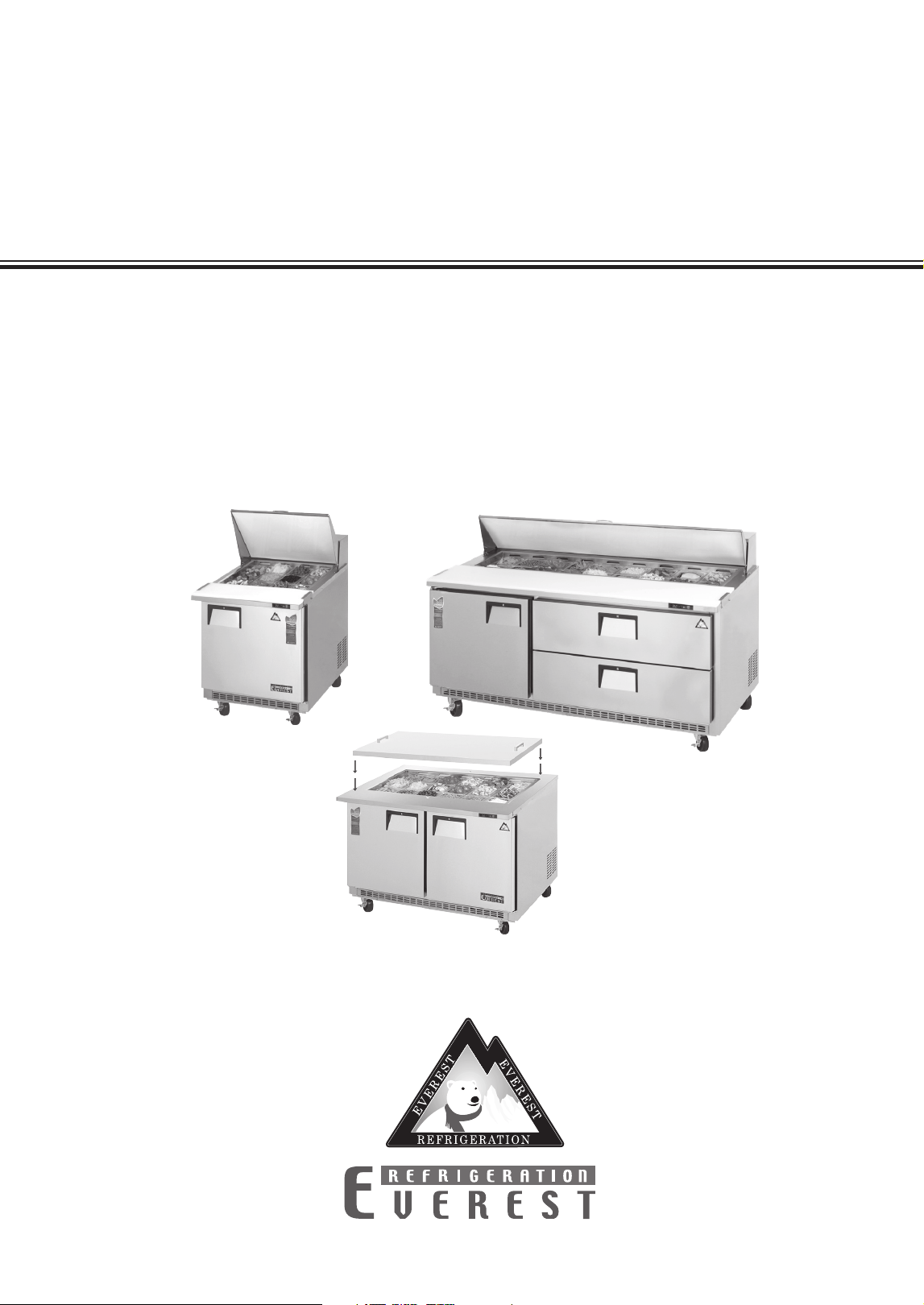
Owner’s Manual
EPBR1, EPBSR2, EPBR2, EPBWR2, EPBR3
EPBNR1, EPBNSR2, EPBNR2, EPBNWR2, EPBNR3,
EPBNR1-D2, EPBNSR2-D2, EPBNR2-D4, EPBNWR2-D4,
EPBNR3-D2, EOTP1, EOTPS2, EOTP2, EOTPW2, EOTP3
Food Prep Table Refrigerators
Back Mounted Condensing Unit

this page intentionally left blank
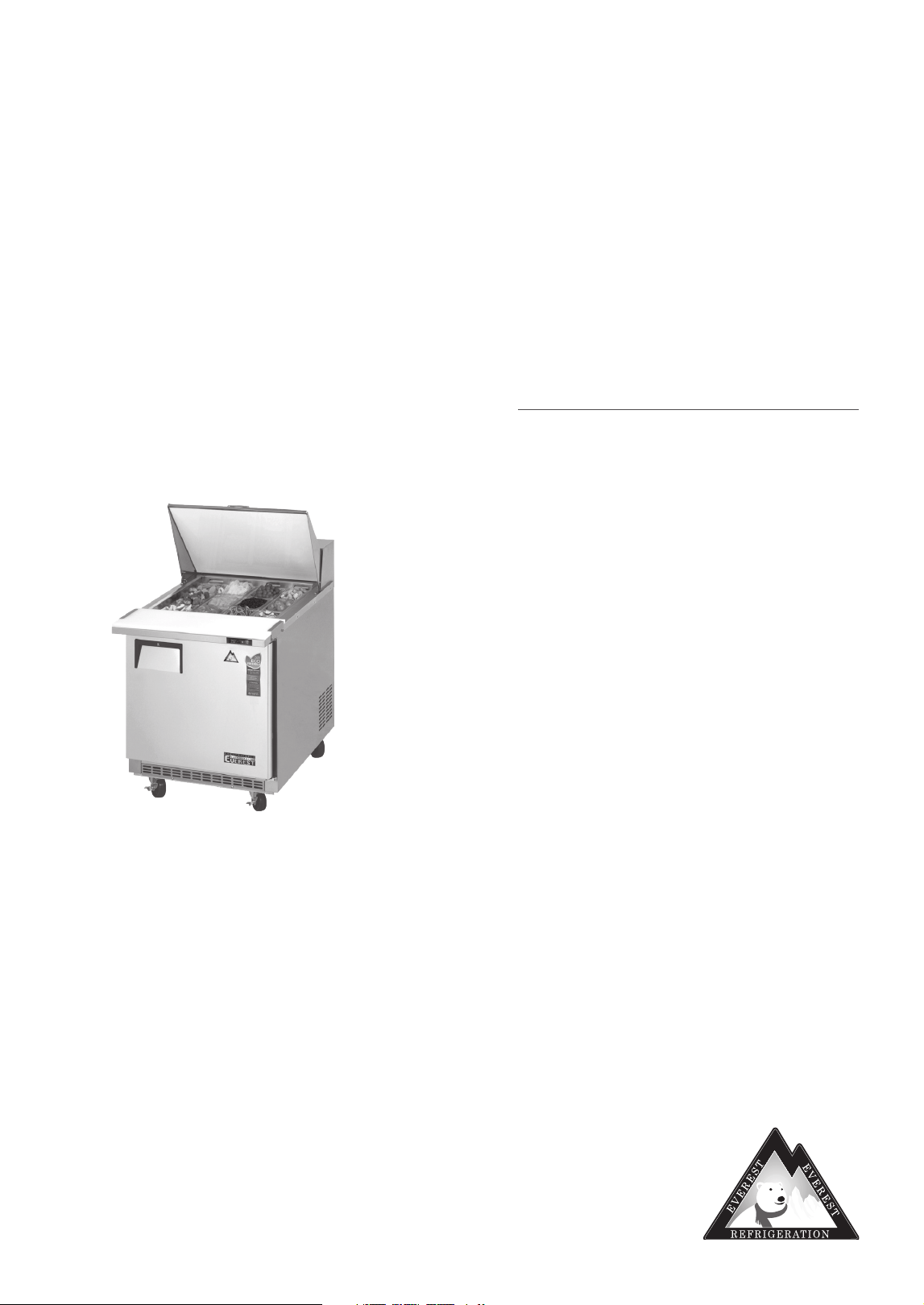
Everest Owner’s Manual
Food Prep Table Refrigerators
EPBR1, EPBSR2, EPBR2, EPBWR2, EPBR3, EPBNR1, EPBNSR2, EPBNR2,
EPBNWR2, EPBNR3, EPBNR1-D2, EPBNSR2-D2, EPBNR2-D4, EPBNWR2-D4,
EPBNR3-D2, EOTP1, EOTPS2, EOTP2, EOTPW2, EOTP3
Contents
Hydrocarbon Guidelines ............... 1, 2
Installation Instructions .................. 3–9
General Safety ..................................10
Electrical Safety ................................ 11
Operation ................................... 12–16
Care and Maintenance .......... 17,18,19
Troubleshooting Guide ..............20–22
Warranty Information ................. 23, 24
Hydrocarbon Guidelines
1
Hydrocarbon Guidelines
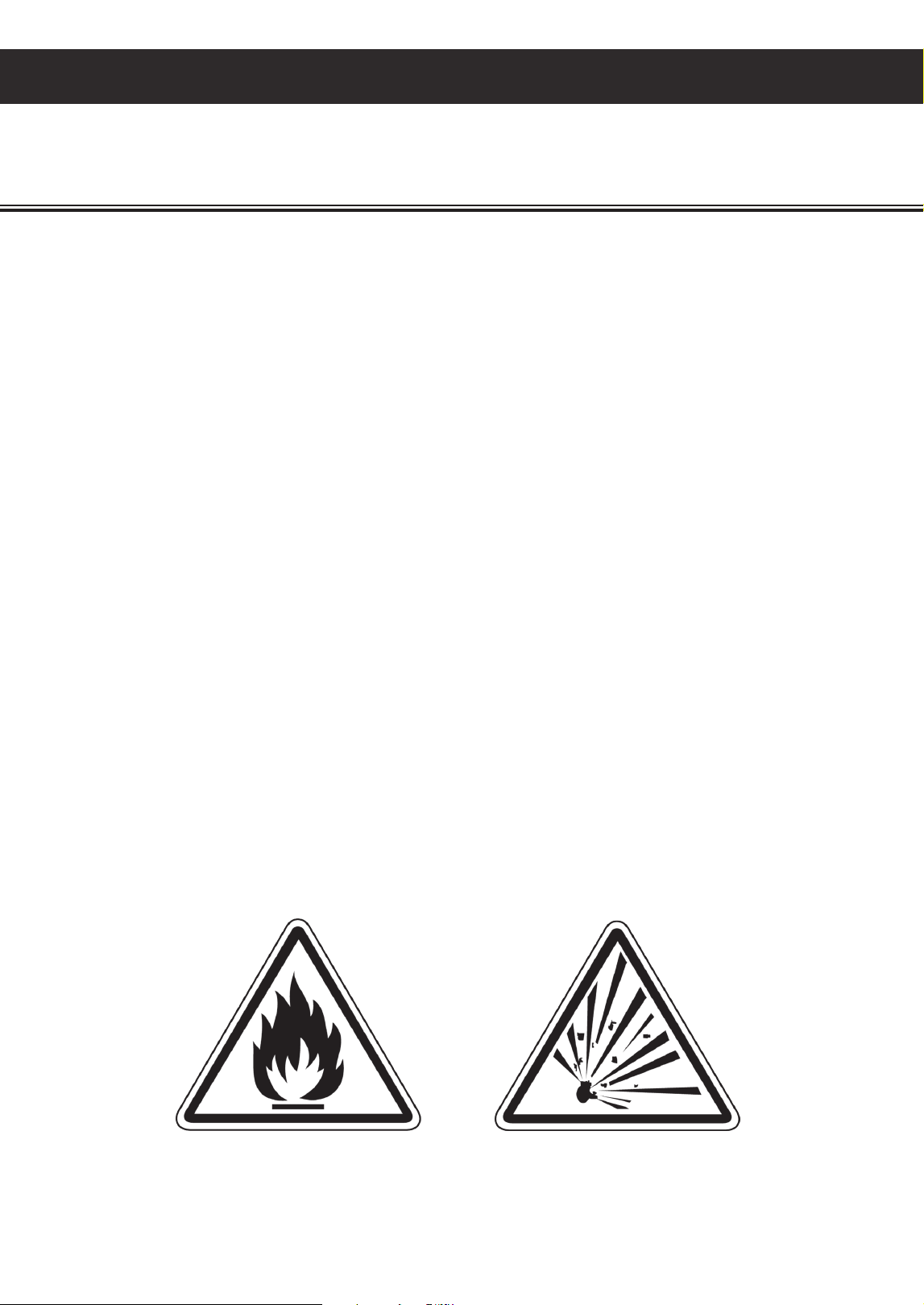
DANGER - Risk of fire or explosion. Flammable refrigerant used. Do not use mechanical devices or
other means to accelerate the defrosting process. Do not puncture refrigerant tubing.
DANGER - Risk of fire or explosion. Flammable refrigerant used. To be repaired only by trained service
personnel. Do not puncture refrigerant tubing.
CAUTION - Risk of fire or explosion. Flammable refrigerant used. Consult Service Manual or Owner’s
Manual before attempting to install or service this product. All safety precautions must
be followed.
CAUTION - Risk of fire or explosion. Flammable refrigerant used. Dispose of properly in accordance
with federal or local regulations.
CAUTION - Risk of fire or explosion due to puncture of refrigerant tubing; follow handling instructions
carefully. Flammable refrigerant used.
WARNING - THIS UNIT USES R290, A HYDROCARBON, PROPANE REFRIGERANT THAT IS
ENVIRONMENTALLY FRIENDLY BUT IS ALSO HIGHLY FLAMMABLE AND EXPLOSIVE. PLEASE
READ THIS MANUAL CAREFULLY AND FOLLOW ALL SAFETY PRECAUTIONS CONTAINED HEREIN
TO AVOID THE RISK OF FIRE OR EXPLOSION. FAILURE TO FOLLOW THE SAFETY PRECAUTIONS
MAY RESULT IN SERIOUS INJURY, OR DEATH, AND/OR PROPERTY DAMAGE.
This section applies to R290 Hydrocarbon units only. To identify the refrigerant type,
see the data plate in the cabinet interior.

Hydrocarbon Guidelines
2
PROPANE (R290) IS HIGHLY APPROVED FOR USE AS A REFRIGERANT IN COMMERCIAL,
SELF-CONTAINED UNITS IN THE US UNDER LIMITED USE CONDITIONS. IT CAN ONLY BE
USED IN NEW EQUIPMENT. BACKFITTING OR MODIFICATIONS OF OLD EQUIPMENT ARE
NOT ALLOWED. IT MUST BE CHARGED IN A STRICTLY LIMITED VOLUME OF UP TO 150
GRAMS (5.3 OZ) PER REFRIGERATION CIRCUIT. EVEN THOUGH THIS IS A SMALL AMOUNT,
IT STILL PRESENTS A FIRE OR EXPLOSION HAZARD IF IT LEAKS OUT OF PARTS THAT
HOLD REFRIGERANT. WHEN IT COMES IN CONTACT WITH AIR, A FLAMMABLE PROPANE-AIR
MIXTURE CAN BE CREATED AND EASILY IGNITED BY ELECTRICAL SPARKS, OPEN FLAMES OR
HOT SURFACES. THE RISK IS HIGHER IN SMALL, CONFINED, POORLY VENTILATED SPACES.
PROPANE WILL SETTLE AT LOWER ZONES BECAUSE IT IS HEAVIER THAN AIR. TO REDUCE
THESE RISKS, OBSERVE THE FOLLOWING PRECAUTIONS
• Avoid installation of unit in areas with open flames or in general vicinity of open flames or high
surface temperatures.
• Avoid unit installation in small, confined spaces. Ensure ample ventilation at all times. Keep all
exhaust vents free of any blockage or obstruction.
• Do not rely on smell to detect potential leaks of propane refrigerant. Propane refrigerant is a
high purity propane gas and does not contain odorants or stenching agents. These additives are
typically used in fuel-grade propane and natural gas in order to give them a distinctive smell which
makes it easier to detect leaks.
• General service and repairs must be performed in well-ventilated areas.
• General service and repairs must be performed only by professionals authorized by Everest
Refrigeration.
• Component shall be replaced with Everest-issued, like components to minimize the risk of possible
ignition resulting from incompatible parts or improper repairs.
• Do not modify, re-appropriate, or remove any functional part(s) from the unit.
• Handle the unit with care to avoid any damage.
• Practice safety guidelines when transporting the unit. Consult with your local Department of
Transportation for requirements in moving flammable gasses.
3
Installation Instructions
Installation Instructions
1. Inspect for any freight damage upon delivery
of the unit. If damage is detected, immediately
report it to an Everest representative. Everest
is not responsible for damage that occurs
during shipment.
2. Keep the unit upright at all times. The
compressor contains oil, refrigerant,
lubricants, and various chemicals. When tilted,
these fluids may shift and travel to sections
where they don’t naturally occur. This will
lead to system contamination and compressor
failure.
3. Some units require caster installation for
proper performance. Visit our website at
www.EVERESTref.com and enter your
product’s model number in the search field to
determine its caster requirements.
4. Do not place your hands under the top surface
lip or on the unit chassis when moving it to
avoid injury from sharp edges, protruding
parts or weight impact.
5. Select a location with good air ventilation.
Poor ventilation rapidly increases ambient
temperature. High ambient temperatures
exceeding 86°F (30°C) promote excessive
compressor activity in order to maintain the
desired cabinet temperature. This will result in
decreased performance, advanced component
failure and the risk of fire.
6. Position the unit so it’s front and right vents
are away from heat-generating equipment
such as stoves, ovens, etc. Heat sources
rapidly increase the temperature of the
immediate vicinity. High temperatures
exceeding 86°F (30°C) promote excessive
compressor activity in order to maintain the
desired cabinet temperature. This will result in
decreased performance, advanced component
failure and the risk of fire.
7. A distance of 6" is required for back side
and left side clearance. This ensures proper
ventilation and prevents overheating which
can lead to advanced component failure and
the risk of fire.
8. Select a location with a hard, leveled surface.
Use a leveling tool on the unit to ensure
proper alignment. Proper door function and
condensate removal is dependent on accurate
balance. Install the front leg stabilizers for
units that come standard with it to ensure
proper door / drawer functions and unit
stability.
9. Select a location close to an electrical wall
outlet to ensure direct connection without the
use of extension cords.
10. Select a location away from severe moisture
conditions. This may compromise the unit’s
electrical components and lead to electrical
shocks or the risk of fire.
11. Select a location that will not expose the unit
to extremely dusty conditions. Environments
with high dust and debris content will
significantly hasten condenser coil and
condenser coil air filter blockage and will
result in decreased performance, advanced
component failure, and the risk of fire.
12. Do not build an enclosure or cabinet around
the unit. This will restrict air ventilation
resulting in elevated compressor activity,
decreased performance, advanced component
failure, and the risk of fire.
13. The unit is not intended for use in food trucks.
Limited space, lack of ventilation, and ambient
temperatures exceeding 86°F (30°C) typical to
this setting will result in elevated compressor
activity, decreased performance, advanced
component failure, and the risk of fire.
14. The unit is intended for indoor use only.
Outdoor use will cause a decrease in
performance, advanced component failure,and
the risk of fire.
This section applies to all Everest products. Correct installation ensures proper performance
and longevity of your appliance. Professional installation by a trained refrigeration technician
and electrician is recommended. Warranty is void if the following guidelines are not met.
4
Installation Instructions
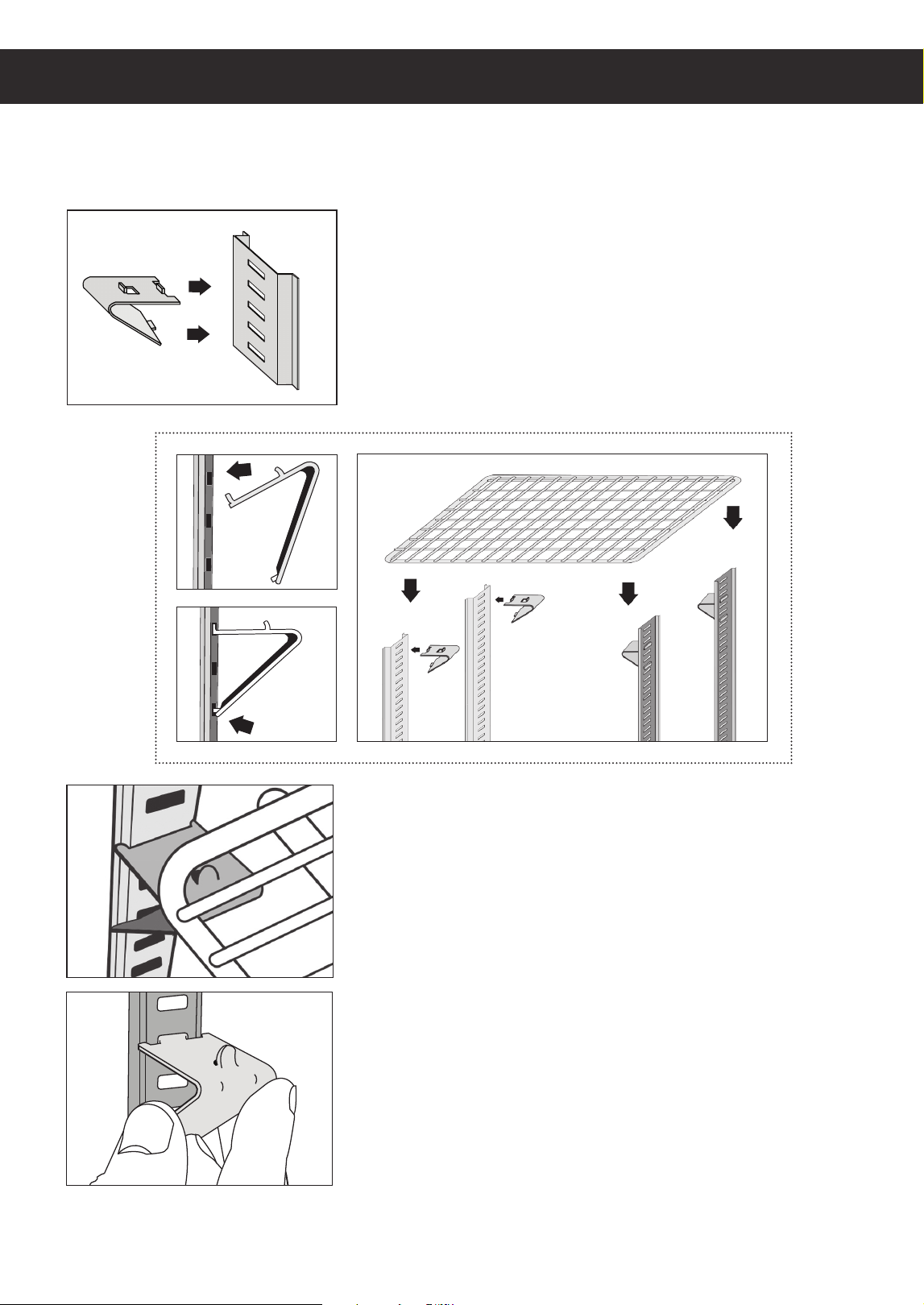
Shelf Installation
Some models come standard with shelves, shelf clips and notched pilasters.
Each shelf requires four clips.
1. Attach the shelf clips onto the pilasters by inserting
its top hook into a pilaster notch followed by the
bottom hook. Do not use pliers or other crimping
tools to modify the shape of the shelf clips. This will
result in shelf mounting instability.
2. Place shelves on the shelf clips making sure all
corners are mounted securely and evenly with
identical distance from the unit’s floor and up. Always
lay the back of each shelf down on the rear clips
before the front.
3. When removing a shelf, unmount the shelf from the
shelf clips. To detach the shelf clip from the pilaster,
tilt up the shelf clip until the bottom hook clears,
followed by the top hook.
5
Product Load Levels
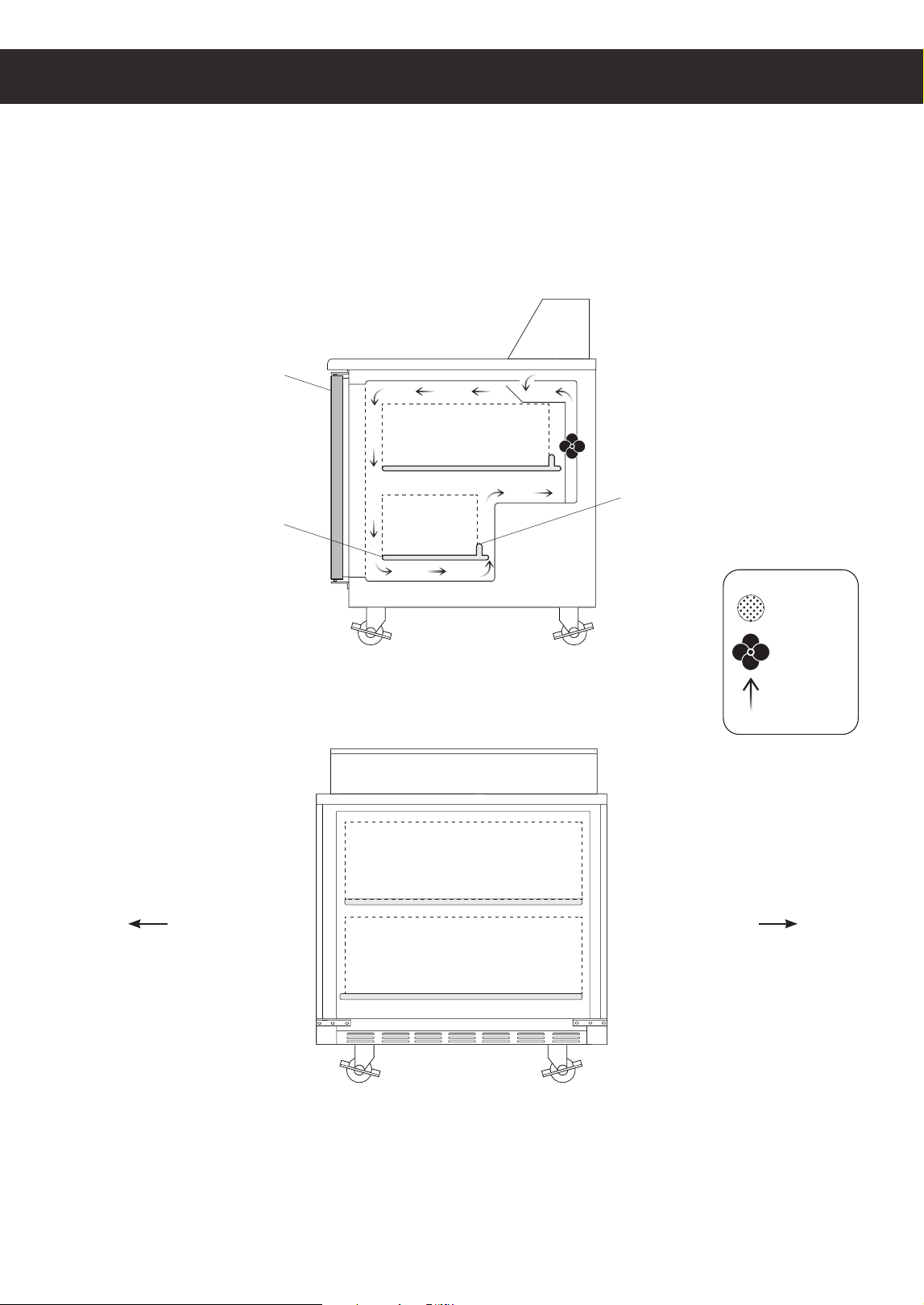
Models : EPBN, EPB, EOTP Series
Side View
Front View
Airflow Guard
Door
Shelf
Front Rear
Air Vent
Fan
Air Flow
9"
9"
9"
2"
9"
Installation Instructions
1
6
Installation Instructions
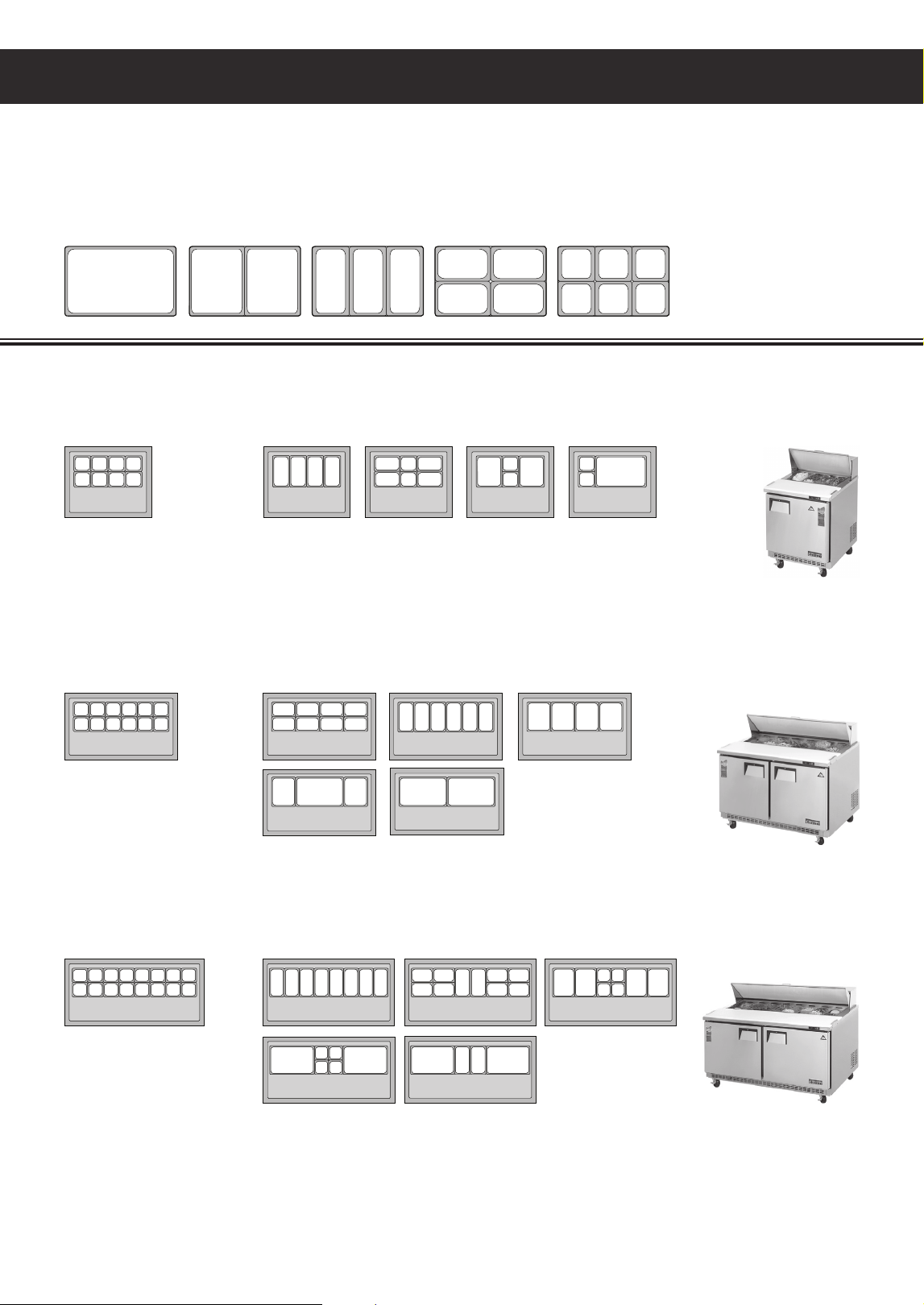
Top Pan Configuration
All food prep. table models come standard with top pans and pan dividers. Follow the top pan
configuration shown in the illustration. Always keep pans in their slots even when empty. This
ensures that refrigerated air does not escape
Pan Size Variations
Back Mount Sandwich Prep. Tables
incremental pan sizes
designed to fit in full size pan
opening in many variations.
1 (full) 1/2 1/2
1/4 1/4
1/6 1/6 1/6
1/6 1/6 1/6
1/4 1/4
1/3 1/3 1/3
EPBNR2 • EPBNR2-D4
Standard
(12) 1/6 size pans (6"deep)
w/ (5) pan dividers
1/6 1/4
1/3 1/2
1/2 1 1
EPBNR1
†
• EPBNR1-D2
†
• EPBNSR2 • EPBNSR2-D2
Standard
(8) 1/6 size pans (6" deep)
w/ (3) pan dividers
1/6
1/3
1/4
1/2 1
1/6 1/6 1/6
EPBNWR2
†
• EPBNWR2-D4
†
Standard
(16) 1/6 size pans (6" deep)
w/ (7) pan dividers
1/6 1/6
1/3
1/6
11
1/3
1/3
1/2
1/4
† : Pan count applicable for units manufactured from May 2016.
7
Installation Instructions
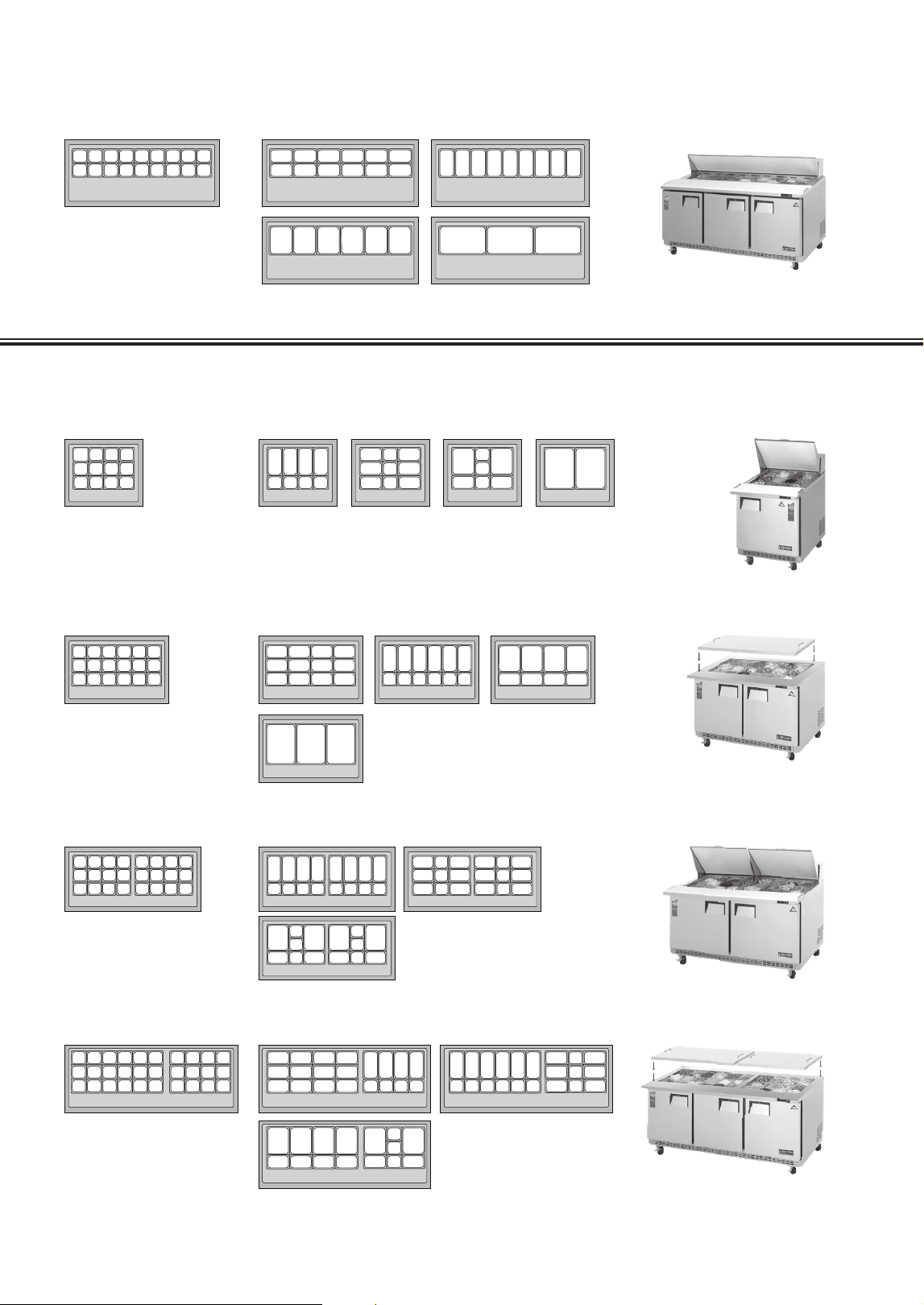
Back Mount Sandwich Prep. Tables (Continued)
EOTP1
†
• EPBR1
†
• EOTPS2 • EPBSR2
Standard
(12) 1/6 size pans (6" deep)
w/ (3) pan dividers
1/6
1/6
1/6 1/6
1/3
1/4
1/4
1/2
1
EPBNR3 • EPBNR3-D2
Standard
(18) 1/6 size pans (6" deep)
w/ (8) pan dividers
1/6 1/4
1/2
EOTPW2 • EPBWR2
Standard:
(24) 1/6 size pans (6" deep)
w/ (6) pan dividers
1/6
1/3
1/6
1/6
1/6
1/2
1/4
1/4
EOTP3 • EPBR3
Standard:
(30) 1/6 size pans (6" deep)
w/ (8) pan dividers
1/6 1/6
1/4
1/6
1/4 1/6
1/6
1/2 1/2
1/4 1/4
1/3
1
1/3
EOTP2 • EPBR2
Standard:
(18) 1/6 size pans (6" deep)
w/ (5) pan dividers
1/6
1/3
1
1/2
1/4
Open Top Prep. Tables & Back Mount Mega-Top Sandwich Prep. Tables
† : Pan count applicable for units manufactured from May 2016.
8
Installation Instructions
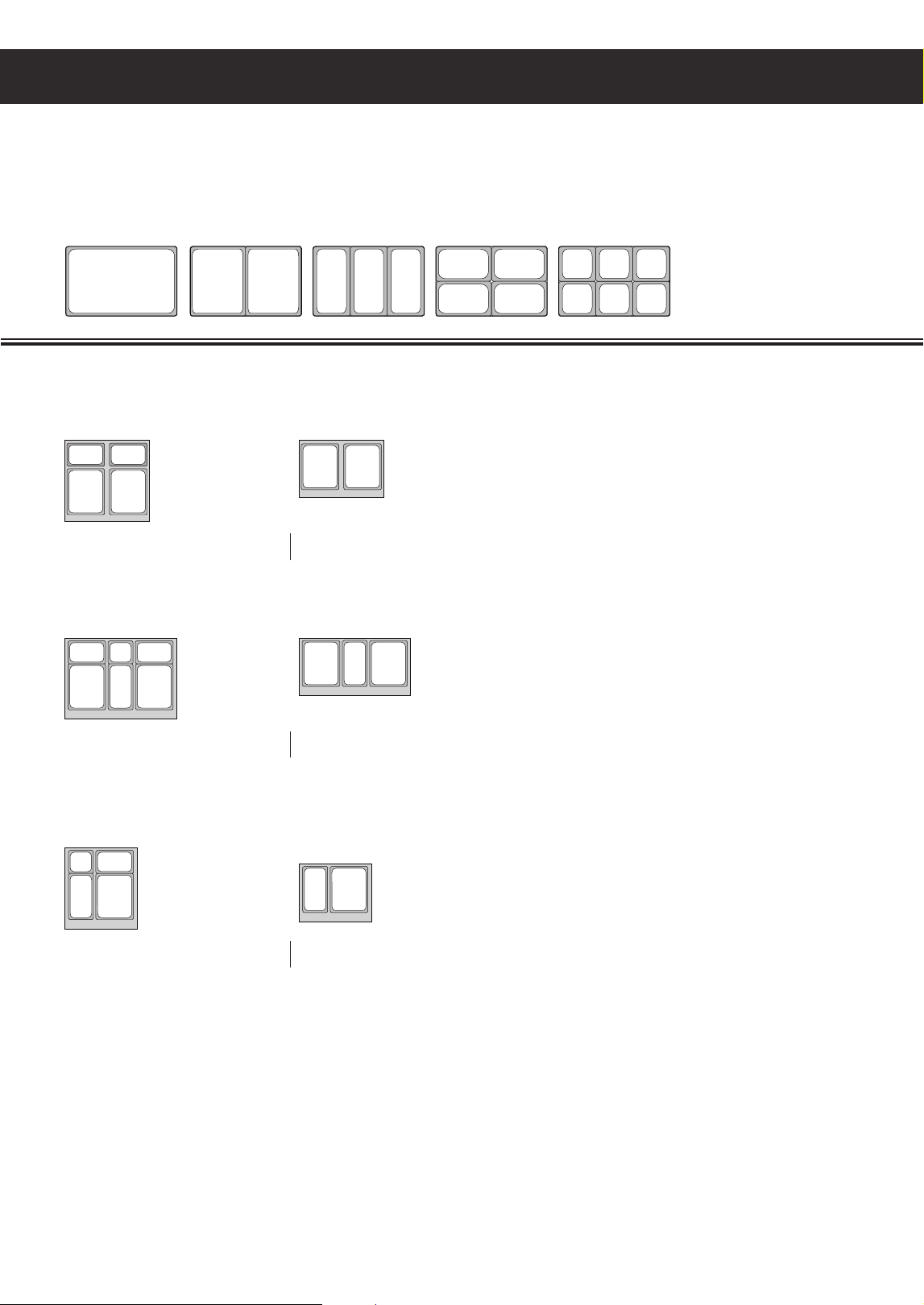
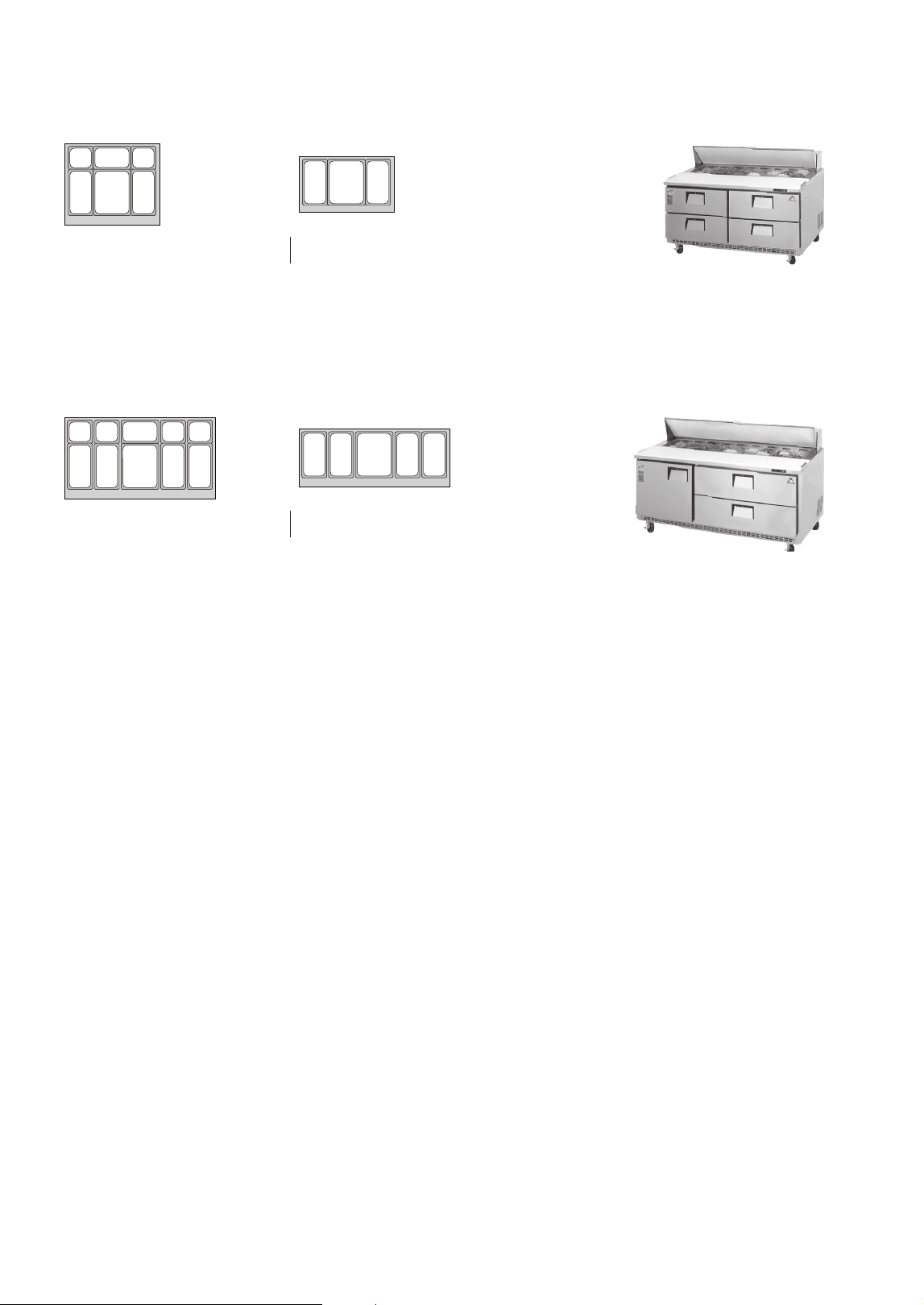
Drawered Pan Configurations
Some food prep. models are equipped with drawers. Drawer pans are not included with the
product as standard and must be purchased separately. Purchase standard pans according to
the size specified in the drawer pan configuration.
Pan Size Variations
incremental pan sizes
designed to fit in full size pan
opening in many variations.
1 (full) 1/2 1/2
1/4 1/4
1/6 1/6 1/6
1/6 1/6 1/6
1/4 1/4
1/3 1/3 1/3
EPBNR1-D2
†
EPBNSR2-D2
†
EPBNR2-D4
†
Drawered Sandwich Prep. Tables
Top Drawer (4" deep pan)
(1) Pan divider per drawer included
Bottom Drawer (6"deep pan)
Top Drawer (4" deep pan)
(2) Pan divider per drawer included
Bottom Drawer (6"deep pan)
Top Drawer (4" deep pan)
(1) Pan divider per drawer included
Bottom Drawer (6"deep pan)
1/4
1/4
1/4
1/6
1/6
1/3
1/3
1/2
1/2
1/2
1/2
1/2
1/2
1/3
1/3
*
: Custom pan dividers required to fit standard full sized pans. Contact manufacturer for details.
† : Drawer pans are not included in this product as standard and must be purchased separately.
9
Drawered Sandwich Prep. Tables (Continued)
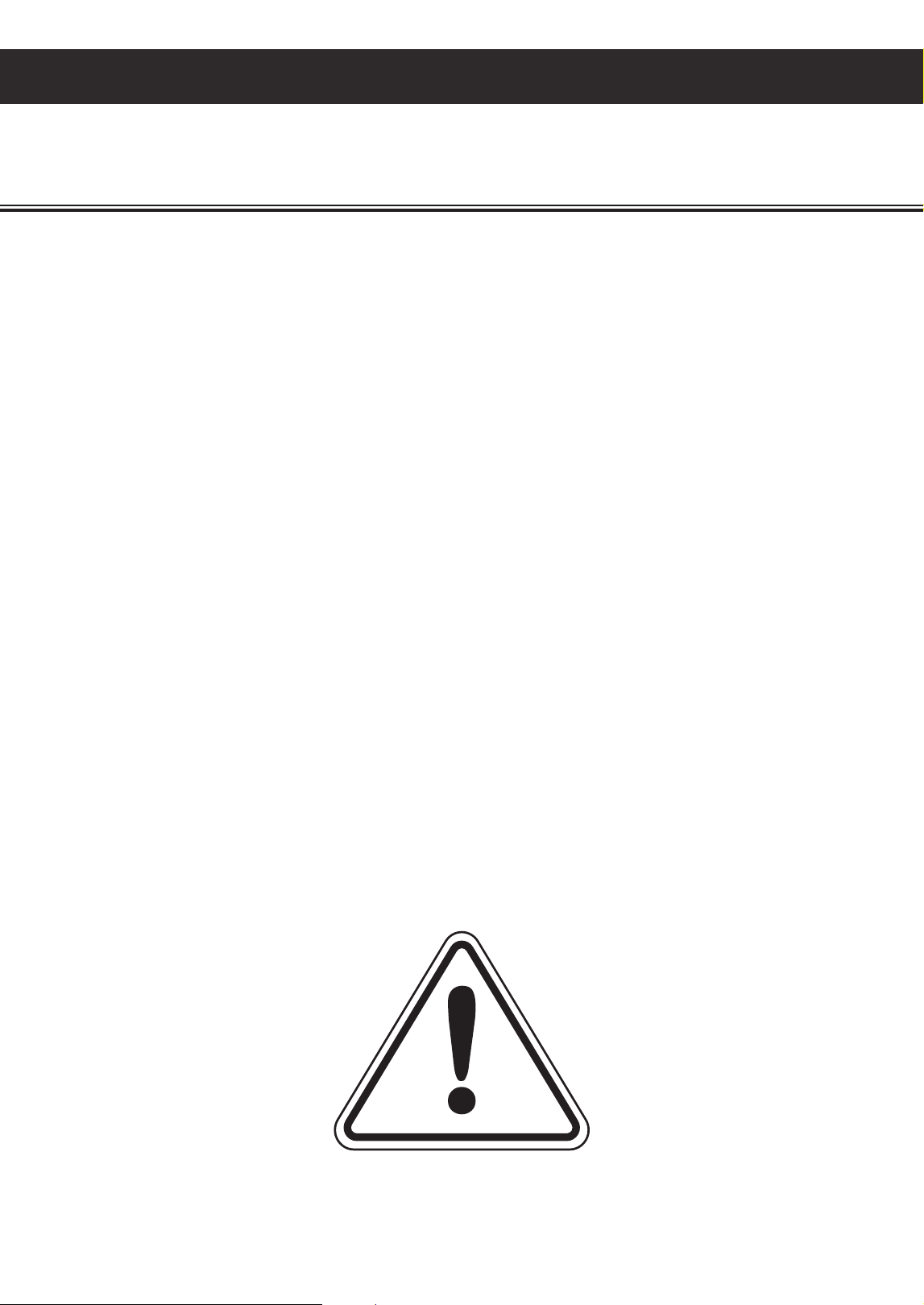
EPBNWR2-D4
†
*
EPBNR3-D2
†
Top Drawer (4" deep pan)
(2) Pan divider per drawer included
Bottom Drawer (6"deep pan)
Top Drawer (4" deep pan)
(4) Pan divider per drawer included
Bottom Drawer (6"deep pan)
1/4
1/4
1/6
1/6
1/3
1/3
1/2
1/2
1/2
1/2
1/3
1/3
*
: Custom pan dividers required to fit standard full sized pans. Contact manufacturer for details.
† : Drawer pans are not included in this product as standard and must be purchased separately.
Installation Instructions
10
General Safety
• Before the unit is used, it must be installed and connected according to the installation instructions
provided in this manual.
• Remove all packaging material and protective vinyl covering from the unit before it is used.
These items are flammable and can lead to a fire.
• Do not store or use gasoline or other flammable vapors and liquids in the vicinity of the unit.
Do not store combustible or explosive items and substances such as aerosol cans in or around
the vicinity of the unit.
• Do not place objects on or around the exhaust vents of the unit. This can cause overheating
which may lead to a fire or explosion. Objects may also fall when opening and closing doors
which may lead to serious injury.
• Do not place any weight on top of the unit nor use it as a stand. This can damage the unit’s
structural integrity.
• Do not touch the freezer interior if your hands are wet or damp. This may lead to freezer burn
or cause your skin to stick to the cold surface.
• If you suspect a refrigerant leak or a compromised refrigeration system, disconnect the unit,
and contact Everest Refrigeration immediately.
• When disposing the unit, remove all doors and trays to avoid any risk of injury or entrapment.
Ensure that the refrigerant in the condensing unit is properly disposed of by a qualified
refrigeration technician according to governmental codes, requirements, and regulations.
General Safety
This section applies to all Everest products. Use your appliance according to its designed
function as specified in this Owner’s Manual. Warranty is void if the following guidelines
are not met.
11
Electrical Safety
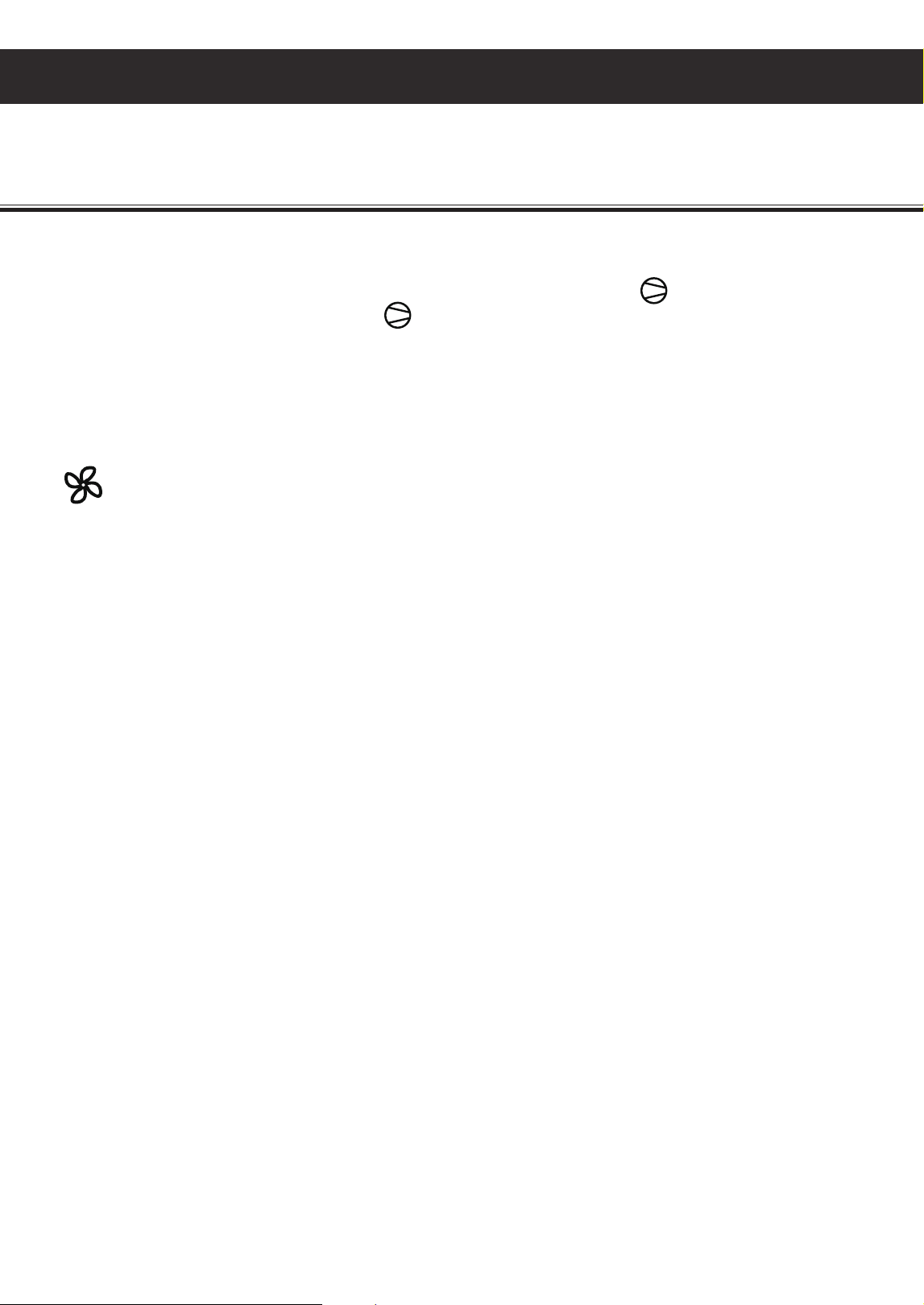
Everest units come as 115 volts, 60 hertz,
single phase.
Everest units in this family are equipped with a
NEMA 5-15P. A 15 amp breaker must be used
for units that come with a NEMA 5-15P plug.
The ground prong must not be removed to reduce
the risk of electric shock and related hazards.
If the grounding pin is missing, the cord must
be removed from use. If the outlet is a standard
2-prong outlet, it must be replaced with the
properly grounded 3-prong wall outlet. Only
a qualified electrician may install the correct
power source.
To guarantee electrical safety, the wall outlet and
circuit must be checked by a qualified electrician
to make sure it is properly grounded.
Remove debris from the power plug prongs
with a soft cloth or brush before connecting
it to an outlet.
Assign the unit to a dedicated, undamaged
electrical circuit with a voltage rating that
matches the data plate. Check the incoming
voltage with a multi-meter. This avoids the
overloading and overheating of circuit wires
which may lead to a fire.
Do not use extension cords, adapter plugs or
other third party electrical connections. Everest is
not responsible for issues resulting from improper
electrical connections, electrical power failures
and voltage fluctuations.
Everest does not recommend the use of
generators in conjunction with the unit due
to voltage fluctuations that may compromise
electrical components.
Turn off the unit using the power button before
unplugging. Wait at least 5 minutes before
re-plugging to prevent damage to the compressor.
Do not unplug the unit by tugging on the power
cord. Grip the plug and pull it securely out of the
outlet.
Prevent damage to the power cord by providing
sufficient clearance around and under the unit.
Do not use a power cord that shows cracks or
exposed wires. Power cords that have been
severely worn or damaged must be replaced
with original manufacturer parts and only by
an authorized technician.
Electrical Safety
115/60/1
NEMA 5-15R
This section applies to all Everest products. Basic safety precautions must be observed when
using electrical appliances in addition to the following. Warranty is void if these guidelines
are not met.
12
Operation Guidelines
Operation
Starting your Everest Product
After plugging in the unit, the current temperature and compressor symbol will appear on the
digital temperature control’s LED display. will flash at short intervals for 1 minute after which the
compressor(s) and condenser fan motor(s) will initiate. At the beginning of every compressor cycle,
the condenser fan motor is automated to rotate in reverse for 30 seconds in order to blow dust off the
condenser coil.
The evaporator fan motor(s) will initiate once the evaporator coil reaches a specific temperature
relative to the digital temperature control setting and for as long as the door is closed. A fan symbol
will appear on the LED display to indicate that the evaporator fan is running.
Allow the unit to operate for 24 to 72 hours before storing contents in the cabinet. This lets the cabinet
temperature fully stabilize. Use this time to verify proper installation and operation.
The interior light and evaporator fan motor is controlled by a door switch for door models.
The default temperature setting is 35.0°F (2.0°C) for refrigerators and -4.0°F (-20.0°C) for freezers.
The factory recommended temperature range is between 33.0°F (1.0°C) to 40.0°F (4.0°C) for
refrigerators and -5.0°F (-21.0°C) to 0°F (-18.0°C) for freezers. Setting the temperature outside of the
recommended range will cause performance issues and in some cases may result in component failure
that is outside of warranty coverage.
The compressor, condenser and evaporator fan motors run while the unit is on refrigeration cycle.
The compressor, condenser and evaporator fan motors stop running while the unit is on defrost cycle.
The unit is preset to defrost every 5-6 hours with a duration of 45 minutes or less depending on the
evaporator coil temperature. Changing the preset outside of the default range will result in cooling
issues and advanced component failure.
The digital temperature control is intended to read and display the cabinet’s air temperature, not actual
food product temperature. The displayed temperature may fluctuate due to frequent or prolonged door
operation. The most conclusive method to determine a unit’s cooling performance is to measure the
food product’s temperature using a digital food thermometer.
Use your Everest product according to its intended functions. Warranty is void if the following
guidelines are not met.
13
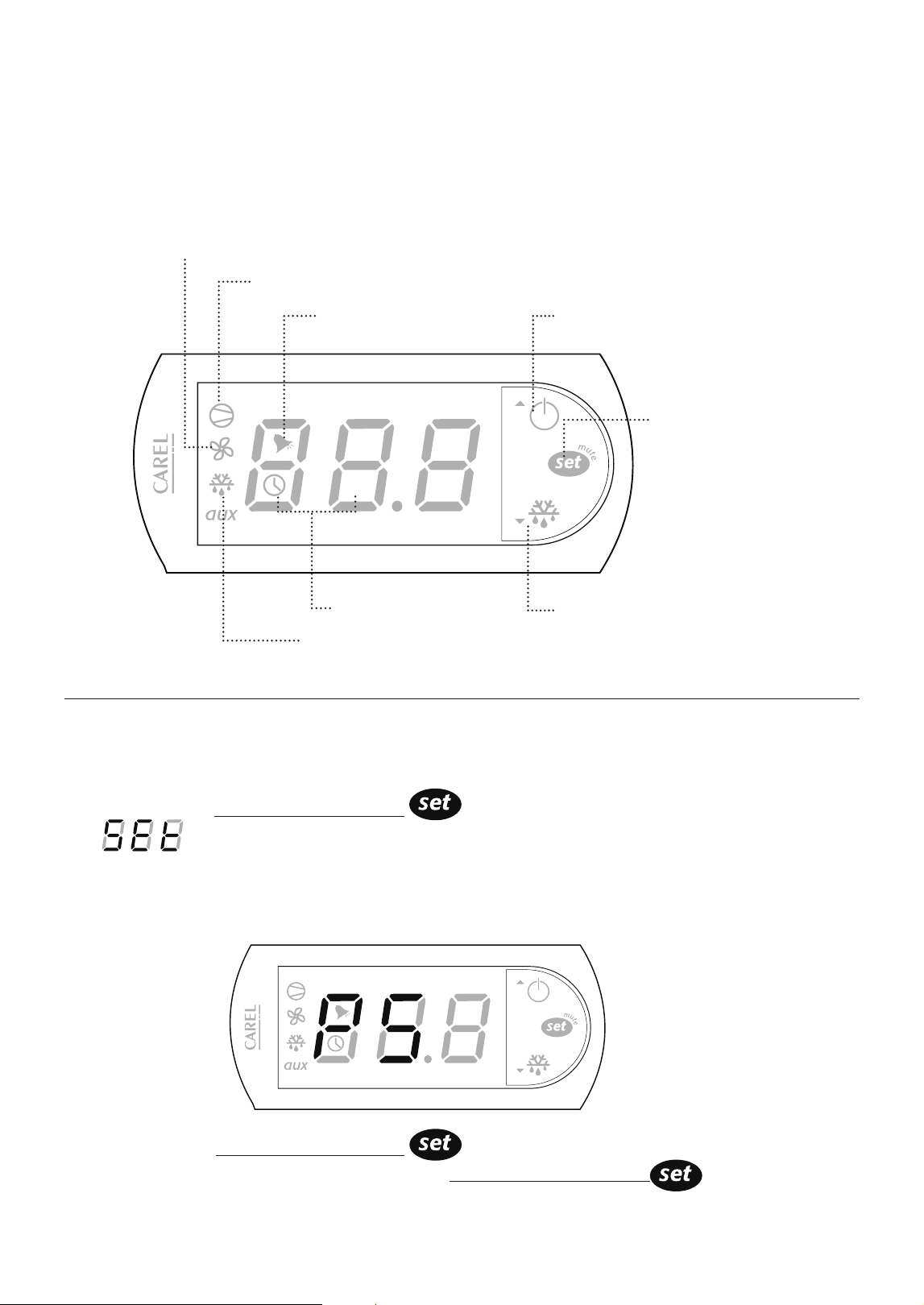
Everest units are equipped with a Carel Digital Temperature Control. The type of controller is
dependent on the model and production date.
Setting the Temperature
1. Press and hold Temperature Set Button for 2 seconds until the LED blinks
SET alternating with a number. The blinking number is the current set
temperature.
CAUTION: If PS appears on the LED
This means the Temperature Set button was held down longer than 3
seconds. To exit this mode and restart, press Temperature Set Button
Alarm in Progress
Compressor Running
Power / Up Button
Cabinet in Defrost
Manual Defrost / Down Button
Evaporator Fan Running
Temperature
Set Button
Cabinet Temperature
Carel ‘Easy’ Digital Temperature Control
Operation Guidelines
14
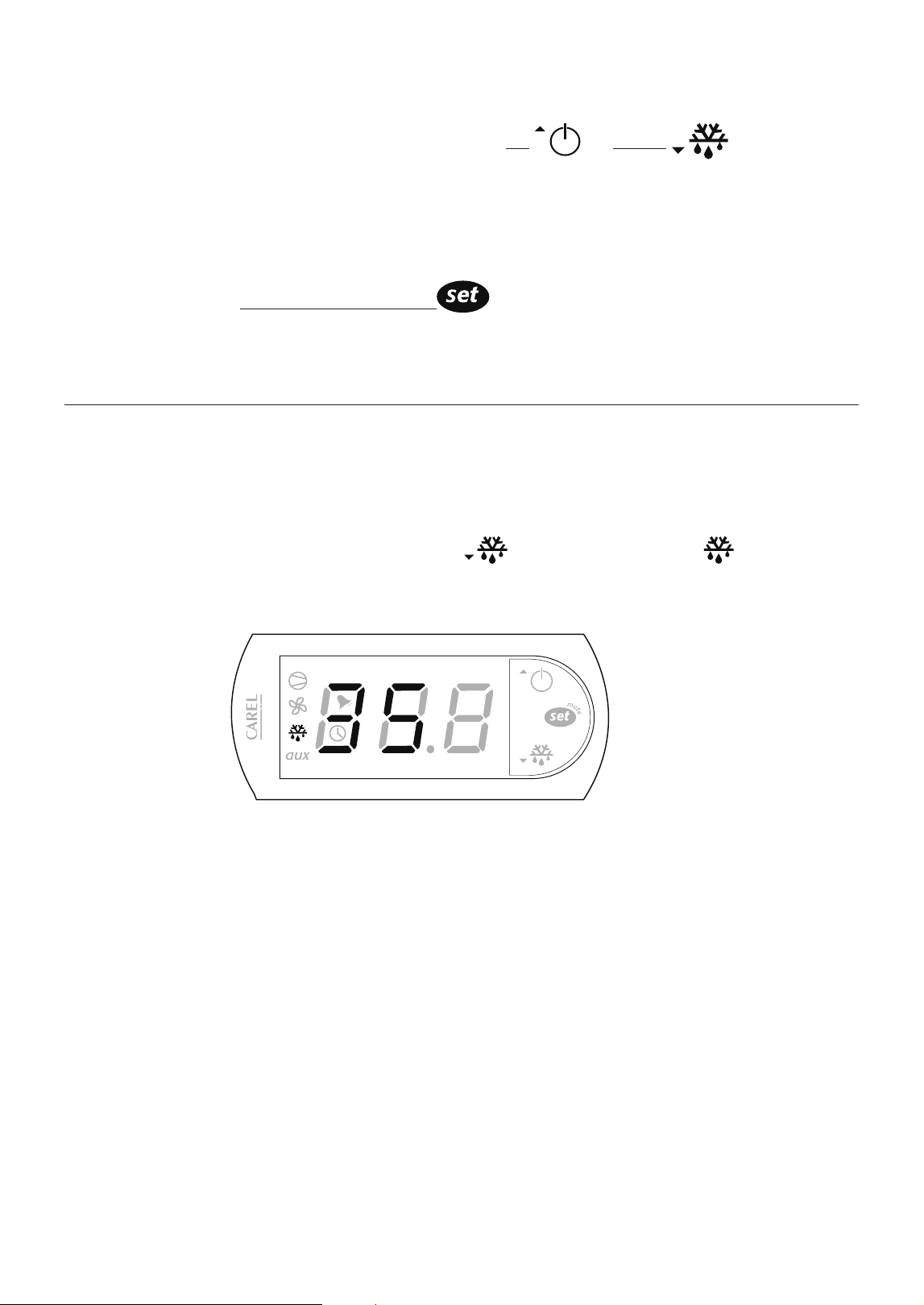
Manual Defrost / Down Button
2. Toggle through the desired temperature by pressing UP or DOWN The number
increases or decreases by a decimal point.
3. The recommended setting is 35.0°F (2.0°C) for refrigerators and -4.0°F (-20.0°C) for freezers.
The available temperature setting range is 33.0°F to 54.0°F (1.0°C to 12.0°C) for Refrigerators
and -10.0°F to 54.0°F (-23.0°C to 12.0°C) for Freezers.
4. Press and hold the Temperature Set Button for 3 seconds to save the new temperature
and exit the setting mode. The LED will return to the current cabinet temperature.
Initiating Manual Defrost
The controller has an automatic defrost cycle in place so initiating manual defrost is not
necessary unless there is an abnormal accumulation of ice around the evaporator coil.
1. Press and hold down the Manual Defrost Button until the Defrost Symbol
appears on the LED display.
The compressor, condenser and evaporator fan motors will stop running.
The refrigeration system will remain in defrost cycle for 45 minutes or until the
evaporator coil reaches the safety termination temperature setting.
Setting the Temperature ( continued )
Operation Guidelines
15
Setting the Temperature
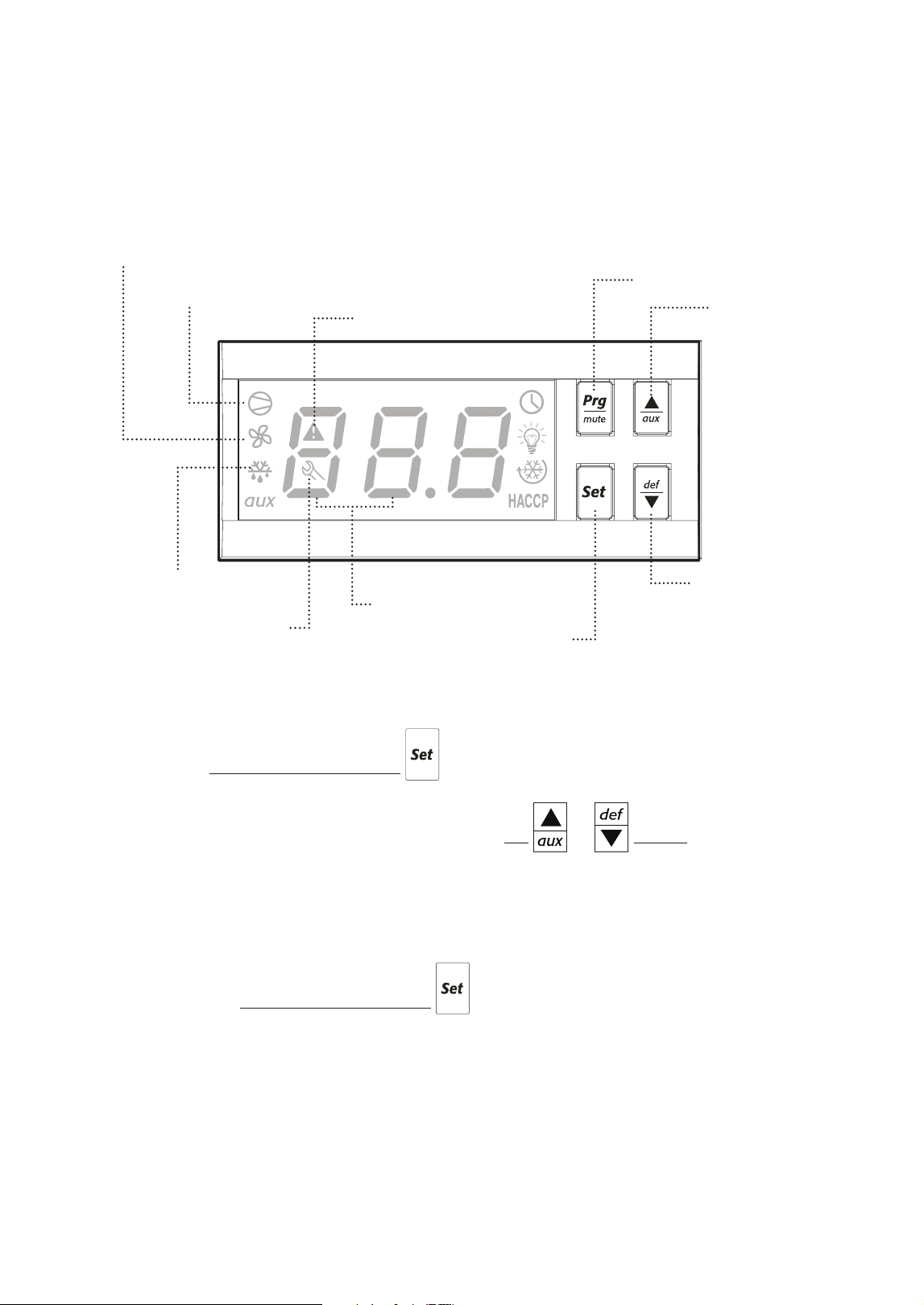
1. Press and hold Temperature Set Button for 2 seconds until a number blinks on the LED.
The blinking number is the current set temperature.
2. Toggle through the desired temperature by pressing UP or DOWN. The number
increases or decreases by a decimal point.
3. The recommended setting is 35.0°F (2.0°C) for refrigerators and -4.0°F (-20.0°C) for freezers.
The available temperature setting range is 33.0°F to 54.0°F (1.0°C to 12.0°C) for Refrigerators
and -10.0°F to 54.0°F (-23.0°C to 12.0°C) for Freezers.
4. Press and hold the Temperature Set Button for 3 seconds to save the new temperature
and exit the setting mode. The LED will return to the current cabinet temperature.
Everest units are equipped with a Carel Digital Temperature Control. The type of controller is dependent on
the model and production date.
Carel ‘ir33’ Digital Temperature Control
Compressor Running
Cabinet in Defrost
Evaporator Fan Running
Cabinet Temperature
Alarm in Progress
Error
Up Button /
Auxiliary
Down Button /
Manual Defrost
Program Button
Temperature Set Button
Operation Guidelines
16
Up Button /
Auxiliary
Down Button /
Manual Defrost
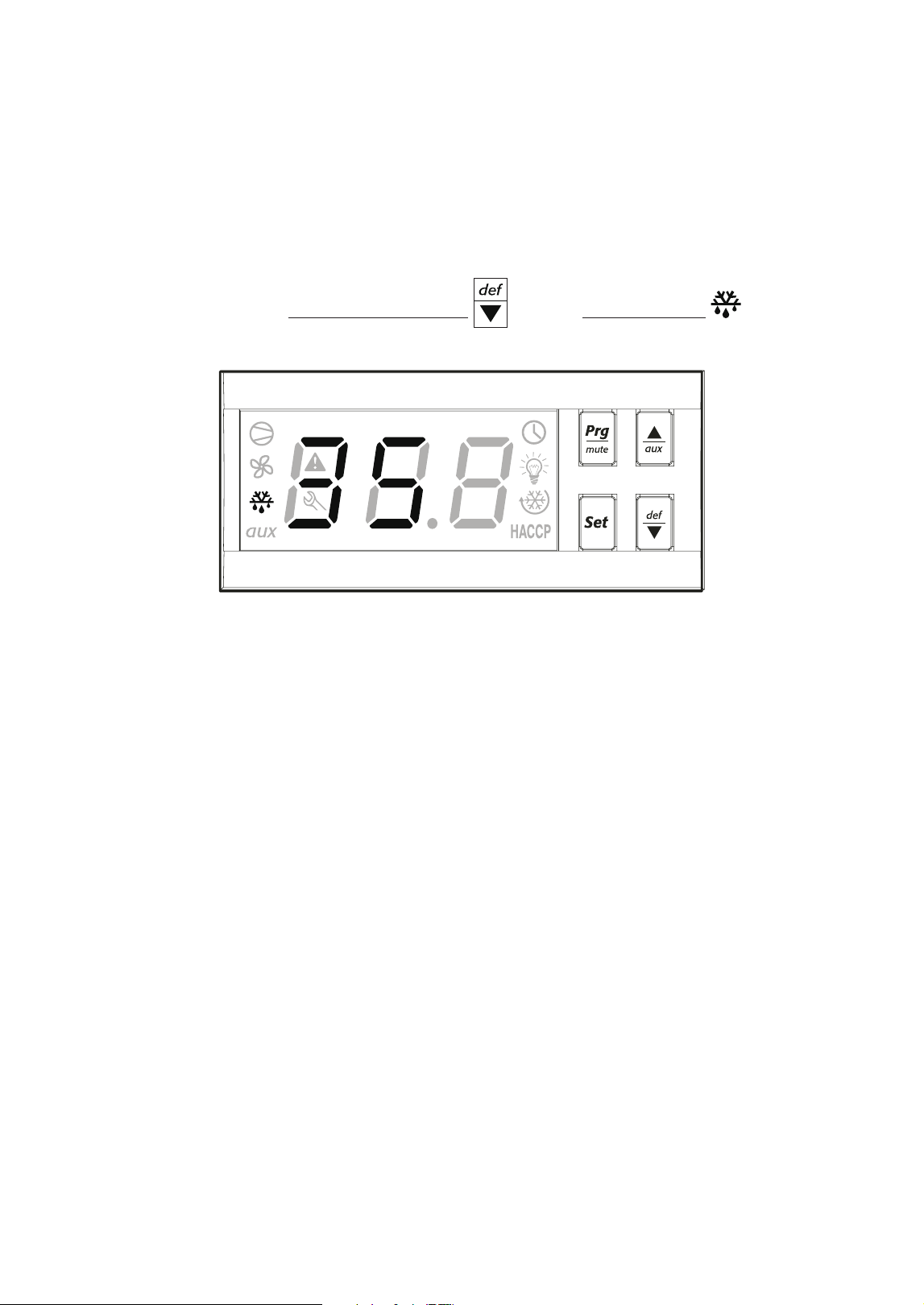
The controller has an automatic defrost cycle in place so initiating manual defrost is not necessary
unless there is an abnormal accumulation of ice around the evaporator coil.
1. Press and hold down the Manual Defrost Button until the Defrost Symbol appears on
the LED display.
The compressor, condenser and evaporator fan motors will stop running. The refrigeration system
will remain in defrost cycle for 45 minutes or until the evaporator coil reaches the safety termination
temperature setting.
Initiating Manual Defrost
Operation Guidelines
17
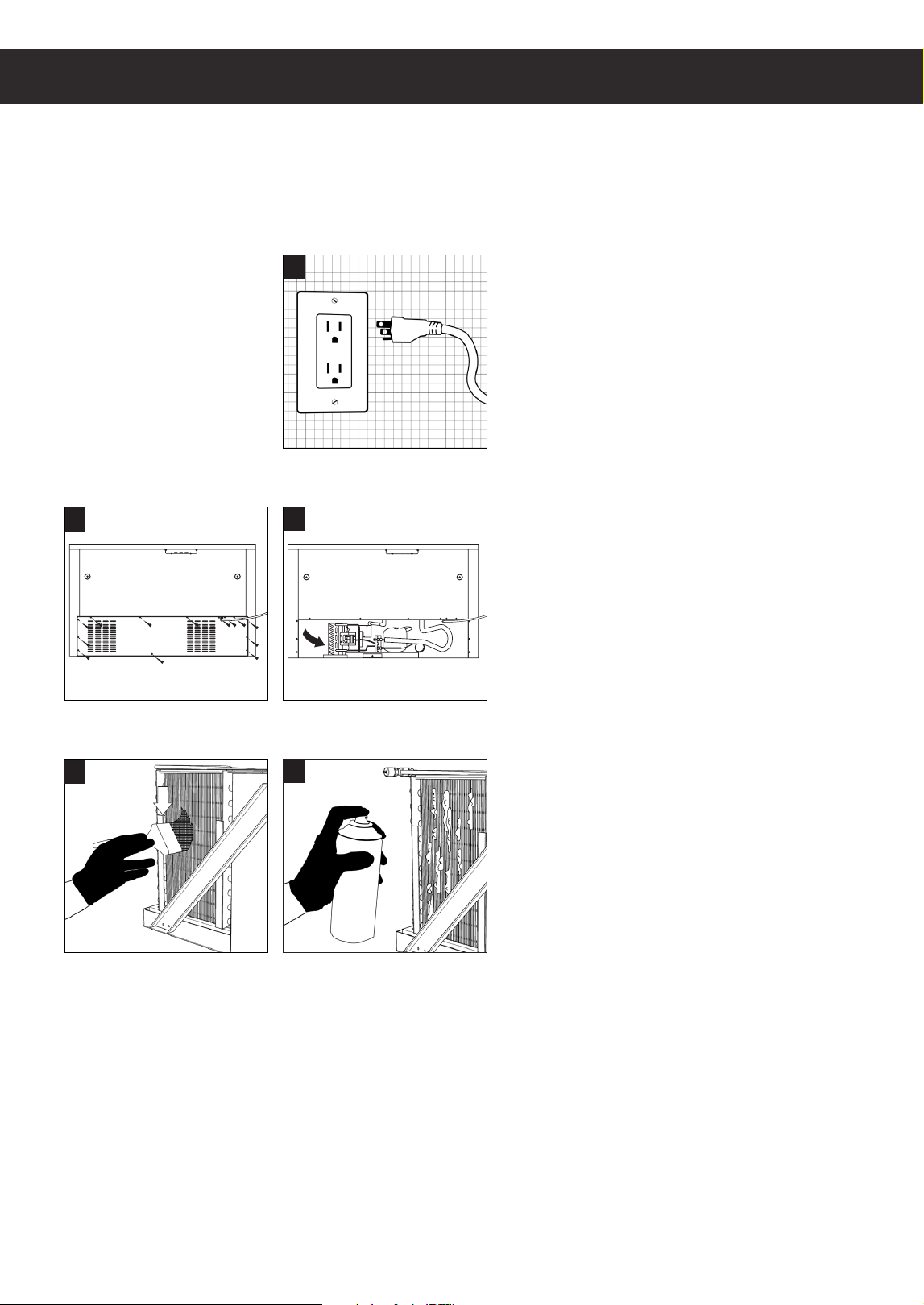
• Unplug the unit before cleaning, repairing or replacing parts.
• Do not spray the exterior of unit with water to avoid electric shock, component malfunction
or the risk of fire.
• Do not use any flammable cleaning products on or around the unit to prevent the risk of fire.
• Do not use household or industrial chemical cleaners, acidic or chlorine based solutions,
degreasers, wire brushes, scrapers, steel pads, acidic solutions or other abrasive products.
These will damage the stainless steel’s passivity layer resulting in advanced corrosion.
• The unit is equipped with a washable condenser coil filter. The filter builds up lint, dust and grease
overtime and will require monthly cleaning. A clogged condenser coil filter will result in decreased
performance, advanced component failure and a risk of fire. See page (18) for condenser coil filter
cleaning instructions.
• Conduct regular inspection and cleaning of the door gaskets to ensure that they are sealing
completely. Worn out or damaged gaskets will have gaps that will compromise cabinet
temperature leading to possible food spoilage or component failure.
• Clean the interior surface of the unit with mild soap and warm water. Do not let water accumulate
inside the unit. To prevent water damage, wipe the interior of the unit with a dry cloth as needed.
Do not use steel wool, strong acids, concentrated detergents, bleaches, cleaning waxes, polishers
and other abrasive cleaners. Do not allow moisture come in contact with electronic parts to avoid
the risk of fire.
• Clean the exterior of the product with a stainless steel cleaner to restore the condition and
passivation of the stainless steel surface. Do not use steel wool, strong acids, concentrated
detergents, bleaches, cleaning waxes, polishers and other abrasive cleaners. Do not allow
moisture come in contact with electronic parts to avoid the risk of fire.
• Acidic products and products containing vinegar must be stored in sealed containers to prevent acid
damage to the interior of the unit and the evaporator coil. Rust resulting from improper maintenance
is not covered under warranty.
Care and Maintenance
This section applies to all Everest products. Regular care and maintenance of your appliance
will significantly extend service life and dependability. In severe cases, lack of upkeep will
contribute to the rapid decline in performance and component health. Care and maintenance is
the product owner’s personal responsibility. Warranty is void if these guidelines are not met.
Care and Maintenance
5
2
3
4
1
18
Care and Maintenance
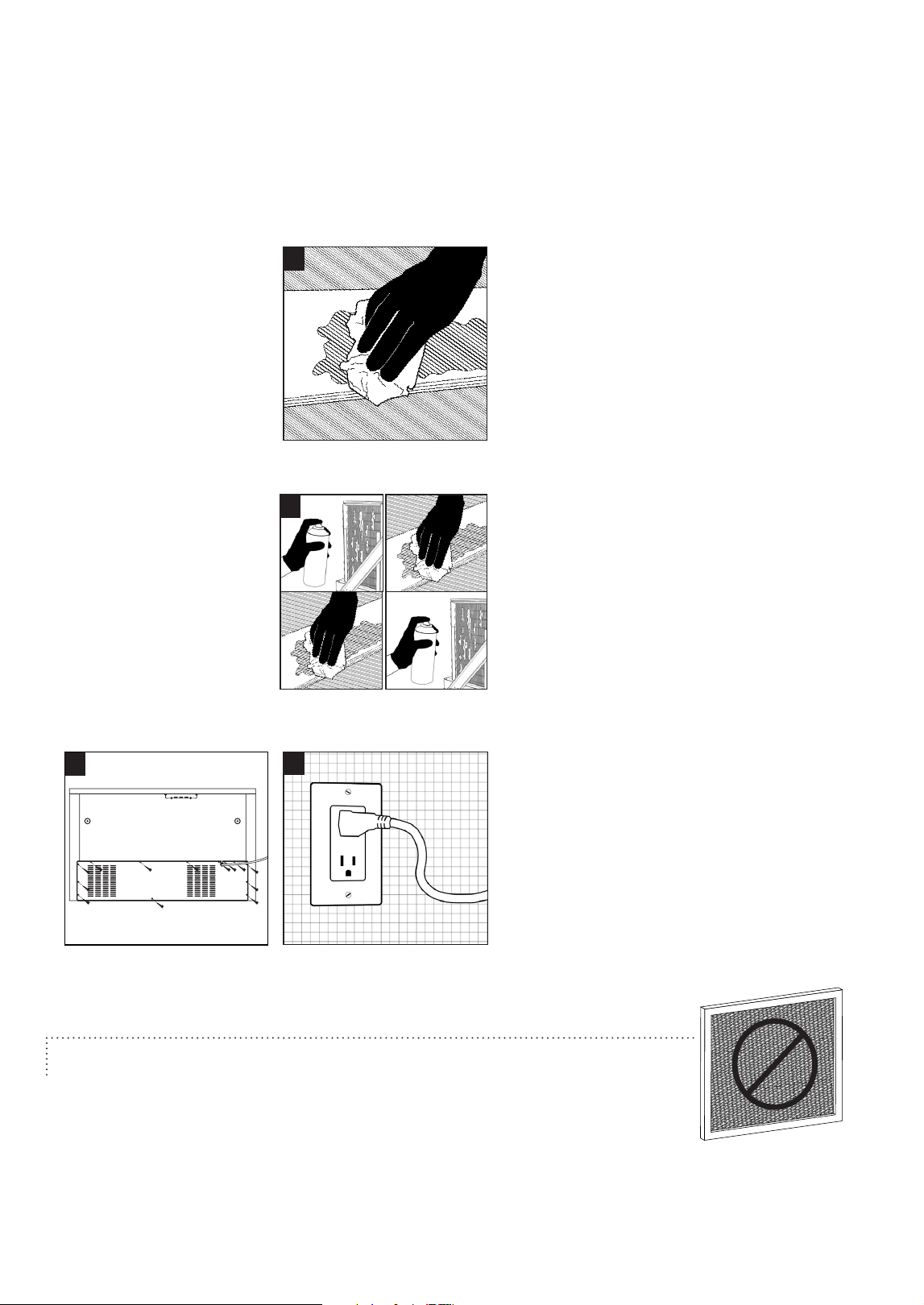
Condenser Coil Air Filter Cleaning Instructions
It is necessary to clean the condenser coil monthly to ensure that it is free of lint, dust and grease
build-up. Warranty is void if the following guidelines are not met.
1. Disconnect the unit from the outlet before
performing maintenance.
2. The condenser coil is behind the vented
grill at the back of the unit.
3. Remove all the screws from the back grill
and detach completely..
4. Use a long bristled brush in a vertical
sweeping motion to remove lint, dust and
debris from in between the metal fins of
the condenser coil. Do not apply heavy
pressure so as not to bend the fins..
5. Use a commercial condenser coil cleaner
for metal fins that are coated in grease.
Allow the cleaner to saturate the area.
Follow the recommended wait time
printed on the product packaging.
8
7
6
9
19
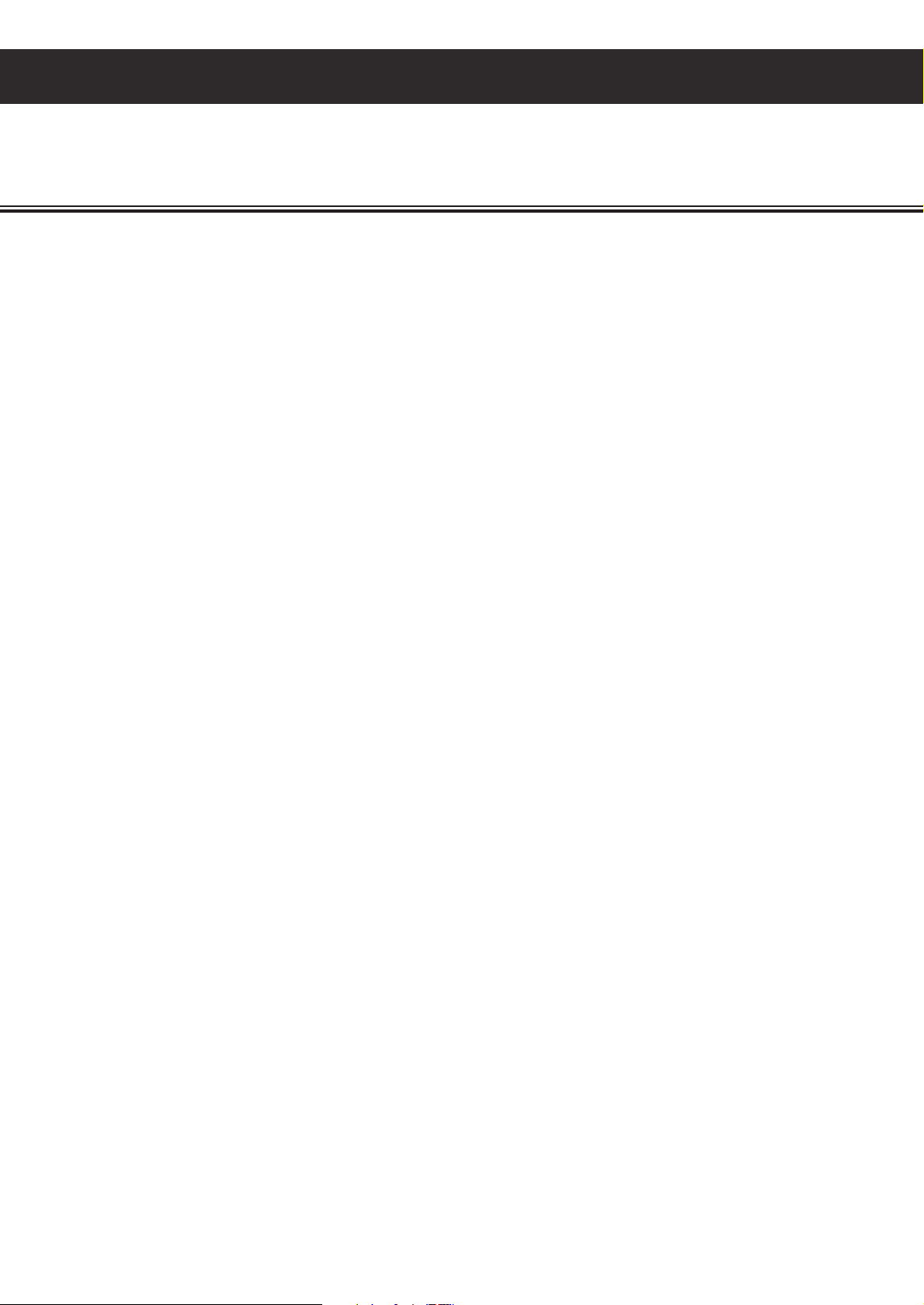
It is necessary to clean the condenser coil monthly to ensure that it is free of lint, dust and grease
build-up. Warranty is void if the following guidelines are not met.
Do not attach an aftermarket filter or screen around the condenser coil.
This constricts ventilation which leads to overheating, component failure
or the risk of fire.
Cleaning Instructions ( continued )
6. The grease and cleaning solvent will
pool at the base of the metal fins. Brush
the fins and wipe off any accumulated
residue.
7. Repeat the above steps until the metal
fins are clean. You should be able to see
in through and in between the metal fins.
8. Screw in the back grill securely.
9. Reconnect the unit to the designated
outlet.
Care and Maintenance
20
Troubleshooting Guide
Troubleshooting Guide
‘cht’ or ‘CHt’ appears on the LED alternating
with the current temperature and accompanied
by an audible alarm.
The condenser coil may be clogged with dust,
grime or debris. Clean it following the instructions
on page 18.
If the gasket is loose, reattach. Check product
placement in the cabinet as it may prevent the
drawer from fully closing. Make sure the front
legs are installed and slightly tilting up the front
of the unit.
The room’s ambient temperature may be higher
than 86°F (30°C). Provide ample ventilation or
additional cooling to the room or relocate the unit
to a larger space with lower ambient temperature.
The front and left side vents may be installed in
close proximity to heat sources such as ovens,
stoves, heaters or direct sunlight. Relocate the
unit away from these sources.
The unit may be installed without clearance or
proper ventilation. Provide additional exhaust
vents and observe the clearance allowance
specified on page 3 .
If a cooking equipment is mounted on the unit,
the distance of its heat source may be less than
6”. Adjust the elevation of the cooking equipment
to keep minimum of 6” from its heat source and
the unit’s top surface.
The compressor, fan motors or entire system
fails to start
The ON/OFF switch may be set to OFF. Turn to
the ON position and wait for the LED and motors
to show signs of operation.
The power cord may not be connected. Check
for proper connection. In cases of damage to the
power cord or plug, immediately mark the unit as
out of order until the damaged part is replaced.
The outlet may not be sending power or the
power supply breaker may be switched off. Unplug
the unit and contact a licensed electrician for
inspection and/or repairs.
The compressor operates continuously or for
prolonged periods.
The condenser coil may be clogged with dust,
grime or debris. Clean it following the instructions
on page 18.
The drawer or gaskets may not be sealing
properly. If the gasket is loose, reattach. Check
product placement in the cabinet as it may
prevent the drawer from fully closing. Make sure
the front legs are installed and slightly tilting up
the front of the unit.
The evaporator coil may be blocked with ice.
Defrost it following the instructions in Chapter
5. Normally, evaporator coils will self-maintain
with automated defrost cycles. If the evaporator
coil ices up frequently, re-assess placement of
food items in the cabinet as it could obstruct cold
air circulation. Food items must not touch the
wall or floors of the cabinet and stay within the
boundaries of the drawer pan to prevent blockage
of air flow.
The room’s ambient temperature may be higher
than 86°F (30°C). Provide ample ventilation or
additional cooling to the room or relocate the unit
to a larger space with lower ambient temperature.
The back and right side vents as well as the top
pan section may be installed in close proximity to
heat sources such as ovens, stoves, heaters or
direct sunlight. Relocate the unit away from these
sources
In most cases, your Everest product may be exhibiting behavior that is typical
of standard operation. Observe the following when troubleshooting symptoms.

21
Troubleshooting Guide
The unit may be installed without clearance or
proper ventilation. This forces the compressor to
operate constantly in order to maintain cabinet
temperature. Provide additional exhaust vents and
observe the clearance allowance specified on
page 3.
A top pan may not be installed. This creates an
open gap for warm air to enter and cold air to
escape. Keep all pans in their slots even when
empty.
The cabinet temperature is too warm.
The condenser coil may be clogged with dust,
grime or debris. Clean it following the instructions
on page 18.
The drawer or gaskets may not be sealing
properly. If the gasket is loose, reattach. Check
product placement in the cabinet as it may
prevent the drawer from fully closing. Make sure
the front legs are installed and slightly tilting up
the front of the unit.
The evaporator coil may be blocked with ice.
Defrost it following the instructions on page in
Chapter 5. Normally, evaporator coils will self-
maintain with automated defrost cycles. If the
evaporator coil ices up frequently, re-assess
placement of food items in the cabinet as it could
obstruct cold air circulation. Food items must
not touch the wall or floors of the cabinet and
stay within the boundaries of the drawer pan to
prevent blockage of air flow.
The temperature may be set too high. Adjust the
setting to 35.0°F (2.0°C) for refrigerators or -4.0°F
(-20.0°C) for freezers.
Hot food items may have been placed in the
cabinet. Store only room temperature food items.
The room’s ambient temperature may be higher
than 86°F (30°C). Provide ample ventilation or
additional cooling to the room. Relocate the unit
from extremely small spaces without ventilation.
The room’s ambient temperature may be higher
than 86°F (30°C). Provide ample ventilation or
additional cooling to the room. Relocate the unit
from extremely small spaces without ventilation.
The unit may be installed in close proximity to
heat sources such as ovens, stoves, heaters or
direct sunlight. Relocate the unit away from these
sources.
The unit may be installed without clearance or
proper ventilation. Provide additional exhaust vents
and observe the clearance allowance specified on
page 3.
A top pan may not be installed. This creates an
open gap for warm air to enter and cold air to
escape. Keep all pans in their slots even when
empty.
Food items are frosting over.
The temperature may be set too low. Adjust the
setting to 35.0°F (2.0°C) for refrigerators or -4.0°F
(-20.0°C) for freezers.
The placement of food items in the cabinet may
be obstructing circulation of refrigerated air. This
creates uneven temperature in the cabinet with
pockets of very cold air that may cause items to
frost or freeze over. Food items must not touch
the wall or floors of the cabinet and stay within the
boundaries of the food pan to prevent blockage of
air flow.
Condensation in the interior cabinet.
The drawer or gaskets may not be sealing properly.
If the gasket is loose, reattach. Check product
placement in the cabinet as it may prevent the
drawer from fully closing. Make sure the front legs
are installed and slightly tilted towards the front of
the unit.
Hot food items may have been stored in the
cabinet. The interaction between hot and cold
temperatures will promote condensation.
Mild condensation in warmer ambient temperature
conditions may occur due to frequent or prolonged
drawer operation.

22
Troubleshooting Guide
Condensation on the unit’s exterior surfaces.
Highly humid environments will contribute to
the condensation build up on exterior panels.
Providing ample ventilation and air movement to a
space will reduce the humidity level.
The door, drawer or gaskets may not be sealing
properly. If the gasket is loose, reattach. Check
product placement in the cabinet as it may
prevent the drawer from fully closing. Make sure
the front legs are installed and slighting tilting up
the front of the unit.
Unsealed or open food items may have been
stored in the food pans overnight causing
condensation to drip from the interior pan lid to
the exterior worktop surface. The top pan section
is not meant for overnight storage because of the
moisture generated by food items.
Noise level during unit operation.
It is normal for commercial grade compressors
and components to have a higher decibel output
compared to residential counterparts.
The unit may not be balanced evenly. Poorly
leveled units may cause components or fittings
to misalign or disengage during operation. This
may produce noise as a direct result of repeated
surface friction or impact.
The unit may not be securely mounted to the
floor. This may produce noise as a direct result of
repeated surface friction or impact.
Some sounds are normal for the refrigeration
process. A dripping sound, for example, is
the result of refrigerant circulation during the
compressor rest period.
.
Some sounds are normal for the refrigeration
process. A dripping sound, for example, is
the result of refrigerant circulation during the
compressor rest period.
23
Warranty Information
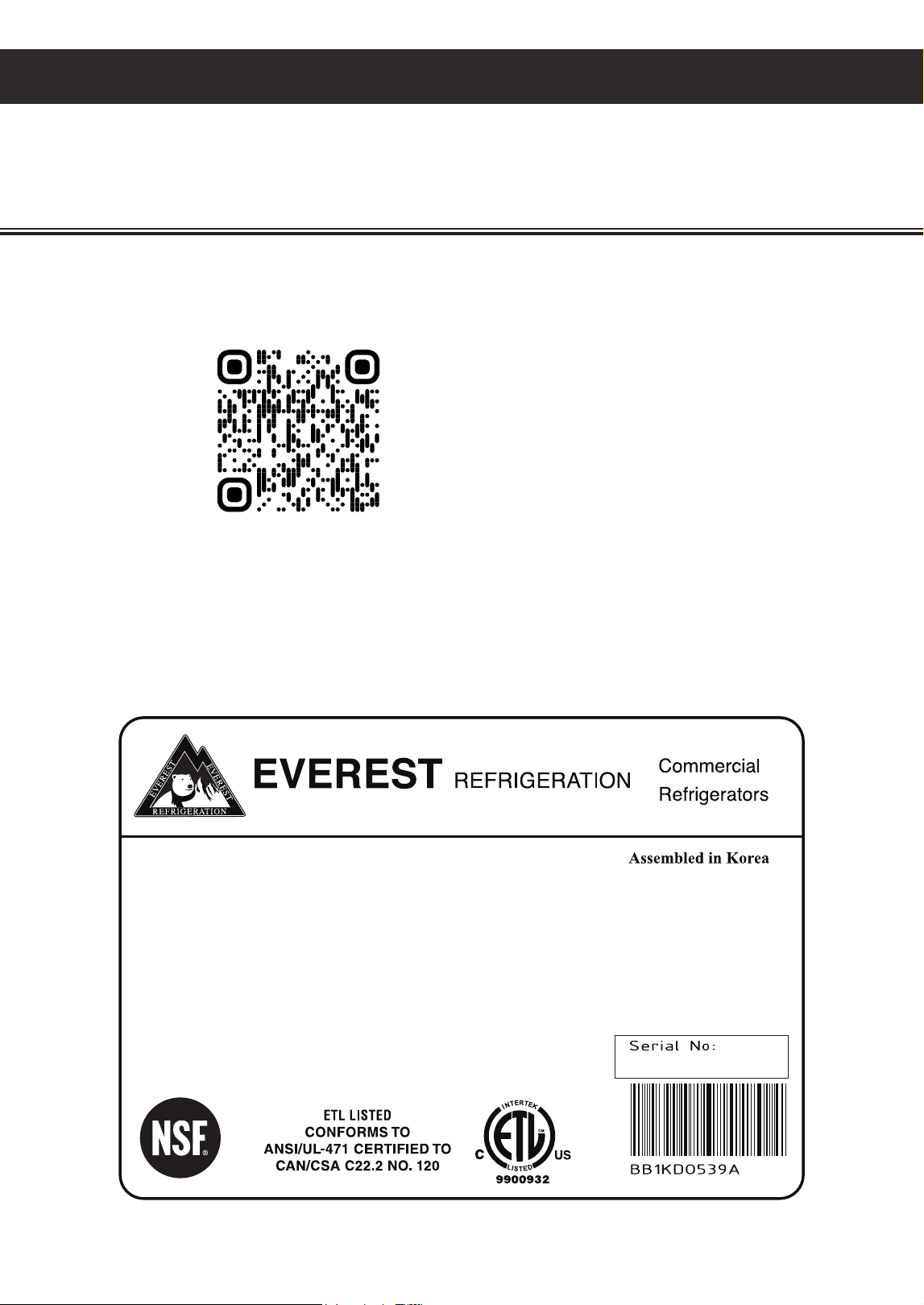
You may register online at www.EVERESTref.com or use your smart phone to scan the QR code below:
Product Identification:
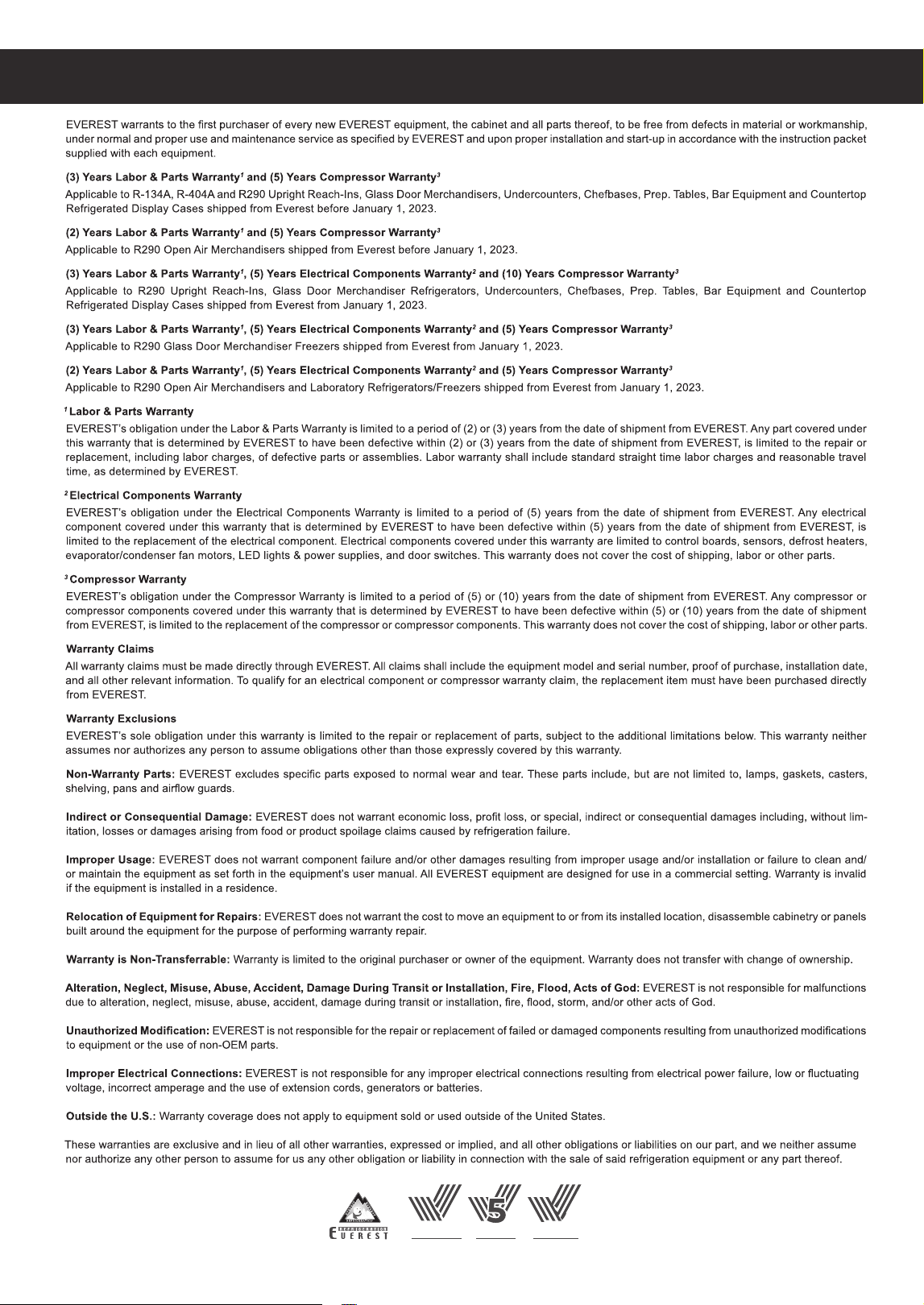
The product data plate is a permanently affixed label that contains the model, serial, barcode numbers,
and refrigeration data of your Everest product. The tag is located on the rear or side of the unit exterior.
Please retain this information for warranty-related purposes.
Registering your new appliance is important. In the unlikely event a safety notification or
warranty service is required, we will have the means to contact you. Your completed appliance
registration also verifies your ownership in the event of an insurance loss or theft.
Warranty
18
Product Identification
The product data plate is a permanently affixed label that contains the model, serial, barcode numbers
and refrigeration data of your Everest product. This tag is located in the upper left or right interior
compartment for models with doors, or the exterior left or right exterior housing for models with
drawers. Please retain this information for service-related purposes.
8. Warranty Information
Register your Everest product within thirty (30) days of purchase to take full advantage of warranty
services. Successful registration will expedite and help prevent complications in processing
service requests.
Warranty Registration
You may register online at www.EVERESTref.com or send a completed warranty registration to:
Everest Refrigeration
Warranty Department,
201 W. Artesia Blvd.,
Compton, CA 90220
MODEL : ESR1
COMPRESSOR : 1/8 HP
REFRIGERANT : R290
* Use of other than specified refrigerant voids warranty
REFRIGERANT CHARGE : 3.17 Oz
ELECTRICAL :
115VX1Phx60Hz
TOTAL AMPS : 3.27A (COMP RUN)
HIGH PRESSURE TEST : 218PSIG.
LOW PRESSURE TEST : 38PSIG.
* Do not clean label with solvent
ESC47L
BTR1XXXXXXXX
1. Open the camera app.
2. Point the camera at the QR code.
3. Scan and launch the QR code.
Warranty Registration
24
Warranty Certificate
YEAR S
PARTS & LABOR
3
3
YEAR S
COMPRESSOR
10
10
YEAR S
ELECTRICAL
201 W. Artesia Blvd., Compton, CA 90220
Tel: 800-444-6285 / 310-323-6586
Fax: 310-323-7524 / 310-761-1127
www.EVERESTref.com
A Step Above The Standard
v101722