U50QM10

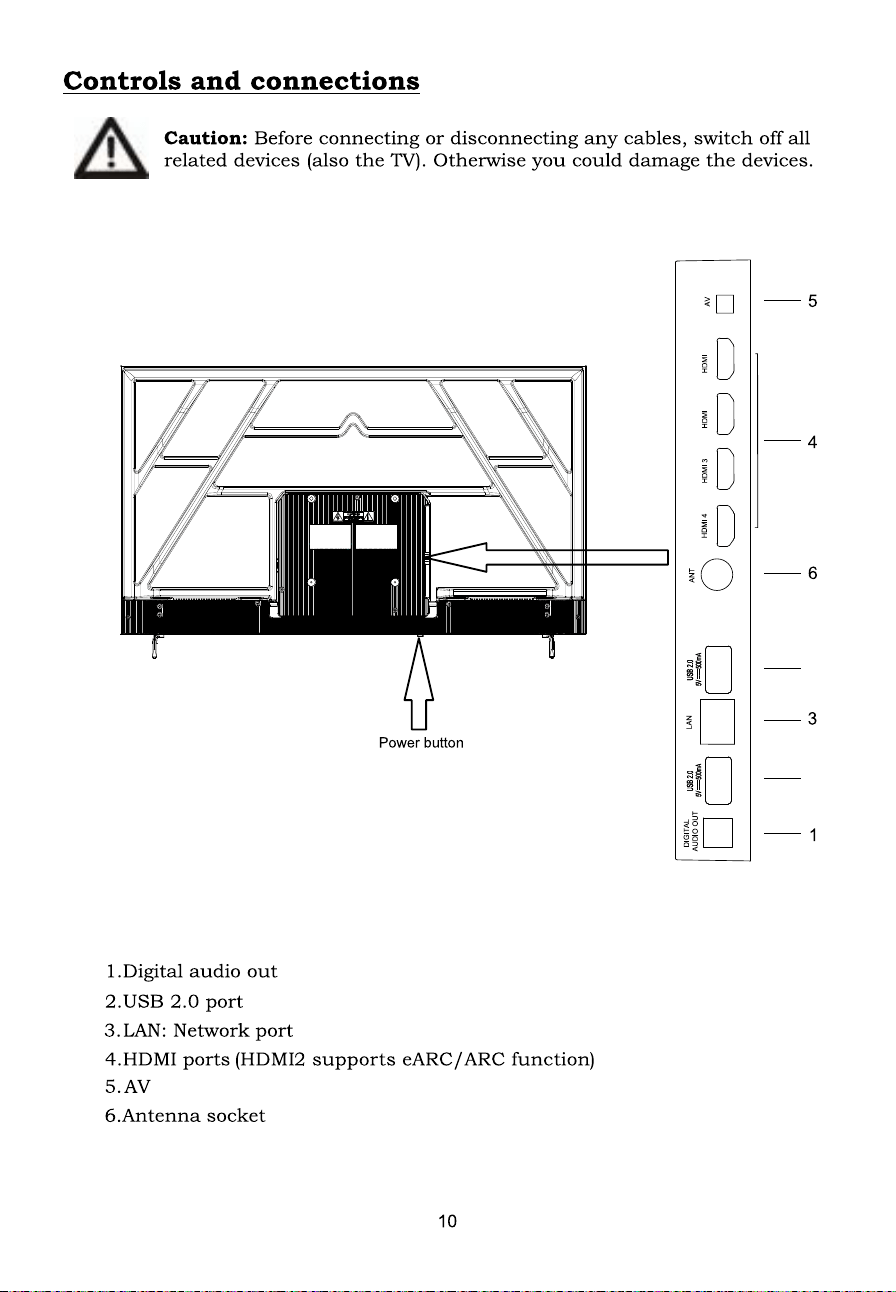
HDMI 4
LAN
AV
DIGITAL
HDMI 3
ANT
HDMI
2
HDMI
1
2
2
11
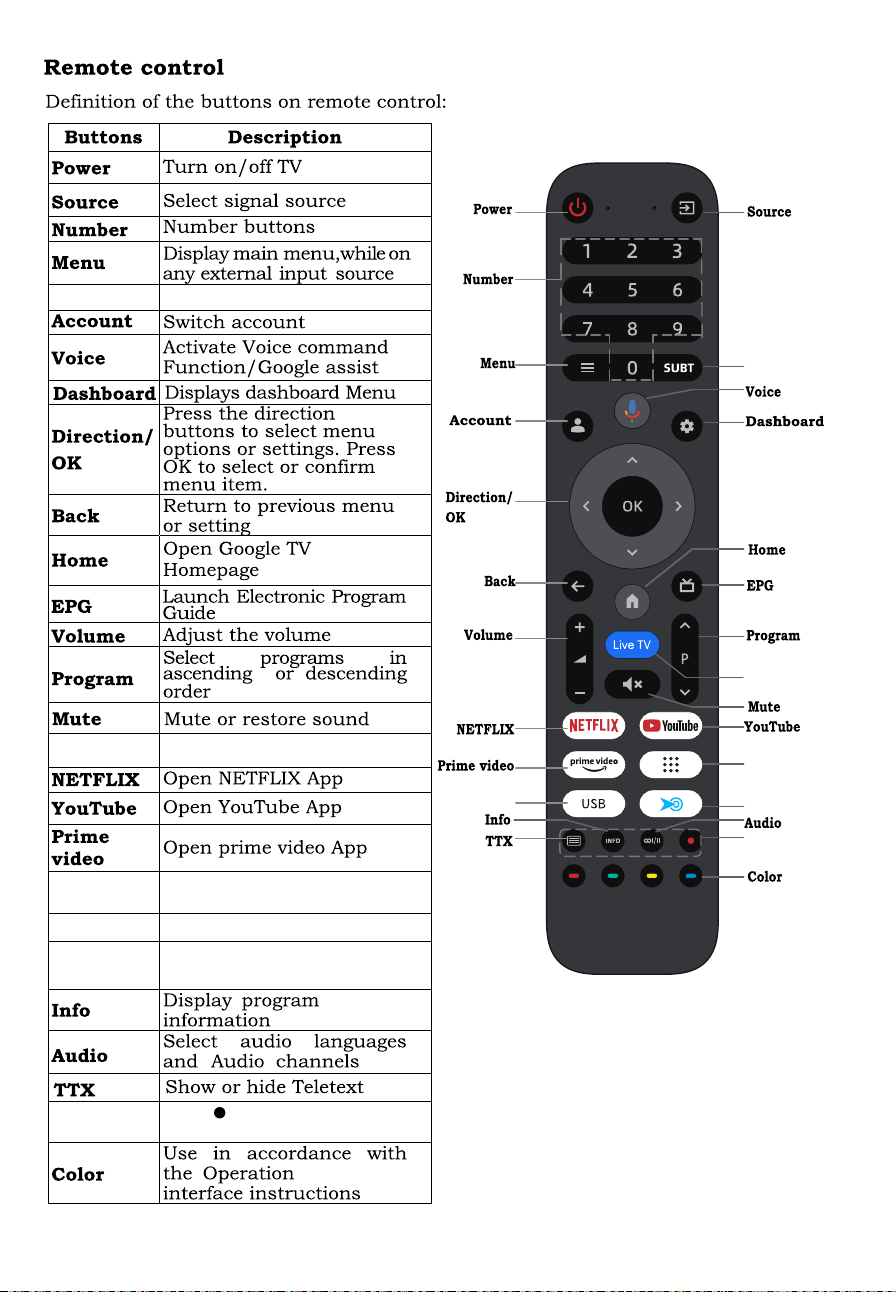
Subtitle
APPS
USB
REC
Press button to start
recording(In DTV mode)
Select subtitle.
Display all installed
Switches to the USB source.
applications
Subtitle
APPS
USB
REC
)UHH
KRWNH\
)UHHKRWNH\
&XVWRPL]HDVDSSVKRUWFXWV
RUV\VWHPIXQFWLRQVKRUWFXWV
Live TV
Live TV
Access to Live TV channels
120Hz DLG
In DLG working mode, the TV can be compatible with 1080P 120Hz refresh rate
display. The open method is:
Enter the corresponding HDMI channel --
>setting-- >picture---->advance
vi
deo-- >DLG mode.
No
tes:
- 120Hz DLG is only available at resolution up to 2K(1920 x1080). 4K resolution will
only support 60Hz。
- A compatible games console or PC is required, please refer to games console or PC
instructions for further information.
and
Dashboard button
Live TV
swap
All
button-> Setup -> Channel edit.
, press the
and
Setup
press the
<
button
Text search
Enter text manually
to search TV apps.
Live
The content of
WKH79FKDQQHO
recommended by
Google
For you
Displays Application
UHFRPPHQGDWLRQ
new
HSLVRGHVRIWKHGDLO\
FRXUWURRPVSLQRII
UHVXPH7RSSLFNVIRU
\RX\our apps.
Notification
Advertising, New Arrivals,
:DUQLQJVDQGLegal
Statements, and System
Messages.
All
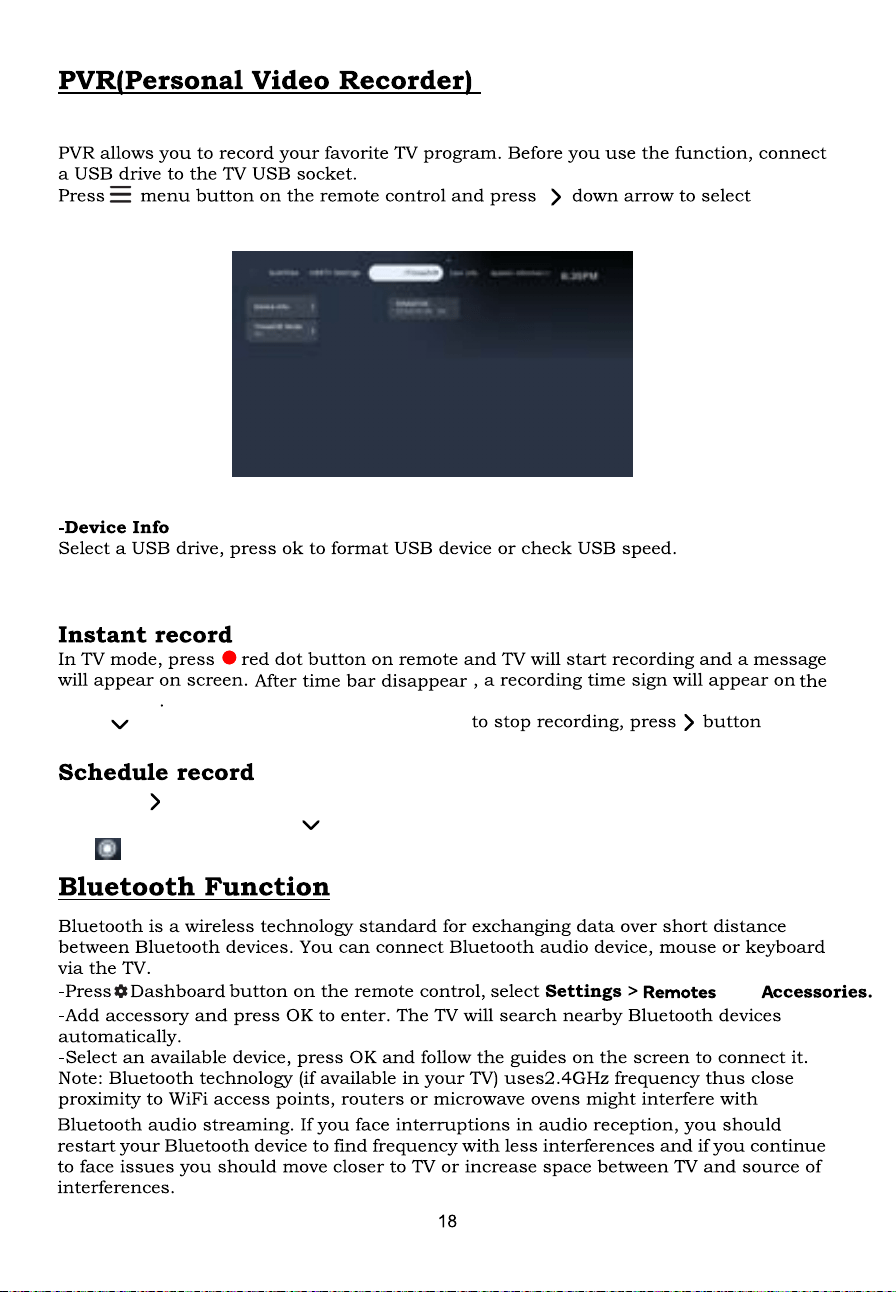
Device info .
-Timeshift mode
,
click Cancel to stop burning.
Select on, allow timeshift.
3UHVVWKHEXWWRQXQGHUWKHFXUUHQWSURJUDPVHOHFWWKHWLPHSHULRG\RXZDQWWRPDNH
DQDSSRLQWPHQWDQGSUHVVWRVHOHFWWKH $IWHUWKHDSSRLQWPHQWLVVXFFHVVIXO
WKH,FRQZLOODSSHDUEHORZWKHSURJUDPWLPHSHULRG
Record
(Reserved function)
Upper right
Press button to guide the burn progress bar,
Recording
Recording/Timeshift >
and
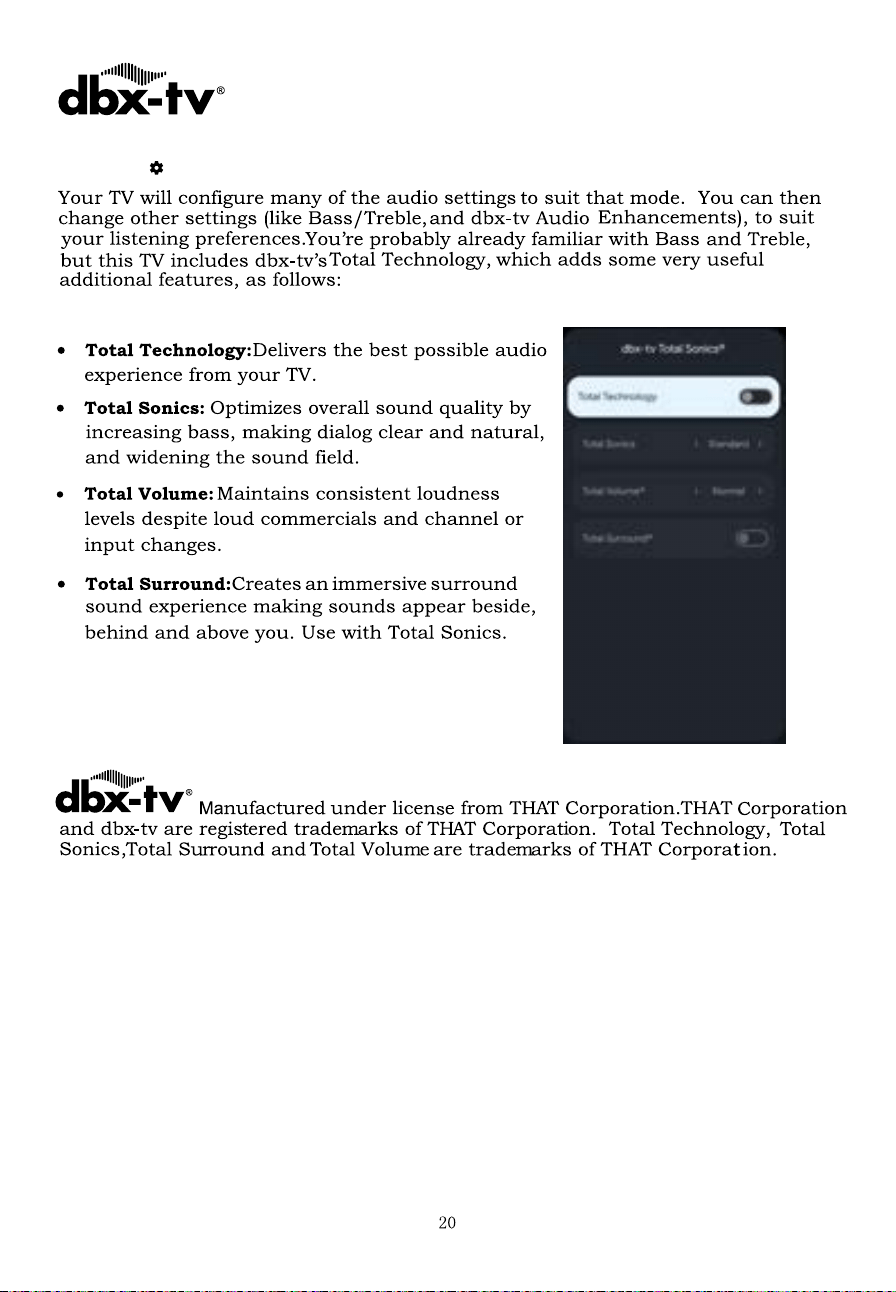
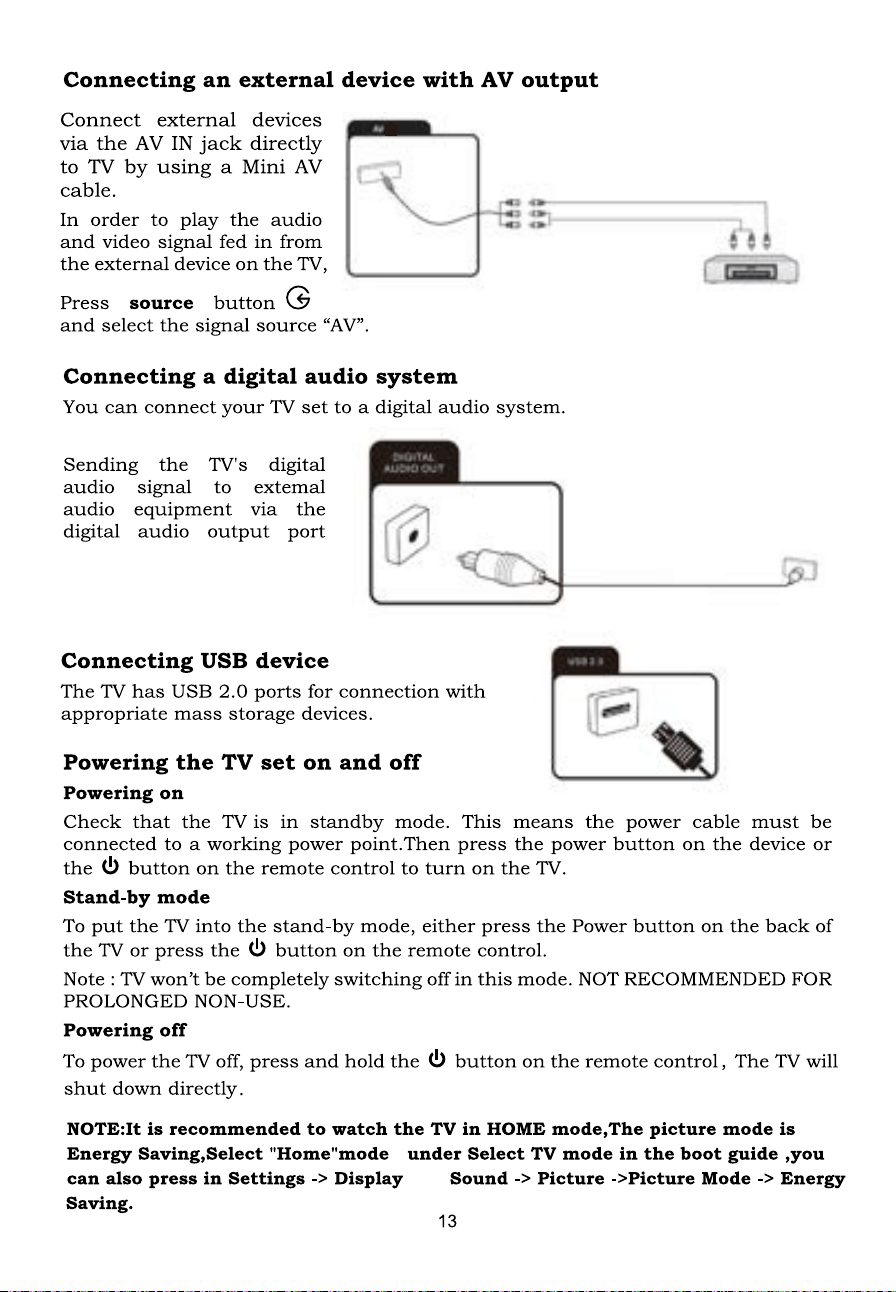
Press the Dashboard button, enter the Sound menu, and select dbx-tv Total Sonics.