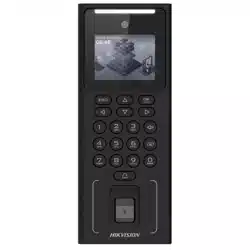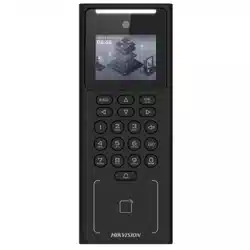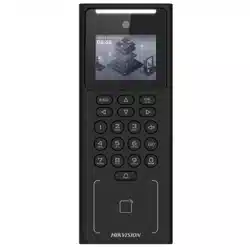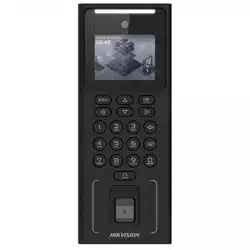
Direct Sunlight
Direct Sunlight
through Window
Indirect Sunlight
through Window
Backlight
Close to Light
3
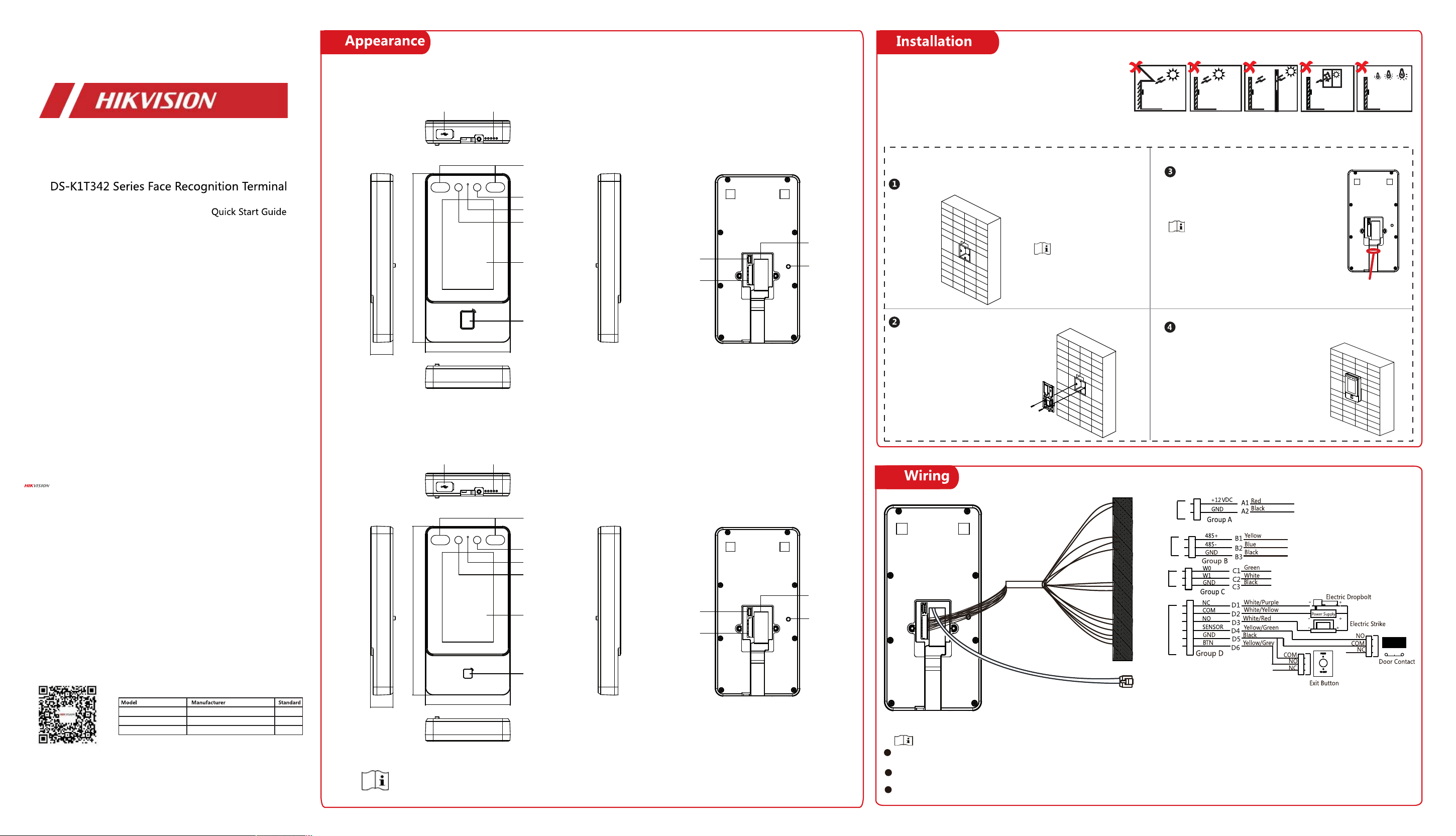
Power Input
RS-485
Wiegand
Door Lock
Network Port
If connects to an access controller, you should set the Wiegand direction as Output to
transmit authentication information to the access controller.
For details about Wiegand direction settings, see Set Wiegand Parameters.
Do not wire the device to the electric supply directly.
UD25844B-B
ADS-26FSG-12 12024EPG
MSA-C2000IC12.0-24P-DE
Shenzhen Honor Electronic Co.,Ltd
PG
MOSO Technology Co.,Ltd
PDE
ADS-24S-12 1224GPG Shenzhen Honor Electronic Co., Ltd. PB
Use only power supplies listed in the user instructions:
© 2021 Hangzhou Hikvision Digital Technology Co., Ltd. All rights reserved.
This Manual is the property of Hangzhou Hikvision Digital Technology Co., Ltd. or its affiliates (hereinafter
referred to as “Hikvision”), and it cannot be reproduced, changed, translated, or distributed, partially or
wholly, by any means, without the prior written permission of Hikvision. Unless otherwise expressly stated
herein, Hikvision does not make any warranties, guarantees or representations, express or implied,
regarding to the Manual, any information contained herein.
About this Manual
The Manual includes instructions for using and managing the Product. Pictures, charts, images and all other
information hereinafter are for description and explanation only. The information contained in the Manual is
subject to change, without notice, due to firmware updates or other reasons. Please find the latest version
of this Manual at the Hikvision website (https://www.hikvision.com/).
Please use this Manual with the guidance and assistance of professionals trained in supporting the Product.
Trademarks Acknowledgement
and other Hikvision’s trademarks and logos are the properties of Hikvision in various
jurisdictions.
Other trademarks and logos mentioned are the properties of their respective owners.
LEGAL DISCLAIMER
TO THE MAXIMUM EXTENT PERMITTED BY APPLICABLE LAW, THIS MANUAL AND THE PRODUCT DESCRIBED,
WITH ITS HARDWARE, SOFTWARE AND FIRMWARE, ARE PROVIDED “AS IS” AND “WITH ALL FAULTS AND
ERRORS”. HIKVISION MAKES NO WARRANTIES, EXPRESS OR IMPLIED, INCLUDING WITHOUT LIMITATION,
MERCHANTABILITY, SATISFACTORY QUALITY, OR FITNESS FOR A PARTICULAR PURPOSE. THE USE OF THE
PRODUCT BY YOU IS AT YOUR OWN RISK. IN NO EVENT WILL HIKVISION BE LIABLE TO YOU FOR ANY SPECIAL,
CONSEQUENTIAL, INCIDENTAL, OR INDIRECT DAMAGES, INCLUDING, AMONG OTHERS, DAMAGES FOR LOSS
OF BUSINESS PROFITS, BUSINESS INTERRUPTION, OR LOSS OF DATA, CORRUPTION OF SYSTEMS, OR LOSS OF
DOCUMENTATION, WHETHER BASED ON BREACH OF CONTRACT, TORT (INCLUDING NEGLIGENCE), PRODUCT
LIABILITY, OR OTHERWISE, IN CONNECTION WITH THE USE OF THE PRODUCT, EVEN IF HIKVISION HAS BEEN
ADVISED OF THE POSSIBILITY OF SUCH DAMAGES OR LOSS.
YOU ACKNOWLEDGE THAT THE NATURE OF INTERNET PROVIDES FOR INHERENT SECURITY RISKS, AND
HIKVISION SHALL NOT TAKE ANY RESPONSIBILITIES FOR ABNORMAL OPERATION, PRIVACY LEAKAGE OR
OTHER DAMAGES RESULTING FROM CYBER-ATTACK, HACKER ATTACK, VIRUS INSPECTION, OR OTHER
INTERNET SECURITY RISKS; HOWEVER, HIKVISION WILL PROVIDE TIMELY TECHNICAL SUPPORT IF REQUIRED.
YOU AGREE TO USE THIS PRODUCT IN COMPLIANCE WITH ALL APPLICABLE LAWS, AND YOU ARE SOLELY
RESPONSIBLE FOR ENSURING THAT YOUR USE CONFORMS TO THE APPLICABLE LAW. ESPECIALLY, YOU ARE
RESPONSIBLE, FOR USING THIS PRODUCT IN A MANNER THAT DOES NOT INFRINGE ON THE RIGHTS OF
THIRD PARTIES, INCLUDING WITHOUT LIMITATION, RIGHTS OF PUBLICITY, INTELLECTUAL PROPERTY RIGHTS,
OR DATA PROTECTION AND OTHER PRIVACY RIGHTS. YOU SHALL NOT USE THIS PRODUCT FOR ANY
PROHIBITED END-USES, INCLUDING THE DEVELOPMENT OR PRODUCTION OF WEAPONS OF MASS
DESTRUCTION, THE DEVELOPMENT OR PRODUCTION OF CHEMICAL OR BIOLOGICAL WEAPONS, ANY
ACTIVITIES IN THE CONTEXT RELATED TO ANY NUCLEAR EXPLOSIVE OR UNSAFE NUCLEAR FUEL-CYCLE, OR IN
SUPPORT OF HUMAN RIGHTS ABUSES.
IN THE EVENT OF ANY CONFLICTS BETWEEN THIS MANUAL AND THE APPLICABLE LAW, THE LATER PREVAILS.
Data Protection
During the use of device, personal data will be collected, stored and processed. To protect data, the
development of Hikvision devices incorporates privacy by design principles. For example, for device with
facial recognition features, biometrics data is stored in your device with encryption method; for fingerprint
device, only fingerprint template will be saved, which is impossible to reconstruct a fingerprint image.
As data controller, you are advised to collect, store, process and transfer data in accordance with the
applicable data protection laws and regulations, including without limitation, conducting security controls to
safeguard personal data, such as, implementing reasonable administrative and physical security controls,
conduct periodic reviews and assessments of the effectiveness of your security controls.
Scan the QR code to get the user manual for detailed information.
Gang box is not supplied.
Make sure the gang box is installed on the wall.
Wall Mounting
Secure the mounting plate on the gang box with two
supplied screws (SC-KA4X22).
Route the cable through the cable hole,
wire the cables and insert the cables in the
gang box.
Apply
Silicone
sealant
Apply Silicone sealant among the cable wiring
area to keep the raindrop from entering.
Align the device with the mounting plate, and secure
the device on the mounting plate with 1 supplied screw
(
SC-KM3X6-T10-SUSS
).
2
Installation Environment:
Indoor use only.
Avoid backlight, direct sunlight, and indirect sunlight.
For Better recognition, there should be light source in or near the
installation environment.
The minimum bearing weight of the wall or other places should be 3
times heavier than the device weight.
24.5 mm
91.3 mm
181.3 mm
24.5 mm
91.3 mm
181.3 mm
Without Fingerprint Module
Fingerprint Module
MIC
MIC
1
The figures are for reference only.
Debugging
Port (for
debugging
only)
Debugging
Port (for
debugging
only)
Wiring
Terminal
Wiring
Terminal
Tamper
Tamper
Network
Interface
Network
Interface
Card
Presenting
Area
Touch Screen
Touch Screen
Camera
Camera
Camera
Camera
IR Light
IR Light
USB
Interface
USB
Interface
Loudspeaker
Loudspeaker
Fingerprint
Recognition
Area/Card
Presenting
Area
Warning
In the use of the product, you must be in strict compliance
with the electrical safety regulations of the nation and
region.
Do not connect several devices to one power adapter as
adapter overload may cause over-heat or fire hazard.
If smoke, odors or noise rise from the device, turn off the
power at once and unplug the power cable, and then
please contact the service center.
The socket-outlet shall be installed near the equipment
and shall be easily accessible.
1. Do not ingest battery. Chemical burn hazard!
2. This product contains a coin/button cell battery. If the
coin/button cell battery is swallowed, it can cause severe
internal burns in just 2 hours and can lead to death.
3. Keep new and used batteries away from children.
4. If the battery compartment does not close securely,
stop using the product and keep it away from children.
5. If you think batteries might have been swallowed or
placed inside any part of the body, seek immediate
medical attention.
6. CAUTION: Risk of explosion if the battery is replaced by
an incorrect type.
7. Improper replacement of the battery with an incorrect
type may defeat a safeguard (for example, in the case of
some lithium battery types).
8. Do not dispose of the battery into fire or a hot oven, or
mechanically crush or cut the battery, which may result in
an explosion.
9. Do not leave the battery in an extremely high
temperature surrounding environment, which may result
in an explosion or the leakage of flammable liquid or gas.
10. Do not subject the battery to extremely low air
pressure, which may result in an explosion or the leakage
of flammable liquid or gas.
11. Dispose of used batteries according to the instructions
Caution
Do not drop the device or subject it to physical shock, and
do not expose it to high electromagnetism radiation. Avoid
the equipment installation on vibrations surface or places
subject to shock (ignorance can cause equipment
damage).
Do not place the device in extremely hot (refer to the
specification of the device for the detailed operating
temperature), cold, dusty or damp locations, and do not
expose it to high electromagnetic radiation.
Exposing the equipment to direct sun light, low ventilation
or heat source such as heater or radiator is forbidden
(ignorance can cause fire danger). The device cover for
indoor use shall be kept from rain and moisture.
Exposing the equipment to direct sun light, low ventilation
or heat source such as heater or radiator is forbidden
(ignorance can cause fire danger).
Please use a soft and dry cloth when clean inside and
outside surfaces of the device cover, do not use alkaline
detergents.
Biometric recognition products are not
completely
applicable to anti-spoofing environments. If you require a
higher security level, use multiple authentication modes.
The serial port of the equipment is used for debugging
only.
Wall Mounting: Install the equipment according to the
instructions in this manual. To prevent injury, this
equipment must be securely attached to the floor/wall in
accordance with the installation instructions.
Improper use or replacement of the battery may result in
hazard of explosion. Replace with the same or equivalent
type only. Dispose of used batteries according to the
instructions provided by the battery manufacturer.
This bracket is intended for use only with equipped
devices. Use with other equipment may result in instability
causing injury.
This equipment is for use only with equipped bracket. Use
with other (carts, stands, or carriers) may result in
instability causing injury.
4
Set Administrator
Steps:
1. (Optional) Edit the employee ID.
2. Enter the administrator's name and tap OK.
3. Select a credentail to add. You can select face, card and fingerprint.
--Add Face: Tap to capture. And tap to save.
--Add Fingerprint: Tap the fingerprint icon, and add fingerprint
according to the prompt.
--Add Card: Swipe the card in the swiping area according to the
prompt or enter the card number.
4. Tap OK.
A�er ac�va�on, you should select an applica�on mode.
Select Indoor or Others from the drop-down list and tap
OK.
.
If you install the device indoors near the window or the face
recogni�on func�on is not working well, select Others.
Set Application Mode
Access to Hik-Connect
Link to Mobile Client
Set Language
Set Network Parameters
Set the privacy parameters, including the picture uploading and
storage.
Privacy Settings
Only the device with the fingerprint module supports the
fingerprint functions.
Select a language from the drop-down list.
Wired Network:
-If enable DHCP, the system will assign the IP address and
other parameters automa�cally.
-If disable DHCP, you should manually set the IP address and
other parameters.
Wi-Fi:
-Select a Wi-Fi and enter the Wi-Fi’s password.
-Or tap Add Wi-Fi and enter the Wi-Fi’s name and password.
If you select Wired Network, make sure the device
has connected to a network.
Activation via Device
After powering on, you will enter the activation page.
Steps:
1. Create a password and conrm the password.
2. Tap Ac�vate to ac�vate the device.
Characters containing admin and nimda are not supported
to be set as activation password.
We highly recommend you to create a strong
password of your own choosing (using a minimum of 8
characters, including at least three kinds of following
categories: upper case letters, lower case letters,
numbers, and special characters) in order to increase
the security of your product. And we recommend you
change your password regularly, especially in the high
security system, changing the password monthly or
weekly can better protect your product.
Safety Instruction
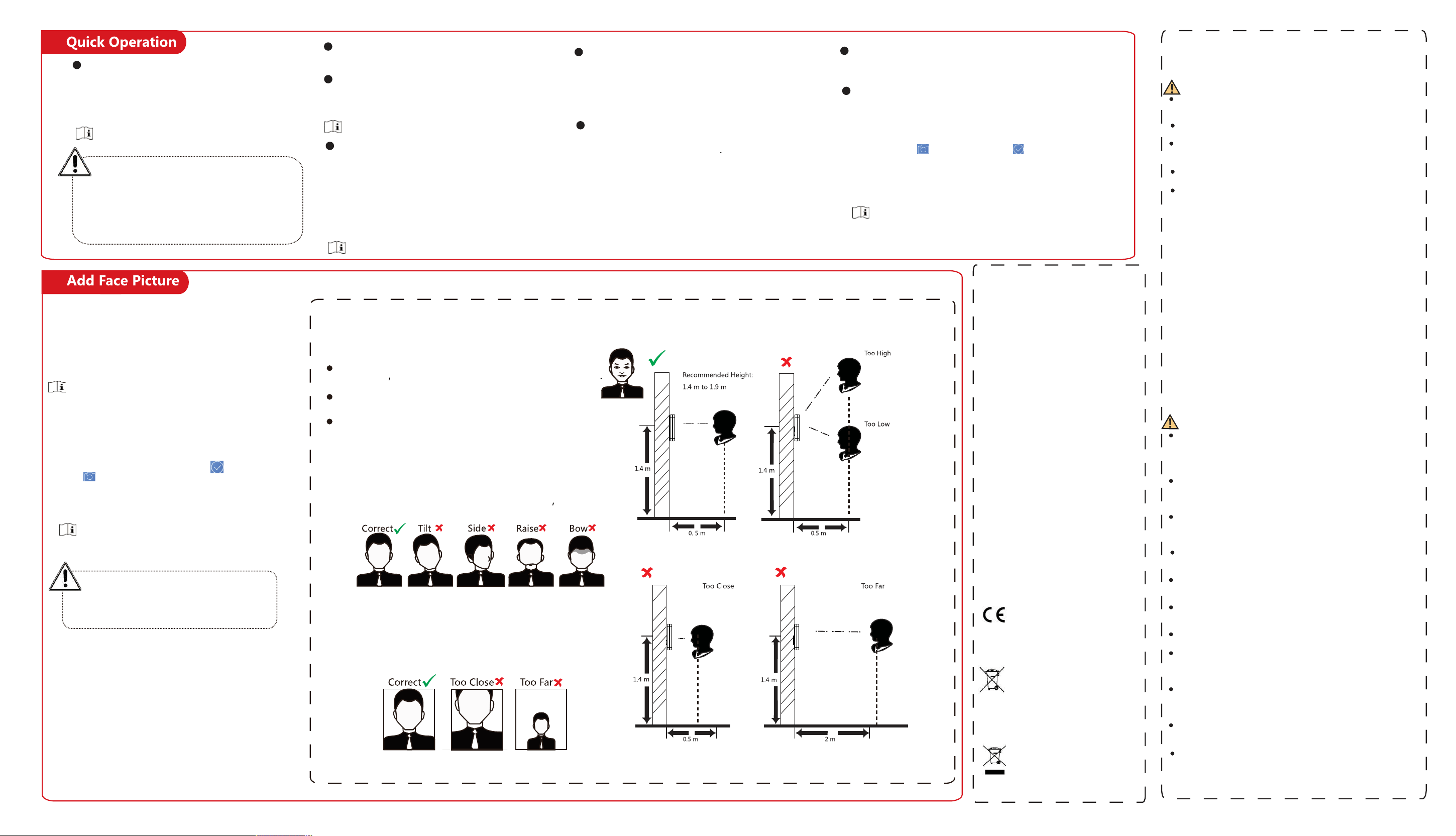
Tips When Collec�ng/Comparing Face Picture
Expression
Keep your expression naturally when collec�ng or comparing
face pictures
just like the expression in the picture on the right
Posture
In order to get a good quality and accurate face picture
posi�on your face
looking at the camera when collec�ng or comparing face picture.
Size
Make sure your face is in the middle of the collec�ng window.
Do not wear hat, sunglasses, or other accessories that can
aect the facial recogni�on func�on.
Do not make your hair cover your eyes, ears, etc. and
heavy makeup is not allowed.
Posi�ons When Collec�ng/Comparing Face Picture
1. Use nger to hold the screen surface for 3 s and slide to
right/le� and enter the ac�va�on password to enter the Home
page.
2. Enter the User Management page, tap + to enter the Add
User page.
3. Set the user parameters according to actual needs
Only the device with the ngerprint module support the
ngerprint related func�ons.
4. Tap Face and add the face informa�on according to the
instruc�ons.
You can view the captured picture on the screen. Make sure the
face picture is in good quality and size.
For details about the �ps and posi�ons when collec�ng or
comparing the face picture, see the contents on the right.
5. If the picture is in good condi�on, tap .
Or tap to take another face picture.
6. Tap the save icon to save the se�ngs.
Go back to the ini�al page to start authen�ca�on.
For other authen�ca�on methods, see the device user
manual.
Use other authen�ca�on methods if the device is aected by
the light or other items.
Biometric recogni�on products are not completely
applicable to an�-spoong environments. If you
require a higher security level, use mul�ple authen-
�ca�on modes.
5
You can add the device to the Hik-Connect mobile client.
Enable Hik-Connect, and set the Server IP and
Verification Code.
Download and install the mobile client Use the scan QR
code func�on of the mobile client and scan the QR code
on the device to link the device to the mobile client.
Regulatory Information
FCC Information
Please take attention that changes or modification
not expressly approved by the party responsible for
compliance could void the user’s authority to
operate the equipment.
FCC compliance: This equipment has been tested
and found to comply with the limits for a Class B
digital device, pursuant to part 15 of the FCC Rules.
These limits are designed to provide reasonable
protection against harmful interference in a
residential installation. This equipment generates,
uses and can radiate radio frequency energy and, if
not installed and used in accordance with the
instructions, may cause harmful interference to
radio communications. However, there is no
guarantee that interference will not occur in a
particular installation. If this equipment does cause
harmful interference to radio or television
reception, which can be determined by turning the
equipment off and on, the user is encouraged to try
to correct the interference by one or more of the
following measures:
—Reorient or relocate the receiving antenna.
—Increase the separation between the equipment
and receiver.
—Connect the equipment into an outlet on a circuit
different from that to which the receiver is
connected.
—Consult the dealer or an experienced radio/TV
technician for help.
This equipment should be installed and operated
with a minimum distance 20cm between the
radiator and your body.
FCC Conditions
This device complies with part 15 of the FCC Rules.
Operation is subject to the following two
conditions:
1. This device may not cause harmful interference.
2. This device must accept any interference
received, including interference that may cause
undesired operation.
This product and - if applicable - the
supplied accessories too are marked
with "CE" and comply therefore with the
applicable harmonized European
standards listed under the RE Directive
2014/53/EU, the EMC Directive
2014/30/EU, the RoHS Directive
2011/65/EU.
2006/66/EC (battery directive): This
product contains a battery that cannot
be disposed of as unsorted municipal
waste in the European Union. See the
product documentation for specific
battery information. The battery is
marked with this symbol, which may
include lettering to indicate cadmium
(Cd), lead (Pb), or mercury (Hg). For
proper recycling, return the battery to
your supplier or to a designated
collection point. For more information
see: www.recyclethis.info
2012/19/EU (WEEE directive):
Products marked with this symbol
cannot be disposed of as unsorted
municipal waste in the European
Union. For proper recycling, return this
product to your local supplier upon
the purchase of equivalent new
equipment, or dispose of it at
designated collection points. For more
information see: www.recyclethis.info