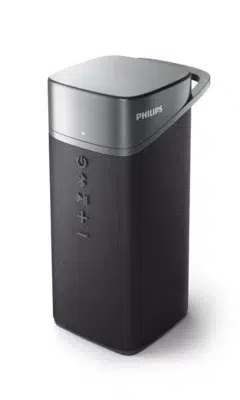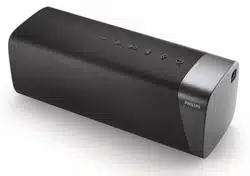
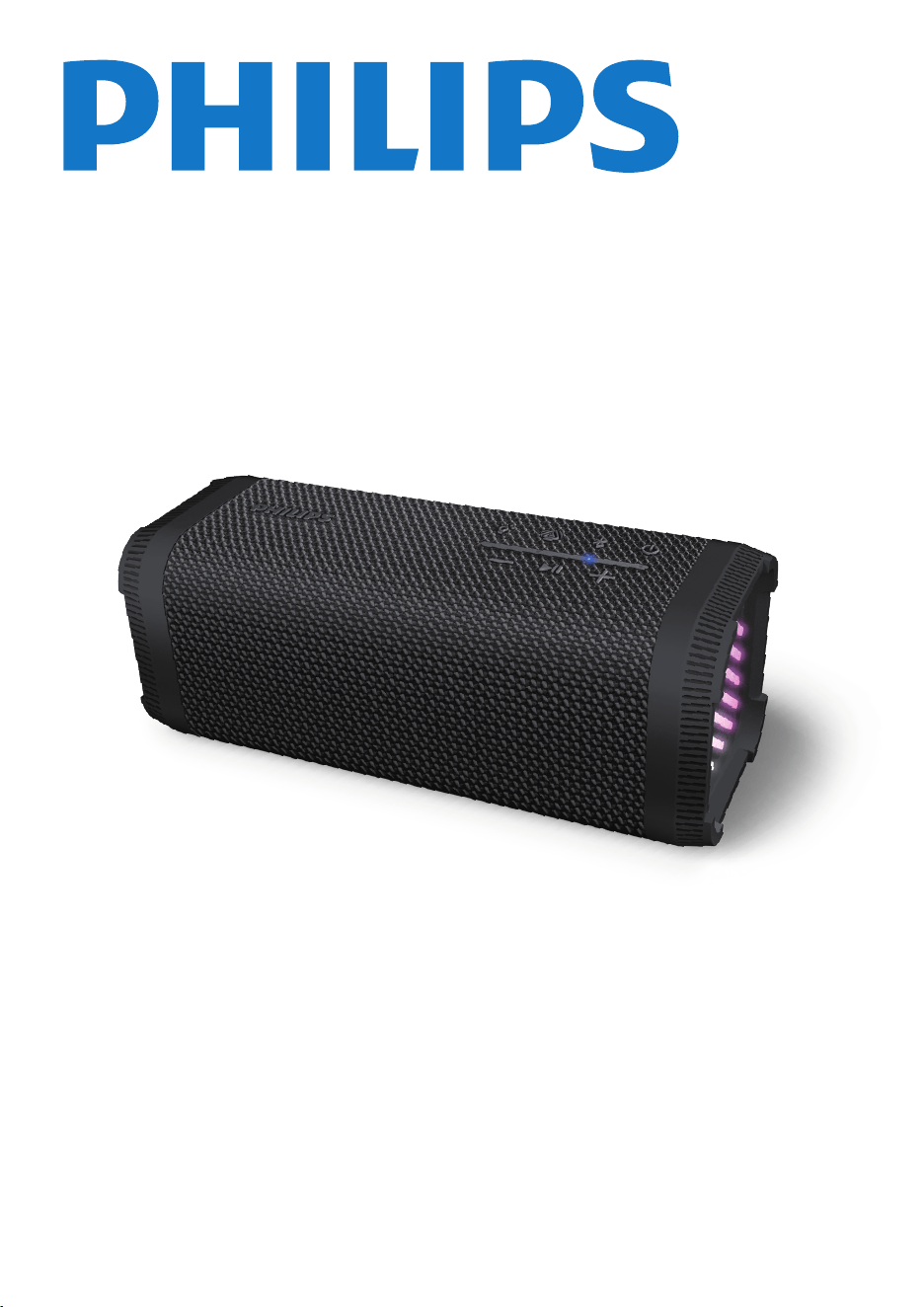
Wireless Speaker
TAS2000
User manual
Register your product and get support at:
www.philips.com/support

EN 1
Play from Bluetooth-enabled
devices
4 5
5
6
6
6
6
5
5
5
5
Connect the speaker to your
Bluetooth device
Philips Entertainment App
6
8
8
8
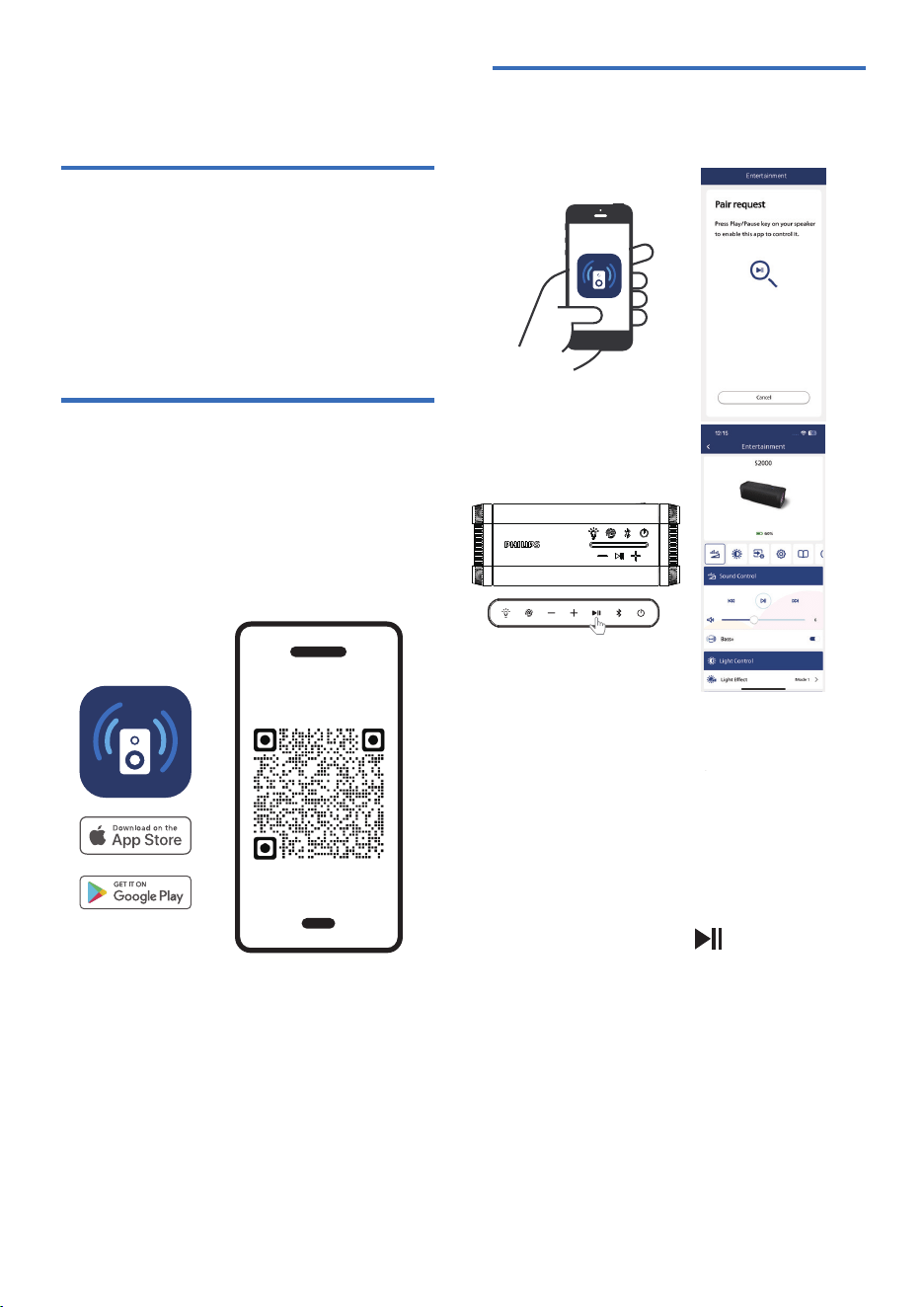
App download
Pair your Bluetooth speaker
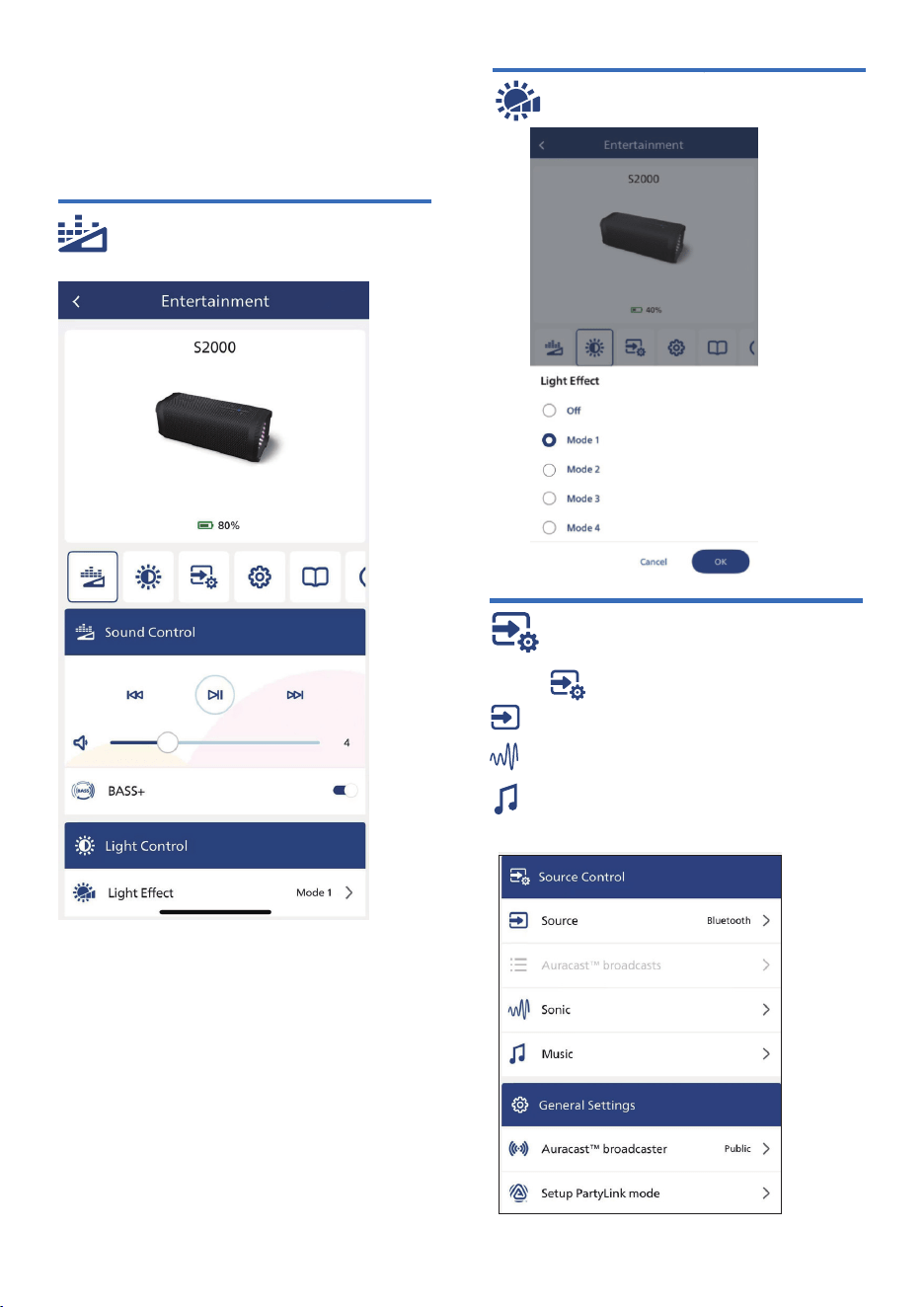
Sound Control
Light Effect
Source Control
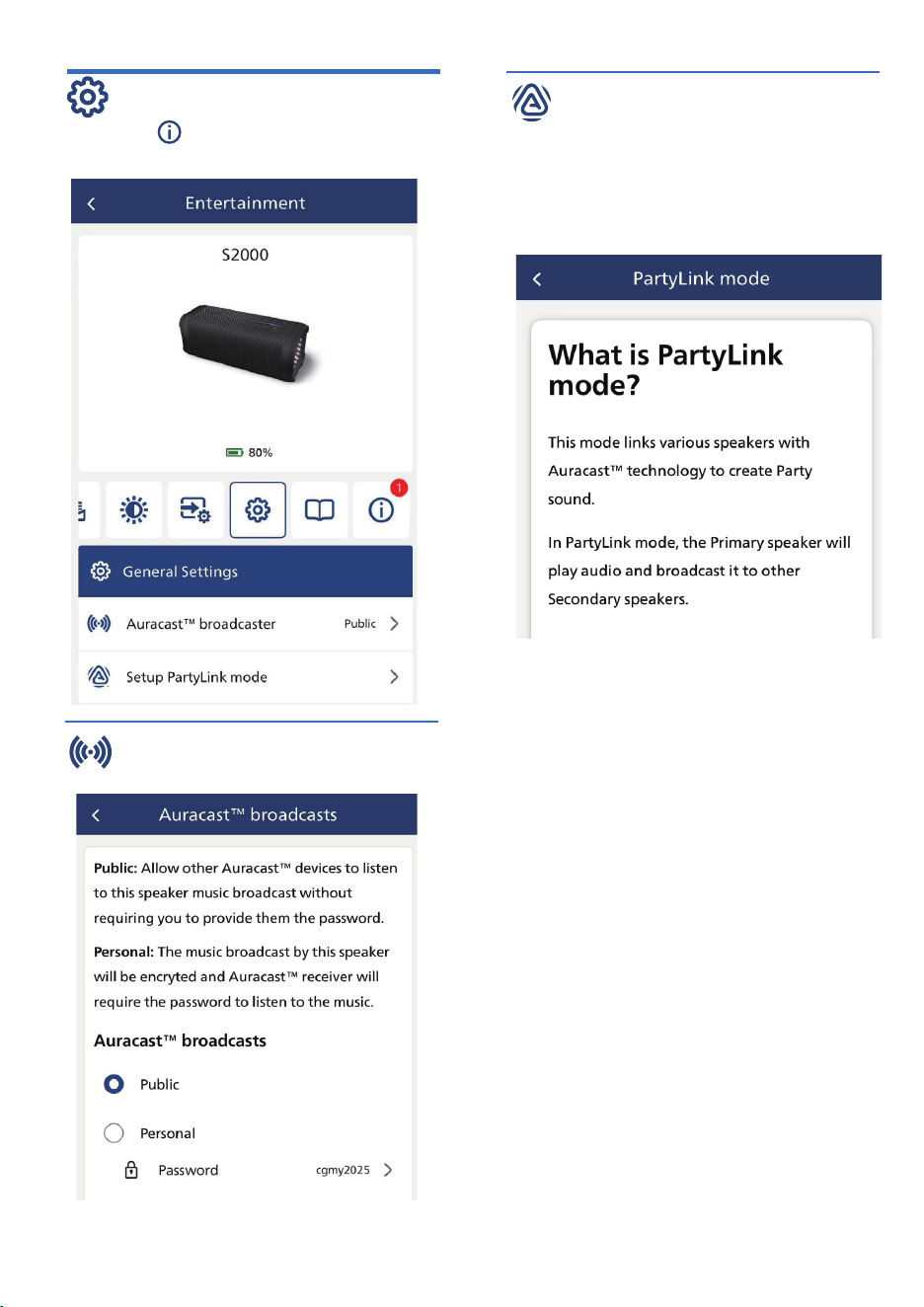
General Settings
Product information
8
7
Auracast operation
Broadcast
Receiver
TWS
5
7
7
7
Important1 2
11
Troubleshooting
9
11
Notice
10
12
2
9
9
9
10
2
Safety
Get started3 4
4
4
Charge the built-in battery
Turn on/off
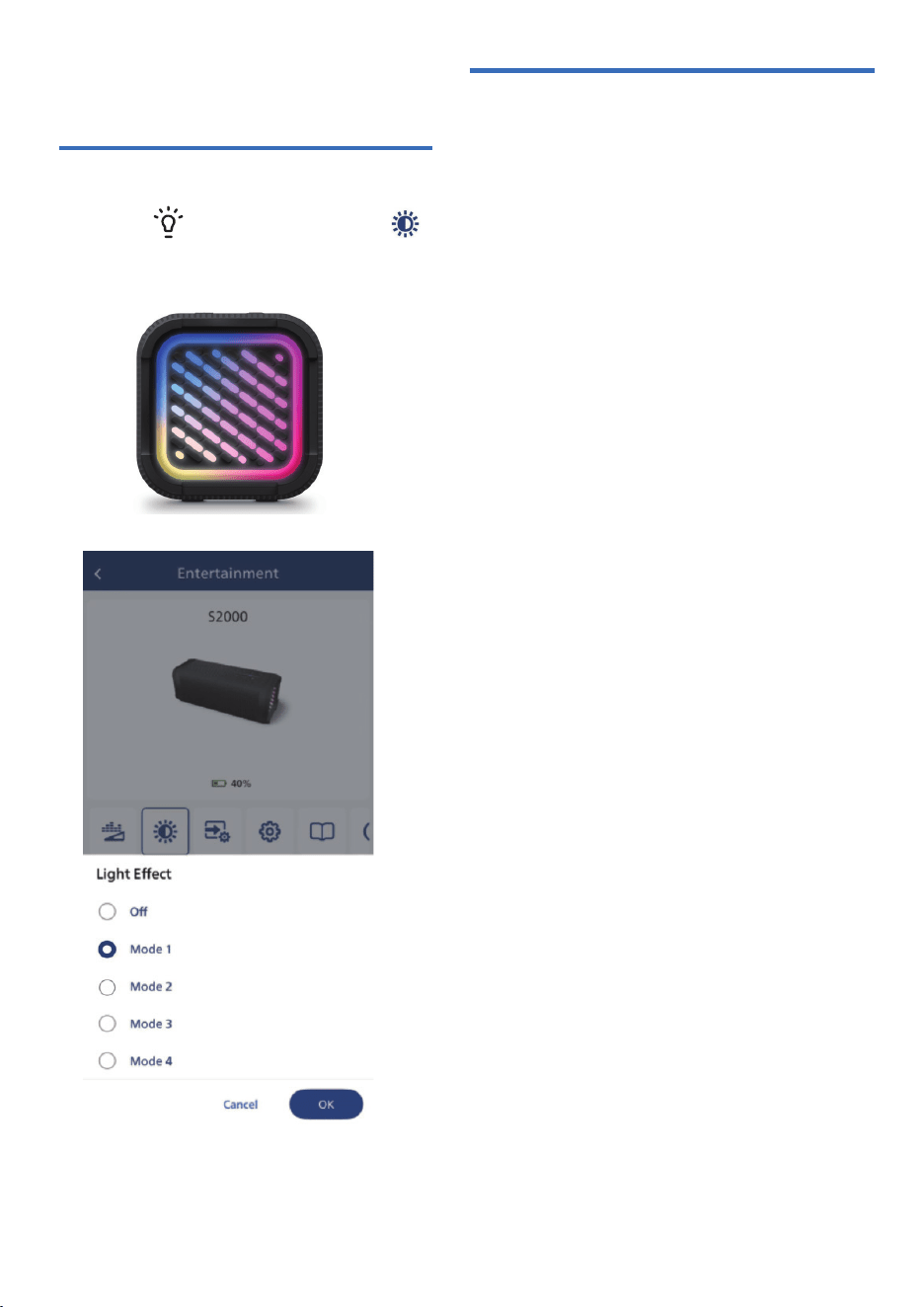
Adjust lighting
Listen to an external devices
Your wireless speaker2 3
3
3
What's in the box
Overview of the speaker
Contents
Care for your product
Bluetooth indicator
Control playback
Adjust volume level
Control phone call
Other features

EN2
Disposing a battery into �re or a
hot oven, mechanically crushing
or cutting a battery can result in
an explosion.
1 Important
Safety
Important safety instructions
• Make sure that the power supply
voltage corresponds to the voltage
on the back or the underside of
the unit.
• The speaker shall not be exposed
to dripping or splashing.
• Do not place any source of danger
on the speaker (e.g. liquid �lled
objects, lit candles).
• Make sure that there is enough free
space around the speaker for
ventilation.
• Please use the speaker safely in an
environment with temperature
between 0 ℃ and 40℃.
•
•
Only use attachments and accessories
speci�ed by the manufacturer.
Do not expose the product to liquids
without removing cable connection.
Do not expose the product to water
while charging. It may result in
permanent damage to the speaker or
power source. Chemicals, salt or
“foreign particles" in your pool or the
ocean can damage the waterproof
seals or harm the connector surface
overtime if not rinsed off after use.
After a liquid spill or rinse, do not
charge your speaker until it's
completely dry and clean. Charging
when wet might damage your
speaker.
Battery safety precautions
• Danger of explosion if a battery is
incorrectly replaced. Replace only
with the same or equivalent type.
• A battery (battery pack or battery
installed) shall not be exposed to
excessive heat such as sunshine,
�re or the like.
• A battery in extreme high or low
temperatures during use, storage or
transportation, and low air pressure at
high altitude can pose safety hazards.
• Do not replace a battery with an
incorrect type that can defeat a
safeguard (for example, some lithium
battery types).
•
•
•
•
Leaving a battery in an extremely
high temperature surrounding, or
an extremely low air pressure
environment may result in an
explosion or leakage of �ammable
liquid or gas.
Warning
• Never remove the casing of this speaker.
• Never lubricate any part of this speaker.
Place this speaker on a �at, hard and
stable surface.
•
• Never place this speaker on other
electrical equipment.
• Only use this speaker indoors. Keep this
speaker away from water, moisture and
liquid-�lled objects.
• Keep this speaker away from direct
sunlight, naked �ames or heat.
• Risk of explosion if a battery is replaced
by an incorrect type.
Care for your product
Use only micro�ber cloth to clean the
product.
Please note that your device contains
built-in lithium batteries. The charging
capacity of lithium batteries will decrease
over time due to their self-discharge
characteristics. To ensure the longevity
of your device's battery, we recommend
charging the built-in lithium battery to
around 50% every 6 months when the
device is not in use.
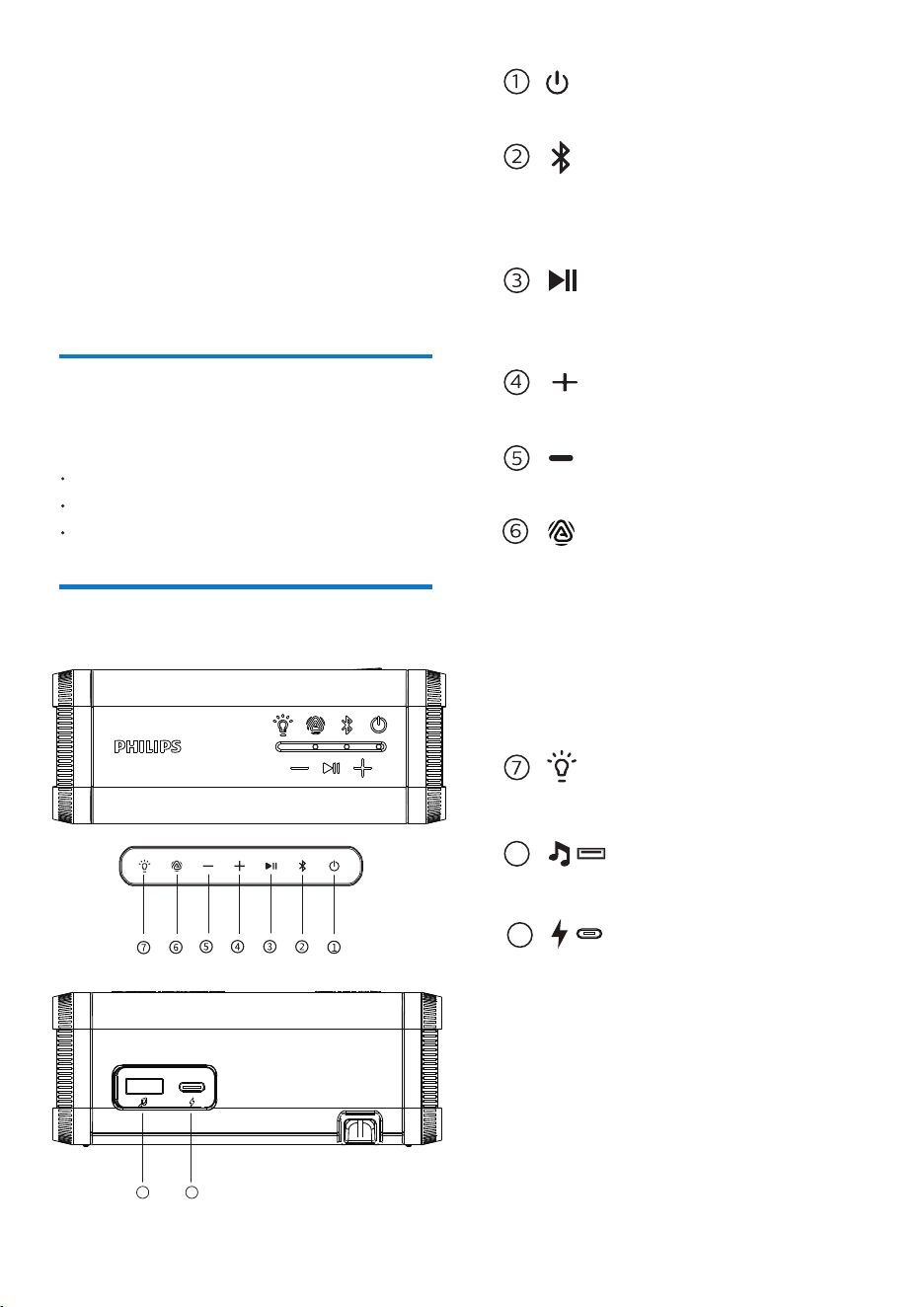
Overview of the speaker
2 Your wireless
speaker
What's in the box
EN 3
Check and identify the contents of your
package:
Congratulations on your purchase, and
welcome to Philips! To fully bene�t
from the support that Philips offers,
register your product at
www.philips.com/support.
Speaker (attached lanyard)
USB cable
Quick start guide / safety sheet / warranty
sheet
8
9
Play or pause the audio playback /
Answer or reject a call
Turn the speaker on or off
Adjust the volume down
9
Connect external audio devices
USB-C charging port
Adjust the light mode
8
Adjust the volume up
Press and hold to enter pairing
mode or to disconnect a connected
Bluetooth device
- Press to enter / trigger rescan
Auracast™ receiver mode
- Press twice to enter/exit "TWS"
mode
- Press and hold 3 seconds
to activate / deactivate Auracast™
broadcast mode
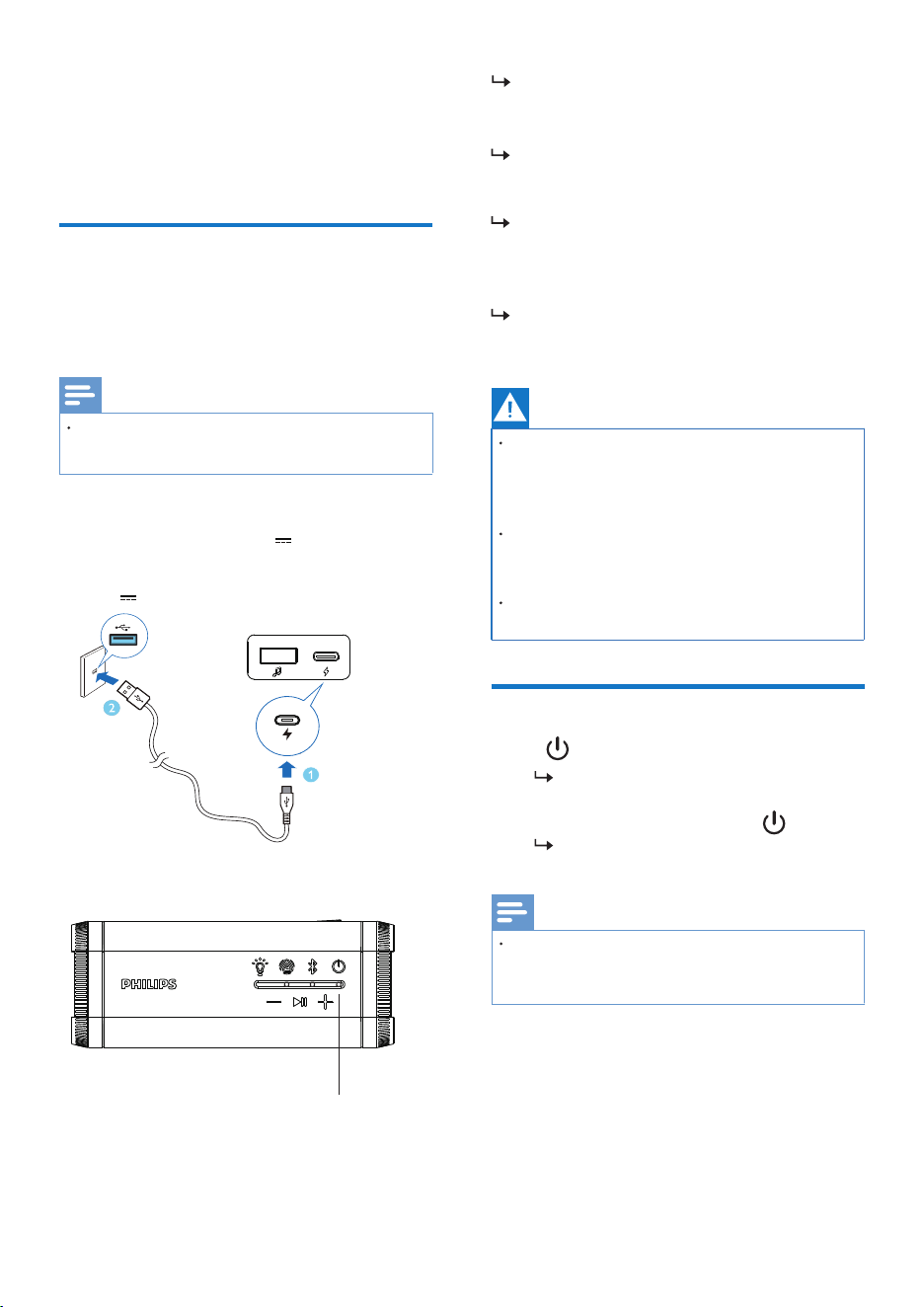
Use only a USB cable speci�ed by the
manufacturer or sold with this speaker.
Press to turn the speaker on.
You will hear the prompt sound.
To turn the speaker off, press again.
You will hear the prompt sound.
Risk of electric shock! When unplug the
USB cable, always pull the plug from the
socket. Never pull the cable.
Risk of speaker damage! Make sure the
power supply voltage corresponds to the
voltage printed on the back or the
underside of the speaker.
Fully charge the built-in battery before
using.
The speaker will turn off automatically
if there is no audio signal from
Bluetooth for 15 minutes.
Note
Note
Caution
Charge the built-in
battery
Turn on/off
3 Get started
EN4
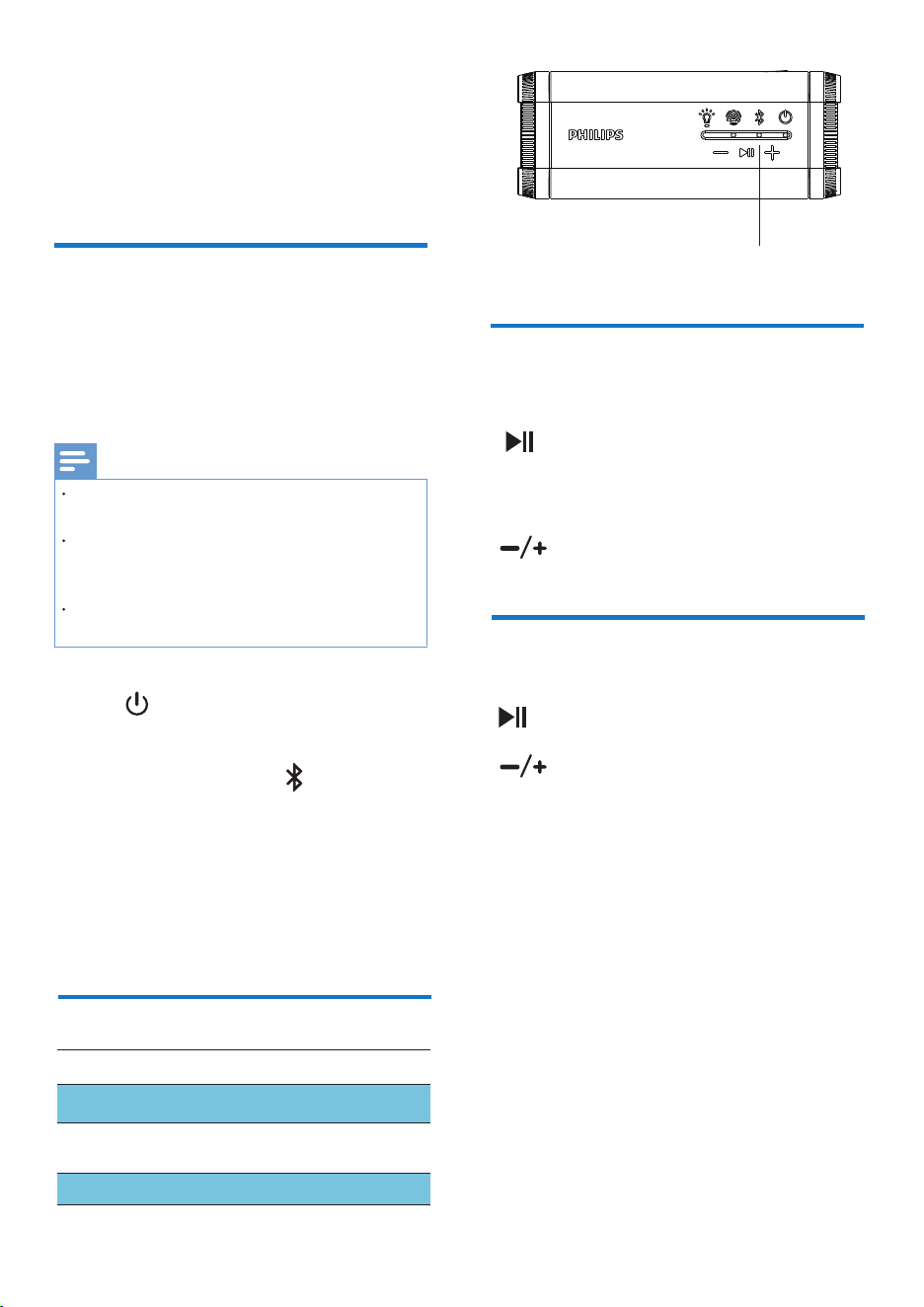
When the speaker is being charged,
the Power LED turns red.
When the speaker is fully charged,
the Power LED indicator goes off.
Always follow the instructions in this
chapter in sequence.
The speaker is powered by a built-in
rechargeable battery.
Connect the USB-C socket on the
speaker to an outlet (5V 2A) by
using the provided USB cable.
5V 2A
When battery level is less than 20%, you
will hear voice prompt once every 60
seconds.
When battery level is less than 2%, the
speaker will power off.
Power LED
EN 5
Note
Connect the speaker to
your Bluetooth device
1.Press to turn the speaker on. lt will
enter Bluetooth pairing mode automati
cally with blue light blinking slow. You
can also press and hold to enter
Bluetooth pairing mode.
4 Play from
Bluetooth
devices
With this speaker, you can enjoy audio
from your Bluetooth device.
Make sure that the Bluetooth function
is enabled on your device.
The maximum distance for pairing the
speaker and your Bluetooth device is
30 meters (99 feet).
Keep away from any other electronic
device that may cause interference.
Press to pause or resume play
Press twice to play the next track
Press three times to play the previous track
During music playback
Control playback
Press to answer or end a call
Press and hold to reject a call
Control phone call
Press to decrease/increase one
level of volume
Press and hold to continuously decrease/
increase the volume
Adjust the volume
Reconnecting the last
connected device
Blink blue quickly
Blink blue slowly
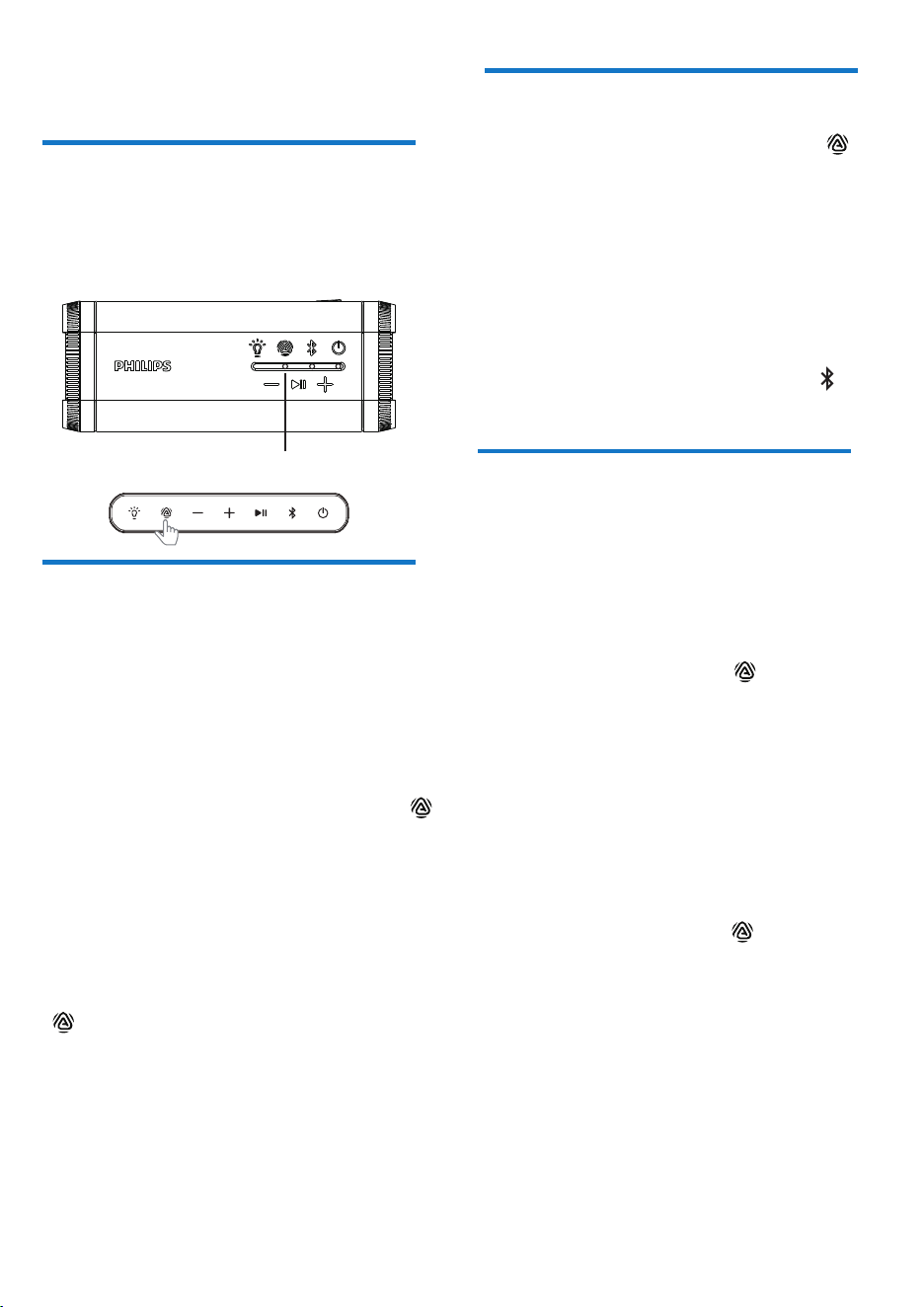
LED indication
Bluetooth status
Solid blue
Ready for pairing
Connected
Bluetooth indicator
2. Enable Bluetooth and select
“Philips S2000” in the Bluetooth list on
your device for pairing.
3. Play audio on your Bluetooth device to
start streaming music.
Bluetooth LED
EN6
5 Auracast™
Use Auracast™ to pair with another
S2000 speaker for stereo (TWS), receive
broadcasts from others, or launch your
own broadcast to other compatible
speakers.
The default Auracast™ broadcast setting
on product is Public (unencrypted broadcast).
You can select Personal (encrypted broadcast)
and set a password under Philips
Entertainment App => General Settings=>
Auracast™ Broadcaster.
Auracast™ Broadcaster
2. To stop the broadcast, press and hold the
for 3 seconds again or select Unlink in
the App. The Auracast™ LED turns off, and
you will hear a prompt sound.
1. To search for a broadcast, press the
or go to the Entertainment App to switch
to Auracast™ Receiver under Source
control. The Auracast™ LED turns cyan,
and you will hear a prompt sound.
Auracast™ Receiver
The set will automatically search for nearby
Auracast™ broadcasts and connect to the
unencrypted broadcast with the strongest
signal.
2. To exit a broadcast, press and hold
for 3 seconds or switch to another source
in the App.
Pairing for stereo mode
Two identical wireless speakers
(Philips S2000) can pair with each other for
stereo sound.
1. To start, the speaker connected to your
Bluetooth device will be used as the primary
speaker, double press the on both
speakers, you will hear prompt sound and
the Auracast LED blinks white when pairing
and turns pink when connected.
2. In stereo mode, all operations are
synchronized between both speakers.
You can control playback, adjust the
volume, and change the light mode from
either speaker.
3. To exit, double-press the on either
speaker.
Auracast LED
1.To start a broadcast, press and hold the
for 3 seconds or in the Entertainment App
select Setup PartyLink mode in General
Settings. The Auracast™ LED on product
turns purple (Public) / amber (Personal),
and you will hear a prompt sound.
EN 7
Insert a USB thumb drive into the USB-A port.
The music on the thumb drive will be played
automatically.
Or use a USB-A to A cable(not included) to
connect the product with your laptop/devices,
select the Philips S2000 USB on your device for
6
Other features
Adjust lighting
Press the on the speaker or via on
the app to control the light effect.
Listen to an external device
•
•
Our handy companion app lets you select
a source, control playback and Bass+, switch
between different light modes, check
battery life, and more. Plus, an in-app
PartyLink mode makes it simple to connect
to other speakers via Auracast™ for even
bigger sound.
EN8
Philips
Entertainment App
App download
Scan the QR code and press “Download”
button, or search “Philips Entertainment”
in the Apple App Store or Google Play to
download the app.
Open the Philips Entertainment
App on your mobile device, press
'Add device +' to discover Philips
S2000. Ensure that Bluetooth is
enabled on your mobile.
1
2
Pair the App with your
Bluetooth speaker
TAS7000
7
When you connect the App to your
speaker for the �rst time, you will be
prompted to pair the app with your
speaker. Press the on your speaker
to con�rm the App connection.
philips.to/entapp
EN 9
Source Control
Press icon on the App to select
Sound Control
Light Effect
Once your speaker is connected with
Entertainment APP, you may enjoy
further features and set your preference
easily.
Bluetooth / Auracast receiver / USB
Relaxation / Concentration / Masking
Generative / Ambient / Nature
EN10
General Settings
Setup PartyLink mode
Auracast™ broadcasts
With the you may notice there has
new �rmware for upgrade.
To purchase more S2000 or other Philips'
speaker (support Auracast™) to enjoy
the PartyLink, follow the steps in the APP
you can easily pair up altogether..
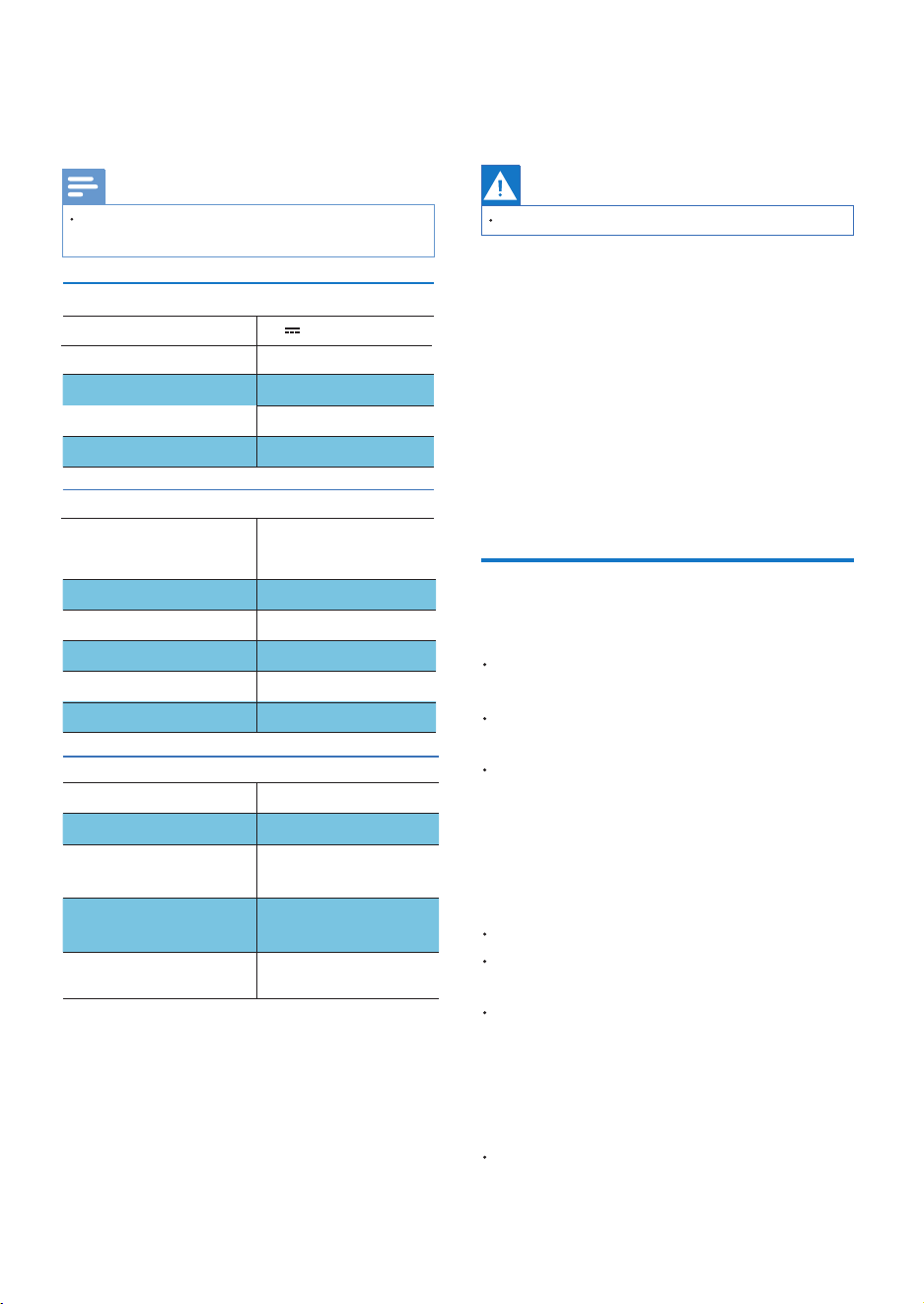
Never remove the casing of the speaker.
Impedance
Maximum input power
Built-in Lithium battery
Dimensions (W x H x D)
Weight (main unit)
Operation Ambient
Bluetooth
Note
General information
General
9
Speaker
Warning
Product
information
8
Troubleshooting
EN 11
Product information is subject to change
without prior notice.
Frequency response
Signal to noise ratio
Bluetooth version
Frequency range
Bluetooth range
Maximum
transmition power
Compatible
Bluetooth pro�les
4Ω
10W
2500 mAh
181x71x71mm
0°C~40°C
90HZ~20KHZ
>82dB
5.4
2402 - 2480 MHz
open area BT up to
30m TWS up to 10m
≤10dBm
Supports A2DP/
AVRCP/HFP
To keep the warranty valid, never try to
repair the speaker yourself.
If you encounter problems when using
this speaker, check the following points
before requesting service. If the problem
remains unsolved, go to the Philips
website (www.philips.com/support).
When you contact philips, ensure that
the speaker is nearby and the model
number and serial number are available.
No power
No sound
No response from the speaker
Make sure the speaker is fully
charged.
Make sure the USB socket of the
speaker is properly connected.
Adjust the volume on this speaker.
Restart the speaker.
Adjust the volume on the connected
device.
Make sure that your Bluetooth
device is within the operational
range.
As a power-saving feature, the
speaker turns off automatically
15 minutes after no audio signal
is received.
L48*W48mm
Full range driver
477g
USB-C Charge in 5V 2A
10W (THD 1%)
Output power (RMS)
Disposal of your old product and battery
Bluetooth
10 Notice
EN12
The Bluetooth reception is poor.
Move the device closer to this speaker
or remove any obstacle between them.
The audio quality is poor after
connection with a Bluetooth-enabled
device
Fail to �nd [Philips S2000] on your
Bluetooth device for pairing
Cannot connect with your Bluetooth
device
The Bluetooth function of your
device is not enabled. Refer to the
user manual of your device to �nd
out how to enable the function.
Hereby, TP Vision Europe B.V. declares
that this product is in compliance with the
essential requirements and other relevant
provisions of RED Directive 2014/53/EU
and UK Radio Equipment Regulations SI
2017 No 1206. You can �nd the Declaration
of Conformity on www.philips.com/support.
Any changes or modi�cations made
to this device that are not expressly
approved by MMD Hong Kong Holding
Limited may void the user's authority to
operate the equipment.
This speaker is not in pairing mode.
This speaker is already connected to
another Bluetooth-enabled device.
Disconnect and try again.
Press and hold for 3 seconds to
enter Bluetooth pairing mode, and
then try again.
Compliance
Care of the environment
Your product is designed and
manufactured with high quality
materials and components, which
can be recycled and reused.
This symbol means that the product
contains batteries covered by European
Regulation (EU) 2023/1542 which cannot
be disposed of with normal household
waste.
This symbol on a product means that
the product is covered by European
Directive 2012/19/EU.
Inform yourself about the local separate
collection system for electrical and
electronic products and batteries. Follow
local rules and never dispose of the
product and batteries with normal
household waste. Correct disposal of
old products and batteries helps prevent
negative consequences for the
environment and human health.
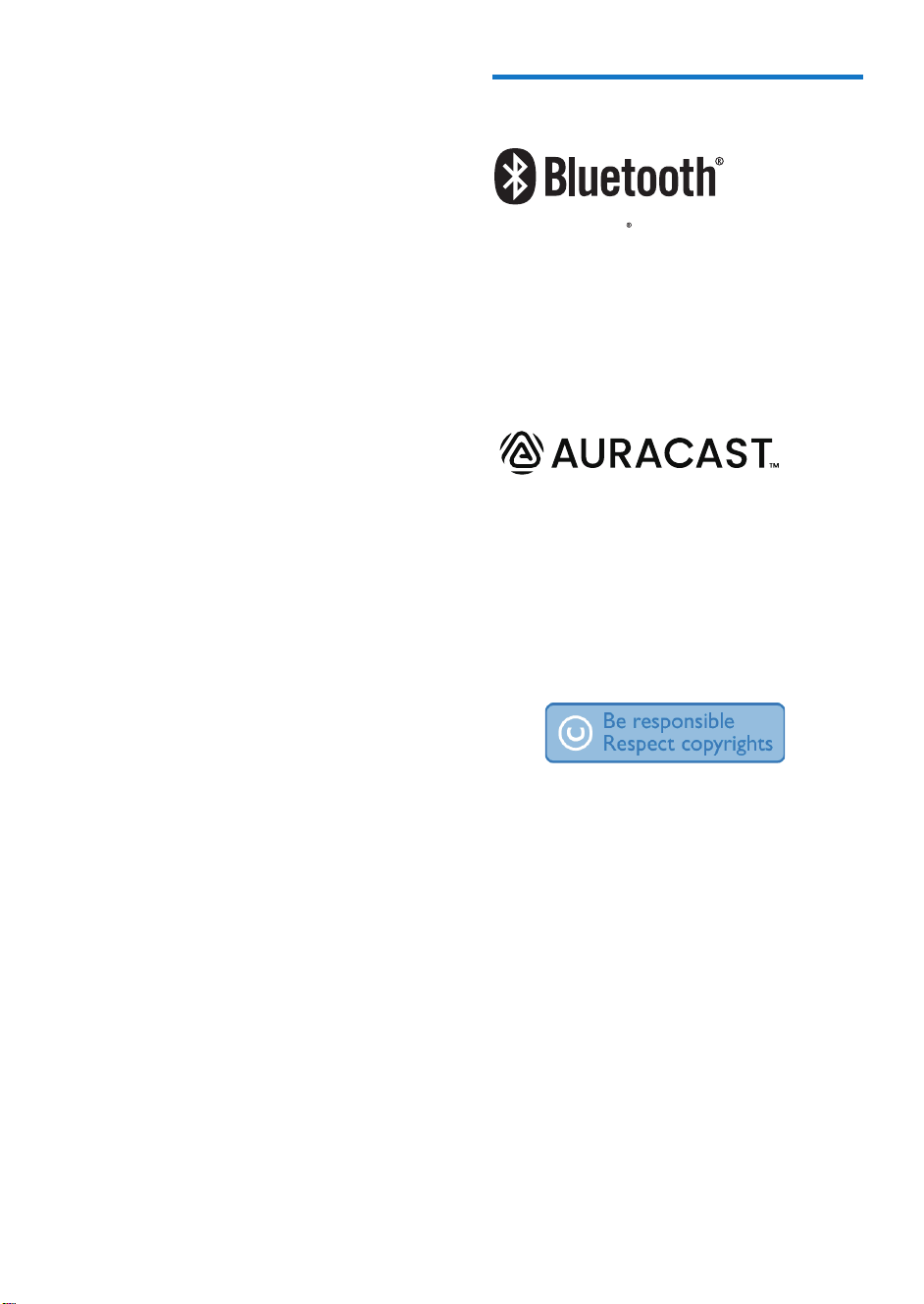
Removing the integrated batteries.
FCC and IC statement
Warning:
not expressly approved by the party
responsible for compliance could void
the user’s authority to operate the
equipment.
Note: This equipment has been tested
and found to comply with the limits for
a Class B digital device, pursuant to
Part 15 of the FCC Rules.
These limits are designed to provide
reasonable protection against harmful
interference in a residential installation.
This equipment generates, uses and can
radiate radio frequency energy and, if
not installed and used in accordance
with the instructions, may cause harmful
interference to radio communications.
However, there is no guarantee that
interference will not occur in a particular
installation. If this equipment does
cause harmful interference to radio or
television reception, which can be
determined by turning the equipment
off and on, the user is encouraged to try
outlet on a circuit different from that to
to correct the interference by one or
more of the following measures:
(1) Reorient or relocate the receiving
antenna. (2) Increase the separation
between the equipment and receiver.
(3) Connect the equipment into an
FCC information
The device complies with the FCC rules,
Part 15. Operation is subject to the
following two conditions:
This device may not cause harmful
interference, and.
This device must accept any
interference received, including
interference that may cause
undesired operation.
EN 13
Changes or modi�cations
Battery
For illustration purposes only
To avoid risk of �re, the product
is supplied only by external
power source which output shall
comply with PS1 (with output
capacity less than 15W).
The power delivered by the
charger must be between min.
5 Watts required by the radio
equipment, and max. 15 Watts
in order toachieve the maximum
charging speed.
EN14
(4) Consult the dealer or an experienced
radio/TV technician for help.
Trademark notice
The Bluetooth word mark and logos
are registered trademarks owned by
Bluetooth SlG, Inc. and any use of such
marks by MMD Hong Kong Holding
Limited is under license. Other trademarks
and trade names are those of their
respective owners.
IC-Canada: CAN ICES-(B)/NMB-(B)
This device contains licence-exempt
transmitter(s)/receiver(s) that comply
with Innovation, Science and Economic
Development Canada’s licence-exempt
RSS(s). Operation is subject to the
following two conditions:
1. This device may not cause interference.
2. This device must accept any
interference, including interference
that may cause undesired operation
of the device.
Avis d’Industrie Canada: CAN ICES-(B)/
NMB-(B)
L’émetteur/récepteur exempt de licence
contenu dans le présent appareil est
conforme aux CNR d’Innovation, Sciences et
Développement économique Canada
applicables aux appareils radio exempts de
licence. L’exploitation est autorisée aux deux
conditions suivantes :
1. L’appareil ne doit pas produire de
brouillage;
2. L’appareil doit accepter tout brouillage
radioélectrique subi, même si le
brouillage est susceptible d’en
compromettre le fonctionnement.
Radiation Exposure Statement: The product
comply with the Canada portable RF exposure
limit set forth for an uncontrolled environment
and are safe for intended operation as
described in this manual. Déclaration d'exposi-
tion aux radiations: Le produit est conforme
aux limites d'exposition pour les appareils
portables RF pour les Etats-Unis et le Canada
établies pour un environnement non
contrtlé.
The Auracast™ word mark and logos
are trademarks owned by Bluetooth
SIG, Inc. and any use of such marks by
MMD HongKong Holding Limited is
under license. Other trademarks and
trade names are those of their respective
owners.
The making of unauthorized
copies of copy-protected material,
including computer programs, �les,
broadcasts and sound recordings, may
be an infringement of copyrights and
constitute a criminal offence. This
equipment should not be used for such
purposes.

TAS2000_00_UM_V1.0
Philips and the Philips Shield Emblem are registered trademarks of Koninklijke Philips
N.V. and are used under license.
This product has been manufactured by and is sold under the responsibility of MMD
Hong Kong Holding Limited or one of its affiliates, and MMD Hong Kong Holding
Limited is the warrantor in relation to this product.
Speci�cations are subject to change without notice.