Questions or Comments?
We are here to help!
Phone: 1.718.535.1800
PyleUSA.com/ContactUs
USER GUIDE
Visit Our Website
SCAN ME
PyleUSA.com
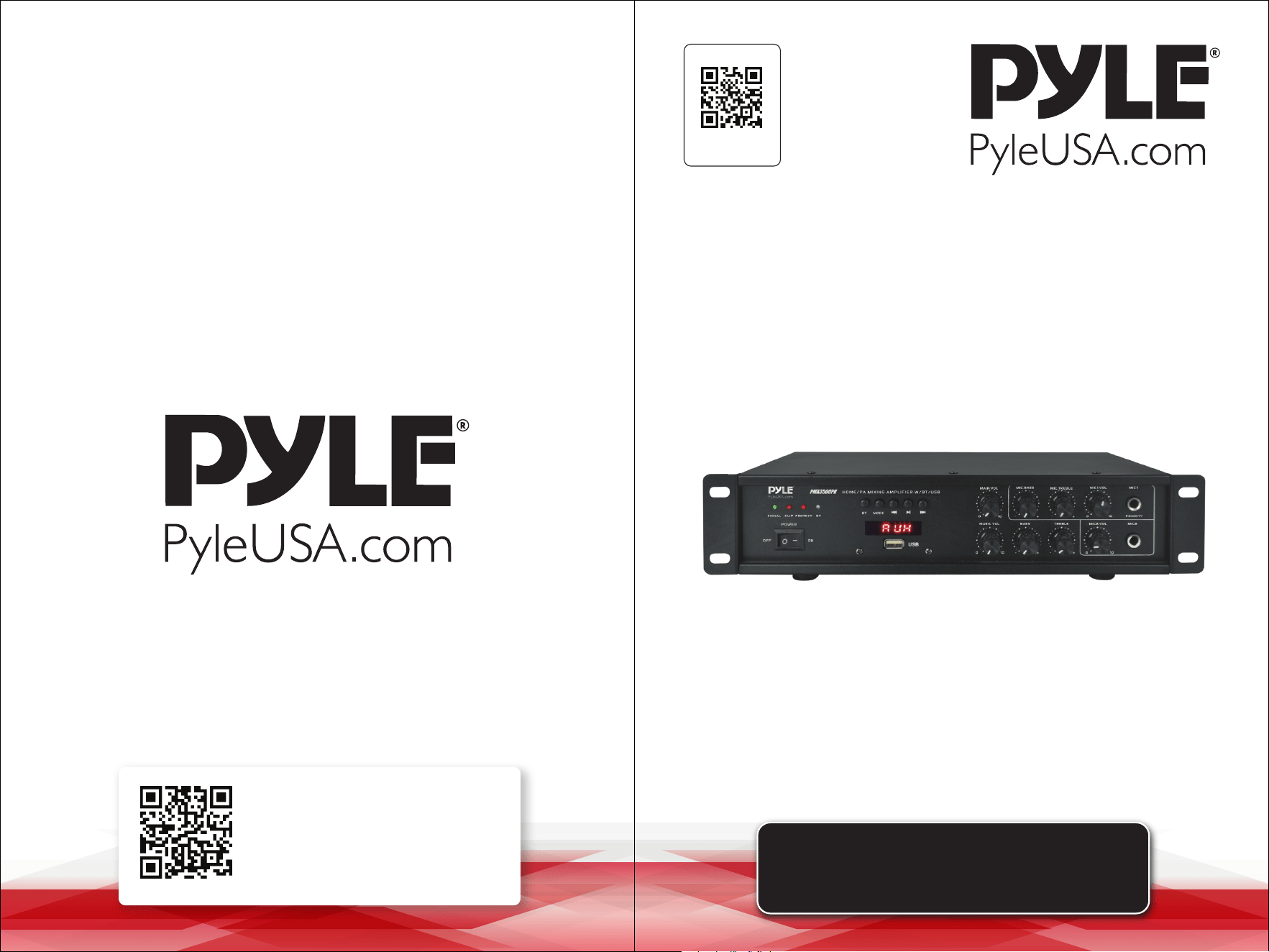
Wireless BT Home/PA Mixing Amplifier
PMX3500PH
www.PyleUSA.com2 www.PyleUSA.com 3
Features:
• Bluetooth Wireless Streaming Ability
• Built-in USB Playback
• LED Display
• USB Flash Drive
• Aux Input
• MP3/MIC/AC-3 Inputs
• Digital LED Display
• Microphone 1 and 2 Level Gain and Talk-over Control
• Microphone 1 Priority function
• Mic Talk-over Ability to Speak Over Audio, Karaoke Style
• Desktop Home/PA Mixing Power Amplier
• Compact Home Theater-Stereo Receiver Style
• Built-in Bluetooth for Wireless Music Streaming
• Optical/Coaxial Digital Signal Inputs
• Aux Audio Input Selection
• MP3/WAV Audio Files Support
• Connect & Stream Audio from External Devices
• Front Panel Audio Control Center
• Treble, Bass, Master & Microphone Volume Adjustable
Bluetooth Connectivity:
• Receives Wireless Signal for Audio Streaming
• Simple & Hassle-Free Pairing Setup
• Integrated Antenna for Extended Wireless Range
• Works with All of Today’s Latest Devices
(Smartphones, Tablets, Laptops, Computers, etc.)
• Bluetooth Version: 5.0
• Bluetooth Network Name: 'Pyle Speaker'
• Wireless Range: 40'+ Ft.
What's in the Box:
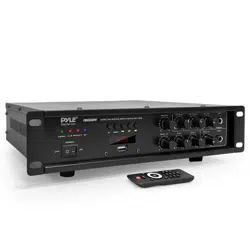
• Desktop Stereo Amplier
• Remote Control
Technical Specs:
• Power Output: 500 Watts Peak Power
• Remote Control Battery: Need 2x ’AAA’ Battery (not included)
• MAX Power Output: 50 Watt x2(@ 4 Ohm)
• RMS Power Output: 35 Watt x 2 (@ 4 Ohm)
• Tone Control: Bass, f=100Hz +/-12dB, Treble, f=10 KHz +/-12dB
• Tone Control for Mic: Bass, f=100Hz +/-8dB, Treble, f=10 KHz +/-8dB
• Frequency Adjustment: +/-2dB
• Signal to Noise Ratio: >71dB
• T.H.D.: <1%
• Separation Degree: >45dB
• Radio Station Presets: Up to 40 Stations
• Power Supply: 120V/240V, Switchable
• Dimensions (L x W x H): 11.81'' x 9.45'' x 2.76'' -inches
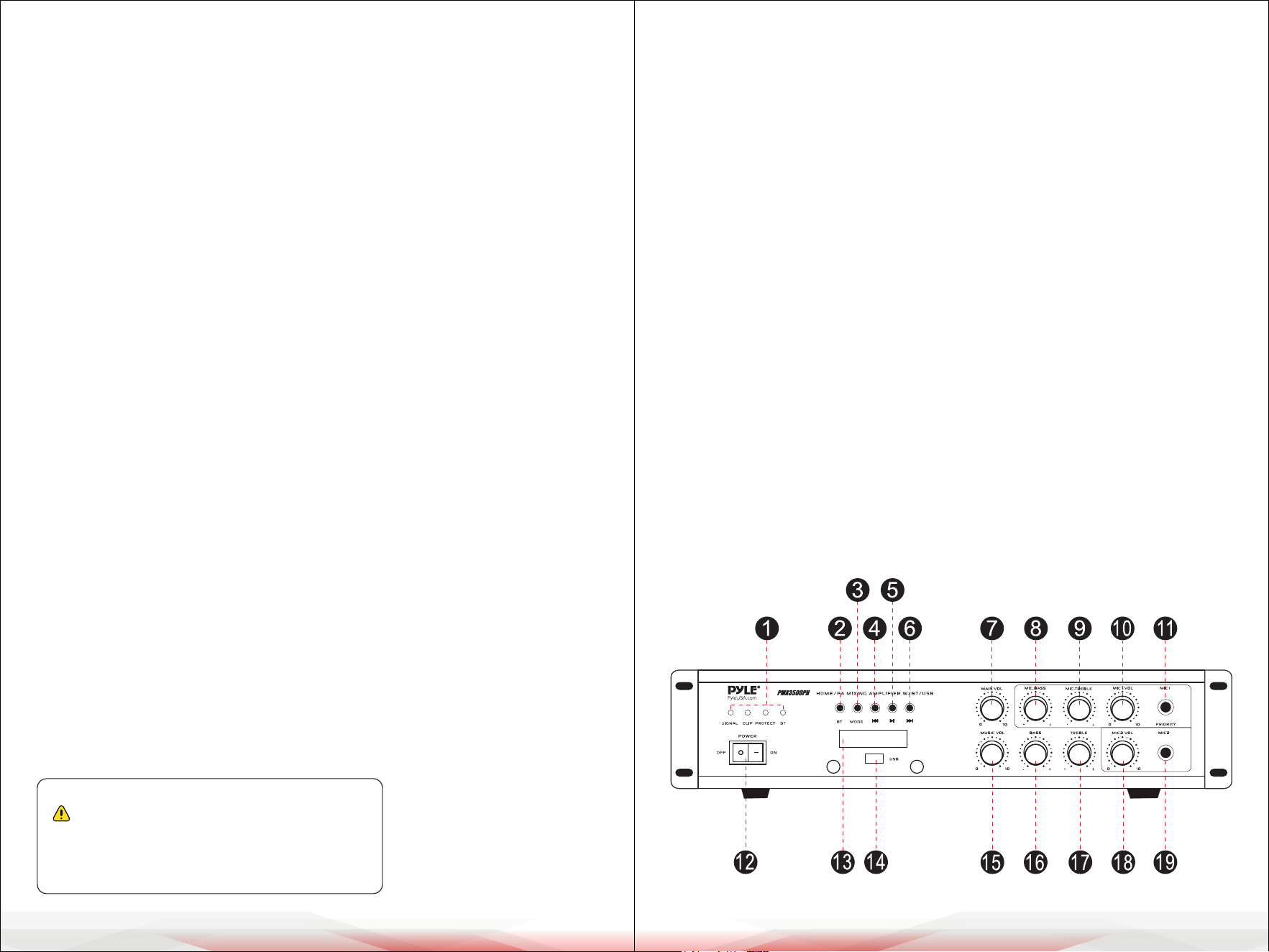
Front Panel
California Prop 65 Warning
WARNING:
This product contains Lead (Pb) which is known to the state of
California to cause cancer birth defects and other
reproductive harm. Do not ingest.
For more info go to: www.P65warnings.ca.gov
www.PyleUSA.com4 www.PyleUSA.com 5
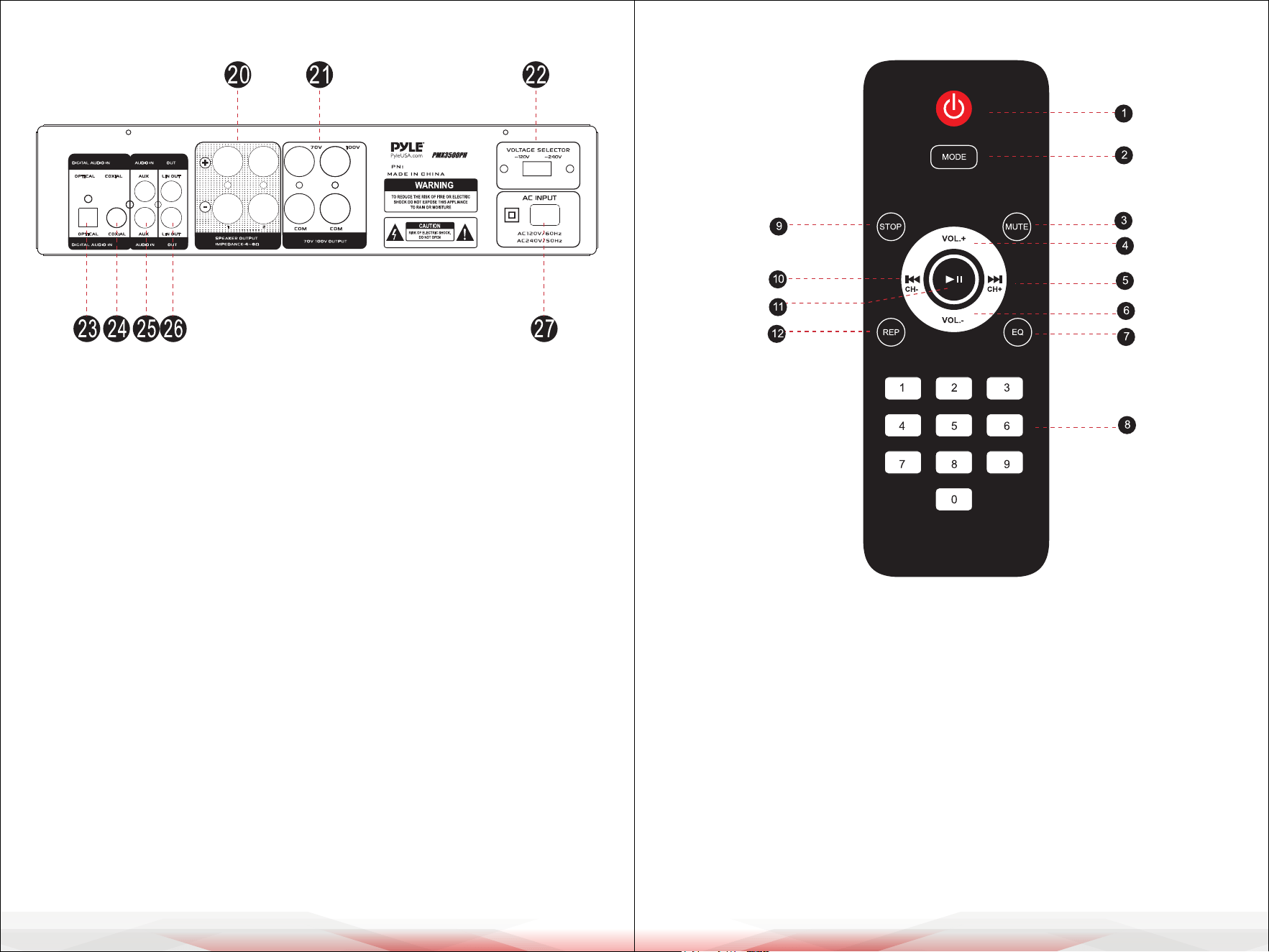
Front and Back Panel
19. Mic 2 Input
20. Speaker Output
21. 70V/100V Output
22. 120V/240V Voltage Selector
23. Optical Input
24. Coxial Input
25. Aux Input
26. Lin Output
27. AC 120V/240V Input
1. Signal/Clip/Protect/BT indicator
2. BT-Press this key to enter BT Mode
3. Input Selector
4. Previous Song/Previous Station
5. Play/Pause
6. Next Song/Next Station
7. Main Volume Control
8. Mic Bass Volume Control
9. Mic Treble Volume Control
10. Mic1 Volume Control
11. Mic 1 Input
12. Power ON/OFF Switch
13. LED Digital Display
14. USB Reader
15. Master Volume Control
16. Bass Volume Control
17. Treble Volume Control
18. Mic1 Volume Control
Remote Control Functions
1. USB/SD Standby/ON key
2. USB/SD/DVD mode
3. Mute button
4. Master Volume + button: Increases volume level
5. Next button: Move forward through tracks from USB input
6. Master Volume - button: Decreases volume level.
7. Equalizer button
8. Numeric key pad: In USB mode,
use to manually select tracks.
9. Stop button: Stops music playing from USB input
10. Previous button: Move back through tracks from USB input.
11. Play/Pause button: Play and pause music from USB input.
12. Repeat button: Repeats current track from USB Input

www.PyleUSA.com6 www.PyleUSA.com 7
WIRELESS BT STREAMING OPERATION INSTRUCTION:
You can connect external devices with built-in Wireless BT to this amplier
to play music through the amplier’s speakers. If speakers are connected,
you will hear tones to assist with the connection.
1. Press the "BT" button on the front panel to select "BT" mode.
2. Turn on the Wireless BT on your external device.
3. Search for available BT devices. Make sure you're within range of the amplier,
then select "Pyle Speaker" from the list.
4. Once you hear the tones, the unit is ready to pair.
5. You can now play music from your external device through the amplier.
Cleaning and Storage
Cleaning
1. Turn O and Unplug: Always turn o and unplug the amplier before
cleaning.
2. Exterior Cleaning: Use a soft, dry cloth to wipe the exterior surface of the
amplier. If needed, lightly dampen the cloth with water.
Do not use any harsh chemicals or abrasive cleaners.
3. Avoid Moisture: Ensure that no moisture enters the amplier, especially
through the control buttons, knobs, or input/output jacks.
4. Check Vents: Periodically check the ventilation openings to ensure they
are free of dust and debris. Use a dry, soft brush or a can of compressed air
to clean them if necessary.
Storage
1. Cool, Dry Location: Store the amplier in a cool, dry place away from
direct sunlight, heat sources, or areas with high humidity.
2. Cover: If possible, cover the amplier with a dust cover or cloth to protect
it from dust and dirt.
3. Cable Management: Neatly wrap and secure all cables to prevent tangling
or damage during storage.
4. Avoid Stacking: Do not stack heavy items on top of the amplier to avoid
damaging the controls or casing.
FCC INFORMATION
WARNING:
Changes or modications not expressly approved by the party responsible
for compliance could void the user’s authority to operate the equipment.
NOTE: This equipment has been tested and found to comply with the limits
for a Class B digital device, pursuant to Part 15 of the FCC Rules.
These limits are designed to provide reasonable protection against harmful
interference in a residential installation. This unit generates, uses, and can
radiate radio frequency energy, and if not installed and used in accordance
with the instructions, may cause harmful interference to radio communications.
However, there is no guarantee that interference will not occur in a particular
installation. If this equipment does cause harmful interference to radio or
television reception, which can be determined by turning the equipment o
and on, the user is encouraged to try and correct the interference by one or
more of the following measures:
• Reorient or relocate the receiving antenna.
• Increase the separation between the equipment and receiver.
• Connect the equipment to an outlet on a circuit dierent from that to which
the receiver is connected.
• Consult the dealer or an experienced radio/TV technician for help.
This device complies with Part 15 of the FCC Rules. Operation is subject to
the following two conditions:
1. This device may not cause harmful interference.
2. This device must accept any interference received, including interference
that may cause undesired operation.
Register Product
Thank you for choosing PyleUSA. By registering your
product, you ensure that you receive the full benets of
our exclusive warranty and personalized customer
support. Complete the form to access expert support and
to keep your PyleUSA purchase in perfect condition.
PyleUSA.com/register