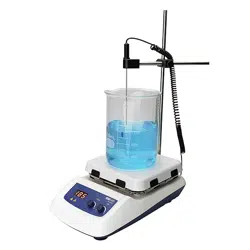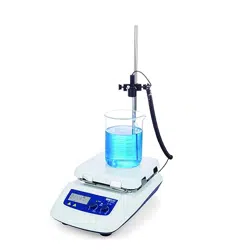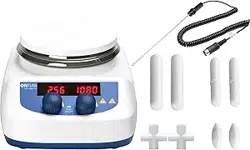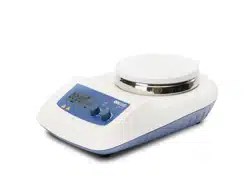
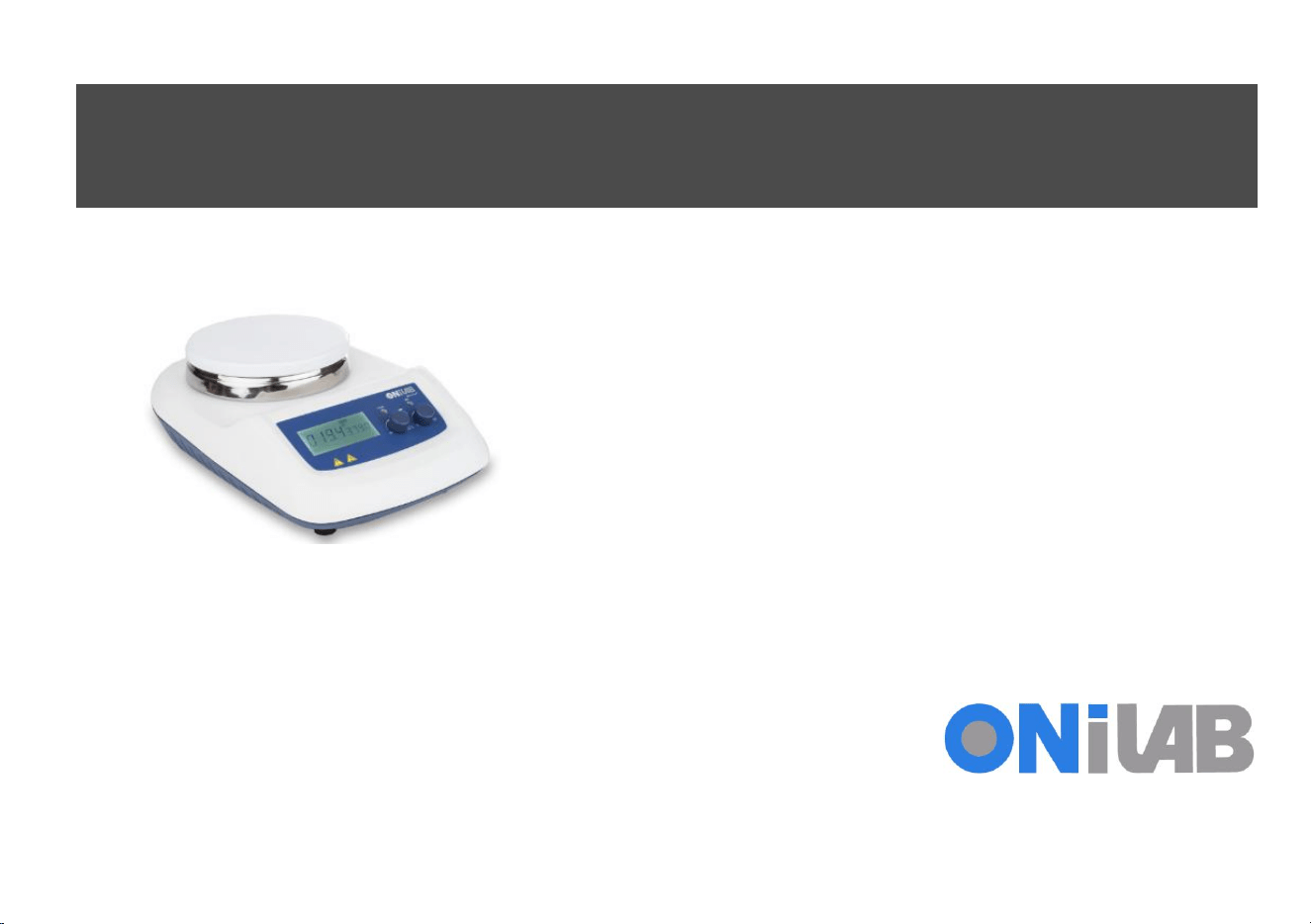
(Hotplate) Magnetic
Stirrer
User
Manual
MS-H-Pro+
MS-H-S
MS-S
LCD Digital Hotplate Magnetic S
ti
rr
e
r
Classic Hotplate Magnetic S
ti
rr
e
r
Classic Magnetic S
ti
rr
e
r
Please read the User Manual carefully before use, and follow all
operating and safety instructions!
Technical specifications and outline are subject to change without
prior notice.

Contents
Preface
.................................................................................1
Service
.................................................................................1
Warranty ..............................................................................1
1. Safety Instructions .......................................................2
2. Proper Use ...................................................................3
3. Inspection ....................................................................4
3.1 Receiving Inspection.............................................. 4
3.2 Listing of Items.......................................................4
4. Control.........................................................................5
4.1 Control elements ...................................................5
4.2 Display (LCD digital model)....................................7
5. Trial Run
......................................................................7
6. Function: Heating (LCD digital hotplate model)
.........8
6.1 Working with external temperature sensor ..........9
6.2 Residual heat warning
(
HOT
)
............................9
7. Stirring (LCD digital model) .......................................9
8. Remote Control (LCD digital model)........................10
9. Faults .........................................................................10

10. Maintenance and Cleaning
........................................11
11. Associated Standards and Regulations ......................12
12. Specifications ............................................................13
13. Ordering Information ................................................14


1
Preface
Welcome to the “(Hotplate) Magnetic Stirrer User Manual”.
Users should read this Manual carefully, follow the
instructions and procedures, and be aware of all the
cautions when using this instrument.
Service
When help needed, you can always contact the Service
Department of manufacturer for technical support in the
following ways:
Please provide the customer care representative with the
following information:
• Serial number(on the rear panel)
• Certification
• Description of problem (i.e., hardware or software)
• Methods and procedures adopted to resolve the problems
• Your contact information
Warranty
This instrument is warranted to be free from defects in
materials and workmanship under normal use and service,
for a period of 12 months from the date of invoice. The
warranty is extended only to the original purchaser. It shall
not apply to any product or parts which have been damaged
on account of improper installation, improper connections,
misuse, accident or abnormal conditions of operation.
For claims under the warranty please contact your local
supplier. You may also send the instrument directly to
manufacturer, enclosing the invoice copy and by giving
reasons for the claim.

2
1. Safety Instructions
Warning!
• Read the operating instructions carefully
before use.
• Ensure that only trained staff works with the
instrument.
Risk of burn!
• Caution when touch the housing parts and
the hotplate which can reach temperature of
340
°
C.
• Pay attention to the residual heat after
switching off.
Protective ground contact!
• Make sure that socket must be grounded
(protective ground contact) before use.
• When working wear personal safety guards to avoid the
risk from:
- Splashing and evaporation of liquids
- Release of toxic or combustible gases
• Set up the instrument in a spacious are on a stable, clean,
non-slip, dry and fireproof surface. Do not operate the
instrument in explosive atmospheres, with hazardous
substances or under water.
• Gradually increase the speed, reduce the speed if:
- Stirring bar breaks away due to high speed
- The instrument is not running smoothly, or container
moves on the base plate
• Temperature must always be set to at least 50
℃
lower
than the fire point of the media used.
• Be aware of hazards due to:
- Flammable materials or media with a low boiling
temperature
- Overfilling of media
- Unsafe container
• Process pathogenic materials only in closed vessels.
• If the case of the stirrer bar is PTFE, please note:
- Elemental fluorine, three fluoride and alkali metals will
corrode the PTFE and Halogen alkanes make it expansion
at room temperature
- Molten alkali , alkaline earth metals or their solution, as
well as the powder in second and third ethnic of the
Periodic Table of Elements will have chemical reaction
with PTFE when temperature reaches 300 ~ 400 ℃ .
• Check the instrument and accessories prior to each use.
Do not use damaged components. Safe operation is only
3
guaranteed with the accessories described in the
“Accessories” chapter. Accessories must be securely
attached to the device and can not come off by themselves.
Always disconnect the plug before fitting accessories.
• When the external temperature sensor needed, the tip of
the measuring sensor must be at least 5-10mm from vessel
bottom and wall.
• The instrument can only be disconnected from the main
power supply by pulling out the main or the connector plug.
• The voltage stated on the label must correspond to the
main power supply.
• Ensure that the main power supply cable does not touch
the hotplate. Do not cover the device.
• The instrument may only be opened by experts.
• Keep away from high magnetic field.
2. Proper Use
The instrument is designed for mixing and/or heating
liquids in schools, laboratories or factories.
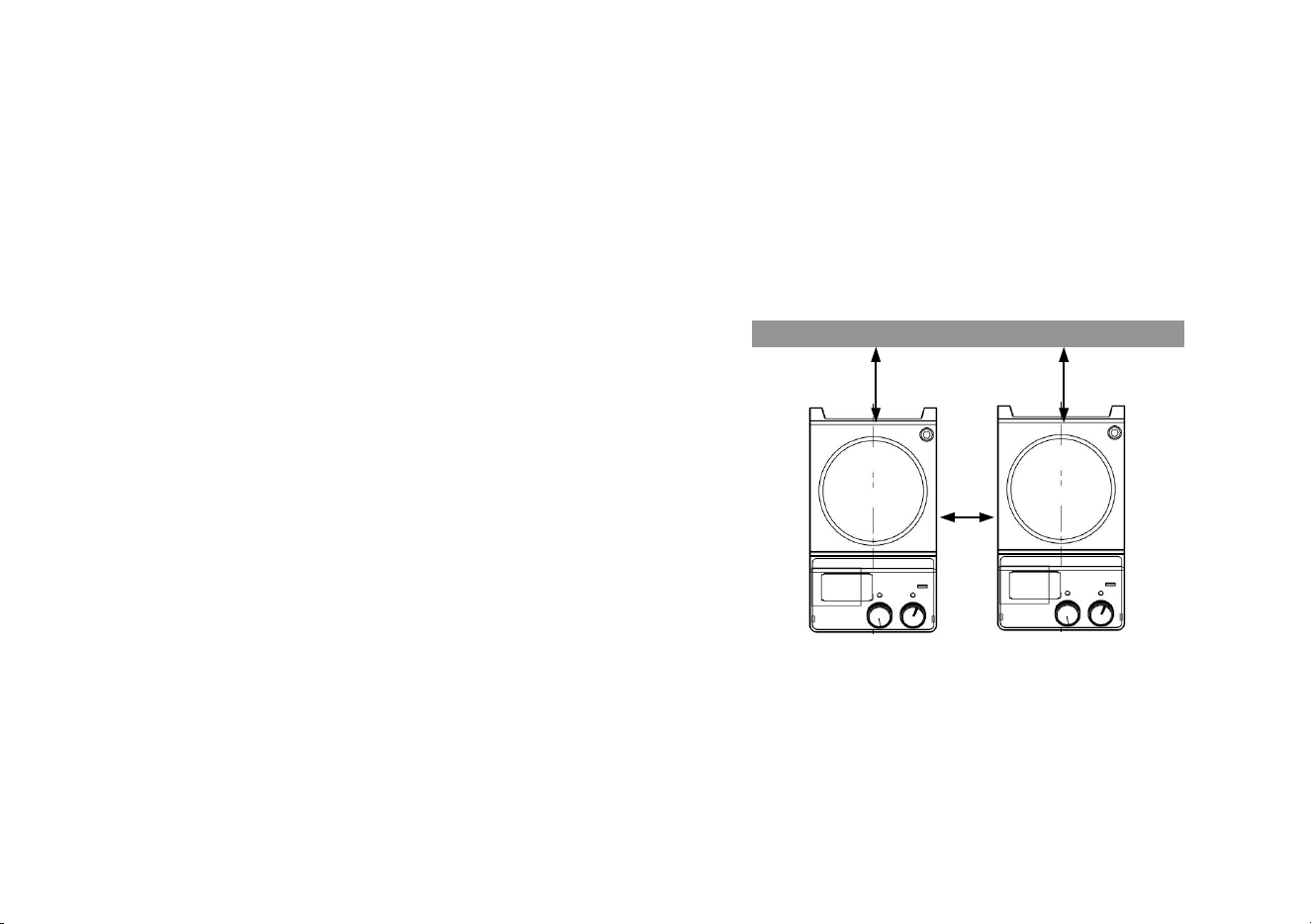
• Observe the minimum distances between the devices,
between the device and the wall and above the assembly
(min. 100 mm)
>100mm
Figure 1
This device is not suitable for using in residential areas or
other constraints mentioned in Chapter 1.

4
Items
Qty
Main unit
1
Power cable
1
Stirrer bar
1
User Manual
1
3. Inspection
3.1 Receiving Inspection
Unpack the equipment carefully and check for any damages
which may have arisen during transport. Please contact
manufacturer/supplier for technical support.
3.2 Listing of Items
The package includes the following items:
Note:
If there is any apparent damage to the system,
please do not plug it into the power line.
Table 1
5
4. Control
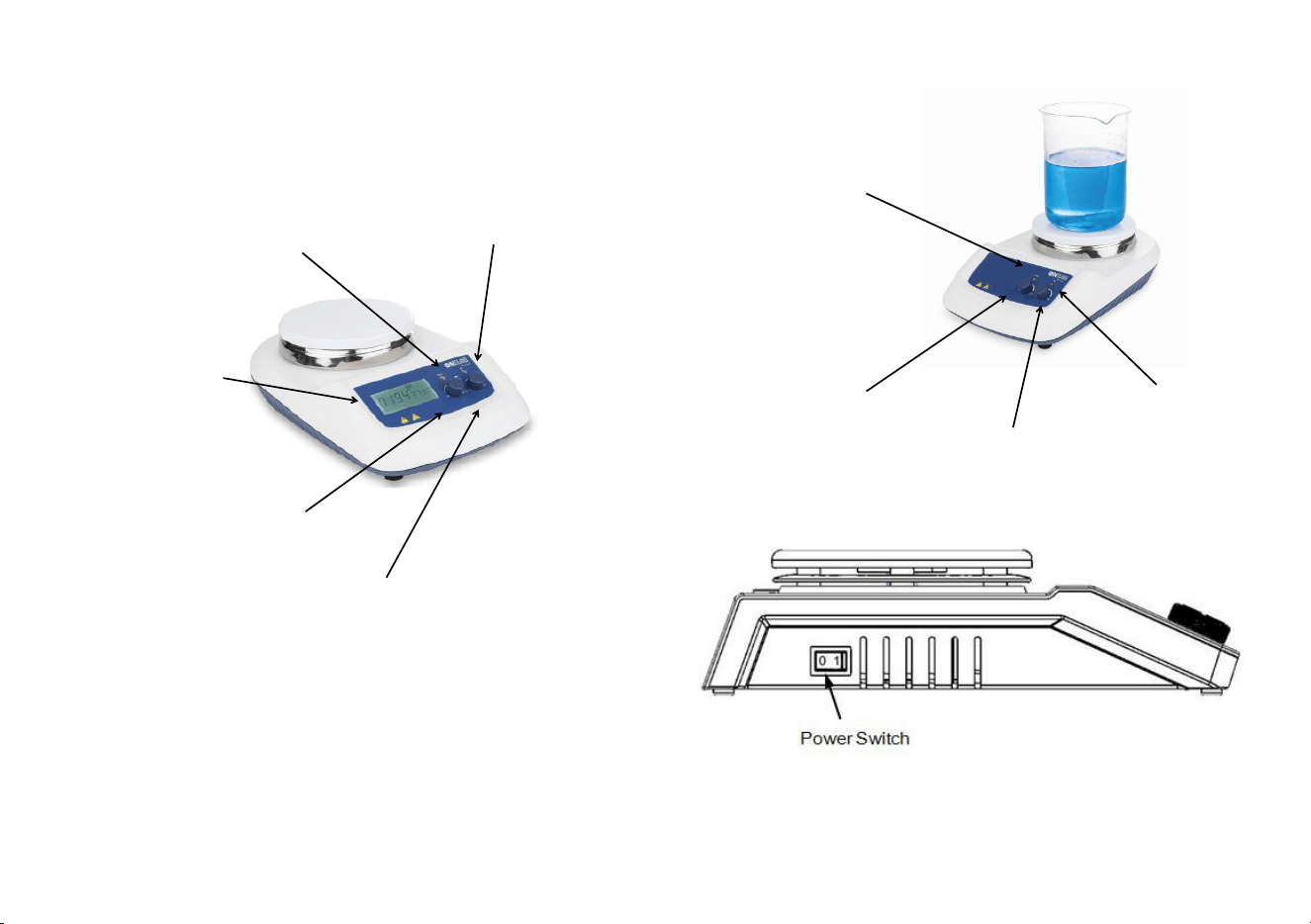
4.1 Control elements
LED Heat
( Hotplate model )
LED
Heat
( Hotplate
model
)
LCD
Heating Knob
( Hotplate model )
Stirring Knob
Figure 3 Classic model
LED Stir
Heating Knob
( Hotplate model )
Stiring Knob
Figure 2 LCD Digital model
Figure 4
LED Stir

6
Items
Descriptions
LCD Digital model
Stirring knob
Set the rated rotary speed. The function “Stirring” is switched ON or
OFF via push ON/OFF the knob.
Stir
Heating knob
Heat
Set the rated temperature. The function “heating” is switched ON or
OFF via push ON/OFF the knob.
(Hotplate model)
LCD
LCD displays the real working state and all settings.
LED Heat (Hotplate model)
When the heating function is switched ON, the LED Heat is lit.
LED Stir
When the stirring function is switched ON, the LED Stir is lit.
Power Switch
Switch ON or OFF the instrument.
Classic model
Stirring knob Stir
Set the rated rotary speed in the safe stirring range from 0 to 1500
rpm. The function “Stirring” is switched ON or OFF via the knob.
Heating knob Heat
(Hotplate model)
Set the rated temperature in the safe temperature range from room
temperature to 340
°
C. The function “heating” is switched ON or OFF
via the knob.
LED heat (Hotplate model)
When the heating function is switched ON, the LED Heat is lit.
LED Power
When the device is switched ON, the LED power is lit.
Power switch
Switch ON or OFF.
Table 2
7
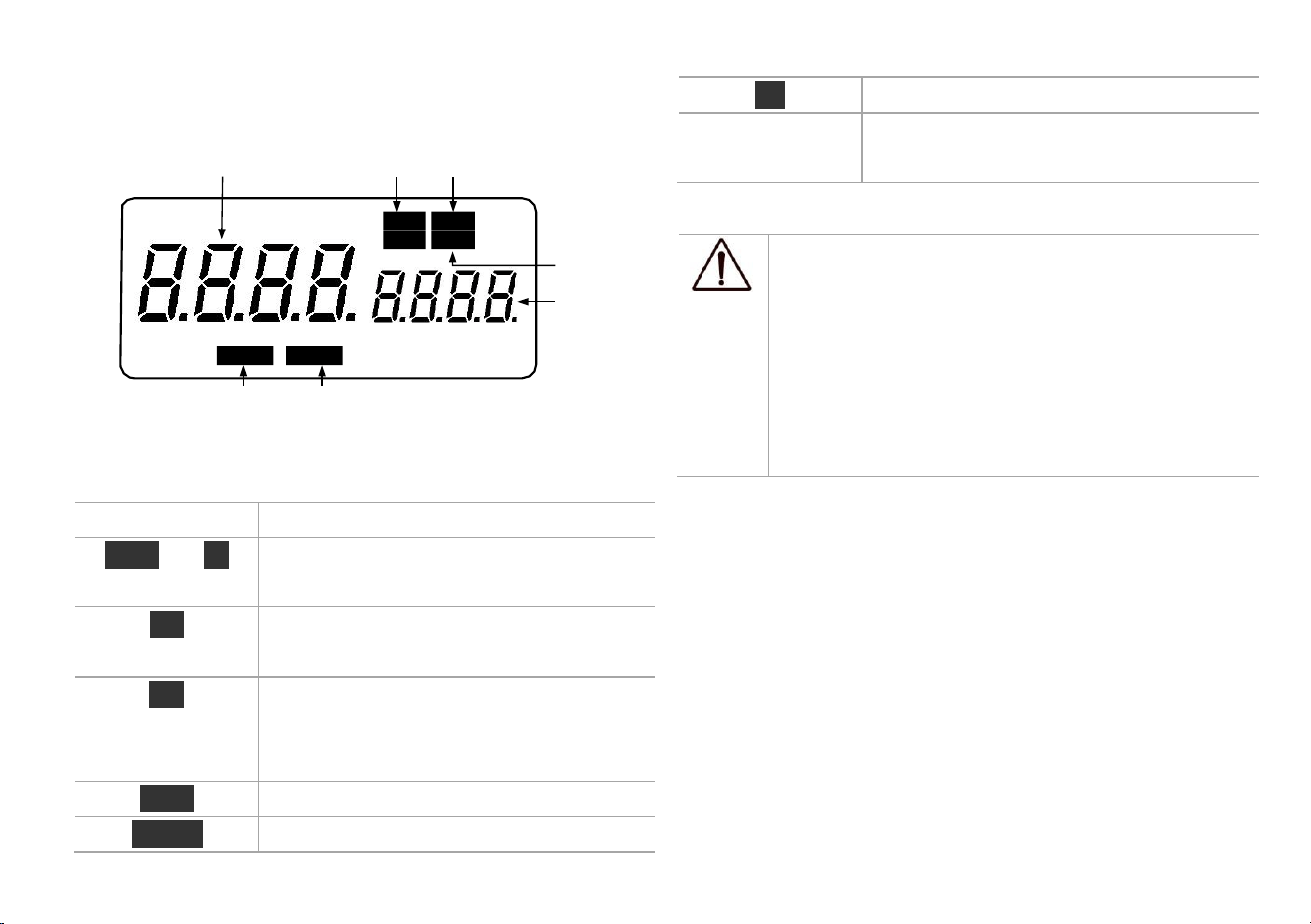
4.2 Display (LCD digital model)
Err Display in case of error happening.
Real value
Temperature
( Hotplate model)
Stir
Rated value/Real
value
Display value in case of heating or
stirring function switching ON.
Table 3
Temp
S
t
i
r
Probe
H
o
t
℃
Err
Error
Rated value
Note:
If both heating and stirring functions have been
started at the same time, heating function always
has higher priority. If in this case speed is
External probe
Hotplate waning
changed via the stirring knob, it displays stirring
( Hotplate model ) (Hotplate model)
Figure 5
Characters Descriptions
Temp and
°C
Display temperature when the heating
function is switched ON.
Stir Display stirring state when the stirring
function is switched ON.
Hot Display hot warning if the heating plate
temperature is above 50
°
C after
switching OFF the heating function.
Probe Display when using external probe.
Remote Display in case of remote control.
speed and reverses to temperature in the duration
of 5 seconds.
5. Trial Run
• Make sure the required operating voltage and power
supply voltage match.
• Ensure the socket must be properly grounded.
• Plug in the power cable,ensure the power is on and begin
initializing.
• Add the medium into the vessel with an appropriate
stirring bar.
• Place vessel on the work plate.

8
• Set the target stirring speed and begin.
• Observe the stirring bar and LCD display (digital model).
• Set the target temperature and start heating.
• Observe the real temperature on LCD display (digital
model).
• Stop the heating and stirring functions.
If these operations above are normal, the device is ready to
operate. If these operations are not normal, the device may
be damaged during transportation, please contact
manufacturer/supplier for technical support.
Warning !
Forbid to transfer the vessel when the instrument
working.
6. Function: Heating (LCD digital
hotplate model)
The device is controlled by digital temperature control
technology, which has two separate safe circuits. The
hotplate is kept at a constant temperature by a digital
control circuit. The hotplate temperature can also be
monitored from a separate, adjustable safe circuit. The two
temperature sensors (PT1000) internal for temperature
control are built into the hotplate. The single external
PT1000 can monitor the temperature of sample.
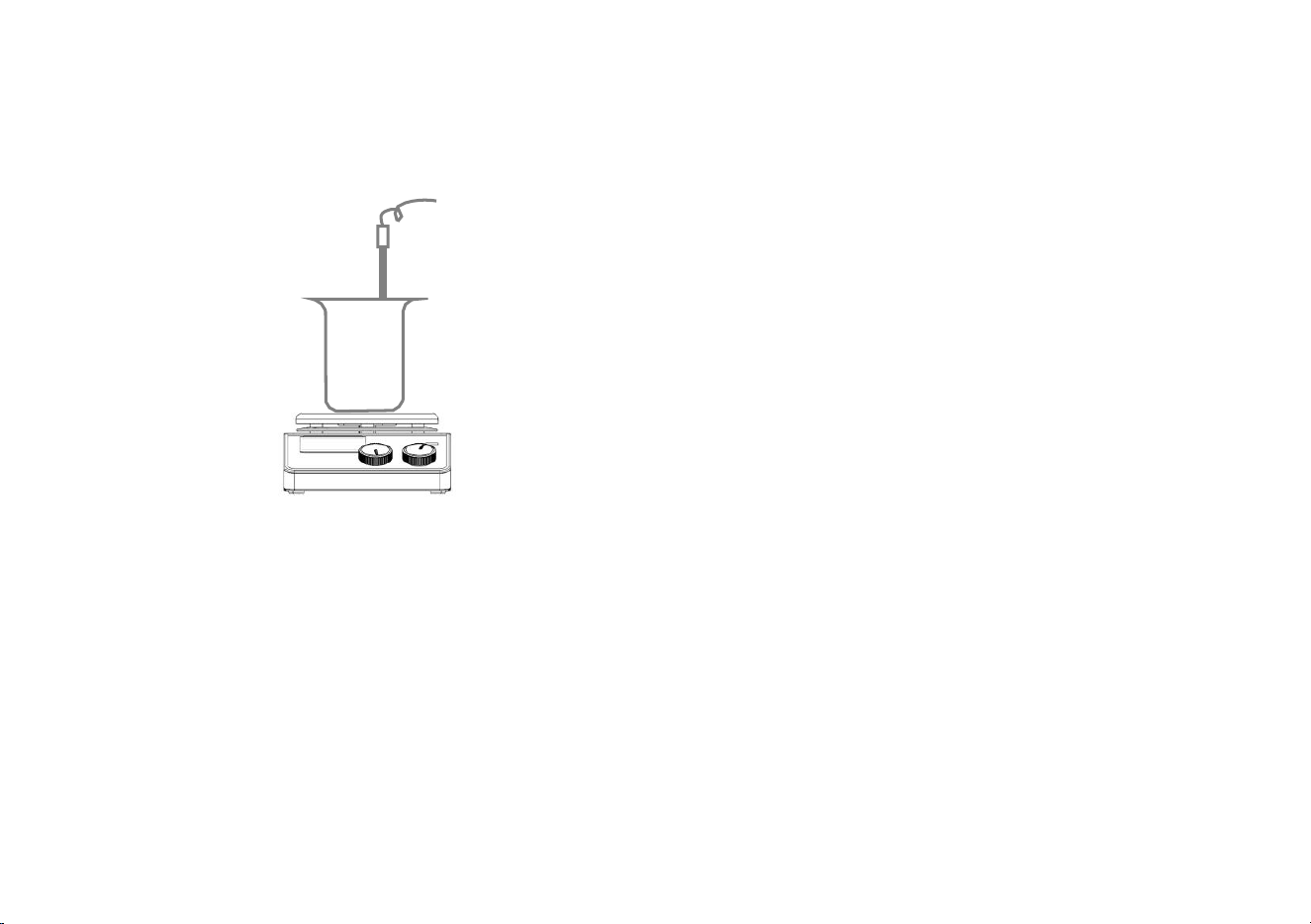
• Plug in the external PT1000.
• Set the temperature via rotating the temperature
control knob slowly to the target value.
• When the heating function is switched on, the LED
“Heat” will light up and the LCD will display the real
temperature.
• The rated temperature will be displayed on the
right-hand side of the LCD as well as Temp and
°C
characters.
• The heating function is switched on or off by pushing
heating knob.
Instrument is turned on for the setting zone temperature
setting when the last shutdown temperature, the common
case, set the heating temperature display the actual
temperature may have the following differences:
- Hotplate center and outer edge.
- The sample container and the container.
In order to ensure the accuracy of the temperature inside the
container, please use the external temperature sensor PT1000.
9
6.1 Working with external temperature
sensor
Figure 6
The external temperature sensor PT1000 is the
manufacture’s standard accessory. If the sensor is plugged
in, “Probe” will be shown on the digital display to indicate
the sensor is operating. The setting value of external
temperature sensors and actual temperature are displayed.
Safe circuit controls hotplate temperature.
Comparing with the temperature control of the hotplate, the
external temperature sensor can control the medium’s
temperature more precisely.
6.2 Residual heat warning
(
HOT
)
In order to prevent the risk of burns from a hotplate, digital
hotplate has a residual heat warning function. When the
heating function is switched off and the heating plate
temperature is still above 50°C, “Hot” will flash to warn
that there is a hazard of burns from the hotplate. When the
hotplate temperature drops to below 50
°
C, the unit will
automatically switch off. If users want to turn off the LCD
immediately, just pull out the plug directly. When the plug
is pulled out, the residual heat warning function cannot be
run.
7. Stirring (LCD digital model)
The function “stirring” is switched on or off via rotating
stirring knob. The speed is set on the knob (100 to 1500
rpm in steps of 10 rpm). When both of function heating and
stirring are switched on and those above operations are
done, the LCD will shift to the speed value and come back
to the temperature value in about 5 seconds.
10
8. Remote Control (LCD digital
model)
Figure 7
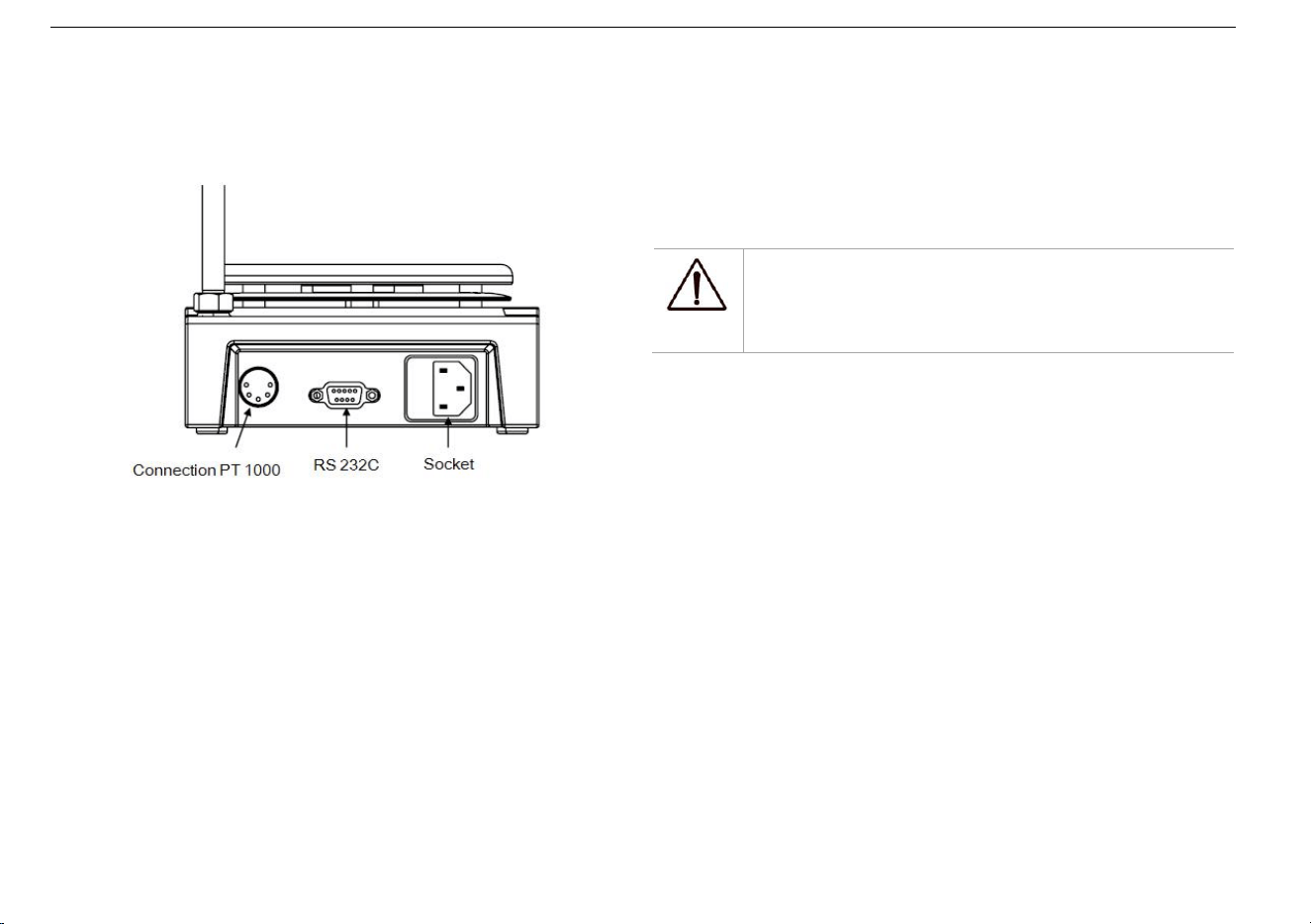
The unit can be controlled from an external PC (using the
dedicated software) via the RS232C serial interface fitted to
the unit. Data communication from laboratory instrument to
computer is only possible on demand of the computer.
• The functions of the interface lines between laboratory
instrument and automation system are selected from
the specified signals of the EIA-standard RS232C,
corresponding with DIN66020 Part 1. The allotment of
the bushing can be taken from Figure 7
• Transmission method: Asynchronous signal
transmission in start-stop-operation.
• Mode of transmission: Fully Duplex. 1 start bit; 7
character bits; 1 parity bit [straight (even]); 1 stop bit.
• Transmission speed: 9600 bit/s
• Start remote control knob LCD display “ Remote ”.
Note:
Forbid to insert or remove the RS232C
communication line when switch on!
9. Faults
• Instruments can’t be power ON
- Check whether the power line is unplugged
- Check whether the fuse is broken or loose
• Fault in power on self test
- Switch OFF the unit, then switch ON and reset
the instruments to factory default setting.
• Stir speed cannot reach set point
- Excessive medium viscosity may cause abnormal
speed reduction of the motor
• Unit cannot be powered off when switched off.
- Check if the residual heat warning function is still
ON and hotplate temperature is above 50℃ (the
LCD still work and “Hot” flash).

11
If these faults are not resolved, please contact
manufacturer/supplier.
10.
Maintenance and Cleaning
• Proper maintenance can keep instruments working
properly and lengthen its lifetime.
• Do not spray cleanser into the instrument when
cleaning.
• Unplug the power line when cleaning.
• Only use recommended cleansers:
Note:
• Electronic device can not clean with
cleanser.
• If you require maintenance service, must be
cleaned the instrument in advance to avoid
pollution of hazardous substances, and to
send back into original packing.
• If the instrument will not use for a long time,
please switch off and place in a dry, clean,
room temperature and stable location.
Dyes
Isopropyl alcohol
Construction materials
Water containing tenside
/ Isopropyl alcohol
Cosmetics
Water containing tenside
/ Isopropyl alcohol
Foodstuffs
Water containing tenside
Fuels
Water containing tenside
• Before using other method for cleaning or
decontamination, the user must ascertain with the
manufacturer that this method will not harm the
instrument. Wear the proper protective gloves during
cleaning of the instrument.

12
11.
Associated Standards and
Regulations
Construction in accordance with the following safety
standards:
EN 61010-1
UL 3101-1
CAN/CSA C22.2(1010-1)
EN 61010-2-10
Construction in accordance with the following EMC
standards:
EN 61326-1
Associated EU guidelines:
EMC-guidelines: 89/336/EWG
Instrument guidelines: 73/023/EWG
interference when the equipment is operated in a
commercial environment. This equipment generates, uses,
and can radiate radio frequency energy and, if not installed
and used in accordance with the instruction manual, may
cause harmful interference to radio communications.
Operation of this equipment in a residential area is likely to
cause harmful interference in which case the user will be
required to correct the interference at his own expense.
Changes or modifications not expressly approved by the
party responsible for compliance could void the user's
authority to operate the equipment.
NOTE: This equipment has been tested and found to
comply with the limits for a Class A digital device,
pursuant to Part 15 of the FCC Rules. These limits are
designed to provide reasonable protection against harmful

13
Plate material
Stainless steel/Ceramic coated
Dimensions of
workplate (mm)
Ø 135
Ø 135
*Heating power [W]
500
500
*Temperature range
[
°
C]
RT-340,
increment: 1
RT-340
*Temperature
display [
°
C]
LCD
Scale
*Temperature
display accuracy
[
°
C]
±0.1
-
*The safe
temperature of
hotplate [℃]
360
100-350
*Temperature sensor
in medium
PT1000
-
*Control accuracy of
heating
temp with temp
sensor [℃]
±0.2
-
*Residual heat
warning
50℃
-
12.
Specifications
Items
Specifications
Digital model
Classic model
Voltage [VAC]
100-120/200-240
100-120/200-240
Frequency [Hz]
50/60
50/60
Power [W]
*
550
50
*
530
30
Stirring point
position quantity
1
1
Max. stirring
quantity (H
2
O) [l]
20
20
Max. magnetic bar
[L×Ø, mm]
80
×
10
80
×
10
Motor type
DC brushless motor
Max. power input of
motor [W]
18
18
Max. power output
of motor [W]
10
10
Speed range [rpm]
100-1500,
increment: 10
0-1500
Rotary speed display
LCD
Scale

14
Dimensions (mm)
280
×
160
×
85
Weight [kg]
2.8
2.8
Permitted ambient
temperature [
°
C]
5-40
Permitted relative
humidity
80%
Protection class acc.
to DIN 60529
IP42
RS232 interface
Yes
N/A
Cat No.
Descriptions
Accessories
18900016
PT1000-A Temperature sensor for
digital hotplate model, used for
MS-H-Pro
+
, MS7-H550-Pro &
MS7-H550-S, 230mm
18900136
PT1000-B Glass coated temperature
sensor for digital hotplate model, used
for MS-H-Pro
+
, MS7-H550-Pro &
MS7-H550-S, 230mm
18900017
Support clamp of PT1000
18900001
MS 135.1 Carrier plate, used with MS
135.2-5
18900002
MS135.2 Red quarter pie, 11 holes, 4
ml reaction vessel, Ø15.2mm, 20mm
13.
Ordering Information
*Hotplate model
Table 4

15
Cat No.
Descriptions
depth
18900003
MS135.3 Purple quarter pie, 4 holes, 20
ml reaction vessel, Ø28mm, 24mm
depth
18900004
MS135.4 Blue quarter pie, 4 holes,30
ml reaction vessel, Ø28mm, 30mm
depth
18900005
MS135.5 Black quarter pie, 4 holes,40
ml reaction vessel, Ø28mm, 43mm
depth
18900048
MS135.6 Green quarter pie, 6 holes,
8ml reaction vessel, Ø17.75mm, 26mm
depth
18900049
MS135.7 Golden quarter pie, 4 holes,
16ml reaction vessel,
Ø
21.6mm,
31.7mm depth
18900080
Reaction block for 50ml round bottom
flask(one flask capacity)
18900081
Reaction block for 100ml round bottom
flask(one flask capacity)
18900082
Reaction block for 250ml round bottom
flask(one flask capacity)
Cat No.
Descriptions
18900083
Reaction block for 500ml round bottom
flask(one flask capacity)
18900006
Stirrer bar(10mm x 6mm),1pc/pk
18900007
Stirrer bar(15mm x 8mm),1pc/pk
18900008
Stirrer bar(20mm x 8mm),1pc/pk
18900009
Stirrer bar(25mm x 8mm),1pc/pk
12500005
Stirrer bar(30mm x 6mm),1pc/pk
18900011
Stirrer bar(40mm x 8mm),1pc/pk
12500004
Stirrer bar(50mm x 8mm),1pc/pk
18900013
Stirrer bar(65mm x 8mm),1pc/pk
18900014
Stirrer bar(80mm x 13mm),1pc/pk
18900015
Stirrer bar remover,1pc/pk
18900018
F100 protective cover,for non-hotplate
model
18900019
F101 protective cover , for hotplate
model
Table 5

ONiLAB LLC.
Add:775 Rivera St, Riverside CA 92501,USA
Tel: +1-424-248-3580
www.onilabsci.com