:
Thanks for choosing ecron outdoor portable power station
Please read the manual carefully before
Content
1. Introduction ...................................................................................................- 1 -
2.
Function
tion .................................................................... ......- 2 -
3.
Product
tion ................................................................. ...................- 6 -
4.
Conditions:................................. ............................................- 7 -
5.
cal Specifications: ......................... ........................................................- 8 -
6. Operating Instructions And Precautions .................................................- 10 -
:
:
7.
Product Test
.............................................................. ..................- 13 -
:
8. :............................................. .........................- 18-
9. Package
:.....................................................................................................- 19-
1. Introduction
、 ( )
2. Function
:
p安rOn
POWER IT POSSIBLE
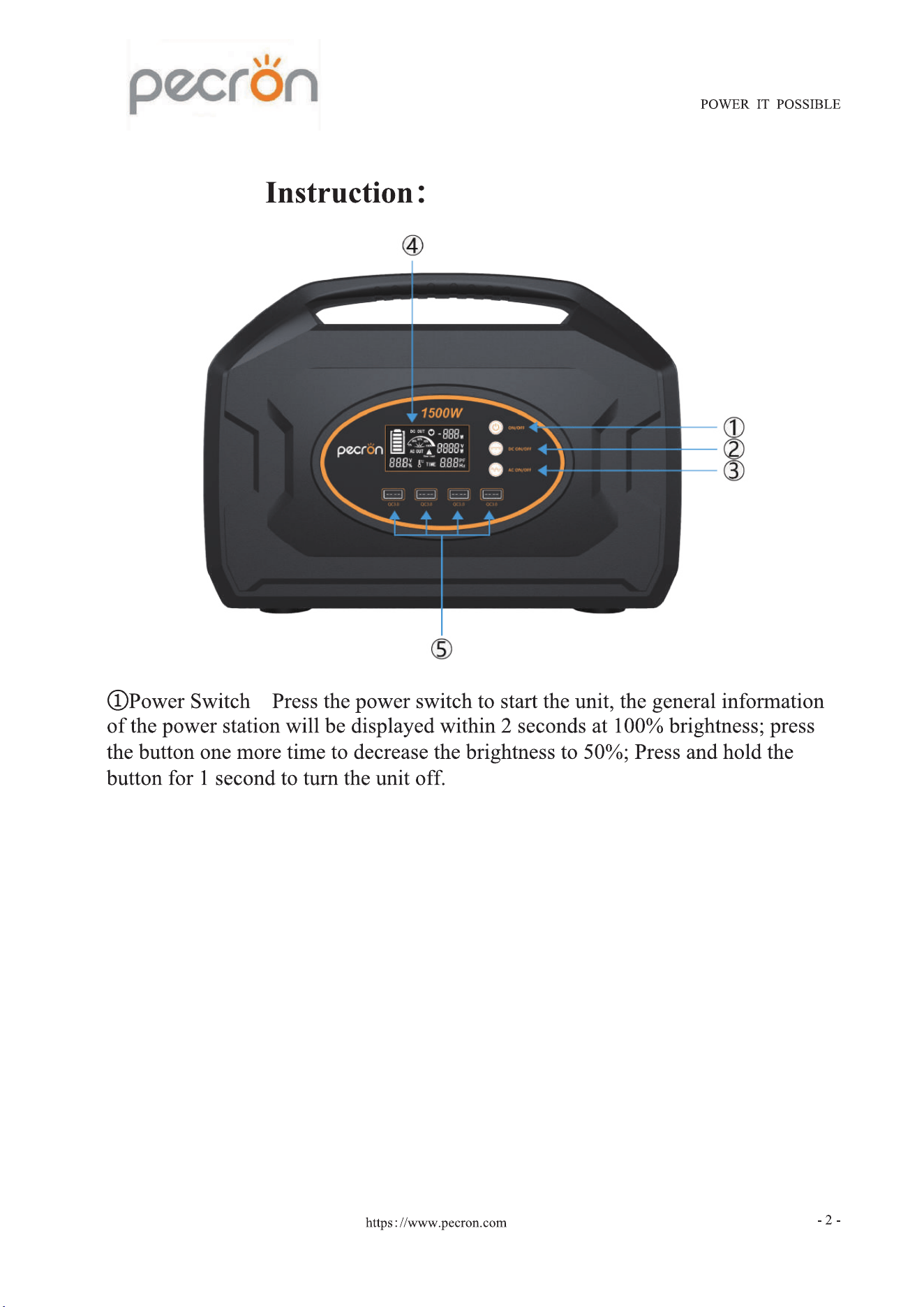
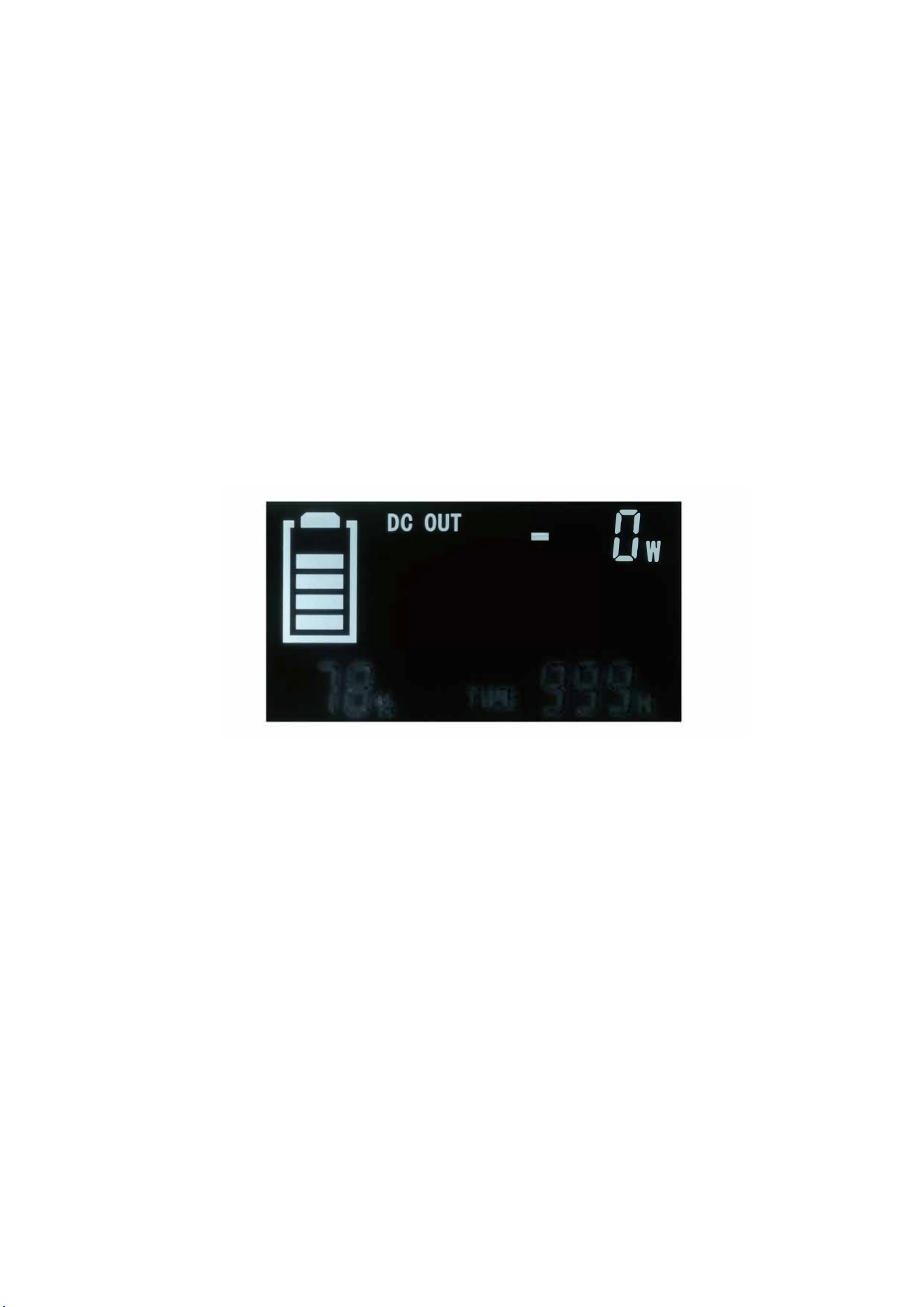
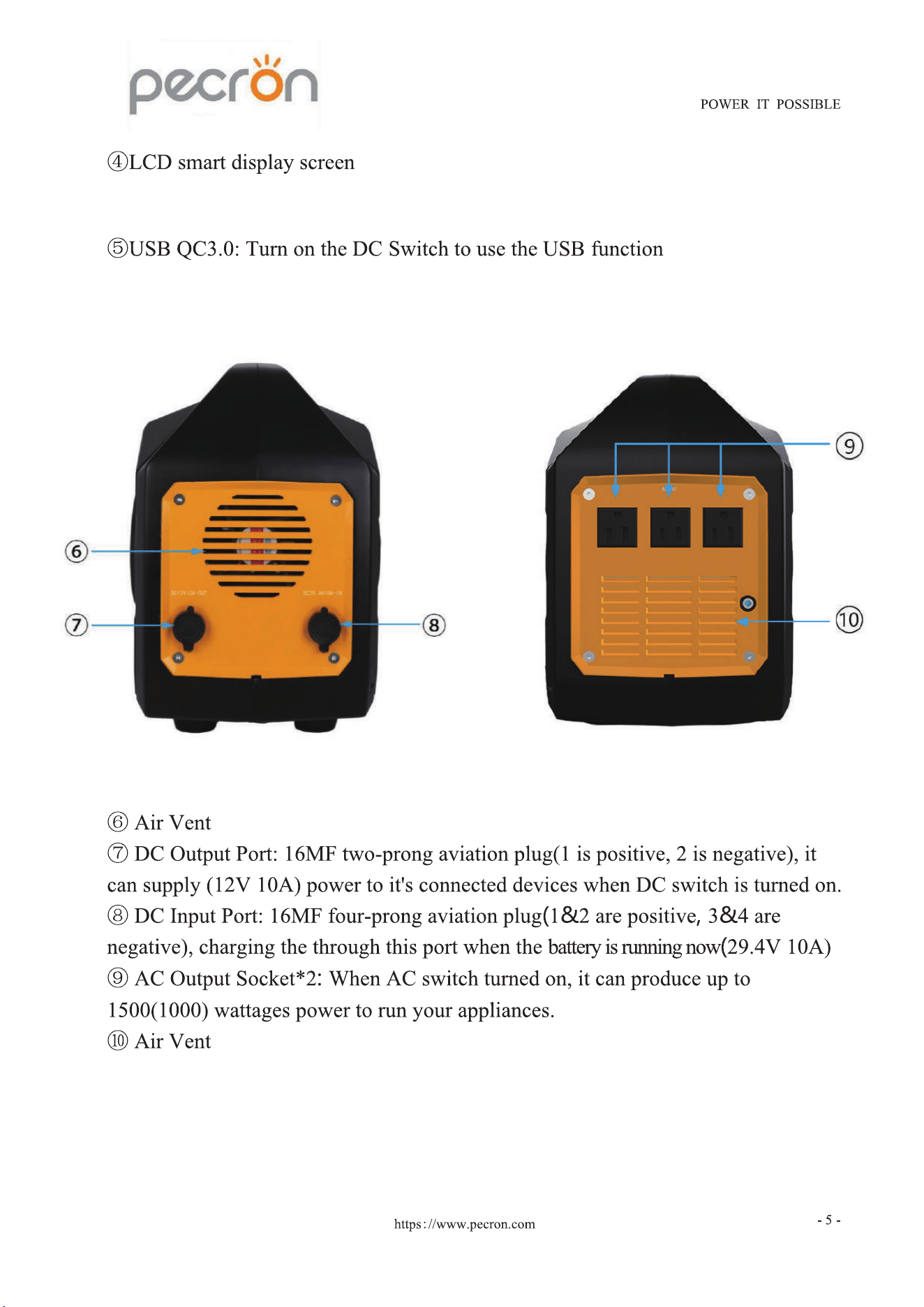
@DC Switch: Press and hold the DC switch r 1 second, the USB and 12V DC
ouut ports will be activated, at the same time, the LCD screen shows the battery
level, estimated discharging time(
H
), discharge(load) wattages, "DC OUT" symbol
(shown as Picture!); Press the DC switch one more time to show the discharging
voltage;
Press and hold the DC switch r 1 second to deactivate the USB and DC ouut.
匕二】
"
,'
厂
L
18% TIME gggH
Picture 1
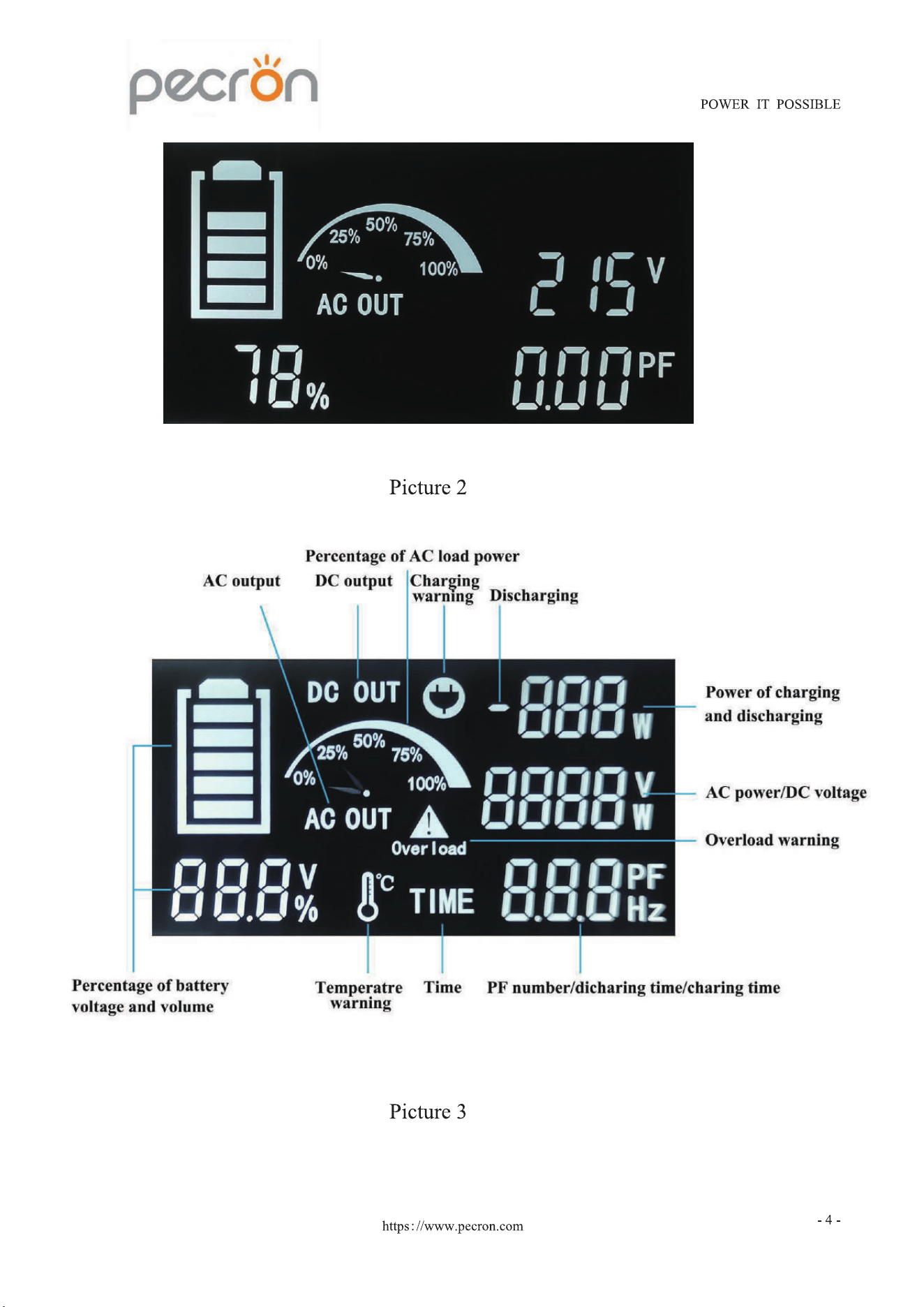
@AC Switch: Press and hold the AC switch r 1 second, the AC ouut will be
activated, at the same time, the LCD screen shows battery level, AC discharge
time(
H
)
,
AC discharge(load) wattages, load percentage, "AC OUT" symbol; Press
the AC switch once more time to show AC discharge voltage+ PF value (shown as
Picture 2).
Press and hold the AC switch r 1 second to tum o the the AC ouut nction.
hs://.
p
ecron.com
- 3 -
( ) ( ) ( )
( )
( )
( )
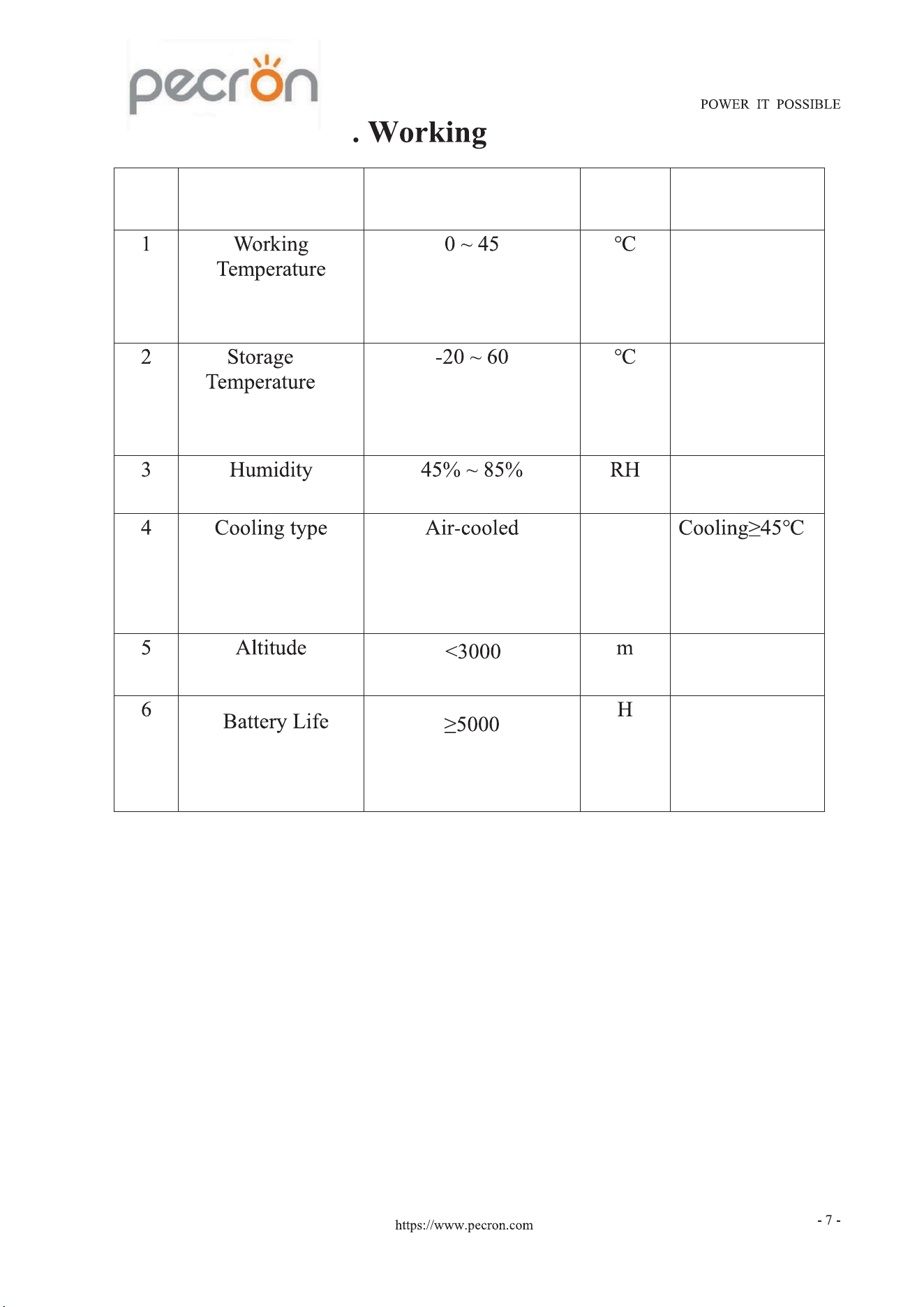
4 Conditions
NO.
Test Project
Specification
Unit
Remark
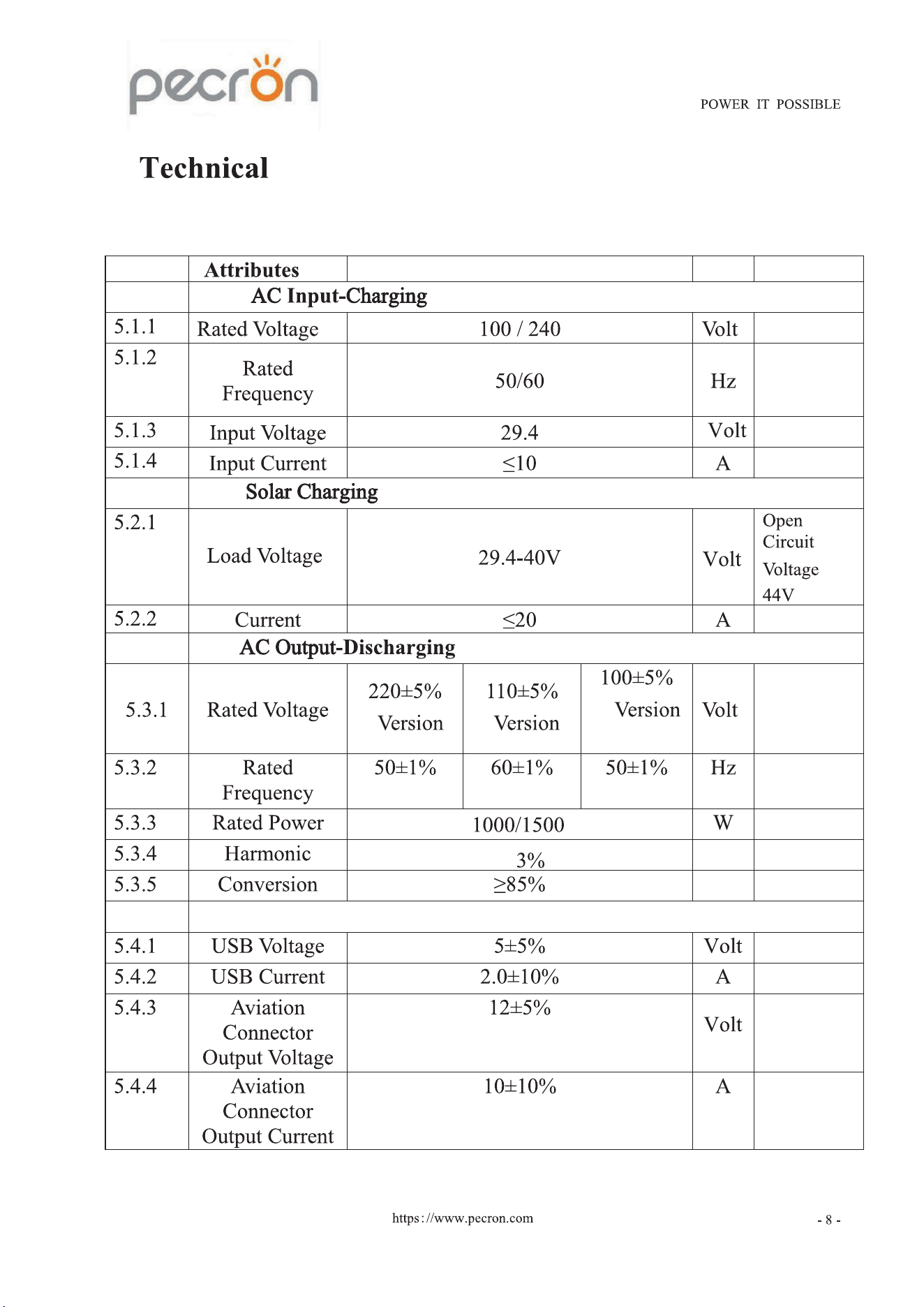
5. Specifications:
5.1-5.4 Specifications
NO .
Specification
Unit
Remark
5.1
5.2
<
5 .3
(
)
(
)
(
)
<
5.4
DC Output
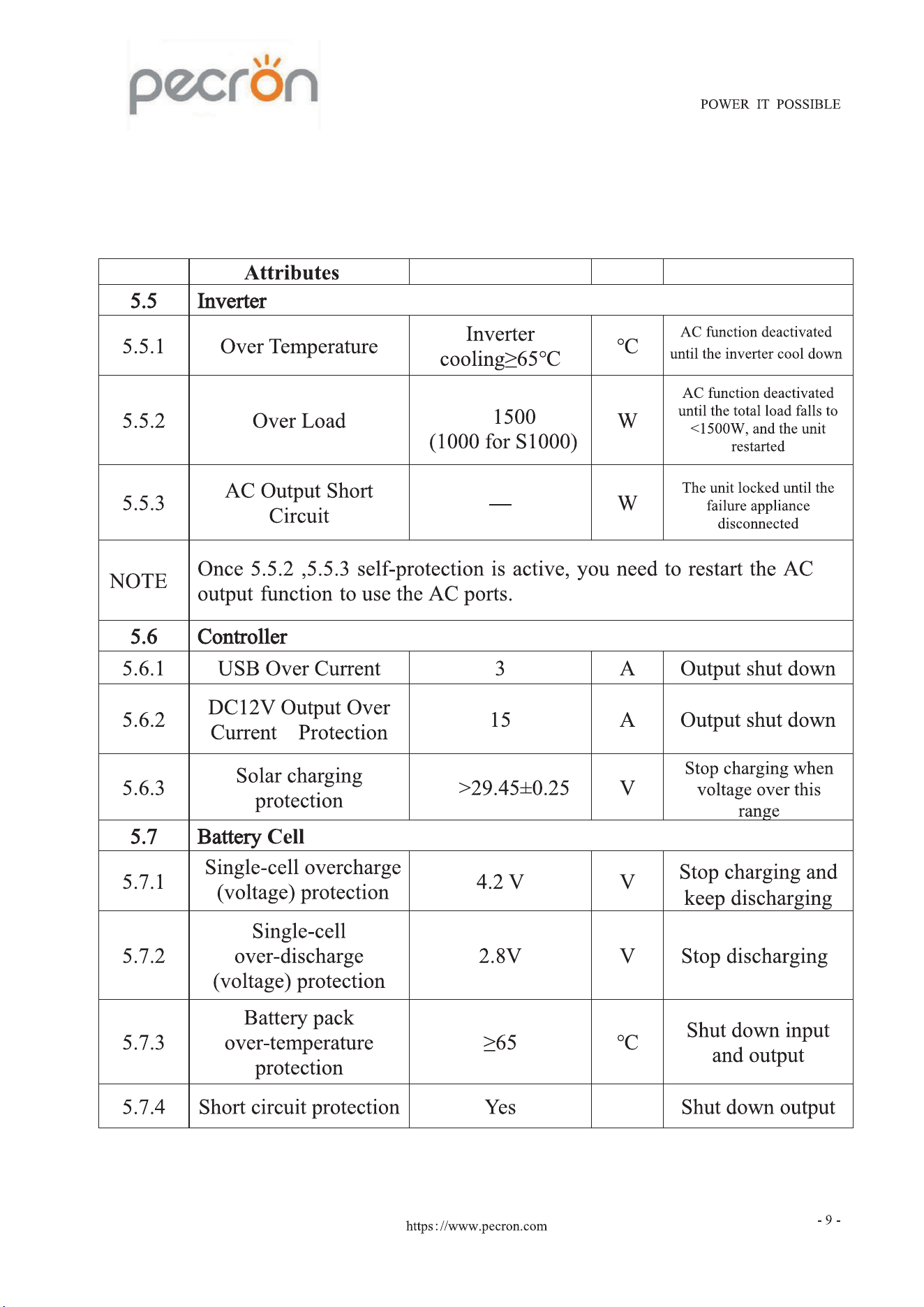
5.5-5.7 Protection Instructions
NO .
Specification
Unit
Remark
>
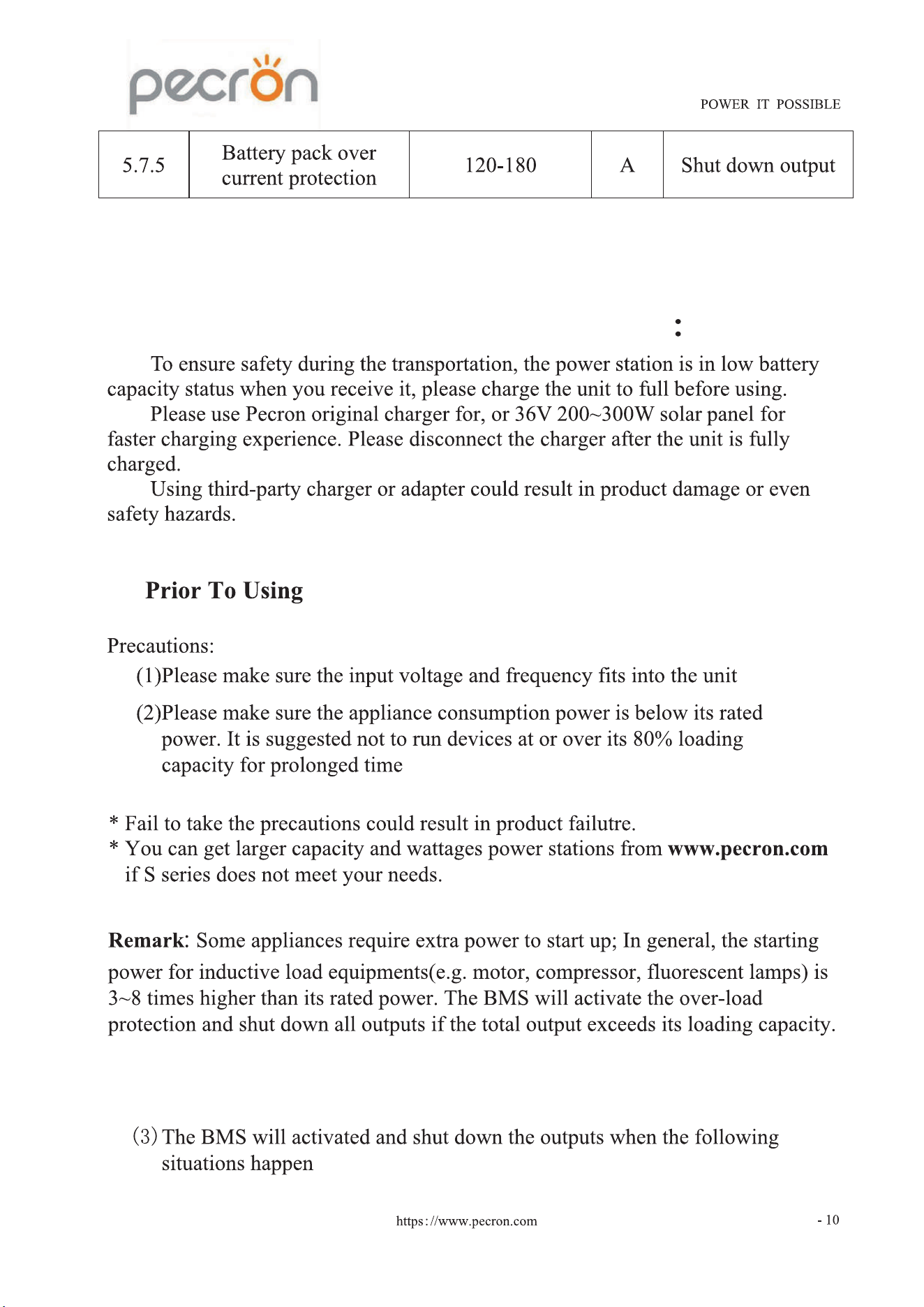
6. Operating Instructions And Precautions
6.1
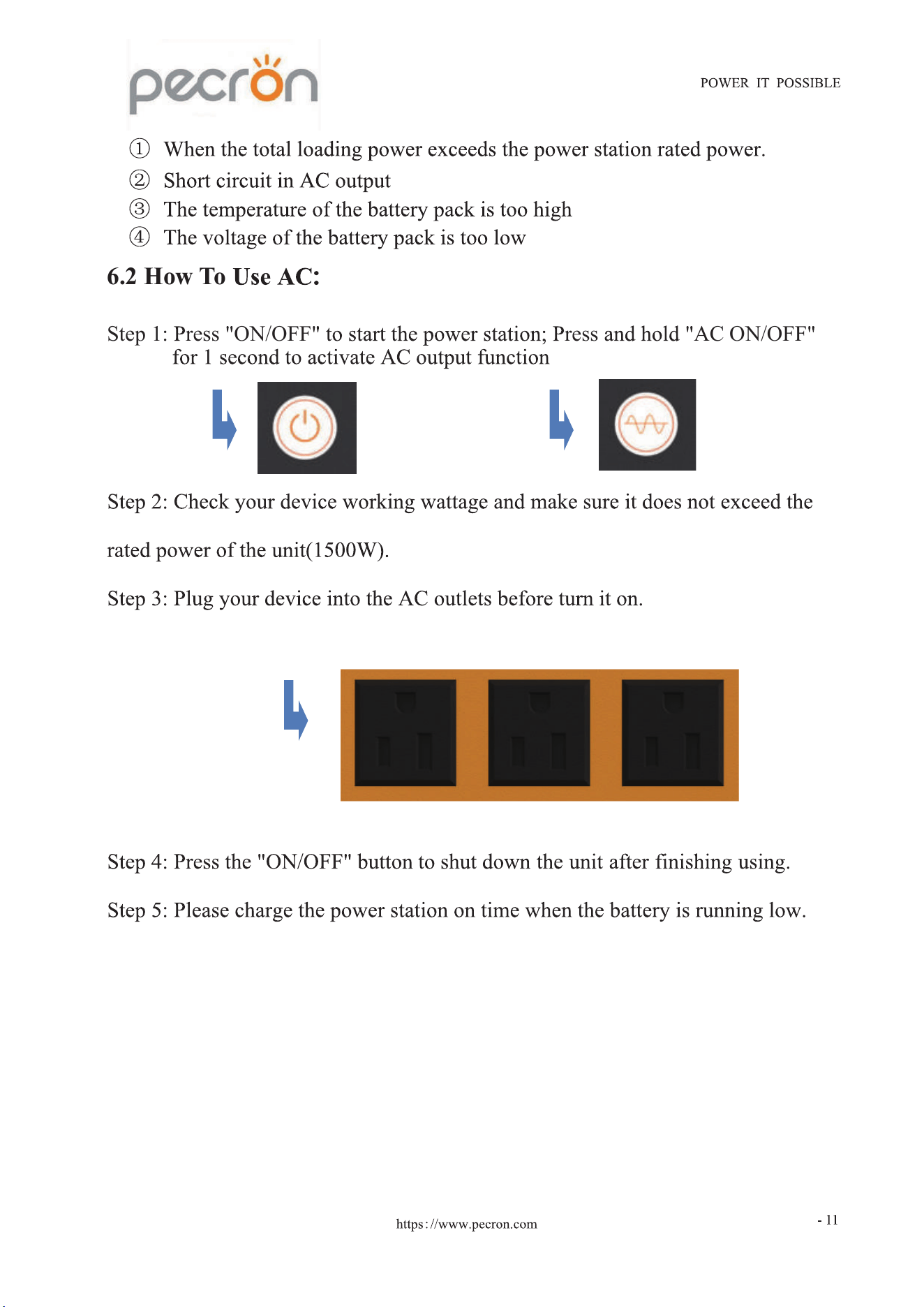
6.2 How To
Step 1: ress ON/OFF ress AC ON/OFF
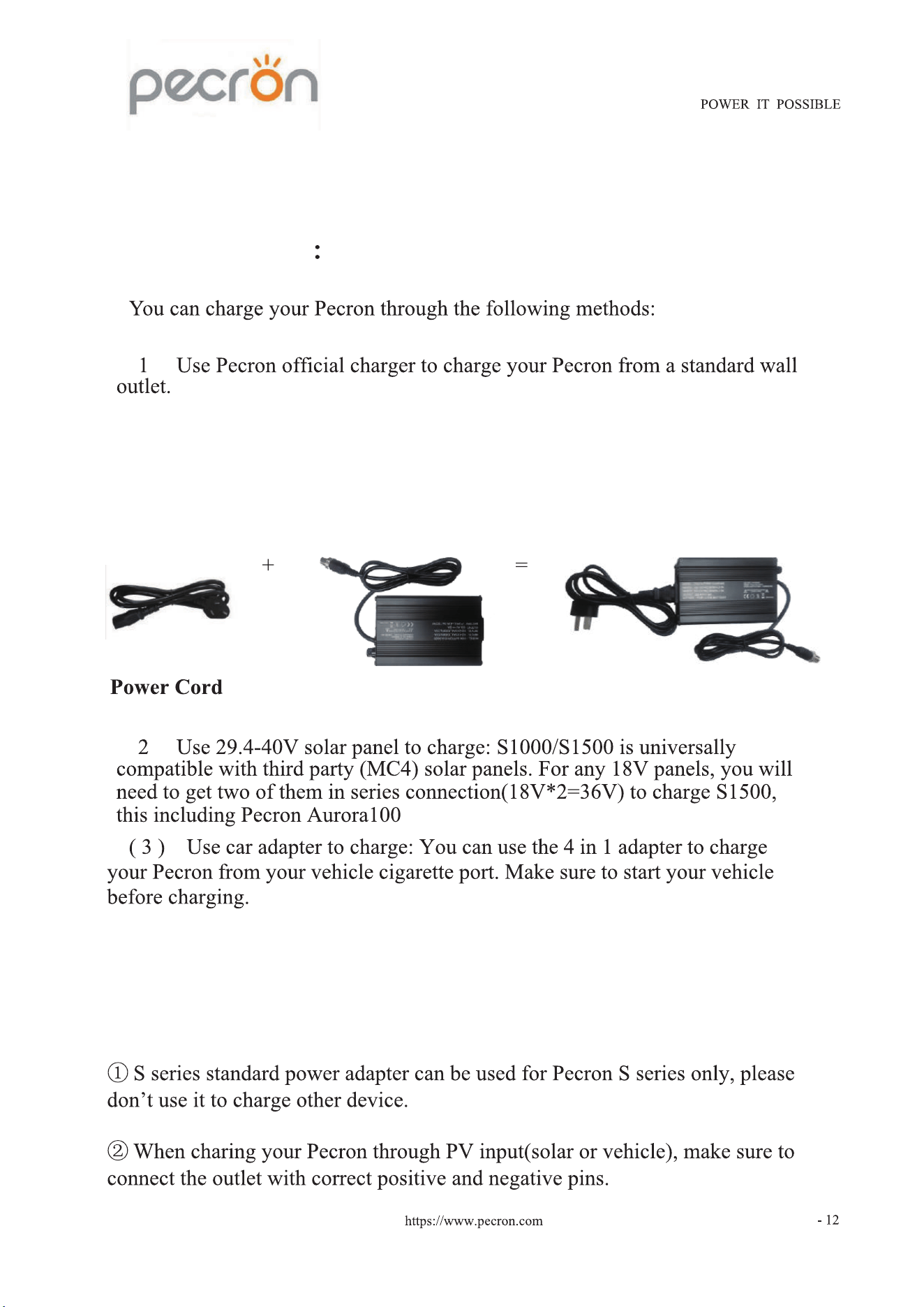
6.3 How To Charge
( )
Adapter
(
)
Notes:
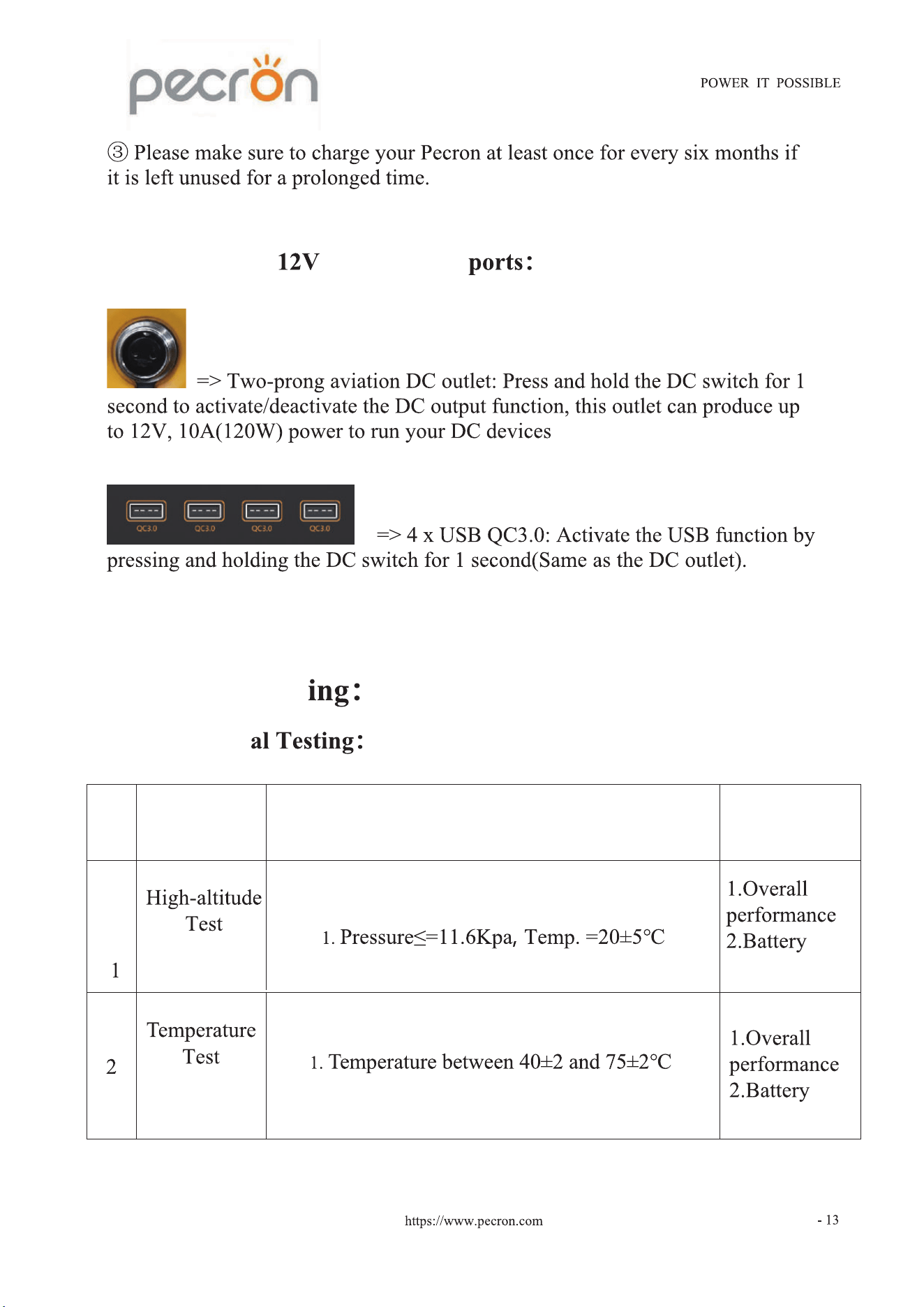
6.4 How To Use DC and USB
7. Product Test
7.1 Condition
No. Test Pro
ject
Test Conditions
Check Item
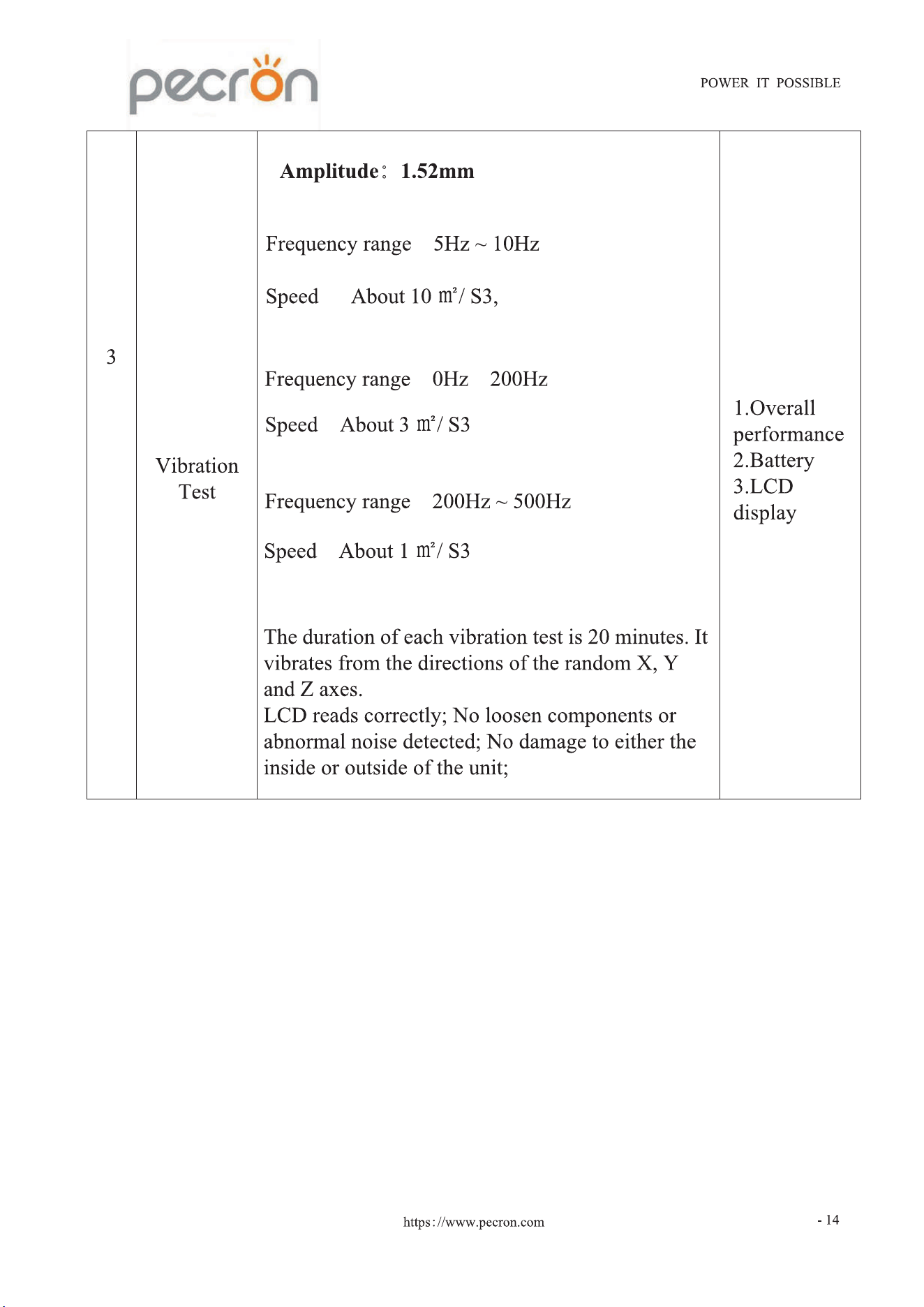
:
:
:
: 〜
: ,
:
: ,
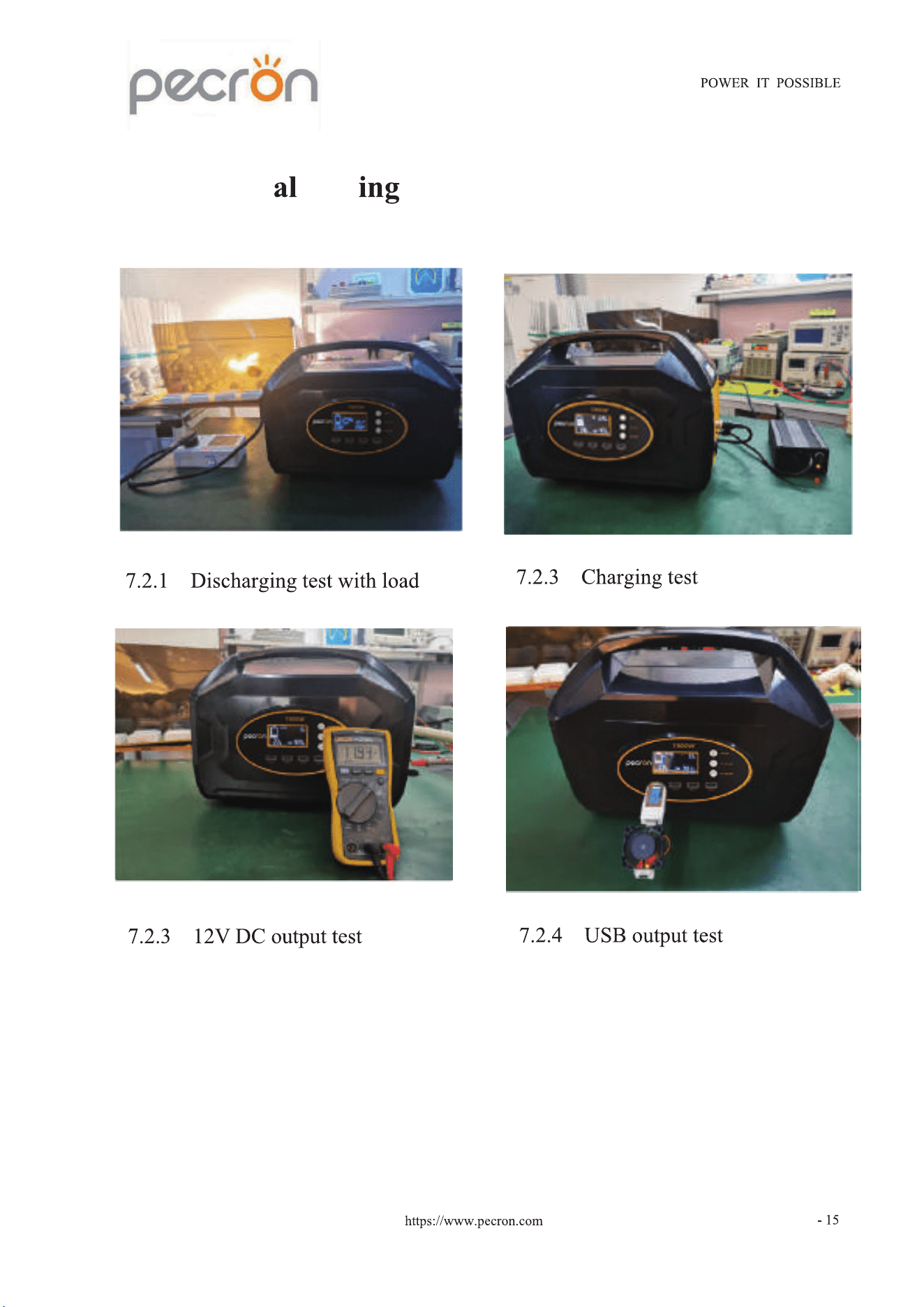
7.2 Function Test
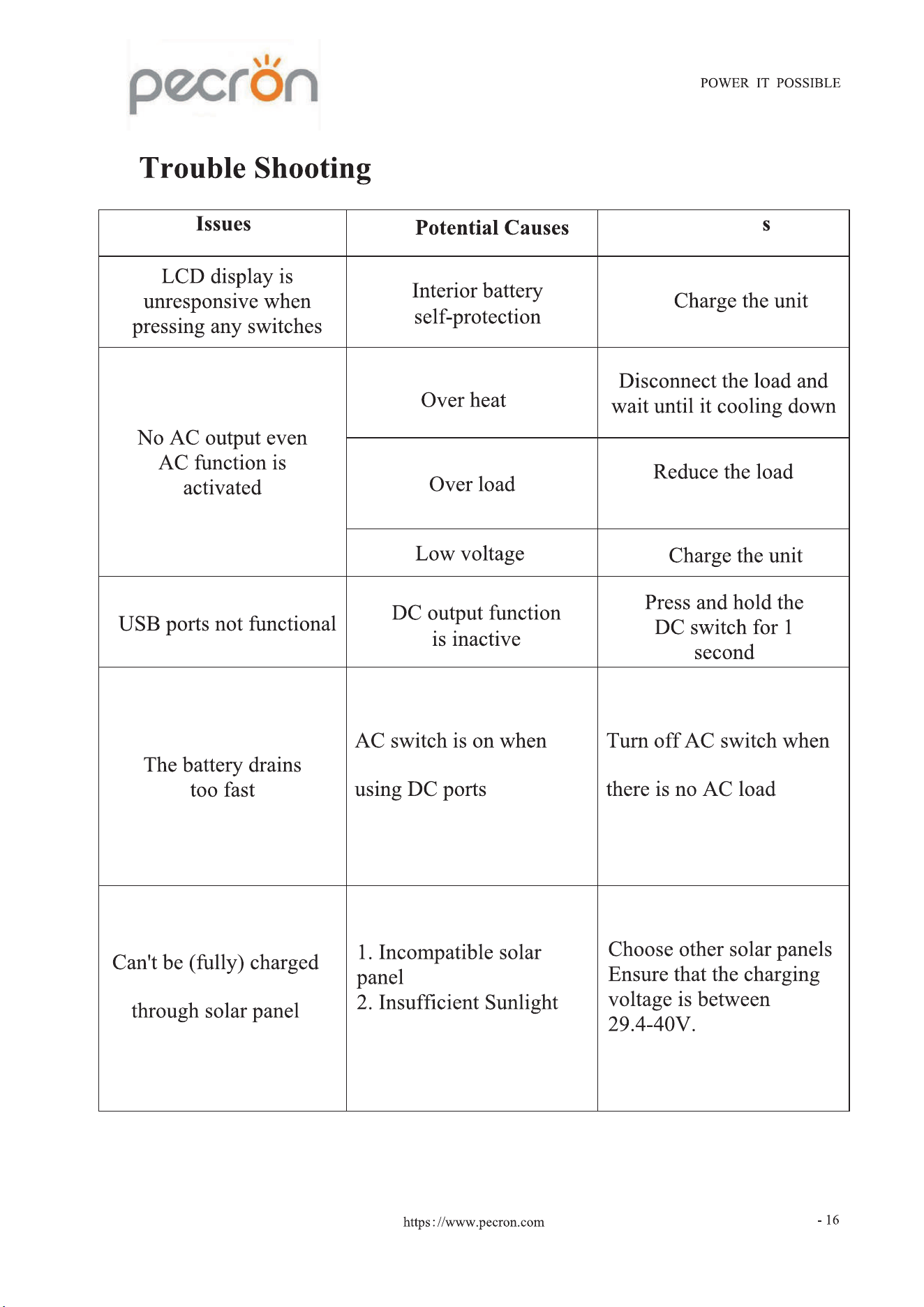
8.
Solution
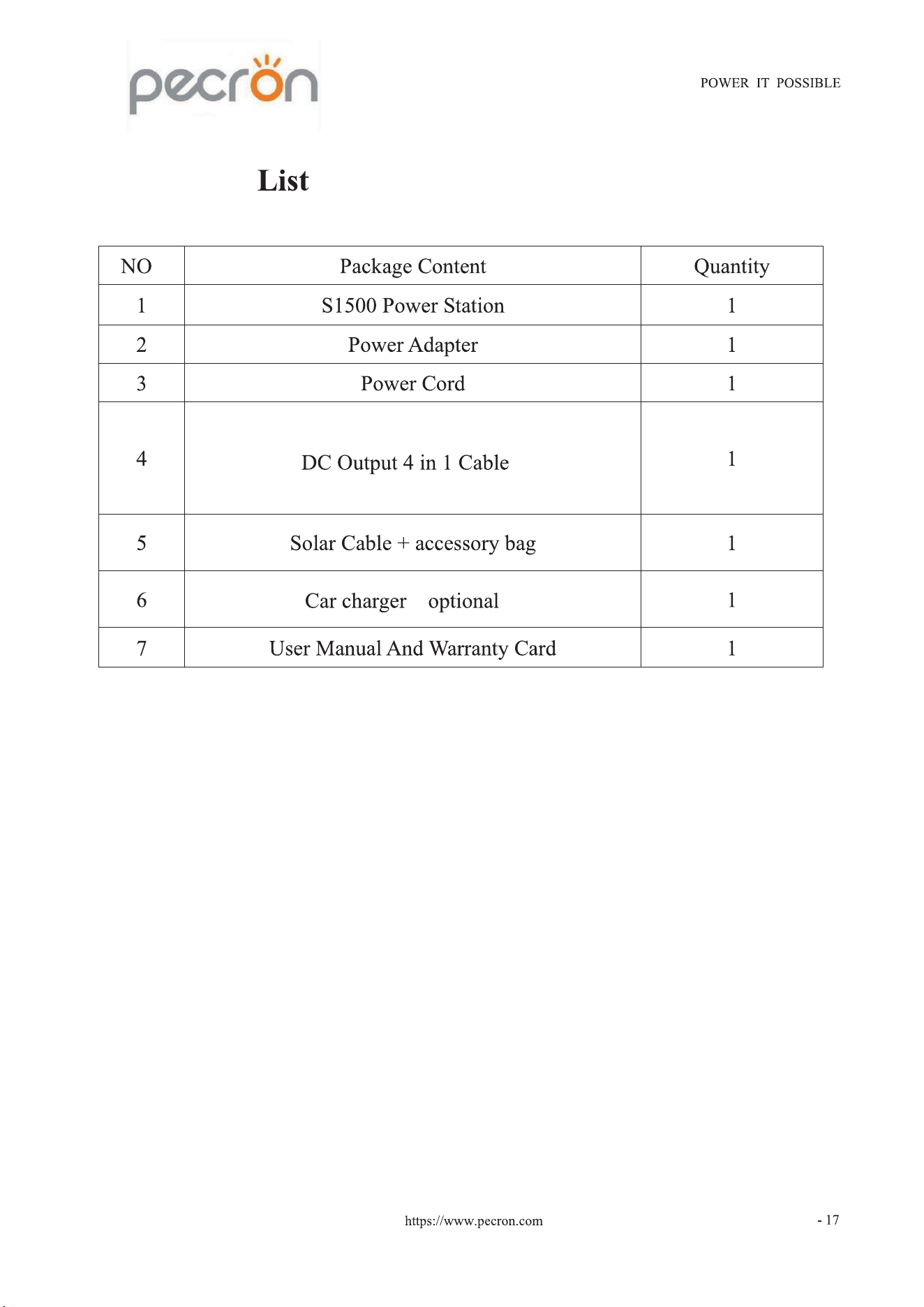
9. Package
.
( )