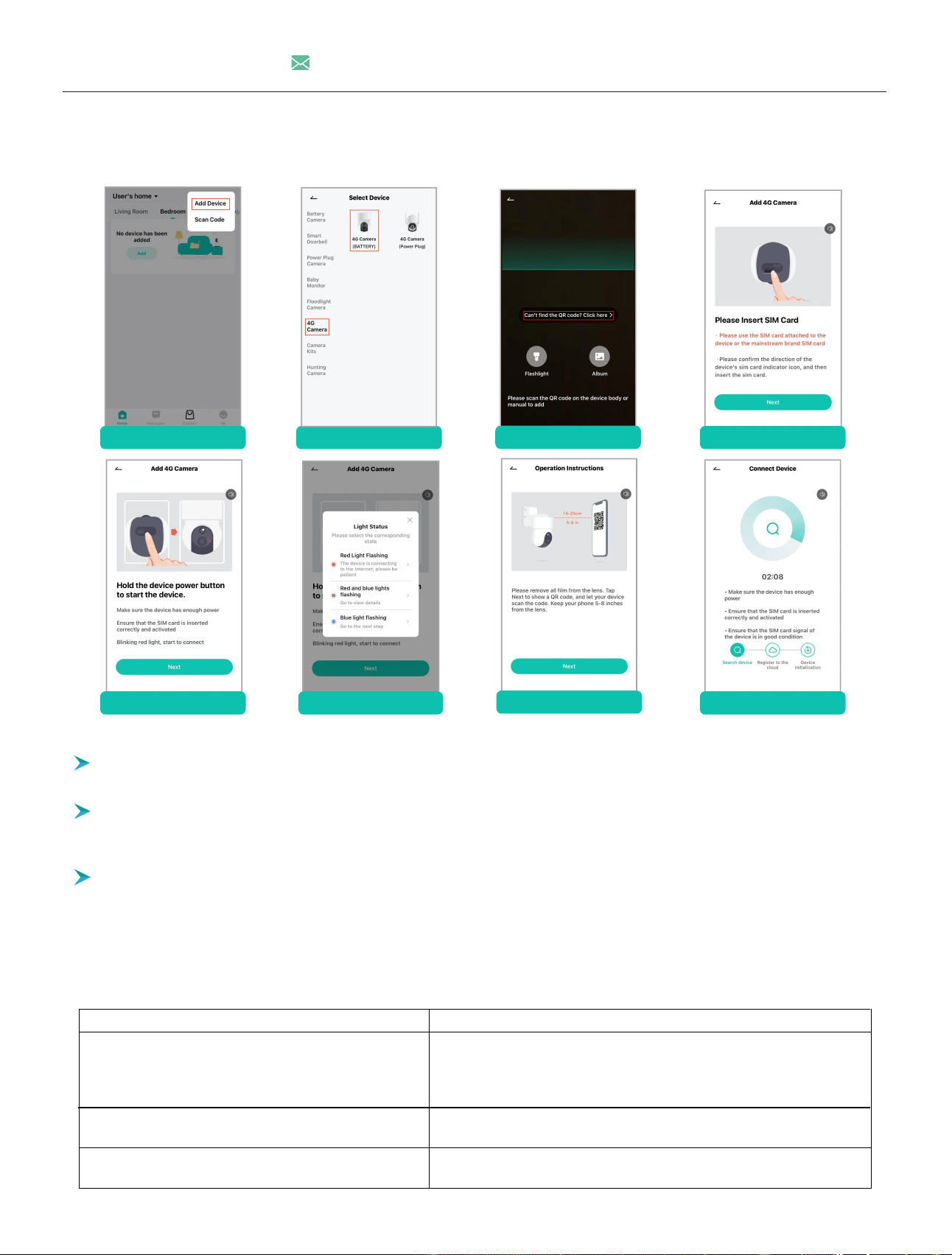
1. Camera Connection
Reasons for short battery life
Solutions to improve battery life
The PIR sensor is frequently triggered, causing
thecamera to wake up repeatedly.
1. Reduce motion detection sensitivity.
2. Enable humanoid detection.
3. Set the alarm time and area.
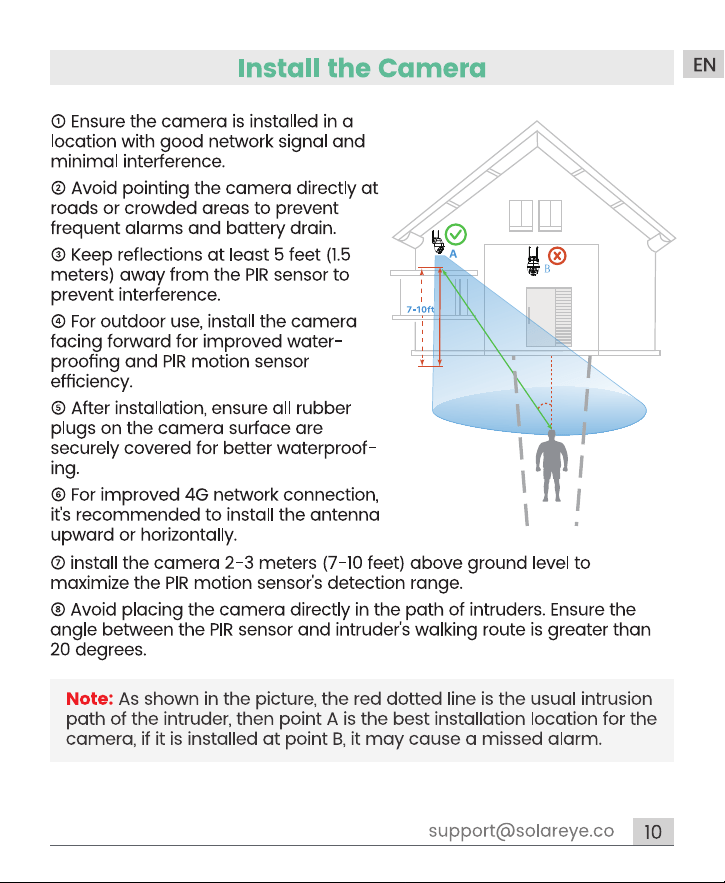
4. Position the camera away from roadsides and crowded areas.
Frequent and long-term remote viewing of videos
onmobile phones.
Reduce the frequency and time of watching videosremotely.
Poor network quality causes the camera to
frequentlyand automatically search for a network.
Check if the 4G network signal near the camera isweak, remove
interfering objects, and move the camera to a better signal area.
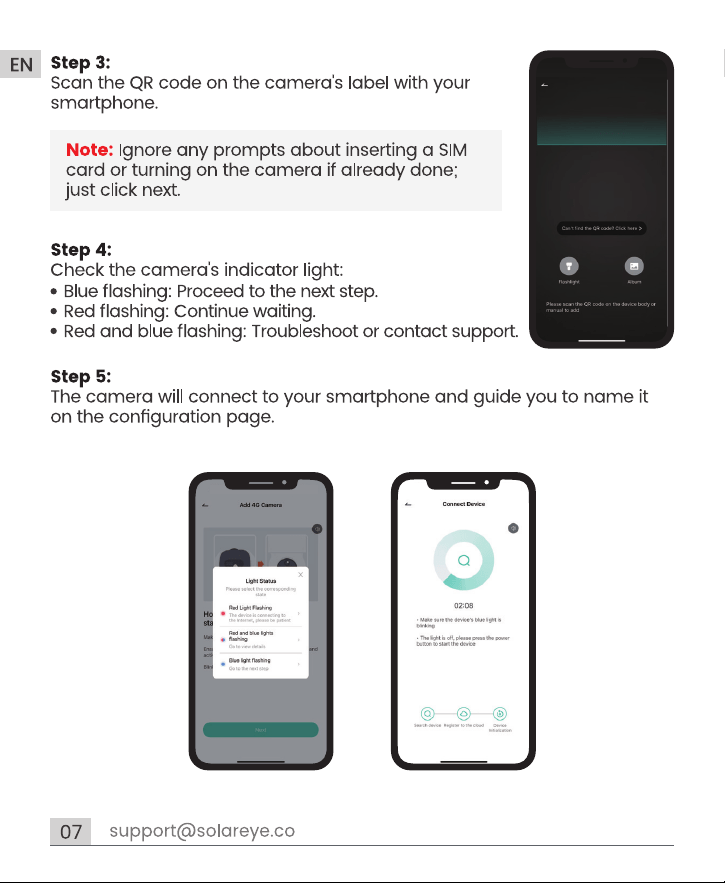
NOTE: Ignore any prompts about inserting a SIM card or turning on the camera if already done, just click next.
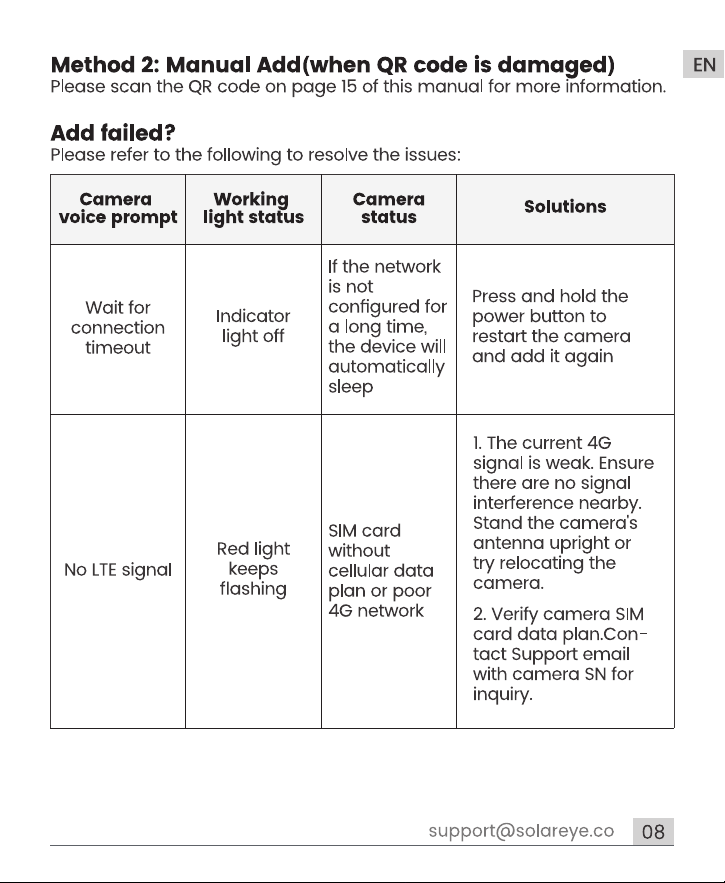
Manual Add (when QR code is damaged)
Place camera and smart phone in area with stable 4G network and ensure no signal interference.
2. choose "4G Camera"
1. tap "Add Device"
3. select "Click here >"
4. tap "Next"
5. tap "Next"
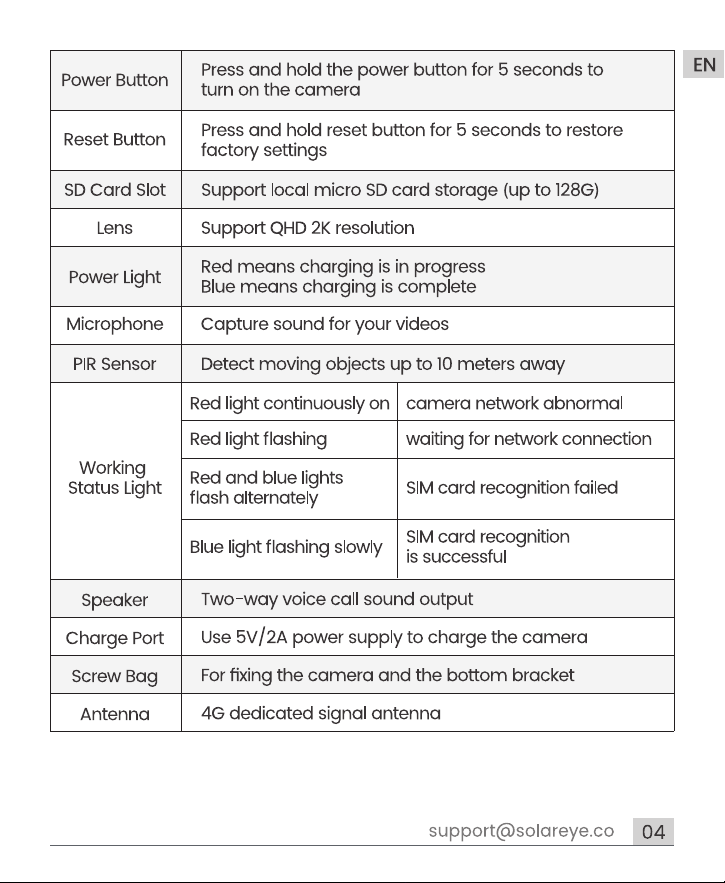
6. check "Light Status"
7. scan the code
8. wait for connection
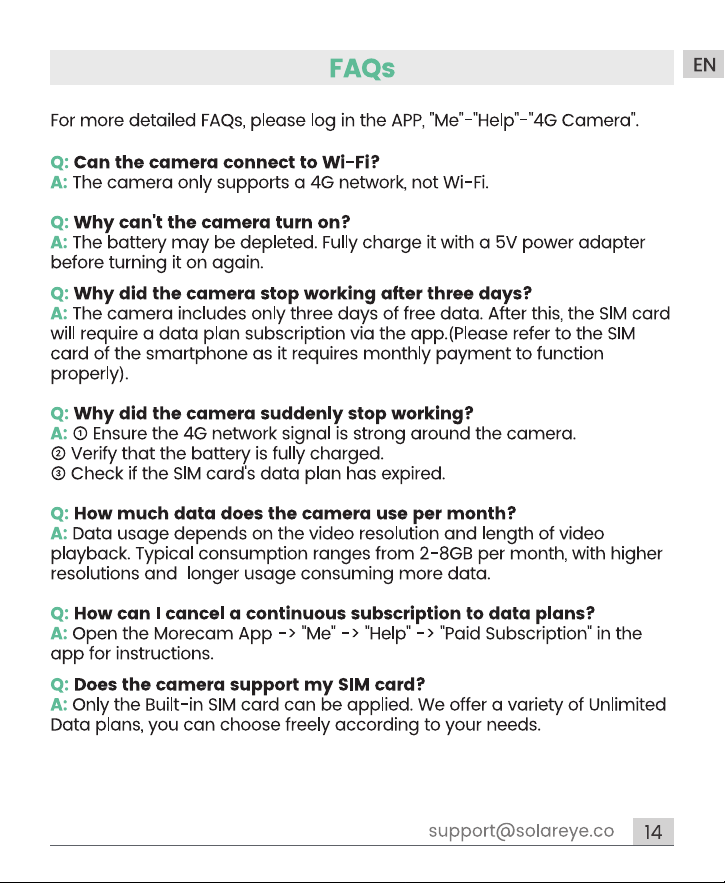
Why is there always a prompt "Establishing encryption channel"/"Obtaining image data"?
The current network signal is poor. Please investigate the camera network issue.
2. Battery Life Instructions
This camera is intended for recording sports events, not for continuous 24/7 recording. It supports remoteviewing as needed.
The 4G camera disconnects frequently?
1. Ensure the 4G network signal is strong around the camera.
2. Please contact the support team for help with firmware upgrade.
7/24 Service Email: [email protected]
-1-
What should I do if the APP cannot load the video and shows that the camera is not connected?
1. Ensure the camera's power and network are normal. Then turn off the camera and restart it.
2. If the connection is still lost after the restart, please remove the camera in the app, do a factory reset and add it again.
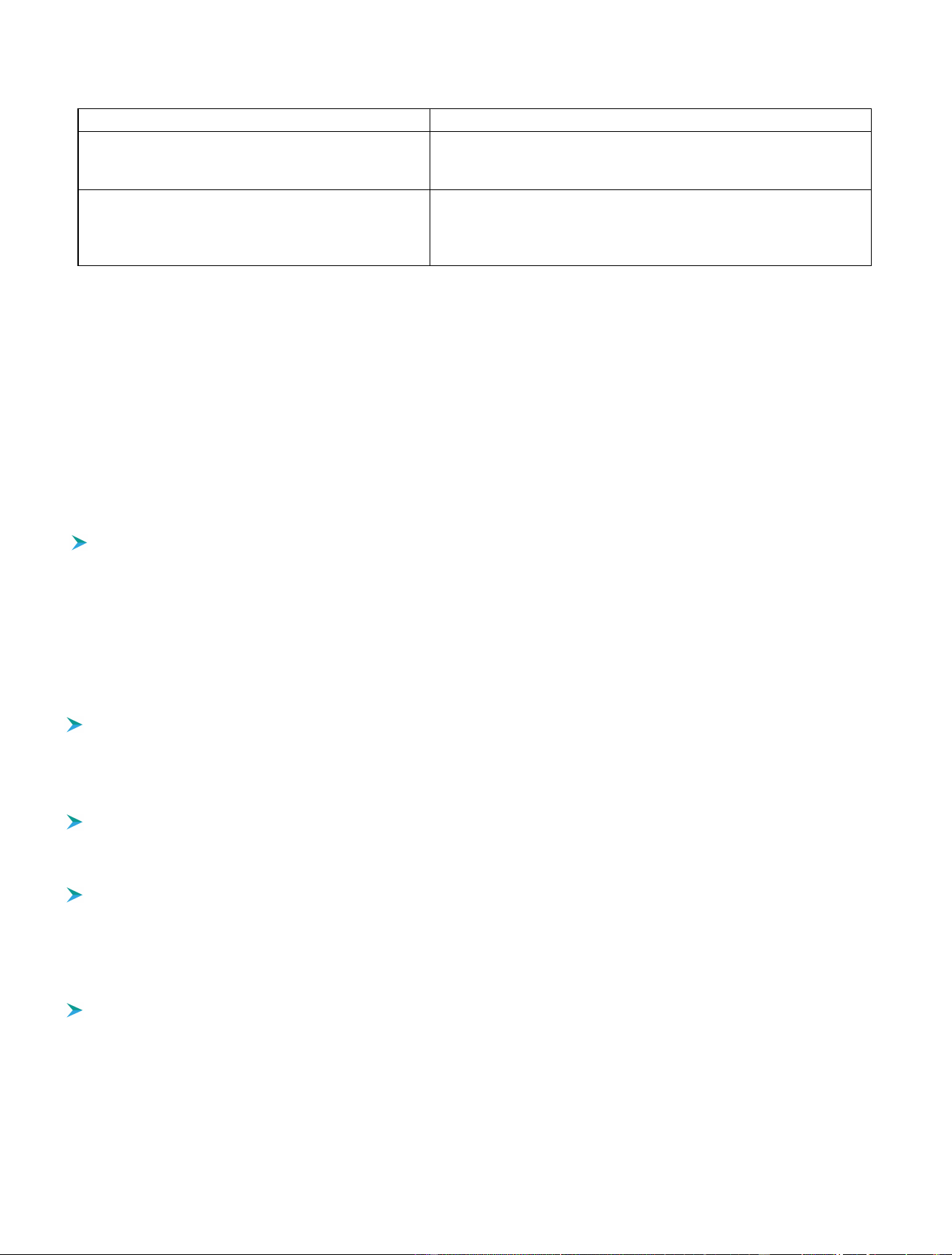
In low temperatures and cold weather, battery
3. Solar Panel not Working?
performance and solar charging efficiency decrease.
In cold weather, reduce the motion detection sensitivity, activate
humanoid detection, set the alarm area, and decrease the camera's
operating time.
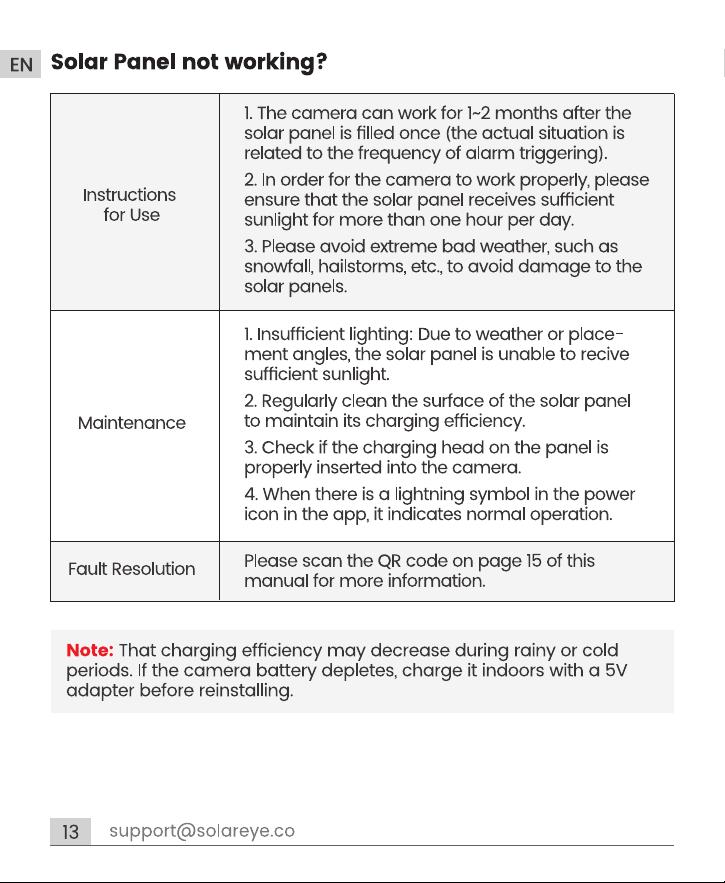
The camera consumes power faster than the solar
panels can charge, resulting in inefficient or no
charging.
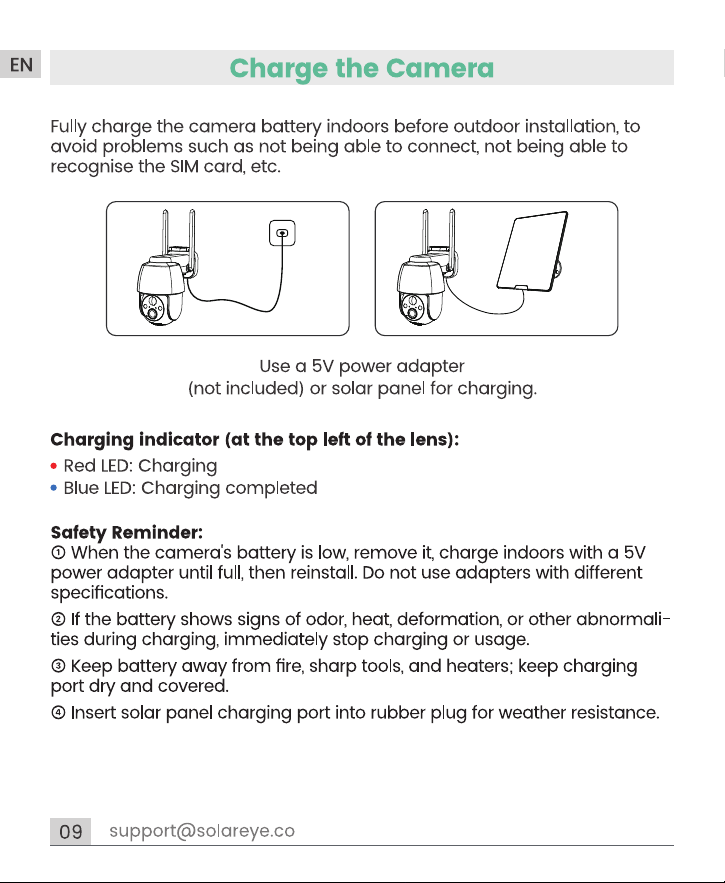
1. Ensure the solar panel receives sufficient sunlight.
2. Check for any faults in the solar panel.
3. Clean the panel surface regularly.
4. Inspect the charging port for poor contact or faults.
Reasons for short battery life
Solutions to improve battery life
The Micro SD card is not included with camera. It is recommended to use a Micro SD card (2-128GB, FAT32 format, Class 10) from
brands like SanDisk or Samsung. Only the micro SD card in FAT32 format is supported. If not, the micro SD card can be formatted in
5. Micro SD Card
FAT32 format on the computer.
How do I manage video storage and download videos from my camera's Micro SD card?
1. To store videos, insert a Micro SD card into the camera. The camera automatically saves videos when detecting an intruder.
2. To download a video, play the historical video in the app, select the clip, and click "Download." Alternatively, insert the SD
card into a computer or mobile phone, find the MP4 video files, and play them directly with a media player.
Why is the video on the SD card not continuous?
This camera is designed specifically for motion detection and does not support all-weather video streaming and recording.
Record only when an alarm is triggered. A blank recording timeline indicates that there is no alarm recording at that time point.
Can't play SD card videos?
1. Check if the camera is online.
2. Refresh the page.
3. Check if the mobile phone is connected to a good network.
4. Change the network/data of the mobile phone.
What's the difference between Cloud storage and SD card storage? Which is better?
Micro SD card storage space is limited and you can't view recordings while offline. Cloud service 30-day loop recording allows
you to upload all events to an encrypted cloud server. Even if the camera is damaged or stolen,you can still easily read the
cloud recordings from the Morecam app on your phone.
Purchasing cloud storage is recommended to ensure that any event has been recorded and stored on the server so you can
download it if necessary.
NOTE: Please avoid extreme bad weather, such as snowfall, hailstorms, etc., to avoid damage to the solar panels. If the solar panel
still doesn't work, please try the following:
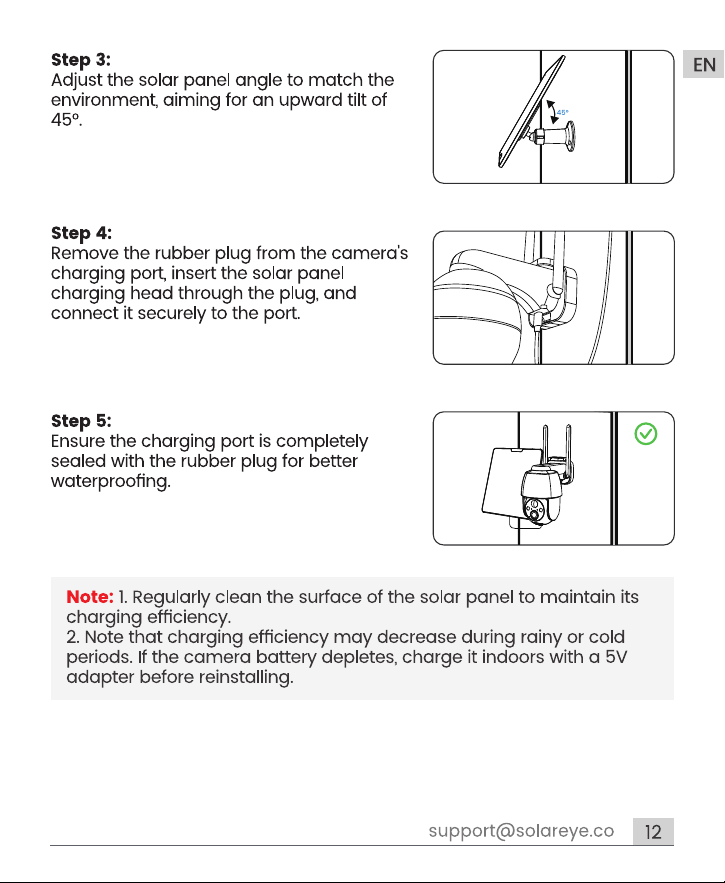
1. Check if the charging head on the panel is properly inserted into the camera.
2. You can connect the solar panel to another electronic device and see if it charges. This will check if the solar panel is the problem.
3. Charge the camera with a 5V power adapter instead of the solar panel, and check within the app if the camera is charging. This
will check if it's a problem with the camera's internal battery.
—— If the above does not identify the problem, please contact us:
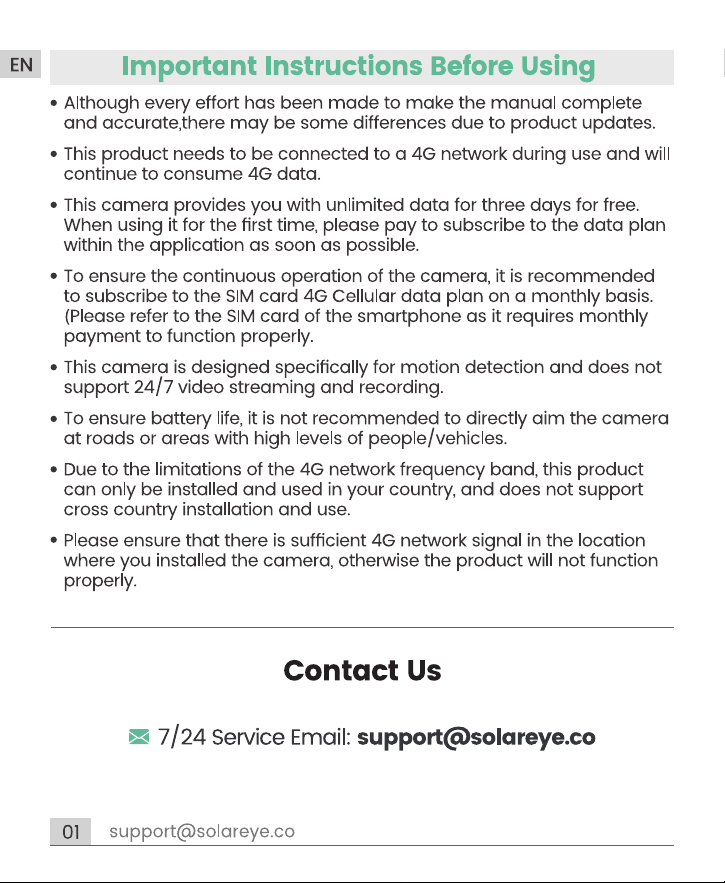
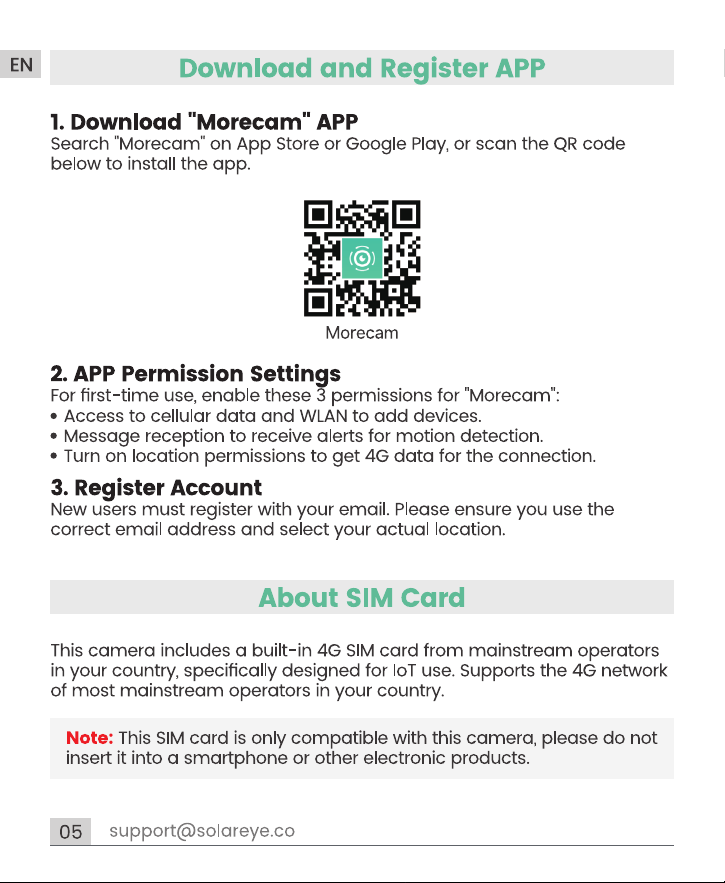
This camera includes a built-in 4G SIM card, providing you with unlimited data for three days for free. To avoid running out of data and
4. SIM Card Instructions
causing the camera to go offline, please order the data package promptly after successfully adding the camera.
How do I change to my own SIM card?
The SIM Card cannot be replaced.
-2-
Delayed Mobile Alarms?
Increase motion detection sensitivity, prevent direct approaches to the camera,
and check network connectivity.
No Moving Objects in Alarm Picture?
Lower motion detection sensitivity and enable humanoid detection.
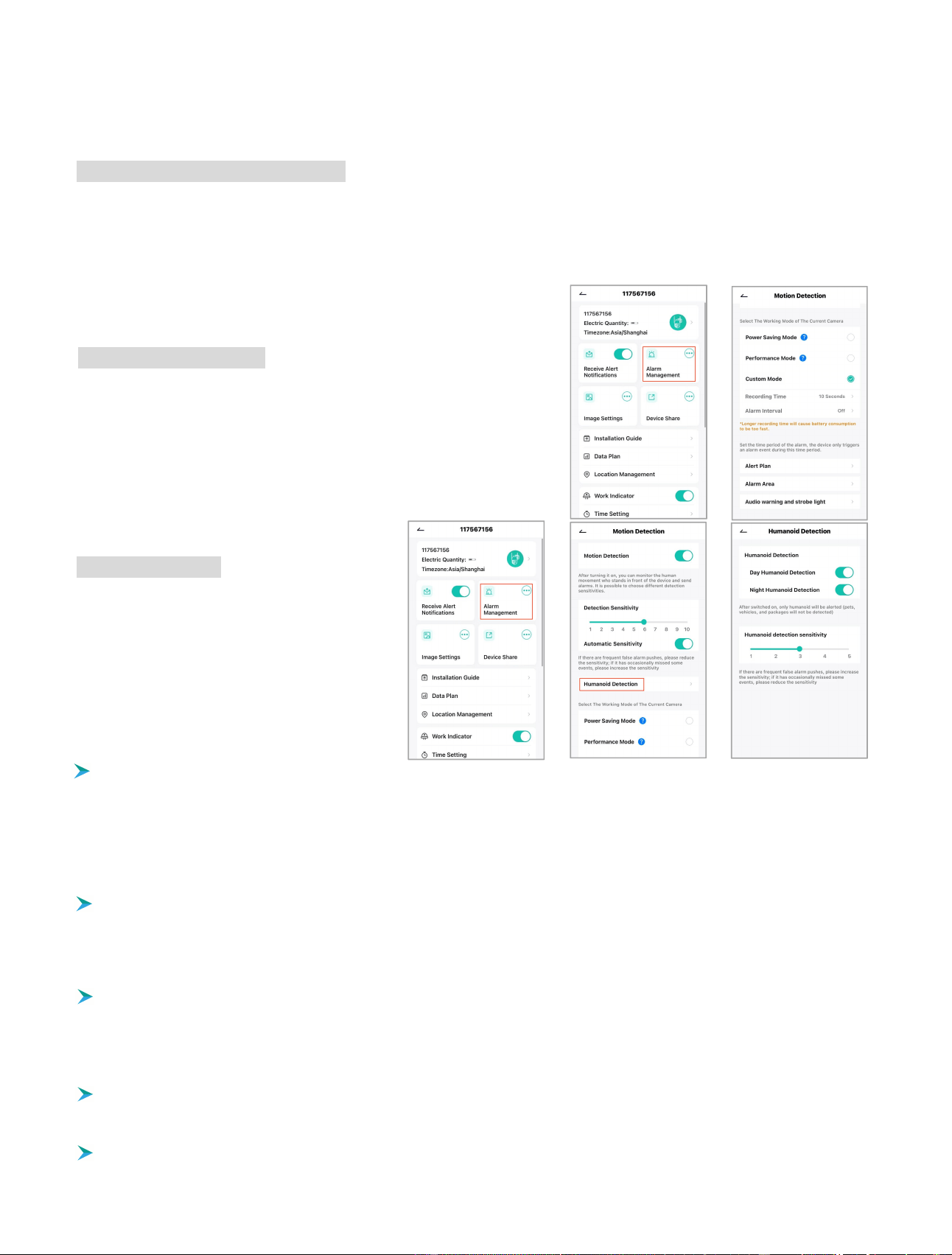
You can enable "Day Humanoid Detection" or
"Night Humanoid Detection". By default, the camera
alerts only for human movement, excluding vehicles
and animals. To detect all movements, including
vehicles and animals, disable the humanoid
Humanoid Detection
detection feature.
Why is my mobile phone not receiving alarm push messages?
1. Ensure the camera is online and the SIM card's data plan is active.
2. Confirm the camera's motion detection is enabled.
3. Ensure the app's message push permission is enabled on your mobile.
4. Check both the camera's and phone's network connectivity.
5. Restart your phone; for Android, clear the system cache.
Why is the motion detection missing alarms?
1. Increase the camera's motion detection sensitivity.
2. Ensure the camera is installed correctly to avoid blind spots. (Refer to "Installing the Camera" in the manual)
3. To detect vehicles or animals, disable the "humanoid detection" function.
Frequent Alarm Messages?
1. Enable humanoid detection, set the alarm time and area, and position the camera away from roads and crowded places.
2. If there are frequent false alarms at night, please ensure the night image quality is normal and disable the "Night Humanoid
Detection".
Enable push notifications in your mobile app settings to activate the camera's alarm message push function. The camera has various
motion detection settings like sensitivity, work mode, and AI humanoid detection accessiblethrough "Parameter Settings"→ " Alarm
Management" in the app.
6. PIR Detection & Message Push
PIR Motion Detection Sensitivity Levels
Low Sensitivity (1-3): Detects motion within 3-5 meters.
Medium Sensitivity (4-7): Detects motion within 5-7 meters.
High Sensitivity (8-10): Detects motion within 7-10 meters.
NOTE: If there are frequent false alarm pushes, please reduce the sensitivity; if it occasionally missed some events, please increase
the sensitivity.
To reduce false alarms and not be overly intrusive, you can set custom alarm
time and area. The camera will only trigger alarm events during this time and
Custom Alarm Time & Area
in this area.
-3-
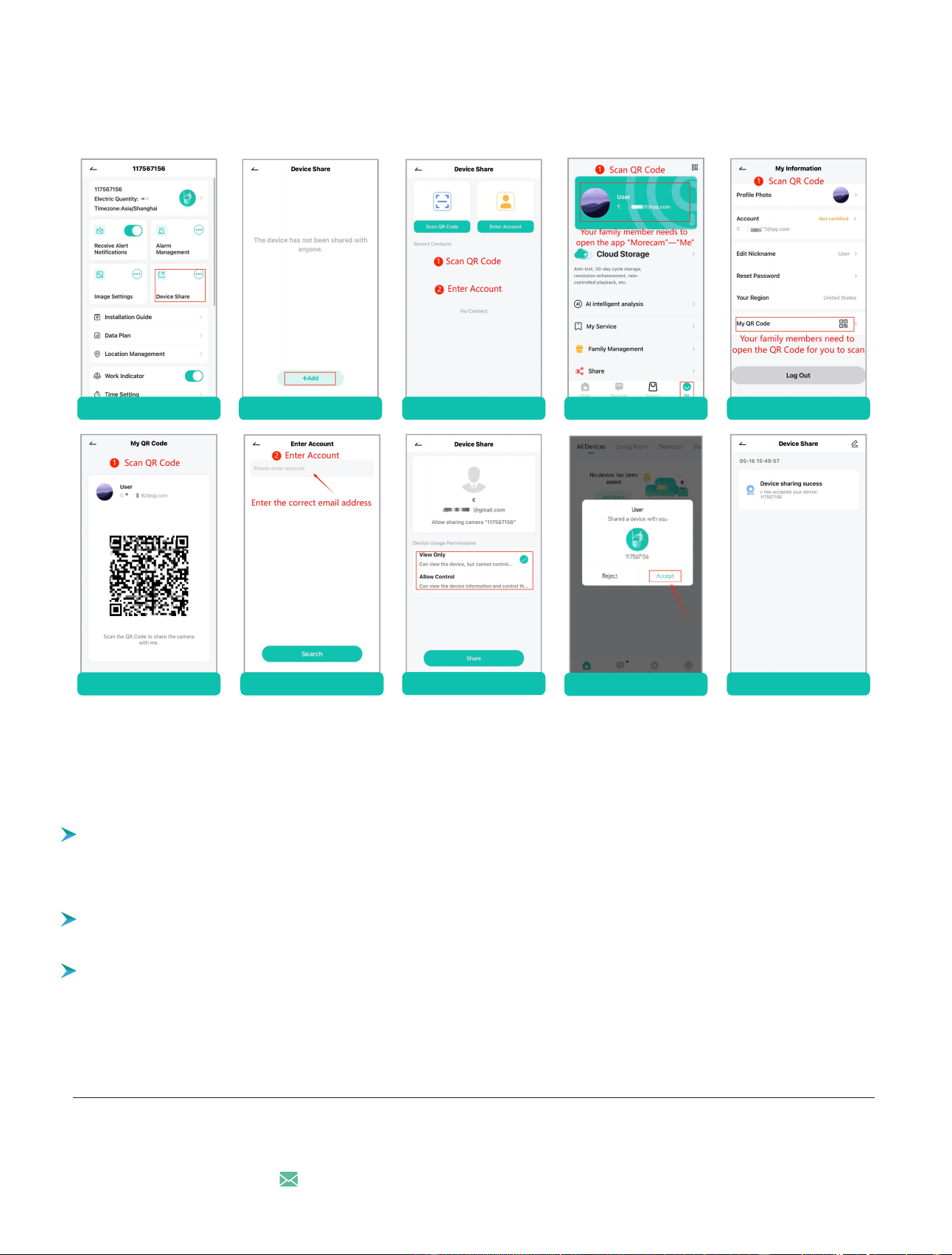
NOTE: You can change the usage permissions of your family members (the person being shared) within the app: "Device Share" —
"View Only" or "Allow Control".
Your family members should download the camera's app “Morecam”, register, and log in with the same countryas yours. Then, tap
"Device Share"option in your app. There are two ways to share (Scan QR Code/Enter Account), choose one, and set the appropriat
7. Share Your Device
permissions. They will receive a notification and must accept it to access the camera.
1. tap "Device Share" 2. tap "+Add" 3. choose one way Scan QR Code
Does the camera support Onvif & RTSP or support viewing on a computer
8. Other Questions
?
Scan QR Code
5. your family tap"Accept"
Scan QR Code Enter Account
4. choose Usage Permissions
6. Device sharing sucess
Contact Us
7/24 Service Email: [email protected]
Account registration failed?
-4-
1. Please select the correct country when registering an account.
2. When the account is registered, ensure the cellular network is normal.
3. Make sure that the network and location permissions for the application are turned on.
What should I do if the APP "Morecam" crashes?
When you enter the app or are using the app, the app crashes and cannot be used normally, please uninstall and reinstall the APP.
No support.