Safety Information 02
04
05
06
Warranty 03
07
09
10
11
08
1
3
1
2
3
4
6
789
10
11
12
13
14
5
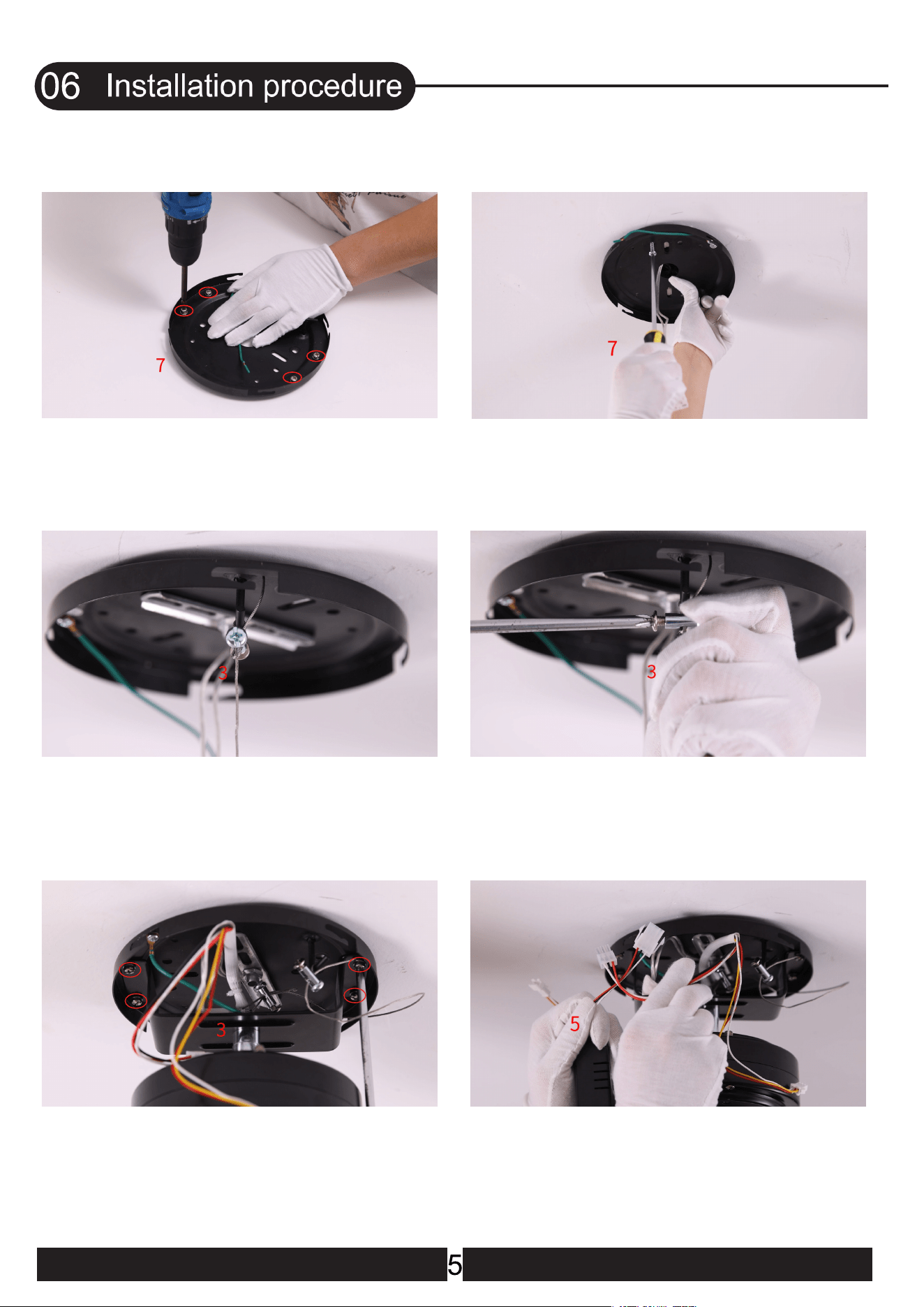
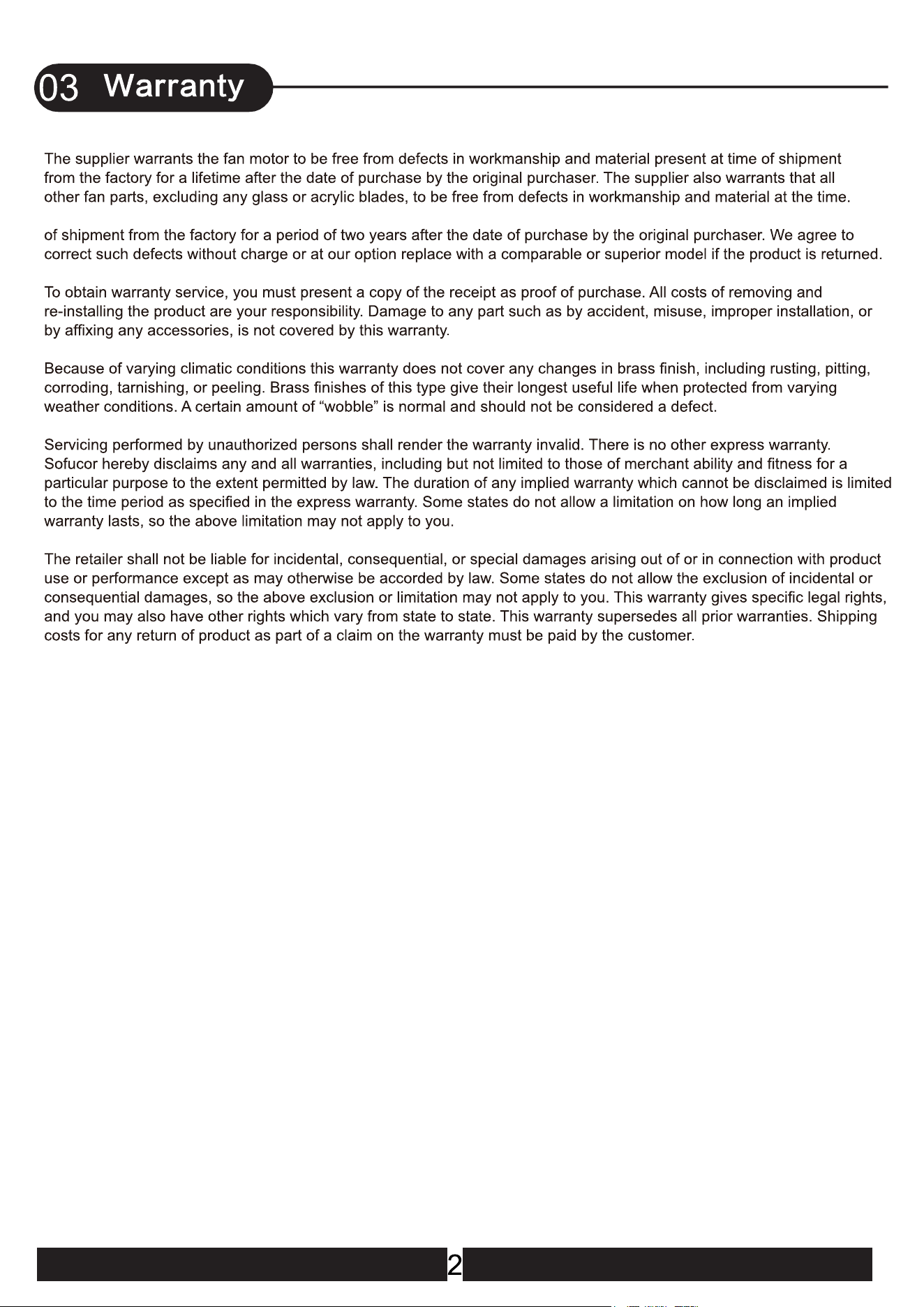
1.Remove the 4 screws on the mounting
bracket (They will be needed later)
2.Place the mounting bracket on the wood
ceiling and tighten the screws
4.Tighten the screw
5.Place the fan motor on the mounting
bracket and align the holes, and tighten
the screws
3.Hook the wire into the hook of the
mounting bracket.Tighten the rope
6.onnect the wire from the ceiling fan to the
receiver(Red,White and Black wires)
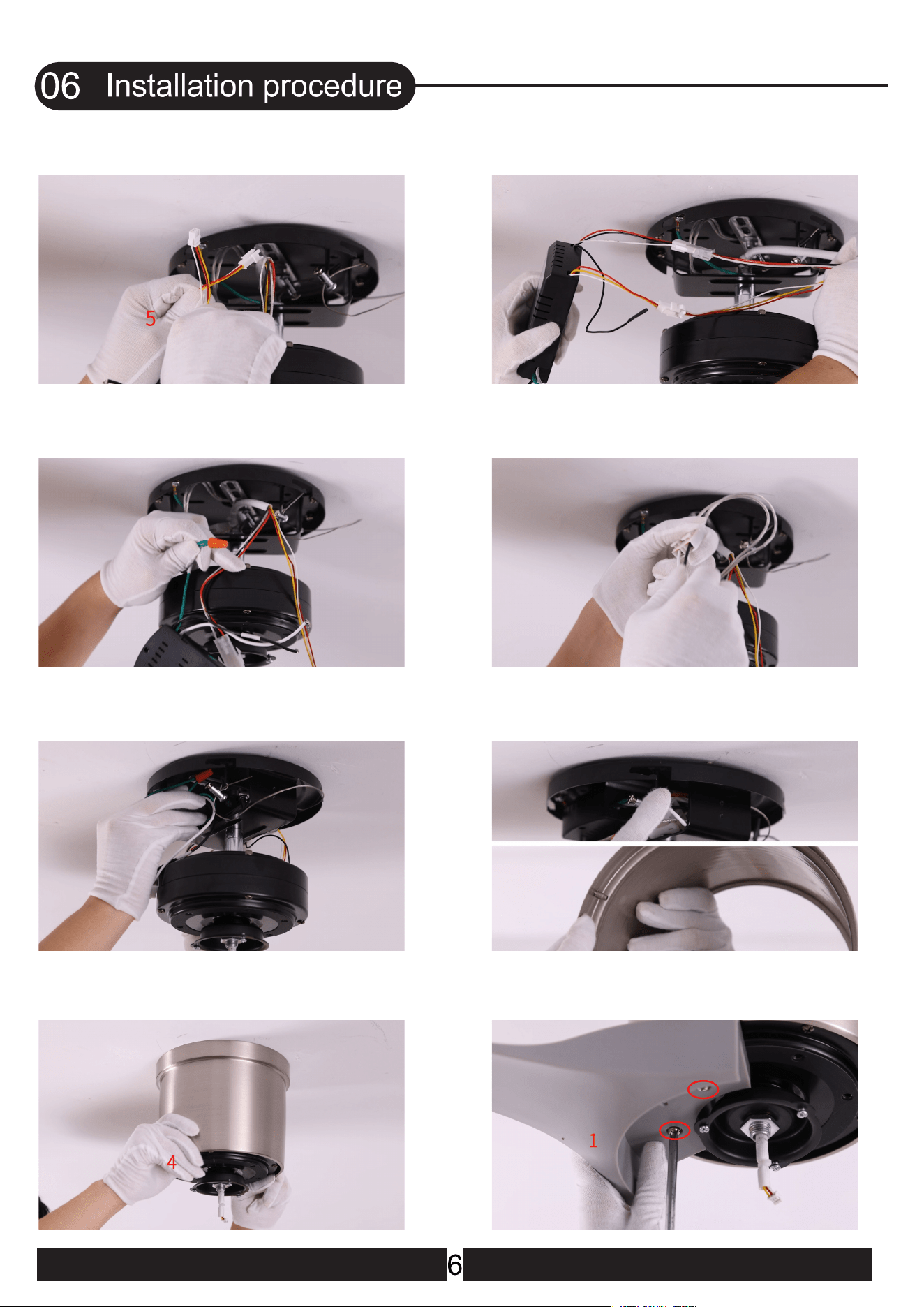
8.All wires are connected
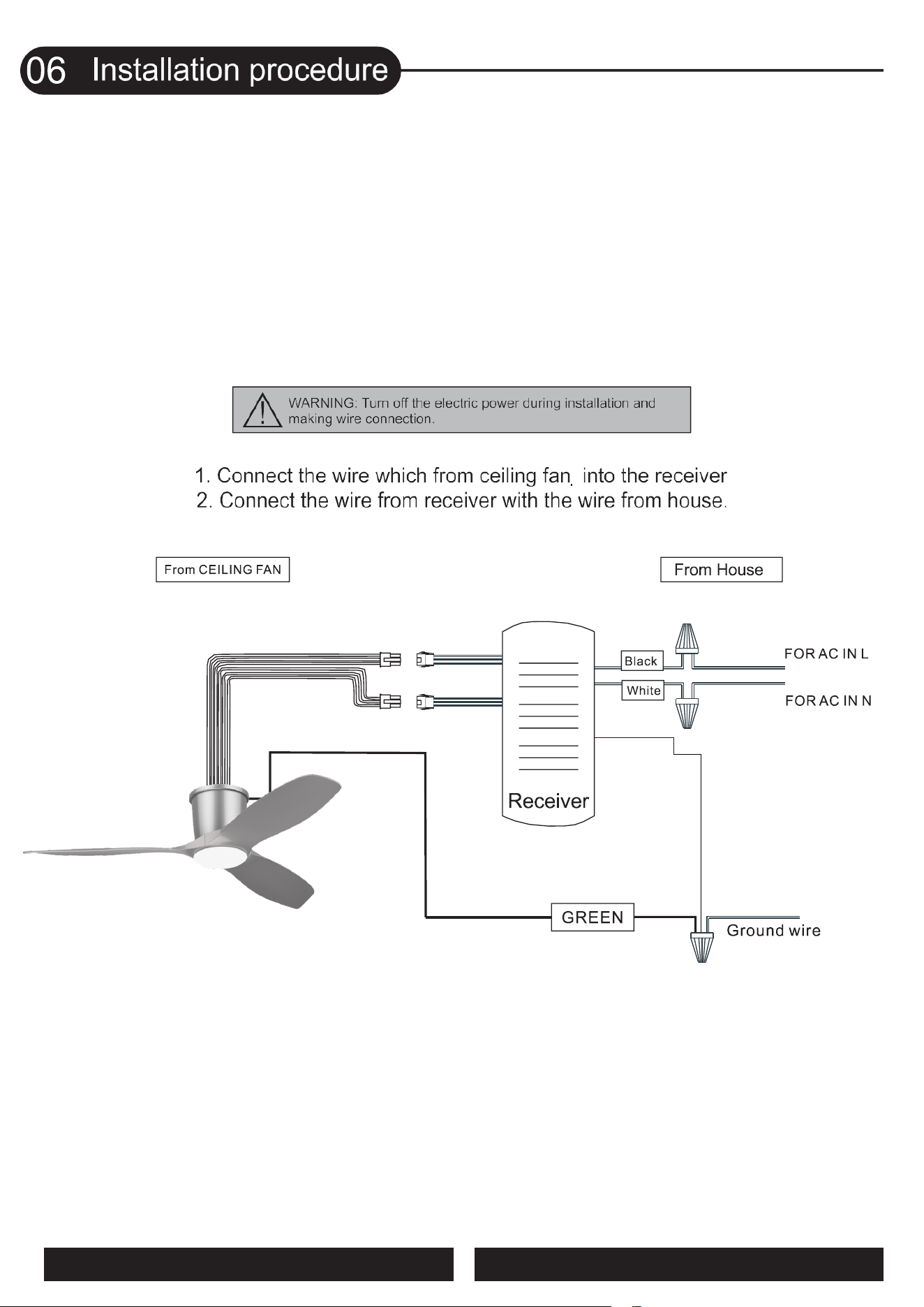
10.Connect the fan live wire (black) to your
house live wire; Connect the fan neutral wire
(white) to your house neutral wire
12.Lift the canopy into place and wrap
keyhole slots around the screws and twist
clockwise till tight
11.Put the receiver into the mounting
bracket
9.Use wire connecting nuts to connect
the ground wires(Green)
7.Connect the wire from the ceiling fan to
the receiver(Red,Yellow and White wires)
14.Place one blade on the motor, align the
screw holes, and tighten the screws
13.
Lift the canopy into place and wrap
keyhole slots around the screws and twist
clockwise till tight
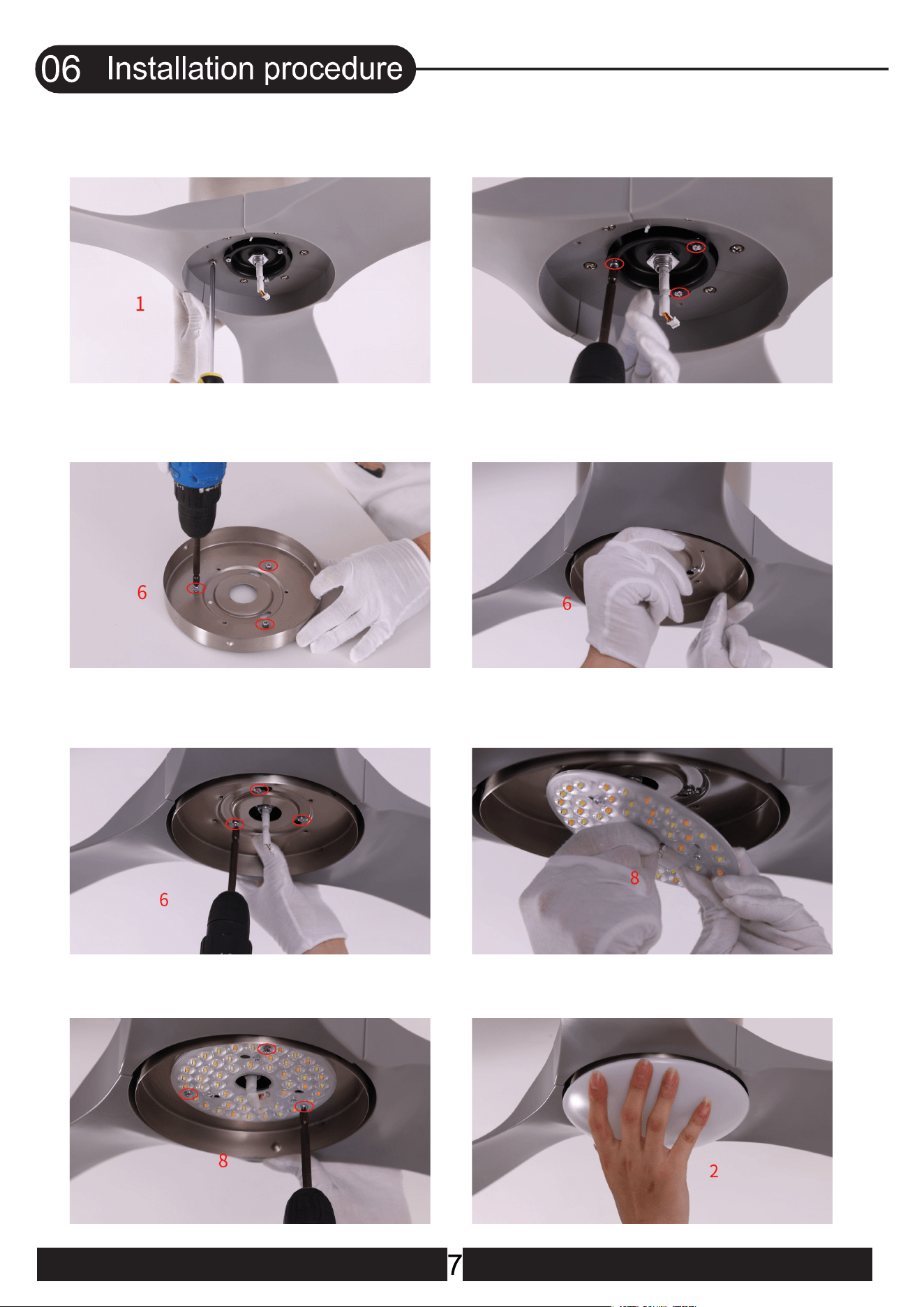
15.Place the other blades one by one
and tighten all the blade screws
17.Remove the 3 screws on the lamp panel
19.Tighten the 3 silver screws
18.Lift the lamp panel into place and wrap
keyhole slots around the screws
21.Tighten the 3 lamp panel screws 22.Install the lamp shade and rotate it to
lock
20.Connect the light source with the
wires from the motor
16.Loosen and remove the 3 silver screws
pre-locked on the motor
(Do not remove them all)
8
When the reversible button is pressed, the fan slowly slows
down to a stop and then begins to reverse.
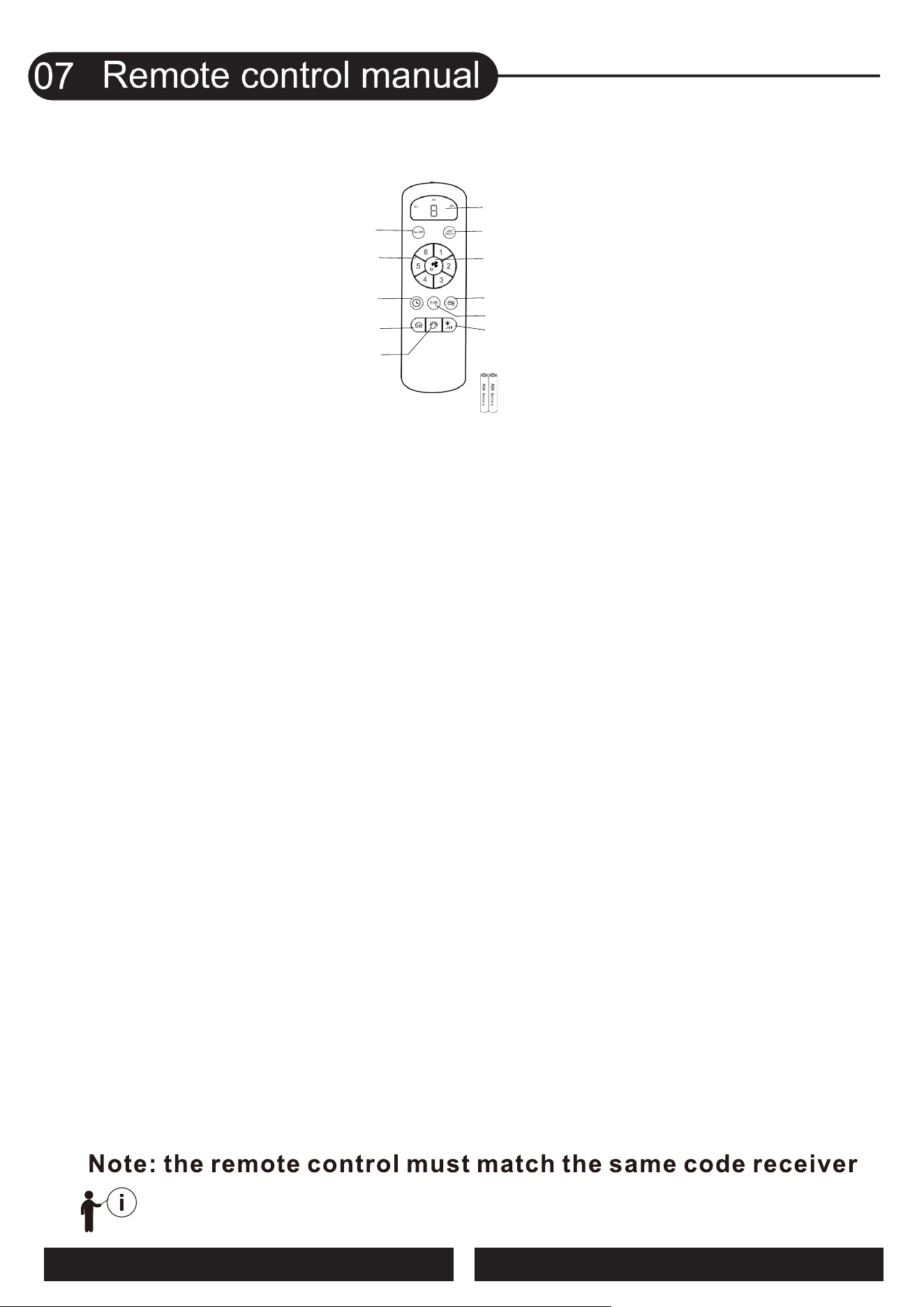
USER MANUAL FOR REMOTE CONTROL TRANSMITTER
!
(1) Turn OFF the Fan and Light
Trun OFF the Fan and Light together.
(2) Fan speed
Press the key 1-6 to start the fan.
(3) Timing control of the Fan and Light
- Press the key to set up the timer at 1hour ,4 hours or 8 hours to set up fan and
lamp timer. At the end of the timing, the fan and lamp will be automatically turned off.
- When the timing function is in effect, you can operate all the functions of the ceiling fan,
and then press any timing button to recalculate the timing time.
- Timer setting cancellation : When timing function is working, press key(1) to cancel the
timing function.
(4) Anti-theft mode
Press the key to turn on or turn off Anit-theft mode:
Every three hours, the light will automatically turn on and go out after 30 minutes. Press the
key again to cancel.
(5) Color temperature Switch of the light
Press the key to change LED light color : white-yellow-warm (circulate).
(6) Light dimming
When the light is on, press and hold the key, the light gradually brightened - gradually
dimmed(circulate).
(7) Direction of the fan
Press the key to change direction of the fan.
(8) Natural wind
Press the key, the fan speed automatic change between 1 to 6 speed.
(9) Fan OFF / Remote control pairing
- Turn OFF the fan.
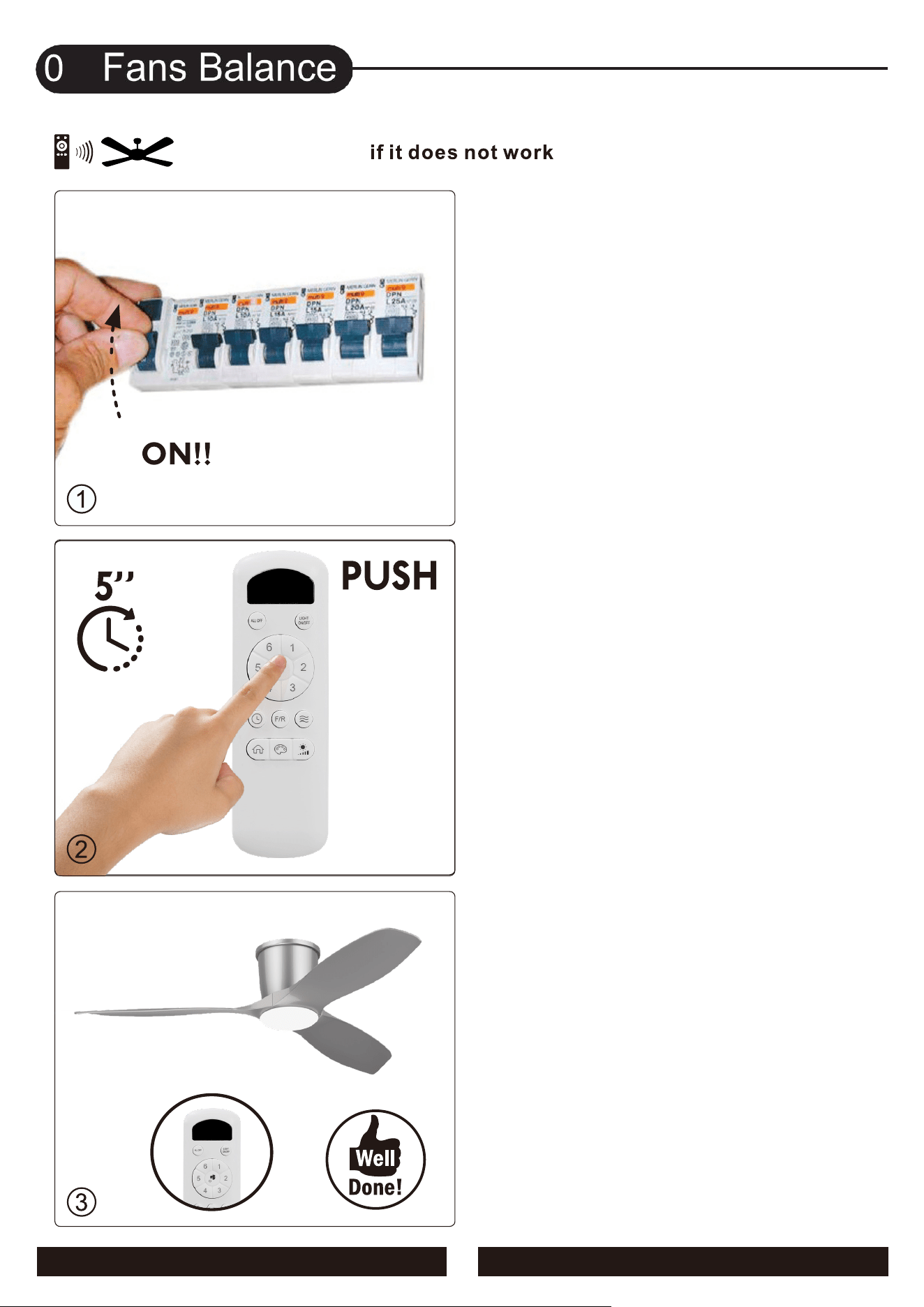
- Remote control pairing : when AC power on, press and hold the key for 3-5 seconds,
then �inish the remote control pairing.
Notice:
The remote controller only needs to be paired once. After the paired product, the controller
will have memory. The products have been paired before leaving the factory. When the
remote control is damaged or lost, it is necessary to implement remote control pairing
before using a new remote control.
(10) Turn ON/OFF the Light
(11) Fan speed and Timing time indicator
The indicator light will light up when press any key of the remote control
(12) AAA battery * 2
- Please install 2 pieces of AAA batteries before use.
- Please remove the battery when it is not used for a long time.
(1) Turn OFF the Fan and Light
(2) Fan speed
(5) Color temperature switch of
(3) Timing control of the Fan & Light
(12) AAA battery *2
(4) Anti-theft mode
(11) Fan speed / Timing time indicator
(9) Fan OFF /
Remote control pairing
(8) Natural wind
(10) Turn ON/OFF the light
(7) Direction of the fan
(6) Light dimming
the light
9
8
3.The pairing is successful when
the LED light flashes
2.Pressing and holding this key
for 5 seconds.
1.Turn on the main switch.
10
09
11
WARNING: Make sure the power is off before cleaning
your fan.
12