1
2
3 4
Operating Instruction for
Bluetooth Thermometer and Hygrometer
1.Product Introduction
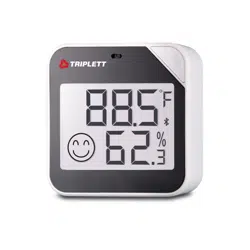
• This is a Bluetooth temperature and humidity instrument, which can be connected to the APP via Bluetooth to
easily view the data using the mobile phone.
• It adopts high precision and high quality digital sensor, with low power indicator function, °C\°F unit switching
and ultra-low power consumption.
• Two 1.5V AAA batteries can work for one year (Bluetooth is off).
2.Product Features
• Liquid crystal display with clear and easy reading.
• The temperature reading units are °C and °F, and the two can be replaced.
• When the battery voltage is lower than 2.6V, a low-power battery icon will be displayed.
• Small working current of the whole machine, a pair of new 1.5V alkaline AAA batteries can last for one year.
• Comfort indicator function, different temperature or humidity environment, the screen will show sadness, happy
expression, to help you easily understand the comfort.
• The measuring instrument is simple and easy to operate.
• The APP can be connected via Bluetooth to facilitate data viewing on the mobile phone.
3.Basic Parameters
Product Name
Temperature Measurement Range
Temperature Display Resolution
Accuracy of Temperature Measurement
Humidity Measurement Range
Humidity Display Resolution
Humidity Measurement Accuracy
Working Voltage
Battery Type
Wireless Connection
Bluetooth Communication Distance
Product Size
Net Weight
Bluetooth Thermometer and Hygrometer
0 to 50°C (32 to 120°F)
0.1°C
±1°C
0%RH to 99%RH
0.1%RH
±5% (10%RH to 90%RH)
DC 2.5V~3V
2 “AAA” batteries
Bluetooth 4.2BLE
30m in open environment
66 x 66 x 20mm
70g
4.Panel Described
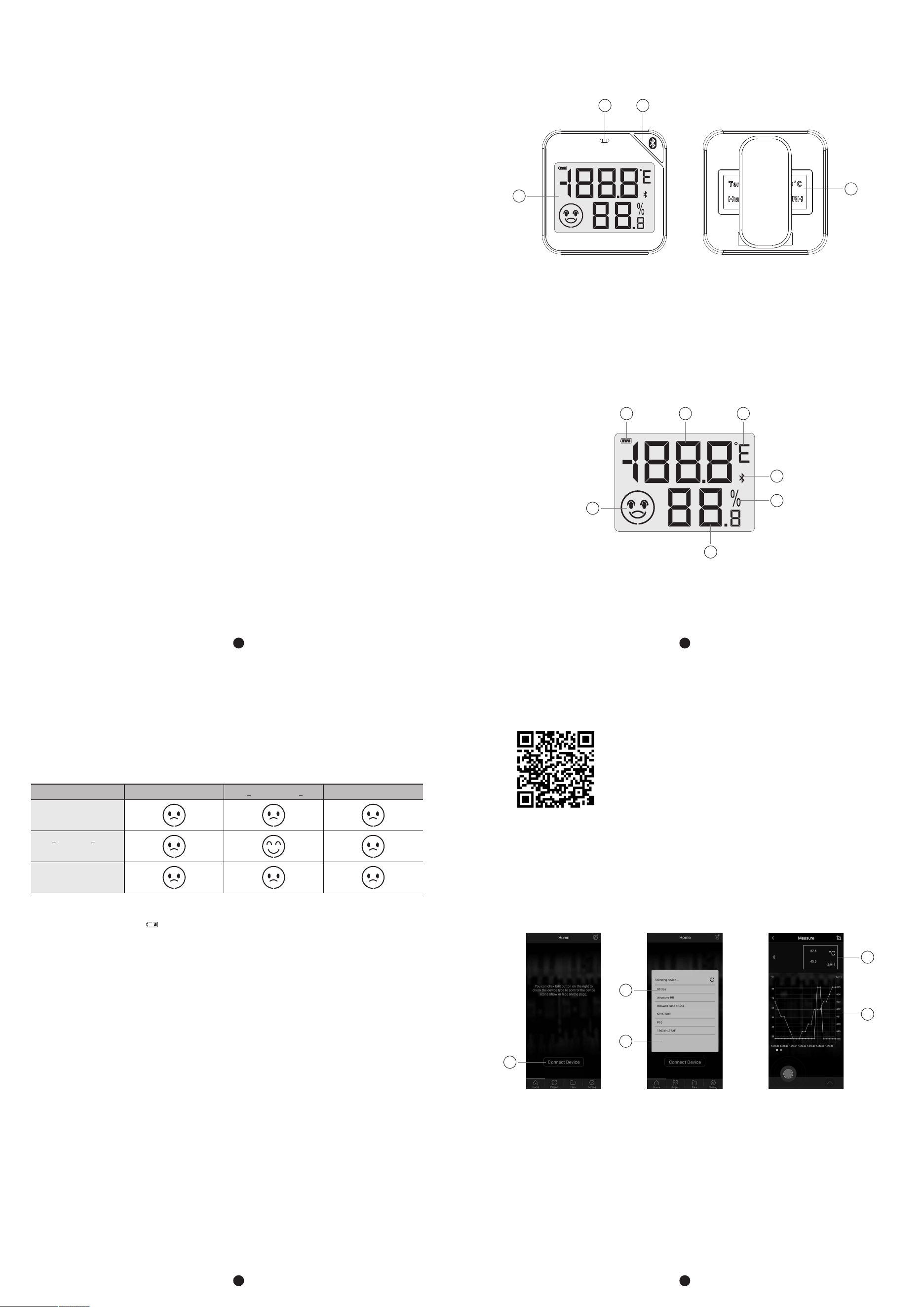
1-Ventilation Holes (Avoid blocking the ventilation holes when using the product)
2-Short Press On\Off Bluetooth
3-Screen
4-2 AAA Battery Doors
5.Liquid Crystal is Introduced
1-Low Battery Icon
2-Temperature Display Value
3-Temperature Unit, adjustable display unit °C/°F
4-Bluetooth Icon, Bluetooth icon will be displayed when Bluetooth is enabled
5-Humidity Unit
6-Humidity Display Value
7-Indicator of Comfort Level
1 2
3
4
1
2 3
4
7
5
6
Humidity <20%
20% <Humidity <85%
Humidity >85%
Temperature <20°C 20°C <Temperature <27°C Temperature >27°C
7.“Meterbox Pro” APP
• You can easily view the measurement data through the APP “Meterbox Pro” (IOS/Android APP) installed on the
terminal.
• Scan the QR code below to download and install the APP.
7-1.Connect Devices
• Install the “Meterbox Pro” (IOS/Android App) App.
• Activate Bluetooth on the device.
• Open APP.
• Click button (1) to bring up the list of search devices (2).
• Click the device name DT-326EM (3) to connect to the device.
• The measured values are shown in line chart (5) and numerical value (4).
1
2
3
4
5
6.Operation Guide
6-1.“°C/°F” Unit Switch
You can switch the temperature display unit Celsius or Fahrenheit through the mobile APP.
6-2.Turn On/Off Bluetooth
Short press On/Off Bluetooth.
6-3.Identification of Comfort Level
6-4.Battery Power Indicator
The screen displays this icon “ ” when the battery is too low, please replace the battery in time.
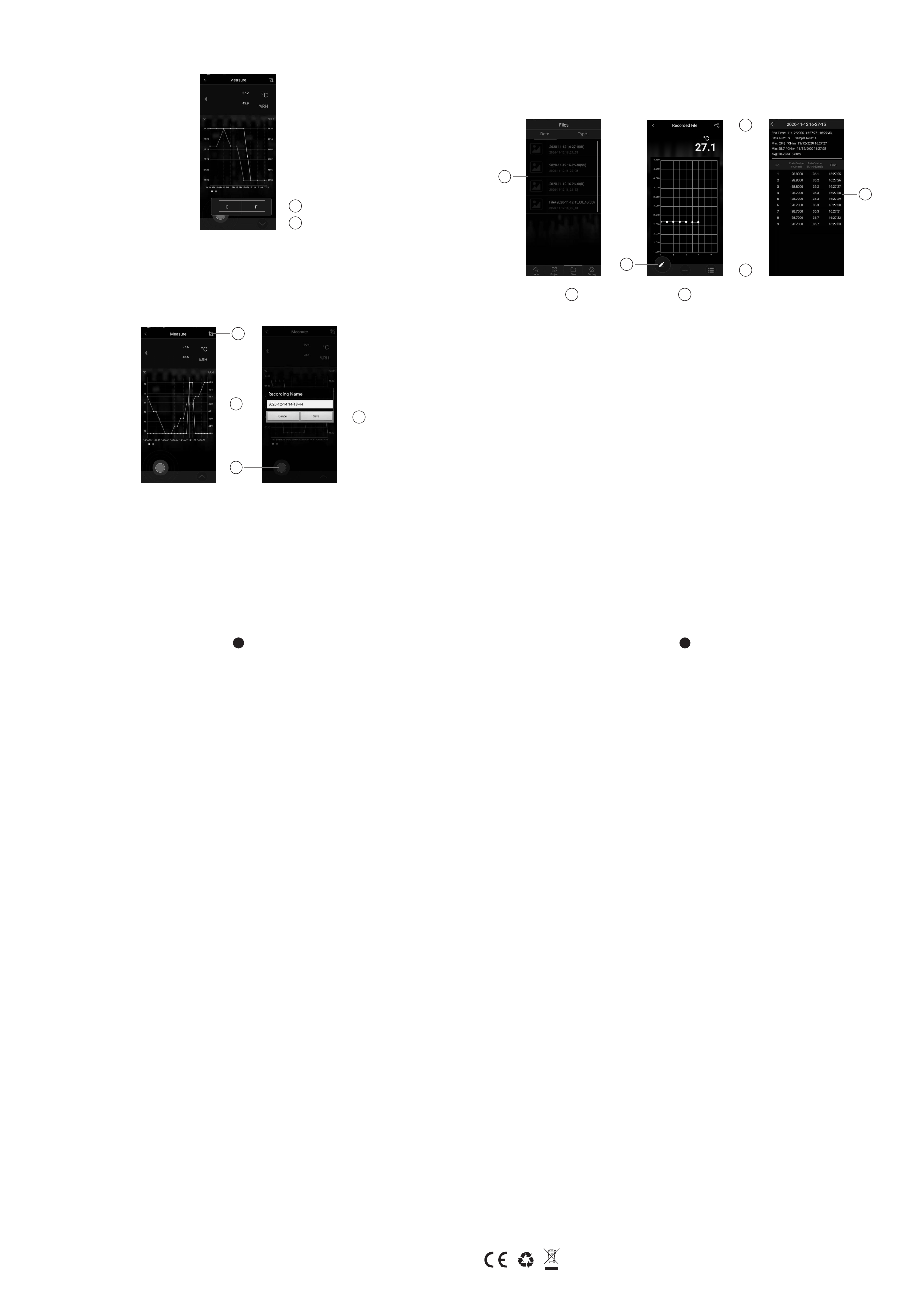
7-2.Change the Display Unit
• Click button (6) to pop up button (7).
• Click °C or °F in button (7) to change the temperature display unit of the device and APP to °C or °F.
7-3.Record and Save Data
• Click button (8) to save the data in the line chart.
• Click the button (9) to bring up a window (10).
• Enter the file name in the window (10) and click the button (11) to start recording data.
• Click button (9) again to stop recording and save the data.
7
6
5
6
Rev.201221
10
11
9
13
8
7-4.View the Data
• Click button (12) to view the list of files (13), and click the file name to view the file.
• Click the button (15) to view the data as a list (17).
• Click the button (14) to modify the file information.
• Click the button (16) to share the file.
• Click the button (18) to toggle the display data.
8.Maintenance and Maintenance
8-1.Replace the Battery
Open the rear cover of the battery from the clasp at the bottom of the fuselage, put the two No. 7 batteries into the
battery compartment, and close the rear cover.
8-2.Cleaning and Maintenance
• Avoid water when cleaning products.
• Product surface smudges can be dipped in a soft cloth with neutral detergent to wipe.
8-3.Matters Needing Attention
• The vent of the product shall not be immersed in water.
• This product is not suitable for use in the environment below 0°C, please keep away from high temperature, high
humidity and other harsh environments.
• This product is used for healthy living, not as a measuring device.
14
15
1812
16
17