1
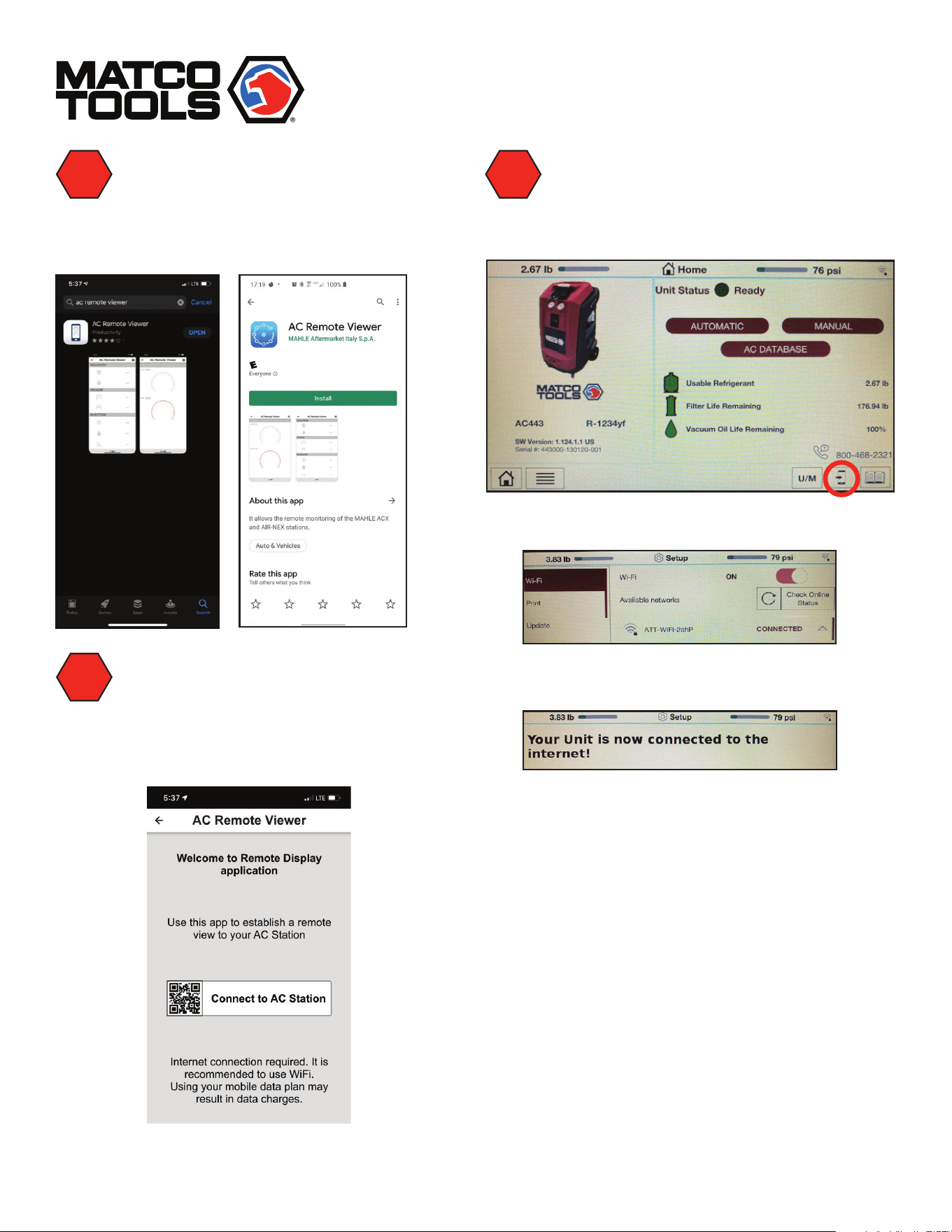
Search for phone app.
• GooglePlay:“acremoteviewer”
• AppleAppStore:“acremoteviewer”
2
Launch App on phone.
• Select“ConnecttoACStation”
• Allowaccesstothecameraonthephone
3
On the AC unit. Bring up the QR code
to subscribe to the AC unit.
• Touchthesmartphoneappicon
Tip: AC unit must be connected to WiFi and online.
Afterconnection,besureto“checkonline
status”toensureunitisconnected.
Note:Multipleunitsubscriptionscanbemadeon
asinglephoneapp
4
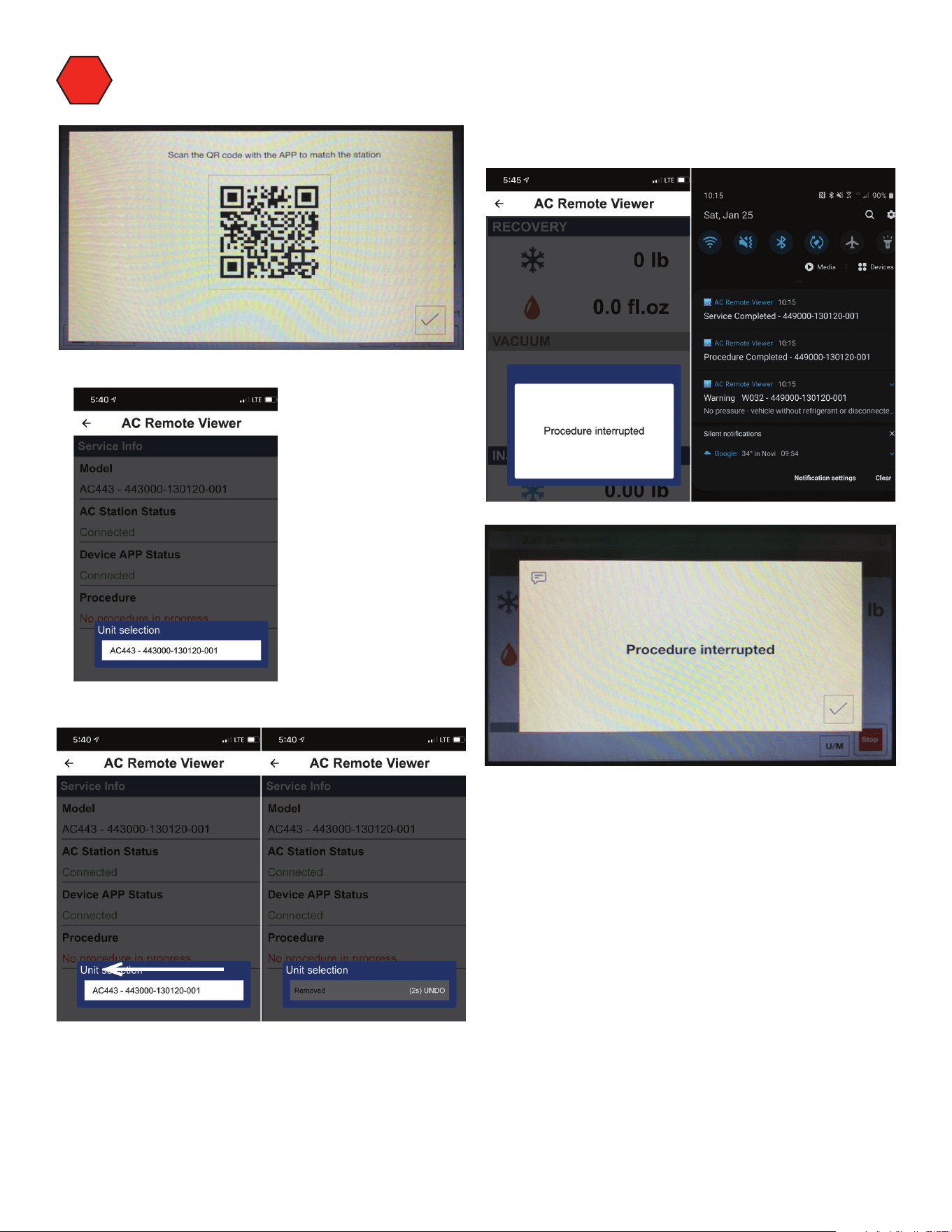
Scan QR Code to subscribe.
• ACunitwillshowinapp.
Tip: if you want to remove a unit, swipe left.
NOTE:
Notifications appear both in the app and via
push notification services. See examples
below.
ServiceworksoverWiFiandcellularconnections.
ACunitmustbeonlineviaWiFi.
Noticationtypes:
• ServiceCompletions
• ProcedureCompletions
• RelevantWarnings
• AllAlarms