INSTRUCTION MANUAL
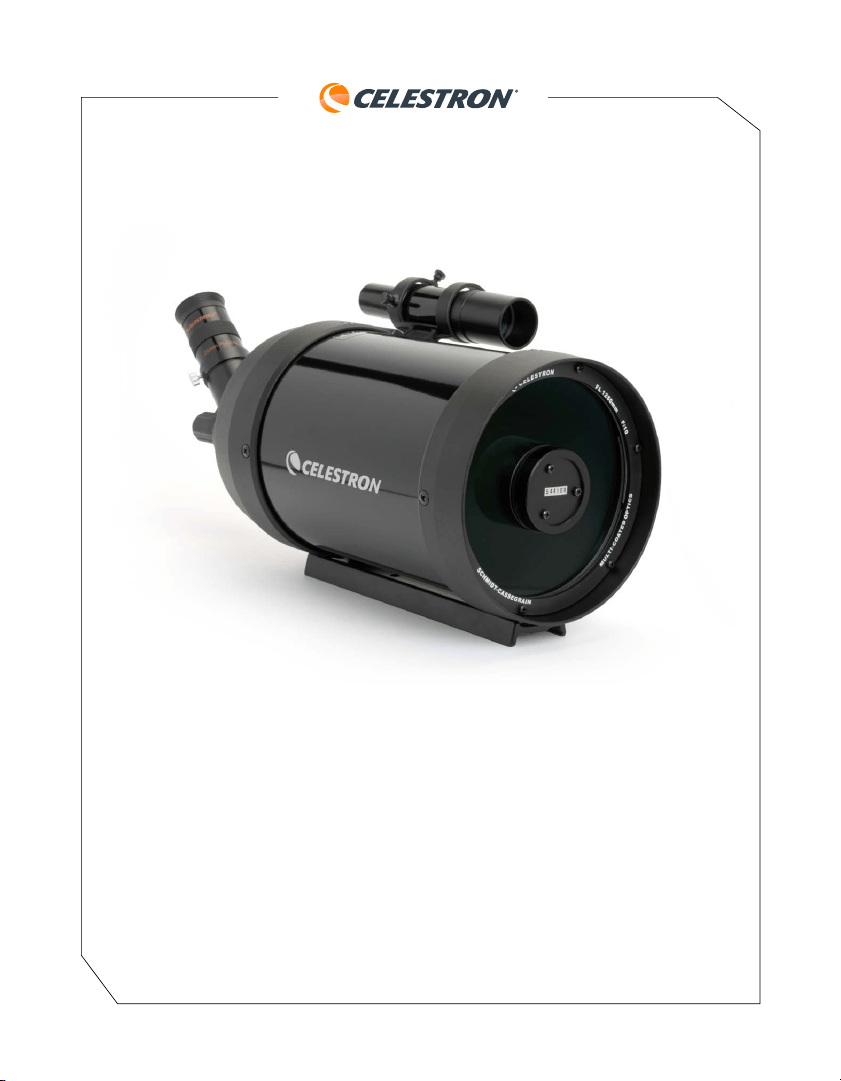
C5 SPOTTING SCOPE
Model# 52291 ENGLISH

2 | ENGLISH
A spotting scope is nothing more than a telescope that is designed to look around the Earth. Unlike
astronomical telescopes, which produce inverted or reverted images, spotting scopes produce correctly
oriented images. Celestron offers several different models, each of which uses the highest quality optics
to produce the best possible images. All models have rugged, durable housings to give you a lifetime of
pleasure with a minimal amount of maintenance.
Your Celestron spotting scope is designed to give you hours of fun and rewarding observations. There
are, however, a few things to consider before using your spotting scope that will ensure your safety and
protect your equipment.
• Never look directly at the Sun with the naked eye or with your spotting scope.
Permanent and irreversible eye damage may result.
• Never use your spotting scope to project an image of the Sun onto any surface. Internal heat build-up
can damage your spotting scope and/or any accessories attached to it.
• Never use an eyepiece solar filter or a Herschel wedge. Internal heat build-up inside your spotting
scope can cause these devices to crack or break, allowing unfiltered sunlight to pass through to the eye.
• Never leave your spotting scope unsupervised, either when children are present or adults who may
not be familiar with the correct operating procedures of your spotting scope.
• Never point your spotting scope at the Sun unless you have the proper solar filter. We recommend
Celestron solar filters only. Don’t take chances -- use Celestron filters for safety and performance!
When using your spotting scope with the proper solar filter, ALWAYS cover the finderscope.
Although small in aperture, this instrument has enough light gathering power to possibly cause
permanent and irreversible eye damage. In addition, the image projected by the finder is hot enough
to burn skin and clothing.
Assembly
This section covers the correct set up and operating procedures for your Celestron C5 spotting scope
and includes information on visual and photographic observations. The C5 spotting scope uses a combination
of mirrors and lenses to produce an image. Such an optical system is known as a compound lens. This
particular design, known as a Schmidt-Cassegrain, is one of the most compact and rugged optical sys-
tems on the market today. The C5 (#52219) comes standard with the following accessories:
• 25mm Plössl .98” (50x)
• 6x30 Erect Image Finderscope
• 45° Erect Image Diagonal - 1.25”
• Photo Tripod Adapter block
• Nylon Water Resistant Case
• Lens Cap
ENGLISH | 3
The Erect Image Diagonal
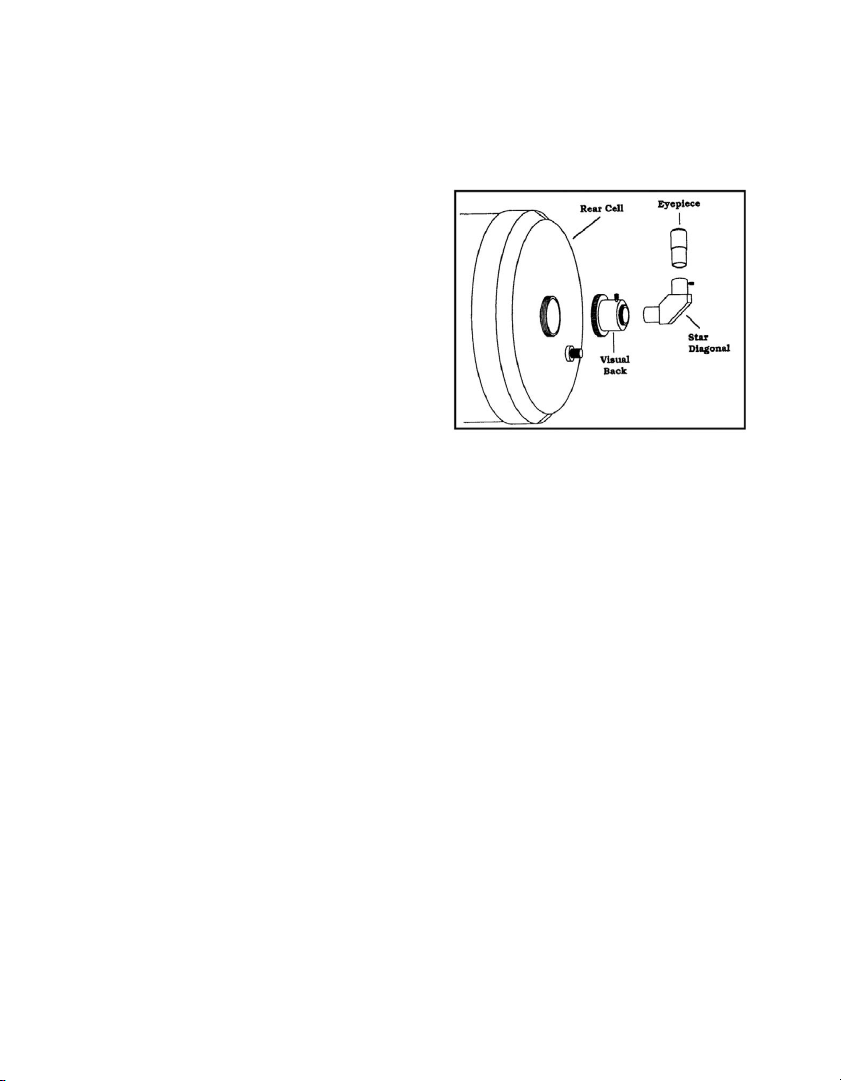
The diagonal is a prism that diverts the light at a right angle from the light path of the spotting scope. The
C5 spotting scope comes with an erect image diagonal that is designed for terrestrial viewing. To attach
the diagonal:
1. Turn the thumbscrew on the visual back until
its tip no longer extends into (i.e., obstructs)
the inner diameter of the visual back.
2. Slide the chrome portion of the diagonal into
the visual back.
3. Tighten the thumbscrew on the visual back to
hold the diagonal in place.
If you wish to change the orientation of the diagonal,
loosen the thumbscrew on the visual back until the
diagonal rotates freely. Rotate the diagonal to the
desired position and tighten the thumbscrew.
The Eyepiece
The eyepiece, or ocular, is the optical element that magnifies the image focused by the spotting scope.
The eyepiece fits into either the visual back directly or the erect image diagonal. To install an ocular:
1. Loosen the thumbscrew on the star diagonal (or erect image diagonal) so it does not obstruct the
inner diameter of the eyepiece end of the diagonal.
2. Slide the chrome portion of the eyepiece into the erect image diagonal.
3. Tighten the thumbscrew to hold the eyepiece in place.
To remove the eyepiece, loosen the thumbscrew on the erect image diagonal and slide the eyepiece out.
Eyepieces are commonly referred to by focal length and barrel diameter. The focal length of each eyepiece
is printed on the eyepiece barrel. The longer the focal length (i.e., the larger the number) the lower the
eyepiece power or magnification; and the shorter the focal length (i.e., the smaller the number) the higher
the magnification. Generally, you will use low-to-moderate power when viewing. For more information on
how to determine power, see the section on “Calculating Magnification.”
Barrel diameter is the diameter of the barrel that slides into the diagonal or visual back. The C5 spotting
scope use eyepieces with a standard 1-1/4” barrel diameter.
4 | ENGLISH
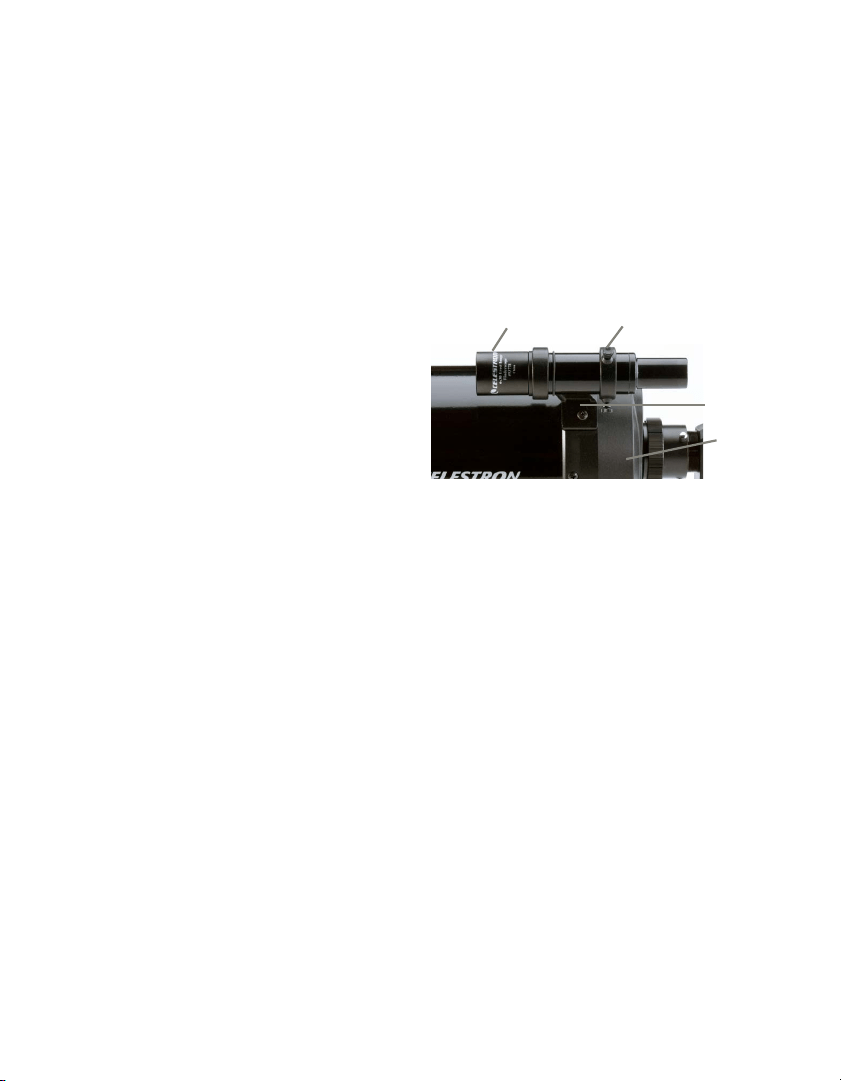
Finderscope
The C5 spotting scope come standard with a terrestrial (erect image) 6x30 finder. The purpose of the
finder is to locate objects that might otherwise be overlooked in the narrow, higher power field of view of
the spotting scope.
Attaching the Finder to the Bracket
1. Unthread the three screws in the finder bracket. until the ends are flush with the inner diameter of
the bracket ring. Do not thread them in completely or they will interfere with the placement of the finder.
2. Slide the rubber O-ring onto the back (eyepiece end) of the finder.
3. Position the O-ring on the main body of the finder so that it is toward the front (i.e., objective) end
of the finder.
4. Slide the finder, eyepiece end first, into the
front ring of the bracket. Push it back until
the O-ring is snug inside the front ring of
the bracket.
5. Hand tighten the three set screws until snug.
To align the finder, please see the section on
“Aligning the Finder.”
The C5 spotting scope will attach to any photographic tripod with a 1/4x20 threaded screw.
The C5 attaches to the tripod via a photo tripod adapter block that has three 1/4x20 holes.
To attach the C5 to a photographic tripod:
1. Place any of the 1/4x20 holes in the photo tripod adapter block over the 1/4x20 screw on your
photographic tripod.
2. Tighten the 1/4x20 screw to hold the C5 firmly in place.
If the telescope/spotting scope is not properly balanced, try using one of the other holes in the photo
tripod adapter block. Once mounted on the photographic tripod, you are ready to use your C5 spotting scope.
Following is pertinent technical information for the Celestron C5 spotting scope that you may find useful.
• 5” aperture (125 mm) f/10
• Focal length — 1250 mm (50”)
• Schmidt-Cassegrain optical system Resolution 0.9 arc sec.
• Tube — 11” long
• Weight (with mount) — 6 pounds
• 6x30 finder
Finderscope
Nylon Adjustment
Screw
Finder
Bracket
Rear
Cell
ENGLISH | 5
• Highest useful magnification — 300x
• Lowest useful magnification — 23x
• Limiting magnitude (visual) — 13
• Near Focus — Approximately 20’
• Angular field of view with standard eyepiece: 1.04°
• Angular field of view using optional Reducer/Corrector lens: 1.7°
• Lens cover
• Starbright XLT coatings — XLT coating on corrector yield greater light transmission and provides
greater reflectivity on primary and secondary mirrors
Once your spotting scope is fully assembled, you are ready for your first look. This section deals with the
basics of your spotting scopes operation.
The Celestron C5 spotting scope focusing mechanism controls
the position of the primary mirror which is mounted on a sleeve
that slides back and forth on the primary baffle tube. The
focusing knob, which moves the primary mirror, is on the rear
cell of the C5 to the right of the diagonal and eyepiece. Turn
the focusing knob until the image is sharp. If the knob will not
turn, the primary mirror has reached the end of its travel on the
focusing mechanism. Turn the knob in the opposite direction
until the image is sharp. Once an image is in focus, turn the knob
clockwise to focus on a closer object and counterclockwise for
a more distant object. A single turn of the focusing knob moves
the primary mirror only slightly. Therefore, it will take many turns
(about 40) to go from close focus (approximately 20 feet) to
infinity. For astronomical viewing, out-of-focus star images are
very diffuse making them difficult, if not impossible, to see. If
you turn the focus knob too quickly, you can go right through
focus without seeing the image. For best results, your first
astronomical target should be a bright object (like the Moon)
so that the image is visible even when out of focus.
The Celestron C5 comes with a 6x30 mm finder that helps in aiming at distant objects that are hard to
find in the narrow field of the spotting scope. The first number used to describe the finder is the power
while the second number is the diameter of the objective lens in millimeters. This means the 6x30 finder
is 6 power and has a 30 mm objective lens. Incidentally, power is always compared to the unaided human
eye. So an 8 power finder magnifies images eight times more than the human eye.
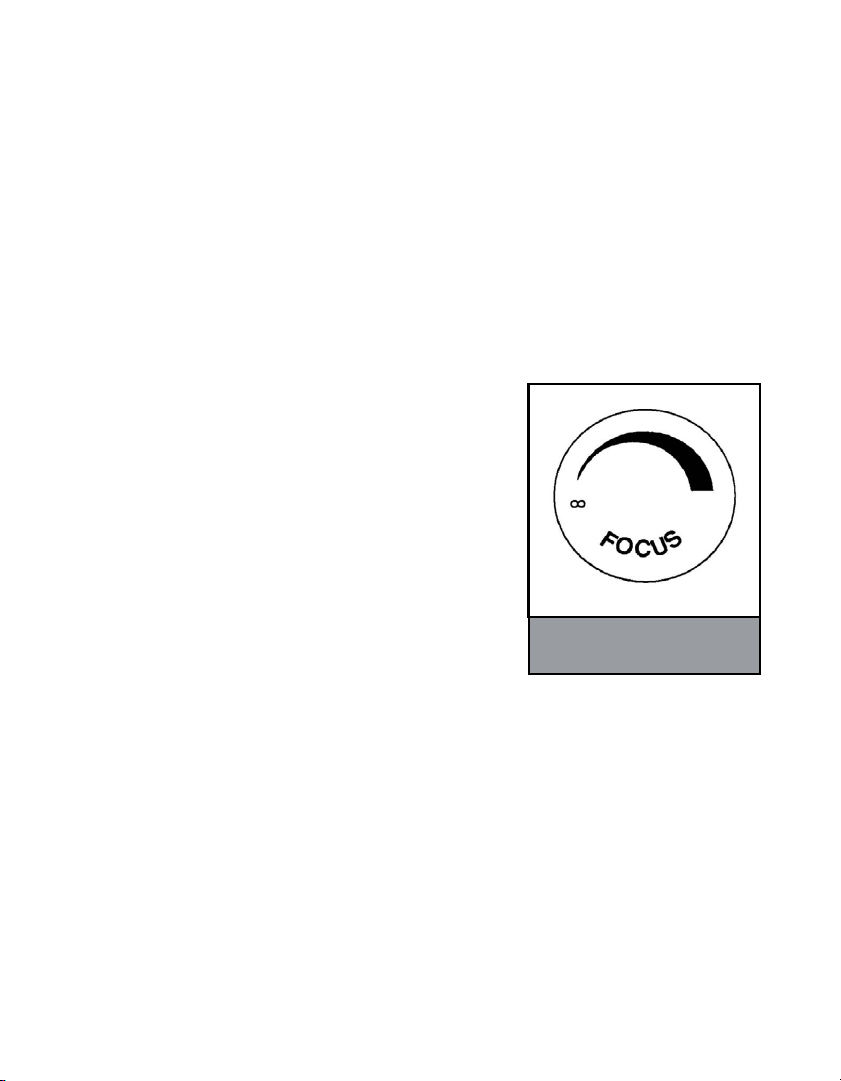
The emblem on the end of the focus
knob shows the correct rotational
direction for focusing your telescope.

6 | ENGLISH
To make the alignment process a little easier, you should perform this task in the daytime when it is easier to
locate objects in the spotting scope without the finder. To align the finder:
1. Choose a conspicuous object that is in excess of one mile away. This will eliminate any possible
parallax effect.
2. Point your spotting scope at the object you selected and center it in the main optics of the spotting scope.
3. Check the finder to see where your alignment target is located in the field of view.
4. Adjust the screws on the finder bracket, tightening one while loosening another, until the cross
hairs are centered on the target.
5. Tighten each set screw a quarter of a turn to ensure that they will not come loose easily.
With the spotting scope fully assembled and all the accessories attached, you are ready for your first look.
Observing can be broken down into two distinct categories; terrestrial and celestial. Terrestrial observing
is generally done in the daytime as subjects are usually wildlife, birds, or scenic views. Celestial observing
is generally done at night when stars and planets are visible. Regardless of your preference, your first
look should be done in the daytime so you can see the various parts of your C5 and better familiarize
yourself with its operation.
Before you can use your C5 to look at anything it must first be attached to a stable mount.
For spotting scope owners, this would be a heavy-duty photographic tripod.
WARNING! NEVER POINT YOUR SPOTTING SCOPE AT THE SUN UNLESS YOU HAVE THE
PROPER CELESTRON SOLAR FILTER. PERMANENT AND IRREVERSIBLE EYE DAMAGE MAY
RESULT AS WELL AS DAMAGE TO YOUR SPOTTING SCOPE. ALSO, NEVER LEAVE YOUR
SPOTTING SCOPE UNATTENDED DURING A DAYTIME OBSERVING SESSION, ESPECIALLY
WHEN CHILDREN ARE PRESENT.
To use your C5 spotting scope visually:
1. Find a distant object that is fairly bright.
2. Insert a low power eyepiece (one with a long focal length — 25 to 30 mm) into the spotting scope.
3. Adjust the tripod until the C5 is pointed in the direction of the object you selected.
4. Locate the object in your finder.
5. Move the C5 until the object is centered in the finder.
6. Look through the main optics and the object will be there (if you aligned the finder first).
Once you have found the object, you will most likely need to focus. If the object is moving, leave the
adjustment clamps loose so that you can pan easily. Try using different optional eyepieces to see how the
field changes with various magnifications.

ENGLISH | 7
You can change the power of your Celestron C5 spotting scope just by changing the eyepiece (ocular). To
determine the magnification of your Celestron C5, simply divide the focal length of the spotting scope by
the focal length of the eyepiece used. In equation format, the formula looks like this:
Focal Length of Spotting Scope (mm)
Magnification = ———————————————————————
Focal Length of Eyepiece (mm)
Let’s say, for example, that you are using a 25 mm eyepiece. To determine the magnification, you simply
divide the focal length of your C5 (1250 mm) by the focal length of the eyepiece (25 mm). Dividing 1250 by
25 yields a magnification of 50 power.
Although the power is variable, each instrument — under average skies — has a limit to the highest useful
magnification. The general rule is that 60 power can be used for every inch of aperture. For example, the
C5 is 5” in diameter. Multiplying 5 by 60 gives a maximum useful magnification of 300 power. Although
this is the maximum useful magnification, most observing is done between 20 to 35 power for every inch of
aperture which is 100 to 175 times for the C5.
Determining the field of view is important if you want to get an idea of the angular size of the object you
are observing. To calculate the actual field of view, divide the apparent field of the eyepiece (supplied by the
eyepiece manufacturer) by the magnification. In equation format, the formula looks like this:
Apparent Field of Eyepiece (in degrees)
True Field = ———————————————————————
Magnification
As you can see, before determining the field of view, you must first calculate the magnification. Using the
example in the previous section, we can determine the field of view using the same 25 mm eyepiece. The
25 mm PlÖssl eyepiece has an apparent field of view of 52°. Divide the 52° apparent field by the magnification,
which is 50 power. This yields an actual field of 1.04°.
To convert degrees to feet at 1,000 yards, which is more useful for terrestrial observing, simply multiply by
52.5. Continuing with our example, multiplying the angular field 1.04° by 52.5 produces a linear field width
of 54.6 feet at a distance of one thousand yards.
The apparent field of each eyepiece that Celestron manufactures is found in the Celestron Accessory
Catalog (#93685).
When working with any optical instrument, there are a few things to remember to ensure you get the best
possible image.
• Never look through window glass. Glass found in household windows is optically imperfect and, as
a result, may vary in thickness from one part of a window to the next. This inconsistency can and
will affect the ability to focus your spotting scope. In most cases you will not be able to achieve a
truly sharp image. In some cases, you may actually see a double image.

8 | ENGLISH
Never look across or over objects that are producing heat waves. This includes asphalt parking lots on hot
summer days or building rooftops.
• Hazy skies, fog, and mist can also make it difficult to focus when viewing terrestrially. The amount
of detail seen under these conditions is greatly reduced. Also, when photographing under these
conditions, the processed film may come out a little grainier than normal with lower contrast.
• When using your C5 as a telephoto lens, the split screen or microprism focuser of the 35 mm
SLR camera may “black out.” This is common with all long focal length lenses. If this happens, use
the ground glass portion of your focusing screen. To achieve a very sharp focus, consider using a
focusing magnifier. (These are readily available from your local camera store.)
• If you wear corrective lenses (specifically glasses), you may want to remove them when observing
with an eyepiece attached to your C5. When using a camera, however, you should always wear
corrective lenses to ensure the sharpest possible focus. If you have astigmatism, corrective lenses
should be worn at all times.
Your Celestron C5 can be used for both terrestrial and astronomical photography. Your C5 has a fixed
aperture and, as a result, a fixed f/ratio. To properly expose your subjects photographically, you need to
set your shutter speed accordingly. Most 35 mm single lens reflex (SLR) cameras offer through-the-
lens metering that lets you know if your picture is under or overexposed. This is important for terrestrial
photography where exposure times are measured in fractions of a second.
To reduce vibration when tripping the shutter, use a cable release. Releasing the shutter manually can cause
vibration, something that produces blurred photos. A cable release allows you to keep your hands clear
of the camera and spotting scope, thus reducing the possibility of shaking the spotting scope. Mechanical
shutter releases can be used, though air-type releases are recommended for maximum vibration reduction.
Care & Maintenance
While the C5 spotting scope requires little maintenance, there are a few things to remember that will
ensure your spotting scope performs at its best.
Occasionally, dust and/or moisture may build up on the corrector plate of your C5. Special care should be
taken when cleaning any instrument so as not to damage the optics.
If dust has built up on the corrector plate, remove it with a brush or a can of pressurized air. Spray at an
angle to the lens for approximately two to four seconds. Then, use an optical cleaning solution and white
tissue paper to remove any remaining debris. Apply the solution to the tissue and then apply the tissue
paper to the lens. Low pressure strokes should go from the center of the corrector to the outer portion.
Do NOT rub in circles!

ENGLISH | 9
You can use a commercially made lens cleaner or mix your own. A good cleaning solution is isopropyl
alcohol mixed with distilled water. The solution should be 60% isopropyl alcohol and 40% distilled water.
Or, liquid dish soap diluted with water (a couple of drops per one quart of water) can be used.
Occasionally, you may experience dew build-up on the corrector plate of your C5 during an observing session.
If you want to continue observing, the dew must be removed, either with a Celestron Lens Shade / Dew
Cap or by pointing the spotting scope at the ground until the dew has evaporated.
If moisture condenses on the inside of the corrector, place the spotting scope in a dust-free environment
and point it down. Remove the accessories from the rear cell of the spotting scope to allow the moisture
to evaporate from the optical tube.
To minimize the need to clean your spotting scope, replace all lens covers once you have finished using it.
Since the rear cell is NOT sealed, the cover should be placed over the opening when not in use. This will
prevent contaminants from entering the optical tube.
Internal adjustments and cleaning should be done only by the Celestron repair department.
If your C5 is in need of internal cleaning, please call the factory for a return authorization number.
©2024 Celestron. • Celestron and Symbol are trademarks of Celestron, LLC.
All rights reserved. • Celestron.com
2835 Columbia Street, Torrance, CA 90503 USA
This product is designed and intended for use by those 14 years of age and older.
(Products or instructions may change without notice or obligation.)
Made in China • 07-24
NEED ASSISTANCE?
Contact Celestron Technical Support celestron.com/pages/technical-support
SOLAR WARNING: Never attempt to view the Sun through any
telescope without a proper solar filter.