

www.PyleUSA.com
2
www.PyleUSA.com
3
PLEASE READ THIS MANUAL CAREFULLY BEFORE OPERATION
Features:
• Designed to Sit Under Your Television
• Home Theater Tabletop TV Stand Mount
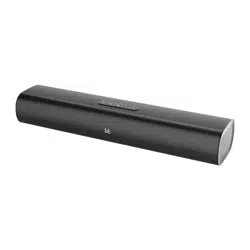
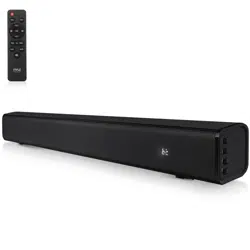
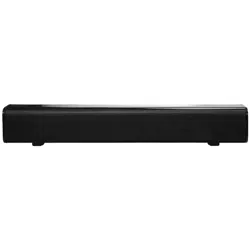
• Powerful and Compact Speaker Sound Bar System
• Built-in BT for Instant Wireless Music Streaming
• Works with All of Your Favorite BT-Enabled Devices
(iPhone, Smartphone, iPod, MP3 Player, iPad, Tablet, PC, etc.)
• System Doubles as TV Speaker Base Entertainment System
• Ported Tube Design for Extended Bass Performance
• Full-Range Audio Spectrum Stereo Sound Reproduction
• Convenient Source Selection with LED Indicators
• Easy Touch Button Audio Select Control Center
• Aux (3.5mm) Input Connector Jack
• Easy-to-Use and Easy-to-Setup
• USB Port, Micro SD
What’s in the Box:
• TV Soundbar
• Audio Connection Cables
• Power Adapter
Technical Specs:
• RMS Power Output: 10 Watt (5 x 2)
• Wireless BT Version: 5.0
• Wireless BT Range: 50 Feet
• Speaker Impedance: 4 Ohm
• Inputs: 3.5mm (AUX)
• Power Supply: 3.7V/1500mAH Chargeable
• Frequency Response: 65Hz - 20kHz (+/- 6dB)
• Input Sensitivity: 450mV
• S/N: 61dB
• THD: 1%
• Product Dimensions: 16.3’’ x 2.36’’ x 2.36” -inches
IMPORTANT SAFETY INSTRUCTIONS
• Read these instructions.
• Keep these instructions.
• Heed all warnings.
• Follow all instructions.
• Do not use this apparatus near water.
• Clean only with dry cloth.
• Do not block any ventilation openings.
Install in accordance with the manufacturer's instructions.
• Do not install near any heat sources such as radiators, heat registers, stoves,
or other apparatus (including ampliers) that produce heat.
• Do not defeat the safety purpose of the polarized or grounding-type plug.
A polarized plug has two blades with one wider than the other.
A grounding type plug has two blades and a third grounding prong.
The wide blade or the third prong are provided for your safety.
If the provided plug does not t into your outlet, consult an electrician for
replacement of the obsolete outlet.
• Protect the power cord from being walked on or pinched particularly at plugs,
convenience receptacles, and the point where they exit from the apparatus.
• Only use attachments/accessories specied by the manufacturer.
• Unplug this apparatus during lightning storms or when unused for long
periods of time.
• Refer all servicing to qualied service personnel. Servicing is required when
the apparatus has been damaged in any way, such as power-supply cord or
plug is damaged, liquid has been spilled or objects have fallen into the
apparatus, the apparatus has been exposed to rain or moisture, does not
operate normally, or has been dropped.
• To reduce the risk of re or electric shock, do not expose this device to rain,
moisture, dripping, or splashing, and no objects lled with liquids, such as
vases, shall be placed on it.
www.PyleUSA.com
4
www.PyleUSA.com
5
Placement
• Sensitive to extreme temperatures and humidity. Do not put it in locations
subject to direct sunlight or in humid places, such as near an air conditioner,
humidier, bathroom, or kitchen.
• Do not put water or other liquids close to the soundbar.
If liquid is spilled over the soundbar, it may be damaged.
• The soundbar should be placed on a sturdy, at surface that is free from
vibration, or mounted on a wall. Do not put the soundbar on an uneven or
unstable surface, where it may fall and cause damage.
This user manual explains how to correctly install, operate, and get the
best performance from your Home Theater Wireless BT Soundbar Speaker.
Read this user manual carefully before installing your system, and then
keep it handy for quick reference.
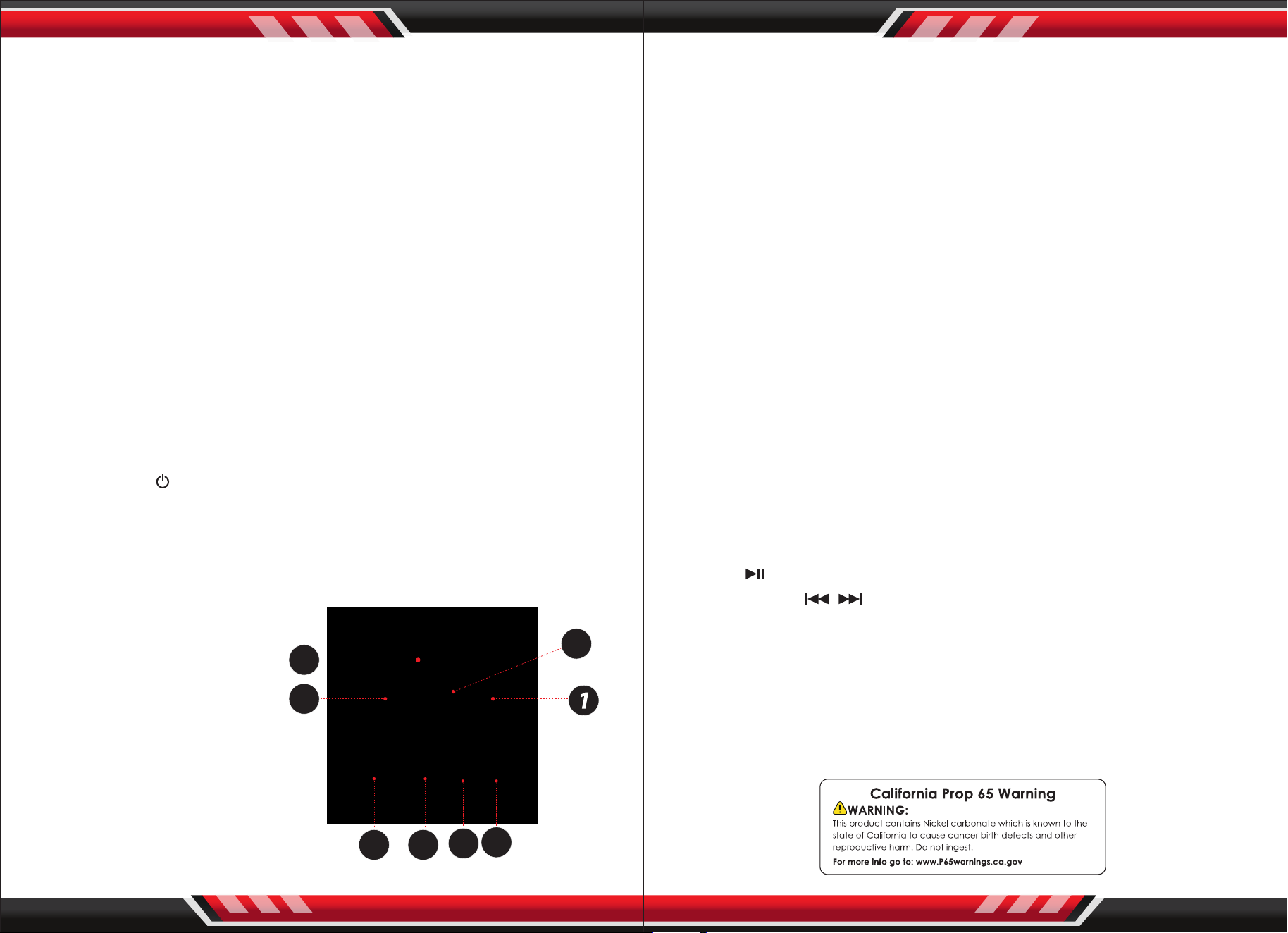
FUNCTION DESCRIPTION
1. Connect power via 5V 1A adapter.
2. Press the key “ /M” to turn ON, Then go directly to BT mode/
Short press to change between modes BT/AUX IN.
3. Play/pause music.
4. Press and hold to decrease the volume/short press to previous track.
5. Press and hold to increase the volume/short press to next track.
6. AUX IN Port.
7. USB Port.
8. Micro SD card input.
OPERATION INSTRUCTION
ON/OFF SWITCH
1. Connect the DC port of adapter to the sound bar then connect the power
cord to a wall socket
2. Press the “POWER” to switch ON the sound bar, and it will enter BT mode
automatically, with both sound alerts blue LED ashes quickly; press and
hold the "POWER" again to switch OFF.
WIRELESS BT CONNECTION
1. Put the soundbar near the BT device.
2. Switch ON the PSBVSN40, an alert sound will appear and blue LED ashes
quickly, which means it is ready for pairing.
3. Turn ON the BT function of the mobile device, search for "PYLE" and
connect to it once found. If a Passkey is requested, enter “0000”.
4. An alert will appear when connected, and the blue LED light will be on.
5. The soundbar will reconnect to the last paired device when switched on,
If it doesn't connect, the soundbar will enter pairing mode automatically.
USB/MICRO SD FUNCTION
1. Directly insert the USB card or Micro SD card can connect.
2. Press “ ” on Speaker to play/pause.
3. Press “
-/+“ or ” / ” to go to previous/next song.
AUX IN FUNCTION
1. Plug the AUX cable into the AUX port and the other side to TV or other
device with AUX port.
2. Short press "MODE" into AUX mode, LED lights (white) will light indicating
"AUX", music will start playing.
2 3
4
5
6
7
8