WORK WITH YOUR FAVORITE
support@nulea.com
www.nulea.com
1
2
M
O
N
T
H
Q.1
No, this ergonomic keyboard is not water-resistant. We strongly
recommend keeping it away from all liquids to prevent damage. In
the unfortunate event of a spill, immediately disconnect the
keyboard from your computer. Then, carefully invert the keyboard
to allow any liquid to drain out. It's crucial to let the keyboard dry
completely before attempting to use it again. This process helps
minimize potential damage and can extend the life of your
keyboard.
Is this ergonomic keyboard water-resistant?
Q.2
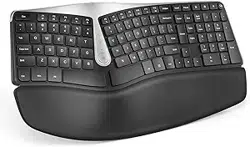
The ergonomic layout and keyboard curve help solve wrist
problems and make it more comfortable. You may feel
uncomfortable initially if you are used to a regular keyboard.
We've heard from some customers who initially struggled to
adapt to the new layout but got used to it after using it for
some time. We suggest sticking with the new keyboard for
some time to adjust to it. After using it for some time, if you
still don't adapt to it, please get in touch with our customer
service for assistance. We will nd a suitable solution for
you or will make a refund.
Struggling to adapt to the new layout of the
keyboard, how to get used to it?
At Nulea, we believe you should choose the work you love and work in an environment that makes you
comfortable and happy.
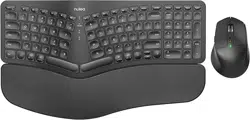
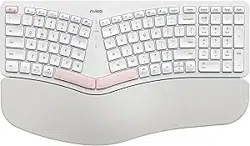
Nulea Ergonomic Series is designed for people who demand maximum typing and navigating experience
with minimum fatigue and stresses.
Nulea hopes the RT05C will become your favorite keyboard and rst choice. If not, do not hesitate to
contact support@nulea.com for 100% satisfaction with our after-sales service
Your suggestion to help us improve is also highly appreciated.
Work with your favorite
Visit www.nulea.com to chat with a live
representative or email s[email protected]
for assistance and inquiries.
WORK WITH YOUR FAVORITE
support@nulea.com
www.nulea.com
1
2
M
O
N
T
H
Q.1
No, this ergonomic keyboard is not water-resistant. We strongly
recommend keeping it away from all liquids to prevent damage. In
the unfortunate event of a spill, immediately disconnect the
keyboard from your computer. Then, carefully invert the keyboard
to allow any liquid to drain out. It's crucial to let the keyboard dry
completely before attempting to use it again. This process helps
minimize potential damage and can extend the life of your
keyboard.
Is this ergonomic keyboard water-resistant?
Q.2
The ergonomic layout and keyboard curve help solve wrist
problems and make it more comfortable. You may feel
uncomfortable initially if you are used to a regular keyboard.
We've heard from some customers who initially struggled to
adapt to the new layout but got used to it after using it for
some time. We suggest sticking with the new keyboard for
some time to adjust to it. After using it for some time, if you
still don't adapt to it, please get in touch with our customer
service for assistance. We will nd a suitable solution for
you or will make a refund.
Struggling to adapt to the new layout of the
keyboard, how to get used to it?
At Nulea, we believe you should choose the work you love and work in an environment that makes you
comfortable and happy.
Nulea Ergonomic Series is designed for people who demand maximum typing and navigating experience
with minimum fatigue and stresses.
Nulea hopes the RT05C will become your favorite keyboard and rst choice. If not, do not hesitate to
contact support@nulea.com for 100% satisfaction with our after-sales service
Your suggestion to help us improve is also highly appreciated.
Work with your favorite
Visit www.nulea.com to chat with a live
representative or email support@nulea.com
for assistance and inquiries.

WORK WITH YOUR FAVORITE
support@nulea.com
www.nulea.com
1
2
M
O
N
T
H
Q.1
No, this ergonomic keyboard is not water-resistant. We strongly
recommend keeping it away from all liquids to prevent damage. In
the unfortunate event of a spill, immediately disconnect the
keyboard from your computer. Then, carefully invert the keyboard
to allow any liquid to drain out. It's crucial to let the keyboard dry
completely before attempting to use it again. This process helps
minimize potential damage and can extend the life of your
keyboard.
Is this ergonomic keyboard water-resistant?
Q.2
The ergonomic layout and keyboard curve help solve wrist
problems and make it more comfortable. You may feel
uncomfortable initially if you are used to a regular keyboard.
We've heard from some customers who initially struggled to
adapt to the new layout but got used to it after using it for
some time. We suggest sticking with the new keyboard for
some time to adjust to it. After using it for some time, if you
still don't adapt to it, please get in touch with our customer
service for assistance. We will nd a suitable solution for
you or will make a refund.
Struggling to adapt to the new layout of the
keyboard, how to get used to it?
At Nulea, we believe you should choose the work you love and work in an environment that makes you
comfortable and happy.
Nulea Ergonomic Series is designed for people who demand maximum typing and navigating experience
with minimum fatigue and stresses.
Nulea hopes the RT05C will become your favorite keyboard and rst choice. If not, do not hesitate to
contact support@nulea.com for 100% satisfaction with our after-sales service
Your suggestion to help us improve is also highly appreciated.
Work with your favorite
Visit www.nulea.com to chat with a live
representative or email support@nulea.com
for assistance and inquiries.

WORK WITH YOUR FAVORITE
support@nulea.com
www.nulea.com
1
2
M
O
N
T
H
Q.1
No, this ergonomic keyboard is not water-resistant. We strongly
recommend keeping it away from all liquids to prevent damage. In
the unfortunate event of a spill, immediately disconnect the
keyboard from your computer. Then, carefully invert the keyboard
to allow any liquid to drain out. It's crucial to let the keyboard dry
completely before attempting to use it again. This process helps
minimize potential damage and can extend the life of your
keyboard.
Is this ergonomic keyboard water-resistant?
Q.2
The ergonomic layout and keyboard curve help solve wrist
problems and make it more comfortable. You may feel
uncomfortable initially if you are used to a regular keyboard.
We've heard from some customers who initially struggled to
adapt to the new layout but got used to it after using it for
some time. We suggest sticking with the new keyboard for
some time to adjust to it. After using it for some time, if you
still don't adapt to it, please get in touch with our customer
service for assistance. We will nd a suitable solution for
you or will make a refund.
Struggling to adapt to the new layout of the
keyboard, how to get used to it?
At Nulea, we believe you should choose the work you love and work in an environment that makes you
comfortable and happy.
Nulea Ergonomic Series is designed for people who demand maximum typing and navigating experience
with minimum fatigue and stresses.
Nulea hopes the RT05C will become your favorite keyboard and rst choice. If not, do not hesitate to
contact support@nulea.com for 100% satisfaction with our after-sales service
Your suggestion to help us improve is also highly appreciated.
Work with your favorite
Visit www.nulea.com to chat with a live
representative or email support@nulea.com
for assistance and inquiries.
Model: HD315
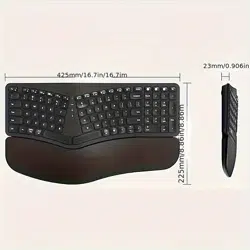
Product Dimensions: 16.5 × 9.6 × 1.3 in / 418.04 × 244.08 × 32.71mm
Compatibility: Windows 2000/XP/Vista/7/8/10/11,Mac OS 10.0 above
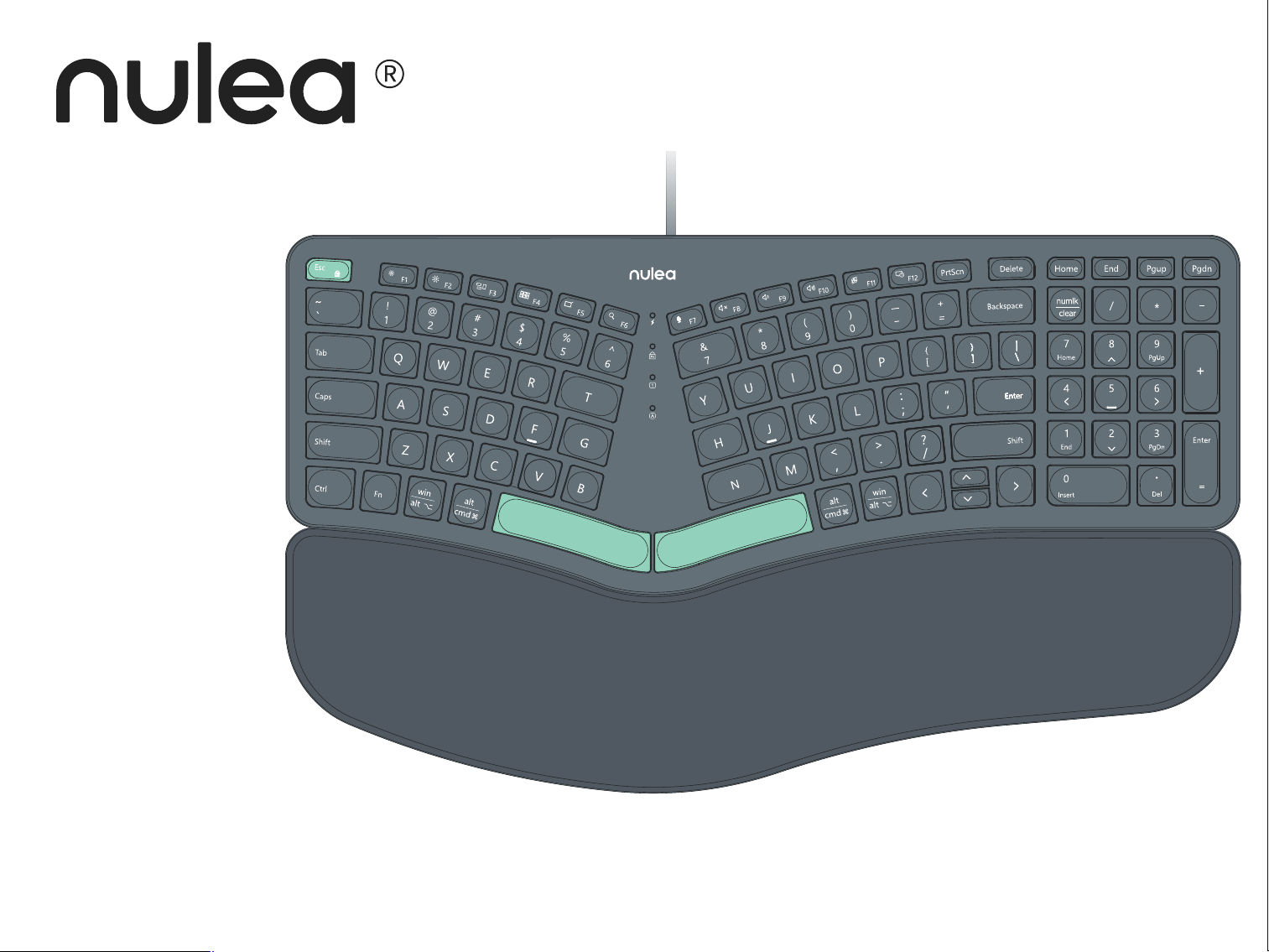
RT05C
User Manual
Packing Contents
1x Wired Ergonomic Keyboard
1x User Manual
wĨÐÆðũÆĴðďĊ
(Waste Electrical& Electronic Equipment)
This Marking shown on the product or its literature, indicate that it should not be disposed with other household wastes at the end of its working life.
To prevent possible harm to the environment or human health from uncontrolled waste disposal, please separate this from other types of wastes and recycle it responsibly
to promote the sustainable reuse of material resources Household user should contact either the retailer where they purchased this product or their local government
oce, for details of where and hew they can take this item for environmentally safe recycling.
Business users should contact their supplier and check the terms and conditions of the purchase contact This product should not be mixed with other commercial wastes
for disposal.
Correct Disposal of This Product
Sleep Mode
This keyboard's sleep mode is synchronized with the computer. When in sleep mode, pressing any key will exit from sleep mode.
FCC Statement
Any Changes or modications not expressly approved by the party responsible for compliance could void the user’s authority to operate the equip
ment.
This device complies with part 15 of the FCC Rules. Operation is subject to the following two conditions: (1) This device may not cause harmful interference, and (2) this
device must accept any interference received, including interference that may cause undesired operation.
Note:
This equipment has been tested and found to comply with the limits for a Class B digital device, pursuant to part 15 of the FCC Rules. These limits are designed to provide
reasonable protection against harmful interference in a residential installation. This equipment generates uses and can radiate radio frequency energy and, if not installed
and used in accordance with the instructions, may cause harmful interference to radio communications. However, there is no guarantee that interference will not occur in a
particular installation. If this equipment does cause harmful interference to radio or television reception, which can be determined by turning the equipment off and on, the
user is encouraged to try to correct the interference by one or more of the following measures:
—Reorient or relocate the receiving antenna.
—Increase the separation between the equipment and receiver.
—Connect the equipment into an outlet on a circuit different from that to which the receiver is connected.
—Consult the dealer or an experienced radio/TV technician for help.
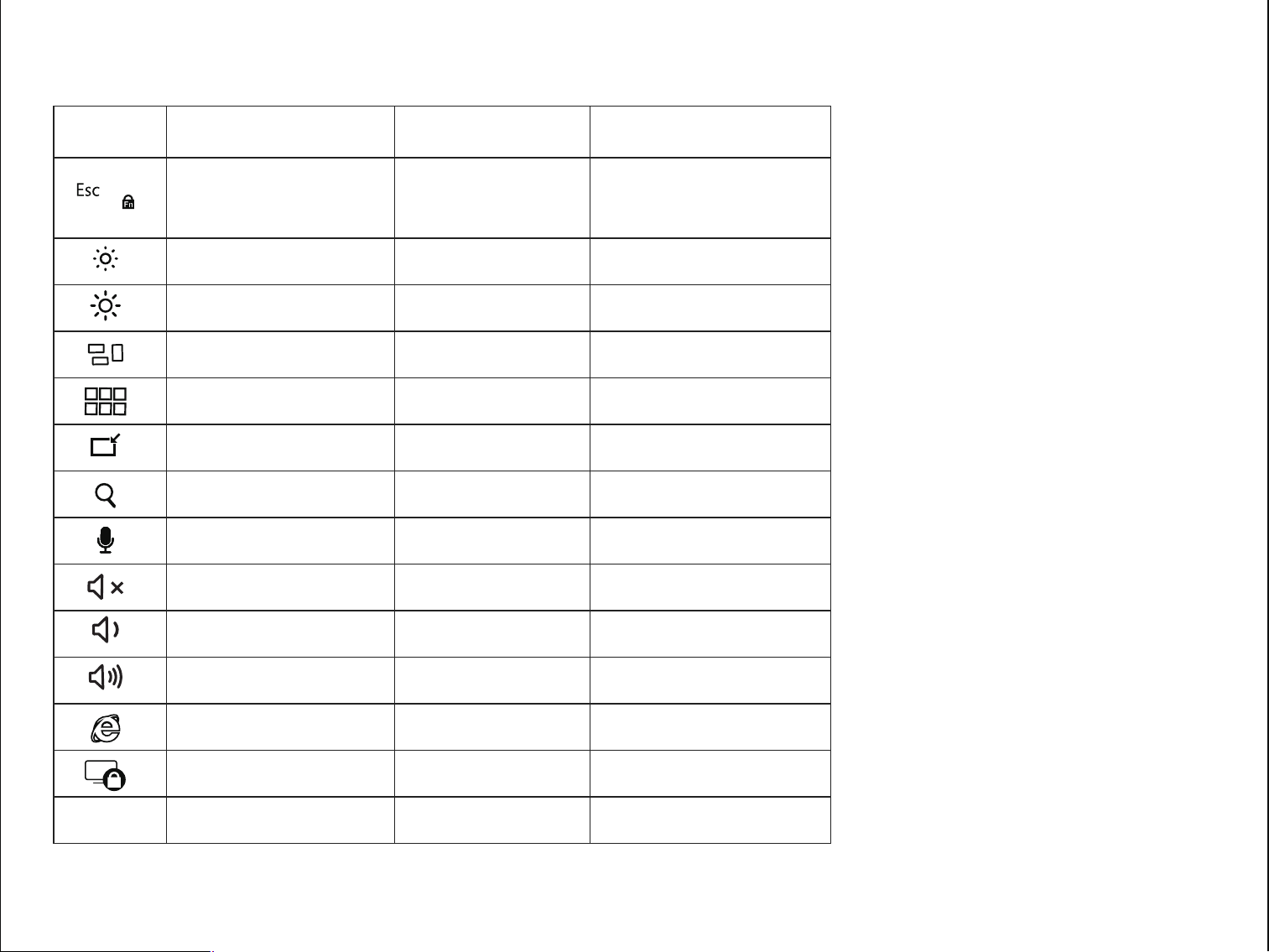
Keys and Functions
F1
F2
F3
F4
F5
F6
F7
F8
F9
F10
F11
F12
Brightness-
Brightness+
Application switcher
Mission control
Show desktop
Search
N/A
Mute
Volume-
Volume+
N/A
Lock screen
Screenshot
Brightness- (Win 10)
Brightness+ (Win 10)
Switch application
Tas k view
Show desktop
Search
Turn on microphone
Mute
Volume-
Volume+
Web browser
Lock screen
Screenshot
Fn lock (Switch
between shortcut and
F1-F12 key modes)
Key icon Fn on Mac / Windows Mac Windows
PrtScn
Esc Esc
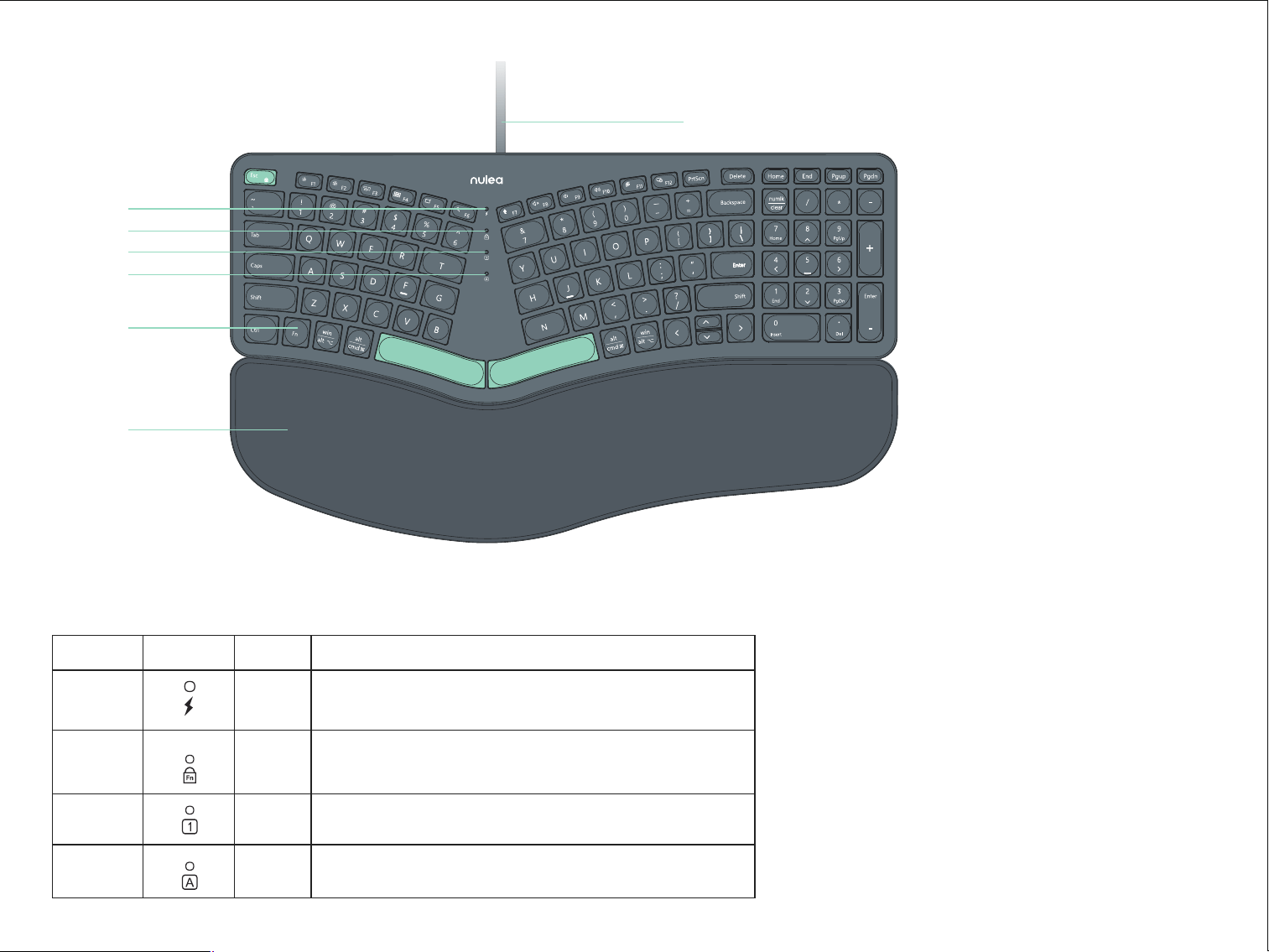
漧Power Indicator Light
漨FN Lock Indicator Light
漩Number Lock Indicator Light
漪Caps Lock Indicator Light
漫 Fn Key
漬Leather Wrist rest
漭USB Cable
Hardware Basics
漨
漧
漩
漪
漫
漭
漬
AĊÌðÆĴďīĮɵ#ÐũĊðĴðďĊĮ
When the keyboard is connected to the computer and powered on, the
power indicator light stays on with a green light.
When the Fn Lock is on, the green light will remain on steadily for F1-F12
functionality. When the Fn Lock is off, the indicator is off, and the keys are for
multimedia functions.
When Caps Lock is activated, the green light stays on, enabling uppercase input.
When Num Lock is activated, the green light remains on, enabling numeric input.
Indicator Icon Color #ÐũĊðĴðďĊ
Power
GreenCaps Lock
Num Lock
Green
Green
Green
Fn Lock
Model: HD315
Product Dimensions: 16.5 × 9.6 × 1.3 in / 418.04 × 244.08 × 32.71mm
Compatibility: Windows 2000/XP/Vista/7/8/10/11,Mac OS 10.0 above
RT05C
User Manual
Packing Contents
1x Wired Ergonomic Keyboard
1x User Manual
wĨÐÆðũÆĴðďĊ
(Waste Electrical& Electronic Equipment)
This Marking shown on the product or its literature, indicate that it should not be disposed with other household wastes at the end of its working life.
To prevent possible harm to the environment or human health from uncontrolled waste disposal, please separate this from other types of wastes and recycle it responsibly
to promote the sustainable reuse of material resources Household user should contact either the retailer where they purchased this product or their local government
oce, for details of where and hew they can take this item for environmentally safe recycling.
Business users should contact their supplier and check the terms and conditions of the purchase contact This product should not be mixed with other commercial wastes
for disposal.
Correct Disposal of This Product
Sleep Mode
This keyboard's sleep mode is synchronized with the computer. When in sleep mode, pressing any key will exit from sleep mode.
FCC Statement
Any Changes or modications not expressly approved by the party responsible for compliance could void the user’s authority to operate the equip
ment.
This device complies with part 15 of the FCC Rules. Operation is subject to the following two conditions: (1) This device may not cause harmful interference, and (2) this
device must accept any interference received, including interference that may cause undesired operation.
Note:
This equipment has been tested and found to comply with the limits for a Class B digital device, pursuant to part 15 of the FCC Rules. These limits are designed to provide
reasonable protection against harmful interference in a residential installation. This equipment generates uses and can radiate radio frequency energy and, if not installed
and used in accordance with the instructions, may cause harmful interference to radio communications. However, there is no guarantee that interference will not occur in a
particular installation. If this equipment does cause harmful interference to radio or television reception, which can be determined by turning the equipment off and on, the
user is encouraged to try to correct the interference by one or more of the following measures:
—Reorient or relocate the receiving antenna.
—Increase the separation between the equipment and receiver.
—Connect the equipment into an outlet on a circuit different from that to which the receiver is connected.
—Consult the dealer or an experienced radio/TV technician for help.
Keys and Functions
F1
F2
F3
F4
F5
F6
F7
F8
F9
F10
F11
F12
Brightness-
Brightness+
Application switcher
Mission control
Show desktop
Search
N/A
Mute
Volume-
Volume+
N/A
Lock screen
Screenshot
Brightness- (Win 10)
Brightness+ (Win 10)
Switch application
Tas k view
Show desktop
Search
Turn on microphone
Mute
Volume-
Volume+
Web browser
Lock screen
Screenshot
Fn lock (Switch
between shortcut and
F1-F12 key modes)
Key icon Fn on Mac / Windows Mac Windows
PrtScn
Esc Esc
漧Power Indicator Light
漨FN Lock Indicator Light
漩Number Lock Indicator Light
漪Caps Lock Indicator Light
漫 Fn Key
漬Leather Wrist rest
漭USB Cable
Hardware Basics
漨
漧
漩
漪
漫
漭
漬
AĊÌðÆĴďīĮɵ#ÐũĊðĴðďĊĮ
When the keyboard is connected to the computer and powered on, the
power indicator light stays on with a green light.
When the Fn Lock is on, the green light will remain on steadily for F1-F12
functionality. When the Fn Lock is off, the indicator is off, and the keys are for
multimedia functions.
When Caps Lock is activated, the green light stays on, enabling uppercase input.
When Num Lock is activated, the green light remains on, enabling numeric input.
Indicator Icon Color #ÐũĊðĴðďĊ
Power
GreenCaps Lock
Num Lock
Green
Green
Green
Fn Lock
Model: HD315
Product Dimensions: 16.5 × 9.6 × 1.3 in / 418.04 × 244.08 × 32.71mm
Compatibility: Windows 2000/XP/Vista/7/8/10/11,Mac OS 10.0 above
RT05C
User Manual
Packing Contents
1x Wired Ergonomic Keyboard
1x User Manual
wĨÐÆðũÆĴðďĊ
(Waste Electrical& Electronic Equipment)
This Marking shown on the product or its literature, indicate that it should not be disposed with other household wastes at the end of its working life.
To prevent possible harm to the environment or human health from uncontrolled waste disposal, please separate this from other types of wastes and recycle it responsibly
to promote the sustainable reuse of material resources Household user should contact either the retailer where they purchased this product or their local government
oce, for details of where and hew they can take this item for environmentally safe recycling.
Business users should contact their supplier and check the terms and conditions of the purchase contact This product should not be mixed with other commercial wastes
for disposal.
Correct Disposal of This Product
Sleep Mode
This keyboard's sleep mode is synchronized with the computer. When in sleep mode, pressing any key will exit from sleep mode.
FCC Statement
Any Changes or modications not expressly approved by the party responsible for compliance could void the user’s authority to operate the equip
ment.
This device complies with part 15 of the FCC Rules. Operation is subject to the following two conditions: (1) This device may not cause harmful interference, and (2) this
device must accept any interference received, including interference that may cause undesired operation.
Note:
This equipment has been tested and found to comply with the limits for a Class B digital device, pursuant to part 15 of the FCC Rules. These limits are designed to provide
reasonable protection against harmful interference in a residential installation. This equipment generates uses and can radiate radio frequency energy and, if not installed
and used in accordance with the instructions, may cause harmful interference to radio communications. However, there is no guarantee that interference will not occur in a
particular installation. If this equipment does cause harmful interference to radio or television reception, which can be determined by turning the equipment off and on, the
user is encouraged to try to correct the interference by one or more of the following measures:
—Reorient or relocate the receiving antenna.
—Increase the separation between the equipment and receiver.
—Connect the equipment into an outlet on a circuit different from that to which the receiver is connected.
—Consult the dealer or an experienced radio/TV technician for help.
Keys and Functions
F1
F2
F3
F4
F5
F6
F7
F8
F9
F10
F11
F12
Brightness-
Brightness+
Application switcher
Mission control
Show desktop
Search
N/A
Mute
Volume-
Volume+
N/A
Lock screen
Screenshot
Brightness- (Win 10)
Brightness+ (Win 10)
Switch application
Tas k view
Show desktop
Search
Turn on microphone
Mute
Volume-
Volume+
Web browser
Lock screen
Screenshot
Fn lock (Switch
between shortcut and
F1-F12 key modes)
Key icon Fn on Mac / Windows Mac Windows
PrtScn
Esc Esc
漧Power Indicator Light
漨FN Lock Indicator Light
漩Number Lock Indicator Light
漪Caps Lock Indicator Light
漫 Fn Key
漬Leather Wrist rest
漭USB Cable
Hardware Basics
漨
漧
漩
漪
漫
漭
漬
AĊÌðÆĴďīĮɵ#ÐũĊðĴðďĊĮ
When the keyboard is connected to the computer and powered on, the
power indicator light stays on with a green light.
When the Fn Lock is on, the green light will remain on steadily for F1-F12
functionality. When the Fn Lock is off, the indicator is off, and the keys are for
multimedia functions.
When Caps Lock is activated, the green light stays on, enabling uppercase input.
When Num Lock is activated, the green light remains on, enabling numeric input.
Indicator Icon Color #ÐũĊðĴðďĊ
Power
GreenCaps Lock
Num Lock
Green
Green
Green
Fn Lock
Model: HD315
Product Dimensions: 16.5 × 9.6 × 1.3 in / 418.04 × 244.08 × 32.71mm
Compatibility: Windows 2000/XP/Vista/7/8/10/11,Mac OS 10.0 above
RT05C
User Manual
Packing Contents
1x Wired Ergonomic Keyboard
1x User Manual
wĨÐÆðũÆĴðďĊ
(Waste Electrical& Electronic Equipment)
This Marking shown on the product or its literature, indicate that it should not be disposed with other household wastes at the end of its working life.
To prevent possible harm to the environment or human health from uncontrolled waste disposal, please separate this from other types of wastes and recycle it responsibly
to promote the sustainable reuse of material resources Household user should contact either the retailer where they purchased this product or their local government
oce, for details of where and hew they can take this item for environmentally safe recycling.
Business users should contact their supplier and check the terms and conditions of the purchase contact This product should not be mixed with other commercial wastes
for disposal.
Correct Disposal of This Product
Sleep Mode
This keyboard's sleep mode is synchronized with the computer. When in sleep mode, pressing any key will exit from sleep mode.
FCC Statement
Any Changes or modications not expressly approved by the party responsible for compliance could void the user’s authority to operate the equip
ment.
This device complies with part 15 of the FCC Rules. Operation is subject to the following two conditions: (1) This device may not cause harmful interference, and (2) this
device must accept any interference received, including interference that may cause undesired operation.
Note:
This equipment has been tested and found to comply with the limits for a Class B digital device, pursuant to part 15 of the FCC Rules. These limits are designed to provide
reasonable protection against harmful interference in a residential installation. This equipment generates uses and can radiate radio frequency energy and, if not installed
and used in accordance with the instructions, may cause harmful interference to radio communications. However, there is no guarantee that interference will not occur in a
particular installation. If this equipment does cause harmful interference to radio or television reception, which can be determined by turning the equipment off and on, the
user is encouraged to try to correct the interference by one or more of the following measures:
—Reorient or relocate the receiving antenna.
—Increase the separation between the equipment and receiver.
—Connect the equipment into an outlet on a circuit different from that to which the receiver is connected.
—Consult the dealer or an experienced radio/TV technician for help.
Keys and Functions
F1
F2
F3
F4
F5
F6
F7
F8
F9
F10
F11
F12
Brightness-
Brightness+
Application switcher
Mission control
Show desktop
Search
N/A
Mute
Volume-
Volume+
N/A
Lock screen
Screenshot
Brightness- (Win 10)
Brightness+ (Win 10)
Switch application
Tas k view
Show desktop
Search
Turn on microphone
Mute
Volume-
Volume+
Web browser
Lock screen
Screenshot
Fn lock (Switch
between shortcut and
F1-F12 key modes)
Key icon Fn on Mac / Windows Mac Windows
PrtScn
Esc Esc
漧Power Indicator Light
漨FN Lock Indicator Light
漩Number Lock Indicator Light
漪Caps Lock Indicator Light
漫 Fn Key
漬Leather Wrist rest
漭USB Cable
Hardware Basics
漨
漧
漩
漪
漫
漭
漬
AĊÌðÆĴďīĮɵ#ÐũĊðĴðďĊĮ
When the keyboard is connected to the computer and powered on, the
power indicator light stays on with a green light.
When the Fn Lock is on, the green light will remain on steadily for F1-F12
functionality. When the Fn Lock is off, the indicator is off, and the keys are for
multimedia functions.
When Caps Lock is activated, the green light stays on, enabling uppercase input.
When Num Lock is activated, the green light remains on, enabling numeric input.
Indicator Icon Color #ÐũĊðĴðďĊ
Power
GreenCaps Lock
Num Lock
Green
Green
Green
Fn Lock