
IT
ES
DE
FR
EN
Owner’s manual
Mode d’emploi
Benutzerhandbuch
Manual de instrucciones
Manuale di istruzioni
ST
PRO
SPECIAL MESSAGE SECTION
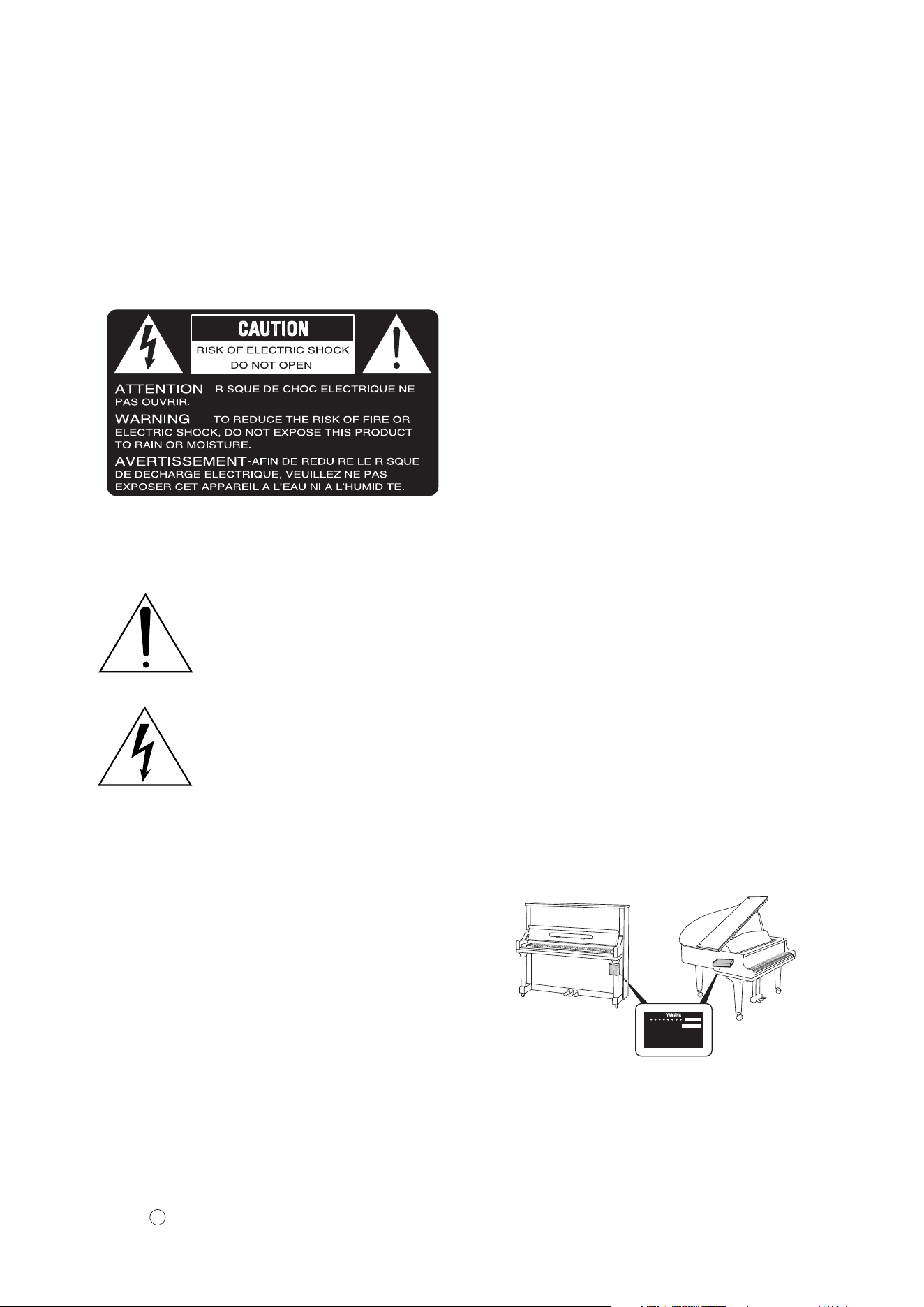
PRODUCT SAFETY MARKINGS: Yamaha electron-
ic products may have either labels similar to the graphics
shown below or molded/stamped facsimiles of these
graphics on the enclosure. The explanation of these
graphics appears on this page. Please observe all cau-
tions indicated on this page and those indicated on the
safety instruction section.
SEE BOTTOM OF ENCLOSURE OR LOWER FRONT
PANEL FOR GRAPHIC SYMBOL MARKINGS
The exclamation point within the equi-
lateral triangle is intended to alert the
user to the presence of important operat-
ing and maintenance (servicing) instruc-
tions in the literature accompanying the
product.
The lightning flash with arrowhead
symbol within the equilateral triangle
is intended to alert the user to the pres-
ence of uninsulated “dangerous volt-
age” within the product’s enclosure
that may be of sufficient magnitude to
constitute a risk of electrical shock.
IMPORTANT NOTICE: All Yamaha electronic prod-
ucts are tested and approved by an independent safety
testing laboratory in order that you may be sure that
when it is properly installed and used in its normal and
customary manner, all foreseeable risks have been elimi-
nated. DO NOT modify this unit or commission others
to do so unless specifically authorized by Yamaha. Prod-
uct performance and/or safety standards may be dimin-
ished. Claims filed under the expressed warranty may be
denied if the unit is/has been modified. Implied warran-
ties may also be affected.
SPECIFICATIONS SUBJECT TO CHANGE: The
information contained in this manual is believed to be
correct at the time of printing. However, Yamaha re-
serves the right to change or modify any of the specifica-
tions without notice or obligation to update existing
units.
ENVIRONMENTAL ISSUES: Yamaha strives to pro-
duce products that are both user safe and environmental-
ly friendly. We sincerely believe that our products and
the production methods used to produce them, meet
these goals. In keeping with both the letter and the spirit
of the law, we want you to be aware of the following:
Battery Notice: This product MAY contain a small non-
rechargeable battery which (if applicable) is soldered in
place. The average life span of this type of battery is ap-
proximately five years. When replacement becomes nec-
cessary, contact a qualified service representative to
perform the replacement.
Warning: Do not attempt to recharge, disassemble, or
incinerate this type of battery. Keep all batteries away
from children. Dispose of used batteries promptly and as
regulated by applicable laws. Note: In some areas, the
servicer is required by law to return the defective parts.
However, you do have the option of having the servicer
dispose of these parts for you.
Disposal Notice: Should this product become damaged
beyond repair, or for some reason its useful life is con-
sidered to be at an end, please observe all local, state,
and federal regulations that relate to the disposal of prod-
ucts that contain lead, batteries, plastics, etc.
NOTICE: Service charges incurred due to lack of
knowledge relating to how a function or effect works
(when the unit is operating as designed) are not covered
by the manufacturer’s warranty, and are therefore the
owners responsibility. Please study this manual carefully
and consult your dealer before requesting service.
NAME PLATE LOCATION: The graphic below indi-
cates the location of the name plate. The model number,
serial number, power requirements, etc., are located on
this plate. You should record the model number, serial
number, and the date of purchase in the spaces provided
below and retain this manual as a permanent record of
your purchase.
Model _________________________________________
Serial No. _____________________________________
Purchase Date __________________________________
92-469
YAMAHA CORPORATION
MADE IN JAPAN
PATENTS
HS
1
SECTION DE MESSAGE SPÉCIAL
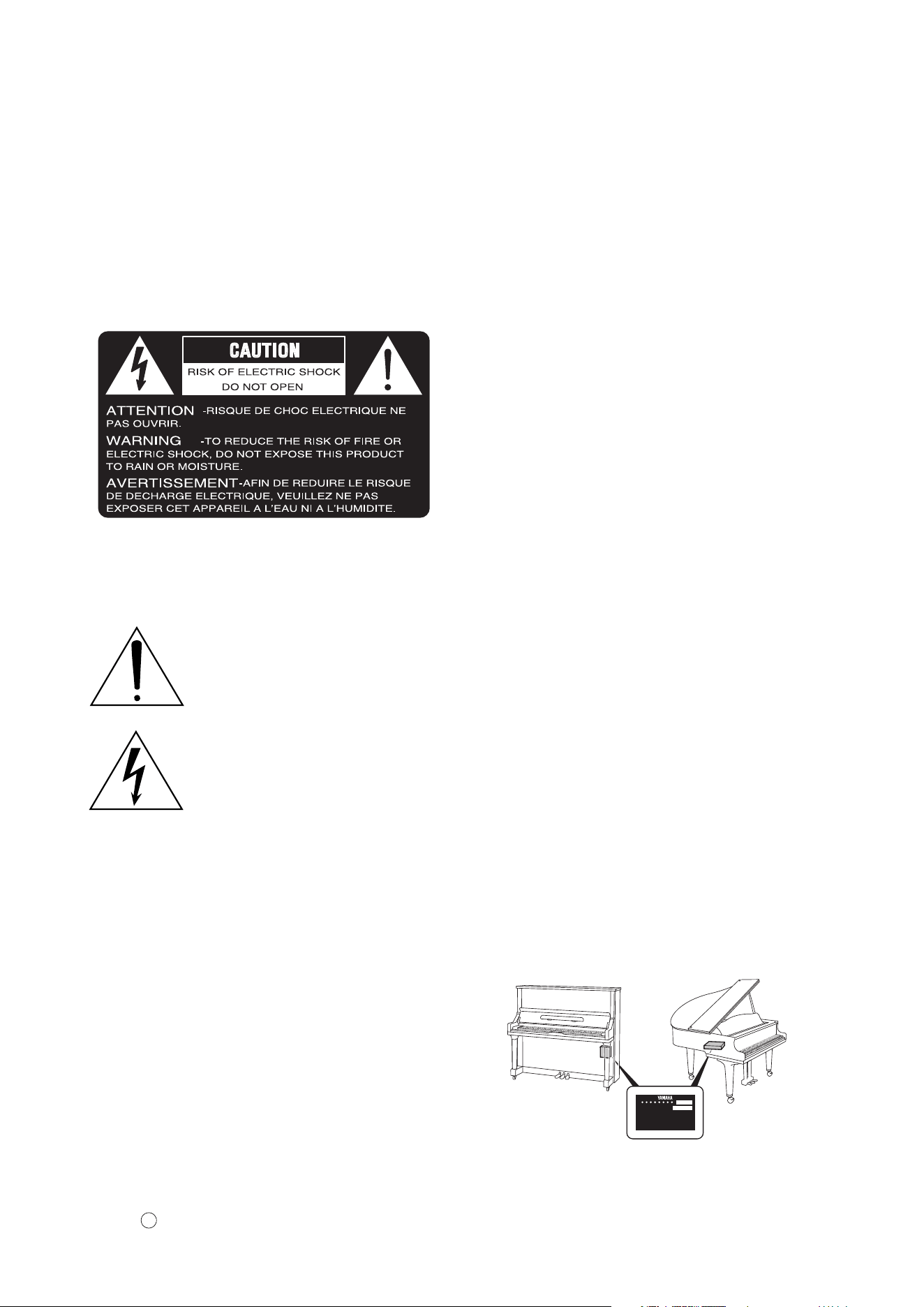
INSCRIPTIONS DE SÉCURITÉ DU PRODUIT: Les
produits électroniques Yamaha peuvent comporter des
étiquettes semblables aux représentations graphiques in-
diquées ci-dessous ou fac-similés moulés/estampés de
ces représentations graphiques sur l’encoffrement. L’ex-
plication de ces représentations graphiques apparaît à
cette page. Veuillez respecter toutes les précautions indi-
quées à cette page et celles indiquées dans la section des
directives de sécurité.
VOIR SOUS L’ENCOFFREMENT OU EN BAS DU
PANNEAU FRONTAL EN CE QUI CONCERNE LES
INSCRIPTIONS DE SYMBOLE GRAPHIQUES
Le point d’exclamation placé dans un
triangle équilatéral est destiné à alerter
l’utilisateur de la présence de directives
importantes sur l’utilisation et l’entretien
(dépannage) dans la documentation qui
accompagne le produit.
L’éclair de foudre avec le symbole en
pointe de flèche dans un triangle équi-
latéral est destiné à alerter l’utilisateur
de la présence d’une “tension dange-
reuse” non isolée circulant dans l’en-
coffrement du produit et qui peut avoir
une puissance suffisante pour consti-
tuer un risque d’électrocution.
NOTIFICATION IMPORTANTE: Tous les produits
électroniques Yamaha sont vérifiés et approuvés par un
laboratoire de contrôle de sécurité indépendant pour que
vous puissiez être sûr que quand il est correctement ins-
tallé et utilisé de façon normale et habituelle, tous les
risques prévisibles ont été éliminés. NE modifiez PAS
cet appareil ni déléguez d’autres personnes à le faire à
moins d’être autorisé spécifiquement par Yamaha à le
faire. Les performances de ce produit et/ou les normes
de sécurité peuvent être diminuées. Les réclamations
soumises sous les termes de la garantie exprimée
peuvent être refusées si l’appareil est ou a été modifié.
Des garanties implicites peuvent également être affectées.
CARACTÉRISTIQUES SUJETTES À MODIFICA-
TION: On pense que les informations contenues dans ce
manuel sont correctes au moment de l’impression.
Cependant, Yamaha se réserve le droit de changer ou de
modifier toute caractéristique sans avis préalable ni obli-
gation de mettre à jour les appareils existants.
PUBLICATION SUR L’ENVIRONNEMENT: Yama-
ha s’efforce de produire des appareils qui réunissent à la
fois la sécurité à utilisateur et constituent un environnement
convivial. Nous croyons sincèrement que nos produits et
les méthodes de production les produisaient, atteignent ces
buts. En accord avec la lettre et l’esprit de la loi, nous vou-
lons que vous vous rendiez compte de ce qui suit :
Notification relative à la batterie: Ce produit PEUT
contenir une petite batterie non-rechargeable qui (quand
ceci est applicable) est soudée en place. La durée moyenne
de ce type de batterie est approximativement de cinq ans.
Quand le remplacement devient nécessaire, prenez contact
avec un technicien qualifié pour exécuter le remplacement.
Avertissement: N’essayez pas de recharger, démonter
ou incinérer ce type de batterie. Maintenez toutes les bat-
teries hors de la portée des enfants. Mettez les batteries
usées au rebut et promptement conformément aux obli-
gations imposées par les lois applicables. Remarque:
Dans certains secteurs, il est exigé par la loi que le pré-
posé à l’entretien renvoie les pièces défectueuses.
Cependant, vous avez l’option que le préposé à l’entre-
tien mette ces pièces au rebut pour vous.
Notification de mise au rebut: Si ce produit était en-
dommagé au delà de la possibilité du dépannage, ou
pour quelque raison si sa durée de vie utile est considé-
rée comme arrivant à terme, veuillez respecter la régle-
mentations d’état, locale et fédérale et qui est associée à
la mise au rebut des produits qui contiennent du plomb,
des batteries, des plastiques, etc.
NOTIFICATION: Les frais administratifs encourus en
raison d’un manque de connaissance concernant la façon
dont une fonction ou des effets réagissent (quand l’appa-
reil est utilisé comme conçu) ne sont pas couverts par la
garantie du constructeur, et incombent pour cette raison
la responsabilité des propriétaires. Veuillez étudier at-
tentivement ce manuel et consultez votre distributeur
avant de demander un dépannage.
EMPLACEMENT DE LA PLAQUE SIGNALÉ-
TIQUE: La représentation graphique ci-dessous indique
l’emplacement de la plaque signalétique. Le numéro de
modèle, le numéro de série, les conditions d’alimenta-
tion électrique, etc., sont mentionnées sur cette plaque.
Vous devriez enregistrer le numéro de modèle, le nu-
méro de série et la date de l’achat dans les espaces
fournis ci-dessous et conserver ce manuel comme relevé
permanent de votre achat.
Modèle ________________________________________
Numéro de série ________________________________
Date d’achat ____________________________________
92-469
YAMAHA CORPORATION
MADE IN JAPAN
PATENTS
HS
1

IMPORTANT SAFETY INSTRUCTIONS
WARNING — When using any electrical or electronic
product, basic precautions should always be followed. These
precautions include, but are not limited to, the following:
Read these instructions.
Keep these instructions.
Heed all warnings.
Follow all instructions.
Do not use this apparatus near water.
Clean only with dry cloth.
Do not block any ventilation openings. Install in ac-
cordance with the manufacturer’s instructions.
Do not install near any heat sources such as radia-
tors, heat registers, stoves, or other apparatus (in-
cluding amplifiers) that produce heat.
Do not defeat the safety purpose of the polarized or
grounding-type plug. A polarized plug has two
blades with one wider than the other. A grounding
type plug has two blades and a third grounding
prong. The wide blade or the third prong are pro-
vided for your safety. If the provided plug does not
fit into your outlet, consult an electrician for re-
placement of the obsolete outlet.
Protect the power cord from being walked on or
pinched particularly at plugs, convenience recepta-
cles, and the point where they exit from the apparatus.
Only use attachments/accessories specified by the
manufacturer.
Use only with the cart, stand, tripod,
bracket, or table specified by the
manufacturer, or sold with the appa-
ratus. When a cart is used, use caution
when moving the cart/apparatus com-
bination to avoid injury from tip-over.
Unplug this apparatus during lightning storms or
when unused for long periods of time.
Refer all servicing to qualified service personnel.
Servicing is required when the apparatus has been
damaged in any way, such as power-supply cord or
plug is damaged, liquid has been spilled or objects
have fallen into the apparatus, the apparatus has
been exposed to rain or moisture, does not operate
normally, or has been dropped.
This product shall not be exposed to dripping or
splashing and that no objects filled with liquids,
such as vases, shall be placed on the apparatus.
Do not put burning items, such as candles, on the
apparatus.
Do not place this product or any other objects on
the power cord or place it in a position where any-
one could walk on, trip over, or roll anything over
power or connecting cords of any kind. The use of
an extension cord is not recommended! If you must
use an extension cord, the minimum wire size for a
25’ cord (or less) is 18 AWG. NOTE: The smaller
the AWG number, the larger the current handling
capacity. For longer extension cords, consult a local
electrician.
WARNING — To reduce the risk of fire or electric
shock, do not expose this apparatus to rain or mois-
ture.
Care should be taken that objects do not fall and liq-
uids are not spilled into the enclosure through any
openings that may exist.
This product, either alone or in combination with an
amplifier and headphones or speaker/s, may be ca-
pable of producing sound levels that could cause
permanent hearing loss. DO NOT operate for a long
period of time at a high volume level or at a level
that is uncomfortable. If you experience any hear-
ing loss or ringing in the ears, you should consult an
audiologist. IMPORTANT: The louder the sound,
the shorter the time period before damage occurs.
Some Yamaha products may have benches and/or
accessory mounting fixtures that are either supplied
as a part or the product or as optional accessories.
Some of these items are designed to be dealer as-
sembled or installed. Please make sure that benches
are stable and any optional fixtures (where applica-
ble) are well secured BEFORE using. Benches sup-
plied by Yamaha are designed for seating only. No
other uses are recommended.
This product shall be connected to a MAINS socket
outlet with a protective earthing connection.
This product has a power switch for shutting off all
system. The switch is located on the Power Supply
Unit nearby the entrance of the AC cord. Note that
the switch on the Controller does not shutdown all
system.
Make sure that the plug of the Power Supply Unit’s
power cable can easily be disconnected from the
AC outlet as a measure of precaution.
Outlets for Speakers
– Connect speakers of 2A or less of totals. Do not con-
nect other products except speakers.
– Consult Yamaha service technician when using the
outlets outside the purchased area.
92-469-DK
PLEASE KEEP THIS MANUAL
1.
2.
3.
4.
5.
6.
7.
8.
9.
10.
11.
12.
13.
14.
15.
16.
17.
18.
19.
20.
21.
22.
23.
24.
2

INSTRUCTIONS DE SÉCURITÉ IMPORTANTES
AVERTISSEMENT — Lors de l’utilisation de n’importe
quel appareil électrique ou électronique, les précautions
fondamentales devraient toujours être suivies. Ces précau-
tions comprennent, mais ne sont pas limitées à, ce qui suit:
Lisez ces directives.
Conservez ces directives.
Observez tous les avertissements.
Suivez toutes les directives.
N’utilisez pas cet appareil près de l’eau.
Nettoyez seulement avec un tissu sec.
Ne bloquez aucune des ouvertures de ventilation. Ins-
tallez conformément aux directives du constructeur.
N’installez près d’aucune source de chaleur telle que
des radiateurs, des registres de chaleur, des appareils
de chauffage ou d’autres appareils (amplificateurs y
compris) qui produisent de la chaleur.
N’asservissez pas l’objectif de sécurité de la prise de
type polarisée ou de mise à la terre. Une prise polari-
sée a deux lames avec une plus large que l’autre. Une
prise de type à mise à la terre a deux lames et une
troisième lame de mise à la terre. La lame large ou la
troisième lame est prévue pour votre sécurité. Si la
prise fournie ne s’ajuste pas dans votre prise secteur,
consultez un électricien pour le remplacement de l’an-
cien modèle de prise.
Protégez le cordon d’alimentation de secteur afin que
personne ne puisse marcher ni le pincer en particulier
les prises, les prises de courant et la position où il
quitte de l’appareil.
Utilisez seulement les équipements ou accessoires in-
diqués par le constructeur.
Utilisez seulement avec le chariot, le
support, le trépied, la platine de fixa-
tion ou la table indiquée par le
constructeur, ou vendue avec l’appareil.
Quand un chariot est utilisé, faites at-
tention en déplaçant la combinaison
chariot/appareil pour éviter de se
blesser en renversant l’appareil.
Débranchez cet appareil pendant les orages et la foudre
ou s’il est inutilisé pendant de longues périodes.
Confiez toutes les opérations d’entretien au personnel
de service qualifié. L’entretien est exigé quand l’appa-
reil a été endommagé de quelque façon que ce soit,
comme par exemple l’endommagement du cordon ou
de la prise d’alimentation secteur, quand du liquide a
été renversé ou que des objets sont tombés dans l’appa-
reil, l’appareil a été exposé à la pluie ou à l’humidité,
ne fonctionne pas normalement ou est tombé par terre.
Ce produit ne doit pas être exposé à un suintement ou
des éclaboussures et aucun objet rempli de liquide, tels
que des vases, ne doit être mis sur l’appareil.
Ne mettez pas des articles brûlants, tels que des bou-
gies, sur l’appareil.
Ne placez ce produit ni aucun autre objet sur le cordon
d’alimentation secteur ou ne le placez pas dans une po-
sition où n’importe qui pourrait marcher dessus, trébu-
cher dedans ou faire rouler n’importe quoi sur les
cordons d’alimentation en aucune manière. L’utilisa-
tion d’un cordon prolongateur n’est pas recommandée
! Si vous devez utiliser un cordon prolongateur, la taille
minimum du calibre de fil du cordon pour un cordon de
25 pouces (ou moins) est de 18 du calibrage américain
normalisé. REMARQUE: Plus le numéro du calibrage
américain normalisé est petit, plus la capacité de ges-
tion de l’intensité est grande. Pour de plus longs cor-
dons prolongateurs, consultez un électricien local.
AVERTISSEMENT — Pour réduire les risques d’in-
cendie ou de décharge électrique, n’exposez pas cet
appareil à la pluie ou à l’humidité.
Un soin tout particulier devrait être pris pour qu’aucun
objet ne tombe et que des liquides ne soient renversés
dans l’encoffrement par aucune des ouvertures qui
peuvent exister.
Ce produit, individuel ou en combinaison avec un am-
plificateur et des écouteurs ou le ou les haut-parleurs,
risque de produire des niveaux sonores qui pourraient
causer une perte d’auditive permanente. NE PAS
mettre en service pendant une longue période à un
niveau de volume élevé ou à un niveau qui est incon-
fortable. Si vous éprouvez n’importe quelle sorte de
perte auditive ou de sonnerie dans les oreilles, vous
devriez consulter un audiologiste. IMPORTANT :
Plus le son est fort, plus la période de temps avant que
les dégâts se produisent est courte.
Certains produits Yamaha peuvent avoir des supports et/
ou des accessoires d’installation complémentaires qui
sont fournis comme partie du produit ou en tant qu’ac-
cessoires optionnels. Certains de ces articles sont conçus
pour être montés ou installés par le distributeur. Veuillez
vous assurer que les supports sont stables et que tous les
accessoires optionnels (quand ceci est applicable) sont
bien fixés AVANT l’utilisation. Les supports fournis
par Yamaha sont conçus pour un positionnement seule-
ment. Aucune autre utilisation n’est recommandée.
Ce produit doit être connecté à une prise de sortie secteur
munie d’une connexion protectrice par la mise à la terre.
Ce produit est muni d’un interrupteur d’alimentation
permettant de couper l’alimentation de tout le sys-
tème. L’interrupteur d’alimentation est installé sur le
bloc d’alimentation tout près l’entrée du cordon d’ali-
mentation secteur. Notez que l’interrupteur d’ali-
mentation sur le contrôleur n’arrête tout le système.
Assurez-vous que la prise du cordon d’alimentation
électrique du bloc d’alimentation peut facilement être
débranchée de la prise de sortie secteur comme mesure
de précaution.
Prises de sortie pour des haut-parleurs
– Connectez des haut-parleurs de 2A ou moins au total. Ne
connectez aucun autre produit excepté des haut-parleurs.
– Consultez le technicien de service Yamaha quand des
prises sont utilisées en dehors du secteur d’achet.
92-469-DK VEUILLEZ CONSERVER CE MANUEL
1.
2.
3.
4.
5.
6.
7.
8.
9.
10.
11.
12.
13.
14.
15.
16.
17.
18.
19.
20.
21.
22.
23.
24.
2
The above statements apply ONLY to those products distributed by Yamaha Corporation of America or its subsidiaries.
The above statements apply ONLY to those products distributed by Yamaha Corporation of America or its subsidiaries.
COMPLIANCE INFORMATION STATEMENT
Responsible Party : Yamaha Corporation of America
Address : 6600 Orangethorpe Avenue, Buena Park, CA 90620 USA
Telephone : 1-714-522-9011
Fax : 1-714-522-9301
Type of Equipment : Player Piano
Model Name : DGB1KENST, DGN1ENST, DGB1KENCL, DGN1ENCL, DGC1ENST, DGC2ENST, DC1XENST, DC2XENST,
DC3XENST, DC3XENPRO, DC5XENPRO, DC6XENPRO, DC7XENPRO, DS4ENPRO, DS6ENPRO,
DS3XENPRO, DS5XENPRO, DS6XENPRO, DS7XENPRO, DCF4ENPRO, DCF6ENPRO, DCFXENPRO,
DU1ENST, DYUS1ENST, DYUS3ENST, DYUS5ENST
Type of Equipment : Piano Player Unit
Model Name : VEN-1, VEN-2, VEN-3, VEN-4, VEN-1H, VEN-2H, VEN-3H, VEN-4H, VEN-10, VEN-20
This device complies with Part 15 of the FCC Rules.
Operation is subject to the following two conditions:
1) this device may not cause harmful interference, and
2) this device must accept any interference received including interference that may cause undesired operation.
See user manual instructions if interference to radio reception is suspected.
FCC INFORMATION (U.S.A.)
1. IMPORTANT NOTICE: DO NOT MODIFY THIS UNIT!
This product, when installed as indicated in the instructions contained in this manual, meets FCC requirements. Modifications not expressly
approved by Yamaha may void your authority, granted by the FCC, to use the product.
2. IMPORTANT: When connecting this product to accessories and/or another product use only high quality shielded cables. Cable/s supplied
with this product MUST be used. Follow all installation instructions. Failure to follow instructions could void your FCC authorization to use
this product in the USA.
3. NOTE: This product has been tested and found to comply with the requirements listed in FCC Regulations, Part 15 for Class “B” digital
devices. Compliance with these requirements provides a reasonable level of assurance that your use of this product in a residential
environment will not result in harmful interference with other electronic devices. This equipment generates/uses radio frequencies and, if not
installed and used according to the instructions found in the users manual, may cause interference harmful to the operation of other electronic
devices. Compliance with FCC regulations does not guarantee that interference will not occur in all installations. If this product is found to be
the source of interference, which can be determined by turning the unit “OFF” and “ON”, please try to eliminate the problem by using one of
the following measures:
Relocate either this product or the device that is being affected by the interference.
Utilize power outlets that are on different branch (circuit breaker or fuse) circuits or install AC line filter/s.
In the case of radio or TV interference, relocate/reorient the antenna. If the antenna lead-in is 300 ohm ribbon lead, change the lead-in to
coaxial type cable.
If these corrective measures do not produce satisfactory results, please contact the local retailer authorized to distribute this type of product. If
you can not locate the appropriate retailer, please contact Yamaha Corporation of America, Electronic Service Division, 6600 Orangethorpe
Ave, Buena Park, CA 90620
Laite on liitettävä suojamaadoituskoskettimilla varustettuun pistorasiaan.
Apparatet må tilkoples jordet stikkontakt.
Apparaten skall anslutas till jordat uttag.
SIMPLIFIED UK DECLARATION OF CONFORMITY
Hereby, Yamaha Corporation declares that this model is in compliance with the Product Security and Telecommunications Infrastructure
Regulations. The full text of the UK Declaration of Conformity is available at the following internet address:
https://europe.yamaha.com/en/support/compliance/doc.html
(657-M01 UK cybersecurity 01)
Information for Users on Collection and Disposal of Old Equipment
This symbol on the products, packaging, and/or accompanying documents means that used electrical and electronic
products should not be mixed with general household waste.
For proper treatment, recovery and recycling of old products, please take them to applicable collection points, in
accordance with your national legislation and the Directives 2002/96/EC.
By disposing of these products correctly, you will help to save valuable resources and prevent any potential negative
effects on human health and the environment which could otherwise arise from inappropriate waste handling.
For more information about collection and recycling of old products, please contact your local municipality, your waste
disposal service or the point of sale where you purchased the items.
[For business users in the European Union]
If you wish to discard electrical and electronic equipment, please contact your dealer or supplier for further information.
[Information on Disposal in other Countries outside the European Union]
This symbol is only valid in the European Union. If you wish to discard these items, please contact your local authorities
or dealer and ask for the correct method of disposal.
Information concernant la Collecte et le Traitement des déchets d’équipements électriques et électroniques
Le symbole sur les produits, l’emballage et/ou les documents joints signifie que les produits électriques ou électroniques
usagés ne doivent pas être mélangés avec les déchets domestiques habituels.
Pour un traitement, une récupération et un recyclage appropriés des déchets d’équipements électriques et électroniques,
veuillez les déposer aux points de collecte prévus à cet effet, conformément à la réglementation nationale et aux
Directives 2002/96/EC.
En vous débarrassant correctement des déchets d’équipements électriques et électroniques, vous contribuerez à la
sauvegarde de précieuses ressources et à la prévention de potentiels effets négatifs sur la santé humaine qui pourraient
advenir lors d’un traitement inapproprié des déchets.
Pour plus d’informations à propos de la collecte et du recyclage des déchets d’équipements électriques et électroniques,
veuillez contacter votre municipalité, votre service de traitement des déchets ou le point de vente où vous avez acheté les
produits.
[Pour les professionnels dans l’Union Européenne]
Si vous souhaitez vous débarrasser des déchets d’équipements électriques et électroniques veuillez contacter votre
vendeur ou fournisseur pour plus d’informations.
[Information sur le traitement dans d’autres pays en dehors de l’Union Européenne]
Ce symbole est seulement valables dans l’Union Européenne. Si vous souhaitez vous débarrasser de déchets
d’équipements électriques et électroniques, veuillez contacter les autorités locales ou votre fournisseur et demander la
méthode de traitement appropriée.
Verbraucherinformation zur Sammlung und Entsorgung alter Elektrogeräte
Befindet sich dieses Symbol auf den Produkten, der Verpackung und/oder beiliegenden Unterlagen, so sollten benutzte
elektrischeGeräte nicht mit dem normalen Haushaltsabfall entsorgt werden.
In Übereinstimmung mit Ihren nationalen Bestimmungen und den Richtlinien 2002/96/EC, bringen Sie alte Geräte bitte
zur fachgerechten Entsorgung, Wiederaufbereitung und Wiederverwendung zu den entsprechenden Sammelstellen.
Durch die fachgerechte Entsorgung der Elektrogeräte helfen Sie, wertvolle Ressourcen zu schützen und verhindern
mögliche negative Auswirkungen auf die menschliche Gesundheit und die Umwelt, die andernfalls durch
unsachgerechte Müllentsorgung auftreten könnten.
Für weitere Informationen zum Sammeln und Wiederaufbereiten alter Elektrogeräte, kontaktieren Sie bitte Ihre örtliche
Stadtoder Gemeindeverwaltung, Ihren Abfallentsorgungsdienst oder die Verkaufsstelle der Artikel.
[Information für geschäftliche Anwender in der Europäischen Union]
Wenn Sie Elektrogeräte ausrangieren möchten, kontaktieren Sie bitte Ihren Händler oder Zulieferer für weitere
Informationen.
[Entsorgungsinformation für Länder außerhalb der Europäischen Union]
Dieses Symbol gilt nur innerhalb der Europäischen Union. Wenn Sie solche Artikel ausrangieren möchten, kontaktieren
Sie bitte Ihre örtlichen Behörden oder Ihren Händler und fragen Sie nach der sachgerechten Entsorgungsmethode.
(For European Countries) Importer: Yamaha Music Europe GmbH Siemensstrasse 22-34, 25462 Rellingen, Germany
Información para Usuarios sobre Recolección y Disposición de Equipamiento Viejo
Este símbolo en los productos, embalaje, y/o documentación que se acompañe significa que los productos electrónicos y
eléctricos usados no deben ser mezclados con desechos hogareños corrientes.
Para el tratamiento, recuperación y reciclado apropiado de los productos viejos, por favor llévelos a puntos de
recolección aplicables, de acuerdo a su legislación nacional y las directivas 2002/96/EC.
Al disponer de estos productos correctamente, ayudará a ahorrar recursos valiosos y a prevenir cualquier potencial efecto
negativo sobre la salud humana y el medio ambiente, el cual podría surgir de un inapropiado manejo de los desechos.
Para mayor información sobre recolección y reciclado de productos viejos, por favor contacte a su municipio local, su
servicio de gestión de residuos o el punto de venta en el cual usted adquirió los artículos.
[Para usuarios de negocios en la Unión Europea]
Si usted desea deshacerse de equipamiento eléctrico y electrónico, por favor contacte a su vendedor o proveedor para
mayor información.
[Información sobre la Disposición en otros países fuera de la Unión Europea]
Este símbolo sólo es válidos en la Unión Europea. Si desea deshacerse de estos artículos, por favor contacte a sus
autoridades locales y pregunte por el método correcto de disposición.
Informazioni per gli utenti sulla raccolta e lo smaltimento di vecchia attrezzatura
Questo simbolo sui prodotti, sull’imballaggio, e/o sui documenti che li accompagnano significa che i prodotti elettriche e
elettroniche non dovrebbero essere mischiati con i rifiuti domestici generici.
Per il trattamento, recupero e riciclaggio appropriati di vecchi prodotti, li porti, prego, ai punti di raccolta appropriati, in
accordo con la Sua legislazione nazionale e le direttive 2002/96/CE.
Smaltendo correttamente questi prodotti, Lei aiuterà a salvare risorse preziose e a prevenire alcuni potenziali effetti
negativi sulla salute umana e l’ambiente, che altrimenti potrebbero sorgere dal trattamento improprio dei rifiuti.
Per ulteriori informazioni sulla raccolta e il riciclaggio di vecchi prodotti, prego contatti la Sua amministrazione
comunale locale, il Suo servizio di smaltimento dei rifiuti o il punto vendita dove Lei ha acquistato gli articoli.
[Per utenti imprenditori dell’Unione europea]
Se Lei desidera disfarsi di attrezzatura elettrica ed elettronica, prego contatti il Suo rivenditore o fornitore per ulteriori
informazioni.
[Informazioni sullo smaltimento negli altri Paesi al di fuori dell’Unione europea]
Questo simbolo è validi solamente nell’Unione europea. Se Lei desidera disfarsi di questi articoli, prego contatti le Sue
autorità locali o il rivenditore e richieda la corretta modalità di smaltimento.

English
ST
PRO
Owner’s Manual
About the Manuals .................................................2
Included Accessories .............................................2
Chapter 1 Introduction ................ 6
Main Features ........................................................6
Names of Parts and Their Functions......................8
Compatible Media and File Format ......................13
Chapter 2 Getting Started.......... 14
Connecting the AC Power Cable .........................14
Connect powered speakers (Sold separately for
Upright piano).......................................................15
Turning the Power On/Off ....................................16
How to use the SILENT Piano™ Function
(For Pianos Equipped with the SILENT Piano™
Function) ..............................................................18
Connecting the Product and Smart Device to a
Network ................................................................19
Choosing the Network Connection Method..........20
Wireless Network Connection by WPS ................22
Wired Network Connection ..................................24
Direct Wireless Connection..................................25
Using the ENSPIRE Controller App .....................26
Yamaha Music ID Registration.............................26
Chapter 3 Other Settings........... 27
Updating this product ...........................................27
Initializing Network Settings .................................28
Chapter 4 Troubleshooting ........ 29
Error Indications .................................................. 31
Chapter 5 Glossary................... 32
Chapter 6 Specifications ........... 34
General Specifications ........................................ 34
Table of Contents
Appendix XG Voice List........... A-3
XG Drum Kit List...... A-6
MIDI Data Format .... A-8
MIDI IMPLEMENTATION CHART
.... at the end of the book
2
Thank you for purchasing the Yamaha Disklavier!
Before using your this product, please read this manual thoroughly and retain it for future reference.
About this product
Disklavier is a piano with various advanced, convenient features, including automatic performance,
ensemble and SILENT Piano™ functions.
By installing the dedicated app, you can easily set and operate functions from the screen of your
smart device.
The following instruction manuals are available for
this product.
Booklet manual
Disklavier ENSPIRE ST/PRO Owner’s
Manual (this book)
Describes the functions, connection methods, and
operation instructions of this product.
For information on handling as an acoustic piano,
refer to the separate manual for the piano.
Disklavier ENSPIRE Built-in song list
This is a list of built-in songs that can be
automatically played by this product.
You can also download this list from the Yamaha
website.
Online Manuals (PDF)
Disklavier ENSPIRE Controller Operation
Manual
This is the operation manual for the ENSPIRE
Controller app, which is a special app that lets you
actually operate the various functions of this
product.
You can call up this operation manual from the
Information screen of the ENSPIRE Controller app.
You can also download the manual from the
Yamaha website.
To obtain these materials, access the Yamaha
Downloads website, then enter the model name for
searching the desired files.
Please make sure that you have the following
accessories:
• Monitor speaker
*1 *2
× 2
• Monitor speaker installation kit
*1 *2
× 2
• Stereo headphones × 1
• Owner’s manual × 1
• Built-in song list × 1
• Music book “50 greats for the Piano” × 1
• USB wireless LAN adaptor (UD-WL01) × 1
*1 Only for grand pianos.
*2 Not supplied on some models.
Welcome to the Yamaha Disklavier
TM
!
About the Manuals
Yamaha Downloads
https://download.yamaha.com/
Included Accessories

English
3
PLEASE READ CAREFULLY BEFORE PROCEEDING
Please keep this manual in a safe and handy place for future reference.
WARNING
Always follow the basic precautions listed below to
avoid the possibility of serious injury or even death
from electrical shock, short-circuiting, damages,
fire or other hazards. These precautions include,
but are not limited to, the following:
Power supply
• Do not place the power cord near heat sources such
as heaters or radiators. Also, do not excessively bend
or otherwise damage the cord, or place heavy objects
on it.
• Do not touch the product or the power plug during an
electrical storm.
• Use only the correct voltage specified for the product.
The required voltage is printed on the name plate of
the product.
• Use only the supplied power cord. Do not use the
power cord for other devices.
• Check the power plug periodically and remove any
dirt or dust which may have accumulated on it.
• Insert the power plug firmly all the way into the AC
outlet. Using the product when it is not plugged in
sufficiently can cause dust to accumulate on the plug,
possibly resulting in fire or skin burns.
• When setting up the product, make sure that the AC
outlet you are using is easily accessible. If some
trouble or malfunction occurs, immediately turn off
the power switch and disconnect the plug from the
outlet. Even when the power switch is turned off, as
long as the power cord is not unplugged from the wall
AC outlet, the product will not be disconnected from
the power source.
• Do not connect the product to an electrical outlet
using a multi-plug outlet extender. Doing so can
result in lower sound quality, or possibly cause
overheating in the outlet.
• When disconnecting the power plug, always hold the
plug itself and not the cord. Pulling by the cord can
damage it and cause electric shocks or a fire.
• If not using the product for long periods of time, be
sure to pull the power plug from the AC outlet.
• Be sure to connect to an appropriate outlet with a
protective grounding connection. Improper grounding
can result in electrical shock.
Do not disassemble
• This product contains no user-serviceable parts. Do
not attempt to disassemble the internal parts or
modify them in any way.
Water warning
• Do not expose the product to rain, use it near water
or in damp or wet conditions, or place on it any
containers (such as vases, bottles or glasses)
containing liquids which might spill into any openings
or places where water may drop. A liquid such as
water getting into the product may cause a fire,
electric shocks, or malfunctions.
• Never insert or remove a power plug with wet hands.
Fire warning
• Do not place any burning items or open flames near
the product, since they may cause a fire.
Connections
• Be sure to read the manual of the device to be
connected, and follow the instructions. Failure to
observe this may cause a fire, overheating,
explosion, or malfunction.
If you notice any abnormality
• If any of the following problems occur, immediately
turn off the power switch and disconnect the power
plug from the outlet.
Finally have the device inspected by Yamaha service
personnel.
- The power cord or plug becomes frayed or
damaged.
- Unusual smells or smoke are emitted.
- Some object, or water has been dropped into the
product.
- There is a sudden loss of sound during use of the
product.
- Cracks or other visible damage appear on the
product.
PRECAUTIONS
4
CAUTION
Always follow the basic precautions listed
below to avoid the possibility of physical injury
to you or others, or damage to the product or
other property. These precautions include, but
are not limited to, the following:
Location
• Do not block any ventilation openings, since this
may prevent adequate ventilation of the internal
components, and possibly result in the instrument
overheating.
• Do not place the product in an unstable position or
a location with excessive vibration, where it might
accidentally fall over and cause injury.
• Do not go near the product during an earthquake.
Strong shaking during an earthquake could cause
the product to move or tip over, resulting in
damage to the product or its parts, and possibly
causing injury.
• Before moving the piano, consult with a specialist
experienced in moving pianos. Pianos are
extremely heavy. When moving a piano, there is a
risk of causing back injury and scratching the
floor.
• Before moving the product, remove all connected
cables, to prevent damage to the cables or injury
to anyone who might trip over them.
Connections
• Before connecting the product to other devices,
turn off the power for all devices. Before turning
the power on or off for all devices, set all volume
levels to minimum.
• Be sure to set the volumes of all devices at their
minimum levels and gradually raise the volume
controls while playing the product to set the
desired listening level.
Handling
• Do not insert foreign materials such as metal or
paper into any openings or gaps of the product.
Failure to observe this may cause a fire, electric
shocks, or malfunctions.
• Do not rest your weight on, or place heavy objects
on the product, and do not use excessive force on
the buttons, switches or connectors.
• Do not use the product or headphones for a long
period of time at a high or uncomfortable volume
level, since this can cause permanent hearing
loss. If you experience any hearing loss or ringing
in the ears, consult a physician.
• Remove the power plug from the AC outlet before
cleaning the unit. Failure to observe this may
cause electric shocks.
Always turn the power off when the product is not in
use.
Even when the [P] (Standby/On) button is in
standby status (indicator is dimly lit), electricity is
still flowing to the product at the minimum level.
When you are not using the product for a long time,
make sure you unplug the power cord from the wall
AC outlet.
(DMI-11)
To avoid the possibility of malfunction/ damage to
the product, damage to data, or damage to other
property, follow the notices below.
Handling
• Do not connect this product to a public Wi-Fi and/
or Internet service directly. Only connect this
product to the Internet through a router with strong
password protections. Consult your router
manufacturer for information on optimum security
practices.
• Do not use this product in the vicinity of a TV,
radio, stereo equipment, mobile phone, or other
electric devices. Otherwise, this product or the
other device may generate noise.
• When you use the product along with an app on
your smart device, such as a smartphone or
tablet, we recommend that you enable “Airplane
Mode” on the device to avoid noise caused by
communication. When turning on airplane mode,
Wi-Fi settings may be turned off. Make sure that
the setting is turned on before use.
• Do not expose the product to excessive dust or
vibrations, or extreme cold or heat (such as in
direct sunlight, near a heater, or in a car during the
day) to prevent the possibility of disfiguration,
damage to the internal components or unstable
operation.
• Do not place vinyl, plastic or rubber objects on the
product, since this might discolor the product.
Yamaha cannot be held responsible for
damage caused by improper use or
modifications to the product, or data that is lost
or destroyed.
NOTICE
English
5
Trademarks & Copyrights
• The contents of this manual and the copyrights
thereof are under exclusive ownership by Yamaha
Corporation.
• Yamaha, Disklavier™, disklavier ENSPIRE™,
SILENT Piano™, DisklavierRadio, PianoSoft, and
PianoSoftPlus are trademarks of Yamaha
Corporation.
• SmartKey and CueTIME are trademarks of
Yamaha Corporation or Yamaha Corporation of
America.
• Disklavier ENSPIRE software, Copyright © 2016
Yamaha Corporation.
• This contains programs licensed under the GNU
General Public License, GNU Lesser General
Public License, the BSD Copyright, the Artistic
License, and others.
• This product includes software developed by the
OpenSSL Project for use in the OpenSSL Toolkit.
(https://www.openssl.org/
)
• App Store is a trademark of Apple Inc., registered
in the U.S. and other countries.
• Android and Google Play are trademarks of
Google LLC.
• The company names and product names in this
manual are the trademarks or registered
trademarks of their respective companies.
• The illustrations and LCD screens as shown in
this manual are for instructional purposes only,
and may appear somewhat different from those
on your instrument.
Notes on Source Code Distribution
For three years after the factory shipment, you may
request from Yamaha the source code for any
portions of the product which are licensed under the
GNU General Public License by writing to the
following address:
10-1 Nakazawa-cho, Chuo-ku, Hamamatsu,
Shizuoka, 430-8650, JAPAN
Piano Development Department, Yamaha
Corporation
The source code will be provided at no charge;
however, we may require you to reimburse Yamaha
for the cost of delivering the source code to you.
The source code download is also available at the
following website:
https://download.yamaha.com/sourcecodes/
disklavier/
• Note that we shall bear no responsibility
whatsoever for any damage arising from changes
(additions/deletions) made to the software for this
product by a third party other than Yamaha (or
party authorized by Yamaha).
• Note that re-use of source code released to the
public domain by Yamaha is unguaranteed, and
Yamaha shall not bear any responsibility
whatsoever for the source code.
The model number, serial number, power requirements, etc., may be
found on or near the name plate, which is at the bottom of the unit.
You should note this serial number in the space provided below and
retain this manual as a permanent record of your purchase to aid iden-
tification in the event of theft.
Model No.
Serial No.
(bottom_en_01)
YAMAHA CORPORATION
MADE IN JAPAN
PATENTS
HS
Upright piano
nameplates are
located on the back
of the inlet box.
The nameplate of the
grand piano is located
on the bottom of the
key drive unit.
6
1
Chapter
Introduction
This product provides a variety of sophisticated features and advanced
functions that greatly expand the capabilities of your piano—and enhance
your musical enjoyment.
Automatic performance from a real acoustic piano
• Non-contact optical sensors detect the movement of the keys with a high
level of fidelity, recording and reproducing the most delicate nuances of
any piano performance. This reproduces not only the movement of the
keys, but also of the pedals, and even half-pedaling, delivering a
performance almost indistinguishable from that of a real pianist. What’s
more, the PRO model features hammer sensor feedback, allowing
reproduction of the nuances of techniques such as rapid note repetition
and softly played notes. You can even directly adjust the volume of the
beautiful acoustic piano sound.
Simple operation with your smart device
Note:
• By connecting your smartphone, tablet or other smart device to the same
network as this product and installing the special ENSPIRE Controller
app, you can use a variety of functions, such as the auto play function that
records and reproduces piano performances and the ensemble function
that plays various instrumental parts using the wide range of voices
produced by the built-in tone generator.
• Choose your favorites from 500 built-in songs or purchased songs, and
enjoy your favorite songs in your own original playlist.
Main Features
• Yamaha product firmware and
supplied apps may occasionally be
updated to improve functionality
and operability. Certain functions
may not be available with older
versions, so we recommend that
you update to the latest version.
Refer to page 27 for how to update
the version of this product.
• For the smart device, refer to the
glossary (page 33).
See page 19 for more information on the ENSPIRE
Controller app.

Introduction
English
1
Chapter
7
Huge Variety of Professional-quality Songs
• A total of 500 piano pieces are stored internally, ranging in genre from
famous classical pieces to popular music and jazz, there for you to enjoy as
the mood takes you. Songs including professional vocal performances by
artists in collaboration with Yamaha let you experience the atmosphere of a
live performance, and Yamaha also provides a special 24-hour Disklavier
Premium Pass streaming service.
* An optional powered speaker is required to play back parts other than the piano sound. (Sold
separately for upright piano.)
• Music of various genres is available for purchase via download at the
Yamaha website (https://shop.usa.yamaha.com/en/downloadables
), letting
you buy the latest songs at any time from the comfort of your home. Insert a
USB flash drive to your Internet-connected Disklavier in order to download
and immediately start playing purchased data via the ENSPIRE Controller
app.
Convenient Functions
• Practice effectively by recording your own piano performances for playback
and objective checking later, or practice playing the right hand part to a
piece with just the left hand recorded. You can record recitals or daily
practice sessions, allowing you to save and replay treasured moments.
• If you have a piano with the SILENT Piano™ function, you can use
headphones for night practice, etc., and play without producing sound from
the acoustic piano. Enjoy performing with the faithfully sampled sound of
the Yamaha CFX concert grand piano.
• SmartKey feature that shows you the next key to play with by moving the
keys slightly—an ideal function for beginners. Playing the keys in the order
shown leads you through the song, allowing even beginning players to
enjoy practicing. For SmartKey Songs, please refer to the included built-in
song list.
Introduction
1
Chapter
8
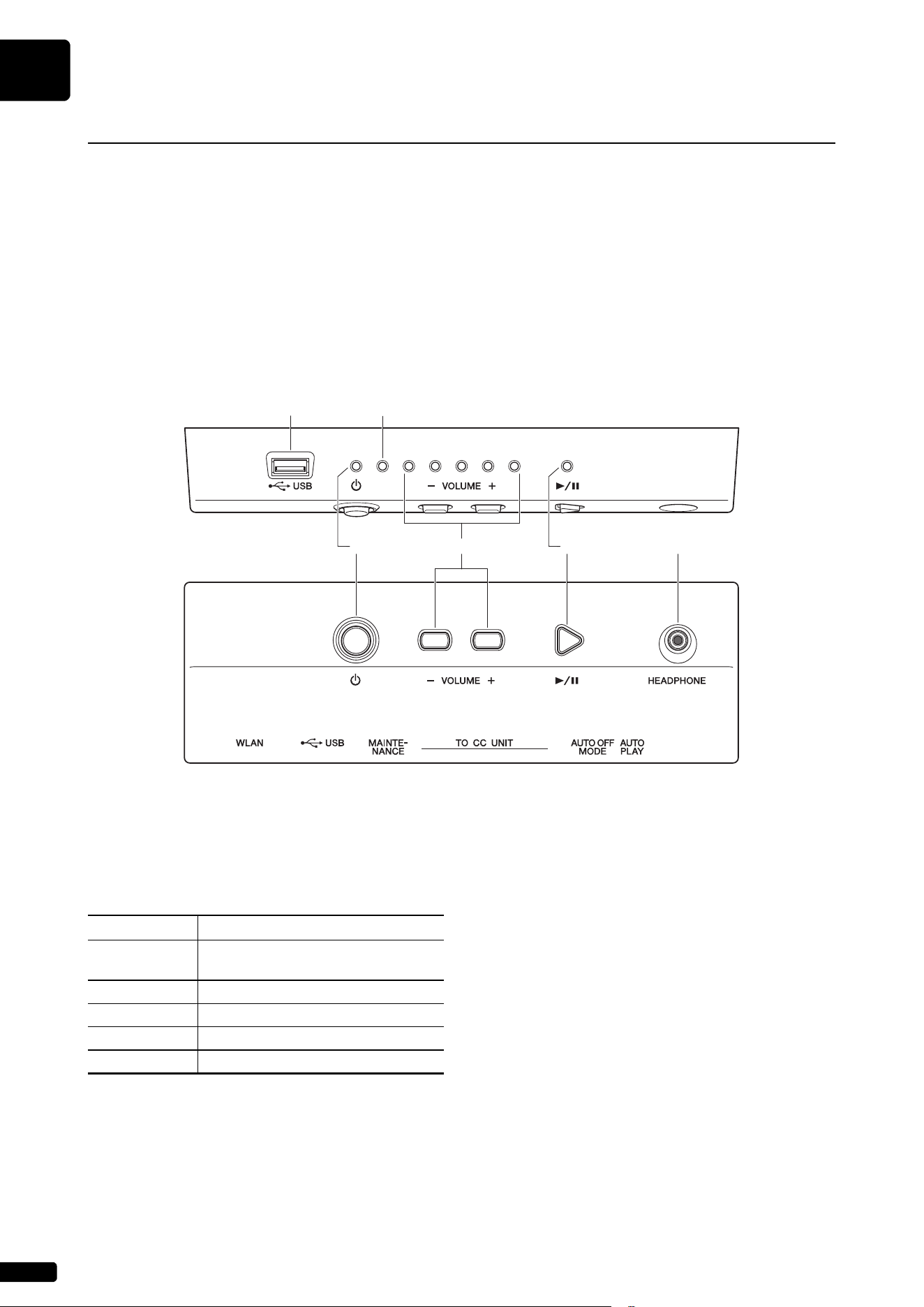
1 [P] (Standby/On) button/indicator
Turns this product on or off. When this button is
operated, the [P] lamp on the front of the switch box
indicates the power status as follows.
2 [- VOLUME +] buttons/indicators
These display the volume level (over 10 steps).
Each indicator shows the volume in 2 steps with
varying brightness.
3 [R/K] (Play/Pause) button/indicator
For starting and pauses playback.
• Playback starts from the last loaded song before
turning the power off.
• If the last song cannot be loaded, playback starts
from the first song of the internal demo songs.
The indicator lights up when playing back a song.If
song playback is stopped/paused, the indicator will
go dark.
Names of Parts and Their Functions
This product is equipped with the following units.
• Switch Box (following)...................... Turn this product on/off to control functions.
• Control Center Unit (page 10).......... It is equipped with terminals for connecting external devices.
• Inlet Box (page 11)........................... There are terminals for turning on / off the main power supply and
connecting to external devices.
• Power supply unit (page 16) ............ Equipped with a switch to turn on / off main power.
Switch Box (Front and Bottom panel)
Front panel
56
123 4
Condition Status
Off This product cannot be turned on
because the power plug is unplugged.
Lit This product is turned on.
Dim lit This product is turned off (standby).
Flashing This product is shutting down.
Slow flashing This product is starting up.
Bottom panel
Introduction
English
1
Chapter
9
4 [HEADPHONE] jack
Connect a set of headphones to this jack and hear
the digital piano sounds from the headphones.
Caution:
• To prevent damage to your hearing, refrain from raising the
volume to excessive levels, and do not use the headphones for
extended periods of time.
• Do not pull the headphone cord or apply excessive force on the
plug. This can damage the headphone and lead to sound output
malfunction.
5 [USB] terminal
Used to connect the USB flash drive.
Note:
This product cannot detect the USB flash drive if two or more
memory devices are connected at the same time.
6 Error indicator
Flashes when some error has occurred. See “Error
Indications” on page 31.
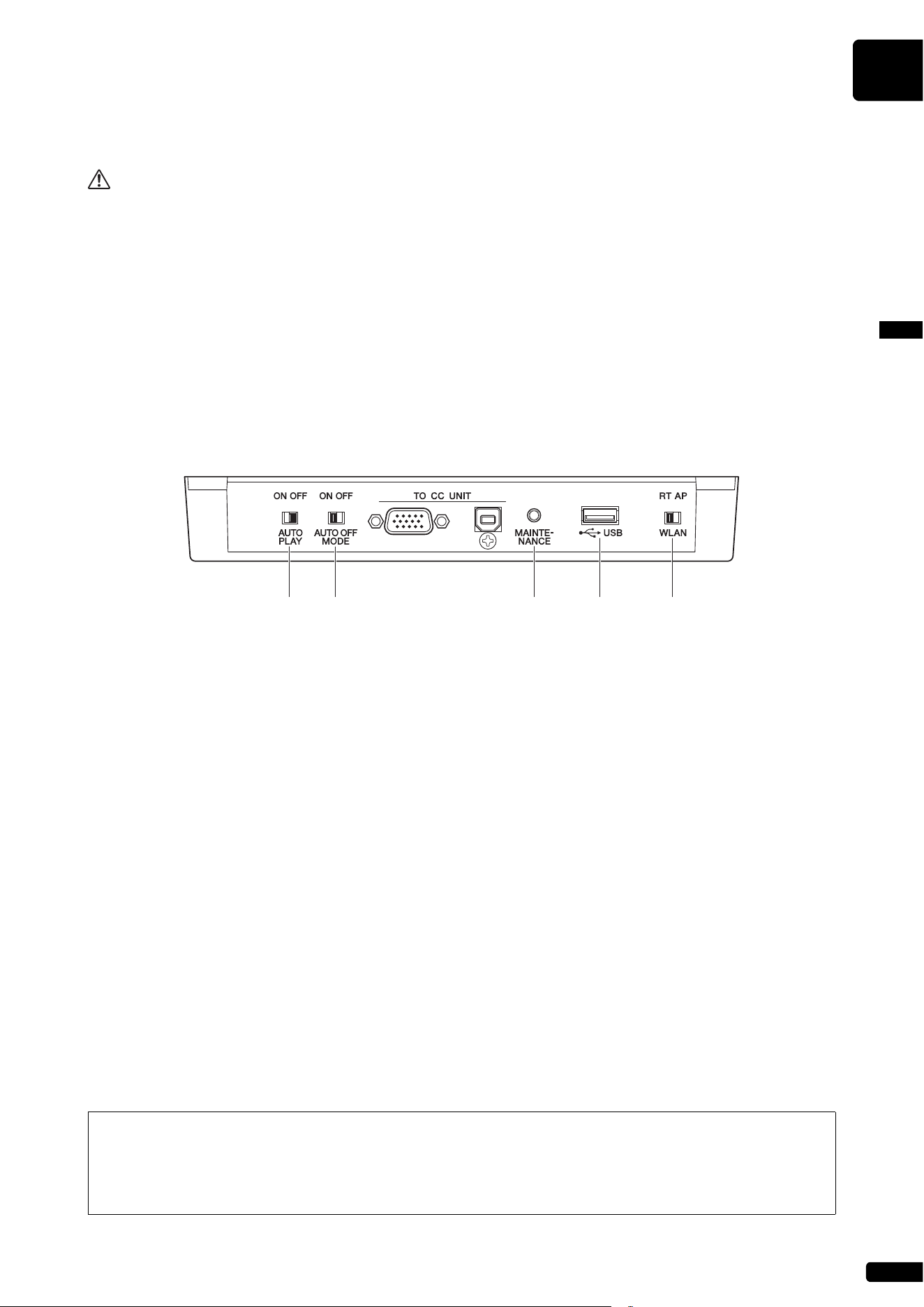
1 [AUTO PLAY] switch
For activating or deactivating the auto play function.
If you leave the switch set to “ON,” playback
automatically starts when the power is turned on.
(Default setting: OFF)
2 [AUTO OFF MODE] switch
When this is turned on, this product will turn off
automatically if the following conditions continue for
a certain period of time. (Default setting: ON)
• No operation has been performed on the switch
box.
• No operation has been performed on the
ENSPIRE Controller app.
• The keyboard has not been played.
• This product has not received the MIDI data.
Note:
You can change the automatic turn off time with the ENSPIRE
Controller app.
3 [MAINTENANCE] button
For service personnel only. Do not touch this button.
4 [USB] terminal
Used to connect the USB wireless LAN adaptor
(UD-WL01).
Note:
This product cannot detect the USB flash drive if two or more
memory devices are connected at the same time.
5 [WLAN] switch
For setting the method for wireless LAN connection
when connecting the USB wireless LAN adaptor to
the [USB] terminal. See “Connecting the Product
and Smart Device to a Network” on page 19.
(Default setting: RT)
Switch Box (Rear Panel)
12 3 4 5
Functions that can be operated by Switch Box
The functions that can be operated with the Switch Box are only power on/off, song playback/pause, and
volume control of acoustic piano/internal electronic sound source (page 16). The other functions are
controlled only from the application of your smartphone or tablet.
Introduction
1
Chapter
10
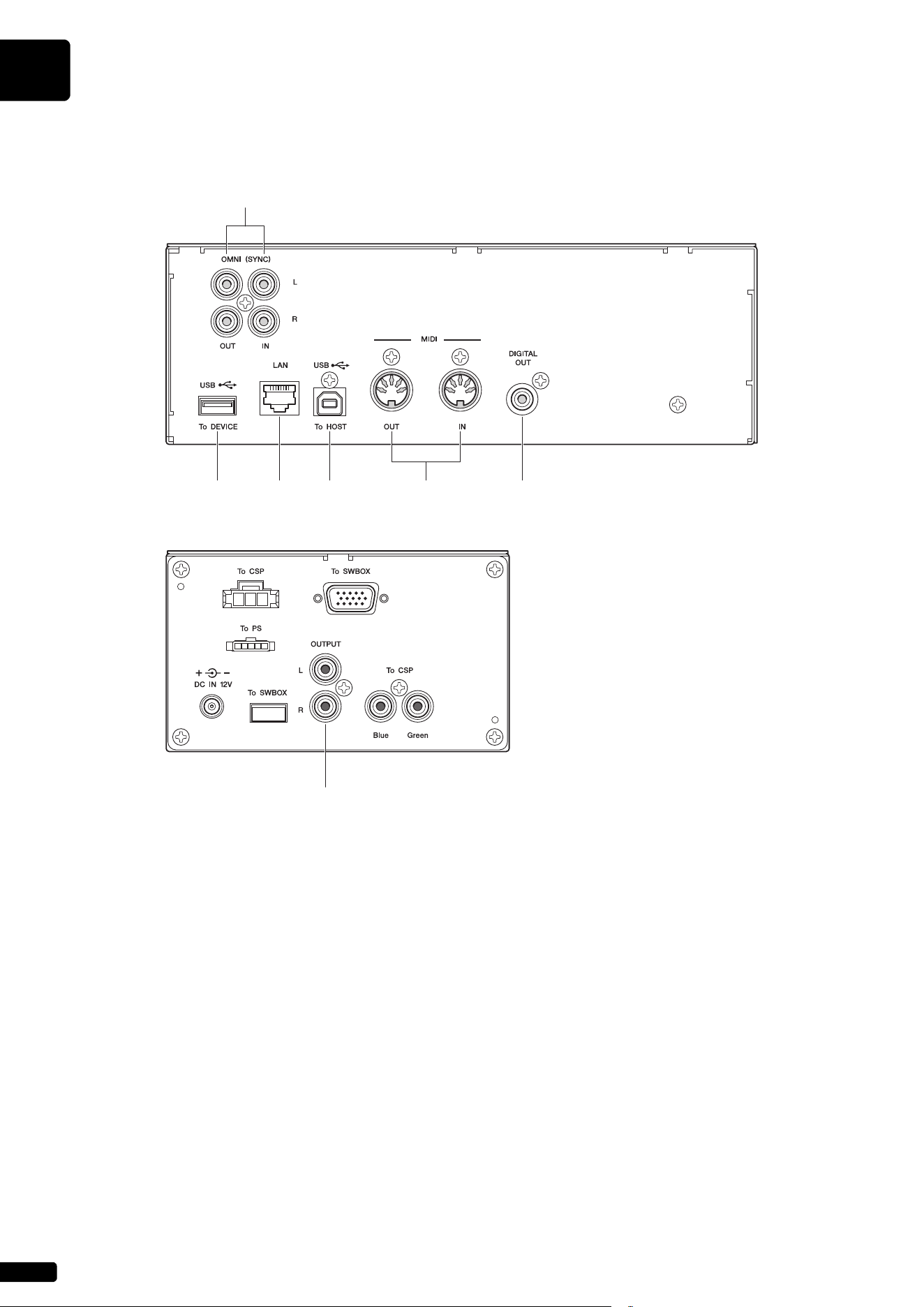
1 [USB] (To DEVICE) terminal
Used to connect the USB flash drive.
Note:
This product cannot detect the USB flash drive if two or more
memory devices are connected at the same time.
2 [LAN] port
Used to connect the router or hub using an Ethernet
cable.
3 [USB] (To HOST) terminal
Used to connect the computer using a USB cable.
4 [MIDI IN]/[MIDI OUT] jacks
Used to connect to the MIDI input or output jacks of
external MIDI devices using MIDI cables.
5 [DIGITAL OUT] jack
Used to connect to the digital input jack of an
external audio device using a digital coaxial cable.
6 [OMNI] (SYNC) [IN]/[OUT] jacks
Used to connect to the input or output jacks of
external audio devices using RCA cables.
7 [OUTPUT] jacks
Used to connect the monitor speakers.
Control Center Unit (for Grand Pianos)
Rear panel
123 4 5
6
7
Side panel
Introduction
English
1
Chapter
11
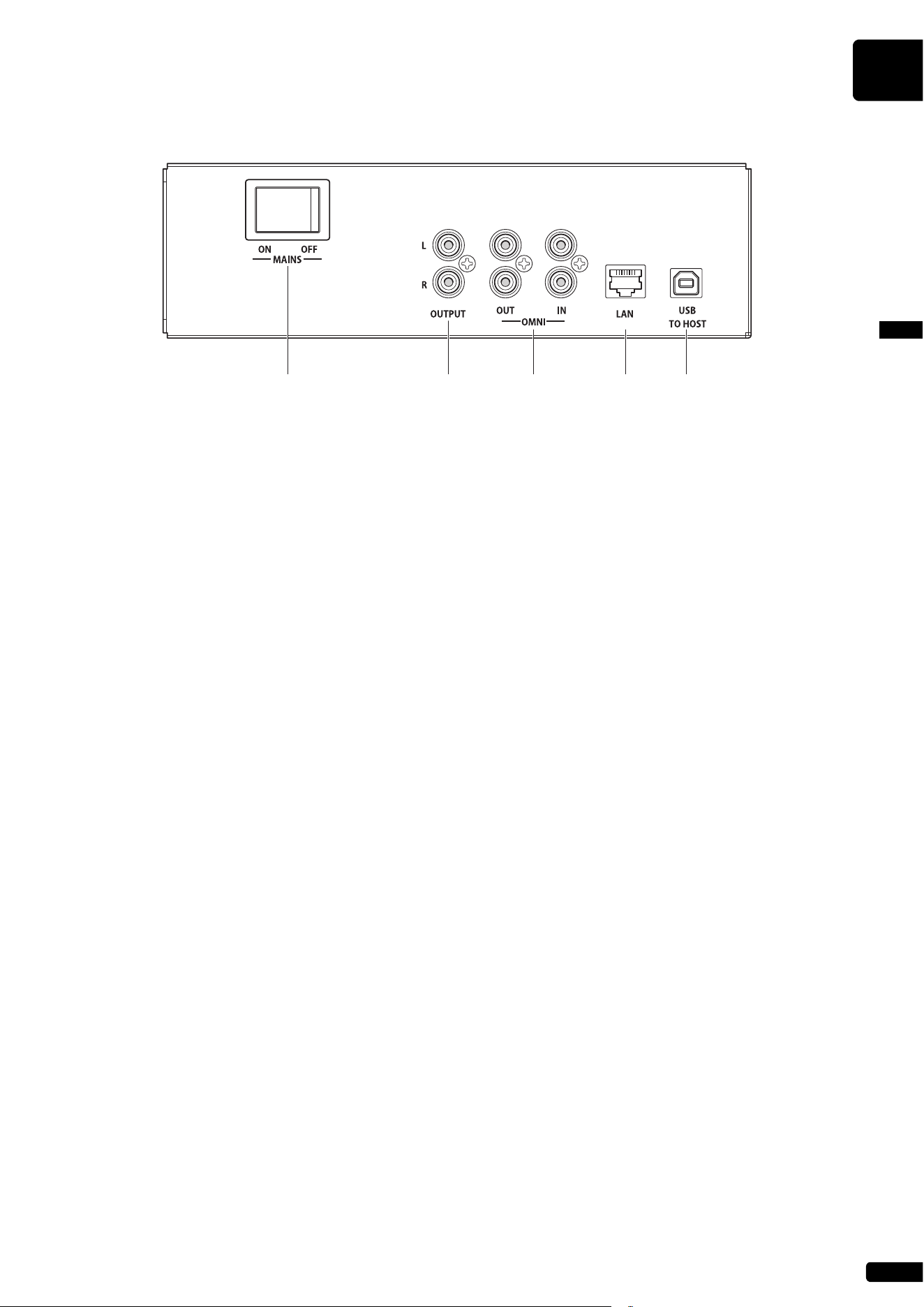
1 [MAINS] switch
Turns on or off the main power.
2 [OUTPUT] jacks
Used to connect optional monitor speakers.
3 [OMNI] [IN]/[OUT] jacks
Used to connect to the input or output jacks of
external audio devices using RCA cables.
4 [LAN] port
Used to connect the router or hub using an Ethernet
cable.
5 [USB] (TO HOST) port
Used to connect the computer using a USB cable.
Inlet Box (for Upright Pianos)
12345
Introduction
1
Chapter
12
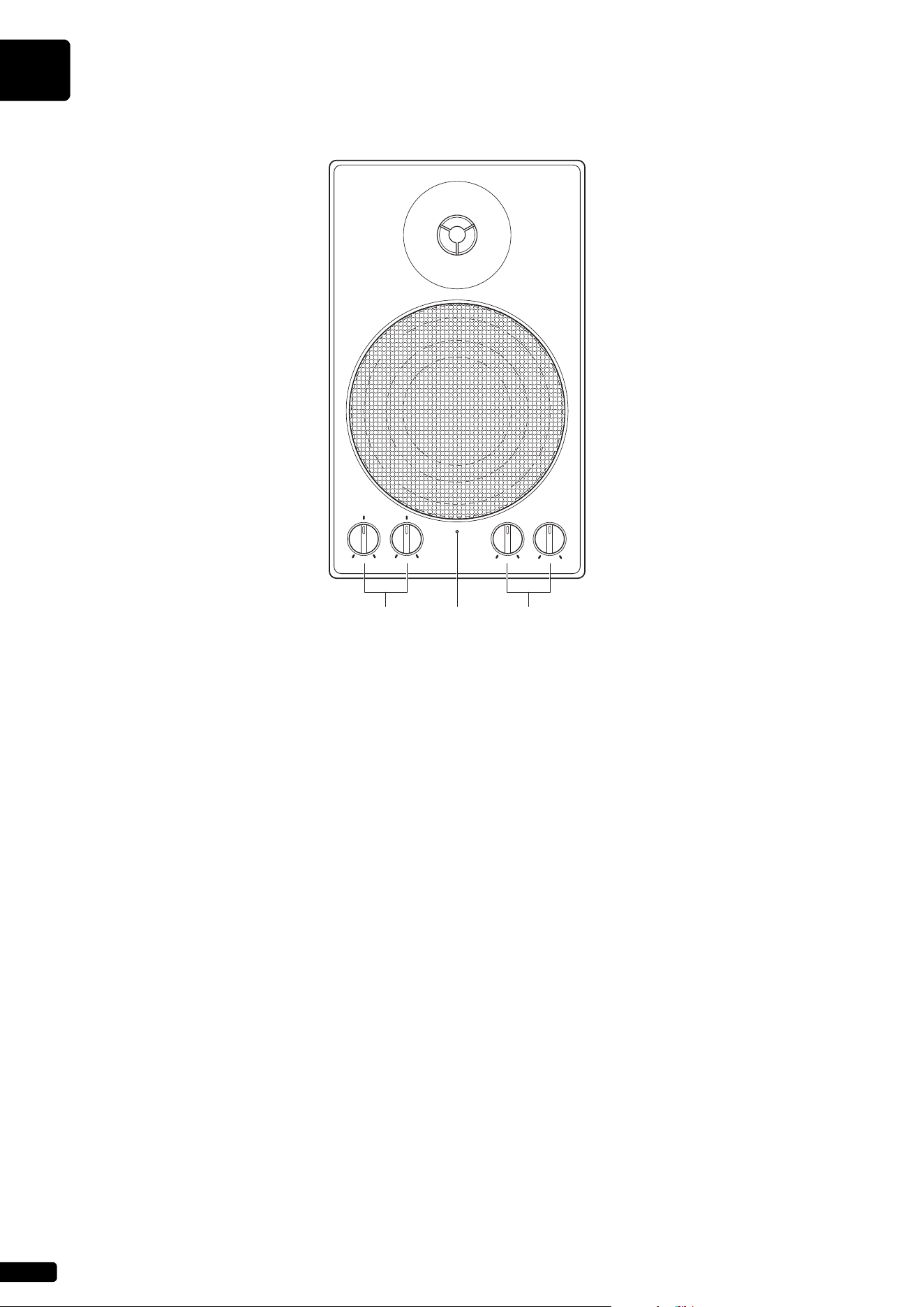
1 LOW/HIGH volume controls
For adjusting the bass/treble sound volume.
2 Power indicator
Lights up while the speaker is turned on.
3 LINE 1/2 volume controls
For adjusting the sound volume of each line input.
Note:
For normal use, turn down the LINE 2 volume completely, and turn
up the LINE 1 volume to the three o’clock position.
* Not supplied on some models.
Monitor Speaker (for Grand Pianos)*
LINE
2
LINE
1
LOW HIGH
123
Introduction
English
1
Chapter
13
Compatible Device
Notice:
• Do not remove the USB flash
drive or turn on or off the power
during data transfer as breakage
may result.
• Do not insert and remove the USB
flash drive too frequently as
breakage may result.
• Be careful not to bump the USB
flash drive with your legs when it
is connected to the unit.
• Do not insert any objects other
than the USB flash drive into the
USB terminal as it may become
unusable.
Note:
Yamaha does not assure the
operation of the commercially
available USB flash drives.
USB Flash Drive
• The USB flash drive should be formatted in FAT16 or FAT32 file system.
• Check that the USB flash drive is free of memory and software protection
before attempting to use it, as these kinds of protection will prohibit access
to the memory.
• This product is USB 2.0 compliant. You can also connect USB 3.0
devices, however data will be transferred at USB 2.0 speeds.
Compatible File Formats
This product can handle these four types of file format:
Compatible Media and File Format
Song
Format
File Format Extension
MIDI SMF0
Standard MIDI File format 0 for playback and
recording.
.MID
SMF1
Standard MIDI File format 1 for playback only.
.MID
Audio WAV
Uncompressed audio file format commonly used to
create standard audio CDs. This product can play
back 44.1kHz/16bit stereo WAV files.
.WAV
MP3
Compressed audio file format commonly used in
computers and smart devices.
.MP3
14
2
Chapter
Getting Started
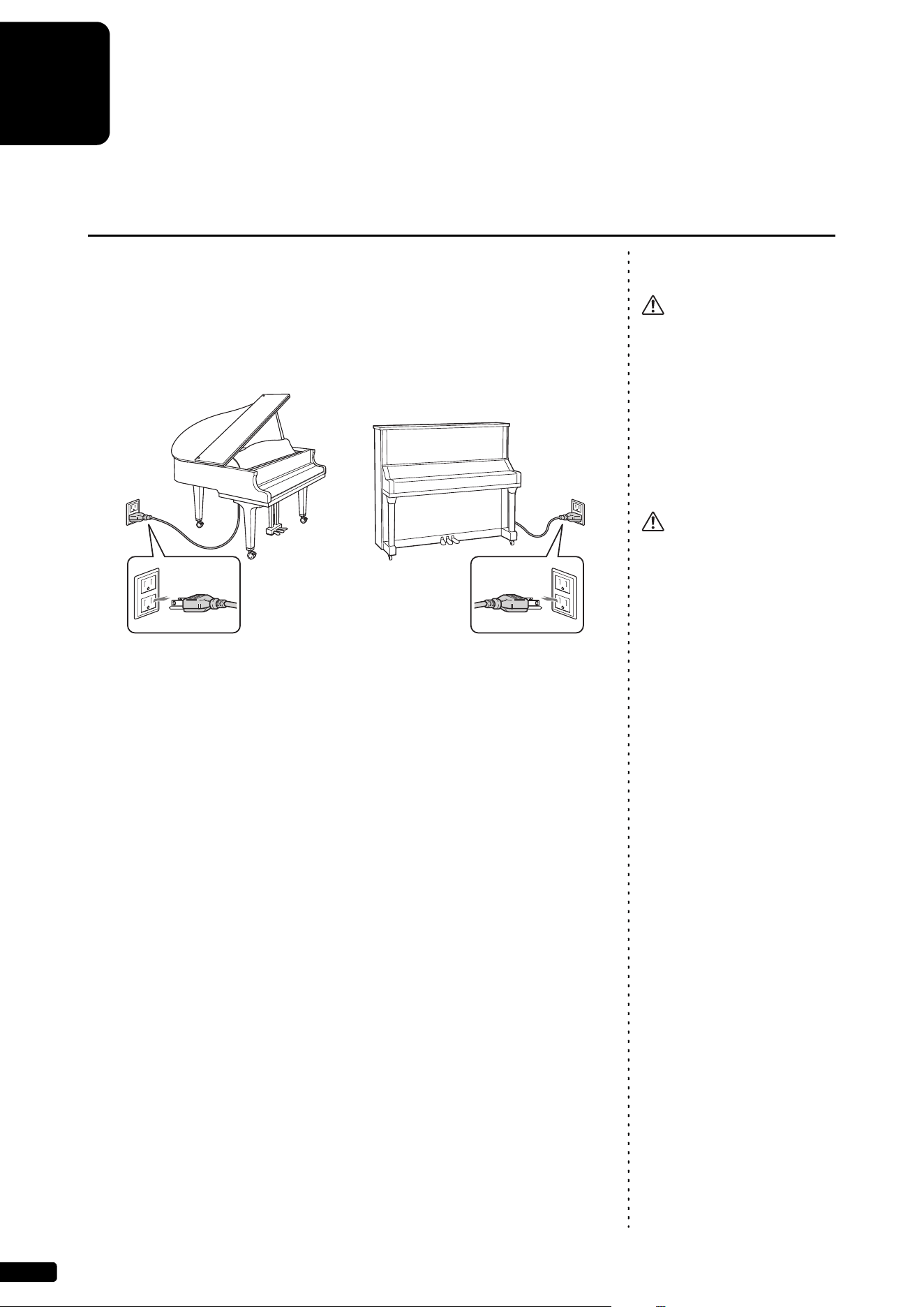
1 Connect the AC power cable extending from the piano to the
AC wall outlet. This connection provides power to the
autoplay piano.
Connecting the AC Power Cable
Warning:
• Use the AC power cable attached
to the piano. Use of other AC
power cables may result in
damage, overheating, or fire.
• Do not stretch the cable or bend its
ends.
• Do not attempt to use the cable if it
is stretched or if the ends of the
cable have been bent. Attempting
to do so may cause interruptions to
the power supply.
Caution:
• Always turn off the main unit
power before disconnecting the
AC power cable.
• When you wish to move the piano,
unplug the AC power cable from
the AC outlet before proceeding.
Unplug the AC power cable from
the AC outlet if you do not intend to
use the instrument for an extended
period of time.
Grand piano Upright piano
Getting Started
English
2
Chapter
15
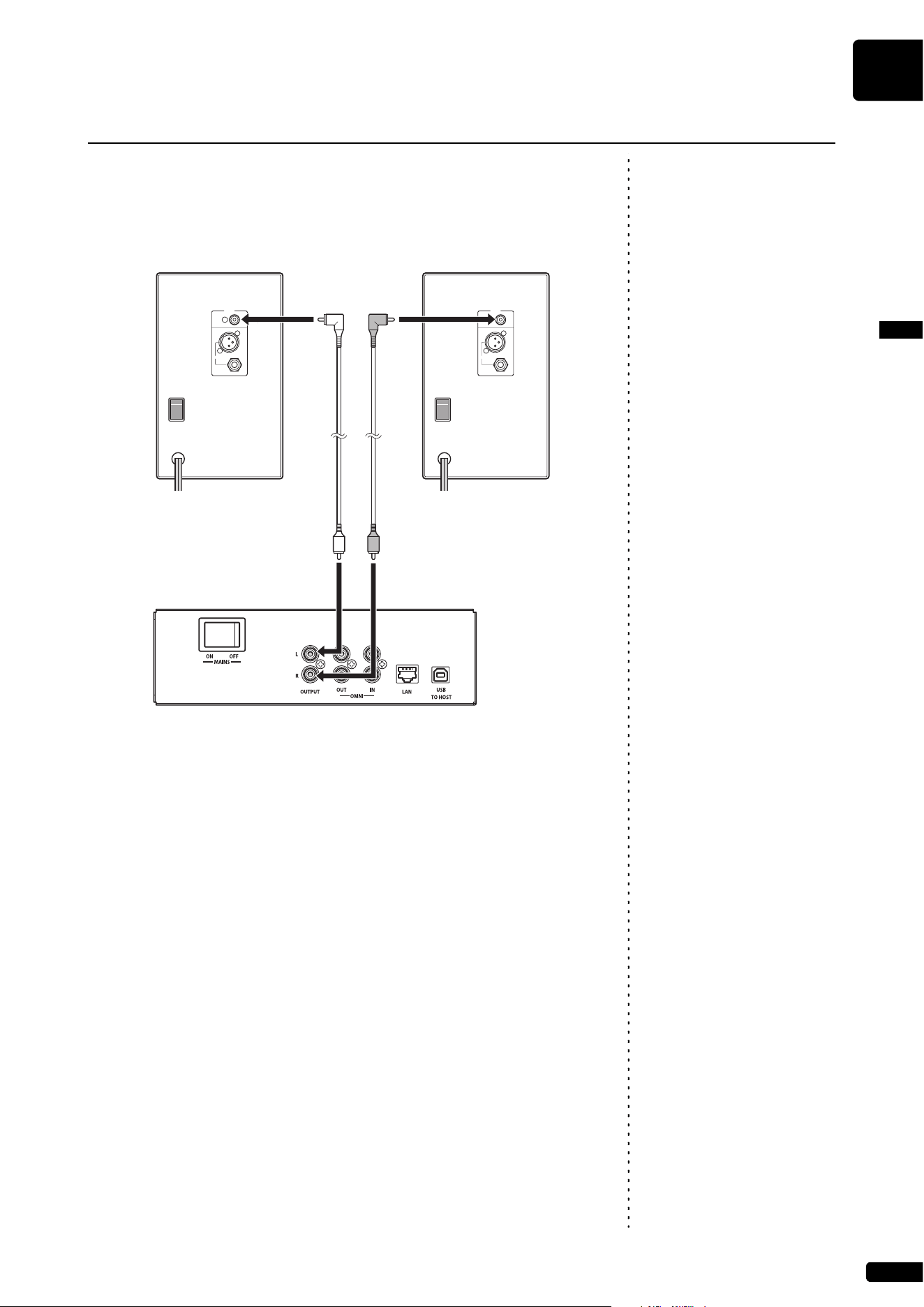
You can connect powered speakers to the [OUTPUT] jacks as illustrated.
* The audio cable should be 3m or less in length, and use an audio cable (conversion cable) that
matches the shape of the INPUT LINE jack on the speaker side.
Connect powered speakers (Sold separately for Upright piano)
Notice:
To avoid possible damage to the
devices, first turn on the power to
this pruduct, then to the external
device.
When turning off the power, first
turn off the power to the external
device, then to this pruduct.
POWER
ON
OFF
INPUT
PARALLEL
LINE 1
(--10dB)
LINE 2
(--4dB)
POWER
ON
OFF
INPUT
PARALLEL
LINE 1
(--10dB)
LINE 2
(--4dB)
Speaker (Left) Speaker (Right)
Audio cable Audio cable
Inlet box
Getting Started
2
Chapter
16
Turning the Power On
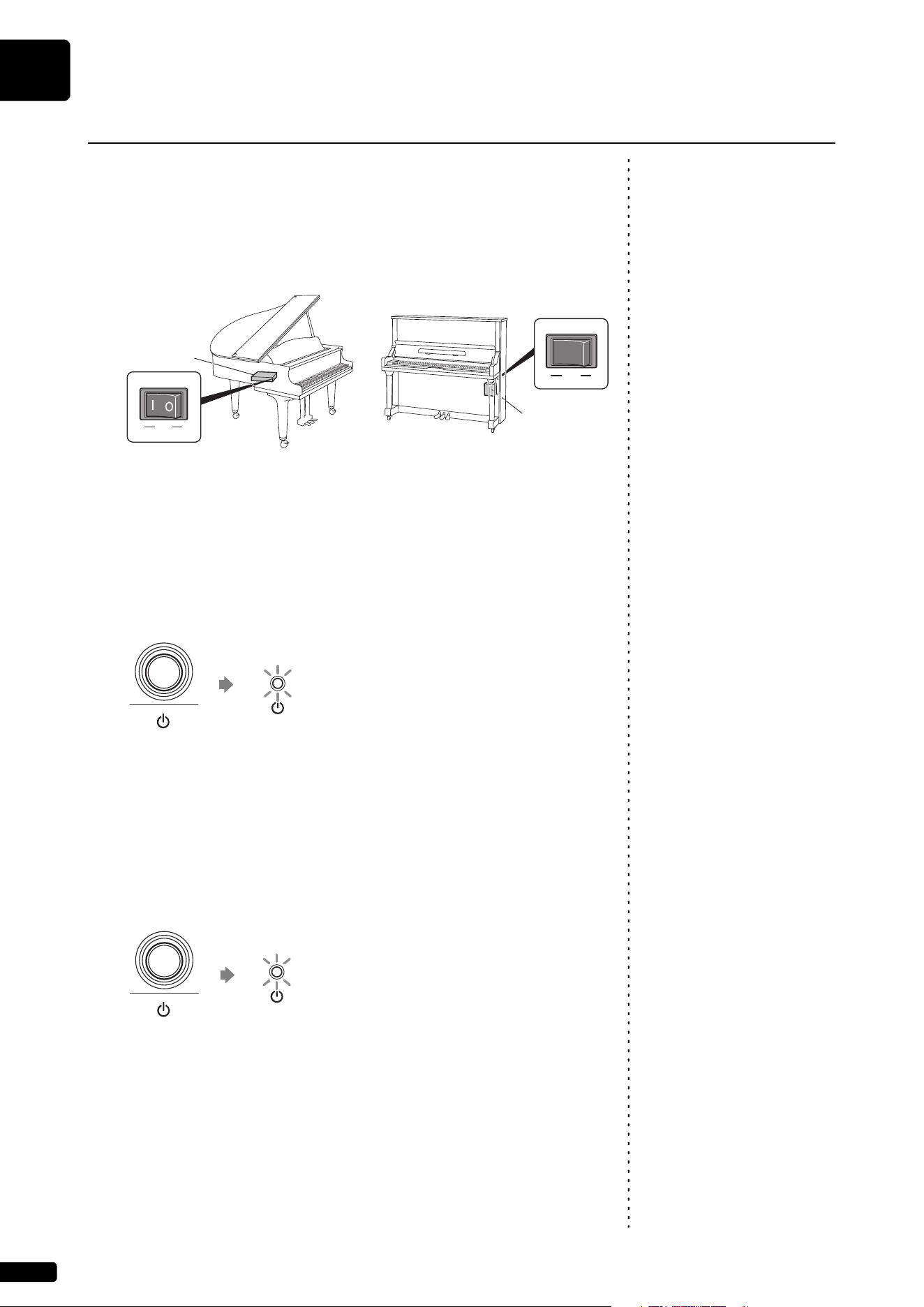
1 Make sure that the main switch on the power supply unit/
inlet box is turned on.
Under normal use, the power switch of the power supply unit remains
on, but there is no problem, but if you do not use it for a long period of
time or if you feel something wrong, turn off the power supply unit and
turn the power cord from the outlet.
2 Press the [P] (Standby/On) button.
The [P] indicator flashes slowly (every one second).
After several seconds, the [P] indicator lights up. This product is now
ready for use.
Turning the Power Off (Standby)
1 Press the [P] (Standby/On) button.
The [P] indicator flashes (every 0.5 seconds).
After several seconds, the [P] indicator lights up dimly.
Turning the Power On/Off
ON OFF
MAINS
ON OFF
MAINS
In the case of Grand piano In the case of Upright piano
Power supply
unit (located
underneath
the piano)
Inlet box
(located on the
rear)
Flashing slowly
Flashing
Getting Started
English
2
Chapter
17
Setting the Auto Off Function
You can turn the power off automatically if you do not use the product for the
time specified with the ENSPIRE Controller app.
Note:
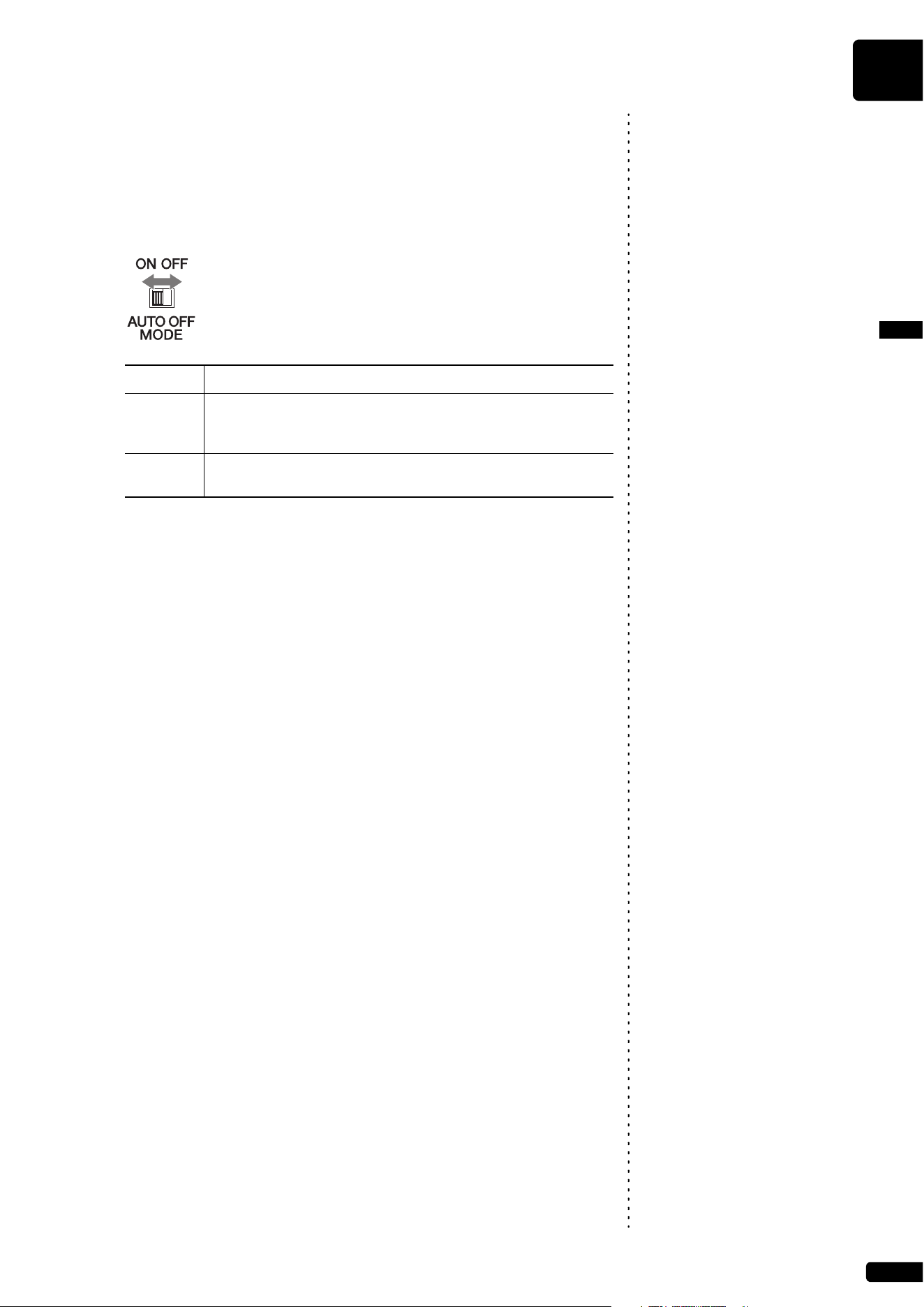
1 Set the [AUTO OFF MODE] switch on the rear of the switch
box.
When set to ON, this product
automatically turns off under the
following conditions:
• No operation is performed on the
switch box.
• No operation is performed on the
ENSPIRE Controller app.
• The keyboard is not being played.
• This product does not receive the
MIDI data.
Setting Description
ON The auto off function is activated. The product is automatically
turned off if you do not use it for the time specified with the
ENSPIRE Controller app.
OFF The auto off function is deactivated. Use the [P] (Standby/On)
button to turn the power off.
Getting Started
2
Chapter
18
This product has the original mechanism of a piano that strikes strings with
hammers, and also has a “SILENT Piano™ function” that effectively mutes
the sound. When the sound is muted, the hammers inside the piano do not
strike the strings, and the piano sound is heard entirely as electronic sound
from powered speaker (in Quiet mode) or the headphones (in Headphone
mode). The method of switching to each mode is as follows.
[Quiet Mode]
Note:
To use Quiet mode, a powered
speaker (sold separately for upright
piano) is required.
In this mode, the hammers do not strike the strings, and the piano sound can
be heard from a powered speaker (Sold separately for upright piano). This is
convenient when you wish to play with a quieter sound, etc.
[Headphone mode]
In this mode, the piano sound is entirely heard from the headphones, which is
convenient when you do not wish to produce piano sound, such as when
practicing at night.
SILENT Piano™ Function on Grand Piano
Quiet Mode
Perform this operation from the ENSPIRE Controller app (page 26). Switch
the SILENT Piano™ function mode to Quiet with “Acoustic/Quiet” on the
Balance screen within the app. (If the headphones are connected to the
[HEADPHONE] jack, disconnect the headphones.)
Headphone mode
Note:
When headphones are connected,
“Acoustic/Quiet” is automatically
set to “Headphone.”
Connect the headphones to the [HEADPHONE] jack of the switch box to
switch to Headphone mode.
SILENT Piano™ Function on Upright Piano
Quiet Mode
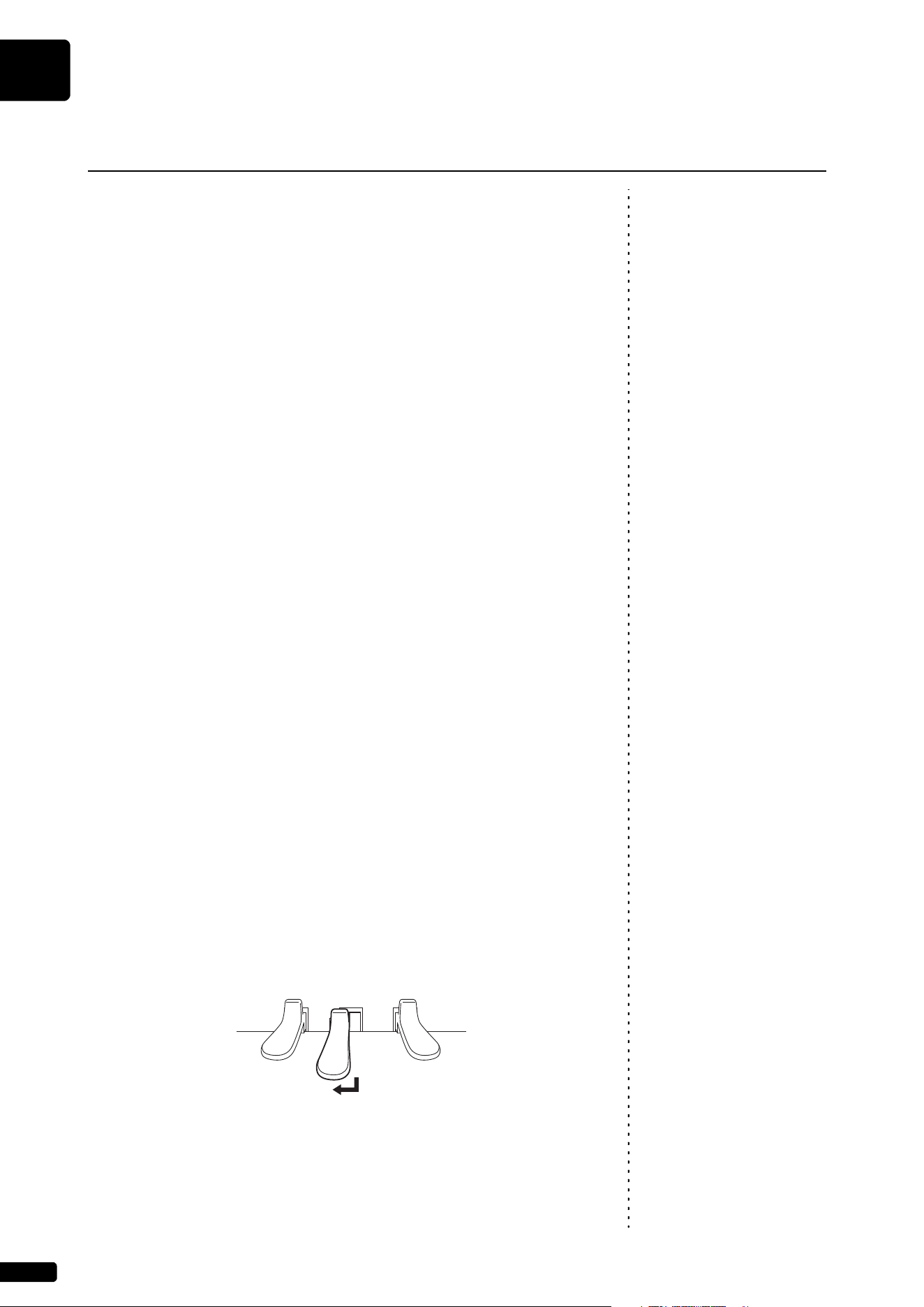
Press down the center pedal and slide it to the left to set to Quiet mode. (If
the headphones are connected to the [HEADPHONE] jack, disconnect the
headphones.)
Headphone mode
Press down the center pedal and slide it to the left to set to Quiet mode, and
then connect the headphones to the [HEADPHONE] jack of the switch box to
switch to Headphone mode.
How to use the SILENT Piano™ Function
(For Pianos Equipped with the SILENT Piano™ Function)
Getting Started
English
2
Chapter
19
Note:
By connecting this product and smart device to a network, you can enjoy a
variety of features as represented by Disklavier Premium Pass streaming
service, or control this product using your smart device (Please check
“Installing the App” at the bottom of the page).
To fully control this product with the ENSPIRE Controller app, you must
connect this product and smart device.
Here is the summary for connection:
Preparations
• To use the Internet connection, you will first need to subscribe to an
Internet service or provider.
• Use a computer to obtain and configure Internet service. You cannot
obtain Internet service or configure router settings on a local area network
using this product itself.
Installing the App
Note:
To connect your smart device to this product, you must install the ENSPIRE
Controller app to your smart device.
For details, search for “ENSPIRE Controller” on the App Store or Google
Play. For the ENSPIRE Controller app functions and operation instructions,
refer to the Disklavier ENSPIRE Controller operation manual. The ENSPIRE
Controller operation manual is located on the Information page within the
ENSPIRE Controller app.
You can also download it from the website below.
https://download.yamaha.com/
Connecting the Product and Smart Device to a Network
• This product attempts to achieve a
balance between security and
usability in its network
implementation. However, a
determined hacker may be able to
defeat these security measures and
utilize the network of the
purchaser in an unauthorized
manner. Since each network is
different, only the purchaser can
determine whether the security
measures discussed here will
adequately protect their network.
• The purchaser acknowledges that
connection to the Internet and use
of this product Internet features is
done at the risk of the purchaser. In
no event shall Yamaha, its
subsidiaries or Yamaha’s and/or
its subsidiaries’ directors, officers,
or employees be responsible for
unauthorized access, loss or
alteration of the data of the
purchaser or be liable for any
damage from intrusions.
• For the smart device, refer to the
glossary (page 33).
3
Search for this product using the ENSPIRE Controller app
and connect to it (page 26).
4
1
Connect this product and smart device to a network
(page 22 to 25).
2
Choose the connection method (page 20).
Install the ENSPIRE Controller app to your smart device
(following).
• The application supports iOS and
Android devices.
• For details on the application, refer
to the description on the download
site.
Getting Started
2
Chapter
20
Note:
For the smart device, refer to the
glossary (page 33).
You can use one of the three methods of connections below. Select one
which is most suitable for your network environment.
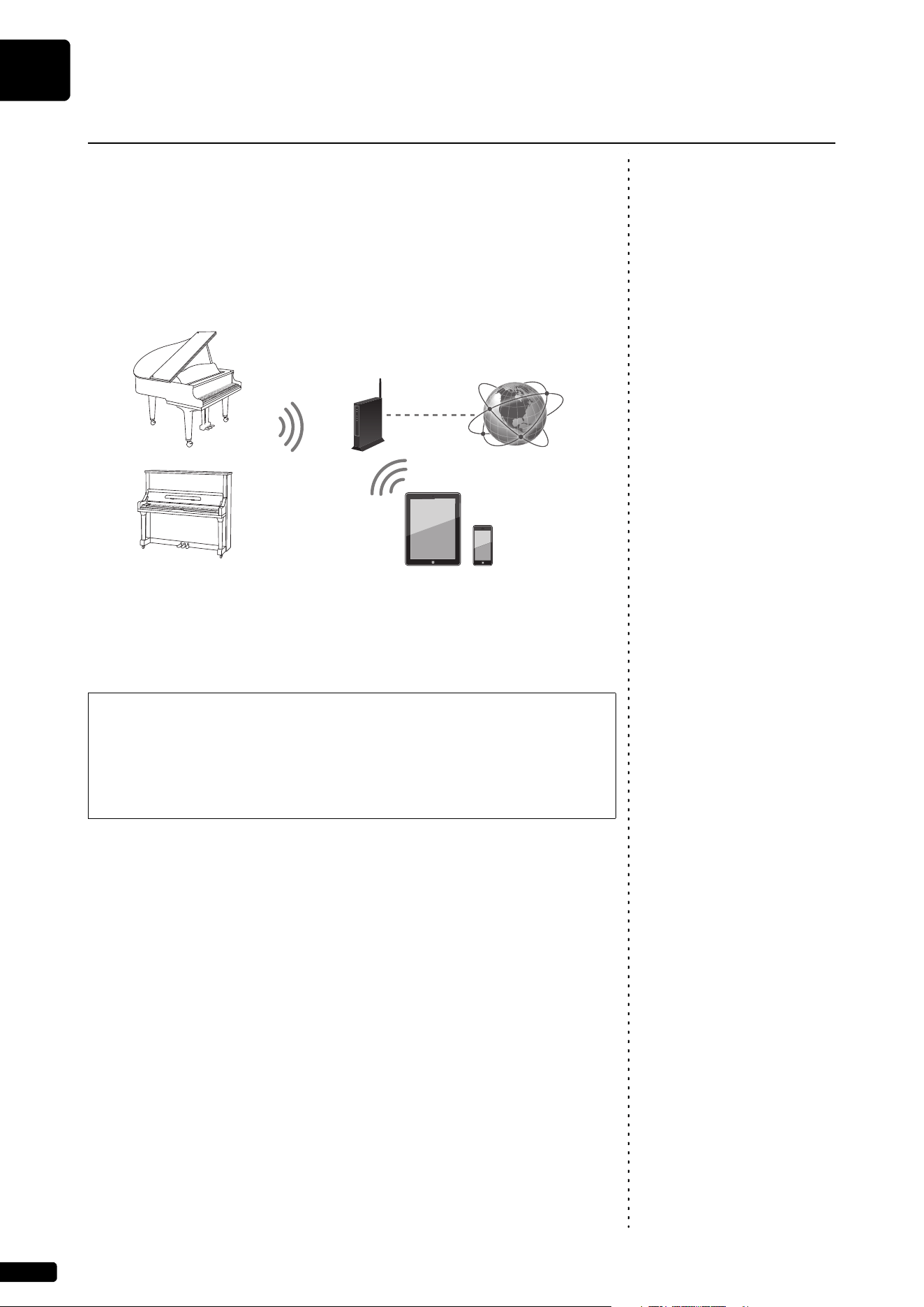
Wireless Network Connection by WPS ( page 22)
Choose this if you have a wireless router (access point) that supports WPS.
Connection will be established via a wireless router (access point).
Requirements:
• USB wireless LAN adaptor (UD-WL01)
• Wireless router (access point) that supports WPS
Choosing the Network Connection Method
WPS (Wi-Fi Protected Setup)
WPS is a wireless networking standard that makes connections between
a router and wireless devices faster and easier. A router with WPS
functionality is required to use WPS. Consult your wireless router (access
point) specifications for compatibility information.
Wireless router
(access point)
Internet
Wireless LAN
Wireless LAN
Smart devices
Getting Started
English
2
Chapter
21
Wired Network Connection ( page 24)
Note:
Use an STP (shielded twisted pair)
cable for connection.
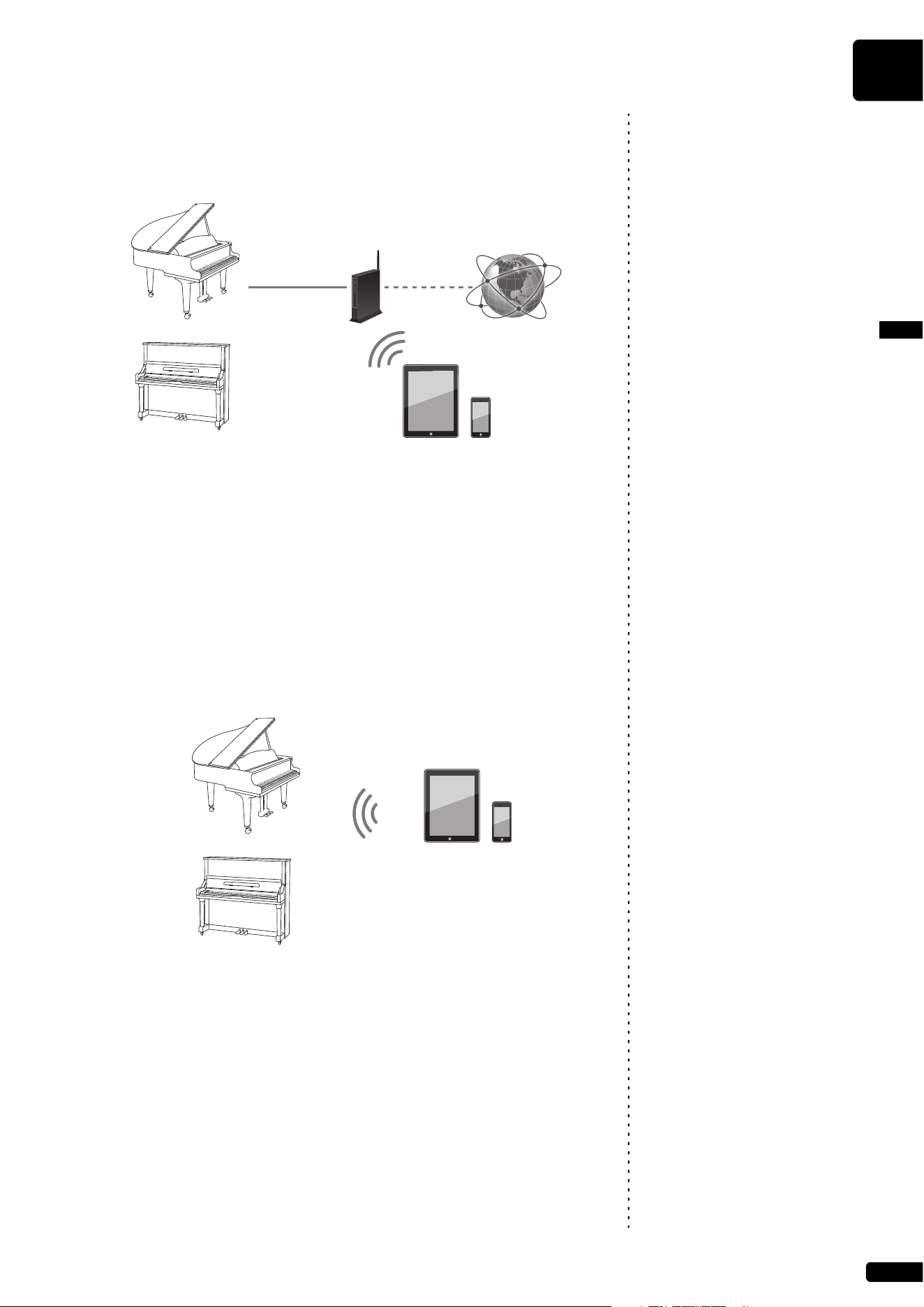
Choose this if you have a wireless router (access point) that does not support
WPS. Connection will be established via wireless router (access point).
Notice:
Requirements:
• Ethernet cable
• Wireless router (access point)
Direct Wireless Connection ( page 25)
Note:
If this product is connected directly
to your smart device, no Internet
access is available on your smart
device.
Choose this if you do not have a wireless router (access point) or there is no
wireless router (access point) available nearby. You can use this product as
an access point to establish a direct wireless connection between this
product and your smart device.
Requirements:
• USB wireless LAN adaptor (UD-WL01)
Do not connect this product to
public Wi-Fi and/or Internet
directly. Only connect this product
to the Internet through a router with
strong password-protections.
Consult your router manufacturer
for information on security best
practices
Wireless router
(access point)
Internet
Ethernet cable
Wireless LAN
Smart devices
Wireless LAN Smart devices
Getting Started
2
Chapter
22
Note:
To check whether your wireless
router (access point) supports WPS,
refer to the owner’s manual supplied
with your wireless router (access
point).
If your wireless router (access point) supports WPS, you can easily connect
this product to a network just by following the procedures below, without
making any additional settings, such as entering a password.
1 Press the [P] (Standby/On) button to turn the power off.
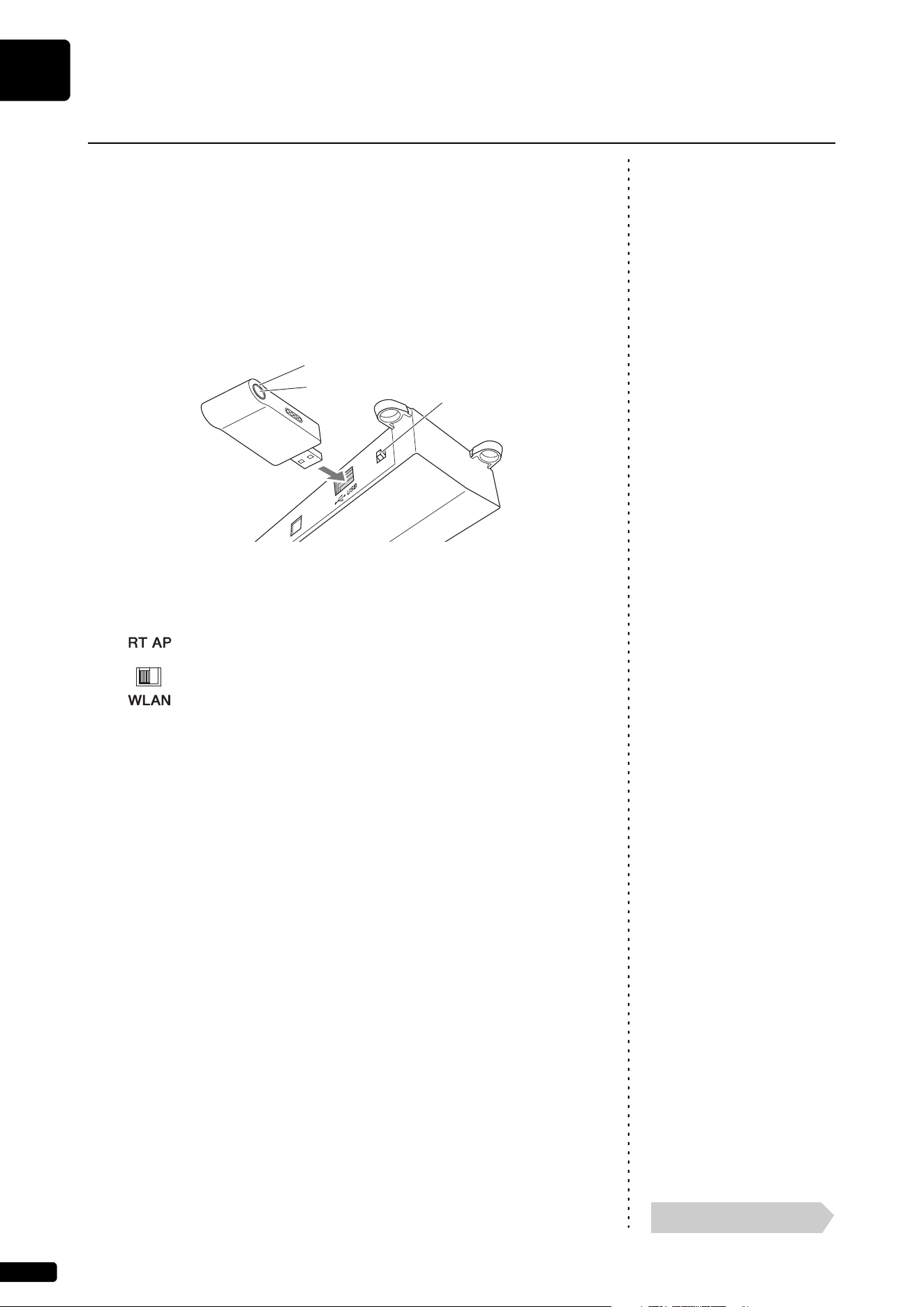
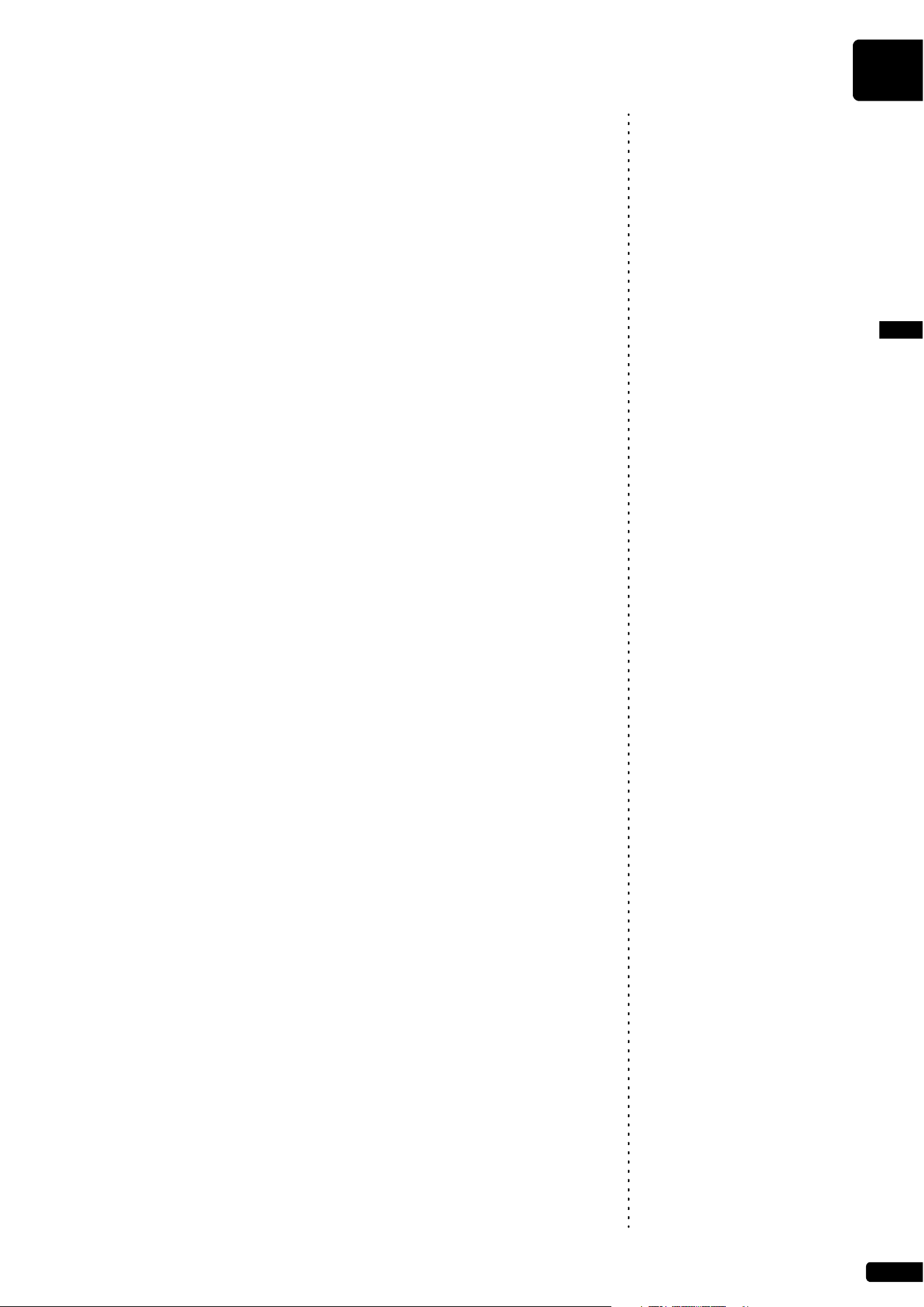
2 Connect the USB wireless LAN adaptor (UD-WL01) to the
[USB] terminal on the rear of the switch box.
3 Check that the [WLAN] switch on the rear of the switch box
is set to “RT.”
Note:
On powering up, the display may
indicate an error message that
flashes in red, reading “The wireless
router (access point) is not found.”
However, you can safely ignore the
error, and proceed to step 5.
4 Press the [P] (Standby/On) button to turn the power on.
5 Hold down the WPS button on the USB wireless LAN adaptor
(UD-WL01) for at least five seconds.
The LED lamp on the USB wireless LAN adaptor (UD-WL01) flashes
every 0.5 seconds.
Note:
For details on the WPS setting, refer
to the owner’s manual supplied with
your wireless router (access point).
6 Press the WPS button on your wireless router (access point)
within two minutes after step 5.
When this product is successfully connected to the wireless router
(access point), the LED lamp on the USB wireless LAN adaptor
(UD-WL01) lights up.
Connection between this product and the wireless router (access point)
is now established. Once this product is connected to your wireless
router (access point) by WPS, the setting will be remembered by this
product, and you will not need to repeat this process the next time.
Wireless Network Connection by WPS
LED lamp
WPS button
[WLAN] switch
Continue to the next page
Getting Started
English
2
Chapter
23
Note:
For details on the Wi-Fi setting,
refer to the owner’s manual supplied
with your smart device.
7 Open the Wi-Fi setting screen on your smart device.
8 Enable the Wi-Fi function.
9 From the network list shown on the screen, tap on the
network to which you connected this product.
If necessary, enter a password, and then connect.
10 Open the app and connect to the this product (page 26).
Getting Started
2
Chapter
24
If your wireless router (access point) does not support WPS, you can connect
this product to a wireless router (access point) using an Ethernet cable.
1 Press the [P] (Standby/On) button to turn the power off.
Notice:
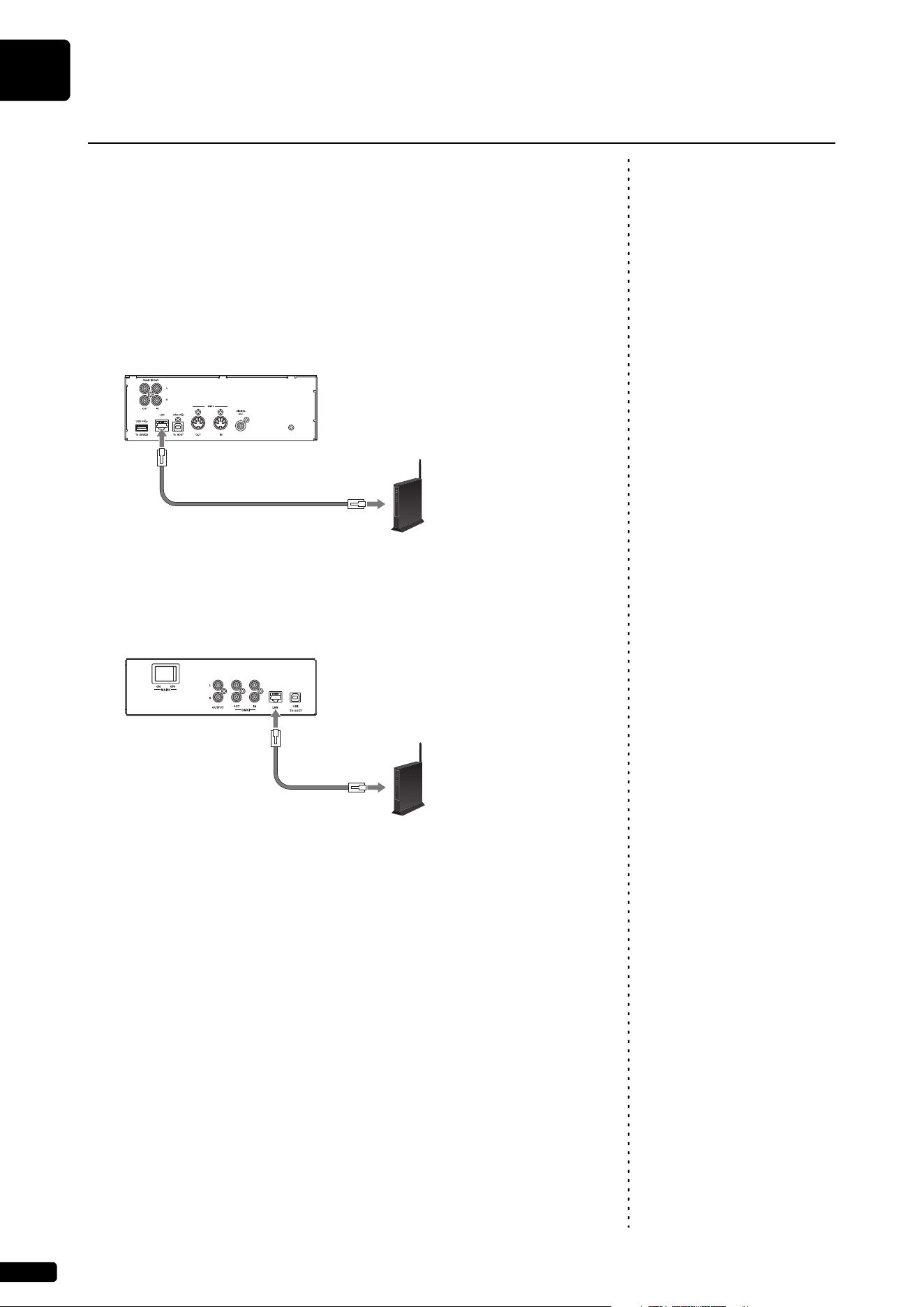
2 (For grand pianos) Connect the wireless router (access
point) to the [LAN] port on the control center unit using an
Ethernet cable.
Grand piano
Note:
The inlet box is located on the rear
of the piano.
(For upright pianos) Connect the wireless router (access
point) to the LAN port on the inlet box using an Ethernet
cable.
Upright piano
Note:
For details on the DHCP setting, refer
to the owner’s manual supplied with
your wireless router (access point).
3 Enable the DHCP server function on the wireless router
(access point).
4 Press the [P] (Standby/On) button to turn the power on.
Connection between this product and the wireless router (access point)
is automatically established in approximately 15 to 20 seconds.
Note:
For details on the Wi-Fi setting,
refer to the owner’s manual supplied
with your smart device.
5 Open the Wi-Fi setting screen on your smart device.
6 Enable the Wi-Fi function.
7 From the displayed network list, tap the network to which
this product is connected.
If necessary, enter a password, and then connect.
8 Open the app and connect to the this product (page 26).
Wired Network Connection
Do not connect this product to
public Wi-Fi and/or Internet
directly. Only connect this product
to the Internet through a router with
strong password-protections.
Consult your router manufacturer
for information on security best
practices.
Wireless router
(access point)
Ethernet cable
Control center unit
Wireless router
(access point)
Ethernet cable
Inlet box
Getting Started
English
2
Chapter
25
Note:
If you connect the product directly
to a smart device, you will not be
able to use functions that require an
Internet connection.
You can use this product as an access point to establish a direct wireless
connection between this product and your smart device.
1 Press the [P] (Standby/On) button to turn the power off.
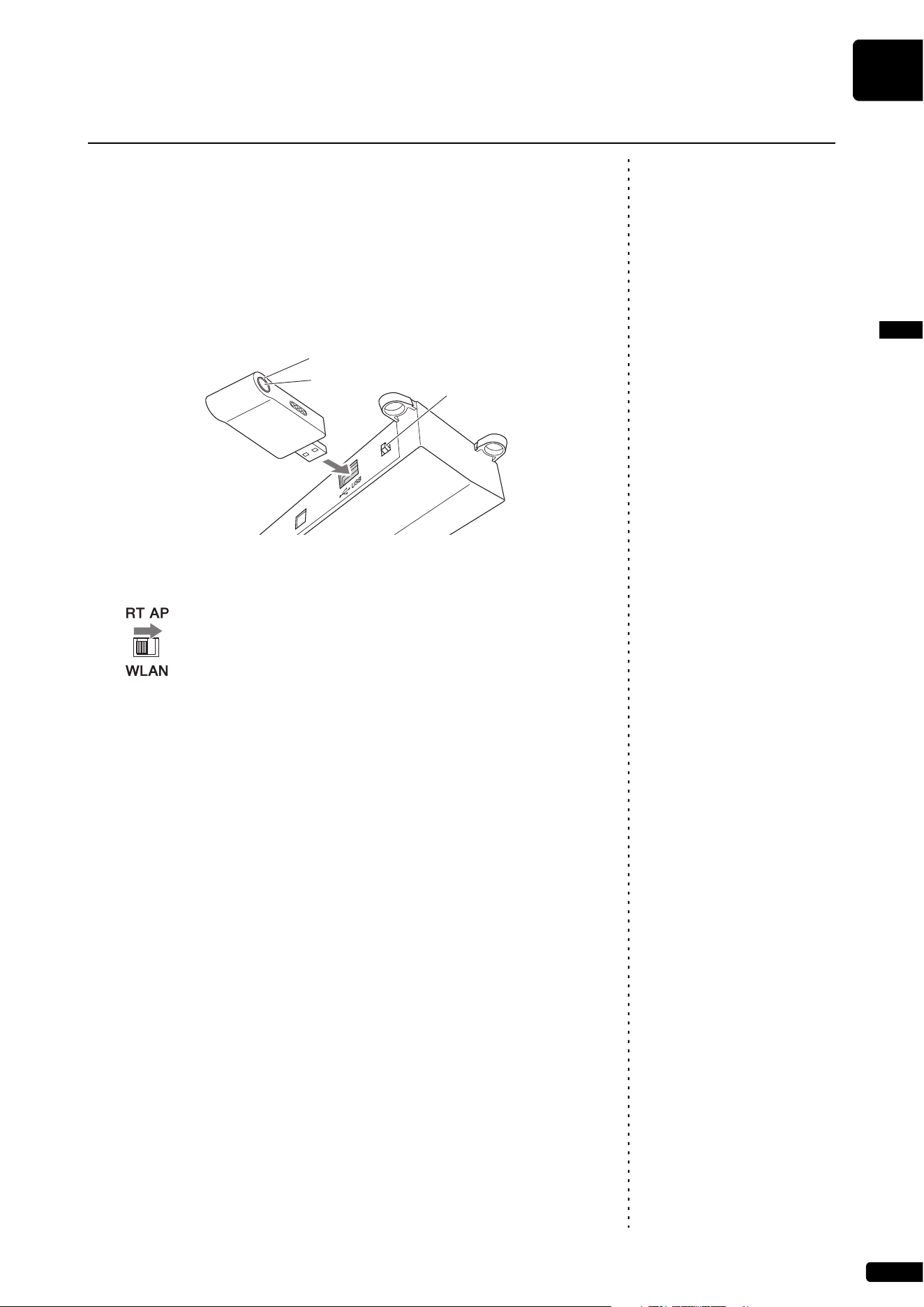
2 Connect the USB wireless LAN adaptor (UD-WL01) to the
[USB] terminal on the rear of the switch box.
Note:
As a default, the [WLAN] switch is
set to the “RT” position.
3 Set the [WLAN] switch on the rear of the switch box to “AP.”
4 Press the [P] (Standby/On) button to turn the power on.
When this product is set as an access point, the LED lamp of the USB
wireless LAN adaptor (UD-WL01) lights up. You can now use this
product as an access point.
Note:
For details on the Wi-Fi setting,
refer to the owner’s manual supplied
with your smart device.
5 Open the Wi-Fi setting screen on your smart device.
6 Enable the Wi-Fi function.
Note:
[DKV**********] differs
depending on each Disklavier.
7 From the network list shown on the screen, tap on
[DKV**********].
For Android
A dialog box window opens on the screen of the smart device and asks
“This network has no internet access. Stay connected?”. Tap “Yes”.
8 Open the app and connect to the this product (page 26).
Direct Wireless Connection
LED lamp
WPS button
[WLAN] switch
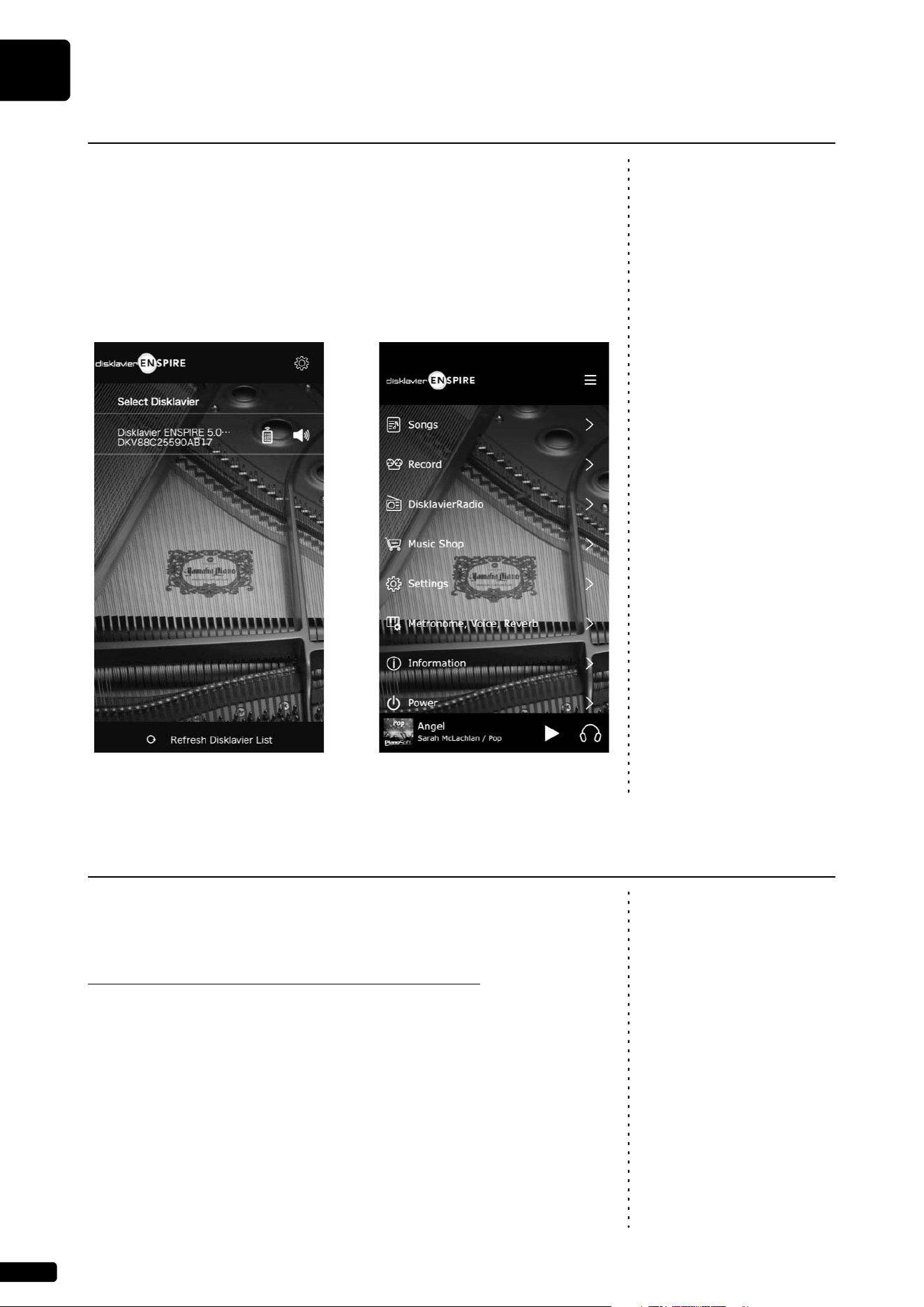
Getting Started
2
Chapter
26
Connect a smart device to this product
Note:
For the smart device, refer to the
glossary (page 33).
After you have connected your smart device to a network, open the ENSPIRE
Controller app and select this product from the list. Tapping this product
name will open the control screen of that Disklavier.
Note:
When the speaker mark is tapped on
the Select Disklavier ENSPIRE
screen of the app, a chord (C-E-G) is
automatically played one time for
individual confirmation from the
selected piano.
To use Disklavier Premium Pass and other services, initial registration to
Yamaha Music ID is required using an Internet-connected device.
Please register at the following website:
https://shop.usa.yamaha.com/en/customer/account/login/
Once you have a Yamaha Music ID account, you will interact with that
account using the ENSPIRE Controller app. To use these services fully, you
are required to enter your registered ID (e-mail address) and password on the
ENSPIRE Controller app.
Using the ENSPIRE Controller App
Display screen of ENSPIRE Controller app
“Select Disklavier”
Display screen of ENSPIRE Controller app
“Control Screen”
Yamaha Music ID Registration
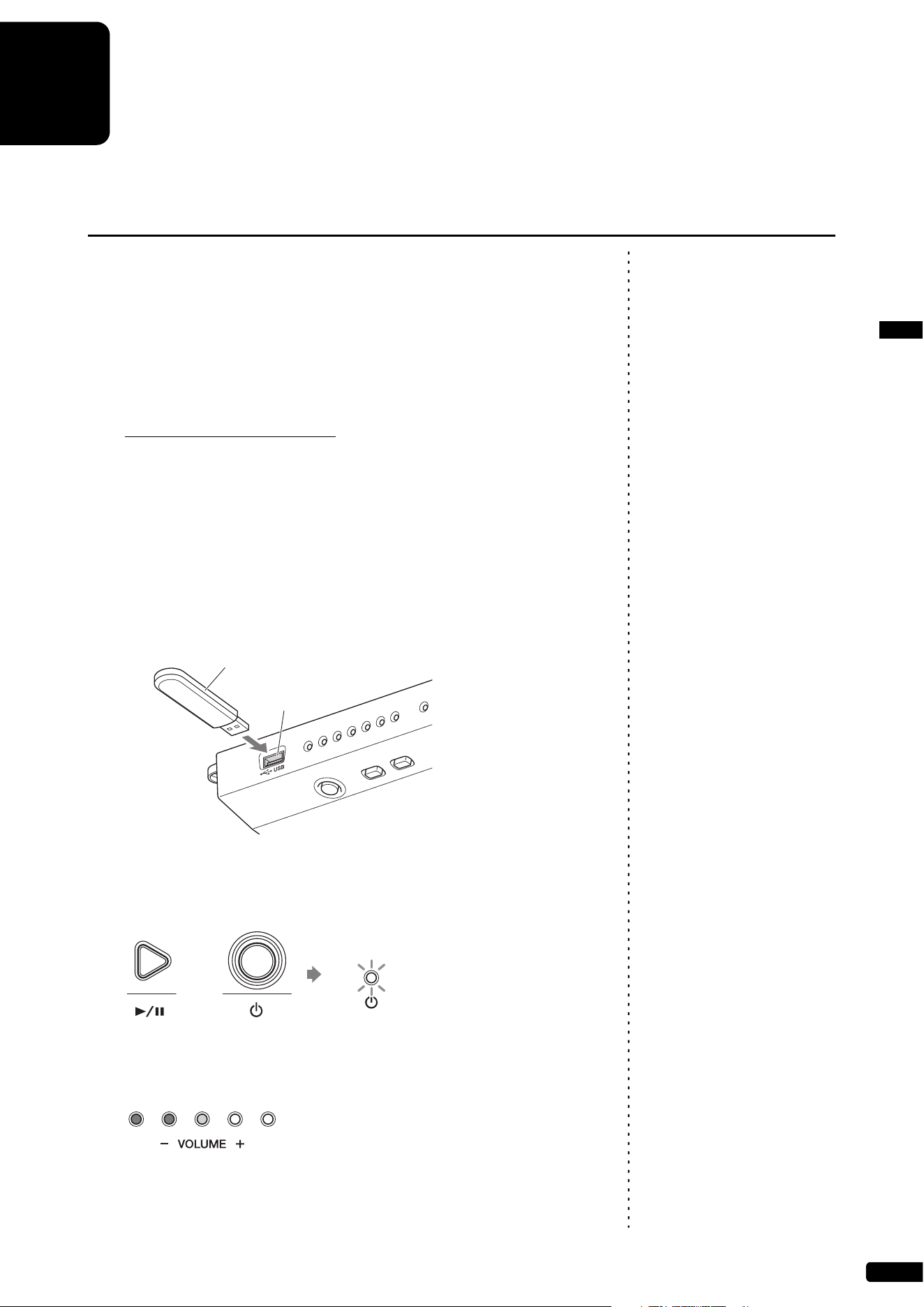
27
English
3
Chapter
Other Settings
Note:
Yamaha product firmware may occasionally be updated to improve
functionality and operability. Certain functions may not be available with older
firmware versions, so we recommend following the instructions below to
update to the latest version.
1 Download the update program file.
You can download the update program from the following site:
https://download.yamaha.com/
Note:
It is recommended that the USB
flash drive only contains the update
program file.
2 Copy “en_update.bin” included in the downloaded file to the
root directory of the USB flash drive.
3 Press the [P] (Standby/On) button to turn the power off.
4 Connect the USB flash drive to the [USB] terminal on the
front of the switch box.
Notice:
DO NOT turn the power off or
disconnect the USB flash drive
during update.
5 While holding down the [R/K] (Play/Pause) button, press
the [P] (Standby/On) button.
If any available update program is detected, this product starts to
update. The update progress is indicated with the [- VOLUME +]
indicators.
When the update is complete, this product restarts automatically.
After this product restarts, check the firmware version using the
ENSPIRE Controller app.
Updating this product
• To update this product, you will
need a USB flash drive with 2GB
or more of free space.
• You can also update this product
using the ENSPIRE Controller
app. To update this product using
the app, Internet connection is
required.
USB flash drive
[USB] terminal
+
Flashing
twice
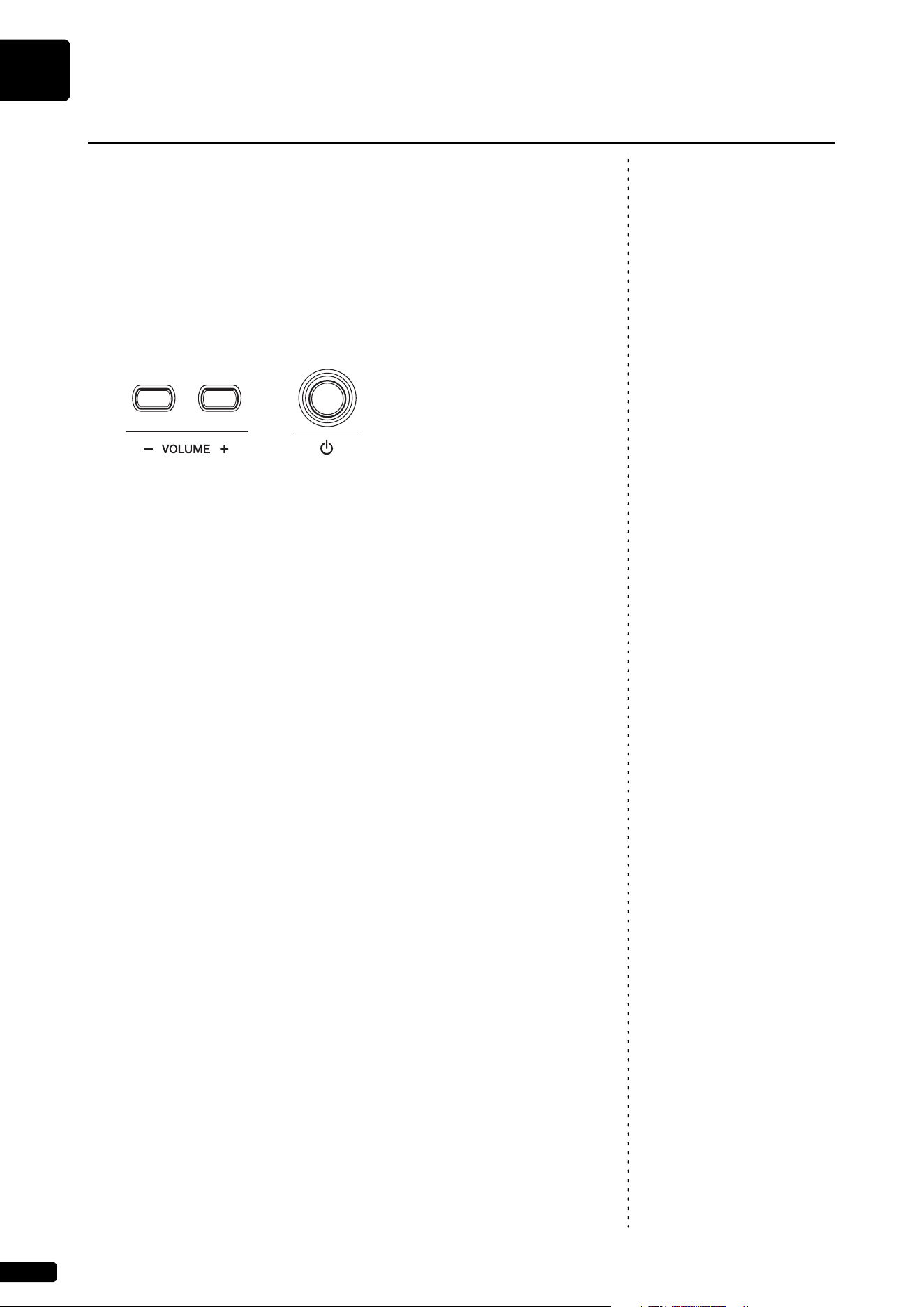
Other Settings
3
Chapter
28
If the ENSPIRE Controller app cannot connect to this product due to the
improper network settings, follow the procedure below to initialize network
settings on this product.
1 Press the [P] (Standby/On) button to turn the power off.
2 While holding down the [- VOLUME +] buttons, press the
[P] (Standby/On) button.
After this product is turned on, restart the ENSPIRE Controller app.
Initializing Network Settings
+
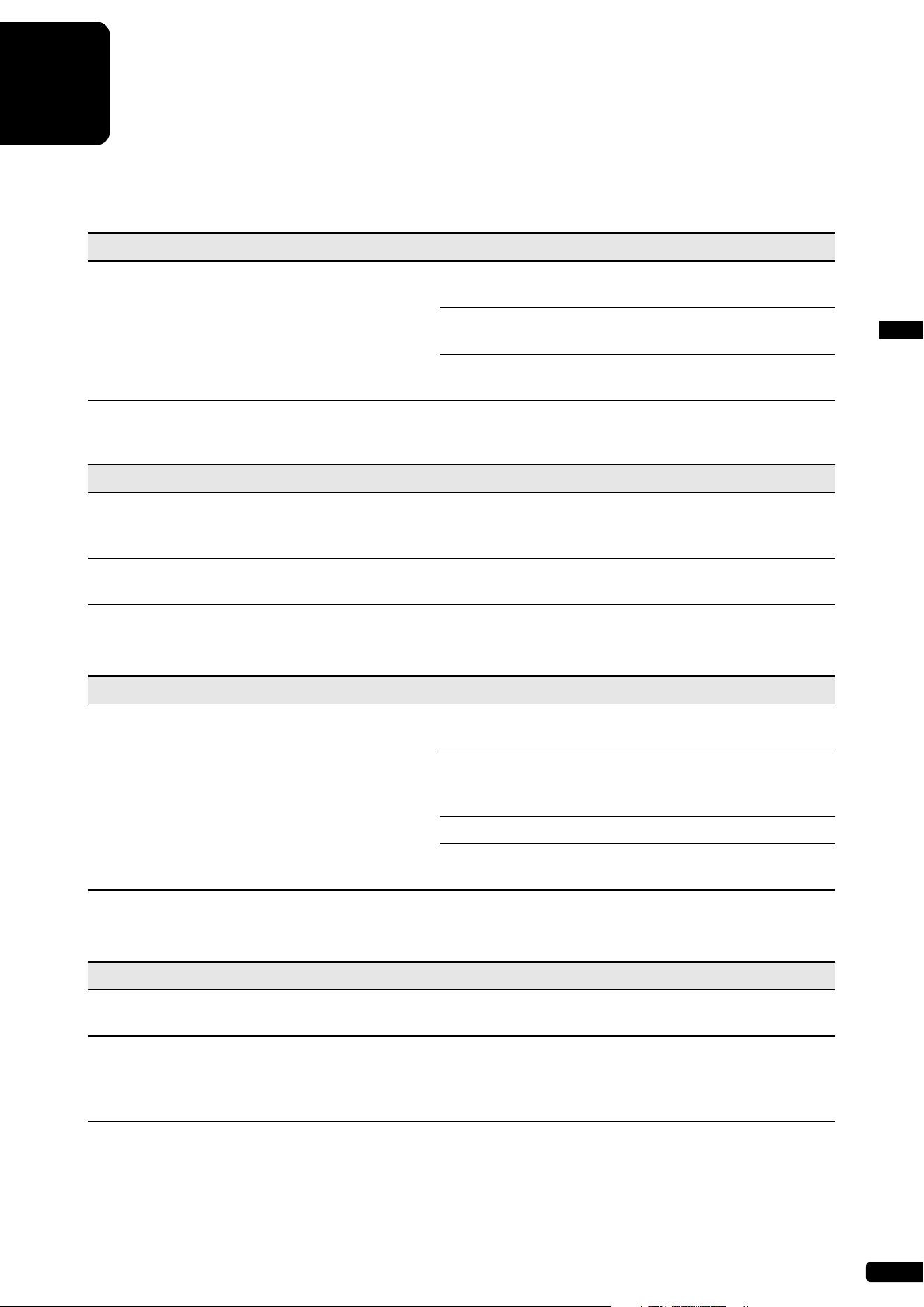
29
English
4
Chapter
Troubleshooting
If you are having difficulty operating this product, see if any of the symptoms listed below apply
to your problem and follow the recommended remedy.
Power
Symptom Remedy
This product does not turn on. Make sure that the main switch on the power supply unit is
turned on.
Make sure that the AC power cable is securely connected
to a suitable AC wall outlet.
If this product still cannot be turned on, disconnect it from
the AC wall outlet, and consult your Yamaha piano dealer.
Switch Box
Symptom Remedy
The switch box does not appear to work correctly. Turn off the switch box, wait 5 seconds, then turn it back on.
If the problem continues, consult your Yamaha piano
dealer.
The switch box becomes hot. The chassis of the switch box may become hot depending
on usage conditions.
Monitor Speaker
Symptom Remedy
No sound is heard from the monitor speaker. Make sure that the POWER switch on the monitor speaker
is turned on.
Make sure that the monitor speaker is connected to the
OUTPUT jacks on the control center unit with the supplied
speaker cord.
Make sure that the overall volume is adequately turned up.
Make sure that the volume of the internal tone generator,
audio and voice are adequately turned up.
Playback
Symptom Remedy
This product does not read a song file. Make sure that the name of the SMF song has the
extension of “.mid” and the audio song has “.wav” or “.mp3.”
Some notes drop out during playback. When a piano song is played back at a low volume,
complex note trills and faint pianissimo passages
sometimes drop out. In such cases, increase this product
volume level.
Troubleshooting
4
Chapter
30
SILENT Piano™ Function (for pianos equipped with the SILENT Piano™ function)
Symptom Remedy
Sound is not output properly or evenly. Since the keyboard was pressed when the power is turned
on, the keyboard position is detected incorrectly. Turn off
the power and turn it on again to reset the function. Do not
touch any keys when turning the power on.
Network
Symptom Remedy
This product cannot connect to the Internet via a
wireless router (access point).
Make sure that the wireless router (access point) is turned
on.
This product and the wireless router (access point) might
be too far apart. Place this product and the wireless router
(access point) closer to each other.
There might be an obstacle between this product and the
wireless router (access point). Move the wireless router
(access point) to a location where there are no obstacles
between them.
If you connect this product and the wireless router (access
point) using an Ethernet cable, enable the DHCP server
function on your wireless router (access point).
Wireless network is not found. Microwave ovens or other wireless devices in your network
area might disturb the wireless communication. Turn off
these devices.
Access to the network is restricted by the firewall settings of
the wireless router (access point). Check the firewall setting
of the wireless router (access point).
WPS wireless network connection fails. While setting up a wireless network connection using WPS,
place this product and the wireless LAN router (access
point) as close as possible.
The ENSPIRE Controller app does not detect this
product.
This product and smart device are not on the same
network. Check the network connections and settings on
the wireless router (access point), and then connect this
product and smart device to the same network.
A sudden sound comes from the piano when
wireless connection to a smart device is used.
When the speaker mark is tapped on the Select Disklavier
ENSPIRE screen of the app, a chord (C-E-G) is
automatically played one time for individual confirmation
from the selected piano. This is not a malfunction.
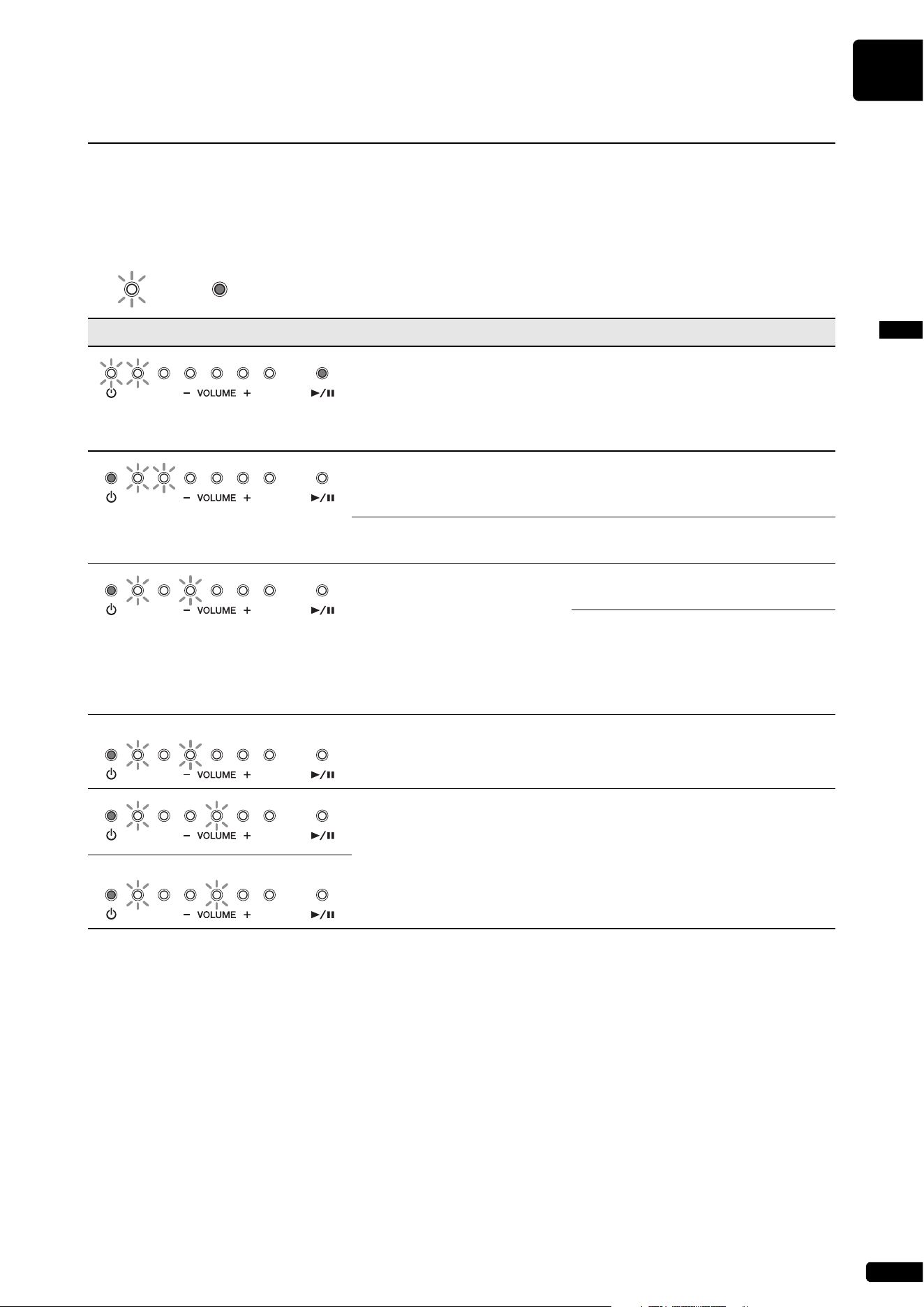
Troubleshooting
English
4
Chapter
31
The error indicator may flash in red when some error has occurred. Refer to the table below for an explanation
of the indication.
Example of Indication:
• Error message also appears on the control screen of the ENSPIRE Controller app. To close the message,
tap on “Close” on the pop-up.
• Pressing any of [- VOLUME +] or [R/K] (Play/Pause) buttons turns off the error indicator, and the
[- VOLUME +] indicators return to the previous status.
Error Indications
Indication Situation Remedy
Firmware update is failed. Turn off the power of this product.
Download the update program and try
to update the firmware again. If the
problem still persists, consult your
Yamaha piano dealer.
Two or more USB flash drives
are connected at the same time.
You can use only one USB flash drive
at a time. Disconnect the other USB
flash drive.
The USB flash drive is
protected.
Unprotect the USB flash drive.
The wireless router (access
point) is not found.
Make sure that the wireless router
(access point) is turned on.
If you connect this product and the
wireless router (access point) using an
Ethernet cable, make sure that the
cable is firmly connected to the
wireless router (access point).
This product cannot obtain the
IP address.
Check the settings of your network
devices.
The piano control unit does not
work properly.
Consult your Yamaha piano dealer. If
you are using the ENSPIRE Controller
app, please tell them the message on
the screen.
Flashing
Lighting up
Twice
Twice

32
5
Chapter
Glossary
This glossary provides basic definitions of terms used frequently in this manual.
DHCP
This is a standard or protocol by which IP addresses
and other low-level network configuration
information can be dynamically and automatically
assigned each time a connection is made to the
Internet.
Ensemble Song
A song which contains piano parts and
accompanying instrumental voices. An ensemble
song contains the same left- and right-hand parts as
an L/R song, and in addition, up to 13
accompanying instrument tracks. These extra
tracks are played by the internal XG tone generator.
The accompanying tracks may be used for acoustic
bass, drums, strings, vibes, etc.
General MIDI (GM)
An addition to the MIDI standard that simplifies the
transfer of MIDI song files between instruments of
different manufacturers. A MIDI song recorded
using a GM compatible tone generator should play
back correctly when used with any GM compatible
tone generator. The standard specifies that a GM
compatible tone generator must support 24-note
polyphony, 16 parts, and 128 standard voices.
Internet
A huge network made up of networks, the Internet
allows high-speed data transfer among computers,
mobile phones and other devices.
ISP (Internet Service Provider)
A communications business that offers Internet
connection services. In order to connect to the
Internet, it is necessary to have active service with
an Internet service provider.
LAN
Short for Local Area Network, this is a data-transfer
network that connects a group of computers at a
single location (such as an office or home) by
means of a special cable.
MIDI
An acronym for Musical Instrument Digital Interface.
MIDI allows electronic musical instruments to
communicate with each other.
PianoSoft™
PianoSoft software contains prerecorded songs
made by Yamaha specifically for use with this
product.
PianoSoftAudio
PianoSoftAudio software contains real audio and
MIDI signals for playing back on this product.
PianoSoftPlus™
PianoSoftPlus software contains Ensemble songs
that can be played on this product.
Polyphony
The maximum number of voices (or sounds) that
can be produced at a time from MIDI instruments.
Router
A device for connecting multiple computer networks.
For example, a router is necessary when
connecting several computers in a house or office,
to allow all of them access the Internet and share
data. A router is usually connected between a
modem and a computer, although some modems
have a built-in router.

Glossary
English
5
Chapter
33
Smart Device
This refers to portable multi-functional terminals
such as smartphones and tablet terminals that can
use the Internet connection and application
software.
Song
Normally, a short piece of music with lyrics.
However, for clarity in Disklavier manuals, the term
is used to refer to any piece of music of any genre.
Standard MIDI File (SMF)
A file of MIDI data that can be read and used by a
number of different MIDI devices and computers.
USB
An interface for connecting an external “plug and
play” device. This product is equipped with three TO
DEVICE terminals with USB 2.0 standard and one
TO HOST terminal. An external storage device,
such as USB flash drive, can be used with this
product by connecting it to a TO DEVICE terminal.
Also this product enables you to enjoy a variety of
MIDI features by connecting a computer to TO
HOST terminal.
Voice
The sounds produced by a tone generator
expressing various instruments.
Wi-Fi
Wi-Fi (Wireless Fidelity) is a technology that allows
an electronic device to exchange data or connect to
the Internet wirelessly using radio waves. Wi-Fi
offers the advantage of eliminating the complexity of
making connections with network cables by using
wireless connection. Only products that complete
Wi-Fi Alliance interoperability tests can carry the
“Wi-Fi Certified” trademark.
WPS
WPS (Wi-Fi Protected Setup) is a standard
established by the Wi-Fi Alliance, which allows easy
establishment of a wireless home network.
XG
Yamaha XG is an extension of the GM (General
MIDI) format. Its greater polyphony, more voices,
and use of effects enhances the compatibility
between MIDI devices. When a song in the Yamaha
XG format is played on another XG-compatible tone
generator or synthesizer, it plays and sounds as the
original composer/creator intended.
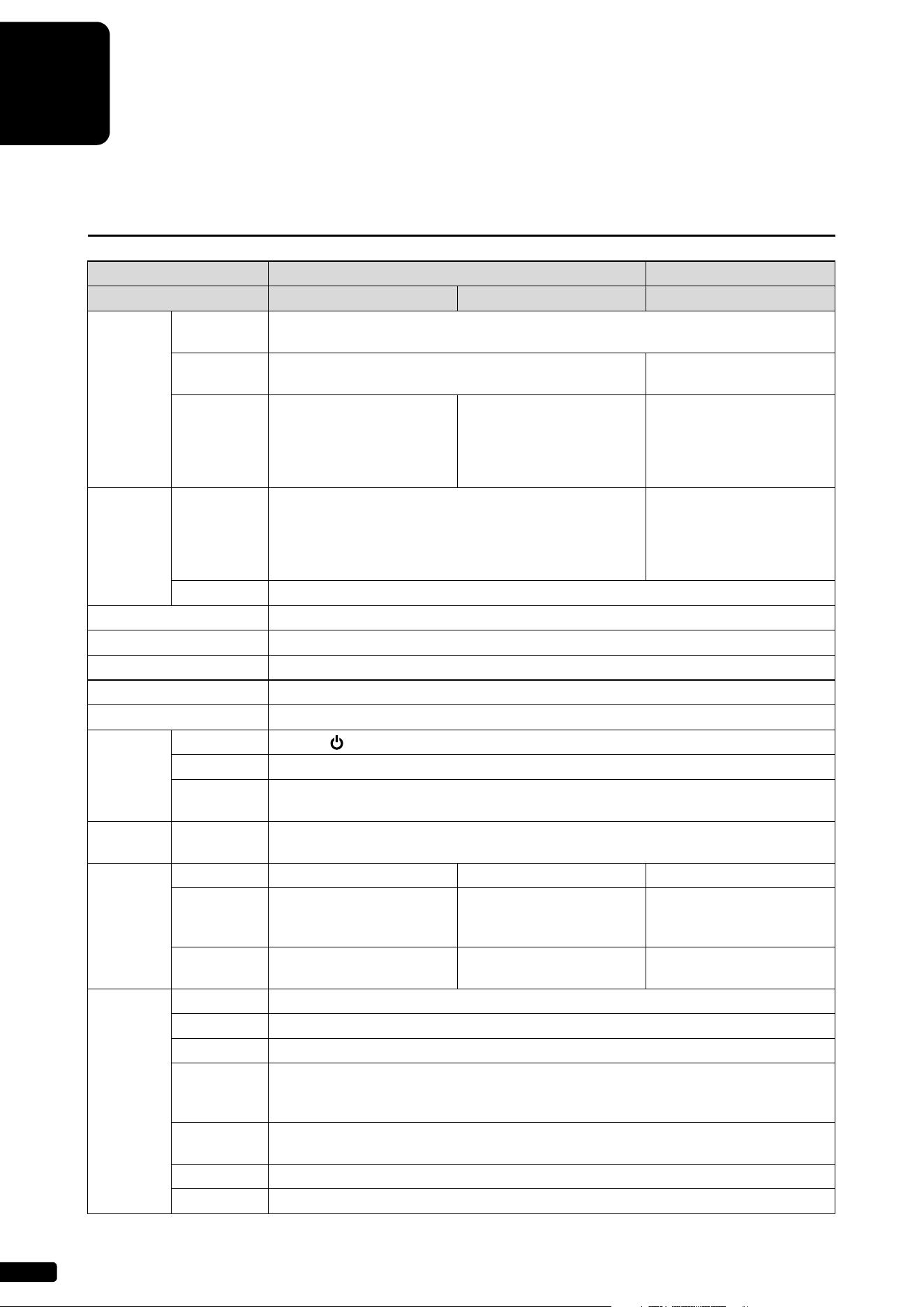
34
6
Chapter
Specifications
General Specifications
Type ST PRO
Piano Grand Piano Upright Piano Grand Piano
Sensor
System
Key Sensors
Non-contact optical fiber grayscale shutter sensing system for 88 keys (sensors for the key
position, keying velocity, and key releasing velocity)
Hammer
Sensors
Non-contact optical fiber/shutter sensing system
*1
Non-contact optical fiber/
grayscale sensing system
Pedal
Sensors
Damper & shift pedals:
Non-contact optical position-
sensing system
Sostenuto pedal: ON / OFF
detection sensing system
Damper & soft pedals:
Non-contact optical position-
sensing system
Damper & shift pedals:
Non-contact digital optical
position-sensing system
Sostenuto pedal: ON / OFF
detection sensing system
Drive
System
Key Drive
DSP servo drive system
(servo-controlled solenoids, key sensor feedback)
DSP servo drive system
(high-power servo-controlled
solenoids with supersensitive
magnetic sensor, key/
hammer sensor feedback)
Pedal Drive DSP servo drive system (servo-controlled solenoids)
Silencing System
*2
Motor-driven hammer shank stopper
Compatible Storage Media USB flash drive
Built-in Songs 500 songs
Compatible File Formats Standard MIDI File (SMF) format 0, Standard MIDI File (SMF) format 1, WAV, MP3
Compatible Song Formats PianoSoft, PianoSoftPlus, PianoSoftAudio, SmartKey
Switch Box
Buttons POWER , VOLUME –/+, PLAY/PAUSE, MAINTENANCE
Switches AUTO PLAY, AUTO OFF MODE, WLAN
Dimension
(W × D × H)
220 × 70 × 30 mm (8-11/16 × 2-3/4 × 1-3/16 inch)
Control
Center Unit
Dimension
(W × D × H)
224 × 130 × 76 mm (8-13/16 × 5-1/8 × 3 inch)
Connectors
MIDI MIDI IN, MIDI OUT — MIDI IN, MIDI OUT
Audio
OUTPUT, OMNI (SYNC) IN,
OMNI (SYNC) OUT, DIGITAL
OUT, HEADPHONE (mini)
OUTPUT, OMNI (SYNC) IN,
OMNI (SYNC) OUT,
HEADPHONE (mini)
OUTPUT, OMNI (SYNC) IN,
OMNI (SYNC) OUT, DIGITAL
OUT, HEADPHONE (mini)
Others
LAN, USB (To HOST × 1,
To DEVICE × 3)
LAN, USB (To HOST × 1,
To DEVICE × 2)
LAN, USB (To HOST × 1,
To DEVICE × 3)
Tone
Generator
Piano Sound CFX Binaural Sampling, CFX Stereo Sampling
Pitch Control 414.8 Hz to 466.8 Hz (tunable in 0.2 Hz increments)
Polyphony 256 notes (max.)
Voices for
Playing
16 Voices (Piano, Electric Piano 1, Electric Piano 2, Electric Piano 3, Harpsichord 1,
Harpsichord 2, Vibraphone, Celesta, Pipe Organ 1, Pipe Organ 2, Pipe Organ 3, Pipe Organ 4,
Jazz Organ, Strings, Choir, Synth Pad)
Voice Module
Modes
XG, GM
Normal Voices
480 Voices
Drum Kits 12 kits
Specifications
English
6
Chapter
35
*1 Not equipped on some models.
*2 ST-type grand pianos may not have a SILENT Piano™ function.
*3 Not supplied on some models.
Specifications are subject to change without prior notice.
Power Source AC 100 V to 240 V, 50/60 Hz
Supplied Accessories
Monitor speaker (2)
*3
, Monitor
speaker installation kit (2)
*3
,
Stereo headphones (1),
Owner’s manual (1), Built-in
song list (1), Music book “50
greats for the Piano” (1), USB
wireless LAN adaptor (1)
Stereo headphones (1),
Owner’s manual (1), Built-in
song list (1), Music book “50
greats for the Piano” (1), USB
wireless LAN adaptor (1)
Monitor speaker (2)
*3
, Monitor
speaker installation kit (2)
*3
,
Stereo headphones (1),
Owner’s manual (1), Built-in
song list (1), Music book “50
greats for the Piano” (1), USB
wireless LAN adaptor (1)
Type ST PRO
Piano Grand Piano Upright Piano Grand Piano

MEMO

Appendix
ST
PRO
Appendix

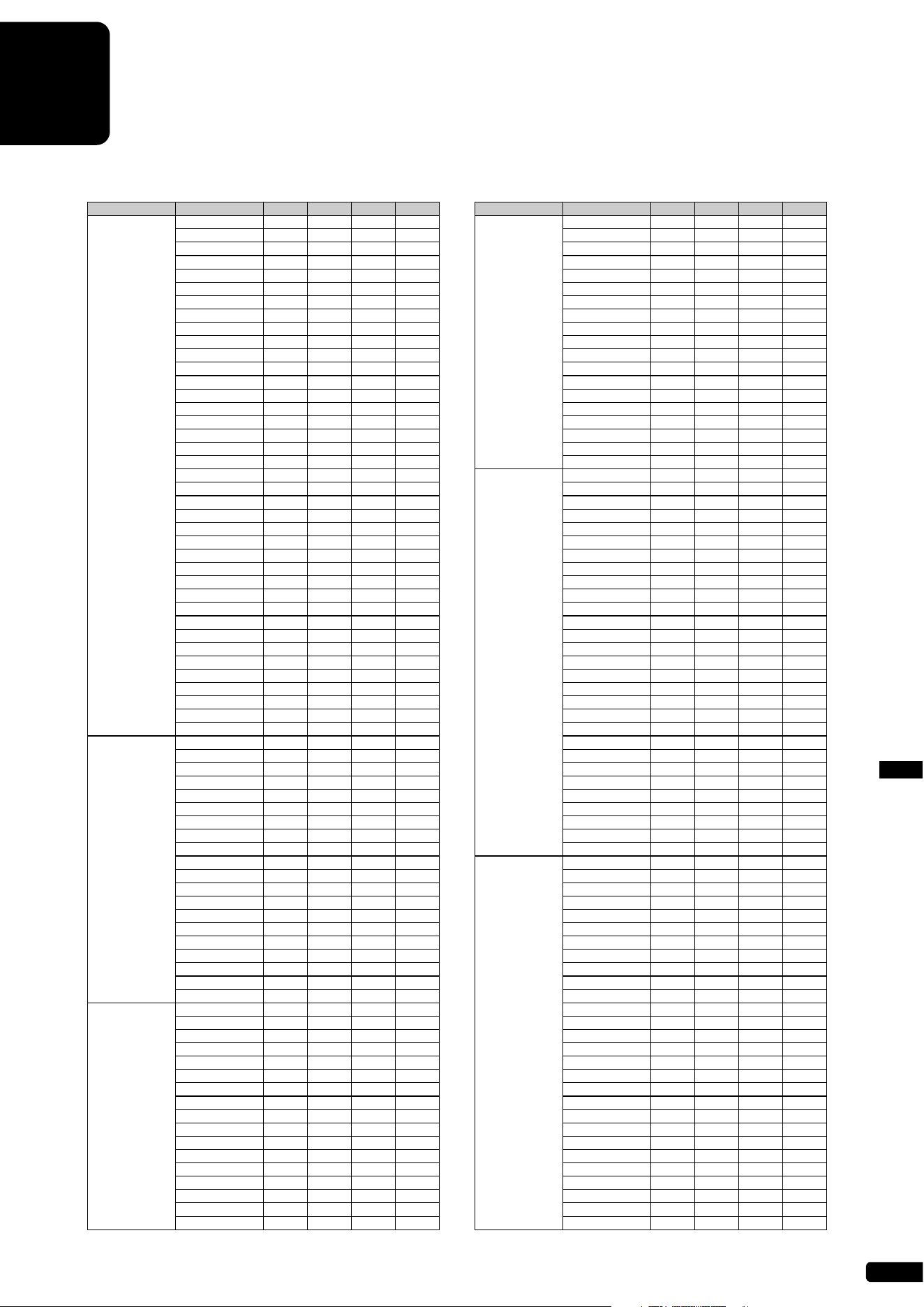
A-3
XG Voice ListAppendix
XG Voice List
Voice Group Voice Name MSB LSB PRG
Element
Piano GrandPiano 0 0 1 2*
GrndPianoKSP 0 1 1 1
MellowGrPno 0 18 1 2
PianoStrings 0 40 1 2
Dream 0 41 1 2
BrightPiano 0 0 2 2
BritePnoKSP 0121
ElecGrandPno 0 0 3 2
ElecGrPnoKSP0132
DetunedCP80 0 32 3 2
LayeredCP1 0 40 3 2
LayeredCP2 0 41 3 2
Honkytonk 0 0 4 2
HonkytonkKSP 0 1 4 2
El.Piano1 0 0 5 2
El.Piano1KSP 0 1 5 1
MellowEP1 0 18 5 2
ChorusEP1 0 32 5 2
HardEl.Piano 0 40 5 2
VXfadeEl.P1 0 45 5 2
60sEl.Piano1 0 64 5 1
El.Piano2 0 0 6 2
El.Piano2KSP 0 1 6 1
ChorusEP2 0 32 6 2
DXEPHard 0 33 6 2
DXLegend 0 34 6 2
DXPhaseEP 0 40 6 2
DX+AnalogEP 0 41 6 2
DXKotoEP 0 42 6 2
VXfadeEl.P2 0 45 6 2
Harpsichord 0 0 7 1
Harpsi.KSP 0171
Harpsichord2 0 25 7 2
Harpsichord3 0 35 7 2
Clavi. 0081
Clavi.KSP 0 1 8 1
Clavi.Wah 0 27 8 2
PulseClavi. 0 64 8 1
PierceClavi. 0 65 8 2
Chromatic
Percussion
Celesta 0 0 9 1
Glockenspiel 0 0 10 1
MusicBox 0 0 11 2
Orgel 0 64 11 2
Vibraphone 0 0 12 1
VibesKSP 0 1 12 1
HardVibes 0 45 12 2
Marimba 0 0 13 1
MarimbaKSP 0 1 13 1
SineMarimba 0 64 13 2
Balimba 0 97 13 2
LogDrums 0 98 13 2
Xylophone 0 0 14 1
TubularBells 0 0 15 1
ChurchBells 0 96 15 2
Carillon 0 97 15 2
Dulcimer 0 0 16 1
Dulcimer2 0 35 16 2
Cimbalom 0 96 16 2
Santur 0 97 16 2
Organ DrawbarOrgan 0 0 17 1
DetDrawOrgan 0 32 17 2
60sDrawOrg1 0 33 17 2
60sDrawOrg2 0 34 17 2
70sDrawOrg1 0 35 17 2
DrawbarOrg2 0 36 17 2
60sDrawOrg3 0 37 17 2
EvenBarOrg 0 38 17 2
16+2’2_3Org 0 40 17 2
OrganBass 0 64 17 1
70sDrawOrg2 0 65 17 2
CheezyOrgan 0 66 17 2
DrawbarOrg3 0 67 17 2
Perc.Organ 0 0 18 1
70sPercOrg1 0 24 18 2
DetPercOrgan 0 32 18 2
LightOrgan 0 33 18 2
Organ Perc.Organ2 0 37 18 2
RockOrgan 0 0 19 1
RotaryOrgan 0 64 19 2
SlowRotary 0 65 19 2
FastRotary 0 66 19 2
ChurchOrgan 0 0 20 2
ChurchOrgan3 0 32 20 2
ChurchOrgan2 0 35 20 2
NotreDame 0 40 20 2
OrganFlute 0 64 20 2
Trem.OrganFl 0 65 20 2
ReedOrgan 0 0 21 1
PuffOrgan 0 40 21 2
Accordion 0 0 22 1
AccordIt 0 32 22 2
Harmonica 0 0 23 1
Harmonica2 0 32 23 2
TangoAccord 0 0 24 1
TangoAccord2 0 64 24 2
Guitar NylonGuitar 0 0 25 1
NylonGuitar2 0 16 25 1
NylonGuitar3 0 25 25 2
VelGtrHarmo 0 43 25 1
Ukulele 0 96 25 1
SteelGuitar 0 0 26 1
SteelGuitar2 0 16 26 1
12StrGuitar 0 35 26 2
Nylon&Steel 0 40 26 2
Steel&Body 0 41 26 2
Mandolin 0 96 26 2
JazzGuitar 0 0 27 1
MellowGuitar 0 18 27 1
JazzAmp 0 32 27 2
CleanGuitar 0 0 28 1
ChorusGuitar 0 32 28 2
MutedGuitar 0 0 29 1
FunkGuitar1 0 40 29 2
MuteSteelGtr 0 41 29 2
FunkGuitar2 0 43 29 1
JazzMan 0 45 29 2
Overdriven 0 0 30 1
GuitarPinch 0 43 30 1
Distortion 0 0 31 1
FeedbackGtr 0 40 31 2
FeedbackGtr2 0 41 31 2
GtrHarmonics 0 0 32 1
GtrFeedback 0 65 32 1
GtrHarmonic2 0 66 32 1
Bass AcousticBass 0 0 33 1
JazzRhythm 0 40 33 2
VXUprghtBass 0 45 33 2
FingerBass 0 0 34 1
FingerDark 0 18 34 2
FlangeBass 0 27 34 2
Bass&DistEG 0 40 34 2
FingerSlap 0 43 34 1
FingerBass2 0 45 34 2
Mod.Bass 0 65 34 2
PickBass 0 0 35 1
MutePickBass 0 28 35 1
FretlessBass 0 0 36 1
Fretless2 0 32 36 2
Fretless3 0 33 36 2
Fretless4 0 34 36 2
Syn.Fretless 0 96 36 2
SmthFretless 0 97 36 2
SlapBass1 0 0 37 1
ResonantSlap 0 27 37 1
PunchThumb 0 32 37 2
SlapBass2 0 0 38 1
Velo.Sw.Slap 0 43 38 1
SynthBass1 0 0 39 1
SynBass1Dark 0 18 39 1
FastResoBass 0 20 39 1
AcidBass 0 24 39 1
ClaviBass 0 35 39 2
Voice Group Voice Name MSB LSB PRG
Element
* The number of elements becomes 4 when the damper pedal is pressed.
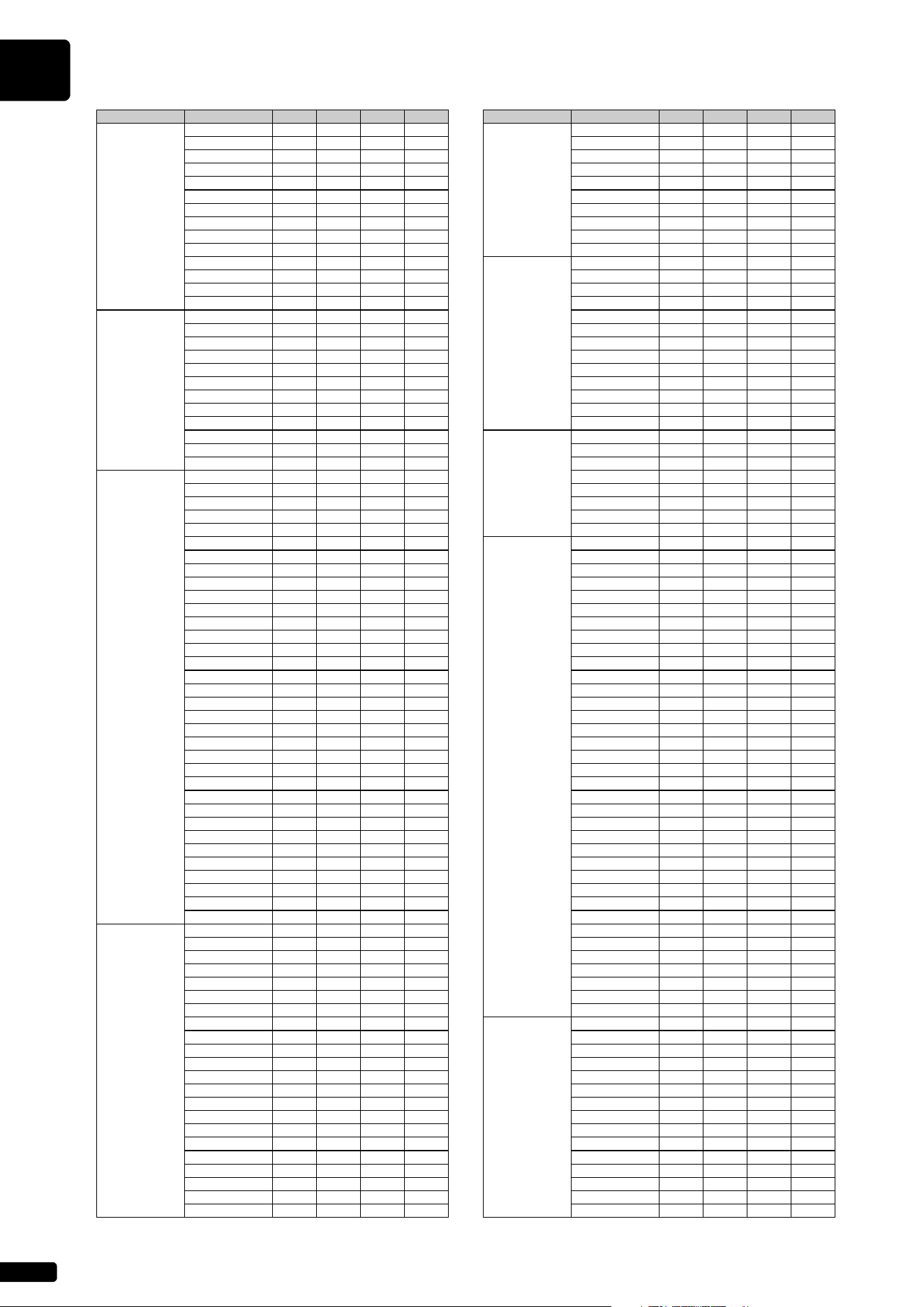
XG Voice List
A-4
Bass TechnoBass 0 40 39 2
Orbiter 0 64 39 2
SquareBass 0 65 39 1
RubberBass 0 66 39 2
Hammer 0 96 39 2
SynthBass2 0 0 40 2
MellowSyBass 0 6 40 1
SequenceBass 0 12 40 2
ClickSynBass 0 18 40 2
SynBass2Dark 0 19 40 1
SmoothSyBass 0 32 40 2
ModulrSyBass 0 40 40 2
DXBass 0 41 40 2
XWireBass 0 64 40 2
Strings Violin 0 0 41 1
SlwAtkViolin 0 8 41 1
Viola 0 0 42 1
Cello 0 0 43 1
Contrabass 0 0 44 1
Trem.Strings 0 0 45 1
SlwAtTremStr 0 8 45 1
SuspenseStr 0 40 45 2
PizzicatoStr 0 0 46 1
Orch.Harp 0 0 47 1
YangChin 0 40 47 2
Timpani 0 0 48 1
Ensemble Strings1 0 0 49 1
StereoStrngs 0 3 49 2
SlwAtkStrngs 0 8 49 1
ArcoStrings 0 24 49 2
60’sStrings 0 35 49 2
Orchestra 0 40 49 2
Orchestra2 0 41 49 2
TremOrchstra 0 42 49 2
Velo.Strings 0 45 49 2
Strings2 0 0 50 1
S.SlowStrngs 0 3 50 2
LegatoStrngs 0 8 50 2
WarmStrings 0 40 50 2
Kingdom 0 41 50 2
70’sStrings 0 64 50 1
Strings3 0 65 50 1
SynStrings1 0 0 51 2
ResoStrings 0 27 51 2
SynStrings4 0 64 51 2
SynStrings5 0 65 51 2
SynStrings2 0 0 52 2
ChoirAahs 0 0 53 1
StereoChoir 0 3 53 2
ChoirAahs2 0 16 53 2
MellowChoir 0 32 53 2
ChoirStrings 0 40 53 2
VoiceOohs 0 0 54 1
SynthVoice 0 0 55 1
SynthVoice2 0 40 55 2
Choral 0 41 55 2
AnalogVoice 0 64 55 1
OrchestraHit 0 0 56 2
OrchestrHit2 0 35 56 2
Impact 0 64 56 2
Brass Trumpet 0 0 57 1
Trumpet2 0 16 57 1
BriteTrumpet 0 17 57 2
WarmTrumpet 0 32 57 2
Trombone 0 0 58 1
Trombone2 0 18 58 2
Tuba 0 0 59 1
Tuba2 0 16 59 1
MutedTrumpet 0 0 60 1
FrenchHorn 0 0 61 1
Fr.HornSolo 0 6 61 1
FrenchHorn2 0 32 61 2
HornOrchestr 0 37 61 2
BrassSection 0 0 62 1
Tp&TbSection 0 35 62 2
BrassSect2 0 40 62 2
HighBrass 0 41 62 2
MellowBrass 0 42 62 2
SynthBrass1 0 0 63 2
QuackBrass 0 12 63 2
ResoSynBrass 0 20 63 2
PolyBrass 0 24 63 2
Voice Group Voice Name MSB LSB PRG
Element
Brass SynthBrass3 0 27 63 2
JumpBrass 0 32 63 2
AnaVelBrass1 0 45 63 2
AnalogBrass1 064632
SynthBrass2 0 0 64 1
SoftBrass 0 18 64 2
SynthBrass4 0 40 64 2
ChoirBrass 0 41 64 2
AnaVelBrass2 0 45 64 2
AnalogBrass2 064642
Reed SopranoSax 0 0 65 1
AltoSax 0 0 66 1
SaxSection 0 40 66 2
HyperAltoSax 0 43 66 1
TenorSax 0 0 67 1
BreathyTenor 0 40 67 2
SoftTenorSax 0 41 67 2
TenorSax2 0 64 67 1
BaritoneSax 0 0 68 1
Oboe 0 0 69 1
EnglishHorn 0 0 70 1
Bassoon 0 0 71 1
Clarinet 0 0 72 1
Pipe Piccolo 0 0 73 1
Flute 0 0 74 1
Recorder 0 0 75 1
PanFlute 0 0 76 1
BlownBottle 0 0 77 2
Shakuhachi 0 0 78 1
Whistle 0 0 79 1
Ocarina 0 0 80 1
Synth. Lead SquareLead 0 0 81 2
SquareLead2 0 6 81 1
LMSquare 0 8 81 2
Hollow 0 18 81 1
Shroud 019812
Mellow 0 64 81 2
SoloSine 0 65 81 2
SineLead 066811
SawtoothLead 0 0 82 2
SawtoothLd2 0 6 82 1
ThickSaw 0 8 82 2
DynamicSaw 018821
DigitalSaw 019822
BigLead 0 20 82 2
HeavySynth 0 24 82 2
WaspySynth 0 25 82 2
PulseSaw 040822
Dr.Lead 0 41 82 2
VelocityLead 045822
Seq.Analog 0 96 82 2
CalliopeLead 0 0 83 2
PureLead 065832
ChiffLead 0 0 84 2
Rubby 0 64 84 2
CharangLead 0 0 85 2
DistortedLd 0 64 85 2
WireLead 0 65 85 2
VoiceLead 0 0 86 2
SynthAahs 0 24 86 2
VoxLead 064862
FifthsLead 0 0 87 2
BigFive 0 35 87 2
Bass&Lead 0 0 88 2
Big&Low 0 16 88 2
Fat&Perky 0 64 88 2
SoftWhirl 0 65 88 2
Synth. Pad NewAgePad 0 0 89 2
Fantasy 0 64 89 2
WarmPad 0 0 90 2
ThickPad 016902
SoftPad 0 17 90 2
SinePad 0 18 90 2
HornPad 0 64 90 2
RotaryStrngs 065902
PolySynthPad 0 0 91 2
PolyPad80 0 64 91 2
ClickPad 065912
AnalogPad 066912
SquarePad 0 67 91 2
ChoirPad 0 0 92 2
Heaven 0 64 92 2
Voice Group Voice Name MSB LSB PRG
Element
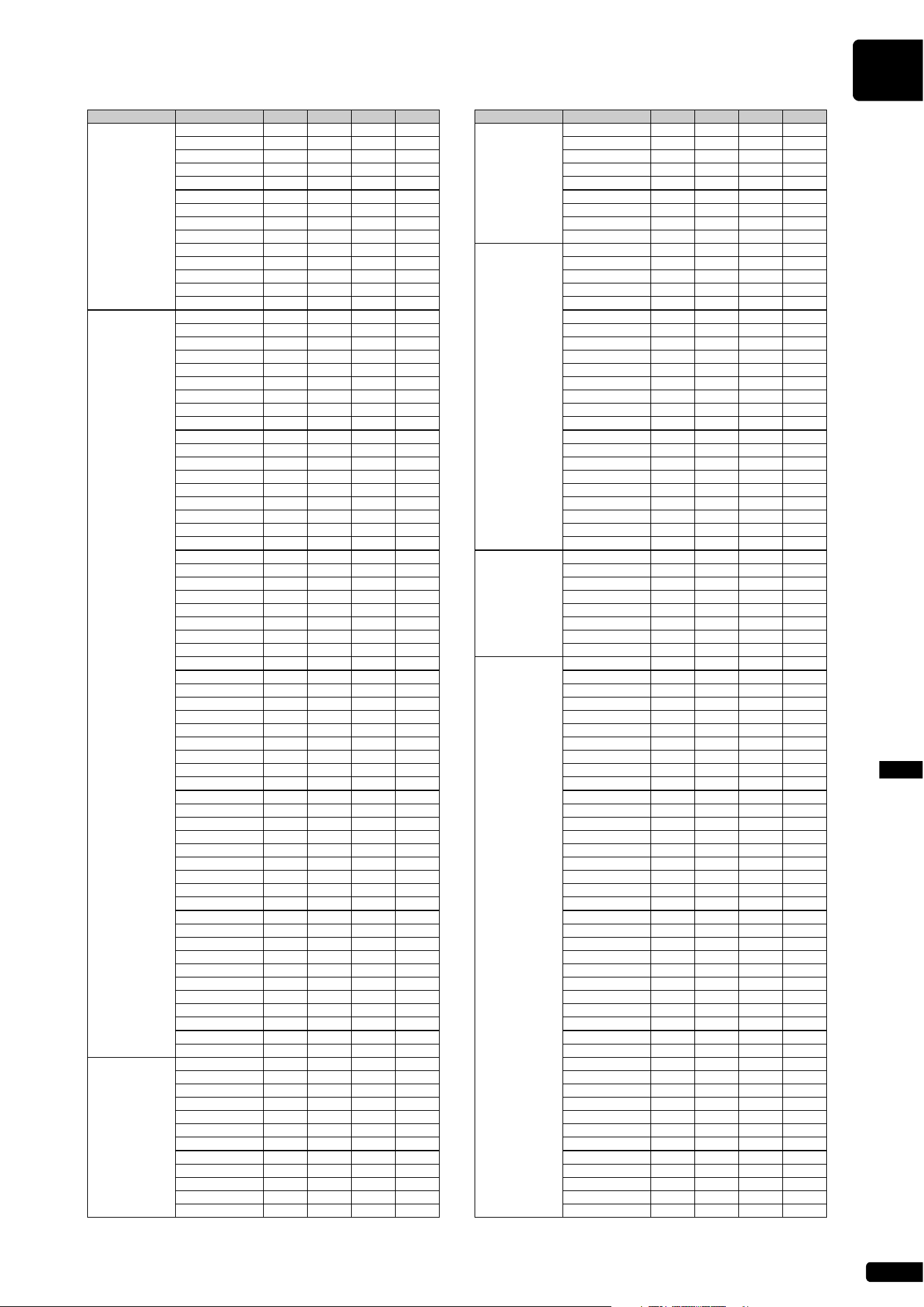
XG Voice List
A-5
XG Voice ListAppendix
Synth. Pad Itopia 0 66 92 2
CCPad 0 67 92 2
BowedPad 0 0 93 2
Glacier 0 64 93 2
GlassPad 0 65 93 2
MetallicPad 0 0 94 2
TinePad 0 64 94 2
PanPad 0 65 94 2
HaloPad 0 0 95 2
SweepPad 0 0 96 2
Shwimmer 0 20 96 2
Converge 0 27 96 2
PolarPad 0 64 96 2
Celestial 0 66 96 2
Synth. Effects Rain 0 0 97 2
ClaviPad 0 45 97 2
HarmoRain 0 64 97 2
AfricanWind 0 65 97 2
Carib 0 66 97 2
SoundTrack 0 0 98 2
Prologue 0 27 98 2
Ancestral 0 64 98 2
Crystal 0 0 99 2
SynthDr.Comp 0 12 99 2
Popcorn 0 14 99 2
TinyBells 0 18 99 2
RoundGlocken 0 35 99 2
GlockenChime 0 40 99 2
ClearBells 0 41 99 2
ChorusBells 0 42 99 2
SynthMallet 0 64 99 1
SoftCrystal 0 65 99 2
LoudGlocken 0 66 99 2
ChristmasBel 0 67 99 2
VibeBells 0 68 99 2
DigitalBells 0 69 99 2
AirBells 0 70 99 2
BellHarp 0 71 99 2
Gamelimba 0 72 99 2
Atmosphere 0 0 100 2
WarmAtmos. 0 18 100 2
HollwRelease 0 19 100 2
NylonElPiano 0 40 100 2
NylonHarp 0 64 100 2
HarpVox 0 65 100 2
Atmos.Pad 0 66 100 2
Planet 0 67 100 2
Brightness 0 0 101 2
FantasyBells 0 64 101 2
Smokey 0 96 101 2
Goblins 0 0 102 2
GoblinsSynth 0 64 102 2
Creeper 0 65 102 2
RingPad 0 66 102 2
Ritual 0 67 102 2
ToHeaven 0 68 102 2
Night 0 70 102 2
Glisten 0 71 102 2
BellChoir 0 96 102 2
Echoes 0 0 103 2
Echoes2 0 8 103 2
EchoPan 0 14 103 2
EchoBells 0 64 103 2
BigPan 0 65 103 2
SynthPiano 0 66 103 2
Creation 0 67 103 2
StarDust 0 68 103 2
Reso&Panning 0 69 103 2
Sci-Fi 0 0 104 2
Starz 0 64 104 2
Ethnic Sitar 0 0 105 1
DetunedSitar 0 32 105 2
Sitar2 0 35 105 2
Tambra 0 96 105 2
Tamboura 0 97 105 2
Banjo 0 0 106 1
MutedBanjo 0 28 106 1
Rabab 0 96 106 2
Gopichant 0 97 106 2
Oud 0 98 106 2
Shamisen 0 0 107 1
Koto 0 0 108 1
Voice Group Voice Name MSB LSB PRG
Element
Ethnic Taisho-kin 0 96 108 2
Kanoon 0 97 108 2
Kalimba 0 0 109 1
Bagpipe 0 0 110 2
Fiddle 0 0 111 1
Shanai 0 0 112 1
Shanai2 0 64 112 1
Pungi 0 96 112 1
Hichiriki 0 97 112 2
Percussive TinkleBell 0 0 113 2
Bonang 0 96 113 2
Altair 0 97 113 2
GamelanGongs 0 98 113 2
StereoGamlan 0 99 113 2
RamaCymbal 0 100 113 2
AsianBells 0 101 113 2
Agogo 0 0 114 2
SteelDrums 0 0 115 1
GlassPerc. 0 97 115 2
ThaiBells 0 98 115 2
Woodblock 0 0 116 1
Castanets 0 96 116 1
TaikoDrum 0 0 117 1
GranCassa 0 96 117 1
MelodicTom 0 0 118 2
MelodicTom2 0 64 118 1
RealTom 0 65 118 2
RockTom 0 66 118 2
SynthDrum 0 0 119 1
AnalogTom 0 64 119 1
ElectroPerc. 0 65 119 2
Rev.Cymbal 0 0 120 1
Sound Effects GtrFretNoise 0 0 121 1
BreathNoise 0 0 122 1
Seashore 0 0 123 2
BirdTweet 0 0 124 2
TelephonRing 0 0 125 1
Helicopter 0 0 126 1
Applause 0 0 127 1
Gunshot 0 0 128 1
SFX CuttingNoise 64 0 1 1
CuttingNoiz2 64 0 2 2
StringSlap 64 0 4 1
Fl.KeyClick 640171
Shower 64 0 33 1
Thunder 64 0 34 1
Wind 64 0 35 1
Stream 640362
Bubble 64 0 37 2
Feed 640382
Dog 640491
Horse 640501
BirdTweet2 64 0 51 1
Ghost 64 0 55 2
Maou 64 0 56 2
PhoneCall 64 0 65 1
DoorSqueak 64 0 66 1
DoorSlam 64 0 67 1
ScratchCut 64 0 68 1
ScratchSplit 64 0 69 2
WindChime 640701
TelphonRing2 64 0 71 1
CarEngineIgn 64 0 81 1
CarTiresSqel 64 0 82 1
CarPassing 64 0 83 1
CarCrash 64 0 84 1
Siren 640852
Train 640861
JetPlane 64 0 87 2
Starship 640882
Burst 640892
RollrCoaster 64 0 90 2
Submarine 64 0 91 1
Laugh 64 0 97 1
Scream 64 0 98 1
Punch 64 0 99 1
Heartbeat 64 0 100 1
FootSteps 64 0 101 1
MachineGun 64 0 113 1
LaserGun 64 0 114 2
Explosion 64 0 115 2
Firework 64 0 116 2
Voice Group Voice Name MSB LSB PRG
Element
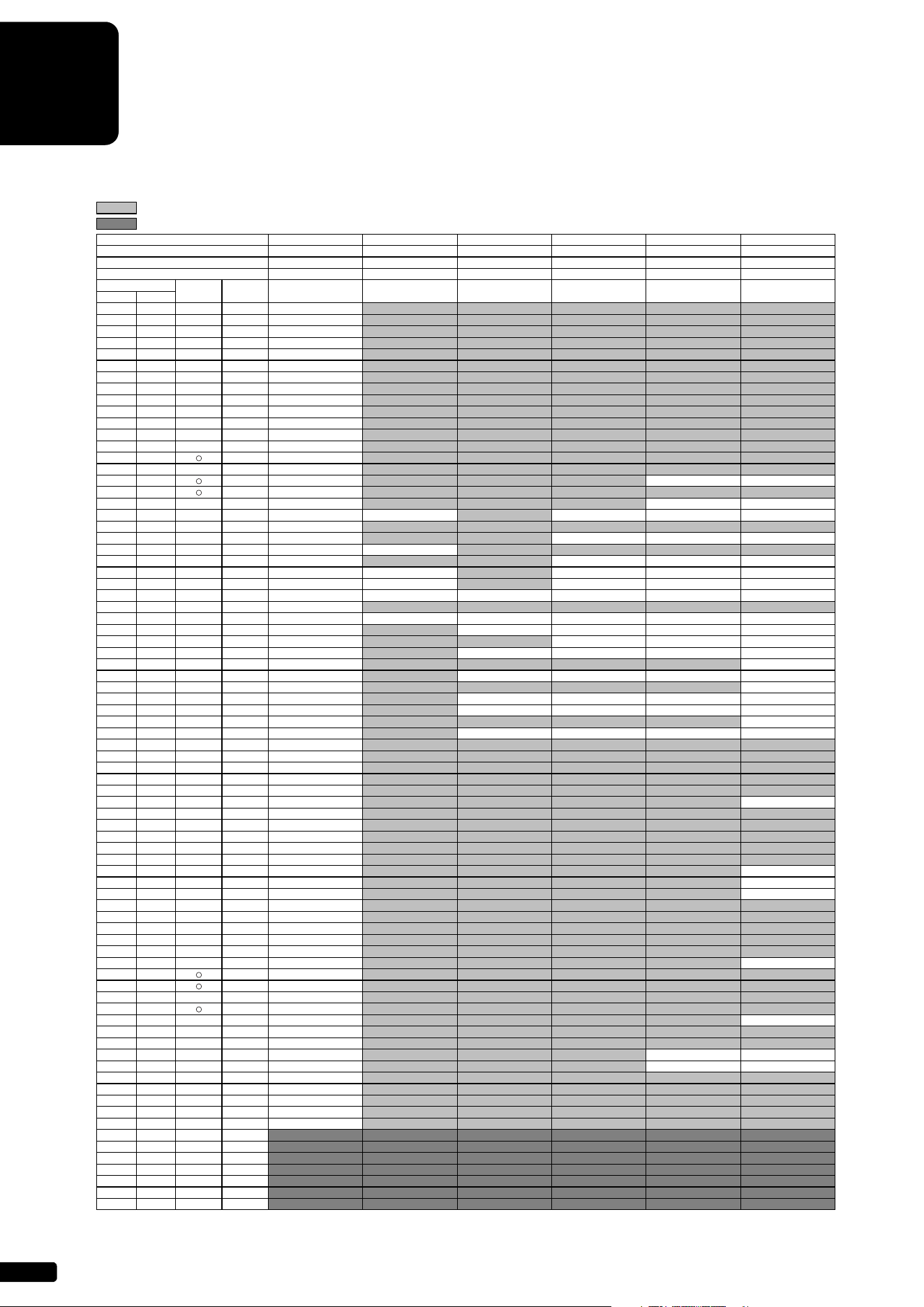
A-6
XG Drum Kit List
: Same as Standard Kit 1
: No Sound
Bank Select MSB (0-127) 127 127 127 127 127 127
Bank Select LSB (0-127) 0 0 0 0 0 0
Program Change (0-127) 0 1 8 16 24 25
Program Change (1-128) 1 2 9 17 25 26
MIDI
Key Off
Alternate
Group
Standard Kit1 Standard Kit2 Room Kit Rock Kit Electro Kit Analog Kit
Note # Note
13 C#-1 3 Surdo Mute
14 D-1 3 Surdo Open
15 D#-1 Hi Q
16 E-1 Whip Slap
17 F-1 4 Scratch H
18 F#-1 4 Scratch L
19 G-1 Finger Snap
20 G#-1 Click Noise
21 A-1 Metronome Click
22 A#-1 Metronome Bell
23 B-1 Seq Click L
24 C0 Seq Click H
25 C#0 Brush Tap
26 D0 Brush Swirl
27 D#0 Brush Slap
28 E0 Brush Tap Swirl Reverse Cymbal Reverse Cymbal
29 F0 Snare Roll
30 F#0 Castanet Hi Q 2 Hi Q 2
31 G0 Snare Soft Snare Soft 2 Snare Noisy Snare Snappy Electro Snare Noisy 4
32 G#0 Sticks
33 A0 Kick Soft Kick 3 Kick 3
34 A#0 Open Rim Shot Open Rim Shot H Short
35 B0 Kick Tight Kick 2 Kick Gate Kick Analog Short
36 C1 Kick Kick Shot Kick Gate Kick Gate Heavy Kick Analog
37 C#1 Side Stick Side Stick Light Side Stick Analog
38 D1 Snare Snare Short Snare Snappy Snare Rock Snare Noisy 2 Snare Analog
39 D#1 Hand Clap
40 E1 Snare Tight Snare Tight H Snare Tight Snappy Snare Rock Tight Snare Noisy 2 Snare Analog 2
41 F1 Floor Tom L Tom Room 1 Tom Room 1 Tom Electro 1 Tom Analog 1
42 F#1 1 Hi-Hat Closed Hi-Hat Closed Analog
43 G1 Floor Tom H Tom Room 2 Tom Room 2 Tom Electro 2 Tom Analog 2
44 G#1 1 Hi-Hat Pedal Hi-Hat Closed Analog 2
45 A1 Low Tom Tom Room 3 Tom Room 3 Tom Electro 3 Tom Analog 3
46 A#1 1 Hi-Hat Open Hi-Hat Open Analog
47 B1 Mid Tom L Tom Room 4 Tom Room 4 Tom Electro 4 Tom Analog 4
48 C2 Mid Tom H Tom Room 5 Tom Room 5 Tom Electro 5 Tom Analog 5
49 C#2 Crash Cymbal 1 Crash Analog
50 D2 High Tom Tom Room 6 Tom Room 6 Tom Electro 6 Tom Analog 6
51 D#2 Ride Cymbal 1
52 E2 Chinese Cymbal
53 F2 Ride Cymbal Cup
54 F#2 Tambourine
55 G2 Splash Cymbal
56 G#2 Cowbell Cowbell Analog
57 A2 Crash Cymbal 2
58 A#2 Vibraslap
59 B2 Ride Cymbal 2
60 C3 Bongo H
61 C#3 Bongo L
62 D3 Conga H Mute Conga Analog H
63 D#3 Conga H Open Conga Analog M
64 E3 Conga L Conga Analog L
65 F3 Timbale H
66 F#3 Timbale L
67 G3 Agogo H
68 G#3 Agogo L
69 A3 Cabasa
70 A#3 Maracas Maracas 2
71 B3 Samba Whistle H
72 C4 Samba Whistle L
73 C#4 Guiro Short
74 D4 Guiro Long
75 D#4 Claves Claves 2
76 E4 Wood Block H
77 F4 Wood Block L
78 F#4 Cuica Mute Scratch H 2 Scratch H 2
79 G4 Cuica Open Scratch L 2 Scratch L 2
80 G#4 2 Triangle Mute
81 A4 2 Triangle Open
82 A#4 Shaker
83 B4 Jingle Bells
84 C5 Bell Tree
85 C#5
86 D5
87 D#5
88 E5
89 F5
90 F#5
91 G5
* Key Off: Keys marked with a circle stop sounding the instant they are released.
* Alternate Group: Playing any instrument within a numbered group will immediately stop the sound of any other instrument in the same group of the same number.
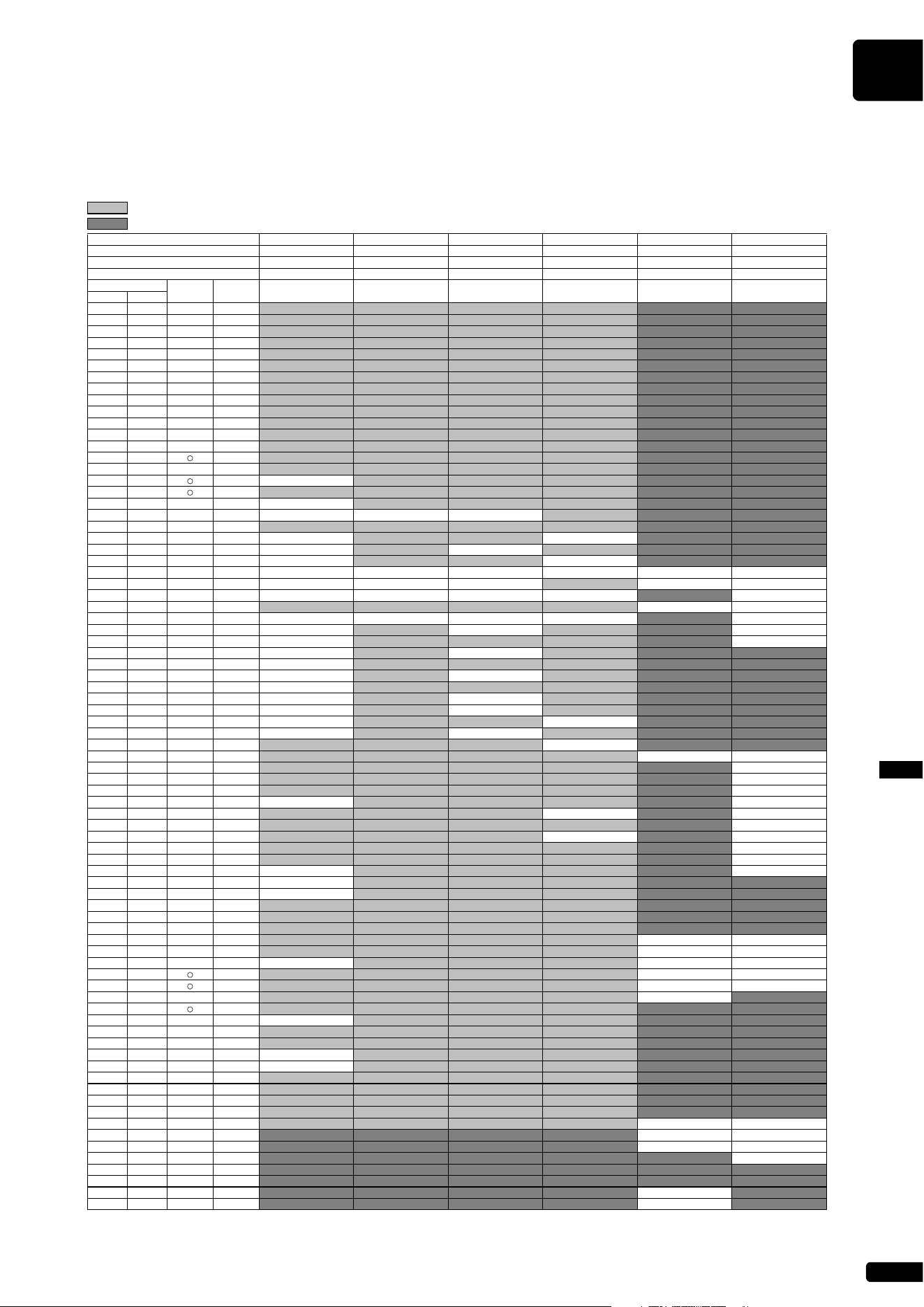
XG Drum Kit List
A-7
XG Drum Kit ListAppendix
: Same as Standard Kit 1
: No Sound
Bank Select MSB (0-127) 127 127 127 127 126 126
Bank Select LSB (0-127) 0 00000
Program Change (0-127) 27 32 40 48 0 1
Program Change (1-128) 28 33 41 49 1 2
MIDI
Key Off
Alternate
Group
Dance Kit Jazz Kit Brush Kit Symphony Kit SFX Kit1 SFX Kit2
Note # Note
13 C#-1 3
14 D-1 3
15 D#-1
16 E-1
17 F-1 4
18 F#-1 4
19 G-1
20 G#-1
21 A-1
22 A#-1
23 B-1
24 C0
25 C#0
26 D0
27 D#0
28 E0 Reverse Cymbal
29 F0
30 F#0 Hi Q 2
31 G0 Snare Techno Snare Jazz H Brush Slap 2
32 G#0
33 A0 Kick Techno Q Kick Soft 2
34 A#0 Rim Gate Open Rim Shot Light
35 B0 Kick Techno L Gran Cassa
36 C1 Kick Techno Kick Jazz Kick Jazz Gran Cassa Mute Cutting Noise Phone Call
37 C#1 Side Stick Analog Side Stick Light Side Stick Light Cutting Noise 2 Door Squeak
38 D1 Snare Clap Snare Jazz L Brush Slap 3 Band Snare Door Slam
39 D#1 String Slap Scratch Cut
40 E1 Snare Dry Snare Jazz M Brush Tap 2 Band Snare 2 Scratch H 3
41 F1 Tom Analog 1 Tom Brush 1 Wind Chime
42 F#1 1 Hi-Hat Closed 3 Telephone Ring 2
43 G1 Tom Analog 2 Tom Brush 2
44 G#1 1 Hi-Hat Closed Analog 3
45 A1 Tom Analog 3 Tom Brush 3
46 A#1 1 Hi-Hat Open 3
47 B1 Tom Analog 4 Tom Brush 4
48 C2 Tom Analog 5 Tom Brush 5
49 C#2 Crash Analog Hand Cymbal
50 D2 Tom Analog 6 Tom Brush 6
51 D#2 Hand Cymbal Short
52 E2 Flute Key Click Car Engine Ignition
53 F2 Car Tires Squeal
54 F#2 Car Passing
55 G2
Car Crash
56 G#2 Cowbell Analog Siren
57 A2 Hand Cymbal 2 Train
58 A#2 Jet Plane
59 B2
Hand Cymbal 2 Short Starship
60 C3 Burst
61 C#3 Roller Coaster
62 D3 Conga Analog H Submarine
63 D#3 Conga Analog M
64 E3 Conga Analog L
65 F3
66 F#3
67 G3
68 G#3 Shower Laugh
69 A3 Thunder Scream
70 A#3 Maracas 2
Wind Punch
71 B3
Stream Heart Beat
72 C4 Bubble Foot Steps
73 C#4 Feed
74 D4
75 D#4 Claves 2
76 E4
77 F4
78 F#4 Scratch H 2
79 G4 Scratch L 2
80 G#4 2
81 A4 2
82 A#4
83 B4
84 C5 Dog Machine Gun
85 C#5 Horse Laser Gun
86 D5 Bird Tweet 2 Explosion
87 D#5 Firework
88 E5
89 F5
90 F#5 Ghost
91 G5 Maou
* Key Off: Keys marked with a circle stop sounding the instant they are released.
* Alternate Group: Playing any instrument within a numbered group will immediately stop the sound of any other instrument in the same group of the same number.
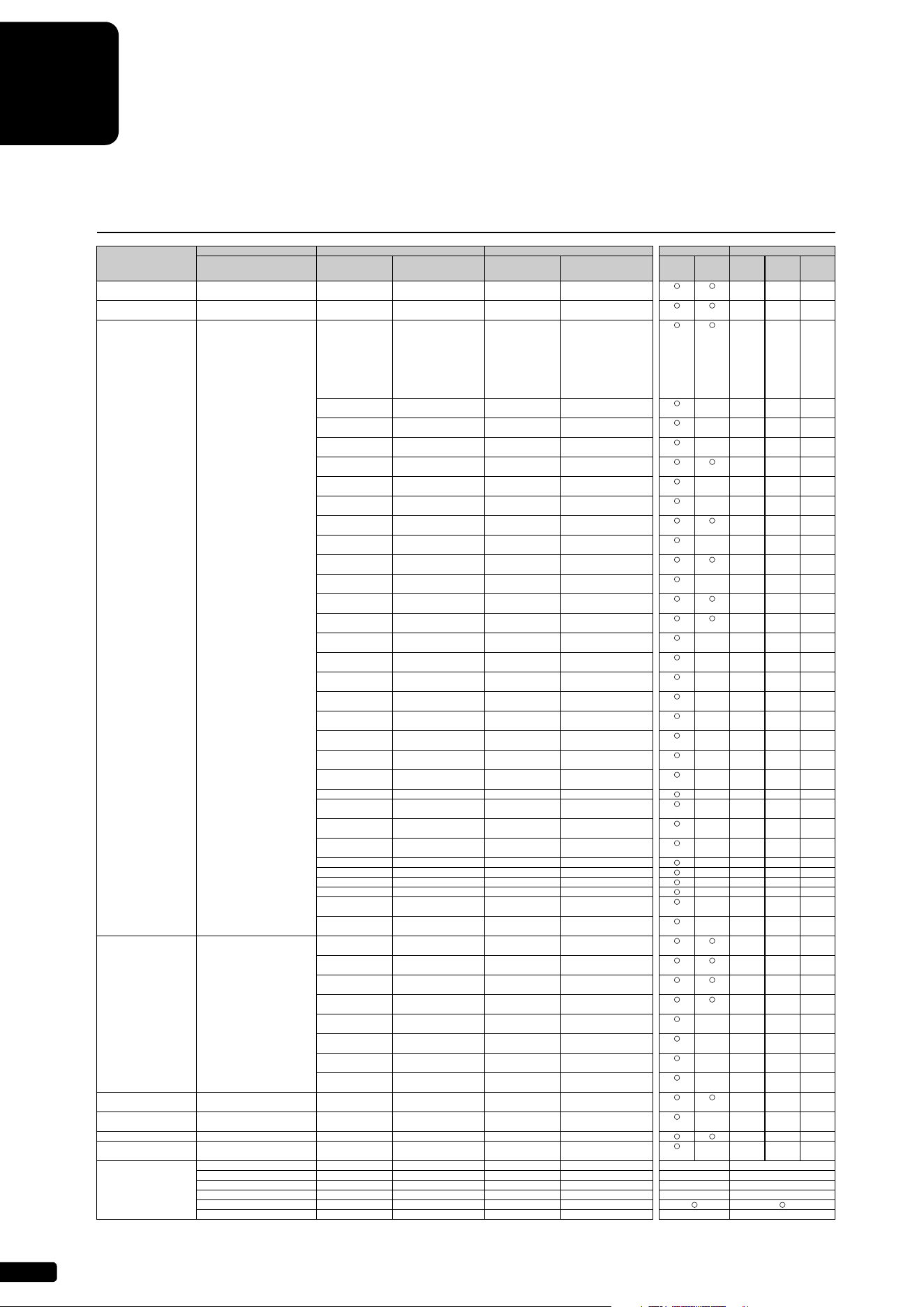
A-8
MIDI Data Format
* For upright pianos (excluding some models), the sostenuto pedal information (Control Change 66) is not transmitted.
MIDI Channel Message (1)
[ MIDI (Silent) ]
MIDI Events
Status byte 1st Data byte 2nd Data byte MIDI Reception MIDI Transmission
Status Data (HEX) Parameter Data (HEX) Parameter
Song
Part
Piano
Playback
Channel
Panel
Operation
Song
Playback
MIDI
Input
Key Off 8nH (n: Channel Number) kk Key Number (0-127) vv Velocity (0-127) × × ×
[GM1] [GM2]
Key On 9nH (n: Channel Number) kk Key Number (0-127) vv Key On: vv=1-127 × × ×
[GM1] [GM2] Key Off: vv=0
Control Change BnH 0 (00H) Bank Select MSB 0 (00H) Normal × × ×
[GM2] 64 (40H) SFX Voice
118 (76H) GS Rhythm
119 (77H) GS Normal
120 (78H) GM2 Rhythm
121 (79H) GM2 Normal
126 (7EH) SFX Kit
127 (7FH) Drum Kit
1 (01H) Modulation 0-127 (00H...7FH) Data × × × ×
[GM1] [GM2]
5 (05H) Portamento Time 0-127 (00H...7FH) Data × × × ×
[GM2]
6 (06H) Data Entry MSB 0-127 (00H...7FH) Data × × × ×
[GM2]
7 (07H) Main Volume 0-127 (00H...7FH) Data × × ×
[GM1] [GM2]
10 (0AH) Panpot 0-127 (00H...7FH) L64…C…R63 × × × ×
[GM1] [GM2]
11 (0BH) Expression 0-127 (00H...7FH) Data × × × ×
[GM1] [GM2]
32 (20H) Bank Select LSB 0-127 (00H...7FH) Data × × ×
[GM2]
38 (26H) Data Entry LSB 0-127 (00H...7FH) Data × × × ×
[GM2]
64 (40H) Damper 0-127 (00H...7FH) Data × × ×
[GM1] [GM2]
65 (41H) Portamento 0-127 (00H...7FH) OFF: 0-63 × × × ×
[GM2] ON: 64-127
66 (42H) Sostenuto 0-127 (00H...7FH) OFF: 0-63 × × ×
[GM2] ON: 64-127
67 (43H) Soft Pedal 0-127 (00H...7FH) OFF: 0-63 × × ×
[GM2] ON: 64-127
71 (47H) Harmonic Content 0-127 (00H...7FH) -64…0…+63 × × × ×
[GM2]
72 (48H) Release Time 0-127 (00H...7FH) -64…0…+63 × × × ×
[GM2]
73 (49H) Attack Time 0-127 (00H...7FH) -64…0…+63 × × × ×
[GM2]
74 (4AH) Brightness 0-127 (00H...7FH) -64…0…+63 × × × ×
[GM2]
75 (4BH) Decay Time 0-127 (00H...7FH) -64…0…+63 × × × ×
[GM2]
76 (4CH) Vibrate Rate 0-127 (00H...7FH) -64…0…+63 × × × ×
[GM2]
77 (4DH) Vibrate Depth 0-127 (00H...7FH) -64…0…+63 × × × ×
[GM2]
78 (4EH) Vibrate Delay 0-127 (00H...7FH) -64…0…+63 × × × ×
[GM2]
84 (54H) Portamento Control 0-127 (00H...7FH) Key no. (0-127) × × × ×
91 (5BH) Effect1 Depth 0-127 (00H...7FH) Data × × × ×
(Reverb Send Level) [GM2]
93 (5DH) Effect3 Depth 0-127 (00H...7FH) Data × × × ×
(Chorus Send Level) [GM2]
94 (5EH) Effect4 Depth 0-127 (00H...7FH) Data × × × ×
(Variation Send Level)
96 (60H) RPN Increment — — The data byte is ignored × × × ×
97 (61H) RPN Decrement — — The data byte is ignored × × × ×
98 (62H) NRPN LSB 0-127 (00H...7FH) Data × × × ×
99 (63H) NRPN MSB 0-127 (00H...7FH) Data × × × ×
100 (64H) RPN LSB 0-127 (00H...7FH) Data × × × ×
[GM2]
101 (65H) RPN MSB 0-127 (00H...7FH) Data × × × ×
[GM2]
Mode Message BnH (n: Channel Number) 120 (78H) All Sound Off 0 (00H) Data × × ×
[GM2]
121 (79H) Reset All Controllers 0 (00H) Data × × ×
[GM1] [GM2]
122 (7AH) Local Control 0 (00h) OFF × × ×
127 (7FH) ON
123 (7BH) All Note Off 0 (00H) Data × × ×
[GM1] [GM2]
124 (7CH) Omni Off 0 (00H) Data × × × ×
[GM2]
125 (7DH) Omni On 0 (00H) Data × × × ×
[GM2]
126 (7EH) Mono 0-16 (00H...10H) Data × × × ×
[GM2]
127 (7FH) Poly 0 (00H) Data × × × ×
[GM2]
Program Change CnH (n: Channel Number) pp (00H...7FH) Voice Number (0-127) — — — × × ×
[GM1] [GM2]
Channel After Touch DnH (n: Channel Number) vv (00H...7FH) Data — — — × × × ×
[GM1] [GM2]
Polyphonic After Touch AnH (n: Channel Number) kk (00H...7FH) Key Number (0-127) vv (00H...7FH) Data × × ×
Pitch Bend Change EnH (n: Channel Number) cc (00H...7FH) LSB dd (00H...7FH) MSB × × × ×
[GM1] [GM2]
Realtime Message F8H MIDI Clock — — — — × ×
FAHStart —— —— × ×
FBH Continue — — — — × ×
FCH Stop — — — — × ×
FEH Active Sens [GM2] — — — —
FFH System Reset — — — — × ×
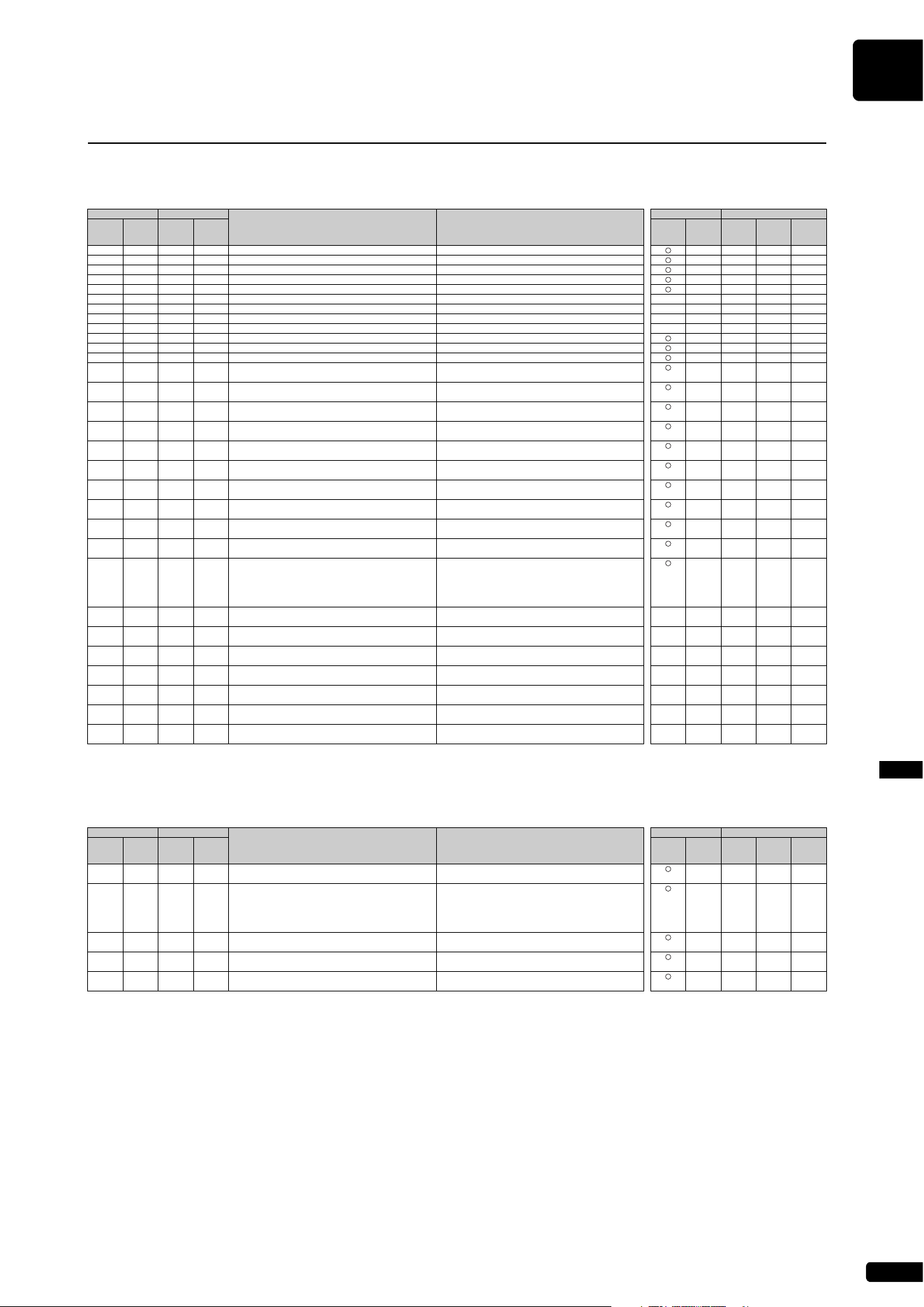
MIDI Data Format
A-9
MIDI Data FormatAppendix
Parameters Controlled by NRPN (Non-Registered Parameter Numbers)
* NRPN MSB: 14H-1FH (for drums) message is accepted as long as the channel is set with a drum voice.
* Data Entry LSB will be ignored.
Parameters Controlled by RPN (Registered Parameter Numbers)
MIDI Channel Message (2)
[ MIDI (Silent) ]
NRPN Data Entry
Parameter Data Range
MIDI Reception MIDI Transmission
MSB LSB MSB LSB
Song
Part
Piano
Playback
Channel
Panel
Operation
Song
Playback
MIDI
Input
01H 08H mmH — Vibrato Rate mm: 00H-40H-7FH (-64…0…+63)
××××
01H 09H mmH — Vibrato Depth mm: 00H-40H-7FH (-64…0…+63)
××××
01H 0AH mmH — Vibrato Delay mm: 00H-40H-7FH (-64…0…+63)
××××
01H 20H mmH — Low Pass Filter Cutoff Frequency mm: 00H-40H-7FH (-64…0…+63)
××××
01H 21H mmH — Low Pass Filter Resonance mm: 00H-40H-7FH (-64…0…+63)
××××
01H 30H mmH — EQ BASS mm: 00H-40H-7FH (-64…0…+63)
×××××
01H 31H mmH — EQ TREBLE mm: 00H-40H-7FH (-64…0…+63)
×××××
01H 34H mmH — EQ BASS Frequency mm: 04H-28H (32…2.0k [Hz])
×××××
01H 35H mmH — EQ TREBLE Frequency mm: 1CH-3AH (500…16.0k [Hz])
×××××
01H 63H mmH — EG Attack Time mm: 00H-40H-7FH (-64…0…+63)
××××
01H 64H mmH — EG Decay Time mm: 00H-40H-7FH (-64…0…+63)
××××
01H 66H mmH — EG Release mm: 00H-40H-7FH (-64…0…+63)
××××
14H rrH mmH — Drum Low Pass Filter Cutoff Frequency rr: drum instrument note number
××××
mm: 00H-40H-7FH (-64…0…+63)
15H rrH mmH — Drum Low Pass Filter Resonance rr: drum instrument note number
××××
mm: 00H-40H-7FH (-64…0…+63)
16H rrH mmH — Drum EG Attack Rate rr: drum instrument note number
××××
mm: 00H-40H-7FH (-64…0…+63)
17H rrH mmH — Drum EG Decay Rate rr: drum instrument note number
××××
mm: 00H-40H-7FH (-64…0…+63)
18H rrH mmH — Drum Pitch Coarse rr: drum instrument note number
××××
mm: 00H-40H-7FH (-64…0…+63)
19H rrH mmH — Drum Pitch Fine rr: drum instrument note number
××××
mm: 00H-40H-7FH (-64…0…+63)
1AH rrH mmH — Drum Level rr: drum instrument note number
××××
mm: 00H-7FH (0…127)
1CH rrH mmH — Drum Pan rr: drum instrument note number
××××
mm: 00H, 01H-40H-7FH (RND, L63…C…R63)
1DH rrH mmH — Drum Reverb Send Level rr: drum instrument note number
××××
mm: 00H-7FH (0…127)
1EH rrH mmH — Drum Chorus Send Level rr: drum instrument note number
××××
mm: 00H-7FH (0…127)
1FH rrH mmH — Drum Variation Send Level rr: drum instrument note number
××××
mm: 00H-7FH (0…127)
(Variation Connection = SYSTEM)
mm: 00H, 01H-7FH (OFF, ON)
(Variation Connection = INSERTION)
24H rrH mmH — Drum HPF Cutoff Frequency rr: drum instrument note number
×××××
mm: 00H-40H-7FH (-64…0…+63)
30H rrH mmH — Drum EQ Bass Gain rr: drum instrument note number
×××××
mm: 00H-7FH (0…127)
31H rrH mmH — Drum EQ Treble Gain rr: drum instrument note number
×××××
mm: 00H-7FH (0…127)
34H rrH mmH — Drum EQ Bass Frequency rr: drum instrument note number
×××××
mm: 04H-28H (32…2.0k [Hz])
35H rrH mmH — Drum EQ Treble Frequency rr: drum instrument note number
×××××
mm: 1CH-3AH (500…16.0k [Hz])
40H rrH mmH — Drum VELOCITY PITCH SENS. rr: drum instrument note number
×××××
mm: 00H-0FH (0…15)
41H rrH mmH — Drum VELOCITY LPF CUTOFF SENS. rr: drum instrument note number
×××××
mm: 00H-0FH (0…15)
[ MIDI (Silent) ]
RPN Data Entry
Parameter Data Range
MIDI Reception MIDI Transmission
MSB LSB MSB LSB
Song
Part
Piano
Playback
Channel
Panel
Operation
Song
Playback
MIDI
Input
00H 00H mmH — Pitch Bend Sensitivity mm: 00H-18H (0…+24 [semitones])
××××
[GM1] [GM2]
00H 01H mmH llH Fine Tune mm ll: 00H 00H -100 [cent]
××××
[GM1] [GM2] …
mm ll: 40H 00H 0 [cent]
…
mm ll: 7FH 7FH 100 [cent]
00H 02H mmH — Coarse Tune mm: 28H-40H-58H (-24…0…+24 [semitones])
××××
[GM1] [GM2]
00H 05H mmH llH Modulation Sensitivity mm: Specified in semitone increments
××××
[GM2] ll: Specified in 100/128 cent increments
7FH 7FH — — Null —
××××
[GM2]
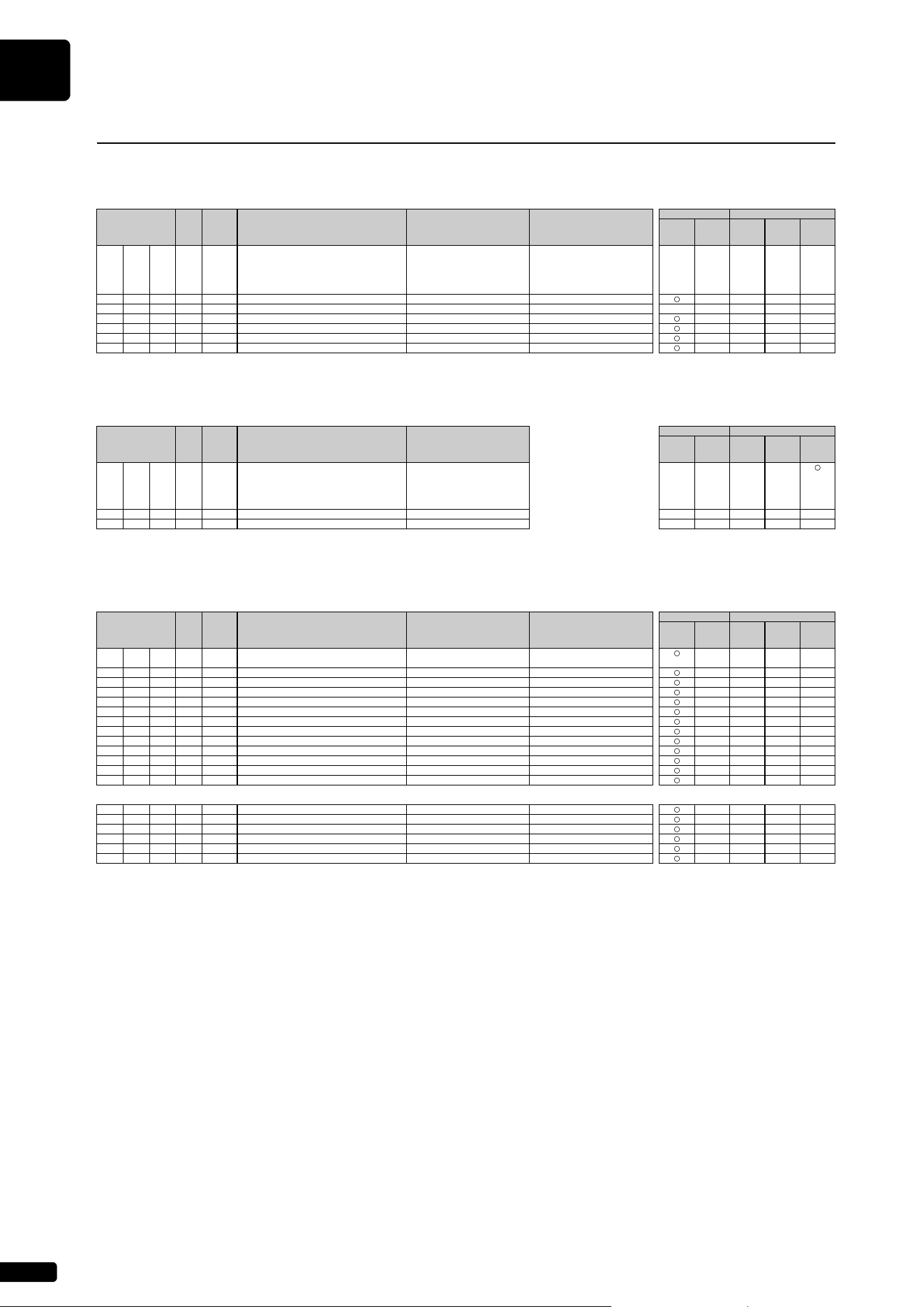
MIDI Data Format
A-10
MIDI Parameter Change Table (XG SYSTEM)
MIDI Parameter Change Table (SYSTEM INFORMATION)
* Transmitted in response to dump request. Not received.
MIDI Parameter Change Table (EFFECT1)
MIDI Parameter Change Table
[ MIDI (Silent) ]
Address
(H)
Size
(H)
Data
(H)
Parameter Description
XG Default
(H)
MIDI Reception MIDI Transmission
Song
Part
Piano
Playback
Channel
Panel
Operation
Song
Playback
MIDI
Input
00 00 00 4 00-0F MASTER TUNE -102.4…0…+102.3 [cent] Panel setting value
×××××
00-0F 1st bit3-0→bit15-12
00-0F 2nd bit3-0→bit11-8
00-0F 3rd bit3-0→bit7-4
4th bit3-0→bit3-0
04 1 00-7F MASTER VOLUME 0…127 7F
××××
05 1 00-7F MASTER ATTENUATOR 0…127 00
×××××
06 1 28-58 TRANSPOSE -24…0…+24 [semitones] 40
××××
7D 1 N DRUM SETUP RESET N: Drum setup number —
××××
7E 1 00 XG SYSTEM ON 00=XG system ON —
××××
7F 1 00 ALL PARAMETER RESET 00=ON —
××××
TOTAL SIZE 07
[ MIDI (Silent) ]
Address
(H)
Size
(H)
Data
(H)
Parameter Description
MIDI Reception MIDI Transmission
Song
Part
Piano
Playback
Channel
Panel
Operation
Song
Playback
MIDI
Input
01 00 00 E 20-7F Model Name 1 32…127
(ASCII CHARACTER)
—— × ×
……… …
0D 20-7F Model Name 14 32…127
(ASCII CHARACTER)
0E 1 NOT USED —————
0F 1 NOT USED —————
TOTAL SIZE 10
[ MIDI (Silent) ]
Address
(H)
Size
(H)
Data
(H)
Parameter Description
XG Default
(H)
MIDI Reception MIDI Transmission
Song
Part
Piano
Playback
Channel
Panel
Operation
Song
Playback
MIDI
Input
02 01 00 2 00-7F REVERB TYPE MSB Refer to Effect Parameter List 01(=HALL1) × × × ×
00-7F REVERB TYPE LSB 00
02 1 00-7F REVERB PARAMETER 1 Refer to Effect Parameter List Depends on Reverb Type × × × ×
03 1 00-7F REVERB PARAMETER 2 Refer to Effect Parameter List Depends on Reverb Type × × × ×
04 1 00-7F REVERB PARAMETER 3 Refer to Effect Parameter List Depends on Reverb Type × × × ×
05 1 00-7F REVERB PARAMETER 4 Refer to Effect Parameter List Depends on Reverb Type × × × ×
06 1 00-7F REVERB PARAMETER 5 Refer to Effect Parameter List Depends on Reverb Type × × × ×
07 1 00-7F REVERB PARAMETER 6 Refer to Effect Parameter List Depends on Reverb Type × × × ×
08 1 00-7F REVERB PARAMETER 7 Refer to Effect Parameter List Depends on Reverb Type × × × ×
09 1 00-7F REVERB PARAMETER 8 Refer to Effect Parameter List Depends on Reverb Type × × × ×
0A 1 00-7F REVERB PARAMETER 9 Refer to Effect Parameter List Depends on Reverb Type × × × ×
0B 1 00-7F REVERB PARAMETER 10 Refer to Effect Parameter List Depends on Reverb Type × × × ×
0C 1 00-7F REVERB RETURN -∞dB…0dB…+6dB (0…64…127) 40 × × × ×
0D 1 01-7F REVERB PAN L63…C…R63 40 × × × ×
TOTAL SIZE 0E
02 01 10 1 00-7F REVERB PARAMETER 11 Refer to Effect Parameter List Depends on Reverb Type × × × ×
11 1 00-7F REVERB PARAMETER 12 Refer to Effect Parameter List Depends on Reverb Type × × × ×
12 1 00-7F REVERB PARAMETER 13 Refer to Effect Parameter List Depends on Reverb Type × × × ×
13 1 00-7F REVERB PARAMETER 14 Refer to Effect Parameter List Depends on Reverb Type × × × ×
14 1 00-7F REVERB PARAMETER 15 Refer to Effect Parameter List Depends on Reverb Type × × × ×
15 1 00-7F REVERB PARAMETER 16 Refer to Effect Parameter List Depends on Reverb Type × × × ×
TOTAL SIZE 06
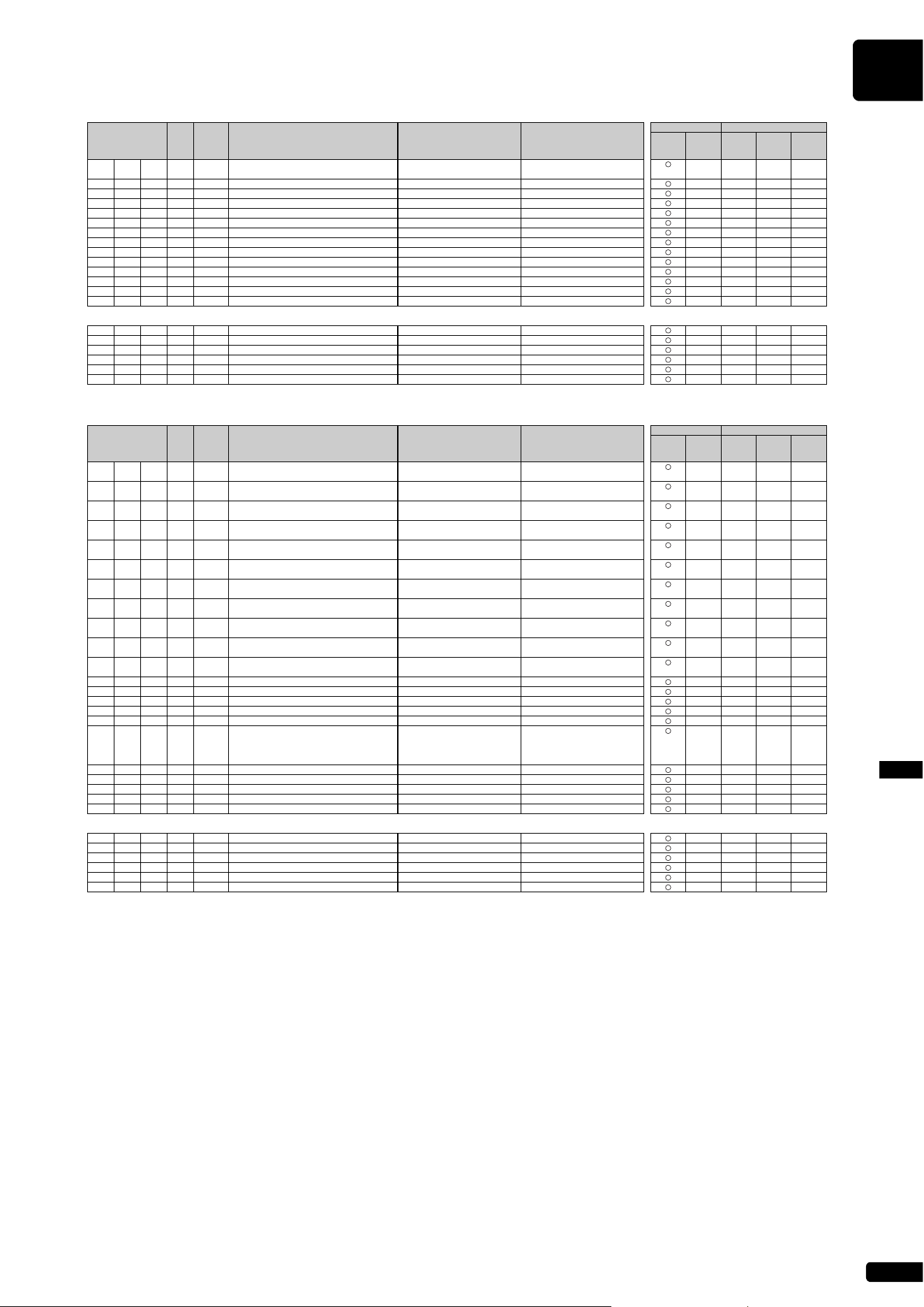
MIDI Data Format
A-11
MIDI Data FormatAppendix
[ MIDI (Silent) ]
Address
(H)
Size
(H)
Data
(H)
Parameter Description
XG Default
(H)
MIDI Reception MIDI Transmission
Song
Part
Piano
Playback
Channel
Panel
Operation
Song
Playback
MIDI
Input
02 01 20 2 00-7F CHORUS TYPE MSB Refer to Effect Parameter List 41(=CHORUS1)
××××
00-7F CHORUS TYPE LSB 00
22 1 00-7F CHORUS PARAMETER 1 Refer to Effect Parameter List Depends on Chorus Type
××××
23 1 00-7F CHORUS PARAMETER 2 Refer to Effect Parameter List Depends on Chorus Type
××××
24 1 00-7F CHORUS PARAMETER 3 Refer to Effect Parameter List Depends on Chorus Type
××××
25 1 00-7F CHORUS PARAMETER 4 Refer to Effect Parameter List Depends on Chorus Type
××××
26 1 00-7F CHORUS PARAMETER 5 Refer to Effect Parameter List Depends on Chorus Type
××××
27 1 00-7F CHORUS PARAMETER 6 Refer to Effect Parameter List Depends on Chorus Type
××××
28 1 00-7F CHORUS PARAMETER 7 Refer to Effect Parameter List Depends on Chorus Type
××××
29 1 00-7F CHORUS PARAMETER 8 Refer to Effect Parameter List Depends on Chorus Type
××××
2A 1 00-7F CHORUS PARAMETER 9 Refer to Effect Parameter List Depends on Chorus Type
××××
2B 1 00-7F CHORUS PARAMETER 10 Refer to Effect Parameter List Depends on Chorus Type
××××
2C 1 00-7F CHORUS RETURN -∞dB…0dB…+6dB (0…64…127) 40
××××
2D 1 01-7F CHORUS PAN L63…C…R63 40
××××
2E 1 00-7F SEND CHORUS TO REVERB -∞dB…0dB…+6dB (0…64…127) 00
××××
TOTAL SIZE 0F
02 01 30 1 00-7F CHORUS PARAMETER 11 Refer to Effect Parameter List Depends on Chorus Type
××××
31 1 00-7F CHORUS PARAMETER 12 Refer to Effect Parameter List Depends on Chorus Type
××××
32 1 00-7F CHORUS PARAMETER 13 Refer to Effect Parameter List Depends on Chorus Type
××××
33 1 00-7F CHORUS PARAMETER 14 Refer to Effect Parameter List Depends on Chorus Type
××××
34 1 00-7F CHORUS PARAMETER 15 Refer to Effect Parameter List Depends on Chorus Type
××××
35 1 00-7F CHORUS PARAMETER 16 Refer to Effect Parameter List Depends on Chorus Type
××××
TOTAL SIZE 06
[ MIDI (Silent) ]
Address
(H)
Size
(H)
Data
(H)
Parameter Description
XG Default
(H)
MIDI Reception MIDI Transmission
Song
Part
Piano
Playback
Channel
Panel
Operation
Song
Playback
MIDI
Input
02 01 40 2 00-7F VARIATION TYPE MSB Refer to Effect Parameter List 05 (=DELAY L, C, R) × × × ×
00-7F VARIATION TYPE LSB 00
42 2 00-7F VARIATION PARAMETER 1 MSB Refer to Effect Parameter List Depends on Variation Type × × × ×
00-7F VARIATION PARAMETER 1 LSB
44 2 00-7F VARIATION PARAMETER 2 MSB Refer to Effect Parameter List Depends on Variation Type × × × ×
00-7F VARIATION PARAMETER 2 LSB
46 2 00-7F VARIATION PARAMETER 3 MSB Refer to Effect Parameter List Depends on Variation Type × × × ×
00-7F VARIATION PARAMETER 3 LSB
48 2 00-7F VARIATION PARAMETER 4 MSB Refer to Effect Parameter List Depends on Variation Type × × × ×
00-7F VARIATION PARAMETER 4 LSB
4A 2 00-7F VARIATION PARAMETER 5 MSB Refer to Effect Parameter List Depends on Variation Type × × × ×
00-7F VARIATION PARAMETER 5 LSB
4C 2 00-7F VARIATION PARAMETER 6 MSB Refer to Effect Parameter List Depends on Variation Type × × × ×
00-7F VARIATION PARAMETER 6 LSB
4E 2 00-7F VARIATION PARAMETER 7 MSB Refer to Effect Parameter List Depends on Variation Type × × × ×
00-7F VARIATION PARAMETER 7 LSB
50 2 00-7F VARIATION PARAMETER 8 MSB Refer to Effect Parameter List Depends on Variation Type × × × ×
00-7F VARIATION PARAMETER 8 LSB
52 2 00-7F VARIATION PARAMETER 9 MSB Refer to Effect Parameter List Depends on Variation Type × × × ×
00-7F VARIATION PARAMETER 9 LSB
54 2 00-7F VARIATION PARAMETER 10 MSB Refer to Effect Parameter List Depends on Variation Type × × × ×
00-7F VARIATION PARAMETER 10 LSB
56 1 00-7F VARIATION RETURN -∞dB…0dB…+6dB (0…64…127) 40 × × × ×
57 1 01-7F VARIATION PAN L63…C…R63 40 × × × ×
58 1 00-7F SEND VARIATION TO REVERB -∞dB…0dB…+6dB (0…64…127) 00 × × × ×
59 1 00-7F SEND VARIATION TO CHORUS -∞dB…0dB…+6dB (0…64…127) 00 × × × ×
5A 1 00-01 VARIATION CONNECTION INSERTION, SYSTEM 00 × × × ×
5B 1 00-7F VARIATION PART NUMBER Reception: Part1…16 (0…15) 7F × × × ×
Transmission: Part1…16 (0…15)
AD (64)
OFF (127)
5C 1 00-7F MW VARIATION CONTROL DEPTH -64…0…+63 40 × × × ×
5D 1 00-7F BEND VARIATION CONTROL DEPTH -64…0…+63 40 × × × ×
5E 1 00-7F CAT VARIATION CONTROL DEPTH -64…0…+63 40 × × × ×
5F 1 00-7F AC1 VARIATION CONTROL DEPTH -64…0…+63 40 × × × ×
60 1 00-7F AC2 VARIATION CONTROL DEPTH -64…0…+63 40 × × × ×
TOTAL SIZE 21
02 01 70 1 00-7F VARIATION PARAMETER 11 Refer to Effect Parameter List Depends on Variation Type × × × ×
71 1 00-7F VARIATION PARAMETER 12 Refer to Effect Parameter List Depends on Variation Type × × × ×
72 1 00-7F VARIATION PARAMETER 13 Refer to Effect Parameter List Depends on Variation Type × × × ×
73 1 00-7F VARIATION PARAMETER 14 Refer to Effect Parameter List Depends on Variation Type × × × ×
74 1 00-7F VARIATION PARAMETER 15 Refer to Effect Parameter List Depends on Variation Type × × × ×
75 1 00-7F VARIATION PARAMETER 16 Refer to Effect Parameter List Depends on Variation Type × × × ×
TOTAL SIZE 06
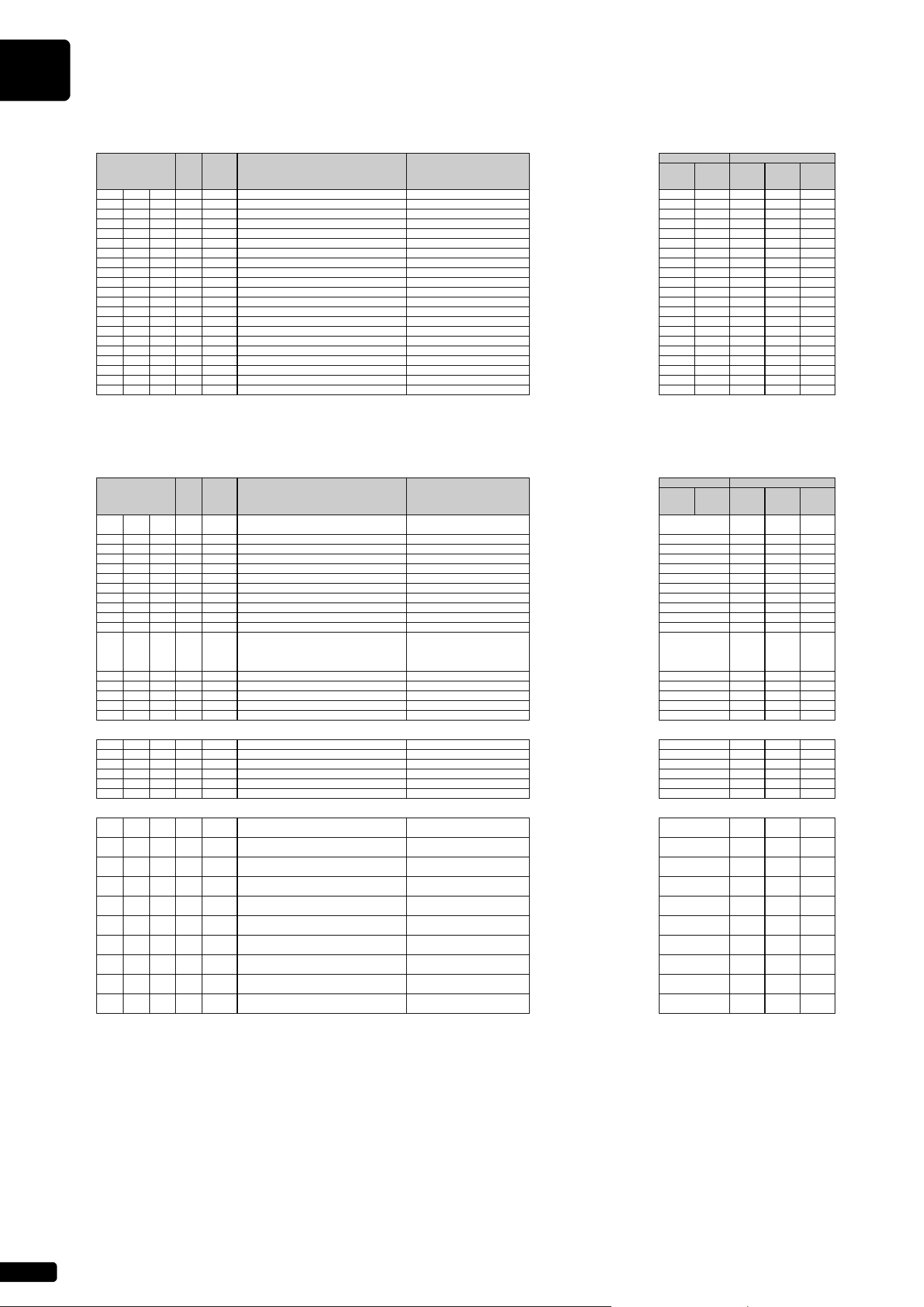
MIDI Data Format
A-12
MIDI Parameter Change Table (MULTI EQ)
* The MULTI EQ parameter cannot be reset to its factory setting with XG SYSTEM on.
MIDI Parameter Change Table (EFFECT2)
* The EFFECT2 parameter cannot be reset to its factory setting with XG SYSTEM on.
The second byte of the address is considered as an insertion effect number.
n: insertion effect number
The insertion effect number range is from 0 to 1. Values outside the range are handled as unknown and ignored.
For effect types that do not require MSB, the parameters for address 02-0B will be received and the parameters for address 30-42 will not be received.
For effect types that require MSB, the parameters for address 30-42 will be received and the parameters for address 02-0B will not be received.
When bulk dumps that include effect type data are transmitted, the parameters for address 02-0B will always be transmitted. However, for effect types that require MSB, the parameters for
address 02-0B will not be received when the bulk dump is received.
[ MIDI (Silent) ]
Address
(H)
Size
(H)
Data
(H)
Parameter Description
MIDI Reception MIDI Transmission
Song
Part
Piano
Playback
Channel
Panel
Operation
Song
Playback
MIDI
Input
02 40 00 1 00-04 EQ TYPE flat, jazz, pops, rock, classic
×××××
01 1 34-4C EQ GAIN1 -12…0…+12 [dB]
×××××
02 1 04-28 EQ FREQUENCY1 32…2.0k [Hz]
×××××
03 1 01-78 EQ Q1 0.1…12.0
×××××
04 1 00-01 EQ SHAPE1 shelving, peaking
×××××
05 1 34-4C EQ GAIN2 -12…0…+12 [dB]
×××××
06 1 0E-36 EQ FREQUENCY2 100…10.0k [Hz]
×××××
07 1 01-78 EQ Q2 0.1…12.0
×××××
08 1 NOT USED —————
09 1 34-4C EQ GAIN3 -12…0…+12 [dB]
×××××
0A 1 0E-36 EQ FREQUENCY3 100…10.0k [Hz]
×××××
0B 1 01-78 EQ Q3 0.1…12.0
×××××
0C 1 NOT USED —————
0D 1 34-4C EQ GAIN4 -12…0…+12 [dB]
×××××
0E 1 0E-36 EQ FREQUENCY4 100…10.0k [Hz]
×××××
0F 1 01-78 EQ Q4 0.1…12.0
×××××
10 1 NOT USED —————
11 1 34-4C EQ GAIN5 -12…0…+12 [dB]
×××××
12 1 1C-3A EQ FREQUENCY5 0.5k…16.0k [Hz]
×××××
13 1 01-78 EQ Q5 0.1…12.0
×××××
14 1 00-01 EQ SHAPE5 shelving, peaking
×××××
TOTAL SIZE 15
[ MIDI (Silent) ]
Address
(H)
Size
(H)
Data
(H)
Parameter Description
MIDI Reception MIDI Transmission
Song
Part
Piano
Playback
Channel
Panel
Operation
Song
Playback
MIDI
Input
03 n 00 2 00-7F INSERTION EFFECT TYPE MSB Refer to Effect Parameter List × × × ×
00-7F INSERTION EFFECT TYPE LSB
02 1 00-7F INSERTION EFFECT PARAMETER 1 Refer to Effect Parameter List × × × ×
03 1 00-7F INSERTION EFFECT PARAMETER 2 Refer to Effect Parameter List × × × ×
04 1 00-7F INSERTION EFFECT PARAMETER 3 Refer to Effect Parameter List × × × ×
05 1 00-7F INSERTION EFFECT PARAMETER 4 Refer to Effect Parameter List × × × ×
06 1 00-7F INSERTION EFFECT PARAMETER 5 Refer to Effect Parameter List × × × ×
07 1 00-7F INSERTION EFFECT PARAMETER 6 Refer to Effect Parameter List × × × ×
08 1 00-7F INSERTION EFFECT PARAMETER 7 Refer to Effect Parameter List × × × ×
09 1 00-7F INSERTION EFFECT PARAMETER 8 Refer to Effect Parameter List × × × ×
0A 1 00-7F INSERTION EFFECT PARAMETER 9 Refer to Effect Parameter List × × × ×
0B 1 00-7F INSERTION EFFECT PARAMETER 10 Refer to Effect Parameter List × × × ×
0C 1 00-7F INSERTION EFFECT PART NUMBER Reception: Part1…16 (0…15) × × × ×
Transmission: Part1…16 (0…15)
AD (64)
OFF (127)
0D 1 00-7F MW INSERTION CONTROL DEPTH -64…0…+63 × × × ×
0E 1 00-7F BEND INSERTION CONTROL DEPTH -64…0…+63 × × × ×
0F 1 00-7F CAT INSERTION CONTROL DEPTH -64…0…+63 × × × ×
10 1 00-7F AC1 INSERTION CONTROL DEPTH -64…0…+63 × × × ×
11 1 00-7F AC2 INSERTION CONTROL DEPTH -64…0…+63 × × × ×
TOTAL SIZE 12
20 1 00-7F INSERTION EFFECT PARAMETER 11 Refer to Effect Parameter List × × × ×
21 1 00-7F INSERTION EFFECT PARAMETER 12 Refer to Effect Parameter List × × × ×
22 1 00-7F INSERTION EFFECT PARAMETER 13 Refer to Effect Parameter List × × × ×
23 1 00-7F INSERTION EFFECT PARAMETER 14 Refer to Effect Parameter List × × × ×
24 1 00-7F INSERTION EFFECT PARAMETER 15 Refer to Effect Parameter List × × × ×
25 1 00-7F INSERTION EFFECT PARAMETER 16 Refer to Effect Parameter List × × × ×
TOTAL SIZE 6
30 2 00-7F INSERTION EFFECT PARAMETER 1 MSB Refer to Effect Parameter List × × × ×
00-7F INSERTION EFFECT PARAMETER 1 LSB
32 2 00-7F INSERTION EFFECT PARAMETER 2 MSB Refer to Effect Parameter List × × × ×
00-7F INSERTION EFFECT PARAMETER 2 LSB
34 2 00-7F INSERTION EFFECT PARAMETER 3 MSB Refer to Effect Parameter List × × × ×
00-7F INSERTION EFFECT PARAMETER 3 LSB
36 2 00-7F INSERTION EFFECT PARAMETER 4 MSB Refer to Effect Parameter List × × × ×
00-7F INSERTION EFFECT PARAMETER 4 LSB
38 2 00-7F INSERTION EFFECT PARAMETER 5 MSB Refer to Effect Parameter List × × × ×
00-7F INSERTION EFFECT PARAMETER 5 LSB
3A 2 00-7F INSERTION EFFECT PARAMETER 6 MSB Refer to Effect Parameter List × × × ×
00-7F INSERTION EFFECT PARAMETER 6 LSB
3C 2 00-7F INSERTION EFFECT PARAMETER 7 MSB Refer to Effect Parameter List × × × ×
00-7F INSERTION EFFECT PARAMETER 7 LSB
3E 2 00-7F INSERTION EFFECT PARAMETER 8 MSB Refer to Effect Parameter List × × × ×
00-7F INSERTION EFFECT PARAMETER 8 LSB
40 2 00-7F INSERTION EFFECT PARAMETER 9 MSB Refer to Effect Parameter List × × × ×
00-7F INSERTION EFFECT PARAMETER 9 LSB
42 2 00-7F INSERTION EFFECT PARAMETER 10 MSB Refer to Effect Parameter List
××××
00-7F INSERTION EFFECT PARAMETER 10 LSB
TOTAL SIZE 14
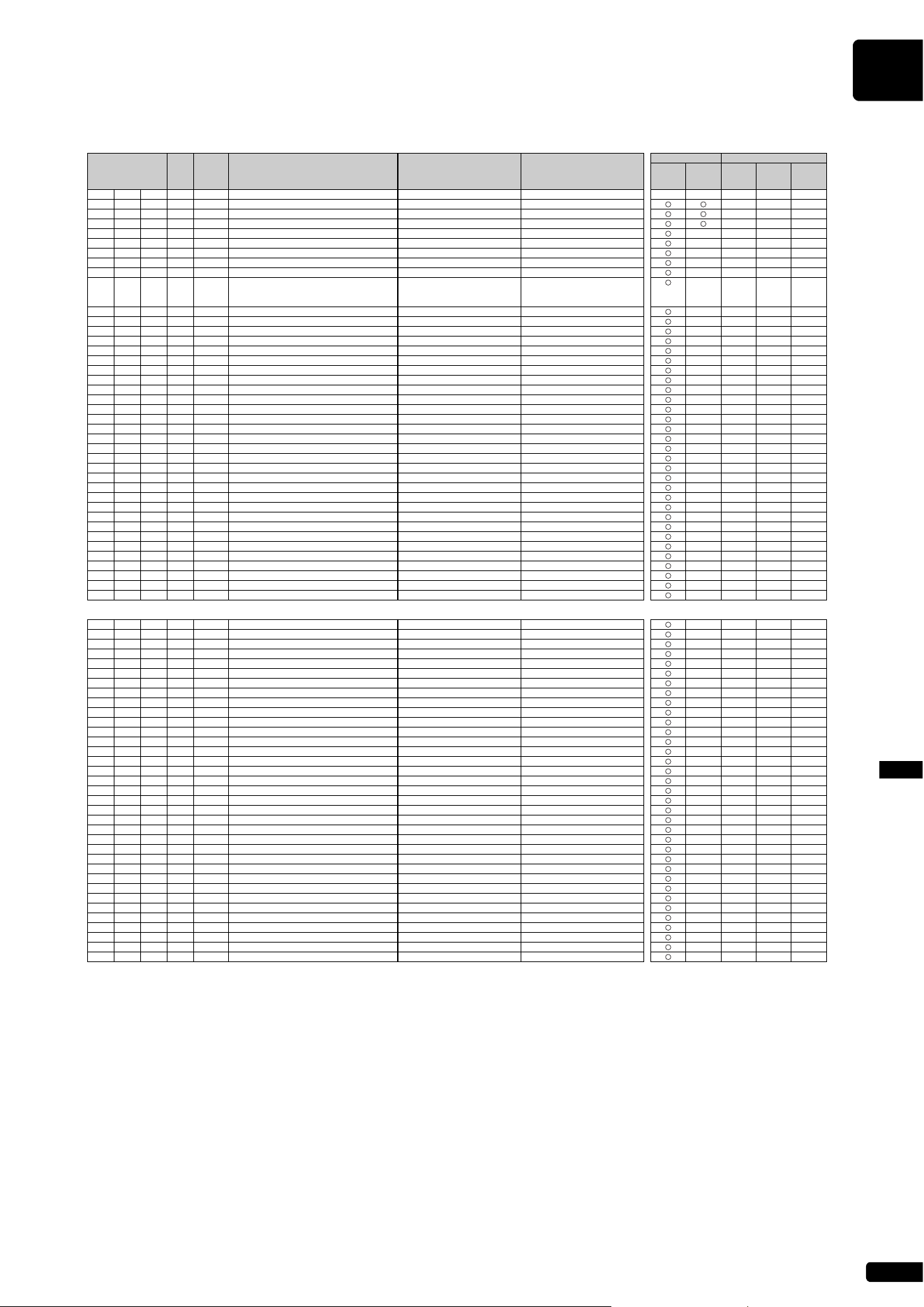
MIDI Data Format
A-13
MIDI Data FormatAppendix
MIDI Parameter Change Table (MULTI PART)
[ MIDI (Silent) ]
Address
(H)
Size
(H)
Data
(H)
Parameter Description
XG Default
(H)
MIDI Reception MIDI Transmission
Song
Part
Piano
Playback
Channel
Panel
Operation
Song
Playback
MIDI
Input
08 nn 00 1 00-20 NOT USED
×××××
01 1 00-7F BANK SELECT MSB 0…127 part10=7F, other parts=00
×××
02 1 00-7F BANK SELECT LSB 0…127 00
×××
03 1 00-7F PROGRAM NUMBER 1…128 00
×××
04 1 00-0F, 7F Rcv CHANNEL 1…16, OFF Part No.
××××
05 1 00-01 MONO/POLY MODE MONO, POLY 01
××××
06 1 00-02 SAME NOTE NUMBER KEY ON ASSIGN SINGLE, MULTI, INST (for Drum) 01
××××
07 1 00-03 PART MODE NORMAL, DRUM, DRUMS1…2 part10=02, other parts=00
××××
08 1 28-58 NOTE SHIFT -24…0…+24 [semitones] 40
××××
09 2 00-0F DETUNE -12.8…0…+12.7 [Hz] 08 00
××××
00-0F 1st bit3-0→bit7-4
2nd bit3-0→bit3-0
0B 1 00-7F VOLUME 0…127 64
××××
0C 1 00-7F VELOCITY SENSE DEPTH 0…127 40
××××
0D 1 00-7F VELOCITY SENSE OFFSET 0…127 40
××××
0E 1 00-7F PAN RND, L63…C…R63 40
××××
0F 1 00-7F NOTE LIMIT LOW C-2…G8 00
××××
10 1 00-7F NOTE LIMIT HIGH C-2…G8 7F
××××
11 1 00-7F DRY LEVEL 0…127 7F
××××
12 1 00-7F CHORUS SEND 0…127 00
××××
13 1 00-7F REVERB SEND 0…127 28
××××
14 1 00-7F VARIATION SEND 0…127 00
××××
15 1 00-7F VIBRATO RATE -64…0…+63 40
××××
16 1 00-7F VIBRATO DEPTH -64…0…+63 40
××××
17 1 00-7F VIBRATO DELAY -64…0…+63 40
××××
18 1 00-7F FILTER CUTOFF FREQUENCY -64…0…+63 40
××××
19 1 00-7F FILTER RESONANCE -64…0…+63 40
××××
1A 1 00-7F EG ATTACK TIME -64…0…+63 40
××××
1B 1 00-7F EG DECAY TIME -64…0…+63 40
××××
1C 1 00-7F EG RELEASE TIME -64…0…+63 40
××××
1D 1 28-58 H -24…0…+24 [semitones] 40
××××
1E 1 00-7F MW LOW PASS FILTER CONTROL -9600…0…+9450 [cent] 40
××××
1F 1 00-7F MW AMPLITUDE CONTROL -100…0…+100 [%] 40
××××
20 1 00-7F MW LFO PMOD DEPTH 0…127 0A
××××
21 1 00-7F MW LFO FMOD DEPTH 0…127 00
××××
22 1 00-7F MW LFO AMOD DEPTH 0…127 00
××××
23 1 28-58 BEND PITCH CONTROL -24…0…+24 [semitones] 42
××××
24 1 00-7F BEND LOW PASS FILTER CONTROL -9600…0…+9450 [cent] 40
××××
25 1 00-7F BEND AMPLITUDE CONTROL -100…0…+100 [%] 40
××××
26 1 00-7F BEND LFO PMOD DEPTH 0…127 00
××××
27 1 00-7F BEND LFO FMOD DEPTH 0…127 00
××××
28 1 00-7F BEND LFO AMOD DEPTH 0…127 00
××××
TOTAL SIZE 29
30 1 00-01 Rcv PITCH BEND OFF, ON 01
××××
31 1 00-01 Rcv CH AFTER TOUCH (CAT) OFF, ON 01
××××
32 1 00-01 Rcv PROGRAM CHANGE OFF, ON 01
××××
33 1 00-01 Rcv CONTROL CHANGE OFF, ON 01
××××
34 1 00-01 Rcv POLY AFTER TOUCH (PAT) OFF, ON 01
××××
35 1 00-01 Rcv NOTE MESSAGE OFF, ON 01
××××
3
6
1 00-01 Rcv RPN OFF, ON 01
××××
37 1 00-01 Rcv NRPN OFF, ON XGmode=01, GMmode=00
××××
38 1 00-01 Rcv MODULATION OFF, ON 01
××××
39 1 00-01 Rcv VOLUME OFF, ON 01
××××
3A 1 00-01 Rcv PAN OFF, ON 01
××××
3B 1 00-01 Rcv EXPRESSION OFF, ON 01
××××
3C 1 00-01 Rcv HOLD1 OFF, ON 01
××××
3D 1 00-01 Rcv PORTAMENTO OFF, ON 01
××××
3E 1 00-01 Rcv SOSTENUTO OFF, ON 01
××××
3F 1 00-01 Rcv SOFT PEDAL OFF, ON 01
××××
40 1 00-01 Rcv BANK SELECT OFF, ON 01
××××
41 1 00-7F SCALE TUNING C -63…0…+63 [cent] 40
××××
42 1 00-7F SCALE TUNING C# -63…0…+63 [cent] 40
××××
43 1 00-7F SCALE TUNING D -63…0…+63 [cent] 40
××××
44 1 00-7F SCALE TUNING D# -63…0…+63 [cent] 40
××××
45 1 00-7F SCALE TUNING E -63…0…+63 [cent] 40
××××
46 1 00-7F SCALE TUNING F -63…0…+63 [cent] 40
××××
47 1 00-7F SCALE TUNING F# -63…0…+63 [cent] 40
××××
48 1 00-7F SCALE TUNING G -63…0…+63 [cent] 40
××××
49 1 00-7F SCALE TUNING G# -63…0…+63 [cent] 40
××××
4A 1 00-7F SCALE TUNING A -63…0…+63 [cent] 40
××××
4B 1 00-7F SCALE TUNING A# -63…0…+63 [cent] 40
××××
4C 1 00-7F SCALE TUNING B -63…0…+63 [cent] 40
××××
4D 1 28-58 CAT PITCH CONTROL -24…0…+24 [semitones] 40
××××
4E 1 00-7F CAT LOW PASS FILTER CONTROL -9600…0…+9450 [cent] 40
××××
4F 1 00-7F CAT AMPLITUDE CONTROL -100…0…+100 [%] 40
××××
50 1 00-7F CAT LFO PMOD DEPTH 0…127 00
××××
51 1 00-7F CAT LFO FMOD DEPTH 0…127 00
××××
52 1 00-7F CAT LFO AMOD DEPTH 0…127 00
××××
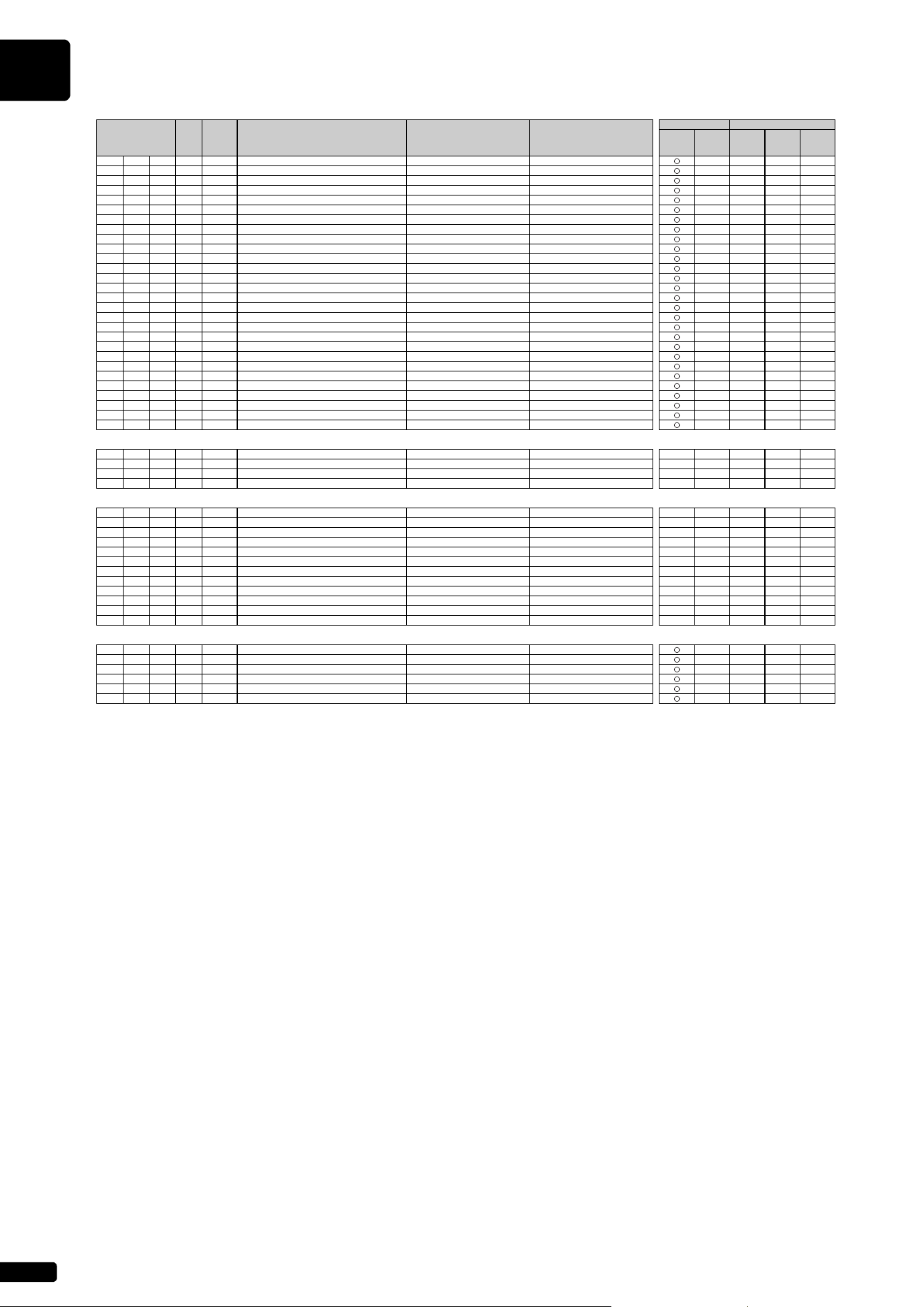
MIDI Data Format
A-14
nn: part number
If there is a Drum voice assigned to the part, the following parameters are ineffective.
• BANK SELECT LSB
• PORTAMENTO
• MONO/POLY
• SCALE TUNING
• POLY AFTER TOUCH
•PITCH EG
53 1 28-58 PAT PITCH CONTROL -24…0…+24 [semitones] 40 × × × ×
54 1 00-7F PAT LOW PASS FILTER CONTROL -9600…0…+9450 [cent] 40 × × × ×
55 1 00-7F PAT AMPLITUDE CONTROL -100…0…+100 [%] 40 × × × ×
56 1 00-7F PAT LFO PMOD DEPTH 0…127 00 × × × ×
57 1 00-7F PAT LFO FMOD DEPTH 0…127 00 × × × ×
58 1 00-7F PAT LFO AMOD DEPTH 0…127 00 × × × ×
59 1 00-5F AC1 CONTROLLER NUMBER 0…95 10 × × × ×
5A 1 28-58 AC1 PITCH CONTROL -24…0…+24 [semitones] 40 × × × ×
5B 1 00-7F AC1 LOW PASS FILTER CONTROL -9600…0…+9450 [cent] 40 × × × ×
5C 1 00-7F AC1 AMPLITUDE CONTROL -100…0…+100 [%] 40 × × × ×
5D 1 00-7F AC1 LFO PMOD DEPTH 0…127 00 × × × ×
5E 1 00-7F AC1 LFO FMOD DEPTH 0…127 00 × × × ×
5F 1 00-7F AC1 LFO AMOD DEPTH 0…127 00 × × × ×
60 1 00-5F AC2 CONTROLLER NUMBER 0…95 11 × × × ×
61 1 28-58 AC2 PITCH CONTROL -24…0…+24 [semitones] 40 × × × ×
62 1 00-7F AC2 LOW PASS FILTER CONTROL -9600…0…+9450 [cent] 40 × × × ×
63 1 00-7F AC2 AMPLITUDE CONTROL -100…0…+100 [%] 40 × × × ×
64 1 00-7F AC2 LFO PMOD DEPTH 0…127 00 × × × ×
65 1 00-7F AC2 LFO FMOD DEPTH 0…127 00 × × × ×
66 1 00-7F AC2 LFO AMOD DEPTH 0…127 00 × × × ×
67 1 00-01 PORTAMENTO SWITCH OFF, ON 00 × × × ×
68 1 00-7F PORTAMENTO TIME 0…127 00 × × × ×
69 1 00-7F PITCH EG INITIAL LEVEL -64…0…+63 40 × × × ×
6A 1 00-7F PITCH EG ATTACK TIME -64…0…+63 40 × × × ×
6B 1 00-7F PITCH EG RELEASE LEVEL -64…0…+63 40 × × × ×
6C 1 00-7F PITCH EG RELEASE TIME -64…0…+63 40 × × × ×
6D 1 01-7F VELOCITY LIMIT LOW 1…127 01 × × × ×
6E 1 01-7F VELOCITY LIMIT HIGH 1…127 7F × × × ×
TOTAL SIZE 3F
70 1 NOT USED — —————
71 1 NOT USED — —————
72 1 00-7F EQ BASS GAIN -12dB…+12dB 40 × × × × ×
73 1 00-7F EQ TREBLE GAIN -12dB…+12dB 40 × × × × ×
TOTAL SIZE 04
74 1 NOT USED — —————
75 1 NOT USED — —————
76 1 04-28 EQ BASS FREQUENCY 32…2.0k [Hz] 0C × × × × ×
77 1 1C-3A EQ TREBLE FREQUENCY 500…16.0k [Hz] 36 × × × × ×
78 1 NOT USED — —————
79 1 NOT USED — —————
7A 1 NOT USED — —————
7B 1 NOT USED — —————
7C 1 NOT USED — —————
7D 1 NOT USED — —————
7E 1 NOT USED — —————
7F 1 NOT USED — —————
TOTAL SIZE 0C
0A nn 40 1 00-7F MW OFFSET LEVEL CONTROL -100 - 100 [%] 40 × × × ×
41 1 00-7F BEND OFFSET LEVEL CONTROL -100 - 100 [%] 40 × × × ×
42 1 00-7F CAT OFFSET LEVEL CONTROL -100 - 100 [%] 40 × × × ×
43 1 00-7F PAT OFFSET LEVEL CONTROL -100 - 100 [%] 40 × × × ×
44 1 00-7F AC1 OFFSET LEVEL CONTROL -100 - 100 [%] 40 × × × ×
45 1 00-7F AC2 OFFSET LEVEL CONTROL -100 - 100 [%] 40 × × × ×
TOTAL SIZE 06
[ MIDI (Silent) ]
Address
(H)
Size
(H)
Data
(H)
Parameter Description
XG Default
(H)
MIDI Reception MIDI Transmission
Song
Part
Piano
Playback
Channel
Panel
Operation
Song
Playback
MIDI
Input
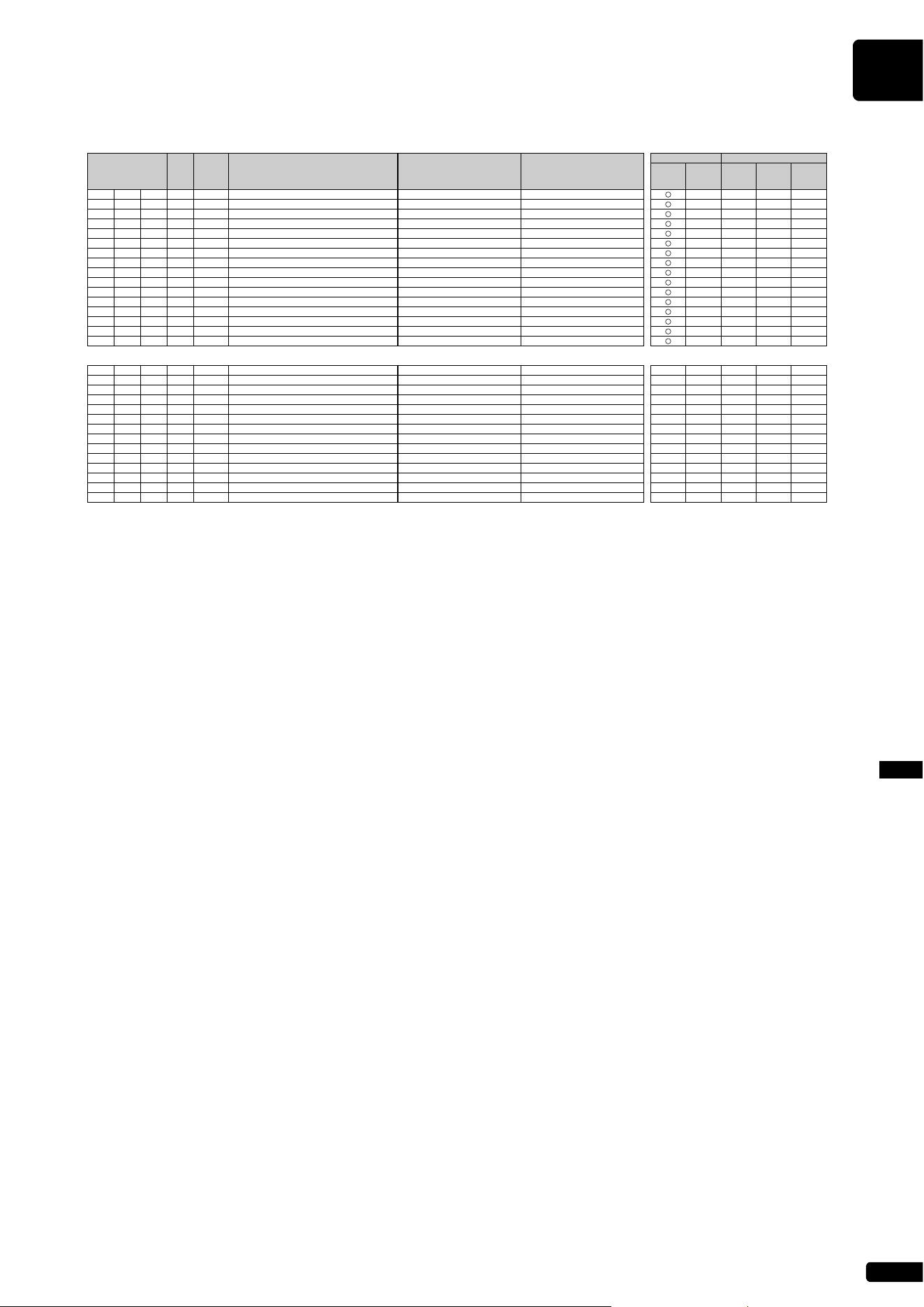
MIDI Data Format
A-15
MIDI Data FormatAppendix
MIDI Parameter Change Table (DRUM SETUP)
n: drum setup number (0-1)
rr: note number (0D-5B)
In the following cases, the unit will initialize all drum setups.
• XG SYSTEM ON received
• GM SYSTEM ON received
• GM LEVEL 2 SYSTEM ON received
• GS RESET received
• DRUM SETUP RESET received (only when in XG mode)
When a part to which a drum setup is assigned receives a program change, the assigned drum setup will be initialized.
If the same drum setup is assigned to two or more parts, changes in drum setup parameters (including program changes) will apply to all parts to which it is assigned.
[ MIDI (Silent) ]
Address
(H)
Size
(H)
Data
(H)
Parameter Description
XG Default
(H)
MIDI Reception MIDI Transmission
Song
Part
Piano
Playback
Channel
Panel
Operation
Song
Playback
MIDI
Input
3n rr 00 1 00-7F PITCH COARSE -64…0…+63 40
××××
01 1 00-7F PITCH FINE -64…0…+63 [cent] 40
××××
02 1 00-7F LEVEL 0…127 Depends on the note
××××
03 1 00-7F ALTERNATE GROUP OFF, 1…127 Depends on the note
××××
04 1 00-7F PAN RND, L63…C…R63 Depends on the note
××××
05 1 00-7F REVERB SEND 0…127 Depends on the note
××××
06 1 00-7F CHORUS SEND 0…127 Depends on the note
××××
07 1 00-7F VARIATION SEND 0…127 7F
××××
08 1 00-01 KEY ASSIGN SINGLE, MULTI 00
××××
09 1 00-01 Rcv NOTE OFF OFF, ON Depends on the note
××××
0A 1 00-01 Rcv NOTE ON OFF, ON 01
××××
0B 1 00-7F LOW PASS FILTER CUTOFF FREQUENCY -64…0…+63 40
××××
0C 1 00-7F LOW PASS FILTER RESONANCE -64…0…+63 40
××××
0D 1 00-7F EG ATTACK RATE -64…0…+63 40
××××
0E 1 00-7F EG DECAY1 RATE -64…0…+63 40
××××
0F 1 00-7F EG DECAY2 RATE -64…0…+63 40
××××
TOTAL SIZE 10
20 1 00-7F EQ BASS GAIN -12…+12 [dB] 40
×××××
21 1 00-7F EQ TREBLE GAIN -12…+12 [dB] 40
×××××
22 1 NOT USED — —————
23 1 NOT USED — —————
24 1 04-28 EQ BASS FREQUENCY 32…2.0k [Hz] 0C
×××××
25 1 1C-3A EQ TREBLE FREQUENCY 500…16.0k [Hz] 36
×××××
26 1 NOT USED — —————
27 1 NOT USED — —————
28 1 NOT USED — —————
29 1 NOT USED — —————
2A 1 NOT USED — —————
2B 1 NOT USED — —————
2C 1 NOT USED — —————
2D 1 NOT USED — —————
TOTAL SIZE 0E
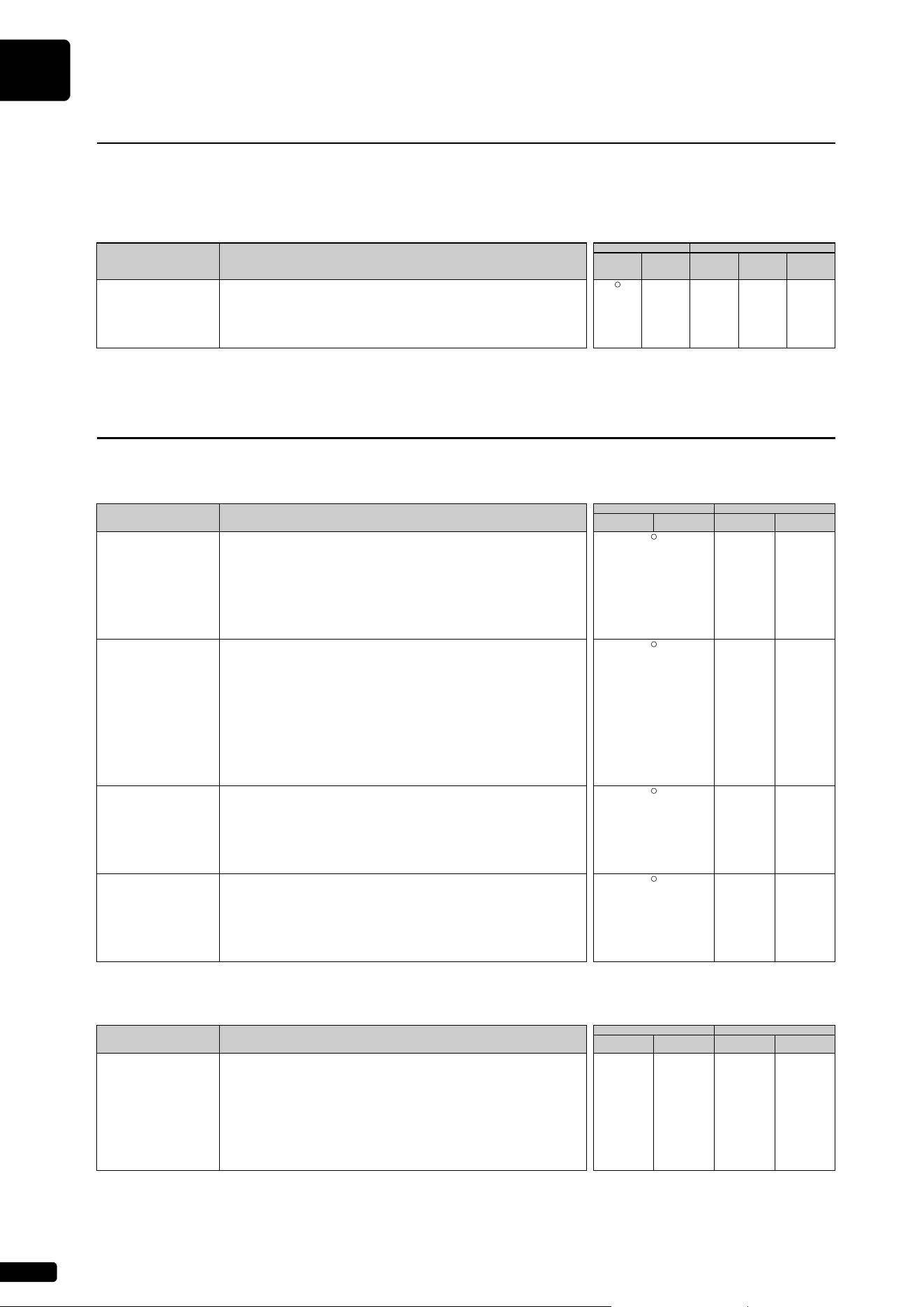
MIDI Data Format
A-16
* Not received when Receive System Exclusive Message is set to off.
* Not transmitted when Transmit System Exclusive Message is set to off.
System Exclusive Messages (Universal Non Realtime Messages)
System Exclusive Messages (XG)
System Exclusive Messages (Others)
System Exclusive Messages (1)
[ MIDI (Silent) ]
MIDI Event Data Format
MIDI Reception MIDI Transmission
Song Part
Piano
Playback
Channel
Panel
Operation
Song
Playback
MIDI Input
GM1 System On F0 7E XN 09 01 F7 ××××
[GM1] [GM2] 11110000 F0 = Exclusive status
01111110 7E = Universal Non-Real Time
0xxxnnnn XN = When N is received N=0-F, whichever is received. X=ignored
00001001 09 = Sub-ID #1=General MIDI Message
00000001 01 = Sub-ID #2=General MIDI On
11110111 F7 = End of Exclusive
System Exclusive Messages (2)
[ MIDI (Silent) ]
MIDI Event Data Format
MIDI Reception MIDI Transmission
Song Part
Piano Playback
Channel
Panel Operation Song Playback
XG Parameter Change F0 43 1n 4C hh mm ll dd … F7 ××
11110000 F0 = Exclusive status Refer to Parameter Change Table
01000011 43 = YAMAHA ID
0001nnnn 1n = Device Number n=always 0 (when transmit), n=0-F (when recieve)
01001100 4C = Model ID
0hhhhhhh hh = Address High
0mmmmmmm mm = Address Mid
0lllllll ll = Address Low
0ddddddd dd = Data
……
11110111 F7 = End of Exclusive
XG Bulk Dump F0 43 0n 4C aa bb hh mm ll dd … dd cc F7 ××
11110000 F0 = Exclusive status Refer to Parameter Change Table
01000011 43 = YAMAHA ID
0000nnnn 0n = Device Number n=always 0 (when transmit), n=0-F (when recieve)
01001100 4C = Model ID
0aaaaaaa aa = Byte Count MSB
0bbbbbbb bb = Byte Count LSB
0hhhhhhh hh = Address High
0mmmmmmm mm = Address Mid
0lllllll ll = Address Low
0ddddddd dd = Data
::
0ddddddd dd = Data
0ccccccc cc = Checksum
11110111 F7 = End of Exclusive
XG Parameter Request F0433n4Chhll F7 ××
11110000 F0 = Exclusive status Refer to Parameter Change Table
01000011 43 = YAMAHA ID
0011nnnn 3n = Device Number n=always 0 (when transmit), n=0-F (when recieve)
01001100 4C = Model ID
0hhhhhhh hh = Address High
0mmmmmmm mm = Address Mid
0lllllll ll = Address Low
11110111 F7 = End of Exclusive
XG Dump Request F0 43 2n 4C hh mm ll F7 ××
11110000 F0 = Exclusive status Refer to Parameter Change Table
01000011 43 = YAMAHA ID
0010nnnn 2n = Device Number n=always 0 (when transmit), n=0-F (when recieve)
01001100 4C = Model ID
0hhhhhhh hh = Address High
0mmmmmmm mm = Address Mid
0lllllll ll = Address Low
11110111 F7 = End of Exclusive
[ MIDI (Silent) ]
MIDI Event Data Format
MIDI Reception MIDI Transmission
Song Part
Piano Playback
Channel
Panel Operation Song Playback
MIDI Master Tuning F0 43 1n 27 30 00 00 mm ll cc F7 × × × ×
11110000 F0 = Exclusive status
01000011 43 = YAMAHA ID
0001nnnn 1n n= always 0(when transmit), n=0-F(when receive)
00100111 27 = Model ID of TG100
00110000 30 = Address High
00000000 00 = Address Mid
00000000 00 = Address Low
0000mmmm 0m = Master Tune MSB
0000llll 0l = Master Tune LSB
0ccccccc cc = don’t care
11110111 F7 = End of Exclusive
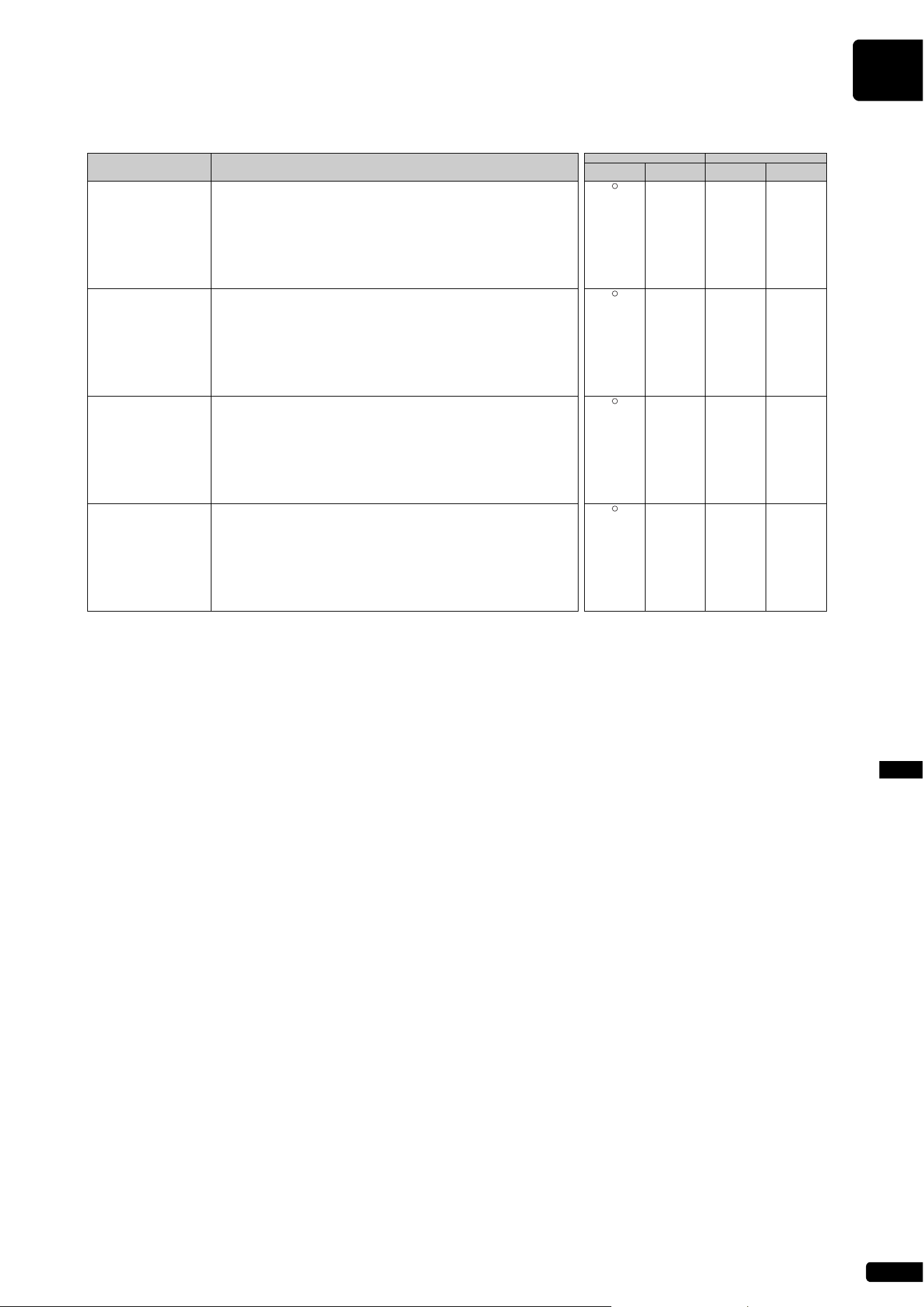
MIDI Data Format
A-17
MIDI Data FormatAppendix
System Exclusive Messages (Preset Voice)
* For each depth value, the rest value is 40H = voice parameter.
[ MIDI (Silent) ]
MIDI Event Data Format
MIDI Reception MIDI Transmission
Song Part
Piano Playback
Channel
Panel Operation Song Playback
String Resonance Depth F043730150110n02ddF7 ×××
11110000 F0 = Exclusive status
01000011 43 = YAMAHA ID
01110011 73 = Clavinova ID
00000001 01 = Model ID (Clavinova common ID)
01010000 50 = SubID
00010001 11 = SubID
0000nnnn 0n = Channel (00-0F)
00000010 02 = SubID (String Resonance Depth)
0ddddddd dd = Depth (00-48)
11110111 F7 = End of Exclusive
Sustain Sample Depth F043730150110n03ddF7 ×××
11110000 F0 = Exclusive status
01000011 43 = YAMAHA ID
01110011 73 = Clavinova ID
00000001 01 = Model ID (Clavinova common ID)
01010000 50 = SubID
00010001 11 = SubID
0000nnnn 0n = Channel (00-0F)
00000011 03 = SubID (Sustain Sample Depth)
0ddddddd dd = Depth (00-48)
11110111 F7 = End of Exclusive
Key Off Sampling Depth F043730150110n04ddF7 ×××
11110000 F0 = Exclusive status
01000011 43 = YAMAHA ID
01110011 73 = Clavinova ID
00000001 01 = Model ID (Clavinova common ID)
01010000 50 = SubID
00010001 11 = SubID
0000nnnn 0n = Channel (00-0F)
00000100 04 = SubID (Key Off Sampling Depth)
0ddddddd dd = Depth (00-50)
11110111 F7 = End of Exclusive
Soft Pedal
Depth
F0 43 73 01 50 11 0n 05 dd F7 ×××
11110000 F0 = Exclusive status
01000011 43 = YAMAHA ID
01110011 73 = Clavinova ID
00000001 01 = Model ID (Clavinova common ID)
01010000 50 = SubID
00010001 11 = SubID
0000nnnn 0n = Channel (00-0F)
00000101 05 = SubID (Soft Pedal Depth)
0ddddddd dd = Depth (00-7F)
11110111 F7 = End of Exclusive

MEMO
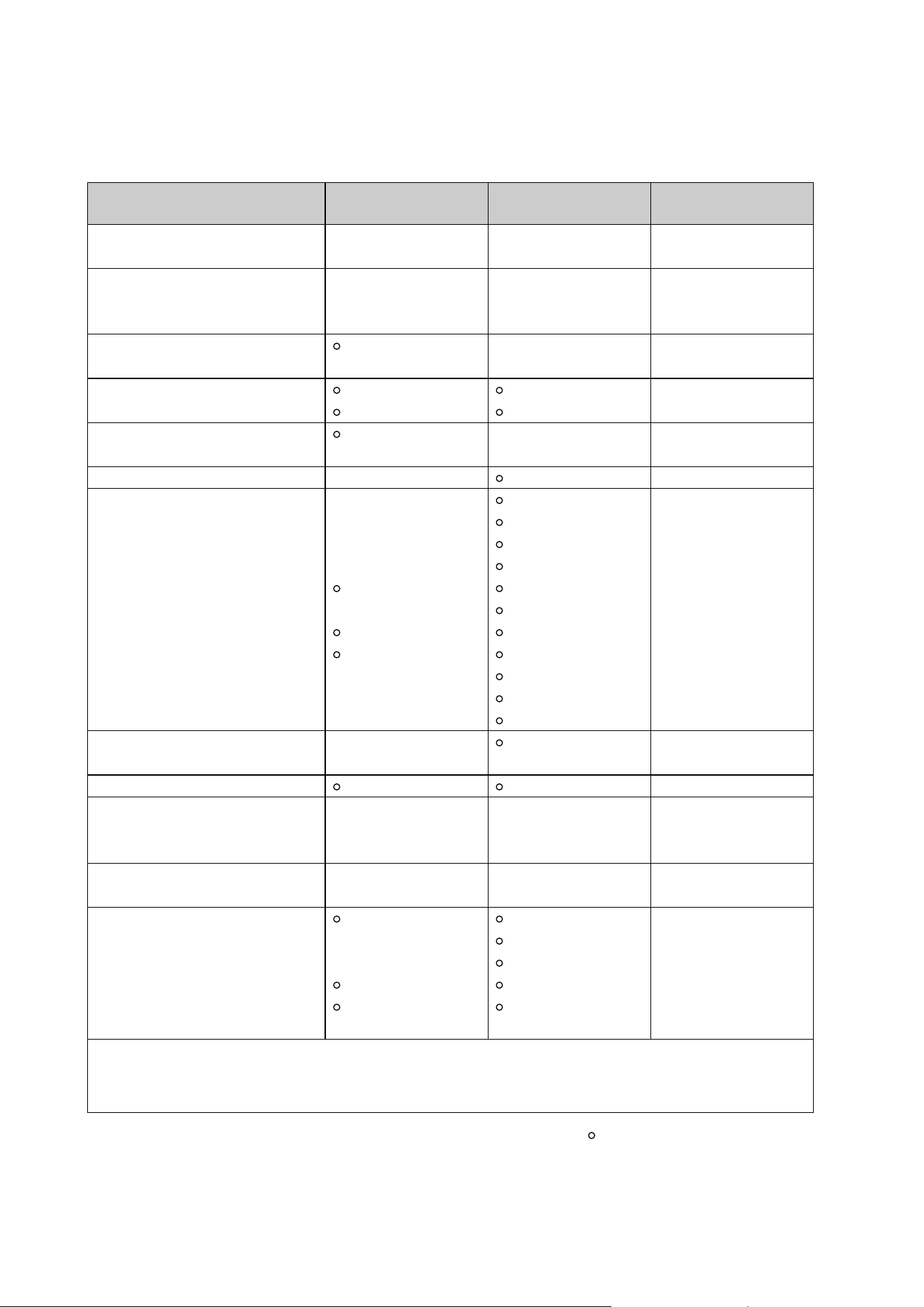
Mode 1 : OMNI ON. POLY Mode 2 : OMNI ON. MONO : YES
Mode 3 : OMNI OFF. POLY Mode 4 : OMNI OFF. MONO
× : NO
MIDI IMPLEMENTATION CHART
Yamaha Disklavier
Model: ENSPIRE ST/PRO
Date: 01-APR-2016
Version: 1.00
Function... Transmitted Recognized Remarks
Basic Channel
Default 1-16 1-16 Memorized
Changed 1-16 1-16
Mode
Default 3 3
Messages × 3, 4 (m=1) *1, *2
Altered ***************** ×
Note Number
21-108 0-127
: True Note ***************** 0-127
Velocity
Note ON 9nH, v=1-127 v=1-127
Note OFF 8nH, v=0-127
After Touch
Key’s *4 ×
Ch’s × ×
Pitch Bend × 0-24 semi *1
Control Change
0, 32 × *1 Bank Select
7, 11 ×
1, 5, 10 × *1
6, 38 × *1 Data Entry
64 Hold1 (Sustain)
65 × *1 Portamento
66 *3 *1 Sostenuto
67 Soft (Shift) Pedal
71-74, 84 × *1
91, 93, 94 × *1 Effect Depth
96-101 × *1
Prog Change
× 0-127
: True # *****************
System Exclusive
Common
: Song Pos × ×
: Song Sel × ×
: Tune × ×
System Real Time
: Clock × ×
: Commands × ×
Aux Messages
: All Sound OFF (120, 126, 127)
:
Reset All Cntrls
× (121)
: Local ON/OFF ×
: All Notes OFF (123-125)
: Active Sense
: Reset × ×
Notes
*1 = Only ESBL Part can recognized.
*2 = m is always treated as 1 regardless of value.
*3 = Transmit if this model has a Sostenuto Pedal.
*4 = Applying further pressure on the key does not output key aftertouch information.

YN640B0
10-1 Nakazawa-cho, Chuo-ku,
Hamamatsu, 430-8650 Japan
© 2016 Yamaha Corporation
Published 10/2024 MWTO-B0