We love that you are rocking JLab!
We take pride in our products and fully stand behind them.
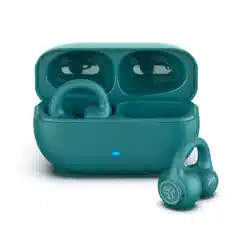
FLEX OPEN
EARBUDS
YOUR WARRANTY
All warranty claims are subject to JLab authorization
and at our sole discretion. Retain your proof of
purchase to ensure warranty coverage.
CONTACT US
Reach out to us at [email protected]
or visit jlab.com/contact
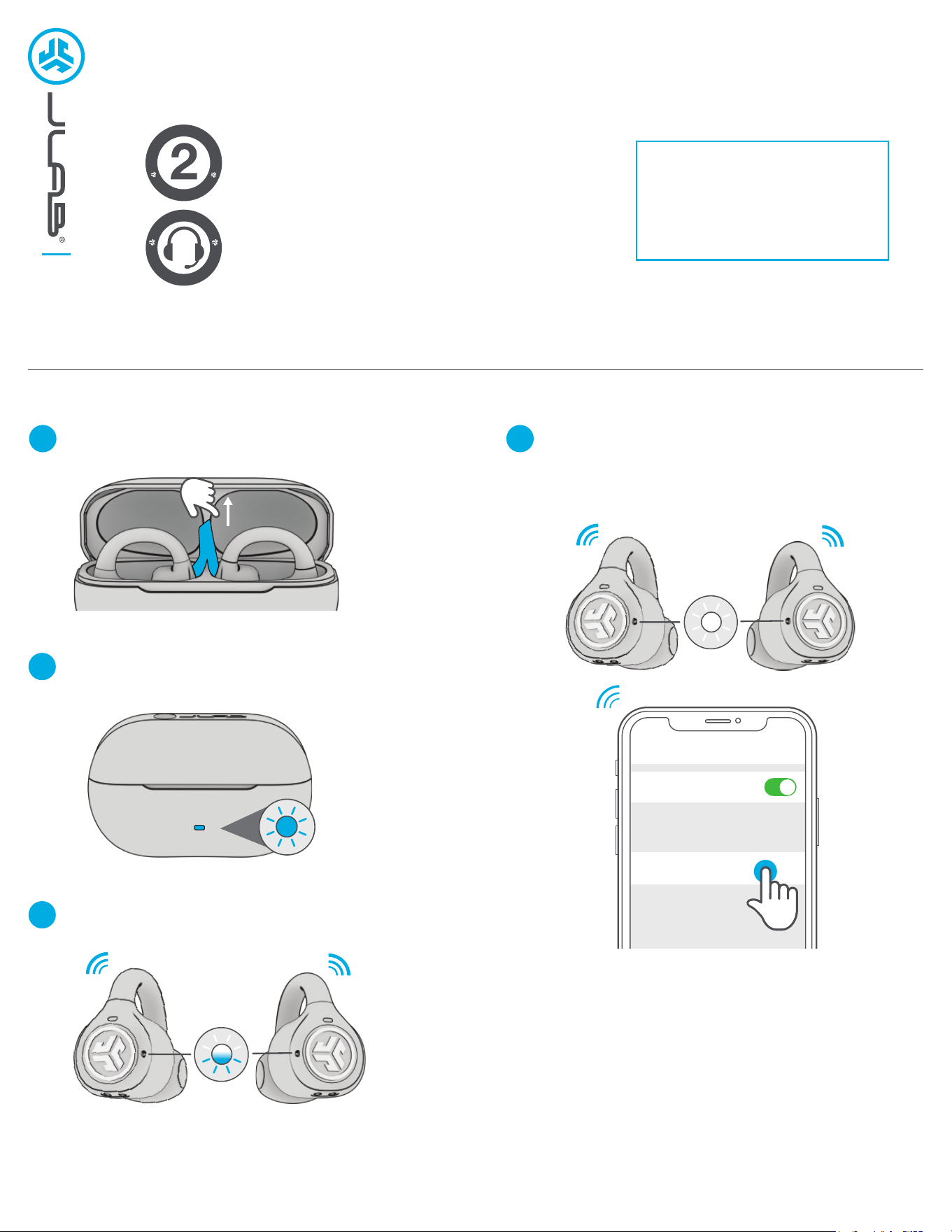
Remove tab and close door.
PAIR UP
1
One earbud will blink blue/white indicating
ready to pair to your device.
3
Blue light on case indicates charge.
Remove earbuds from case.
2
Select JLab Flex in your device's
Bluetooth settings to connect.
Voice prompt “Bluetooth connected” followed by
lights off will indicate connection.
4
Bluetooth
Settings
JLab Flex
REGISTER TODAY
jlab.com/register
Product updates | How-to tips
FAQs & more
L
I
M
I
T
E
D
T
W
O
Y
E
A
R
W
A
R
R
A
N
T
Y
S
U
P
P
O
R
T
T
E
A
M
#
T
E
A
M
J
L
A
B
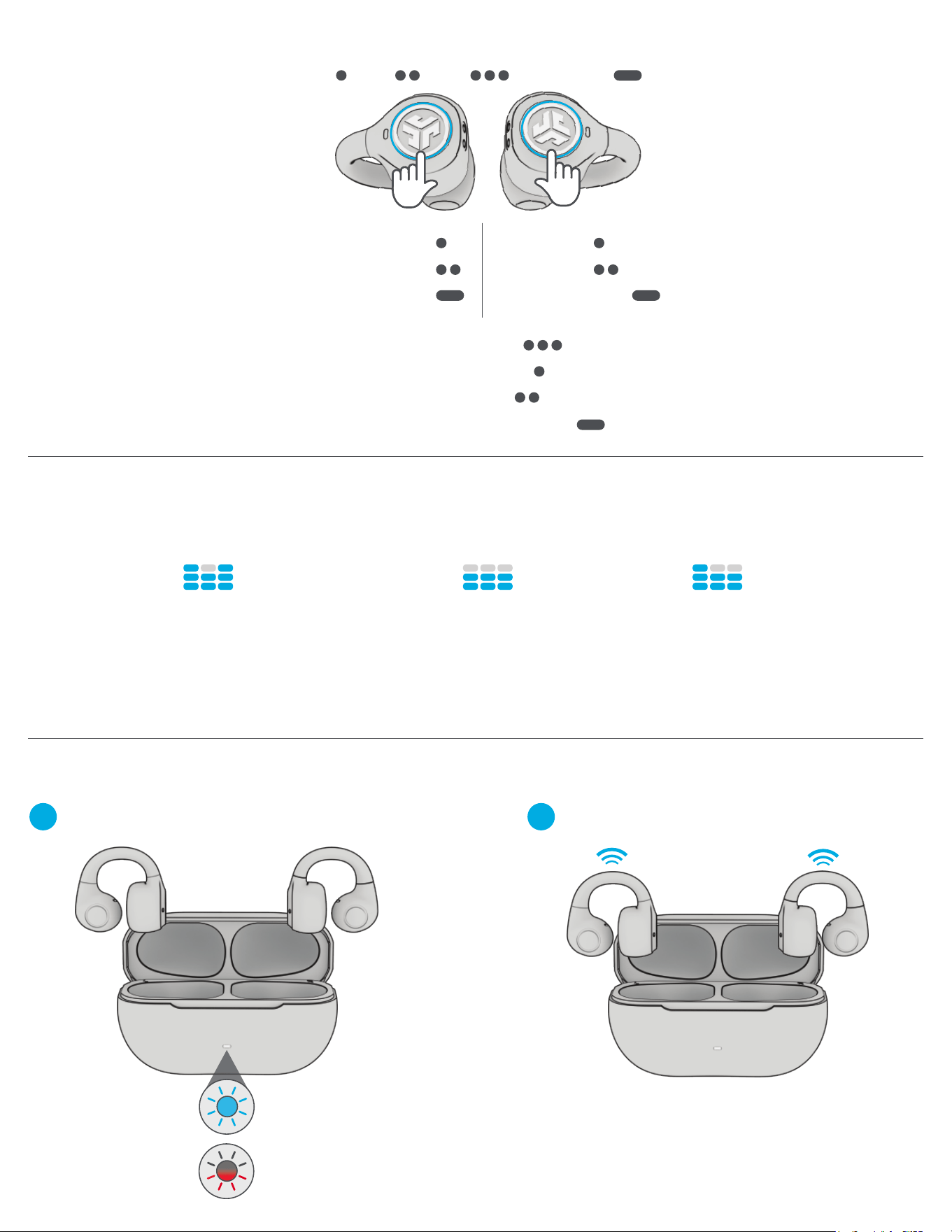
Earbuds will power off when placed in the case
and start charging.
Earbuds will auto power on and reconnect
when removed.
LEFT RIGHT
GO AHEAD, PRESS THE BUTTON
We get it, sound is personal. Choose your sound preferences from our EQ3
settings and customize your sound style to match exactly what you’re doing.
THE RIGHT SOUND FOR EVERY MOMENT
JLab SIGNATURE
JLab C3™ signature sound with
amplified bass and vocals
BEST FOR
Best option for most music Pop,
rock, country, electronic and more
BALANCED
Even sound with no additional
enhancements
BEST FOR
Podcasts, Audiobooks, Classical music
BASS BOOST
Amplified bass
and sub-bass
GET CHARGED (EARBUDS)
1
2
VOLUME DOWN
SIRI/OK GOOGLE
TRACK BACK
VOLUME UP
PLAY/PAUSE
TRACK FORWARD
EQ CHANGE
ANSWER CALL
HANG UP
REJECT INCOMING CALLS
1x 2x
3x
Press Hold
Blinks 3x Red
Case less than 25%
(charge case)
Solid Blue
Case 100-25%
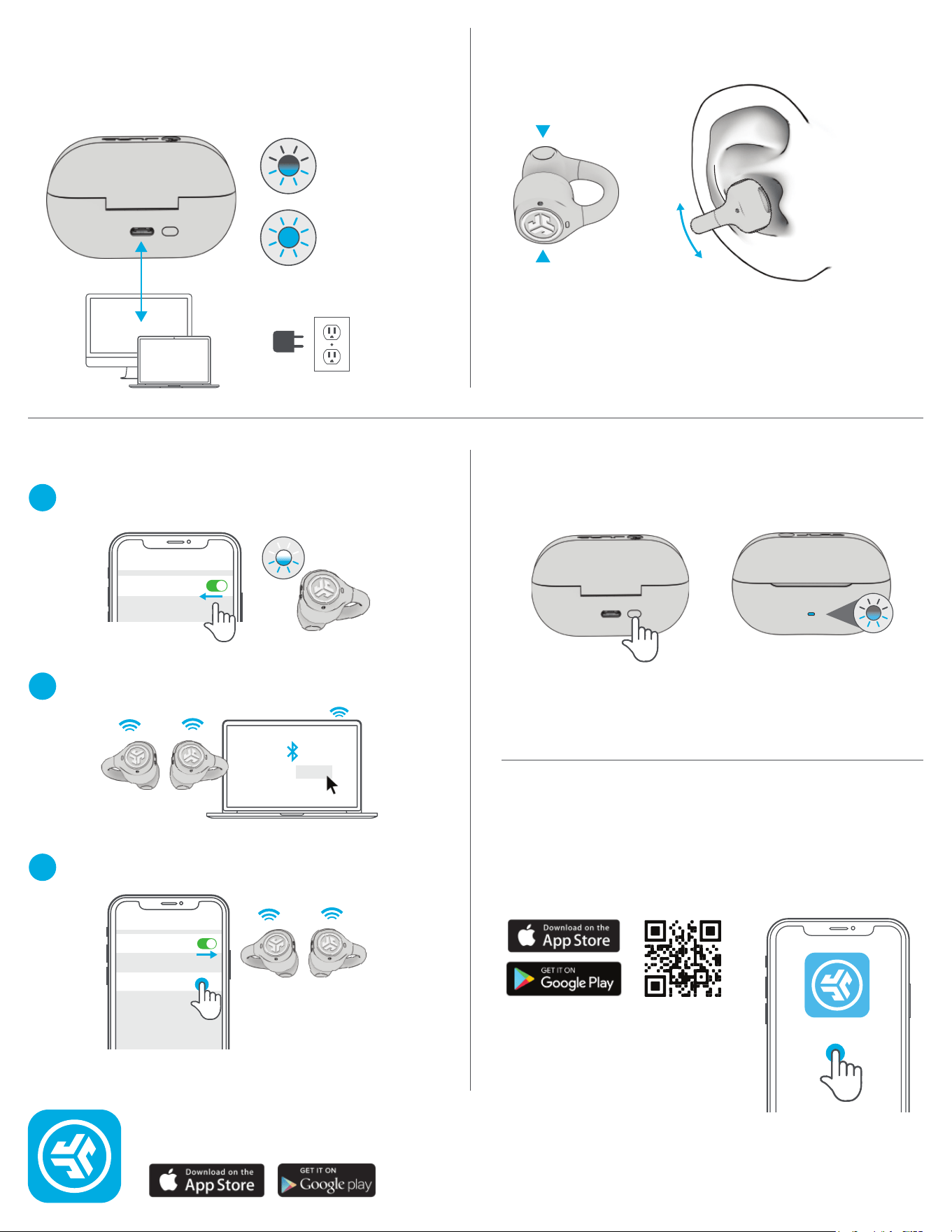
Once FIRST device is connected, turn off Bluetooth in
device settings. JLab Flex will auto enter Bluetooth Pairing.
With earbuds in case,
press hold button 3 sec.
Case blinks 3x times
indicating reset.
1
Enter your SECOND device Bluetooth settings and connect
to JLab Flex.
2
Enter your FIRST device Bluetooth settings.
Turn on Bluetooth and connect to JLab Flex.
3
Connect the JLab Flex into a computer
or USB-C 5V 1A (or less) output device.
GET CHARGED (CASE)
MULTIPOINT TROUBLESHOOTING
CONNECTION FAILURE/ISSUES
(MANUAL RESET)
OR
Shop products | Product alerts | Burn-in your headphones
JLab Store + Burn-in Tool
JLAB.COM
Charging
Blinks Blue
Fully Charged
Solid Blue
FITTING
Back
Front
Adjusting up/down position
will improve comfort and
sound quality.
JLab Flex Connect
Bluetooth
Settings
JLab JBuds Air Pro Connected
Bluetooth
Settings
JLab Flex
DOWNLOAD THE APP
Customize JLab Flex with features like an interval
timer and update to the latest software.
Download the JLab App in Apple/Google Play Store.
JLab
Instructional videos at: JLAB.COM/SUPPORT/FLEX