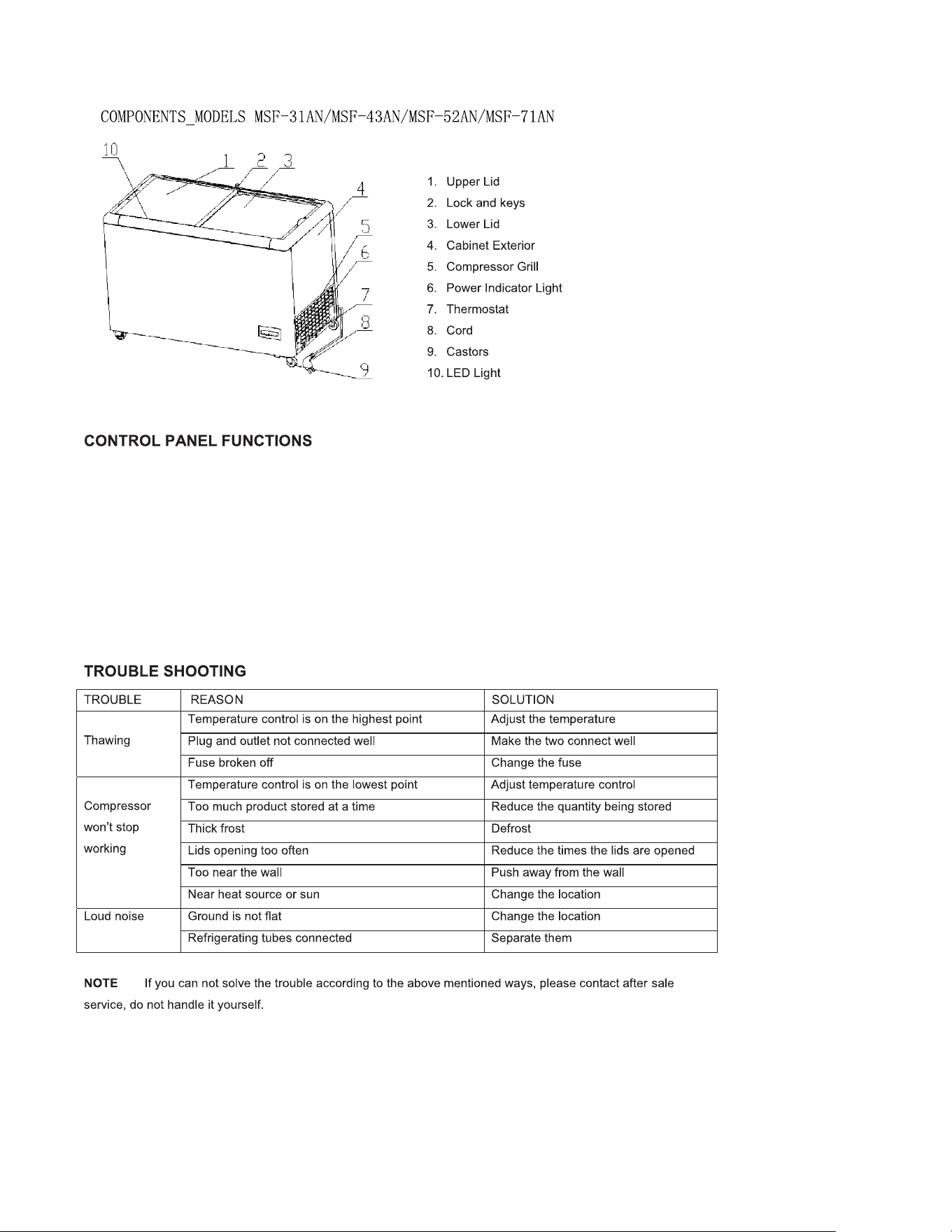
1. The figure on the temperature control 1~7 only means the temperature level from high to low, not means the
specific temperature.
2. The green light is a power indicator, when it is on , the power is connected.
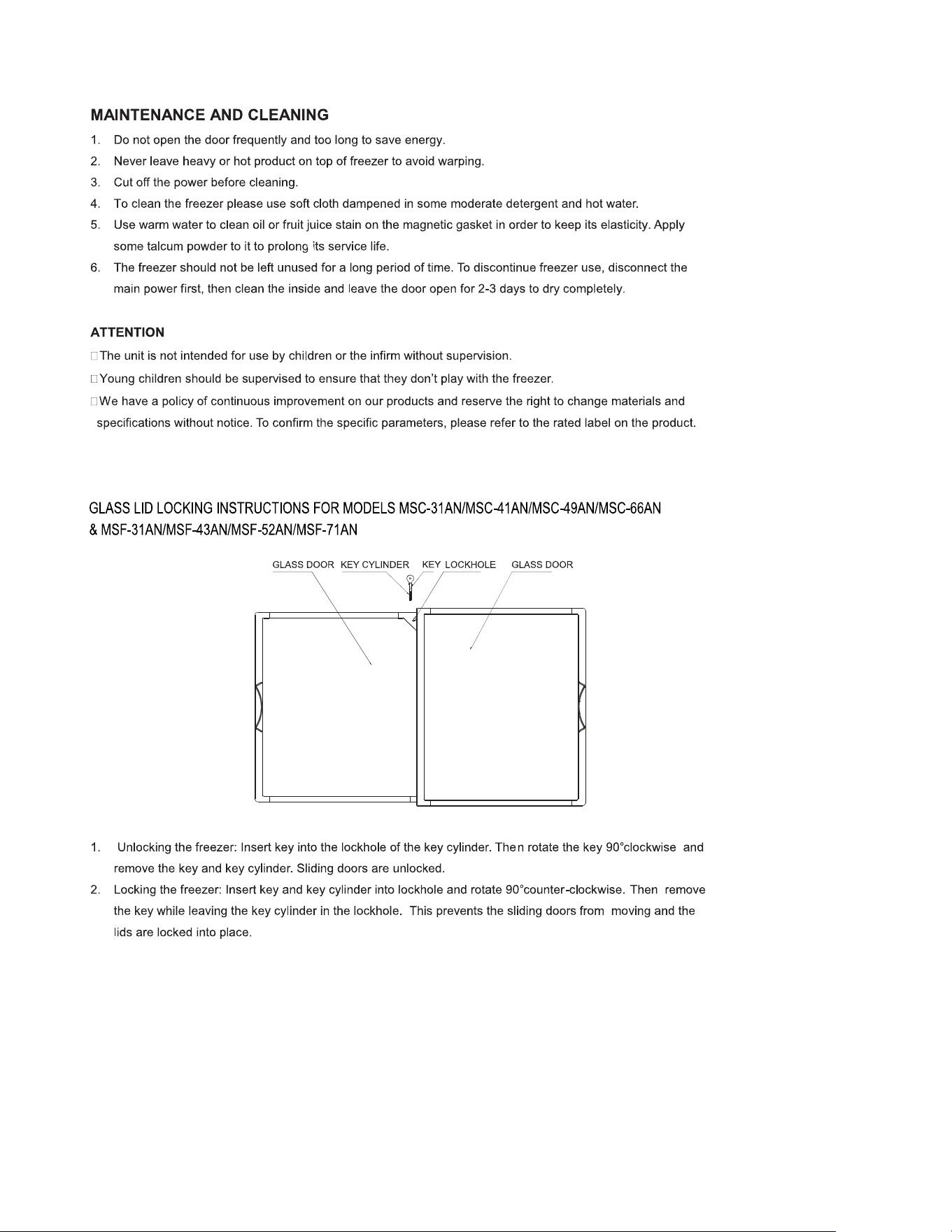
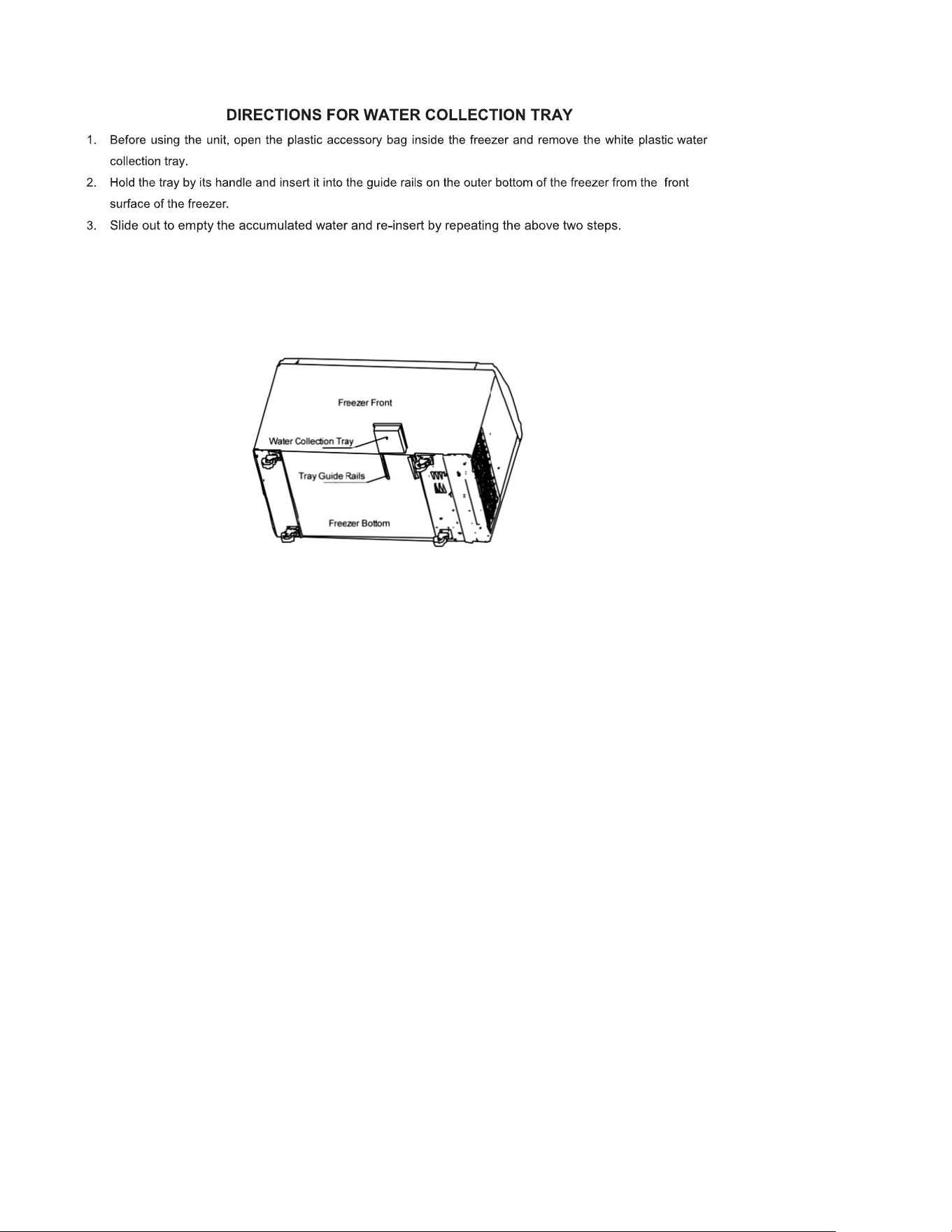
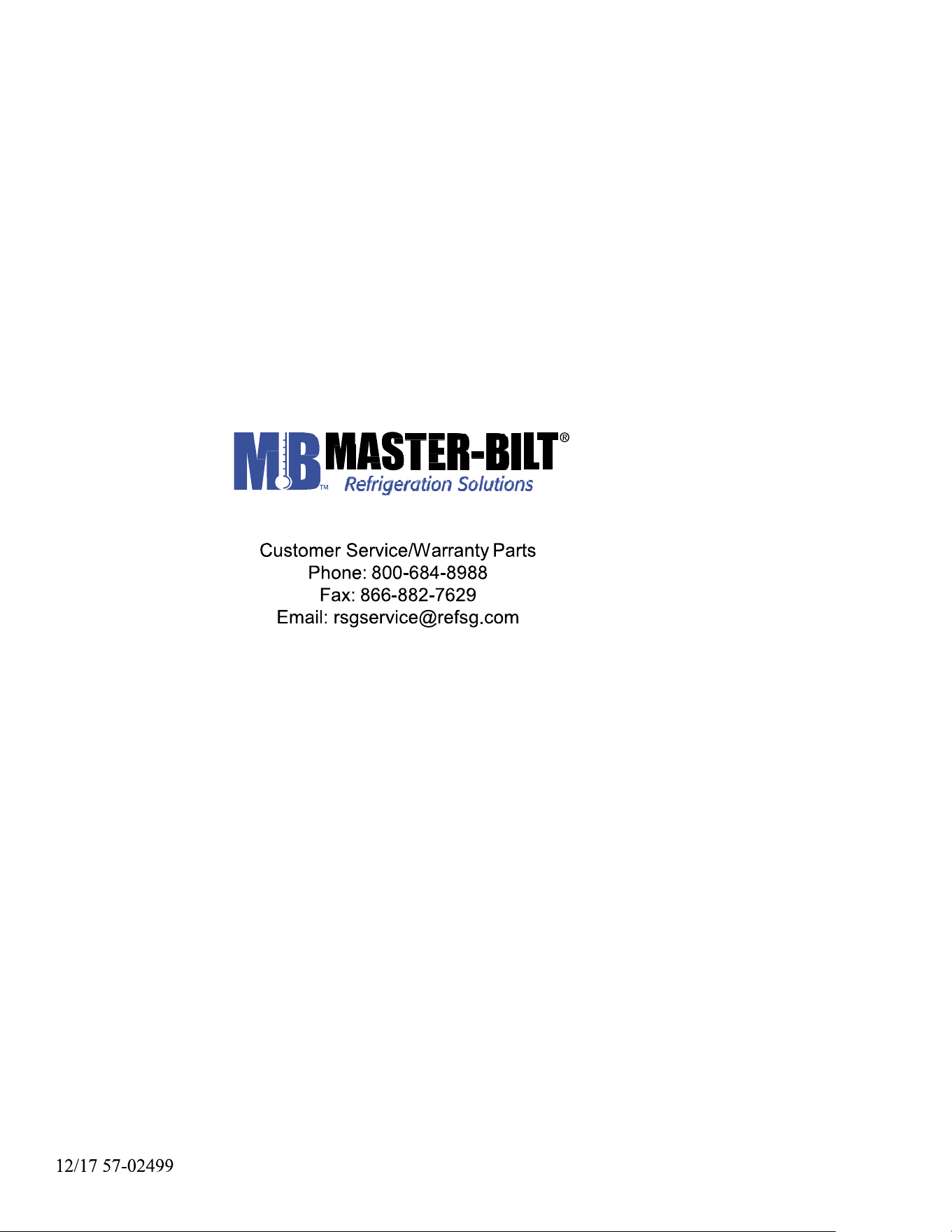
3. We need to use a special tool (for example, a flat-blade screwdriver) to turn the axle till the nick pointing to a
specific figure (1~7).
4. Turn the axle clockwise, the temperature inside will get cooler, turn the axle in the other direction, the
temperature will get warmer.
5. When you turn the axle anticlockwise to“off” or “0”,the compressor will stop working.
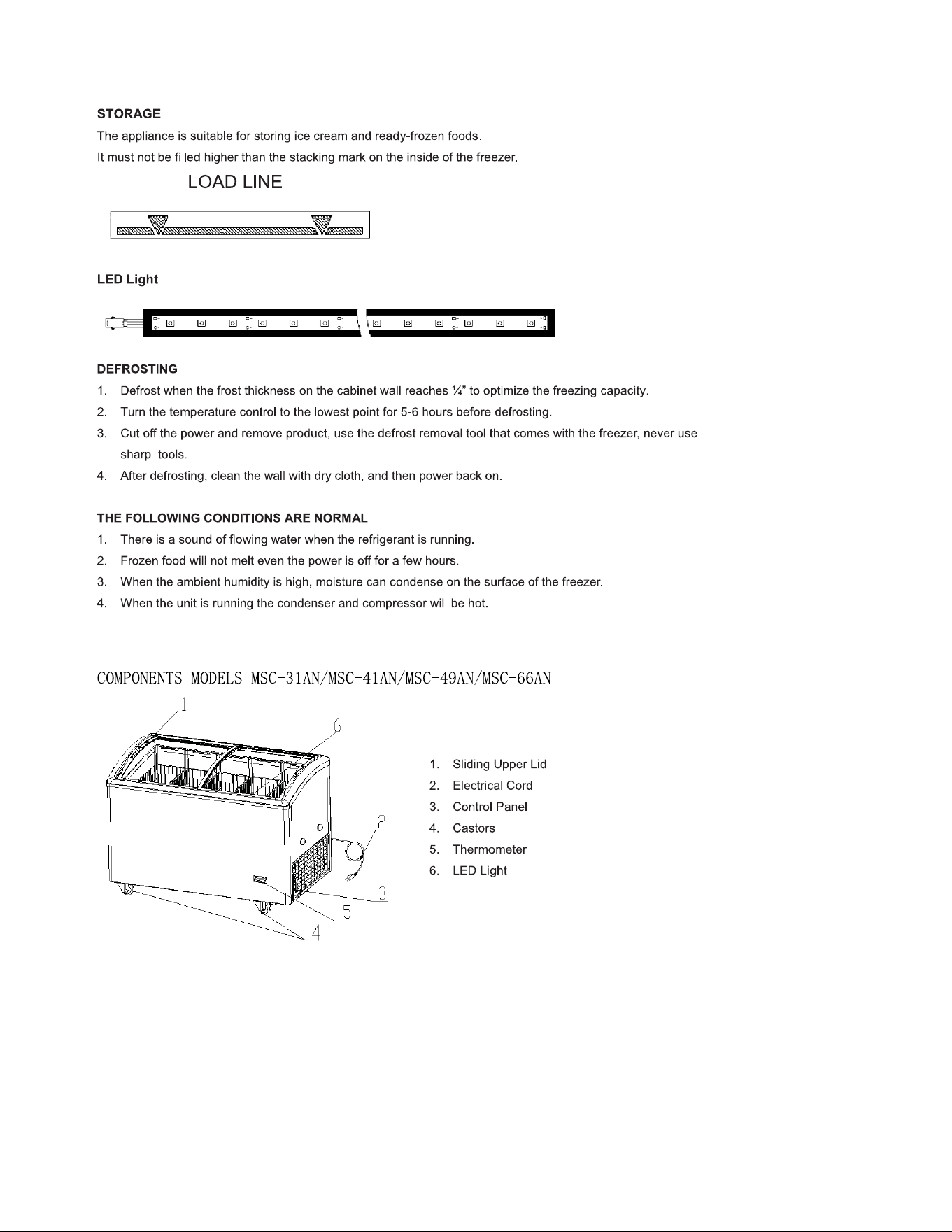
6. When the switch play to “-”, it means the LED-Light is on.
7. We recommend the nick pointing to the 6 or 5,to ensure the food inside the cabinet is frozen effectively.
Do not turn the axle from “7” to “0” !
Do not turn the axle from “7” to “off”!