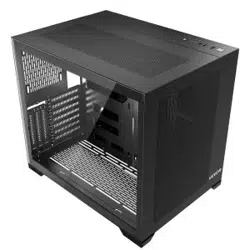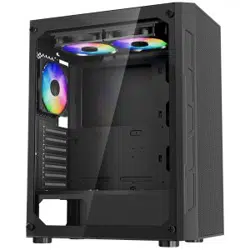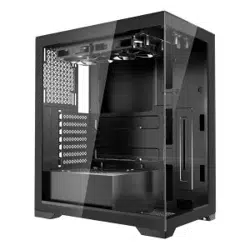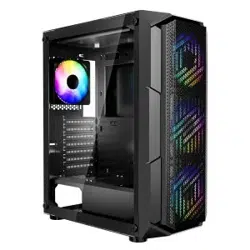

COMPUTER CASE USER MANUAL
MODEL:215ATX
Technical Support and E-Warranty Certificate
www.vevor.com/support
- 1 -
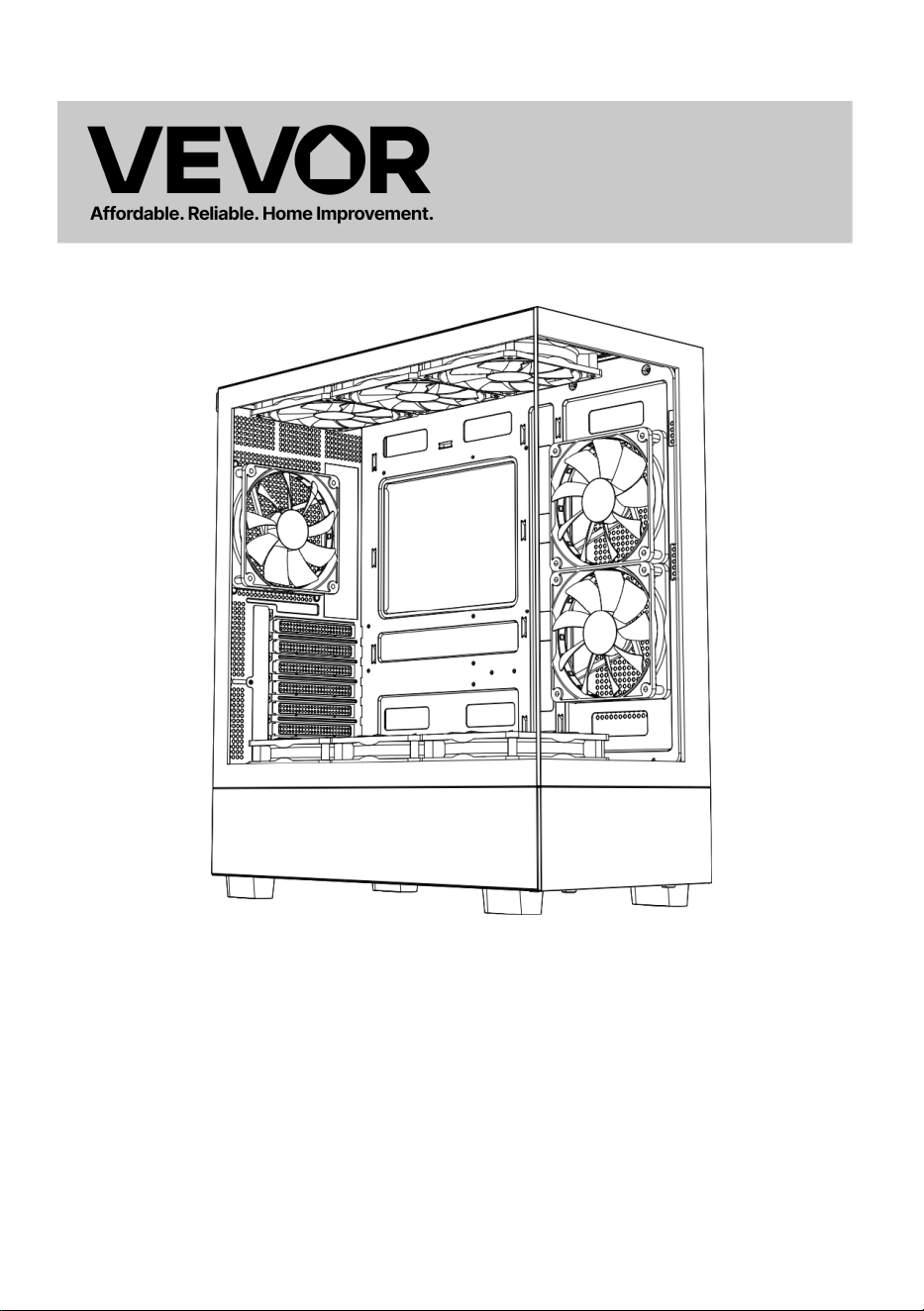
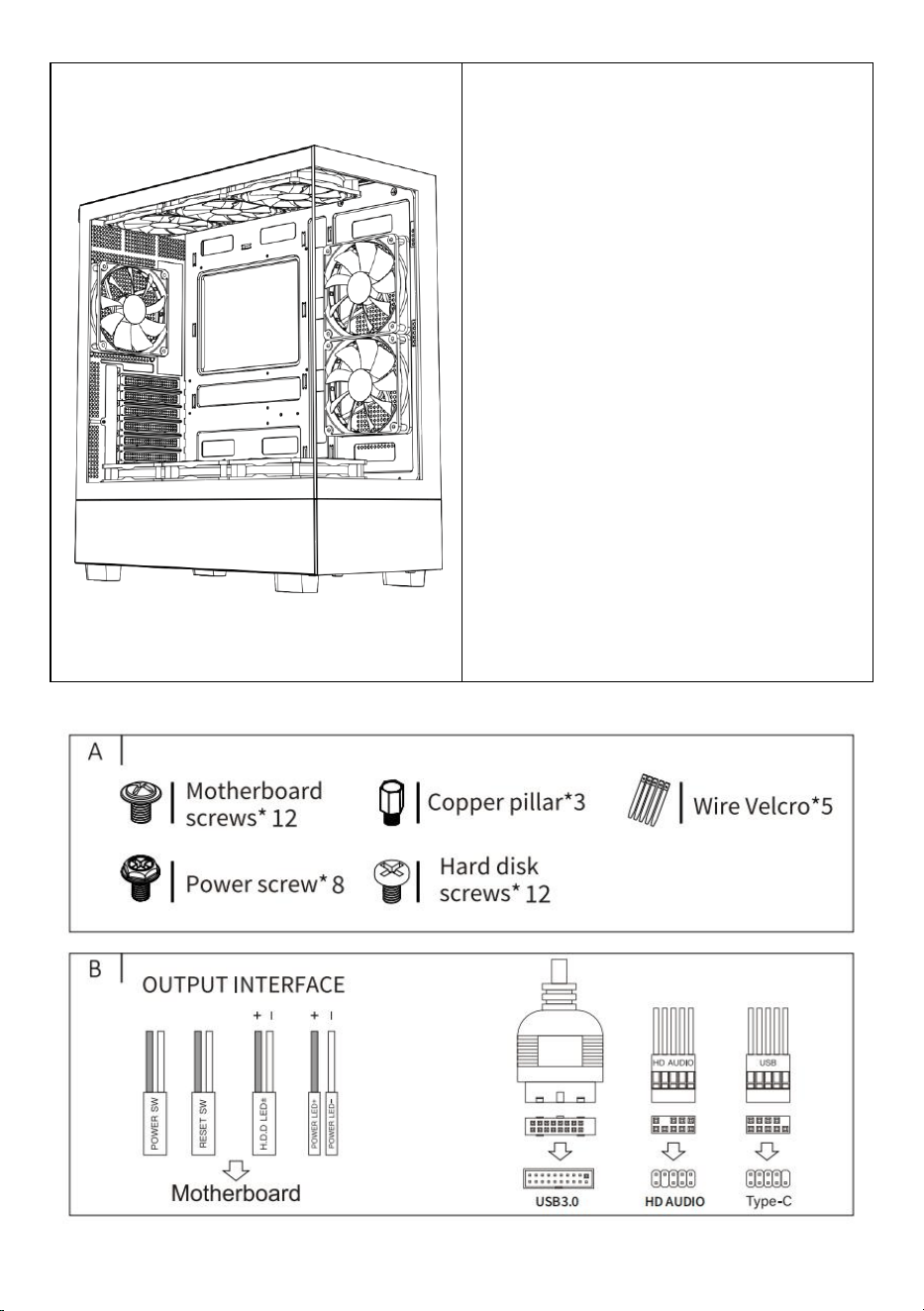
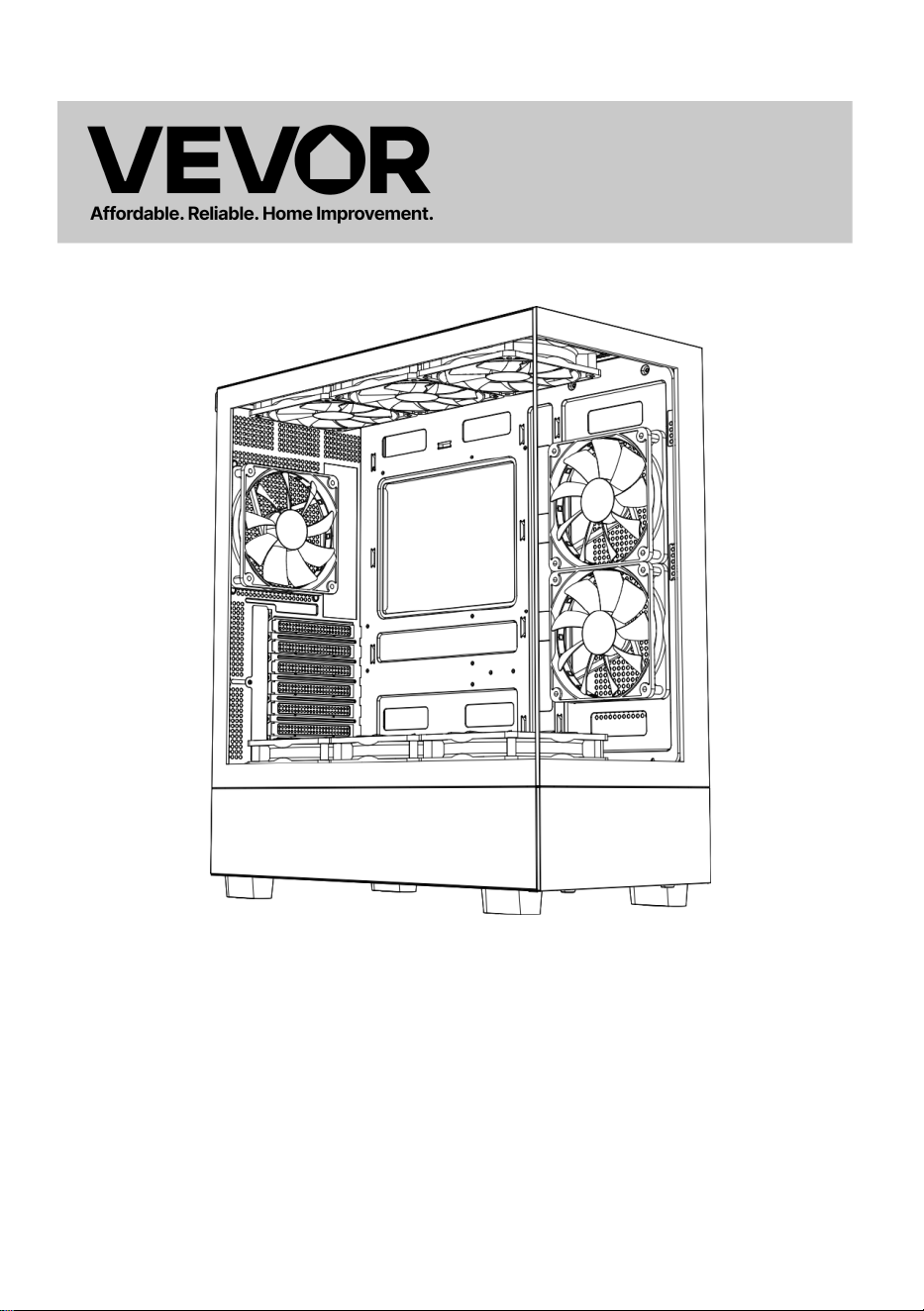
MODEL:215ATX
(The picture is for reference only, please refer to the actual object)
This is the original instruction, please read all manual instructions
carefully before operating. VEVOR reserves a clear interpretation of our
user manual. The appearance of the product shall be subject to the
product you received. Please forgive us that we won't inform you again if
there are any technology or software updates on our product.
Computer Case
- 2 -
Warning-To reduce the risk of injury, user must read instructions
manual carefully.
This product is subject to the provision of European Directive
2012/19/EC. The symbol showing a wheelie bin crossed
through indicates that the product requires separate refuse
collection in the European Union. This applies to the product
and all accessories marked with this symbol. Products marked
as such may not be discarded with normal domestic waste, but
must be taken to a collection point for recycling electrical and
electronic devices
- 3 -
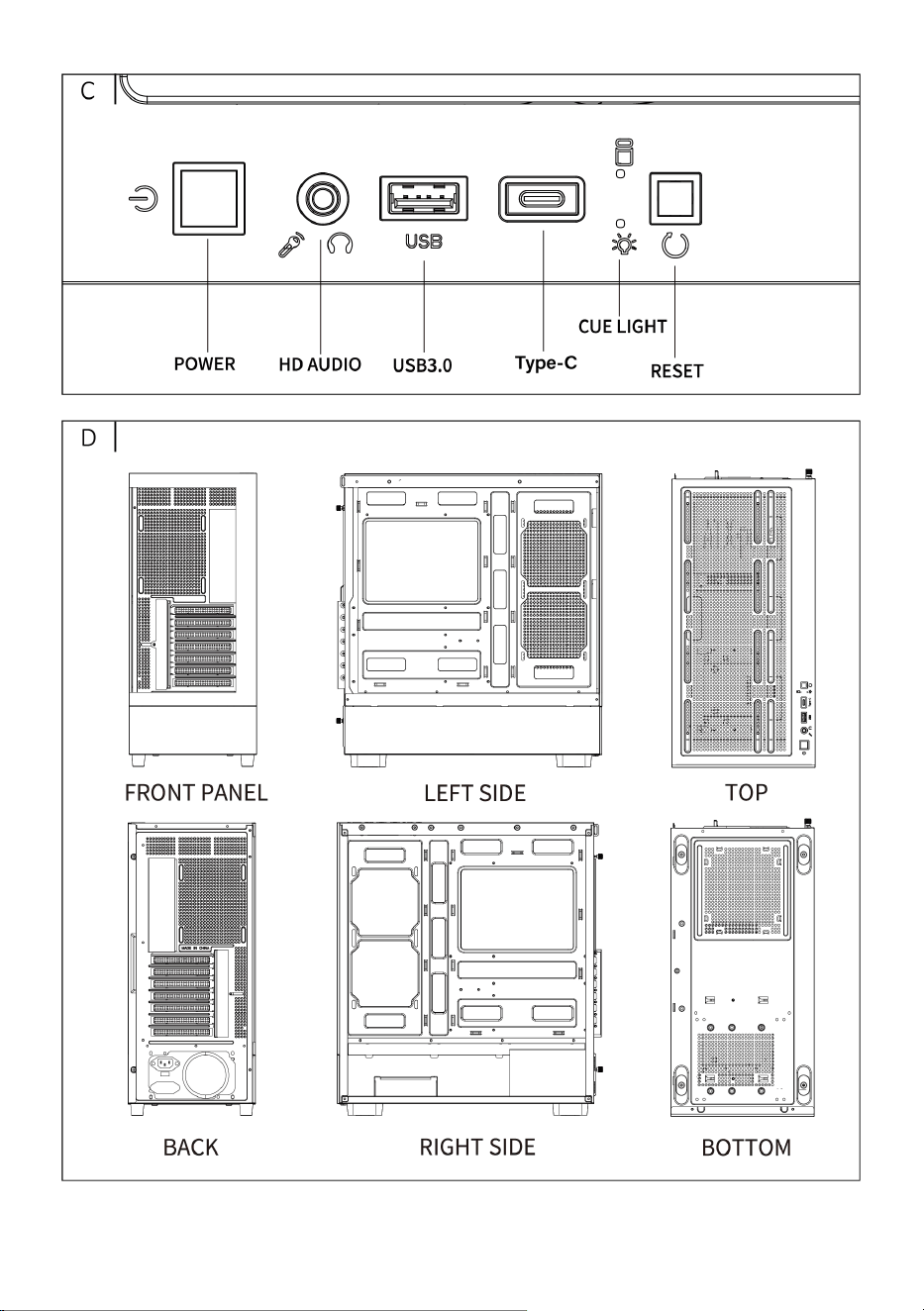
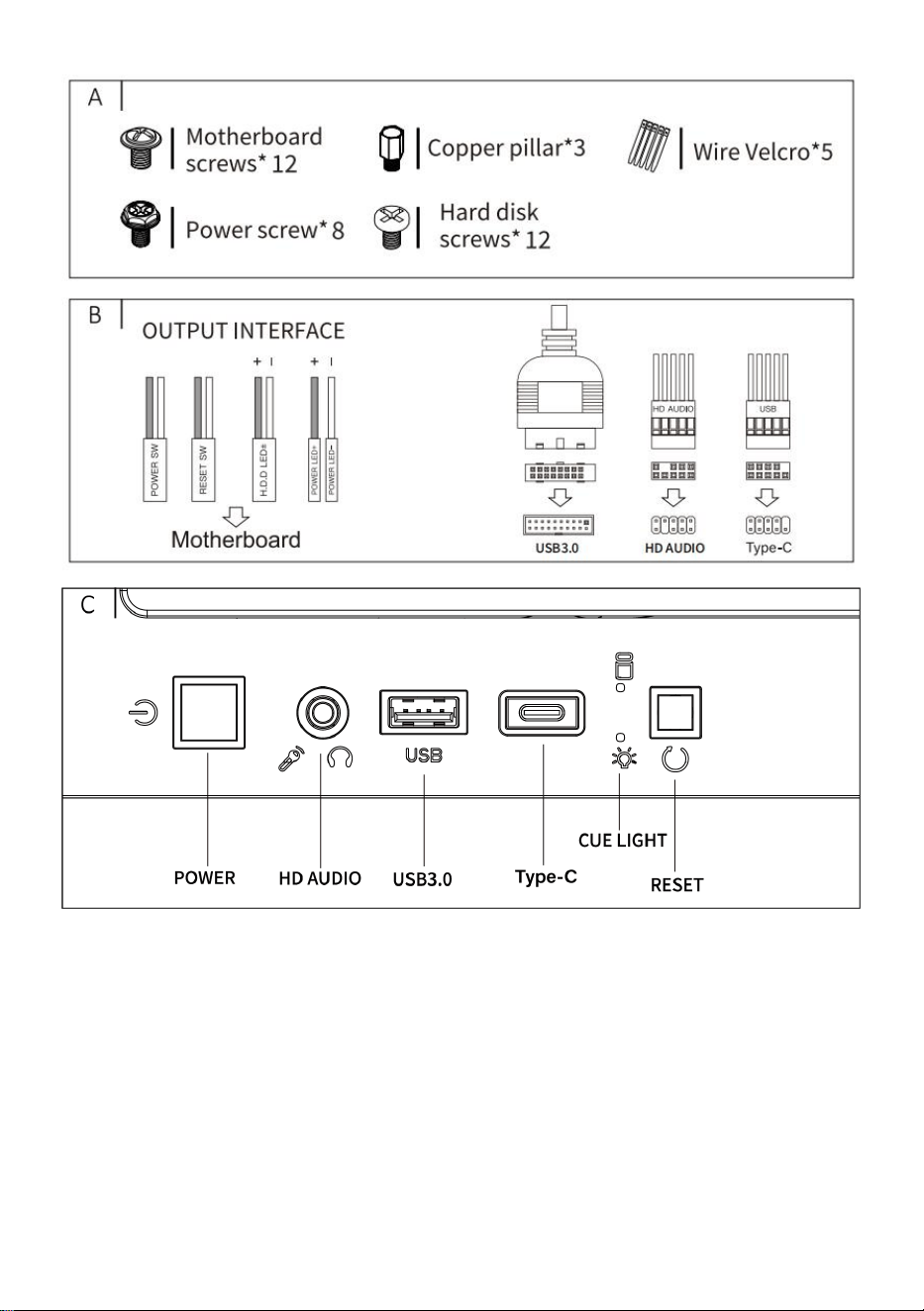
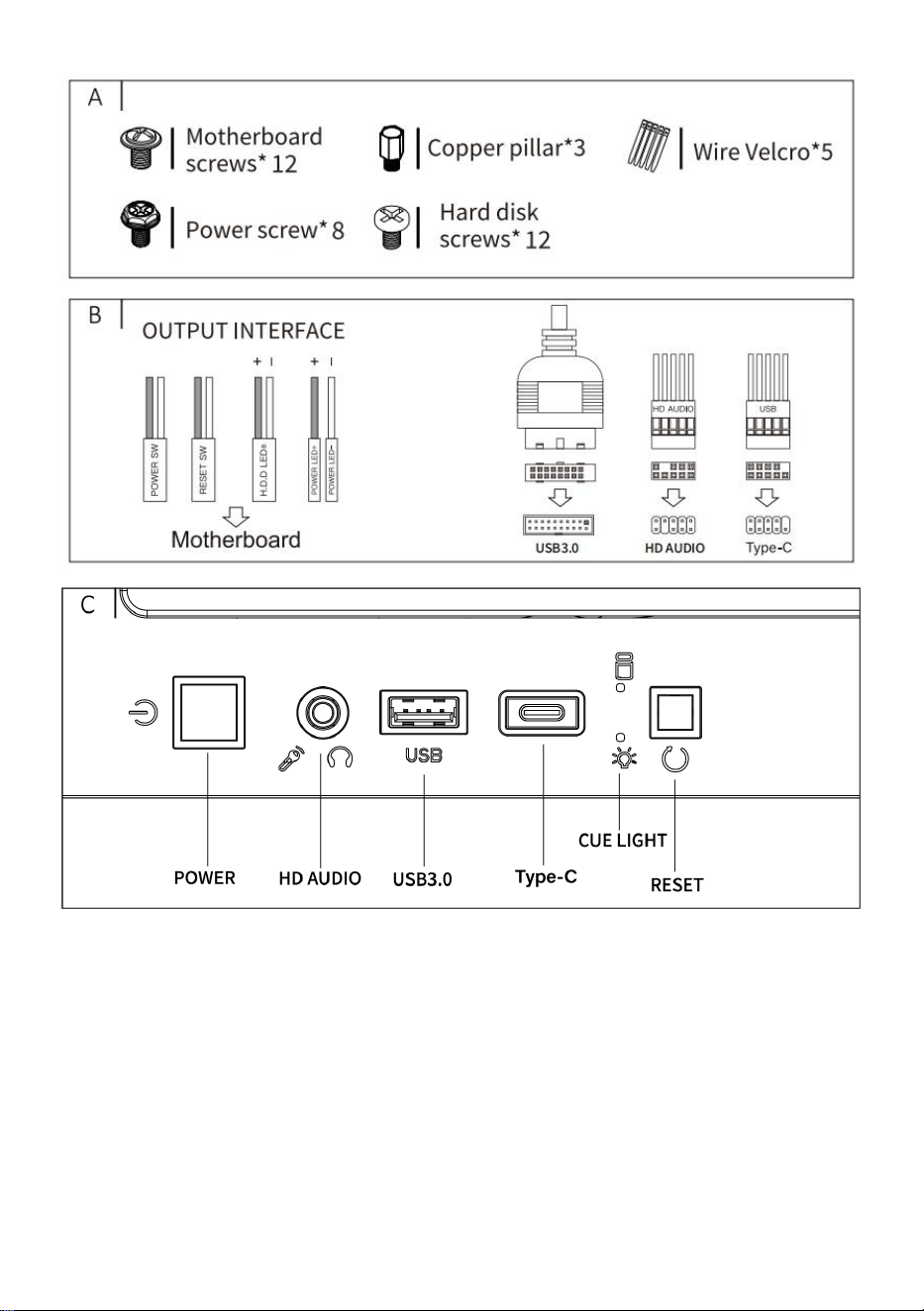
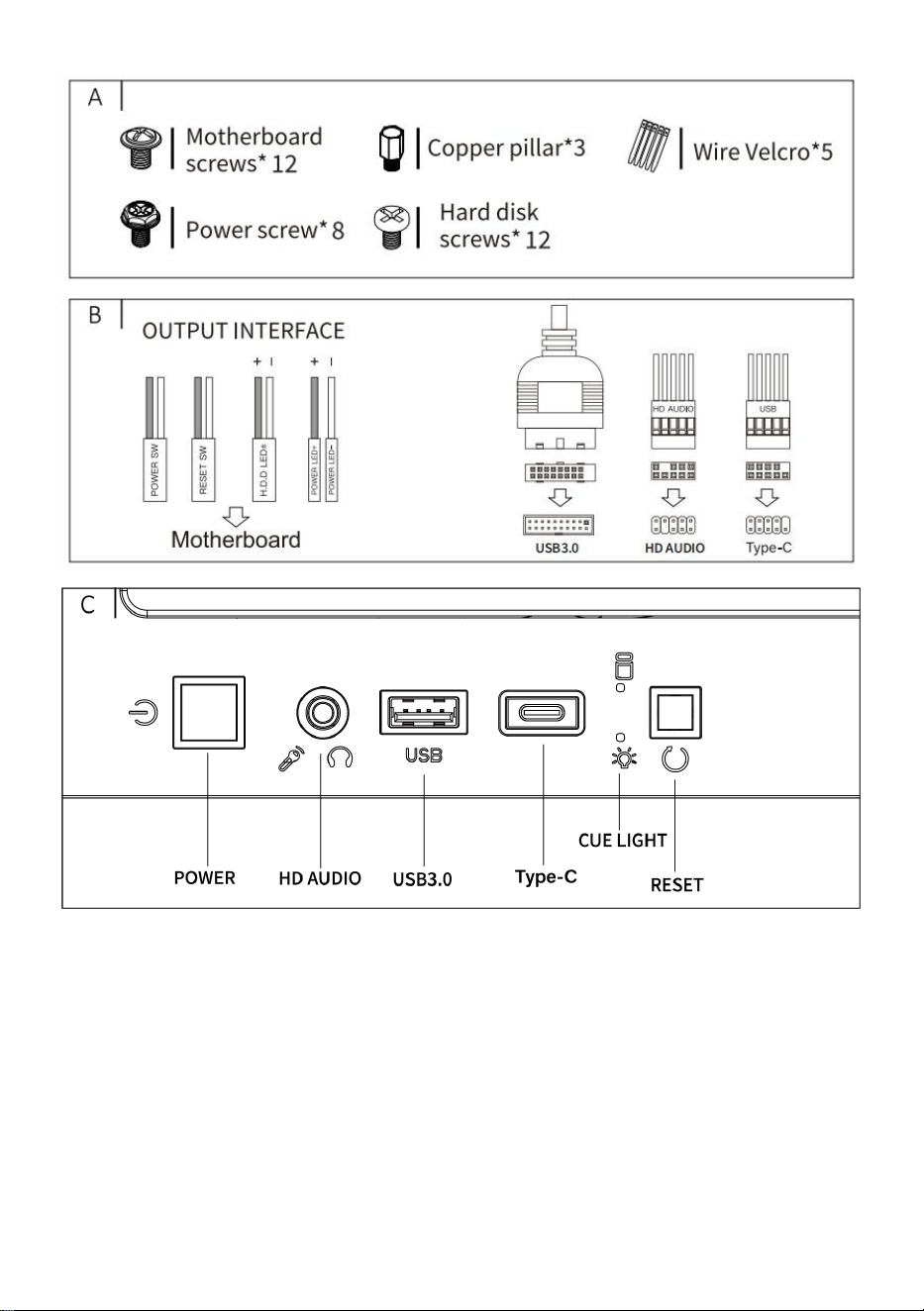
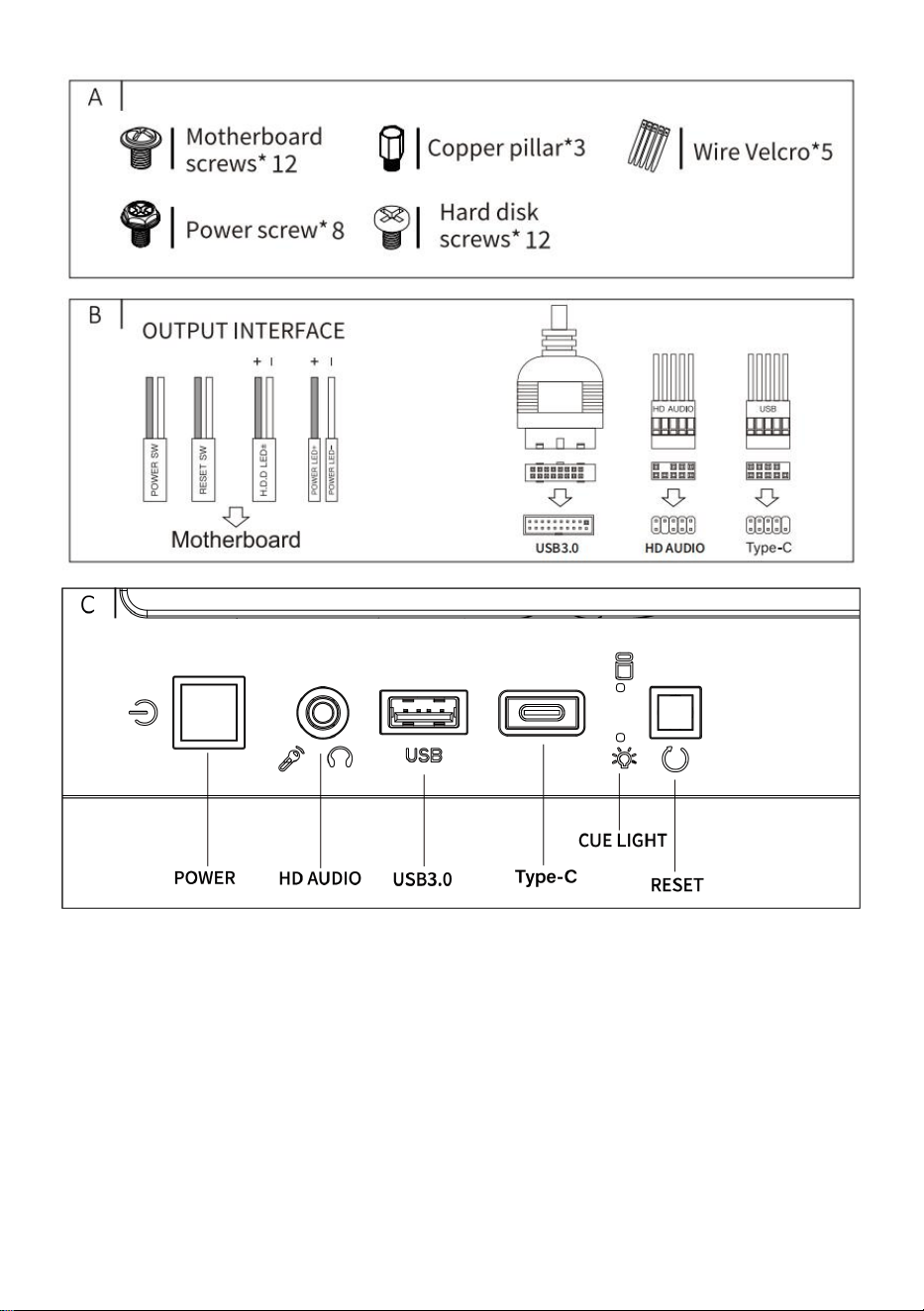
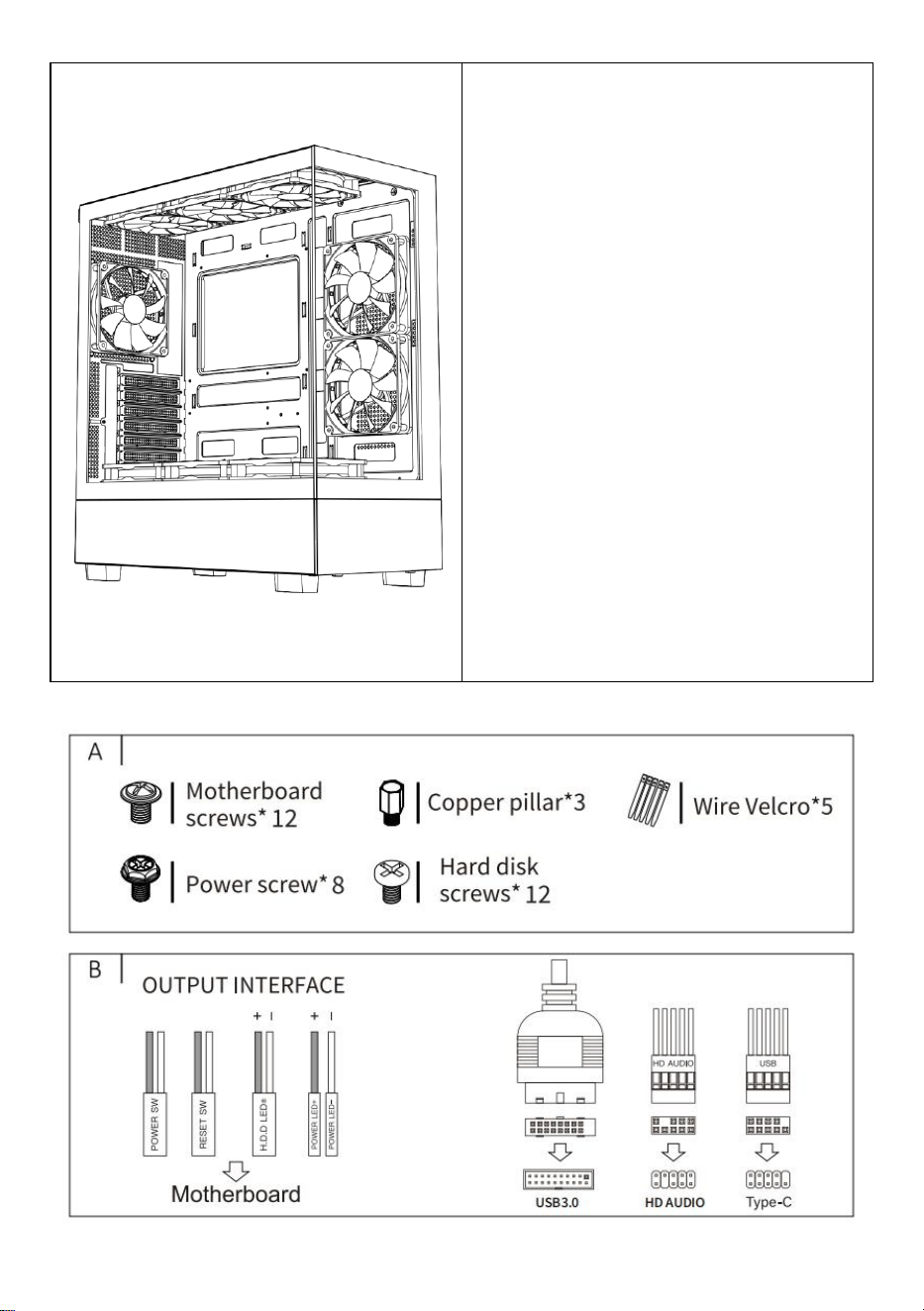
A: Accessories package
B : Wire interface
C: I/0 interface
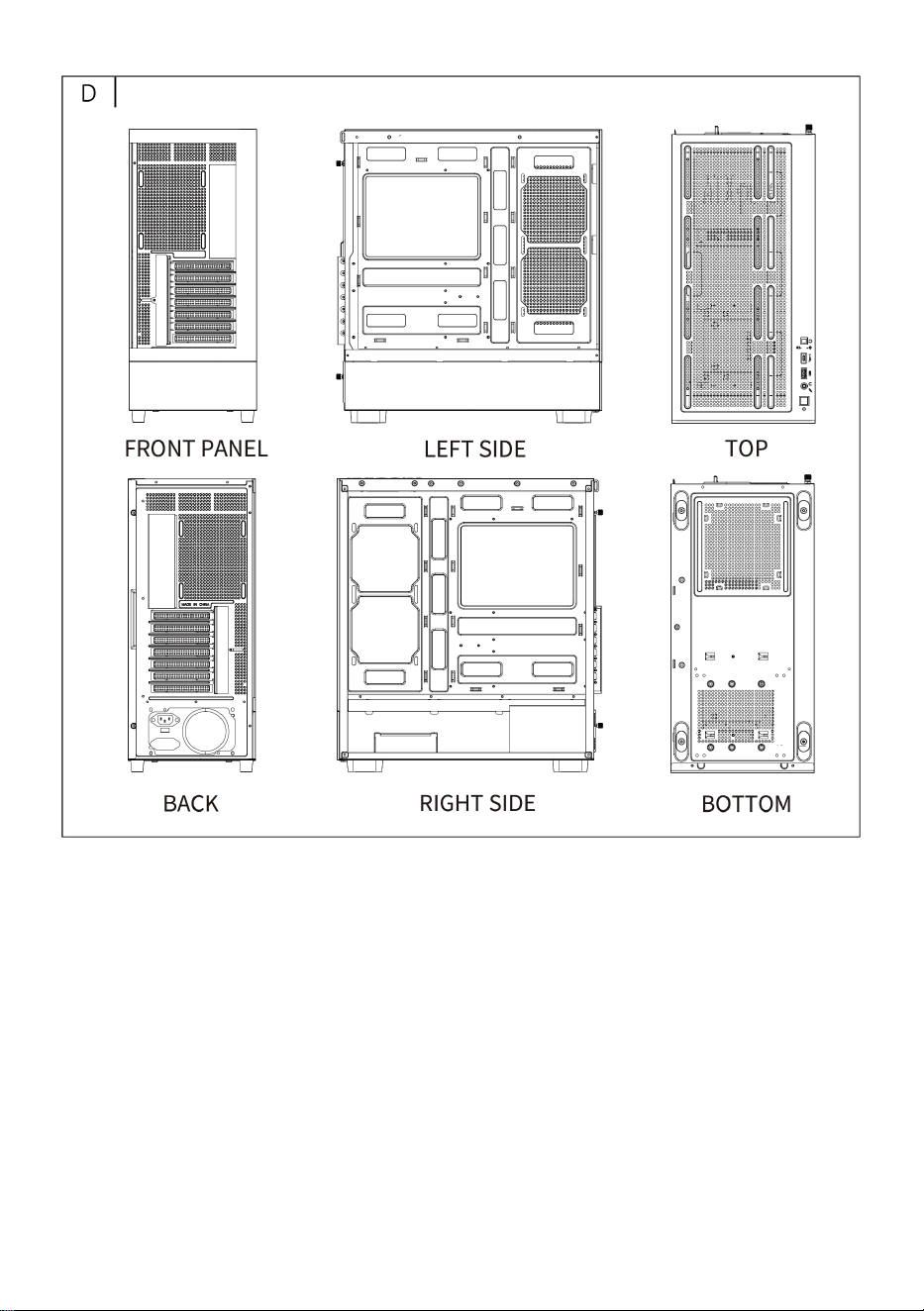
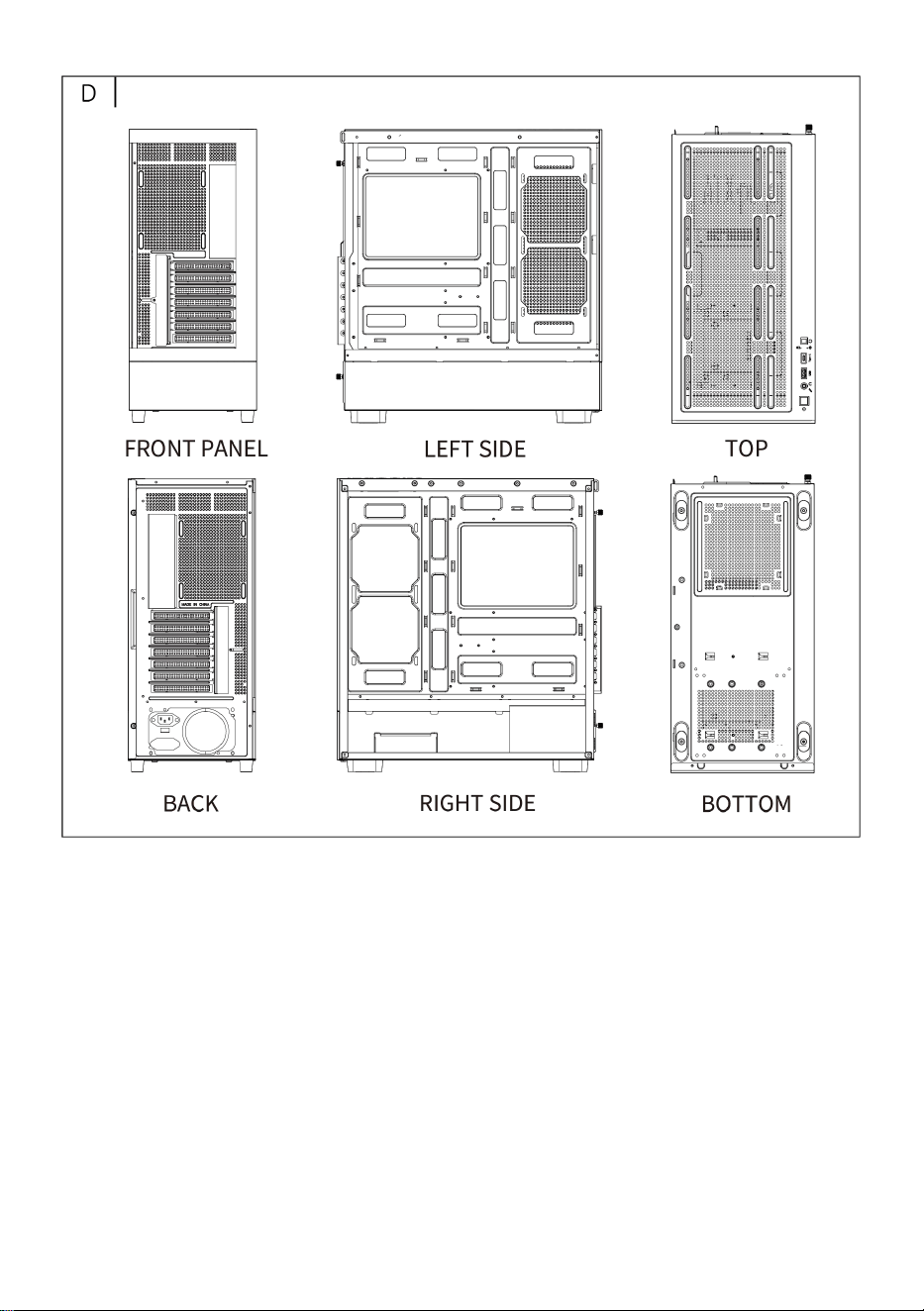
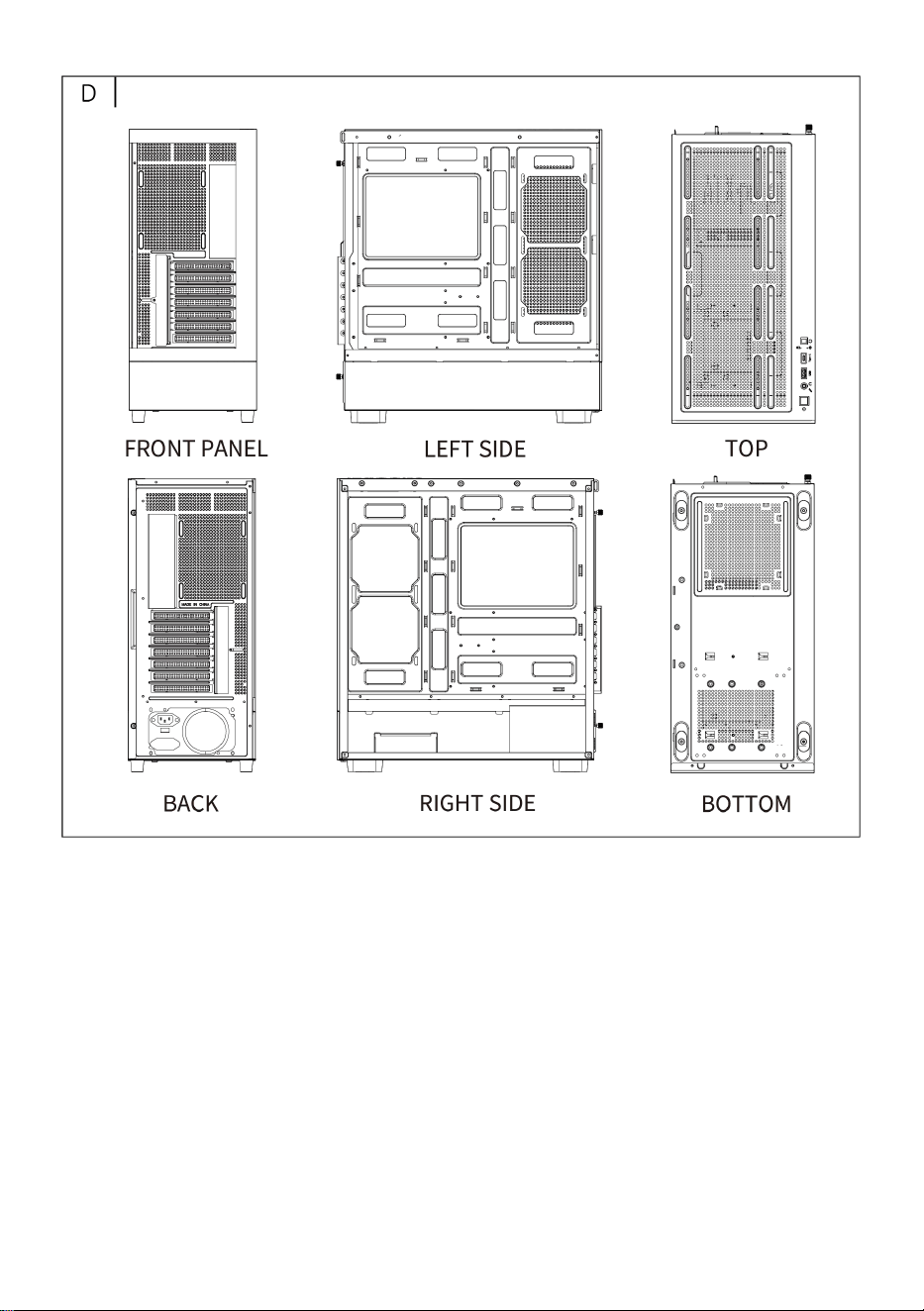
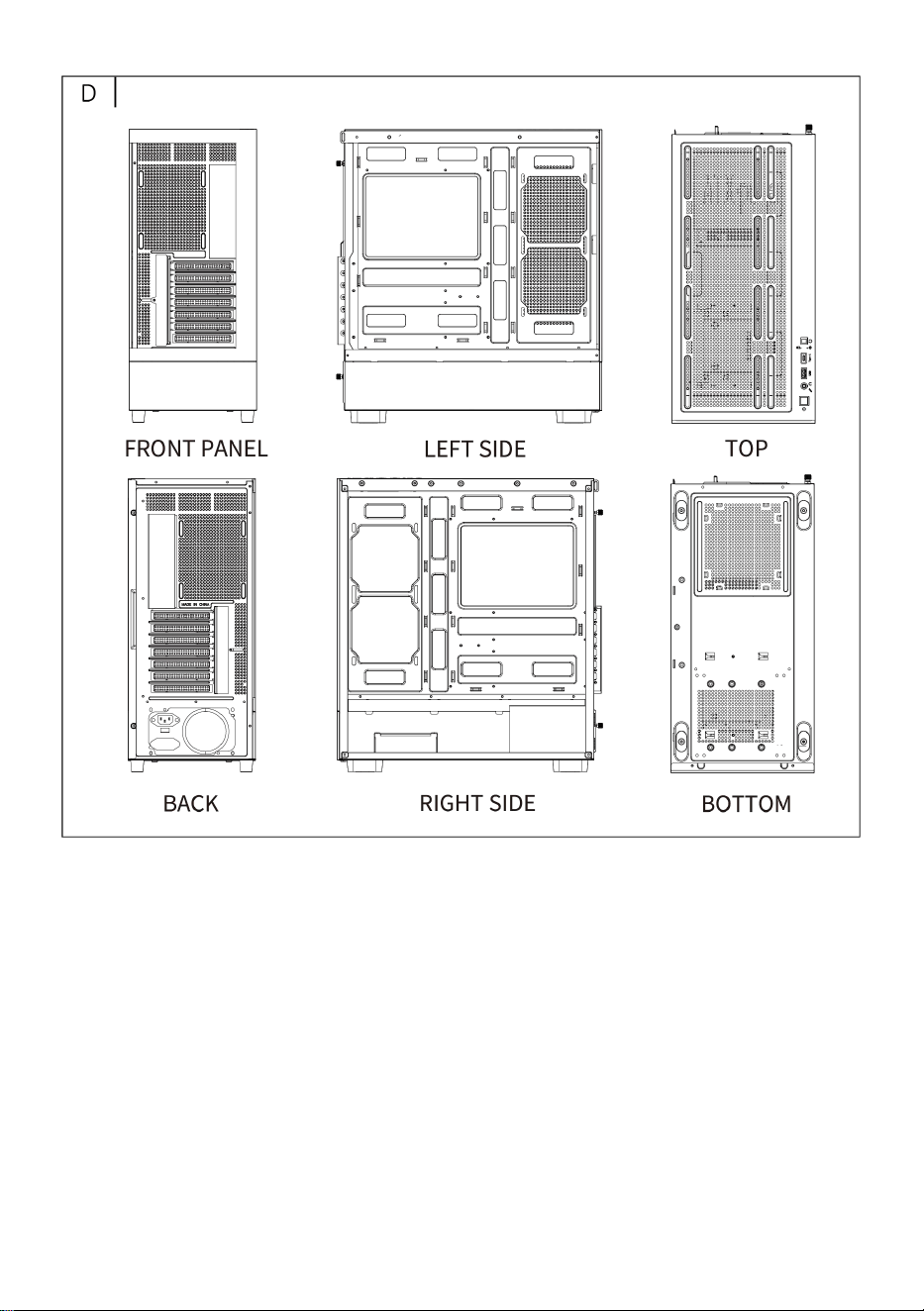
D: Full view
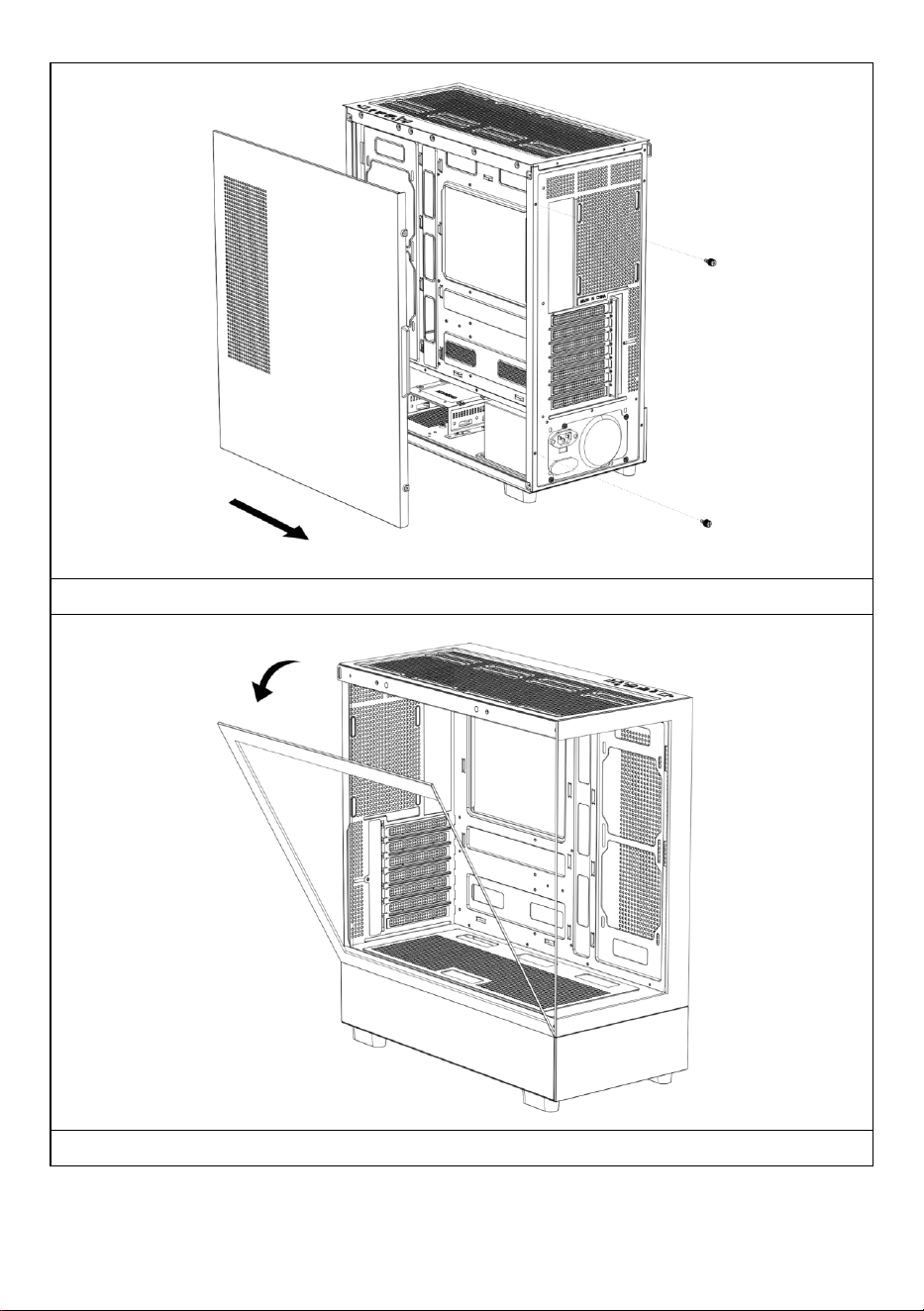
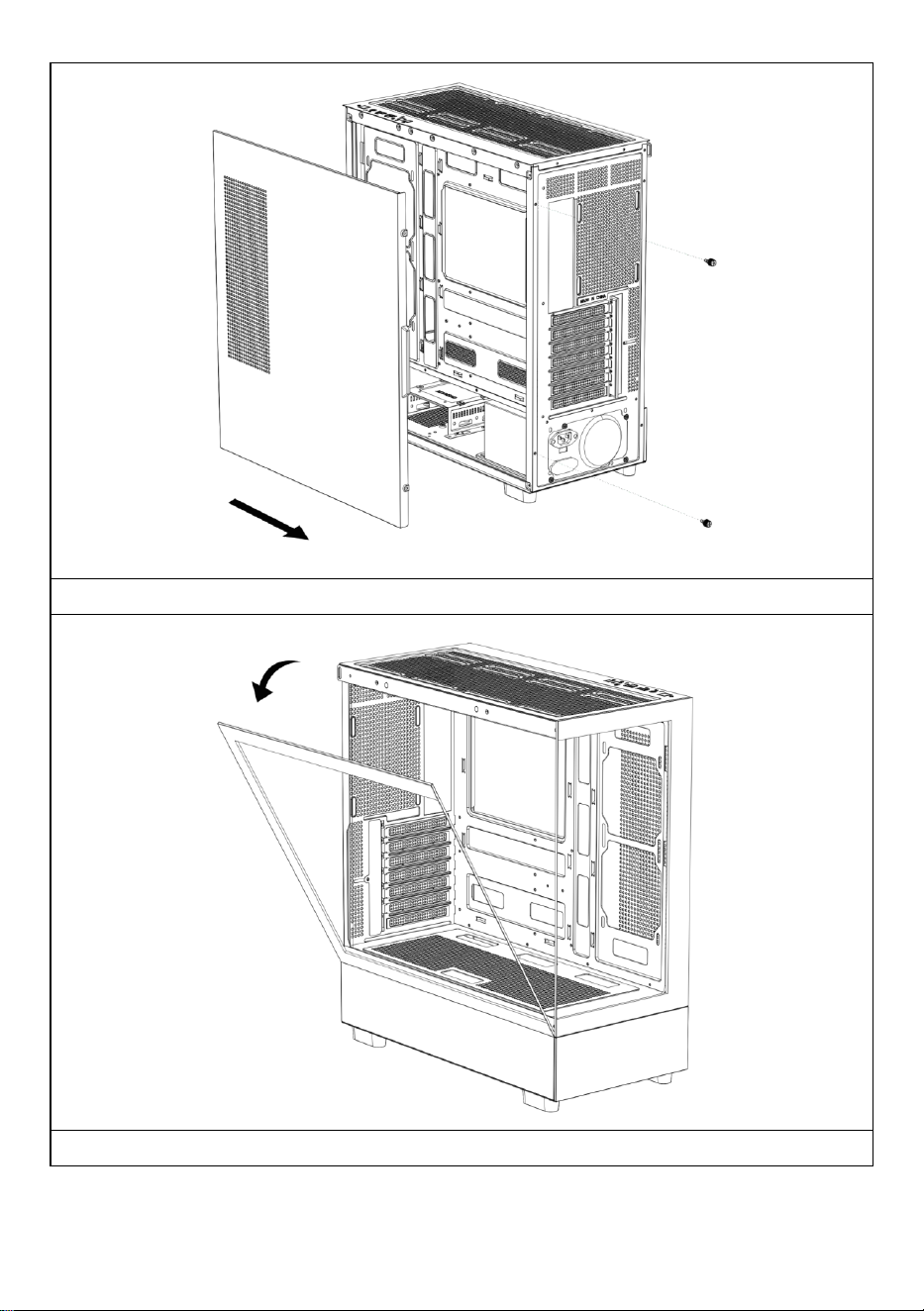
E: Right panel disassembly
F: Left panel disassembly
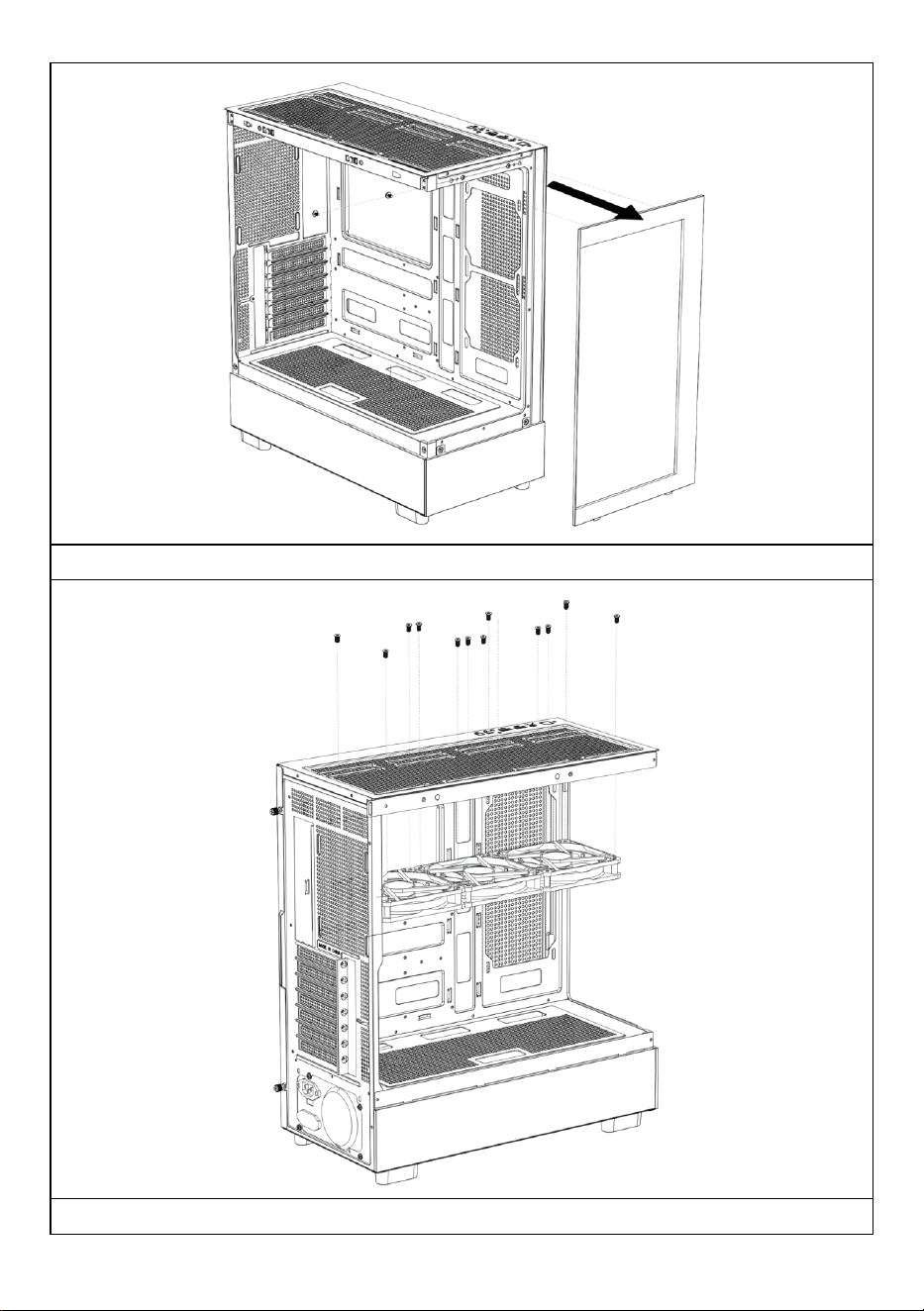
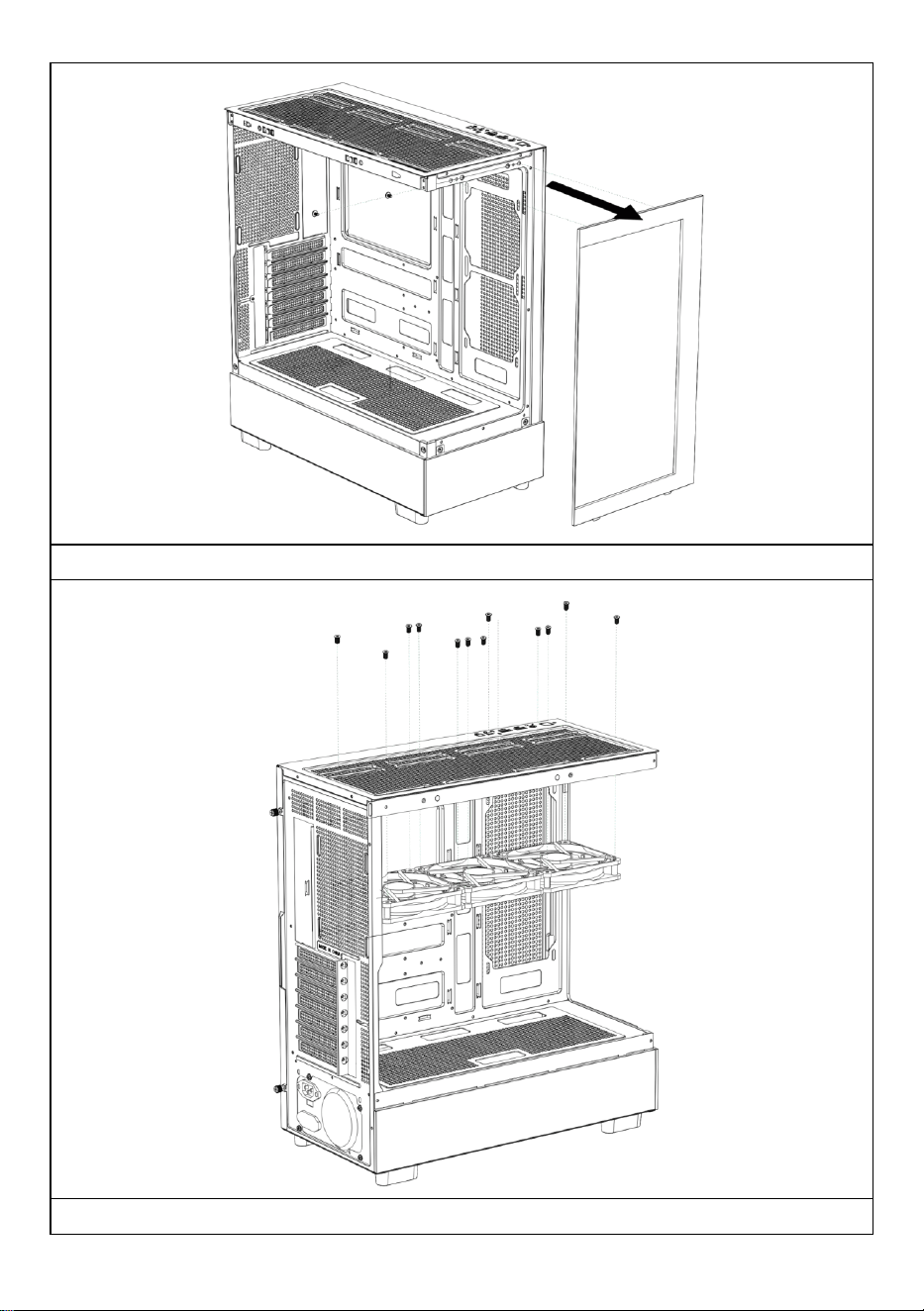
G: Front panel disassembly
H: Top fan installation
l: Back fan installation
J: Motherboard front side fan
installation
K: Fan mount on top of power
supply compartment
L: Top water-cooled row installation
M : Power installation
N : Hard disk installation
O : Motherboard installation
P : Graphics card installation
- 4 -
- 5 -
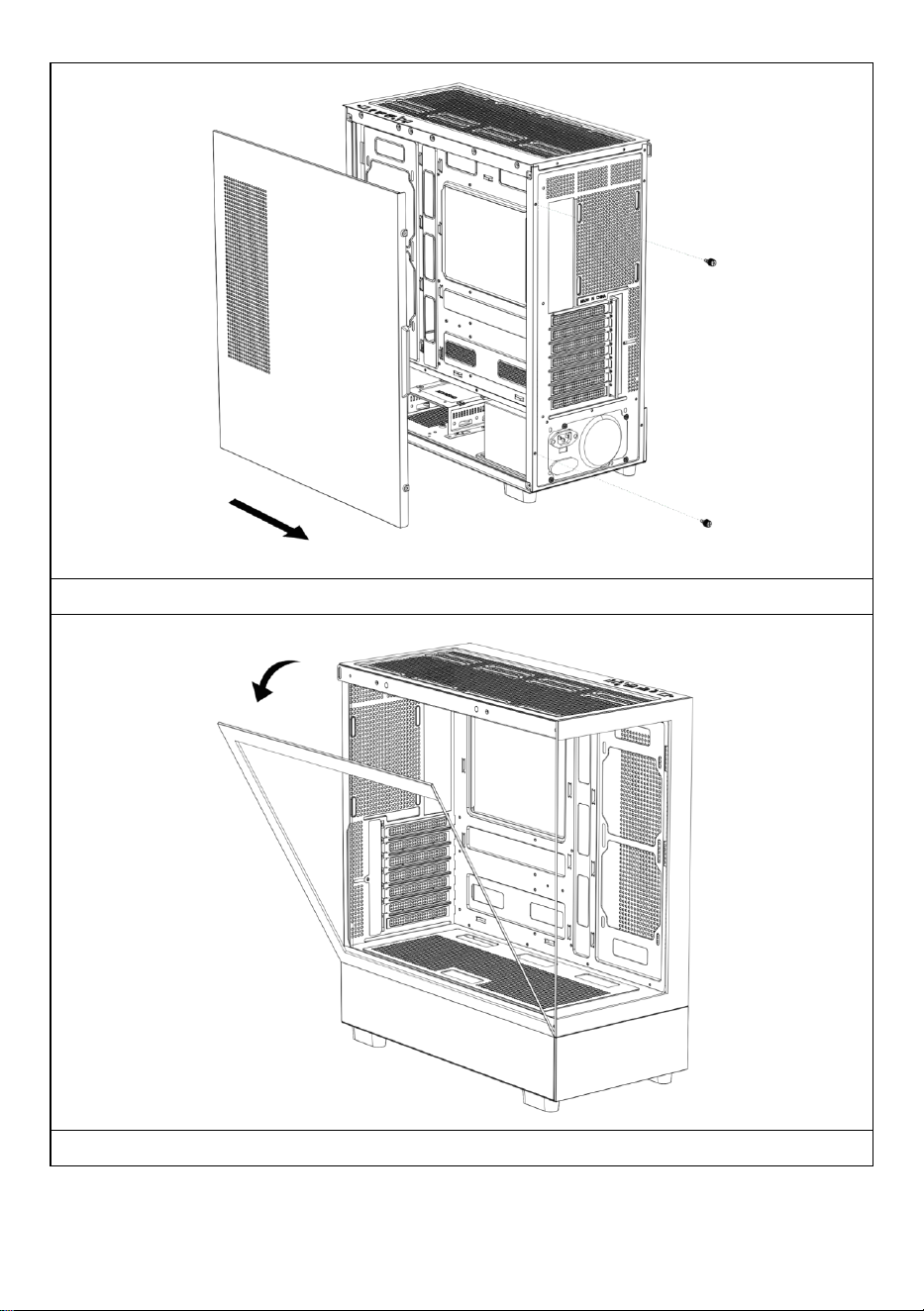
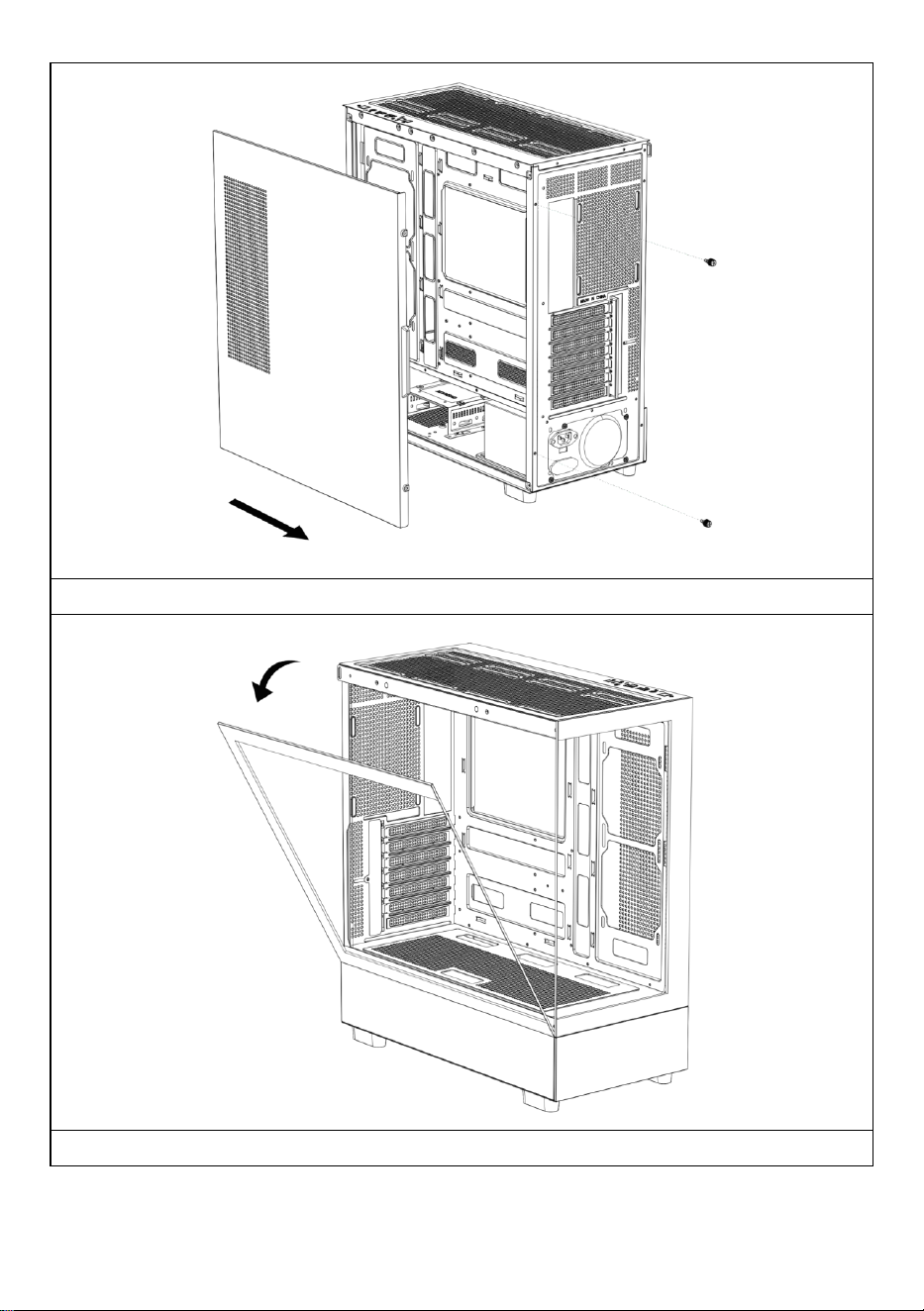
Open the right side panel
Open the left glass panel
- 6 -
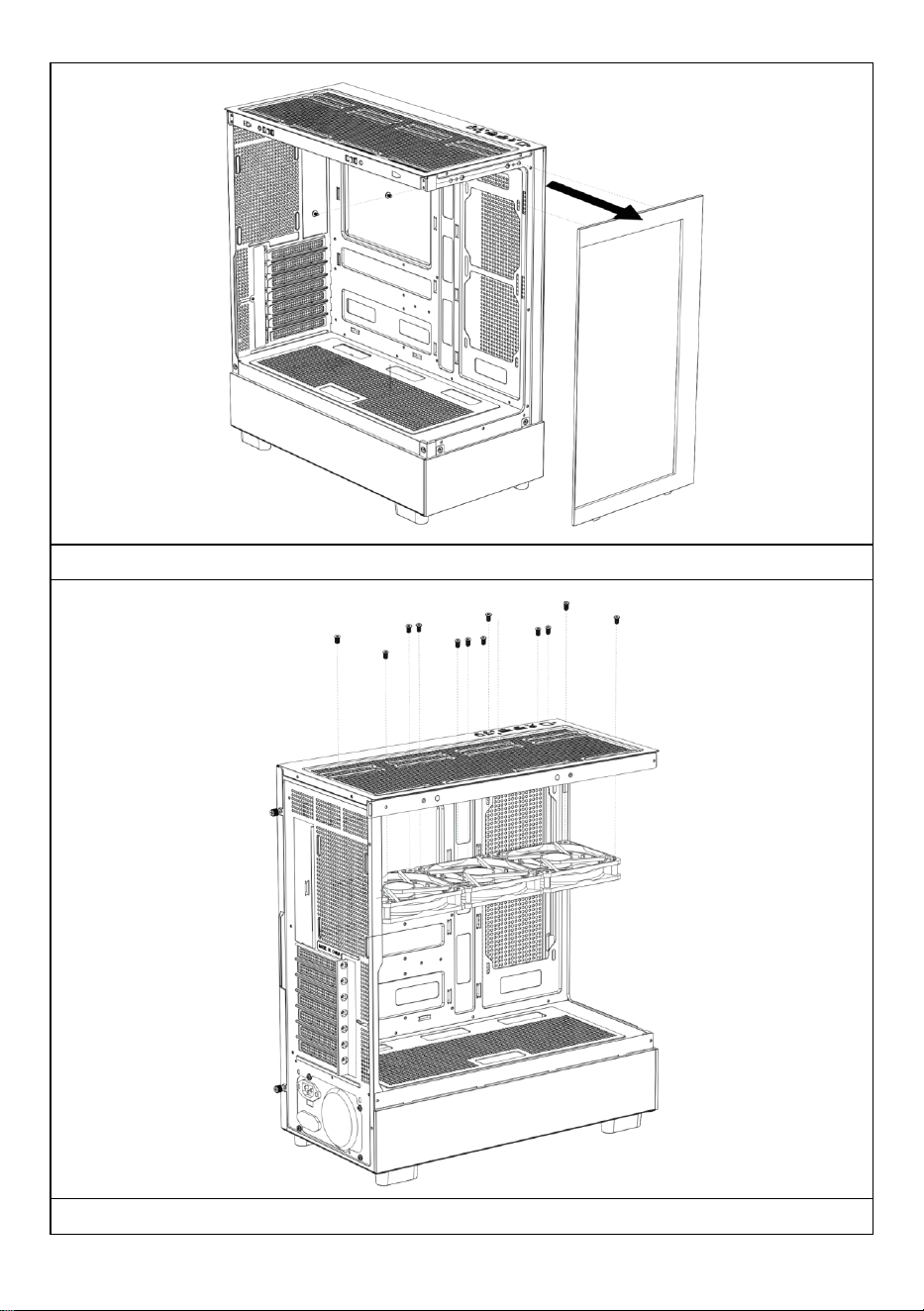
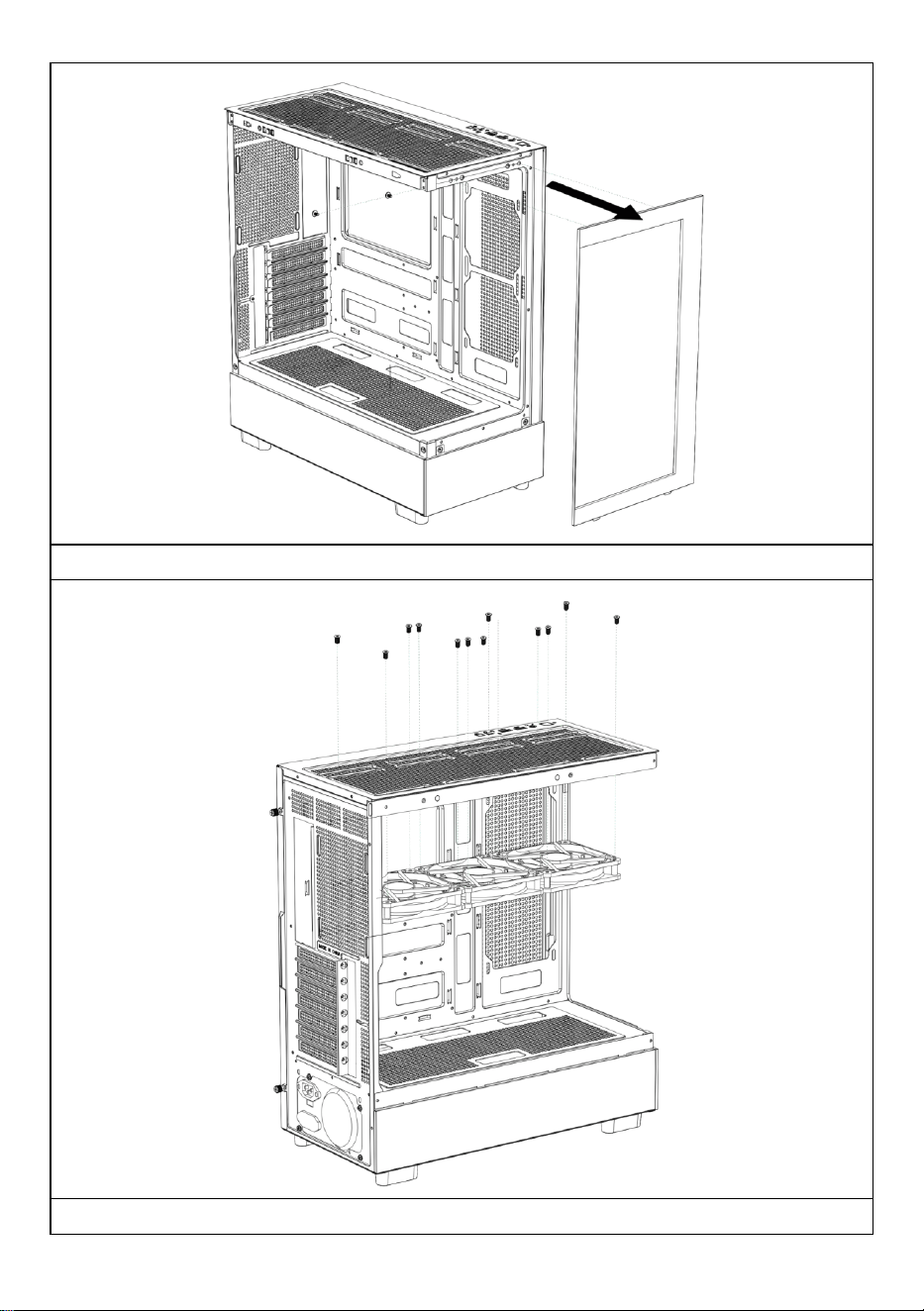
Open the front panel
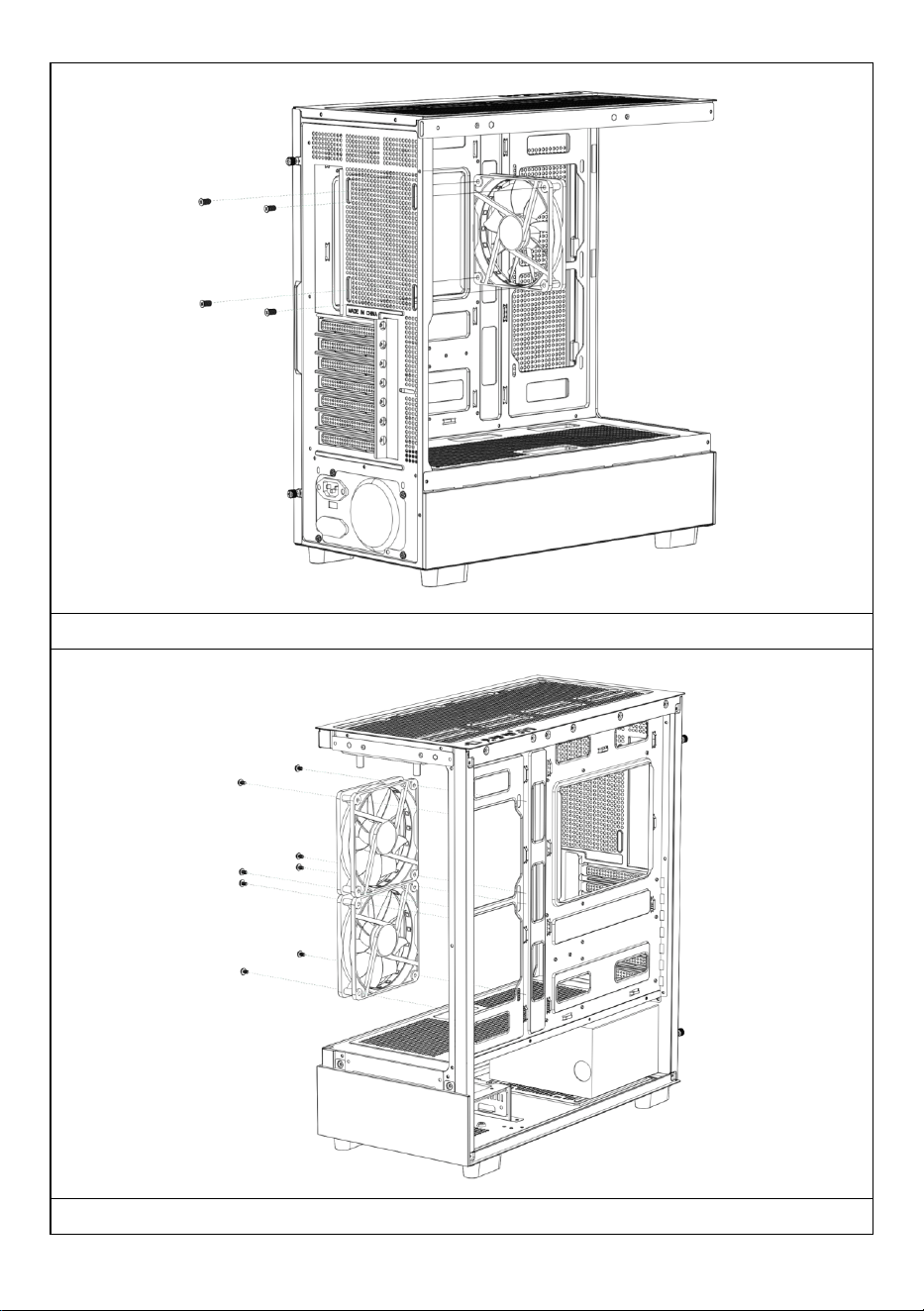
Installing the top fan
- 7 -
Installing the back fan
Installing the motherboard front side fan
- 8 -
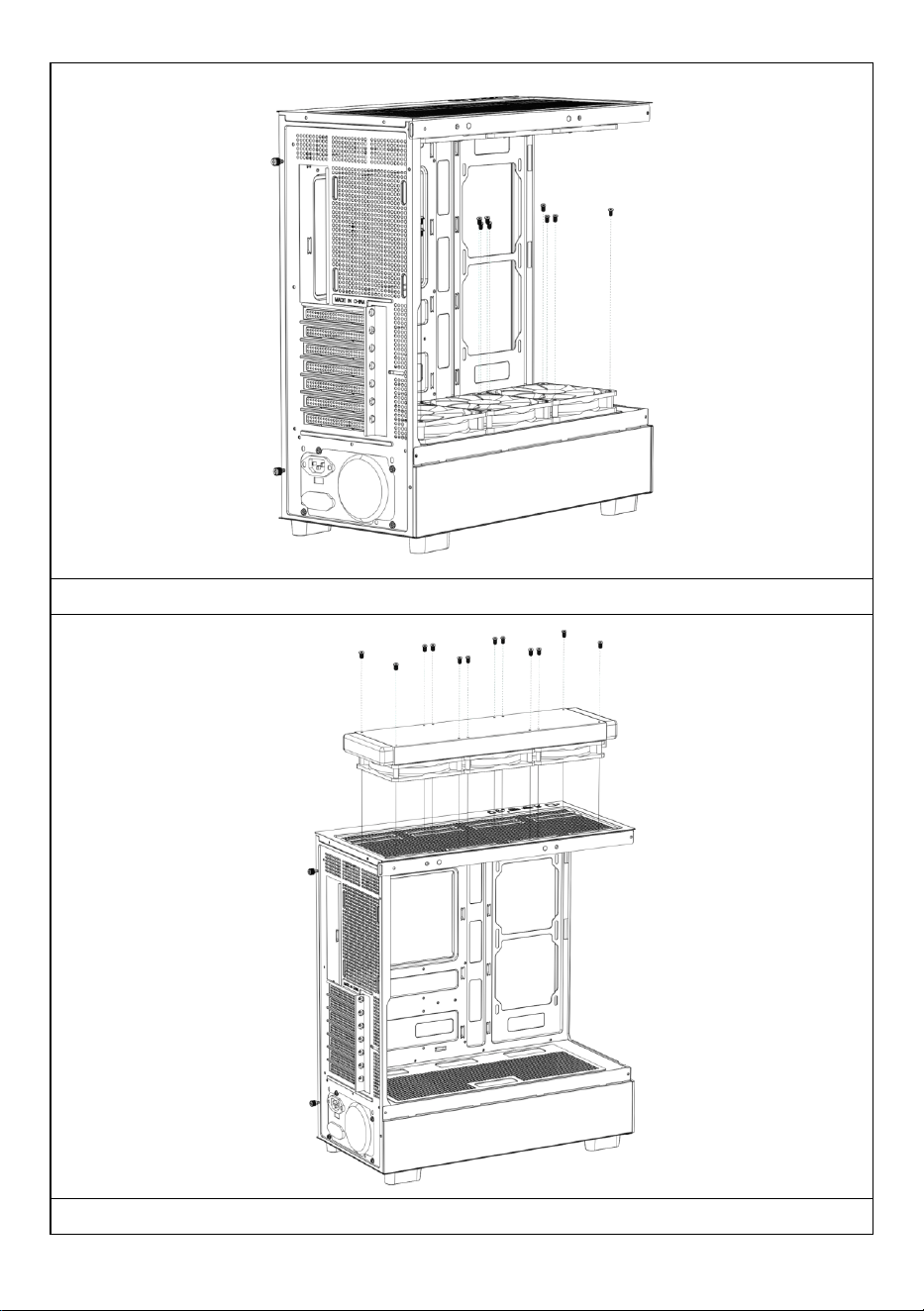
Installing the top fan of the power supply compartment
If necessary, install a water-cooling drain on the top of the chassis.
- 9 -
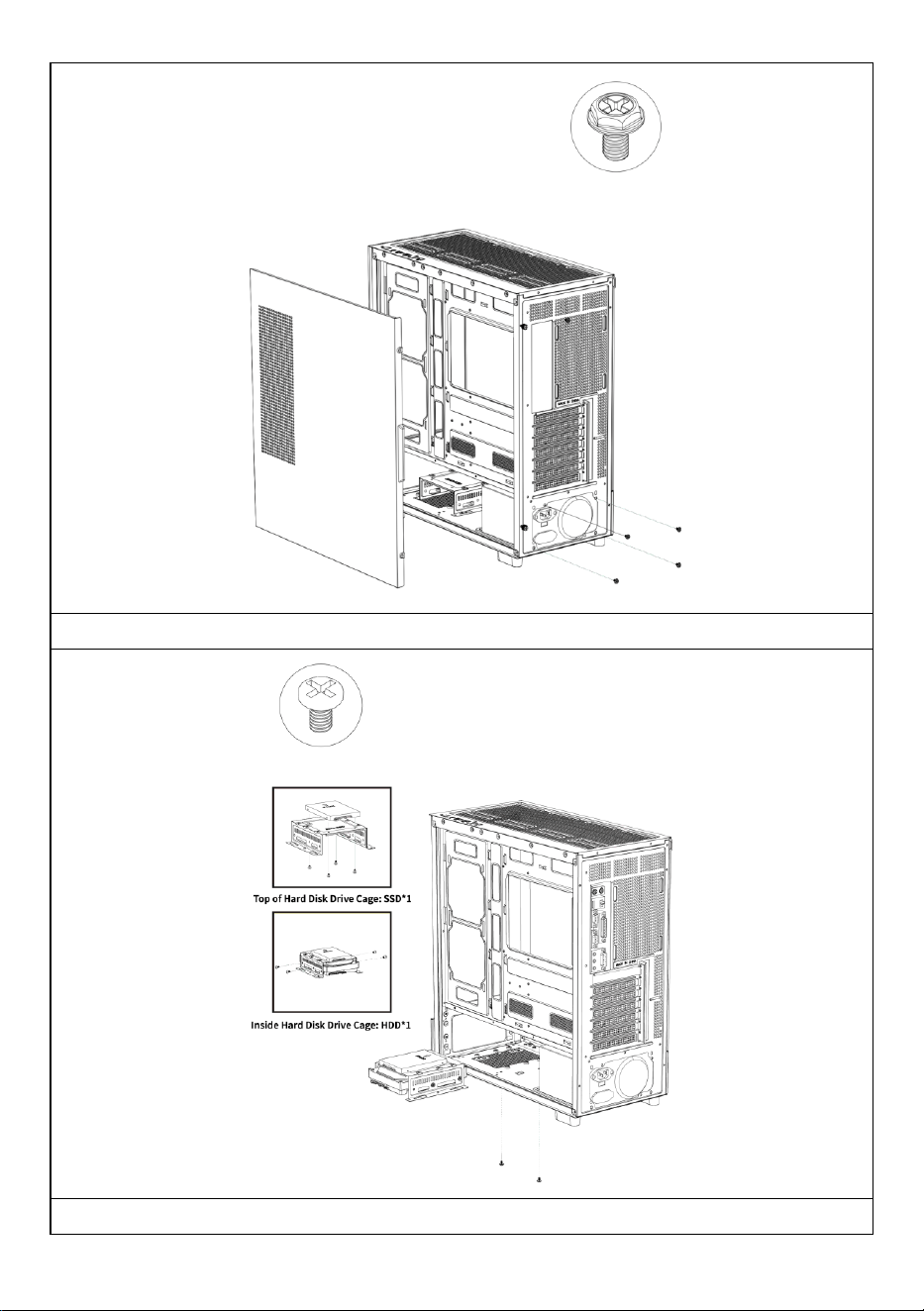
Installing power supply
Installing SSD and HDD hard drives
- 10 -
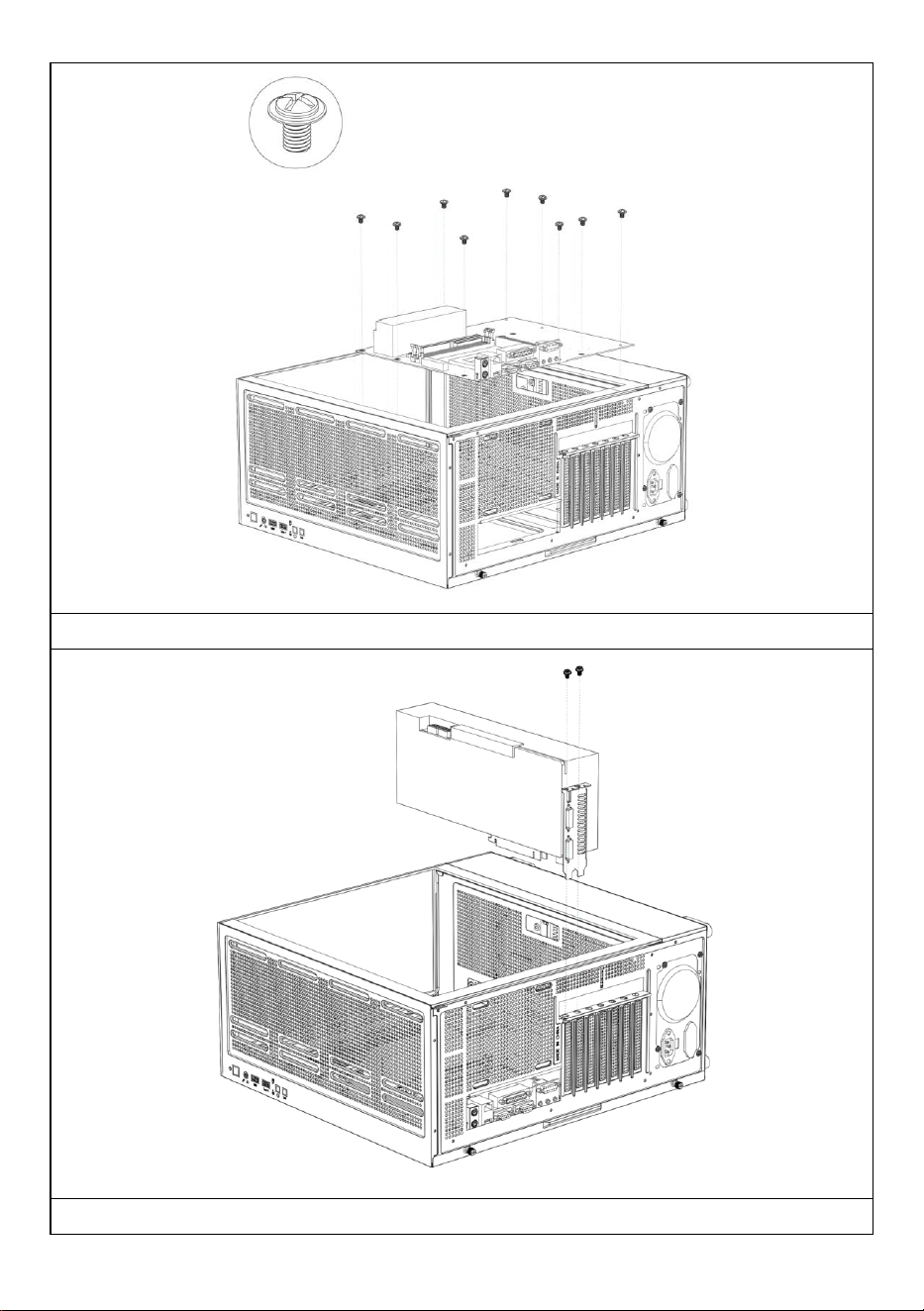
Installing the motherboard
Installing a Graphics Card
- 11 -
Manufacturer: Shanghaimuxinmuyeyouxiangongsi
Address: Shuangchenglu 803nong11hao1602A-1609shi, baoshanqu,
shanghai 200000 CN.
Imported to AUS: SIHAO PTY LTD, 1 ROKEVA STREETEASTWOOD NSW
2122 Australia
Imported to USA: Sanven Technology Ltd., Suite 250, 9166 Anaheim Place,
Rancho Cucamonga, CA 91730
REP
EC
E-CrossStu GmbH
Mainzer Landstr.69, 60329 Frankfurt am Main.
REP
UK
YH CONSULTING LIMITED.
C/O YH Consulting Limited Office 147, Centurion House,
London Road, Staines-upon-Thames, Surrey, TW18 4AX

- 12 -
Technical Support and E-Warranty Certificate
www.vevor.com/support

- 13 -
BOÎTIER D'ORDINATEUR MANUEL
D'UTILISATION
MODÈLE : 215ATX
Assistance technique et certificat de garantie électronique
www.vevor.com/support
- 1 -
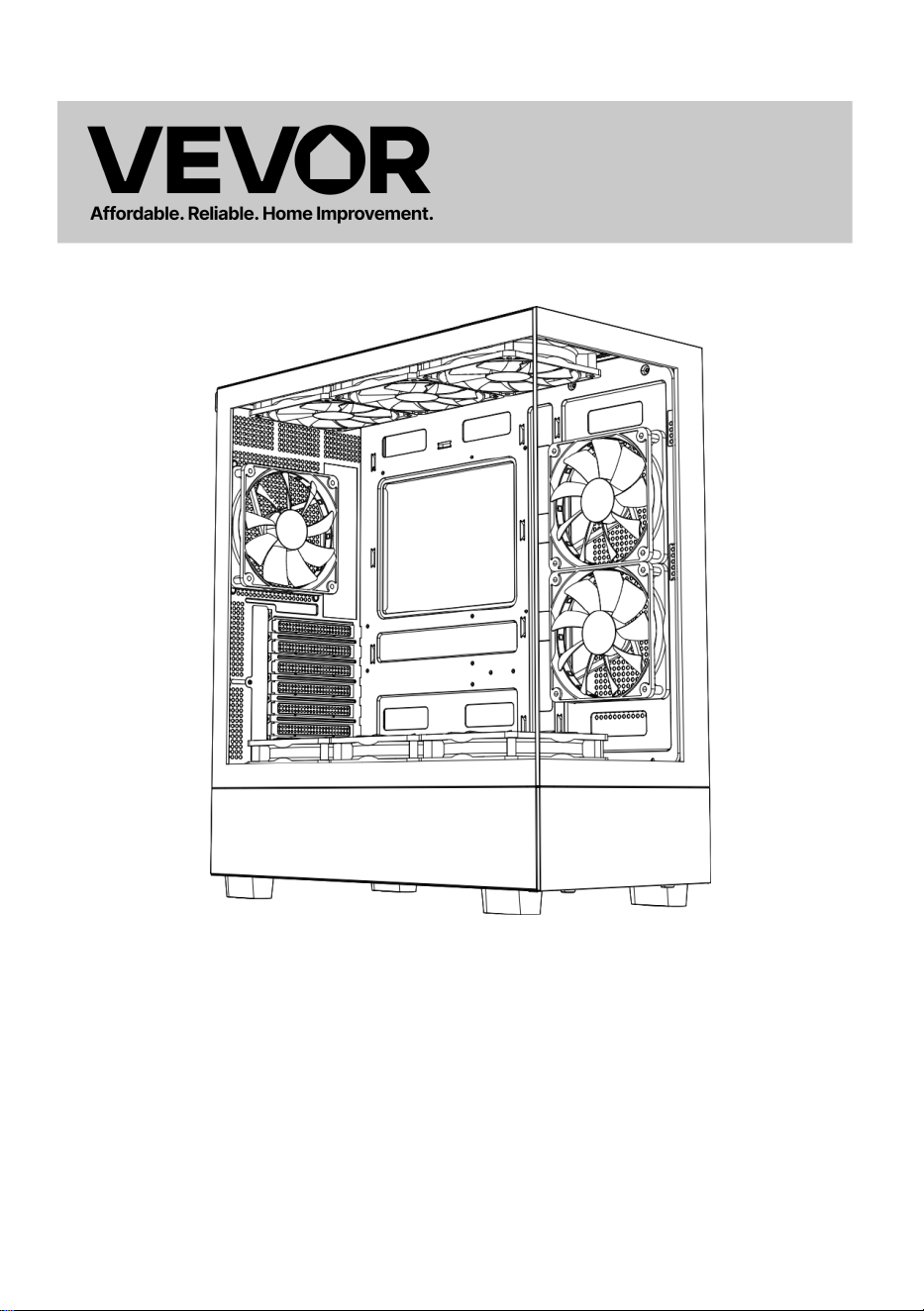
MODÈLE : 215ATX
(L'image est à titre indicatif uniquement, veuillez vous référer à l'objet réel)
Ceci est le mode d'emploi d'origine. Veuillez lire attentivement l'intégralité
du manuel avant utilisation. VEVOR se réserve le droit d'interpréter
clairement ce manuel d'utilisation. L'apparence du produit dépend du
produit que vous avez reçu. Veuillez nous excuser pour les éventuelles
mises à jour technologiques ou logicielles.
Computer Case
- 2 -
Avertissement - Pour réduire le risque de blessure, l'utilisateur
doit lire attentivement le manuel d'instructions.
Ce produit est soumis aux dispositions de la directive
européenne 2012/19/CE. Le symbole représentant une
poubelle barrée indique que le produit doit faire l'objet d'une
collecte sélective dans l'Union européenne. Ceci s'applique au
produit et à tous les accessoires marqués de ce symbole. Les
produits ainsi marqués ne doivent pas être jetés avec les
ordures ménagères, mais doivent être déposés dans un point
de collecte pour le recyclage des appareils électriques et
électroniques.
- 3 -
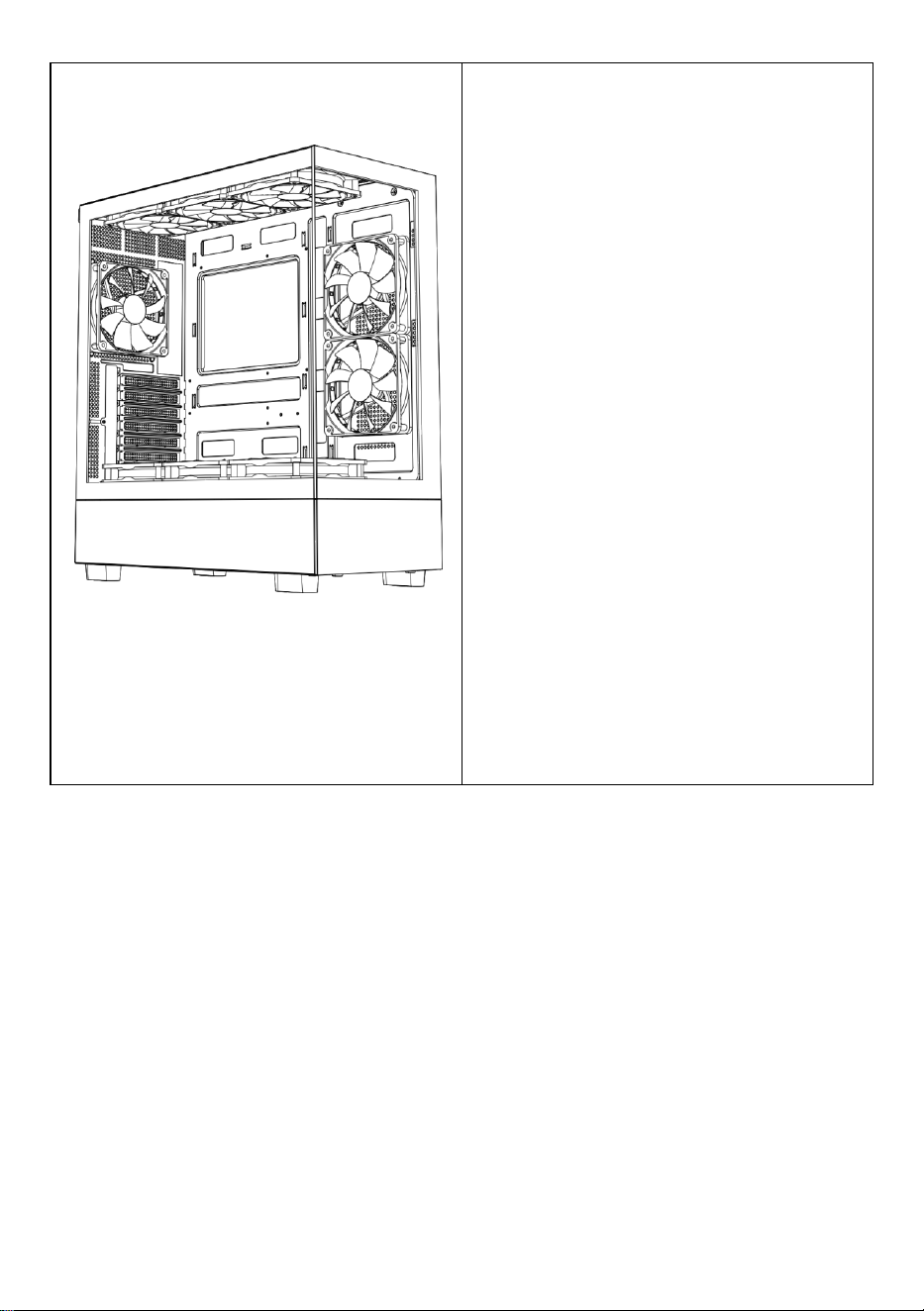
A : Pack d'accessoires
B : Interface filaire
Interface C: E /S
D : Vue complète
E : Démontage du panneau droit
F : Démontage du panneau gauche
G : Démontage du panneau avant
H : Installation du ventilateur
supérieur
l: Installation du ventilateur arrière
J : Installation du ventilateur avant
de la carte mère
K: Support de ventilateur sur le
dessus du compartiment
d'alimentation
L : Installation de la rangée
supérieure refroidie par eau
M : Pouvoir installation
N : Installation du disque dur
O : Installation de la carte mère
P : Installation de la carte graphique
- 4 -
- 5 -
- 6 -
Ouvrez le panneau latéral droit
Ouvrez le panneau de verre gauche
- 7 -
Ouvrir le panneau avant
Installation du ventilateur supérieur
- 8 -
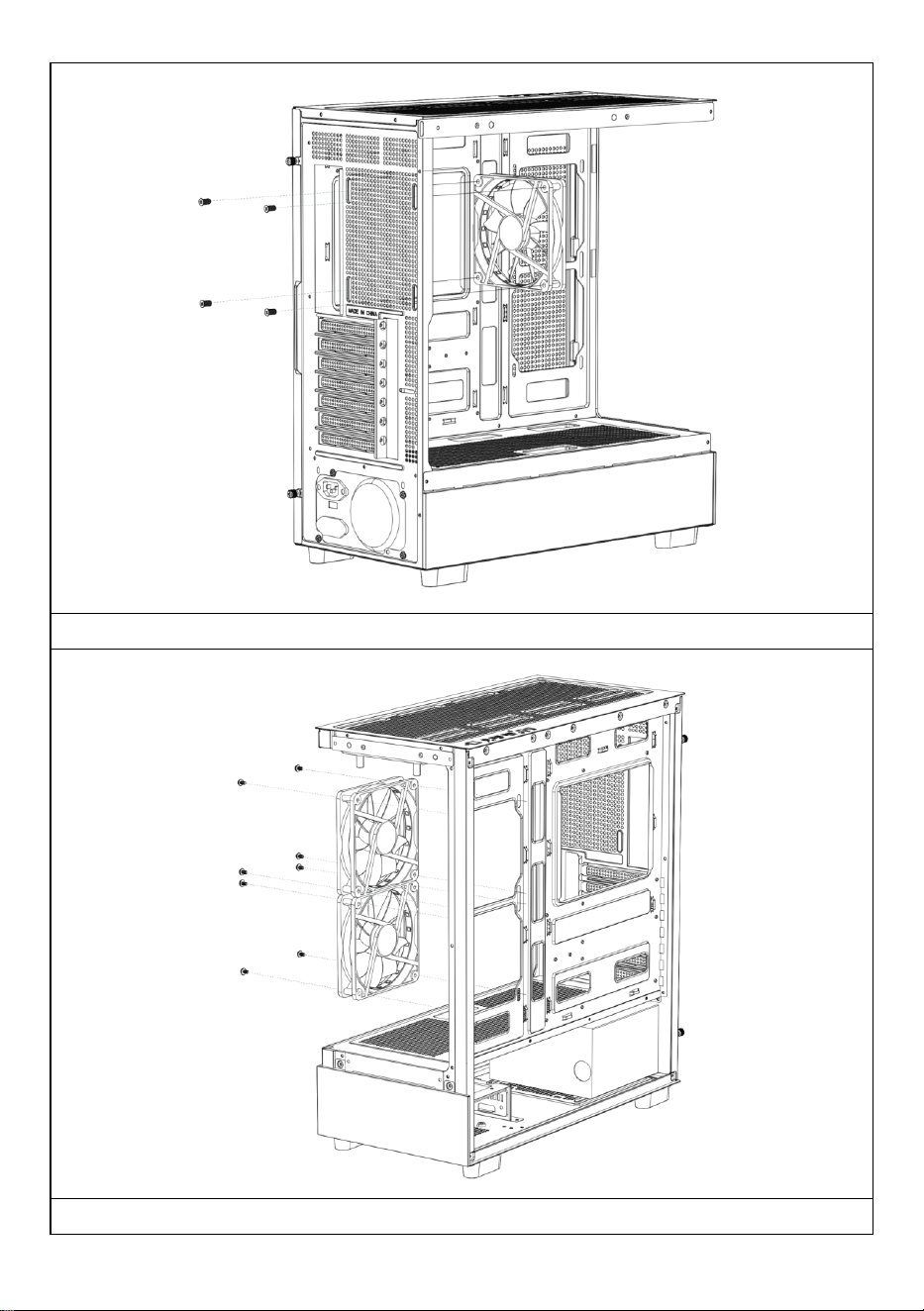
Installation du ventilateur arrière
Installation du ventilateur avant de la carte mère
- 9 -
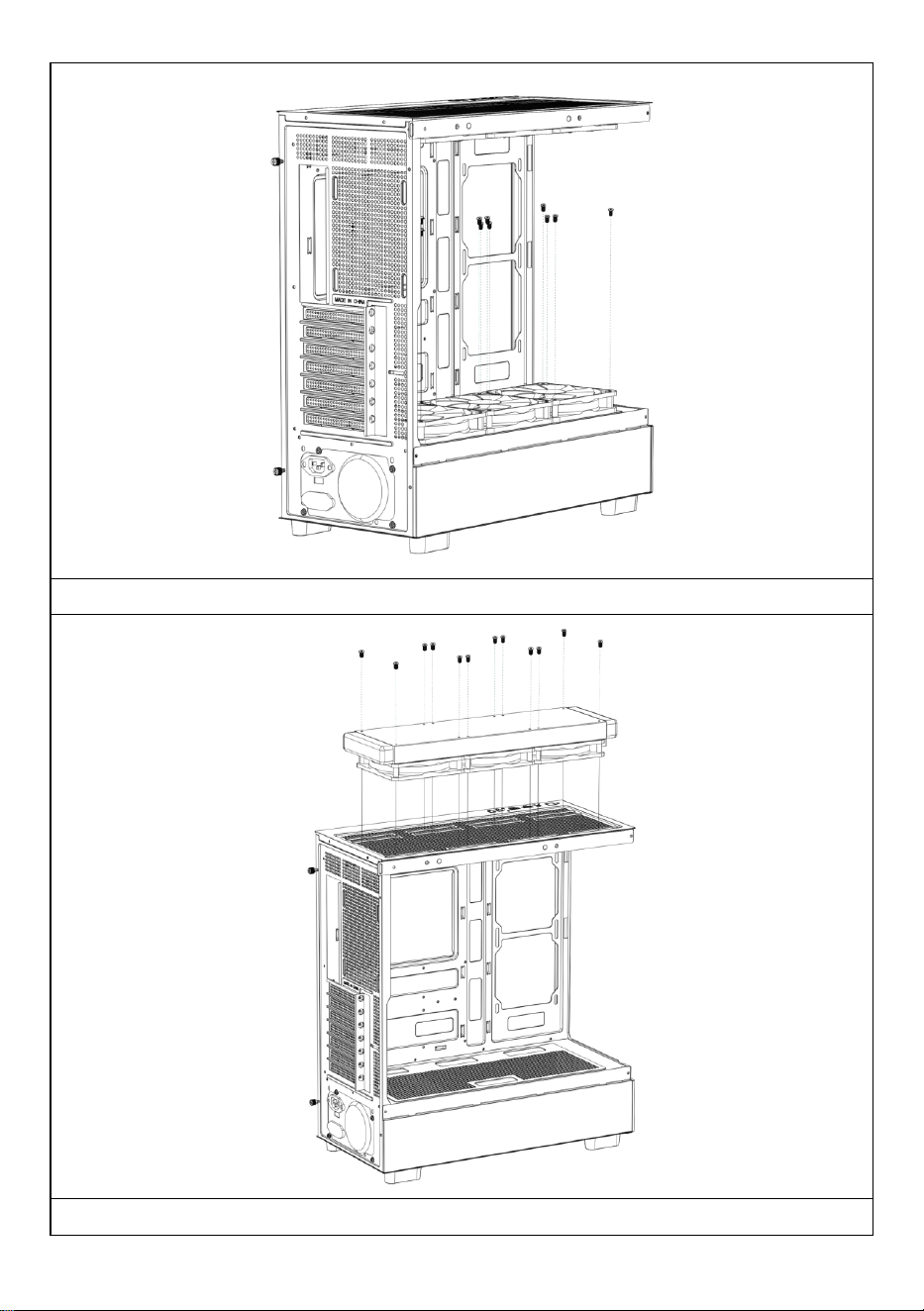
Installation du ventilateur supérieur du compartiment d'alimentation
Si nécessaire, installez un drain de refroidissement par eau sur le dessus

- 10 -
du châssis.
- 11 -
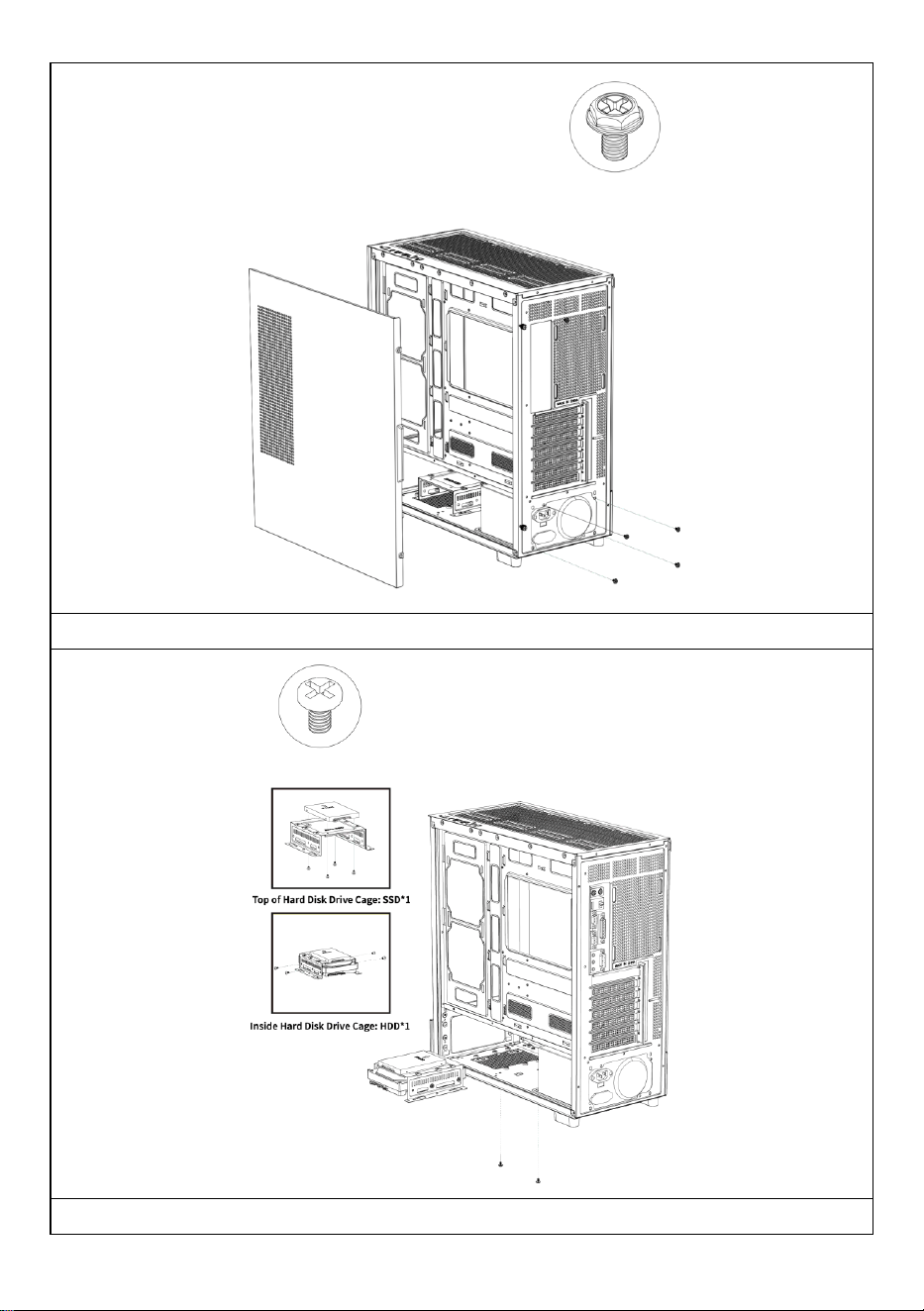
Installation de l'alimentation électrique
Installation de disques durs SSD et HDD
- 12 -
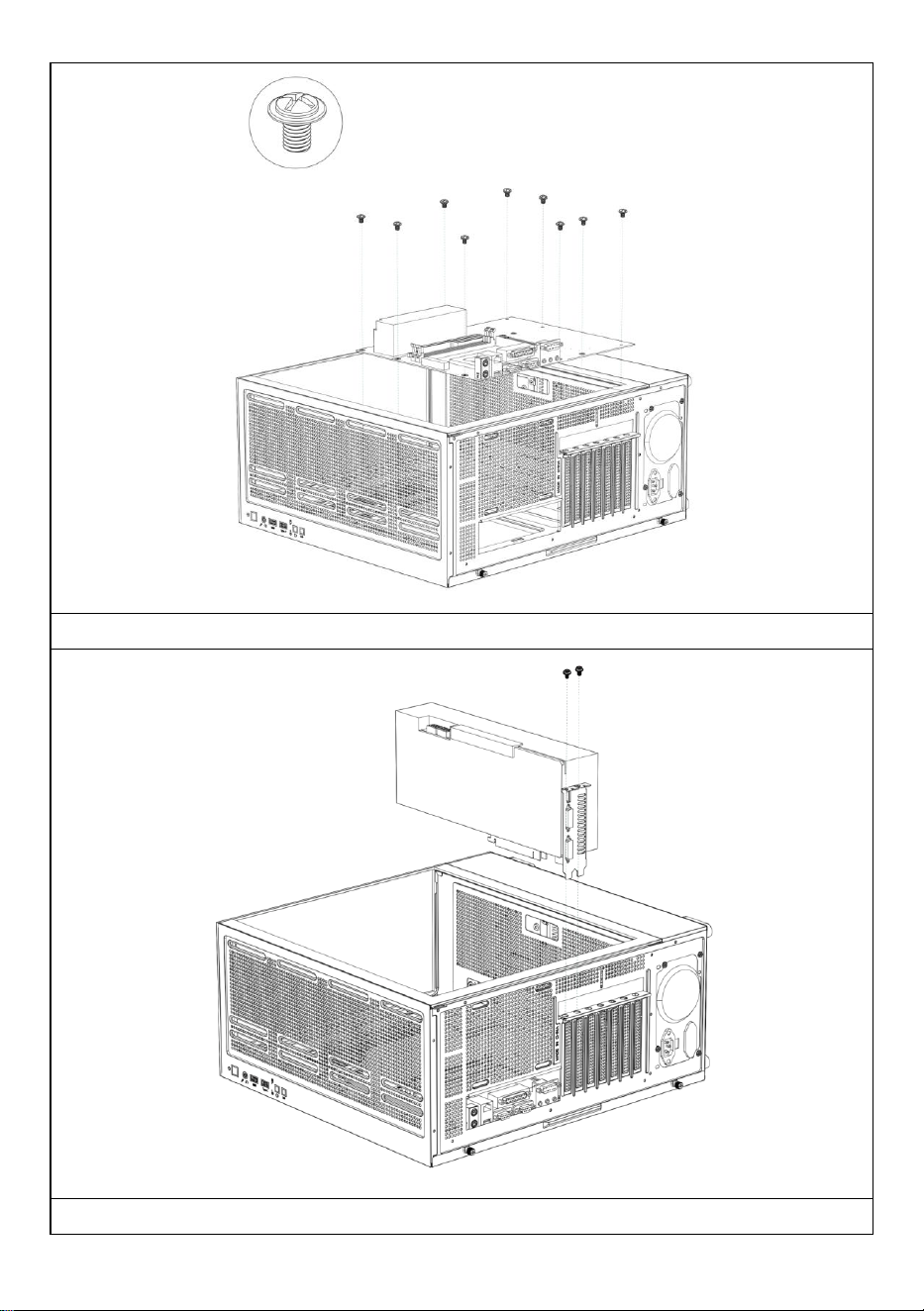
Installation de la carte mère
Installation d'une carte graphique
- 13 -
Fabricant : Shanghaimuxinmuyeyouxiangongsi
Adresse : Shuangchenglu 803nong11hao1602A-1609shi, baoshanqu,
shanghai 200000 CN.
Importé en Australie : SIHAO PTY LTD, 1 ROKEVA STREET, ASTWOOD
NSW 2122, Australie
Importé aux États-Unis : Sanven Technology Ltd., Suite 250, 9166 Anaheim
Place, Rancho Cucamonga, CA 91730
REP
EC
E-CrossStu GmbH
Mainzer Landstr.69, 60329 Frankfurt am Main.
REP
UK
YH CONSULTING LIMITED.
C/O YH Consulting Limited Office 147, Centurion House,
London Road, Staines-upon-Thames, Surrey, TW18 4AX

- 14 -
Assistance technique et certificat de garantie électronique
www.vevor.com/support

- 15 -
COMPUTERGEHÄUSE BENUTZERHANDBUCH
MODELL: 215ATX
Technischer Support und E-Garantie-Zertifikat
www.vevor.com/support
- 1 -
MODELL: 215ATX
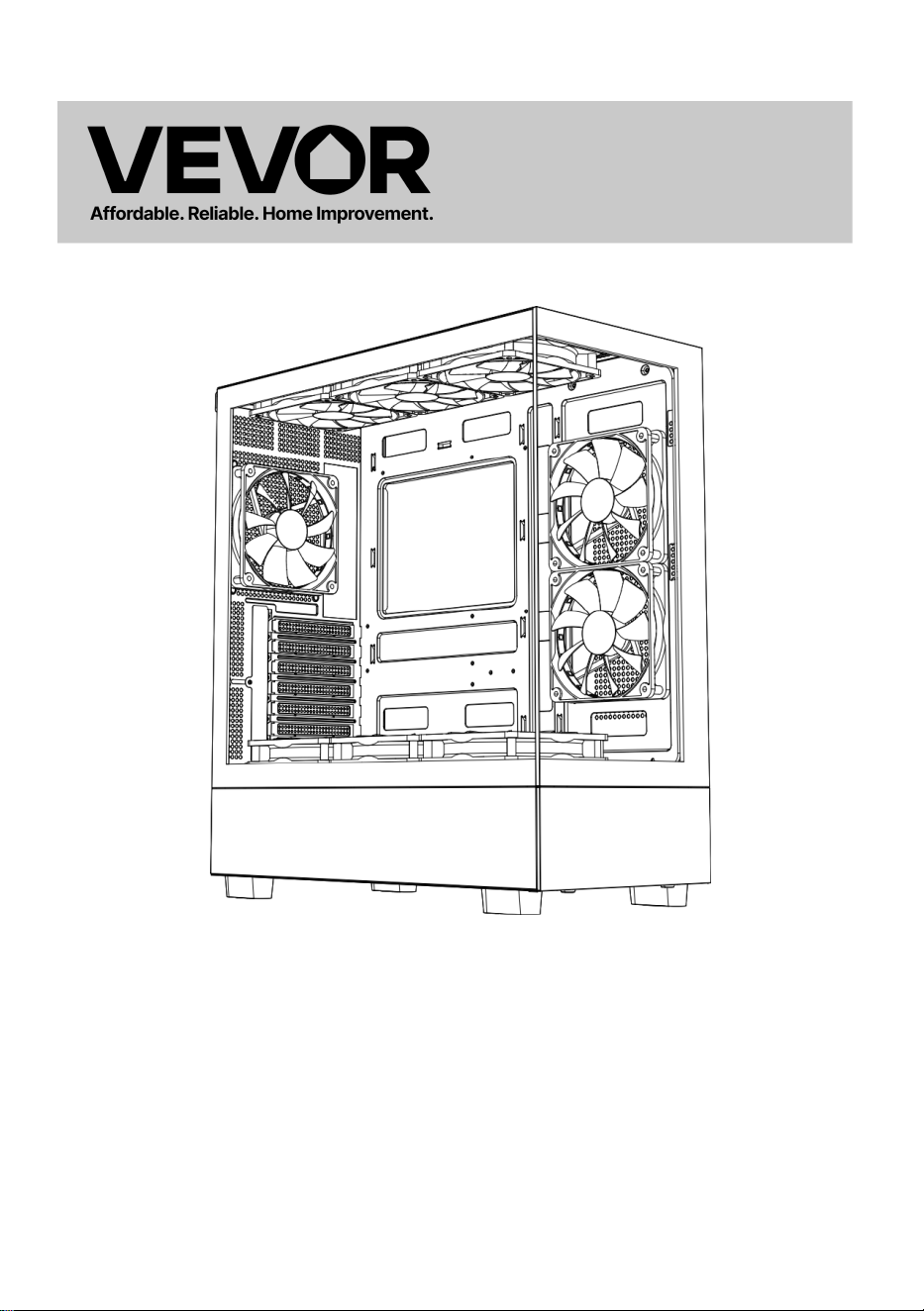
(Das Bild dient nur als Referenz, bitte beziehen Sie sich auf das
tatsächliche Objekt)
Dies ist die Originalanleitung. Bitte lesen Sie alle Anweisungen sorgfältig
durch, bevor Sie das Gerät in Betrieb nehmen. VEVOR behält sich das
Recht vor , die Bedienungsanleitung klar und deutlich zu interpretieren.
Das Aussehen des Produkts hängt vom gelieferten Produkt ab. Bitte
haben Sie Verständnis dafür, dass wir Sie nicht erneut über Technologie-
oder Software-Updates informieren.
Computer Case

- 2 -
- 3 -
Warnung: Um das Verletzungsrisiko zu verringern, muss der
Benutzer die Bedienungsanleitung sorgfältig lesen.
Dieses Produkt unterliegt der europäischen Richtlinie
2012/19/EG. Das Symbol einer durchgestrichenen Mülltonne
weist darauf hin, dass dieses Produkt in der Europäischen
Union einer getrennten Müllentsorgung unterliegt. Dies gilt für
das Produkt und alle mit diesem Symbol gekennzeichneten
Zubehörteile. Entsprechend gekennzeichnete Produkte dürfen
nicht im Hausmüll entsorgt werden, sondern müssen an einer
Sammelstelle für das Recycling von Elektro- und
Elektronikgeräten abgegeben werden.
- 4 -
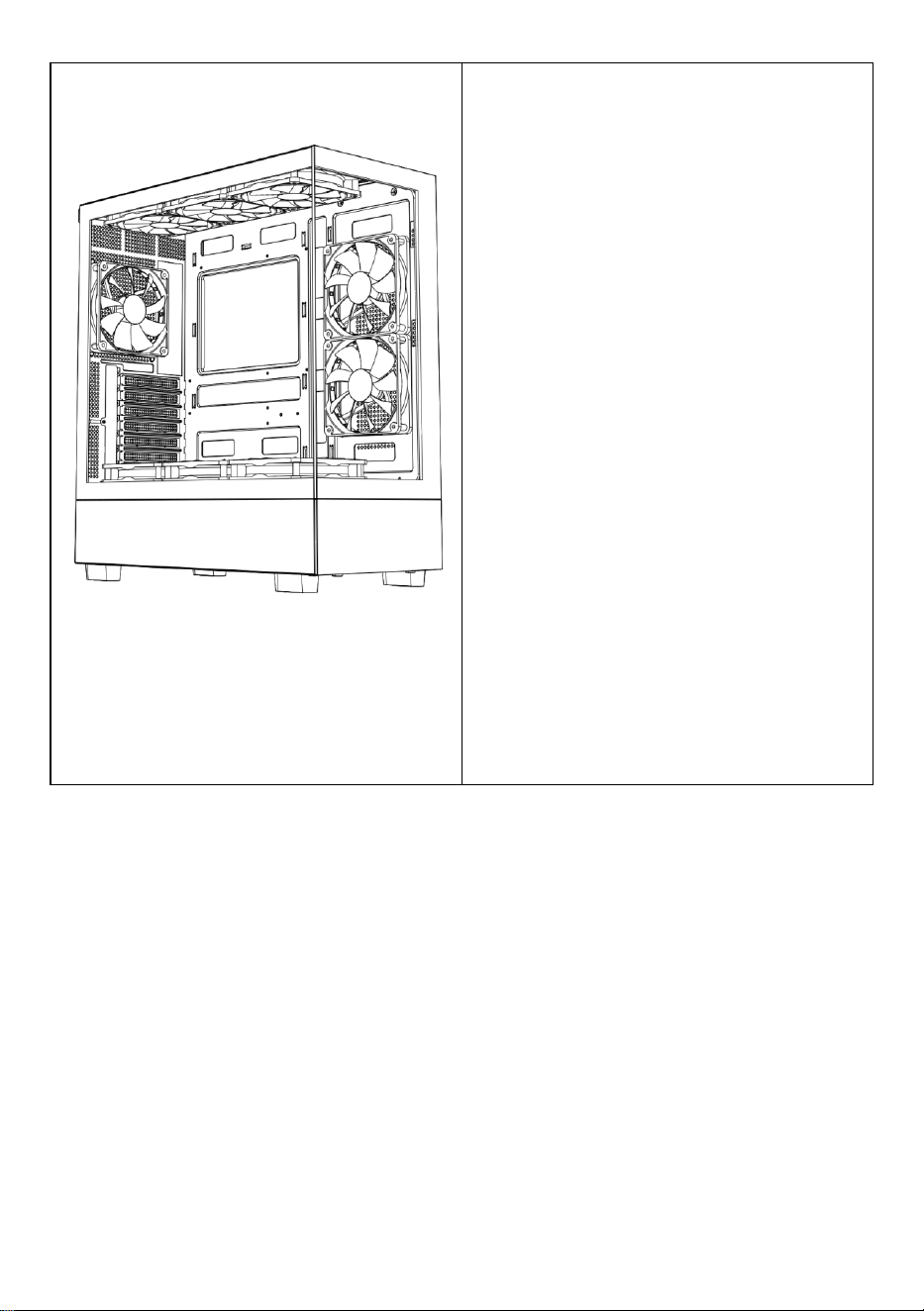
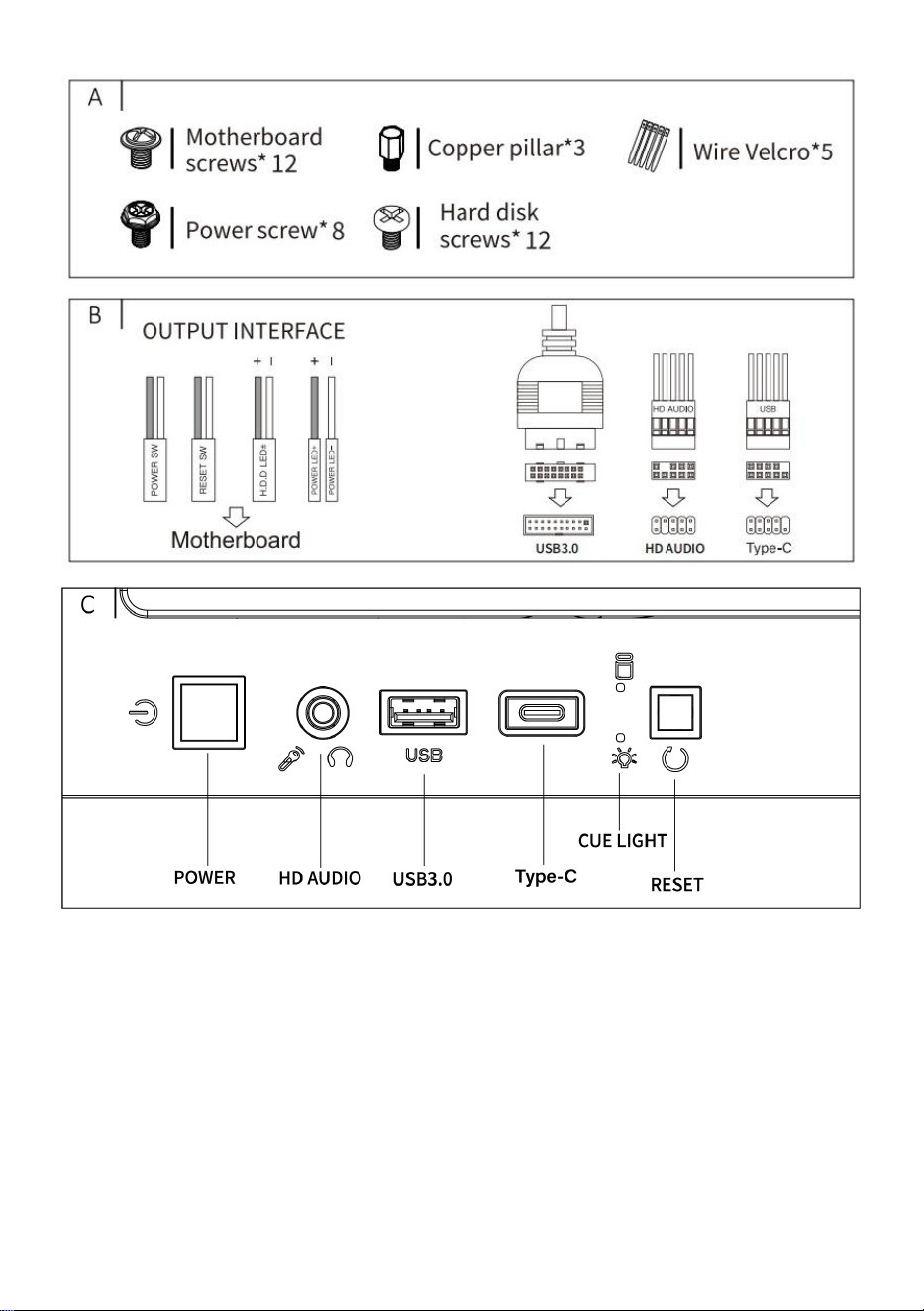
A: Zubehörpaket
B: Kabelschnittstelle
C: I /0-Schnittstelle
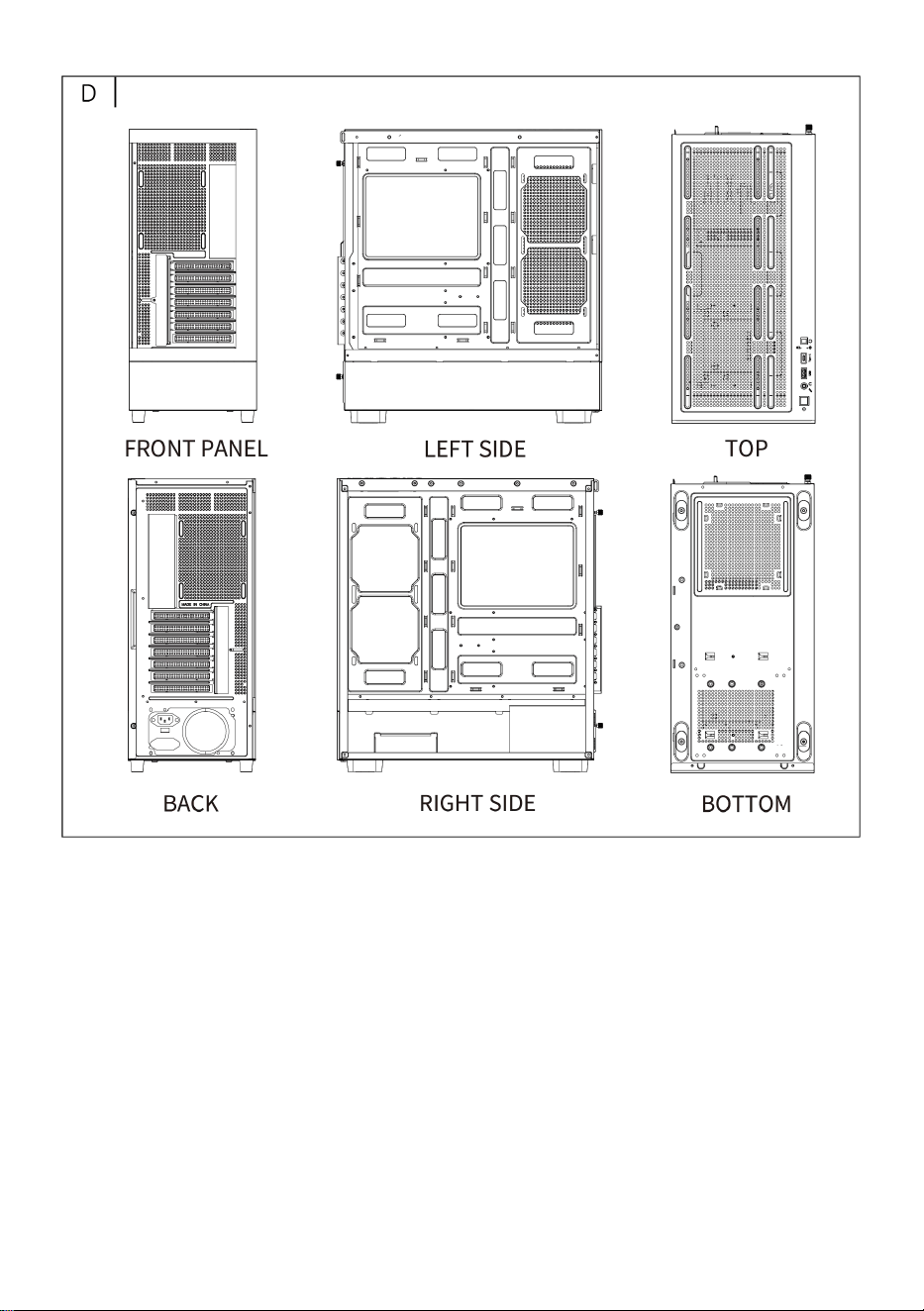
D: Vollansicht
E: Demontage der rechten
Verkleidung
F: Demontage der linken
Verkleidung
G: Demontage der Frontplatte
H: Obere Lüfterinstallation
ich: Installation des hinteren Lüfters
J: Installation des Lüfters auf der
Vorderseite des Motherboards
K: Lüfterhalterung oben am
Netzteilfach
L: Obere wassergekühlte
Reiheninstallation
M : Leistung Installation
N : Festplatteninstallation
O : Motherboard-Installation
P : Grafikkarteninstallation
- 5 -
- 6 -
- 7 -
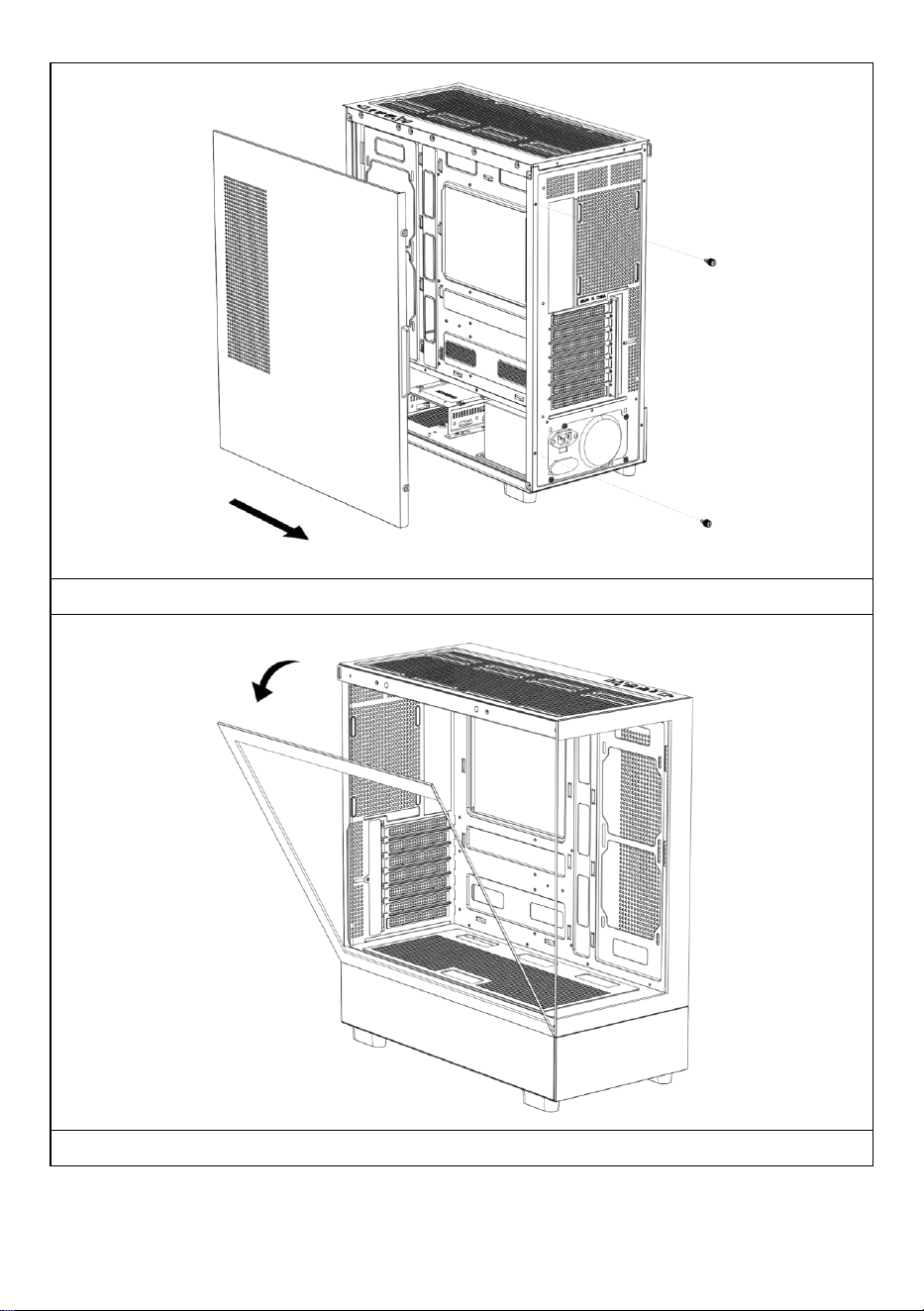
Öffnen Sie die rechte Seitenwand
Öffnen Sie die linke Glasscheibe
- 8 -
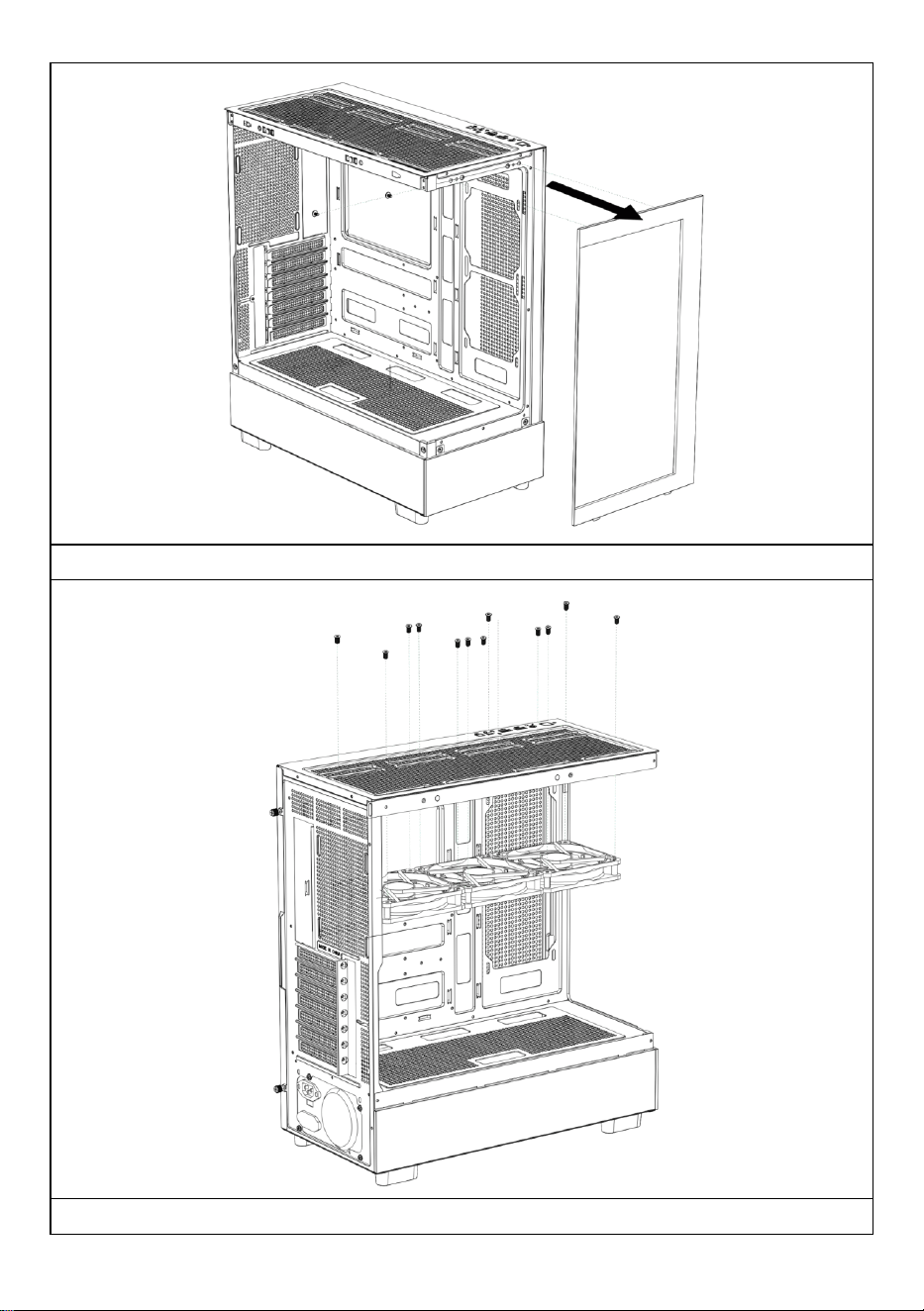
Öffnen Sie die Frontplatte
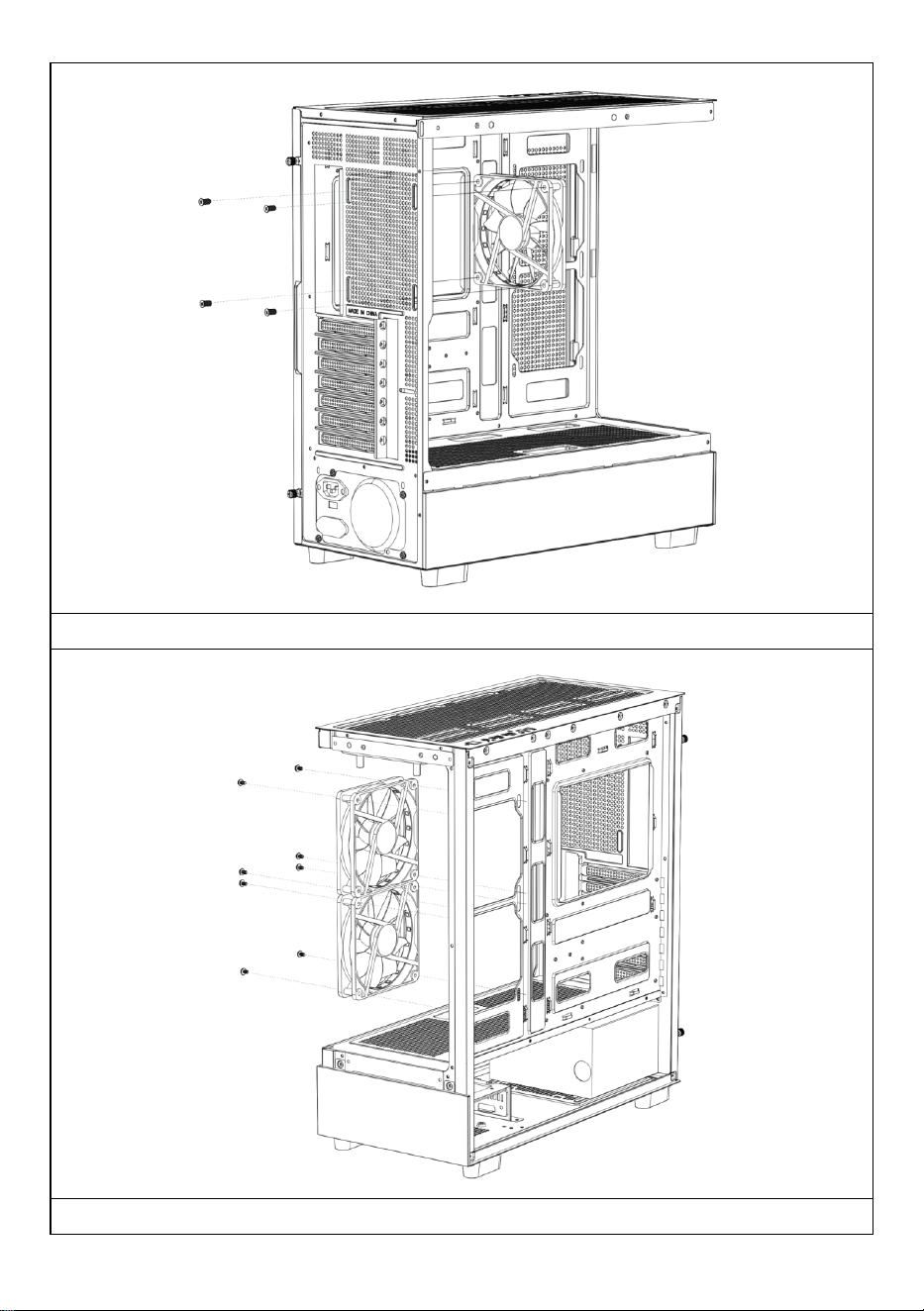
Installieren des oberen Lüfters
- 9 -
Installieren des hinteren Lüfters
Installieren des Lüfters auf der Vorderseite des Motherboards
- 10 -
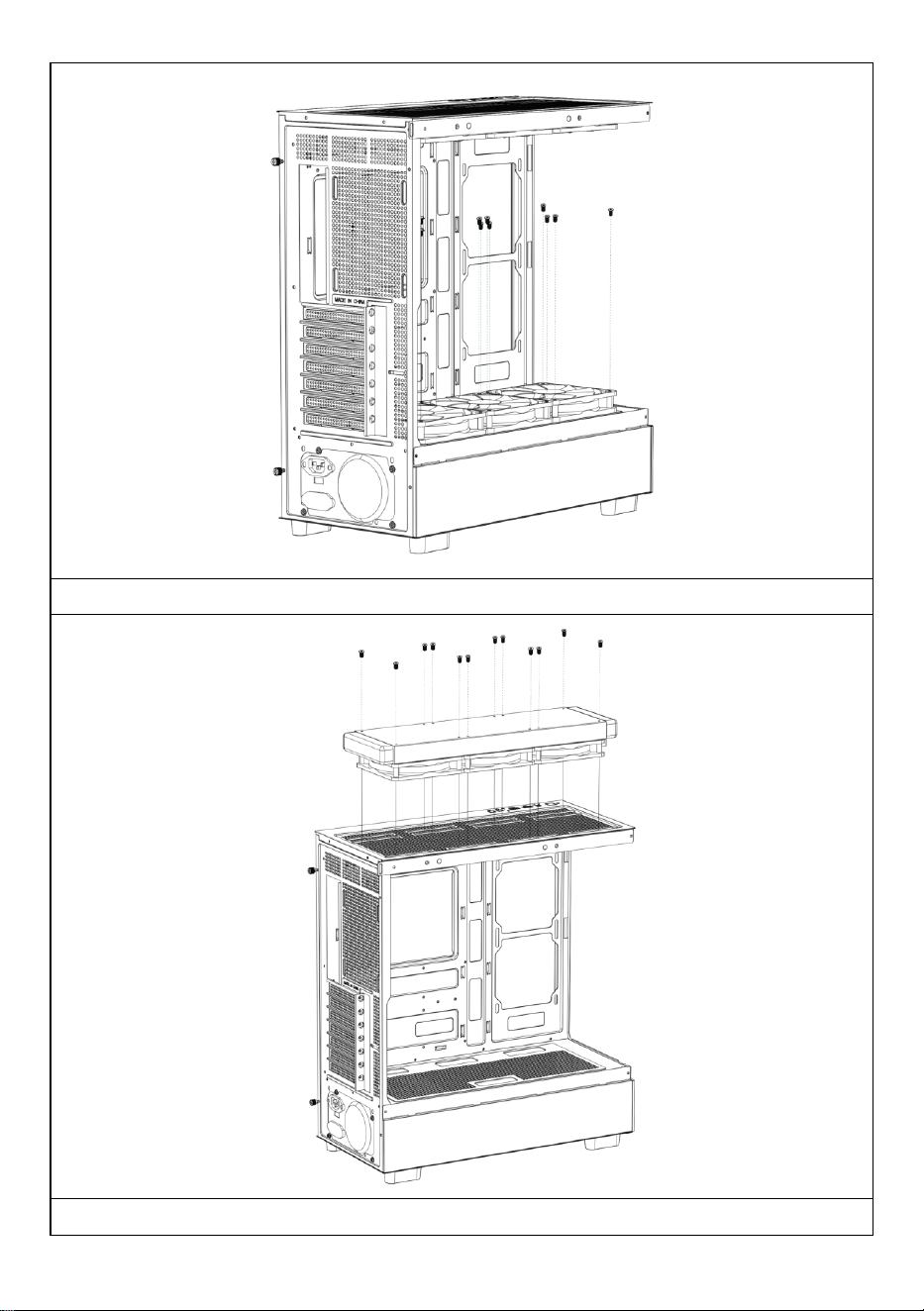
Installieren des oberen Lüfters des Netzteilfachs
Installieren Sie bei Bedarf einen Wasserkühlungsablauf oben auf dem

- 11 -
Gehäuse.
- 12 -
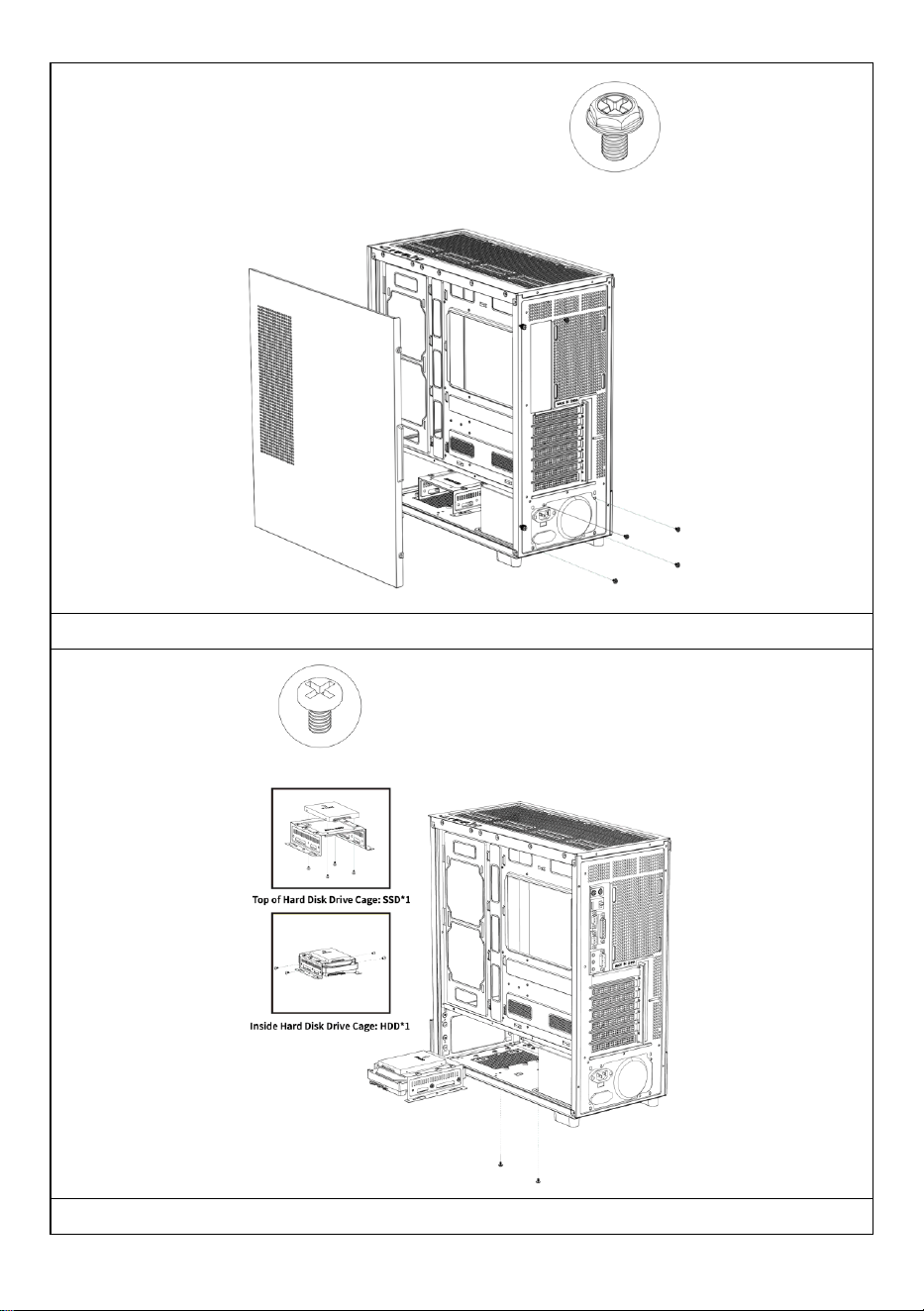
Stromversorgung installieren
Installieren von SSD- und HDD-Festplatten
- 13 -
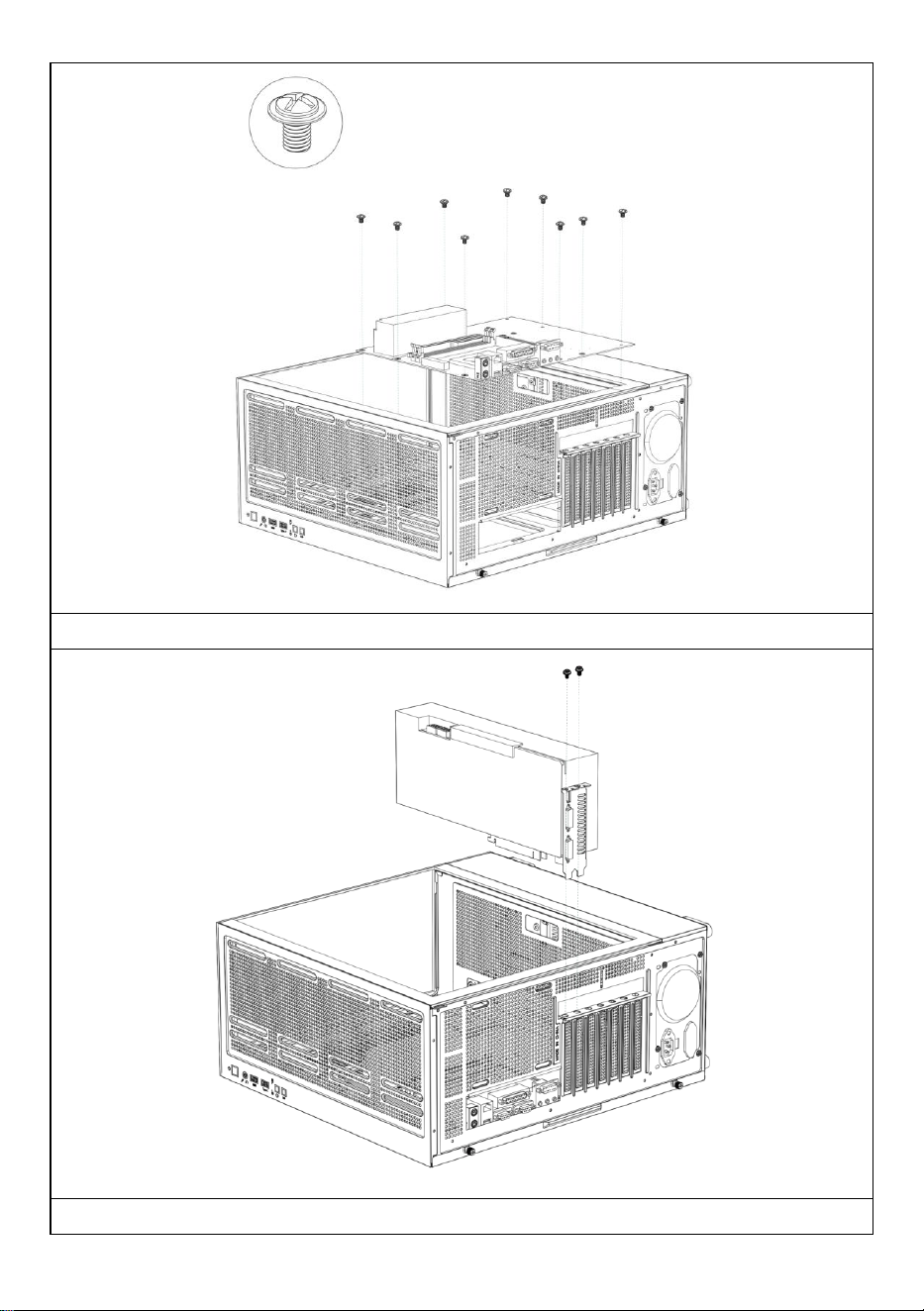
Installieren des Motherboards
Installieren einer Grafikkarte
- 14 -
Hersteller: Shanghaimuxinmuyeyouxiangongsi
Adresse: Shuangchenglu 803nong11hao1602A-1609shi, baoshanqu,
Shanghai 200000 CN.
Importiert nach AUS: SIHAO PTY LTD, 1 ROKEVA STREETEASTWOOD
NSW 2122 Australien
Importiert in die USA: Sanven Technology Ltd., Suite 250, 9166 Anaheim
Place, Rancho Cucamonga, CA 91730
REP
EC
E-CrossStu GmbH
Mainzer Landstr.69, 60329 Frankfurt am Main.
REP
UK
YH CONSULTING LIMITED.
C/O YH Consulting Limited Office 147, Centurion House,
London Road, Staines-upon-Thames, Surrey, TW18 4AX

- 15 -
Technischer Support und E-Garantie-Zertifikat
www.vevor.com/support

- 16 -
MANUALE UTENTE DEL CASE DEL
COMPUTER
MODELLO: 215ATX
Supporto tecnico e certificato di garanzia elettronica
www.vevor.com/support
- 1 -
MODELLO: 215ATX
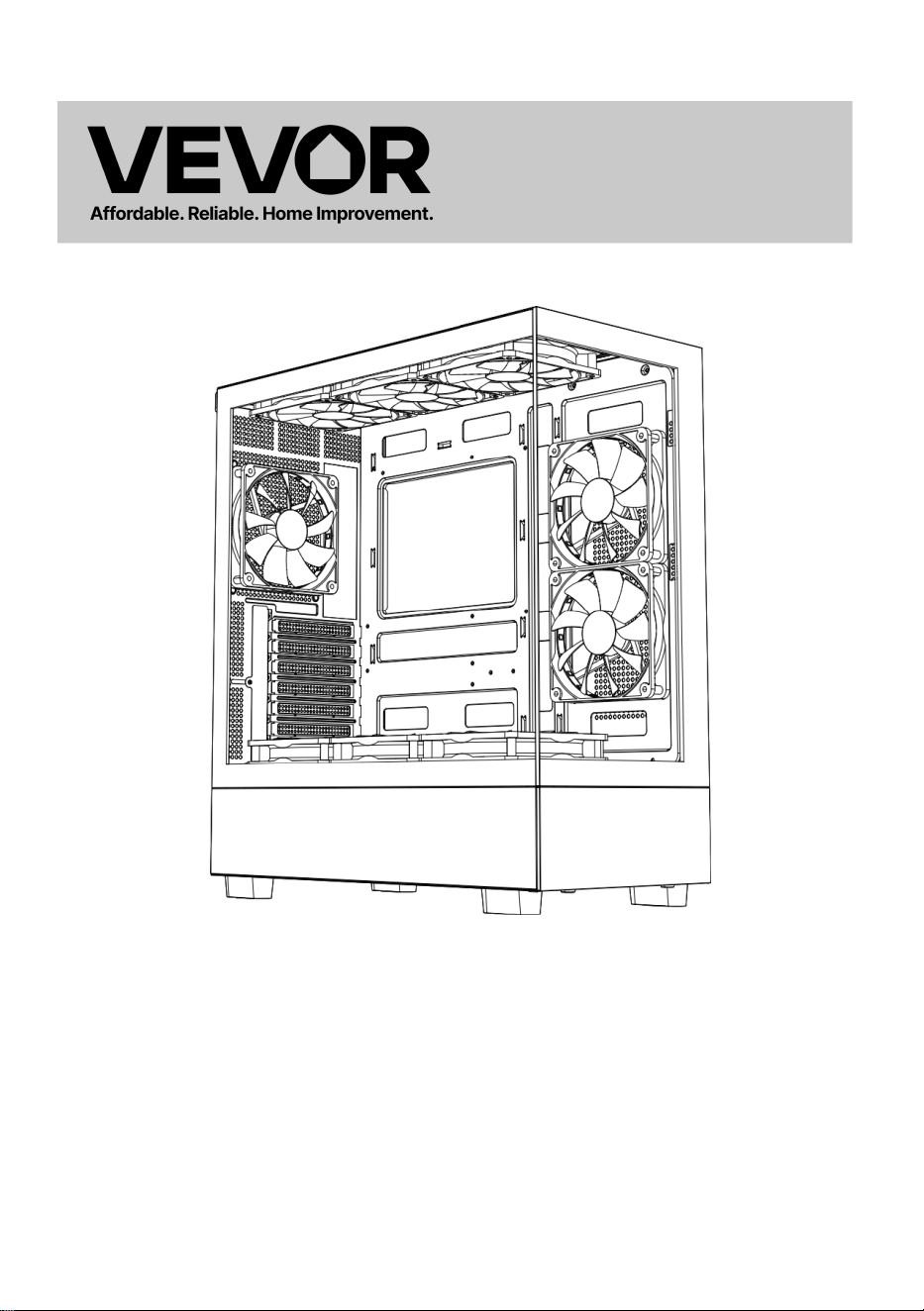
(L'immagine è solo di riferimento, fare riferimento all'oggetto reale)
Questa è l'istruzione originale, si prega di leggere attentamente tutte le
istruzioni del manuale prima di utilizzare. VEVOR si riserva una chiara
interpretazione del nostro manuale utente. L'aspetto del prodotto sarà
soggetto al prodotto ricevuto. Vi preghiamo di perdonarci se non vi
informeremo di nuovo se ci sono aggiornamenti tecnologici o software sul
nostro prodotto.
Computer Case

- 2 -
- 3 -
Attenzione: per ridurre il rischio di lesioni, l'utente deve leggere
attentamente il manuale di istruzioni.
Questo prodotto è soggetto alle disposizioni della Direttiva
Europea 2012/19/CE. Il simbolo raffigurante un bidone della
spazzatura barrato indica che il prodotto richiede la raccolta
differenziata dei rifiuti nell'Unione Europea. Ciò si applica al
prodotto e a tutti gli accessori contrassegnati con questo
simbolo. I prodotti contrassegnati come tali non possono
essere smaltiti con i normali rifiuti domestici, ma devono essere
portati in un punto di raccolta per il riciclaggio di dispositivi
elettrici ed elettronici
- 4 -
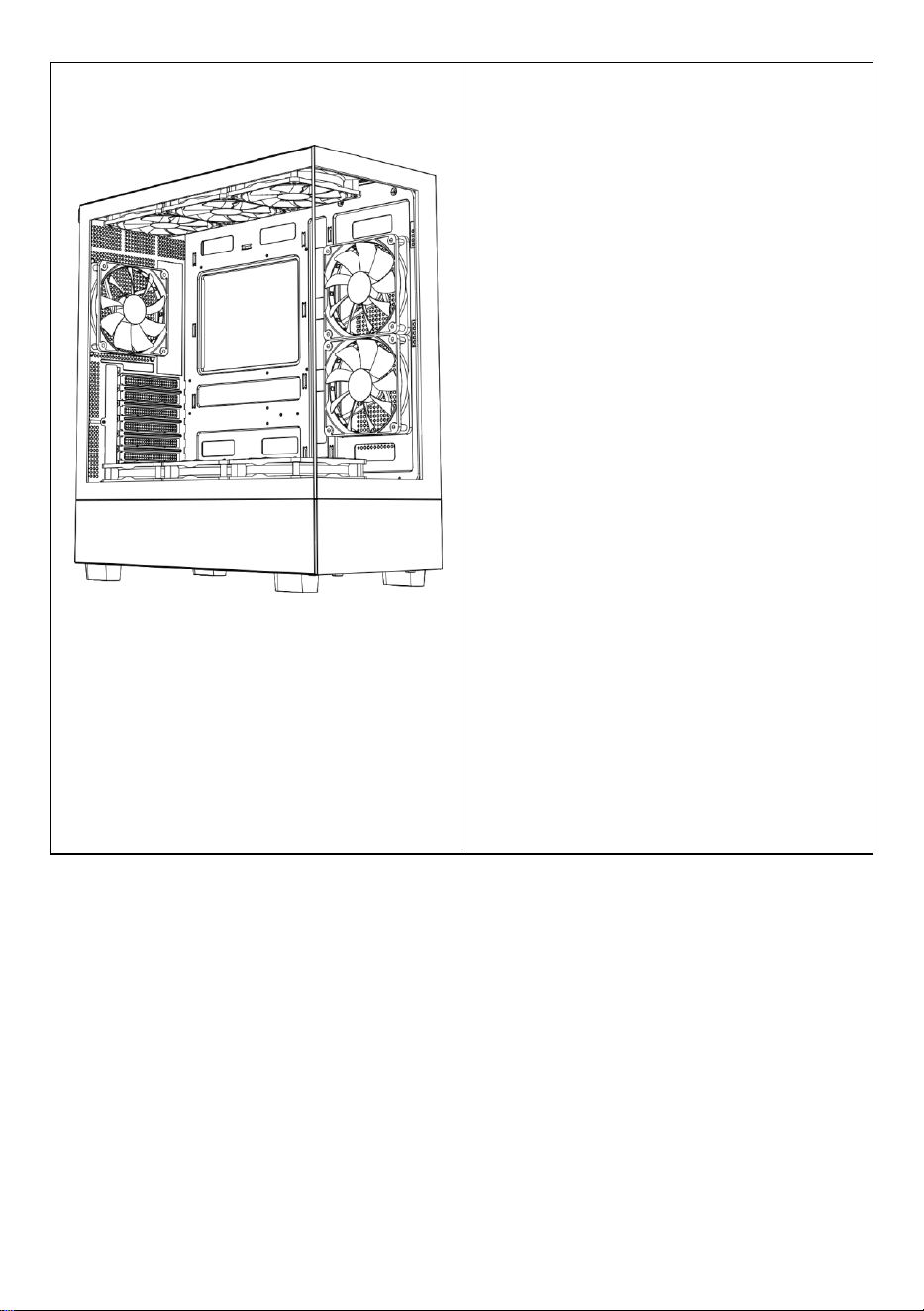
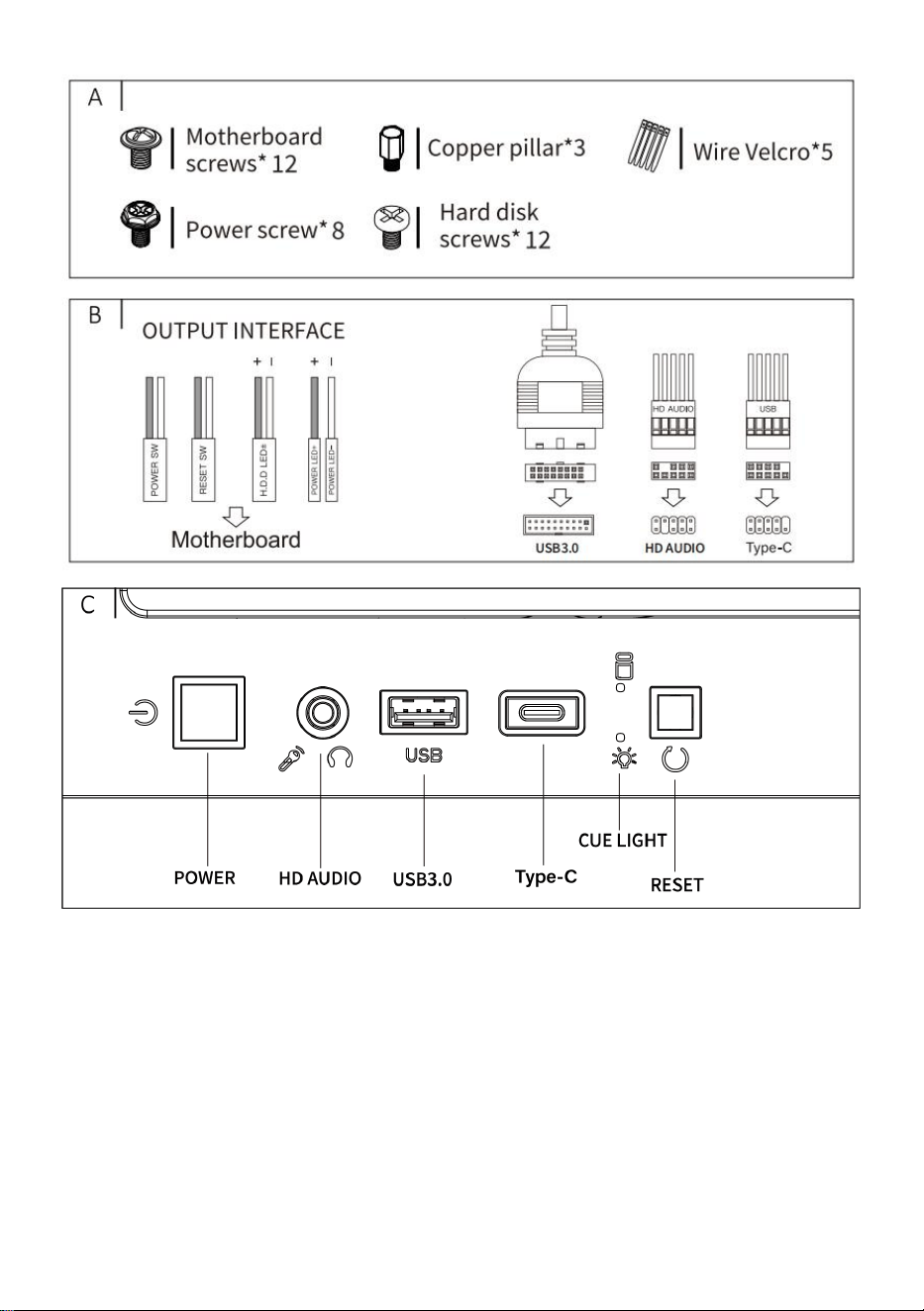
A: Pacchetto accessori
B : Interfaccia del filo
C: Interfaccia I /0
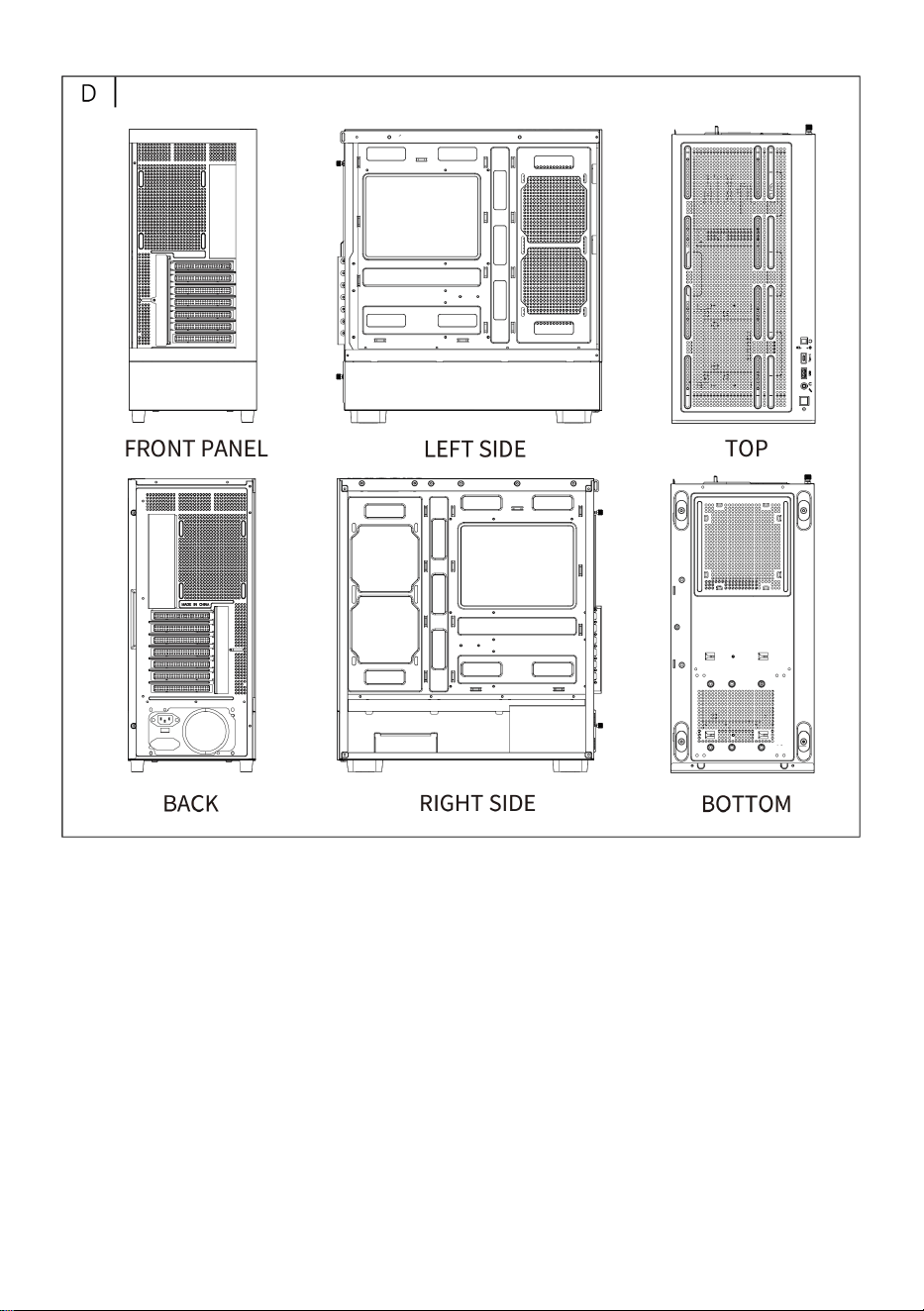
D: Vista completa
E: Smontaggio pannello destro
F: Smontaggio pannello sinistro
G: Smontaggio pannello frontale
H: Installazione della ventola
superiore
l: Installazione della ventola
posteriore
J: Installazione della ventola
frontale della scheda madre
Io: Supporto ventola sulla parte
superiore del vano alimentatore
L: Installazione in fila superiore
raffreddata ad acqua
M : Energia installazione
N : Installazione del disco rigido
O : Installazione della scheda
madre
P : Installazione della scheda
grafica
- 5 -
- 6 -
- 7 -
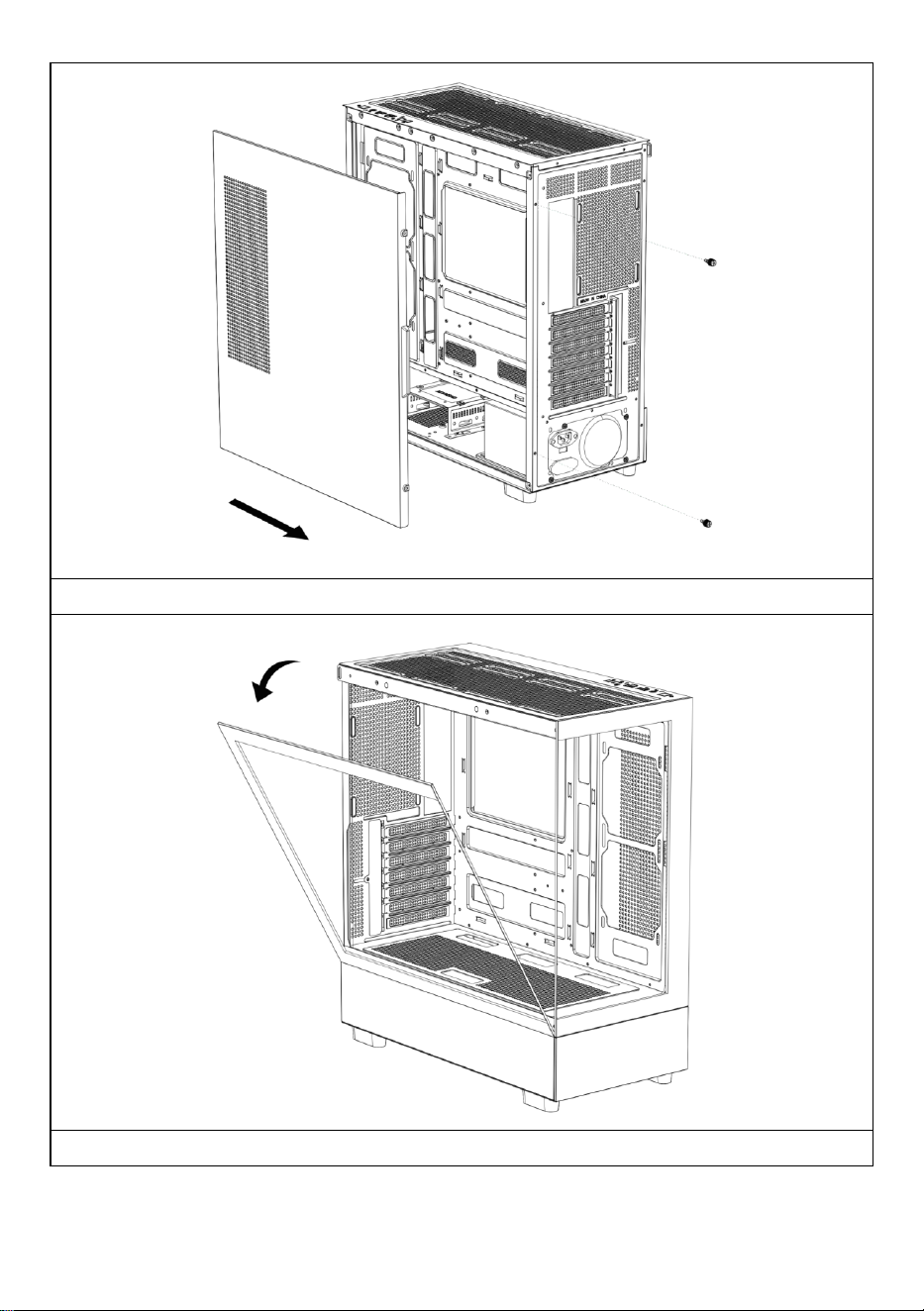
Aprire il pannello laterale destro
Aprire il pannello di vetro sinistro
- 8 -
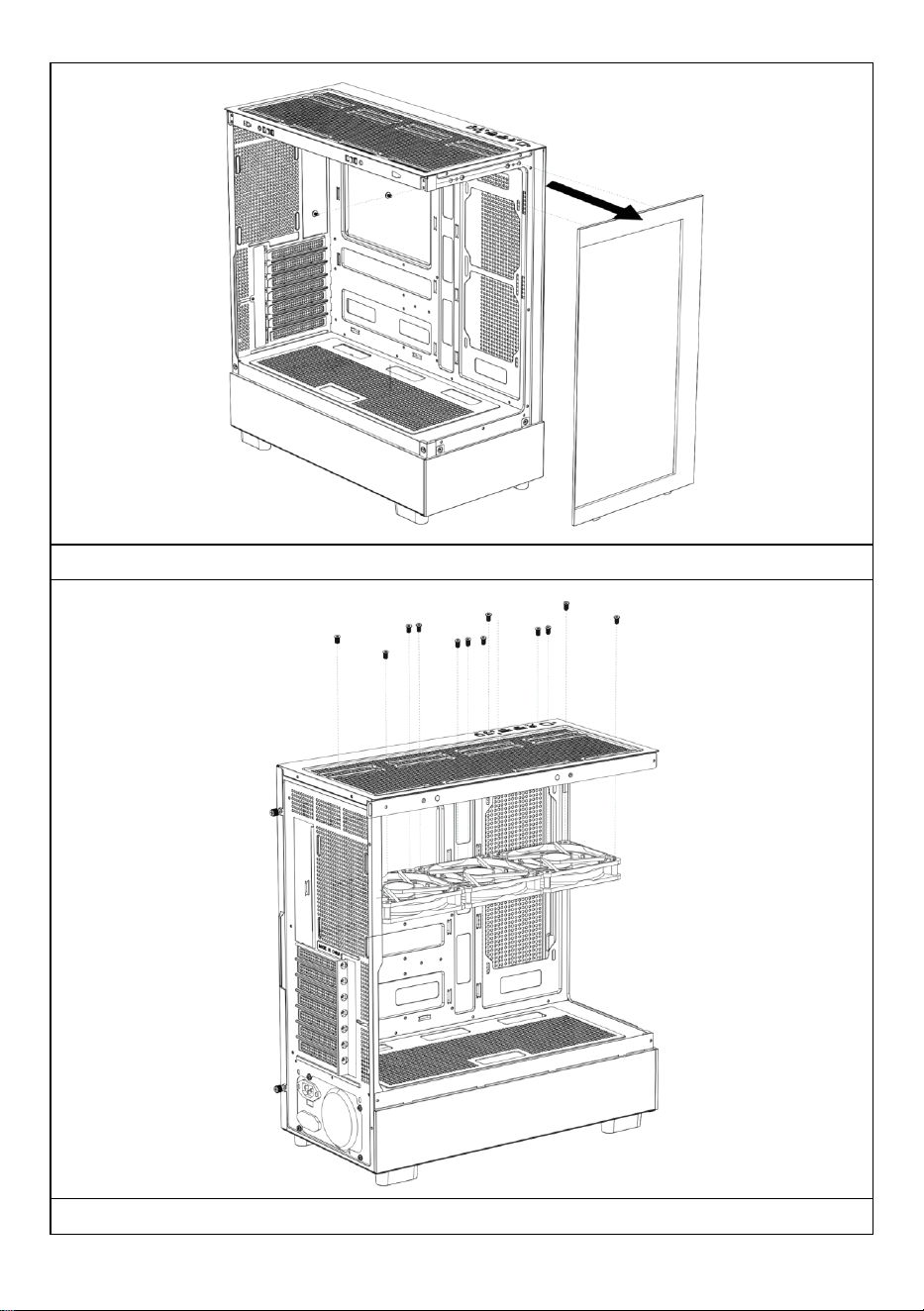
Aprire il pannello frontale
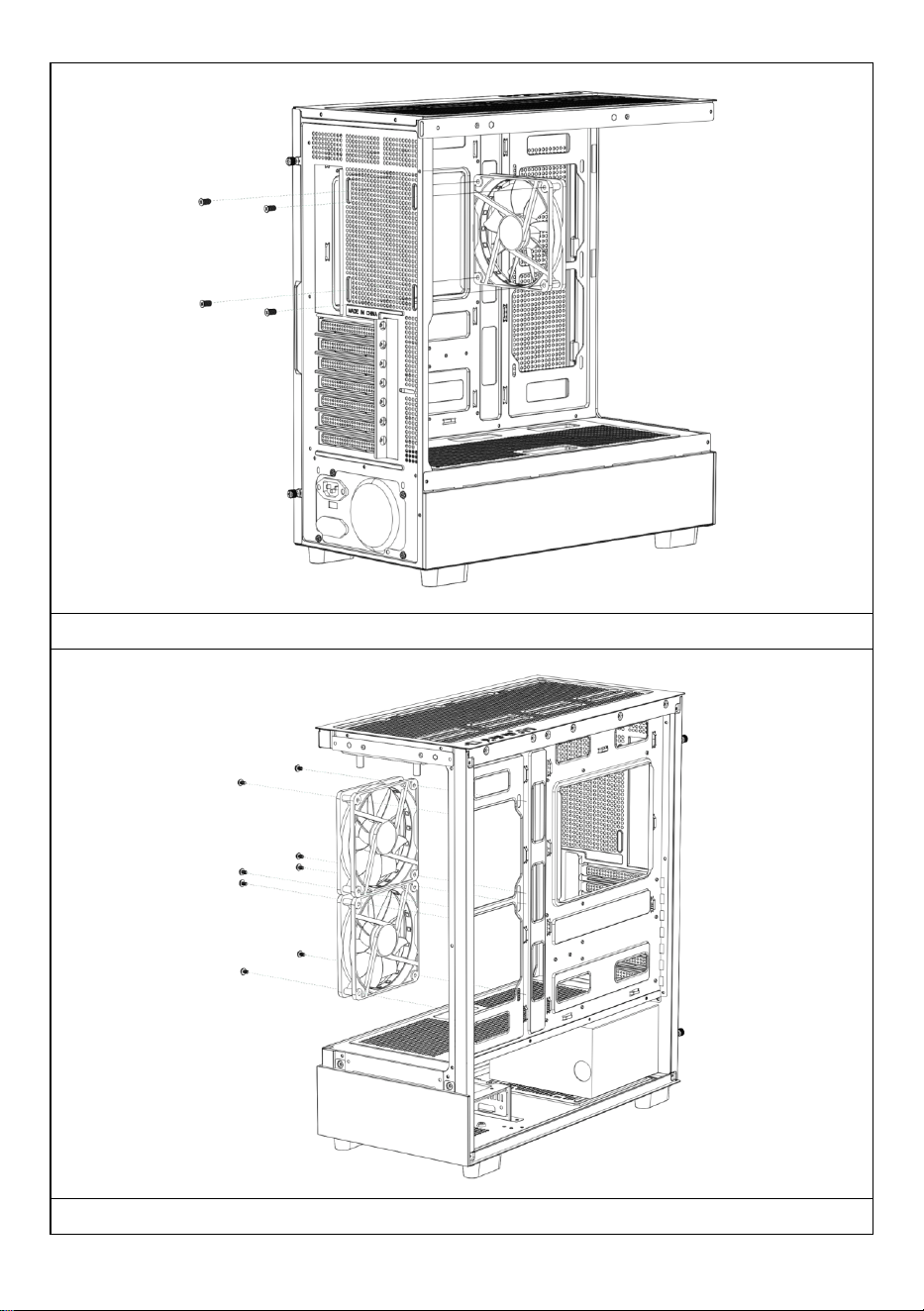
Installazione della ventola superiore
- 9 -
Installazione della ventola posteriore
Installazione della ventola frontale della scheda madre
- 10 -
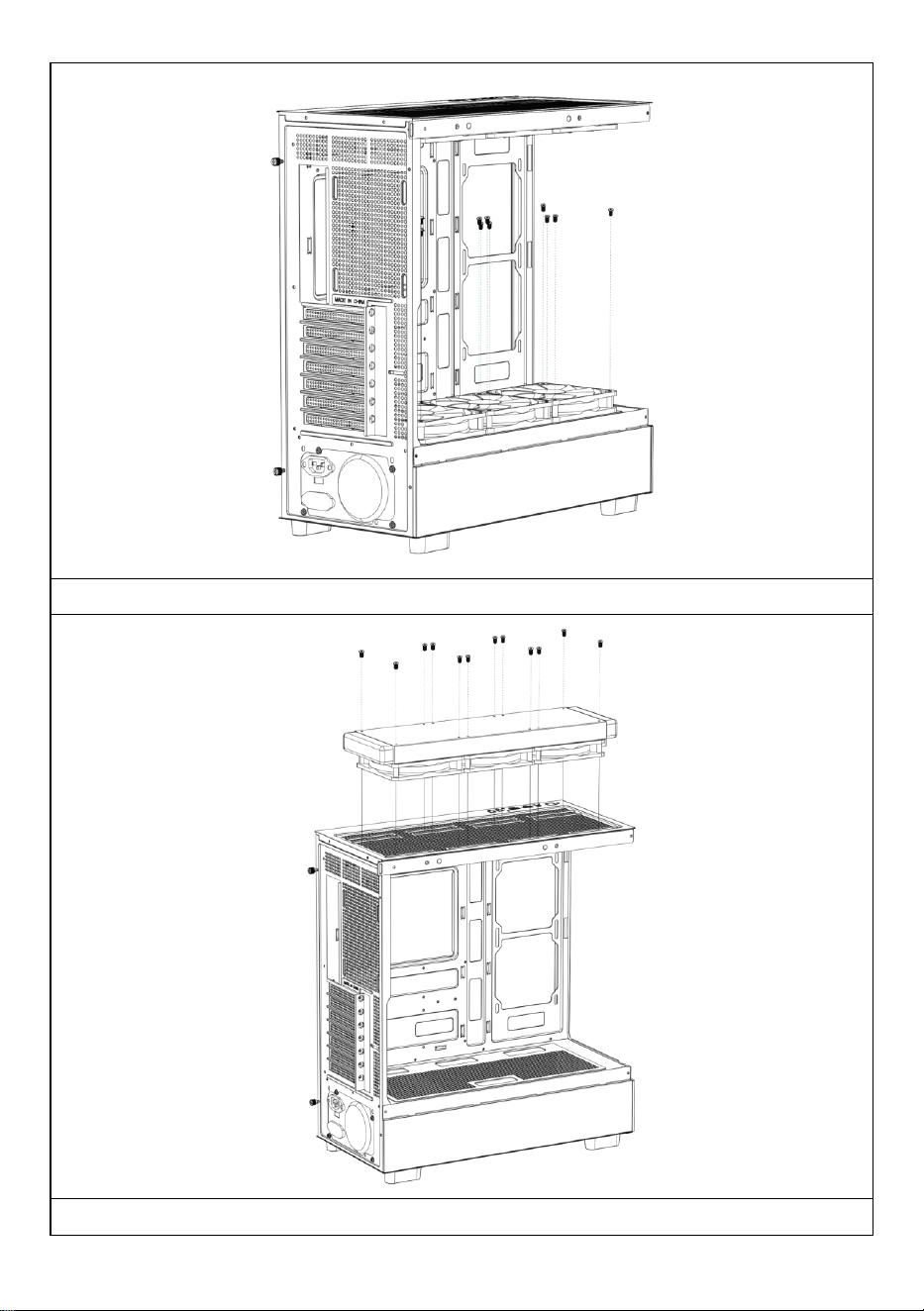
Installazione della ventola superiore del vano alimentatore
Se necessario, installare uno scarico per il raffreddamento ad acqua sulla

- 11 -
parte superiore del telaio.
- 12 -
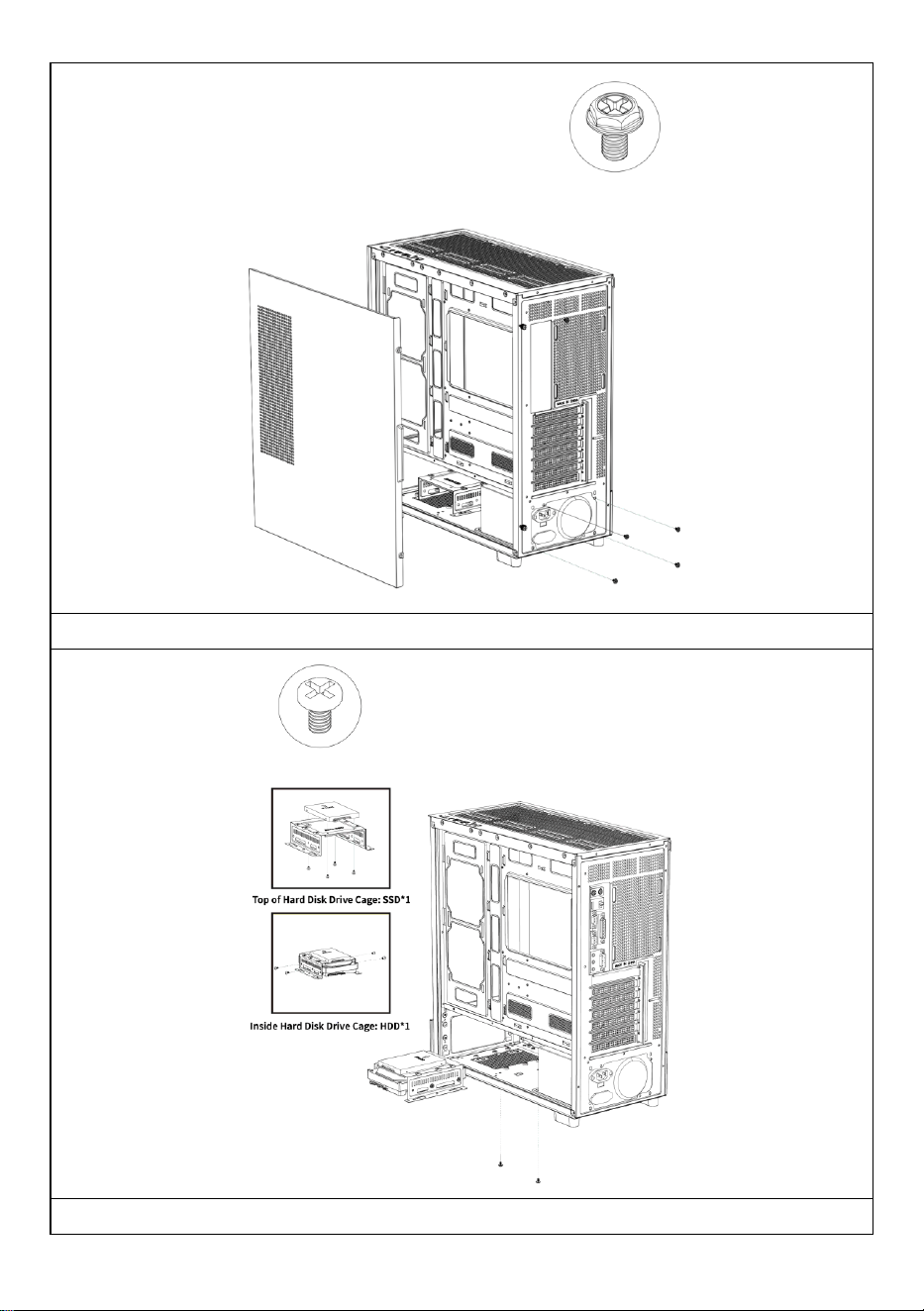
Installazione dell'alimentazione elettrica
Installazione di dischi rigidi SSD e HDD
- 13 -
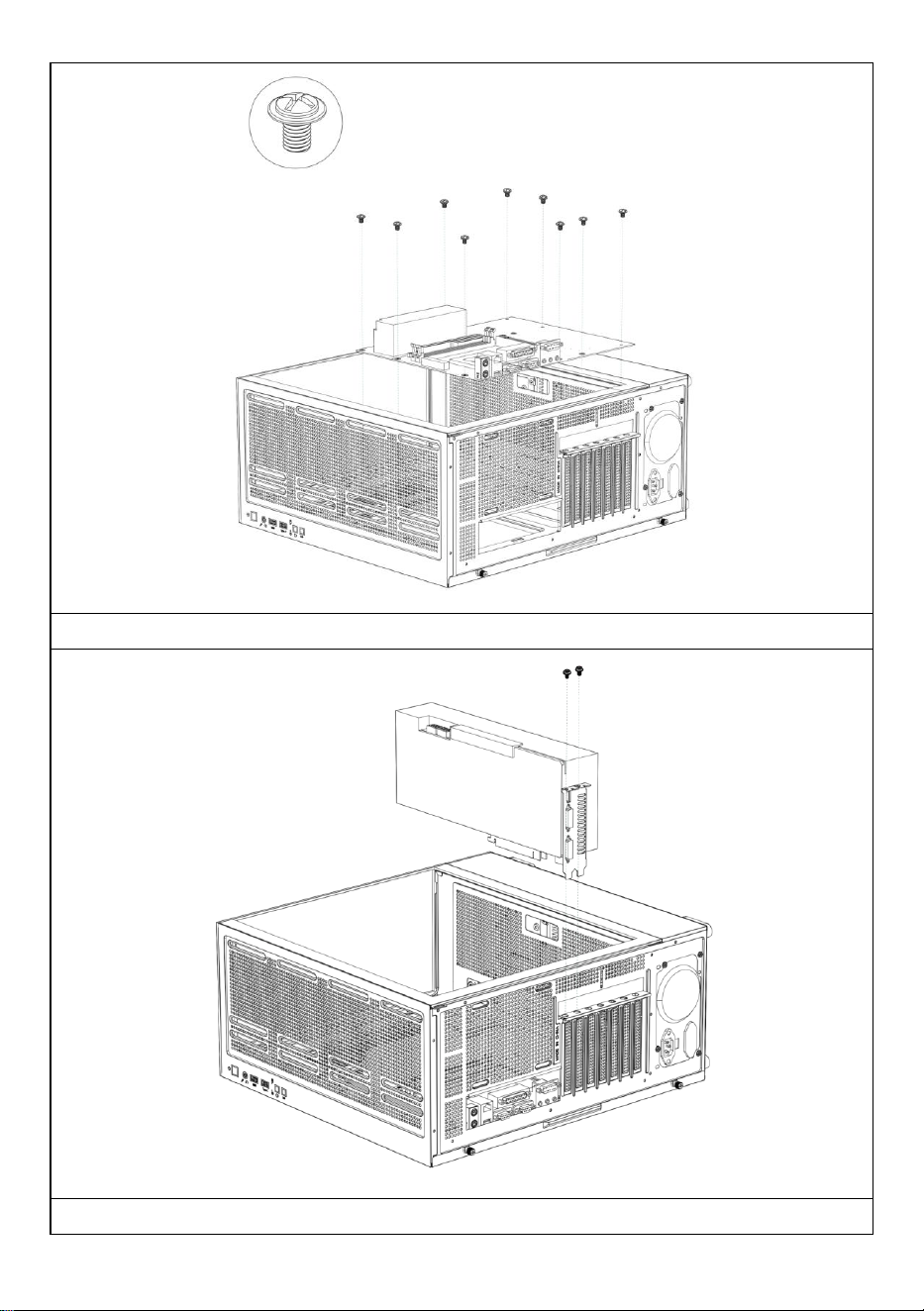
Installazione della scheda madre
Installazione di una scheda grafica
- 14 -
Produttore: Shanghaimuxinmuyeyouxiangongsi
Indirizzo: Shuangchenglu 803nong11hao1602A-1609shi, baoshanqu,
shanghai 200000 CN.
Importato in AUS: SIHAO PTY LTD, 1 ROKEVA STREETEASTWOOD NSW
2122 Australia
Importato negli USA: Sanven Technology Ltd., Suite 250, 9166 Anaheim
Place, Rancho Cucamonga, CA 91730
REP
EC
E-CrossStu GmbH
Mainzer Landstr.69, 60329 Frankfurt am Main.
REP
UK
YH CONSULTING LIMITED.
C/O YH Consulting Limited Office 147, Centurion House,
London Road, Staines-upon-Thames, Surrey, TW18 4AX

- 15 -
Supporto tecnico e certificato di garanzia elettronica
www.vevor.com/support

- 16 -
CAJA DE COMPUTADORA MANUAL DE
USUARIO
MODELO: 215ATX
Soporte técnico y certificado de garantía electrónica
www.vevor.com/support
- 1 -
MODELO: 215ATX
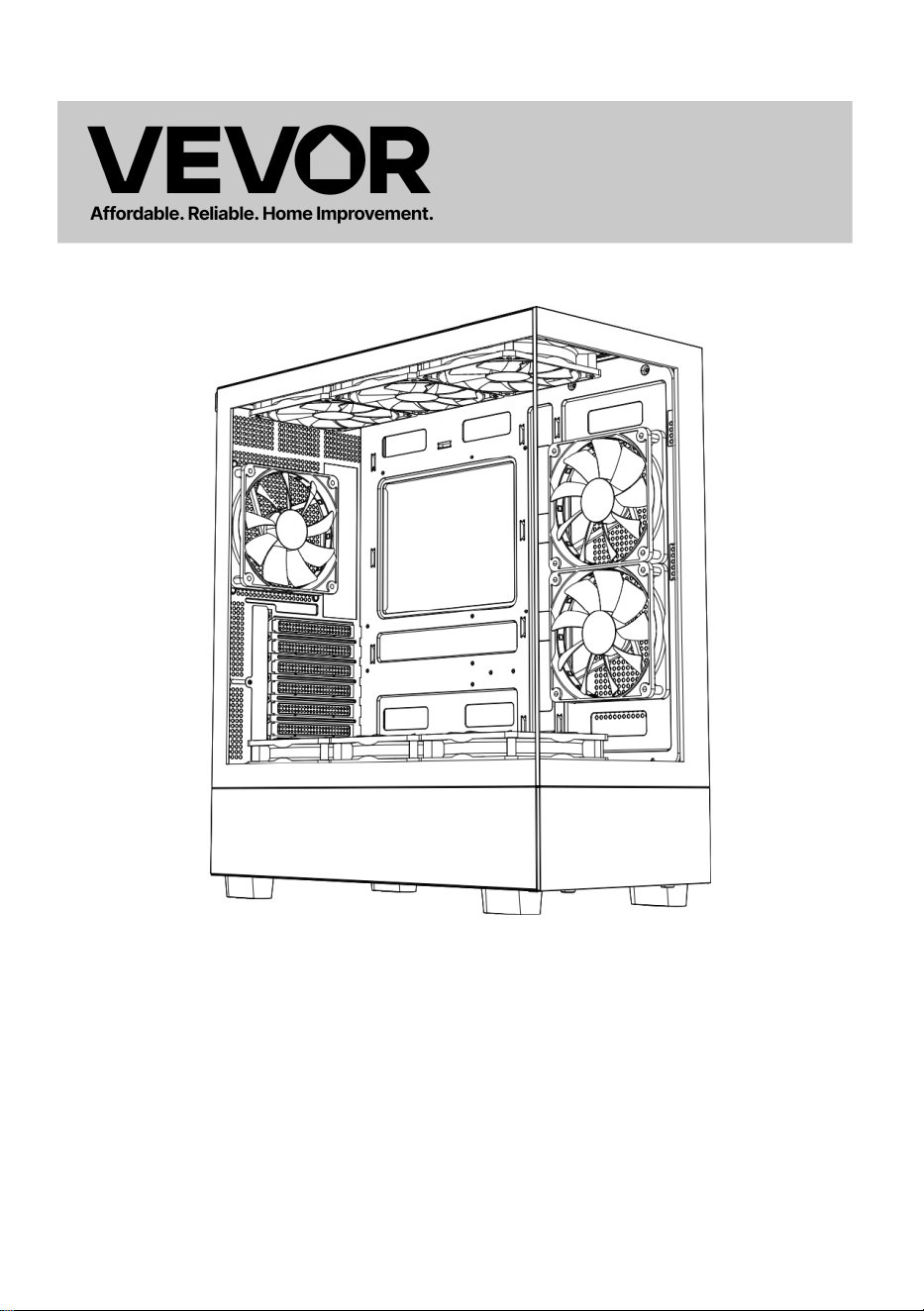
(La imagen es solo de referencia, consulte el objeto real)
Estas son las instrucciones originales; lea atentamente todas las
instrucciones del manual antes de utilizarlo. VEVOR se reserva el
derecho de interpretar su manual de usuario. La apariencia del producto
dependerá del producto que haya recibido. Le rogamos que nos disculpe
si no le informamos de nuevo si hay actualizaciones tecnológicas o de
software en nuestro producto.
Computer Case

- 2 -
- 3 -
Advertencia: Para reducir el riesgo de lesiones, el usuario debe
leer atentamente el manual de instrucciones.
Este producto está sujeto a la Directiva Europea 2012/19/CE.
El símbolo de un contenedor de basura tachado indica que el
producto requiere recogida selectiva en la Unión Europea. Esto
aplica al producto y a todos los accesorios marcados con este
símbolo. Los productos marcados con este símbolo no pueden
desecharse con la basura doméstica normal, sino que deben
llevarse a un punto de recogida para el reciclaje de aparatos
eléctricos y electrónicos.
- 4 -
A: Paquete de accesorios
B : Interfaz de cable
C: Interfaz I /O
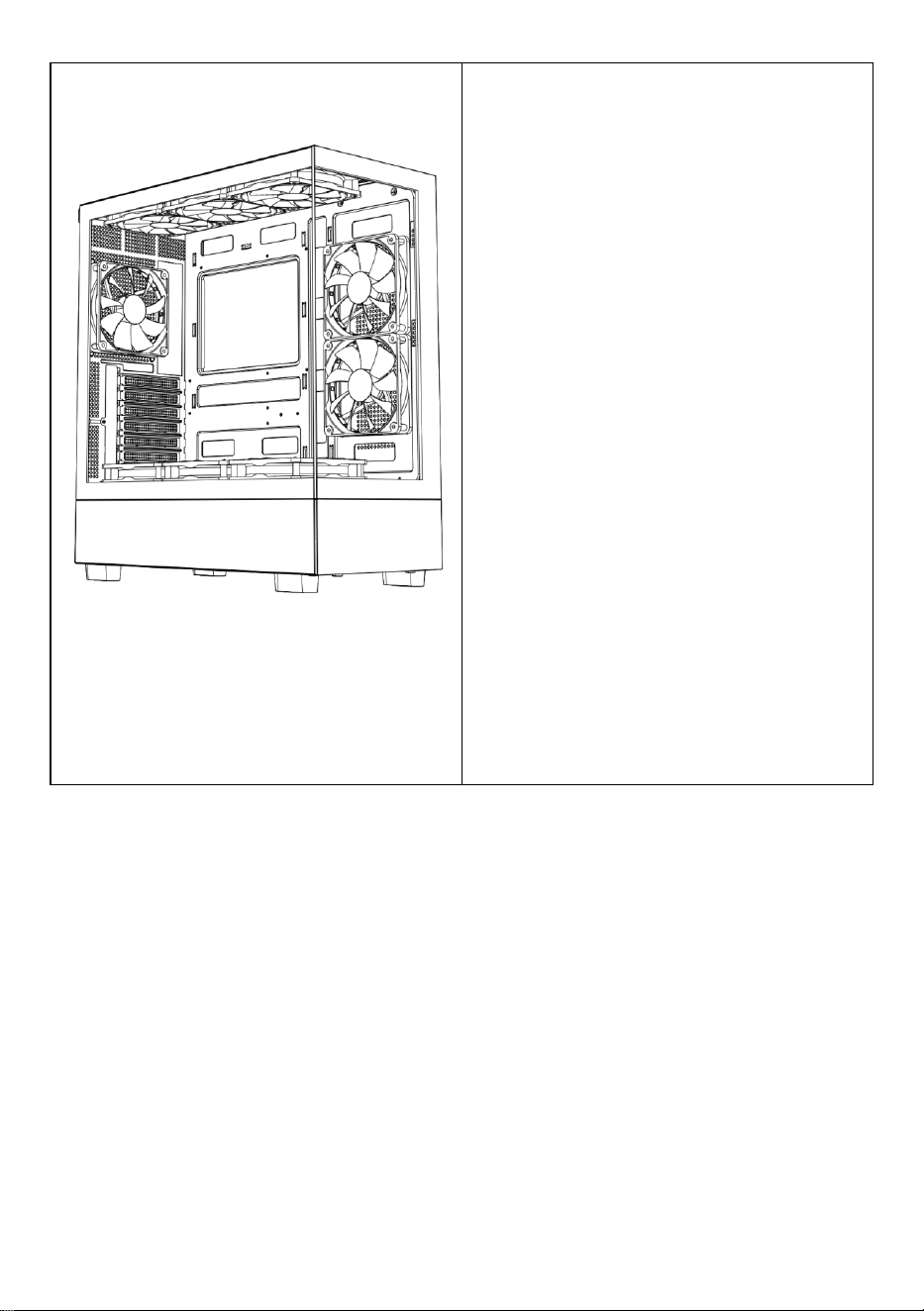
D: Vista completa
E: Desmontaje del panel derecho
F: Desmontaje del panel izquierdo
G: Desmontaje del panel frontal
H: Instalación del ventilador
superior
yo: Instalación del ventilador trasero
J: Instalación del ventilador frontal
de la placa base
K: Soporte del ventilador en la parte
superior del compartimento de la
fuente de alimentación
L: Instalación en la fila superior
refrigerada por agua
M : Fuerza instalación
N : Instalación del disco duro
O : Instalación de la placa base
P : Instalación de la tarjeta gráfica
- 5 -
- 6 -
- 7 -
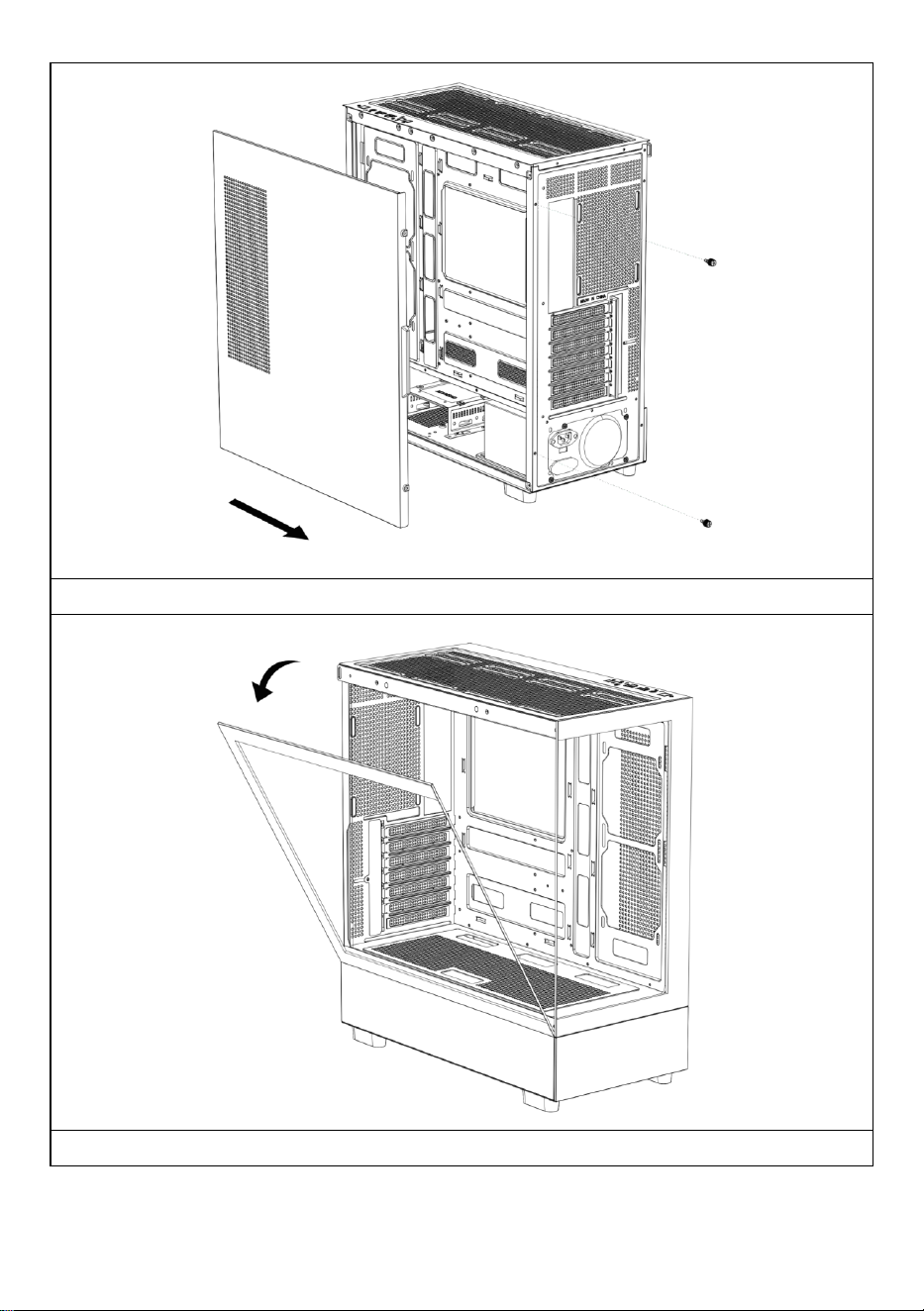
Abra el panel lateral derecho
Abra el panel de cristal izquierdo
- 8 -
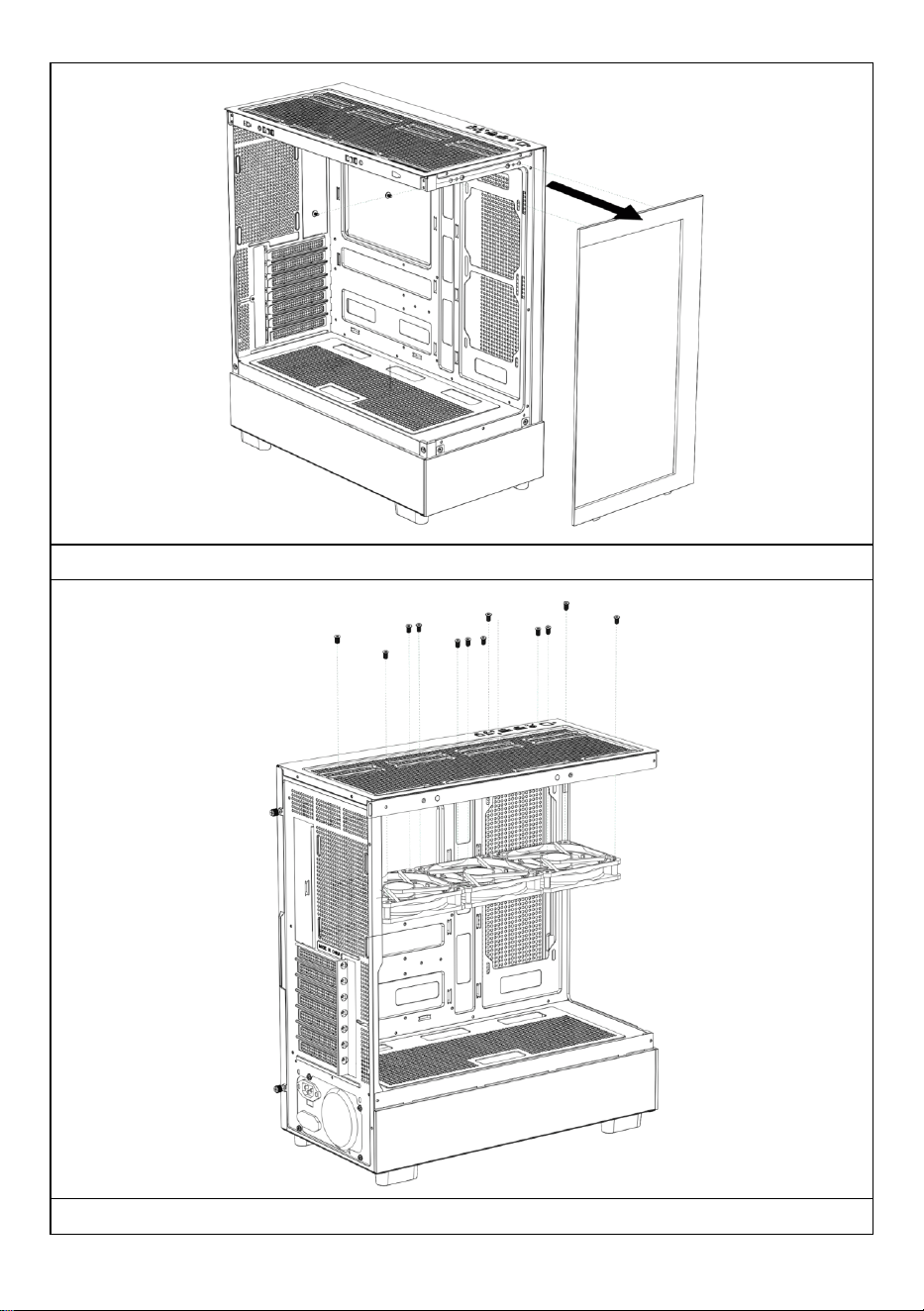
Abra el panel frontal
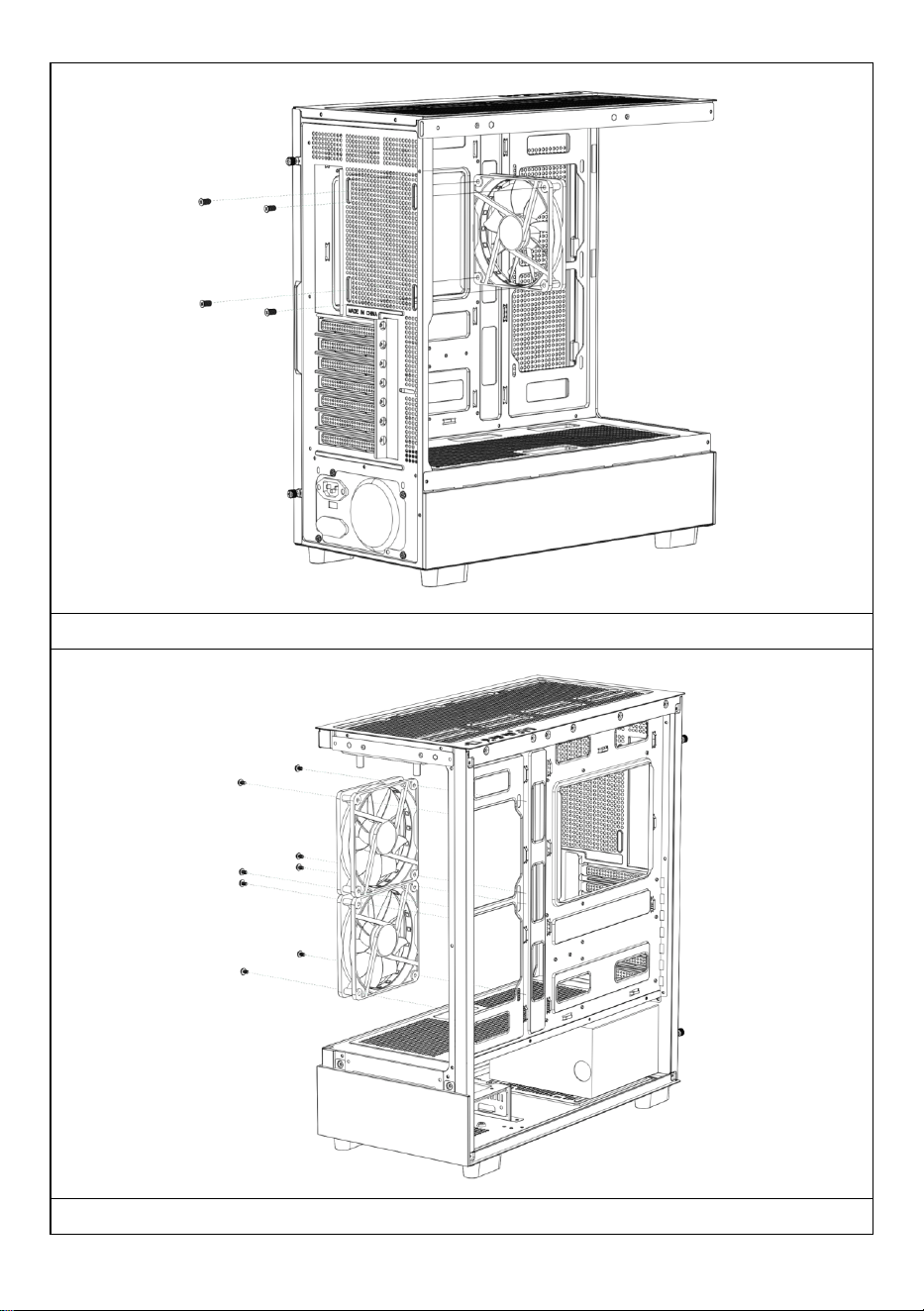
Instalación del ventilador superior
- 9 -
Instalación del ventilador trasero
Instalación del ventilador frontal de la placa base
- 10 -
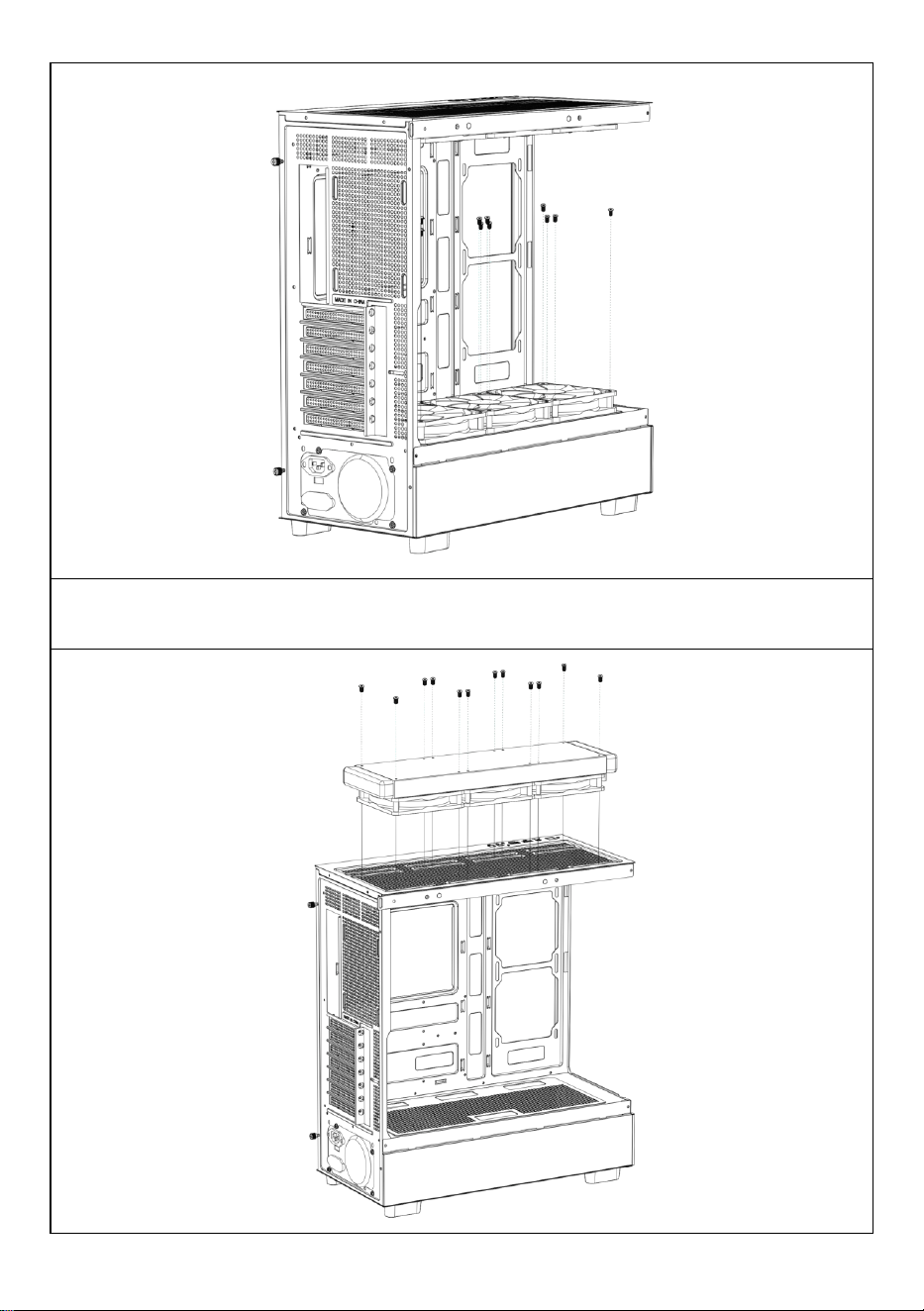
Instalación del ventilador superior del compartimento de la fuente de
alimentación

- 11 -
Si es necesario, instale un drenaje de refrigeración por agua en la parte
superior del chasis.
- 12 -
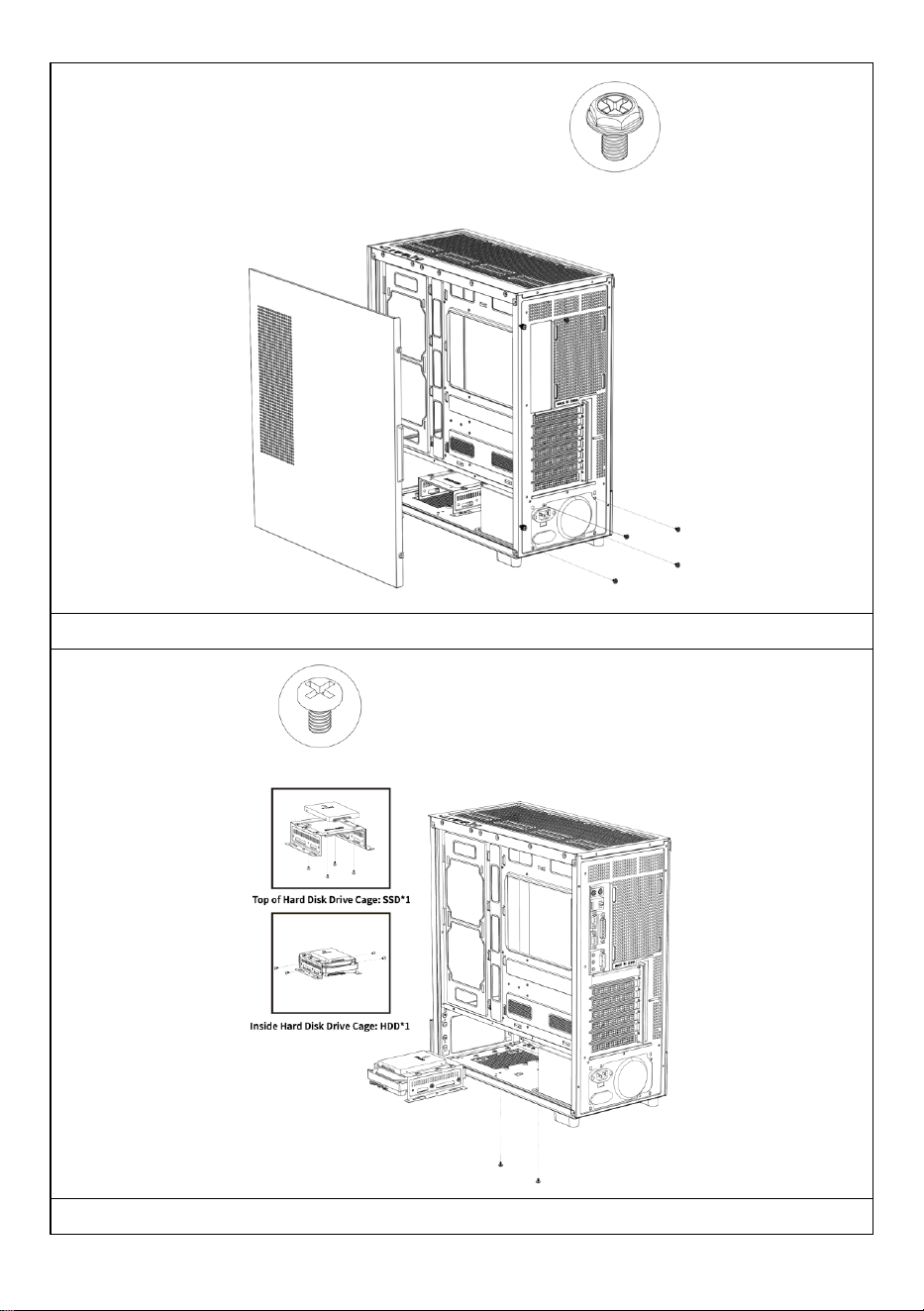
Instalación de la fuente de alimentación
Instalación de discos duros SSD y HDD
- 13 -
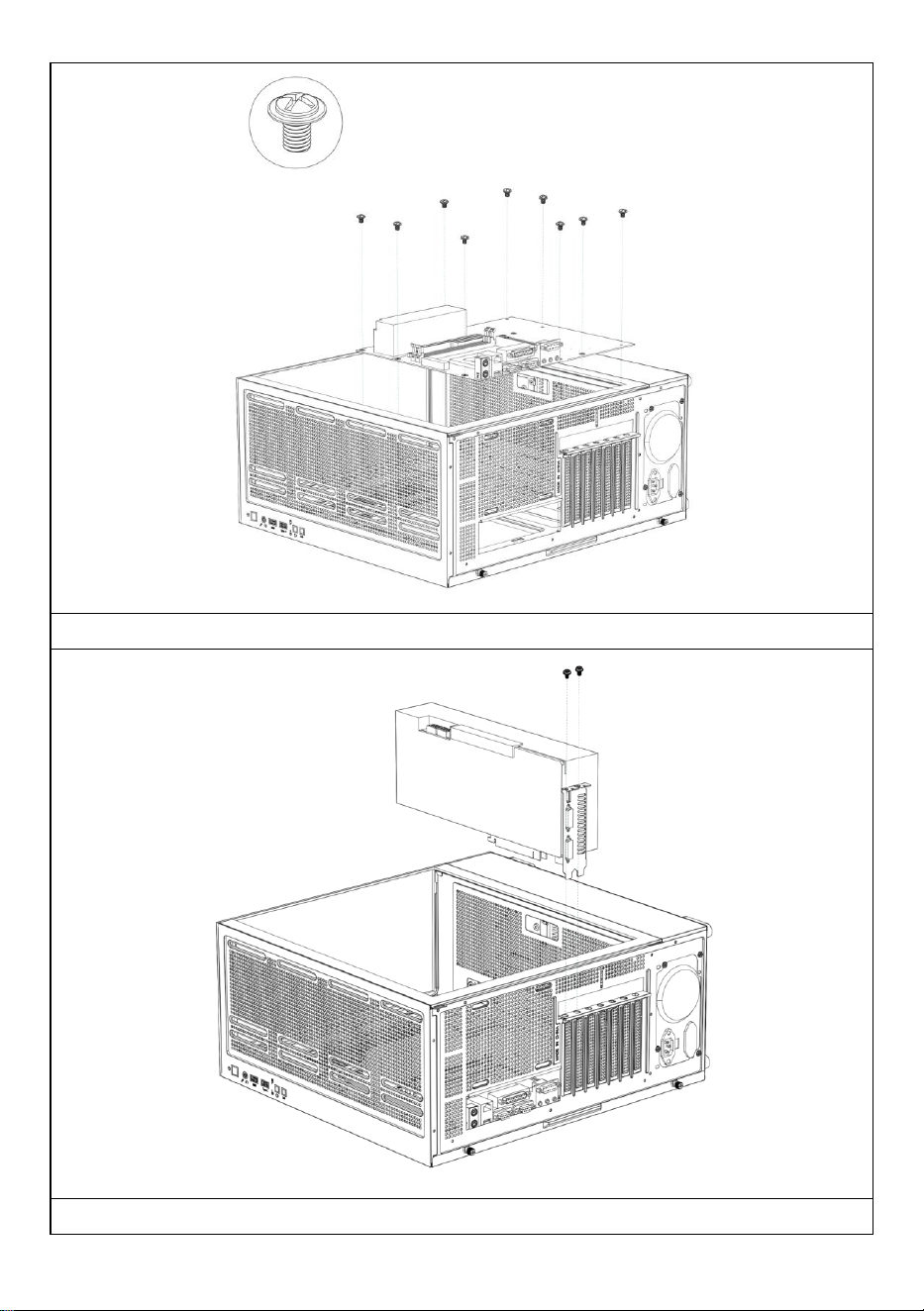
Instalación de la placa base
Instalación de una tarjeta gráfica
- 14 -
Fabricante: Shanghaimuxinmuyeyouxiangongsi
Dirección: Shuangchenglu 803nong11hao1602A-1609shi, baoshanqu,
shanghai 200000 CN.
Importado a AUS: SIHAO PTY LTD, 1 ROKEVA STREET, EASTWOOD,
NSW 2122, Australia
Importado a EE. UU.: Sanven Technology Ltd., Suite 250, 9166 Anaheim
Place, Rancho Cucamonga, CA 91730
REP
EC
E-CrossStu GmbH
Mainzer Landstr.69, 60329 Frankfurt am Main.
REP
UK
YH CONSULTING LIMITED.
C/O YH Consulting Limited Office 147, Centurion House,
London Road, Staines-upon-Thames, Surrey, TW18 4AX

- 15 -
Soporte técnico y certificado de garantía electrónica
www.vevor.com/support

- 16 -
OBUDOWA KOMPUTERA INSTRUKCJA
OBSŁUGI
MODEL: 215ATX
Wsparcie techniczne i certyfikat e-gwarancji
www.vevor.com/support
- 1 -
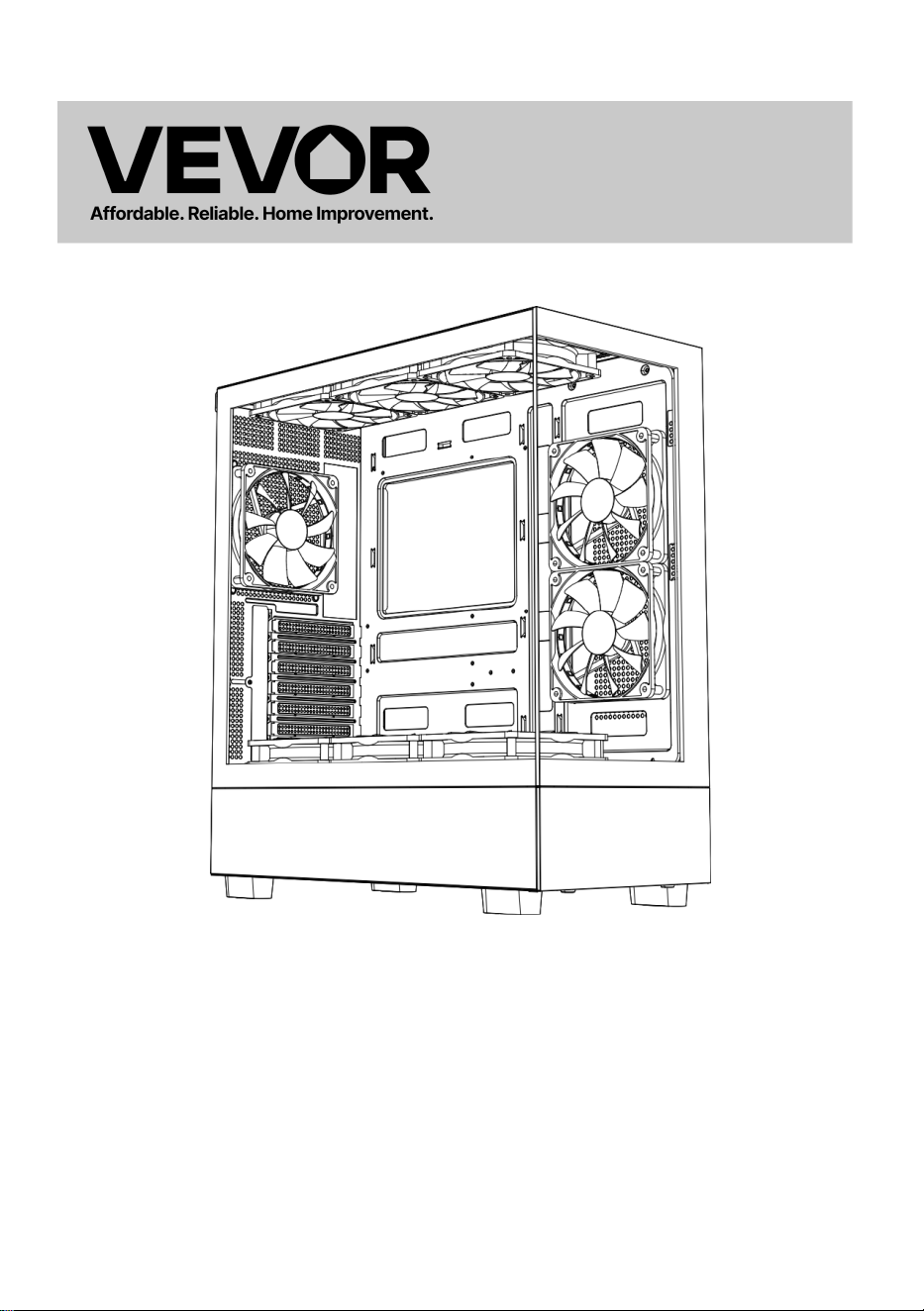
MODEL: 215ATX
(Zdjęcie ma charakter poglądowy, proszę odnosić się do rzeczywistego
obiektu)
To jest oryginalna instrukcja, przed użyciem należy uważnie przeczytać
wszystkie instrukcje. VEVOR zastrzega sobie jasną interpretację naszej
instrukcji obsługi. Wygląd produktu będzie zależał od produktu, który
otrzymałeś. Prosimy o wybaczenie, że nie poinformujemy Cię ponownie,
jeśli w naszym produkcie pojawią się jakiekolwiek aktualizacje
technologiczne lub oprogramowania.
Computer Case

- 2 -
- 3 -
Ostrzeżenie: Aby zminimalizować ryzyko obrażeń, użytkownik
powinien uważnie przeczytać instrukcję obsługi.
Ten produkt podlega postanowieniom Dyrektywy Europejskiej
2012/19/WE. Symbol przedstawiający przekreślony kosz na
śmieci na kółkach oznacza, że produkt wymaga oddzielnej
zbiórki odpadów w Unii Europejskiej. Dotyczy to produktu i
wszystkich akcesoriów oznaczonych tym symbolem.
Produktów oznaczonych w ten sposób nie można wyrzucać
razem ze zwykłymi odpadami domowymi, ale należy je oddać
do punktu zbiórki w celu recyklingu urządzeń elektrycznych i
elektronicznych.
- 4 -
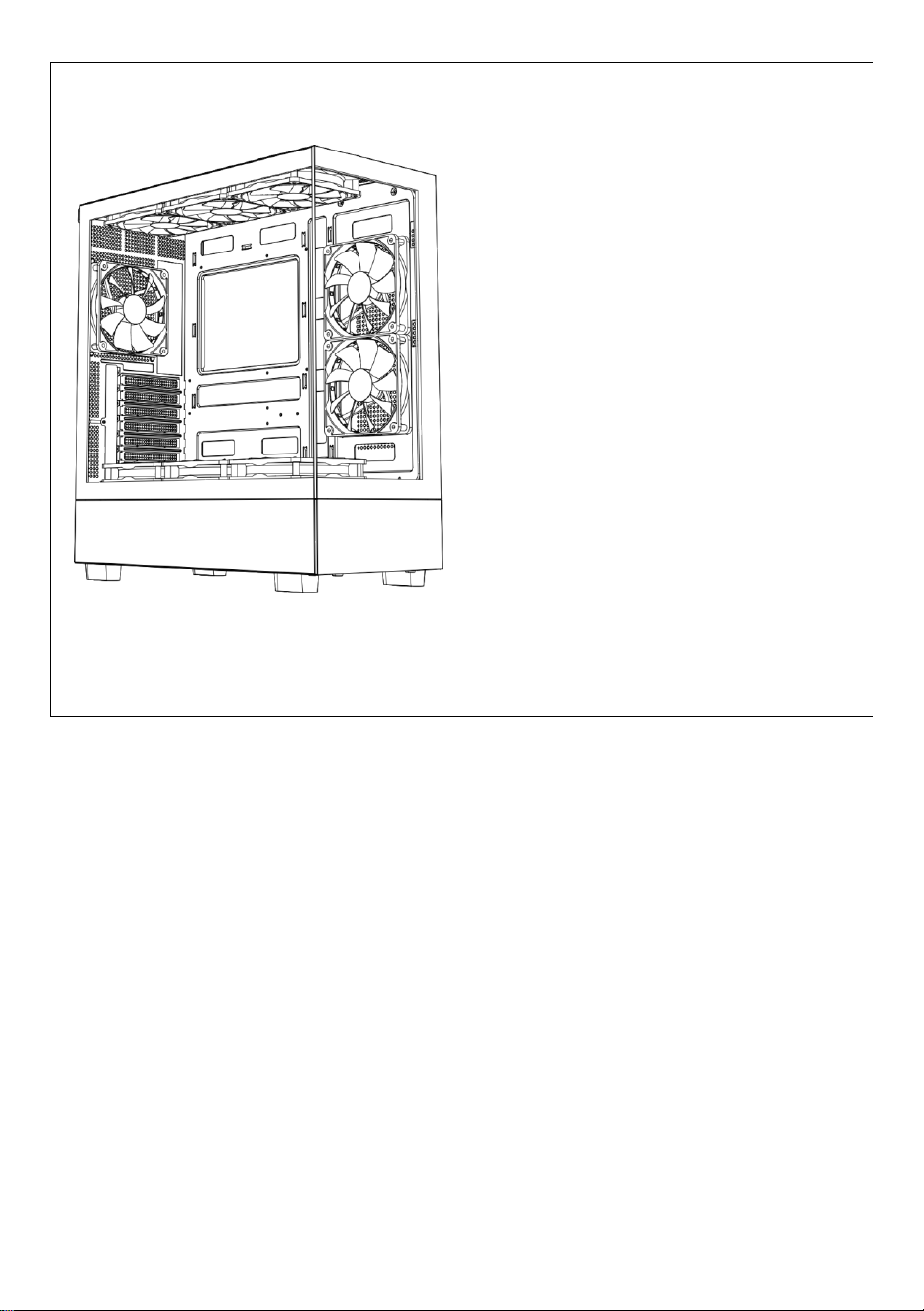
A: Pakiet akcesoriów
B: Interfejs przewodowy
C: Interfejs I /0
D: Widok pełny
E: Demontaż prawego panelu
F: Demontaż lewego panelu
G: Demontaż panelu przedniego
H: Montaż wentylatora górnego
j: Montaż tylnego wentylatora
J: Montaż przedniego wentylatora
płyty głównej
K: Montaż wentylatora na górze
komory zasilacza
L: Instalacja górnego rzędu
chłodzonego wodą
M : Moc instalacja
N : Instalacja dysku twardego
O : Instalacja płyty głównej
P : Instalacja karty graficznej
- 5 -
- 6 -
- 7 -
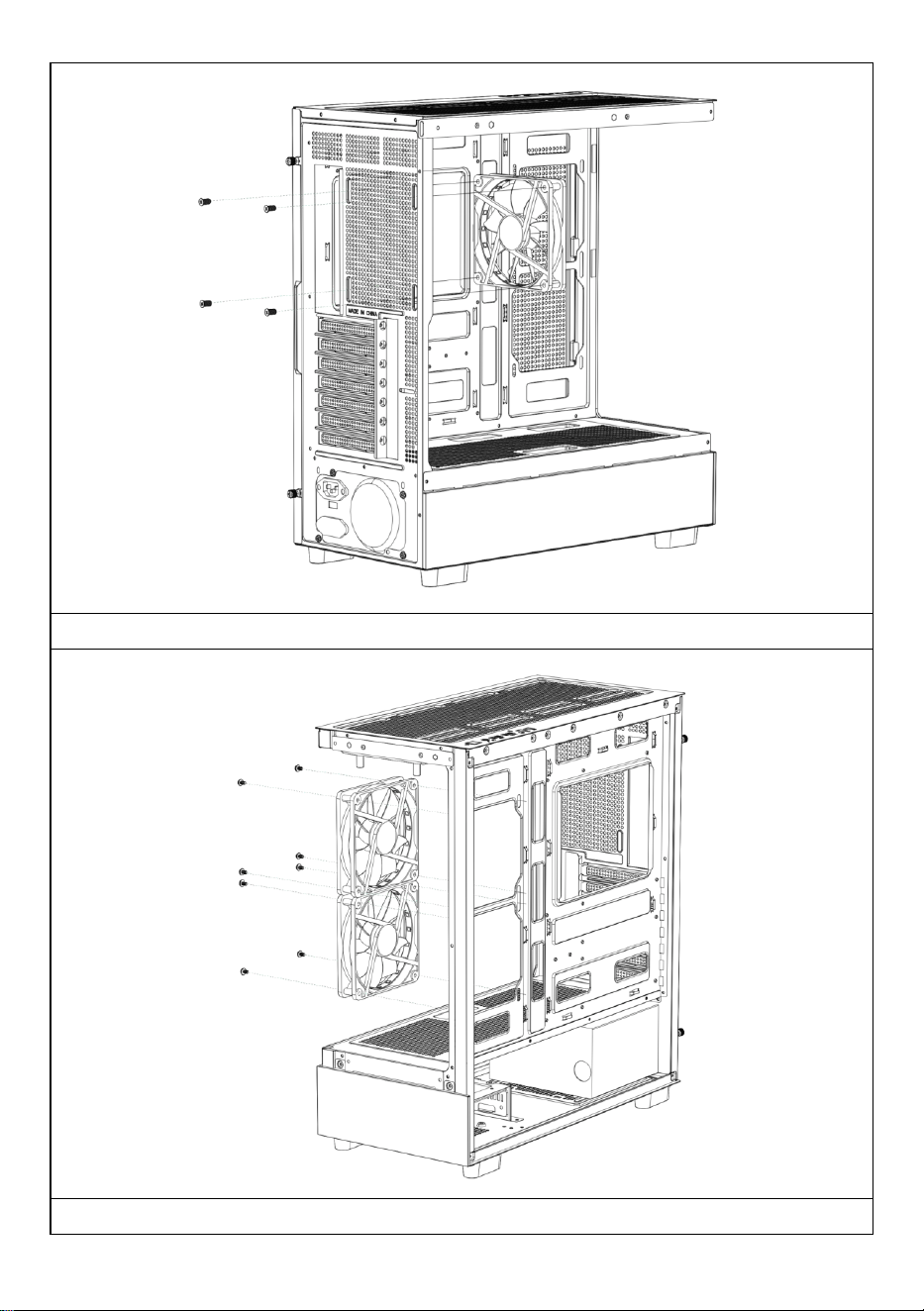
Otwórz prawy panel boczny
Otwórz lewy szklany panel
- 8 -
Otwórz panel przedni
Montaż górnego wentylatora
- 9 -
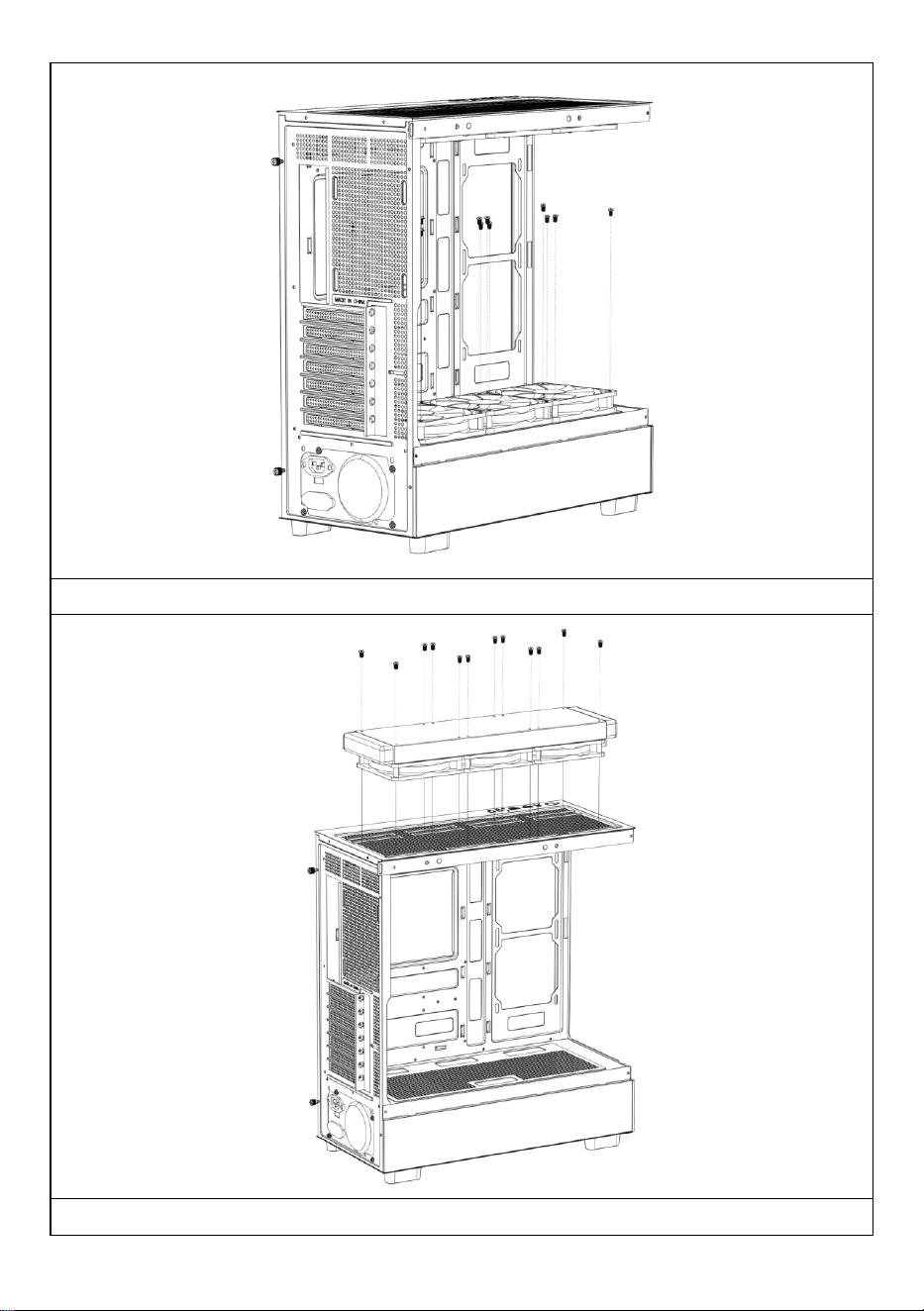
Montaż tylnego wentylatora
Montaż przedniego wentylatora płyty głównej
- 10 -
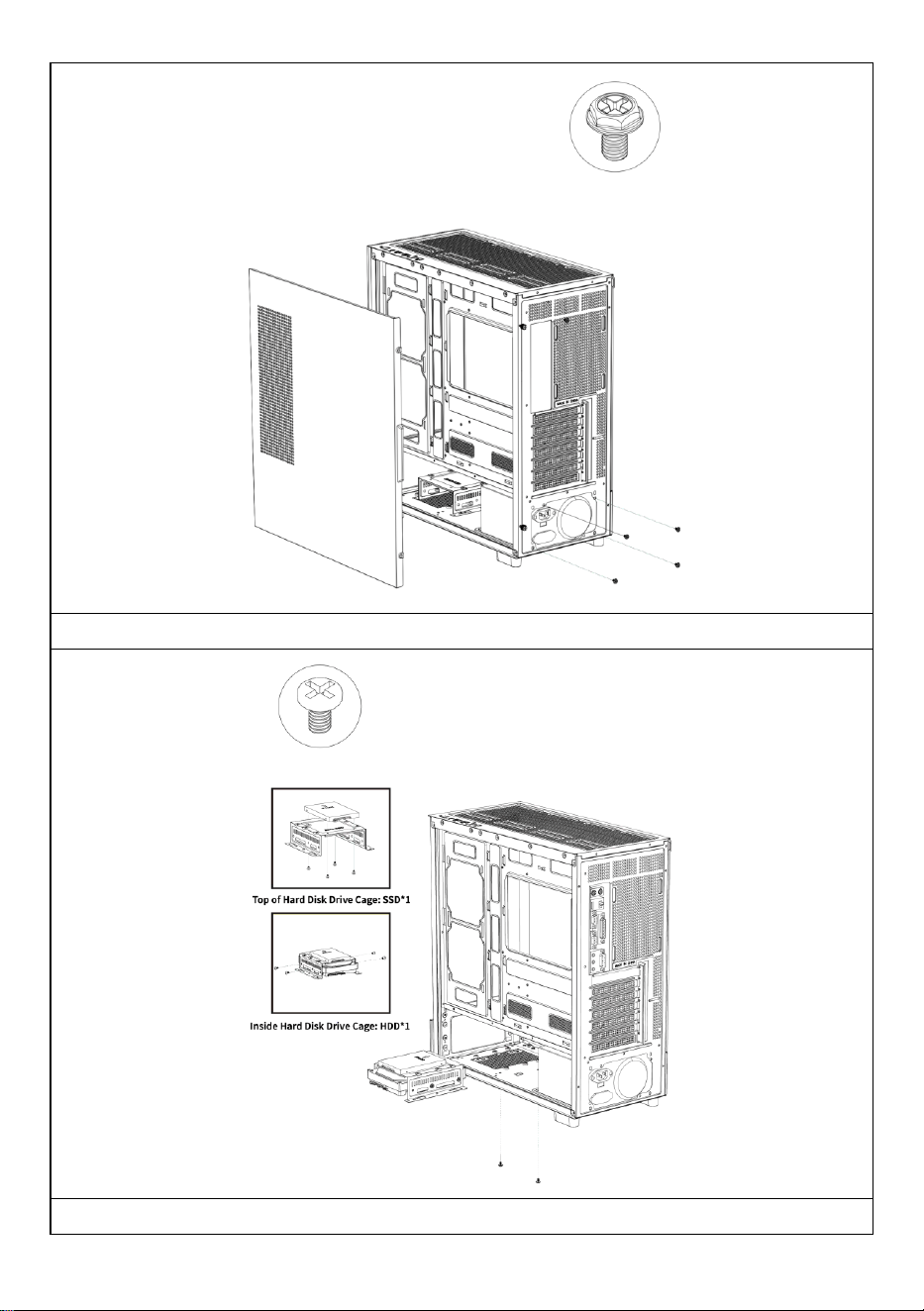
Montaż górnego wentylatora komory zasilacza
W razie konieczności zamontuj odpływ wody chłodzącej na górze

- 11 -
obudowy.
- 12 -
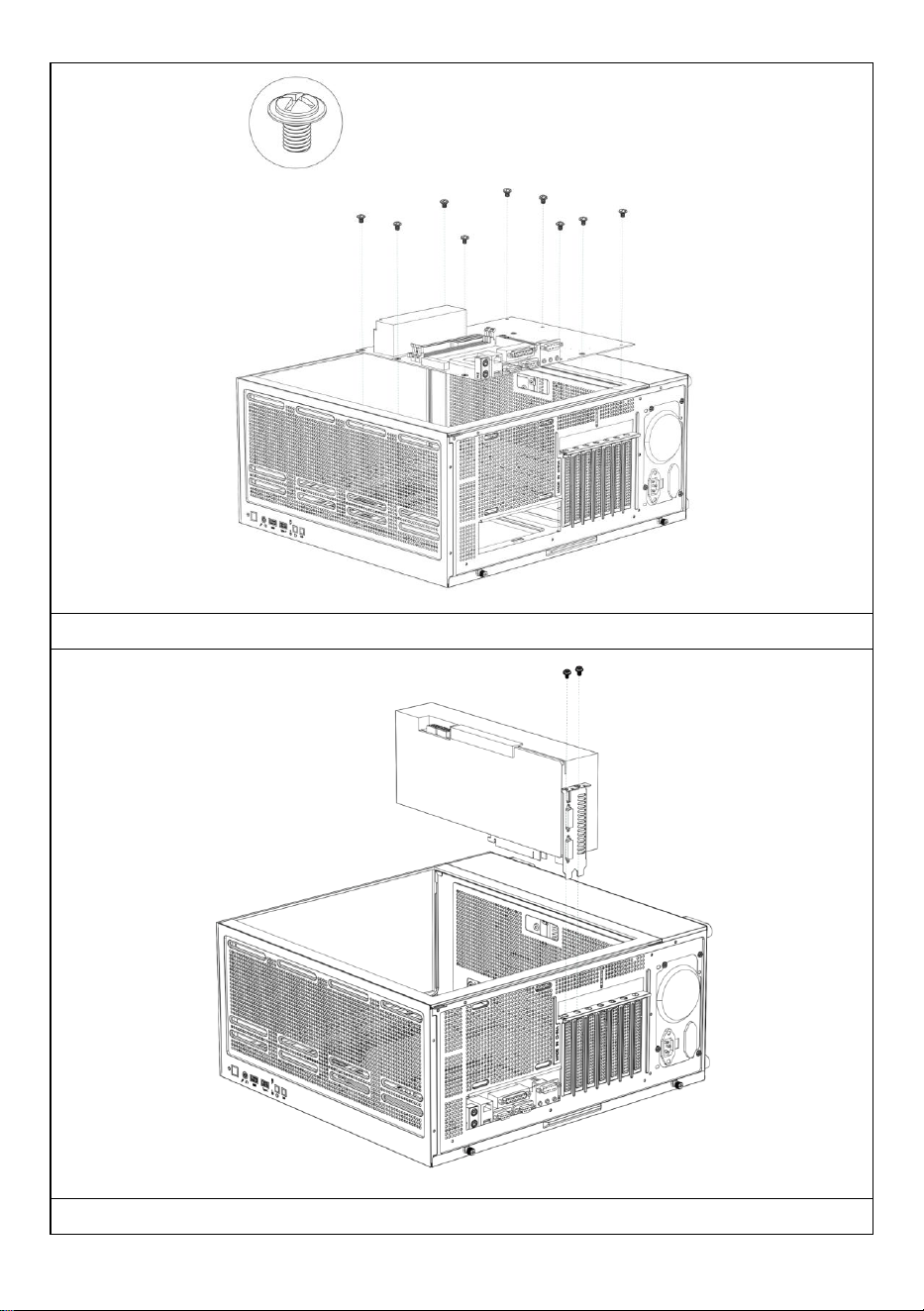
Instalacja zasilania
Instalowanie dysków twardych SSD i HDD
- 13 -
Instalacja płyty głównej
Instalowanie karty graficznej
- 14 -
Producent: Shanghaimuxinmuyeyouxiangongsi
Adres: Shuangchenglu 803nong11hao1602A-1609shi, baoshanqu, szanghaj
200000 CN.
Importowane do AUS: SIHAO PTY LTD, 1 ROKEVA STREETEASTWOOD
NSW 2122 Australia
Importowane do USA: Sanven Technology Ltd., Suite 250, 9166 Anaheim
Place, Rancho Cucamonga, CA 91730
REP
EC
E-CrossStu GmbH
Mainzer Landstr.69, 60329 Frankfurt am Main.
REP
UK
YH CONSULTING LIMITED.
C/O YH Consulting Limited Office 147, Centurion House,
London Road, Staines-upon-Thames, Surrey, TW18 4AX

- 15 -
Wsparcie techniczne i certyfikat e-gwarancji
www.vevor.com/support

- 16 -
COMPUTERBEHUIZING
GEBRUIKERSHANDLEIDING
MODEL: 215ATX
Technische ondersteuning en e-garantiecertificaat
www.vevor.com/support
- 1 -
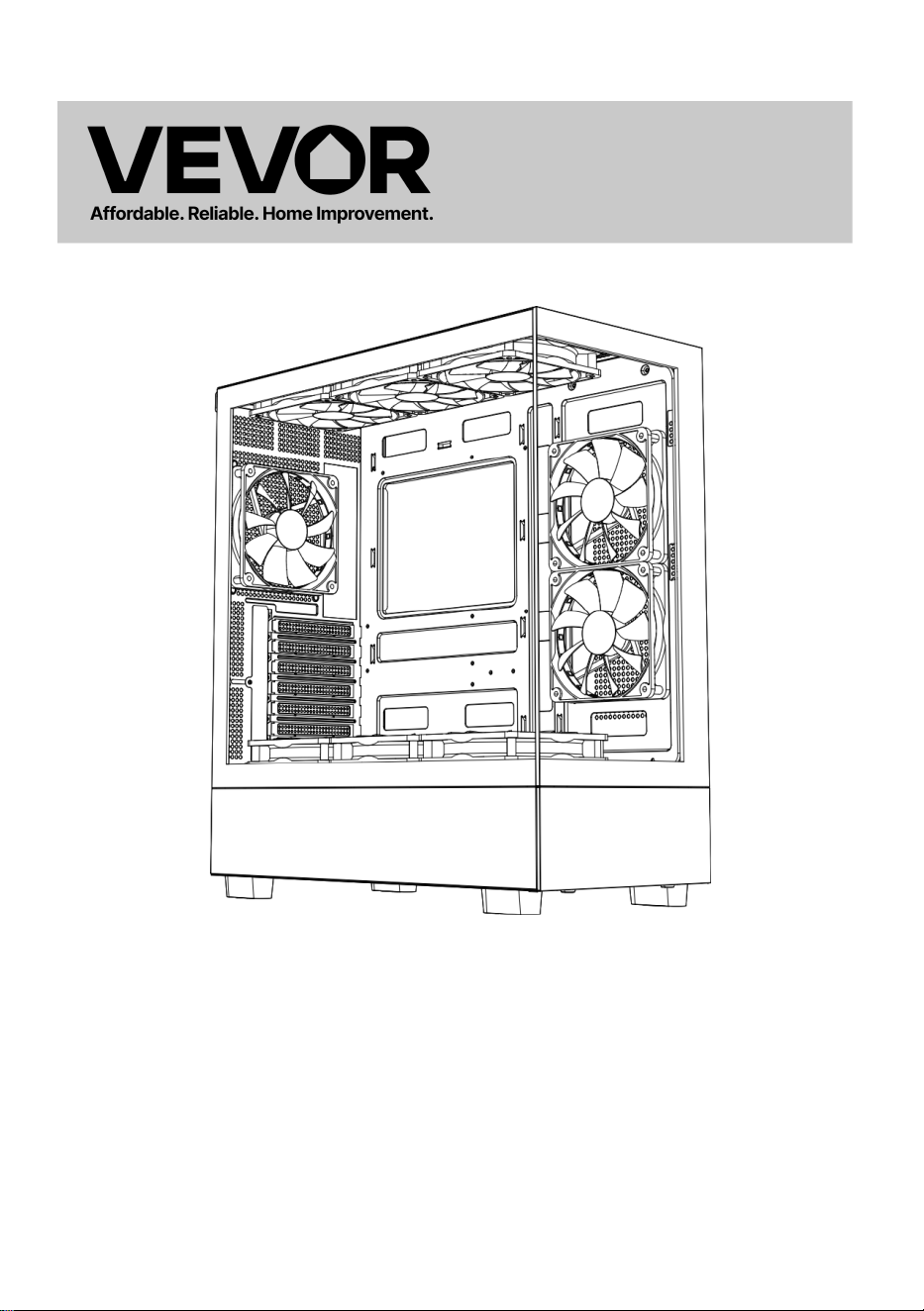
MODEL: 215ATX
(De afbeelding is alleen ter referentie, kijk naar het daadwerkelijke object)
Dit is de originele instructie, lees alle handleidingen zorgvuldig door
voordat u het product gebruikt. VEVOR behoudt zich een duidelijke
interpretatie van onze gebruikershandleiding voor. Het uiterlijk van het
product is afhankelijk van het product dat u hebt ontvangen. Vergeef ons
dat we u niet opnieuw zullen informeren als er technologie- of
software-updates voor ons product zijn .
Computer Case

- 2 -
- 3 -
Waarschuwing: om het risico op letsel te verkleinen, moet de
gebruiker de gebruiksaanwijzing zorgvuldig lezen.
Dit product is onderworpen aan de bepalingen van de
Europese richtlijn 2012/19/EG. Het symbool met een
doorgestreepte afvalbak geeft aan dat het product in de
Europese Unie gescheiden afvalinzameling vereist. Dit geldt
voor het product en alle accessoires die met dit symbool zijn
gemarkeerd. Producten die als zodanig zijn gemarkeerd,
mogen niet met het normale huishoudelijke afval worden
weggegooid, maar moeten worden ingeleverd bij een
inzamelpunt voor recycling van elektrische en elektronische
apparaten.
- 4 -
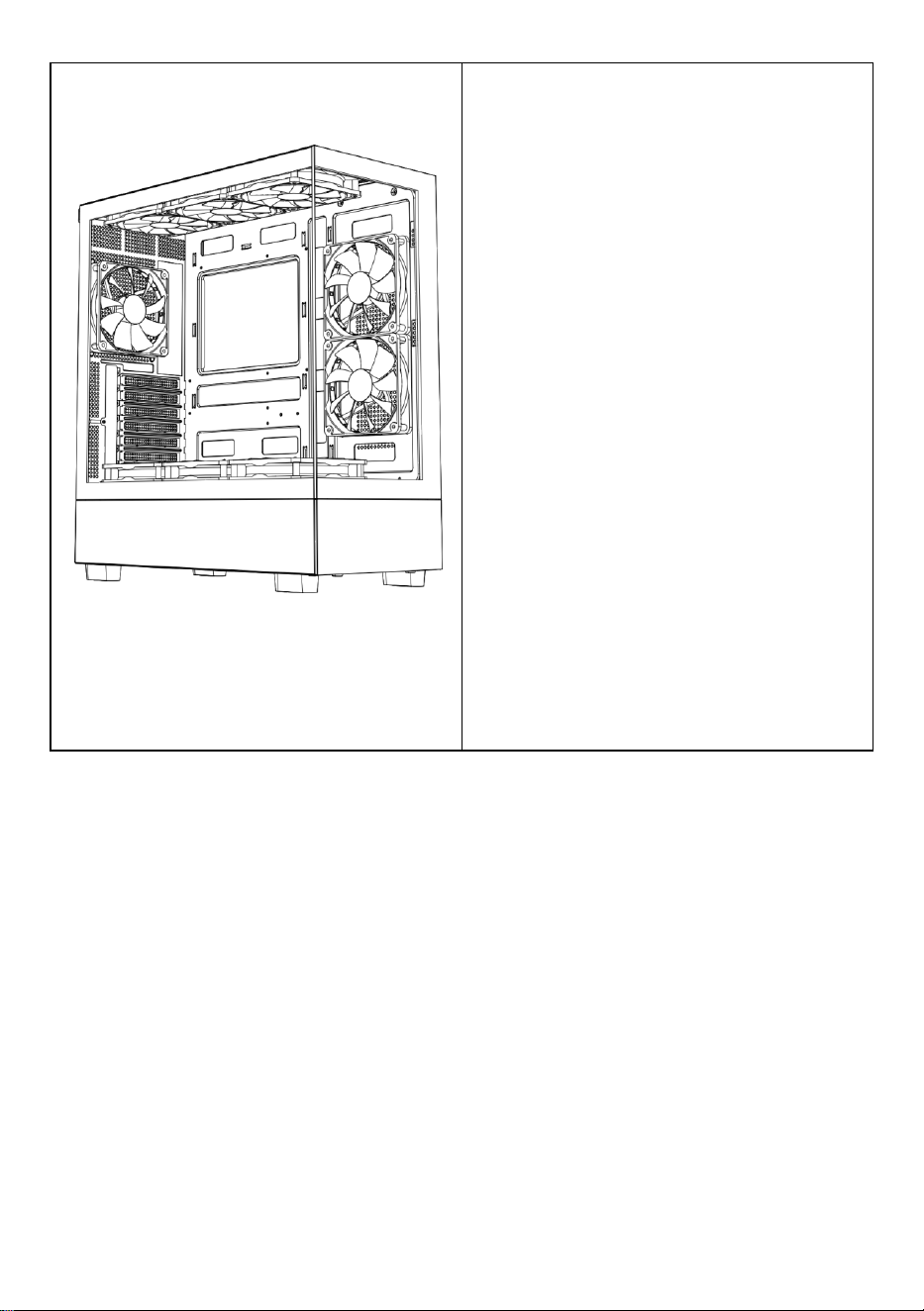
A: Accessoirepakket
B: Draadinterface
C: I /0-interface
D: Volledig zicht
E: Demontage rechterpaneel
F: Demontage linkerpaneel
G: Demontage van het voorpaneel
H: Bovenste ventilatorinstallatie
ik: Installatie van een
achterventilator
J: Installatie van de ventilator aan
de voorkant van het moederbord
K: Ventilatormontage bovenop het
voedingscompartiment
L: Bovenste watergekoelde
rij-installatie
M : Stroom installatie
N : Installatie van de harde schijf
O : Moederbord installatie
P : Installatie grafische kaart
- 5 -
- 6 -
- 7 -
Open het rechter zijpaneel
Open het linker glaspaneel
- 8 -
Open het voorpaneel
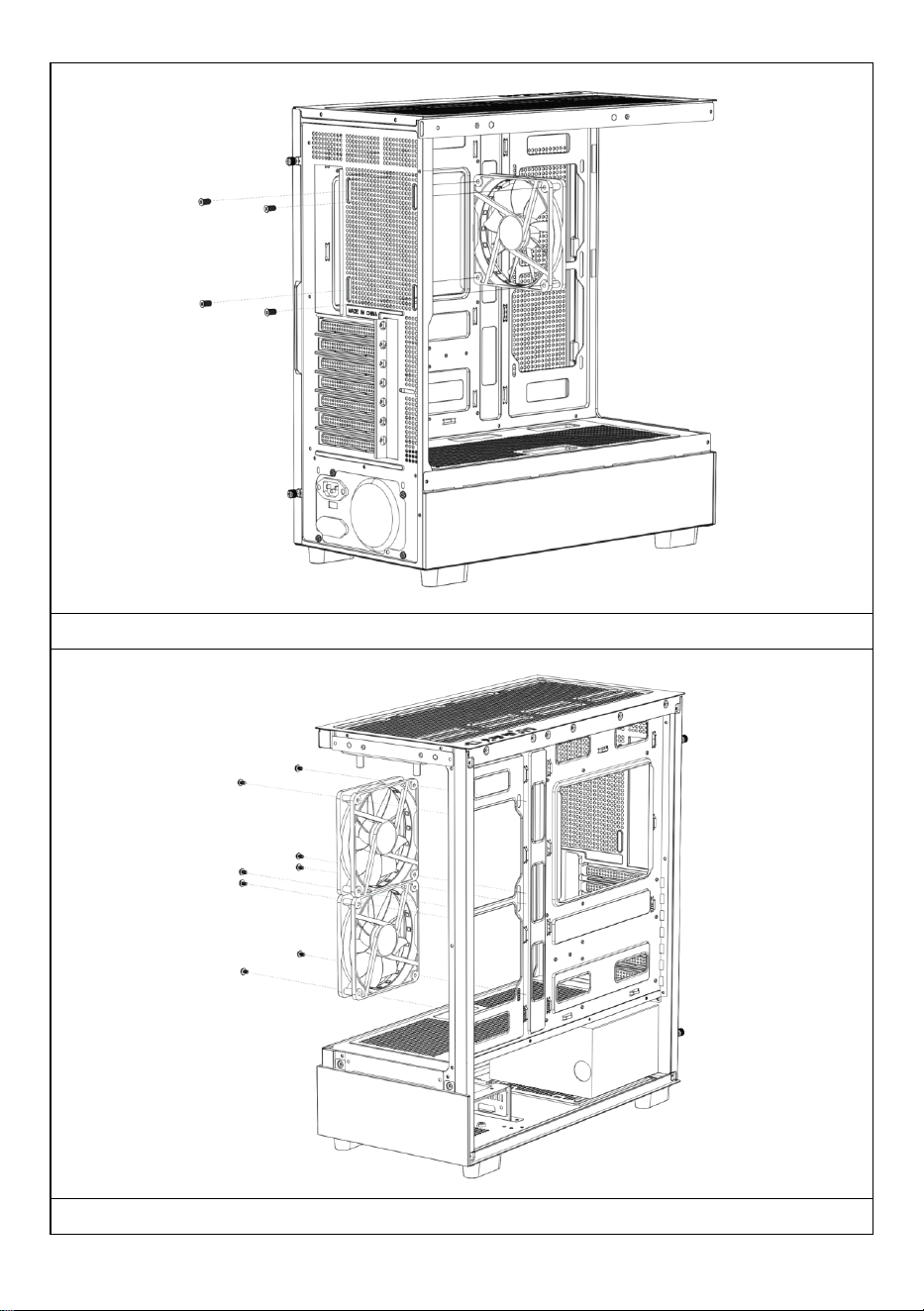
De bovenste ventilator installeren
- 9 -
De achterste ventilator installeren
De frontventilator van het moederbord installeren
- 10 -
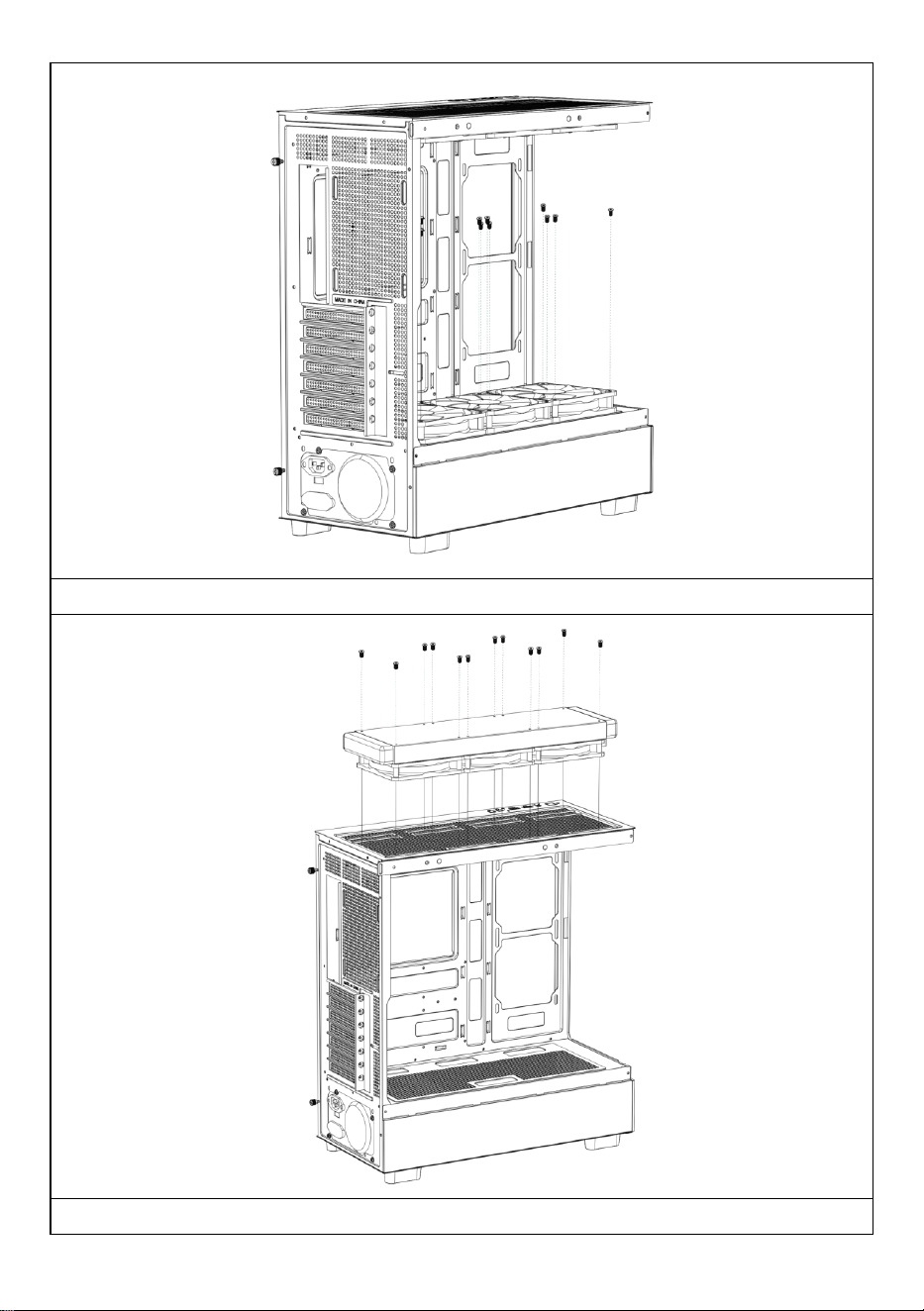
De bovenste ventilator van het voedingscompartiment installeren
Installeer indien nodig een waterkoelingsafvoer bovenop de behuizing.
- 11 -
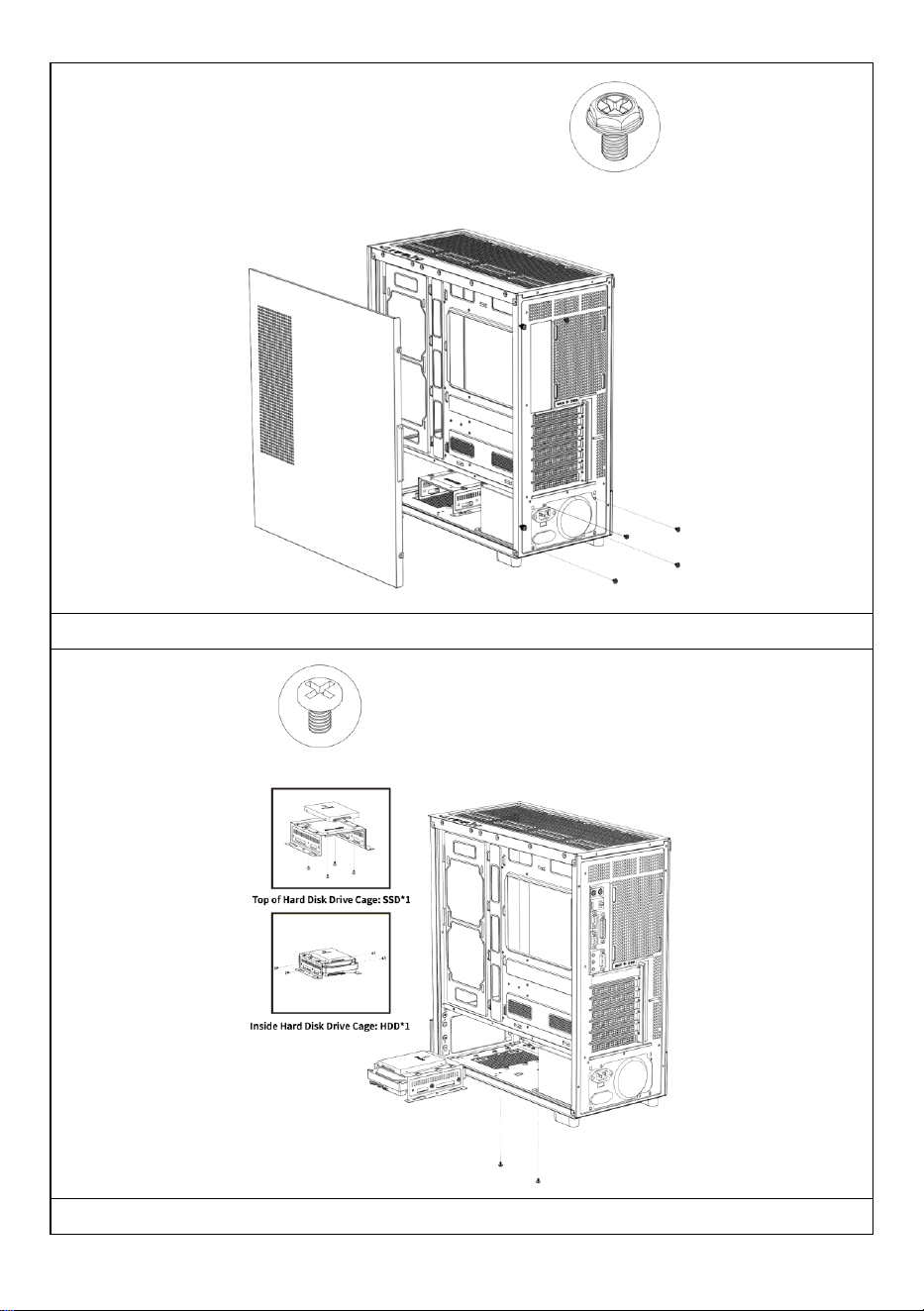
Voeding installeren
SSD- en HDD-harde schijven installeren
- 12 -
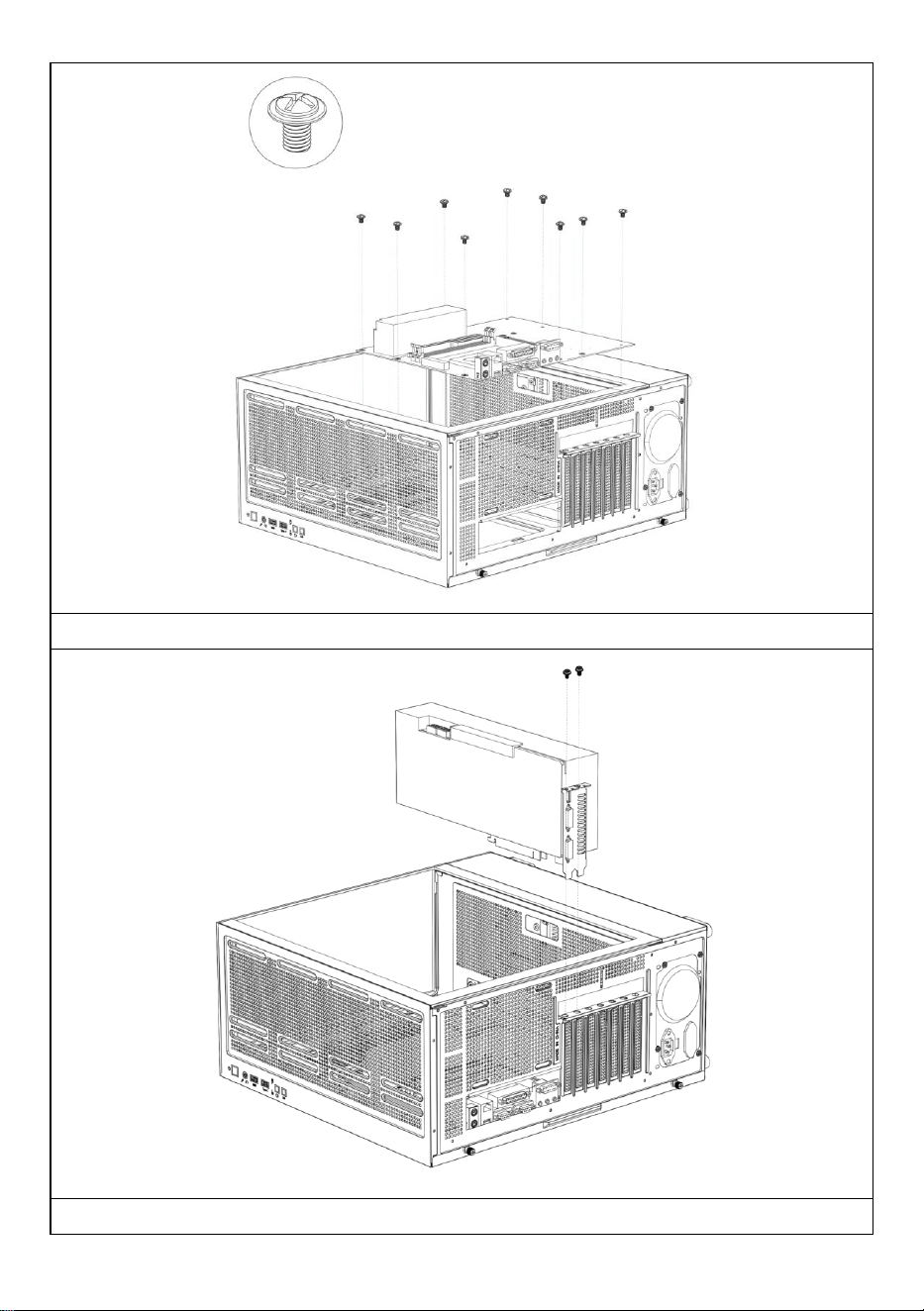
Het moederbord installeren
Een grafische kaart installeren
- 13 -
Fabrikant: Shanghaimuxinmuyeyouxiangongsi
Adres: Shuangchenglu 803nong11hao1602A-1609shi, baoshanqu, shanghai
200000 CN.
Geïmporteerd naar AUS: SIHAO PTY LTD, 1 ROKEVA
STREETEASTWOOD NSW 2122 Australië
Geïmporteerd naar de VS: Sanven Technology Ltd., Suite 250, 9166
Anaheim Place, Rancho Cucamonga, CA 91730
REP
EC
E-CrossStu GmbH
Mainzer Landstr.69, 60329 Frankfurt am Main.
REP
UK
YH CONSULTING LIMITED.
C/O YH Consulting Limited Office 147, Centurion House,
London Road, Staines-upon-Thames, Surrey, TW18 4AX

- 14 -
Technische ondersteuning en e-garantiecertificaat
www.vevor.com/support

- 15 -
DATORFODRAL ANVÄNDARHANDBOK
MODELL: 215ATX
Teknisk support och e-garanticertifikat
www.vevor.com/support
- 1 -
MODELL: 215ATX
(Bilden är endast för referens, se det faktiska objektet)
Detta är den ursprungliga instruktionen, läs alla instruktioner noggrant
innan du använder den. VEVOR reserverar sig för en tydlig tolkning av vår
användarmanual. Utseendet på produkten är beroende av den produkt du
fått. Ursäkta oss att vi inte kommer att informera dig igen om det finns
någon teknik eller mjukvaruuppdateringar på vår produkt.
Computer Case
- 2 -
Varning - För att minska risken för skada måste användaren
läsa instruktionerna noggrant.
Denna produkt omfattas av bestämmelserna i det europeiska
direktivet 2012/19/EC. Symbolen som visar en soptunna korsad
anger att produkten kräver separat sophämtning i EU. Detta
gäller för produkten och alla tillbehör märkta med denna
symbol. Produkter märkta som sådana får inte slängas
tillsammans med vanligt hushållsavfall, utan måste lämnas till
en insamlingsplats för återvinning av elektriska och elektroniska
apparater
- 3 -
S: Tillbehörspaket
B : Trådgränssnitt
C: I /0-gränssnitt
D: Full vy
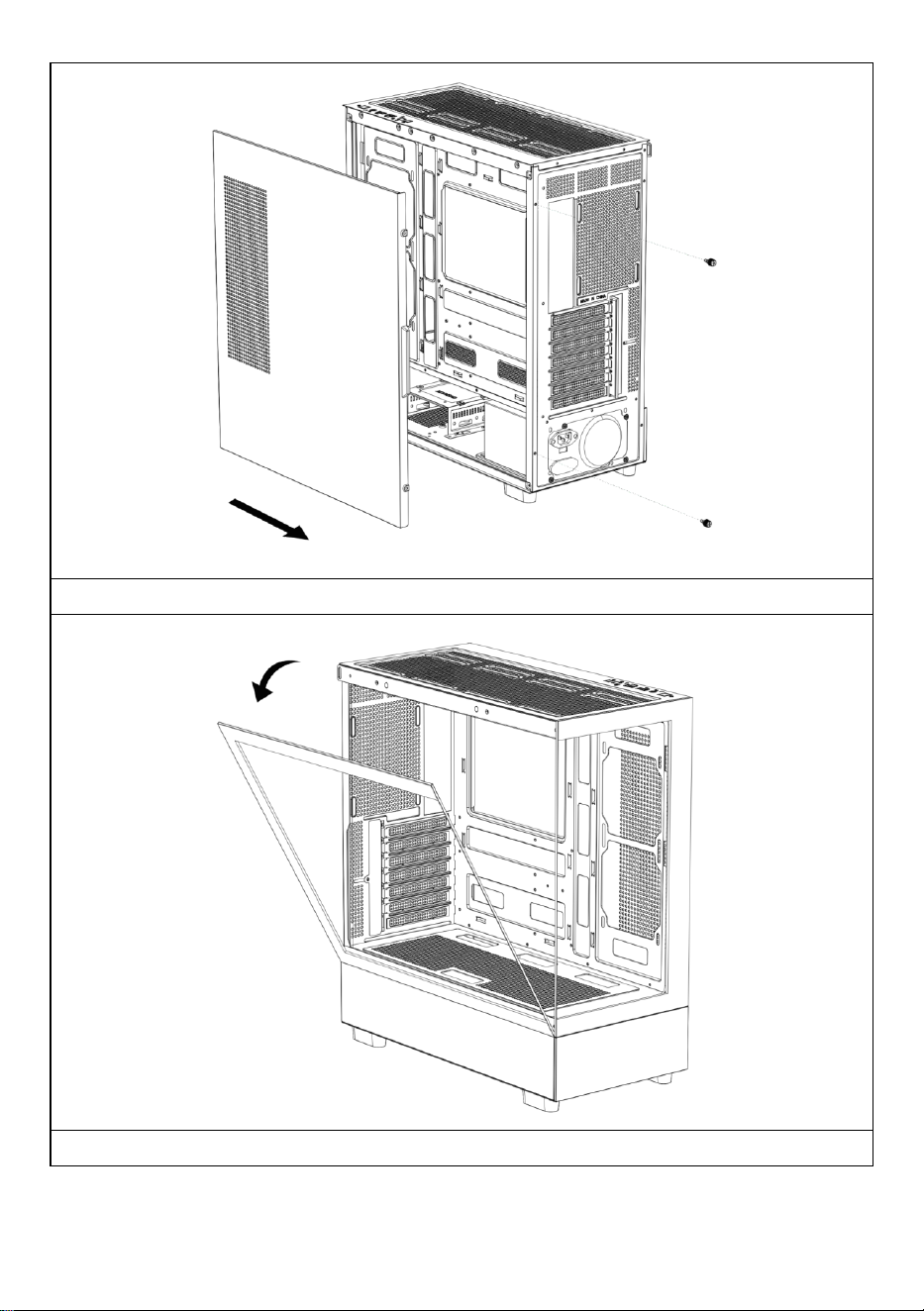
E: Demontering av höger panel
F: Demontering av vänster panel
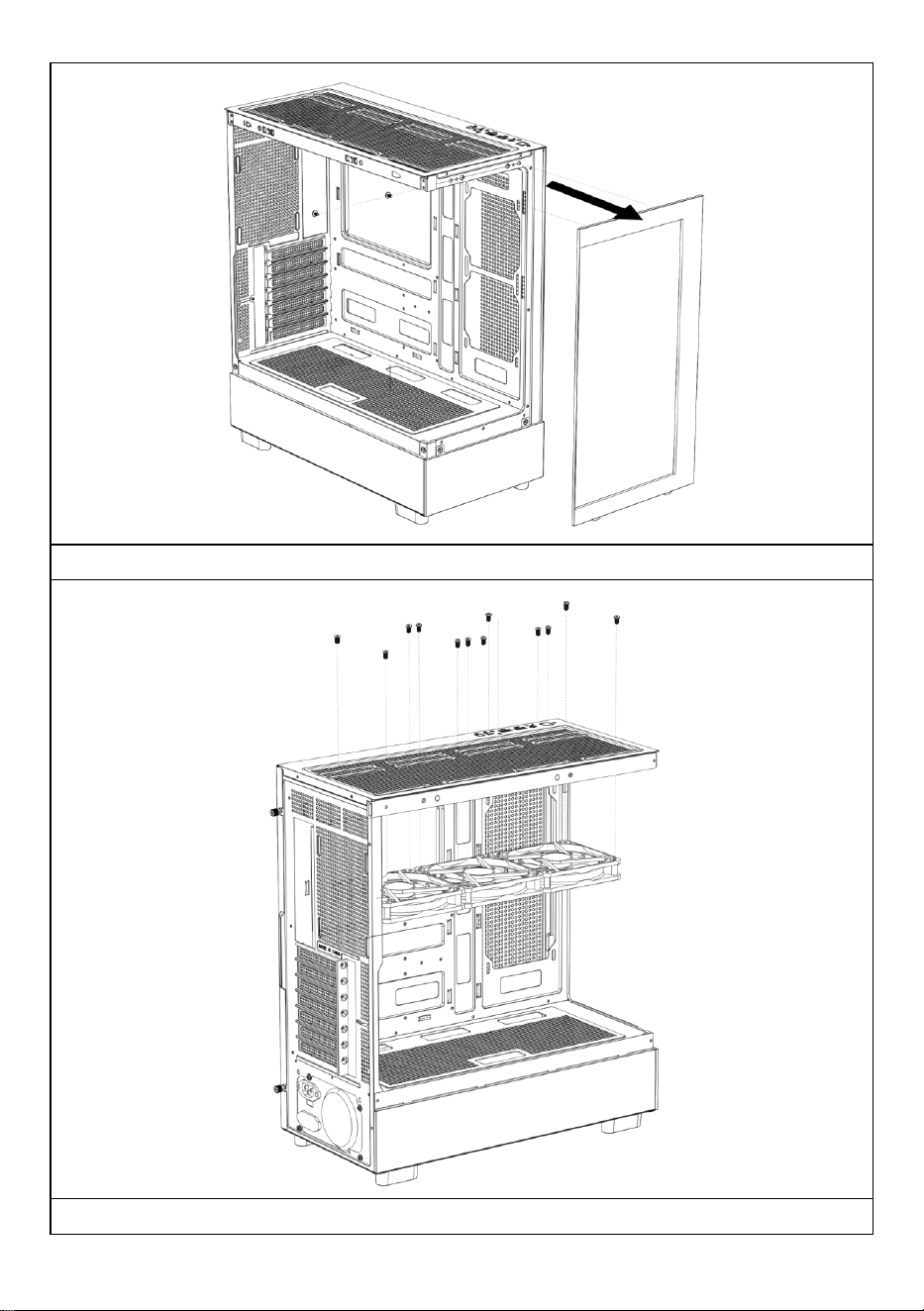
G: Demontering av frontpanel
H: Toppfläktinstallation
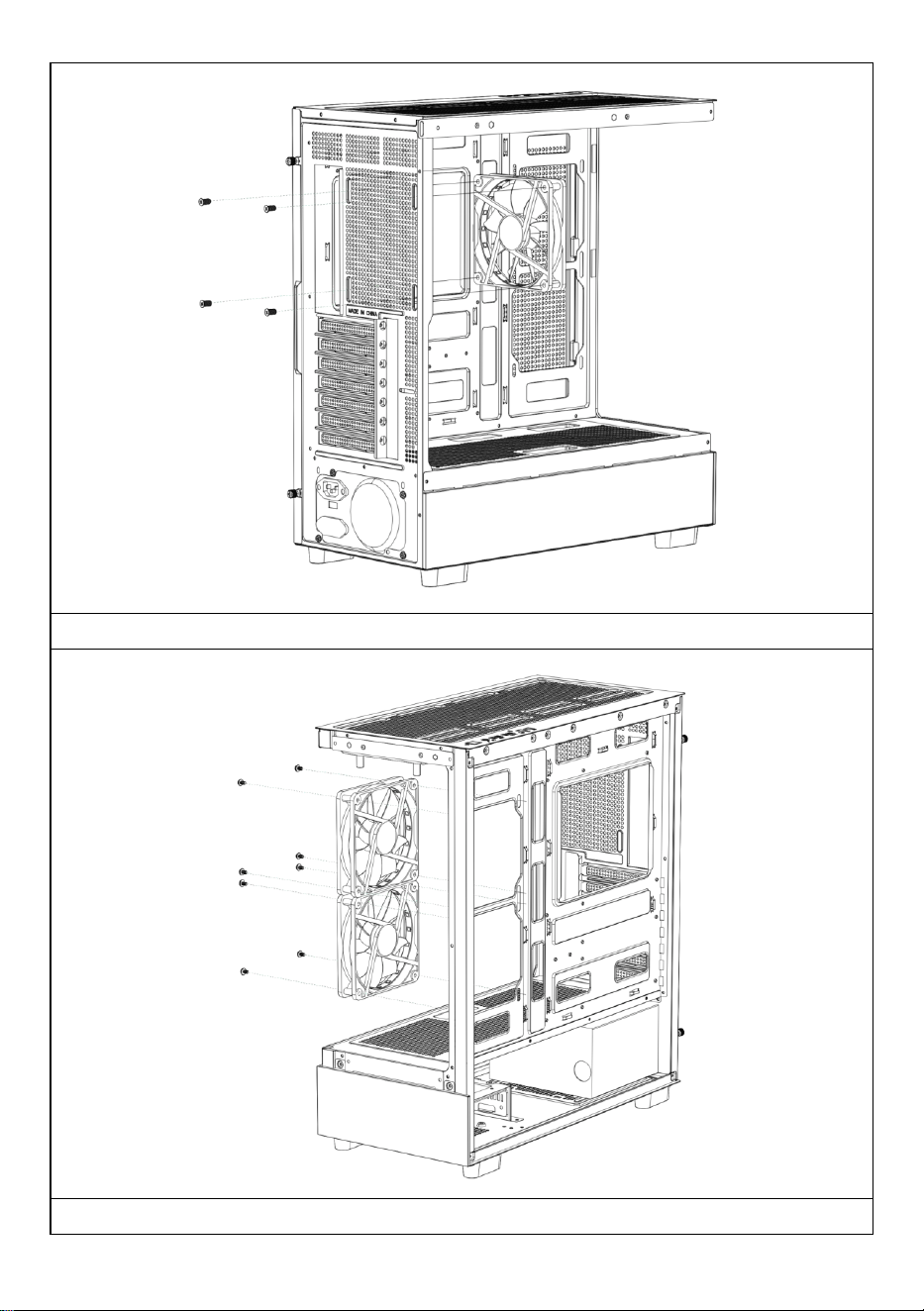
l: Installation av bakre fläkt
J: Installation av fläkt på
moderkortet på framsidan
K: Fläktfäste ovanpå
strömförsörjningsfacket
L: Översta vattenkyld radinstallation
M : Driva installation
N : Installation av hårddisk
O : Installation av moderkort
P : Installation av grafikkort
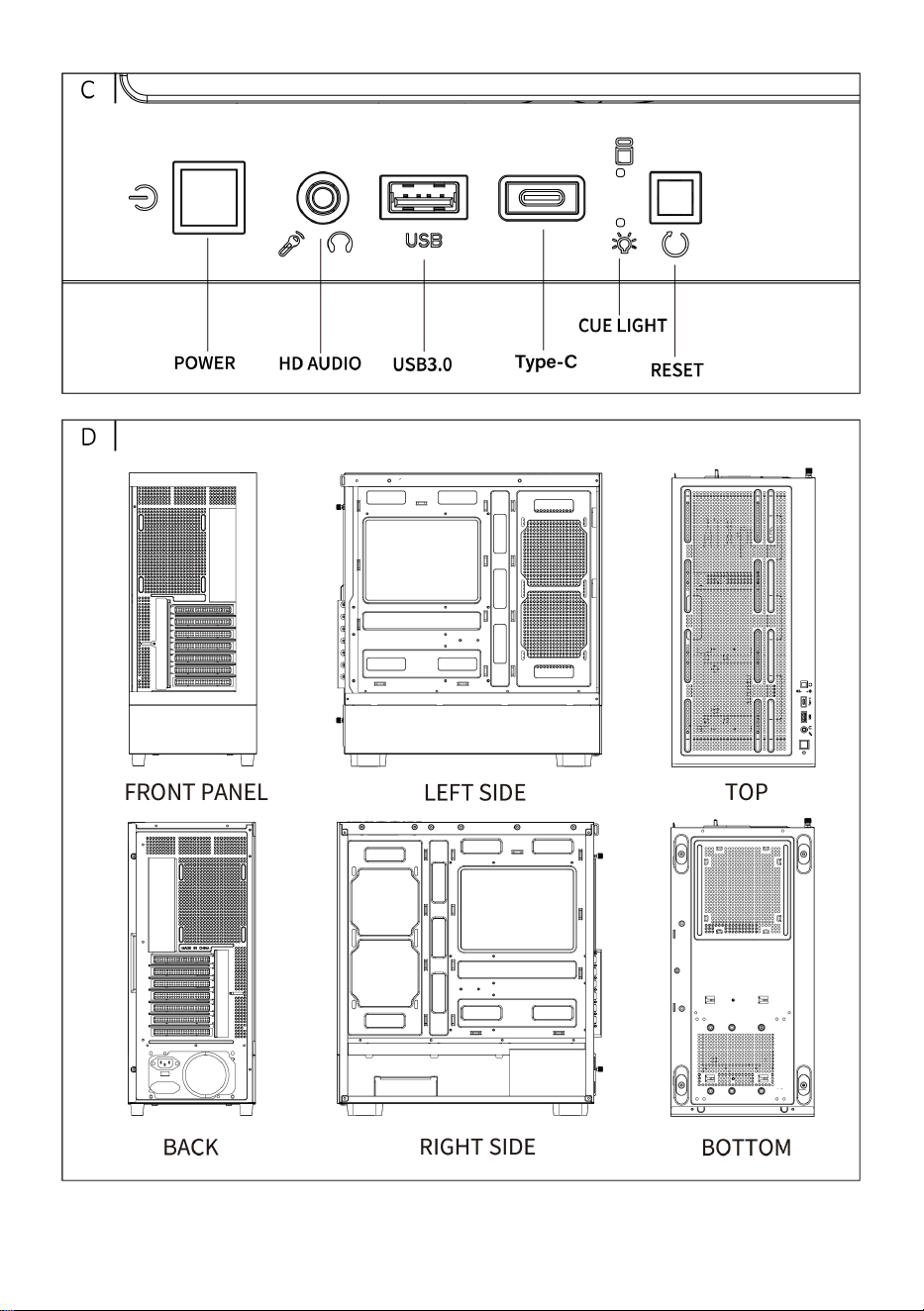
- 4 -
- 5 -
Öppna den högra sidopanelen
Öppna den vänstra glaspanelen
- 6 -
Öppna frontpanelen
Installation av den övre fläkten
- 7 -
Installation av den bakre fläkten
Installera moderkortets främre fläkt
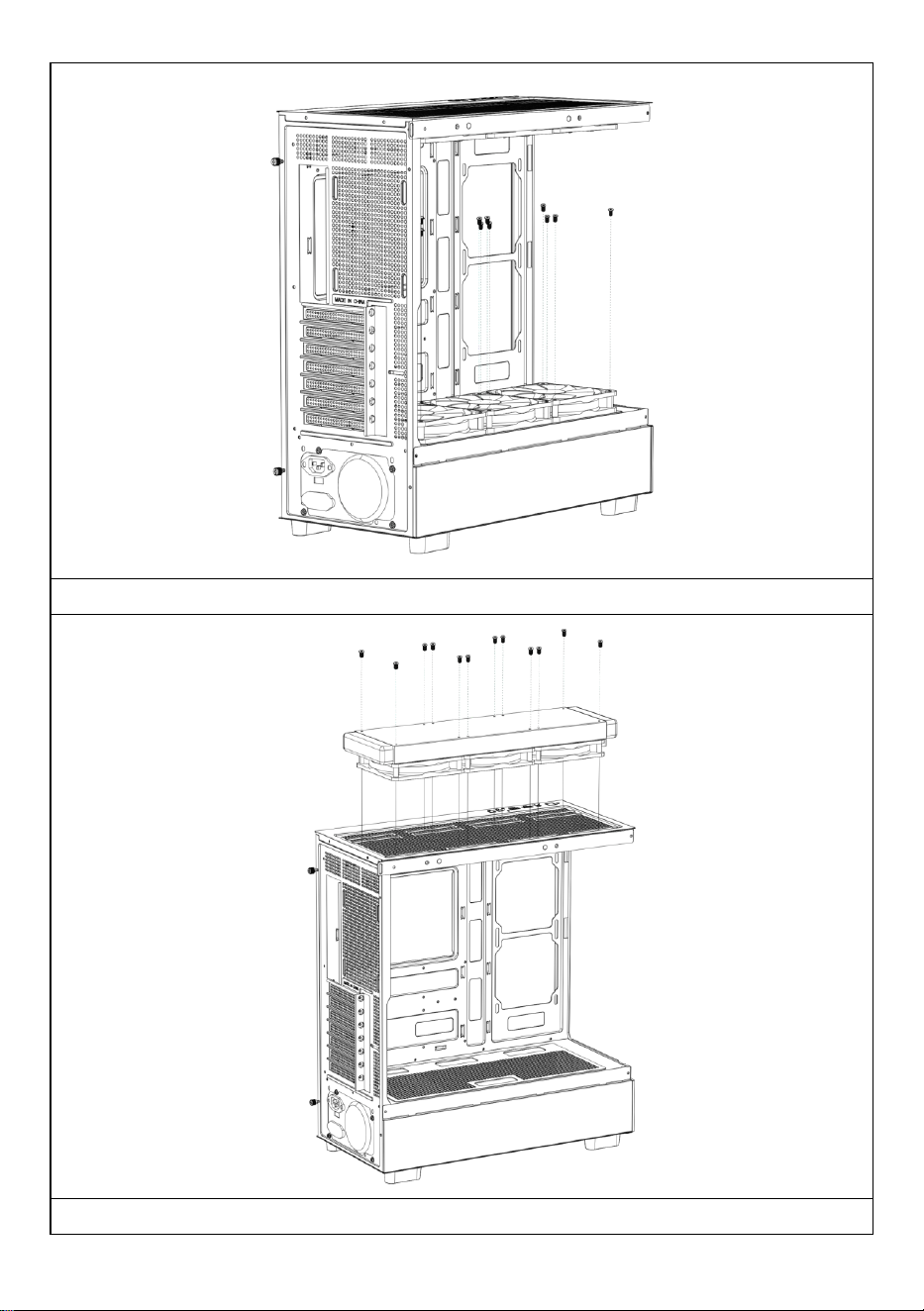
- 8 -
Installation av den övre fläkten på strömförsörjningsfacket
Installera vid behov ett vattenkylningsavlopp ovanpå chassit.
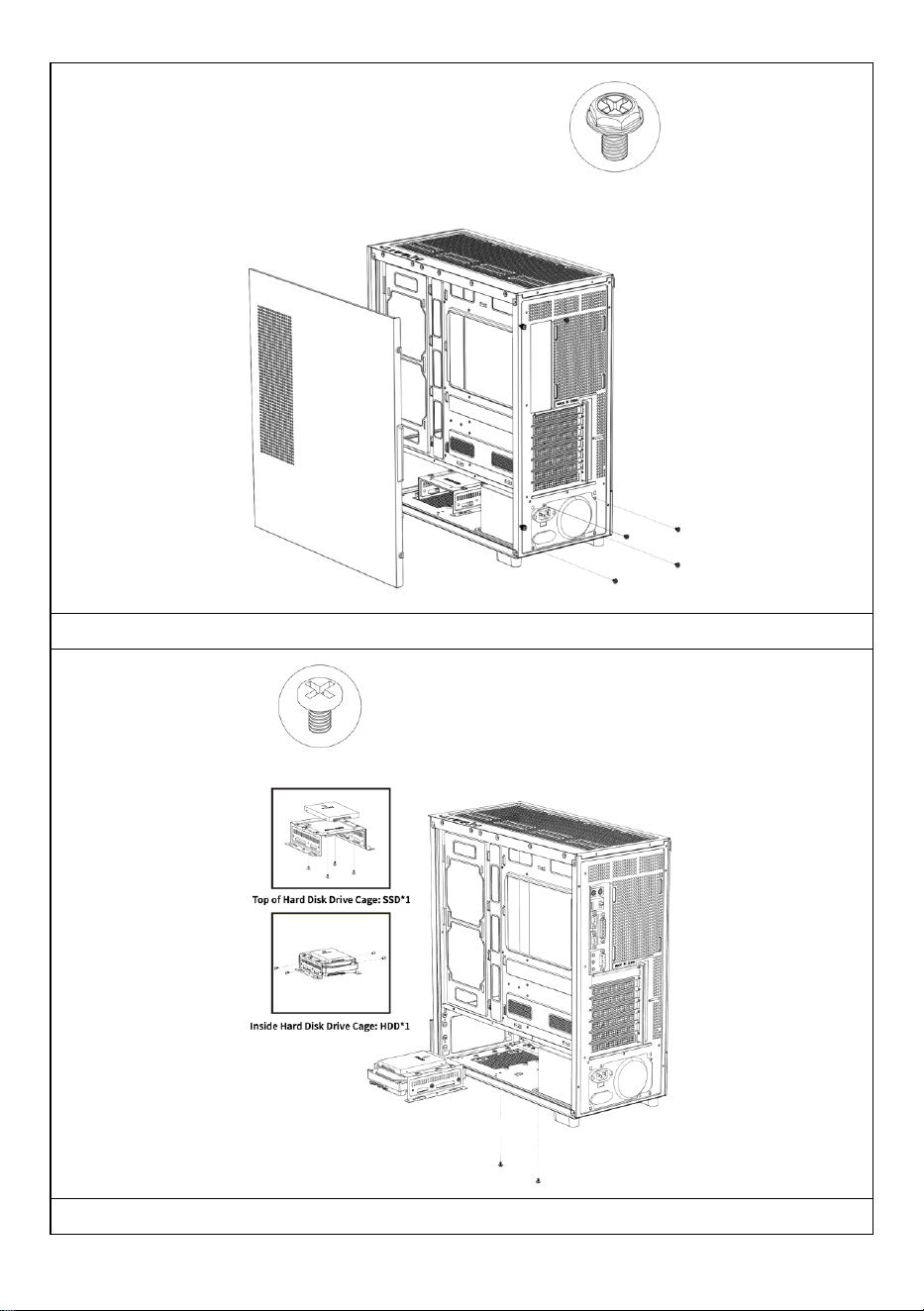
- 9 -
Installation av strömförsörjning
Installation av SSD- och HDD-hårddiskar
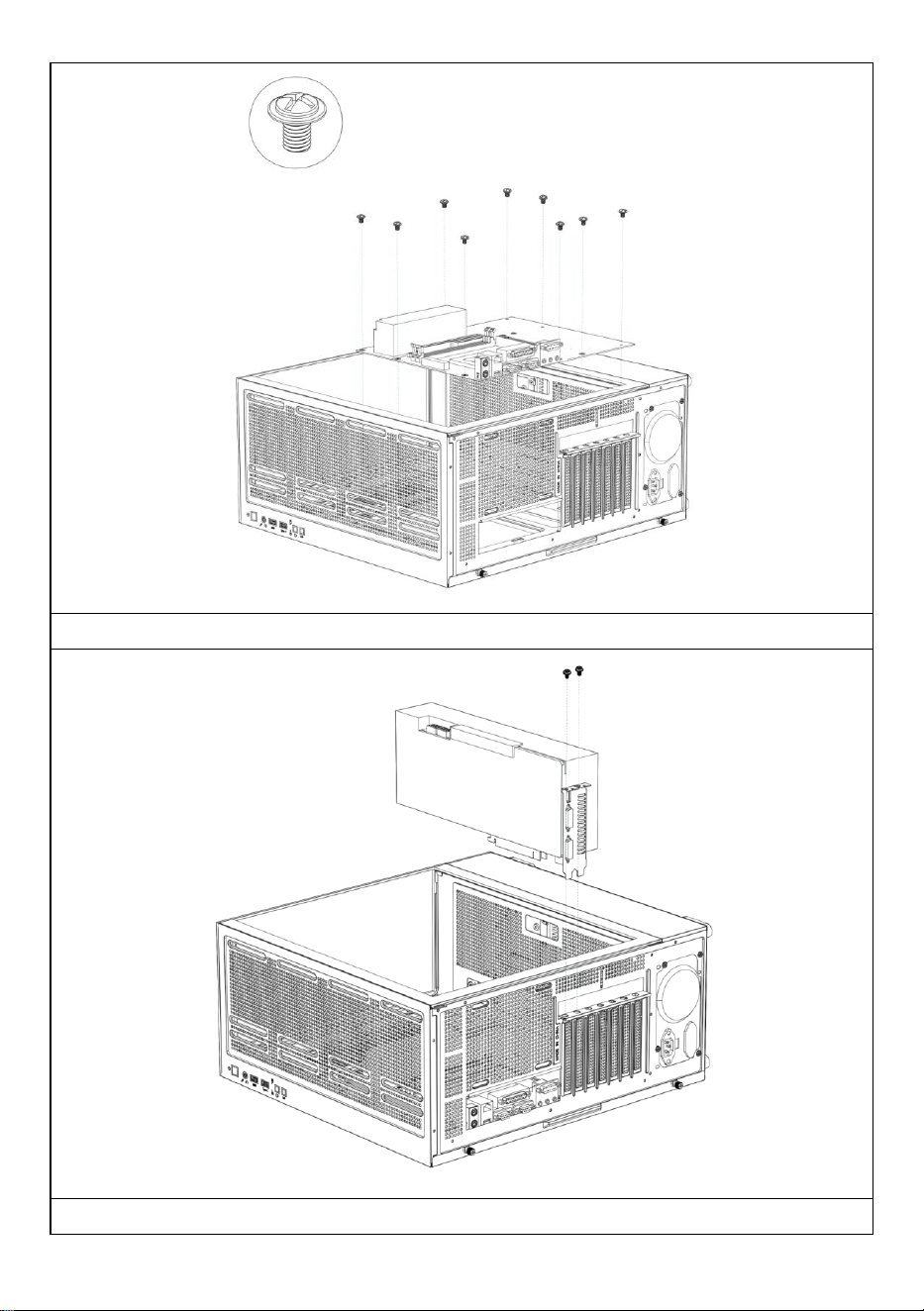
- 10 -
Installation av moderkortet
Installera ett grafikkort
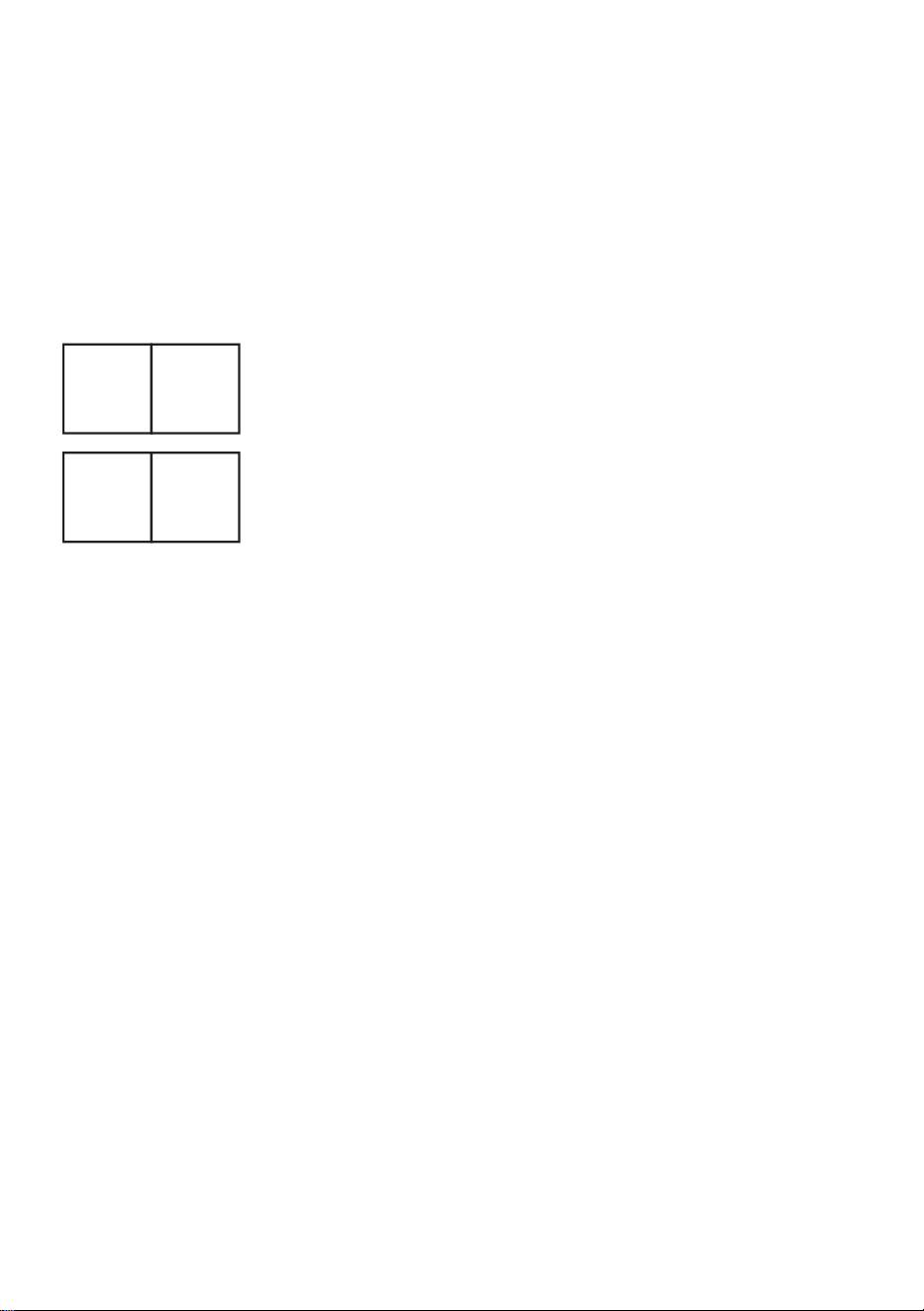
- 11 -
Tillverkare: Shanghaimuxinmuyeyouxiangongsi
Adress: Shuangchenglu 803nong11hao1602A-1609shi, baoshanqu,
shanghai 200000 CN.
Importerad till AUS: SIHAO PTY LTD, 1 ROKEVA STREETEASTWOOD
NSW 2122 Australien
Importerad till USA: Sanven Technology Ltd., Suite 250, 9166 Anaheim
Place, Rancho Cucamonga, CA 91730
REP
EC
E-CrossStu GmbH
Mainzer Landstr.69, 60329 Frankfurt am Main.
REP
UK
YH CONSULTING LIMITED.
C/O YH Consulting Limited Office 147, Centurion House,
London Road, Staines-upon-Thames, Surrey, TW18 4AX

Teknisk support och e-garanticertifikat
www.vevor.com/support