User Manual
BEVERAGE COOLER
Please Read and Save this Use & Care Book
JC-90VEL-F
Antarctic Star
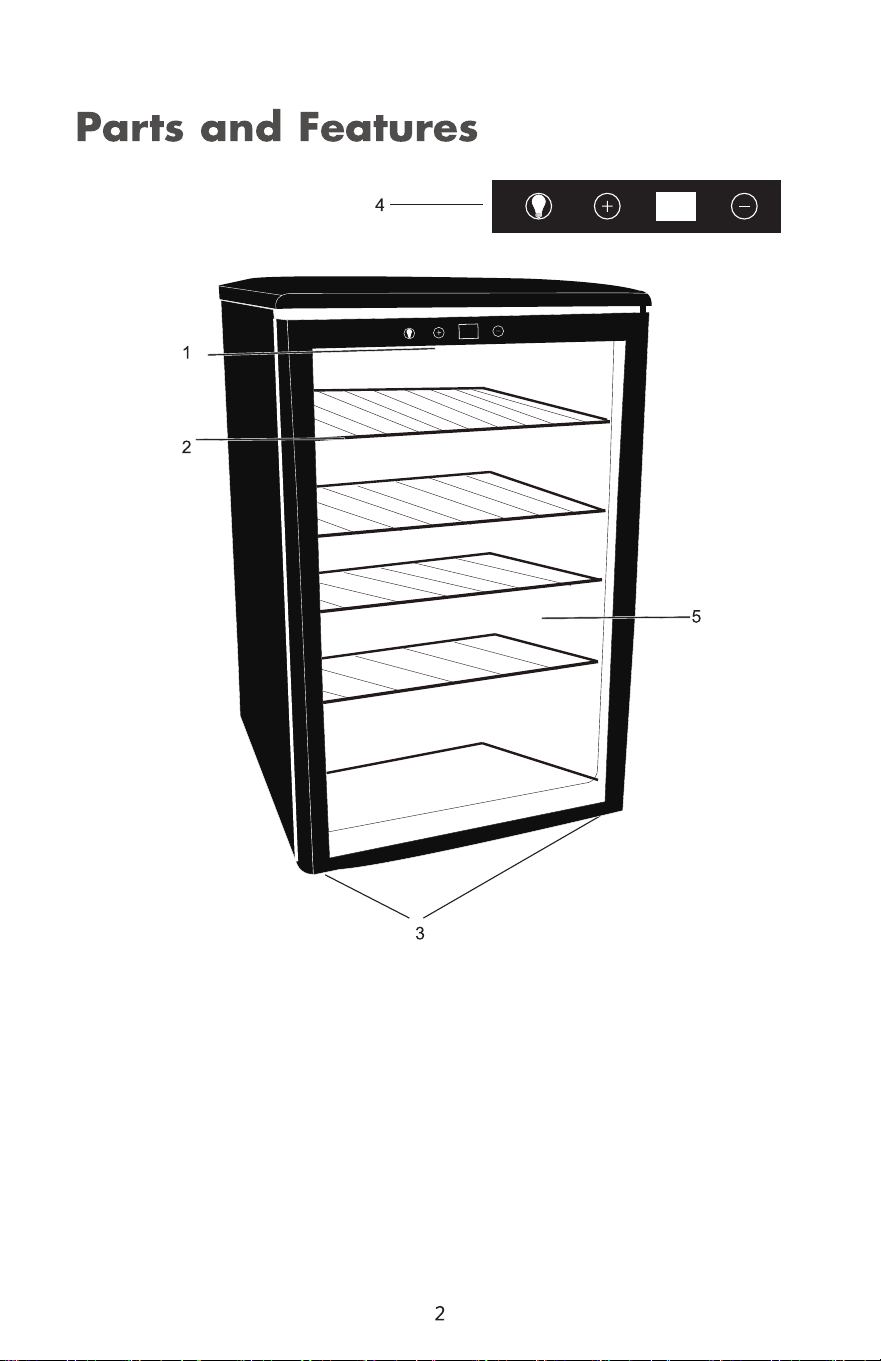
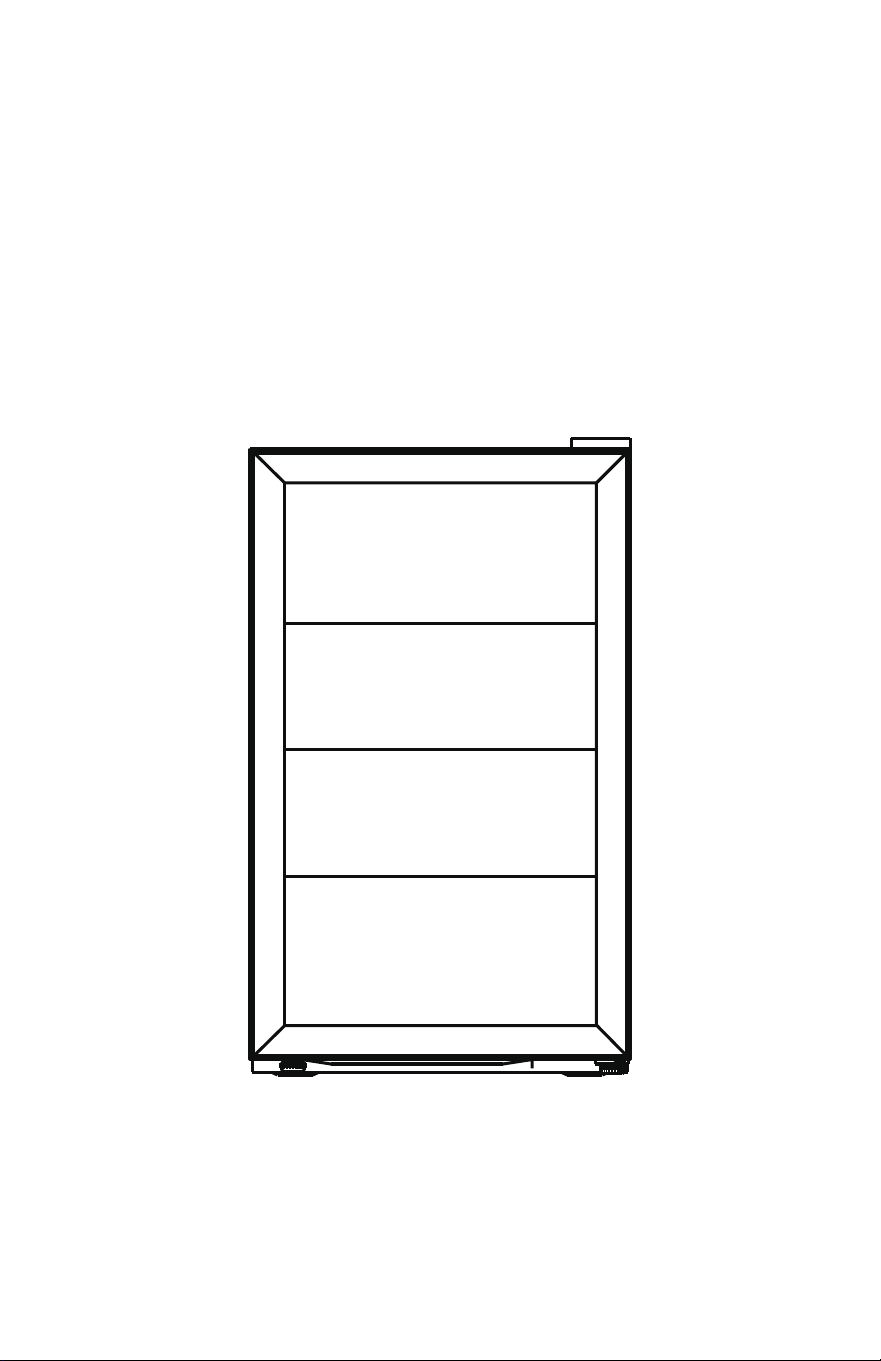
1.Interior Light
2.Wire Shelves(4)
3.Adjustable Leveling Legs
4.Touch Control Panel
5.Tinted Double Pane Glass Door
6.Drip Tray in Back(not shown)
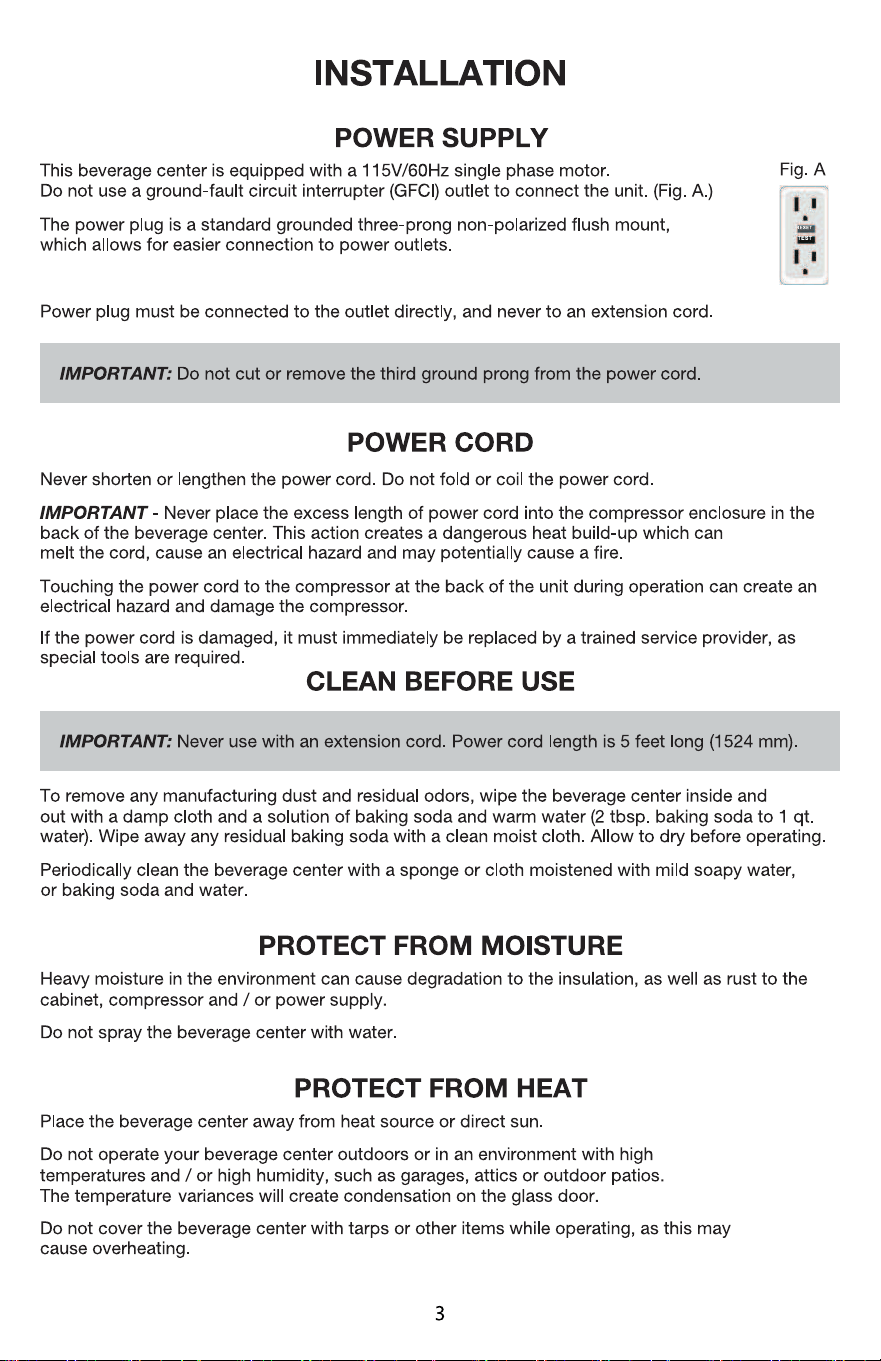
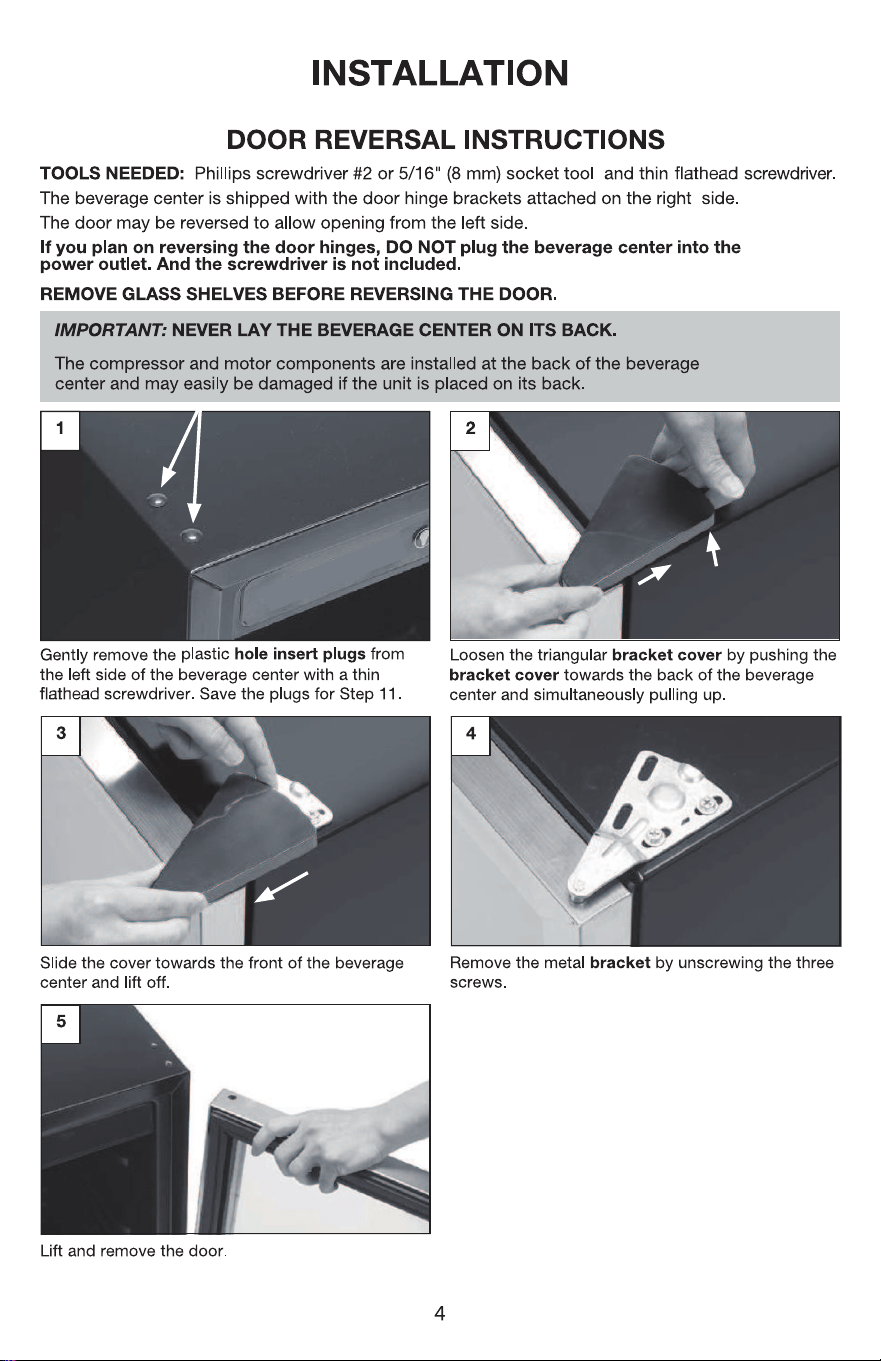
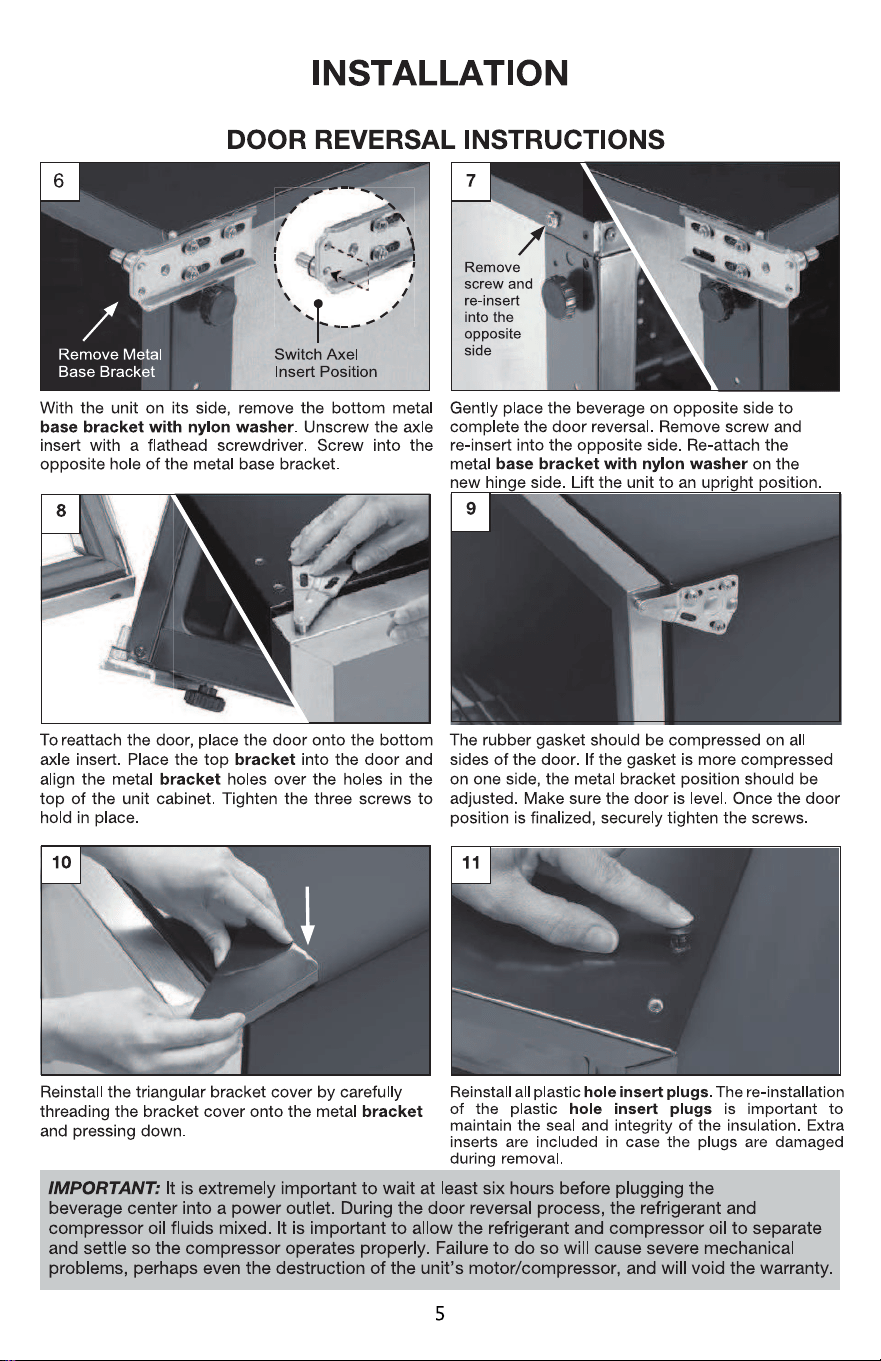

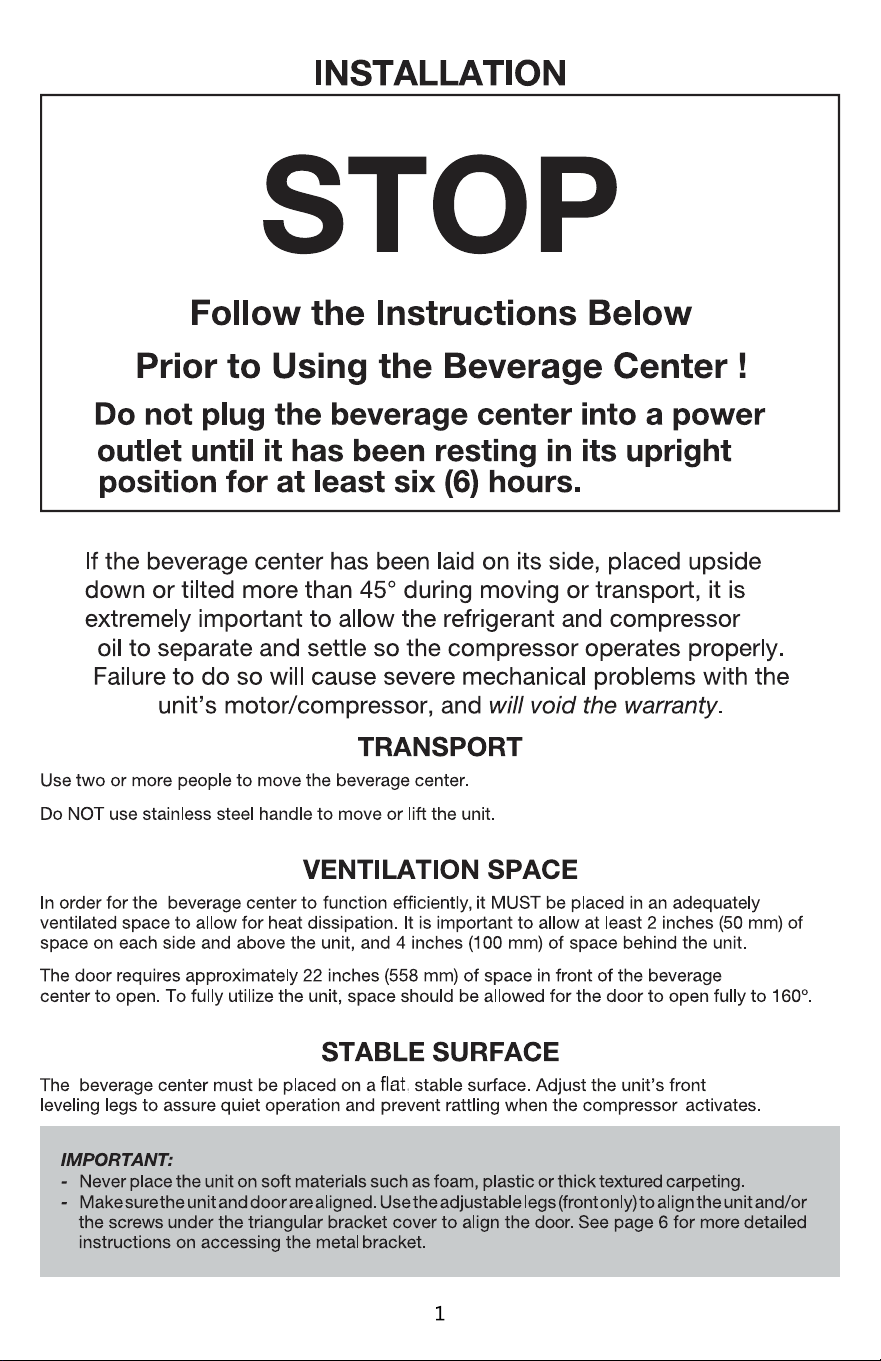
INSTALLATION
USING YOUR BEVERAGE CENTER
Staup
Connect the power cord to a standard wall outlet. Do not use a GFCI outlet to connect the unit
(see page 4). After connection, you will immediately hear a sho beep.
Temperature - Adjustable Thermostat Control
The default temperature is 4守F. Use the 0 and
0
buttons to set the desired temperature
between the range of 32
°
F - 61
°
F.
The display will flash while the temperature is being set. After a few seconds, it will reve to its
current internal temperature reading The digital display reading will adjust as the unit cools.
While the unit is adjusting to the new setting
,
press the +
0
or
0
- buttons to view the selected
temperature setting.
If there is a power outage, the unit will reve to the last temperature setting once power is restored.
Loading Beverages
When first loading the beverage center to full capacity, we recommend the following steps
to effectively cool a large number of beverages.
1.Use the Adjustable Thermostat Control to set the temperature to 43
°
F (also the default
temperature).
2.Allow the beverage center to cool for a minimum of two hours.
3.Load the beverages. To achieve maximum capacity, refer to the loading diagrams.
4.Aer initially filling with beverages, the internal temperature will rise as indicated on the display.
5.Once the beverage center has cooled the beverages to 4守F,use the Adjustable
Thermostat Control to select a desired cooler internal temperature (lowest temperature setting is 40
°
F).
6.Allow several hours for the beverage center to cool to the desired lower temperature.
Note: It is normal for temperature variances to occur inside the unit, and areas near the door will
have slightly warmer temperatures.
6
9
10
11



IMPORTANT
Do not return this product to the store.
Simply call our customer service department for any questions or concerns:
213-4467172
(8:30am - 5:30pm P.S.T.)
(8:30am - 5:30pm P.S.T.)
(8:30am - 5:30pm P.S.T.)
DATED PROOF OF PURCHASE REQUIRED FOR WARRANTY SERVICE.
AVIS
Ne pas retourner ce produit au magasin.
Veuillez appeler le service à la clientèle pour toutes questions au:
213-4467172
PREUVE D’ACHAT ORIGINALE REQUISE POUR SERVICE DE GARANTIE.
IMPORTANTE
No devuelva este producto a la tienda.
Sólo hay que llamar nuestro departamento de servicio
al cliente en caso de tener preguntas o inquietudes:
213-4467172
SE REQUIERE PRUEBA DE COMPRA CON FECHA PARA SERVICIO BAJO GARANTÍA.
Add:9733 Topanga Canyon Blvd. APT310, Chatsworth, CA 91311
Phone: 213-4467172
Thank you for purchasing this product! If you have questions about assembly or operation of this
product, are missing parts, or if the product is damaged, please contact us via
Amazon Message or call
customer serve Phone:
213-4467172.