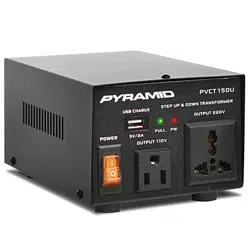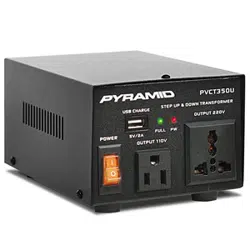
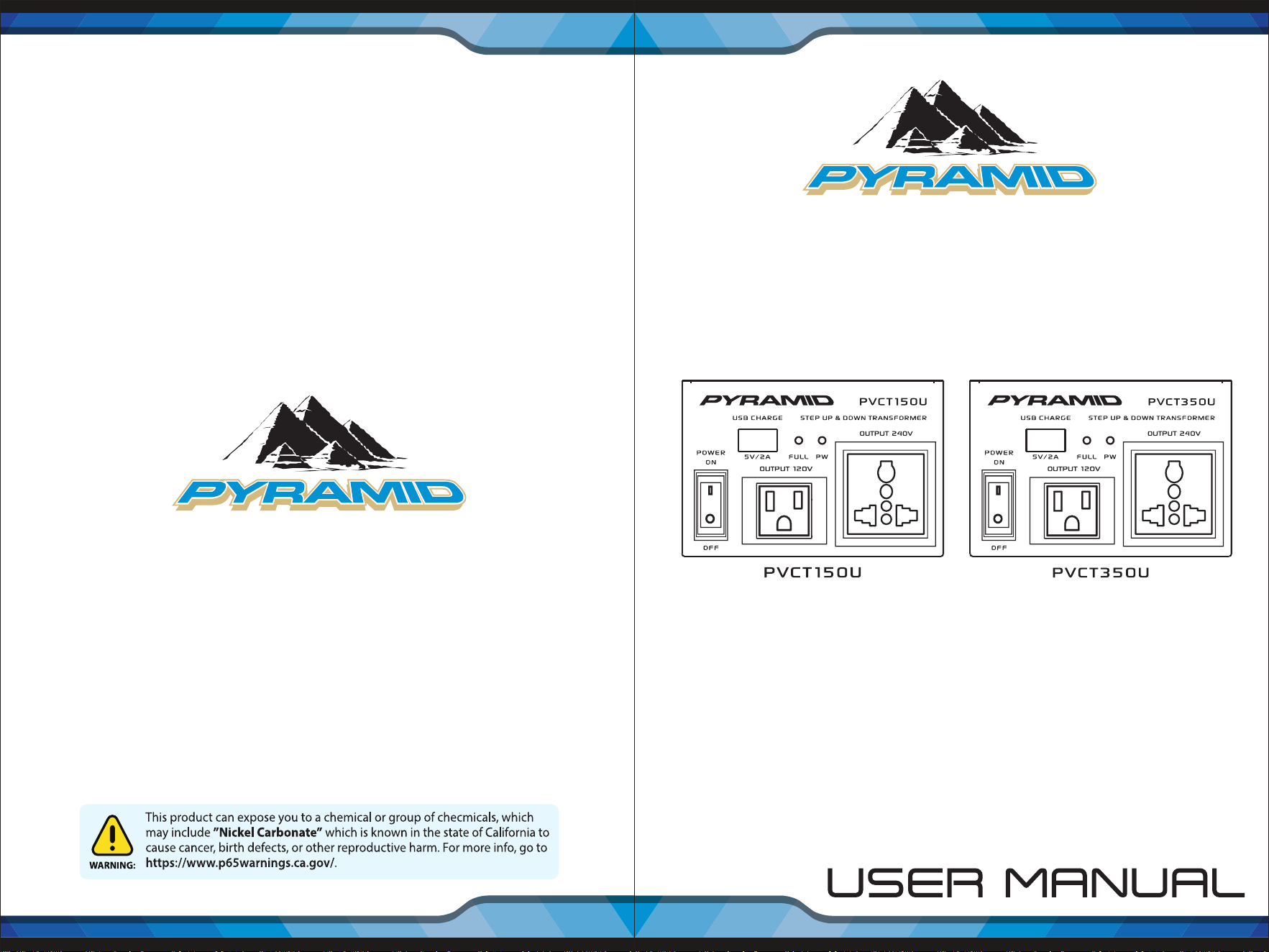
PVCT150U - PVCT350U
Step Up Down Voltage Converter Transformer
Power Supply Voltage Converter with USB Charge Port
50 Watt 150 Watt
Questions? Issues?
We are here to help!
Phone: (1) 718-535-1800
Email: support@pyleusa.com
www.PyleUSA.com
2
www.PyleUSA.com
3
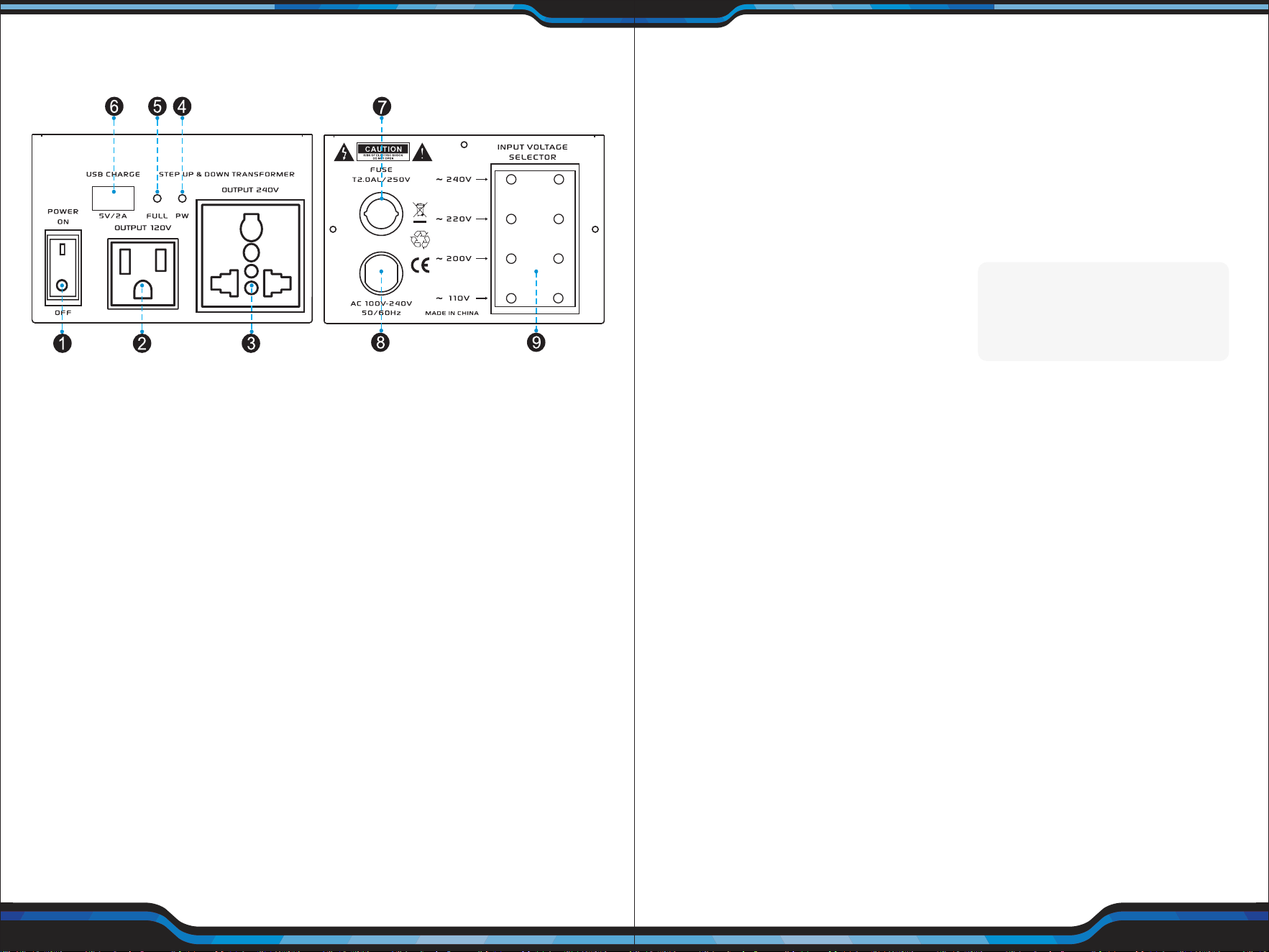
CONNECTIONS
Caution: Make all other connections before you connect the power supply
standard AC power.
1. Power ON/OFF: Set the power supply's POWER switch to ON or OFF
2. Output 110V: Standard Power Output US Outlet
3. Output 220V: Universal Power Output Outlet
4. PW: Power Red LED Indicator
5. FULL: Charge Green LED Indicator
6. USB Charge (5V/2A): USB Charge Works with All of Today's Latest Devices
7. Fuse Protected with Auto-Reset
8. AC Power Supply Cable AC 110V-240V, 50/60Hz
9. Input Voltage Selector: Four Selectable Input Voltages:
110V/200V/220V/240V
OPERATION
To use the power supply after you connect the device to it, set POWER to turn
it on with the red led light illuminated. If the power supply's POWER switch
does not light, check all connections and conrm the wall AC outlet has power.
If the outlet has power, set POWER to OFF, reduce the load (by using a device
that does not require more than 4 Amps), then set POWER to ON. Your power
supply's overload protection circuit automatically shuts down the power
supply when overload and resets by turning POWER to OFF.
CAUTION:
Place your power suppply in a well ventilated open and cool area.
Do not block the openings at the fan suction on the sides and the discharge
openings on the bottom.
CAUTON:
To reduce the risk of energy hazard, be careful not to short the
output terminal during operation. Remove the output connections after use.
CAUTION:
Your power supply might cause TV or radio interference even
when it is operating properly. To determine whether your power supply is
causing the interference, turn o your power supply. If the interference
goes away, your power supply is causing it.
Try to eliminate the interference by:
• Moving your power supply away from the receiver.
• Connecting your power supply to an outlet that is on a different electrical
circuit from the receiver.
• Contacting a qualied service technician for help.
Features:
• Power Voltage Converter
• Step-Up / Step-Down Transformer
• Universal AC Power Supply Conversion
• Rear Panel Voltage Selector
• Simple Electric Plug-in Design
• Built-in Fuse Protection
• USB Device Charge Port
• Includes European EU Power Adapter Plug
• Grounded Outlet: Accepts 3 or 2 Prong US / Euro Plugs
• Convenient Compact & Portable Style for Travel
• Rugged & Durable Chassis Housing
• Power ON / OFF Switch
• LED Indicator Lights
• Built-in Electronic Safety Circuit & Shock Protection
• For Home, Office and Commercial Applications
Technical Specs:
• Power Output:
50 Watt MAX (PVTC150U)
150 Watt MAX (PVCT350U)
• Step Up: 120V to 240V
• Step Down: 240V to 120V
• Recommended Wire Cable Size: 18 Gauge (AWG)
• Fuse Protection:
2.0A/250V(PVTC150U)
3.0V/250V(PVTC350U)
• Selectable Voltage: 110V/200V/220V/240V
• USB Power Output: 5V/2A
• Construction Material: Engineered Metal Alloy Housing
• Power Cable Length: 1.6’ ft.
• Power Supply: 120V/240V
• Dimensions (L x W x H): 6.6'' x 4.7'' x 4.0'' -inches
Specications are typical; individual units might vary.
Specications are subject to change and improvement without notice.
What's in the Box:
• Voltage Converter Transformer
• Europe (EU) Power Adapter
• (2) Spare Fuses

www.PyleUSA.com
2
www.PyleUSA.com
3
CONNECTIONS
Caution: Make all other connections before you connect the power supply
standard AC power.
1. Power ON/OFF: Set the power supply's POWER switch to ON or OFF
2. Output 110V: Standard Power Output US Outlet
3. Output 220V: Universal Power Output Outlet
4. PW: Power Red LED Indicator
5. FULL: Charge Green LED Indicator
6. USB Charge (5V/2A): USB Charge Works with All of Today's Latest Devices
7. Fuse Protected with Auto-Reset
8. AC Power Supply Cable AC 110V-240V, 50/60Hz
9. Input Voltage Selector: Four Selectable Input Voltages:
110V/200V/220V/240V
OPERATION
To use the power supply after you connect the device to it, set POWER to turn
it on with the red led light illuminated. If the power supply's POWER switch
does not light, check all connections and conrm the wall AC outlet has power.
If the outlet has power, set POWER to OFF, reduce the load (by using a device
that does not require more than 4 Amps), then set POWER to ON. Your power
supply's overload protection circuit automatically shuts down the power
supply when overload and resets by turning POWER to OFF.
CAUTION:
Place your power suppply in a well ventilated open and cool area.
Do not block the openings at the fan suction on the sides and the discharge
openings on the bottom.
CAUTON:
To reduce the risk of energy hazard, be careful not to short the
output terminal during operation. Remove the output connections after use.
CAUTION:
Your power supply might cause TV or radio interference even
when it is operating properly. To determine whether your power supply is
causing the interference, turn o your power supply. If the interference
goes away, your power supply is causing it.
Try to eliminate the interference by:
• Moving your power supply away from the receiver.
• Connecting your power supply to an outlet that is on a different electrical
circuit from the receiver.
• Contacting a qualied service technician for help.
Features:
• Power Voltage Converter
• Step-Up / Step-Down Transformer
• Universal AC Power Supply Conversion
• Rear Panel Voltage Selector
• Simple Electric Plug-in Design
• Built-in Fuse Protection
• USB Device Charge Port
• Includes European EU Power Adapter Plug
• Grounded Outlet: Accepts 3 or 2 Prong US / Euro Plugs
• Convenient Compact & Portable Style for Travel
• Rugged & Durable Chassis Housing
• Power ON / OFF Switch
• LED Indicator Lights
• Built-in Electronic Safety Circuit & Shock Protection
• For Home, Office and Commercial Applications
Technical Specs:
• Power Output:
50 Watt MAX (PVTC150U)
150 Watt MAX (PVCT350U)
• Step Up: 120V to 240V
• Step Down: 240V to 120V
• Recommended Wire Cable Size: 18 Gauge (AWG)
• Fuse Protection:
2.0A/250V(PVTC150U)
3.0V/250V(PVTC350U)
• Selectable Voltage: 110V/200V/220V/240V
• USB Power Output: 5V/2A
• Construction Material: Engineered Metal Alloy Housing
• Power Cable Length: 1.6’ ft.
• Power Supply: 120V/240V
• Dimensions (L x W x H): 6.6'' x 4.7'' x 4.0'' -inches
Specications are typical; individual units might vary.
Specications are subject to change and improvement without notice.
What's in the Box:
• Voltage Converter Transformer
• Europe (EU) Power Adapter
• (2) Spare Fuses

PVCT150U - PVCT350U
Step Up Down Voltage Converter Transformer
Power Supply Voltage Converter with USB Charge Port
50 Watt 150 Watt
Questions? Issues?
We are here to help!
Phone: (1) 718-535-1800
Email: suppor[email protected]