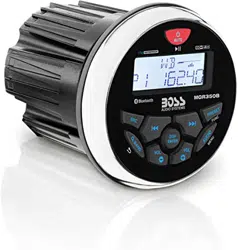
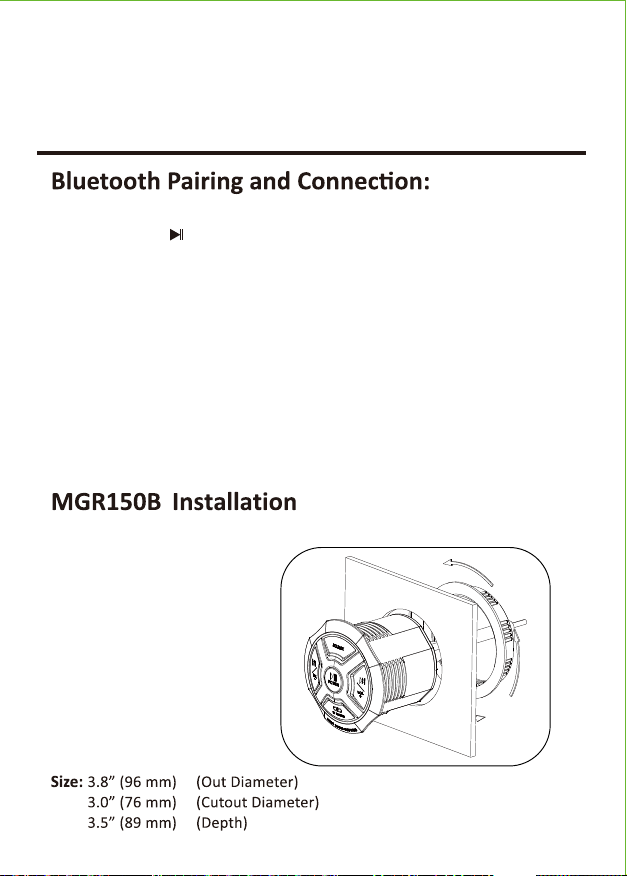
Seamless Flush Mount
1020
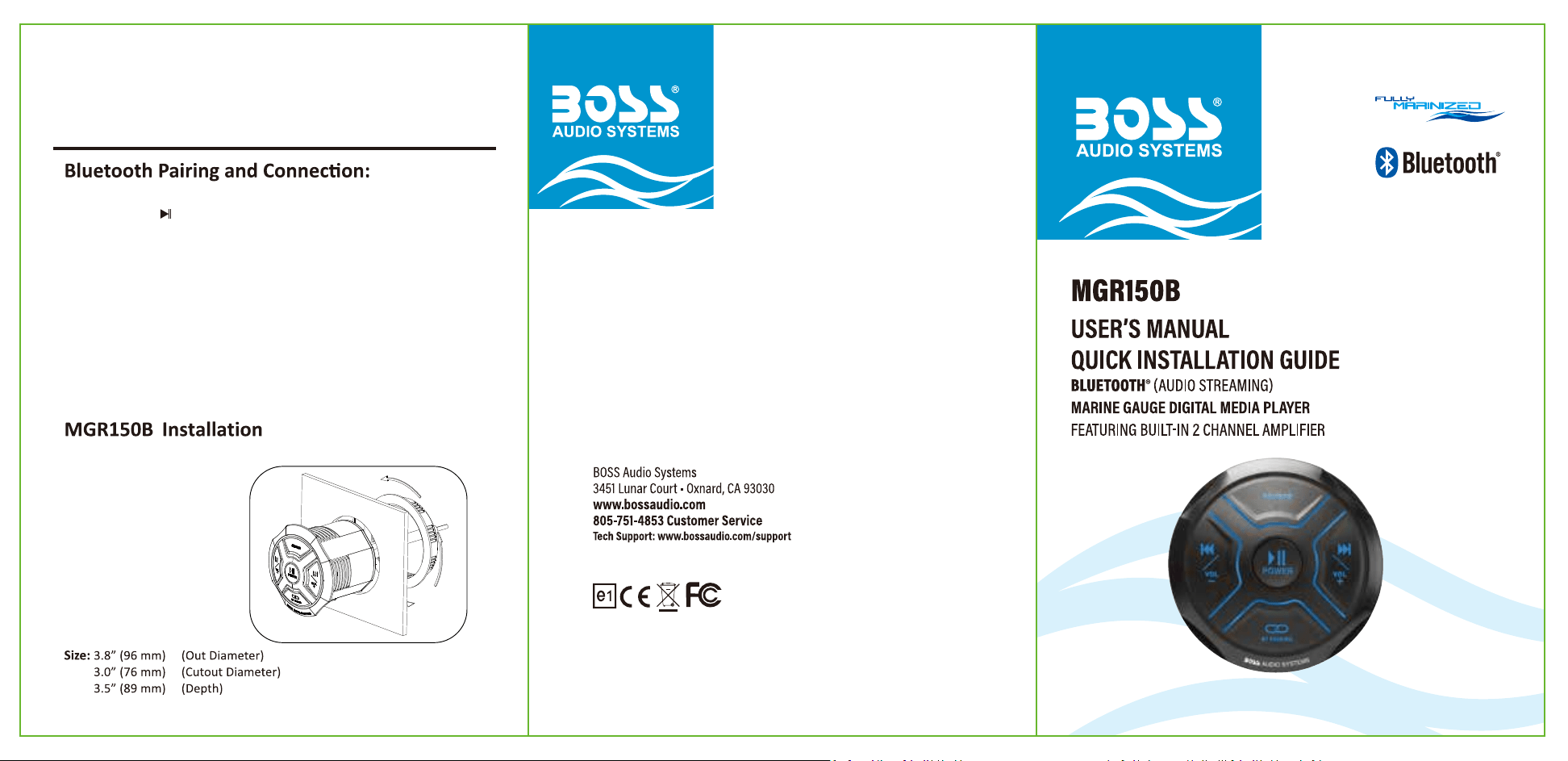
Connecng MGR150B to your device
1. Press and Hold for three seconds un�l power indicator lights Blue.
2. The system will automa�cally go into pairing mode. The power indicator
will turn Blue and the Bluetooth indicator will blink Blue while wai�ng for
Bluetooth connec�on. Please be sure that Bluetooth is turned ON on your
device, select “Boss Audio MGR150B” on your device to connect the
Bluetooth controller (if the Bluetooth controller is connected the light will
turn to solid Blue).
3. When the device is out of Bluetooth range, Bluetooth will be disconnected
automa�cally and automa�cally reconnect when detected in range again.
(If not please just repeat steps 1 and 2).
4. Input mode indicator --- Blue light for Bluetooth, Red light for AUX In, and
Purple light for USB.
User’s Manual
MGR150B
Red
Blue
White
Gray
ACC
REMOTE
ire olor
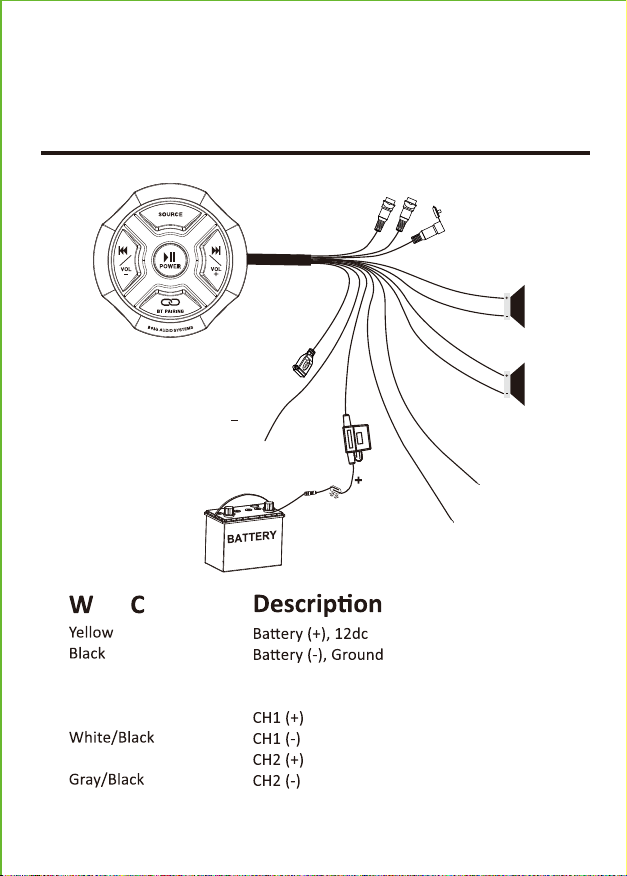
Power and Speaker Wiring
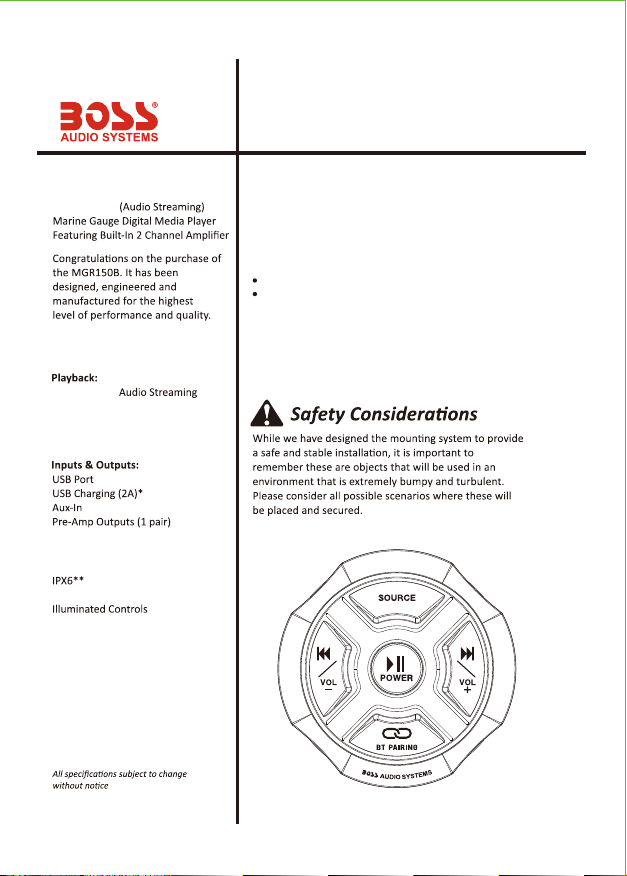
Features
BLUETOOTH®
BLUETOOTH®
Stream and Control your
Favorite Music APPs
What’s Included
2 Channel
Conformal Coated PCB
General
BLACK
YELLOW
Fuse:10A
AUX Input
Line out-L
Line out-R
RED
ACC
BLUE
REMOTE
USB
WHITE/BLACK
GRAY/BLACK
GRAY
WHITE
DC12V(-) Grounded to
metal chassis, or directly to
negative polarity of battery.
DC12V(+)
Recommended wiring
with fuse (parts are not included)
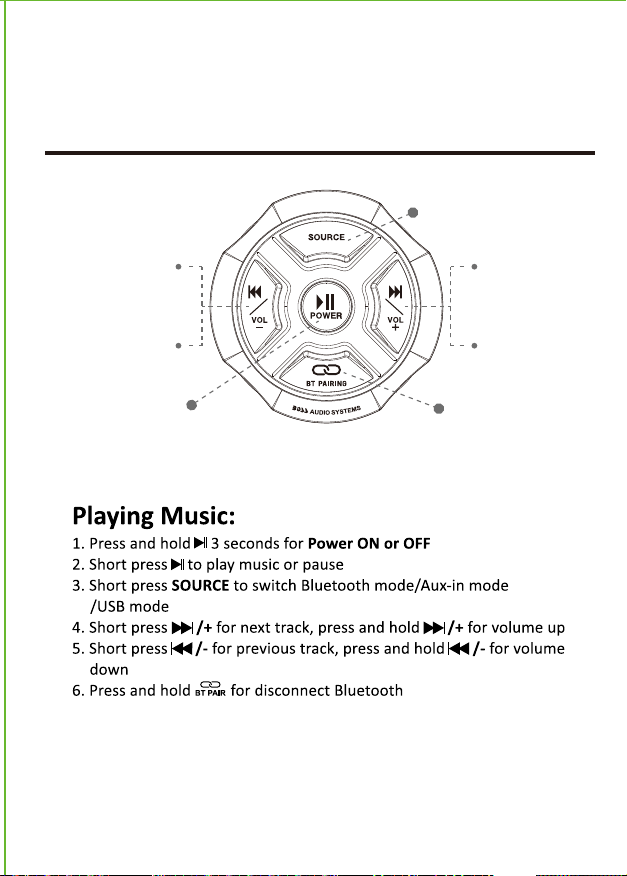
Play / Pause
Press Hold = On/Off
Short Press
Previous Song
Press And Hold
Volume Down
Short Press
Next Song
Press And Hold
Volume Up
Bluetooth/AUX/USB Switch
Disconnect Bluetooth
(1)3.5mm Stereo Cable
(1)MGR150B Marine Gauge Digital Media Player
A�er you have unpacked the marine gauge digital media player,
check all the contents of package so it contains all of the items
below. If something is misssing, please call our customer service
department.
Marine Gauge Digital
Media Player
User’s Manual
MGR150B
Red
Blue
White
Gray
ACC
REMOTE
ire olor
Power and Speaker Wiring
Features
BLUETOOTH®
BLUETOOTH®
Stream and Control your
Favorite Music APPs
What’s Included
2 Channel
Conformal Coated PCB
General
BLACK
YELLOW
Fuse:10A
AUX Input
Line out-L
Line out-R
RED
ACC
BLUE
REMOTE
USB
WHITE/BLACK
GRAY/BLACK
GRAY
WHITE
DC12V(-) Grounded to
metal chassis, or directly to
negative polarity of battery.
DC12V(+)
Recommended wiring
with fuse (parts are not included)
Play / Pause
Press Hold = On/Off
Short Press
Previous Song
Press And Hold
Volume Down
Short Press
Next Song
Press And Hold
Volume Up
Bluetooth/AUX/USB Switch
Disconnect Bluetooth
(1)3.5mm Stereo Cable
(1)MGR150B Marine Gauge Digital Media Player
A�er you have unpacked the marine gauge digital media player,
check all the contents of package so it contains all of the items
below. If something is misssing, please call our customer service
department.
Marine Gauge Digital
Media Player
User’s Manual
MGR150B
Red
Blue
White
Gray
ACC
REMOTE
ire olor
Power and Speaker Wiring
Features
BLUETOOTH®
BLUETOOTH®
Stream and Control your
Favorite Music APPs
What’s Included
2 Channel
Conformal Coated PCB
General
BLACK
YELLOW
Fuse:10A
AUX Input
Line out-L
Line out-R
RED
ACC
BLUE
REMOTE
USB
WHITE/BLACK
GRAY/BLACK
GRAY
WHITE
DC12V(-) Grounded to
metal chassis, or directly to
negative polarity of battery.
DC12V(+)
Recommended wiring
with fuse (parts are not included)
Play / Pause
Press Hold = On/Off
Short Press
Previous Song
Press And Hold
Volume Down
Short Press
Next Song
Press And Hold
Volume Up
Bluetooth/AUX/USB Switch
Disconnect Bluetooth
(1)3.5mm Stereo Cable
(1)MGR150B Marine Gauge Digital Media Player
A�er you have unpacked the marine gauge digital media player,
check all the contents of package so it contains all of the items
below. If something is misssing, please call our customer service
department.
Marine Gauge Digital
Media Player
Seamless Flush Mount
1020
Connecng MGR150B to your device
1. Press and Hold for three seconds un�l power indicator lights Blue.
2. The system will automa�cally go into pairing mode. The power indicator
will turn Blue and the Bluetooth indicator will blink Blue while wai�ng for
Bluetooth connec�on. Please be sure that Bluetooth is turned ON on your
device, select “Boss Audio MGR150B” on your device to connect the
Bluetooth controller (if the Bluetooth controller is connected the light will
turn to solid Blue).
3. When the device is out of Bluetooth range, Bluetooth will be disconnected
automa�cally and automa�cally reconnect when detected in range again.
(If not please just repeat steps 1 and 2).
4. Input mode indicator --- Blue light for Bluetooth, Red light for AUX In, and
Purple light for USB.
Seamless Flush Mount
1020
Connecng MGR150B to your device
1. Press and Hold for three seconds un�l power indicator lights Blue.
2. The system will automa�cally go into pairing mode. The power indicator
will turn Blue and the Bluetooth indicator will blink Blue while wai�ng for
Bluetooth connec�on. Please be sure that Bluetooth is turned ON on your
device, select “Boss Audio MGR150B” on your device to connect the
Bluetooth controller (if the Bluetooth controller is connected the light will
turn to solid Blue).
3. When the device is out of Bluetooth range, Bluetooth will be disconnected
automa�cally and automa�cally reconnect when detected in range again.
(If not please just repeat steps 1 and 2).
4. Input mode indicator --- Blue light for Bluetooth, Red light for AUX In, and
Purple light for USB.