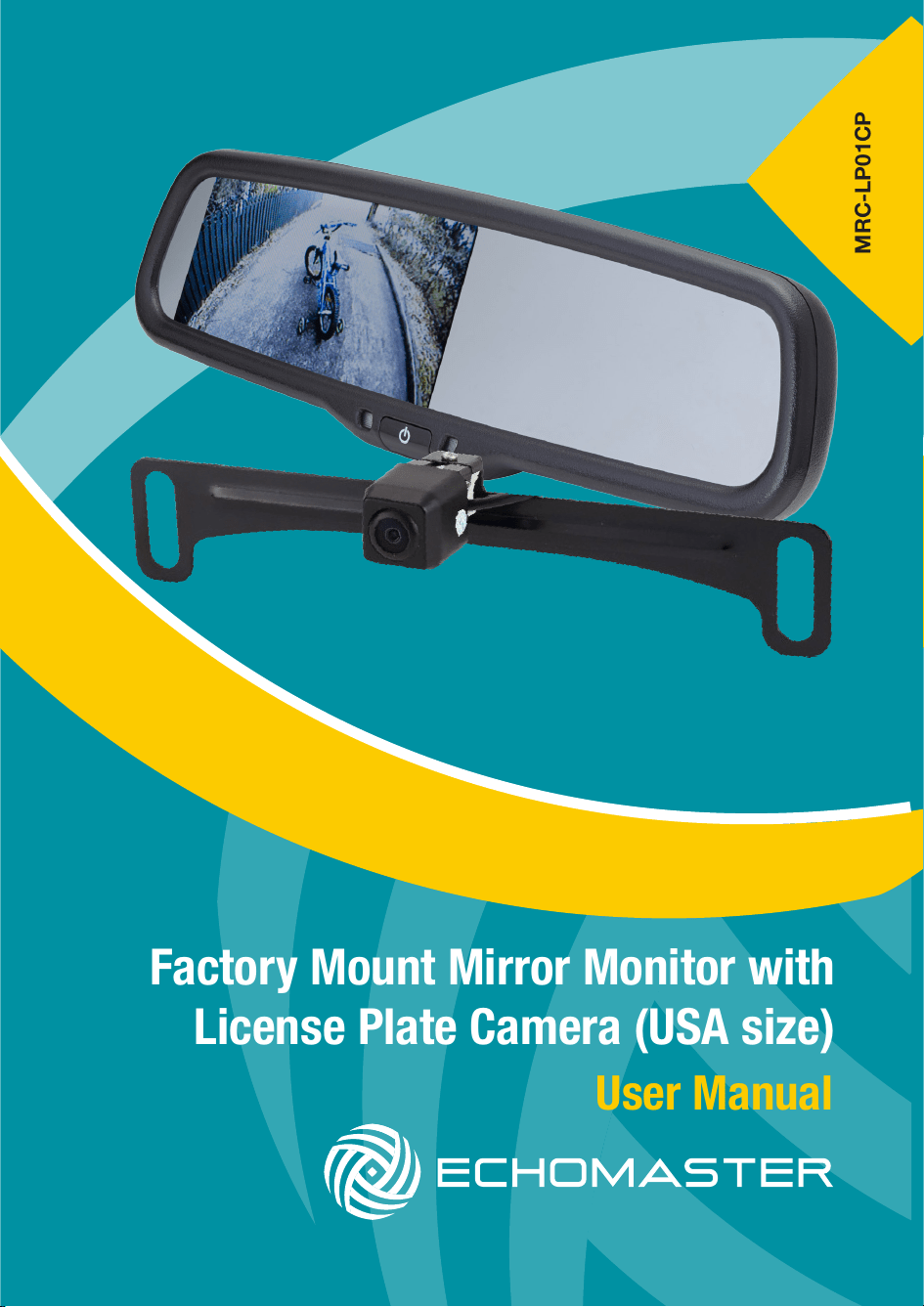
User Manual
Factory Mount Mirror Monitor with
License Plate Camera (USA size)
MRC-LP01CP
2
Installation Guide
email - [email protected] (US)
tel - 1-800-477-2267 (US)
email - [email protected] (Europe)
MRC-LP01CP
Factory Mount Mirror Monitor
with License Plate Camera (USA)
Introduction
Box Contents
Key Features
u OEM Look and Feel
u 4.3” High-Denition LCD Monitor
with Auto-adjusting brightness
u OEM Wire Harness Cover
u Two (2) Video Inputs
u Anti-Glare Mirror
u Easy Installation
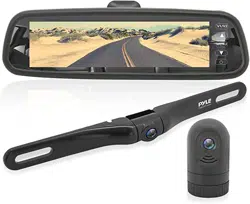
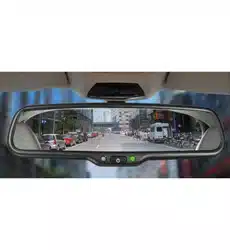
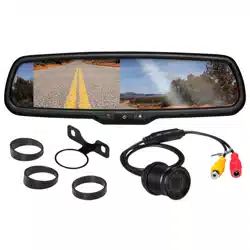
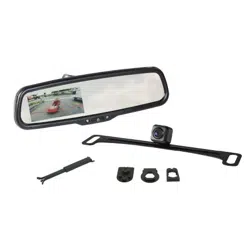
u Factory Style Rear-View Mirror
with 4.3” LCD Monitor
u Reverse Camera
u Wiring Harness
u OEM Style Wire Harness Cover
Thank you for purchasing your EchoMaster automotive monitor.
Your monitor displays a clear, high resolution image of the area
surrounding your vehicle, meaning your maneuvring and vehicle awareness
will be greatly improved.
Please ensure you read and understand all aspects of this manual before
tting or using your EchoMaster monitor.
u 2 Camera Mounting Brackets
u 3 Mirror Adapters
u Installation / User’s Guide
Mirror
u 170 degree viewing angle
u IP68 Waterproof
u Low Light 0.1 LUX
u Built-in Parking Lines
Camera
3
tel - 1-800-477-2267 (US)
Installation Guide
Fitting Instructions
Choose a mounting location that will not obscure the driver’s view. Also
please ensure that the unit is not mounted in a location that will obstruct the
operation of any airbags.
1. Remove OEM mirror and replace with supplied LCD mirror.
2. Run your wiring harness into the headliner and down the vehicles A-Pillar,
making sure to avoid any factory airbags. Secure your wiring with zip-ties.
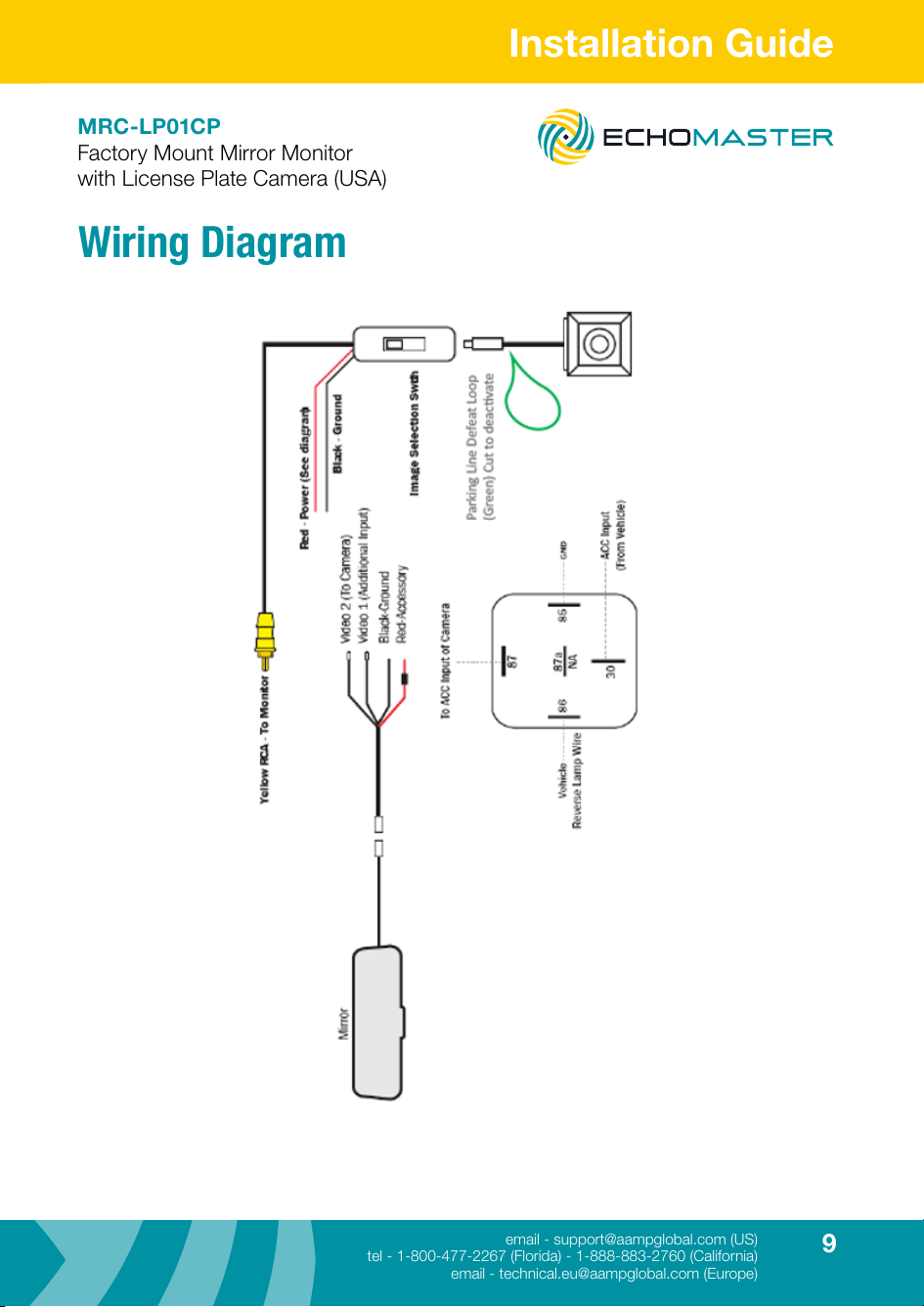
3. Make all necessary wiring connections (See wiring diagram)
MRC-LP01CP
Factory Mount Mirror Monitor
with License Plate Camera (USA)
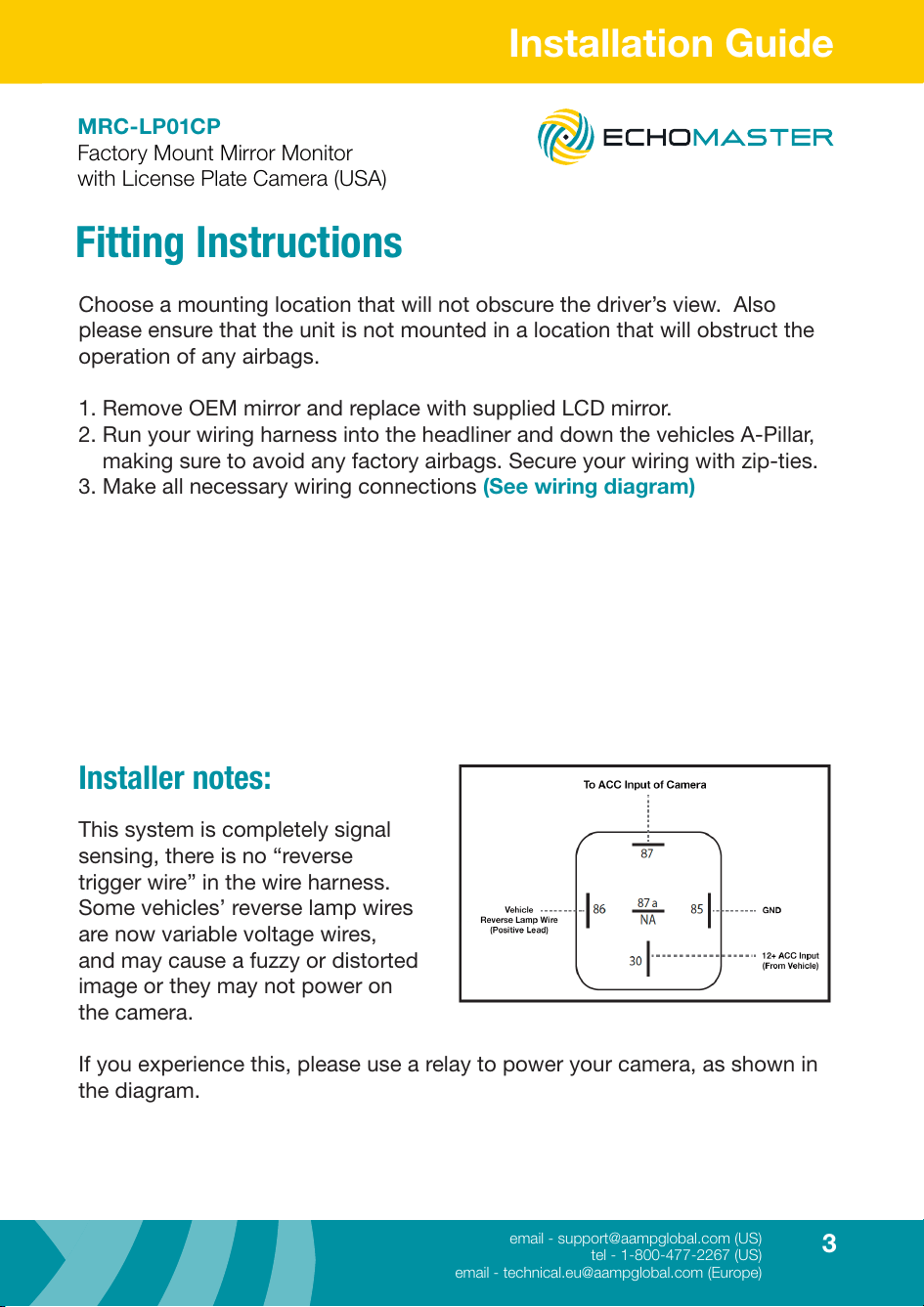
Installer notes:
This system is completely signal
sensing, there is no “reverse
trigger wire” in the wire harness.
Some vehicles’ reverse lamp wires
are now variable voltage wires,
and may cause a fuzzy or distorted
image or they may not power on
the camera.
If you experience this, please use a relay to power your camera, as shown in
the diagram.
4
Installation Guide
tel - 1-800-477-2267 (US)
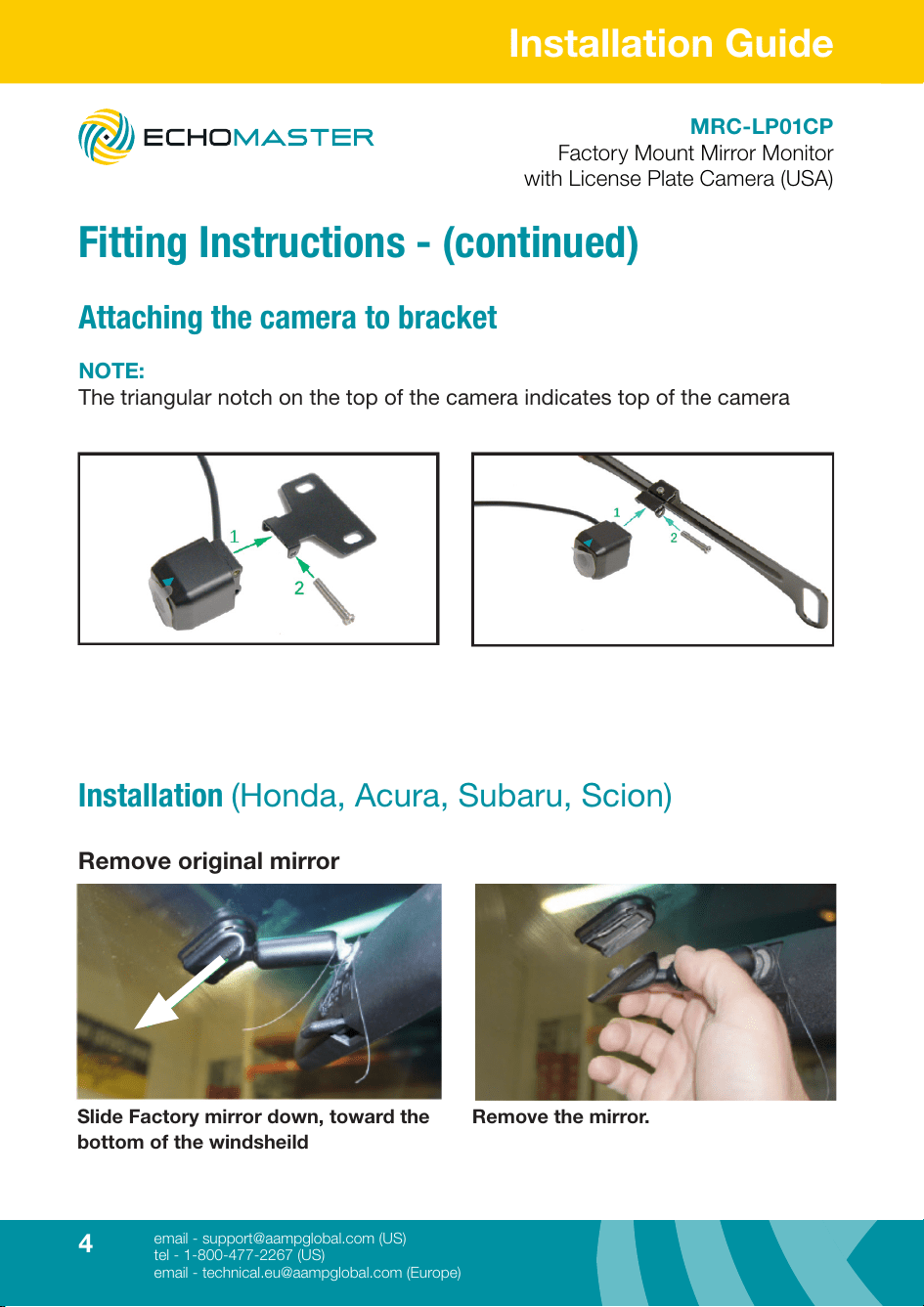
Attaching the camera to bracket
Fitting Instructions - (continued)
NOTE:
The triangular notch on the top of the camera indicates top of the camera
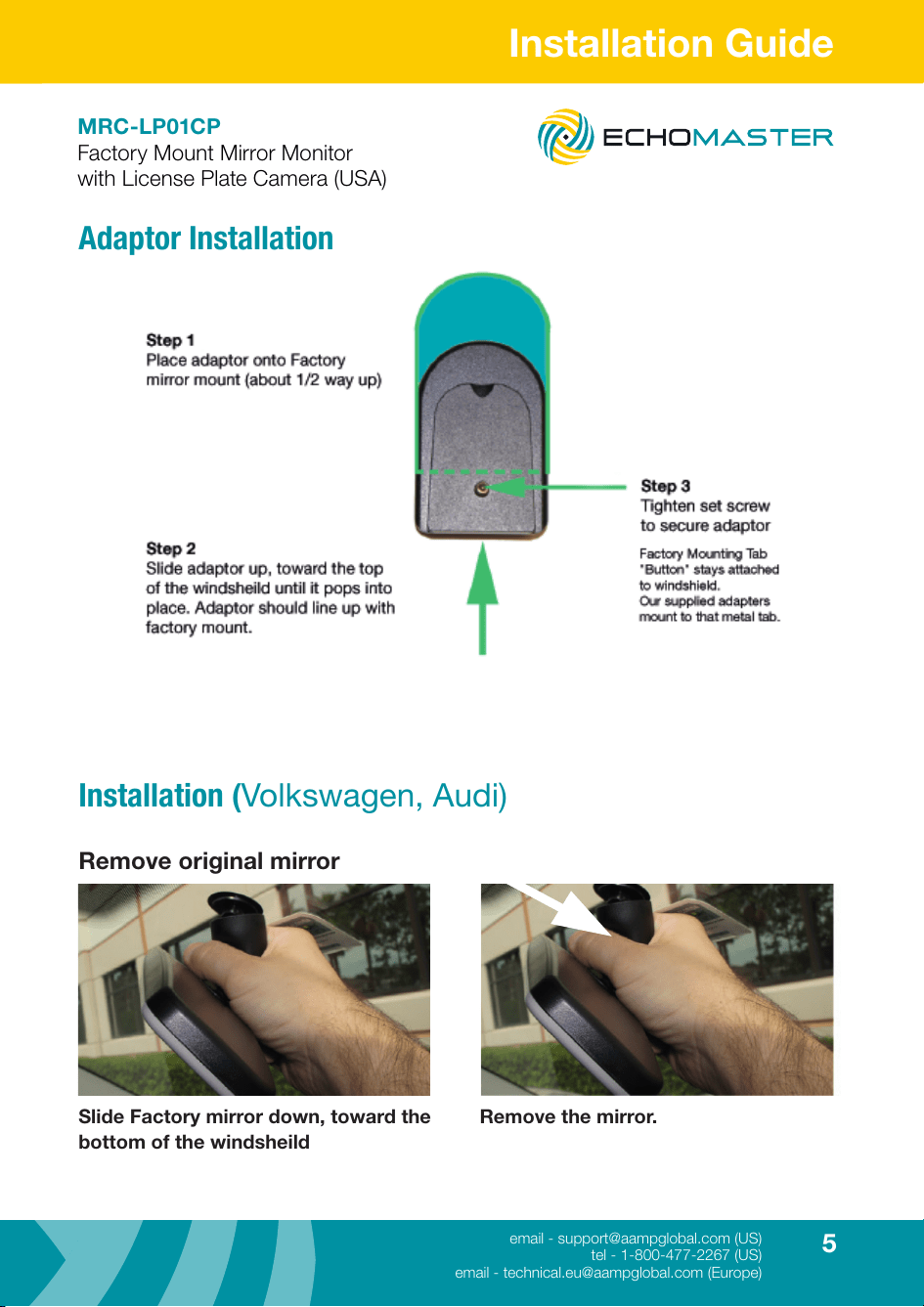
Installation (Honda, Acura, Subaru, Scion)
Remove original mirror
Slide Factory mirror down, toward the
bottom of the windsheild
Remove the mirror.
MRC-LP01CP
Factory Mount Mirror Monitor
with License Plate Camera (USA)
5
tel - 1-800-477-2267 (US)
Installation Guide
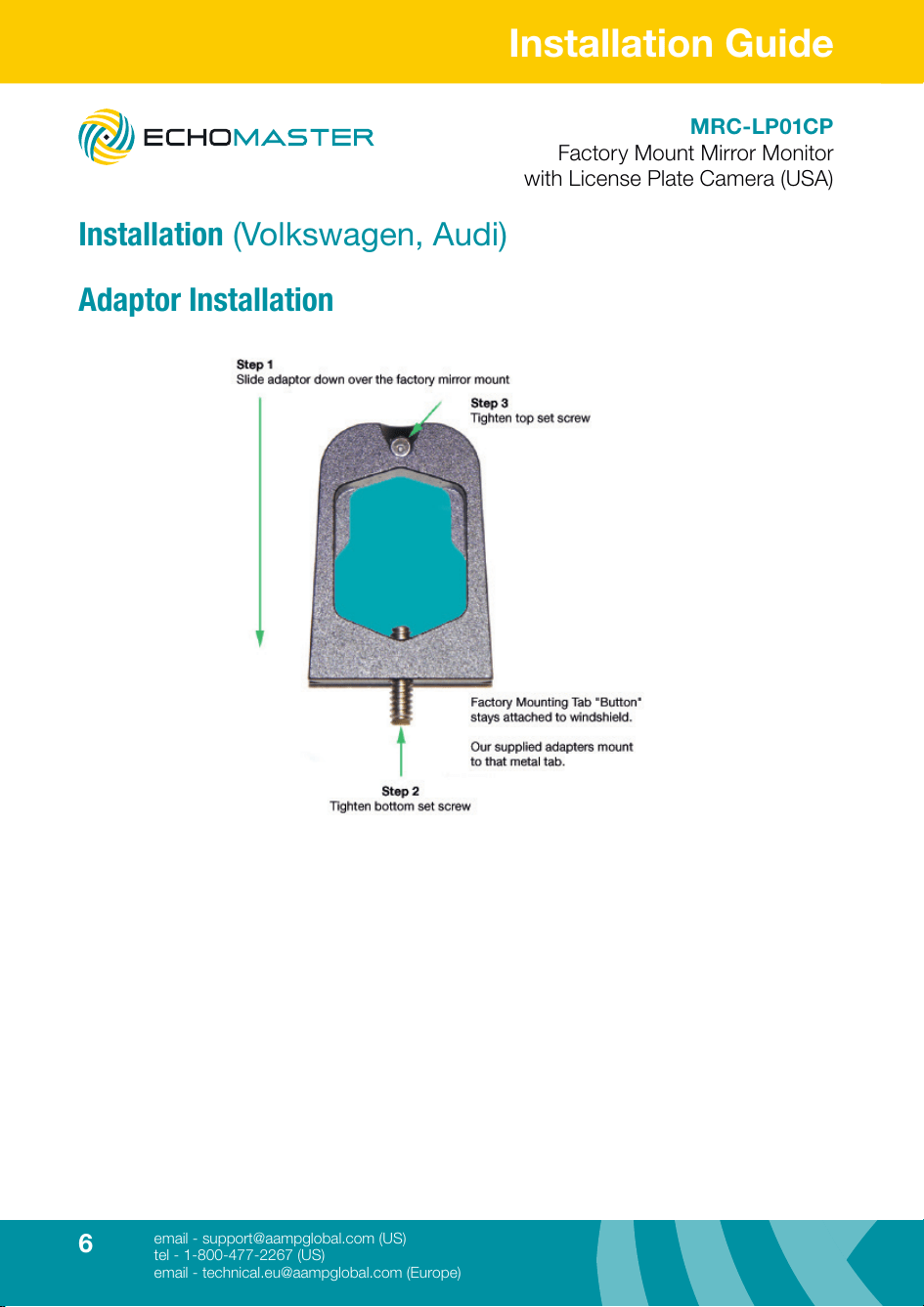
Adaptor Installation
Installation (Volkswagen, Audi)
Remove original mirror
Slide Factory mirror down, toward the
bottom of the windsheild
Remove the mirror.
MRC-LP01CP
Factory Mount Mirror Monitor
with License Plate Camera (USA)
6
Installation Guide
tel - 1-800-477-2267 (US)
e
Installation (Volkswagen, Audi)
Adaptor Installation
MRC-LP01CP
Factory Mount Mirror Monitor
with License Plate Camera (USA)
7
email - [email protected] (US)
tel - 1-800-477-2267 (Florida) - 1-888-883-2760 (California)
email - [email protected] (Europe)
Installation Guide
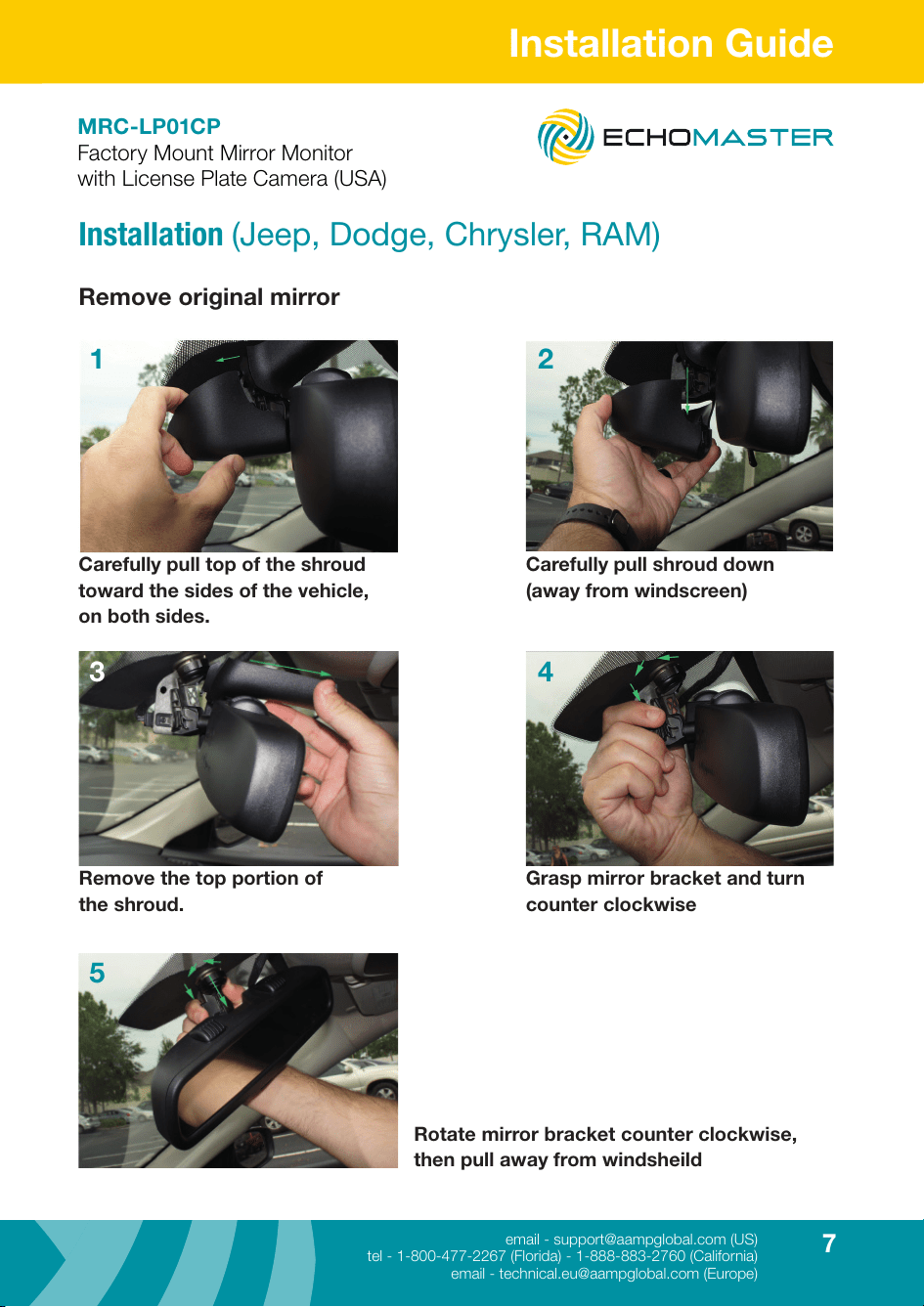
Installation (Jeep, Dodge, Chrysler, RAM)
Remove original mirror
Carefully pull top of the shroud
toward the sides of the vehicle,
on both sides.
Carefully pull shroud down
(away from windscreen)
Remove the top portion of
the shroud.
Grasp mirror bracket and turn
counter clockwise
Rotate mirror bracket counter clockwise,
then pull away from windsheild
1 2
3 4
5
MRC-LP01CP
Factory Mount Mirror Monitor
with License Plate Camera (USA)
8
Installation Guide
email - [email protected] (US)
tel - 1-800-477-2267 (Florida) - 1-888-883-2760 (California)
email - [email protected] (Europe)
MRC-LP01CP
Factory Mount Mirror Monitor
with License Plate Camera (USA)
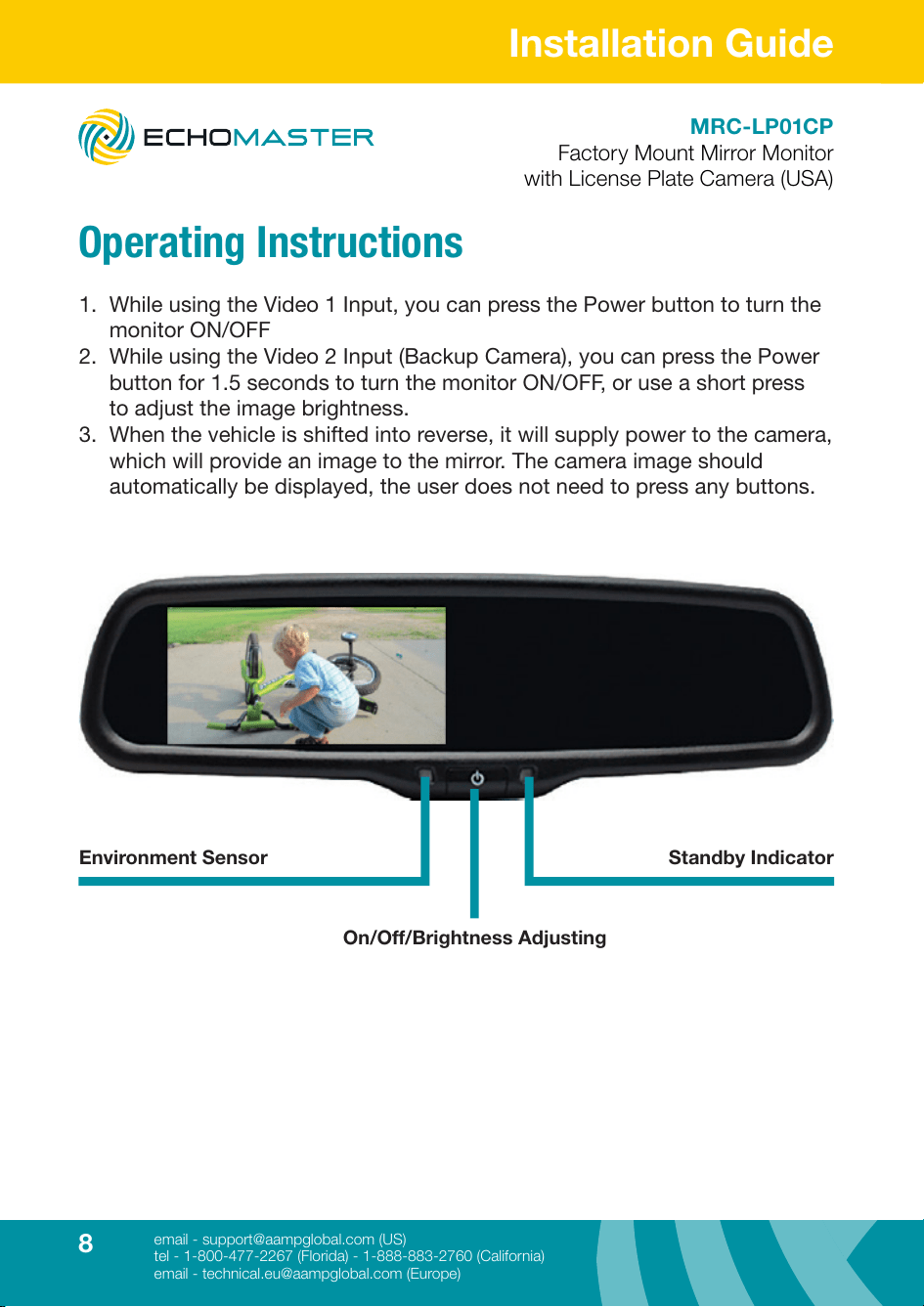
Operating Instructions
1. While using the Video 1 Input, you can press the Power button to turn the
monitor ON/OFF
2. While using the Video 2 Input (Backup Camera), you can press the Power
button for 1.5 seconds to turn the monitor ON/OFF, or use a short press
to adjust the image brightness.
3. When the vehicle is shifted into reverse, it will supply power to the camera,
which will provide an image to the mirror. The camera image should
automatically be displayed, the user does not need to press any buttons.
Environment Sensor Standby Indicator
On/Off/Brightness Adjusting
9
email - [email protected] (US)
tel - 1-800-477-2267 (Florida) - 1-888-883-2760 (California)
email - [email protected] (Europe)
Installation Guide
MRC-LP01CP
Factory Mount Mirror Monitor
with License Plate Camera (USA)
Wiring Diagram
10
Installation Guide
email - [email protected] (US)
tel - 1-800-477-2267 (Florida) - 1-888-883-2760 (California)
email - [email protected] (Europe)
MRC-LP01CP
Factory Mount Mirror Monitor
with License Plate Camera (USA)
Specications
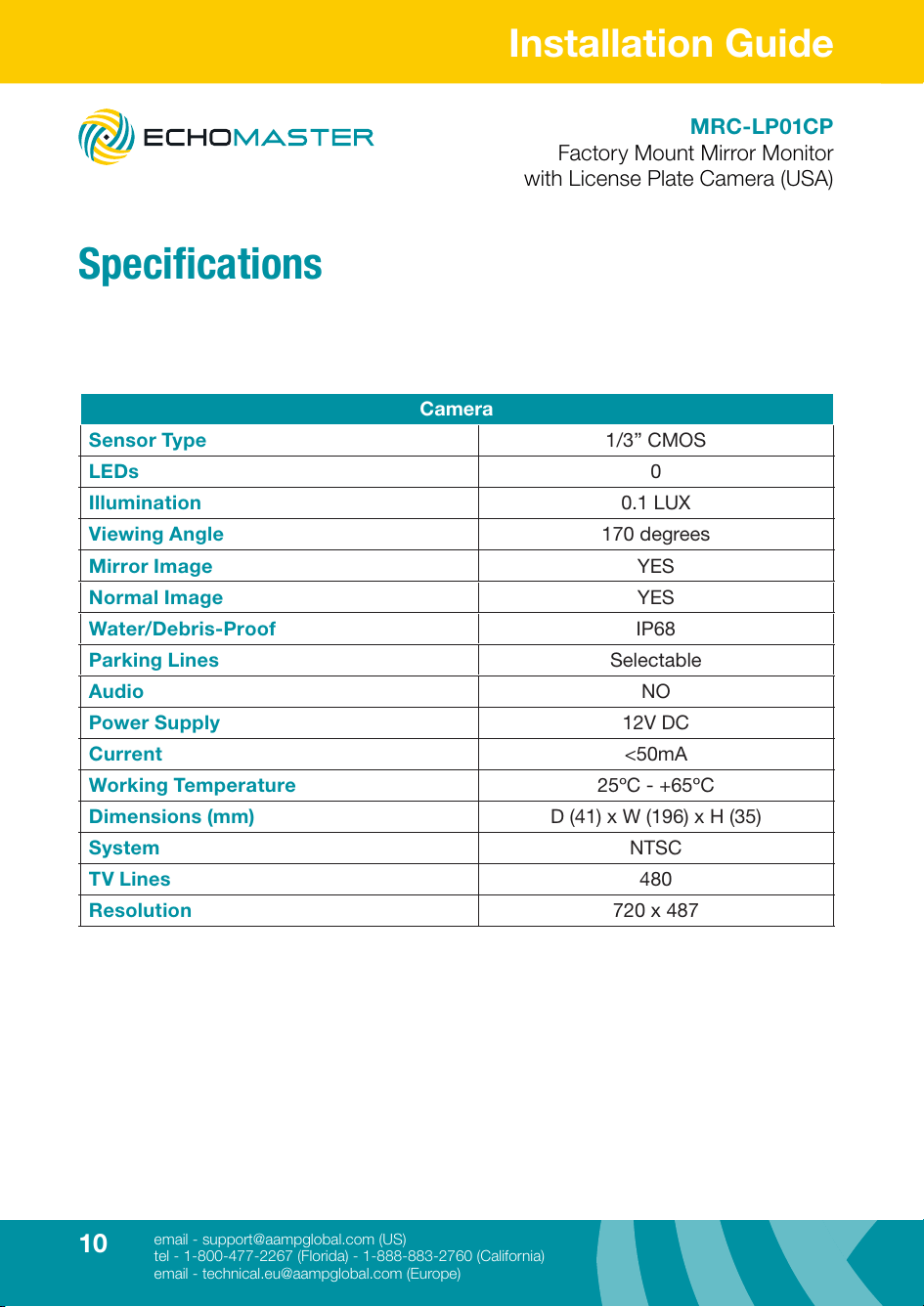
Camera
Sensor Type 1/3” CMOS
LEDs 0
Illumination 0.1 LUX
Viewing Angle 170 degrees
Mirror Image YES
Normal Image YES
Water/Debris-Proof IP68
Parking Lines Selectable
Audio NO
Power Supply 12V DC
Current <50mA
Working Temperature 25ºC - +65ºC
Dimensions (mm) D (41) x W (196) x H (35)
System NTSC
TV Lines 480
Resolution 720 x 487
11
email - [email protected] (US)
tel - 1-800-477-2267 (Florida) - 1-888-883-2760 (California)
email - [email protected] (Europe)
Installation Guide
MRC-LP01CP
Factory Mount Mirror Monitor
with License Plate Camera (USA)
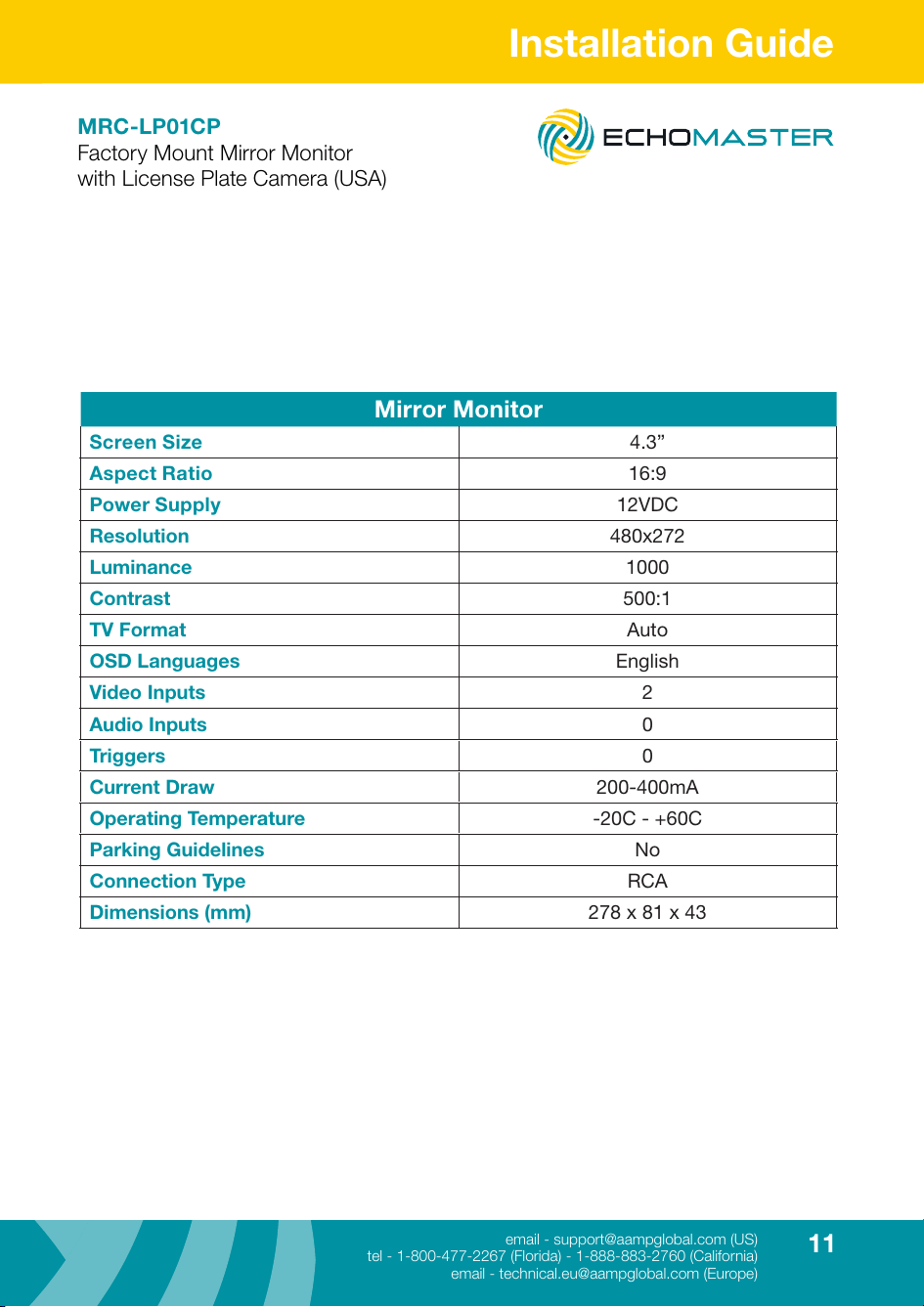
Mirror Monitor
Screen Size 4.3”
Aspect Ratio 16:9
Power Supply 12VDC
Resolution 480x272
Luminance 1000
Contrast 500:1
TV Format Auto
OSD Languages English
Video Inputs 2
Audio Inputs 0
Triggers 0
Current Draw 200-400mA
Operating Temperature -20C - +60C
Parking Guidelines No
Connection Type RCA
Dimensions (mm) 278 x 81 x 43

email - [email protected] (US)
tel - 1-800-477-2267 (Florida) - 1-888-883-2760 (California)
email - [email protected] (Europe)
15500 Lightwave Drive, Suite 202, Clearwater, Florida 33760
Woolmer Way, Bordon, Hampshire, United Kingdom
Echomaster is a brand of AAMP Global.
www.echomaster.com
REV 250717