This product has been manufactured and sold under the responsibility
of Curtis International Ltd.
RCA, the RCA logo, the two dogs (Nipper and Chipper) logo, are
registered trademarks or trademarks of Technicolor (S.A.) or its
affiliates and are used under license by Curtis International Ltd.
Any other product, service, company, trade or product name and logo
referenced herein are neither endorsed nor sponsored by
Technicolor (S.A.) or its Affiliates.
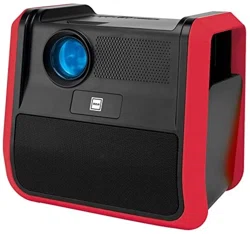
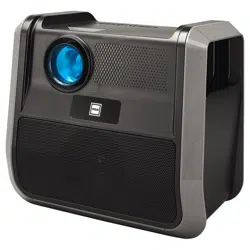
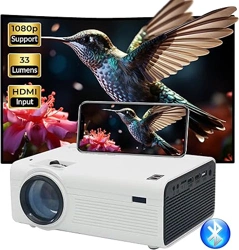
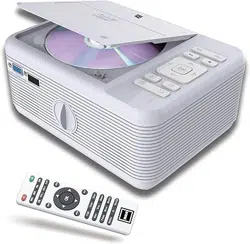
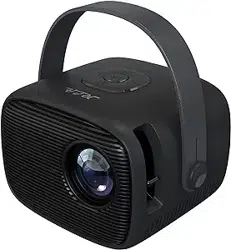
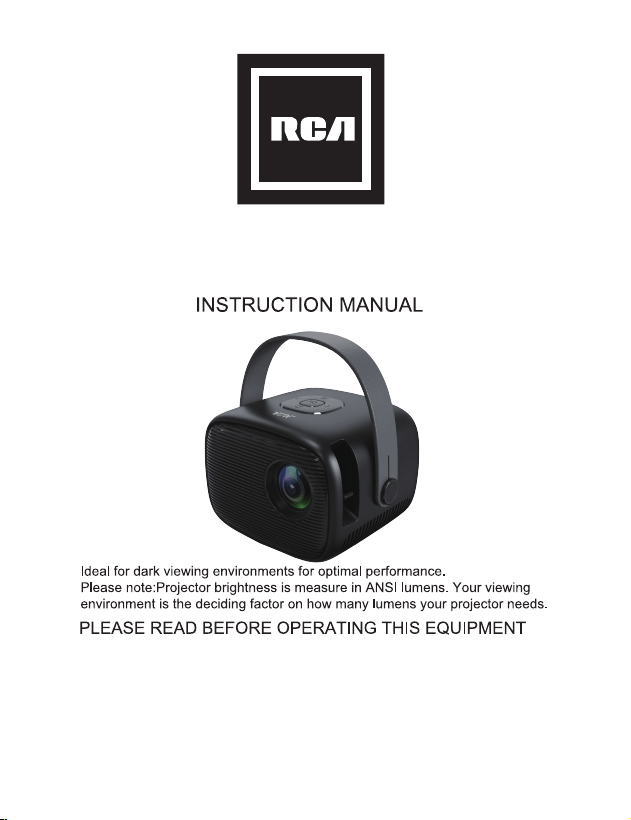
HOME THEATER PROJECTOR
MODEL NO:
RPJ264-BLACK/WHITE/BLUE/CORAL
13
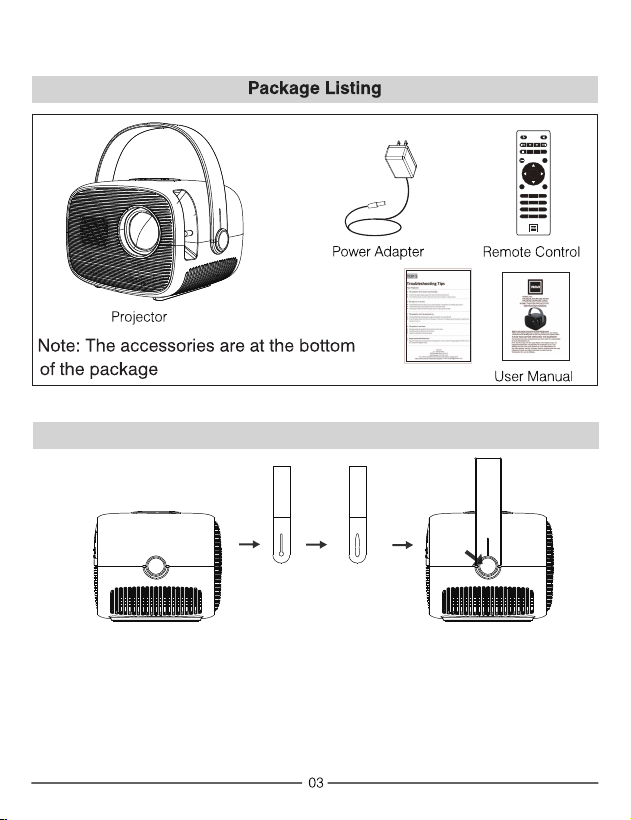
Fix the handle on the unit
Take out the handle tape, and fasten on the button on each side of unit.
OK
1 2 3
4 5 6
7 8 9
0
SOURCE
GOTO ZOOM
MENU
FLIP VOL – VOL +
EXIT
TOP5 tips
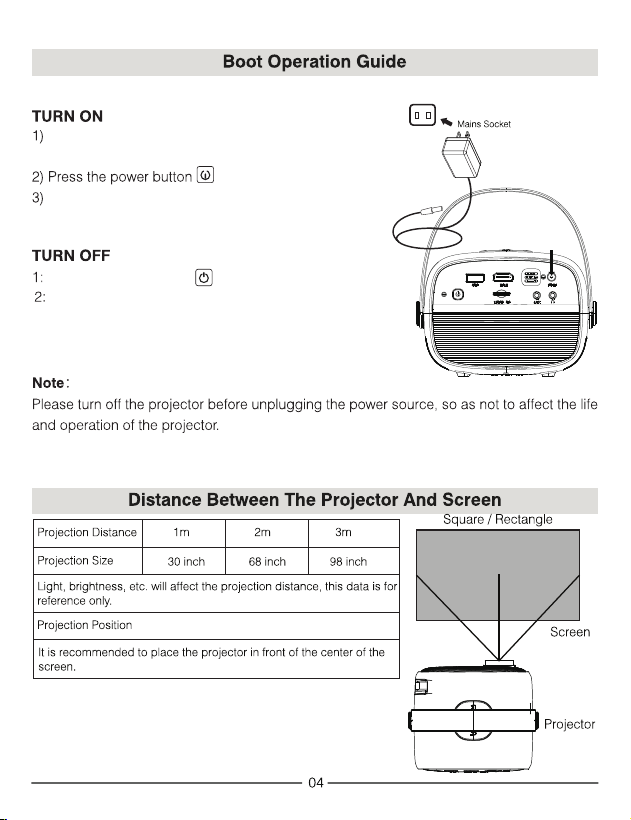
Plugged in the DC jack to this unit, the indicator
light : Red.
Indicator light : Green.
The projector turned on and the screen will be on after
5 seconds.
Press the power button twice to turn off this unit.
Unplug the power adapter.
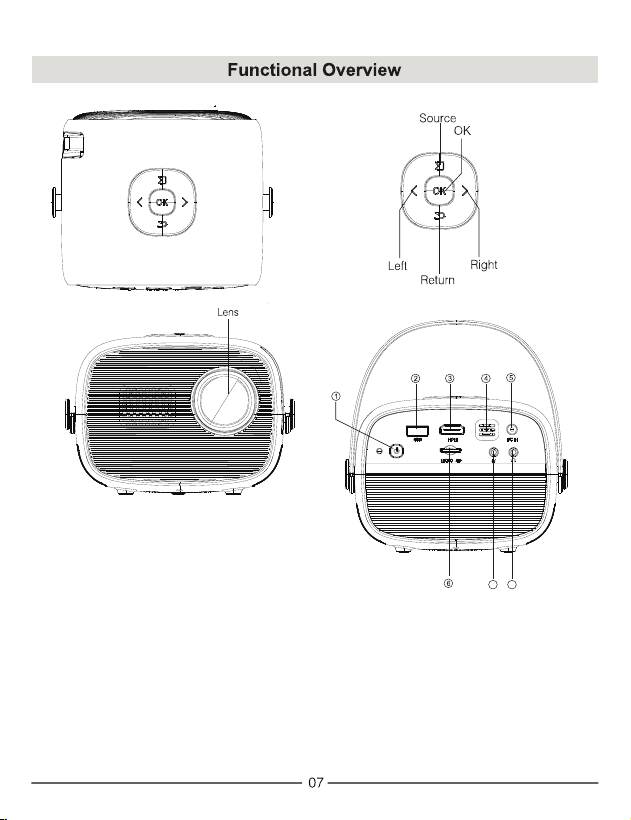
7 8
1. POWER ON/OFF
2. USB Port
3. HDMI Port
4. IR window
5. DC IN Plug
6. Micro SD Port
7. AV IN Port
8. Headphone Port
OK
1 2 3
4 5 6
7 8 9
0
SOURCE
GOTO ZOOM
MENU
FLIP VOL – VOL +
EXIT
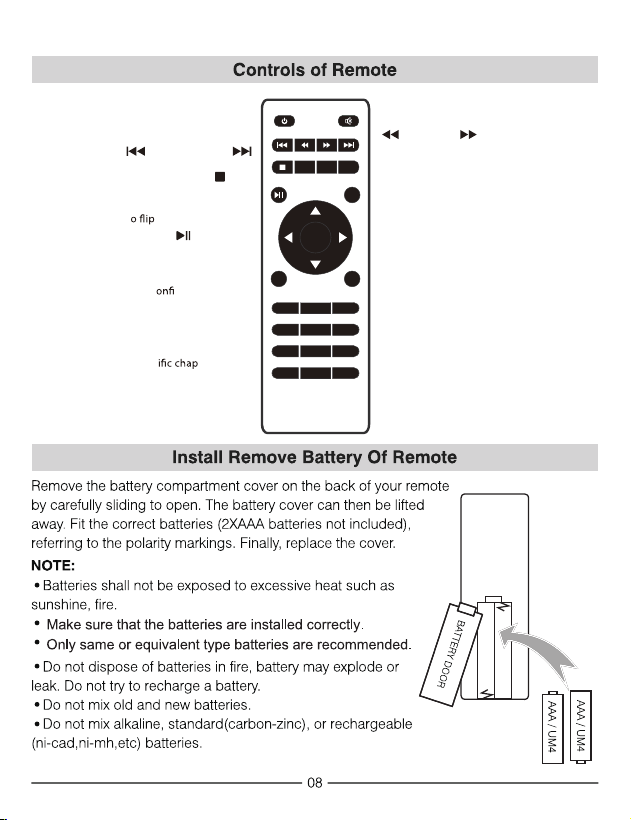
Power
Press to power ON.
Press twice to power OFF.
Previous / Next
Press to skip between chapters or tracks.
Stop
Press to stop playback.
Flip
Press t
display image 180°.
Play/Pause
Press to play or pause an individual
chapter or track.
Arrows/OK
Press to navigate and c
rm selections in
Settings and other menus.
Menu
Press to access projector Settings.
Go To/Number Keypad
Press to enter spec
ter or track
numbers. Use Play button to begin
playing.
Mute
Press to mute volume.
Back / Fwd
Press to search through an individual
chapter or track.
VOL+ / VOL−
Press to adjust audio level.
Source
Press to select media source
(AV, PC, HDMI, MEDIA).
Exit
Press to exit menus.
Zoom
Press to zoom display image in or out.
NOTE FIRST.
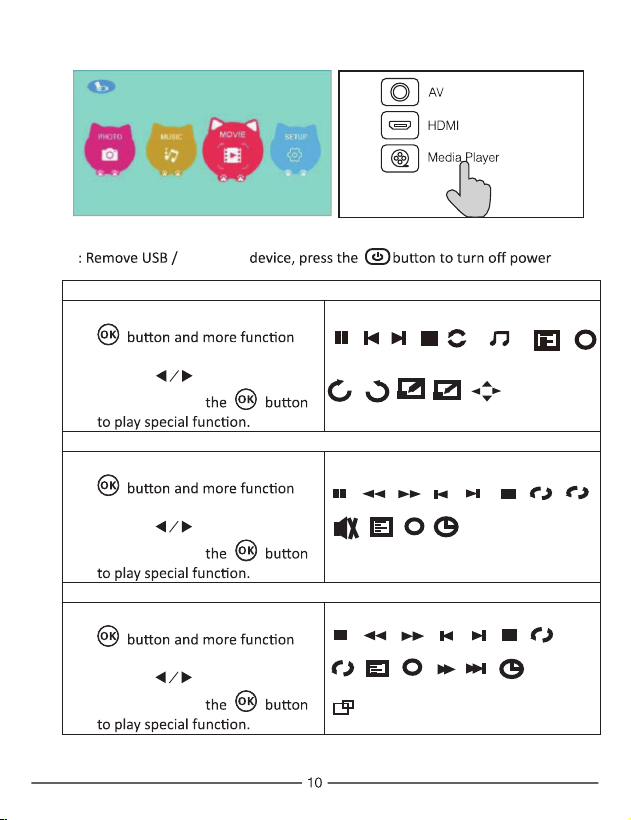
Sub-Menu on Photo screen
1. When photo playback, press the
screen show on lower (figure 1).
2. Use the button to select
icon and press
Figure 1.
Sub-Menu on Music screen
3. When music playback, press the
screen show on lower (figure 2 ).
4. Use the button to select
icon and press
Figure 2
Sub-Menu on Movie screen
5. When movie playback, press the
screen show on lower (figure 3).
6. Use the button to select
icon and press
Figure 3
Rotate
Zo...
Zo...
+
-
M...
Rotate
Pause
FB
FF
Next
Prev.
Stop
Re...
Set A
PL...
Info
Go...
AB
i
MUTE
Pause
FB
FF
Next
Prev.
Stop
Re...
Set A
PL...
Info
St...
Sl...
Go...
AB
i
AS...
Pause
Next
Prev.
Stop
Re...
PL...
Info
i
background
music
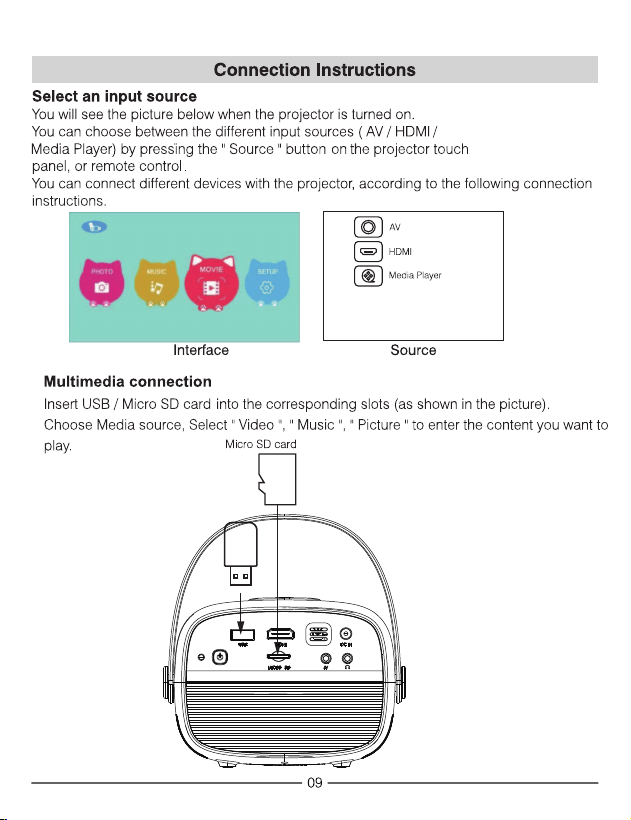
Micro SD
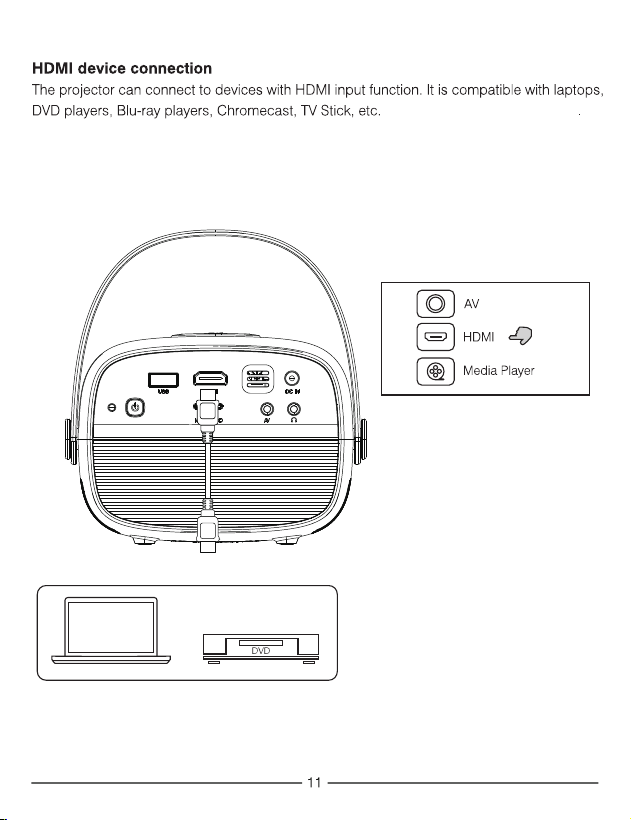
And HDMI cable is excluded
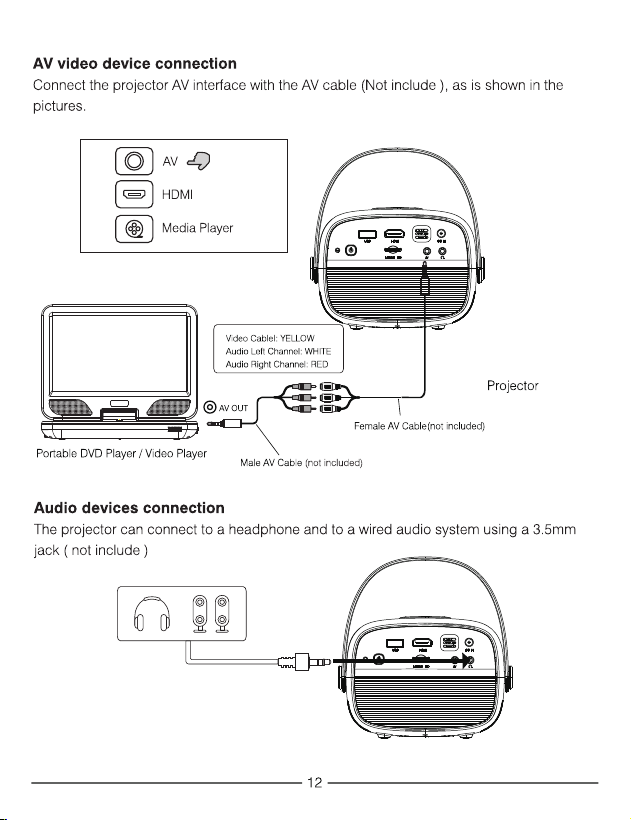
13
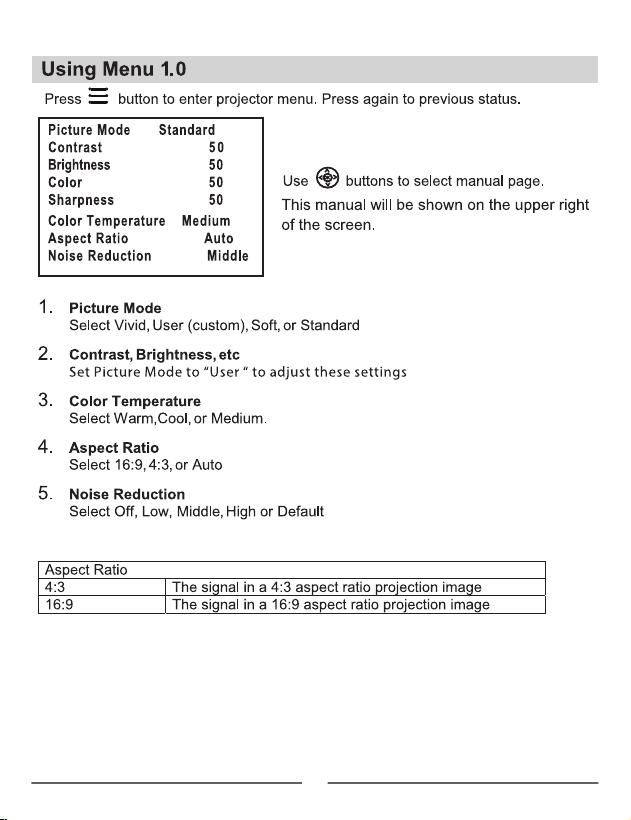
14
RPJ264
RPJ264
RCA
RCA
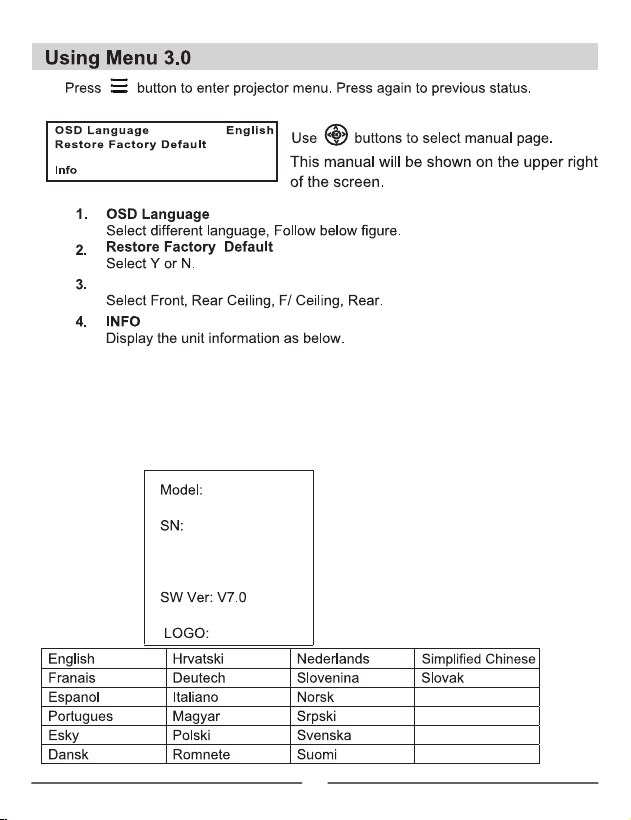
Panel Flip Rotate
Panel Flip Rotate Front
15
16
Note: It can't save the date and time settings when the
unit is unplugged.
17

18
Ideal for dark viewing environments for optimal performance.
Please note: Projector brightness is measure in ANSI lumens. Your viewing environment
is the deciding factor on how many lumens your projector needs.
19
Brightness output
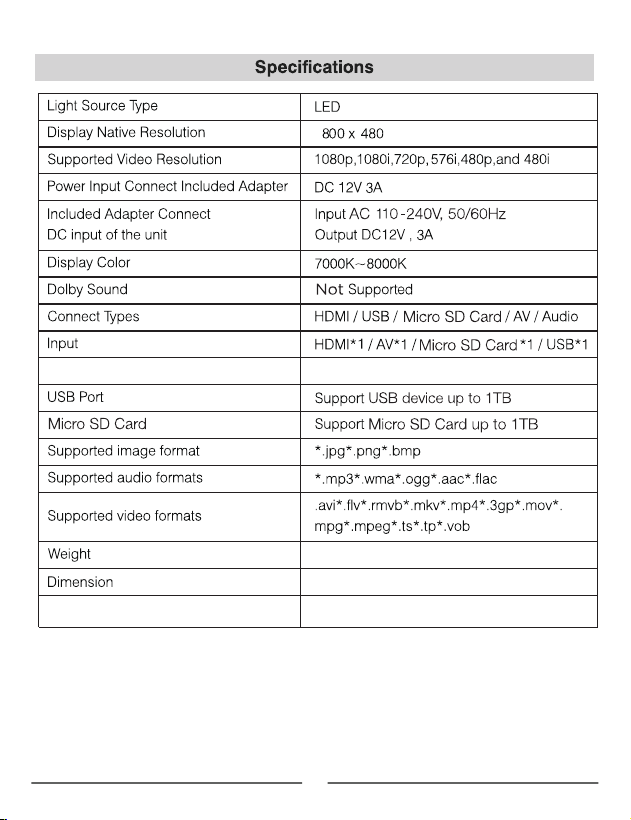
White light output ANSI :40 Lumens
142*116*99mm
0.52KG
Output Headphone out*1

20
To make a warranty claim, please email
support@curtiscs.com or call 1-800-968-9853.
90 day Warranty
This product is warranted to be free from defects in material and workmanship for a
period of ninety (90) days from the date of original purchase. During this period, your
exclusive remedy is repair or replacement of this product or component found to be
defective, at our option; however, you are responsible for all costs associated with
returning the product to us. If the product or component is no
longer available, w
e will
replace with a similar one of equal or greater value. Prior to a replacement being sent,
the product must be rendered inoperable or returned to us.
This warranty does not cover glass, filters, wear from normal use, use not in conformity
with the printed directions., or damage to the product resulting from accident, alteration,
abuse, or misuse. This warranty extends only to the original consumer purchaser or gift
recipient. Ke
ep the original sales receipt, as proof of purchase is required to make a
warranty claim. This warranty is void if the product is used for other than single-family
household use or subjected to any voltage and waveform other than as on the specified
rating on the label (e.g., 120V~60Hz).
We exclude all claims for special, incidental, and consequentia
l damages caused by
breach of express or implied warranty. All liability is limited to
the amount of the
purchase price. Every implied warranty, including any statutory warranty or
condition of merchantability or fitness for a particular purpose, is disclaimed
except to the extent prohibited by law, in which case such warranty or condition is
limited to the duration of this written warranty. This warranty give
s you specific legal
rights. You may have other legal rights that vary depending on where you live. Som
e
states or provinces do not allow limitations on implied warranties or special, incidental, or
consequential damages, so the foregoing limitations may not apply to you.
For faster service, locate the model, type, and serial numbers on your appliance.