OWNER'S MANUAL
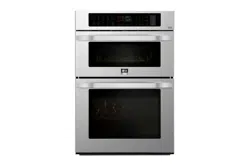
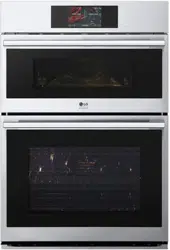
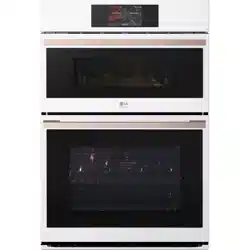
COMBINATION
WALL OVEN
Read this owner's manual thoroughly before operating the
appliance and keep it handy for reference at all times.
ENGLISH
WCES6428N
MFL70581910
Rev.02_040824
www.lg.com
Copyright © 2024 LG Electronics Inc. All Rights Reserved.
Scan to see the online manual.
en-us_main.book.book Page 1 Monday, April 8, 2024 1:07 PM

TABLE OF CONTENTS
2
4 IMPORTANT SAFETY
INSTRUCTIONS
4 READ ALL INSTRUCTIONS BEFORE USE
4 Precautions to Avoid Possible Exposure to
Excessive Microwave Energy
4 Safety Messages
4 WARNING
4 Technical Safety
6 Installation
6 Operation
7 Maintenance
7Risk of Fire and Flammable Materials
8Microwave Oven
8 Radio/TV/Wireless Equipment Interference
9 Safety Standard for Button Cell or Coin
Batteries
9CAUTION
9 Operation
10 Maintenance
11 PRODUCT OVERVIEW
11 Product Features
11 Exterior / Interior
11 Accessories
13 OPERATION
13 Operating Control Panel
13 Control Panel Features
14 Energy Saving Tips
14 Changing Settings
14 Getting Started
14 Settings
15 Microwave Quick Start
15 Lockout
15 Date & Time
16 Clock Themes
16 Sabbath Mode
16 Wi-Fi
16 Remote Start
17 Brightness
17 Display
17 Convection Auto Conversion
17 Language
18 Volume
18 Preheat Alarm Light
18 Temperature Adjustment
18 Temperature Units
19 Smart Diagnosis
TM
19 Demo Mode
19 Factory Data Reset
19 Open Source License
19 Oven Cooling
19 Timer
21 Operating the Upper Microwave Oven
21 Before Using
21 Microwave Cookware Guide
22 Cooking Tips
23 Microwave Power Levels
24 Microwave Mode
24 Convection Bake Mode
25 Broil Mode
25 Popcorn Mode
26 Defrost Mode
27 Speed Cook Mode
27 Sensor Cook Mode
29 Microwave Quick Start Mode
29 Auto Cook Mode
31 Soften Mode
32 Melt Mode
32 Warm Mode
33 Proof Mode
34 Operating the Lower Oven
34 Before Using the Oven
34 Using Standard Oven Racks
34 Using Gliding Oven Racks
35 Instaview
35 Convection Bake and Roast Mode
37 Bake Mode
37 Recommended Baking Guide
38 Broil Mode
40 Recommended Broiling Guide
42 Warm Mode
42 Proof Mode
43 Air Fry
44 Recommended Air Frying Guide
46 Probe Mode
47 Recommended Probe Guide
en-us_main.book.book Page 2 Monday, April 8, 2024 1:07 PM

3
48 Favorite Mode
49 Auto Cook Mode
50 Auto Cook Guide
54 Steam Function
55 Steam Bake Mode
55 Sous Vide
56 Sous Vide Cooking Guide
56 Remote Start Mode
58 SMART FUNCTIONS
58 LG ThinQ Application
58 LG ThinQ Application Features
58 Installing LG ThinQ Application and
Connecting an LG Appliance
59 LG UP Feature
59 RF Module Specifications
59 FCC Statement
60 Open Source Software Notice Information
60 Smart Diagnosis
TM
Feature
60 Using LG ThinQ to Diagnose Issues
60 Using Audible Diagnosis to Diagnose
Issues
62 MAINTENANCE
62 Cleaning
62 General Cleaning Tips
62 Exterior
63 EasyClean (Lower Oven)
65 Self Clean (Lower Oven)
68 Cleaning the Steam Feeder Tank
68 Cleaning Scale on Lower Oven Bottom
69 Drying the Lower Oven Interior
69 Using Evaporation Function (Lower Oven)
69 Periodic Maintenance
69 Changing the Oven Light
71 TROUBLESHOOTING
71 FAQs
71 Frequently Asked Questions
75 Before Calling for Service
75 Cooking
77 Parts & Features
78 Noises
78 Wi-Fi
80 LIMITED WARRANTY
80 USA
80 TERMS AND CONDITIONS
80 THIS LIMITED WARRANTY DOES NOT
COVER
81 PROCEDURE FOR RESOLVING DISPUTES
en-us_main.book.book Page 3 Monday, April 8, 2024 1:07 PM
4 IMPORTANT SAFETY INSTRUCTIONS
IMPORTANT SAFETY INSTRUCTIONS
READ ALL INSTRUCTIONS BEFORE USE
Precautions to Avoid Possible Exposure to Excessive Microwave Energy
(a) Do not attempt to operate this oven with the door open since open-door operation can result in
harmful exposure to microwave energy. It is important not to defeat or tamper with the safety interlocks.
(b) Do not place any object between the oven front face and the door or allow soil or cleaner residue to
accumulate on sealing surfaces.
(c) Do not operate the oven if it is damaged. It is particularly important that the oven door close properly
and that there is no damage to the: (1) door (bent), (2) hinges and latches (broken or loosened), (3) door
seals and sealing surfaces.
(d) The oven should not be adjusted or repaired by anyone except properly qualified service personnel.
Safety Messages
Your safety and the safety of others are very important.
We have provided many important safety messages in this manual and on your appliance. Always read and
follow all safety messages.
All safety messages will tell you what the potential hazard is, tell you how to reduce the chance of injury,
and tell you what may happen if the instructions are not followed.
WARNING
WARNING
• To reduce the risk of explosion, fire, death, electric shock, injury or scalding to persons when using this
product, follow basic precautions, including the following:
Technical Safety
• To reduce the risk of burns, electric shock, fire, injury to persons or exposure to excessive microwave
energy when using the microwave oven, read all instructions before using the appliance.
• This appliance is not intended for use by persons (including children) with reduced physical, sensory or
mental capabilities, or lack of experience and knowledge, unless they have been given supervision or
instruction concerning use of the appliance by a person responsible for their safety. Children should be
supervised to ensure that they do not play with the appliance.
This is the safety alert symbol.
This symbol alerts you to potential hazards that can kill or injure you and others. All safety messages
will follow the safety alert symbol and either the word WARNING or CAUTION.
These words mean:
WARNING
You may be killed or seriously injured if you do not follow instructions.
CAUTION
You may be injured or cause damage to the product if you do not follow instructions.
en-us_main.book.book Page 4 Monday, April 8, 2024 1:07 PM

5IMPORTANT SAFETY INSTRUCTIONS
ENGLISH
• Children must not be allowed to play with accessories or hang down from the door or any part of the
oven. Doing so can cause serious injury and damage. As with any appliance, close supervision is
necessary when used by children.
• Read and follow the Precautions to Avoid Possible Exposure to Excessive Microwave Energy found
on page 4.
• This appliance must be grounded. Connect only to a properly grounded outlet. See the Electrical
Requirements section.
• Install or locate this appliance only in accordance with the provided installation instructions.
• Some products such as whole eggs and sealed containers – for example, closed glass jars – can explode
and should not be heated in this oven.
• Use this appliance only for its intended use as described in the manual. Do not use corrosive chemicals
or vapors, such as sulfide and chloride, in this appliance. This type of oven is specifically designed to
heat, cook, or dry food. It is not designed for industrial or laboratory use.
• This appliance should be serviced only by qualified service personnel. Contact the nearest authorized
service facility for examination, repair, or adjustment.
• Do not cover or block any openings on the appliance.
• Do not store this appliance outdoors. Do not use this product near water - for example, near a kitchen
sink, in a wet basement, near a swimming pool, or similar location.
• To avoid electric shock:
- Do not operate this appliance if it has a damaged cord or plug, if it is not working properly or if it has
been damaged or dropped.
- Do not immerse the electrical cord or plug in water. Keep cord away from heated surfaces.
- Do not let cord hang over edge of table or counter.
• When cleaning surfaces of door and oven that come together on closing the door, use only mild,
nonabrasive soaps or detergents applied with a sponge or soft cloth.
• DO NOT TOUCH HEATING ELEMENTS OR INTERIOR SURFACES OF MICROWAVE OVEN. During and
after use or cleaning the Interior, do not touch other flammable materials contact heating elements or
interior surfaces of microwave oven until they have had sufficient time to cool. Other surfaces, such as
windows of microwave oven door, oven lamp, also get hot and may cause burns if not allowed to cool.
• To reduce the risk of fire in the oven cavity:
- Do not overcook food. Carefully attend to the microwave oven when paper, plastic or other
combustible materials are placed inside the oven to facilitate cooking.
- Do not use the cavity for storage purposes. Do not leave paper products, cooking utensils or food in
the cavity when not in use.
- Remove wire twist-ties from paper or plastic bags before placing bags in oven.
• If materials inside the oven ignite:
- Keep oven door closed and turn the oven off.
- Disconnect the power cord or shut off power at the fuse or circuit breaker panel.
• Liquids, such as water, coffee, or tea can be overheated beyond the boiling point without appearing to
be boiling due to surface tension of the liquid. Visible bubbling or boiling when the container is removed
from the microwave oven is not always present.
• THIS COULD RESULT IN VERY HOT LIQUIDS SUDDENLY BOILING OVER WHEN THE CONTAINER IS
DISTURBED OR A SPOON OR OTHER UTENSIL IS INSERTED INTO THE LIQUID.
To reduce the risk of injury to persons:
- Do not overheat the liquid. Stir the liquid both before and halfway through heating it.
- Do not use straight-sided containers with narrow necks. Use extreme care when inserting a spoon or
other utensil into the container.
- After heating, allow the container to stand in the microwave oven for a short time before removing the
container.
en-us_main.book.book Page 5 Monday, April 8, 2024 1:07 PM

6 IMPORTANT SAFETY INSTRUCTIONS
• Do not mount unit over or near any portion of a heating or cooking appliance.
• Do not mount over a sink.
• Do not store anything directly on top of the appliance surface when the appliance is in operation.
Installation
• Never allow anyone to climb, sit, stand or hang on the oven door. Injury might result from contact with
hot food or the oven itself.
• Do not line the oven walls, racks, bottom, or any other part of the oven with aluminum foil or any other
material. Doing so will disrupt heat distribution, produce poor baking results and cause permanent
damage to the oven interior. (Aluminum foil will melt on the interior surface of the oven.)
• Do not use aluminum foil or any other material to line the oven bottom. Improper installation of oven
liners may result in a risk of electric shock or fire.
• Make sure your appliance is properly installed and grounded by a qualified installer, according to the
installation instructions. Any adjustment and service should be performed only by qualified installers or
service technicians.
• Be certain that all packing materials are removed from the appliance before operating. Keep plastic,
clothes, paper, and other flammable materials away from parts of the appliance that may become hot.
• The electrical power must be shut off while the electrical connections are being made.
• Improper connection of aluminum house wiring to copper leads can result in an electrical hazard or fire.
Use only connectors designed for joining copper to aluminum and follow the manufacturer’s
recommended procedure closely.
• Important – Save for the local electrical inspector's use
Operation
• DO NOT TOUCH HEATING ELEMENTS OR INTERIOR SURFACES OF OVEN. Heating elements may be hot
even though they are dark in color. Interior surfaces of an oven become hot enough to cause burns.
During and after use, do not touch or let clothing or other flammable materials contact heating elements
or interior surfaces of oven until they have had sufficient time to cool. Other surfaces, such as oven vent
openings and surfaces near these openings, oven doors, and windows of oven doors, also get hot and
may cause burns if not allowed to cool.
• Use care when opening door. The hot air and steam that escape can cause burns to hands, face and
eyes. Let hot air or steam escape from the oven before removing or replacing food in the oven.
• Do not use plastic to cover food. Use foil or oven-safe lids only.
• Never attempt to dry a pet in the oven.
• Never use your appliance for warming or heating the room.
• Always use pot holders or oven mitts when removing food from an oven or cooktop. Cookware will be
hot. Use only dry pot holders. Moist or damp pot holders on hot surfaces may result in burns from
steam. Do not let the pot holder touch hot heating elements. Do not use a towel or other bulky cloth to
remove food.
• Do not heat unopened food containers. Pressure in the containers may cause them to burst which may
result in injury.
• Do not allow aluminum foil or the temperature probe to contact heating elements.
• Do not touch the oven racks while they are hot.
• Only arrange oven racks when the oven is cool. If a rack must be moved while the oven is hot, do not let
the pot holder contact the hot heating element in the oven.
• Pull the oven rack to the stop-lock position when loading and unloading food from the oven. This helps
prevent burns caused by touching hot surfaces of the door and oven walls.
• Do not use the oven if a heating element develops a glowing spot during use or shows other signs of
damage. A glowing spot indicates the heating element may fail and present a potential burn, fire, or
en-us_main.book.book Page 6 Monday, April 8, 2024 1:07 PM

7IMPORTANT SAFETY INSTRUCTIONS
ENGLISH
shock hazard. Turn the oven off immediately and have the heating element replaced by a qualified
service technician.
• Do not leave children alone or unsupervised near the appliance when it is in use or is still hot. Children
should never be allowed to sit or stand on any part of the appliance as they could be injured or burned.
• DO NOT block the oven vent during operation. This can damage the electric parts of the oven. Air must
be able to move freely. The bottom vent trim should be properly assembled on the front bottom of oven
before installing the oven door.
• Do not put large, heavy items such as whole turkeys on the open oven door.
• Take care when the door is open to avoid injury.
• If the door or door seals are damaged, the oven must not be operated until it has been repaired by a
competent person.
• Do not allow children to crawl into the oven.
• Do not put your hand under the controller or between the door and bottom vent trim during operation.
The outside of the oven can become very hot to the touch.
Maintenance
• Do not store items of interest to children on the back guard or in cabinets above a cooking appliance.
Children climbing on the oven to reach items could be seriously injured.
• Let hot cookware and utensils cool in a safe place, out of reach of small children.
• If the door glass, surface, or oven heating unit of the appliance are damaged, discontinue use of the
appliance and call for service.
• Always disconnect power from the appliance before servicing.
• Before replacing the oven light, switch off the electrical power to the oven at the main fuse or circuit
breaker panel.
• Never pour cold water over a hot oven for cleaning purposes.
• Oversized food or oversized metal cookware should not be inserted in a microwave/toaster oven as they
may create a fire or risk of electric shock.
• Do not clean with metal scouring pads. Pieces can burn off the pad and touch electrical parts causing a
risk of electric shock.
• Do not store any materials, other than manufacturer’s recommended accessories, in this oven when not
in use.
• Do not cover racks or any other part of the oven with metal foil. This will cause overheating of the oven.
• If the self-cleaning mode malfunction light goes on, or if the audible signal sounds, turn off or
disconnect the appliance from the power supply and have it serviced by a qualified technician.
• If the oven is heavily soiled with oil, self-clean the oven before using the oven again. The oil could cause
a fire.
• If there is a fire in the oven during self-clean, turn the oven off and wait for the fire to go out. Do not
force the door open. Introduction of fresh air at self-clean temperatures may lead to a burst of flame
from the oven. Failure to follow this instruction may result in severe burns.
• If your oven is dropped or damaged, have it thoroughly checked by a qualified service technician before
using it.
Risk of Fire and Flammable Materials
• Do not store or use flammable material in or near the oven. Flammable materials include paper, plastic,
pot holders, linens, wall coverings, curtains, and gasoline or other flammable vapors and liquids such as
grease or cooking oil. These materials can be ignited when the oven is in use.
• Use extreme caution when moving or disposing of hot grease.
en-us_main.book.book Page 7 Monday, April 8, 2024 1:07 PM

8 IMPORTANT SAFETY INSTRUCTIONS
• Wear proper apparel. Do not wear loose-fitting or hanging garments, which may ignite if they contact
hot surfaces, and cause severe burns.
• Do not use the oven for drying clothes. Only use the oven for its intended purpose.
• If cabinet storage is provided directly above the oven, use it to store items that are not frequently used
and can be safely stored in an area subjected to heat. Temperatures may be unsafe for volatile items
such as flammable liquids, cleaners or aerosol sprays.
• Do not use water on grease fires. Should an oven fire occur, leave the oven door closed and turn the
oven off. If the fire continues, throw baking soda on the fire or use a fire extinguisher. Do not put water
or flour on the fire. Flour may be explosive and water can spread a grease fire and cause personal injury.
Microwave Oven
• The oven must be installed following the provided installation instructions.
• Secure the cord in the cabinet above the oven.
• Preserve the oven floor:
- Do not heat the oven floor excessively.
- Do not cook anything directly on the oven floor or turntable. Use a microwavable dish.
• Do not heat any type of baby bottle or baby food. Uneven heating may occur and possibly cause
personal injury.
• Do not deep-fat fry in the oven.
• Do not attempt home canning in the microwave oven.
• Do not use cylindrical-shaped containers.
• In all containers, for best results, stir the liquid several times before heating. Always stir liquid several
times between reheatings.
• Place food directly on the trays when cooking unless prompted by the oven to do otherwise.
Radio/TV/Wireless Equipment Interference
• Operating the microwave oven near equipment-such as a radio, TV, wireless LAN, Bluetooth devices,
medical equipment, or wireless equipment which uses the same frequency, may cause interference. This
interference is not an indication of a defect in the product or its operation. The product is safe to use.
• Do not use medical equipment near the microwave oven, as the interference could affect the medical
equipment’s operation.
• When there is interference, it may be reduced or eliminated by taking the following measures:
- Clean the door and the sealing surfaces of the oven.
- Reorient the receiving antenna of the radio, TV, Bluetooth, or other equipment.
- Relocate the microwave oven in relation to the radio, TV, Bluetooth, or other equipment.
- Move the microwave oven away from the receiver.
- Plug the microwave oven into a different outlet so that the microwave oven and receiver are on
different branch circuits.
en-us_main.book.book Page 8 Monday, April 8, 2024 1:07 PM
9IMPORTANT SAFETY INSTRUCTIONS
ENGLISH
Safety Standard for Button Cell or Coin Batteries
• Remove and immediately recycle or dispose of used batteries according to local regulations and keep
away from children.
- Do NOT dispose of batteries in household trash or incinerate.
• Even used batteries may cause severe injury or death.
• Call a local poison control center for treatment information.
• Non-rechargeable batteries are not to be recharged.
• Do not force discharge, recharge, disassemble, heat above 140 ℉ (60 ℃) or incinerate.
- Doing so may result in injury due to venting, leakage or explosion resulting in chemical burns.
• Product contains non-replaceable batteries.
• Battery Type : MS621FE
• Nominal Voltage : 3.0 V
CAUTION
CAUTION
• To reduce the risk of minor injury to persons, malfunction, or damage to the product or property when
using this product, follow basic precautions, including the following:
Operation
• Always heat fat slowly, and watch as it heats.
• If frying combinations of oils and fats, stir them together before heating.
• Use a deep fat thermometer, if possible, to prevent overheating fat beyond the smoking point.
• Use the least possible amount of fat for effective shallow or deep-fat frying. Filling the pan with too much
fat can cause spillovers when food is added.
• Accessible parts may become hot when the grill is in use.
• Do not place food or cookware on the bottom of the oven cavity. Doing so will cause permanent damage
to the oven bottom finish.
• When using cooking or roasting bags in the oven, follow the manufacturer’s directions.
• To protect against food-borne illnesses, cook meat and poultry thoroughly. The USDA has indicated the
following as safe minimum internal temperatures for consumption:
- Ground beef: 160 °F (71 ℃)
- Poultry: 165 °F (74 ℃)
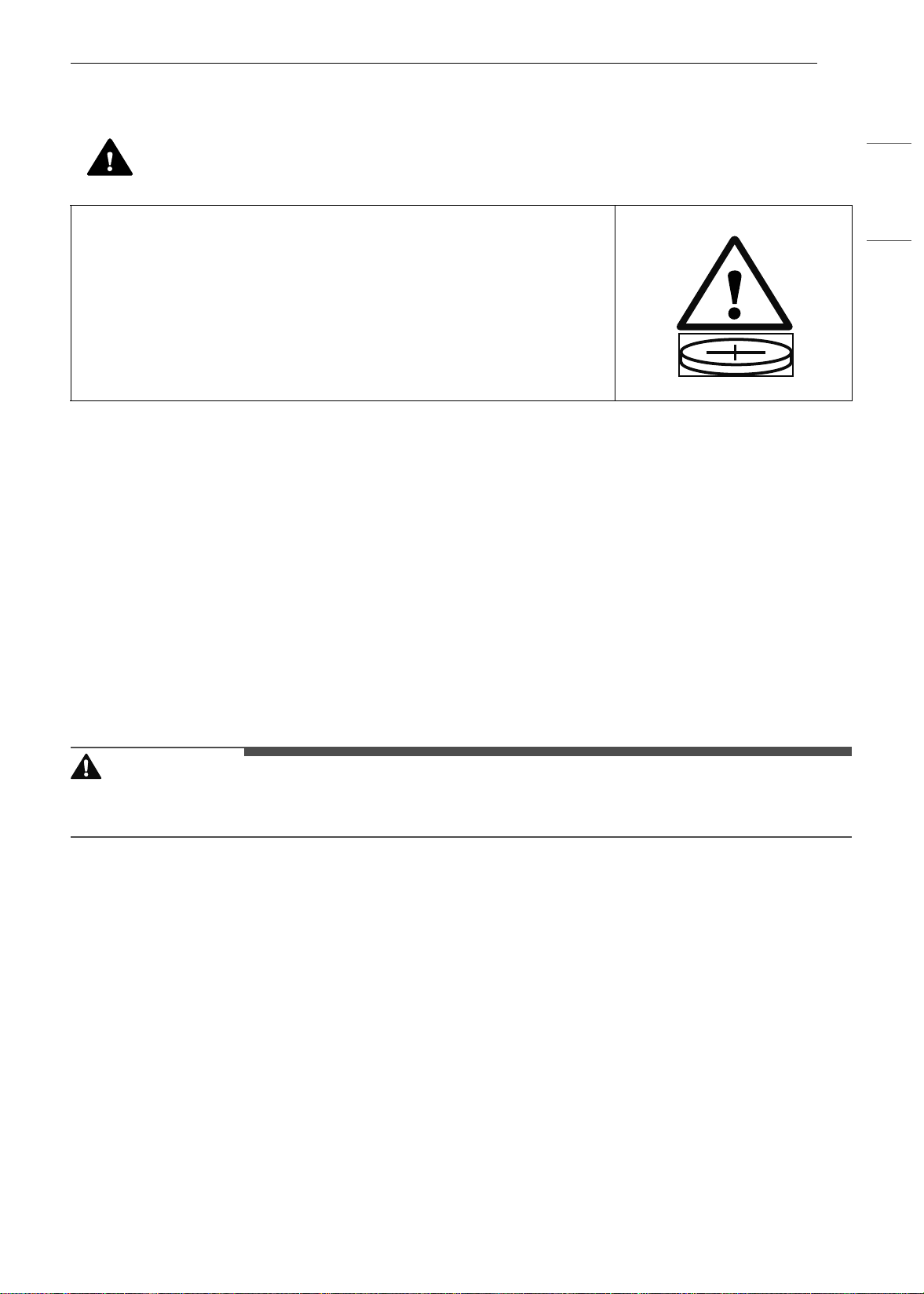
WARNING
• INGESTION HAZARD: This product contains a button cell or coin
battery.
• DEATH or serious injury can occur if ingested.
• A swallowed button cell or coin battery can cause Internal Chemical
Burns in as little as 2 hours.
• KEEP new and used batteries OUT OF REACH of CHILDREN.
• Seek immediate medical attention if a battery is suspected to be
swallowed or inserted inside any part of the body.
en-us_main.book.book Page 9 Monday, April 8, 2024 1:07 PM

10 IMPORTANT SAFETY INSTRUCTIONS
SAVE THESE INSTRUCTIONS
- Beef, veal, pork, or lamb: 145 °F (68 ℃)
- Fish/seafood: 145 °F (68 ℃)
• Do not use this oven for commercial purposes. It is made for household use only.
• The door or the outer surface may get hot when the appliance is operating.
• Do not use this oven for purposes other than cooking.
• Use caution if opening the door when the oven is operating. Hot surfaces can cause serious burns.
Maintenance
• Do not repair or replace any part of the appliance unless specifically recommended in the manual. All
other servicing should be performed by a qualified technician.
• Do not use harsh, etching, abrasive cleaners or sharp metal scrapers to clean the oven door glass since
they can scratch the surface. Scratches may cause the glass to shatter.
• Make sure oven lights are cool before cleaning.
• Do not clean the door gasket. The door gasket is essential for a good seal. Care should be taken not to
rub, damage, or move the gasket.
• Never keep pet birds in the kitchen. The health of birds is extremely sensitive to the fumes released
during an oven self-clean cycle. Fumes may be harmful or fatal to birds. Move birds to a well-ventilated
room.
• Do not rinse trays and racks by placing them in water just after cooking. This may cause breakage or
damage.
• The oven should be cleaned regularly and any food deposits should be removed. Failure to maintain the
oven in a clean condition could lead to deterioration of the surface that could shorten the life of the
appliance and possibly result in a hazardous situation.
• Clean in the self-clean cycle only parts listed in this manual. Before self-cleaning the oven, remove the
broiler pan, all oven racks, the meat probe and any utensils or food from the oven.
en-us_main.book.book Page 10 Monday, April 8, 2024 1:07 PM
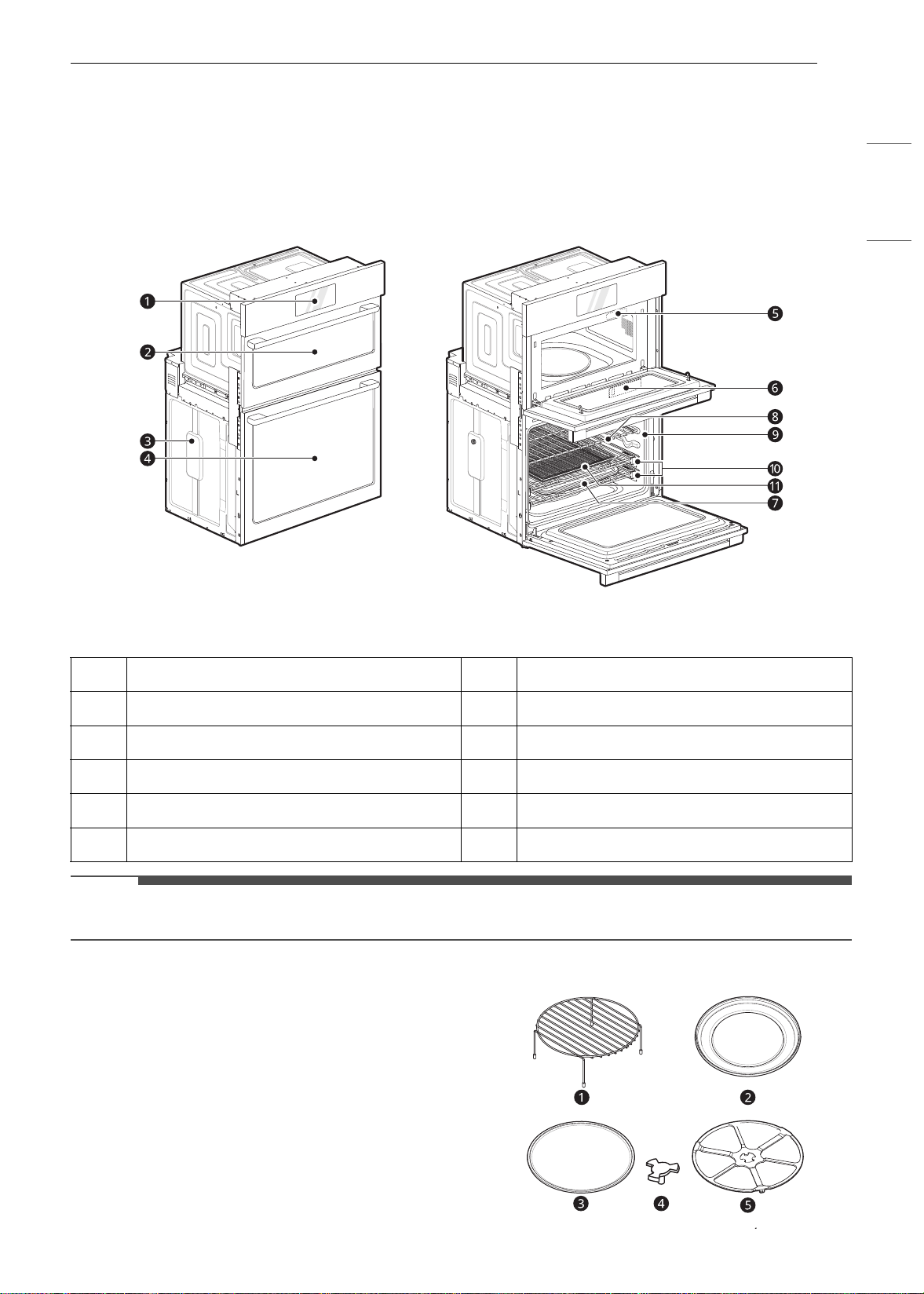
11PRODUCT OVERVIEW
ENGLISH
PRODUCT OVERVIEW
Product Features
The appearance and specifications listed in this manual may vary due to constant product improvements.
Exterior / Interior
NOTE
• The model and serial number can be verified at the rating label.
Accessories
Accessories for Upper Oven
The turntable rotates in both directions to help
food cook more evenly. Do not operate the
microwave oven without the glass tray in place.
a
Oven Controller
g
Broiler Pan and Grid
b
Upper Oven Door
h
Standard Racks
c
Spacer
i
Gasket
d
Lower Oven Door
j
Gliding Racks
e
Rating Label, Model and Serial Number Plate
k
Air Fry Tray
f
Steam Feeder Tank
en-us_main.book.book Page 11 Monday, April 8, 2024 1:07 PM
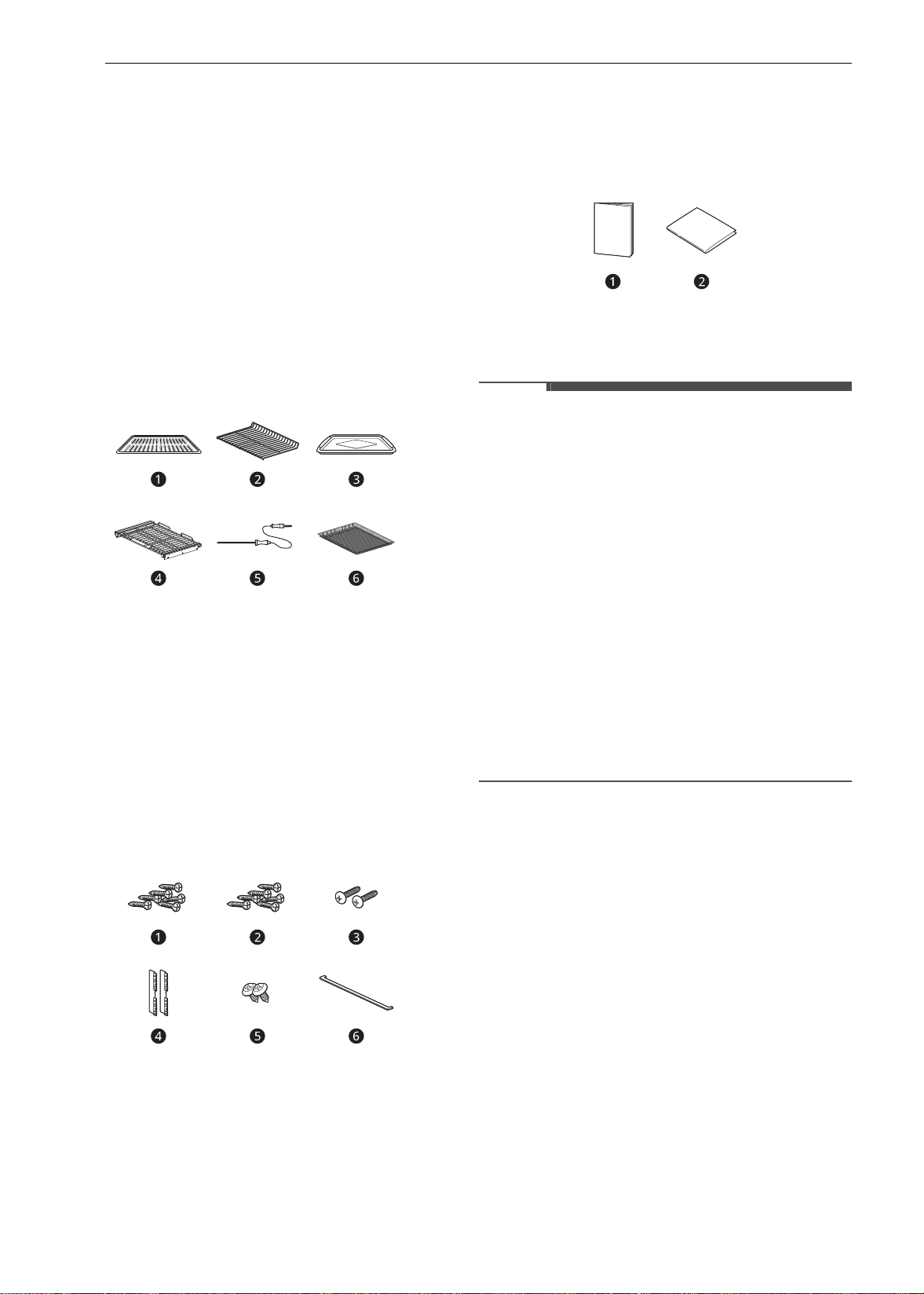
12 PRODUCT OVERVIEW
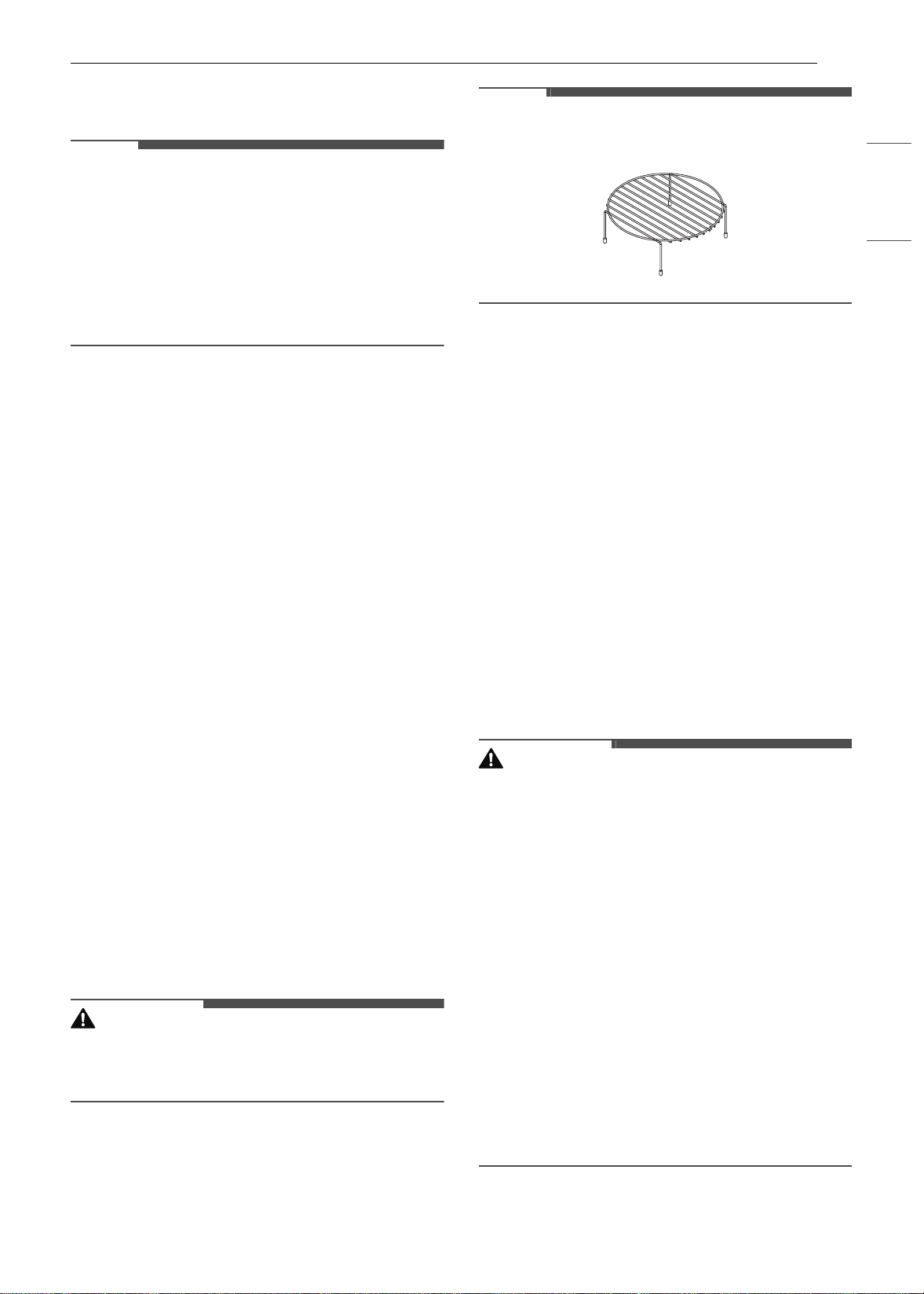
a Rack (For the Convection Bake, Broil and Speed
Cook functions)
b Metal Tray (For the Convection Bake, Broil and
Speed Cook functions)
c Glass Tray (For the Microwave and Defrost
functions)
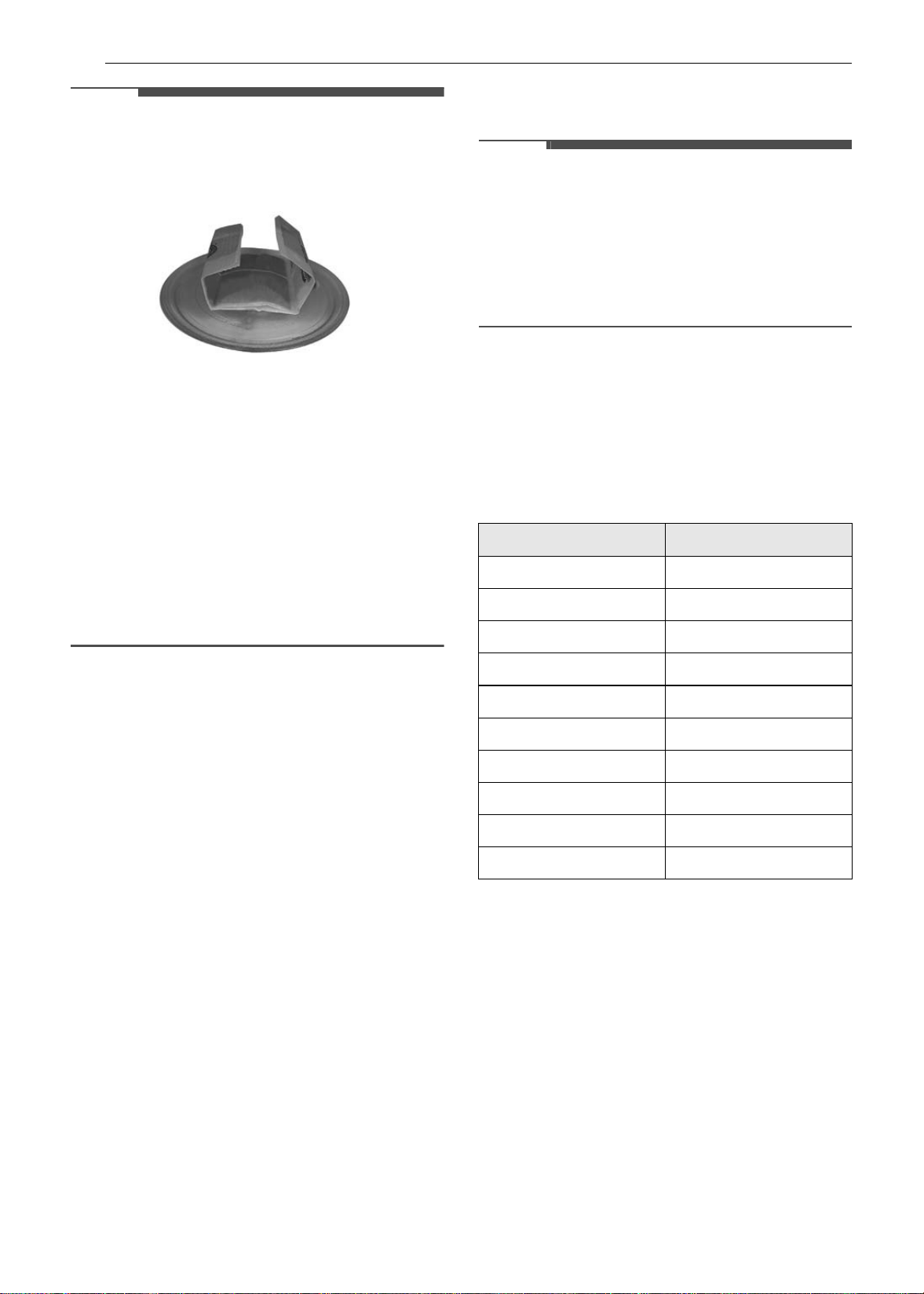
d Shaft
e Rotating Ring
Accessories for Lower Oven
Accessories for Cooking
a
Grid
b Standard Rack
c Broiler Pan
d Gliding Rack (2ea)
e Meat Probe
f Air Fry Tray
Accessories for Installation
a
4X14 6 Wood Screws for Mounting (4 needed
for installation and 2 extras)
b 3X27 6 Wood Screws for Mounting (for flush
installation)
c 4X22 2 Self-Tapping Screws for Cover Bracket
d 2 Cover Brackets for Flush Installation
e 4X12 2 Screws for Bottom Decorative Trim
f Bottom Decorative Trim
Manuals
a
Owner’s Manual
b Installation Manual
NOTE
• Contact LG Customer Service at 1-800-243-0000
(1-888-542-2623 in Canada) if any accessories
are missing.
• For your safety and for extended product life,
only use authorized components.
• The manufacturer is not responsible for product
malfunction or accidents caused by the use of
separately purchased, unauthorized
components or parts.
• The images in this guide may be different from
the actual components and accessories, which
are subject to change by the manufacturer
without prior notice for product improvement
purposes.
• Do not remove gliding racks from the base
packing. The gliding racks are wrapped
separately for the top and bottom ovens.
en-us_main.book.book Page 12 Monday, April 8, 2024 1:07 PM
13OPERATION
ENGLISH
OPERATION
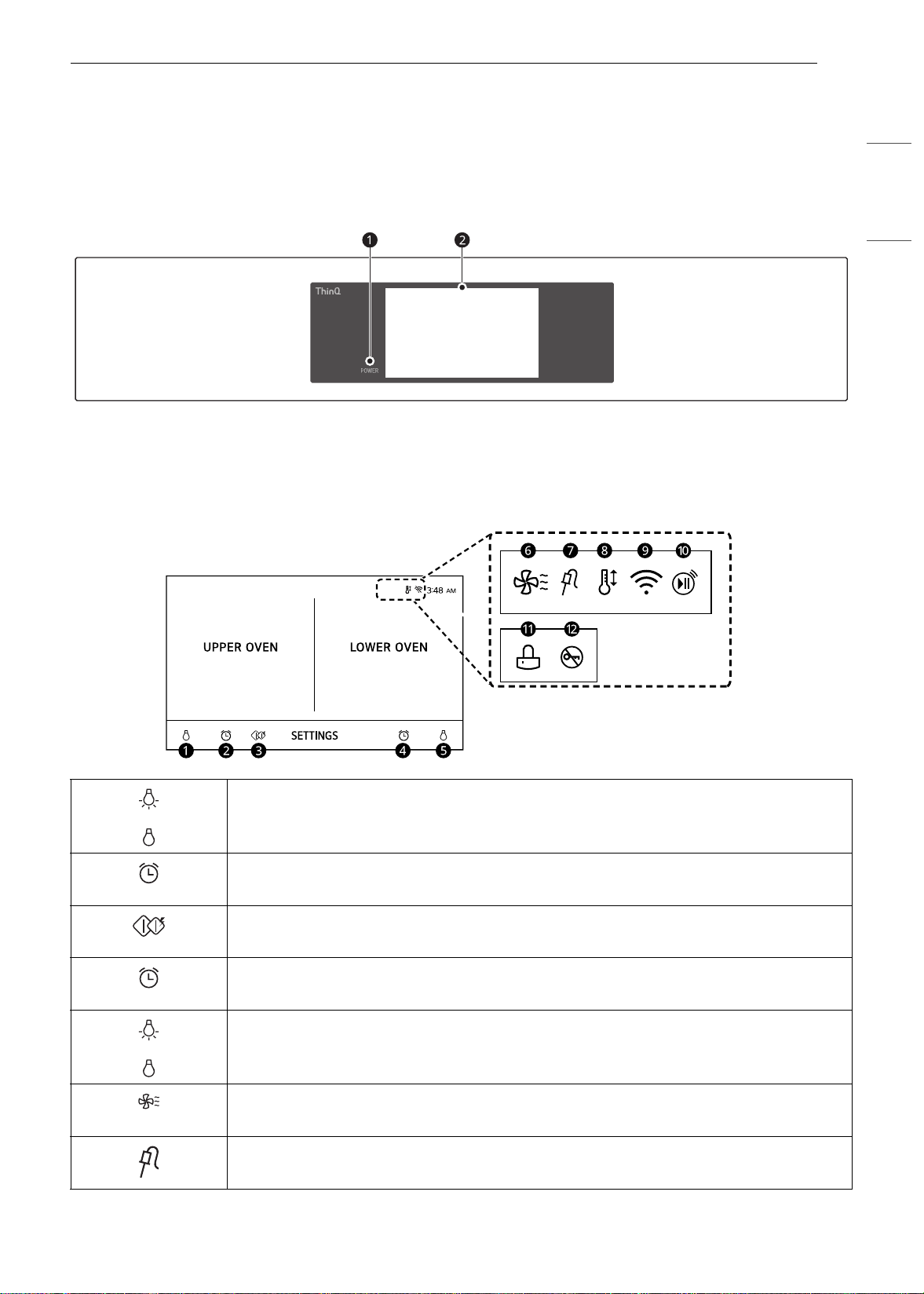
Operating Control Panel
Control Panel Features
a LCD Display On/Off b LCD Touchscreen for Oven
Display Icons
Icons appear in display when activated.
a Lamp Icon (Upper Oven)
Press to turn light on/off
b Timer Icon (Upper Oven)
Press to set a timer
c Microwave Quick Start
Press to start Microwave mode quickly
d Timer Icon (Lower Oven)
Press to set a timer
e Lamp Icon (Lower Oven)
Press to turn light on/off
f Oven Cooling Icon
Appears during or after oven operation to indicate cooling fan is running in oven
g Probe Icon
Appears when probe is connected
en-us_main.book.book Page 13 Monday, April 8, 2024 1:07 PM
14 OPERATION
Energy Saving Tips
• Multiple-rack cooking saves time and energy.
Whenever possible, cook foods requiring the
same cooking temperature together in one
oven.
• For optimal performance and energy savings,
follow the guides for proper rack and pan
placement.
• Reduce energy use by cleaning light oven soil
with the EasyClean feature instead of self-clean.
• Avoid opening the oven door more than
necessary during use. This helps the oven
maintain temperature, prevents unnecessary
heat loss, and saves on energy use.
Changing Settings
Getting Started
After turning on the oven for the first time, adjust
the settings to suit your preferences.
1 Press POWER on the LCD display.
2 After the startup animation, select the desired
language and press NEXT.
3 Scroll the fields up or down to set the correct
date, and press NEXT.
4 Set the correct time of day and choose
between a 12-hour or 24-hour time format.
Then press NEXT.
5 If desired, change the default clock theme by
swiping through the examples. Then press
NEXT.
6 Read through the application guide in the
display and press DONE.
7 The mode screen appears in the display.
Settings
To adjust settings after the initial setup, press the
display to open the Main screen. Press Settings at
the bottom center of the Main screen.
Swipe the screen or press the
34 arrow keys to
navigate through the Settings screens.
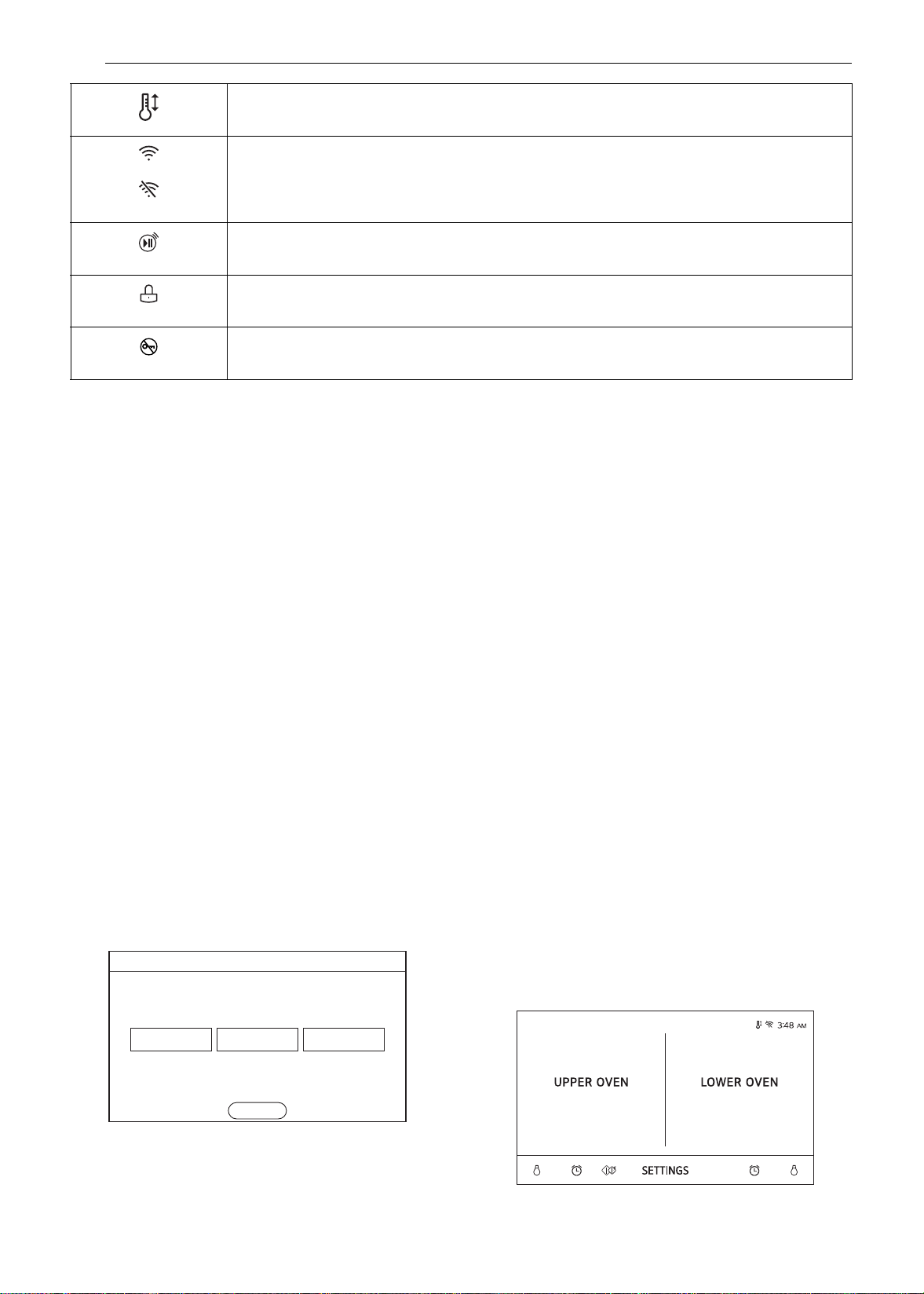
h Auto Conversion Icon
Appears when Convection Auto Conversion is turned on
i Wi-Fi Icon
• Appears when oven is connected to Wi-Fi
• Appears when oven is disconnected from Wi-Fi or is not registered
j Remote Start Icon
Appears when Remote Start is active
k Lock Icon
Appears when Lockout is on
l Door Lock Icon
Appears when Door Lock is on
(63$2/
)5$1$,6(1*/,6+
1(;7
Language Selction
en-us_main.book.book Page 14 Monday, April 8, 2024 1:07 PM
15OPERATION
ENGLISH
Location of Settings
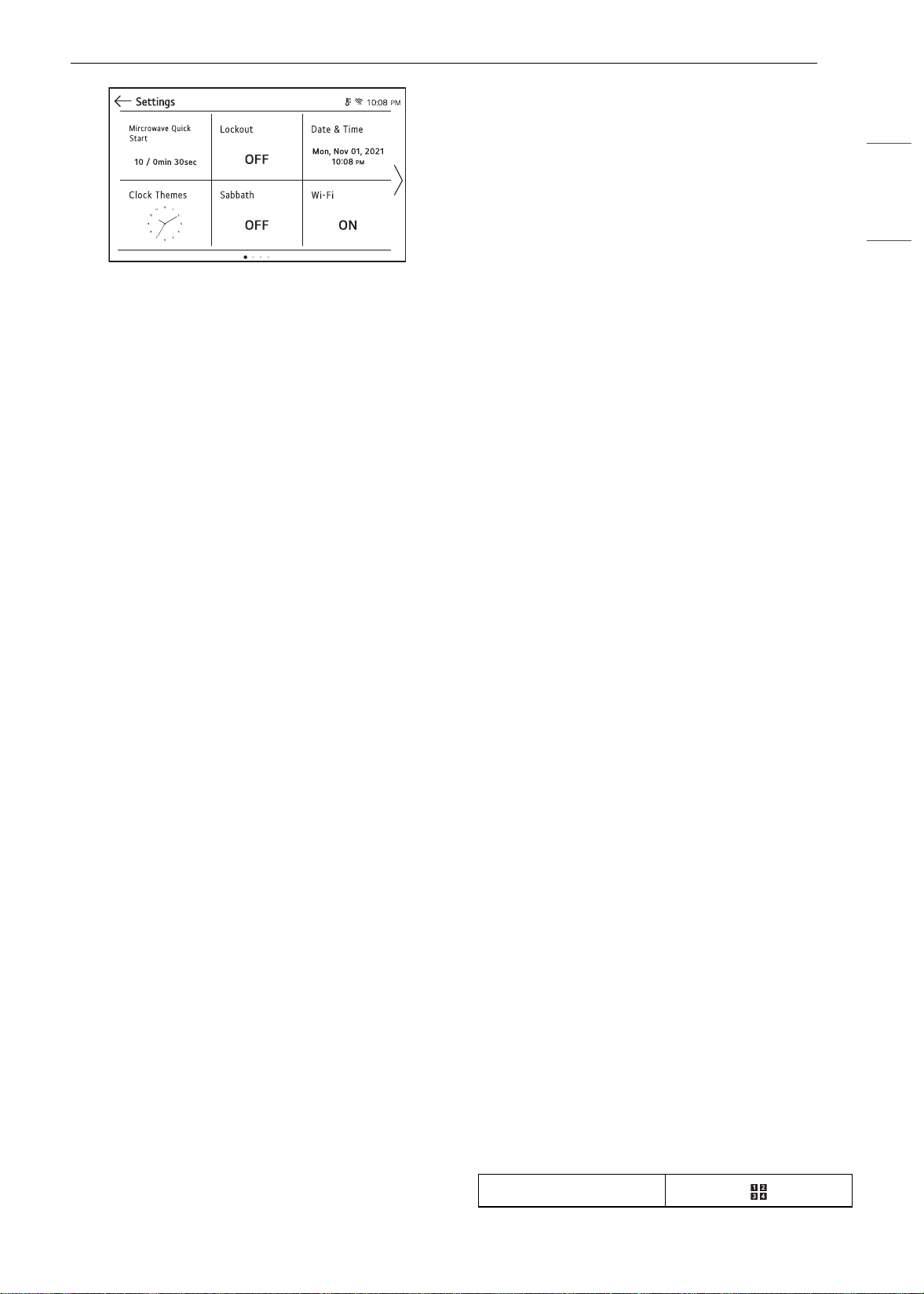
• Page 1: Microwave Quick Start, Lockout, Date &
Time, Clock Themes, Sabbath Mode, Wi-Fi Setup
• Page 2: Remote Start, Brightness, Display,
Convection Auto Conversion, Language
Selection, Volume
• Page 3: Preheat Alarm Light, Temperature
Adjustment, Temperature Units, Smart
Diagnosis
TM
, Demo Mode, Factory Data Reset
• Page 4: Open Source License
Microwave Quick Start
Use the Microwave Quick Start setting to adjust
the preset cook time that is activated when you
press Start without setting a time. The power level
of the microwave and preset time can be set from
1 to 10 and 1 second to 5 minutes.
Setting Cook Time
1 Press Settings at the center bottom of the
main screen.
2 Press Microwave Quick Start on the first
Settings screen.
3 Set the power level and cook time.
4 Press OK.
Lockout
The Lockout feature automatically prevents most
oven controls from being turned on. It does not
disable the clock, timer or the interior oven light.
Lock
1 Press Settings at the center bottom of the
Main screen.
2 Press Lockout on the first Settings screen.
3 When Lockout is turned on, the lock icon k
appears at the top of the display.
Unlock
1 Press any part of screen while Lockout is on.
2 A popup screen appears. Press Unlock for 3
seconds.
3 The lock icon disappears from the top of the
display.
Date & Time
The date and time show in the LCD display when
the ovens are not in use.
Setting Date
1 Press Settings at the center bottom of the
Main screen. Then press Date & Time on the
Settings screen.
2 Press Date, and scroll to set the correct date.
3 Press OK.
Setting Time of Day
1 Press Settings at the center bottom of the
Main screen. Then press Date & Time on the
Settings screen.
2 Press Time, and scroll to set the correct hour
and minutes. You can also press the number
pad icon and enter the desired numbers.
Number pad icon
en-us_main.book.book Page 15 Monday, April 8, 2024 1:07 PM

16 OPERATION
3 Select either a 12-hour or 24-hour clock mode
(12H/24H).
4 Press OK.
Clock Themes
There are six different clock themes available,
including several analog and digital clocks.
1 Press Settings at the center bottom of the
Main screen.
2 Press Clock Themes on the first Settings
screen and swipe to browse through the clock
themes.
3 Select a clock theme and press OK.
Sabbath Mode
Sabbath mode is used on the Jewish Sabbath and
Holidays.
While the oven is in Sabbath mode, the
temperature cannot be changed and the timer,
light, and alarm functions are disabled. Only the
cooking mode and set temperature appear in the
display.
NOTE
• If the oven light is turned ON and the SABBATH
mode is active, the oven light will stay be OFF.
SABBATH mode can only be used in Bake mode.
Setting Sabbath Mode
1 Disconnect the probe. The Probe function is
not available in Sabbath mode.
2 Press Settings at the center bottom of the
Main screen, and touch Sabbath in the first
Settings screen.
3 Read the instructions, and press NEXT.
4 Set the desired temperature and cook time.
Any cook time can be set from 1 minute to 73
hours 59 minutes. If only using one oven,
press START.
5 To stop Sabbath mode, press POWER on the
LCD display.
NOTE
• If a cook time is set, the oven turns off
automatically at the end of the cook time,
without chiming. The oven remains in Sabbath
mode, but is turned off.
• If no cook time is set, the oven will not
automatically turn off.
• After a power failure, the display will turn back
on in Sabbath mode, but the oven will be off.
• In Sabbath mode, the upper oven functions are
blocked and the Wi-Fi network cannot be
connected.
Wi-Fi
Connect the appliance to a home Wi-Fi network to
use Remote Start and other smart functions. See
the Smart Functions section for more details.
Setting Up Wi-Fi
1 Press Settings at the center bottom of the
Main screen, and press Wi-Fi in the first
Settings screen.
2 Follow the instructions in the Wi-Fi Guide in
the display.
3 Select ON, OFF, or RESET and press OK.
4 If ON is selected, the Wi-Fi icon f appears at
the top of the display.
5 Selecting RESET initializes the IP address.
Remote Start
Remotely starts or stops the preheating function
of the appliance. The appliance must be registered
on a home Wi-Fi network to use Remote Start.
en-us_main.book.book Page 16 Monday, April 8, 2024 1:07 PM
17OPERATION
ENGLISH
Setting Remote Start
1 Press Settings at the center bottom of the
Main screen, and press Remote Start in the
second Settings screen.
2 Select On or Off and press OK.
3 If ON is selected, the Remote Start icon
appears at the top of the display.
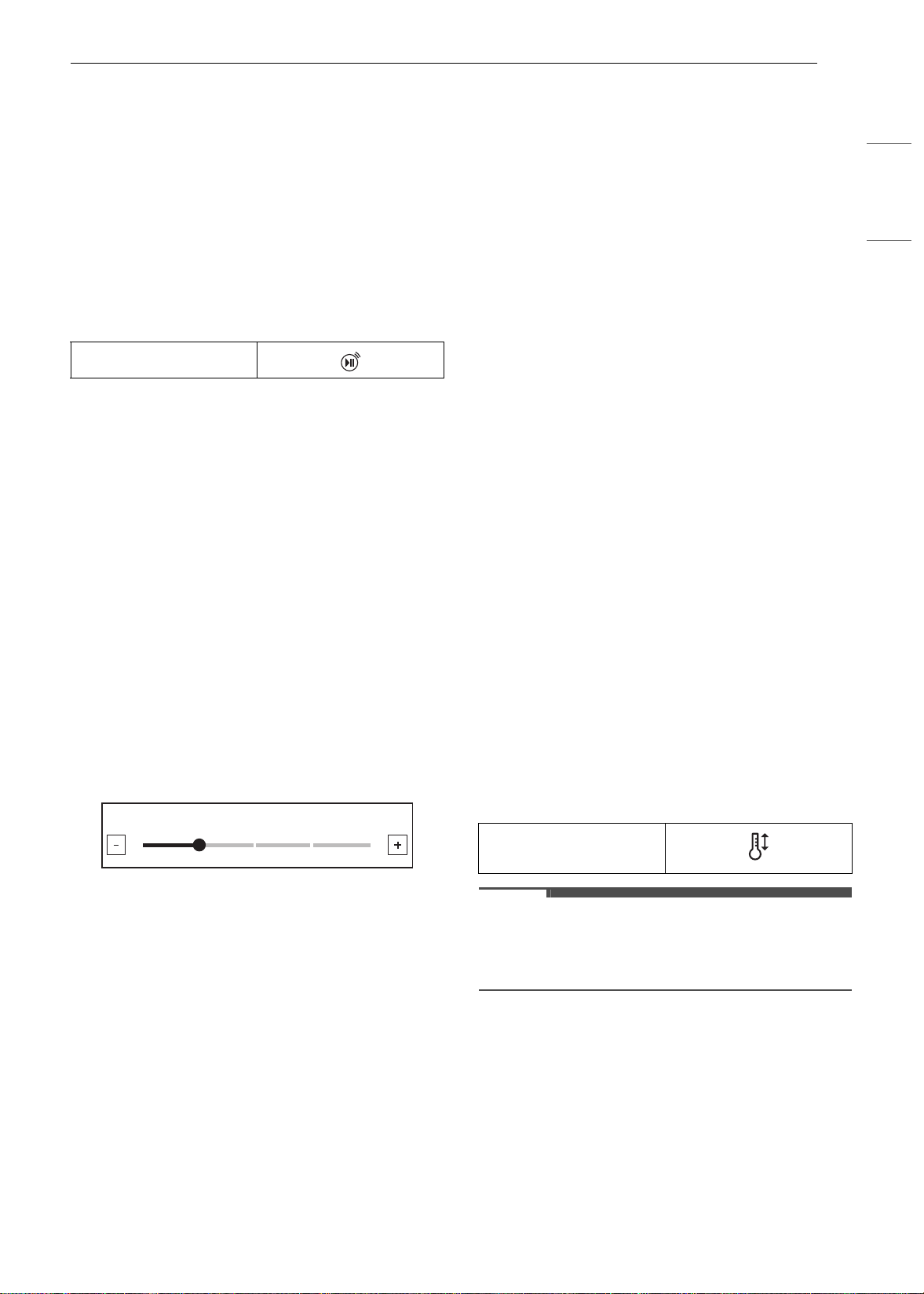
Brightness
Adjust the brightness of the LCD display from 20 %
to 100 % in increments of 20 %.
Setting Display Brightness
1 Press Settings at the center bottom of the
Main screen, swipe to the second Settings
screen, and press Brightness.
2 Adjust the display brightness by touching and
dragging the dot across the bar, by tapping
anywhere on the bar, or by pressing
~ or !.
3 Press OK.
Display
Set the length of time before the display sleeps.
There are three options you can select.
• ON : Always on
• OFF : Automatically turns off if idle for 30
minutes.
• Night OFF : Turns off from 10:00 PM to 5:00 AM.
Setting Display Option
1 Press Settings at the center bottom of the
Main screen, swipe to the second Settings
screen, and press Display.
2 Select the desired option.
3 Press OK.
Convection Auto Conversion
There is no need to remember to convert standard
recipe temperatures for convection cooking.
Convection Auto Conversion automatically
subtracts 25 ℉ / 14 ℃ from the set temperature
when a convection cooking mode is selected. The
converted temperature appears in the display
once preheating is finished.
For example, select Convection Bake and enter 350
℉. The temperature will auto-convert to 325 ℉ and
display the converted temperature.
Convection Auto Conversion is turned ON by
default.
Turning Convection Auto Conversion
On/Off
1 Press Settings at the center bottom of the
Main screen, swipe to the second Settings
screen, and press Convection Auto
Conversion.
2 Select ON or OFF.
3 When Convection Auto Conversion is ON, the
icon appears at the top of the display.
NOTE
• If Convection Auto Conversion is ON, the icon
flashes in the display while cooking in a
convection mode.
Language
Set the display language to English, Spanish, or
French.
Remote Start icon
/HYHO
^
`
Convection auto
conversion icon
en-us_main.book.book Page 17 Monday, April 8, 2024 1:07 PM
18 OPERATION
Selecting a Language
1 Press Settings at the center bottom of the
Main screen, swipe to the second Settings
screen, and press Language Selection.
2 Select the desired language.
3 Press OK.
Volume
Adjust the volume of the oven controls.
Setting the Volume
1 Press Settings at the center bottom of the
Main screen, swipe to the second Settings
screen, and press Volume.
2 Select Mute, Low, or High.
3 Press OK.
Preheat Alarm Light
When the oven reaches its set-temperature, the
preheating alarm light flashes 5 times or until the
oven door is opened.
You can turn the preheat alarm light on or off.
Setting the Preheat Alarm
1 Press Settings at the center bottom of the
Main screen, swipe to the third Settings
screen, and press Preheat Alarm Light.
2 Select ON or OFF.
3 Press OK.
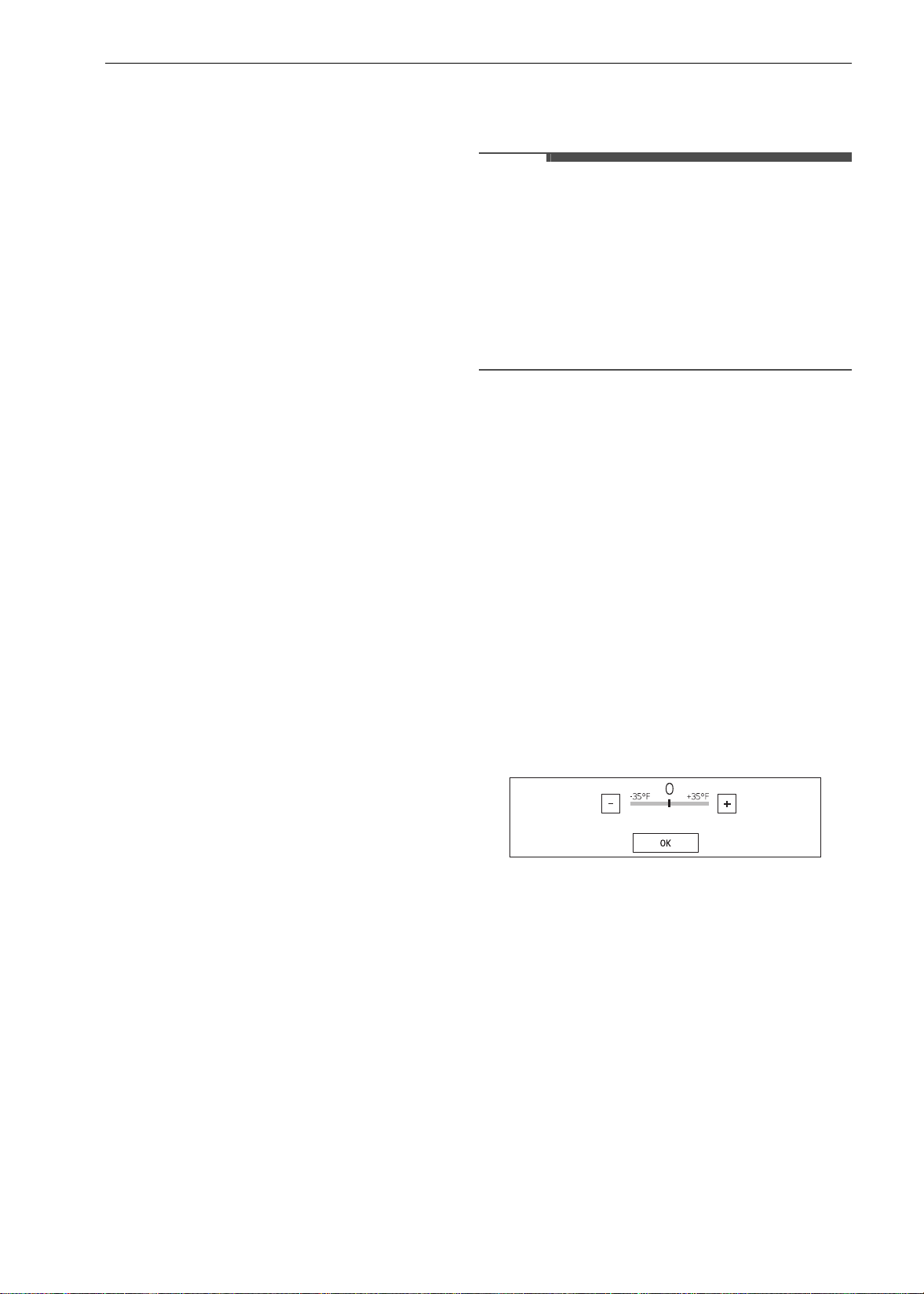
Temperature Adjustment
Your new oven may cook differently than the one it
replaced. Use your new oven for a few weeks to
become more familiar with it before changing the
temperature settings. If after familiarizing yourself
with the new oven, you still think that it is too hot
or too cold, you can adjust the oven temperature
yourself.
NOTE
• To begin, either raise or lower the thermostat 15
℉ (8 ℃). Try the oven with the new setting. If the
oven still needs adjustment, raise or lower the
thermostat again, using the first adjustment as a
gauge. For example, if the adjustment was too
much, raise or lower the thermostat 10 ℉ (5 ℃).
If the adjustment was not enough, raise or lower
the thermostat 20 ℉ (12 ℃). Proceed in this way
until the oven is adjusted to your satisfaction.
Adjusting the Thermostat
1 Press Settings at the center bottom of the
Main screen, swipe to the third Settings
screen, and press Temperature Adjustment.
2 To make large adjustments, drag the central
indicator toward the
~ or ! ends of the scale
or tap a location on the scale. To make small
adjustments, tap
~ or ! to raise or lower the
thermostat in 1-degree increments. Tap and
hold
~ or ! to scroll up or down the scale.
3 When the desired change appears above the
range, press OK.
Temperature Units
Set the oven temperature display to show either
Fahrenheit or Celsius units.
The oven defaults to Fahrenheit unless changed by
the user.
Setting Temperature Units
1 Press Settings at the center bottom of the
Main screen, swipe to the third Settings
screen, and press Temperature Units.
2 Select ℉ or ℃.
en-us_main.book.book Page 18 Monday, April 8, 2024 1:07 PM
19OPERATION
ENGLISH
3 Press OK.
Smart Diagnosis
TM
Smart Diagnosis
TM
can be run through a
smartphone application or by calling for support.
Place your smartphone's mouthpiece near the top
left corner of the screen. See "Smart Diagnosis
Function" in the Smart Functions section for
detailed instructions.
1 Press Settings at the center bottom of the
Main screen, swipe to the third Settings
screen, and touch Smart Diagnosis
TM
.
2 Press START to start the diagnostic tone.
Demo Mode
Demo Mode is for showroom use only. The oven
will not heat up.
1 Press Settings at the center bottom of the
Main screen, swipe to the third Settings
screen, and press Demo Mode.
2 Select either the ON or OFF mode.
3 Press OK.
NOTE
• When Demo Mode is on, the appliance will not
heat up.
• The oven Demo Mode icon appears in the
display if the Demo Mode is on.
Factory Data Reset
This function returns all settings to the factory
defaults.
CAUTION
• All stored data will be deleted.
1 Press Settings at the center bottom of the
Main screen, swipe to the fourth Settings
screen, and press Factory Data Reset.
2 If you want to reset data to the factory
defaults, press RESET and then OK.
Open Source License
This screen displays a list of the open source
software contained in this product. Refer to the
indicated licenses for the terms and conditions of
their use.
1 Press Settings at the center bottom of the
Main screen and swipe to the fourth Settings
screen.
2 Press Open Source License.
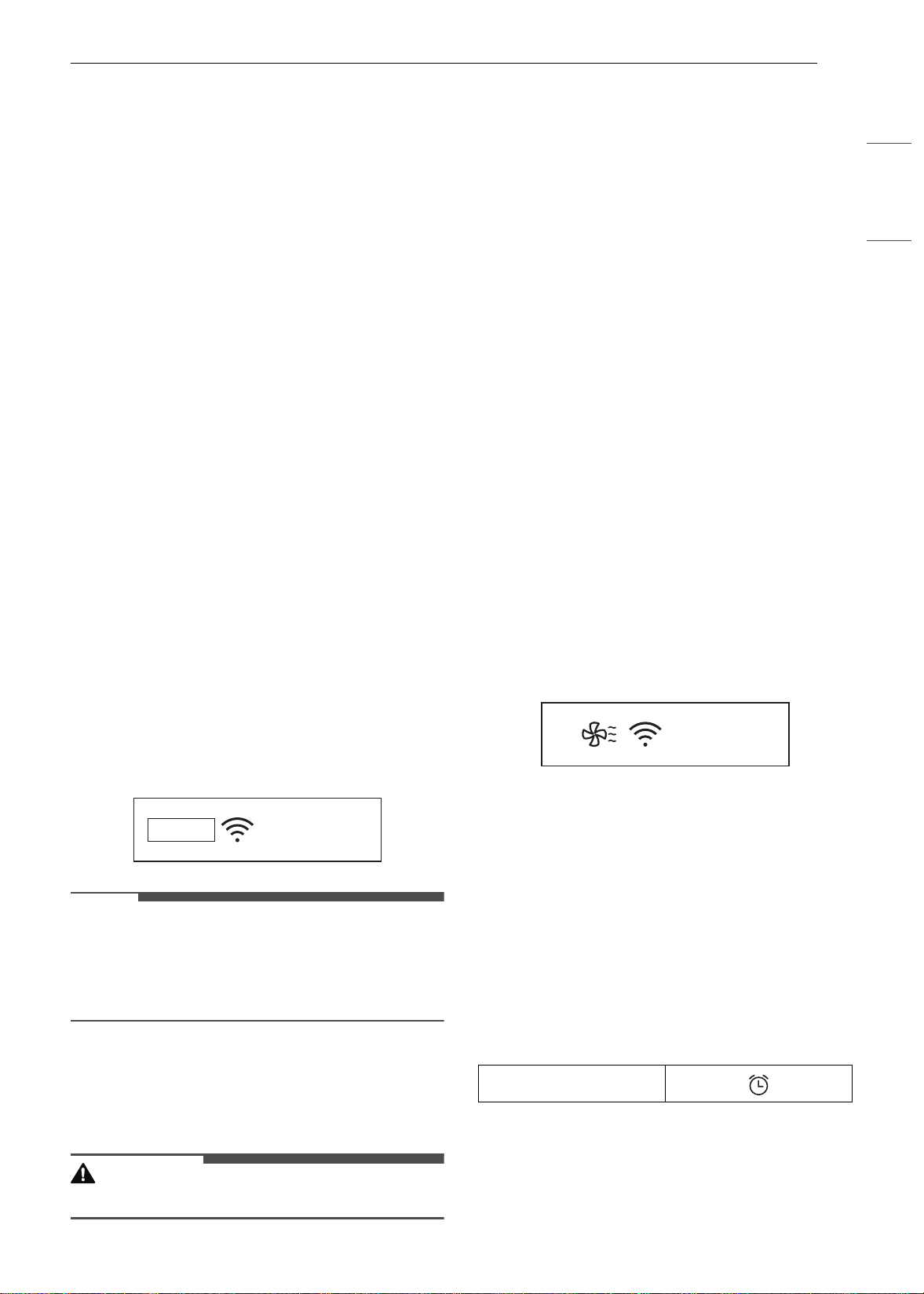
Oven Cooling
The oven cooling icon appears in the display if the
temperature inside the oven is high during or after
operation. The icon disappears if the oven
temperature is below 210 ℉ (100 ℃).
Timer
The oven timers don't affect oven operation or
cooking time. Use them as extra kitchen timers.
Once the time runs out, the oven chimes and
"(Upper / Lower) timer finished" appears in the
display.
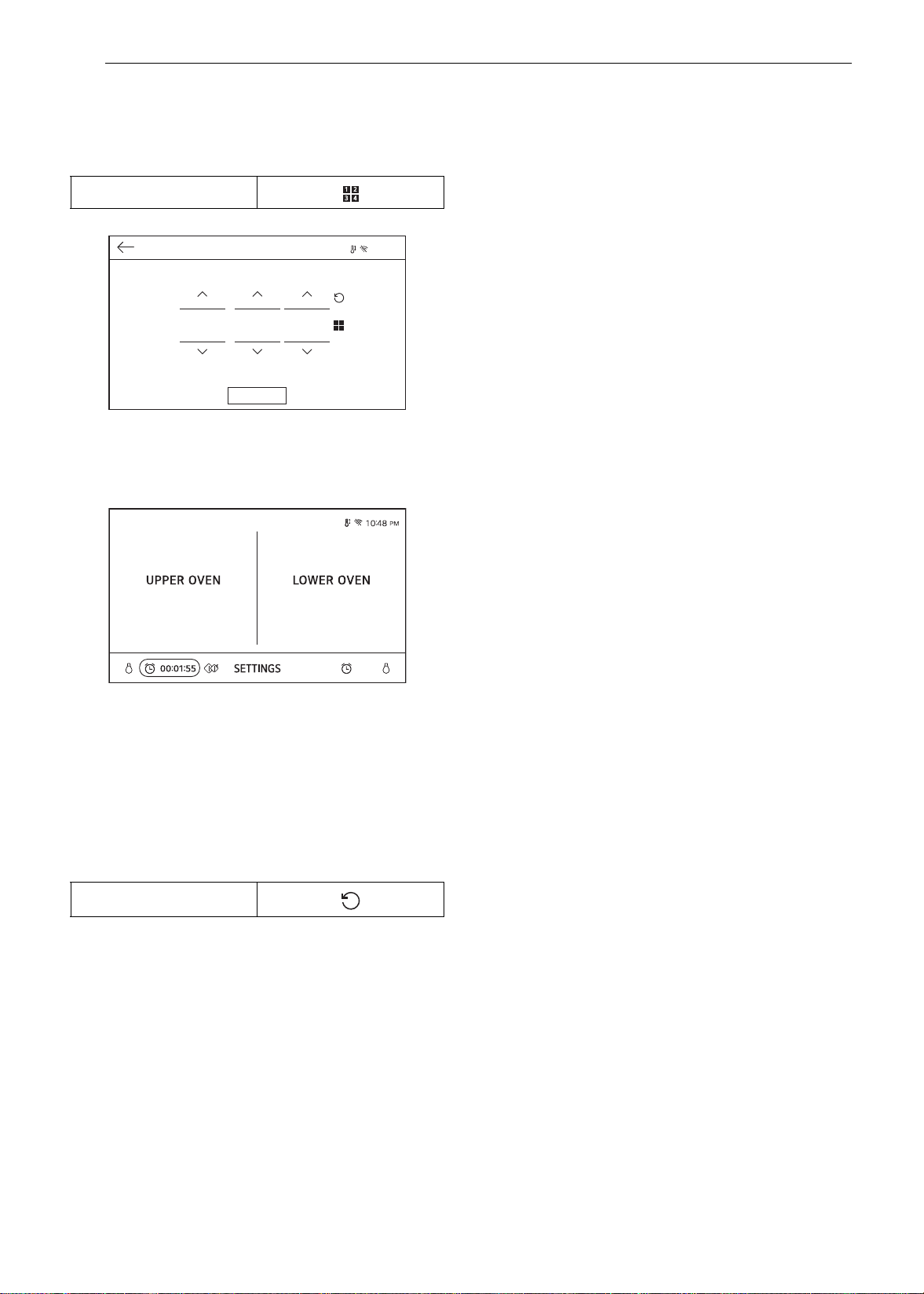
Setting the Timer
1 Press either clock icon at the bottom of the
display.
06:21
AM
DEMO
Clock icon
10:25
AM
en-us_main.book.book Page 19 Monday, April 8, 2024 1:07 PM
20 OPERATION
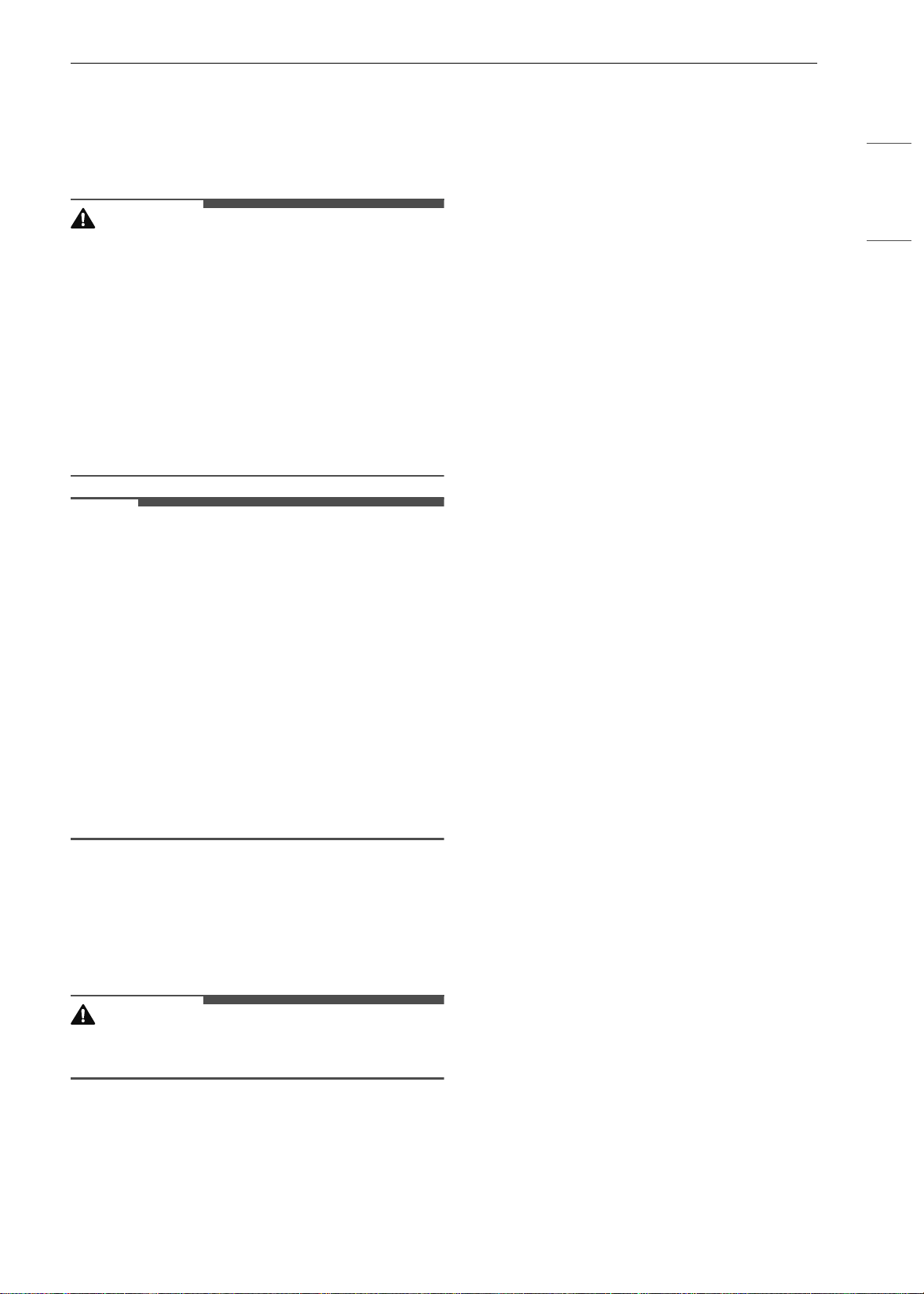
2 Scroll through the numbers in the popup until
the desired time appears in the display, or
press the number pad icon to enter the
numbers directly, and press OK.
3 The time remaining appears next to the clock
icon in the display.
Adjusting or Cancelling the Timer
1 Press the remaining time next to the clock
icon in the display.
2 To cancel the timer, touch the Reset icon in
the popup. Then press OK.
3 To adjust the time, scroll the numbers in the
popup until the desired time appears. Then
press OK.
4 The remaining time in the display is adjusted.
Number pad icon
Reset icon
9:20 PM
7LPHU
2.
KU
PLQ
VHF
en-us_main.book.book Page 20 Monday, April 8, 2024 1:07 PM
21OPERATION
ENGLISH
Operating the Upper
Microwave Oven
Before Using
WARNING
• To avoid risk of personal injury or property
damage, do not use stoneware, metal cookware,
or metal rimmed cookware in the oven.
• Do not use your microwave oven to cook eggs in
the shell. Pressure can build up inside the shell,
causing it to burst.
• Never operate the oven when it is empty. Food
or water should always be in the oven during
operation to absorb the microwave energy.
• Do not use the oven to dry newspapers or
clothes. They may catch fire.
NOTE
• Do not strike the control panel with silverware,
cookware, etc. It may be damaged or broken.
• Always be careful when taking cookware out of
the oven. Some dishes absorb heat from the
cooked food and may be hot. See the Cookware
Guide section for more information.
• To avoid breakage, allow cookware to cool
before rinsing or submerging in water. Always
allow the turntable to cool before removing it
from the oven.
• Use thermometers that have been approved for
microwave oven cooking.
• The turntable must always be in place when you
operate the oven.
Microwave Cookware Guide
Microwave-Safe Cookware
Use microwavable cookware.
WARNING
• Do not permit children to use plastic cookware
without complete supervision.
• Ovenproof Glass
- Ovenproof glassware that is treated for high
intensity heat so it is heat-resistant is
microwave-safe.
- Use utility dishes, loaf dishes, pie plates, cake
plates, liquid measuring cups, casseroles and
bowls without metal rims.
- Do not use delicate glassware, such as
tumblers or wine glasses, as these might
shatter when heated.
• China
- Use bowls, cups, serving plates, pottery,
stoneware, ceramics, and platters without
metal rims or handles. Many containers made
of these materials are microwave-safe, but test
them before use.
• Plastic
- Plastic Storage Containers: Use plastic
dishes, cups, semi-rigid freezer containers and
plastic bags only for short cooking times. Do
not use them when cooking food for long
periods or at high power levels, as the hot food
will eventually warp or melt the plastic.
- Plastic wrap (as a cover): Lay the plastic wrap
loosely over the dish and press it to the sides.
Vent plastic wrap by turning back one edge
slightly to allow excess steam to escape. The
dish should be deep enough so that the plastic
wrap will not touch the food. As the food heats
it may melt the plastic wrap wherever the wrap
touches the food.
- Plastic Cooking Bags: Provided they are
specially made for cooking, cooking bags are
microwave safe. Remember to make a slit in
the bag so that steam can escape. Never use
ordinary plastic bags for cooking in the
microwave oven, as they will melt and rupture.
- Plastic Microwave Cookware: A variety of
shapes and sizes of microwave cookware are
available. You may be able to use items you
already have on hand rather than investing in
new kitchen equipment.
• Paper
- Use paper towels, waxed paper, paper
napkins, and paper plates with no metal rims
or design. Look for the manufacturer’s label
for use in the microwave oven.
- Paper plates and containers are convenient
and safe to use in the microwave oven,
provided that the cooking time is short and
foods to be cooked are low in fat and
moisture. Paper towels are also very useful for
wrapping foods and for lining baking trays in
which greasy foods such as bacon are cooked.
- Avoid colored paper products as the color may
run. Do not use recycled paper products in the
microwave oven. They may contain impurities
which could cause arcing or fires when used in
the microwave.
en-us_main.book.book Page 21 Monday, April 8, 2024 1:07 PM

22 OPERATION
• Tableware
- Do not put plates with painted decoration in
the oven, as the paint may contain metal and
cause arcing.
Microwave-Unsafe Cookware
• Metal Containers/Metal Decoration
- Never use metal or metal-rimmed cookware in
the microwave oven.
- Microwaves cannot penetrate metal. They will
bounce off any metal object in the oven and
cause arcing, an alarming phenomenon that
resembles lightning.
- Metal shields the food from microwave energy
and produces uneven cooking. Also avoid
metal skewers, thermometers, foil trays,
metal-rimmed or metal-banded dinnerware,
casserole dishes, etc. The metal rim interferes
with normal cooking and may damage the
oven.
• Aluminum Foil
- Avoid large sheets of aluminum foil because
they hinder cooking and may cause harmful
arcing.
- Use small pieces of foil to shield poultry legs
and wings.
- Keep ALL aluminum foil at least 1" (2.54 cm)
from the side walls and door of the oven.
• Wood
- Wood bowls and boards will dry out and may
split or crack when you use them in the
microwave oven.
- Baskets react in the same way.
• Tightly Covered Cookware
- Be sure to leave openings for steam to escape
from covered containers.
- Pierce plastic pouches of vegetables or other
food items before cooking.
- Tightly closed pouches could explode.
• Brown Paper
- Avoid using brown paper bags.
- They absorb too much heat and could burn.
• Flawed or Chipped Cookware:
- Any container that is cracked, flawed, or
chipped may break in the oven.
• Metal Twist Ties
- Remove metal twist ties from plastic or paper
bags.
- They become hot and could cause a fire.
Cooking Tips
Carefully monitor the food in the microwave oven
while it is cooking. Directions given in recipes to
elevate, stir, etc., are the minimum steps
recommended. If food is overcooked (dry),
undercooked, or unevenly cooked, make
adjustments before or during cooking to correct
the problem.
• Overcooked or Dry Food
- Sprinkling: Sprinkle low-moisture foods such
as roasts and vegetables with water before
cooking, or cover them to retain moisture.
- Density: Light, porous food such as cakes and
breads cook more quickly than heavy, dense
foods such as roasts and casseroles.
- Shielding: Cover the corners of square dishes
with small strips of aluminum foil to prevent
overcooking. Don’t use too much foil, and
secure the foil to the dish. Foil can cause
arcing if it gets too close to the oven walls
during cooking.
- Bones and Fat: Bones conduct heat, and fat
cooks more quickly than meat. Take care with
bony or fatty cuts of meat.
• Undercooked Food
- Covering: Cover food with a microwave-safe
lid, parchment paper (not waxed paper), or
plastic wrap to trap heat and steam and cook
food more quickly.
- Standing Time: Let food stand for several
minutes after it is removed from the oven to
allow it to finish cooking and help flavors blend
and develop.
- Quantity: The more food you place in the
oven, the longer the required cooking time.
- Temperature: Ice-cold ingredients take much
longer to cook than room temperature
ingredients.
• Unevenly Cooked Food
- Stirring: Stir food from the outside toward the
center during cooking, as food at the outside
of the dish heats more quickly.
- Arranging: Turn food over several times
during cooking. The upper portions of thick
foods cook more quickly than the lower
portions. Thick or dense foods can be elevated
so that microwaves can be absorbed by the
underside and center of the foods.
- Shaping: Place the thickest portions of foods
like meat, poultry or fish toward the outside of
the cookware to help them cook more evenly.
If possible, shape foods into thin rounds or
rings.
en-us_main.book.book Page 22 Monday, April 8, 2024 1:07 PM
23OPERATION
ENGLISH
• Foods with Skin, Shell or Membrane
- Skin or Membrane: Pierce the outsides of
foods like potatoes, sausages, or egg whites or
yolks before cooking.
- Shell: Pierce or remove the shells from eggs,
clams, oysters, or other shelled foods before
cooking.
• Testing if Cooked
- Microwaves cook food quickly, so test food for
doneness frequently. Some foods are left in
the microwave until completely cooked, but
most foods, including meats and poultry,
should be removed from the oven while still
slightly undercooked and allowed to finish
cooking during standing time. The internal
temperature of foods will rise between 5 °F (3
°C) and 15 °F (8 °C) during standing time.
• Defrosting Tips
- Remove fish, shellfish, meat, and poultry from
their original wrapping paper or plastic
package. Otherwise, the wrap close to the food
will hold steam and heat, which can cause the
outer surface of the food to be cooked.
- Remove any metal twist ties.
- Always slit or pierce plastic pouches or
packaging.
- Open containers such as cartons before they
are placed in the oven.
- If food is foil wrapped, remove the foil and
place the food in a suitable container.
- The length of defrosting time varies
depending on the shape of the food and on
how solidly the food is frozen.
- As food begins to defrost, separate the food
into pieces so that they can defrost more
easily.
- Turn over food during defrosting or standing
time. Separate into pieces and remove food as
required.
- Let food stand after defrosting. Food should
still be somewhat icy in the center when
removed from the oven.
- When using Defrost, the weight to be entered
is the net weight in pounds and tenths of
pounds (the weight of the food minus the
container).
- Slit the skins of frozen food such as sausage.
- Bend plastic pouches of food to ensure even
defrosting.
- Place food in a shallow container or in a
microwave roasting dish to catch the
drippings.
- Always underestimate defrosting time. Food
should still be somewhat icy in the center
when removed from the oven. If defrosted
food is still frozen solid in the center, return it
to the upper oven for more defrosting.
- Depending on the shape of the food, some
areas may defrost more quickly than others.
- The shape of the package affects how quickly
food will defrost. Shallow packages will defrost
more quickly than a deep block.
- For best results, shape ground meat into the
form of a doughnut before freezing. When
defrosting, scrape off thawed meat when the
beep sounds and continue defrosting.
- Use small pieces of aluminum foil to shield
parts of food such as chicken wings, leg tips,
fish tails, or areas that start to get warm. Make
sure the foil does not touch the sides, top, or
bottom of the oven. The foil can damage the
oven lining.
Microwave Power Levels
This microwave oven is equipped with 10 power
levels to give you maximum flexibility and control
over cooking.
Power
Level
Use
10
(100%)
• Boiling water
• Browning ground beef
• Making candy
• Cooking whole poultry, poultry
pieces, fish & vegetables
• Cooking tender cuts of meat
9
(90%)
• Reheating rice, pasta & vegetables
8
(80%)
• Reheating prepared foods quickly
• Reheating sandwiches
7
(70%)
• Cooking egg, milk and cheese
dishes
• Melting chocolate
6
(60%)
• Cooking veal
• Cooking whole fish
• Cooking puddings and custard
5
(50%)
• Cooking ham, whole poultry and
lamb
• Cooking rib roast and sirloin tip
en-us_main.book.book Page 23 Monday, April 8, 2024 1:07 PM
24 OPERATION
Microwave Mode
Cooking at High Power Level
1 Press Microwave in the cooking mode
screen.
2 Press numbers to set the cook time.
3 Press Start to start cooking.
• When the cook time is over a melody
sounds.
Cooking at Lower Power Levels
High power cooking does not always give the best
results with foods that need slower cooking, such
as roasts, baked goods, or custards. The oven has
9 power settings in addition to HIGH.
1 Press Microwave in the cooking mode
screen.
2 Set the cook time in the display.
3 Set the power level in the display.
4 Press Start to start cooking.
• When the cook time is over a melody
sounds.
To Stop Cooking
Press Stop in the display and select Yes.
Convection Bake Mode
During Convection Bake, a heating element is used
to raise the temperature of the air inside the oven.
The convection cooking temperature ranges from
100 ℉ (37 ℃) to 450 ℉ (230 ℃). It is best to preheat
the oven when convection cooking.
NOTE
• Reduce oven temperature by 25 ℉ from the
temperature recommended on packaged foods.
The baking time may vary according to the food
condition or individual preference.
Setting the Convection Bake Function
1 Press Convection Bake in the cooking mode
screen.
2 Set the temperature. Scroll through the
numbers on the display, or press the number
pad icon to enter the numbers directly.
3 If desired, set the cook time.
4 Press Start. The oven starts to preheat.
5 If the cook time is set, the remaining time
appears in the display.
6 A chime sounds once preheating is complete.
7 A chime sounds at the end of the set cook
time and a notification appears in the display.
Open the oven door and remove the food.
Changing the Convection Bake
Settings
1 Press Edit in the display to bring up the Cook
Settings screen.
2 Adjust the settings.
3 Press Start.
4
(40%)
• Thawing meat, poultry and seafood
3
(30%)
• Cooking less tender cuts of meat
• Cooking pork chops and roasts.
2
(20%)
• Taking chill out of fruit
• Softening butter
1
(10%)
• Keeping casseroles and main dishes
warm
• Softening butter and cream cheese
Power
Level
Use
en-us_main.book.book Page 24 Monday, April 8, 2024 1:07 PM
25OPERATION
ENGLISH
To Stop Cooking
Press Stop in the display and select Yes.
NOTE
• When the oven reaches the set preheat
temperature, a melody will sound. The oven
automatically holds that temperature for 30
minutes.
• The oven temperature drops very quickly when
the door is opened; however, this should not
prevent food from being fully cooked during
normal cooking time.
Broil Mode
This feature will allow you to brown and crisp food
quickly. There is no need for preheating.
Setting the Broil Function
1 Press Broil in the cooking mode screen.
2 Set the cook time in the display.
3 Press Start. The oven begins to heat.
Changing the Broil Settings
1 Press Edit in the display to bring up the Cook
Settings screen.
2 Adjust the settings.
3 Press Start.
To Stop Cooking
Press Stop in the display and select Yes.
CAUTION
• Always use oven gloves when removing the food
and accessories after cooking as the oven &
accessories will be very hot.
NOTE
• For best results, use the rack when broiling in
the upper oven.
Popcorn Mode
Prepare microwave popcorn simply and easily, one
bag at a time.
• Place one bag only (50 - 100g) of prepackaged
microwave popcorn on a microwave-safe / oven-
safe dish on the turntable. The package should
be at room temperature.
Setting the Popcorn Function
1 Press Popcorn in the cooking mode screen.
2 Press Start. The Popcorn function starts.
To Stop Cooking
Press Stop in the display and select Yes.
CAUTION
• Never use a brown paper bag for popping corn
or attempt to pop leftover kernels.
• Do not pop popcorn, except in a microwave-safe
container or commercial packages designed for
microwave ovens.
• Never try to pop popcorn in a paper bag that is
not microwave-approved.
• Overcooking may result in the popcorn being
burnt and smoking badly.
• Do not repop unpopped kernels in the
microwave.
• Do not reuse popcorn bags.
• Listen while corn pops. Stop oven when popping
slows to 2-3 seconds between pops.
• Do not leave microwave unattended while
popping corn.
• Follow directions on bag.
en-us_main.book.book Page 25 Monday, April 8, 2024 1:07 PM
26 OPERATION
NOTE
• When popping prepackaged popcorn, place the
bag carefully in the oven so it does not touch the
walls as it rotates. Fold the ends of the bag up
and toward the center of the bag.
• If popcorn bag size is not known, follow
manufacturer’s instructions and do not use this
feature.
• Do not attempt to reheat or cook any unpopped
kernels.
• Do not reuse bag. Overcooking can result in an
oven fire.
• Prepare only one bag at a time.
• Do not use popcorn popping devices in
microwave oven with this feature.
• Do not leave microwave unattended while
cooking popcorn.
Defrost Mode
The oven has 4 preset defrost modes. The Defrost
Menu shows the suggested defrost mode for
various foods. This defrost function conveniently
chimes during the mode to remind you to check,
turn over, separate, or rearrange the food.
• 1: Meat mode
• 2: Poultry mode
• 3: Fish mode
• 4: Bread mode
Setting the Defrost Function
1 Press Defrost in the cooking mode screen.
2 Set the type of food in the display.
3 Set the weight in the display.
4 Press Start to start defrosting.
To Stop Cooking
Press Stop in the display, and select Yes.
NOTE
• The countdown appears in the display after
Start is pressed. The oven chimes once during
the defrost cycle.
• At the chime, open the oven door and turn the
food over. Remove any food that has thawed.
Return the still frozen items to the oven and
press Start to complete the defrost cycle.
Weight Conversion Table
Most food weights are given in pounds and
ounces. If using pounds, food weights must be
entered into Auto Defrost in pounds and tenths of
pounds (decimals).
Use the following table if necessary to convert
food weights to decimals.
Defrost Menu
Refer to the information below to set the desired
code and weight.
Meat (0.1 - 6.0 lbs)
• Beef: Ground beef, round steak, stew cubes,
tenderloin steak, pot roast, rib roast, rump roast,
chuck roast, hamburger patties
• Lamb: Chops, rolled roast
• Pork: Chops, hot dogs, spareribs, country-style
ribs, rolled roast, sausage
• Veal: Cutlets (1 lb., ½ inch thick)
• Turn food over at beep.
• Standing time: 5-15 minutes
Ounces Decimal Weight
1.6 0.1
3.2 0.2
4.8 0.3
6.4 0.4
8.0 0.5 (One-half pound)
9.6 0.6
11.2 0.7
12.8 0.8
14.4 0.9
16.0 1.0 (One pound)
en-us_main.book.book Page 26 Monday, April 8, 2024 1:07 PM
27OPERATION
ENGLISH
Poultry (0.1 - 6.0 lbs)
• Poultry: Whole, cut-up, breast (boneless)
• Cornish Hens: Whole
•Turkey: Breast
• Rinse chicken with tap water and let stand for 60
minutes after defrosting for better results.
• Turn food over at beep.
• Standing time: 60 minutes
Fish (0.1 - 4.0 lbs)
• Fish: Fillets, whole steaks
• Shellfish: Crab meat, lobster tails, shrimp,
scallops
• Turn food over at beep.
• Standing time: 5-10 minutes
Bread (0.1 - 2.0 lbs)
• Sliced bread, buns, baguettes, etc.
• Separate slices and place between paper towels
or on flat plate.
• Turn food over at beep.
• Standing time: 1-2 minutes
Speed Cook Mode
This feature uses power from a halogen light,
heaters, and microwaves simultaneously to allow
quick cooking.
CAUTION
• When using this function, remember that the
oven, door and dishes will be very hot.
• Do not use coverings, containers or cooking
bags made of foil, plastic, wax or paper when
speed cooking.
NOTE
• Power levels only can be selected from 1 to 4
(10% to 40%). Each power level gives you heater
power and microwave energy for a certain
percentage of the time.
Setting the Speed Convection Function
Use this mode for roast meat, roast chicken, roast
vegetables, frozen pizza, cake, pies and breads.
1 Press Speed Cook and Speed Convection in
that order.
2 Set the power level in the display.
3 Set the temperature. Scroll through the
numbers on the display, or press the number
pad icon to enter the numbers directly.
4 Set the cook time. Press the arrow key on the
right side of the display to set the cook time.
5 Press Start. The oven begins to heat.
Setting the Speed Broil Function
Use this mode for steaks, chicken fillets, fish or
seafood.
1 Press Speed Cook and Speed Broil in that
order.
2 Set the power level and cook time in the
display.
3 Press Start. The oven begins to heat.
Changing the Speed Cook Settings
1 Press Edit in the display to bring up the Cook
Settings screen.
2 Adjust the settings.
3 Press Start.
To Stop Cooking
Press Stop in the display and select Yes.
Sensor Cook Mode
Use Sensor Cook to heat common microwave-
prepared foods without needing to program times
and power levels. Sensor Cook has preset
programs for 9 food categories. See the Sensor
Cook Menu for more information.
About Features
This function reheats favorite foods without
selecting cooking times and power levels. The
oven automatically determines required cooking
en-us_main.book.book Page 27 Monday, April 8, 2024 1:07 PM

28 OPERATION
time for each food item. When the internal sensor
detects a certain amount of humidity coming from
the food, it tells the oven how much longer to heat.
The display shows the remaining heating time. For
best results when sensor cooking, follow these
recommendations.
• Food cooked with the sensor system should be
at normal storage temperature.
• The glass tray and the outside of the container
should be dry to assure best cooking results.
• Foods should always be covered loosely with
microwavable plastic wrap, waxed paper, or a
lid.
• Do not open the door during the sensing time.
When sensing time is over, the oven beeps and
the remaining cooking time will appear in the
display window. At this time you can open the
door to stir, turn, or rearrange the food.
Appropriate containers and coverings help assure
good sensor cooking results.
• Always use microwavable containers and cover
them with lids or vented plastic wrap.
• Never use tight-sealing plastic covers. They can
prevent steam from escaping and cause food to
overcook.
• Match the amount to the size of the container.
Fill containers at least half full for best results.
• Be sure the outside of the cooking container and
the inside of the upper oven are dry before
placing food in the oven. Beads of moisture
turning into steam can mislead the sensor.
Setting the Sensor Cook Function
1 Press Sensor Cook in the cooking mode
screen.
2 Press a category to filter the options.
3 Press Start.
• When the cook time is over a melody
sounds.
To Stop Cooking
Press Stop in the display and select Yes.
Sensor Cook Menu
Refer to the information below to set the desired
menu item and see the recommended amounts.
• 1. Beverage (1 - 2 cups
†
)
- Cookware: Mug or microwave-safe cup on the
glass tray
- Food temperature: Room
- Instructions: Use microwave safe mug or cup
without covering. After cooking, stir to
complete reheating.
CAUTION
• Be careful! The beverage will be very hot.
Sometimes liquids heated in cylindrical
containers will splash out unexpectedly when
the cup is moved.
• 2. Casserole (10-20 oz)
- Cookware: Microwave-safe bowl on the glass
tray
- Food temperature: Refrigerated
- Instructions: Use microwave safe bowl. Cover
container with vented plastic wrap. After
cooking, let stand for 3 minutes.
• 3. Chicken (16-20 oz)
- Cookware: Microwave-safe bowl on the glass
tray
- Food temperature: Refrigerated
- Instructions: Use microwave safe bowl. Cover
container with vented plastic wrap. After
cooking, let stand for 3 minutes.
• 4. Pasta (½-2 cups
†
)
- Cookware: Microwave-safe bowl on the glass
tray
- Food temperature: Refrigerated (precooked)
- Instructions: Use microwave safe bowl. Cover
container with vented plastic wrap. After
cooking, let stand for 3 minutes.
• 5. Pizza (1-3 slices)
- Cookware: Microwave-safe bowl on the glass
tray
- Food temperature: Refrigerated
- Instructions: This is a reheat function for
leftover pizza. Use microwave safe plate
without covering.
• 6. Plate of food (1 serving)
- Cookware: Microwave-safe bowl on the glass
tray
- Food temperature: Refrigerated
- Instructions: Use microwave safe plate. Cover
container with vented plastic wrap. After
cooking, let stand for 3 minutes.
en-us_main.book.book Page 28 Monday, April 8, 2024 1:07 PM
29OPERATION
ENGLISH
• 7. Rice (½-2 cups
†
)
- Cookware: Microwave-safe bowl on the glass
tray
- Food temperature: Refrigerated (precooked)
- Instructions: Use microwave safe bowl. Cover
container with vented plastic wrap. After
cooking, let stand for 3 minutes.
• 8. Soup (1-4 cups
†
)
- Cookware: Microwave-safe bowl on the glass
tray
- Food temperature: Room
- Instructions: Use microwave safe bowl. Cover
container with vented plastic wrap. After
cooking, let stand for 3 minutes.
• 9. Vegetable (1-4 cups
†
)
- Cookware: Microwave-safe bowl on the glass
tray
- Food temperature: Refrigerated
- Instructions: Use microwave safe bowl. Cover
container with vented plastic wrap. After
cooking, let stand for 3 minutes.
WARNING
• Be careful when handling the container.
Microwave heating of beverages can result in
delayed eruptive boiling. Therefore, care must
be taken when handing the container.
† 8 oz (240 ml) per cup
Microwave Quick Start Mode
Use this to quickly add 30 seconds to microwave
cooking time.
To use, press the Microwave Quick Start icon at the
bottom left side of the screen.
Auto Cook Mode
Use this function to heat common prepared foods
without selecting cooking times and power levels.
This function has preset programs for 28 food
items.
Setting the Auto Cook Mode
1 Press Auto Cook in the cooking mode screen.
2 Press a desired menu in the display.
3 Scroll through or tap the arrow key to select
recommended amounts. Press Next.
4 Follow the recommendations in the display
regarding accessories.
5 Press Start.
Auto Cook Menu
Refer to the information below to set the desired
menu item and see the recommended amounts.
• 1. Bacon (3-4 or 5-6 slices)
- Cookware: Microwave-safe bacon rack or
plate on the glass tray
- Food temperature: Refrigerated
- Instructions: Place bacon slices on a
microwave rack for best results. Use a plate
lined with paper towels if rack is not available.
• 2. Frozen Bagels (1 or 2-3 bagels)
- Cookware: Metal tray
- Food temperature: Frozen
• 3. Baked Potatoes (1, 2, 3-4 potatoes (7-9 oz/ea))
- Cookware: Metal tray
- Food temperature: Room
- Instructions: Pierce each potato several times
with a fork.
• 4. Brownie (8″ X 8″, 9″ X 13″)
- Cookware: Microwave-safe bowl on the glass
tray
- Food temperature: Room
- Instructions: Spray microwave-safe glass or
silicone bakeware with cooking spray. Pour
batter into bakeware, spreading it evenly.
After cooking, allow to rest for a few minutes.
• 5. Cod fillets (1 lb)
- Cookware: Metal tray
- Food temperature: Refrigerated
- Instructions: Brush with oil and season with
salt and pepper. Turn food over at the beep.
• 6. Frozen Corn dog (1-2, 3-4)
- Cookware: Metal tray
- Food temperature: Frozen
Microwave Quick Start
icon
en-us_main.book.book Page 29 Monday, April 8, 2024 1:07 PM

30 OPERATION
• 7. Fresh vegetable (4-6, 7-9, 10-12, 13-15, 16-20
oz)
- Cookware: Microwave-safe glass or silicone
bakeware on the glass tray
- Food temperature: Refrigerated
- Instructions: Add water according to the
quantity (4-12 oz: add 2 tbsp water, 13-20 oz:
add 4 tbsp water). Cover with vented plastic
wrap. After cooking, stir and let stand for 3
minutes.
• 8. Frozen chicken nuggets (1-2, 3-4 servings
(3.5 oz / 100 g per serving))
- Cookware: Metal tray
- Food temperature: Frozen
- Instructions: Turn food over at the beep.
• 9. Frozen chicken wings (1-2, 3-4 servings (3.5
oz / 100 g per serving)
- Cookware: Metal tray
- Food temperature: Frozen
- Instructions: Turn food over at the beep.
• 10. Frozen fries (1-2, 3-4 servings (3.5 oz / 100 g
per serving)
- Cookware: Metal tray
- Food temperature: Frozen
- Instructions: Turn food over at the beep.
• 11. Frozen Pizza (Individual: 6″, Regular: 12″)
- Cookware: Metal tray
- Food temperature: Frozen
• 12. Frozen pretzels (1, 2, 3-4 pretzels)
- Cookware: Metal tray
- Food temperature: Frozen
• 13. Frozen Vegetables (4-6, 7-9, 10-12, 13-15,
16-20 oz)
- Cookware
: Microwave-safe bowl on the glass
tray
- Food te
mperature: Frozen
- Instructions: Add water according to the
quantity (4-12 oz: add 2 tbsp water, 13-20 oz:
add 4 tbsp water). Cover with vented plastic
wrap. After cooking, stir and let stand for 3
minutes.
• 14. Frozen Garlic Bread (1-2, 3-4, 5-6 pieces)
- Cookware: Metal tray
- Food temperature: Frozen
- Instructions: Turn food over at the beep.
• 15. Hamburger, 1/2″ thick (2, 3-4, 5-6 patties)
- Cookware: Metal tray
- Food temperature: Refrigerated
- Instructions: Turn food over at the beep.
• 16. Lamb chops, 1/2″ thick (6-7 oz) (1, 2, 3-4
chops)
- Cookware: Metal tray
- Food temperature: Refrigerated
- Instructions: Brush with oil and season with
salt and pepper. Turn food over at the beep.
• 17. Meat loaf (9″ X 5″)
- Cookware: Microwave-safe glass or silicone
bakeware on the glass tray
- Food temperature: Refrigerated
- Ingredients:
Ground meat: 28 oz / 800 g, Egg (refrigerated:
4 oz / 115 g, Salt: 1/2 tsp / 2 g)
- Instructions: Place meat mixture into
microwave-safe 9" x 5" glass or silicone
bakeware.
• 18. Nachos (1-3, 4-6 servings (8 ea / 1 serving))
- Cookware: Metal tray
- Food temperature: Room
• 19.
Oatmeal (1, 2 s
e
rvings)
- Cookware: Large microwave-safe bowl on the
glass tray
- Food temperature: Room
- Ingredients:
1 Serving: Oats 1/2 cup (40 g), Water or Milk 1
cup (230 g), Salt (Optional) dash
2 Servings: Oats 1 cup (80 g), Water or Milk 1 1/
2 cups (345 g), Salt (Optional) 1/8 tsp
- Instructions: Combine water or milk, salt and
oats in a large microwave-safe bowl. Cover
with vented plastic wrap. After cooking, let
stand for 3 minutes.
• 20. Pork chops, 1/2″ thick (1, 2, 3-4 chops)
- Cookware: Metal tray
- Food temperature: Refrigerated
- Instructions: Brush with oil and season with
salt and pepper. Turn food over at the beep.
• 21. Quinoa (1, 2 generous servings)
- Cookware: Microwave-safe bowl on the glass
tray
- Food temperature: Room
- Ingredients:
1 Serving: Quinoa 1/2 cup (40 g), Water or Milk
1 cup (230 g), Salt (Optional) dash
2 Servings: Quinoa 1 cup (0 g), Water or Milk 1
1/2 cups (345 g), Salt (Optional) 1/8 tsp
- Instructions: Combine water or milk, salt and
quinoa in a large microwave-safe bowl. Cover
en-us_main.book.book Page 30 Monday, April 8, 2024 1:07 PM

31OPERATION
ENGLISH
with vented plastic wrap. After cooking, let
stand for 3 minutes.
• 22. Ribeye steak, 1″ thick (14-15 oz) (1, 2
steaks)
- Cookware: Metal tray
- Food temperature: Refrigerated
- Instructions: Brush with oil and season with
salt and pepper. Turn food over at the beep.
• 23. Rice (1/2, 1 cup)
- Cookware: Deep and large microwave-safe
bowl on the glass tray
- Food temperature: Room
- Ingredients:
Rice: 1/2 cup (96 g), 1 cup (192 g)
Water: 1 cup (230 g), 2 cups (460 g)
Salt: Optional
- Instructions: Cover with vented plastic wrap.
After cooking, let stand for 5-10 minutes.
• 24. Salmon steak, 1″ thick (1, 2, 3-4 steaks)
- Cookware: Metal tray
- Food temperature: Refrigerated
- Instructions: Brush with oil and season with
salt and pepper. Turn food over at the beep.
• 25. Sausage (1-6 , 7-14 links)
- Cookware: Metal tray
- Food temperature: Refrigerated
- Instructions: Turn food over at the beep.
• 26. Sirloin steak, 1″ thick (18-21 oz) (1, 2 steaks)
- Cookware: Metal tray
- Food temperature: Refrigerated
- Instructions: Brush with oil and season with
salt and pepper. Turn food over at the beep.
• 27. Tenderloin (¾ , 1 ½ lb)
- Cookware: Metal tray
-
Food temperature: Re
fri
gerated
- Instructions: Brush with oil and season with
salt and pepper. Turn food over at the beep.
• 28. Canned vegetables (4-6, 7-9, 10-12, 13-15,
16-20 oz)
- Cookware: Microwave-safe bowl on the glass
tray
- Food temperature: Room
- Instructions: Transfer canned vegetables to
microwave-safe bowl. Cover with vented
plastic wrap. After cooking, stir and let stand
for 3 minutes.
WARNING
• Do not use recycled paper products in the upper
oven. They sometimes contain impurities that
cause arcing and sparking.
• NEVER use paper products in the convection
oven.
Soften Mode
The oven uses low power to soften foods such as
butter, cream cheese, frosting, and ice cream. See
the following table.
Setting the Soften Mode
1 Press Soften in the cooking mode screen.
2 Set the type of food in the display.
3 Set the weight in the display.
4 Press Start.
5 When the cook time is over a melody sounds.
To Stop Cooking
Press Stop in the display and select Yes.
Soften Table
• 1. Butter (½ , 1, 2 sticks)
- Cookware: Microwave-safe dish on the glass
tray
- Food temperature: Refrigerated
- Instructions: Butter will be at room
temperature and ready for use in a recipe.
• 2. Cream cheese (3, 8 oz)
- Cookware: Microwave-safe dish on the glass
tray
- Food temperature: Refrigerated
- Instructions: Cream cheese will be at room
temperature and ready for use in a recipe.
• 3. Frosting (16 oz)
- Cookware: Microwave-safe bowl on the glass
tray
- Food temperature: Refrigerated
en-us_main.book.book Page 31 Monday, April 8, 2024 1:07 PM

32 OPERATION
- Instructions: Frosting will be at room
temperature and ready for use in a recipe.
• 4. Ice cream (1 pint, 1 quart)
- Cookware: Glass tray
- Food temperature: Frozen
- Instructions: Remove lid and cover. Ice cream
will be soft enough to make scooping easier.
Melt Mode
The oven uses low power to melt foods such as
butter, caramel, cheese, chocolate, and
marshmallows. See the following table.
Setting the Melt Mode
1 Press Melt in the cooking mode screen.
2 Set the type of food in the display.
3 Set the weight in the display.
4 Press Start.
• When the cook time is over a melody
sounds.
To Stop Cooking
Press Stop in the display and select Yes.
Melt Table
• 1. Butter (½, 1, 2 sticks)
- Cookware: Microwave-safe bowl on the glass
tray
- Food temperature: Refrigerated
- Instructions: After cooking, stir to complete
melting.
• 2. Caramel (4, 8, 12 oz)
- Cookware: Microwave-safe bowl on the glass
tray
- Food temperature: Room
- Instructions: After cooking, stir to complete
melting.
• 3. Cheese (4, 8, 12 oz)
- Cookware: Microwave-safe bowl on the glass
tray
- Food temperature: Refrigerated
- Instructions: Use processed cheese food only.
Cut into cubes. After cooking, stir to complete
melting.
• 4. Chocolate (4, 8, 12 oz)
- Cookware: Microwave-safe bowl on the glass
tray
- Food temperature: Room
- Instructions: Chocolate chips or squares of
baking chocolate may be used. After cooking,
stir to complete melting.
• 5. Marshmallow (5, 10 oz)
- Cookware: Microwave-safe bowl on the glass
tray
- Food temperature: Room
- Instructions: After cooking, stir to complete
melting.
Warm Mode
This function maintains an oven temperature of
less than 230 ℉. This function should not be used
to reheat cold food. This function keeps cooked
food warm for serving up to 3 hours after cooking
has finished. After 3 hours this function shuts the
oven OFF automatically.
Setting the Warm Mode
1 Press Warm in the cooking mode screen.
2 Select the temperature level: Low, Medium, or
High.
• Low: 140 ℉ - 160 ℉ (60 ℃- 71 ℃)
• Medium: 160 ℉ - 195 ℉ (71 ℃- 91 ℃)
• High: 195 ℉ - 230 ℉ (91 ℃ - 110 ℃)
3 Select the type: moist, crisp.
4 Press Start to start warming.
To Stop Cooking
Press Stop in the display and select Yes.
NOTE
• This function is intended to keep food warm. Do
not use it to cool food down.
• It is normal for the fan to operate during this
function.
en-us_main.book.book Page 32 Monday, April 8, 2024 1:07 PM

33OPERATION
ENGLISH
Proof Mode
This function maintains a warm oven for rising
yeast-leavened products before baking.
Setting the Proof Mode
1 Press Proof in the cooking mode screen.
2 Press Start to start proofing.
To Stop Cooking
Press Stop in the display and select Yes.
NOTE
• To avoid lowering the oven temperature and
lengthening proofing time, do not open the oven
door unnecessarily.
• Check bread products early to avoid over-
proofing.
• Do not use the Proofing mode for warming food
or keeping food hot. The proofing oven
temperature is not hot enough to hold foods at
safe temperatures. Use the Warm function to
keep food warm.
• Proofing will not operate if the oven is too hot.
Allow the oven to cool before proofing.
en-us_main.book.book Page 33 Monday, April 8, 2024 1:07 PM
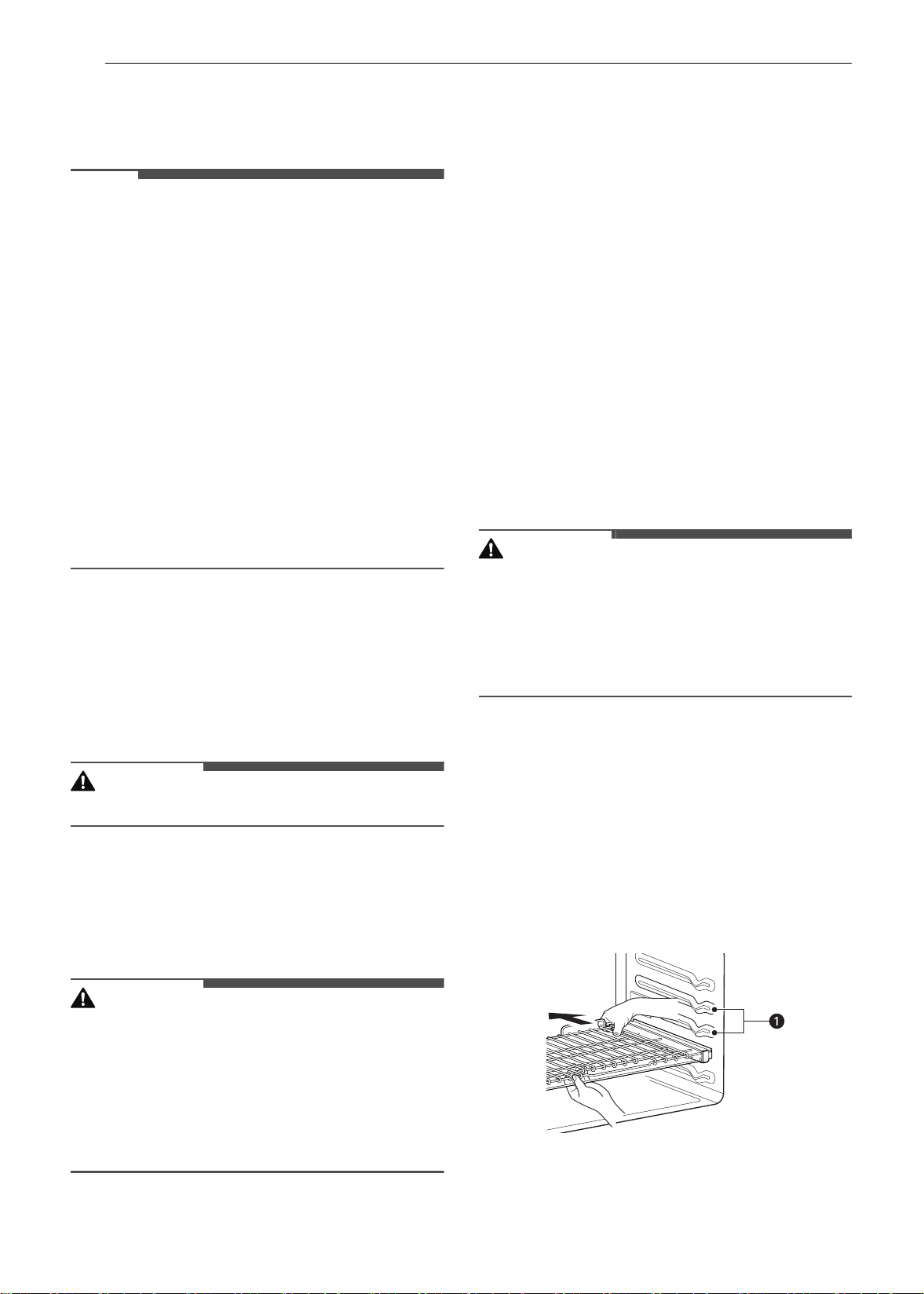
34 OPERATION
Operating the Lower Oven
Before Using the Oven
NOTE
• Because the oven temperature cycles, an oven
thermometer placed in the oven cavity may not
show the same temperature that is set on the
oven.
• It is normal for the convection fan to run while
preheating during a regular bake cycle.
• The convection fan motor may run periodically
during a regular bake cycle.
• The heat turns off if the door is left open during
baking. If the door is left open for longer than 30
seconds during baking, the heat turns off. The
heat turns back on automatically once the door
is closed.
• Avoid opening the oven door more than
necessary during use. This helps the oven
maintain temperature, prevents unnecessary
heat loss, and saves on energy use.
Oven Vent
Areas near the vent may become hot during
operation and may cause burns. Avoid placing
plastics near the vent as heat may distort or melt
the plastic.
It is normal for steam to be visible when cooking
foods with high moisture content.
WARNING
• Do not block the vent opening.
Using Standard Oven Racks
The racks have a turned-up back edge that
prevents them from being pulled out of the oven
cavity.
CAUTION
• Replace oven racks before turning the oven on
to prevent burns.
• Do not cover the racks with aluminum foil, or
any other material, or place anything on the
bottom of the oven. Doing so will result in poor
baking and may damage the oven bottom.
• Only arrange oven racks when the oven is cool.
Removing Racks
1 Pull the rack straight out until it stops.
2 Lift up the front of the rack and pull it out.
Replacing Racks
1 Place the end of the rack on the support.
2 Tilt the front end up and push the rack in.
Using Gliding Oven Racks
The gliding racks slide in and out on a frame. This
keeps heavy cookware level and prevents it from
sliding forward when the rack is completely
extended.
CAUTION
• Place oven racks in the desired location before
turning on the oven to avoid burns.
• Do not cover the racks with aluminum foil, or
any other material, or place anything on the
bottom of the oven. Doing so will result in poor
baking and may damage the oven bottom.
Installing Gliding Racks
1 Start with the rack in the closed position. Hold
the rack with one hand at the center front and
the other hand at the back right corner.
2 Carefully insert the rack between the rack
guides, and slide it back until the shelf drops
into place.
a Rack guides
en-us_main.book.book Page 34 Monday, April 8, 2024 1:07 PM
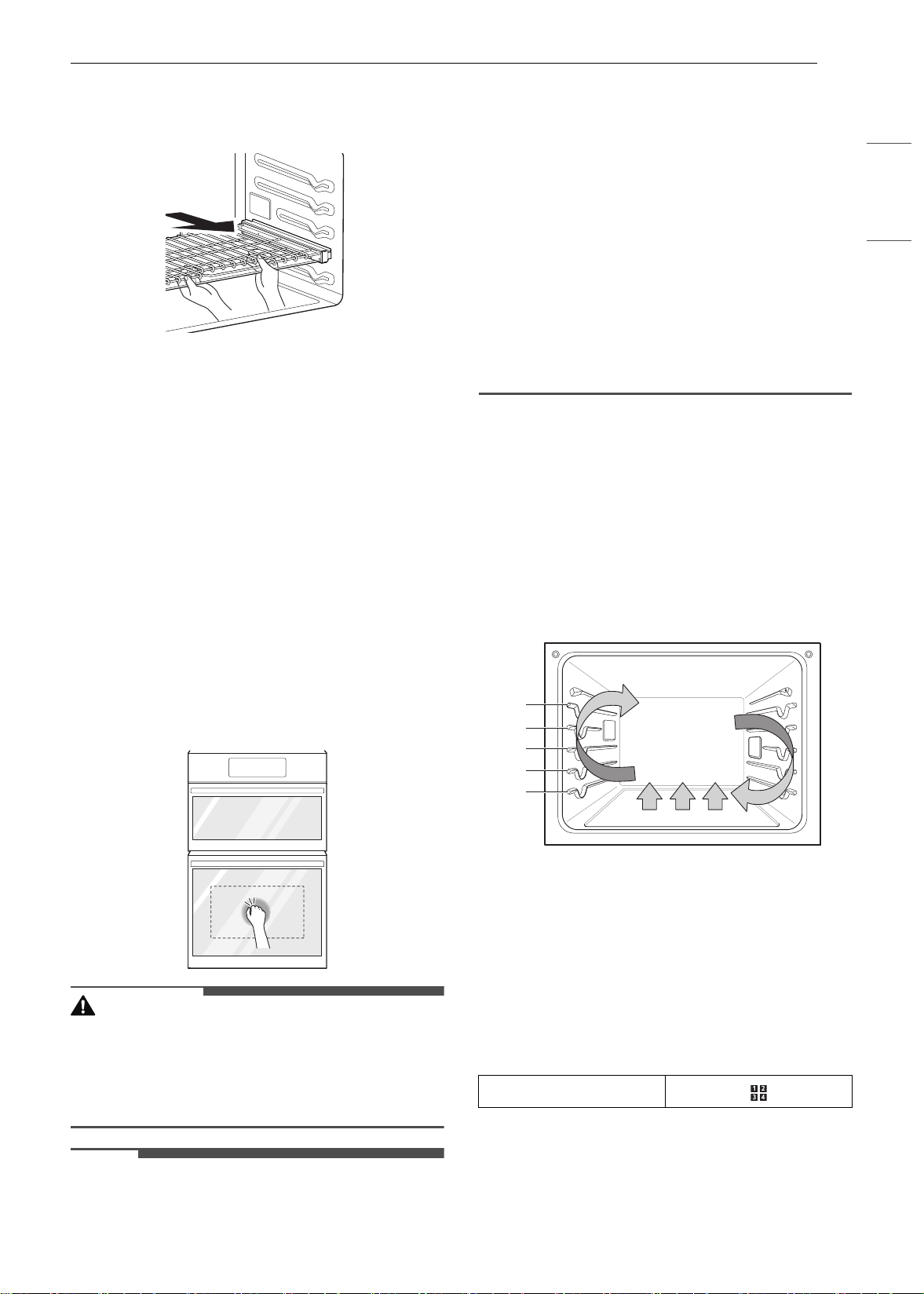
35OPERATION
ENGLISH
3 Once the rack is secured in the back, pull the
entire rack forward until the rack locks into
place.
Removing Gliding Racks
1 With the rack in the closed position, grasp the
front of the rack and frame and lift up. Slowly
push the rack towards the back wall until it is
free of the rack stop.
2 After disengaging the rack stop, lift the back
of the rack and pull the rack and frame out
between the rack guides.
Instaview
This feature is only available on the lower oven.
Knock twice on the center of the glass panel to
reveal the contents of the oven without opening
the door.
CAUTION
• Do not hit the glass door panel with excessive
force. Do not allow hard objects like cookware or
glass bottles to hit the glass door panel. The
glass could break, resulting in a risk of personal
injury.
NOTE
• Knocking twice on the glass panel turns the
interior light on or off.
• The light turns off automatically after 150
seconds.
• The InstaView function is disabled when the
oven door is opened and for one second after
closing the door.
• The InstaView function is disabled during Self
Clean, Lockout, Sabbath Mode and initial power
input (on some models only).
• Tapping the edges of the glass panel may not
activate the InstaView function.
• The taps on the glass panel must be hard
enough to be audible.
• Loud noises near the oven may activate the
InstaView function.
Convection Bake and Roast Mode
The convection system uses a fan to circulate the
heat evenly within the oven. Improved heat
distribution allows for even cooking and excellent
results while cooking with single or multiple racks.
The oven can be programmed to bake at any
temperature from 170 ℉ (80 ℃) to 550 ℉ (285 ℃).
The default temperature is 350 ℉ (175 ℃).
Using Convection
1 Press Convection Bake or Convection Roast
in the cooking mode screen.
2 Set the temperature. Scroll through the
numbers on the display or press the number
pad icon to enter the numbers directly.
3 If desired, set the cook time and delayed start
time using the same method. Press the arrow
key on the right side of the display to see the
delayed start time settings.
Number pad icon
A
B
C
D
E
en-us_main.book.book Page 35 Monday, April 8, 2024 1:07 PM
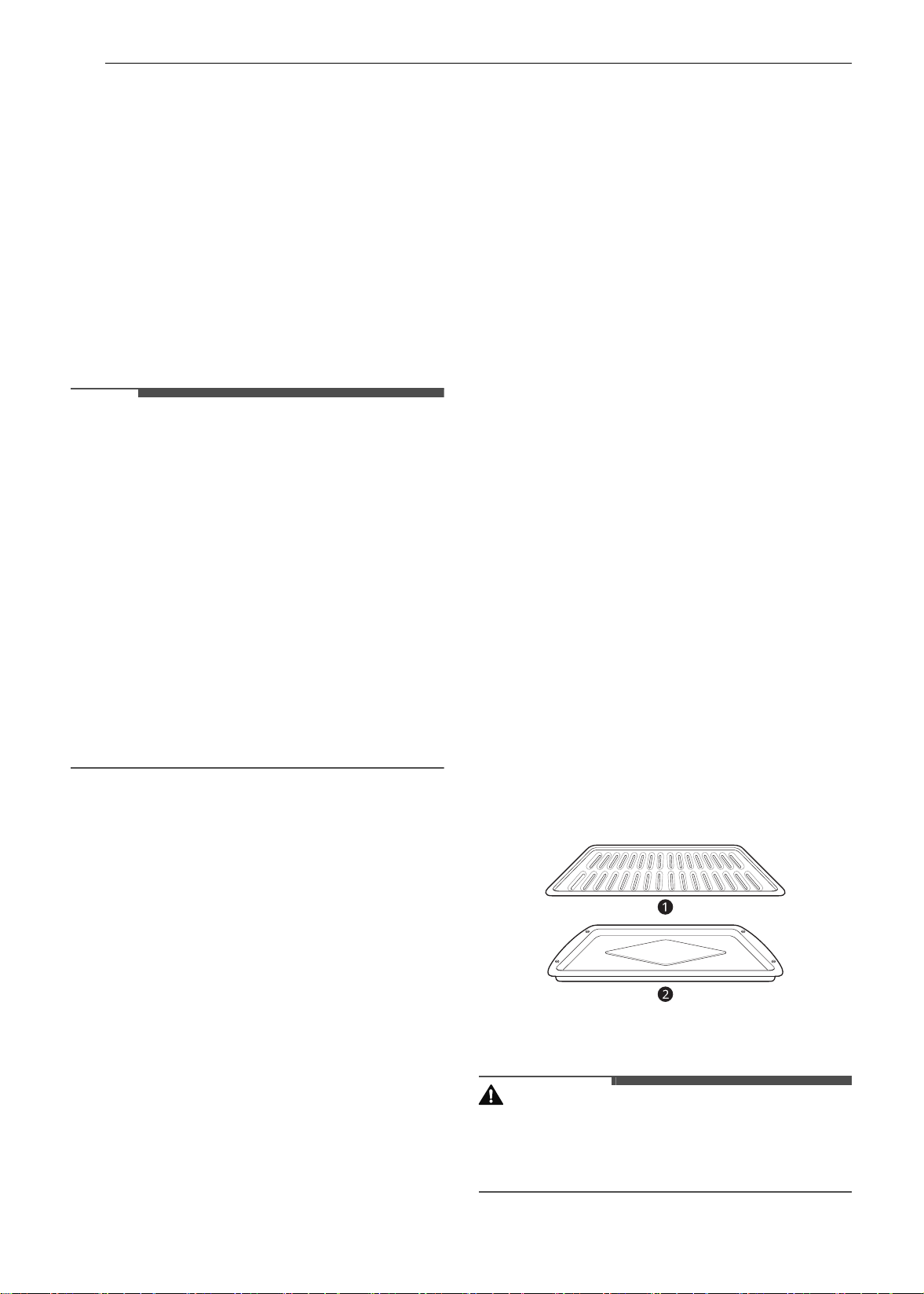
36 OPERATION
4 Press Start. The oven starts to preheat.
5 If the cook time is set, the remaining time
appears in the display. If a delayed start time
is set, the start time appears in the display.
6 A chime sounds once preheating is complete.
7 A chime sounds at the end of the set cook
time and a notification appears in the display.
Open the oven door and remove the food.
NOTE
• If no cook time is set, the oven turns off
automatically after 12 hours.
• The heating elements and fan turn off
immediately when the door is opened. They turn
on again approximately 1 second after the door
is closed.
• Press Stop in the display to cancel Convection
Bake and Convection Roast at any time.
• When preparing meats for roasting, use the
broiler pan and grid. The broiler pan catches
grease spills and the grid helps prevent grease
splatters.
• The oven fan runs while convection baking and
convection roasting. The fan stops when the
door is opened. In some cases, the fan may shut
off during a convection bake cycle.
Changing the Cook Settings
1 Press Edit in the display to bring up the Cook
Settings screen.
2 Adjust the settings using the number pad or
scroll function.
3 Press Start.
To Stop Cooking
1 Press Stop in the display, and select Yes.
Tips for Convection Baking
• Use Convection Bake for faster and more even
multiple-rack cooking of pastries, cookies,
muffins, biscuits, and breads of all kinds.
• Bake cookies and biscuits on pans with no sides
or very low sides to allow heated air to circulate
around the food. Food baked on pans with a
dark finish will cook faster.
• When using Convection Bake with a single rack,
place oven rack in position
C. If cooking on
multiple racks, place the oven racks in positions
B and D.
• Multiple oven rack cooking may slightly increase
cook times for some foods.
• Cakes, cookies and muffins have better results
when using multiple racks.
The Convection Roast feature is designed to give
optimum roasting performance. Convection Roast
combines cooking with the convection fan to roast
meats and poultry. The heated air circulates
around the food from all sides, sealing in juices
and flavors. Foods are crispy brown on the outside
while staying moist on the inside. Convection
roasting is especially good for large tender cuts of
meat, uncovered.
Tips for Convection Roasting
Use a broiler pan and grid when preparing meats
for convection roasting. The broiler pan catches
grease spills and the grid helps prevent grease
splatters.
1 Place the oven rack in position A or B.
2 Place the grid a in the broiler pan b.
3 Place the broiler pan on the oven rack.
CAUTION
• Do not use a broiler pan without a grid.
• Do not cover the grid with aluminum foil.
• Position food (fat side up) on the grid.
en-us_main.book.book Page 36 Monday, April 8, 2024 1:07 PM
37OPERATION
ENGLISH
Bake Mode
Bake is used to prepare foods such as pastries,
breads and casseroles.
The oven can be programmed to bake at any
temperature from 170 ℉ (80 ℃) to 550 ℉ (285 ℃).
The default temperature is 350 ℉ (175 ℃).
Setting the Bake Function
1 Press Bake in the cooking mode screen.
2 Set the oven temperature. Scroll through the
numbers on the display or press the number
pad icon to enter the numbers directly.
3 If desired, set the cook time and delayed start
time using the same method. Press the arrow
key on the right side of the display to see the
delayed start time settings.
4 Press Start. The oven starts to preheat.
5 If the cook time is set, the remaining time
appears in the display. If a delayed start time
is set, the start time appears in the display.
6 A chime sounds once preheating is complete.
7 A chime sounds at the end of the set cook
time and a notification appears in the display.
Open the oven door and remove the food.
NOTE
• If no cook time is set, the oven turns off
automatically after 12 hours.
Changing the Cook Settings
1 Press Edit in the display to bring up the Cook
Settings screen.
2 Adjust the settings using the number pad or
scroll function.
3 Press Start.
To Stop Cooking
Press Stop in the display, and select Yes.
NOTE
• It is normal for the convection fan to operate
periodically throughout a normal bake cycle in
the oven. This is to ensure even baking results.
Baking Tips
• For best results, food should be placed on a
single rack with at least 1” to 1 1/2” of air space
between the pans and oven walls.
• Baking time and temperature will vary
depending on the characteristics, size, and
shape of the baking pan used.
• Check for food doneness at the minimum recipe
time.
• Use metal bakeware (with or without a nonstick
finish), heatproof glass-ceramic, ceramic or
other bakeware recommended for oven use.
• Dark metal pans or nonstick coatings will cook
food faster with more browning. Insulated
bakeware will slightly lengthen the cooking time
for most foods.
• The oven bottom has a porcelain-enamel finish.
To make cleaning easier, protect the oven
bottom from excessive spillovers by placing a
cookie sheet on the rack below the rack you are
cooking on. This is particularly important when
baking a fruit pie or other foods with a high acid
content. Hot fruit fillings or other foods that are
highly acidic may cause pitting and damage to
the porcelain-enamel surface and should be
wiped up immediately.
Recommended Baking Guide
Rack and Pan Placement
Baking results will be better if baking pans are
centered in the oven as much as possible. If
cooking on multiple racks, place the oven racks in
the positions shown.
Multiple-rack cooking saves time and energy.
Whenever possible, cook foods requiring the same
cooking temperature together in one oven.
Number pad icon
en-us_main.book.book Page 37 Monday, April 8, 2024 1:07 PM
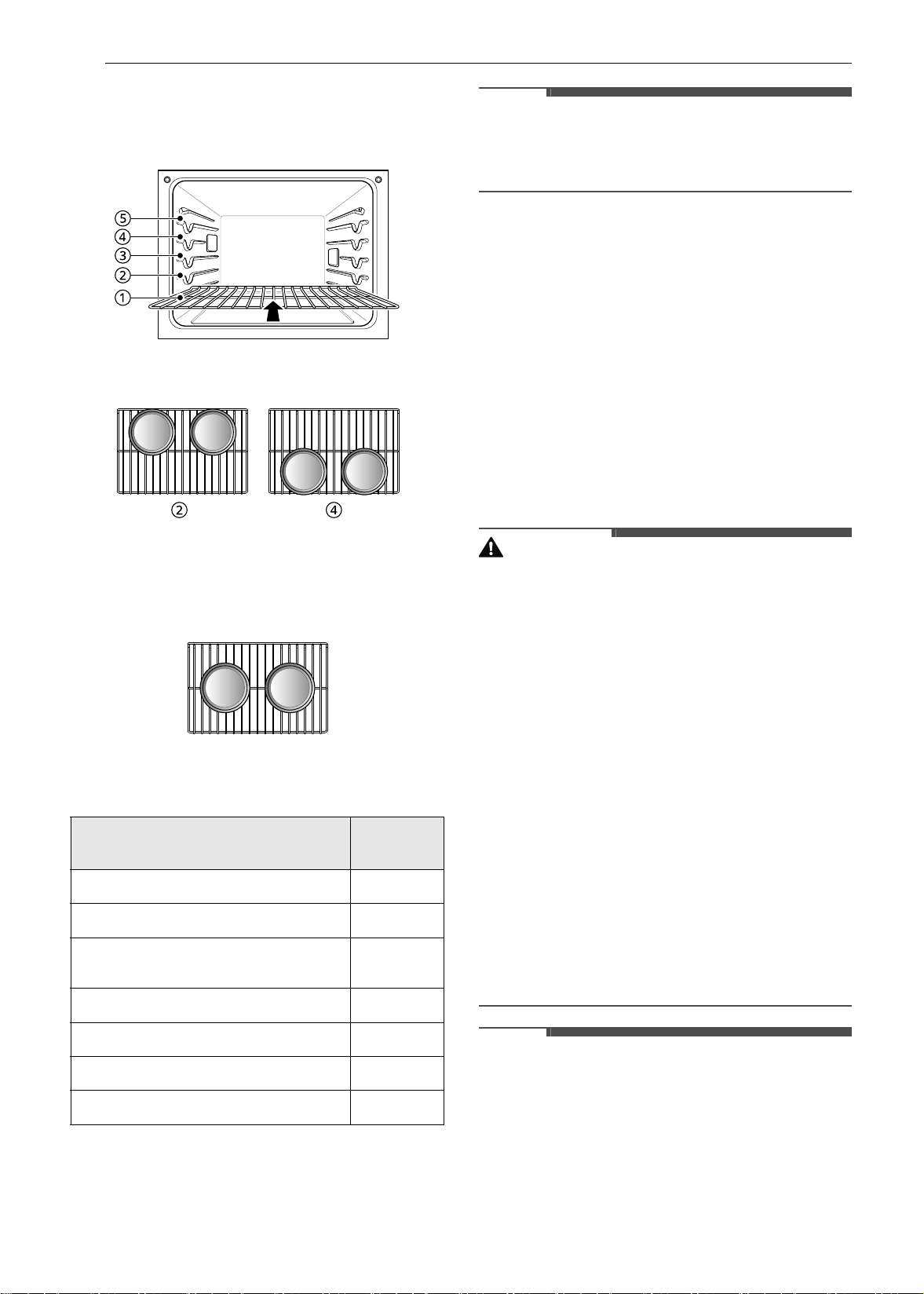
38 OPERATION
If baking with more than one pan, place the pans
so that each one has at least 1” to 1 ½” of air space
around them.
Multiple Rack
Standard Rack (Position B)
Standard Rack (Position
D)
Single Rack
Baking Rack Guide
NOTE
• When baking cakes and cookies on multiple
racks, use the Convection Bake mode and place
racks in positions B and D.
Broil Mode
Setting the Oven to Broil
Broiling uses an intense, radiant heat to cook food.
Both the inner and outer broil elements heat
during full broiling. Only the inner broil element
heats during center broiling. The element(s) cycle
on and off at intervals to maintain the oven
temperature. The meat probe cannot be used with
this mode.
Keep the oven door closed while broiling. Let the
oven preheat for approximately 5 minutes before
cooking food.
CAUTION
• Do not use a broiler pan without a grid. Oil can
cause a grease fire.
• Do not cover the grid and broiler pan with
aluminum foil. Doing so will cause a fire.
• Always use a broiler pan and grid for excess fat
and grease drainage. This will help to reduce
splatter, smoke, and flare-ups.
• Should an oven fire occur, leave the oven door
closed and turn the oven off. If the fire
continues, throw baking soda on the fire or use a
fire extinguisher.
• DO NOT put water or flour on the fire. Flour may
be explosive and water can cause a grease fire to
spread and cause personal injury.
• When using your broiler, the temperature inside
the oven will be extremely high. Take caution to
avoid possible burns by:
- Keeping the door closed when broiling
- Always wearing oven mitts when inserting or
removing food items
NOTE
• This appliance is designed for closed-door
broiling. Close the door to set the Broil function.
If the door is open, the Broil function cannot be
set and DOOR OPEN appears on the display.
Close the door and reset the Broil function. If the
door is opened during broiling, the broil burner
Type of Food
Rack
Position
Angel food cake, frozen pies
C
Bundt or pound cakes
B
Biscuits, muffins, brownies, cookies,
cupcakes, layer cakes, pies
C
Casseroles
B
Turkey, roasts, or ham
A
Frozen pizza
C
Roast chicken
B
en-us_main.book.book Page 38 Monday, April 8, 2024 1:07 PM

39OPERATION
ENGLISH
turns off after five seconds. The broiler turns
back on automatically once the door is closed.
1 Place the food on the broiler pan grid.
2 Press Broil in the cooking mode screen.
3 Scroll to set the desired temperature: Low,
Medium, or High. If desired, scroll to set a
cook time.
4 If desired, set the cook time and delayed start
time using the same method. Press the arrow
key on the right side of the display to see the
delayed start time settings.
5 Press Start. The oven door must be closed to
use the Broil function.
6 Let the oven preheat for approximately 5
minutes before cooking the food.
7 If the cook time is set, the remaining time
appears in the display. If a delayed start time
is set, the start time appears in the display.
8 Press Stop to cancel at any time or when
cooking is complete.
NOTE
• If the cook time is not set, the oven automatically
turns off after 3 hours.
• The heating element(s) turn off after 5 seconds
when the door is opened. They turn on again
approximately 1 second after the door is closed.
• Press Stop in the display to cancel Broil at any
time.
Changing the Broil Settings
1 Press Edit in the display to bring up the Cook
Settings screen.
2 Adjust the settings.
3 Press Start.
To Stop Broiling
Press Stop in the display, and select Yes.
Tips for Reducing Smoke
Due to the intense heat associated with broiling, it
is normal to experience smoke during the cooking
process. This smoke is a natural byproduct of
searing and should not cause you to worry. If you
are experiencing more smoke than you are
comfortable with, use the following tips to reduce
the amount of smoke in your oven.
• Always use a broiler pan. Do not use saute pans
or regular baking sheets for safety reasons.
• The broiler pan should always be thoroughly
cleaned and at room temperature at the
beginning of cooking.
• Always run your cooktop ventilation system or
vent hood during broiling.
• Keep the interior of your oven as clean as
possible. Leftover debris from prior meals can
burn or catch fire.
• Avoid fatty marinades and sugary glazes. Both of
these will increase the amount of smoke you
experience. If you would like to use a glaze,
apply it at the very end of cooking.
• If you are experiencing significant smoke with
any food item, consider:
- Lowering the broiler to the Low setting.
- Lowering the rack position to cook the food
farther away from the broiler.
- Using the High broil setting to achieve the
level of searing you desire, and then either
switching to the Low broil setting, or switching
to the Bake function.
• As a rule, fattier cuts of meat and fish will
produce more smoke than leaner items.
• Adhere to the guidelines in the Recommended
Broiling Guide section whenever possible.
en-us_main.book.book Page 39 Monday, April 8, 2024 1:07 PM
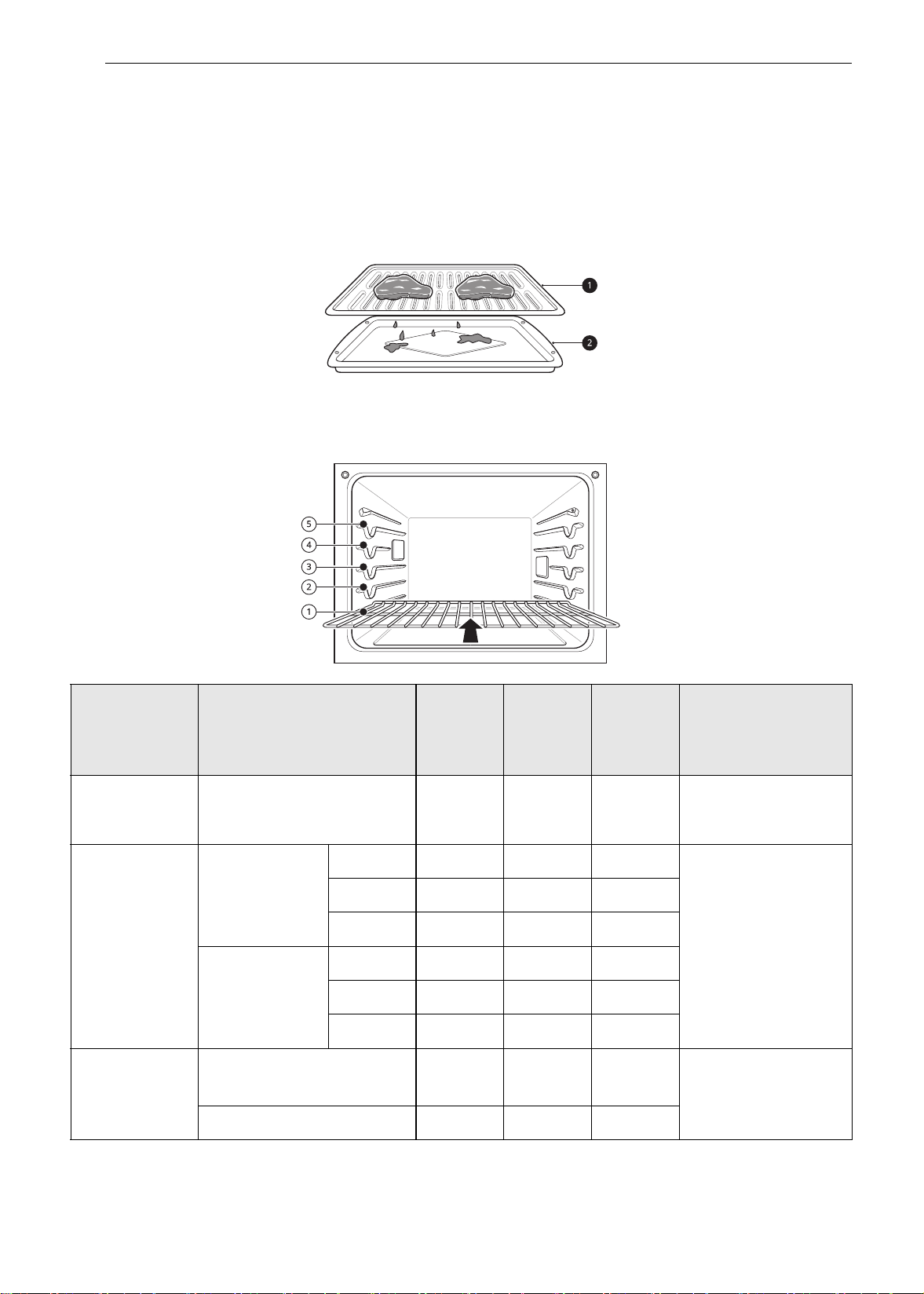
40 OPERATION
Recommended Broiling Guide
Recommended Broiling Guide
The size, weight, thickness, starting temperature, and your preference of doneness will affect broiling
times.
This guide is based on meats at refrigerator temperature. For best results when broiling, use a pan
designed for broiling.
a Grid
b Broiler pan
Food
Quantity and/or
Thickness
Rack
Position
First
Side
Time
(min.)
Second
Side
Time
(min.)
Comments
Ground Beef
1 lb (9 patties)
1/2 to 3/4" thick
E
4-6 3-4
Space evenly. Up to 9
patties may be broiled
at once.
Beef Steaks
1" thick
1 to 1
1
/
2
lbs.
Rare
D
62-3
Steaks less than 1"
thick cook through
before browning.
Pan frying is
recommended. Slash
fat.
Medium
D
72-3
Well done
D
83-4
1
1
/
2
" thick
2 to 2
1
/
2
lbs
Rare
D
10 4-6
Medium
D
12 6-8
Well done
D
14 8-10
Chicken
1 whole, 2 to 2
1
/
2
lbs., split
lengthwise
C
20 6-8
Broil skin-side-down
first.
2 Breasts
C
20 6-10
en-us_main.book.book Page 40 Monday, April 8, 2024 1:07 PM
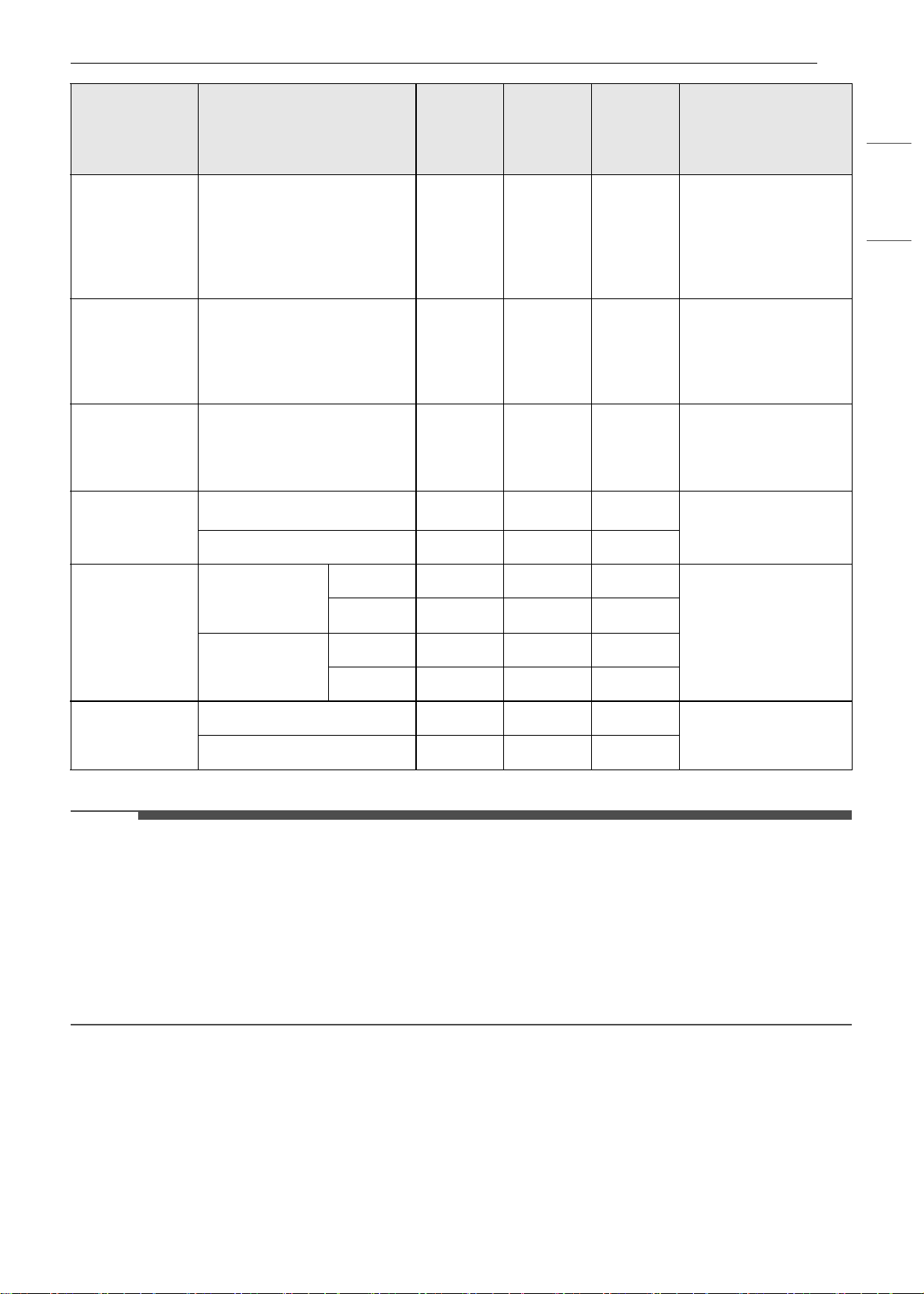
41OPERATION
ENGLISH
• This guide is only for reference. Adjust cook time according to your preference.
NOTE
• The USDA advises that consuming raw or undercooked fish, meat, or poultry can increase your risk of
food-borne illness.
• The USDA has indicated the following as safe minimum internal temperatures for consumption:
- Ground beef: 160 ℉ (71.1 ℃)
- Poultry: 165 ℉ (73.9 ℃)
- Beef, veal, pork, or lamb: 145 ℉ (62.8 ℃)
- Fish / Seafood: 145 ℉ (62.8 ℃)
Tips for Broiling
Beef
• Steaks and chops should always be allowed to rest for five minutes before being cut into and eaten. This
allows the heat to distribute evenly through the food and creates a more tender and juicy result.
Lobster Tails
2–4
10 to 12 oz each
C
12-14
Do not
turn over.
Cut through back of
shell. Spread open.
Brush with melted
butter before broiling
and after half of
broiling time.
Fish Fillets
1
/
4
to
1
/
2
" thick
D or E
5-6 3-4
Handle and turn very
carefully. Brush with
lemon butter before
and during cooking, if
desired.
Ham Slices
(precooked)
1
/
2
" thick
D
53-5
Increase time 5 to 10
minutes per side for 1
1/2" thick or home-
cured ham.
Pork Chops
Well done
2 (
1
/
2
" thick)
D or E
76-8
Slash fat.
2 (1" thick) about 1lb.
D or E
9-10 7-9
Lamb Chops
2 (1" thick)
about 10 to 12
oz
Medium
D
64-6
Slash fat.
Well done
D
87-9
2 (1
1
/
2
" thick)
about 1lb
Medium
D
11 9
Well done
D
13 9-11
Salmon Steaks
2 (1" thick)
D or E
83-4
Grease pan. Brush
steaks with melted
butter.
4 (1" thick) about 1 lb
D or E
94-6
Food
Quantity and/or
Thickness
Rack
Position
First
Side
Time
(min.)
Second
Side
Time
(min.)
Comments
en-us_main.book.book Page 41 Monday, April 8, 2024 1:07 PM

42 OPERATION
• Pieces of meat that are thicker than two inches should be removed from the refrigerator 30 minutes
prior to cooking. This will help them cook more quickly and evenly, and will produce less smoke when
broiling. Cooking times will likely be shorter than the times indicated in the Broiling Chart.
• For bone-in steaks or chops that have been frenched (all meat removed from around the bone), wrap the
exposed sections of bone in foil to reduce burning.
Seafood
• When broiling skin-on fish, always use the Lo broil setting and always broil the skin side last.
• Seafood is best consumed immediately after cooking. Allowing seafood to rest after cooking can cause
the food to dry out.
• It is a good idea to rub a thin coating of oil on the surface of the broiling pan before cooking to reduce
sticking, especially with fish and seafood. You can also use a light coating of non-stick pan spray.
Vegetables
Toss your vegetables lightly in oil before cooking to improve browning.
Warm Mode
This function will maintain an oven temperature of
less than 200 ℉ (93.3 ℃). It will keep cooked food
warm for serving up to 3 hours after cooking has
finished.
Setting the Warm Mode
1 Press Warm in the cooking mode screen.
2 Scroll to set the desired temperature: Low,
Medium, or High. If desired, scroll to set a run
time.
• High: 200 ℉ (93.3 ℃)
• Medium: 170 ℉ (76.7 ℃)
• Low: 140 ℉ (60 ℃)
3 If desired, set the warming time and delayed
start time using the same method. Press the
arrow key on the right side of the display to
see the delayed start time settings.
4 Press Start. If the run time was set, the
remaining time appears in the display.
Changing the Warm Settings
1 Press Edit in the display to bring up the Cook
Settings screen.
2 Adjust the settings as desired.
3 Press Start.
Canceling the Warm Function
Press Stop in the display, and select Yes.
NOTE
• The Warm function is intended to keep food
warm. Do not use it to cool food down.
• If the cook time is not set, the oven automatically
turns off after 3 hours.
Proof Mode
This feature maintains a warm oven for rising
yeast-leavened products before baking.
Setting the Proof Mode
1 Press Proof in the cooking mode screen.
2 Read the instruction and press the arrow key
on the right side of the display.
3 Scroll through the numbers to set a proofing
time or press the number pad icon to enter
the numbers directly.
4 If desired, set the cook time and delayed start
time using the same method.
Number pad icon
en-us_main.book.book Page 42 Monday, April 8, 2024 1:07 PM
43OPERATION
ENGLISH
5 Press Start. The remaining proofing time
appears in the display.
NOTE
• If the proofing time is not set, the oven
automatically turns off after 12 hours.
Canceling the Proof Function
Press Stop in the display, and select Yes.
NOTE
• To avoid lowering the oven temperature and
lengthening proofing time, do not open the oven
door unnecessarily. Check bread products early
to avoid over proofing.
• Do not use the Proofing mode for warming food
or keeping food hot. The proofing oven
temperature is not hot enough to keep foods at
safe temperatures. Use the Warm feature to
keep food warm. Proofing does not operate
when the oven is above 125 ℉. OVEN IS HOT
shows in the display.
• It is normal for the fan to operate during the
Proof function.
• The proof feature automatically provides the
optimum temperature for the proofing process,
and therefore does not have a temperature
adjustment.
• For best results, cover the dough with a cloth or
with plastic wrap. (The plastic may need to be
anchored underneath the container so the oven
fan does not blow it off.)
Air Fry
This feature automatically increases the entered
temperature by 45 ℉ for optimal performance
when using Air Fry.
The Air Fry mode can be programmed to cook at
any temperature from 300 ℉ (150 ℃) to 500 ℉ (260
℃). The default temperature is 400 ℉ (205 ℃).
The Air Fry function is specially designed for oil-
free frying.
Setting the Air Fry Mode
1 Press Air Fry in the cooking mode screen.
2 Set the oven temperature. Scroll through the
numbers on the display or press the number
pad icon to enter the numbers directly.
3 If desired, set the cook time and delayed start
time using the same method. Press the arrow
key on the right side of the display to see the
delayed start time settings.
4 Press Start.
5 If the cook time is set, the remaining time
appears in the display. If a delayed start time
is set, the start time appears in the display.
Changing the Cook Settings
1 Press Edit in the display to bring up the Cook
Settings screen.
2 Adjust the settings using the number pad or
scroll function.
3 Press Start.
To Stop Cooking
Press Stop in the display, and select Yes.
NOTE
• No preheating is required when using the Air Fry
mode.
• If cooking multiple batches, the later batches
may take less time to cook.
• Wet batters and coatings will not crisp or set
when using the Air Fry mode.
Number pad icon
en-us_main.book.book Page 43 Monday, April 8, 2024 1:07 PM
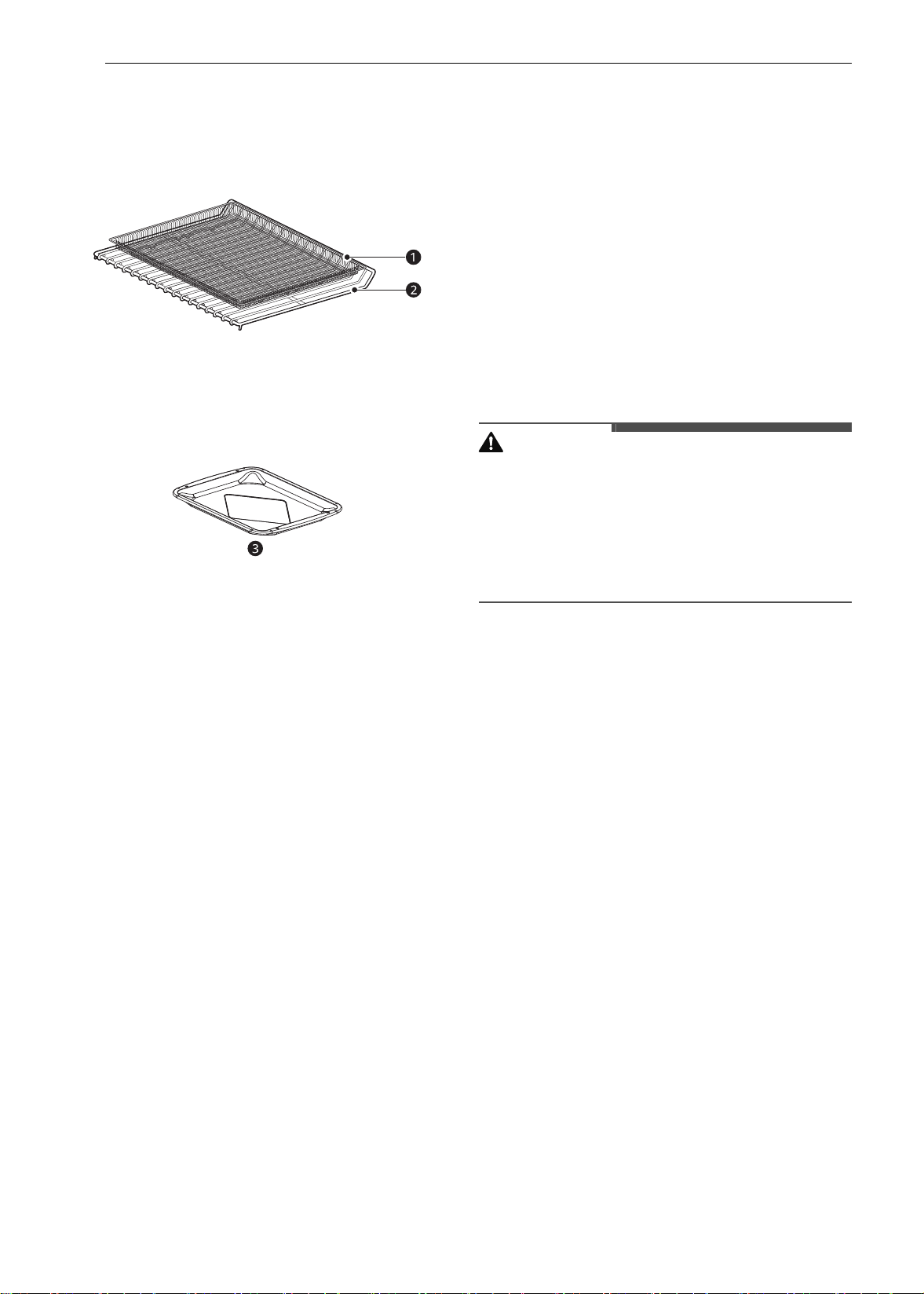
44 OPERATION
Tips for Air Fry
• For best results, use the provided air fry tray.
- The mesh section of the air fry tray can be
cleaned in a dishwasher.
a Air Fry Tray
b Standard Rack
• If you don't have the air fry tray, place food on a
wire rack inside a foil-lined broiler pan.
c Broiler Pan
• For best results, cook food on a single rack
placed in positions suggested in the chart in this
manual.
• Spread the food out evenly in a single layer.
• Use either the optional air fry tray available from
LG or a dark baking tray with no sides or short
sides that does not cover the entire rack. This
allows for better air circulation.
• If desired, spray the baking tray or air fry tray
with a pan spray. Use an oil that can be heated to
a high temperature before smoking, such as
avocado, grapeseed, peanut or sunflower oil.
• Place a foil-lined baking tray on a rack in position
1 to catch the oil falling from the food. For high-
fat foods like chicken wings, add a few sheets of
parchment paper to absorb the fat.
• Check food often and shake it or turn it over for
crisper results.
• Prepared frozen foods may cook faster with the
Air Fry mode than stated on the package.
Reduce the cooking time by about 20 percent,
check food early, and adjust cooking time as
needed.
• Use a food thermometer to make sure food has
reached a safe temperature for consumption.
Eating undercooked meats can increase your
risk of food-borne illness.
• For the crispiest results, dredge fresh chicken
wings or tenders in seasoned flour. Use 1/3 cup
flour for 2 pounds of chicken.
Recommendations When Air Frying
High-Fat Foods
Foods high in fat will smoke when using the Air Fry
mode. For best results, follow these
recommendations when air frying foods that are
high in fat, such as chicken wings, bacon, sausage,
hot dogs, turkey legs, lamb chops, ribs, pork loin,
duck breasts, or some plant-based proteins.
CAUTION
• Never cover slots, holes, or passages in the oven
bottom or cover entire racks with materials such
as aluminum foil. Doing so blocks airflow
through the oven and can result in carbon
monoxide poisoning. Aluminum foil can also
trap heat, causing a fire hazard or poor oven
performance.
• Turn on your exhaust hood at a high fan setting
before you start Air Fry and leave it on for 15
minutes after you're done.
• Open a window or sliding glass door, if possible,
to make sure the kitchen is well-ventilated.
• Clean the grease filters on your exhaust hood
regularly.
• Keep the oven free from grease buildup. Wipe
down the interior of the oven before and after
air frying (once the oven has cooled).
• Run oven cleaning cycles (Easy Clean or
SelfClean) regularly, depending on how often
and what types of food you Air Fry.
• Avoid opening the oven door more than
necessary to help maintain the oven
temperature, prevent heat loss, and save
energy.
• Air-frying fresh chicken pieces such as wings or
drumsticks with the skin left on can produce
smoke as the fat renders at high temperatures.
If the smoke is excessive, use the Convection
Roast mode instead of Air Fry.
Recommended Air Frying Guide
• Arrange food evenly in a single layer.
• Put a foil-lined baking pan on a rack in position B to catch drips. If needed, add parchment paper to
absorb oil and reduce smoking.
en-us_main.book.book Page 44 Monday, April 8, 2024 1:07 PM
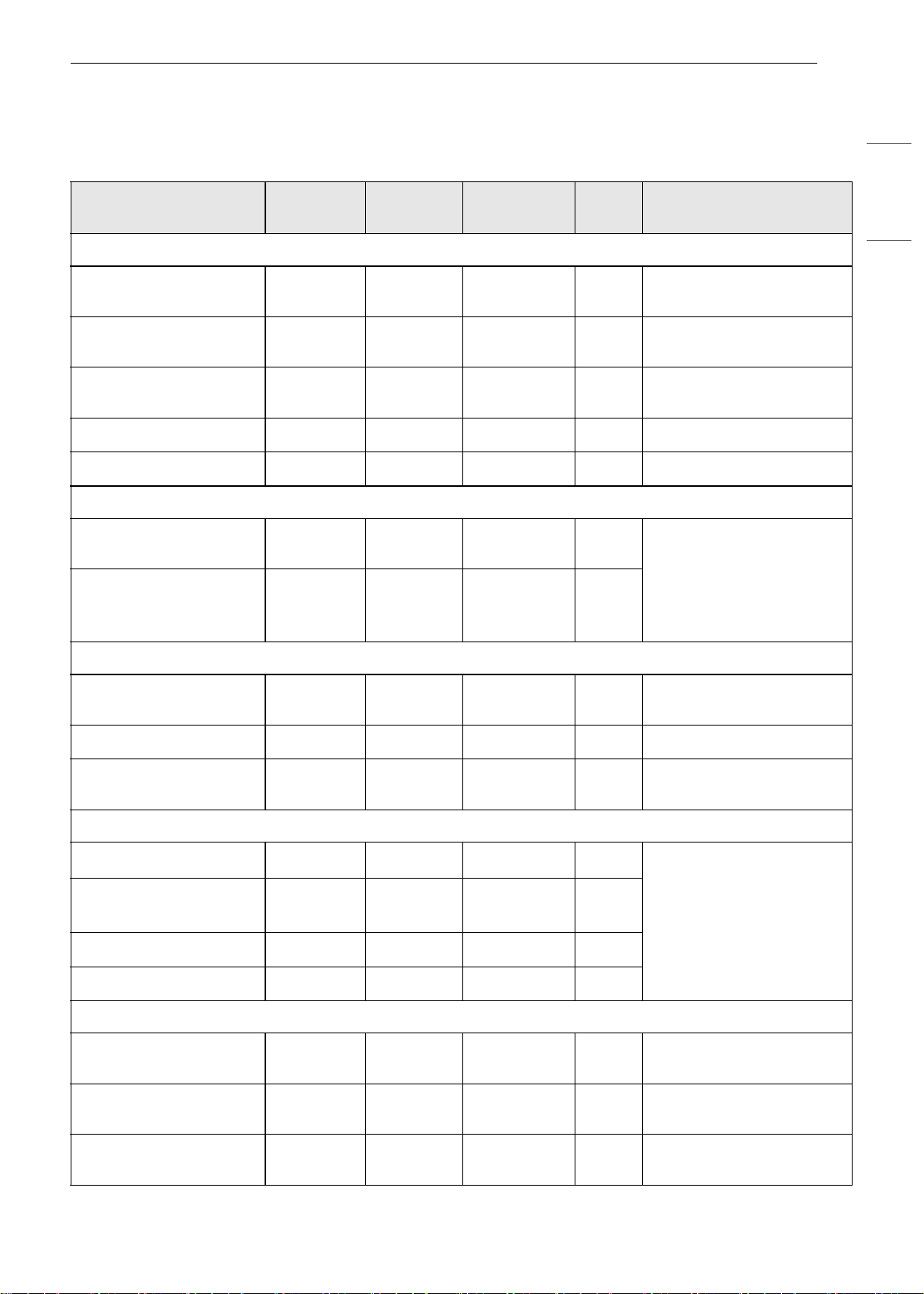
45OPERATION
ENGLISH
• Flip food over during cooking to avoid burning it.
† High-fat items may produce more smoke when cooked using Air Fry. For less smoke, cook using
Convection Roast mode.
Recommended Items
Quantity
(oz)
Temp. (°F)
Rack
Position
Time Guide
POTATOES-Frozen
Frozen French Fries
(Shoestring)
20 425
C
15-25
Frozen French Fries
(Crinkle cut, 10x10 mm)
35 400
C
18-28
Frozen Sweet Potato
Fries
25 400
C
15-25
Frozen Tater Tots 50 425
C
18-28
Frozen Hash Browns 40 425
C
18-28
POTATOES-Fresh/Homemade
Homemade French Fries
(10x10 mm)
25 425
C
20-30 Cut the potatoes and soak
for 30 minutes in hot tap
water. Drain and pat
dry.Brush or lightly spray
with 3 tbsp. of oil. Add salt
and pepper to taste.
Homemade Potato
Wedges
60 425
C
30-40
CHICKEN-Frozen
Frozen Chicken Nuggets,
Crispy
30 400
C
15-25
Frozen Chicken Strips 35 400
C
25-35
Frozen Hot Wings, Bone-
in
50 400
C
25-35
CHICKEN-Fresh, Skin on
Fresh Chicken Wings
†
40 450
C
25-35 Brush or lightly spray with
1 tbsp. of oil. Add salt and
pepper to taste.
Fresh Chicken
Drumsticks
†
70 450
C
30-40
Thighs 40 450
C
25-35
Breasts 40 450
C
25-35
OTHER
Frozen Onion Rings,
Breaded
20 400
C
15-25
Frozen Spring Rolls (0.7
oz each)
45 400
C
15-25
Thin Sausage (2.5 oz
each, diameter 0.8")
90 400
C
15-25
en-us_main.book.book Page 45 Monday, April 8, 2024 1:07 PM
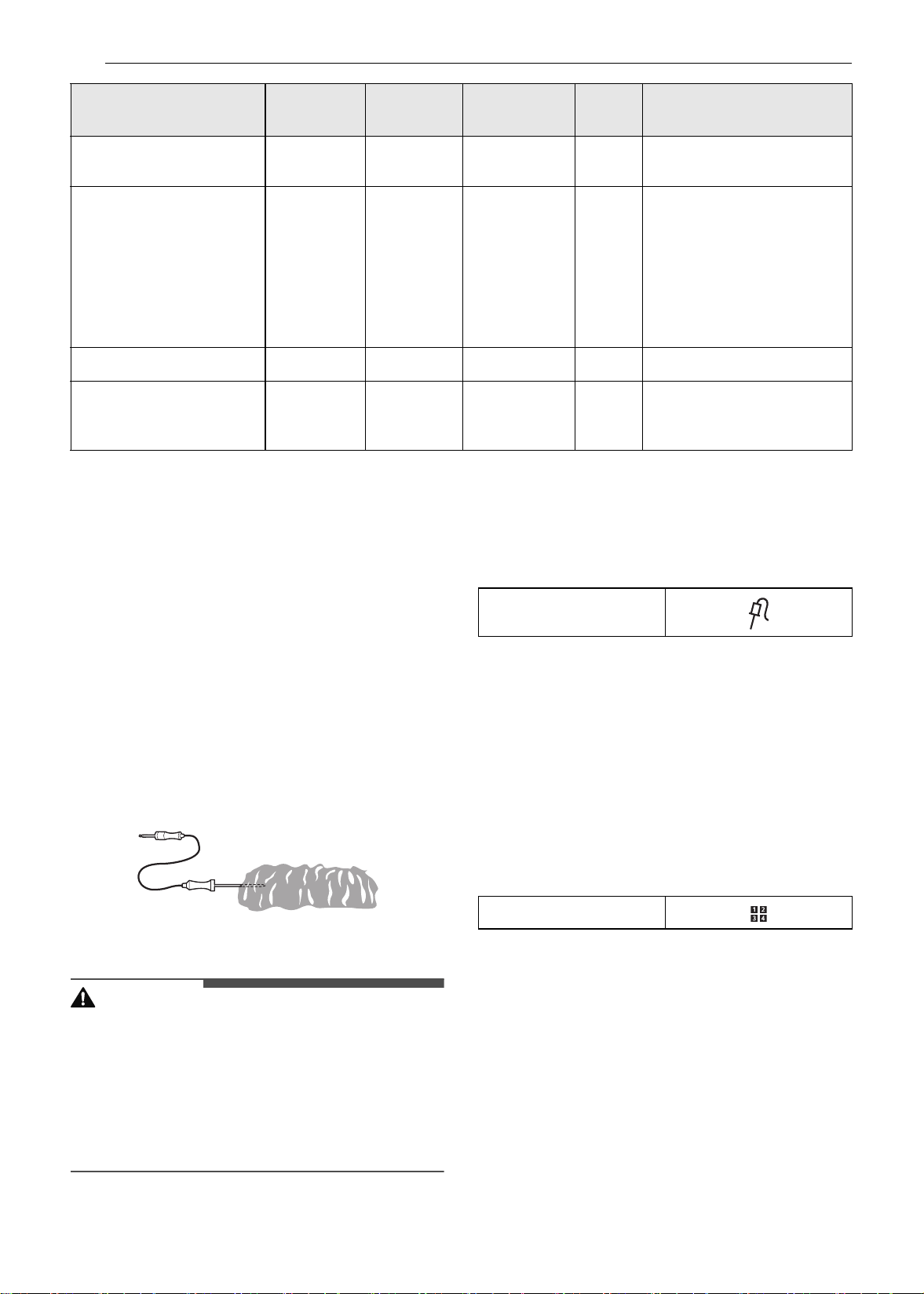
46 OPERATION
Probe Mode
The probe accurately measures the internal
temperature of meat, poultry and casseroles.
Always unplug and remove the probe from the
oven before removing food. Before using, insert
the probe into the center of the thickest part of
meat or into the inner thigh or breast of poultry,
away from fat or bone. Place food in the oven and
connect the meat probe to the jack. Keep the
probe as far away from heat sources as possible.
• The probe cannot be used in the Broil, Sous Vide,
Steam Maintenance, Rapid Heat Roast +,Self
Clean, Speed Cleaning, Warm or Proof modes.
• For thin cuts of meat, insert probe in thickest
side of meat.
Using the Meat Probe Feature
CAUTION
• Always use an oven mitt to remove the
temperature probe. Do NOT press the broil
element. Failure to follow this warning can result
in severe personal injury.
• To avoid damage to the meat probe, do not use
tongs to pull on the probe when removing it.
• Do not store the meat probe in the oven.
1 Insert the probe into the food.
2 Connect the probe to the jack in the oven.
“Probe is connected” pops up in the display
and the probe icon appears at the top of the
display.
3 Press an appropriate cooking mode.
4 Set the oven temperature and the probe
temperature. Scroll through the numbers on
the display or press the number pad icon to
enter the numbers directly.
• The default probe temperature is 150 ℉ (65
℃), but can be changed to any temperature
between 80 ℉ (27 ℃) and 210 ℉ (100 ℃).
5 If desired, set the delayed start time using the
same method. Press the arrow key on the
right side of the display to see the additional
settings.
6 Press Start. If a delayed start time has been
set, the start time appears in the display.
7 When the set probe temperature is reached,
the oven shuts off automatically.
Frozen Coconut Shrimp 25 400
C
15-25 Brush or lightly spray the
surface of food with oil.
Fresh Scallops on the half
shell (35.3 oz)
35 400
C
15-25 Melt 4 tbsp. of butter and
brush on scallops. Mix 1/2
cup bread crumbs, 1 tbsp.
minced garlic, 1/4 cup
grated parmesan cheese
and season to taste.
Sprinkle mixture over
scallops.
Fresh Shrimp 50 400
C
15-25
Mixed Vegetables 35 425
C
13-23 Brush or lightly spray with
4 tbsp. of olive oil. Add salt
and pepper to taste.
Recommended Items
Quantity
(oz)
Temp. (°F)
Rack
Position
Time Guide
Probe icon
Number pad icon
en-us_main.book.book Page 46 Monday, April 8, 2024 1:07 PM
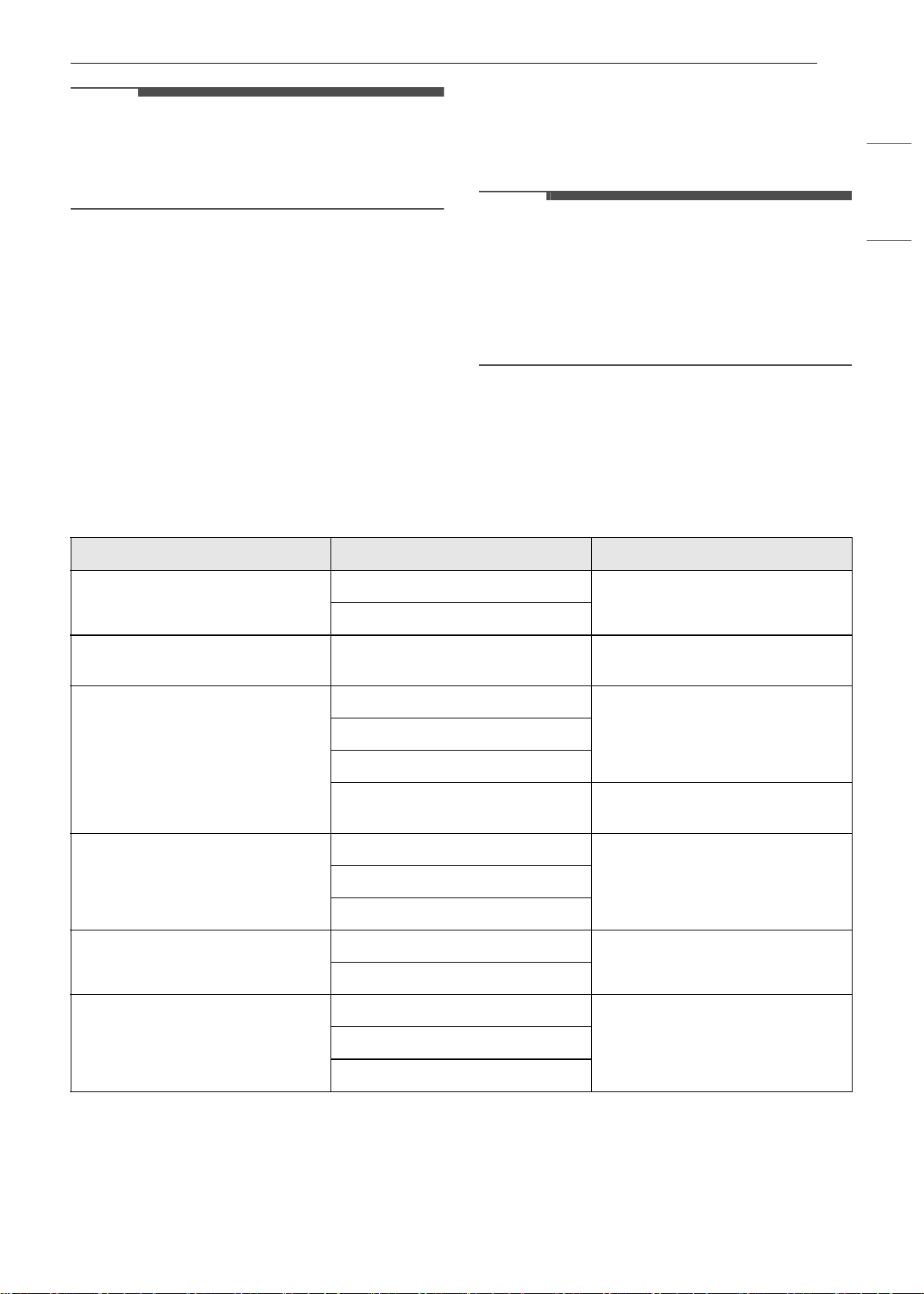
47OPERATION
ENGLISH
NOTE
• Calculating a total cooking time by weight is no
longer necessary using this feature. See the
Recommended Probe Temperature Chart to set
the probe temperature.
Changing the Probe Temperature
while Cooking
1 Press Edit in the display to bring up the Cook
Settings screen.
2 Adjust the settings as desired.
3 Press Start.
To Stop Cooking
Press Stop in the display, and select Yes.
NOTE
•Press Stop in the display at any time to cancel a
cooking operation.
• To avoid breaking the probe, make sure food is
completely defrosted before inserting.
• While the meat probe mode is running,
SpeedClean does not respond.
Recommended Probe Guide
Recommended Probe Placement Chart
Category Examples of Food Probe Placement
Ground Meat & Meat Mixtures
Meatloaf
Insert in the thickest part
Meatballs
Fresh Beef, Veal, Lamb Steaks, Roasts, Chops
Insert in the thickest part, away
from bone, fat and gristle
Poultry
Whole Chicken or Turkey
Insert in the thickest part of thigh,
avoiding bone
Poultry Breasts or Roasts
Duck, Goose, Pheasant
Stuffing (Alone or in Bird)
Insert in the thickest part of the
dish
Pork & Ham
Fresh Pork
Insert in the thickest part, away
from bone, fat and gristle
Fresh Ham (Raw)
Precooked Ham (Reheat & Serve)
Leftovers & Casseroles
Leftovers
Insert in the thickest part of the
dish
Casseroles
Seafood
Whole Fish
Insert in the thickest part of the
fish
Fish Fillet (Side of Fish)
Fish Steaks or Portions
en-us_main.book.book Page 47 Monday, April 8, 2024 1:07 PM
48 OPERATION
Recommended Probe Temperature Chart
Favorite Mode
For frequently used cooking menus, you can
combine up to three different temperatures and
cooking modes into one hot key.
Creating a Favorite
• When combining two or more cooking modes, a
cooking time or probe temperature must be set
before selecting an additional cooking mode.
• The Probe function cannot be used with the
Broil, Sous Vide, Steam Maintenance, Warm, or
Proof modes.
1 Press Favorite in the Cooking Modes screen.
2 Press Create to make a new hot key.
3 Select a cook mode listed in the display and
set the desired cook temperature.
4 Press Set Cook Time or Set Probe.
5 If there are no additional cooking stages,
press Done. To add another cooking stage,
set a cooking time or probe temperature for
the previous stage. Then press Add Cook
Stage.
6 Repeat steps 3-5 until all desired cooking
stages have been entered. Then press Done.
7 Enter a name for your recipe using the
keyboard and press Save.
Category Examples of Food
Target Internal
Temp.
Desired Doneness
Ground Meat &
Meat Mixtures
Meatloaf 160 ℉ (71 ℃)
Meatballs 165 ℉ (74 ℃)
Fresh Beef, Veal,
Lamb
Roasts 145 ℉ (63 ℃)
Rare: 120 ℉ (49 ℃)
Medium rare: 125 ℉ (52 ℃)
Medium: 130 ℉ (54 ℃)
Medium well done: 135 ℉ (57
℃)
Well done: 140 ℉ (60 ℃)
Poultry
Whole Chicken or Turkey
165 ℉ (74 ℃)
Poultry Breasts or Roasts
Duck, Goose, Pheasant
Stuffing (Alone or in Bird)
Pork & Ham
Fresh Pork
145 ℉ (63 ℃)
Well done: 170 ℉ (77 ℃)
Fresh Ham (Raw) Well done: 160 ℉ (71 ℃)
Precooked Ham (Reheat &
Serve)
140 ℉ (60 ℃)
Leftovers &
Casseroles
Leftovers
165 ℉ (74 ℃)
Casseroles
Seafood Whole Fish
145 ℉ (62.8 ℃)Fish Fillet (Side of Fish)
Fish Steaks or Portions
en-us_main.book.book Page 48 Monday, April 8, 2024 1:07 PM

49OPERATION
ENGLISH
8 The recipe name is added to the Favorite
menu.
NOTE
• If the probe was inserted in the oven jack to add
a probe temperature, remember to remove it.
• After the steam mode is used for 8 hours, a
reminder to descale the product appears in the
display the next time the steam mode is
selected. You will not be able to use the steam
mode until the Descaling function is run. To
avoid this delay, run the Descaling function after
every 2-3 uses of the steam mode.
• If the descaling reminder appears, press OK to
run the Descaling function.
• Proofing doesn't operate when the oven is above
125 ℉ (52 ℃).
• If using Proof after cooking, wait for the oven to
cool first.
• The Proof mode can only be set as a single stage,
not as part of multi-stage cooking.
Editing a Favorite
• The Edit function cannot add or remove cooking
stages to a recipe. Only the oven temperature,
probe temperature and cook time can be
changed.
1 Press Favorite in the Cooking Modes screen.
2 Select the recipe to edit and then press the
pencil icon at the bottom left of the screen.
3 Edit the settings for the first cooking stage
and press Done to proceed to the next
cooking stage, if any.
4 Edit the next cooking stage, press Done, and
proceed through all cooking stages in the
same way.
5 Once the last cooking stage has been edited,
enter a new name for the recipe or keep the
previous name. Then press Save.
Deleting Favorite
1 Press Favorite in the Cooking Modes screen.
2 Select the recipe and press the trash can icon
at the bottom left of the screen.
3 Press Yes.
Auto Cook Mode
The Auto Cook function provides guidance for
cooking foods or dishes that may be unfamiliar. It
contains preset programs for cooking many
popular food items, with information on
recommended preheating, accessories, and rack
position for optimal results.
NOTE
• This function provides pre-programmed timing
and power levels for Probe recipes only. For non-
probe recipes, oven must be turned off manually
when finished cooking.
Setting Auto Cook Mode
1 Touch Auto Cook in the Cooking Modes
screen.
2 Touch a category to filter the options.
3 Scroll through or tap the letters to find and
select an item.
4 Follow the recommendations in the display
regarding accessories and rack position.
5 Touch Start.
en-us_main.book.book Page 49 Monday, April 8, 2024 1:07 PM
50 OPERATION
Auto Cook Guide
• Preheat oven first for most items.
• Preheat for 5 minutes when broiling.
• If using probe, insert after preheating.
NOTE
• When cooking thin cuts of meat, insert the probe into the thickest part of the meat. If the probe is
inserted incorrectly, the oven could turn off too soon. See the Probe section for instructions.
Beef
Menu
Accessories/
Cookware
Shelf Position
Cooking time in
min.
Beef Tenderloin
Rare
Grid on broiler pan
B
30~60
Medium rare
B
35~65
Medium
B
40~70
Medium well done
B
45~75
Well done
B
50~80
Pot Roast
Ovenproof pot with
cover
B
50~80
Roast Beef
Rare
Grid on broiler pan
B
40~70
Medium rare
B
45~75
Medium
B
50~80
Medium well done
B
55~85
Well done
B
60~90
London Broil
Rare
E
3~10 + 3~10
Medium rare
E
5~15 + 3~10
Medium
E
5~15 + 5~10
Medium well done
E
8~15 + 5~10
Well done
E
10~15 + 8~15
Steak
Rare
E
3~10 + 3~10
Medium rare
E
5~15 + 3~10
Medium
E
5~15 + 5~10
Medium
E
8~15 + 5~10
Well done
E
10~15 + 8~15
Beef Marinade
C
20~50
Meat Loaf Loaf pan
B
40~60
en-us_main.book.book Page 50 Monday, April 8, 2024 1:07 PM
51OPERATION
ENGLISH
Pork
Menu
Accessories/
Cookware
Shelf Position
Cooking time in
min.
Pork Butt Casserole dish
B
60~90
Pork Chops
Grid on broiler pan
D
30~50
Pork Loin
B
50~80
Pork Tenderloin
B
20~40
Lamb
Menu
Accessories/
Cookware
Shelf Position
Cooking time in
min.
Rack
Grid on broiler pan
B
10~30
Bone-in Leg of Lamb
D
20~40
Veal
Menu
Accessories/
Cookware
Shelf Position
Cooking time in
min.
Veal Top Sirloin
Grid on broiler pan
B
80~100
Veal Chops
E
4~15 + 3~10
Veal Rolled Roast
B
50~70
Veal Rib Roast
B
50~80
Veal Tenderloin
B
50~80
Fish
Menu
Accessories/
Cookware
Shelf Position
Cooking time in
min.
Fish Fillet
Baking dish
D
10~15
Whole
D
15~30
Shrimp
Grid on broiler pan
E
5~15
Lobster Tails
D
20~30
Salmon Steak
Rare
Baking dish
D
15~20
Medium rare
D
20~25
Well done
D
15~30
en-us_main.book.book Page 51 Monday, April 8, 2024 1:07 PM
52 OPERATION
Poultry
Menu
Accessories/
Cookware
Shelf Position
Cooking time in
min.
Chicken
Legs & Thighs
Baking dish
D
20~40
Wings (Fresh)
Grid on broiler pan
E
8~20
Wings (Frozen)
D
20~40
Breasts Baking dish
D
20~40
Cutlet Casserole dish
D
20~30
Whole
Grid on broiler pan
B
60~80
Whole Turkey
B
150~240
Casserole
Menu
Accessories/
Cookware
Shelf Position
Cooking time in
min.
Fresh Lasagna Baking dish
C
50~70
Pizza
Menu
Accessories/
Cookware
Shelf Position
Cooking time in
min.
Frozen Thin Crust Pizza
Directly on rack
C
10~20
On pizza pan
C
10~20
On pizza stone
C
10~20
Frozen Rising Crust Pizza
Directly on rack
C
10~20
On pizza pan
C
10~20
On pizza stone
C
10~20
From Scratch/Homemade
Directly on rack
C
10~20
On pizza pan
C
10~20
On pizza stone
C
10~20
Desserts
Menu
Accessories/
Cookware
Shelf Position
Cooking time in
min.
Brownies Baking dish
C
30~40
Cheesecake Cake pan
C
60~70
Fruit pie
Whole Pie
Pie pan
C
25~45
Par Bake Bottom
Crust Only
C
20~40
en-us_main.book.book Page 52 Monday, April 8, 2024 1:07 PM
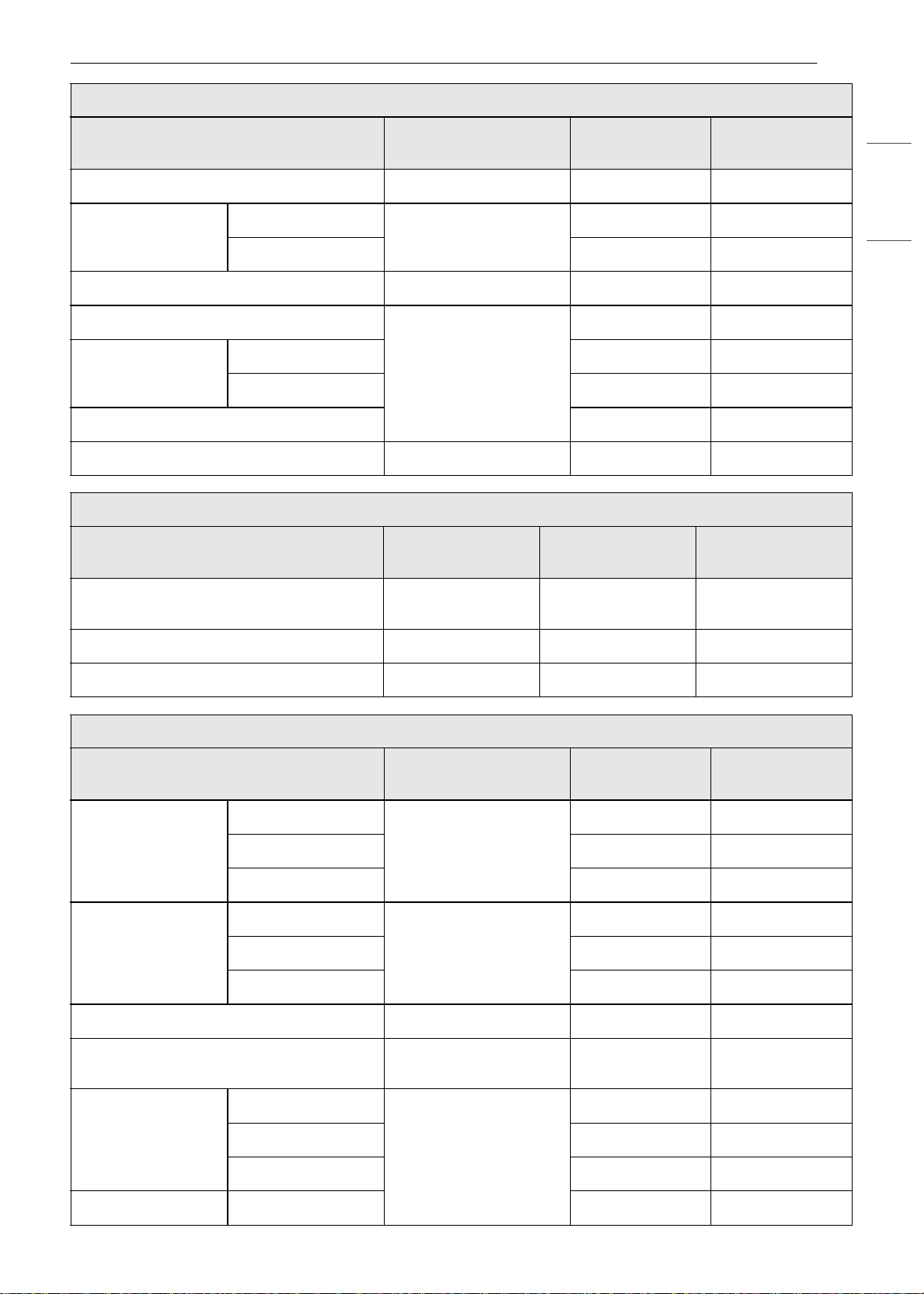
53OPERATION
ENGLISH
Fruit tart Tart pan
C
20~40
Cakes
Layer Cake
Cake pan
C
25~45
Angel Food Cake
C
30~40
Muffins/Cupcakes Muffin pan
C
20~30
Puff Pastry
Baking sheet
C
20~40
Cookies
Single Tray
C
15~20
Multiple Tray
B+D
20~28
Biscuits/Scones
C
10~20
Souffle Souffle dish
B
60~80
Miscellaneous
Menu
Accessories/
Cookware
Shelf Position
Cooking time in
min.
Proof
Ovenproof bowl
with cover
C
30~40
Drying/Dehydrating (Fruit or Vegetable) Baking sheet
C
120~480
Slow Roasting Grid on broiler pan
B
120~240
Bread (Steam)
Menu
Accessories/
Cookware
Shelf Position
Cooking time in
min.
White Bread
Homemade
Loaf pan
C
20~50
Frozen
C
20~50
Par Baked
C
20~50
Baguette
Homemade
Perforated baguette
pan
C
15~35
Frozen
C
15~35
Par Baked
C
15~35
Cinnamon Raisin Bread Loaf pan
C
20~40
Walnut Bread
Loaf pan or perforated
tray
C
40~50
Whole Grain Bread
Homemade
Loaf pan
C
25~45
Frozen
C
25~45
Par Baked
C
25~45
Banana Bread Homemade
C
25~50
Desserts
Menu
Accessories/
Cookware
Shelf Position
Cooking time in
min.
en-us_main.book.book Page 53 Monday, April 8, 2024 1:07 PM
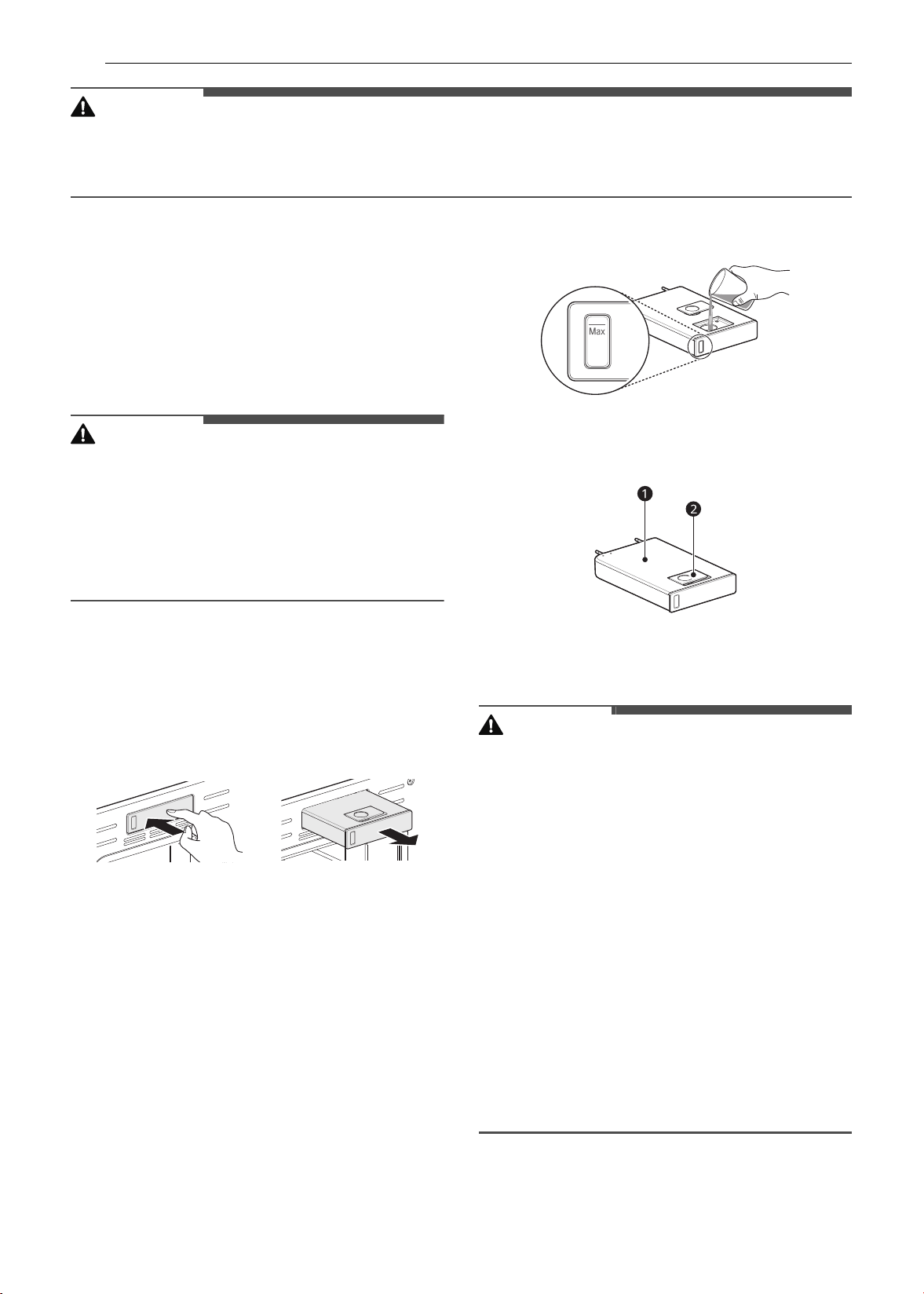
54 OPERATION
CAUTION
• Take care when opening the oven door during or after steam cooking. Hot steam can cause scalding.
• After any steam cooking cycle, the drying function will run automatically. It is normal to hear the steam
pump running during the drying function.
Steam Function
Steam cooking uses the moist heat of steam to
cook food. This is an ideal cooking method for
delicate food items such as seafood, which can
lose nutrients when boiled.
The oven provides 2 methods of steam cooking:
Steam Bake and Sous Vide.
CAUTION
• Take care when opening the oven door during or
after steam cooking. Hot steam can cause
scalding.
• After any steam cooking cycle, the drying
function will run automatically. It is normal to
hear the steam pump running during the drying
function.
Using the Steam Feeder Tank
The steam feeder tank is located over the oven
cavity.
1 Gently push the front of the steam feeder
tank to slide it out.
2 Remove the tank and place it on a flat surface.
3 Remove the tank cover or flip open the fill lid
at the front of the tank cover.
4 Fill the tank to the max line located at the
front of the tank. Use softened, filtered water,
if possible. Hard water may clog the steam
generator more quickly with scale buildup.
5 Assemble the cover or snap closed the fill lid.
a Tank cover
b Fill lid
CAUTION
• Make sure the steam feeder tank cover and fill
lid are closed before putting the tank in the
oven.
• Use potable water only.
• Do not fill the steam feeder tank with any fluid or
mixture other than water.
• Do not fill the steam feeder tank with hot water.
• Fill the steam feeder tank up to the line indicated
on the front.
• Do not tilt the steam feeder tank while it is full.
• Discard any remaining water and clean the
steam feeder tank after cooking.
• Use the steam feeder tank only for its intended
purpose of providing water for steam cooking.
• Monitor the water level in the tank and refill as
needed for steam cooking. Use oven mitts to
avoid burns when handling the hot tank.
6 Carefully insert the tank into the steam feeder
slot, making sure to keep the tank level while
en-us_main.book.book Page 54 Monday, April 8, 2024 1:07 PM

55OPERATION
ENGLISH
carrying it. If the tank is not kept level, water
will drain out of the tubes in the back.
7 Slide the tank into the slot until it clicks into
place.
Steam Bake Mode
The Steam Bake mode heats food gradually, using
both the oven heating elements and moist steam
heat. The oven can be programmed to cook at any
temperature from 210 ℉ (100 ℃) to 550 ℉ (285 ℃).
Preset temperature options start at 350 ℉ (175 ℃).
Setting Steam Bake Mode
1 Press Steam Cook in the Cooking Modes
screen.
2 Press Steam Bake in the display.
3 Select the desired temperature and steam
level: Low, Medium, or High.
4 If desired, scroll to set the cook time and
delayed start time. Press the arrow key on the
right side of the display to see the delayed
start time settings.
5 Press Start.
6 Once cooking is finished, allow the oven to
cool completely. Then wipe up any water left
on the oven interior.
NOTE
• Once Steam Bake cooking is started, an indicator
on the display shows the status of the steam
function.
• Make sure the steam feeder tank is filled with
water before starting the Steam Bake mode. If
the water in the tank runs out during cooking, a
chime sounds and a popup appears in the
display. The oven continues to cook without
steam.
• Remember to drain the steam feeder tank after
use.
• When the temperature rises in the oven, steam
may not be visible.
• It is normal to hear the sound of boiling water
from the steam generator while running the
steam functions.
Changing the Steam Cook Settings
1 Press Edit in the display to bring up the Cook
Settings screen.
2 Adjust the settings as desired.
3 Press Start.
To Stop Steam Cooking
Press Stop in the display, and select Yes.
Sous Vide
Sous vide cooking uses steam to cook foods "low
and slow." Use it to cook meat, fish, seafood,
poultry or vegetables. Food must be vacuum
packed in pouches.
It is not necessary to preheat the oven when using
sous vide.
Refer to the cooking guide for recommended sous
vide settings.
Benefits of Sous Vide
The lower temperatures and long cooking times
used in sous vide cooking provide many benefits.
• Healthier
Compared to other cooking methods, sous vide
retains most of the original nutrients in food.
• Safe and Convenient
The long cooking times used in sous vide
cooking allow food to be pasteurized. Because
food is vacuum packed before cooking, the
unopened pouches can be quickly chilled then
easily stored after cooking.
• Crisp and Moist Results
The fine temperature control of sous vide
cooking is an excellent way to achieve the
perfect texture when cooking meat and poultry.
The low temperatures used retain more of the
moisture in food than conventional cooking
methods. After cooking, a final sear in a frying
pan adds the perfect crisp finish.
en-us_main.book.book Page 55 Monday, April 8, 2024 1:07 PM
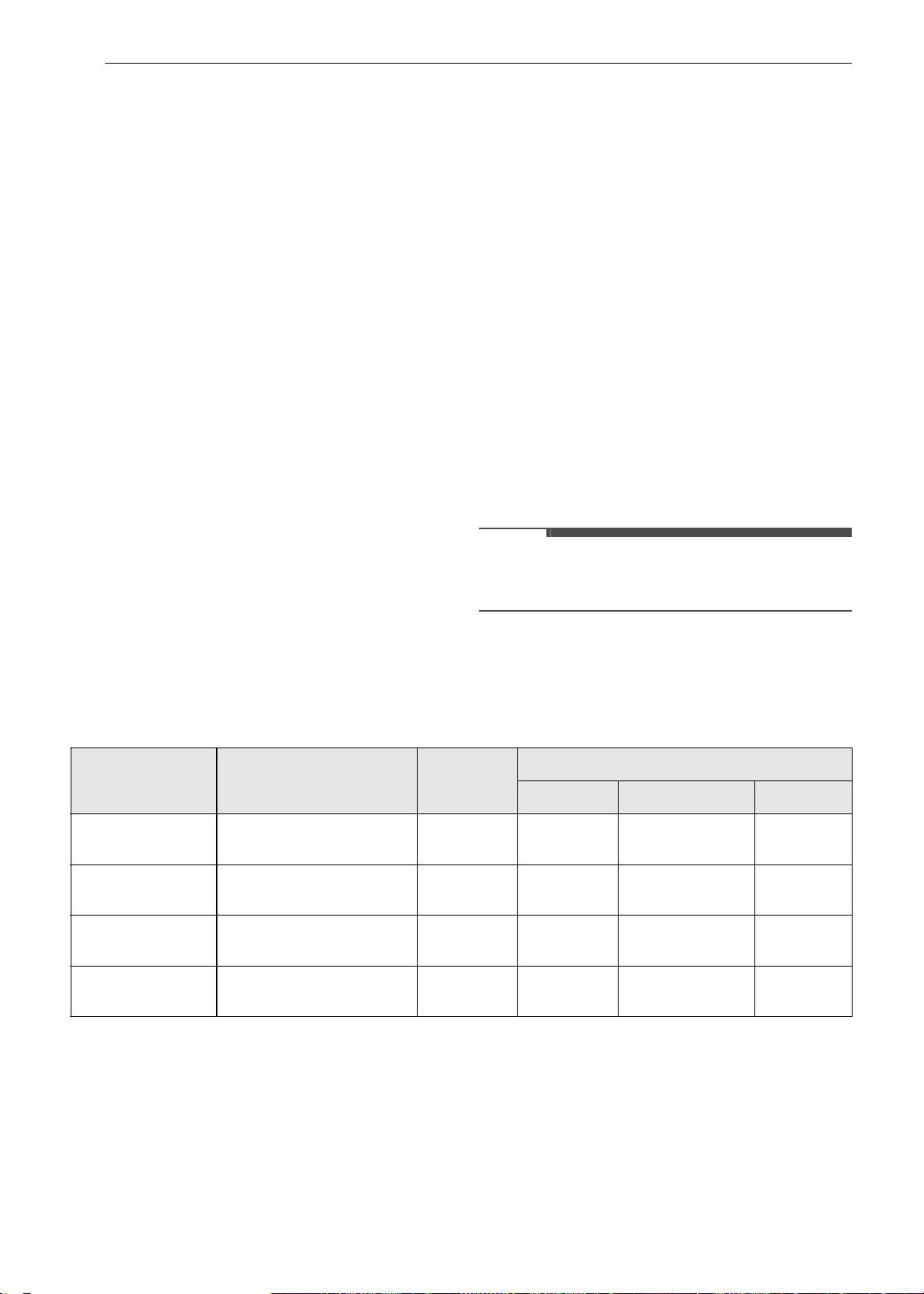
56 OPERATION
Setting Sous Vide Mode
1 Fill the tank with water up to the max line
located at the front of the tank.
2 Place the standard rack in position C and
place the sealed food bag on it.
3 Press Steam Cook in the Cooking Modes
screen.
4 Press Sous vide in the display.
5 Select the desired temperature.
6 If desired, scroll to set the cook time and
delayed start time. Press the arrow key on the
right side of the display to see the delayed
start time settings.
7 Press Start.
8 Once cooking is finished, allow the oven to
cool completely. Then wipe up any water left
on the oven interior.
Changing the Sous Vide Settings
1 Press Edit in the display to bring up the cook
settings screen.
2 Adjust the settings as desired.
3 Press Start.
To Stop Cooking
Press Stop in the display, and select Yes.
NOTE
• As the temperature in the oven rises, steam may
not be visible.
Sous Vide Cooking Guide
The size, weight, thickness, starting temperature, and your personal preferences will affect operating
times. This guide is only for reference. Adjust cook time according to your preference.
• Cook 30 mins. or 1 hour more if you use meats thicker than 1".
• If you use larger cuts of meat, cut to match the recommended weight. Be careful not to put pieces of
meat too close together.
Remote Start Mode
If the appliance is registered on a home Wi-Fi
network, the preheating function of the oven can
be started or stopped using the LG ThinQ
smartphone app.
Food
Quantity
(oz)
Temp.
(℉)
Time
Min Target Max
Beef Steak
(Medium rare)
1” thick
14.1-17.6 oz
135 - 2.5 hr. 3 hr.
Chicken
breast
4.2-5.3 oz 149 - 2.5 hr. 3 hr.
Salmon 1” thick
7 oz
140 - 2 hr. 2.5 hr.
Asparagus 2.8 oz / 6 ea
5.6 oz / 12 ea
185 20 min. 30 min. 45 min.
en-us_main.book.book Page 56 Monday, April 8, 2024 1:07 PM

57OPERATION
ENGLISH
Preparing the Oven for a Remote Start
1 Open the oven door to make sure the oven is
empty and ready for preheating. Do not place
food in the oven. Close the oven door. Remote
Start can only be set when the oven door is
closed.
2 Press SETTINGS, located at the center bottom
of the display. Press Remote Start on the
second Settings screen, and then select On.
Follow the instructions on the popup that
opens in the display.
3 Follow the instructions in the LG ThinQ
smartphone app for using the Remote Start
function.
NOTE
• Remote Start is disconnected in the following
situations:
- Remote Start is never set up in the
smartphone app.
- The Remote Start status is "ready".
- Remote Start experiences a problem during
operation.
• The Wi-Fi icon on the display shows the status of
the appliance's network connection. If the Wi-Fi
icon is not lit, use the smartphone app to select
the Wi-Fi network or register the product again.
• A faulty Wi-Fi connection could delay the Remote
Start function.
• Disconnect the probe if attached.
en-us_main.book.book Page 57 Monday, April 8, 2024 1:07 PM
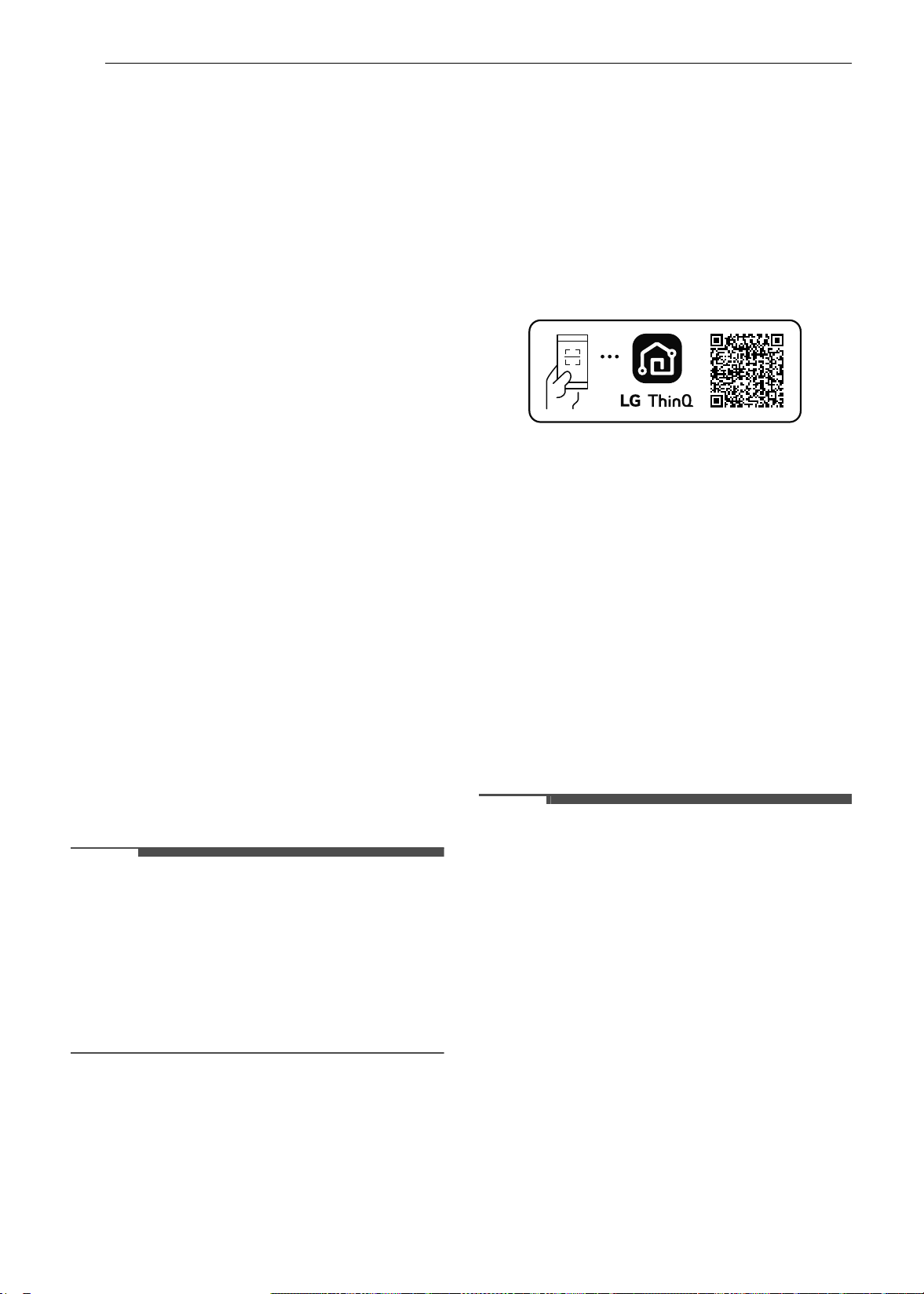
58 SMART FUNCTIONS
SMART FUNCTIONS
LG ThinQ Application
This feature is only available on models with Wi-Fi.
The LG ThinQ application allows you to
communicate with the appliance using a
smartphone.
LG ThinQ Application Features
• EasyClean
- Allows you to set EasyClean alerts, read the
instruction guide, and simulate and compare
energy consumption when using EasyClean
versus self clean cycles.
• Settings
- Allows you to set various options on the oven
and in the application.
• Smart Diagnosis
TM
- This function provides useful information for
diagnosing and solving issues with the
appliance based on the pattern of use.
• Monitoring
- This function helps you check the current
status, remaining time, cook settings and end
time in one place.
• Product Notifications
- Turn on the Push Alerts to receive appliance
status notifications. The notifications are
triggered even if the LG ThinQ application is
not open.
• Timer
- You can set the timer from the application.
NOTE
• If you change your wireless router, Internet
service provider, or password, delete the
connected appliance from the LG ThinQ
application and connect it again.
• This information is current at the time of
publication. The application is subject to change
for product improvement purposes without
notice to users.
Installing LG ThinQ Application and
Connecting an LG Appliance
Models with QR Code
Scan the QR code attached to the product using
the camera or a QR code reader application on
your smartphone.
Models without QR Code
1 Search for and install the LG ThinQ
application from the Google Play Store or
Apple App Store on a smartphone.
2 Run the LG ThinQ application and sign in with
your existing account or create an LG account
to sign in.
3 Touch the add (~) button on the LG ThinQ
application to connect your LG appliance.
Follow the instructions in the application to
complete the process.
NOTE
• To verify the Wi-Fi connection, check that the Wi-
Fi indicator on the control panel is lit.
• The appliance supports 2.4 GHz Wi-Fi networks
only. To check your network frequency, contact
your Internet service provider or refer to your
wireless router manual.
• LG ThinQ is not responsible for any network
connection problems or any faults, malfunctions,
or errors caused by network connection.
• The surrounding wireless environment can
make the wireless network service run slowly.
• If the distance between the appliance and the
wireless router is too far, the signal becomes
weak. It may take a long time to connect or fail
to install the application.
• If the appliance is having trouble connecting to
the Wi-Fi network, it may be too far from the
router. Purchase a Wi-Fi repeater (range
extender) to improve the Wi-Fi signal strength.
en-us_main.book.book Page 58 Monday, April 8, 2024 1:07 PM
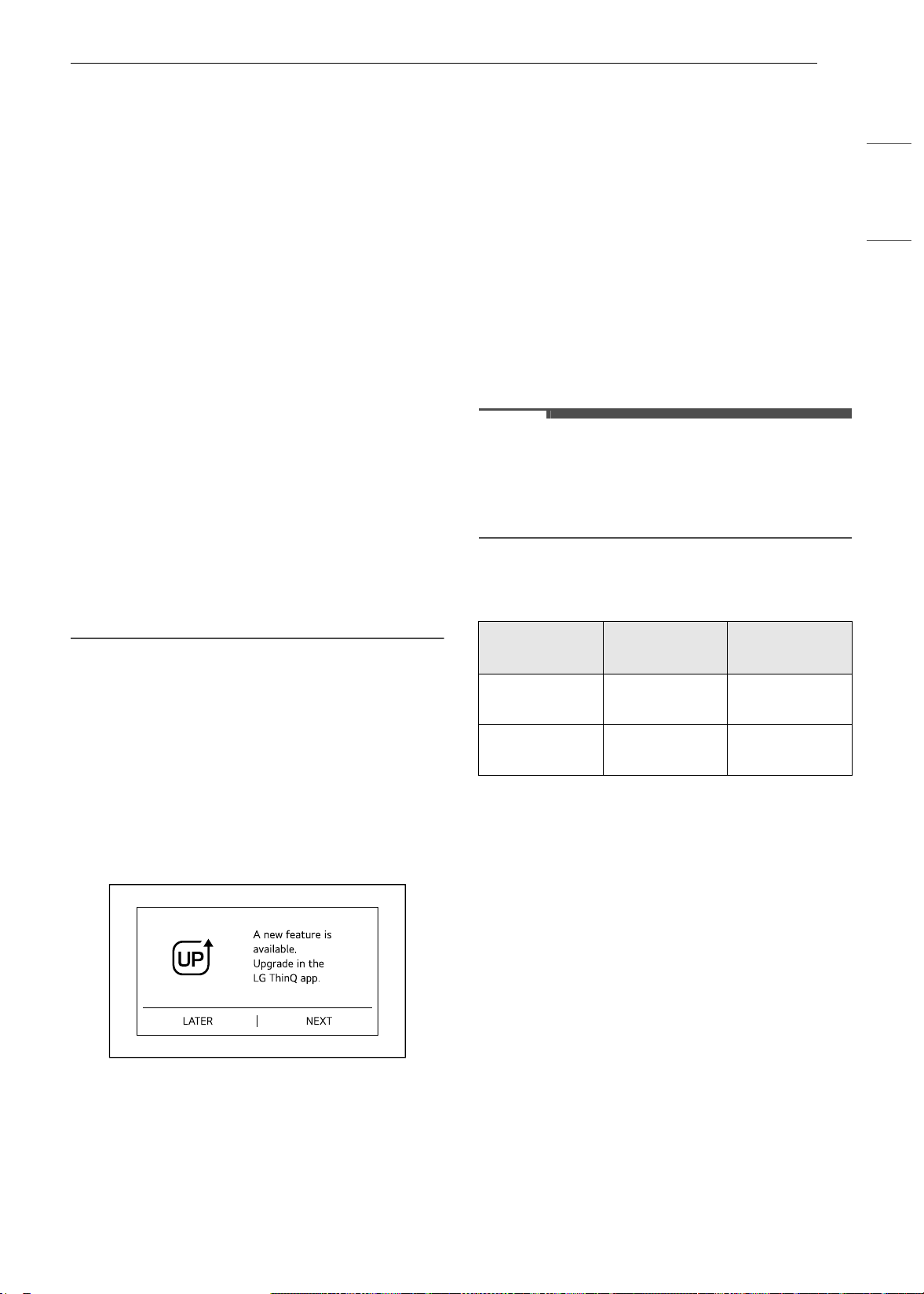
59SMART FUNCTIONS
ENGLISH
• The network connection may not work properly
depending on the Internet service provider.
• The Wi-Fi may not connect or the connection
may be interrupted because of the home
network environment.
• If the appliance cannot be connected due to
problems with the wireless signal transmission,
unplug the appliance and wait about a minute
before trying again.
• If the firewall on your wireless router is enabled,
disable the firewall or add an exception to it.
• The wireless network name (SSID) should be a
combination of English letters and numbers. (Do
not use special characters.)
• Smartphone user interface (UI) may vary
depending on the mobile operating system (OS)
and the manufacturer.
• If the security protocol of the router is set to
WEP, network setup may fail. Change the
security protocol (WPA2 is recommended), and
connect the product again.
• To reconnect the appliance or add another user,
press and hold the Wi-Fi button for 3 seconds.
Run the LG ThinQ application and follow the
instructions in the application to connect the
appliance.
LG UP Feature
Experience new features by upgrading the product
through the LG ThinQ app.
If an upgradable feature is available, an upgrade
notification appears on the display and a melody
sounds after cooking has finished or is canceled.
For example, the lights on the display may light in
sequence until
φπ appears.
1 Upgrade notifications are sent to your
smartphone when upgradable features are
available.
2 Press the upgrade notification on your
smartphone to enter the LG UPgrade Center
in the LG ThinQ app.
3 In the LG UPgrade Center, select a new
function and press the Upgrade button.
• Do not unplug the product during the
upgrade, as doing so may interrupt the
upgrade process.
4 After the upgrade is complete, check the
guide in the LG ThinQ app for detailed
feature settings.
NOTE
• This feature is only available on some models.
• After the upgrade is complete, the actual
product features may differ from those
described in the owner's manual.
RF Module Specifications
† This feature is only available on some models.
FCC Statement
This equipment has been tested and found to
comply with the limits for a Class B digital device,
pursuant to part 15 of the FCC Rules for
transmitter module and part 18 of the FCC Rules
for this equipment. These limits are designed to
provide reasonable protection against harmful
interference in a residential installation. This
equipment generates, uses and can radiate radio
frequency energy and, if not installed and used in
accordance with the instructions, may cause
harmful interference to radio communications.
However, there is no guarantee that interference
will not occur in a particular installation. If this
equipment does cause harmful interference to
radio or television reception, which can be
determined by turning the equipment off and on,
the user is encouraged to try to correct the
Type
Frequency
Range
Output
Power (Max.)
Wi-Fi
2412 - 2462
MHz
< 30 dBm
Bluetooth
†
2402 - 2480
MHz
< 30 dBm
en-us_main.book.book Page 59 Monday, April 8, 2024 1:07 PM
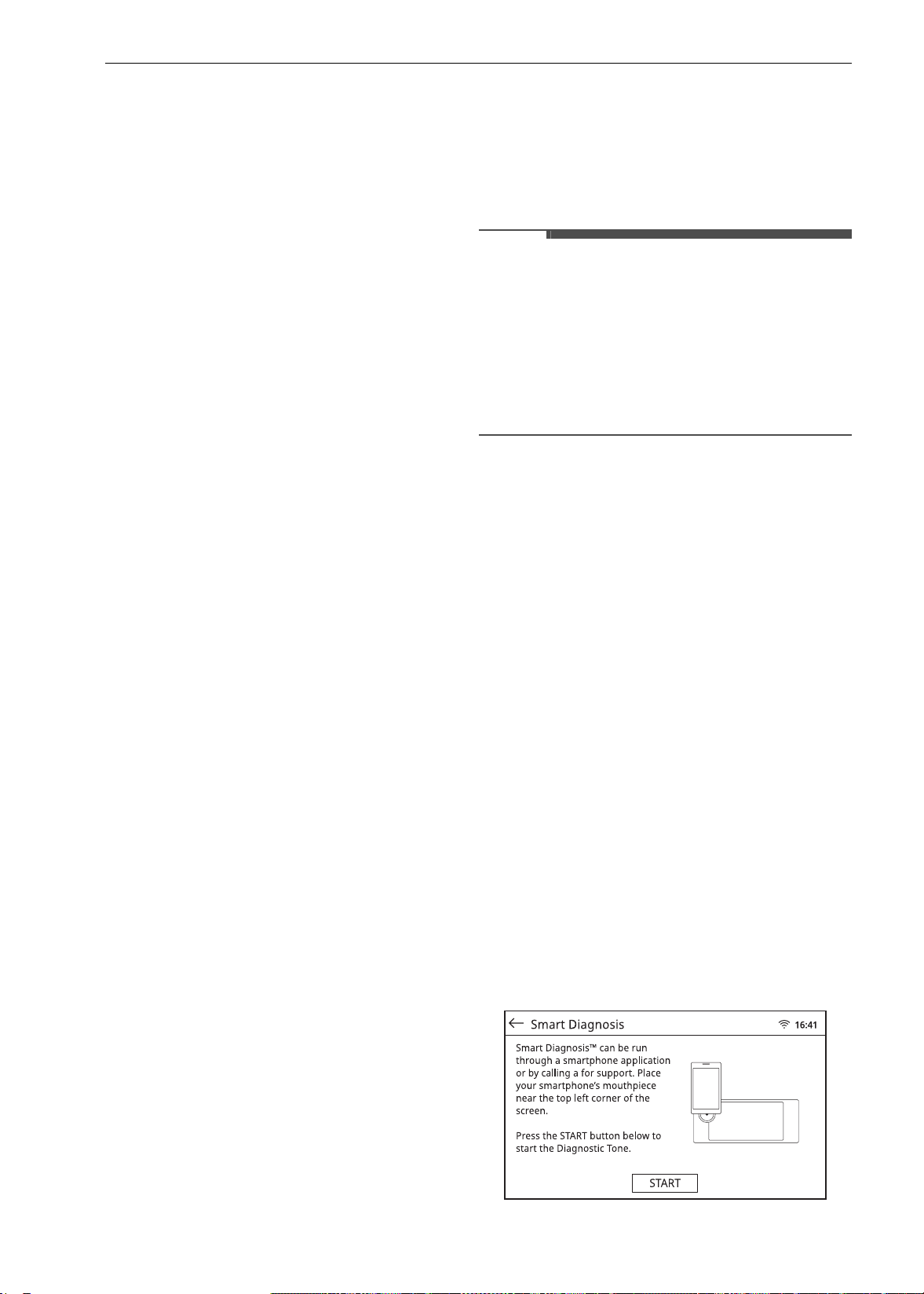
60 SMART FUNCTIONS
interference by one or more of the following
measures:
• Reorient or relocate the receiving antenna.
• Increase the separation between the equipment
and the receiver.
• Connect the equipment into an outlet on a
circuit different from that to which the receiver is
connected.
• Consult the dealer or an experienced radio/TV
technician for help.
This device (transmitter module contained in this
product) complies with part 15 of the FCC Rules.
Operation is subject to the following two
conditions:
(1) This device may not cause harmful interference
and
(2) This device must accept any interference
received, including interference that may cause
undesired operation.
Any changes or modifications in construction of
this device which are not expressly approved by
the party responsible for compliance could void
the user’s authority to operate the equipment.
FCC RF Radiation Exposure Statement
This equipment complies with FCC radiation
exposure limits set forth for an uncontrolled
environment. This transmitter must not be co-
located or operating in conjunction with any other
antenna or transmitter.
This equipment should be installed and operated
with a minimum distance of 20 cm (7.8 inches)
between the antenna and your body. Users must
follow the specific operating instructions for
satisfying RF exposure compliance.
Open Source Software Notice
Information
To obtain the source code that is contained in this
product, under GPL, LGPL, MPL, and other open
source licenses that have the obligation to disclose
source code, and to access all referred license
terms, copyright notices and other relevant
documents, please visit https://
opensource.lge.com.
LG Electronics will also provide open source code
to you on CD-ROM for a charge covering the cost
of performing such distribution (such as the cost of
media, shipping, and handling) upon email
request to open[email protected].
This offer is valid to anyone in receipt of this
information for a period of three years after our
last shipment of this product.
Smart Diagnosis
TM
Feature
This feature is only available on models with the c
or
d logo.
Use this feature to help you diagnose and solve
problems with your appliance.
NOTE
• For reasons not attributable to LGE’s negligence,
the service may not operate due to external
factors such as, but not limited to, Wi-Fi
unavailability, Wi-Fi disconnection, local app
store policy, or app unavailability.
• The feature may be subject to change without
prior notice and may have a different form
depending on where you are located.
Using LG ThinQ to Diagnose Issues
If you experience a problem with your Wi-Fi
equipped appliance, it can transmit
troubleshooting data to a smartphone using the
LG ThinQ application.
• Launch the LG ThinQ application and select the
Smart Diagnosis feature in the menu. Follow
the instructions provided in the LG ThinQ
application.
Using Audible Diagnosis to
Diagnose Issues
Follow the instructions below to use the audible
diagnosis method.
• Launch the LG ThinQ application and select the
Smart Diagnosis feature in the menu. Follow
the instructions for audible diagnosis provided
in the LG ThinQ application.
1 Place your phone's mouthpiece near the top
left corner of the screen.
2 Press the START button.
en-us_main.book.book Page 60 Monday, April 8, 2024 1:07 PM

61SMART FUNCTIONS
ENGLISH
3 Keep the phone in place until the tone
transmission has finished. The application will
count down the time. Once the countdown is
over and the tones have stopped, the
diagnosis will be displayed in the application.
NOTE
• For best results, do not move the phone while
the tones are being transmitted.
en-us_main.book.book Page 61 Monday, April 8, 2024 1:07 PM
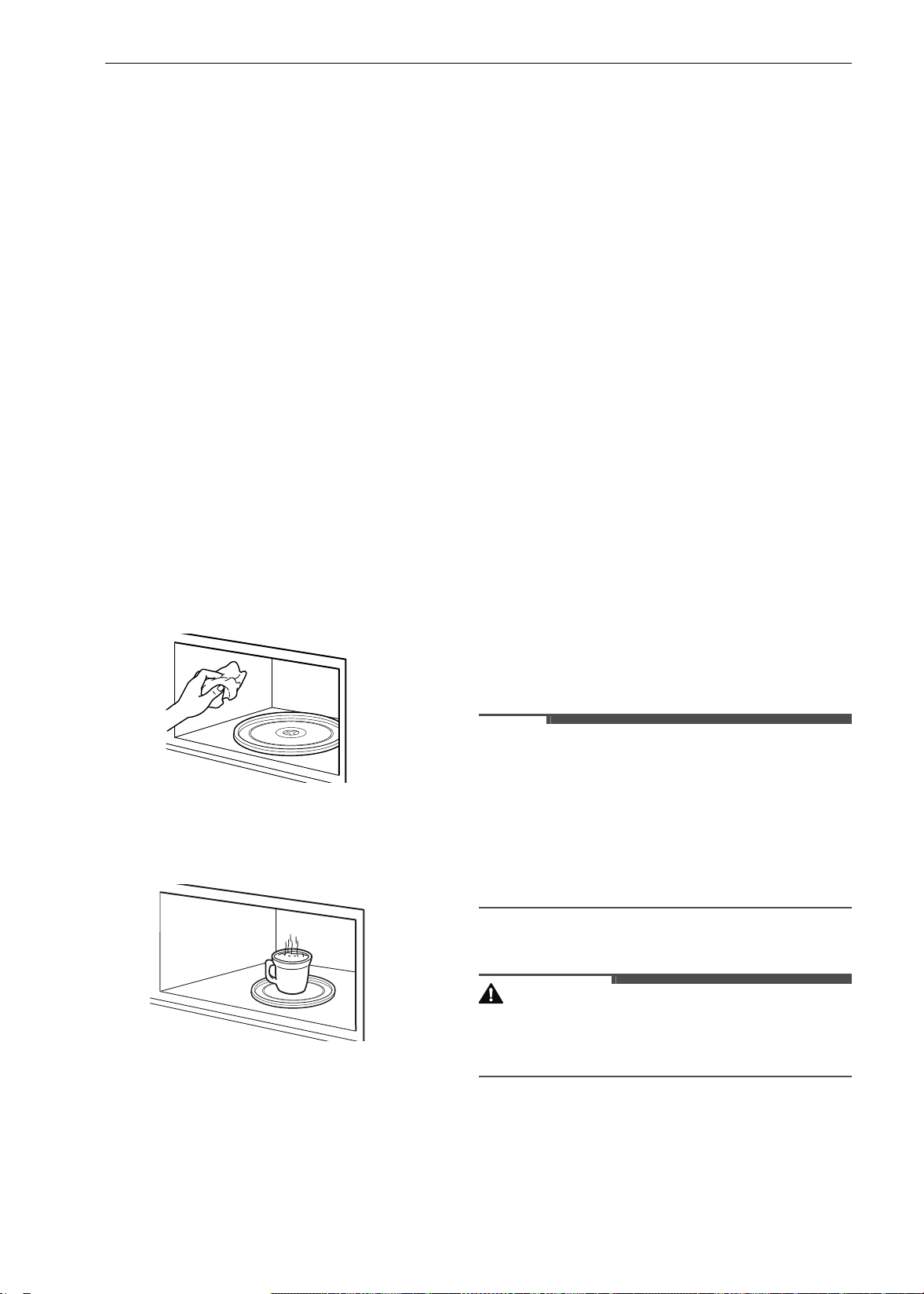
62 MAINTENANCE
MAINTENANCE
Cleaning
General Cleaning Tips
• A plastic spatula can be used as a scraper to
scrape off any chunks or debris before and
during oven cleaning.
• Using the rough side of a non-scratch scouring
pad may help to take off burnt-on stains better
than a soft sponge or towel.
• Certain non-scratch scrubbing sponges, such as
those made of melamine foam, available at your
local stores, can also help improve cleaning.
Cleaning the Interior of the Upper
Oven
Wash often with warm, sudsy water and a sponge
or soft cloth. Use only mild, nonabrasive soaps or a
mild detergent. Keep the areas clean where the
door and oven frame touch when closed.
Wipe well with a clean cloth. Over time, stains can
occur on the surfaces as the result of food particles
spattering during cooking. This is normal.
For stubborn soil, boil a cup of water in the oven
for 2 to 3 minutes. Steam will soften the soil. To get
rid of odors inside the oven, boil a cup of water
with some lemon juice or vinegar in it.
Exterior
Control Panel
To prevent activating the control panel during
cleaning, disconnect power to the appliance. Clean
up splatters with a damp cloth using a glass
cleaner. Remove heavier soil with warm, soapy
water. Do not use abrasives of any kind.
Painted and Decorative Trim
For general cleaning, use a cloth with hot soapy
water. For more difficult soils and built-up grease,
apply a liquid detergent directly onto the soil.
Leave it on for 30 to 60 minutes. Rinse with a damp
cloth and dry. Do not use abrasive cleaners.
Stainless Steel Surfaces
To avoid scratches, do not use steel wool pads.
1 Place a small amount of stainless steel
appliance cleaner or polish on a damp cloth or
paper towel.
2 Clean a small area, rubbing with the grain of
the stainless steel if applicable.
3 Dry and buff with a clean, dry paper towel or
soft cloth.
4 Repeat as necessary.
NOTE
• To clean the stainless steel surface, use warm
sudsy water or a stainless steel cleaner or polish.
• Always wipe in the direction of the metal surface
finish.
• Stainless steel appliance cleaner or polish can be
purchased online or from most retailers of
appliances or home goods.
Oven Door
CAUTION
• Do not use harsh cleaners or harsh abrasive
cleaning materials on the outside of the oven
door. Doing so can cause damage.
• Use soapy water to thoroughly clean the oven
door. Rinse well. Do not immerse the door in
water.
• You may use a glass cleaner on the outside glass
of the oven door. Do not spray water or glass
cleaner on the door vents.
en-us_main.book.book Page 62 Monday, April 8, 2024 1:07 PM
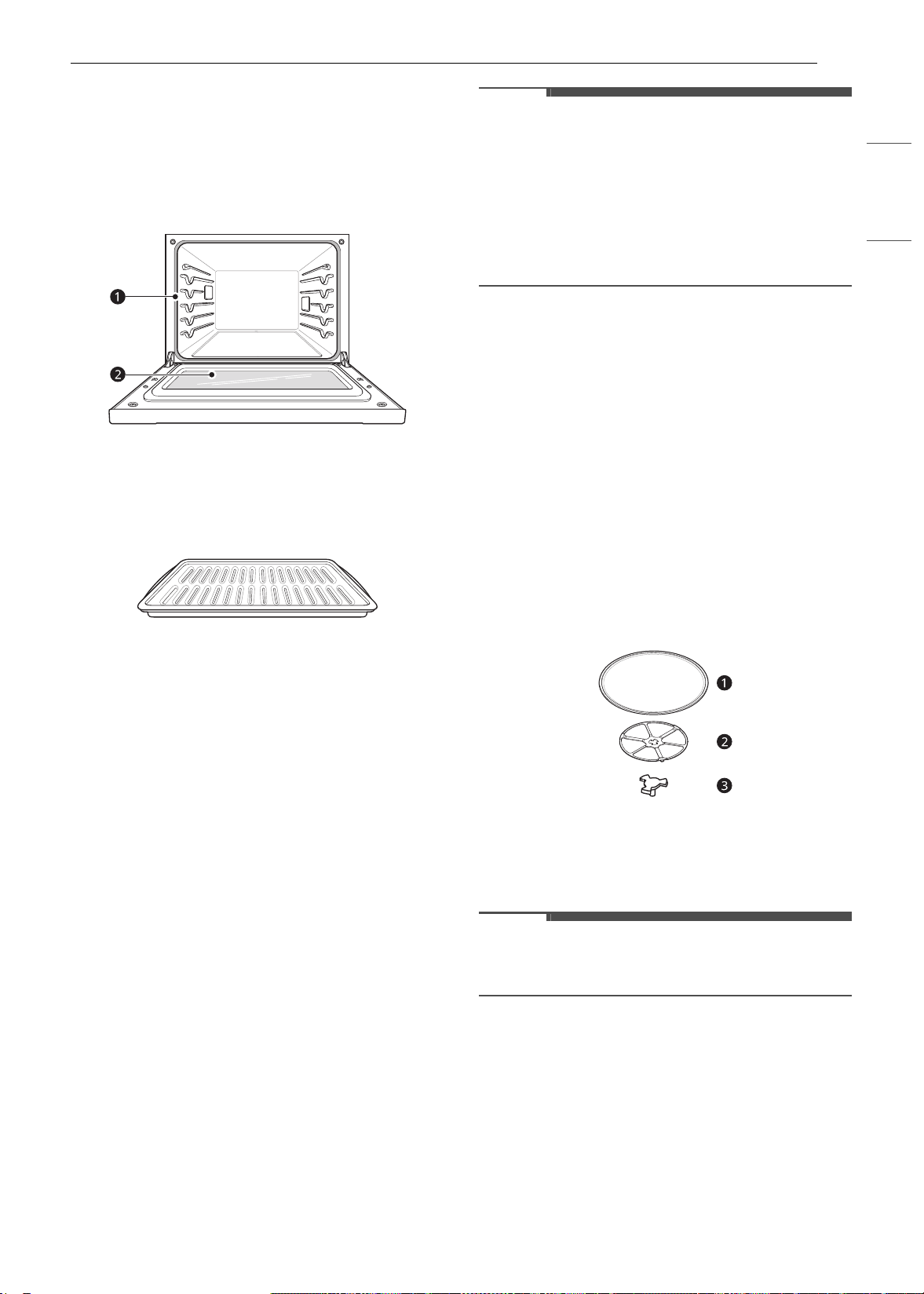
63MAINTENANCE
ENGLISH
• Do not use oven cleaners, cleaning powders, or
harsh abrasive cleaning materials on the outside
of the oven door.
• Do not clean the oven door gasket. The oven
door gasket is made of a woven material that is
essential for a good seal. Care should be taken
not to rub, damage, or remove this gasket.
a Don’t hand clean oven door gasket
b Do hand clean door
Broiler Pan and Grid
• Do not store a soiled broiler pan or grid
anywhere in the appliance.
• Do not clean the broiler pan or grid in a self
cleaning mode. (Available on some models)
• Remove the grid from the pan. Carefully pour
out the grease from the pan into a proper
container.
• Wash and rinse the broiler pan and grid in hot
water with a soap-filled or plastic scouring pad.
• If food has burned on, sprinkle the grid with
cleaner while hot and cover with wet paper
towels or a dishcloth. Soaking the pan will
remove burned-on foods.
• Both the broiler pan and grid may be cleaned
with a commercial oven cleaner or in the
dishwasher.
Oven Racks
Remove the oven racks before operating the Self
Clean cycle and EasyClean.
1 Clean with a mild, abrasive cleaner.
• Food spilled into the tracks could cause the
racks to become stuck.
2 Rinse with clean water and dry.
NOTE
• If the racks are cleaned using the Self Clean
cycle (not recommended), the color will turn
slightly blue and the finish will become dull. After
the Self Clean cycle is complete, and the oven
has cooled, rub the sides of the racks with wax
paper or a cloth containing a small amount of
vegetable oil. This will make the racks glide more
easily into the rack tracks.
Oven Cavity
DO NOT use oven cleaners.
NEVER wipe a warm or hot porcelain surface with a
damp sponge; it may cause chipping or crazing
(tiny hairlike cracks). Food spills should be cleaned
when the oven cools. At high temperature, foods
react with porcelain and a permanent dull spot can
result. When cleaning a spot, use only non-
abrasive cleaners or scrubbers.
Glass Tray and Rotating Ring
To clean the glass tray and rotating ring, wash in
mild, sudsy water.
For heavily soiled areas use a mild cleanser and
scouring sponge.
a Glass tray
b Rotating ring
c Shaft
NOTE
• The glass tray and rotating ring are dishwasher
safe.
EasyClean (Lower Oven)
LG’s EasyClean enamel technology provides two
cleaning options for the inside of the oven. The
EasyClean feature takes advantage of LG’s new
enamel to help lift soils without harsh chemicals,
and it runs using ONLY WATER for just 10 minutes
in low temperatures to help loosen LIGHT soils
before hand cleaning.
en-us_main.book.book Page 63 Monday, April 8, 2024 1:07 PM
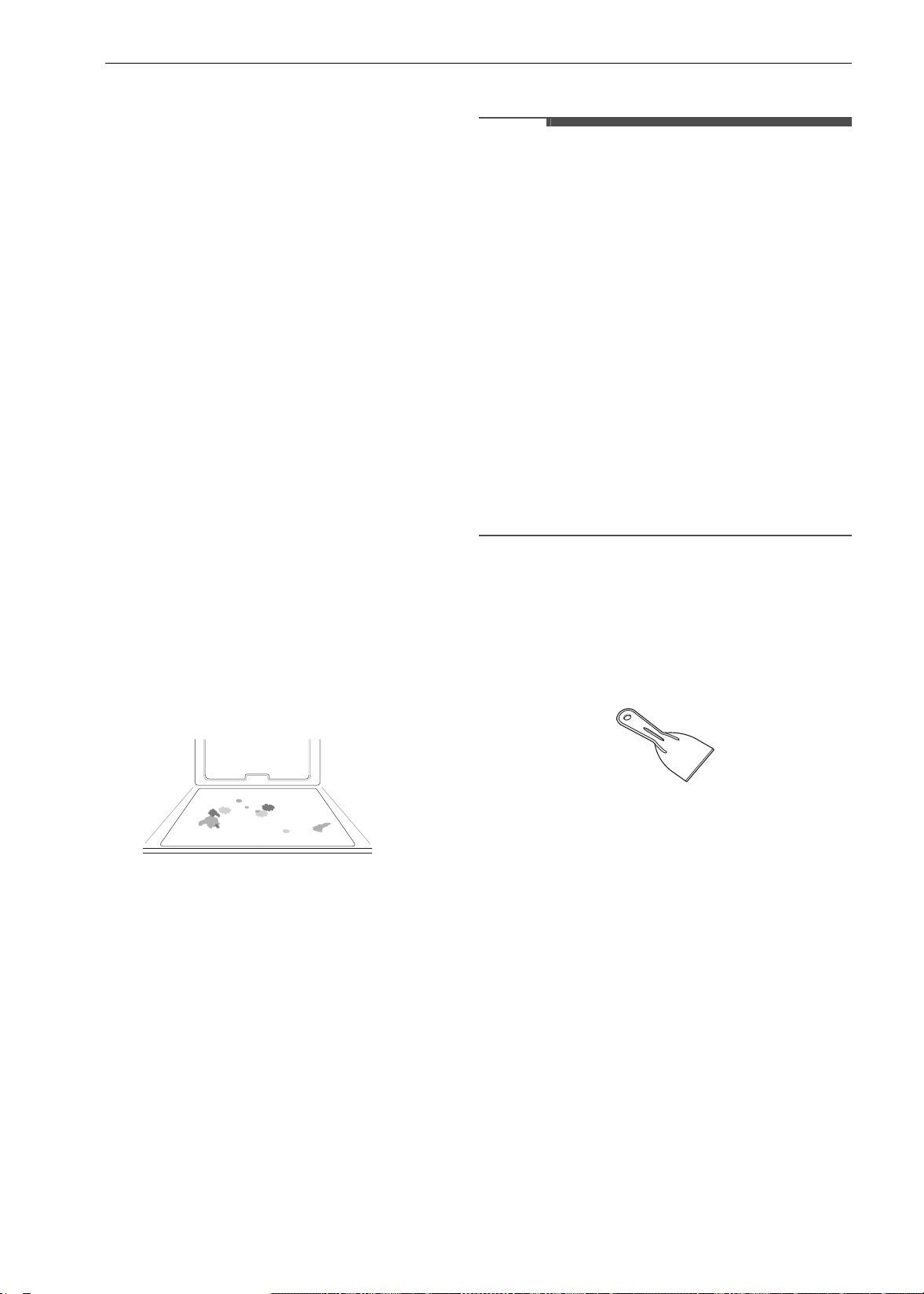
64 MAINTENANCE
While EasyClean is quick and effective for small
and LIGHT soils, the Self Clean feature can be
used to remove HEAVY, built up soils. The intensity
and high heat of the Self Clean cycle may result in
smoke which will require the opening up of
windows to provide ventilation. Compared to the
more intense Self Clean process, your LG oven
gives you the option of cleaning with LESS HEAT,
LESS TIME, and virtually NO SMOKE OR FUMES.
You can reduce energy use by cleaning light oven
soils with the EasyClean feature instead of Self
Clean.
When needed, the oven still provides the Self
Clean option for longer, more thorough oven
cleaning for heavier, built up soils.
• For hard to reach areas such as the back surface
of the oven, it is better to use the Self Clean
cycle.
Benefits of EasyClean
• Helps loosen light soils before hand-cleaning
• EasyClean only uses water; no chemical cleaners
• Makes for a better Self Clean experience.
- Delays the need for a Self Clean cycle
- Minimizes smoke and odors
- Can allow shorter Self Clean time
When to Use EasyClean
• Example of oven soiling
Case 1
- Soil pattern: Small drops or spots
- Types of soils: Cheese or other ingredients
- Common food items that can soil your oven:
Pizza
Case 2
- Soil pattern: Light splatter
- Types of soils: Fat/grease
- Common food items that can soil your oven:
Steaks, broiled / Fish, broiled / Meat roasted at
low temperatures
EasyClean Instruction Guide
NOTE
• Allow the oven to cool to room temperature
before using the EasyClean cycle. If your oven
cavity is above 150 ℉ (65 ℃), the EasyClean cycle
will not be activated until the oven cavity cools
down.
• The oven should be level to ensure that the
bottom surface of the oven cavity is entirely
covered by water at the beginning of the
EasyClean cycle.
• For best results, use distilled or filtered water.
Tap water may leave mineral deposits on the
oven bottom.
• Soil baked on through several cooking cycles will
be more difficult to remove with the EasyClean
cycle.
• Do not open the oven door during the
EasyClean cycle. Water will not get hot enough if
the door is opened during the cycle.
1 Remove oven racks and accessories from the
oven.
2 Scrape off and remove any burnt-on debris
with a plastic scraper.
• Suggested plastic scrapers:
- Hard plastic spatula
- Plastic pan scraper
- Plastic paint scraper
- Old credit card
3 Fill a spray bottle (10 oz or 300 ml) with water
and use the spray bottle to thoroughly spray
the inside surfaces of the oven.
4 Use at least 1/5 (2 oz or 60 ml) of the water in
the bottle to completely saturate the soil on
both the walls and in the corners of the oven.
en-us_main.book.book Page 64 Monday, April 8, 2024 1:07 PM
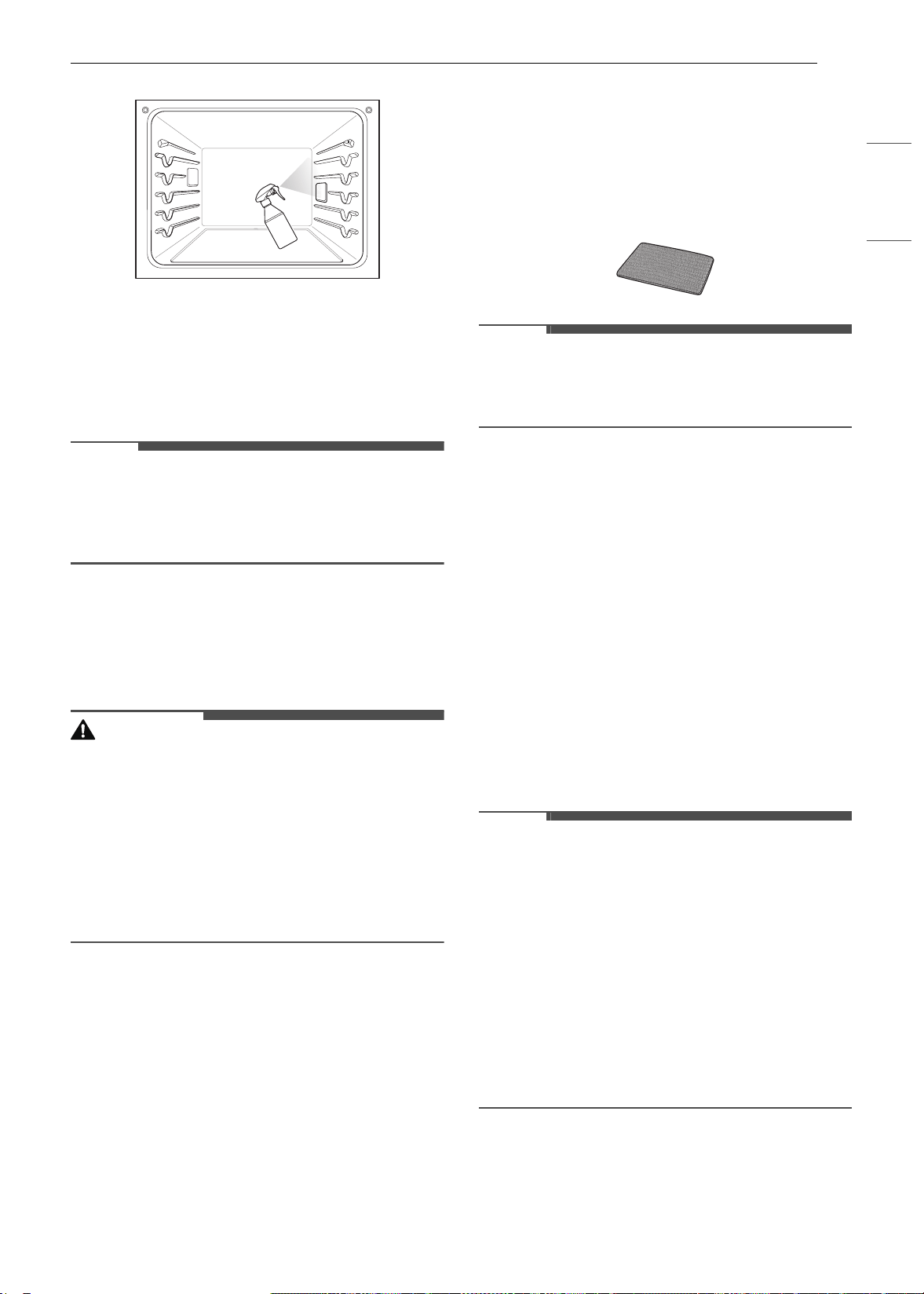
65MAINTENANCE
ENGLISH
5 Spray or pour the remaining water (8 oz or
240 ml) onto the bottom center of the oven
cavity. The indentation on the oven bottom
should be fully covered to submerge all soils.
Add water if necessary.
NOTE
• If cleaning multiple ovens, use an entire bottle of
water to clean each oven. Do not spray water
directly on the door. Doing so will result in water
dripping to the floor.
6 Close the oven door. press EasyClean .
7 Press START.
CAUTION
• Some surfaces may be hot after the EasyClean
cycle. Wear rubber gloves while cleaning to
prevent burns.
•During the EasyClean cycle, the oven becomes
hot enough to cause burns. Wait until the cycle is
over before wiping the inside surface of the
oven. Failure to do so may result in burns.
• Avoid leaning or resting on the oven door glass
while cleaning the oven cavity.
8 A tone will sound at the end of the 10 minute
cycle. Press End of the Cleaning in the
display to end the EasyClean mode and the
tone.
9 After the cleaning cycle and during hand-
cleaning, enough water should remain on the
oven bottom to completely submerge all soils.
Add water if necessary. Place a towel on the
floor in front of the oven to capture any water
that may spill out during hand-cleaning.
10 Clean the oven cavity immediately after the
EasyClean cycle by scrubbing with a wet, non-
scratch scouring sponge or pad. (The scouring
side will not scratch the finish.) Some water
may spill into the bottom vents while
cleaning, but it will be captured in a pan under
the oven cavity and will not hurt the burner.
NOTE
• Do not use any steel scouring pads, abrasive
pads or cleaners as these materials can
permanently damage the oven surface.
11 Once the oven cavity is cleaned, wipe any
excess water with a clean dry towel. Replace
racks and any other accessories.
12 If some light soils remain, repeat the above
steps, making sure to thoroughly soak the
soiled areas.
• If stubborn soils remain after multiple
EasyClean cycles, run the Self Clean cycle.
Be sure that the oven cavity is empty of
oven racks and other accessories, and that
the oven cavity surface is dry before
running the Self Clean cycle. Consult the
Self Clean section of your owner’s manual
for further details.
NOTE
• The cavity gasket may be wet when the
EasyClean cycle finishes. This is normal. Do not
clean the gasket.
• If mineral deposits remain on the oven bottom
after cleaning, use a cloth or sponge soaked in
vinegar to remove them.
• It is normal for the fan to operate during the
EasyClean cycle.
• Using commercial oven cleaners or bleach to
clean the oven is not recommended. Instead,
use a mild liquid cleanser with a pH value below
12.7 to avoid discoloring the enamel.
Self Clean (Lower Oven)
The Self Clean cycle uses extremely hot
temperatures to clean the oven cavity. While
en-us_main.book.book Page 65 Monday, April 8, 2024 1:07 PM
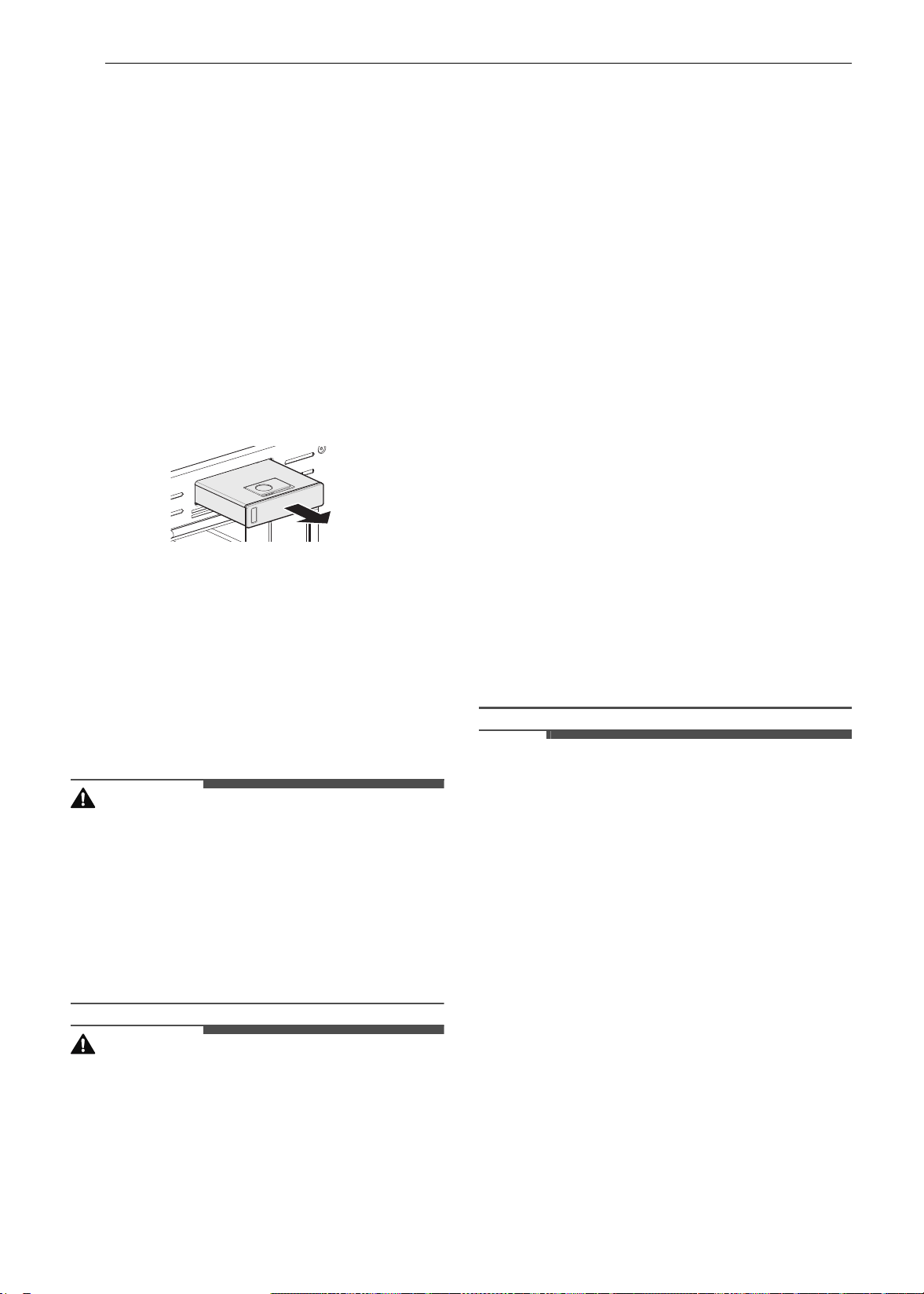
66 MAINTENANCE
running the Self Clean cycle, you may notice
smoking or an odor. This is normal, especially if
the oven is heavily soiled. During Self Clean, the
kitchen should be well ventilated to minimize the
odors from cleaning.
Before Starting Self Clean
• Clean only parts listed in manual. Remove the
water tank, oven racks, broiler pan, broiler grid,
all cookware, aluminum foil or any other
material from the oven.
- If oven racks are left in the oven cavity during
the Self Clean cycle, they will discolor and
become difficult to slide in and out.
- If you don't remove the water tank from the
oven, a beep sounds and the Self Clean cycle
does not start.
• The kitchen should be well ventilated to
minimize the odors from cleaning. Open a
window or turn on a ventilation fan or hood
before self-cleaning.
• Wipe any heavy spillovers on the bottom of the
oven.
• Make sure that the oven light cover is in place
and the oven light is off.
• Clean the frame of the oven and door with hot
soapy water. Rinse well.
WARNING
• If the oven is heavily soiled with oil, self-clean the
oven before using the oven again. The oil could
cause a fire.
• If there is a fire in the oven during self-clean,
turn the oven off and wait for the fire to go out.
Do not force the door open. Introduction of
fresh air at self-clean temperatures may lead to
a burst of flame from the oven. Failure to follow
this instruction may result in severe burns.
CAUTION
• Do not use oven cleaners. Commercial oven
cleaner or oven liner protective coating of any
kind should not be used in or around any part of
the oven.
• The oven displays an
F error code and sounds
three long beeps during the self-cleaning
process if it malfunctions in the self-clean mode.
Switch off the electrical power to the main fuse
or breaker and have the oven serviced by a
qualified technician.
• If the self cleaning mode malfunctions, turn the
oven off and disconnect the power supply. Have
it serviced by a qualified technician.
• It is normal for parts of the oven to become hot
during a Self Clean cycle. Avoid touching the
door, window or oven vent area during a Self
Clean cycle.
• Do not leave small children unattended near the
appliance. During the Self Clean cycle, the
outside of the oven can become very hot to the
touch.
• If you have pet birds, move them to another
well-ventilated room. The health of some birds is
extremely sensitive to the fumes given off during
the Self Clean cycle of any oven.
• Do not line the oven walls, racks, bottom or any
other part of the oven with aluminum foil or any
other material. Doing so will destroy heat
distribution, produce poor baking results and
cause permanent damage to the oven interior
(aluminum foil will melt to the interior surface of
the oven).
• Do not force the door open. This can damage the
automatic door locking system. Use care when
opening the oven door after the Self Clean cycle.
Stand to the side of the oven when opening the
door to allow hot air or steam to escape. The
oven may still be VERY HOT.
NOTE
• The oven light cannot be turned on during a Self
Clean cycle. The oven light cannot be turned on
until the oven temperature has cooled below
500 ℉ (260 ℃) after a Self Clean cycle is
complete.
• Clean the frame of the oven and door with hot
soapy water. Rinse well.
• Do not clean the gasket. The fiberglass material
of the oven door gasket cannot withstand
abrasion. It is essential for the gasket to remain
intact. If you notice it becoming worn or frayed,
replace it.
• It is normal for the fan to operate during the Self
Clean cycle.
• As the oven heats, you may hear sounds of metal
parts expanding and contracting. This is normal
and will not damage the oven.
• You may notice some white ash in the oven.
Wipe it off with a damp cloth or a soap-filled
steel wool pad after the oven cools. If the oven is
not clean after one Self Clean cycle, repeat the
cycle.
en-us_main.book.book Page 66 Monday, April 8, 2024 1:07 PM
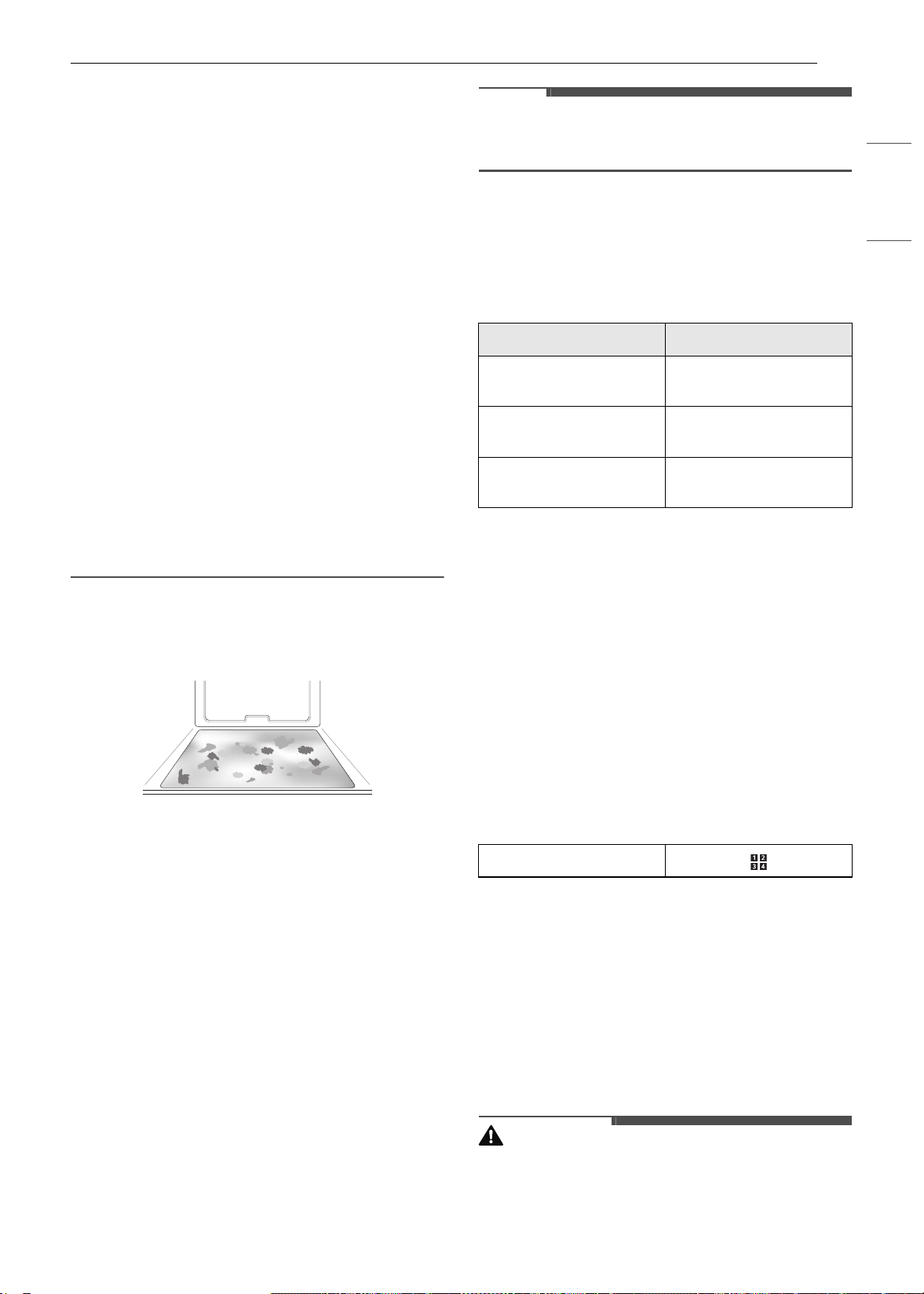
67MAINTENANCE
ENGLISH
• If oven racks were left in the oven and do not
slide smoothly after a Self Clean cycle, wipe
racks and rack supports with a small amount of
vegetable oil to make them glide more easily.
•After a Self Clean cycle, fine lines may appear in
the porcelain because it went through heating
and cooling. This is normal and will not affect
performance.
•The Self Clean cycle cannot be started if the
Lock Out feature is active.
• Once the Self Clean cycle is set, the oven door
locks automatically. You will not be able to open
the oven door until the oven is cooled. The lock
releases automatically.
• Once the door has been locked, the lock
k
indicator light stops flashing and remains on.
Allow about 15 seconds for the oven door lock to
activate.
• If the clock is set for a 12-hour display (default)
the Delayed Self Clean can never be set to start
more than 12 hours in advance.
• After the oven is turned off, the cooling fan
keeps operating until the oven has cooled down.
When to Use Self Clean
• Example of oven soiling
Case 1
• Soil pattern: Medium to heavy splatter
• Types of soils: Fat/grease
• Common food items that can soil your oven:
Meat roasted at high temperatures
Case 2
• Soil pattern: Drops or spots
• Types of soils: Filling or sugar based soils
• Common food items that can soil your oven: Pies
Case 3
• Soil pattern: Drops or spots
• Types of soils: Cream or tomato sauce
• Common food items that can soil your oven:
Casseroles
NOTE
•The Self Clean cycle can be used for soil that has
been built up over time.
Setting Self Clean
The Self Clean function has cycle times of 3, 4, or 5
hours.
Self Clean Soil Guide
1 Remove all racks and accessories from the
oven.
2 Press Clean, Self Clean in that order.
The oven defaults to the recommended four-
hour self clean for a moderately soiled oven.
3 Select the desired cycle time.
4 If desired, scroll to set a delayed start time or
press the number pad icon to enter the start
time directly.
5 Press Start. The remaining time or the
delayed start time appears in the display.
6 Once the self-clean cycle is set, the oven door
locks automatically and the lock icon displays.
• You will not be able to open the oven door
until the oven has cooled. The lock releases
automatically when the oven has cooled.
CAUTION
• Do not force the oven door open when the lock
icon is displayed. The oven door remains locked
until the oven temperature has cooled. Forcing
the door open will damage the door.
Soil Level Cycle Setting
Lightly Soiled Oven
Cavity
3-Hour
Moderately Soiled Oven
Cavity
4-Hour
Heavily Soiled Oven
Cavity
5-Hour
Number pad icon
en-us_main.book.book Page 67 Monday, April 8, 2024 1:07 PM
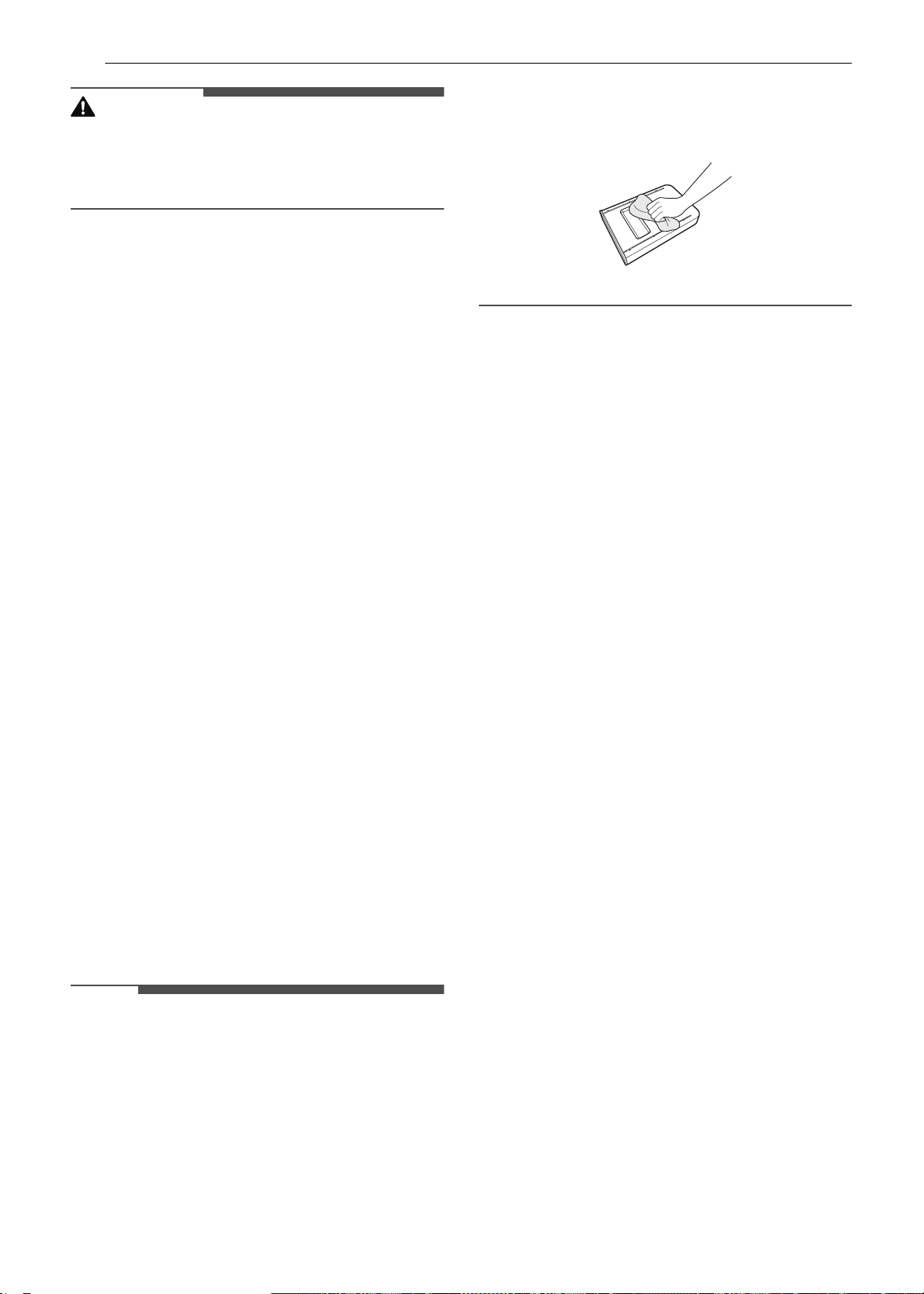
68 MAINTENANCE
CAUTION
• It may become necessary to cancel or interrupt a
Self Clean cycle due to excessive smoke or fire in
the oven. To cancel the Self Clean function, press
Stop in the display.
During Self Clean
•The Self Clean cycle uses extremely hot
temperatures to clean the oven cavity. While
running the Self Clean cycle, you may notice
smoking or an odor. This is normal, especially if
the oven is heavily soiled.
• As the oven heats, you may hear sounds of metal
parts expanding and contracting. This is normal
and will not damage the oven.
• Do not force the oven door open when the lock
k is displayed. The oven door remains locked
until the oven temperature has cooled. Forcing
the door open will damage the door.
After the Self Clean Cycle
• The oven door remains locked until the oven
temperature has cooled.
• You may notice some white ash in the oven.
Wipe it off with a damp cloth or a soap-filled pad
after the oven cools. If the oven is not clean after
one self-clean cycle, repeat the cycle.
• If oven racks were left in the oven and do not
slide smoothly after a self-clean cycle, wipe racks
and rack supports with a small amount of
vegetable oil to make them glide more easily.
• Fine lines may appear in the porcelain because it
went through heating and cooling. This is
normal and will not affect performance.
Cleaning the Steam Feeder Tank
The steam feeder tank is used during the steam
cooking functions. Use filtered, softened water if
possible.
NOTE
• After using the steam function, the steam feeder
tank should be drained. To avoid bacteria or
odors, clean and dry the steam feeder tank after
every use.
• Do not clean in a dishwasher.
• If the steam feeder tank does not slide in as
smoothly as it should, clean the bottom of the
tank.
Hard Water Scale
If hard water is used in the steam feeder tank, the
steam generator may become clogged with hard
water scale. In areas with hard water, run the
Descaling function frequently or use softened
water.
Cleaning Scale on Lower Oven
Bottom
To remove mineral deposits that remain on the
oven bottom after using the steam mode, use a
cloth or sponge soaked in vinegar or a weak citric
acid solution. For more stubborn or extensive
scaling, use the Descaling function.
Descaling
Use this function to remove the white deposits
that form after the steam generator is used for a
long period.
The Descaling function runs for 1 hour 43 minutes.
Water will come out of the steam generator while
it is being cleaned.
For instructions on removing and filling the steam
feeder tank, see "Using the Steam Feeder Tank."
Setting Descaling
1 Fill the steam feeder tank with a 20:1 mixture
of water and citric acid. For example, use 4 tsp
of citric acid in 4 1/4 cups water (20 g citric
acid in 1000 ml water).
2 Insert the steam feeder tank into the slot over
the oven cavity and push it in until it clicks into
place.
3 Press Clean in the Cooking Modes screen.
Press Steam Maintenance and Descaling in
that order.
en-us_main.book.book Page 68 Monday, April 8, 2024 1:07 PM
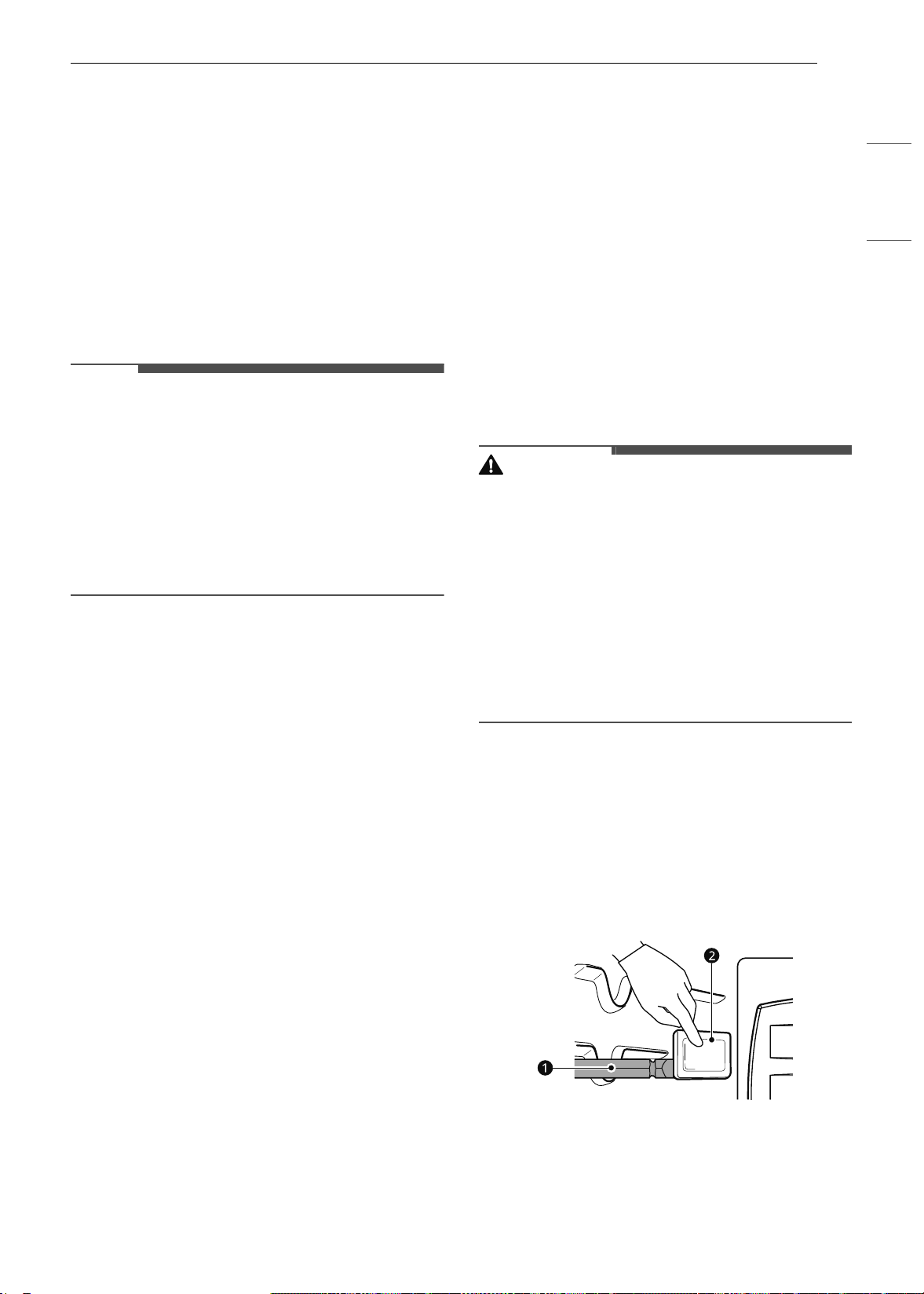
69MAINTENANCE
ENGLISH
4 After 1 hour 43 minutes of descaling, a popup
will appear in the display. Following the
instructions, drain the tank and fill it with
clean water.
5 Insert the tank and start the Rinsing function.
6 Once the Rinsing function is complete, dry the
inside of the oven with a soft cloth. Leave the
oven door open and allow the oven to dry
completely.
NOTE
• The Rinsing function must be completed even if
the Descaling function is canceled.
• If water remains on the oven bottom after
descaling, it can leave a residue after the oven is
used. To remove the residue, see the
instructions under "Cleaning Scale on Oven
Bottom."
• After running the Descaling function, clean the
steam feeder tank.
Drying the Lower Oven Interior
The Drying function removes residual water inside
the steam generator. The function takes a little
over 1 minute and runs automatically after any
steam cooking cycle. The Drying function can also
be started manually, if needed.
Setting Drying
1 Make sure that the steam feeder tank is
empty.
2 Press Clean in the Cooking Modes screen.
Press Steam Maintenance and Descaling in
that order.
3 Press Start to begin Drying. The remaining
time appears in the display.
Using Evaporation Function (Lower
Oven)
Use the Evaporation function to dry the oven cavity
after a steam cooking cycle. Evaporation runs for
12 minutes.
Setting Evaporation
1 Press Clean in the Cooking Modes screen.
Press Steam Maintenance and Evaporation
in that order.
2 Press Start to begin Evaporation. The
remaining time appears in the display.
Periodic Maintenance
Changing the Oven Light
The oven light is a standard 25-watt halogen bulb
for ovens.
WARNING
• Make sure that the oven and bulb are cool.
• Disconnect the electrical power to the appliance
at the main fuse or circuit breaker panel. Failure
to do so can result in severe personal injury,
death, or electrical shock.
• Wear gloves while changing the oven light. Glass
fragments from broken bulbs can cause risk of
injury.
• Gently twist the screwdriver blade while
changing the oven light. If you apply force, the
glass or oven may crack.
1 Unplug the oven or disconnect power.
2 Remove the oven racks.
3 Slide a flat blade screwdriver a between the
housing and the glass light cover b.
4 Support the glass light cover with two fingers
to prevent the cover from falling to the
bottom of the oven.
en-us_main.book.book Page 69 Monday, April 8, 2024 1:07 PM
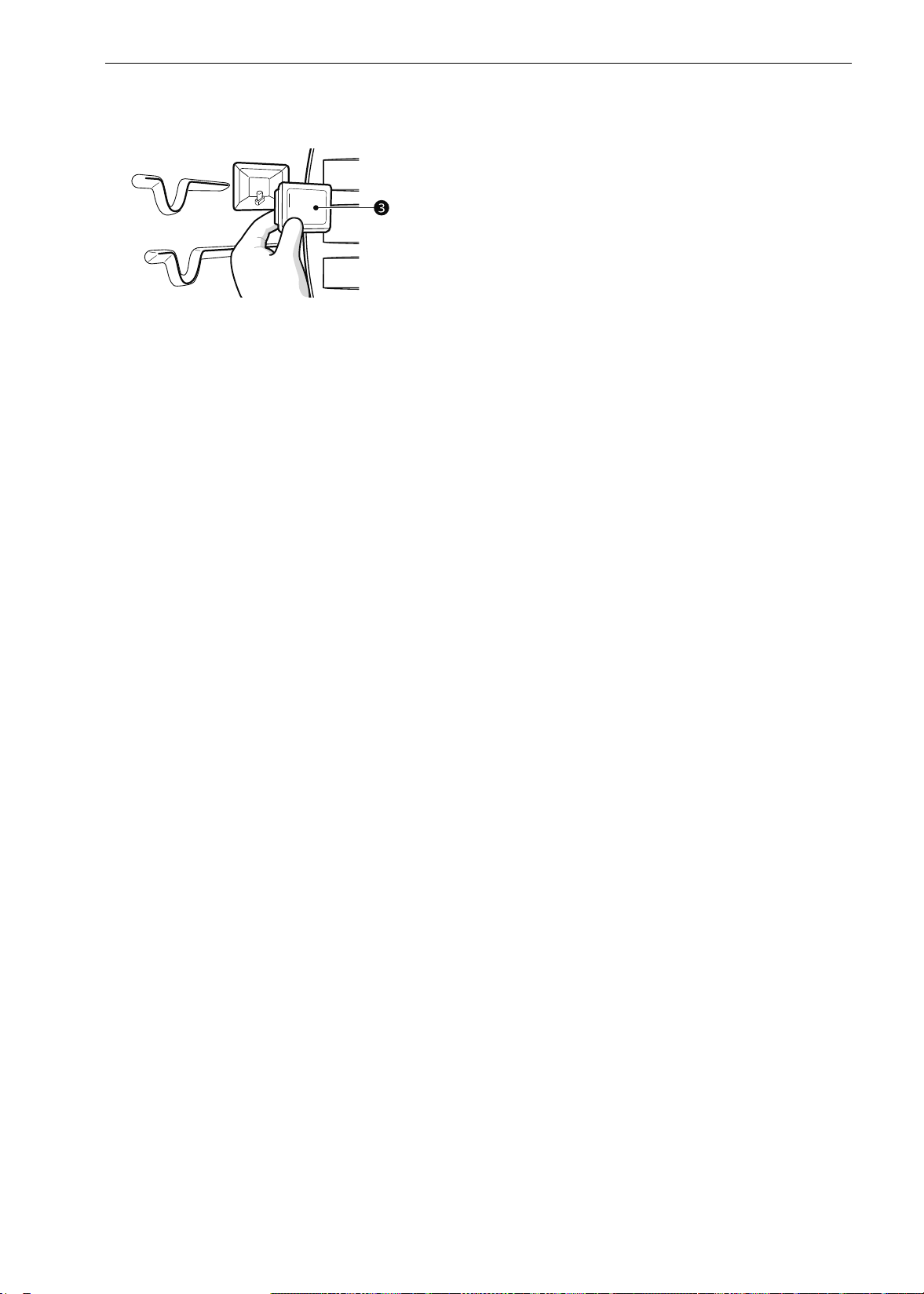
70 MAINTENANCE
5 Gently twist the screwdriver blade to loosen
the glass light cover c.
6 Remove the bulb from the socket.
7 Replace the bulb, and reassemble the light
cover by snapping it back into place.
8 Plug in the oven or reconnect power.
en-us_main.book.book Page 70 Monday, April 8, 2024 1:07 PM

71TROUBLESHOOTING
ENGLISH
TROUBLESHOOTING
FAQs
Frequently Asked Questions
About the Upper Oven
Q: Can I use a rack in my upper oven to reheat or cook on two levels at once?
A: Only use the rack that is supplied with your upper oven. Use of any other rack can result in poor
cooking performance and/or arcing and may damage your oven.
Q: Will the upper oven be damaged if it operates while empty?
A: Yes. Never operate the oven while it is empty or without the glass tray.
Q: Does microwave energy pass through the viewing screen in the door?
A: No. The metal screen bounces the energy back to the oven cavity. The holes (or ports) allow only light
to pass through. They do not let microwave energy pass through.
Q: Why do I see a light reflection around the outer case?
A: This light is from the upper oven light which is located between the oven cavity and the outer wall of
the oven.
Q: What are the various sounds I hear when the upper oven is operating?
A: The clicking sound is caused by a mechanical switch turning the microwave oven's magnetron ON
and OFF.
The heavy hum and clunk is from the change in power the magnetron draws as it is turned ON and
OFF by a mechanical switch. The change in blower speed is from the change in line voltage caused by
the magnetron being turned ON and OFF.
Q: Can my upper oven be damaged if food is cooked for too long?
A: Like any other cooking appliance, it is possible to overcook food to the point that the food creates
smoke and even possibly fire, and damages the inside of the oven. It is always best to be near the
oven while you are cooking.
Q: Why is a standing time recommended after microwave cooking time is over?
A: Standing time allows foods to continue cooking evenly for a few minutes after the actual microwave
oven cooking cycle. The amount of standing time depends upon the density of the foods.
Q: Why is additional time required for cooking food stored in the refrigerator?
A: As in conventional cooking, the initial temperature of food affects total cooking time. You need more
time to cook food taken out of a refrigerator than for food at room temperature.
Q: Can I use either metal or aluminum pans in my upper oven?
A: Usable metal includes aluminum foil for shielding (use small, flat pieces), and shallow foil trays (if tray
is ¾ inch deep and filled with food to absorb microwave energy). Never allow metal to touch walls or
door.
Q: Sometimes the door of my upper oven appears wavy. Is this normal?
A: This appearance is normal and does not affect the operation of your oven.
Q: Why does the glass tray not move?
en-us_main.book.book Page 71 Monday, April 8, 2024 1:07 PM

72 TROUBLESHOOTING
About the Lower Oven
A: The correct side of the tray should be facing up and the tray should sit firmly on the center hub. The
support is not operating correctly. Reinstall the glass tray and restart the oven. Cooking without the
glass tray can give you poor results.
Q: Why does the dish become hot when I microwave food in it? I thought that this should not
happen.
A: As the food becomes hot it will conduct the heat to the dish. Use hot pads to remove food after
cooking.
Q: What does standing time mean?
A: Standing time means that food should be taken out of the oven and covered for additional time after
cooking. This process allows the cooking to finish, saves energy, and frees the oven for other
purposes.
Q: Can I pop popcorn in my upper oven? How do I get the best results?
A: Yes. Pop packaged microwave popcorn following manufacturer’s guidelines or use the
preprogrammed Popcorn button.
Do not use regular paper bags. Use the listening test by stopping the oven as soon as the popping
slows to a pop every one or two seconds. Do not try to repop unpopped kernels. You can also use
special microwave poppers. When using a popper, be sure to follow manufacturer’s directions. Do not
pop popcorn in glass utensils.
Q: Why does steam come out of the air exhaust vent?
A: Steam is normally produced during cooking. The upper oven has been designed to vent steam out of
the top vent.
Q: My new oven doesn’t cook like my old one. Is there something wrong with the temperature
settings?
A: No. Your oven has been factory tested and calibrated. For the first few uses, follow your recipe times
and temperatures carefully. If you still think your new oven is too hot or too cold, you can adjust the
oven temperature yourself to meet your specific cooking needs. Refer to the Changing Settings
section in this manual for easy instructions on how to adjust your thermostat.
Q: Is it normal to hear a clicking noise coming from the back of my oven when I am using it?
A: Your new appliance is designed to maintain a tighter control over your oven’s temperature. You may
hear your oven’s heating elements click on and off more frequently on your new oven. This is
NORMAL.
Q: Why is the time flashing?
A: This means that the product has just been plugged in, or that it has experienced a power
interruption. To clear the flashing time, touch any button and reset the clock if needed.
Q: During convection cooking the fan stops when I open the door. Is that normal?
A: Yes, this is normal. When the door is opened, the convection fan will stop until the door is closed.
Q: Can I use aluminum foil to catch drippings in my oven cavity?
A: Never use aluminum foil to line the bottom or sides of the oven. The foil will melt and stick to the
bottom surface of the oven and will not be removable. Use a foil-lined sheet pan placed on a lower
oven rack to catch drippings instead. (If foil has already melted onto the bottom of the oven, it will not
interfere with the oven’s performance.)
Q: Can I use aluminum foil on the racks?
en-us_main.book.book Page 72 Monday, April 8, 2024 1:07 PM

73TROUBLESHOOTING
ENGLISH
CAUTION
• Foil may be used to wrap food in the oven, but do not allow the foil to come into contact with the
exposed heating/broiling elements in the oven. The foil could melt or ignite, causing smoke, fire, or
injury.
A: Do not cover racks with aluminum foil. Covering entire racks with foil restricts air flow, leading to
poor cooking results. Use a sheet pan lined with foil under fruit pies or other acidic or sugary foods to
prevent spillovers from damaging the oven finish.
Q: Can I leave my racks in the oven when running a Self Clean cycle? (On some models)
A: No. Although it will not damage the racks, it will discolor them and may make them hard to slide in
and out during use. Remove all items from the oven before starting a Self Clean cycle.
Q: What should I do if my racks are sticky and have become hard to slide in and out?
A: Over time, the racks may become hard to slide in and out. Apply a small amount of olive oil to the
sides of the racks. This will work as a lubricant for easier gliding.
Q: Why aren't the function buttons working?
A:
Make sure that the appliance is not in Lock Out mode. The lock
k will show in the display if Lock Out
is activated. To deactivate Lock Out, refer to the Lockout Feature section. The unlock melody sounds
and
Loc appears in the display until the controls are unlocked.
Q: My appliance is still dirty after running the EasyClean cycle. What else should I do?
A: The EasyClean cycle only helps to loosen light soils in your appliance to assist in hand-cleaning of
your oven. It does not automatically remove all soils after the cycle. Some scrubbing of your
appliance is required after running the EasyClean cycle.
Q: I tried scrubbing my oven after running EasyClean, but some soils still remain. What can I do?
A: The EasyClean feature works best when the soils are fully soaked and submerged in water before
running the cycle and during hand-cleaning. If soils are not sufficiently soaked in water, it can
negatively affect the cleaning performance. Repeat the EasyClean process using sufficient water.
Sugar-based and certain greasy soils are especially hard to clean. If some stubborn soils remain, use
the Self Clean feature to thoroughly clean your oven.
Q: Soils on my oven walls are not coming off. How can I get the oven walls clean?
A: Soils on the side and rear walls of your appliance may be more difficult to fully soak with water. Try
repeating the EasyClean process with more than the ¼ cup (2 oz or 60 ml) of spray recommended.
Q: Will EasyClean get all of the soils and stains out completely?
A: It depends on the soil type. Sugar-based and certain grease stains are especially hard to clean. Also, if
stains are not sufficiently soaked in water, this can negatively affect cleaning performance.
If stubborn or built-up stains remain, use the Self Clean feature. Refer to the Self Clean section of
your owner's manual.
Q: Are there any tricks to getting some of the stubborn soils out?
A: Scraping the soils with a plastic scraper before and during hand-cleaning is recommended. Fully
saturating soils with water is also recommended.
However, certain types of soils are harder to clean than others. For these stubborn soils, the Self
Clean cycle is recommended. Consult the Self Clean section of your owner's manual for details.
Q: Is it safe for my convection fan or heater element to get wet during EasyClean?
A: Yes. The convection fan or heater element may get a little wet during cleaning. However, direct spray
onto the broil burner and heater elements is not necessary because these are self-cleaning during
regular use.
en-us_main.book.book Page 73 Monday, April 8, 2024 1:07 PM

74 TROUBLESHOOTING
Q: Do I need to use all 1 ¼ cups (10 oz or 300 ml) of water for EasyClean?
A: Yes. It is highly recommended that 1 cup (8 oz or 240 ml) of water be sprayed or poured on the
bottom and an additional ¼ cup (2 oz or 60 ml) of water be sprayed on walls and other soiled areas to
fully saturate the soils for better cleaning performance.
Q: I see smoke coming out of my appliance’s vents during EasyClean. Is this normal?
A: This is normal. This is not smoke. It is actually water vapor (steam) from the water in the oven cavity.
As the oven heats briefly during EasyClean, the water in the cavity evaporates and escapes through
the oven vents.
Q: How often should I use EasyClean?
A: EasyClean can be performed as often as you wish. EasyClean works best when your oven is LIGHTLY
soiled from such things as LIGHT grease splatter and small drops of cheese. Please refer to the
EasyClean section in your owner's manual for more information.
Q: What is required for EasyClean?
A: A spray bottle filled with 1¼ cups (10 oz or 300 ml) of water, a plastic scraper, a non-scratch scrubbing
pad and a towel. You should not use abrasive scrubbers such as heavy-duty scouring pads or steel
wool.
Q: How can I help keep children safe around the appliance?
A: Children should be supervised around the appliance whenever it is in use, and after use until surfaces
have cooled. You can also use the Lock Out feature to help prevent children from accidentally turning
on the oven. The Lock Out feature disables most control panel buttons. Consult the Lockout Feature
section of your owner’s manual for details. (In models without a Self Clean option, the Lock Out
feature locks the controls but does not lock the oven door.)
en-us_main.book.book Page 74 Monday, April 8, 2024 1:07 PM
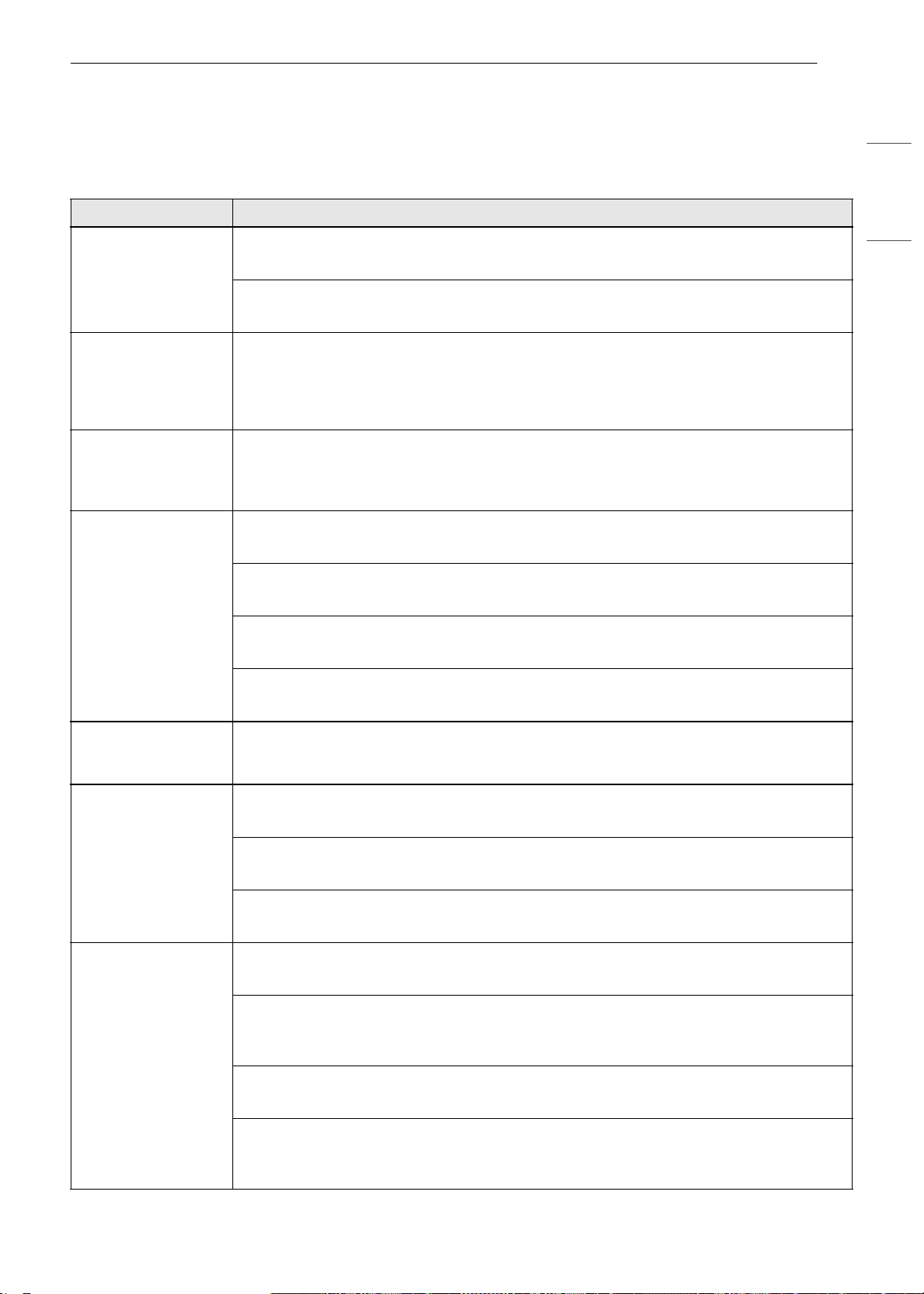
75TROUBLESHOOTING
ENGLISH
Before Calling for Service
Review this section before calling for service; doing so will save you both time and money.
Cooking
Problem Possible Cause & Solution
Arcing or Sparking Cookware is not microwave safe.
• When in doubt, test cookware before use.
Do not operate oven while empty.
• Place the food in the oven.
Unevenly Cooked
Foods, Overcooked
Foods, Undercooked
Foods, Improper
Defrosting
Carefully monitor the food in the microwave oven while it is cooking.
• See the Cooking Tips in the Operating the Upper Microwave Oven section.
If the display shows
a time counting
down but the oven is
not cooking.
The oven door is not closed.
• Check that the oven door is firmly closed.
Oven will not work Plug on appliance is not completely inserted in the electrical outlet.
• Make sure electrical plug is plugged into a live, properly grounded outlet.
A fuse in your home may be blown or the circuit breaker tripped.
• Replace the fuse or reset the circuit breaker.
Oven controls improperly set.
• See the OPERATION chapter.
Oven too hot.
• Allow the oven to cool to below locking temperature.
Steam is exhausted
through the oven
vent.
Cooking foods with high moisture produces steam.
• This is normal.
Appliance does not
operate.
Cord is not plugged in correctly.
• Make sure cord is plugged correctly into outlet. Check circuit breakers.
Service wiring is not complete.
• Contact your electrician for assistance.
Power outage.
• Check house lights to be sure. Call your local electric company for service.
Oven smokes
excessively during
broiling.
Control not set properly.
• Follow instructions under Changing Settings.
Meat too close to the element.
• Reposition the rack to provide proper clearance between the meat and the element.
Preheat broil element for searing.
Meat not properly prepared.
• Remove excess fat from meat. Cut remaining fatty edges to prevent curling.
Insert on broiler pan wrong side up and grease not draining.
• Always place the grid on the broiler pan with ribs up and slots down to allow grease to drip
into the pan.
en-us_main.book.book Page 75 Monday, April 8, 2024 1:07 PM
76 TROUBLESHOOTING
Oven smokes
excessively during
broiling.
Grease has built up on oven surfaces. Old grease or food spatters cause excessive
smoking.
• Regular cleaning is necessary when broiling frequently.
Food does not bake
or roast properly
Oven controls improperly set.
• See the OPERATION chapter.
Rack position is incorrect or the rack is not level.
• See the OPERATION chapter.
Incorrect cookware or cookware of improper size being used.
• See the OPERATION chapter.
Aluminum foil used on the broiling pan and grid has not been fitted properly and slit as
recommended.
• See the OPERATION chapter.
In some areas the power voltage may be low.
• Preheat the broil element for 5-7 minutes.
• See the OPERATION chapter.
Oven sensor needs to be adjusted.
• See the OPERATION chapter.
Food does not broil
properly
Oven controls improperly set.
• Make sure you select the Broil mode properly.
Improper rack position being used.
• See the Broiling Guide.
Cookware not suited for broiling.
• Use broiling pan and grid.
Aluminum foil used on the broiling pan and grid has not been fitted properly and slit as
recommended.
• See the OPERATION chapter.
In some areas the power voltage may be low.
• Preheat the broil element for 5-7 minutes. See the Broiling Guide.
Oven temperature
too hot or too cold
Oven sensor needs to be adjusted.
• See the OPERATION chapter.
Excessive smoking
during a Self Clean
cycle (On some
models)
Excessive soil.
• Turn off the Self Clean function. Open the windows to rid the room of smoke. Wait until
the Self Clean mode is cancelled. Wipe up the excess soil and reset the clean.
Burning or oily odor
emitting from the
vent
This is normal in a new oven.
• This will disappear in time. To speed the process, set a Self Clean cycle for a minimum of 3
hours. See the Self Clean section.
Moisture collects on
oven window or
steam comes from
oven vent
This happens when cooking foods high in moisture.
• This is normal.
Excessive moisture was used when cleaning the window.
• Do not use excessive moisture when cleaning the window.
Oven will not steam
cook (On some
models)
Improper assembly
• Make sure to slide the tank into the slot until it clicks into place.
Problem Possible Cause & Solution
en-us_main.book.book Page 76 Monday, April 8, 2024 1:07 PM
77TROUBLESHOOTING
ENGLISH
Parts & Features
Oven will not steam
cook (On some
models)
The drain in the water tank may be clogged with hard water scale.
• If this happens, the descaling function must be run before the steam function can be used.
Water pools in the
bottom of the oven
during or after
steam cooking (On
some models)
During steam cooking, the water in the water tank is transferred to the bottom of the
oven.
• It is normal for water to fill the bottom of the oven during or after the Steam mode.
• If the water leaves mineral deposits on the oven bottom, remove the deposits with a cloth
or sponge soaked in vinegar.
White residue
appears on the oven
bottom after steam
cooking (On some
models)
Using hard water in the water tank can result in hard water scale on the oven bottom.
• To remove mineral deposits that remain on the oven bottom, use a cloth or sponge soaked
in vinegar or a weak citric acid solution.
The sous vide
module beeps during
operation (On some
models)
This alert sounds when the sous vide module is operated without water in the steam
feeder tank.
• Fill the steam feeder tank to the recommended level before using
Problem Possible Cause & Solution
Oven control beeps
and displays any F
code error.
Electronic control has detected a fault condition.
• Turn off the oven function you are using to clear the display and stop beeping. Reprogram
oven. If fault recurs, record fault number and call for service.
- [Case 1 ]
Code: F-9
Cause: Oven not heating (upper oven)
- [Case 2 ]
Code: F-19
Cause: Oven not heating (lower oven)
k is on in the display
when you want to
cook
The oven door is locked because the temperature inside the oven has not dropped
below the locking temperature.
• Press the STOP button. Allow the oven to cool.
Oven light does not
work.
It is time to replace the bulb or the bulb is loose.
• Replace or tighten bulb. See "Changing the Oven Light" section in this Owner’s Manual.
Cooling fan
continues to run
after oven is turned
off.
The fan turns off automatically when the electronic components have cooled
sufficiently.
• This is normal.
Oven will not Self
Clean.
The oven temperature is too high to set a Self Clean operation.
• Allow the appliance to cool and reset the controls.
Oven controls improperly set.
• See the Self Clean section.
A Self Clean cycle cannot be started if oven door is open.
• Close the oven door.
Oven door does not
open after a Self
Clean cycle
Oven is too hot.
• Allow the oven to cool below locking temperature.
Problem Possible Cause & Solution
en-us_main.book.book Page 77 Monday, April 8, 2024 1:07 PM
78 TROUBLESHOOTING
Noises
Wi-Fi
Oven door does not
open after a Self
Clean cycle
The control and door may be locked.
• Allow about one hour for the oven to cool after the completion of a Self Clean cycle. The
door can be opened when the lock
k is no longer displayed.
The oven is not clean
after a Self Clean
cycle
Oven controls not properly set.
• See the Self Clean section.
Oven was heavily soiled.
• Clean up heavy spillovers before starting the clean cycle. Heavily soiled ovens may need to
Self Clean again or for a longer period of time.
Convection fan stops
(On some models)
Convection fan stops during a convection bake cycle. This allows for more even heating
during the cycle.
• This is not a failure of the range and should be considered normal operation.
Displayed time is
flashing (On some
models)
This means that the product has just been plugged in, or that it has experienced a
power interruption.
• Press the Clock key and reset the time, or press any key to stop the flashing.
Oven racks are
difficult to slide (On
some models)
The shiny, silver-colored racks were cleaned in a Self Clean cycle.
• Apply a small amount of vegetable oil to a paper towel and wipe the edges of the oven
racks with the paper towel.
Problem Possible Cause & Solution
“Crackling” or
“popping” sound
This is the sound of the metal heating and cooling during both the cooking and Self
Clean functions.
• This is normal.
Fan noise A convection fan may automatically turn on and off.
• This is normal.
Problem Possible Cause & Solution
Trouble connecting
appliance and
smartphone to Wi-Fi
network
The password for the Wi-Fi network was entered incorrectly.
• Delete your home Wi-Fi network and begin the connection process again.
Mobile data for your smartphone is turned on.
• Turn off the Mobile data on your smartphone before connecting the appliance.
The wireless network name (SSID) is set incorrectly.
• The wireless network name (SSID) should be a combination of English letters and
numbers. (Do not use special characters.)
The router frequency is not 2.4 GHz.
• Only a 2.4 GHz router frequency is supported. Set the wireless router to 2.4 GHz and
connect the appliance to the wireless router. To check the router frequency, check with
your Internet service provider or the router manufacturer.
Problem Possible Cause & Solution
en-us_main.book.book Page 78 Monday, April 8, 2024 1:07 PM
79TROUBLESHOOTING
ENGLISH
Trouble connecting
appliance and
smartphone to Wi-Fi
network
The appliance and the router are too far apart.
• If the appliance is too far from the router, the signal may be weak and the connection may
not be configured correctly. Move the router closer to the appliance or purchase and
install a Wi-Fi repeater.
During Wi-Fi setup, the app is requesting a password to connect to the product (on
certain phones).
• Locate the network name which starts with "LG" under Settings > Networks. Note the last
part of the network name.
- If the network name looks like LGE_Appliance_XX-XX-XX, enter lge12345.
- If the network name looks like LGE_Appliance_XXXX, enter XXXX twice as your password.
For example, if the network name appears as LGE_Appliance_8b92, then you would
enter 8b928b92 as your password. In this instance, the password is case sensitive and
the last 4 characters are unique to your appliance.
Problem Possible Cause & Solution
en-us_main.book.book Page 79 Monday, April 8, 2024 1:07 PM
80 LIMITED WARRANTY
LIMITED WARRANTY
USA
TERMS AND CONDITIONS
ARBITRATION NOTICE: THIS LIMITED WARRANTY CONTAINS AN ARBITRATION PROVISION THAT
REQUIRES YOU AND LG ELECTRONICS (“LG”) TO RESOLVE DISPUTES BY BINDING ARBITRATION
INSTEAD OF IN COURT, UNLESS YOU CHOOSE TO OPT OUT. IN ARBITRATION, CLASS ACTIONS AND
JURY TRIALS ARE NOT PERMITTED. PLEASE SEE THE SECTION TITLED “PROCEDURE FOR RESOLVING
DISPUTES” BELOW.
Should your LG Electric Oven ("Product") fail due to a defect in materials or workmanship under normal
and proper use, during the warranty period set forth below, LG will, at its option, repair or replace the
Product. This limited warranty is valid only to the original retail purchaser of the Product (“You”) and
applies only when purchased lawfully and used within the United States including U.S. Territories.
• Replacement Products and parts are warranted for the remaining portion of the original warranty period
or ninety (90) days, whichever is greater.
• Replacement Products and parts may be new, reconditioned, refurbished, or otherwise factory
remanufactured.
• Replaced Product or part(s) will be the property of LG.
• Proof of original retail purchase specifying the Product model and date of purchase is required to obtain
warranty service under this limited warranty.
EXCEPT TO THE EXTENT PROHIBITED BY APPLICABLE LAW, ANY IMPLIED WARRANTY OF
MERCHANTABILITY OR FITNESS FOR A PARTICULAR PURPOSE ON THE PRODUCT IS LIMITED IN
DURATION TO THE DURATION OF THE ABOVE LIMITED WARRANTY. UNDER NO CIRCUMSTANCES
SHALL LG OR ITS U.S. DISTRIBUTORS/DEALERS BE LIABLE FOR ANY INDIRECT, INCIDENTAL,
CONSEQUENTIAL, SPECIAL, OR PUNITIVE DAMAGES, INCLUDING, WITHOUT LIMITATION, LOST
GOODWILL, LOST REVENUES OR PROFITS, WORK STOPPAGE, IMPAIRMENT OF OTHER GOODS, COST OF
REMOVAL AND REINSTALLATION OF THE PRODUCT, LOSS OF USE, OR ANY OTHER DAMAGES WHETHER
BASED IN CONTRACT, TORT, OR OTHERWISE. LG’S TOTAL LIABILITY, IF ANY, SHALL NOT EXCEED THE
PURCHASE PRICE PAID BY YOU FOR THE PRODUCT.
SOME STATES DO NOT ALLOW THE EXCLUSION OR LIMITATION OF INCIDENTAL OR CONSEQUENTIAL
DAMAGES OR LIMITATIONS ON HOW LONG AN IMPLIED WARRANTY LASTS, SO THE ABOVE
EXCLUSIONS OR LIMITATIONS MAY NOT APPLY TO YOU. THIS LIMITED WARRANTY GIVES YOU
SPECIFIC LEGAL RIGHTS AND YOU MAY ALSO HAVE OTHER RIGHTS THAT VARY FROM STATE TO STATE.
THIS LIMITED WARRANTY DOES NOT COVER
• Service trips to deliver, pick up, or install, educate how to operate, correct wiring, or correct
unauthorized repairs.
• Damage or failure of the Product to perform during power failures and interrupted or inadequate
electrical service.
• Damage or failure of the Product caused by leaky or broken water pipes, frozen water pipes, restricted
drain lines, inadequate or interrupted water supply or inadequate supply of air.
• Damage or failure of the Product resulting from operating the Product in a corrosive atmosphere or
contrary to the Product owner’s manual.
Warranty Period Scope of Warranty HOW SERVICE IS HANDLED
Two (2) years from the date of
original retail purchase
Parts and Labor (internal /
functional parts only)
LG will provide, free of charge, all
labor and in-home service to
replace defective part(s).
Ten (10) years from the date of
original retail purchase
Inverter Magnetron Only
en-us_main.book.book Page 80 Monday, April 8, 2024 1:07 PM

81LIMITED WARRANTY
ENGLISH
• Damage or failure of the Product caused by accidents, pests and vermin, lightning, wind, fire, floods, acts
of nature, or any other causes beyond the control of LG.
• Damage or failure of the Product caused by unauthorized modification or alteration, or if the Product is
used for other than the intended purpose, or any water leakage where the Product was not properly
installed.
• Damage or failure of the Product caused by incorrect electrical current, voltage, or plumbing codes.
• Damage or failure of the Product caused by transportation, storage, and/or handling, including
scratches, dents, chips, and/or other damage to the finish of the Product, unless such damage is
reported within one (1) week of delivery.
• Damage or failure of the Product resulting from misuse, abuse, improper installation, repair, or
maintenance. Improper repair includes the use of parts not authorized by LG. Improper installation or
maintenance includes installation or maintenance contrary to the Product owner’s manual.
• Damage or failure of the Product caused by the use of parts, components, accessories, consumable
cleaning products, or any other products or services that were not authorized by LG.
• Damage or missing items to any display or open box Product.
• Refurbished Product or any Product sold “As Is”, “Where Is”, “With all Faults”, or similar disclaimer.
• Products with original serial numbers that have been removed, altered, or cannot be readily determined.
• Increases in utility costs and additional utility expenses.
• Any noises associated with normal operation.
• Products used for other than normal and proper household use (e.g., commercial or industrial use) or
contrary to the Product owner’s manual.
• Costs associated with removal and reinstallation of the Product for repairs, or the removal and
reinstallation of the Product if it is installed in an inaccessible location or not installed in accordance with
the Product Owner's manual.
• Accessories, removable components, or consumable parts (e.g. Shelves, door bins, drawers, water/air
filters, racks, light bulbs, batteries, etc., as applicable), except for internal/functional parts covered under
this limited warranty.
The cost of repair or replacement under these excluded circumstances shall be borne by You.
TO OBTAIN WARRANTY SERVICE AND ADDITIONAL INFORMATION
Call 1-800-243-0000 and select the appropriate option from the menu.
Or visit our website at http://www.lg.com
Or by mail: LG Electronics Customer Service P.O. Box 240007 Huntsville, AL 35813 ATTN: CIC
PROCEDURE FOR RESOLVING DISPUTES
ALL DISPUTES BETWEEN YOU AND LG ARISING OUT OF OR RELATING IN ANY WAY TO THIS LIMITED
WARRANTY OR THE PRODUCT SHALL BE RESOLVED EXCLUSIVELY THROUGH BINDING ARBITRATION, AND
NOT IN A COURT OF GENERAL JURISDICTION. BINDING ARBITRATION MEANS THAT YOU AND LG ARE EACH
WAIVING THE RIGHT TO A JURY TRIAL AND TO BRING OR PARTICIPATE IN A CLASS ACTION.
Definitions. For the purposes of this section, references to “LG” mean LG Electronics U.S.A., Inc., its
parents, subsidiaries and affiliates, and each of their officers, directors, employees, agents, beneficiaries,
predecessors in interest, successors, assigns and suppliers; references to “dispute” or “claim” shall include
any dispute, claim or controversy of any kind whatsoever (whether based in contract, tort, statute,
regulation, ordinance, fraud, misrepresentation or any other legal or equitable theory) arising out of or
relating in any way to the sale, condition or performance of the product or this Limited Warranty.
Notice of Dispute. In the event you intend to commence an arbitration proceeding, you must first notify
LG in writing at least 30 days in advance of initiating the arbitration by sending a letter to LG at LG
Electronics, USA, Inc. Attn: Legal Department- Arbitration 111 Sylvan Avenue, Englewood Cliffs, NJ 07632
USA. You and LG agree to engage in good faith discussions in an attempt to amicably resolve your claim.
The notice must provide your name, address, and telephone number; identify the product that is the
en-us_main.book.book Page 81 Monday, April 8, 2024 1:07 PM

82 LIMITED WARRANTY
subject of the claim; and describe the nature of the claim and the relief being sought. If you and LG are
unable to resolve the dispute within 30 days, either party may proceed to file a claim for arbitration.
Agreement to Binding Arbitration and Class Action Waiver. Upon failure to resolve the dispute during
the 30 day period after sending written notice to LG, you and LG agree to resolve any claims between us
only by binding arbitration on an individual basis, unless you opt out as provided below. Any dispute
between you and LG shall not be combined or consolidated with a dispute involving any other person’s or
entity’s product or claim. More specifically, without limitation of the foregoing, any dispute between you
and LG shall not under any circumstances proceed as part of a class or representative action. Instead of
arbitration, either party may bring an individual action in small claims court, but that small claims court
action may not be brought on a class or representative basis.
Arbitration Rules and Procedures. To begin arbitration of a claim, either you or LG must make a written
demand for arbitration. The arbitration will be administered by the American Arbitration Association
(“AAA”) and will be conducted before a single arbitrator under the AAA’s Consumer Arbitration Rules that
are in effect at the time the arbitration is initiated (referred to as the “AAA Rules”) and under the
procedures set forth in this section. The AAA Rules are available online at www.adr.org/consumer. Send a
copy of your written demand for arbitration, as well as a copy of this provision, to the AAA in the manner
described in the AAA Rules. You must also send a copy of your written demand to LG at LG Electronics,
USA, Inc. Attn: Legal Department- Arbitration 111 Sylvan Avenue, Englewood Cliffs, NJ 07632 USA. If there
is a conflict between the AAA Rules and the rules set forth in this section, the rules set forth in this section
will govern. This arbitration provision is governed by the Federal Arbitration Act. Judgment may be entered
on the arbitrator’s award in any court of competent jurisdiction. All issues are for the arbitrator to decide,
except that issues relating to the scope and enforceability of the arbitration provision and to the
arbitrability of the dispute are for the court to decide. The arbitrator is bound by the terms of this
provision.
Governing Law. The law of the state of your residence shall govern this Limited Warranty and any
disputes between us except to the extent that such law is preempted by or inconsistent with applicable
federal law.
Fees/Costs. You do not need to pay any fee to begin an arbitration. Upon receipt of your written demand
for arbitration, LG will promptly pay all arbitration filing fees to the AAA unless you seek more than $25,000
in damages, in which case the payment of these fees will be governed by the AAA Rules. Except as
otherwise provided for herein, LG will pay all AAA filing, administration and arbitrator fees for any
arbitration initiated in accordance with the AAA Rules and this arbitration provision. If you prevail in the
arbitration, LG will pay your attorneys’ fees and expenses as long as they are reasonable, by considering
factors including, but not limited to, the purchase amount and claim amount. Notwithstanding the
foregoing, if applicable law allows for an award of reasonable attorneys’ fees and expenses, an arbitrator
can award them to the same extent that a court would. If the arbitrator finds either the substance of your
claim or the relief sought in the deman
d
is frivolous or brought for an improper purpose (as measured by
the standards set forth in Federal Rule of Civil Procedure 11(b)), then the payment of all arbitration fees will
be governed by the AAA Rules. In such a situation, you agree to reimburse LG for all monies previously
disbursed by it that are otherwise your obligation to pay under the AAA Rules. Except as otherwise
provided for, LG waives any rights it may have to seek attorneys’ fees and expenses from you if LG prevails
in the arbitration.
Hearings and Location. If your claim is for $25,000 or less, you may choose to have the arbitration
conducted solely on the basis of (1) documents submitted to the arbitrator, (2) through a telephonic
hearing, or (3) by an in-person hearing as established by the AAA Rules. If your claim exceeds $25,000, the
right to a hearing will be determined by the AAA Rules. Any in-person arbitration hearings will be held at a
location within the federal judicial district in which you reside unless we both agree to another location or
we agree to a telephonic arbitration.
Opt Out. You may opt out of this dispute resolution procedure. If you opt out, neither you nor LG can
require the other to participate in an arbitration proceeding. To opt out, you must send notice to LG no
later than 30 calendar days from the date of the first consumer purchaser’s purchase of the product by
either: (i) sending an e-mail to [email protected]
, with the subject line: “Arbitration Opt Out” or (ii) calling 1-
800-980-2973. You must include in the opt out e-mail or provide by telephone: (a) your name and address;
(b) the date on which the product was purchased; (c) the product model name or model number; and (d)
the serial number (the serial number can be found (i) on the product; or (ii) online by accessing https://
www.lg.com/us/support/repair-service/schedule-repair-continued and clicking on “Find My Model & Serial
Number”).
en-us_main.book.book Page 82 Monday, April 8, 2024 1:07 PM

83LIMITED WARRANTY
ENGLISH
You may only opt out of the dispute resolution procedure in the manner described above (that is, by e-mail
or telephone); no other form of notice will be effective to opt out of this dispute resolution procedure.
Opting out of this dispute resolution procedure will not affect the coverage of the Limited Warranty in any
way, and you will continue to enjoy the full benefits of the Limited Warranty. If you keep this product and
do not opt out, then you accept all terms and conditions of the arbitration provision described above.
en-us_main.book.book Page 83 Monday, April 8, 2024 1:07 PM

84 Memo
en-us_main.book.book Page 84 Monday, April 8, 2024 1:07 PM
MANUAL DEL PROPIETARIO
HORNO DE PARED
COMBINADO
Lea el manual del propietario detenidamente previo a operar el
electrodoméstico y mantengalo al alcance para futuras
referencias.
ESPAÑOL
WCES6428N
www.lg.com
Copyright © 2024 LG Electronics Inc. Todos los derechos reservados
Escanee el código QR para ver el manual.
es-us_main.book.book Page 1 Monday, April 8, 2024 1:14 PM

ÍNDICE
2
4 INSTRUCCIONES IMPORTANTES
DE SEGURIDAD
4 LEA TODAS LAS INSTRUCCIONES ANTES DE
UTILIZAR
4 Precauciones para evitar una posible
exposición a niveles excesivos de energía
de microondas
4 Mensajes de Seguridad
4 ADVERTENCIA
4 Seguridad técnica
6 Instalación
6 Funcionamiento
7 Mantenimiento
8 Riesgo de incendio y materiales
inflamables
8 Horno de microondas
9 Interferencia con equipos inalámbricos/
radio/TV
10 Estándar de seguridad para pilas de botón
o moneda
10 PRECAUCIÓN
10 Funcionamiento
11 Mantenimiento
12 DESCRIPCIÓN GENERAL DEL
PRODUCTO
12 Características del producto
12 Interior/exterior
12 Accesorios
15 FUNCIONAMIENTO
15 Funcionamiento del panel de control
15 Funciones del panel de control
16 Consejos para el ahorro de energía
16 Cambio de configuraciones
16 Comenzar
16 Configuración
17 Inicio rápido del microondas
17 Lockout (Bloqueo)
17 Fecha y hora
18 Temas de reloj
18 Modo Sabbath
19 Wi-Fi
19 Inicio remoto
19 Brillo
19 Pantalla
20 Conversión automática a convección
20 Idioma
20 Volumen
20 Luz de alarma de precalentamiento
20 Ajuste de temperatura
21 Unidades de temperatura
21 Smart Diagnosis
TM
21 Modo Demo
22 Restablecimiento de datos de fábrica
22 Licencia de código abierto
22 Enfriamiento del horno
22 Temporizador
24 Funcionamiento del horno de microondas
superior
24 Antes de usar
24 Guía de utensilios de cocina del
microondas
25 Consejos para cocinar
27 Niveles de potencia de microondas
27 Modo Microwave (Microondas)
28 Modo Convection Bake (Hornear por
convección)
28 Modo Broil (Asar)
29 Modo Popcorn (Palomitas de maíz)
30 Modo Defrost (Descongelamiento)
31 Modo Speed Cook (Cocción rápida)
32 Modo Sensor Cook (Cocción por sensor)
33 Modo de Inicio rápido de microondas
34 Modo Auto Cook (Cocción automática)
36 Modo Soften (Ablandar)
37 Modo Melt (Derretir)
37 Modo Warm (Calentar)
38 Modo Proof (Leudar)
39 Funcionamiento del horno inferior
39 Antes de usar el horno
39 Uso de los estantes estándar del horno
39 Uso de los estantes deslizantes del horno
40 InstaView
40 Modos Convection Bake (Hornear por
convección) y Convection Roast (Rostizado
por convección)
42 Modo Bake (Hornear)
es-us_main.book.book Page 2 Monday, April 8, 2024 1:14 PM

3
43 Guía de recomendaciones para asar
44 Modo Broil (Asar)
45 Guía de recomendaciones para asar
48 Modo Warm (Calentar)
49 Modo Proof (Leudar)
49 Freír con aire
51 Guía para freír con aire recomendada
53 Modo Probe (Sonda)
54 Guía para sonda recomendada
55 Modo Favorite (Favorito)
56 Modo Auto Cook (Cocción automática)
58 Guía de Auto Cook (Cocción automática)
63 Función Steam (Vapor)
64 Modo Steam Bake (Hornear a vapor)
65 Sous vide (Cocción al vacío)
66 Guía de cocción al vacío (Sous Vide)
66 Modo de Inicio remoto
68 FUNCIONES INTELIGENTES
68 Aplicación LG ThinQ
68 Funciones de la aplicación LG ThinQ
68 Instalación de la aplicación LG ThinQ y
conexión de un electrodoméstico LG
69 Actualización de características LG
69 Especificaciones del módulo RF
70 Declaración de la FCC
70 Software de código abierto
70 Función Smart Diagnosis
TM
70 Uso de LG ThinQ para diagnosticar
problemas
71 Uso del diagnóstico audible para
diagnosticar problemas
72 MANTENIMIENTO
72 Limpieza
72 Consejos Generales de Limpieza
72 Exterior
74 EasyClean (Horno inferior)
76 Self Clean (Horno inferior)
78 Limpieza del tanque del alimentador de
vapor
79 Limpieza de sarro en la parte de abajo del
horno inferior
80 Secado del interior del horno inferior
80 Uso de la función Evaporation
(Evaporación) (Horno inferior)
80 Mantenimiento periódico
80 Cambio de la luz del horno
82 SOLUCIÓN DE PROBLEMAS
82 Preguntas Frecuentes
82 Preguntas frecuentes
86 Antes de llamar al servicio técnico
86 Cocción
88 Partes y Características
89 Ruidos
90 Wi-Fi
91 GARANTÍA LIMITADA
91 EE. UU.
91 TÉRMINOS Y CONDICIONES
91 ESTA GARANTÍA LIMITADA NO CUBRE LO
SIGUIENTE
92 PROCEDIMIENTO PARA RESOLVER
CONFLICTOS
es-us_main.book.book Page 3 Monday, April 8, 2024 1:14 PM
4 INSTRUCCIONES IMPORTANTES DE SEGURIDAD
INSTRUCCIONES IMPORTANTES DE SEGURIDAD
LEA TODAS LAS INSTRUCCIONES ANTES DE UTILIZAR
Precauciones para evitar una posible exposición a niveles excesivos de
energía de microondas
(a) No trate de operar este horno con la puerta abierta, ya que hacerlo puede causar una exposición
perjudicial a la energía de microondas. Es importante no anular ni alterar los bloqueos de seguridad.
(b) No coloque ningún objeto entre la parte delantera del horno y la puerta, ni permita que se acumulen
residuos del limpiador ni tierra en las superficies de sellado.
(c) No haga funcionar el horno si está dañado. Es particularmente importante que la puerta del horno
cierre bien y que no presenten daños (1) la puerta (doblada), (2) las bisagras y trabas (rotas o flojas), (3) las
superficies de sellado y los sellos de la puerta.
(d) Ninguna persona, a excepción del personal de servicio técnico calificado, debe modificar o reparar el
horno.
Mensajes de Seguridad
Su seguridad y la de los demás son muy importantes.
Tanto en este manual como en el equipo, hemos proporcionado muchos mensajes de seguridad
importantes. Siempre debe leer y respetar todos los mensajes de seguridad.
Todos los mensajes de seguridad le indicarán cuál es el riesgo potencial, le indicarán cómo reducir la
probabilidad de lesiones y le proporcionarán información sobre qué podría suceder si no se siguen las
instrucciones.
ADVERTENCIA
ADVERTENCIA
• Para reducir el riesgo de explosiones, incendios, descargas eléctricas, quemaduras, lesiones o muerte de
las personas al usar este producto, siga las precauciones básicas, incluidas las siguientes:
Seguridad técnica
• Para reducir el riesgo de quemaduras, descargas eléctricas, incendios, lesiones a personas o exposición
a niveles excesivos de energía de microondas cuando use el horno de microondas, lea todas las
instrucciones antes de usar el electrodoméstico.
Este es el símbolo de alerta de seguridad.
Este símbolo le advierte de posibles peligros que pueden matarlos o lastimarlos a usted y a otros.
Todos los mensajes de seguridad seguirán el símbolo de alerta de seguridad y la palabra
ADVERTENCIA o PRECAUCIÓN.
Estos términos significan lo siguiente:
ADVERTENCIA
Podría sufrir lesiones graves o la muerte si no sigue las instrucciones.
PRECAUCIÓN
Puede resultar lesionado o causar daño al producto si no sigue las instrucciones.
es-us_main.book.book Page 4 Monday, April 8, 2024 1:14 PM

5INSTRUCCIONES IMPORTANTES DE SEGURIDAD
ESPAÑOL
• Este aparato no está destinado para ser utilizado por personas (incluyendo niños) con capacidades
físicas, sensoriales o mentales reducidas, o con falta de experiencia o conocimiento, a menos que hayan
recibido una supervisión o capacitación concerniente a el uso del aparato por una persona responsable
de su seguridad. Debe supervisar a los niños para asegurarse de que no jueguen con el
electrodoméstico.
• No se debe permitir que los niños jueguen con los accesorios o se cuelguen de la puerta o cualquier
parte del horno. Si lo hacen pueden sufrir daños y lesiones graves. Como con cualquier
electrodoméstico, es necesario supervisar atentamente a los niños mientras lo usan.
•Lea y siga las Precauciones para evitar la posible exposición a niveles excesivos de energía de
microondas, que se encuentran en la página 4.
• Este electrodoméstico debe estar conectado a tierra. Conéctelo solamente a una toma de corriente que
esté correctamente conectada a tierra. Consulte la sección Requisitos eléctricos.
• Solo instale o ubique este electrodoméstico de acuerdo con las instrucciones de instalación provistas.
• Algunos productos, tales como los huevos enteros y los recipientes sellados –por ej., frascos de vidrio
cerrados– pueden explotar, y no deben calentarse en este horno.
• Utilice este electrodoméstico solamente para el uso para el que está destinado conforme se describe en
este manual. No use vapores o químicos corrosivos, como el sulfuro y cloruro, en este electrodoméstico.
Este tipo de horno está específicamente diseñado para calentar, cocinar o deshidratar alimentos. No
está diseñado para el uso industrial o de laboratorio.
• Solo el personal de servicio técnico calificado debe realizar el mantenimiento de este electrodoméstico.
Comuníquese con el centro de servicio autorizado más cercano para realizar una inspección, reparación
o ajuste.
• No cubra ni obstruya ninguna abertura del electrodoméstico.
• No guarde este electrodoméstico al aire libre. No utilice este producto cerca del agua; por ejemplo, cerca
de un fregadero, en un sótano húmedo, cerca de una piscina o un lugar similar.
• Evite una descarga eléctrica:
- No haga funcionar este electrodoméstico si tiene un enchufe o cable dañado, si no funciona
adecuadamente, o si se ha dañado o caído.
- No sumerja en agua el enchufe ni el cable eléctrico. Mantenga el cable lejos de las superficies
calientes.
- No permita que el cable cuelgue sobre el borde de la mesa o encimera.
• Cuando limpie las superficies de la puerta y del horno que se unen al cerrar la puerta, solamente emplee
jabones o detergentes suaves no abrasivos, y aplíquelos con una esponja o paño suaves.
• NO TOQUE LAS HORNALLAS NI LAS SUPERFICIES INTERIORES DEL HORNO MICROONDAS. Cuando y
después de usar o limpiar el interior, no toque otros materiales inflamables ni entre en contacto con los
elementos calefactores o las superficies interiores del horno de microondas hasta que se hayan enfriado
lo suficiente. Otras superficies, como las ventanas de la puerta del horno de microondas, la lámpara del
horno, también pueden calentarse y causar quemaduras si no se enfrían lo suficiente.
• Para reducir el riesgo de incendios en la cavidad del horno:
- No cocine la comida de más. Vigile con atención el horno de microondas cuando coloque en su interior
papel, plástico u otros materiales combustibles para facilitar la cocción.
- No use la cavidad para fines de almacenamiento. No deje productos de papel, utensilios de cocina ni
alimentos en la cavidad cuando el electrodoméstico no esté en uso.
- Quite los precintos de alambre de las bolsas de papel o plástico antes de colocarlas en el horno.
• Si los materiales en el hor
n
o comienzan a arder:
- Mantenga la puerta del horno cerrada y apague el horno.
- Desconecte el cable de alimentación o corte el suministro de energía desde el fusible o el panel del
disyuntor.
• Los líquidos, como el agua, café o té, pueden sobrecalentarse más allá del punto de ebullición sin que
esto resulte evidente debido a la tensión superficial del líquido. No siempre se puede ver el burbujeo o la
ebullición al retirar el recipiente del horno de microondas.
es-us_main.book.book Page 5 Monday, April 8, 2024 1:14 PM

6 INSTRUCCIONES IMPORTANTES DE SEGURIDAD
• ESTO PUEDE OCASIONAR QUE LOS LÍQUIDOS MUY CALIENTES SE DERRAMEN REPENTINAMENTE
CUANDO SE MUEVA EL CONTENEDOR, O AL INSERTAR UNA CUCHARA U OTRO UTENSILIO EN EL
LÍQUIDO.
Evite el riesgo de lesiones a personas:
- No caliente demasiado los líquidos. Revuelva los líquidos antes y en la mitad del proceso de
calentarlos.
- No use recipientes de lados rectos que tengan cuellos angostos. Tenga sumo cuidado al insertar una
cuchara u otro utensilio en el recipiente.
- Luego del calentamiento, deje reposar el recipiente en el microondas durante unos minutos antes de
retirarlo.
• No instale la unidad sobre ninguna parte de un electrodoméstico de calefacción o cocina ni cerca de
estos.
• No la instale sobre un fregadero.
• No coloque nada encima de la superficie superior del electrodoméstico cuando este se encuentre en
funcionamiento.
Instalación
• Nunca permita que nadie se suba, pare o cuelgue de la puerta del horno. Podría sufrir lesiones por el
contacto con la comida caliente o el horno mismo.
• No recubra las paredes del horno, los estantes, el fondo ni ninguna otra parte del horno con papel de
aluminio ni ningún otro material. Esto altera la distribución de calor, produce resultados de horneado
deficientes y causa daños permanentes al interior del horno (el papel de aluminio se fundirá en la
superficie interior del horno).
• No utilice papel de aluminio ni ningún otro material para revestir la base del horno. La instalación
inadecuada de los revestimientos del horno podría causar riesgo de descarga eléctrica o incendio.
• Haga que un instalador calificado instale y conecte a tierra su electrodoméstico de manera apropiada,
de acuerdo con las instrucciones de instalación. Cualquier ajuste y servicio deben realizarlo
exclusivamente instaladores de hornos o técnicos de servicio calificados.
• Asegúrese de retirar todos los materiales del embalaje antes de la puesta en funcionamiento. Mantenga
el plástico, telas, papel y otros materiales inflamables lejos de las piezas del electrodoméstico que se
podrían calentar.
• Se debe cortar el suministro de electricidad mientras se llevan a cabo las conexiones eléctricas.
• La conexión incorrecta del cableado doméstico de aluminio a los cables de cobre puede provocar
descargas eléctricas o un incendio. Utilice únicamente conectores diseñados para unir cobre con
aluminio y siga al pie de la letra el procedimiento recomendado por el fabricante.
• Importante - Guardar para el uso del inspector local de electricidad
Funcionamiento
• NO TOQUE LOS ELEMENTOS CALENTADORES NI LAS SUPERFICIES INTERIORES DEL HORNO. Los
elementos calentadores podrían estar calientes incluso cuando presenten un color oscuro. Las
superficies interiores del horno se calientan lo suficiente como para causar quemaduras. Durante y
después del uso, no toque ni permita que la vestimenta u otro material inflamable entren en contacto
con los elementos calentadores ni las superficies interiores del horno, hasta que hayan tenido tiempo
suficiente para enfriarse. Otras superficies, como los orificios de ventilación del horno y las superficies
cercanas a estos orificios, las puertas del horno y las ventanas de las puertas del horno también se
calientan y podrían causar quemaduras si no se las deja enfriar.
• Abra la puerta del horno con cuidado. El aire caliente y el vapor que salen del horno pueden causar
quemaduras en las manos, el rostro y los ojos. Permita que el aire caliente o el vapor salgan del horno
antes de sacar o colocar nuevamente la comida en el horno.
es-us_main.book.book Page 6 Monday, April 8, 2024 1:14 PM

7INSTRUCCIONES IMPORTANTES DE SEGURIDAD
ESPAÑOL
• No utilice plástico para cubrir los alimentos. Utilice únicamente papel de aluminio o tapas seguras para
horno.
• Nunca intente secar una mascota en el horno.
• Nunca utilice su electrodoméstico para calefaccionar el ambiente.
• Utilice siempre agarraderas o guantes para horno cuando retire alimentos de un horno o una placa de
cocción. Los utensilios de cocina estarán calientes. Utilice solo agarraderas secas. Las agarraderas
húmedas o mojadas sobre superficies calientes podrían producir quemaduras por vapor. No permita
que la agarradera toque los elementos calentadores. No utilice una toalla u otra tela gruesa para retirar
alimentos.
• No caliente recipientes de alimentos cerrados. La presión puede causar una explosión que podría
generar lesiones.
• No permita que el papel de aluminio ni la sonda de temperatura entren en contacto con las hornallas.
• No toque los estantes del horno mientras están calientes.
• Acomode los estantes del horno solo cuando el horno esté frío. Si se debe mover un estante mientras el
horno está caliente, evite que la agarradera toque el quemador del horno.
• Tire del estante del horno hasta llegar a la posición de detención y bloqueo al cargar, y descargar
alimentos del horno. Esto ayuda a prevenir quemaduras causadas al tocar superficies calientes de la
puerta y las paredes del horno.
• No utilice el horno si el quemador desarrolla un punto de brillo durante el uso o si muestra otros signos
de daño. Un punto de brillo indica que el quemador podría fallar y representar un peligro potencial de
quemadura, incendio o descarga eléctrica. Apague el horno de inmediato y solicite que un técnico
calificado reemplace el quemador.
• No deje a los niños solos o sin supervisión cerca del electrodoméstico en uso o todavía caliente. Nunca
se debe permitir que los niños se sienten o paren sobre ninguna parte del electrodoméstico, ya que
podrían lesionarse o quemarse.
• NO bloquee la ventilación del horno cuando el electrodoméstico esté en funcionamiento, ya que esto
puede producir daños en las piezas eléctricas del horno. El aire debe poder circular sin bloqueos. El
reborde inferior de ventilación debe ensamblarse correctamente en la parte inferior delantera del horno
antes de instalar la puerta del horno.
• No coloque elementos pesados y grandes, como, por ejemplo, un pavo entero sobre la puerta abierta
del horno.
• Para evitar lesiones, tenga cuidado cuando la puerta del horno esté abierta.
• Si se dañan la puerta o los sellos de la puerta, el horno no debe ponerse en funcionamiento hasta que no
lo repare una persona capacitada.
• No permita que los niños se metan dentro del horno.
• No coloque la mano debajo del controlador o entre la puerta y el reborde inferior de ventilación cuando
el horno esté en funcionamiento. La parte exterior del horno puede volverse muy caliente al tacto.
Mantenimiento
• No guarde objetos de interés para los niños sobre la protección trasera del horno ni en los gabinetes
que se encuentran arriba de un electrodoméstico de cocción. Si los niños suben al horno para alcanzar
algo que buscan, podrían sufrir lesiones graves.
• Deje que los utensilios calientes se enfríen en un lugar seguro, fuera del alcance de los niños.
• Si el vidrio de la puerta, la superficie o la resistencia del electrodoméstico están dañados, deje de usar el
electrodoméstico y solicite servicio técnico.
• Siempre desconecte la energía del electrodoméstico antes de que se efectúen tareas de mantenimiento.
• Antes de reemplazar la luz del horno, desconecte la energía eléctrica del horno desde el fusible principal
o el panel disyuntor.
• Nunca derrame agua fría sobre el horno caliente para limpiarlo.
es-us_main.book.book Page 7 Monday, April 8, 2024 1:14 PM

8 INSTRUCCIONES IMPORTANTES DE SEGURIDAD
• No deben introducirse en el horno de microondas/horno tostador alimentos o utensilios de cocina
metálicos de gran tamaño, ya que podrían provocar un incendio o presentar riesgo de descarga
eléctrica.
• No limpie con paños de metal abrasivos. Las piezas pueden quemar el paño y entrar en contacto con
partes eléctricas, que puede causar un riesgo de descarga eléctrica.
• Cuando el horno no esté en uso, no lo utilice para guardar ningún material, excepto los accesorios
recomendados por el fabricante.
• No cubra las rejillas ni ninguna otra parte del horno con papel de aluminio, ya que puede provocar el
sobrecalentamiento del horno.
• Si se enciende la luz de mal funcionamiento del modo de autolimpieza o si suena una señal sonora,
apague o desconecte el electrodoméstico del suministro de energía y hágalo revisar por un técnico
calificado.
• Si el horno está muy sucio con aceite, realice una autolimpieza del horno antes de volver a utilizarlo. El
aceite puede provocar un incendio.
• En caso de un incendio en el horno durante la autolimpieza, apáguelo y espere a que se apague el fuego.
No fuerce la puerta para abrirla. El ingreso de aire fresco a las temperaturas de autolimpieza puede
producir un estallido de llamas en el horno. Si no sigue estas instrucciones podría sufrir quemaduras
graves.
• Si su horno se cae o daña, hágalo revisar bien por un técnico de servicio calificado antes de utilizarlo.
Riesgo de incendio y materiales inflamables
• No almacene ni utilice material inflamable en el horno ni cerca de este. Los materiales inflamables
incluyen papel, plástico, agarraderas, telas, recubrimientos para paredes, cortinas y gasolina u otros
vapores y líquidos inflamables como grasa o aceite de cocina. Estos materiales pueden prenderse fuego
cuando el horno está en uso.
• Tenga sumo cuidado al mover o desechar grasa caliente.
• Use vestimenta adecuada. No use prendas holgadas o que cuelguen, ya que podrían prenderse fuego en
contacto con superficies calientes y causar quemaduras graves.
• No utilice el horno para secar ropa. Solo use el horno para el propósito para el que fue diseñado.
• Si posee gabinetes de almacenamiento directamente sobre el horno, úselos para guardar los objetos
que use con poca frecuencia y que puedan almacenarse de manera segura en un lugar expuesto al
calor. Las altas temperaturas pueden ser peligrosas para objetos volátiles como líquidos inflamables,
limpiadores o aerosoles.
• No utilice agua para apagar incendios provocados por grasa. Si se produce un incendio en el horno,
mantenga la puerta del horno cerrada y apague el horno. Si el fuego continúa, arroje bicarbonato de
sodio sobre el fuego o utilice un extinguidor. No arroje agua ni harina sobre el fuego. La harina podría
ser explosiva y el agua podría hacer que un incendio causado por grasa se propague y genere lesiones
personales.
Horno de microondas
• El horno debe instalarse según las instrucciones de instalación provistas.
• Asegure el cable en el gabinete encima del horno.
• Proteja el piso del horno:
- No caliente excesivamente el piso del horno.
- No cocine nada directamente sobre el piso del horno o el plato giratorio. Use un plato apto para
microondas.
• No caliente ningún tipo de biberón ni alimento para bebés. Puede haber un calentamiento desigual que
puede causar lesiones personales.
• No realice frituras con abundante grasa en el horno.
es-us_main.book.book Page 8 Monday, April 8, 2024 1:14 PM

9INSTRUCCIONES IMPORTANTES DE SEGURIDAD
ESPAÑOL
• No trate de hacer conservas caseras en el horno de microondas.
• No use recipientes cilíndricos.
• En todos los recipientes, para obtener mejores resultados, antes de calentar un líquido debe revolverlo
varias veces. Siempre revuelva el líquido varias veces durante el proceso de recalentar.
• Cuando cocine, coloque los alimentos directamente en las bandejas, a menos que el horno muestre
indicaciones en otro sentido.
Interferencia con equipos inalámbricos/radio/TV
• Operar el horno de microondas cerca de equipos –como una radio, TV, LAN inalámbrico, dispositivos
Bluetooth, equipos médicos o equipos inalámbricos– que usen la misma frecuencia puede causar
interferencia. Esta interferencia no indica que existan defectos en el producto o su funcionamiento. El
producto se puede usar sin riesgos.
• No use equipos médicos cerca del horno de microondas, ya que la interferencia podría afectar el
funcionamiento de dichos equipos.
• Si se produce interferencia, es posible reducirla o eliminarla tomando las siguientes medidas:
- Limpie la puerta y las superficies de sellado del horno.
- Cambie la orientación de la antena receptora de radio, televisión, Bluetooth u otros equipos.
- Cambie la ubicación del horno de microondas con respecto a la radio, televisión, Bluetooth u otros
equipos.
- Aleje el horno microondas del receptor.
- Enchufe el horno de microondas en una toma de corriente diferente para que esté en un circuito
derivado distinto que el receptor.
es-us_main.book.book Page 9 Monday, April 8, 2024 1:14 PM
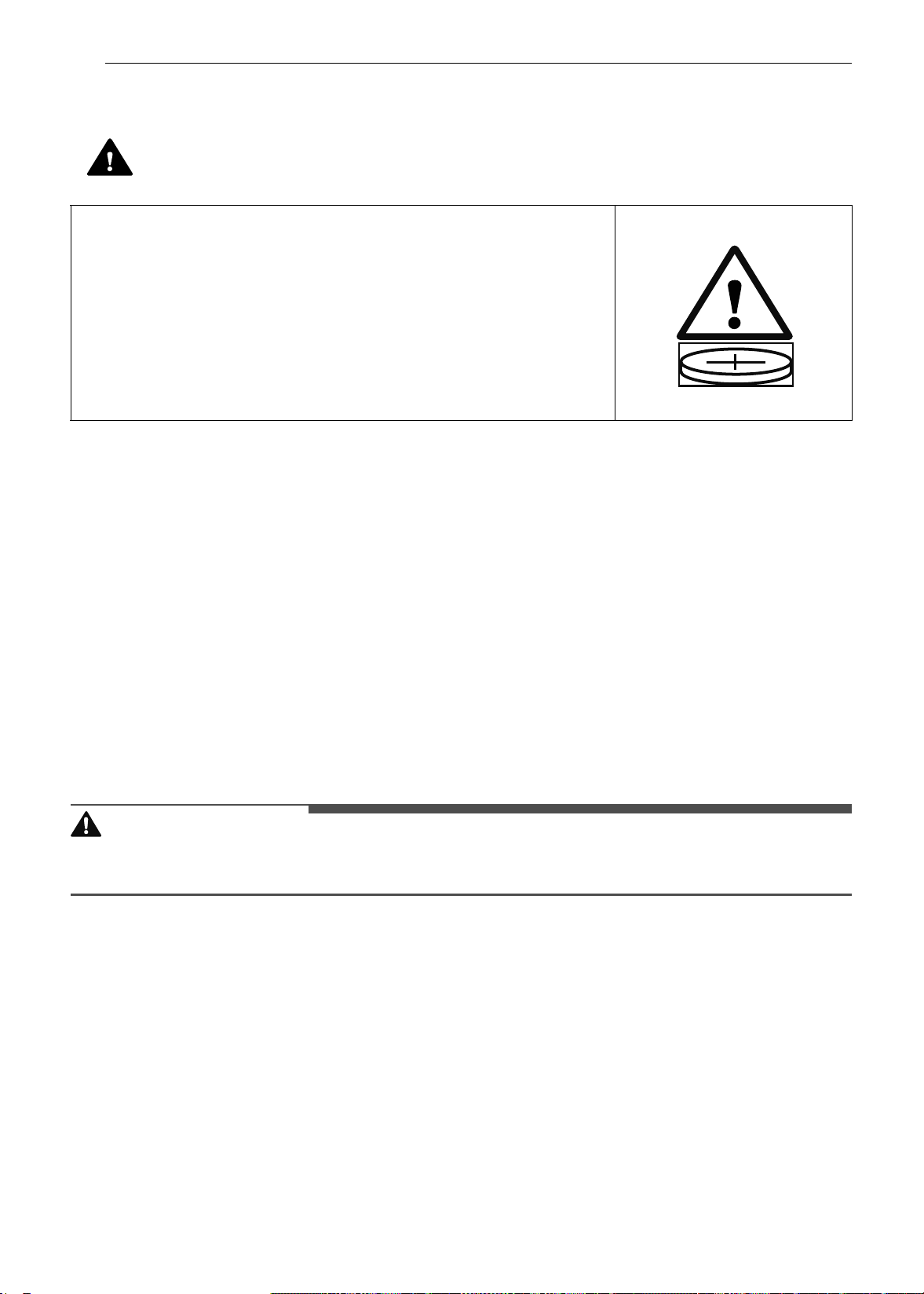
10 INSTRUCCIONES IMPORTANTES DE SEGURIDAD
Estándar de seguridad para pilas de botón o moneda
• Retire y recicle o deseche inmediatamente las pilas usadas de acuerdo con las regulaciones locales y
manténgalas alejadas de los niños.
- NO deseche pilas con la basura doméstica ni las incinere.
• Incluso las pilas usadas podrían causar lesiones graves o la muerte.
• Llame a un centro de control local de toxicología para obtener información de tratamiento.
• Las pilas no recargables no deben ser recargadas.
• No fuerce la descarga, la recarga, el desmontaje, el calentamiento arriba de 140 ℉ (60 ℃) ni la
incineración.
- De lo contrario, podría resultar en lesiones debido a fugas, y quemaduras químicas por escapes o
explosiones.
• El producto contiene pilas no sustituibles.
• Tipo de pila: MS621FE
• Tensión nominal: 3,0 V
PRECAUCIÓN
PRECAUCIÓN
• Para reducir el riesgo de lesiones leves a personas, mal funcionamiento o daño al producto o a la
propiedad al usar este producto, siga las precauciones básicas, incluidas las siguientes:
Funcionamiento
• Siempre caliente la grasa lentamente y vigile mientras aumenta la temperatura.
• Si freirá una combinación de aceites y grasas, mézclelos antes de calentarlos.
• Si es posible, utilice un termómetro para frituras a fin de evitar que la grasa se caliente por encima del
punto de humeo.
• Utilice la menor cantidad posible de grasa para rehogados o frituras profundas efectivos. Llenar la
sartén con demasiada grasa podría causar derrames al agregar los alimentos.
• Las partes accesibles podrían calentarse cuando se utiliza la parrilla.
• No coloque alimentos ni utensilios de cocina en el fondo de la cavidad del horno. Si lo hace, causará
daños permanentes al acabado de la base del horno.
• Al usar bolsas para hornear o asar en el horno, siga las instrucciones del fabricante.
ADVERTENCIA
• PELIGRO DE INGESTIÓN: este producto contiene una pila de botón o
moneda.
• Si se ingiere, puede producirse la MUERTE o una lesión seria.
• Si se traga una pila de botón o moneda, se pueden producir
Quemaduras químicas internas en tan solo 2 horas.
• MANTENGA las pilas nuevas y usadas FUERA DEL ALCANCE de los
NIÑOS.
• Obtenga atención médica inmediata si sospecha que una pila fue
tragada o insertada en alguna parte del cuerpo.
es-us_main.book.book Page 10 Monday, April 8, 2024 1:14 PM

11INSTRUCCIONES IMPORTANTES DE SEGURIDAD
ESPAÑOL
GUARDE ESTAS INSTRUCCIONES
• Para evitar enfermedades transmitidas por los alimentos, cocine bien las carnes rojas y aves. El USDA ha
indicado que las siguientes constituyen temperaturas internas mínimas de seguridad para el consumo:
- Carne molida de vaca: 160 °F (71 °C)
- Aves: 165 °F (74 °C)
- Carne de vaca, ternera, cerdo o cordero: 145 °F (68 °C)
- Pescado/mariscos: 145 °F (68 °C)
• No use este horno para fines comerciales. Está destinado únicamente al uso doméstico.
• La puerta y la superficie externa del horno pueden calentarse cuando el electrodoméstico se encuentra
en funcionamiento.
• No use este horno para otro fin que no sea de cocción.
• Tenga cuidado si abre la puerta cuando el horno esté funcionando. Las superficies calientes pueden
causar quemaduras graves.
Mantenimiento
• No repare ni reemplace ninguna pieza del electrodoméstico a menos que así se recomiende
específicamente en el manual. Un técnico calificado debe estar a cargo de todas las demás tareas de
mantenimiento.
• No utilice limpiadores ásperos, abrasivos ni espátulas de metal para limpiar el vidrio de la puerta del
horno, ya que podrían rayar la superficie. Los arañazos podrían hacer que el vidrio se quiebre.
• Asegúrese de que las luces del horno estén frías antes de limpiar.
• No limpie la junta de la puerta. La junta de la puerta es esencial para lograr un buen sellado. No debe
frotar, dañar ni mover la junta.
• Nunca tenga aves domésticas en la cocina. La salud de las aves es sumamente sensible a los gases
emanados durante un ciclo de autolimpieza del horno. Los gases pueden ser nocivos o fatales para las
aves. Traslade las aves a un ambiente bien ventilado.
• No coloque las bandejas y los estantes en agua para enjuagarlos en cuanto termina de cocinar: podrían
dañarse o romperse.
• El horno debe limpiarse con regularidad y debe retirarse cualquier resto de comida. Si no se mantiene en
condiciones de limpieza, la superficie puede deteriorarse y esto podría acortar la vida útil del
electrodoméstico y ocasionar situaciones de peligro.
• Limpie con el ciclo de autolimpieza solo las partes indicadas en este manual. Antes de realizar la
autolimpieza del horno, retire la asadera, todos los estantes del horno, la sonda para carne y cualquier
otro utensilio o alimento del horno.
es-us_main.book.book Page 11 Monday, April 8, 2024 1:14 PM
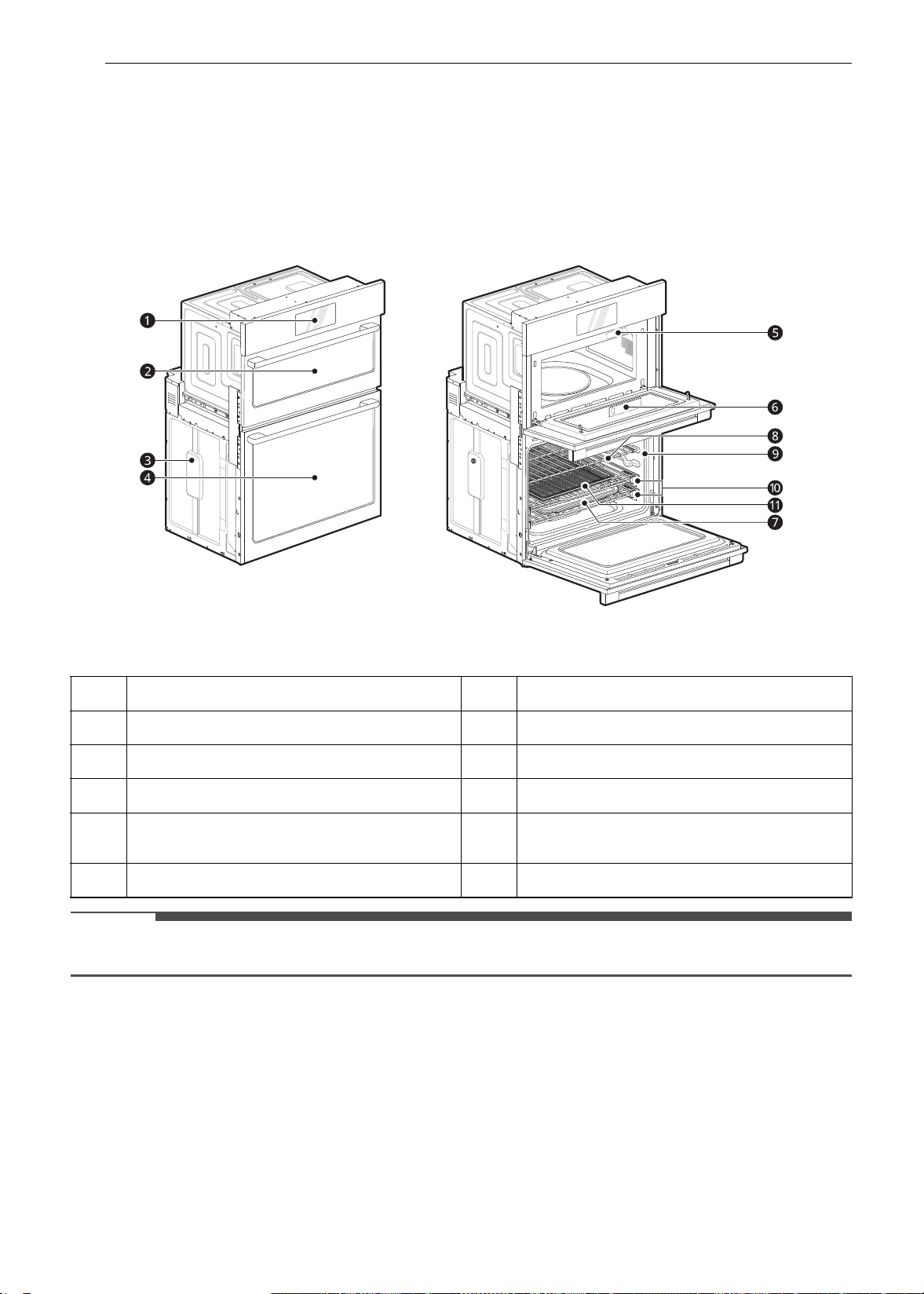
12 DESCRIPCIÓN GENERAL DEL PRODUCTO
DESCRIPCIÓN GENERAL DEL PRODUCTO
Características del producto
La apariencia y las especificaciones detalladas en este manual podrían variar debido a mejoras constantes
en el producto.
Interior/exterior
NOTA
• El número de serie y el modelo pueden verificarse en la etiqueta de clasificación.
Accesorios
Accesorios del horno superior
El plato giratorio gira en ambas direcciones para
ayudar a que los alimentos se cocinen de forma
a
Controlador del horno
g
Asadera y rejilla
b
Puerta del horno superior
h
Estantes estándar
c
Espaciador
i
Junta
d
Puerta del horno inferior
j
Estantes deslizantes
e
Etiqueta de clasificación, placa con el número
de serie y el modelo
k
Bandeja para freír con aire
f
Tanque del alimentador de vapor
es-us_main.book.book Page 12 Monday, April 8, 2024 1:14 PM
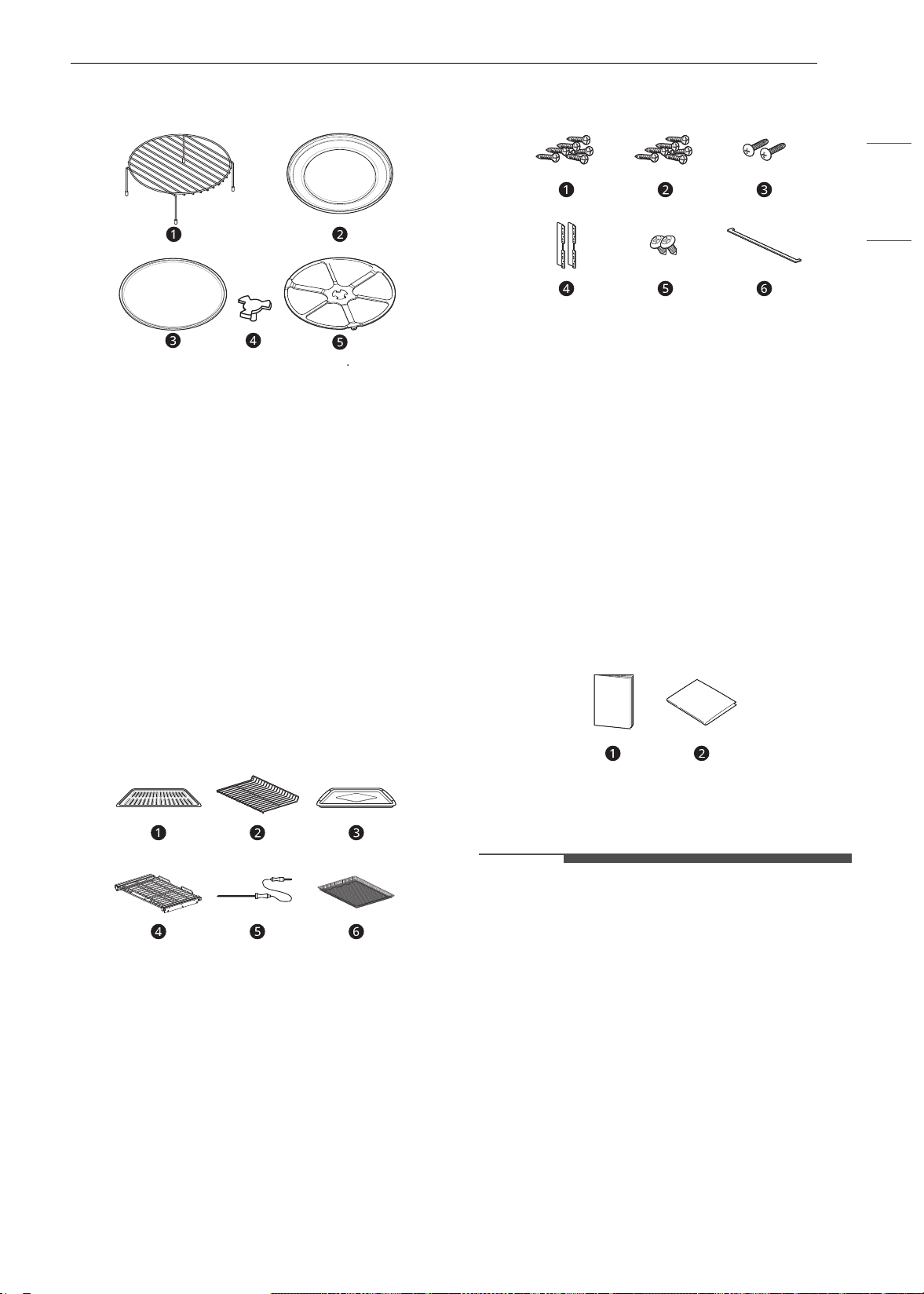
13DESCRIPCIÓN GENERAL DEL PRODUCTO
ESPAÑOL
mucho más pareja. No haga funcionar el horno de
microondas sin la bandeja de vidrio en su lugar.
a Estante (para las funciones Convection Bake
[Hornear por convección], Broil [Asar] y Speed
Cook [Cocción rápida])
b Bandeja de metal (para las funciones
Convection Bake [Hornear por convección],
Broil [Asar] y Speed Cook [Cocción rápida])
c Bandeja de vidrio (para las funciones
Microwave [Microondas] y Defrost
[Descongelamiento])
d Eje
e Anillo giratorio
Accesorios del horno inferior
Accesorios para cocinar
a
Rejilla
b Estante estándar
c Asadera
d Estante deslizante (2 c/u)
e Meat Probe (Sonda para carne)
f Bandeja para freír con aire
Accesorios para la instalación
a
6 tornillos para madera de 4X14 para el
montaje (se requieren 4 para la instalación y se
proporcionan 2 adicionales)
b 6 tornillos para madera de 3X27 para el
montaje (para instalación al ras)
c 2 tornillos autorroscantes de 4X22 para el
soporte de la cubierta
d 2 soportes de cubierta para instalación al ras
e 2 tornillos de 4X12 para el reborde decorativo
inferior
f Reborde decorativo inferior
Manuales
a
Manual del propietario
b Manual de instalación
NOTA
• Comuníquese con el Servicio de atención al
cliente de LG al 1-800-243-0000 (1-888-542-2623
en Canadá) si le falta algún accesorio.
• Para su seguridad y una mayor duración del
producto, utilice únicamente componentes
autorizados.
• El fabricante no es responsable del mal
funcionamiento del producto ni de accidentes
causados por el uso de componentes o piezas no
autorizados y comprados por separado.
• Las ilustraciones en esta guía pueden diferir de
los componentes y accesorios reales, los cuales
están sujetos a cambios sin previo aviso por
parte del fabricante a fin de introducir mejoras
en el producto.
es-us_main.book.book Page 13 Monday, April 8, 2024 1:14 PM

14 DESCRIPCIÓN GENERAL DEL PRODUCTO
NOTA
• No extraiga los estantes deslizantes del
embalaje de base. Los estantes deslizantes
vienen envueltos aparte de los hornos superior e
inferior.
es-us_main.book.book Page 14 Monday, April 8, 2024 1:14 PM
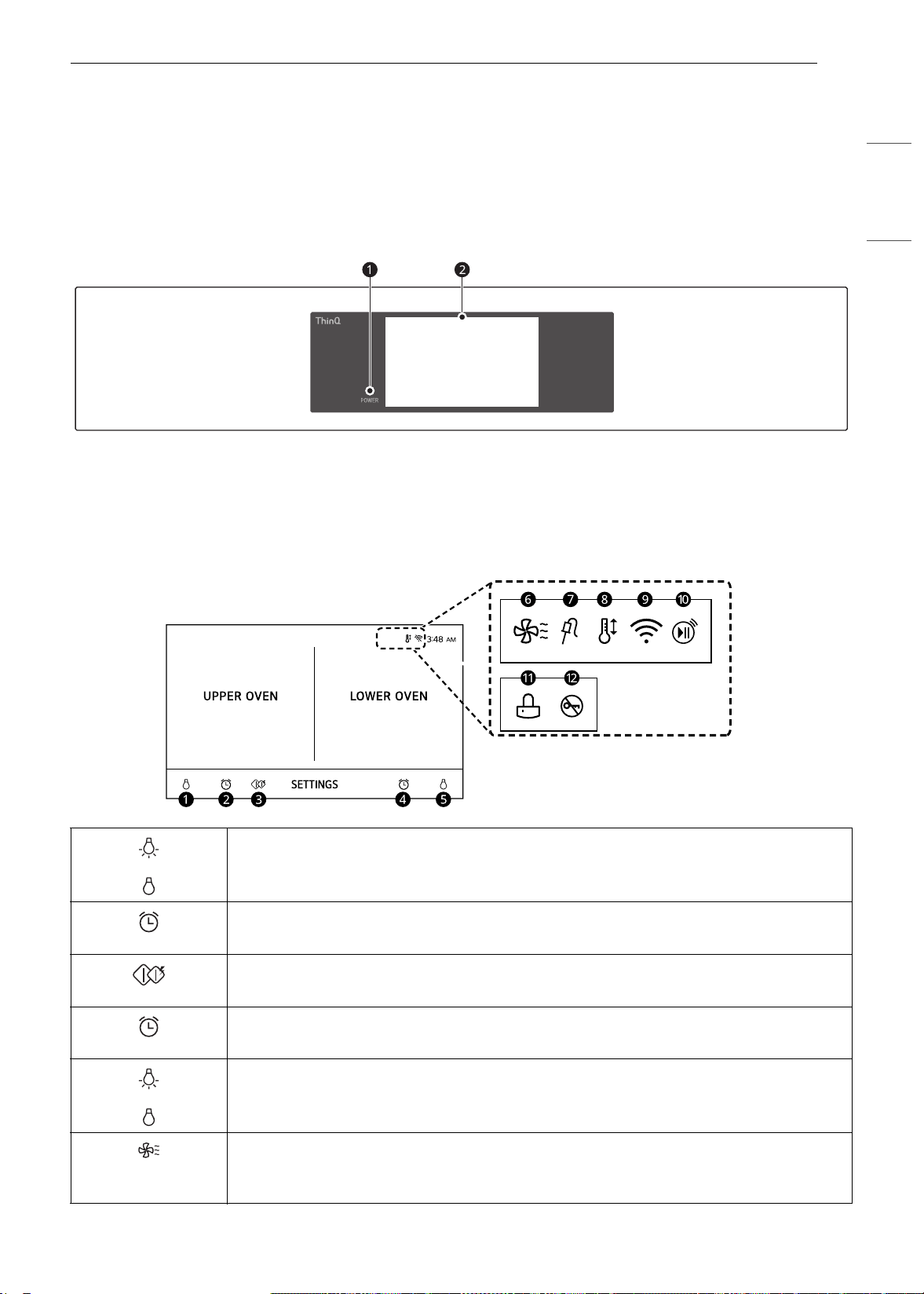
15FUNCIONAMIENTO
ESPAÑOL
FUNCIONAMIENTO
Funcionamiento del panel
de control
Funciones del panel de control
a LCD Display On/Off (Encendido/Apagado de
pantalla LCD)
b LCD Touchscreen for Oven (Pantalla táctil LCD
para el horno)
Íconos de pantalla
Los íconos aparecen en la pantalla cuando están activos.
a Lamp Icon (Upper Oven) (Icono de lámpara [Horno superior])
Presione para encender o apagar la luz
b Timer Icon (Upper Oven) (Icono de temporizador [Horno superior])
Presione para configurar un tiempo
c Inicio rápido del microondas
Presione para iniciar Modo Microwave (Microondas) rápidamente
d Timer Icon (Lower Oven) (Icono de temporizador [Horno inferior])
Presione para configurar un tiempo
e Lamp Icon (Lower Oven) (Icono de lámpara [Horno inferior])
Presione para encender o apagar la luz
f Oven Cooling Icon (Icono de enfriamiento del horno)
Aparece durante o después del funcionamiento para indicar que el ventilador de
enfriamiento está funcionando en el horno
es-us_main.book.book Page 15 Monday, April 8, 2024 1:14 PM
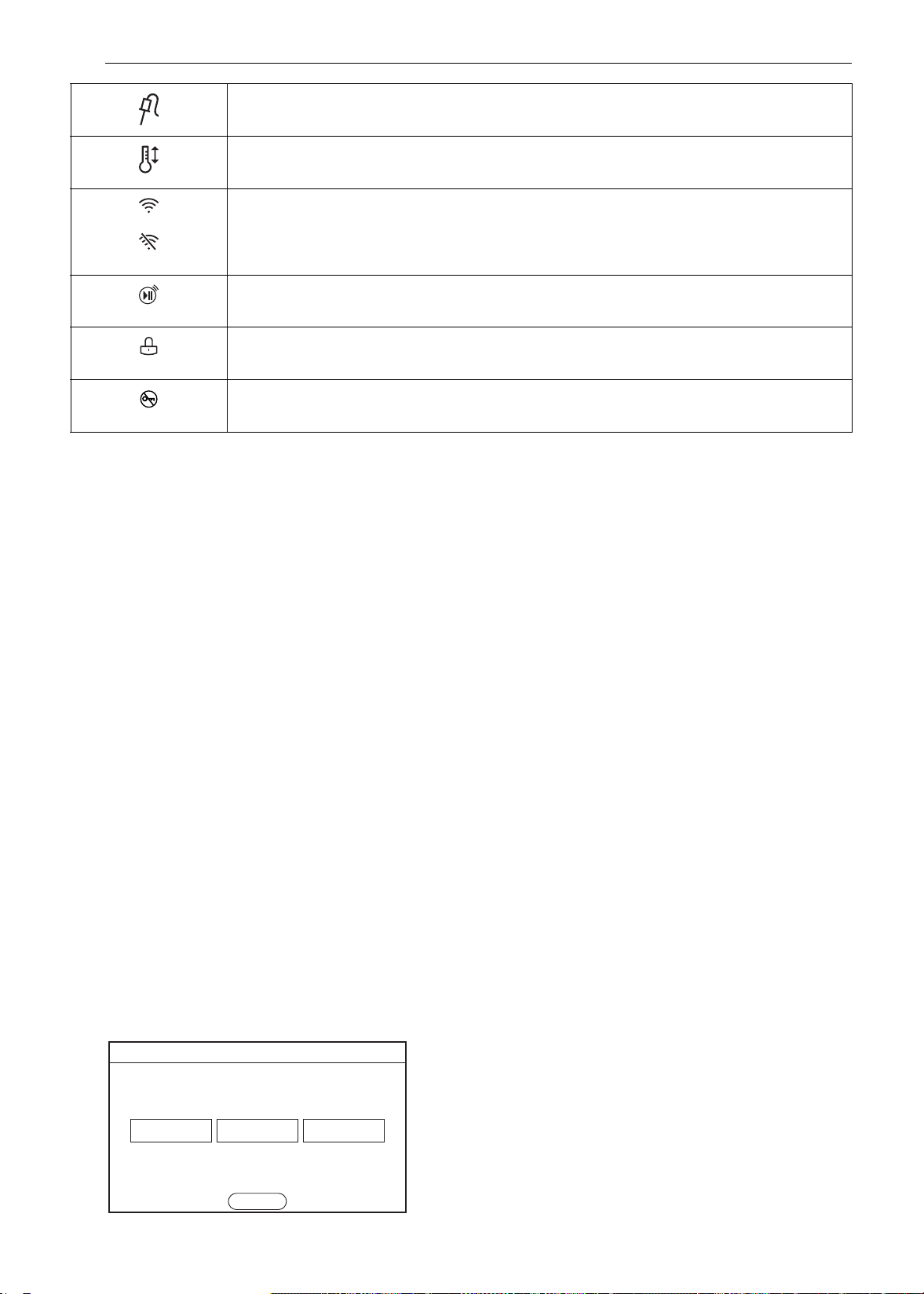
16 FUNCIONAMIENTO
Consejos para el ahorro de energía
• La cocción con varios estantes ahorra tiempo y
energía. Siempre que sea posible, cocine los
alimentos que requieran la misma temperatura
de cocción juntos en un horno.
• A fin de ahorrar energía y obtener un
rendimiento óptimo, siga las instrucciones para
colocar los estantes y bandejas en la forma
correcta.
• Reduzca el consumo de energía limpiando la
suciedad leve del horno con la función
EasyClean en lugar de la autolimpieza.
• Evite abrir la puerta del horno más de lo
necesario durante el uso. Esto ayuda a que el
horno mantenga la temperatura, evita la pérdida
innecesaria de calor y ahorra energía.
Cambio de configuraciones
Comenzar
Después de encender el horno por primera vez,
ajuste la configuración según sus preferencias.
1 Presione POWER en la pantalla LCD.
2 Después de la animación inicial, seleccione el
idioma deseado y presione NEXT.
3 Deslícese hacia arriba o hacia abajo por las
opciones para configurar la fecha correcta y
presione NEXT.
4 Configure la hora del día correcta y elija el
formato de 12 o 24 horas. Luego presione
NEXT.
5 Si lo desea, cambie el tema de reloj
predeterminado pasando por los ejemplos.
Luego presione NEXT.
6 Lea la guía de la aplicación en la pantalla y
presione DONE.
7 Aparece la pantalla de modos.
Configuración
Para realizar ajustes después de la configuración
inicial, presione la pantalla para abrir la pantalla
principal. Presione Configuración en la parte
inferior central de la Pantalla principal.
g Ícono de sonda
Aparece cuando la sonda está conectada
h Auto Conversion Icon (Icono de conversión automática)
Aparece cuando se enciende la Conversión automática a convección
i Wi-Fi Icon (Icono de Wi-Fi)
• Aparece cuando el horno está conectado a la red Wi-Fi
• Aparece cuando el horno está desconectado de la red Wi-Fi o no está registrado
j Icono de Inicio remoto
Aparece cuando se activa Remote Start (Inicio remoto)
k Lock Icon (Icono de bloqueo)
Aparece cuando el Bloqueo está activo
l Icono de Bloqueo de puerta
Aparece cuando el Bloqueo de puerta está activo
(63$2/
)5$1$,6(1*/,6+
1(;7
Language Selction
es-us_main.book.book Page 16 Monday, April 8, 2024 1:14 PM
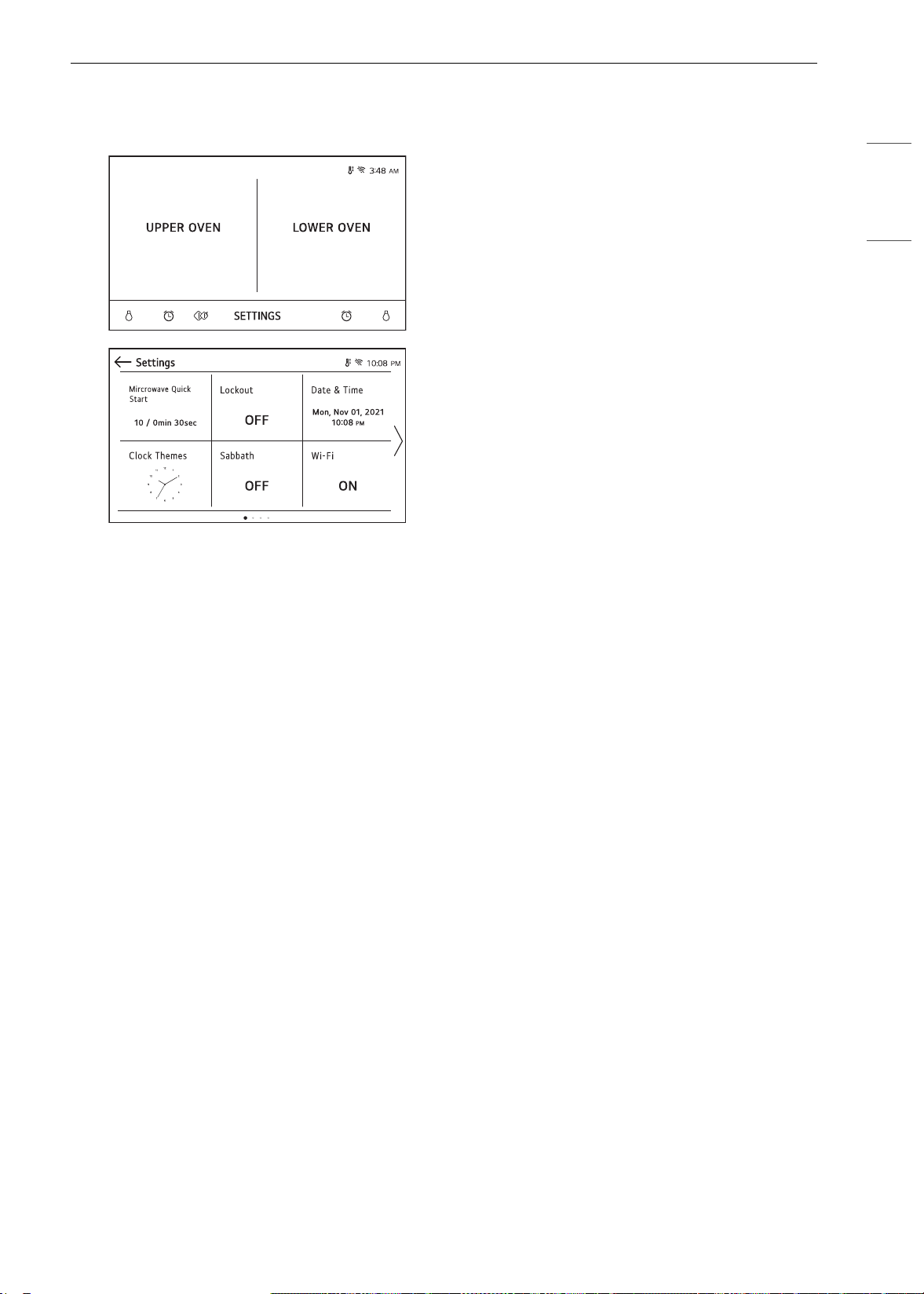
17FUNCIONAMIENTO
ESPAÑOL
Cambie de pantalla o presione las teclas de flecha
34 para navegar por las pantallas de
Configuración.
Ubicación de configuración
• Página 1: Inicio rápido del microondas, Bloqueo,
Fecha y hora, Temas de reloj, modo Sabbath,
Configuración de Wi-Fi
• Página 2: Inicio remoto, Brillo, Pantalla,
Conversión automática a convección, Selección
de idioma, Volumen
• Página 3: Luz de alarma de precalentamiento,
Ajuste de temperatura, Unidades de
temperatura, Smart Diagnosis
TM
, Modo Demo,
Actualización del programa, Restablecimiento de
datos de fábrica
• Página 4: Licencia de código abierto
Inicio rápido del microondas
Utilice la configuración de Inicio rápido del
microondas para configurar el tiempo de cocción
preestablecido que se activa cuando pulsa Start
(Iniciar) sin configurar el tiempo. El nivel de
potencia del microondas y el tiempo
preestablecido pueden configurarse del 1 al 10 y
de 1 segundo a 5 minutos.
Configuración del tiempo de cocción
1 Presione Settings (Configuración) en la parte
inferior central de la pantalla principal.
2 Presione Microwave Quick Start (Inicio
rápido del microondas) en la primera pantalla
de Configuración.
3 Configure el nivel de potencia y el tiempo de
cocción.
4 Presione OK.
Lockout (Bloqueo)
La función de Bloqueo evita automáticamente que
se enciendan la mayoría de los controles del
horno. No desactiva el reloj, el temporizador o la
luz interior del horno.
Lock (Bloqueo)
1 Presione Settings (Configuración) en la parte
inferior central de la Pantalla principal.
2 Presione Bloqueo en la primera pantalla de
Configuración.
3 Cuando el Bloqueo está encendido, el icono
de bloqueo
k aparece en la parte superior de
la pantalla.
Desbloqueo
1 Presione cualquier parte de la pantalla
mientras el Bloqueo está activo.
2 Aparece una ventana emergente. Presione
Desbloquear durante 3 segundos.
3 El icono de bloqueo desaparece de la parte
superior de la pantalla.
Fecha y hora
La fecha y hora se muestran en la pantalla LCD
cuando los hornos no están en uso.
es-us_main.book.book Page 17 Monday, April 8, 2024 1:14 PM
18 FUNCIONAMIENTO
Fecha de configuración
1 Presione Configuración en la parte inferior
central de la pantalla principal. Luego,
presione Fecha y hora en la pantalla
Configuración.
2 Presione Fecha y desplácese para programar
la fecha correcta.
3 Presione OK.
Configuración de la hora
1 Presione Configuración en la parte inferior
central de la pantalla principal. Luego,
presione Fecha y hora en la pantalla
Configuración.
2 Presione Hora y desplácese para programar
las horas y minutos correctos. También puede
presionar el icono de botón numérico e
ingresar los números deseados.
3 Seleccione el modo de reloj de 12 o 24 horas
(12H/24H).
4 Presione OK.
Temas de reloj
Hay seis temas de reloj diferentes disponibles que
incluyen varios relojes analógicos y digitales.
1 Presione Settings (Configuración) en la parte
inferior central de la Pantalla principal.
2 Presione Temas de reloj en la primera
pantalla de Configuración y cambie a navegar
para ver los temas de reloj.
3 Seleccione un tema de reloj y presione OK.
Modo Sabbath
El modo Sabbath es utilizado en el Sabbat y las
festividades judías.
Mientras el horno está en modo Sabbath, no se
puede cambiar la temperatura y las funciones de
temporizador, luz y alarma están desactivadas.
Solo aparecen en pantalla el modo de cocción y la
temperatura programada.
NOTA
• Si la luz del horno se ENCIENDE y el modo
SABBATH está activo, la luz del horno se
APAGARÁ. El modo SABBATH solo puede usarse
en el modo Hornear.
Configuración del modo Sabbath
1 Desconecte la sonda. La función Sonda no
está disponible en modo Sabbath.
2 Presione Configuración en la parte inferior
central de la pantalla Principal y luego toque
Sabbath en la primera pantalla de
Configuración.
3 Lea las instrucciones y presione NEXT
(Siguiente).
4 Ajuste la temperatura y el tiempo de cocción
deseados. Puede programar cualquier tiempo
de cocción entre 1 minuto y 73 horas, 59
minutos. Si usa un solo horno, presione START
(Iniciar).
5 Para detener el modo Sabbath, presione
POWER (Encendido/Apagado) en la pantalla
LCD.
NOTA
• Si se configura un tiempo de cocción, el horno se
apaga automáticamente al final de ese tiempo
de cocción, sin que suene. El horno permanece
en modo Sabbath, pero está apagado.
• Si no se configura un tiempo de cocción, el
horno no se apagará automáticamente.
• Después de un corte de energía, la pantalla se
volverá a encender en modo Sabbath, pero el
horno se apagará.
Icono de botón
numérico
es-us_main.book.book Page 18 Monday, April 8, 2024 1:14 PM
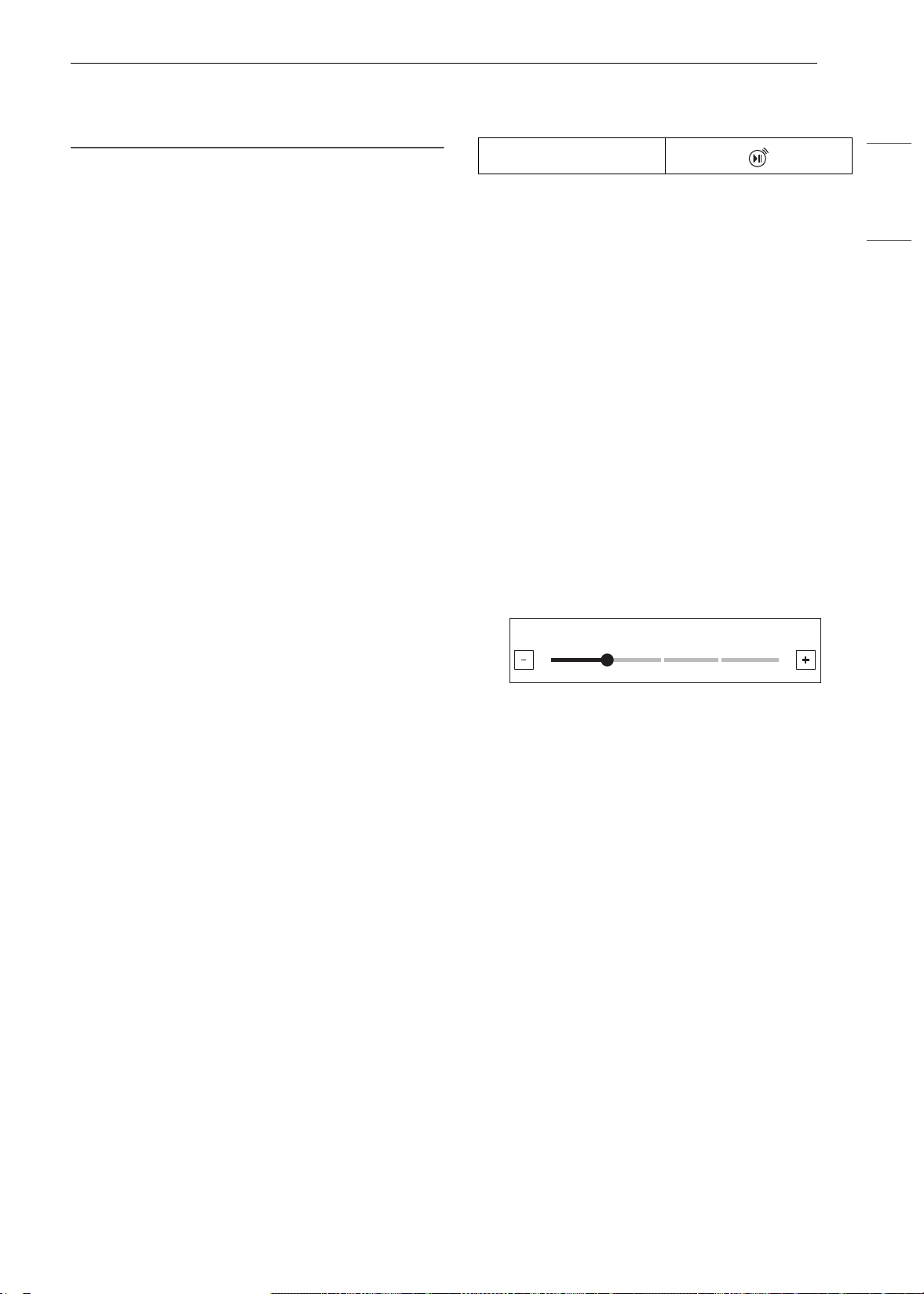
19FUNCIONAMIENTO
ESPAÑOL
• En el modo Sabbath, las funciones del horno
superior se bloquean y no se puede conectar la
red Wi-Fi.
Wi-Fi
Conecte el electrodoméstico a una red Wi-Fi
hogareña para usar el Inicio remoto y otras
funciones inteligentes. Consulte la sección de
Funciones inteligentes para obtener más detalles.
Configuración de Wi-Fi
1 Presione Configuración en la parte inferior
central de la Pantalla principal y presione Wi-
Fi en la primera pantalla de Configuración.
2 Siga las instrucciones en la Guía de Wi-Fi en la
pantalla.
3 Seleccione ON, OFF o RESET, y presione OK.
4 Si seleccionó ON, aparecerá el icono de Wi-Fi
f en la parte superior de la pantalla.
5 Al seleccionar RESET se inicializa la dirección
IP.
Inicio remoto
Inicia o detiene de manera remota la función de
precalentamiento del electrodoméstico. El
electrodoméstico debe estar registrado en una red
Wi-Fi hogareña para usar esta función.
Configuración de Inicio remoto
1 Presione Configuración en la parte inferior
central de la Pantalla principal y presione
Inicio remoto en la segunda pantalla de
Configuración.
2 Seleccione On u Off y presione OK.
3 Si seleccionó ON, el icono de Inicio remoto
aparece en la parte superior de la pantalla.
Brillo
Ajuste el brillo de la pantalla LCD de 20 % a 100 %
en incrementos de 20 %.
Configuración del brillo de la pantalla
1 Presione Configuración en la parte inferior
central de la pantalla principal, cambie a la
segunda pantalla de Configuración y presione
Brillo.
2 Ajuste el brillo de la pantalla al tocar y
arrastrar el punto por la barra; toque en
cualquier parte de la barra o presione
~ o !.
3 Presione OK.
Pantalla
Configure la duración de la hora antes de que la
pantalla entre en suspensión.
Hay tres opciones que puede seleccionar.
• ON: Siempre encendido
• OFF: Se apaga automáticamente si está inactivo
más de 30 minutos.
• Night OFF: Se apaga de 10:00 p. m. a 5:00 a. m.
Configuración de la opción de pantalla
1 Presione Configuración en la parte inferior
central de la Pantalla principal, cambie a la
segunda pantalla de Configuración y presione
Pantalla.
2 Seleccione la opción deseada.
3 Presione OK.
Icono de Inicio remoto
/HYHO
^
`
es-us_main.book.book Page 19 Monday, April 8, 2024 1:14 PM
20 FUNCIONAMIENTO
Conversión automática a
convección
No hay necesidad de recordar convertir las
temperaturas de recetas estándar para la cocción
a convección.
La conversión automática a convección resta
automáticamente 25 ℉/14 ℃ a la temperatura
programada cuando se selecciona un modo de
cocción a convección. La temperatura convertida
aparece en la pantalla una vez que finaliza el
precalentamiento.
Por ejemplo, seleccione Convection Bake (Hornear
por convección) e ingrese 350 ℉. La temperatura
se convertirá automáticamente a 325 ℉ y mostrará
la temperatura convertida.
La conversión automática a convección se
enciende de manera predeterminada.
Encendido/apagado de conversión
automática a convección
1 Presione Configuración en la parte inferior
central de la Pantalla principal, cambie a la
segunda pantalla de Configuración y presione
Conversión automática a convección.
2 Seleccione ON u OFF.
3 Cuando la conversión automática a
convección está encendida, aparece el icono
correspondiente en la parte superior de la
pantalla.
NOTA
• Si la conversión automática a convección esta
encendida, el icono parpadea en la pantalla
mientras cocina en un modo a convección.
Idioma
Configure el idioma de pantalla en inglés, español
o francés.
Selección de idioma
1 Presione Configuración en la parte inferior
central de la Pantalla principal, cambie a la
segunda pantalla de Configuración y presione
Selección de idioma.
2 Seleccione el idioma deseado.
3 Presione OK.
Volumen
Ajuste el volumen de los controles del horno.
Configuración del volumen
1 Presione Configuración en la parte inferior
central de la Pantalla principal, cambie a la
segunda pantalla de Configuración y presione
Volumen.
2 Seleccione Silencio, Bajo o Alto.
3 Presione OK.
Luz de alarma de precalentamiento
Cuando el horno alcanza la temperatura
programada, la luz de alarma de precalentamiento
titila 5 veces o hasta que se abra la puerta del
horno.
Puede encender o apagar la luz de alarma de
precalentamiento.
Configuración de la alarma de
precalentamiento
1 Presione Configuración en la parte inferior
central de la Pantalla principal, cambie a la
tercera pantalla de Configuración y presione
Luz de alarma de precalentamiento.
2 Seleccione ON u OFF.
3 Presione OK.
Ajuste de temperatura
El horno nuevo podría cocinar de manera
diferente a su horno anterior. Use el horno nuevo
Icono de conversión
automática a
convección
es-us_main.book.book Page 20 Monday, April 8, 2024 1:14 PM
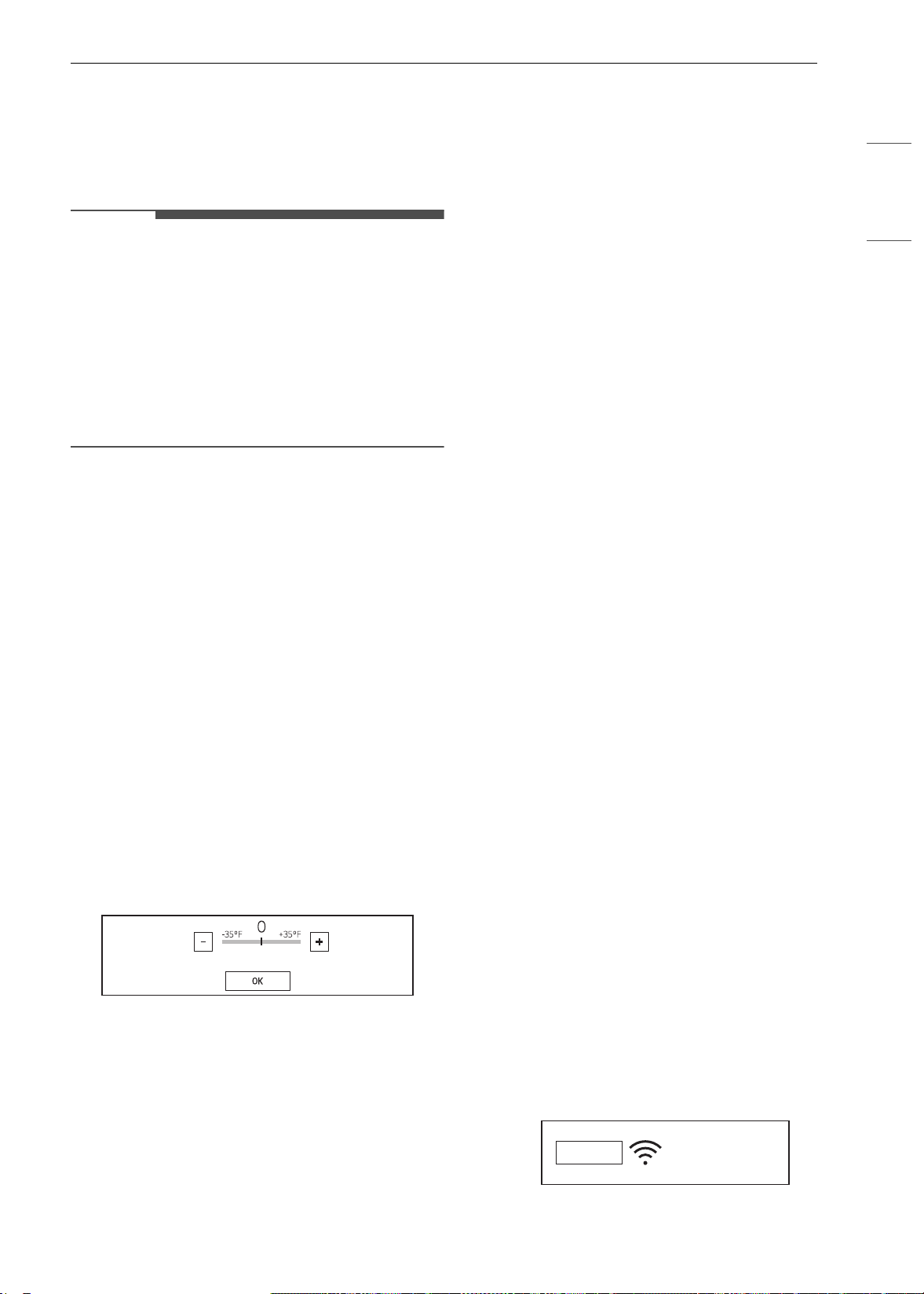
21FUNCIONAMIENTO
ESPAÑOL
durante algunas semanas para familiarizarse con
él antes de cambiar los ajustes de temperatura. Si
después de familiarizarse con el horno nuevo,
sigue pensando que la temperatura está
demasiada elevada o baja, puede ajustar el
termostato del horno.
NOTA
• Para comenzar, suba o baje el termostato 15 °F
(8 °C). Pruebe el horno con la nueva
configuración. Si el horno aún necesita un
ajuste, suba o baje nuevamente el termostato y
utilice el primer ajuste como referencia
medidora. Por ejemplo, si el ajuste fue excesivo,
suba o baje el termostato 10 °F (5 °C). Si el ajuste
no fue suficiente, suba o baje el termostato 20 °F
(12 °C). Proceda de esta manera hasta que el
horno quede ajustado para su satisfacción.
Ajuste del termostato
1 Presione Configuración en la parte inferior
central de la Pantalla principal, cambie a la
tercera pantalla de Configuración y presione
Ajuste de temperatura.
2 Para hacer ajustes más grandes, arrastre el
indicador central hacia los extremos
~ o !
de la escala o pulse una ubicación en la
escala. Para hacer pequeños ajustes, pulse
~
o
! para aumentar o disminuir el termostato
gradualmente en incrementos de 1 grado.
Mantenga pulsado
~ o ! para desplazarse
hacia arriba o hacia abajo en la escala.
3 Cuando aparezca el cambio deseado sobre la
cocina, presione OK.
Unidades de temperatura
Configure la pantalla de temperatura del horno en
unidades Fahrenheit o Celsius.
El horno muestra los valores en Fahrenheit de
manera predeterminada, salvo que el usuario lo
modifique.
Configuración de unidades de
temperatura
1 Presione Configuración en la parte inferior
central de la Pantalla principal, cambie a la
tercera pantalla de Configuración y presione
Unidades de temperatura.
2 Seleccione ℉ o ℃.
3 Presione OK.
Smart Diagnosis
TM
Smart Diagnosis
TM
se puede ejecutar a través de
una aplicación de teléfono inteligente o solicitando
soporte. Coloque el auricular de su teléfono
inteligente cerca de la esquina superior izquierda
de la pantalla. Consulte "Función de diagnóstico
inteligente" en la sección de Funciones inteligentes
para obtener instrucciones detalladas.
1 Presione Configuración en la parte inferior
central de la Pantalla principal, cambie a la
tercera pantalla de Configuración y presione
Smart Diagnosis
TM
.
2 Presione START (Iniciar) para iniciar el tono de
diagnóstico.
Modo Demo
El modo Demo solo se utiliza para la sala de
muestras. El horno no calentará.
1 Presione Configuración en la parte inferior
central de la Pantalla principal, cambie a la
tercera pantalla de Configuración y presione
Modo Demo.
2 Seleccione el modo ON u OFF.
3 Presione OK.
06:21
AM
DEMO
es-us_main.book.book Page 21 Monday, April 8, 2024 1:14 PM
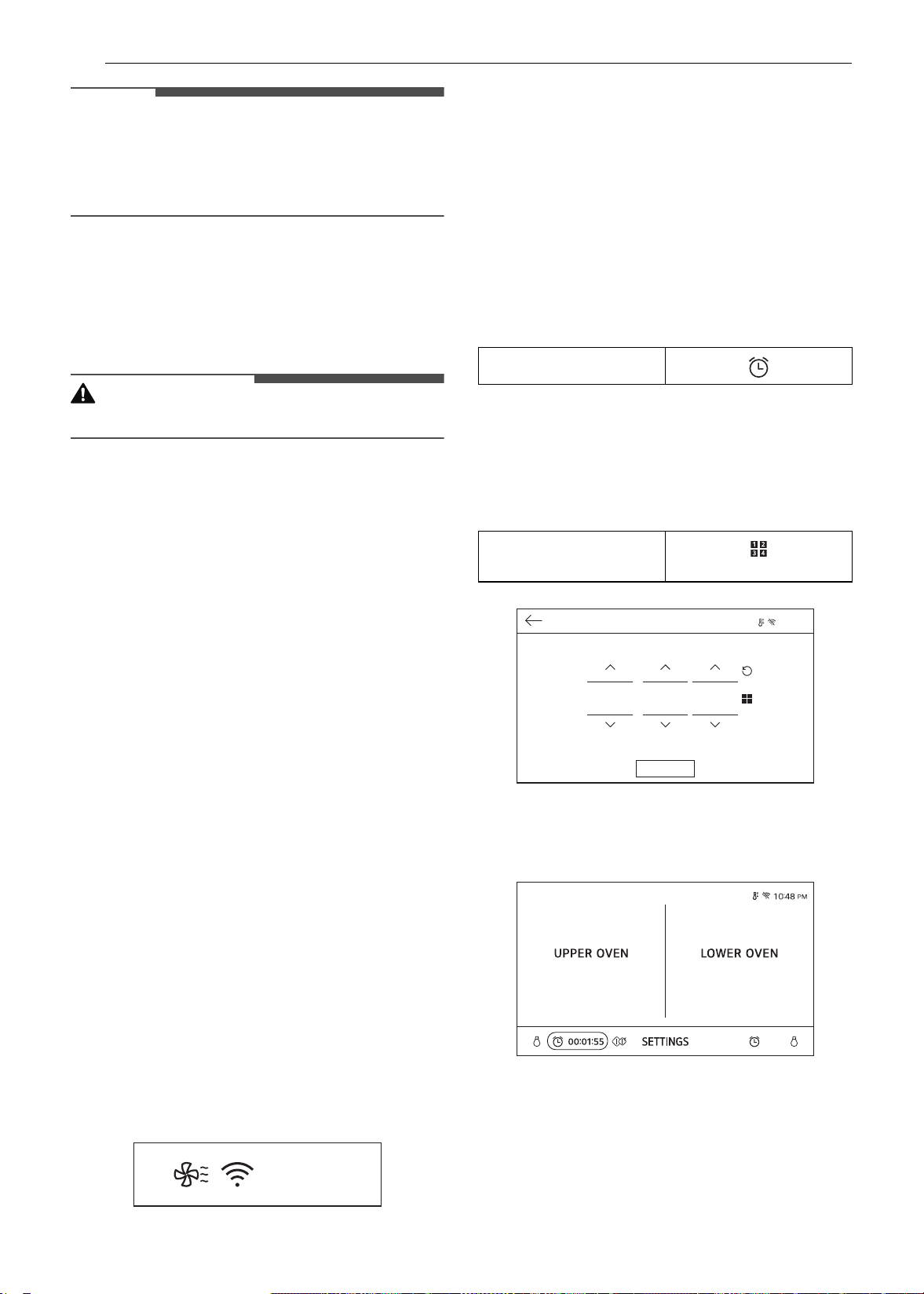
22 FUNCIONAMIENTO
NOTA
• Cuando el Modo Demo está activado, el
electrodoméstico no se calentará.
• Si el Modo Demo está activado aparecerá en la
pantalla el icono correspondiente.
Restablecimiento de datos de
fábrica
Esta función regresa todas las configuraciones a
los valores predeterminados de fábrica.
PRECAUCIÓN
• Se eliminarán todos los datos almacenados.
1 Presione Configuración en la parte inferior
central de la Pantalla principal, cambie a la
cuarta pantalla de Configuración y presione
Restablecimiento de datos de fábrica.
2 Si desea restablecer los valores
predeterminados de fábrica, presione RESET
(Restablecer) y luego pulse OK.
Licencia de código abierto
Esta pantalla muestra una lista del software de
código abierto que contiene este producto.
Consulte las licencias indicadas para ver los
términos y condiciones de uso.
1 Presione Configuración en la parte inferior
central de la Pantalla principal y cambie a la
cuarta pantalla de Configuración.
2 Presione Licencia de código abierto.
Enfriamiento del horno
El icono de enfriamiento del horno aparece en
pantalla si la temperatura dentro del horno es alta
durante o después del funcionamiento. El icono
desaparece si la temperatura del horno es inferior
a 210 ℉ (100 ℃).
Temporizador
Los temporizadores del horno no afectan el
funcionamiento del horno ni el tiempo de cocción.
Utilícelos como temporizadores de cocina
adicionales. Una vez que el tiempo se agota, el
horno emite una alarma y aparece "Temporizador
(Superior / Inferior) finalizado" en la pantalla.
Configuración del temporizador
1 Presione el icono de reloj en la parte inferior
de la pantalla.
2 Desplácese por los números en la ventana
emergente hasta que aparezca la hora
deseada o presione el icono del botón
numérico para ingresar los números
directamente y presione OK.
3 El tiempo restante aparece al lado del icono
del reloj en la pantalla.
Ajuste o cancelación del temporizador
1 Presione el tiempo restante junto al icono de
reloj en la pantalla.
10:25
AM
Icono de reloj
Icono de botón
numérico
9:20 PM
7LPHU
2.
KU
PLQ
VHF
es-us_main.book.book Page 22 Monday, April 8, 2024 1:14 PM

23FUNCIONAMIENTO
ESPAÑOL
2 Para cancelar el temporizador, toque el icono
Reiniciar en la pantalla emergente. Luego,
presione OK.
3 Para ajustar el tiempo, desplácese por los
números en la pantalla emergente hasta que
aparezca la hora deseada. Luego presione OK.
4 Se ajusta el tiempo restante en la pantalla.
Icono Reiniciar
es-us_main.book.book Page 23 Monday, April 8, 2024 1:14 PM
24 FUNCIONAMIENTO
Funcionamiento del horno
de microondas superior
Antes de usar
ADVERTENCIA
• Para evitar el riesgo de lesiones personales o el
daño a la propiedad, no use vajilla de gres ni
utensilios de cocina de metal o con bordes de
metal en el horno.
• No use su horno de microondas para cocinar
huevos con cáscara. Si lo hace, se puede
acumular presión en el interior del huevo,
provocando que este estalle.
• Nunca haga funcionar el horno vacío. Siempre
debe haber comida o agua en el horno en
funcionamiento para absorber la energía de
microondas.
• No use el horno para secar periódicos o prendas.
Podrían incendiarse.
NOTA
• No golpee el panel de control con cubiertos,
utensilios de cocina, etc. Podría dañarse o
romperse.
• Siempre tenga cuidado cuando retire recipientes
de cocina del horno. Algunos platos absorben
calor de los alimentos cocidos y pueden estar
calientes. Consulte la sección Guía de utensilios
de cocina para obtener más información.
• Para evitar roturas, deje que los utensilios de
cocina se enfríen antes de enjuagarlos o
sumergirlos en agua. Siempre espere a que el
plato giratorio se enfríe antes de retirarlo del
horno.
• Utilice termómetros aprobados para cocción en
hornos microondas.
• El plato giratorio siempre debe estar en su lugar
durante el funcionamiento del horno.
Guía de utensilios de cocina del
microondas
Utensilios de cocina aptos para
microondas
Use utensilios de cocina aptos para microondas.
ADVERTENCIA
• No permita que los niños usen utensilios de
cocina plásticos sin una atenta supervisión.
• Vidrio para horno
- Los recipientes de cocina de vidrio aptos para
hornos se tratan para resistir el calor de alta
intensidad y, si resisten las altas temperaturas,
son aptos para microondas.
- Utilice vajilla de uso general, vajilla con forma
de pan de molde, platos para tartas, platos
para pasteles, tazas medidoras de líquidos,
cacerolas y boles sin bordes de metal.
- No use recipientes de vidrio delicados, como
vasos o copas de vino, ya que se pueden
romper al calentarse.
• Porcelana
- Use boles, tazas, platos para servir, vajilla de
loza, de gres o de cerámica y fuentes sin
bordes ni asas de metal. Muchos recipientes
confeccionados con estos materiales son
aptos para microondas, pero pruébelos antes
de usarlos.
• Plástico
- Recipientes plásticos de almacenamiento:
use platos y tazas plásticas, recipientes para
congelador semirrígidos y bolsas de plástico
solo para tiempos de cocción cortos. No los
utilice para cocciones prolongadas o en niveles
de potencia altos, ya que los alimentos
calientes deformarán o derretirán el plástico.
- Papel film (como cubierta): Disponga el
papel film ligeramente sobre el plato y
presiónelo hacia los costados. Levante
ligeramente un borde del papel film para
permitir que salga el exceso de vapor. El plato
debe ser lo suficientemente profundo para
que el papel film no toque la comida. Dado
que la comida se calienta, esta puede derretir
el papel film cuando esté en contacto con la
comida.
- Bolsas para cocinar de plástico: siempre y
cuando estén destinadas especialmente para
la cocción, las bolsas para cocinar son aptas
para microondas. Recuerde hacer un corte en
la bolsa para que pueda escapar el vapor.
Nunca use una bolsa de plástico común para
cocinar en el horno de microondas, ya que se
derretirá y romperá.
- Utensilios de cocina plásticos aptos para
microondas: existen utensilios de cocina
aptos para microondas en una gran variedad
de formas y tamaños. Probablemente pueda
es-us_main.book.book Page 24 Monday, April 8, 2024 1:14 PM

25FUNCIONAMIENTO
ESPAÑOL
usar utensilios que ya tiene en su casa en lugar
de invertir en un nuevo equipo de cocina.
• Papel
- Use toallas de papel, papel encerado,
servilletas de papel y platos de papel sin
diseño ni bordes de metal. Compruebe que la
etiqueta del fabricante indique que el uso sea
apto para horno de microondas.
- Los platos y los recipientes de papel se pueden
usar en el horno de microondas siempre que
el tiempo de cocción sea corto y que los
alimentos sean magros y de bajo contenido de
humedad. La toalla de papel también es muy
útil para envolver los alimentos y para revestir
bandejas para hornear en las que se cocinan
alimentos grasos, como por ejemplo, tocino.
- Evite emplear productos de papel coloreado,
ya que pueden perder el color y teñir. No
utilice productos de papel reciclado en el
horno de microondas. Pueden contener
impurezas capaces de causar arcos eléctricos
o incendios cuando se usan en el horno de
microondas.
• Vajilla de mesa
- No coloque platos con decoración pintada en
el horno, ya que la pintura puede contener
metal y provocar arcos eléctricos.
Utensilios de cocina no aptos para
microondas
• Recipientes de metal/Decoración de metal
- Nunca use utensilios de cocina de metal o con
bordes de metal en el horno de microondas.
- Las microondas no pueden traspasar el metal
y, por lo tanto, rebotan contra los objetos
metálicos provocando arcos eléctricos, un
fenómeno alarmante que recuerda un rayo.
- El metal evita que la energía de microondas
alcance los alimentos, dando lugar a una
cocción despareja. Además, se debe evitar el
uso de pinchos de metal, termómetros,
bandejas de papel de aluminio, y de juegos de
platos y cubiertos, cacerolas, etc., con bandas
o bordes de metal. El borde de metal interfiere
con la cocción normal y puede dañar el horno.
• Papel de aluminio
- Evite usar láminas de aluminio grandes, ya que
dificultan la cocción y pueden generar arcos
eléctricos perjudiciales.
- Use pequeñas piezas de papel de aluminio
para proteger las patas y alas de las aves de
corral.
- Mantenga TODOS los papeles de aluminio a 1
pulgada (2.54 cm) de distancia, como mínimo,
de las paredes laterales y la puerta del horno.
• Madera
- Las tablas y los boles de madera se resecarán,
y pueden partirse o agrietarse al usarlos en el
horno de microondas.
- Los cestos reaccionan de la misma forma.
• Utensilios de cocina de cierre hermético
- Asegúrese de dejar aberturas para que salga
el vapor del utensilio de cocina cubierto.
- Perfore las bolsas de plástico de vegetales u
otros alimentos antes de la cocción.
- Las bolsas cerradas herméticamente pueden
explotar.
• Papel de estraza
- Evite el uso de bolsas de papel de estraza.
- Absorben demasiado calor y podrían
incendiarse.
• Utensilios de cocina con defectos o partidos:
- Todo utensilio de cocina que esté agrietado,
partido o defectuoso se puede romper en el
horno.
• Precintos de alambre
- Quite los precintos de alambre de las bolsas
de plástico o papel.
- Se calientan y podrían ocasionar un incendio.
Consejos para cocinar
Vigile con atención los alimentos mientras se
cocinan en el horno de microondas. Las
instrucciones (como revolver, elevar, etc.) que se
proporcionan en las recetas deben tomarse como
los pasos mínimos recomendados. Si la comida se
cocinó de más (quedando seca), no se cocinó del
todo o se cocinó de manera desigual, realice los
ajustes que sean necesarios antes de la cocción o
durante la misma.
• Comida seca o cocida en exceso
- Rociado: antes de cocinar los alimentos, rocíe
con agua los alimentos con bajo contenido de
humedad, como asados y vegetales, o
cúbralos para que retengan la humedad.
- Densidad: los alimentos livianos y porosos,
como los pasteles y panes, se cocinan más
rápido que los alimentos pesados y densos,
como los rostizados y guisados.
- Protección: cubra las esquinas de los
recipientes cuadrados con pequeñas tiras de
papel de aluminio para evitar que los
alimentos se cocinen de más. No use mucho
es-us_main.book.book Page 25 Monday, April 8, 2024 1:14 PM

26 FUNCIONAMIENTO
aluminio y fije las tiras al plato. El aluminio
puede provocar arcos eléctricos si queda muy
cerca de las paredes del horno durante la
cocción.
- Huesos y grasa: los huesos conducen el calor
y la grasa se cocina más rápido que la carne.
Tenga cuidado al cocinar cortes de carne con
grasa o con hueso.
• Alimentos sin cocción suficiente
- Cobertura: cubra los alimentos con una tapa
apta para microondas, con papel manteca (no
con papel encerado) o con papel film para que
el calor y el vapor queden atrapados y los
alimentos se cocinen más rápido.
- Tiempo de reposo: deje reposar la comida
varios minutos antes de retirarla del horno a
fin de permitir que se complete la cocción y
contribuir con la creación e integración de los
sabores.
- Cantidad: cuanta mayor sea la cantidad de
alimentos que coloque en el horno, mayor
será el tiempo necesario para su cocción.
- Temperatura: los ingredientes congelados
tardan mucho más tiempo en cocinarse que
los que se encuentran a temperatura
ambiente.
• Comida cocida de manera desigual
- Mezclado: durante la cocción, revuelva los
alimentos desde afuera hacia el centro, ya que
la comida que queda contra el borde del
recipiente se calienta más rápido.
- Posición: dé vuelta la comida varias veces
durante la cocción. La parte superior de un
alimento denso se cocina más rápido que la
parte inferior. Los alimentos gruesos o densos
pueden elevarse para que las microondas
sean absorbidas por la parte inferior y el
centro de los alimentos.
- Forma: coloque las porciones más gruesas de
los alimentos como carne, ave o pescado
contra el borde del recipiente para contribuir a
que se cocinen de un modo más uniforme. De
ser posible, disponga la comida en forma de
anillo o círculo fino.
• Alimentos con piel, cáscara o membrana
- Piel o membrana: perfore los alimentos como
papas, salchichas, claras o yemas de huevo
antes de la cocción.
- Cáscara: perfore o quite la cáscara de los
huevos, almejas, ostras u otros alimentos con
cáscara o concha antes de la cocción.
• Prueba de cocción
- Los hornos de microondas cocinan los
alimentos rápidamente, así que se debe
comprobar con frecuencia cómo avanza la
cocción de la comida. Algunos alimentos se
dejan en el microondas hasta que se cocinan
por completo, pero la mayoría, incluidas las
carnes y las aves, deben retirarse del horno
cuando aún les falta un poco de cocción y se
les debe permitir un tiempo de reposo para
que terminen de cocinarse. La temperatura
interna de los alimentos se incrementa entre
5 °F (3 °C) y 15 °F (8 °C) durante el tiempo de
reposo.
•
Consejos para el descongelamiento
-
Retire el
pescado, los mariscos, la carne y las
aves de su envase de plástico o papel de
envoltorio original. De lo contrario, el
envoltorio conservará el vapor y el calor cerca
del alimento, lo cual puede ocasionar que se
cocine la superficie exterior del alimento.
- Retire todos los precintos de alambre.
- Siempre haga cortes o perfore los envases o
bolsas de plástico.
- Abra los recipientes, como las cajas de cartón,
antes de colocarlas en el horno.
- Si el alimento está envuelto en papel de
aluminio, quítelo y colóquelo en un recipiente
adecuado.
- La duración del tiempo de descongelamiento
varía según la forma del alimento y la solidez
del alimento congelado.
- A medida que el alimento comienza a
descongelarse, sepárelo en piezas para que se
descongele más fácilmente.
- Dé vuelta la comida durante el
descongelamiento o el tiempo de reposo.
Separe en piezas y retire los alimentos según
sea necesario.
- Deje reposar los alimentos después de
descongelarlos, aún deben tener hielo en el
centro cuando se sacan del horno.
- Cuando se utiliza la función Defrost
(Descongelamiento), el peso a introducir es el
peso neto en libras y décimas de libras (el peso
del alimento menos el del recipiente).
- Corte la piel de los alimentos congelados,
como las salchichas.
- Doble las bolsas de plástico de los alimentos
para asegurar un descongelamiento uniforme.
- Coloque los alimentos en un recipiente poco
profundo o en una fuente para rostizar para
microondas para recolectar el goteo.
- Subestime siempre el tiempo de
descongelación. Los alimentos aún deben
tener hielo en el centro cuando se sacan del
horno. Si los alimentos descongelados aún
es-us_main.book.book Page 26 Monday, April 8, 2024 1:14 PM
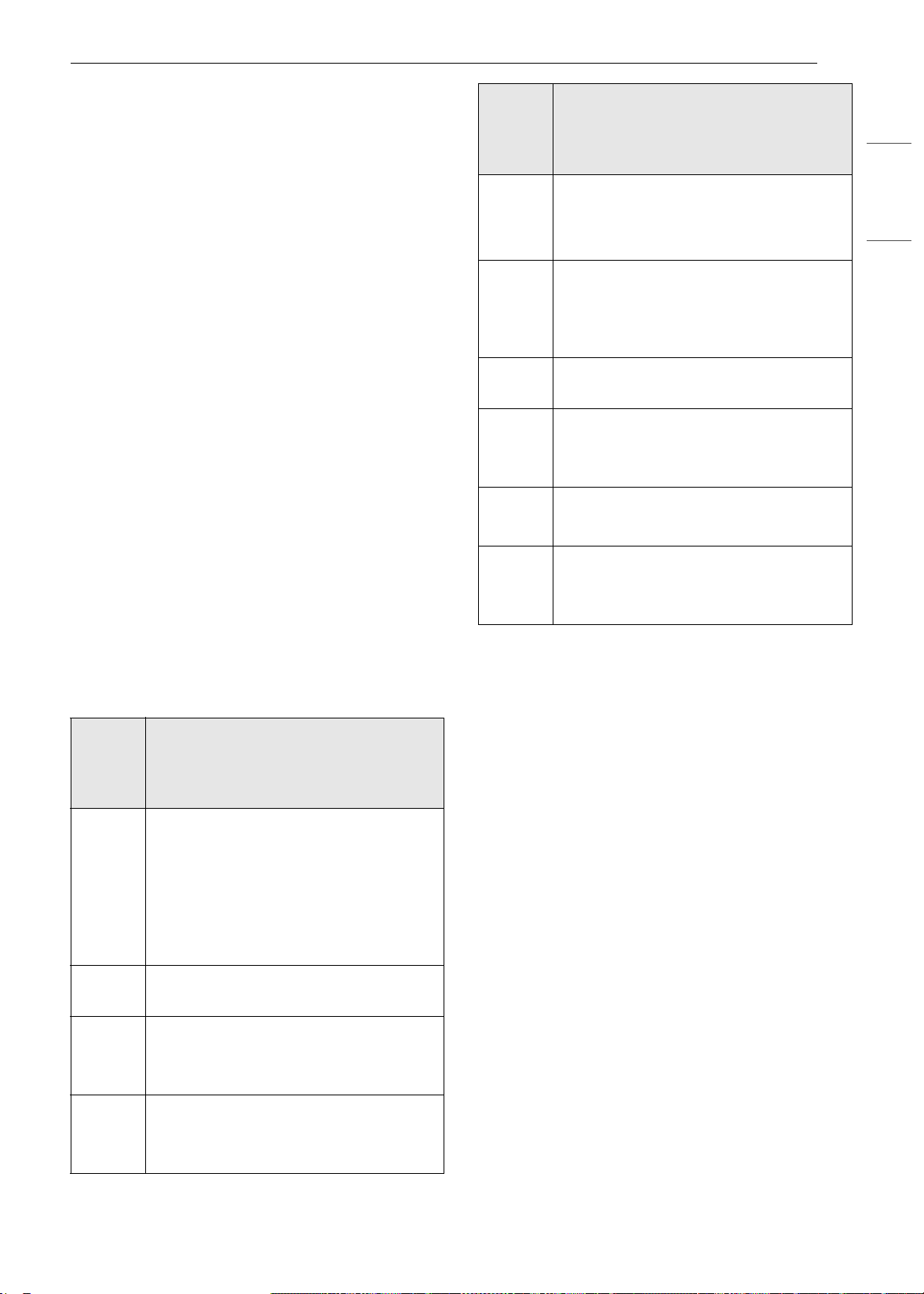
27FUNCIONAMIENTO
ESPAÑOL
están sólidos en el centro, vuelva a colocarlos
en la parte superior del horno para
descongelarlos más.
- Según la forma del alimento, algunas áreas
pueden descongelarse más rápidamente que
otras.
- La forma del paquete afecta a la rapidez con la
que se descongelan los alimentos. Los
paquetes poco profundos se descongelarán
más rápidamente que un bloque profundo.
- Para obtener mejores resultados, dé a la carne
molida la forma de una rosquilla antes de
congelarla. Al descongelar, raspe la carne
descongelada cuando suene el pitido y
continúe descongelando.
- Use pequeños trozos de papel de aluminio
para proteger partes de los alimentos como
las alas de pollo, las puntas de las patas, las
colas de pescado o las áreas que empiezan a
calentarse. Asegúrese de que el papel de
aluminio no toque los lados, la parte superior
o la parte inferior del horno. El papel de
aluminio puede dañar el revestimiento del
horno.
Niveles de potencia de microondas
Este horno de microondas está equipado con 10
niveles de potencia para ofrecerle suma
flexibilidad y un máximo control sobre la cocción.
Modo Microwave (Microondas)
Cocción a un nivel de potencia alto
1 Presione Microwave (Microondas) en la
pantalla del modo de cocción.
2 Presione los números para configurar el
tiempo de cocción.
3 Presione Start (Iniciar) para iniciar la cocción.
• Cuando finaliza el tiempo de cocción, suena
una melodía.
Cocción a niveles de potencia más
bajos
La cocción con una potencia alta no siempre
brinda los mejores resultados con los alimentos
que necesitan una cocción más lenta, como los
asados, los productos horneados o las natillas. El
horno cuenta con 9 configuraciones de potencia,
además de la ALTA.
Nivel
de
potenc
ia
Uso
10
(100%)
•Hervir agua
• Dorar carne picada
• Hacer caramelo
• Cocinar aves enteras, trozos de
aves, pescado y vegetales
• Cocinar cortes de carne tiernos
9
(90%)
• Recalentar arroz, pasta y vegetales
8
(80%)
• Recalentar rápido comidas
preparadas
• Recalentar sándwiches
7
(70%)
• Cocinar platos de queso, huevo y
leche
• Derretir chocolate
6
(60%)
• Cocinar ternera
• Cocinar pescados enteros
• Cocinar pudín y natilla
5
(50%)
• Cocinar jamón, aves de corral
enteras y cordero
• Cocinar asado de costilla y punta de
solomillo
4
(40%)
• Descongelar carne, aves y mariscos
3
(30%)
• Cocinar cortes de carne menos
tiernos
• Cocinar chuletas de cerdo y asados.
2
(20%)
• Quitar el frío de la fruta
• Ablandar manteca
1
(10%)
• Mantener la temperatura indicada
de guisados y platos principales
• Ablandar manteca y queso crema
Nivel
de
potenc
ia
Uso
es-us_main.book.book Page 27 Monday, April 8, 2024 1:14 PM

28 FUNCIONAMIENTO
1 Presione Microwave (Microondas) en la
pantalla del modo de cocción.
2 Configure el tiempo de cocción en la pantalla.
3 Configure el nivel de potencia en la pantalla.
4 Presione Start (Iniciar) para iniciar la cocción.
• Cuando finaliza el tiempo de cocción, suena
una melodía.
Para detener la cocción
Presione Stop (Detener) en la pantalla y seleccione
Yes (Sí).
Modo Convection Bake (Hornear
por convección)
Durante el horneado por convección se utiliza un
elemento calentador para elevar la temperatura
del aire del interior del horno. La temperatura de
la cocción por convección oscila entre 100 ℉
(37 ℃) y 450 ℉ (230 ℃). Es mejor precalentar el
horno al cocinar por convección.
NOTA
• Reduzca la temperatura del horno unos 25 °F
con respecto a las instrucciones de temperatura
recomendada en el envase del alimento. El
tiempo de horneado puede variar de acuerdo
con la condición del alimento o la preferencia
individual.
Configuración de la función
Convection Bake (Hornear por
convección)
1 Presione Convection Bake (Horneado por
convección) en la pantalla del modo de
cocción.
2 Configure la temperatura. Deslícese por los
números en la pantalla, o presione el ícono
del teclado numérico para ingresar los
números directamente.
3 Si lo desea, configure el tiempo de cocción.
4 Presione Start (Iniciar). El horno comienza a
precalentar.
5 Si se configura el tiempo de cocción, aparece
el tiempo restante en la pantalla.
6 Una vez que el precalentamiento haya
finalizado, suena una alarma.
7 Cuando termina el tiempo de cocción
configurado suena una alarma y aparece una
notificación en la pantalla. Abra la puerta del
horno y retire los alimentos.
Cambio en la configuración de
horneado por convección
1 Presione Edit (Editar) en la pantalla para que
aparezca la pantalla Cook Settings
(Configuración de cocción).
2 Ajuste la configuración.
3 Presione Iniciar.
Para detener la cocción
Presione Stop (Detener) en la pantalla y seleccione
Yes (Sí).
NOTA
• Cuando el horno alcanza la temperatura de
precalentamiento establecida, suena una
melodía. El horno mantiene automáticamente la
temperatura durante 30 minutos.
• La temperatura del horno desciende muy
rápidamente cuando se abre la puerta; sin
embargo, esto no debería evitar que la comida
esté completamente cocida durante el tiempo
de cocción normal.
Modo Broil (Asar)
Esta función le permite dorar los alimentos
rápidamente y dejarlos crujientes. No es necesario
precalentar.
es-us_main.book.book Page 28 Monday, April 8, 2024 1:14 PM
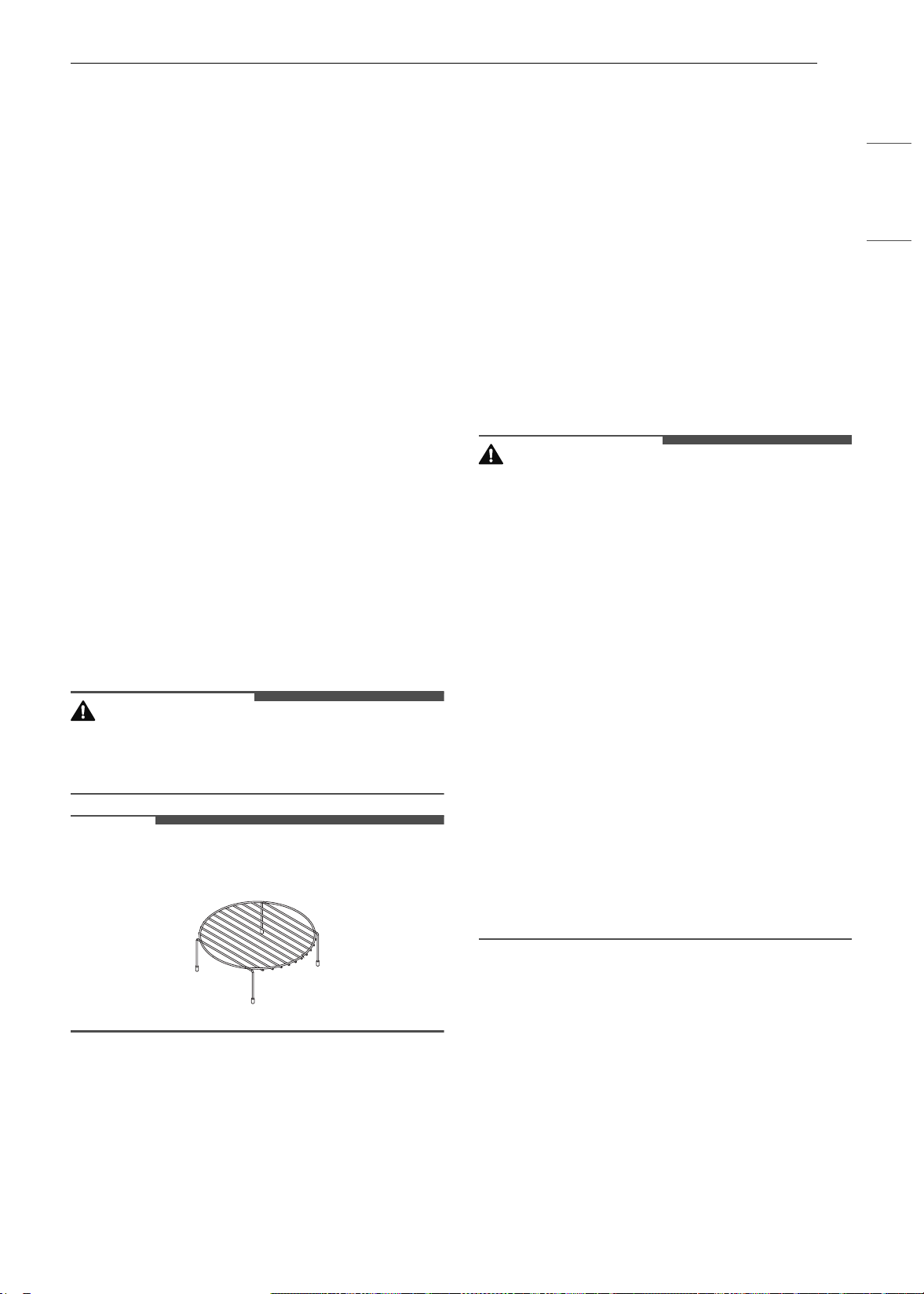
29FUNCIONAMIENTO
ESPAÑOL
Configuración de la función Broil (Asar)
1 Presione Broil (Asar) en la pantalla del modo
de cocción.
2 Configure el tiempo de cocción en la pantalla.
3 Presione Start (Iniciar). El horno comienza a
calentar.
Cómo cambiar la configuración de
asado
1 Presione Edit (Editar) en la pantalla para que
aparezca la pantalla Cook Settings
(Configuración de cocción).
2 Ajuste la configuración.
3 Presione Iniciar.
Para detener la cocción
Presione Stop (Detener) en la pantalla y seleccione
Yes (Sí).
PRECAUCIÓN
• Siempre use guantes cuando retire los alimentos
y accesorios después de la cocción, ya que el
horno y los accesorios estarán muy calientes.
NOTA
• Para obtener mejores resultados, use el estante
cuando ase en el horno superior.
Modo Popcorn (Palomitas de maíz)
Prepare palomitas de maíz para microondas
sencilla y rápidamente, una bolsa por vez.
• Coloque solamente una bolsa (50 - 100 g) de
palomitas de maíz envasadas para microondas
en un recipiente apto para hornear/apto para
microondas. Coloque el recipiente sobre el plato
giratorio. El paquete debe estar a temperatura
ambiente.
Configuración de la función Popcorn
(Palomitas de maíz).
1 Presione Popcorn (Palomitas de maíz) en la
pantalla del modo de cocción.
2 Presione Start (Iniciar). Se inicia la función
Popcorn (Palomitas de maíz).
Para detener la cocción
Presione Stop (Detener) en la pantalla y seleccione
Yes (Sí).
PRECAUCIÓN
• Nunca use una bolsa de papel de estraza para
hacer palomitas de maíz ni intente hacer
explotar los granos que no explotaron.
• No haga palomitas de maíz en un recipiente que
no sea apto para microondas o en un envase
comercial que no esté diseñado para hornos de
microondas.
• Nunca intente hacer palomitas de maíz en una
bolsa de papel que no sea apta para cocción en
microondas.
• Si se las cocina de más, las palomitas de maíz se
queman y producen mucho humo.
• No intente hacer explotar en el microondas los
granos que no explotaron.
• No reutilice las bolsas de palomitas de maíz.
• Escuche mientras las palomitas explotan.
Detenga el microondas cuando el tiempo entre
los estallidos sea de más de 2-3 segundos.
• Vigile siempre el microondas mientras hace las
palomitas de maíz.
• Siga las instrucciones de la bolsa.
es-us_main.book.book Page 29 Monday, April 8, 2024 1:14 PM
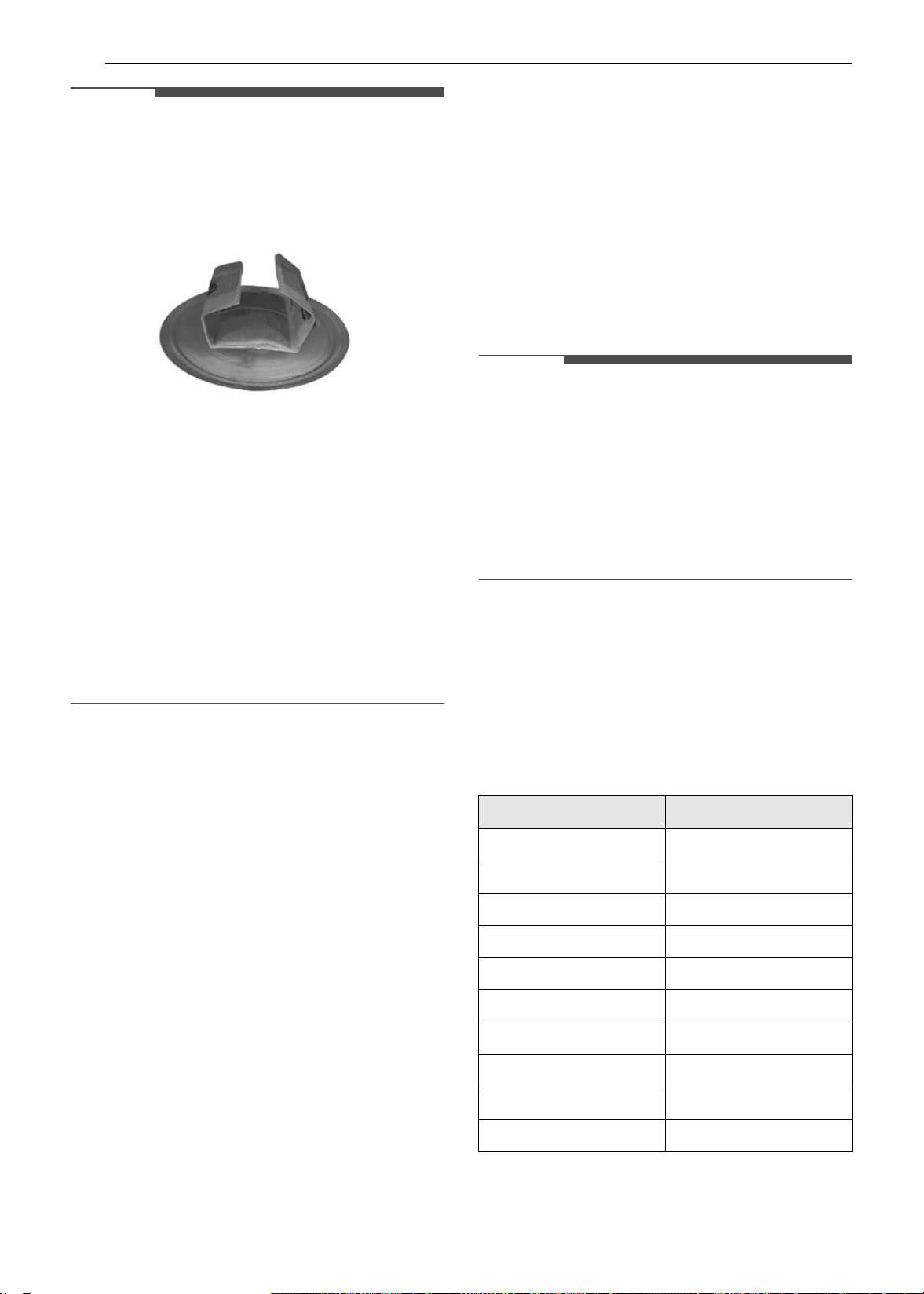
30 FUNCIONAMIENTO
NOTA
• Cuando haga palomitas de maíz de las que
vienen envasadas para microondas, coloque la
bolsa con cuidado en el horno, de modo que no
toque las paredes cuando gire. Doble los
extremos de la bolsa hacia arriba y hacia el
centro de la bolsa.
• Si no sabe el tamaño de la bolsa, siga las
instrucciones del fabricante y no utilice esta
función.
• No intente recalentar ni cocinar ningún grano de
maíz que no haya explotado.
• No reutilice la bolsa. Si se cocina de más puede
provocar un incendio en el horno.
• Solo prepare una bolsa por vez.
• No use dispositivos para hacer explotar
palomitas de maíz en el horno de microondas
con esta función.
• Vigile siempre el horno de microondas mientras
se cocinan las palomitas de maíz.
Modo Defrost (Descongelamiento)
El horno tiene 4 modos predeterminados de
descongelamiento. El menú de Defrost muestra
los modos de descongelamiento sugeridos para
distintos alimentos. Esta función de
descongelamiento cuenta con una alarma que
facilita el proceso, recordándole verificar, dar
vuelta, separar o cambiar la posición de los
alimentos.
• 1: Modo Meat (Carne)
• 2: Modo Poultry (Aves de corral)
• 3: Modo Fish (Pescado)
• 4: Modo Bread (Pan)
Configuración de la función Defrost
(Descongelamiento)
1 Presione Defrost (Descongelamiento) en la
pantalla del modo de cocción.
2 Configure el tipo de alimento en la pantalla.
3 Configure el peso en la pantalla.
4 Presione Start (Iniciar) para iniciar el
descongelamiento.
Para detener la cocción
Presione Stop (Detener) en la pantalla, y
seleccione Yes (Sí).
NOTA
• La cuenta regresiva aparece en la pantalla luego
de que se presiona START. El horno emitirá una
alarma durante el ciclo de descongelamiento.
• Cuando suene la alarma, abra la puerta del
horno y dé vuelta la comida. Retire los alimentos
que se hayan descongelado. Vuelva a colocar los
alimentos que aún estén congelados en el horno
y presione START para completar el ciclo de
descongelamiento.
Tabla de conversión de pesos
La mayoría de los pesos de los alimentos se dan en
libras y onzas. Si usa libras, el peso de los
alimentos debe ingresarse en el Auto Defrost
(Descongelamiento automático) en libras y
décimas de libras (decimales).
Use la siguiente tabla si necesita convertir el peso
de los alimentos a decimales.
Onzas Peso en decimales
1.6 0.1
3.2 0.2
4.8 0.3
6.4 0.4
8.0 0.5 (Media libra)
9.6 0.6
11.2 0.7
12.8 0.8
14.4 0.9
16.0 1.0 (Una libra)
es-us_main.book.book Page 30 Monday, April 8, 2024 1:14 PM
31FUNCIONAMIENTO
ESPAÑOL
Menú Defrost (Descongelamiento)
Consulte la información a continuación para
configurar el código y el peso deseados.
Carne (0.1 - 6.0 lb)
• Carne vacuna: carne molida, bistecs redondos,
cubos para estofado, filete de lomo, carne para
asar a la cacerola, asado de costilla, rabadilla,
espaldilla, hamburguesas
• Cordero: chuletas, arrollado para rostizar
• Cerdo: chuletas, perros calientes, costillas,
costillas estilo "Country", arrollado para rostizar,
salchichas
• Ternera: filetes (1 lb, ½ pulgada de espesor)
• Dar vuelta los alimentos cuando suene el pitido.
• Tiempo de reposo: 5-15 minutos
Aves de corral (0.1 - 6.0 lb)
• Aves de corral: enteras, troceadas, pechugas
(deshuesadas)
• Gallinas de Cornualles: enteras
• Pavo: pechuga
• Para obtener mejores resultados, enjuague el
pollo con agua del grifo y déjelo reposar durante
60 minutos después de descongelarlo.
• Dar vuelta los alimentos cuando suene el pitido.
• Tiempo de reposo: 60 minutos
Pescado (0.1 - 4.0 lb)
• Pescado: filetes, rodajas, enteros
• Mariscos: carne de cangrejo, colas de langostas,
camarones, vieiras
• Dar vuelta los alimentos cuando suene el pitido.
• Tiempo de reposo: 5-10 minutos
Pan (0.1 - 2.0 lb)
• Rebanadas de pan, bollos, baguettes, etc.
• Separe las rebanadas y colóquelas entre hojas
de papel de cocina o sobre un plato o bandeja
planos.
• Dar vuelta los alimentos cuando suene el pitido.
• Tiempo de reposo: 1-2 minutos
Modo Speed Cook (Cocción rápida)
Esta función usa simultáneamente energía de una
luz halógena, calentadores y microondas para
posibilitar una rápida cocción.
PRECAUCIÓN
• Cuando use esta función, recuerde que el horno,
las puertas y los platos se calentarán mucho.
• No use cubiertas, recipientes o bolsas para
cocinar hechos de aluminio, plástico, cera o
papel en la cocción rápida.
NOTA
• Solo pueden seleccionarse niveles de potencia
del 1 al 4 (del 10 % al 40 %). Cada nivel de
potencia suministra potencia de calentamiento y
energía de microondas durante un cierto
porcentaje del tiempo.
Configuración de la función Speed
Convection (Convección rápida)
Use este modo para rostizar carne, pollo y
vegetales y para hornear pizza congelada,
pasteles, tartas y panes.
1 Presione Speed Cook (Cocción rápida) y
Speed Convection (Convección rápida) en ese
orden.
2 Configure el nivel de potencia en la pantalla.
3 Configure la temperatura. Deslícese por los
números en la pantalla, o presione el ícono
del teclado numérico para ingresar los
números directamente.
4 Configure el tiempo de cocción. Presione la
tecla de flecha en el lado derecho de la
pantalla para configurar el tiempo de cocción.
5 Presione Start (Iniciar). El horno comienza a
calentar.
Configuración de la función Speed
Broil (Asar rápido)
Use este modo para bistecs, filetes de pollo,
pescado y mariscos.
1 Presione Speed Cook (Cocción rápida) y
Speed Broil (Asar rápido) en ese orden.
es-us_main.book.book Page 31 Monday, April 8, 2024 1:14 PM

32 FUNCIONAMIENTO
2 Configure el nivel de potencia y el tiempo de
cocción en la pantalla.
3 Presione Start (Iniciar). El horno comienza a
calentar.
Cómo cambiar la configuración de
Speed Cook (Cocción rápida)
1 Presione Edit (Editar) en la pantalla para que
aparezca la pantalla Cook Settings
(Configuración de cocción).
2 Ajuste la configuración.
3 Presione Iniciar.
Para detener la cocción
Presione Stop (Detener) en la pantalla y seleccione
Yes (Sí).
Modo Sensor Cook (Cocción por
sensor)
Use Sensor Cook (Cocción por sensor) para
calentar alimentos comunes preparados para
microondas sin necesidad de programar los
tiempos de cocción ni niveles de potencia. El
Sensor Cook (Cocción por sensor) tiene programas
preestablecidos para 9 categorías de alimentos.
Consulte el menú del Sensor Cook (Cocción por
sensor) para obtener más información.
Características
Esta función se usa para recalentar alimentos
favoritos sin seleccionar tiempos de cocción ni
niveles de potencia. El horno determina el tiempo
de cocción necesario para cada alimento de
manera automática. Cuando el sensor interno
detecte una cierta cantidad de humedad
proveniente del alimento, le indicará al horno por
cuánto tiempo más seguir calentando.
La pantalla muestra el tiempo de calentamiento
restante. Para obtener los mejores resultados al
cocinar con el sensor, siga estas recomendaciones.
• Los alimentos cocinados con el sistema de
sensor deben estar a una temperatura de
almacenamiento normal.
• La bandeja de vidrio y el exterior del recipiente
deben estar secos para garantizar los mejores
resultados de cocción.
• Los alimentos siempre deben estar ligeramente
cubiertos con una tapa, papel encerado o papel
film aptos para microondas.
• No abra la puerta durante el tiempo de
activación del sensor. Cuando finalice este
tiempo, el horno emitirá pitidos y aparecerá el
tiempo de cocción restante en la ventana de la
pantalla. En este momento, puede abrir la
puerta para revolver, dar vuelta o reacomodar el
alimento.
Las cubiertas y los recipientes apropiados ayudan
a garantizar buenos resultados al cocinar con el
sensor.
• Siempre use recipientes aptos para microondas
y cúbralos con tapas o papel film que permitan
la ventilación.
• Nunca use cubiertas de plástico herméticas.
Pueden evitar que el vapor escape y ocasionar
que el alimento se cocine de más.
• Haga coincidir la cantidad con el tamaño del
recipiente. Llene los recipientes al menos hasta
la mitad para obtener los mejores resultados.
• Asegúrese de que el exterior del recipiente para
cocinar y el interior del horno superior estén
secos antes de colocar el alimento en el horno.
Las gotas de humedad que se transforman en
vapor pueden engañar al sensor.
Configuración de la función Sensor
Cook
1 Presione Sensor Cook (Cocción por sensor)
en la pantalla del modo de cocción.
2 Presione una categoría para filtrar las
opciones.
3 Presione Iniciar.
• Cuando finaliza el tiempo de cocción, suena
una melodía.
Para detener la cocción
Presione Stop (Detener) en la pantalla y seleccione
Yes (Sí).
Menú del Sensor Cook (Cocción por
sensor)
Consulte la información a continuación para
configurar el elemento deseado en el menú y
conocer las cantidades recomendadas.
es-us_main.book.book Page 32 Monday, April 8, 2024 1:14 PM
33FUNCIONAMIENTO
ESPAÑOL
• 1.Bebida (1 - 2 tazas
†
)
- Utensilio de cocina: tazón o taza aptos para
microondas sobre la bandeja de vidrio
- Temperatura del alimento: ambiente
- Instrucciones: use un tazón o una taza aptos
para microondas sin cubrir. Luego de cocinar,
revuelva para que se termine de calentar.
PRECAUCIÓN
• Tenga cuidado. La bebida estará muy caliente. A
veces, los líquidos que se calientan en
recipientes cilíndricos pueden salpicar de
manera inesperada cuando se mueve la taza.
• 2. Guisado (10-20 oz)
- Utensilio de cocina: bol apto para microondas
sobre la bandeja de vidrio
- Temperatura del alimento: refrigerado
- Instrucciones: use un bol apto para
microondas. Cubra el recipiente con papel film
que permita la ventilación. Después de la
cocción, deje reposar durante 3 minutos.
• 3. Pollo (16-20 oz)
- Utensilio de cocina: bol apto para microondas
sobre la bandeja de vidrio
- Temperatura del alimento: refrigerado
- Instrucciones: use un bol apto para
microondas. Cubra el recipiente con papel film
que permita la ventilación. Después de la
cocción, deje reposar durante 3 minutos.
• 4. Pasta (½ - 2 tazas
†
)
- Utensilio de cocina: bol apto para microondas
sobre la bandeja de vidrio
- Temperatura del alimento: refrigerado
(precocido)
- Instrucciones: use un bol apto para
microondas. Cubra el recipiente con papel film
que permita la ventilación. Después de la
cocción, deje reposar durante 3 minutos.
• 5. Pizza (1-3 porciones)
- Utensilio de cocina: bol apto para microondas
sobre la bandeja de vidrio
- Temperatura del alimento: refrigerado
- Instrucciones: esta función es para recalentar
restos de pizza. Use un plato apto para
microondas sin cubrir.
• 6. Plato de comida (1 porción)
- Utensilio de cocina: bol apto para microondas
sobre la bandeja de vidrio
- Temperatura del alimento: refrigerado
- Instrucciones: use un plato apto para
microondas. Cubra el recipiente con papel film
que permita la ventilación. Después de la
cocción, deje reposar durante 3 minutos.
• 7. Arroz (½ - 2 tazas
†
)
- Utensilio de cocina: bol apto para microondas
sobre la bandeja de vidrio
- Temperatura del alimento: refrigerado
(precocido)
- Instrucciones: use un bol apto para
microondas. Cubra el recipiente con papel film
que permita la ventilación. Después de la
cocción, deje reposar durante 3 minutos.
• 8. Sopa (1 - 4 tazas
†
)
- Utensilio de cocina: bol apto para microondas
sobre la bandeja de vidrio
- Temperatura del alimento: ambiente
- Instrucciones: use un bol apto para
microondas. Cubra el recipiente con papel film
que permita la ventilación. Después de la
cocción, deje reposar durante 3 minutos.
• 9. Vegetales (1 - 4 tazas
†
)
- Utensilio de cocina: bol apto para microondas
sobre la bandeja de vidrio
- Temperatura del alimento: refrigerado
- Instrucciones: use un bol apto para
microondas. Cubra el recipiente con papel film
que permita la ventilación. Después de la
cocción, deje reposar durante 3 minutos.
ADVERTENCIA
• Manipule el recipiente con cuidado. Cuando se
calientan líquidos con microondas puede
producirse una ebullición tardía. Por lo tanto, se
debe tener cuidado al manipular el recipiente.
† 8 oz (240 ml) por taza
Modo de Inicio rápido de
microondas
Use este modo para agregar 30 segundos al
tiempo de cocción por microondas.
Para utilizarlo, presione el ícono de Inicio rápido
de microondas en la parte inferior izquierda de la
pantalla.
Ícono de Inicio rápido
de microondas
es-us_main.book.book Page 33 Monday, April 8, 2024 1:14 PM

34 FUNCIONAMIENTO
Modo Auto Cook (Cocción
automática)
Use esta función para calentar alimentos comunes
preparados para microondas sin seleccionar
tiempos de cocción ni niveles de potencia. Esta
función cuenta con niveles de potencia
preestablecidos para 28 alimentos.
Configuración del modo Auto Cook
(Cocción automática)
1 Presione Auto Cook (Cocción automática) en
la pantalla del modo de cocción.
2 Presione un menú deseado en la pantalla.
3 Desplácese o toque la flecha para seleccionar
las cantidades recomendadas. Presione Next
(Siguiente).
4 Siga las recomendaciones en la pantalla en
relación con los accesorios.
5 Presione Iniciar.
Menú de Cocción automática
Consulte la información a continuación para
configurar el elemento deseado en el menú y
conocer las cantidades recomendadas.
• 1. Tocino (3-4 o 5-6 tiras)
- Utensilio de cocina: plato o rejilla para tocino
aptos para microondas sobre la bandeja de
vidrio
- Temperatura del alimento: refrigerado
- Instrucciones: para obtener mejores
resultados, coloque las fetas de tocino sobre
una rejilla apta para microondas. Utilice un
plato revestido de papel de cocina si no tiene
una rejilla disponible.
• 2. Bagels congelados (1 o 2-3 bagels)
- Utensilio de cocina: bandeja de metal
- Temperatura del alimento: congelado
• 3.Papas al horno (1, 2, 3-4 papas [de 7 a 9 oz c/
u])
- Utensilio de cocina: bandeja de metal
- Temperatura del alimento: ambiente
- Instrucciones: perfore cada papa varias veces
con un tenedor.
• 4.Brownies (8″ X 8″, 9″ X 13″)
- Utensilio de cocina: bol apto para microondas
sobre la bandeja de vidrio
- Temperatura del alimento: ambiente
- Instrucciones: rocíe el recipiente para
hornear de silicona o vidrio apto para
microondas con aerosol de cocina. Vierta la
masa en el recipiente para hornear,
distribuyéndola de manera uniforme. Después
de la cocción, deje reposar unos minutos.
• 5.Filetes de bacalao (1 lb)
- Utensilio de cocina: bandeja de metal
- Temperatura del alimento: refrigerado
- Instrucciones: pinte con aceite y condimente
con sal y pimienta. Dé vuelta la comida cuando
suene un pitido.
• 6. Banderillas de salchicha congeladas (1-2, 3-
4)
- Utensilio de cocina
: bandeja de metal
- T
e
mperatura del alimento: congelado
• 7.Vegetales frescos (4-6, 7-9, 10-12, 13-15, 16-
20 oz)
- Utensilio de cocina: recipiente para hornear
de silicona o vidrio apto para microondas
sobre la bandeja de vidrio
- Temperatura del alimento: refrigerado
- Instrucciones: agregue agua según la
cantidad (4-12 oz: añada 2 cdas. de agua, 13-
20 oz: añada 4 cdas. de agua). Cubra con papel
film que permita la ventilación. Después de la
cocción, revuelva y deje reposar durante 3
minutos.
• 8.Nuggets de pollo congelados (1-2, 3-4
porciones [3.5 oz/100 g por porción])
- Utensilio de cocina: bandeja de metal
- Temperatura del alimento: congelado
- Instrucciones: dé vuelta los alimentos cuando
suene el pitido.
• 9.Alitas de pollo congeladas (1-2, 3-4 porciones
[3.5 oz/100 g por porción])
- Utensilio de cocina: bandeja de metal
- Temperatura del alimento: congelado
- Instrucciones: dé vuelta los alimentos cuando
suene el pitido.
• 10.Papas fritas congeladas (1-2, 3-4 porciones
[3.5 oz/100 g por porción])
- Utensilio de cocina: bandeja de metal
- Temperatura del alimento: congelado
- Instrucciones: dé vuelta los alimentos cuando
suene el pitido.
es-us_main.book.book Page 34 Monday, April 8, 2024 1:14 PM

35FUNCIONAMIENTO
ESPAÑOL
• 11. Pizza congelada (Individual: 6″, Regular: 12″)
- Utensilio de cocina: bandeja de metal
- Temperatura del alimento: congelado
• 12. Pretzels congelados (1, 2, 3-4 pretzels)
- Utensilio de cocina: bandeja de metal
- Temperatura del alimento: congelado
• 13. Vegetales congelados (4-6, 7-9, 10-12, 13-
15, 16-20 oz)
- Utensilio de cocina: bol apto para microondas
sobre la bandeja de vidrio
- Temperatura del alimento: congelado
- Instrucciones: agregue agua según la
cantidad (4-12 oz: añada 2 cdas. de agua, 13-
20 oz: añada 4 cdas. de agua). Cubra con papel
film que permita la ventilación. Después de la
cocción, revuelva y deje reposar durante 3
minutos.
• 14. Pan de ajo congelado (1-2, 3-4, 5-6 piezas)
- Utensilio de cocina: bandeja de metal
- Temperatura del alimento: congelado
- Instrucciones: dé vuelta los alimentos cuando
suene el pitido.
• 15.Hamburguesa de 1/2″ de espesor (2, 3-4, 5-
6 hamburguesas)
- Utensilio de cocina: bandeja de metal
- Temperatura del alimento: refrigerado
- Instrucciones: dé vuelta los alimentos cuando
suene el pitido.
• 16.Chuletas de cordero de 1/2″ de espesor (6-
7oz) (1, 2, 3-4 chuletas)
- Utensilio de cocina: bandeja de metal
- Temperatura del alimento: refrigerado
- Instrucciones: pinte con aceite y condimente
con sal y pimienta. Dé vuelta la comida cuando
suene un pitido.
• 17.Pan de carne (9″ X 5
″)
- Utensilio d
e cocina: recipiente para hornear
de silicona o vidrio apto para microondas
sobre la bandeja de vidrio
- Temperatura del alimento: refrigerado
- Ingredientes:
Carne picada: 28 oz/800 g, huevo
(refrigerado): 4 oz/115 g, sal: 1/2 cda./2 g
- Instrucciones: coloque la mezcla de carne en
un recipiente para hornear de 9″ x 5″ de
silicona o vidrio apto para microondas.
• 18.Nachos (1-3, 4-6 porciones [8 unidades/
1 porción])
- Utensilio de cocina: bandeja de metal
- Temperatura del alimento: ambiente
• 19.Avena (1, 2 porciones)
- Utensilio de cocina: bol grande apto para
microondas sobre la bandeja de vidrio
- Temperatura del alimento: ambiente
- Ingredientes:
1 porción: 1/2 taza (40 g) de avena, 1 taza (230
g) de agua o leche, una pizca de sal (opcional)
2 porciones: 1 taza (80 g) de avena, 1 1/2 taza
(345 g) de agua o leche, 1/8 cda. de sal
(opcional)
- Instrucciones: mezcle agua o leche, sal y
avena en un bol grande apto para microondas.
Cubra con papel film que permita la
ventilación. Después de la cocción, deje
reposar durante 3 minutos.
• 20.Chuletas de cerdo de 1/2″ de espesor (1, 2,
3-4 chuletas)
- Utensilio de cocina: bandeja de metal
- Temperatura del alimento: refrigerado
- Instrucciones: pinte con aceite y condimente
con sal y pimienta. Dé vuelta la comida cuando
suene un pitido.
• 21.Quinoa (1, 2 porciones generosas)
- Utensilio de cocina: bol apto para microondas
sobre la bandeja de vidrio
- Temperatura del alimento: ambiente
- Ingredientes:
1 porción: 1/2 taza (40 g) de quinoa, 1 taza (230
g) de agua o leche, una pizca de sal (opcional)
2 porciones: 1 taza (0 g) de quinoa, 1 1/2 taza
(345 g) de agua o leche, 1/8 cda. de sal
(opcional)
- Instrucciones: mezcle agua o leche, sal y
quinoa en un bol grande apto para
microondas. Cubra con papel film que permit
a
l
a ventilación. Después de la cocción, deje
reposar durante 3 minutos.
• 22.Bistec de costillar de primera de 1″ de
espesor (14-15 oz) (1, 2 bistecs)
- Utensilio de cocina: bandeja de metal
- Temperatura del alimento: refrigerado
- Instrucciones: pinte con aceite y condimente
con sal y pimienta. Dé vuelta la comida cuando
suene un pitido.
• 23.Arroz (1/2, 1 taza)
- Utensilio de cocina: bol grande y profundo
apto para microondas sobre la bandeja de
vidrio
- Temperatura del alimento: ambiente
es-us_main.book.book Page 35 Monday, April 8, 2024 1:14 PM

36 FUNCIONAMIENTO
- Ingredientes:
Arroz: 1/2 taza (96 g), 1 taza (192 g)
Agua: 1 taza (230 g), 2 tazas (460 g)
Sal: opcional
- Instrucciones: cubra el recipiente con papel
film que permita la ventilación. Después de la
cocción, deje reposar de 5 a 10 minutos.
• 24. Filete de salmón de 1″ de espesor (1, 2, 3-4
filetes)
- Utensilio de cocina: bandeja de metal
- Temperatura del alimento: refrigerado
- Instrucciones: pinte con aceite y condimente
con sal y pimienta. Dé vuelta la comida cuando
suene un pitido.
• 25.Salchicha (ristras de 1-6, 7-14)
- Utensilio de cocina: bandeja de metal
- Temperatura del alimento: refrigerado
- Instrucciones: dé vuelta los alimentos cuando
suene el pitido.
• 26.Bistec de solomillo de 1″ de espesor (18-
21 oz) (1, 2 filetes)
- Utensilio de cocina: bandeja de metal
- Temperatura del alimento: refrigerado
- Instrucciones: pinte con aceite y condimente
con sal y pimienta. Dé vuelta la comida cuando
suene un pitido.
• 27.Lomo (¾, 1 ½ lb)
- Utensilio de cocina: bandeja de metal
- Temperatura del alimento: refrigerado
- Instrucciones: pinte con aceite y condimente
con sal y pimienta. Dé vuelta la comida cuando
suene un pitido.
• 28.Vegetales enlatados (4-6, 7-9, 10-12, 13-15,
16-20 oz)
- Utensilio de cocina: bol apto para microondas
sobre la bandeja de vidrio
- Temperatura del alimento: ambiente
- Instrucciones: vierta los vegetales de la lata a
un bol apto para microondas. Cubra el
recipiente con papel film que permita la
ventilación. Después de la cocción, deje
reposar durante 3 minutos.
ADVERTENCIA
• No use productos de papel reciclado en el horno
superior. En ocasiones contienen impurezas que
causan arcos eléctricos y chispas.
• NUNCA use productos de papel en el horno de
convección.
Modo Soften (Ablandar)
El horno usa una potencia baja para ablandar
alimentos como mantequilla, queso crema,
coberturas y helado. Consulte la siguiente tabla.
Configuración del modo Soften
(Ablandar)
1 Presione Soften (Ablandar) en la pantalla del
modo de cocción.
2 Configure el tipo de alimento en la pantalla.
3 Configure el peso en la pantalla.
4 Presione Iniciar.
5 Cuando finaliza el tiempo de cocción, suena
una melodía.
Para detener la cocción
Presione Stop (Detener) en la pantalla y seleccione
Yes (Sí).
Tabla para ablandar
• 1.Mantequilla (½, 1, 2 barras)
- Utensilio de cocina: plato apto para
microondas sobre la bandeja de vidrio
- Temperatura del alimento: refrigerado
- Instrucciones: la mantequilla quedará a
temperatura ambiente y lista para usar en una
receta.
• 2.Queso crema (3, 8 oz)
- Utensilio de cocina: plato apto para
microondas sobre la bandeja de vidrio
- Temperatura del alimento: refrigerado
- Instrucciones: el queso crema quedará a
temperatura ambiente y listo para usar en una
receta.
• 3.Cobertura (16 oz)
- Utensilio de cocina: bol apto para microondas
sobre la bandeja de vidrio
- Temperatura del alimento: refrigerado
- Instrucciones: la cobertura quedará a
temperatura ambiente y lista para usar en una
receta.
es-us_main.book.book Page 36 Monday, April 8, 2024 1:14 PM

37FUNCIONAMIENTO
ESPAÑOL
• 4.Helado (1 pinta, 1 cuarto de galón)
- Utensilio de cocina: bandeja de vidrio
- Temperatura del alimento: congelado
- Instrucciones: retire la tapa y la cubierta. El
helado quedará lo suficientemente blando
como para que resulte fácil servirlo.
Modo Melt (Derretir)
El horno utiliza una potencia baja para derretir
alimentos como mantequilla, caramelo, queso,
chocolate y malvaviscos. Consulte la siguiente
tabla.
Configuración del modo Melt (Derretir)
1 Presione Melt (Derretir) en la pantalla del
modo de cocción.
2 Configure el tipo de alimento en la pantalla.
3 Configure el peso en la pantalla.
4 Presione Iniciar.
• Cuando finaliza el tiempo de cocción, suena
una melodía.
Para detener la cocción
Presione Stop (Detener) en la pantalla y seleccione
Yes (Sí).
Tabla para derretir
• 1.Mantequilla (½, 1, 2 barras)
- Utensilio de cocina: bol apto para microondas
sobre la bandeja de vidrio
- Temperatura del alimento: refrigerado
- Instrucciones: después de cocinar, revuelva
para que se funda por completo.
• 2.Caramelo (4, 8, 12 oz)
- Utensilio de cocina: bol apto para microondas
sobre la bandeja de vidrio
- Temperatura del alimento: ambiente
- Instrucciones: después de cocinar, revuelva
para que se funda por completo.
• 3.Queso (4, 8, 12 oz)
- Utensilio de cocina: bol apto para microondas
sobre la bandeja de vidrio
- Temperatura del alimento: refrigerado
- Instrucciones: solo utilice alimentos de queso
procesado. Corte el queso en dados. Después
de cocinar, revuelva para que se funda por
completo.
• 4.Chocolate (4, 8, 12 oz)
- Utensilio de cocina: bol apto para microondas
sobre la bandeja de vidrio
- Temperatura del alimento: ambiente
- Instrucciones: se pueden utilizar cuadraditos
o chispas del chocolate para hornear. Después
de cocinar, revuelva para que se funda por
completo.
• 5.Malvaviscos (5, 10 oz)
- Utensilio de cocina: bol apto para microondas
sobre la bandeja de vidrio
- Temperatura del alimento: ambiente
- Instrucciones: después de cocinar, revuelva
para que se funda por completo.
Modo Warm (Calentar)
Esta función mantiene una temperatura del horno
de menos de 230 °F. No debe utilizarse para
recalentar comida fría. Esta función mantiene la
comida cocida caliente para servirla por hasta 3
horas después de finalizada su cocción. Luego de 3
horas, esta función apaga el horno de manera
automática.
Configuración del modo Warm
(Calentar)
1 Presione Warm (Calentar) en la pantalla del
modo de cocción.
2 Seleccione el nivel de temperatura: Bajo,
Medio, Alto.
• Bajo: 140 ℉-160 ℉ (60 ℃-71 ℃)
• Medio: 160 ℉-195℉ (71 ℃-91 ℃)
•Alto: 195℉-230 ℉ (91 ℃-110 ℃)
3 Seleccione el tipo: húmedo, crujiente.
4 Presione Start (Iniciar) para iniciar el
calentamiento.
Para detener la cocción
Presione Stop (Detener) en la pantalla y seleccione
Yes (Sí).
es-us_main.book.book Page 37 Monday, April 8, 2024 1:14 PM

38 FUNCIONAMIENTO
NOTA
• Esta función está diseñada para mantener
calientes los alimentos. No la utilice para bajar la
temperatura de los alimentos.
• Es normal que el ventilador se active durante
esta función.
Modo Proof (Leudar)
Esta función mantiene el horno caliente para
leudar los productos con levadura antes de
hornear.
Configuración del modo Leudar
1 Presione Proof (Leudar) en la pantalla del
modo de cocción.
2 Presione Start (Iniciar) para iniciar el leudado.
Para detener la cocción
Presione Stop (Detener) en la pantalla y seleccione
Yes (Sí).
NOTA
• Para evitar que baje la temperatura del horno y
que se prolongue el tiempo de leudado, no abra
la puerta del horno si no es necesario.
• Revise los alimentos panificados con tiempo
para evitar un leudado excesivo.
• No use el modo Proof (Leudar) para calentar
comida ni para mantener calientes los
alimentos. La temperatura del horno para el
leudado no es lo suficientemente alta para
mantener alimentos a temperaturas seguras.
Use la función Warm (Calentar) para mantener
calientes los alimentos.
• El modo Proof (Leudar) no funciona si la
temperatura del horno es demasiado elevada.
Deje que el horno se enfríe antes de usarlo para
leudar.
es-us_main.book.book Page 38 Monday, April 8, 2024 1:14 PM
39FUNCIONAMIENTO
ESPAÑOL
Funcionamiento del horno
inferior
Antes de usar el horno
NOTA
• Como la temperatura del horno es cíclica, es
posible que el termómetro que está dentro de la
cavidad del horno no indique la misma
temperatura configurada.
• Es normal que el ventilador de convección
funcione durante el precalentamiento en un
ciclo normal de horneado.
• El motor del ventilador de convección puede
funcionar periódicamente durante un ciclo
normal de horneado.
• Si la puerta queda abierta durante el proceso de
horneado, el calor se apaga. Si la puerta queda
abierta durante más de 30 segundos durante el
proceso de horneado, el calor se apaga. El calor
se enciende automáticamente cuando la puerta
se cierra.
• Evite abrir la puerta del horno más de lo
necesario durante el uso. Esto ayuda a que el
horno mantenga la temperatura, evita la pérdida
innecesaria de calor y ahorra energía.
Ventilación del horno
Las áreas cercanas a la ventilación podrían
calentarse durante el funcionamiento y causar
quemaduras. Evite colocar plásticos cerca de la
ventilación, ya que el calor podría deformar o
derretir el plástico.
Es normal que se vea vapor cuando se cocinan
alimentos con un alto contenido de humedad.
ADVERTENCIA
• No bloquee la abertura de ventilación.
Uso de los estantes estándar del
horno
Los estantes tienen un borde posterior hacia
arriba que evita que salgan de la cavidad del
horno.
PRECAUCIÓN
• Coloque los estantes del horno antes de
encender el horno para evitar quemaduras.
• No cubra los estantes con papel de aluminio o
cualquier otro material, ni coloque nada sobre la
parte inferior del horno. Si lo hace, podría
generar un proceso de horneado deficiente y
dañar la base del horno.
• Acomode los estantes del horno solo cuando el
horno esté frío.
Extracción de los estantes
1 Tire del estante hacia afuera hasta que se
detenga.
2 Levante el frente del estante y tire de él hacia
afuera.
Cómo volver a colocar de los estantes
1 Coloque el extremo del estante sobre el
soporte.
2 Incline el extremo frontal hacia arriba y
empuje el estante hacia adentro.
Uso de los estantes deslizantes del
horno
Los estantes deslizantes se deslizan hacia dentro y
hacia fuera sobre un marco. Esto mantiene
nivelados los recipientes pesados y evita que se
deslicen cuando el estante está completamente
extendido.
PRECAUCIÓN
• Para evitar quemaduras, coloque los estantes
del horno en la ubicación deseada antes de
encenderlo.
• No cubra los estantes con papel de aluminio o
cualquier otro material, ni coloque nada sobre la
parte inferior del horno. Si lo hace, podría
generar un proceso de horneado deficiente y
dañar la base del horno.
Instalación de los estantes deslizantes
1 Comience con el estante en la posición
cerrada. Sostenga el estante con una mano en
la parte central del frente y la otra mano en la
esquina trasera derecha.
es-us_main.book.book Page 39 Monday, April 8, 2024 1:14 PM
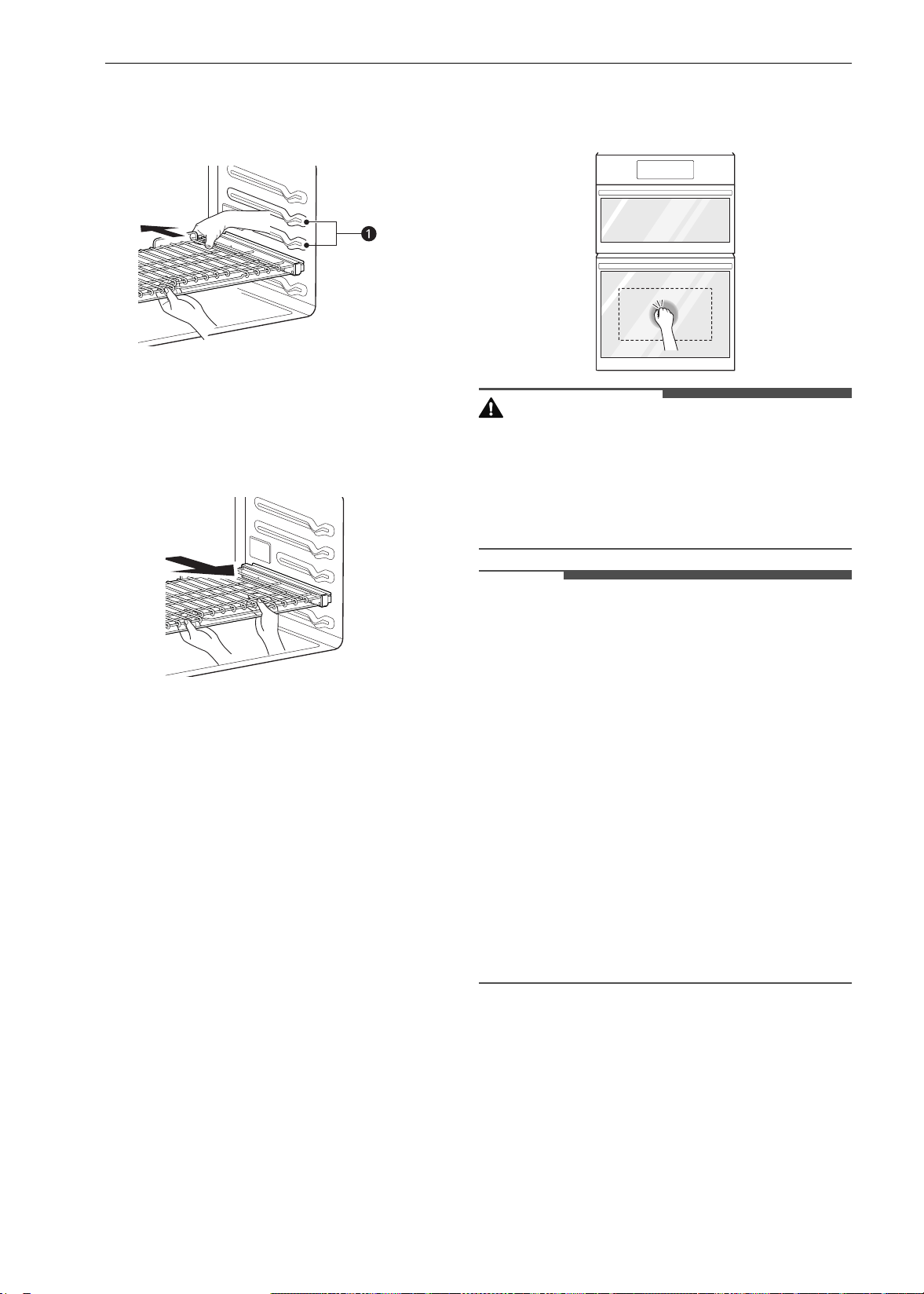
40 FUNCIONAMIENTO
2 Introduzca cuidadosamente el estante entre
las guías y deslícelo hacia atrás hasta que
quede en el lugar.
a Guías del estante
3 Una vez que el estante está asegurado en la
parte trasera, tire de él hacia afuera hasta que
se bloquee en el lugar.
Extracción de los estantes deslizantes
1 Con el estante en la posición cerrada, tómelo
del frente y del marco y levántelo. Empuje
suavemente el estante hacia la pared trasera
hasta que se libere del tope.
2 Una vez que se libere del tope, levante la
parte trasera del estante y tire de él y del
marco para sacarlos entre las guías.
InstaView
Esta característica solo está disponible en el horno
inferior.
Golpee suavemente dos veces el centro del panel
de vidrio para revelar el contenido del horno sin
abrir la puerta.
PRECAUCIÓN
• No golpee el panel de la puerta de vidrio con una
fuerza desmedida. No se debe golpear el panel
de la puerta de vidrio con objetos duros, como
utensilios de cocina o botellas de vidrio. El vidrio
podría romperse causando un riesgo de lesiones
personales.
NOTA
• Golpee suavemente dos veces el panel de vidrio
para encender o apagar la luz en el interior.
• La luz se apaga automáticamente luego de 150
segundos.
• La función InstaView está deshabilitada cuando
la puerta del horno está abierta y durante un
segundo después de cerrarla.
• La función InstaView está deshabilitada durante
Self Clean (Autolimpieza), Lockout (Bloqueo),
modo Sabbath y la entrada de potencial inicial
(solo en algunos modelos).
• Tocar los bordes del panel de vidrio no activa la
función InstaView.
• Los golpes en el panel de vidrio deben ser lo
suficientemente fuertes para que se oigan.
• Los ruidos fuertes cerca del horno pueden
activar la función InstaView.
Modos Convection Bake (Hornear
por convección) y Convection Roast
(Rostizado por convección)
El sistema de convección usa un ventilador para
hacer circular el calor de manera uniforme dentro
del horno. Esto mejora la distribución del calor y
permite una cocción uniforme y excelentes
resultados mientras se cocina con un solo estante
o con varios.
es-us_main.book.book Page 40 Monday, April 8, 2024 1:14 PM
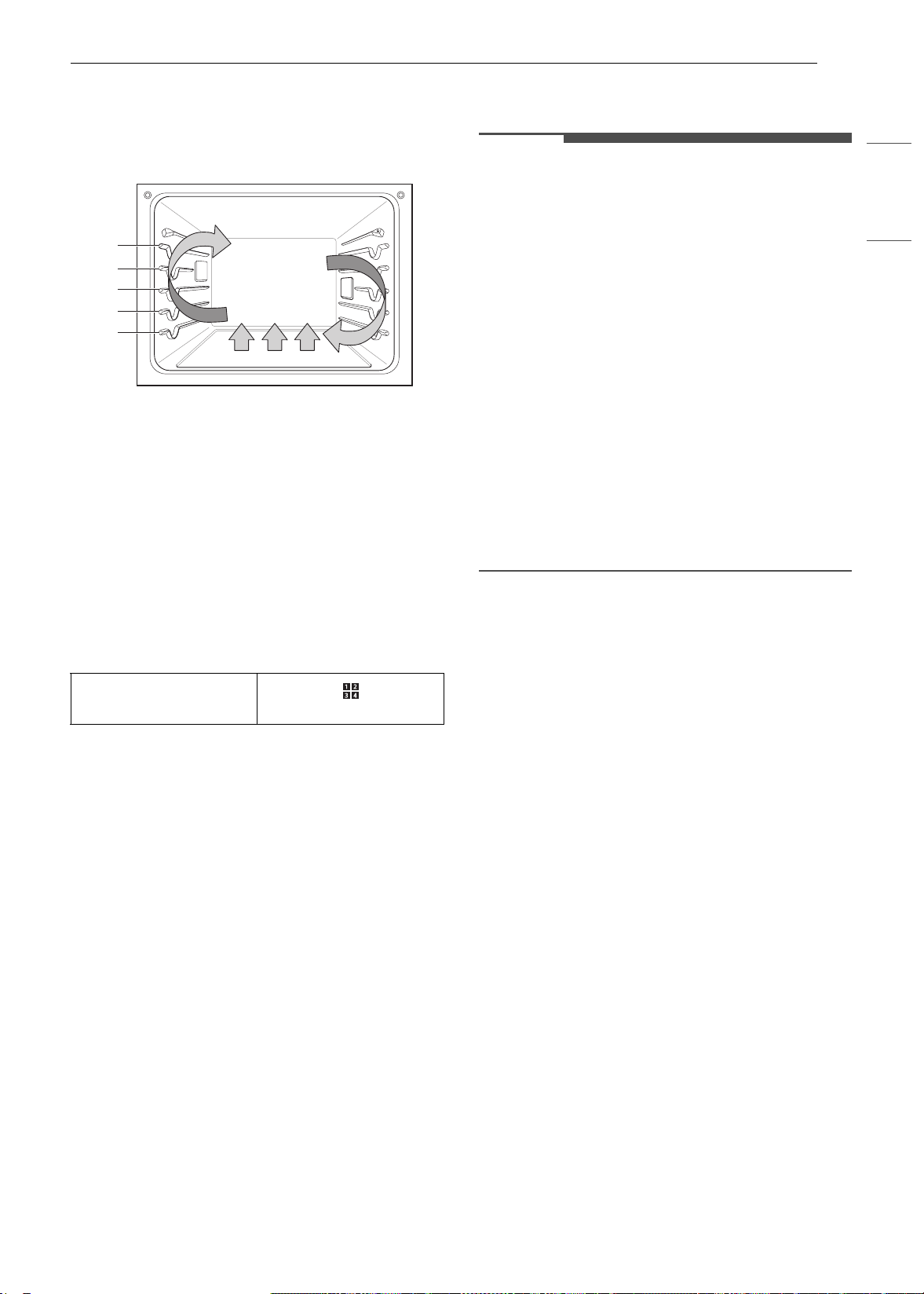
41FUNCIONAMIENTO
ESPAÑOL
Es posible programar el horno para hornear a
cualquier temperatura entre 170 °F (80 °C) y 550 °F
(285 °C). La temperatura predeterminada es 350 °F
(175 °C).
Utilización de la convección
1 Presione Convection Bake (Horneado por
convección) o Convection Roast (Rostizado
por convección) en la pantalla del modo de
cocción.
2 Configure la temperatura. Deslícese por los
números en la pantalla o presione el ícono del
teclado numérico para ingresar los números
directamente.
3 Si lo desea, configure el tiempo de cocción y el
tiempo de inicio retrasado con el mismo
método. Presione la tecla de flecha en el lado
derecho de la pantalla para ver la
configuración del tiempo de inicio retrasado.
4 Presione Start (Iniciar). El horno comienza a
precalentar.
5 Si el tiempo de cocción está configurado,
aparece el tiempo restante en la pantalla. Si
se configuró un tiempo de inicio retrasado,
aparece el tiempo de inicio en la pantalla.
6 Una vez que el precalentamiento haya
finalizado, suena una alarma.
7 Cuando termina el tiempo de cocción
configurado suena una alarma y aparece una
notificación en la pantalla. Abra la puerta del
horno y retire los alimentos.
NOTA
• Si no se configura un tiempo de cocción, el
horno se apagará automáticamente después de
12 horas.
• Los quemadores y el ventilador se apagan
inmediatamente cuando se abre la puerta. Se
vuelven a encender aproximadamente 1
segundo después de que se cierra la puerta.
•Presione Stop (Detener) en la pantalla para
cancelar el horneado por convección y el
rostizado por convección en cualquier momento.
• Use una asadera con rejilla al preparar carnes
para rostizar. La asadera recibe los derrames de
grasa y la rejilla ayuda a evitar salpicaduras de
grasa.
• El ventilador del horno funciona mientras se
hornea y se rostiza por convección. Si la puerta
está abierta, el ventilador se detiene. En algunos
casos, el ventilador podrá detenerse durante un
ciclo de horneado por convección.
Cómo cambiar la Configuración de
cocción
1 Presione Edit (Editar) en la pantalla para que
aparezca la pantalla Cook Settings
(Configuración de cocción).
2 Ajuste la configuración con el teclado
numérico o la función de deslizamiento.
3 Presione Iniciar.
Para detener la cocción
1 Presione Stop (Detener) en la pantalla, y
seleccione Yes (Sí).
Consejos para el horneado por convección
• Utilice el horneado por convección para lograr
una cocción más rápida y uniforme de pasteles,
galletas, muffins, bizcochos y panes de todo tipo
en varios estantes.
• Hornee galletas y bizcochos en bandejas sin
lados o con lados muy bajos para permitir que el
aire caliente circule alrededor de la comida. Los
alimentos horneados en bandejas con un
acabado oscuro se cocinarán más rápido.
Icono de botón
numérico
A
B
C
D
E
es-us_main.book.book Page 41 Monday, April 8, 2024 1:14 PM
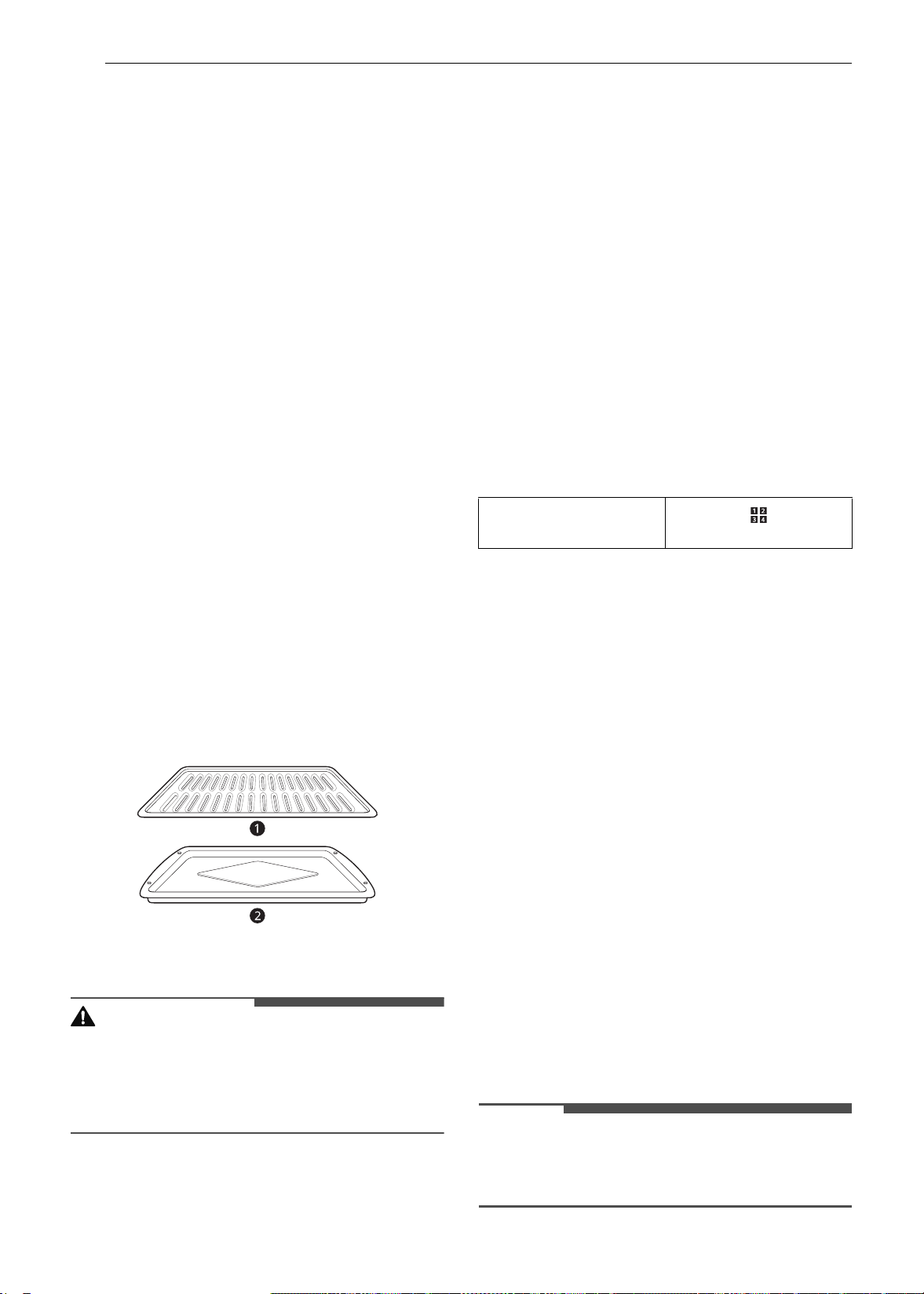
42 FUNCIONAMIENTO
• Si utiliza el horneado por convección en un solo
estante, coloque el estante del horno en la
posición C. Si cocina en varios estantes, coloque
los estantes del horno en las posiciones
B y D.
• La cocción con varios estantes puede aumentar
ligeramente los tiempos de cocción de algunos
alimentos.
• Los pasteles, las galletas y los muffins tienen
mejores resultados cuando se utilizan varios
estantes.
La función de rostizado por convección está
diseñada para ofrecer resultados de rostizado
óptimos. El rostizado por convección combina la
cocción con el ventilador de convección para
rostizar carnes y aves. El aire caliente circula
alrededor de los alimentos desde todos los
ángulos, y sella los jugos y los sabores. Los
alimentos cocinados de esta manera quedan
dorados y crocantes por fuera, y jugosos por
dentro. El rostizado por convección es ideal para
cortes de carne grandes y tiernos, sin cubrir.
Consejos para asar por convección
Use una asadera y una rejilla cuando prepare
carnes para asar por convección. La asadera
contiene la grasa derramada, y la rejilla ayuda a
prevenir las salpicaduras de grasa.
1 Coloque el estante del horno en la posición A
o B.
2 Coloque la rejilla a en la asadera b.
3 Coloque la asadera en el estante del horno.
PRECAUCIÓN
• No use una asadera sin rejilla.
• No cubra la rejilla con papel de aluminio.
• Coloque los alimentos (con la grasa hacia arriba)
en la rejilla.
Modo Bake (Hornear)
El modo Bake (Hornear) se utiliza para preparar
alimentos como pasteles, panes y estofados.
Es posible programar el horno para hornear a
cualquier temperatura entre 170 °F (80 °C) y 550 °F
(285 °C). La temperatura predeterminada es 350 °F
(175 °C).
Configuración de la función Bake
(Hornear)
1 Presione Bake (Hornear) en la pantalla del
modo de cocción.
2 Configure la temperatura del horno. Deslícese
por los números en la pantalla, o presione el
ícono del teclado numérico para ingresar los
números directamente.
3 Si lo desea, configure el tiempo de cocción y el
tiempo de inicio retrasado con el mismo
método. Presione la tecla de flecha en el lado
derecho de la pantalla para ver la
configuración del tiempo de inicio retrasado.
4 Presione Start (Iniciar). El horno comienza a
precalentar.
5 Si el tiempo de cocción está configurado,
aparece el tiempo restante en la pantalla. Si
se configuró un tiempo de inicio retrasado,
aparece el tiempo de inicio en la pantalla.
6 Una vez que el precalentamiento haya
finalizado, suena una alarma.
7 Cuando termina el tiempo de cocción
configurado suena una alarma y aparece una
notificación en la pantalla. Abra la puerta del
horno y retire los alimentos.
NOTA
• Si no se configura un tiempo de cocción, el
horno se apagará automáticamente después de
12 horas.
Icono de botón
numérico
es-us_main.book.book Page 42 Monday, April 8, 2024 1:14 PM
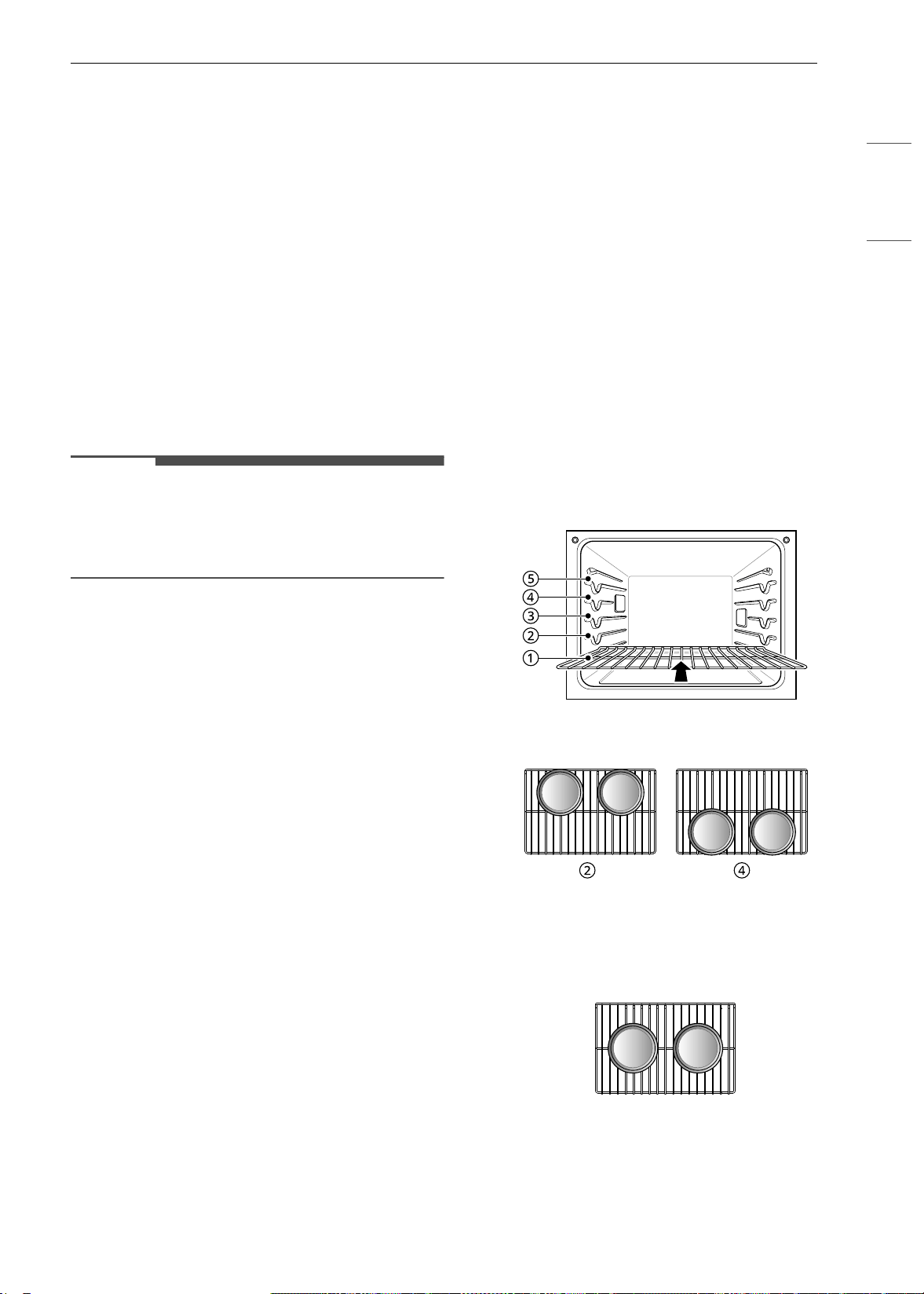
43FUNCIONAMIENTO
ESPAÑOL
Cómo cambiar la Configuración de
cocción
1 Presione Edit (Editar) en la pantalla para que
aparezca la pantalla Cook Settings
(Configuración de cocción).
2 Ajuste la configuración con el teclado
numérico o la función de deslizamiento.
3 Presione Iniciar.
Para detener la cocción
Presione Stop (Detener) en la pantalla, y
seleccione Yes (Sí).
NOTA
• Es normal que el ventilador de convección
funcione periódicamente durante un ciclo
normal de horneado. Esto sucede para asegurar
resultados uniformes de horneado.
Consejos de horneado
• Para obtener mejores resultados, los alimentos
deben colocarse en un solo estante con al
menos 1" a 1 1/2" de espacio para que pase el
aire entre los recipientes y las paredes del
horno.
• El tiempo y la temperatura de horneado variarán
según las características, el tamaño y la forma
de la bandeja para hornear que se utilice.
• Compruebe que los alimentos estén cocidos en
el tiempo mínimo de preparación.
• Utilice recipientes para horneado de metal (con
o sin acabado antiadherente), vitrocerámica
resistente al calor, cerámica u otros recipientes
para horneado recomendados para horno.
• Las bandejas de metal oscuro o los
revestimientos antiadherentes cocinarán los
alimentos más rápido y se dorarán más. Los
recipientes para hornear aislados extenderán
levemente el tiempo de cocción de la mayoría de
los alimentos.
• La base del horno tiene un acabado de esmalte
de porcelana. Para facilitar la limpieza, proteja el
fondo del horno de derrames excesivos
colocando una bandeja para hornear galletas
debajo del estante en el que está cocinando.
Esto es particularmente importante cuando se
hornea un pastel de frutas u otros alimentos con
un alto contenido de ácido. Los rellenos de
frutas calientes u otros alimentos que son muy
ácidos pueden causar picaduras y dañar la
superficie de esmalte de porcelana, y deben
limpiarse de inmediato.
Guía de recomendaciones para asar
Colocación de estantes y bandejas
Los resultados del horneado serán mejores si las
bandejas para hornear están centradas en el
horno todo lo posible. Si cocina en varios estantes,
coloque los estantes del horno en las posiciones
que se muestran.
La cocción con varios estantes ahorra tiempo y
energía. Siempre que sea posible, cocine los
alimentos que requieran la misma temperatura de
cocción juntos en un horno.
Si cocina con más de una bandeja, colóquelas de
manera que cada una tenga al menos entre 1" y 1
½" de espacio para que pase el aire alrededor.
Varios estantes
Estante estándar (posición B)
Estante estándar (posición D)
Un solo estante
es-us_main.book.book Page 43 Monday, April 8, 2024 1:14 PM
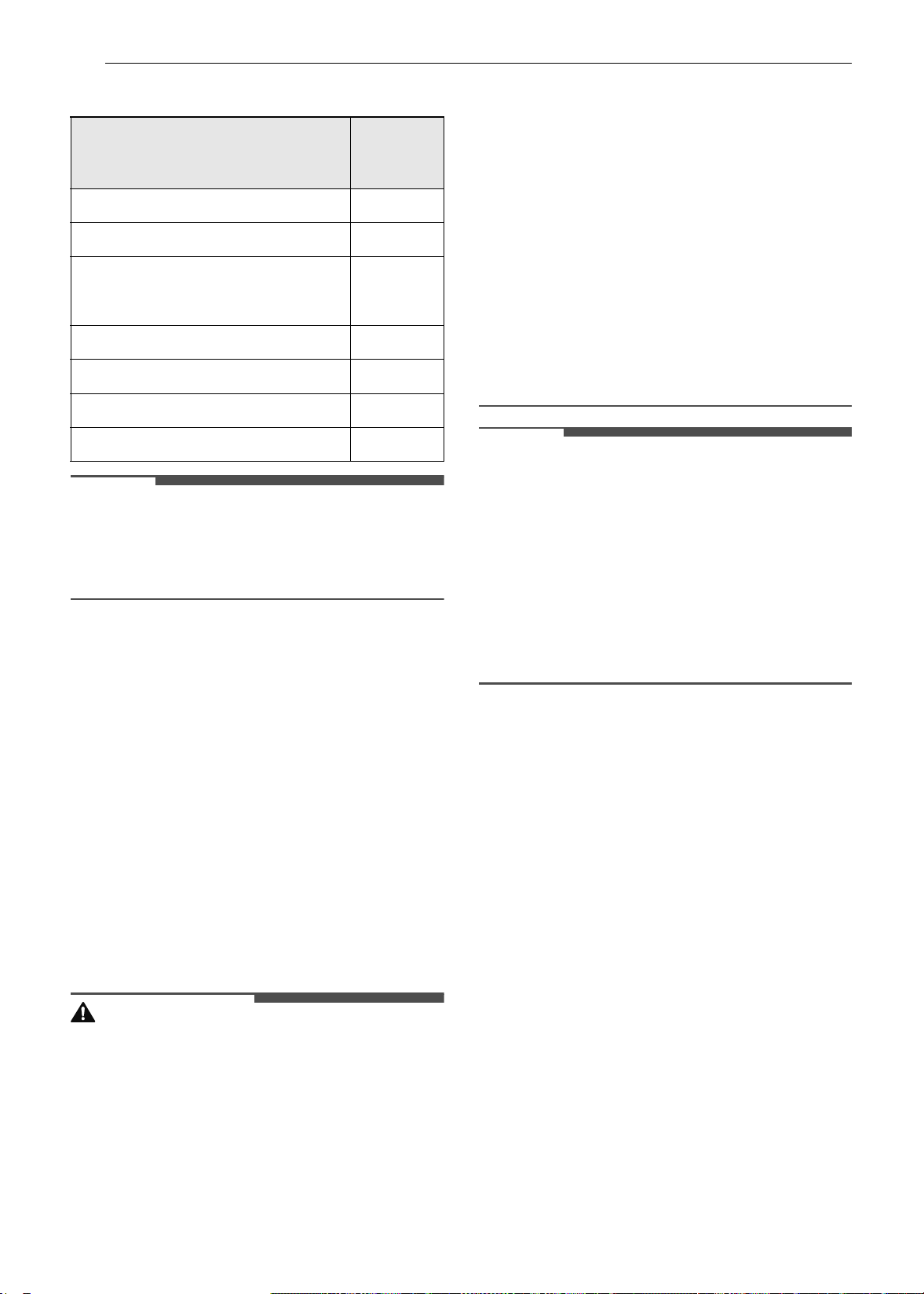
44 FUNCIONAMIENTO
Guía para horneado en estantes
NOTA
• Cuando hornea pasteles y galletas en varios
estantes, utilice el modo Convection Bake
(Hornear por convección) y coloque los estantes
en las posiciones B y D.
Modo Broil (Asar)
Configuración del horno para asar
La función de asar utiliza un calor intenso y
radiante para cocinar los alimentos. Durante el
asado completo se calientan los elementos
asadores interiores y externos. Durante el asado
central solo se calienta el elemento asador interno.
El ciclo de los elementos se enciende y apaga a
intervalos para mantener la temperatura del
horno. La sonda para carne no se puede utilizar
con este modo.
Mantenga la puerta del horno cerrada durante el
asado. Deje que el horno se precaliente durante
aproximadamente 5 minutos antes de cocinar los
alimentos.
PRECAUCIÓN
• No utilice una asadera sin rejilla. El aceite puede
provocar un incendio causado por grasa.
• No cubra la rejilla ni la asadera con papel de
aluminio. Si lo hace, se prenderá fuego.
• Siempre use una asadera con rejilla para drenar
el exceso de grasa. Esto ayuda a reducir las
salpicaduras, el humo y las llamaradas
ocasionales.
• Si se produce un incendio en el horno, mantenga
la puerta del horno cerrada y apáguelo. Si el
fuego continúa, arroje bicarbonato de sodio
sobre el fuego o utilice un extinguidor.
• NO arroje agua ni harina sobre el fuego. La
harina podría ser explosiva y el agua podría
hacer que un incendio causado por grasa se
propague y cause lesiones personales.
• Cuando use su asador, la temperatura dentro
del horno será extremadamente elevada. Tenga
cuidado para evitar posibles quemaduras de las
siguientes maneras:
- Mantenga la puerta cerrada al asar
- Siempre use guantes de cocina al insertar o
quitar alimentos
NOTA
• Este electrodoméstico está diseñado para asar
con la puerta cerrada. Cierre la puerta para
configurar la función Asar. Si la puerta está
abierta, la función Asar no se puede configurar,
y aparece la frase DOOR OPEN (Puerta abierta)
en la pantalla. Cierre la puerta y restablezca la
función Asar. Si la puerta se abre durante el
proceso de asar, el quemador se apaga luego de
cinco segundos. El quemador para asar se
vuelve a encender automáticamente una vez
cerrada la puerta.
1 Coloque la comida sobre la rejilla de la
asadera.
2 Presione Broil (Asar) en la pantalla del modo
de cocción.
3 Deslícese por las opciones para configurar la
temperatura deseada: Baja, Media o Alta. Si lo
desea, deslícese para configurar un tiempo de
cocción.
4 Si lo desea, configure el tiempo de cocción y el
tiempo de inicio retrasado con el mismo
método. Presione la tecla de flecha en el lado
derecho de la pantalla para ver la
configuración del tiempo de inicio retrasado.
5 Presione Start (Iniciar). La puerta del horno
debe estar cerrada para usar la función Asar.
Tipo de alimento
Posición
del
estante
Pastel de ángel, tartas congeladas
C
Bizcocho o pastel en savarín
B
Panecitos, muffins, brownies,
galletas, pastelitos, pasteles en capas,
tartas
C
Guisados
B
Pavo, rostizados o jamón
A
Pizza congelada
C
Pollo rostizado
B
es-us_main.book.book Page 44 Monday, April 8, 2024 1:14 PM

45FUNCIONAMIENTO
ESPAÑOL
6 Deje que el horno se precaliente durante
aproximadamente 5 minutos antes de cocinar
los alimentos.
7 Si el tiempo de cocción está configurado,
aparece el tiempo restante en la pantalla. Si
se configuró un tiempo de inicio retrasado,
aparece el tiempo de inicio en la pantalla.
8 Presione Stop (Detener) para cancelar el
procedimiento en cualquier momento o
cuando la cocción haya finalizado.
NOTA
• Si no se configura un tiempo de cocción, el
horno se apagará automáticamente después de
3 horas.
• El(los) quemador(es) se apaga(n) luego de 5
segundos cuando se abre la puerta. Se vuelven a
encender aproximadamente 1 segundo después
de que se cierra la puerta.
•Presione Stop (Detener) en la pantalla para
cancelar la función de Asar en cualquier
momento.
Cómo cambiar la configuración de
asado
1 Presione Edit (Editar) en la pantalla para que
aparezca la pantalla Cook Settings
(Configuración de cocción).
2 Ajuste la configuración.
3 Presione Iniciar.
Cómo detener el asado
Presione Stop (Detener) en la pantalla, y
seleccione Yes (Sí).
Consejos para reducir el humo
Debido al intenso calor asociado con el asado, es
normal experimentar humo durante el proceso de
cocción. Este humo es un producto secundario
natural del proceso de dorado y no debe
preocuparlo. Si hay más humo del esperado, siga
estos consejos para reducir la cantidad de humo
en su horno.
• Utilice siempre una asadera. No use sartenes o
bandejas para hornear normales por razones de
seguridad.
• La asadera debe estar siempre limpia y a
temperatura ambiente al comienzo de la
cocción.
• Siempre encienda el sistema de ventilación de la
placa de cocción o la campana de ventilación
durante el asado.
• Mantenga el interior del horno lo más limpio
posible. Los restos de comidas anteriores
pueden quemarse o incendiarse.
• Evite los adobos grasos y los glaseados
azucarados. Ambos aumentarán la cantidad de
humo presente. Si desea utilizar un glaseado,
aplíquelo al final de la cocción.
• Si experimenta demasiado humo con algún
alimento, considere lo siguiente:
- Bajar el asador a la configuración Low.
- Bajar la posición del estante para cocinar los
alimentos más lejos del asador.
- Utilice la configuración Asar High para lograr
el nivel de dorado que desee y luego cambie a
la configuración Asar Low o cambie a la
función de Horneado.
• Como regla general, los cortes de carne y
pescado más grasos producirán más humo que
los más magros.
• Siga la sección Guía de recomendaciones para
asar siempre que sea posible.
Guía de recomendaciones para asar
Guía de recomendaciones para asar
El tamaño, el peso, el espesor, la temperatura inicial y su preferencia de cocción afectarán el tiempo de
asado.
es-us_main.book.book Page 45 Monday, April 8, 2024 1:14 PM
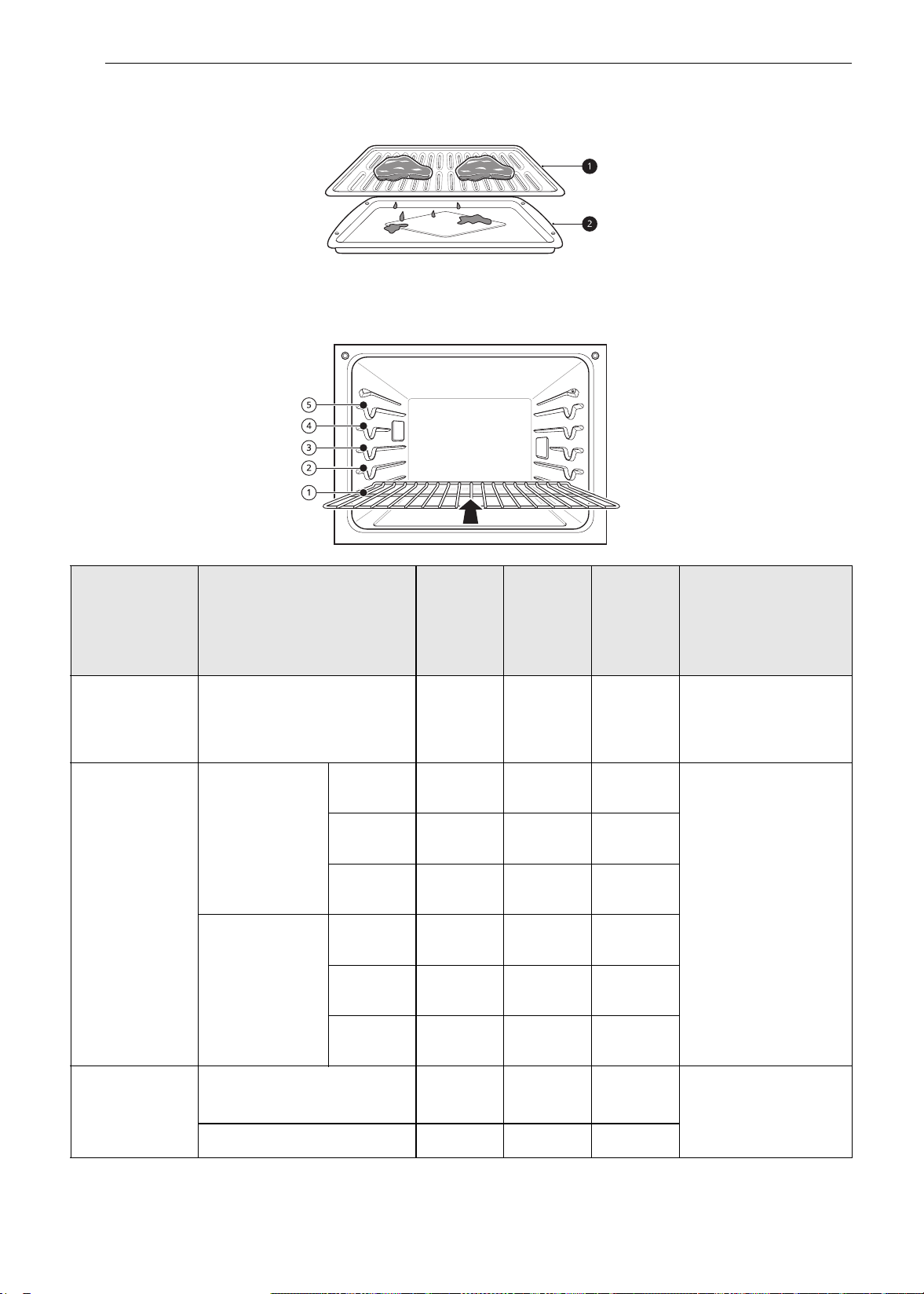
46 FUNCIONAMIENTO
Esta guía se basa en carnes a temperatura de refrigerador. Para obtener mejores resultados al asar, use
una bandeja especial para asar.
a Rejilla
b Asadera
Comida Cantidad y/o espesor
Posición
del
estante
Tiempo
en el
primer
lado
(min)
Tiempo
en el
segundo
lado
(min)
Comentarios
Carne vacuna
molida
1 lb (9 hamburguesas)
de 1/2 a 3/4" de espesor
E
4-6 3-4
Espaciar de manera
uniforme. Se pueden
asar hasta 9
hamburguesas.
Bistecs de
carne vacuna
1" de espesor
1 a 1
1
/
2
lb.
Poco
cocidos
D
62-3
Los bistecs de menos
de 1" de espesor se
cocinan totalmente
antes de dorarse.
Se recomienda usar
una sartén. Corte la
grasa.
Término
medio
D
72-3
Bien
cocidos
D
83-4
1
1
/
2
" de
espesor
De 2 a 2
1
/
2
lb
Poco
cocidos
D
10 4-6
Término
medio
D
12 6-8
Bien
cocidos
D
14 8-10
Pollo
1 entero, de 2 a 2
1
/
2
lb,
cortado a lo largo
C
20 6-8
Ase primero con el
lado de la piel hacia
abajo.
2 pechugas
C
20 6-10
es-us_main.book.book Page 46 Monday, April 8, 2024 1:14 PM
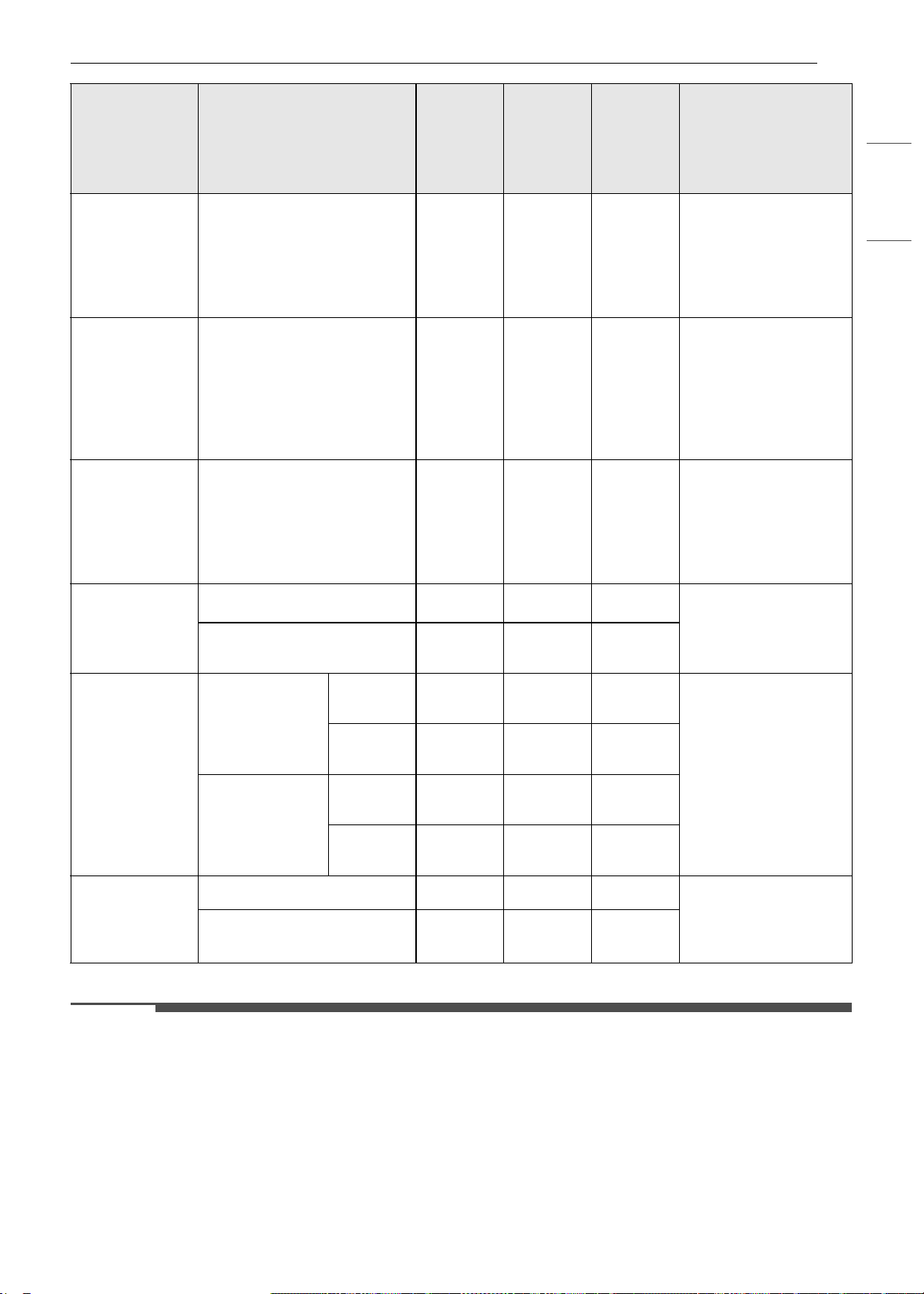
47FUNCIONAMIENTO
ESPAÑOL
• Esta guía es meramente de referencia. Ajuste el tiempo de cocción según su preferencia.
NOTA
• El Departamento de Agricultura de los Estados Unido (United States Department of Agriculture, USDA)
advierte que el consumo de pescado, carne o aves crudos o poco cocidos puede aumentar el riesgo de
enfermedades transmitidas por los alimentos.
• El USDA ha indicado que las siguientes constituyen temperaturas internas mínimas de seguridad para el
consumo:
- Carne molida de vaca: 160 °F (71,1 °C)
- Aves: 165 °F (73,9 °C)
- Carne de vaca, ternera, cerdo o cordero: 145 °F (62,8 °C)
Colas de
langostas
2-4
de 10 a 12 oz cada una
C
12-14
No las
gire.
Corte la parte trasera
del caparazón. Abra
bien. Pincele con
mantequilla derretida
antes de asar y en la
mitad de la cocción.
Filetes de
pescado
1
/
4
a
1
/
2
" de espesor
D o E
5-6 3-4
Mueva y gire con
mucho cuidado.
Pincele con
mantequilla con limón
antes de la cocción y
durante la cocción si
lo desea.
Fetas de
jamón
(precocidas)
1
/
2
" de espesor
D
53-5
Aumente el tiempo de
5 a 10 minutos por
lado para un espesor
de 1 1/2" o para
jamón ahumado
casero.
Chuletas de
cerdo
Bien cocidos
2 (
1
/
2
" de espesor)
D o E
76-8
Corte la grasa.
2 (1" de espesor) de
alrededor de 1 lb.
D o E
9-10 7-9
Chuletas de
cordero
2 (1" de
espesor) de
alrededor de 10
a 12 oz
Término
medio
D
64-6
Corte la grasa.
Bien
cocidos
D
87-9
2 (1
1
/
2
" de
espesor) de
alrededor de
1lb
Término
medio
D
11 9
Bien
cocidos
D
13 9-11
Filetes de
salmón
2 (1" de espesor)
D o E
83-4
Engrase la bandeja.
Pincele los filetes con
mantequilla
derretida.
4 (1" de espesor) de
alrededor de 1 lb
D o E
94-6
Comida Cantidad y/o espesor
Posición
del
estante
Tiempo
en el
primer
lado
(min)
Tiempo
en el
segundo
lado
(min)
Comentarios
es-us_main.book.book Page 47 Monday, April 8, 2024 1:14 PM

48 FUNCIONAMIENTO
NOTA
- Pescado/mariscos: 145 °F (62,8 °C)
Consejos para asar
Carne de res
• Los filetes y chuletas siempre deben dejarse reposar durante cinco minutos antes de cortarlos y
comerlos. Esto permite que el calor se distribuya uniformemente a través de la comida y crea un
resultado más tierno y jugoso.
• Los trozos de carne que tengan más de dos pulgadas de espesor deben sacarse del refrigerador
30 minutos antes de cocinarlos. Esto permitirá cocinar de manera más rápida y uniforme, y producirá
menos humo al asar. Los tiempos de cocción probablemente serán más cortos que los tiempos
indicados en la Tabla para asar.
• En el caso de los bistecs con hueso o las chuletas deshuesadas (que se les quitó toda la carne alrededor
del hueso), envuelva las secciones expuestas del hueso en papel de aluminio para reducir el quemado.
Mariscos
• Al asar pescado con piel, utilice siempre la configuración de Asar en Lo y ase siempre por último el lado
de la piel.
• Es mejor consumir los mariscos inmediatamente después de cocinarlos. Dejar reposar los mariscos
después de cocinarlos puede hacer que los alimentos se sequen.
• Es una buena idea frotar una capa fina de aceite en la superficie de la asadera antes de cocinar para
evitar que se pegue, especialmente con pescados y mariscos. También puede usar una capa ligera de
aerosol antiadherente para sartenes.
Vegetales
Mezcle las verduras ligeramente en aceite antes de cocinarlas para mejorar el dorado.
Modo Warm (Calentar)
Esta función mantiene la temperatura del horno a
200 °F (93,3 °C) o menos. Mantiene los alimentos
cocidos a la temperatura justa para servir hasta 3
horas después de finalizado el ciclo de cocción.
Configuración del modo Warm
(Calentar)
1 Presione Warm (Calentar) en la pantalla del
modo de cocción.
2 Deslícese por las opciones para configurar la
temperatura deseada: Baja, Media o Alta. Si lo
desea, deslícese para configurar un tiempo de
ejecución.
• Alta: 200 °F (93,3 °C)
• Término medio: 170 °F (76.7 °C)
• Baja: 140 °F (60 °C)
3 Si lo desea, configure el tiempo de
calentamiento y el tiempo de inicio retrasado
con el mismo método. Presione la tecla de
flecha en el lado derecho de la pantalla para
ver la configuración del tiempo de inicio
retrasado.
4 Presione Start (Iniciar). Si se ha configurado
un tiempo de ejecución, aparece el tiempo
restante en la pantalla.
Cómo cambiar la configuración de la
función Warm (Calentar)
1 Presione Edit (Editar) en la pantalla para que
aparezca la pantalla Cook Settings
(Configuración de cocción).
2 Ajuste la configuración como lo desee.
es-us_main.book.book Page 48 Monday, April 8, 2024 1:14 PM
49FUNCIONAMIENTO
ESPAÑOL
3 Presione Iniciar.
Cancelación de la función Warm
(Calentar)
Presione Stop (Detener) en la pantalla, y
seleccione Yes (Sí).
NOTA
• La función Calentar está diseñada para
mantener calientes los alimentos. No la use para
bajar la temperatura de los alimentos.
• Si no se configura un tiempo de cocción, el
horno se apagará automáticamente después de
3 horas.
Modo Proof (Leudar)
Esta función mantiene el horno caliente para
leudar los productos con levadura antes de
hornear.
Configuración del modo Leudar
1 Presione Proof (Leudar) en la pantalla del
modo de cocción.
2 Lea las instrucciones y presione la tecla de
flecha del lado derecho de la pantalla.
3 Deslícese por los números para configurar un
tiempo de leudado o presione el ícono de
botón numérico para ingresar los números
directamente.
4 Si lo desea, configure el tiempo de cocción y el
tiempo de inicio retrasado con el mismo
método.
5 Presione Start (Inicio). El tiempo de leudado
restante aparece en la pantalla.
NOTA
• Si no se configura un tiempo de leudado, el
horno se apagará automáticamente después de
12 horas.
Cancelación de la función (Proof)
Leudar
Presione Stop (Detener) en la pantalla, y
seleccione Yes (Sí).
NOTA
• Para evitar que baje la temperatura del horno y
que se prolongue el tiempo de leudado, no abra
la puerta del horno si no es necesario. Revise los
alimentos panificados con tiempo para evitar un
leudado excesivo.
• No use el modo de leudado para calentar
comida ni para mantener calientes los
alimentos. La temperatura del horno para el
leudado no es lo suficientemente alta para
mantener alimentos a temperaturas seguras.
Use la función Warm (Calentar) para mantener
calientes los alimentos. La función de leudado
no funciona si la temperatura es superior a 125
°F. La pantalla mostrará el mensaje OVEN IS
HOT (Horno caliente).
• Es normal que el ventilador funcione durante la
función Leudar.
• La función de leudado proporciona
automáticamente la temperatura óptima para el
proceso de leudado y, por lo tanto, no tiene una
función de ajuste de temperatura.
• Para obtener mejores resultados, cubra la masa
con un paño o un film plástico (es posible que el
plástico deba quedar sujetado debajo del
recipiente para que el ventilador del horno no lo
sople).
Freír con aire
Esta función aumenta automáticamente la
temperatura ingresada a 45 °F para un
rendimiento óptimo cuando se usa Freír con aire.
Es posible programar los modos de Air Fry (Freír
con aire) para cocinar a cualquier temperatura
entre 300 ºF (150 ºC) y 500 ºF (260 ºC). La
temperatura predeterminada es 400 ºF (205 ºC).
La función Freír con aire está especialmente
diseñada para freír sin aceite.
Configuración del modo Air fry (Freír
con aire)
1 Presione Air Fry (Freír con aire) en la pantalla
del modo de cocción.
Icono de botón
numérico
es-us_main.book.book Page 49 Monday, April 8, 2024 1:14 PM
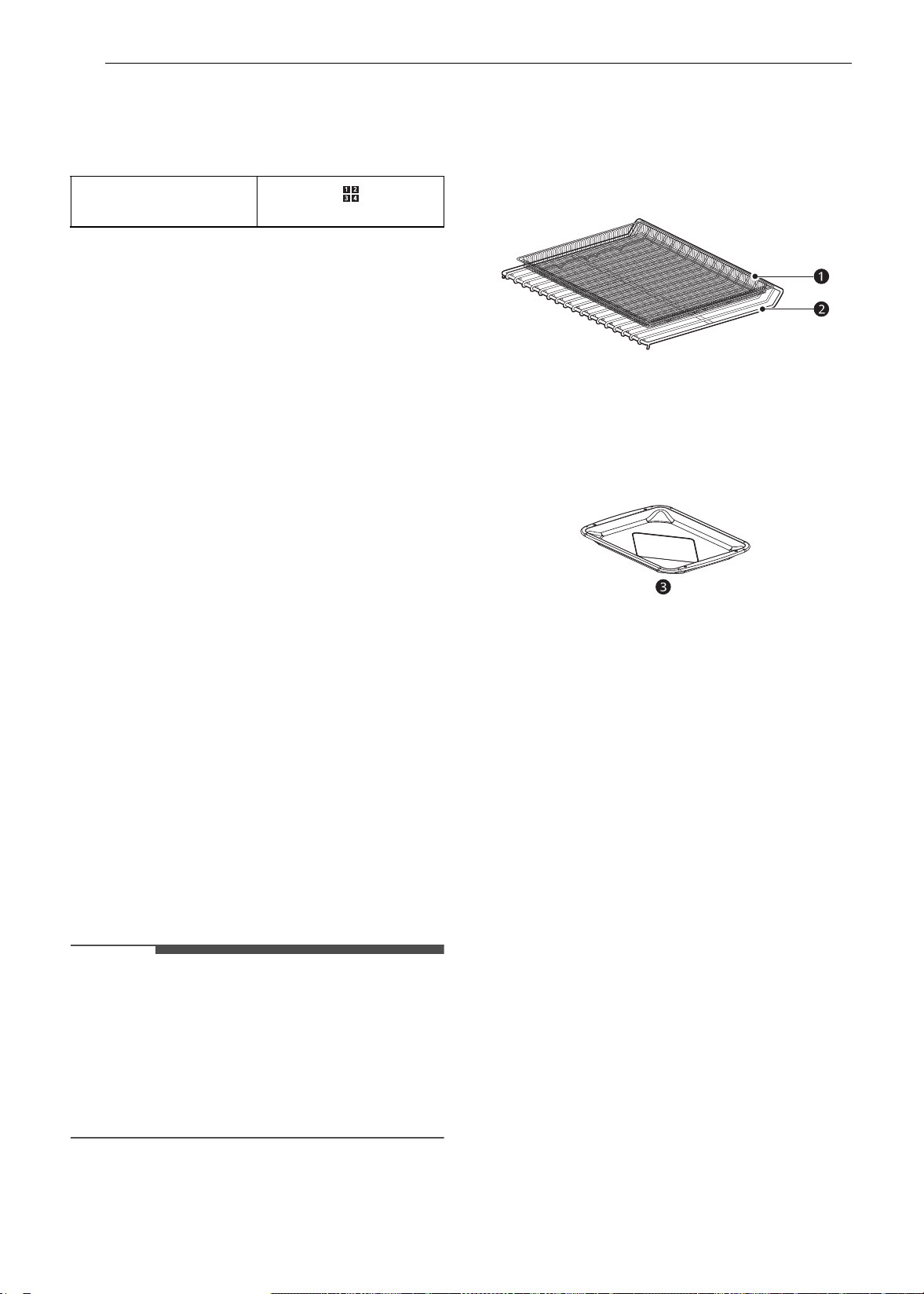
50 FUNCIONAMIENTO
2 Configure la temperatura del horno. Deslícese
por los números en la pantalla, o presione el
ícono del teclado numérico para ingresar los
números directamente.
3 Si lo desea, configure el tiempo de cocción y el
tiempo de inicio retrasado con el mismo
método. Presione la tecla de flecha en el lado
derecho de la pantalla para ver la
configuración del tiempo de inicio retrasado.
4 Presione Iniciar.
5 Si el tiempo de cocción está configurado,
aparece el tiempo restante en la pantalla. Si
se configuró un tiempo de inicio retrasado,
aparece el tiempo de inicio en la pantalla.
Cómo cambiar la Configuración de
cocción
1 Presione Edit (Editar) en la pantalla para que
aparezca la pantalla Cook Settings
(Configuración de cocción).
2 Ajuste la configuración con el teclado
numérico o la función de deslizamiento.
3 Presione Iniciar.
Para detener la cocción
Presione Stop (Detener) en la pantalla, y
seleccione Yes (Sí).
NOTA
• Cuando se usa el modo Freír con aire, no se
requiere precalentamiento.
• Si cocina varias tandas de comidas, las últimas
tandas pueden tardar menos en cocinarse.
• Los batidos y recubrimientos húmedos no se
doran ni se endurecen cuando se usa el modo
Freír con aire.
Consejos para Air Fry (Freír con aire)
• Para obtener mejores resultados, utilice el
estante para Air Fry.
- La sección de la malla de la bandeja para freír
con aire se puede limpiar en lavavajillas.
a Bandeja para freír con aire
b Estante estándar
• Si no tiene la bandeja para freír con aire, coloque
los alimentos sobre un estante dentro de una
asadera forrada con papel de aluminio.
c Asadera
• Para obtener mejores resultados, cocine los
alimentos en un solo estante colocado en las
posiciones sugeridas en la tabla en este manual.
• Distribuya los alimentos de manera uniforme en
una sola capa.
• Use la bandeja para freír con aire opcional
disponible de LG o una bandeja para hornear
oscura sin lados o con lados bajos que no cubra
todo el estante. Esto permite una mejor
circulación del aire.
• Si lo desea, rocíe con aerosol para sartenes la
bandeja para hornear o la bandeja para freír con
aire. Use un aceite que se pueda calentar a una
temperatura elevada antes de provocar humo;
como por ejemplo, aceite de aguacate, semillas
de uva, maní o girasol.
• Coloque una bandeja para hornear forrada con
papel de aluminio en un estante en la posición 1
para atrapar el aceite que caiga de los alimentos.
Para alimentos con alto contenido de grasa,
como las alitas de pollo, agregue algunas hojas
de papel de horno para absorber la grasa.
• Controle los alimentos con frecuencia y agítelos
o gírelos para obtener resultados más
crujientes.
• Con el modo Freír con aire, los alimentos
congelados preparados pueden cocinarse más
rápido de lo que se indica en el paquete.
Icono de botón
numérico
es-us_main.book.book Page 50 Monday, April 8, 2024 1:14 PM
51FUNCIONAMIENTO
ESPAÑOL
Reduzca el tiempo de cocción en
aproximadamente un 20 %, verifique los
alimentos con anticipación y ajuste el tiempo de
cocción según sea necesario.
• Use un termómetro para alimentos si desea
asegurarse de que hayan alcanzado una
temperatura adecuada para el consumo. Comer
carnes mal cocidas puede aumentar el riesgo de
enfermedades transmitidas por los alimentos.
• Para obtener resultados más crujientes, reboce
las alitas de pollo frescas o los filetes en harina
sazonada. Use 1/3 taza de harina cada 2 libras de
pollo.
Recomendaciones para freír alimentos
con alto contenido de grasa
Los alimentos con alto contenido de grasa se
ahumarán cuando se use el modo Freír con aire.
Para obtener mejores resultados, siga estas
recomendaciones al freír alimentos con alto
contenido de grasa, como alitas de pollo, tocino,
salchichas, salchichas, muslos de pavo, chuletas de
cordero, costillas, lomo de cerdo, pechugas de
pato o algunas proteínas de origen vegetal.
PRECAUCIÓN
• Nunca cubra ranuras, orificios o pasajes en la
base del horno ni cubra todos los estantes con
materiales como papel de aluminio. Si lo hace,
bloqueará el flujo de aire a través del horno y
puede provocar una intoxicación por monóxido
de carbono. El papel de aluminio también puede
atrapar el calor y provocar riesgo de incendio o
un rendimiento deficiente del horno.
• Encienda la campana extractora en una
configuración de ventilador alta antes de iniciar
el modo Freír con aire, y déjela encendida
durante 15 minutos después de que haya
terminado.
• En lo posible, abra una ventana o una puerta
para asegurarse de que la cocina esté bien
ventilada.
• Limpie los filtros de grasa de la campana
extractora con regularidad.
• Mantenga el horno libre de grasa acumulada.
Limpie el interior del horno antes y después de
freír con aire (una vez que el horno se haya
enfriado).
• Ejecute ciclos de limpieza del horno (Easy Clean
o SelfClean) con regularidad, según la frecuencia
y el tipo de alimentos que cocina con Freír con
aire.
• Evite abrir la puerta del horno más de lo
necesario para ayudar a mantener la
temperatura del horno, evitar la pérdida de calor
y ahorrar energía.
• Freír con aire piezas de pollo frescas, como alitas
o muslos, sin piel, puede producir humo ya que
la grasa se derrite a altas temperaturas. Si el
humo es excesivo, use el modo de asado por
convección en lugar del modo Freír con aire.
Guía para freír con aire recomendada
• Disponga los alimentos de manera uniforme en una sola capa.
• Coloque una bandeja para hornear forrada con papel de aluminio en un estante en la posición
B para
que caigan las gotas. Si fuera necesario, agregue papel de horno para absorber el aceite y reducir el
humo.
• Dé vuelta los alimentos durante la cocción para evitar que se quemen.
† Los alimentos con mucha grasa pueden producir más humo si se los cocina con la función Air Fry (Freír
con aire). Para reducir el humo, cocine con el modo de Rostizado por convección.
Puntos recomendados
Cantidad
(onzas)
Temp. (°F)
Posición del
estante
Hora Guía
PAPAS congeladas
Papas fritas congeladas
(Shoestring)
20 425
C
15-25
Papas fritas congeladas
(Corte ondulado,
10 x 10 mm)
35 400
C
18-28
es-us_main.book.book Page 51 Monday, April 8, 2024 1:14 PM
52 FUNCIONAMIENTO
Batatas fritas congeladas 25 400
C
15-25
Tater Tots congeladas 50 425
C
18-28
Hash Browns congeladas 40 425
C
18-28
PAPAS frescas/caseras
Papas fritas caseras
(10 x 10 mm)
25 425
C
20-30 Corte las papas y
sumérjalas durante 30
minutos en agua caliente
del grifo. Escurra y seque.
Pinte o rocíe ligeramente
con 3 cucharadas de aceite.
Agregue sal y pimienta a
gusto.
Gajos de papas caseras 60 425
C
30-40
POLLO congelado
Nuggets crocantes de
pollo congeladas
30 400
C
15-25
Tiras de pollo congeladas 35 400
C
25-35
Alitas de pollo
congeladas
50 400
C
25-35
POLLO fresco con piel
Alitas de pollo frescas
†
40 450
C
25-35 Pinte o rocíe ligeramente
con 1 cucharadas de aceite.
Agregue sal y pimienta a
gusto.
Patitas de pollo frescas
†
70 450
C
30-40
Muslos 40 450
C
25-35
Pechugas 40 450
C
25-35
OTRAS
Aros de cebolla
empanados congelados
20 400
C
15-25
Rollos primavera
congelados (0,7 onzas c/
u)
45 400
C
15-25
Salchichas (2,5 onzas c/u,
0,8" de diámetro)
90 400
C
15-25
Camarones con coco
congelados
25 400
C
15-25 Pinte o rocíe con aceite la
superficie del alimento.
Ostiones frescos en su
media concha (35,3
onzas)
35 400
C
15-25 Derrita 4 cucharadas de
manteca y pinte los
ostiones. Mezcle 1/2 taza
de pan rallado, 1 cucharada
de ajo picado, 1/4 de tasa
de queso parmesano
rallado y condimente a
gusto. Esparza la mezcla
sobre los ostiones.
Puntos recomendados
Cantidad
(onzas)
Temp. (°F)
Posición del
estante
Hora Guía
es-us_main.book.book Page 52 Monday, April 8, 2024 1:14 PM
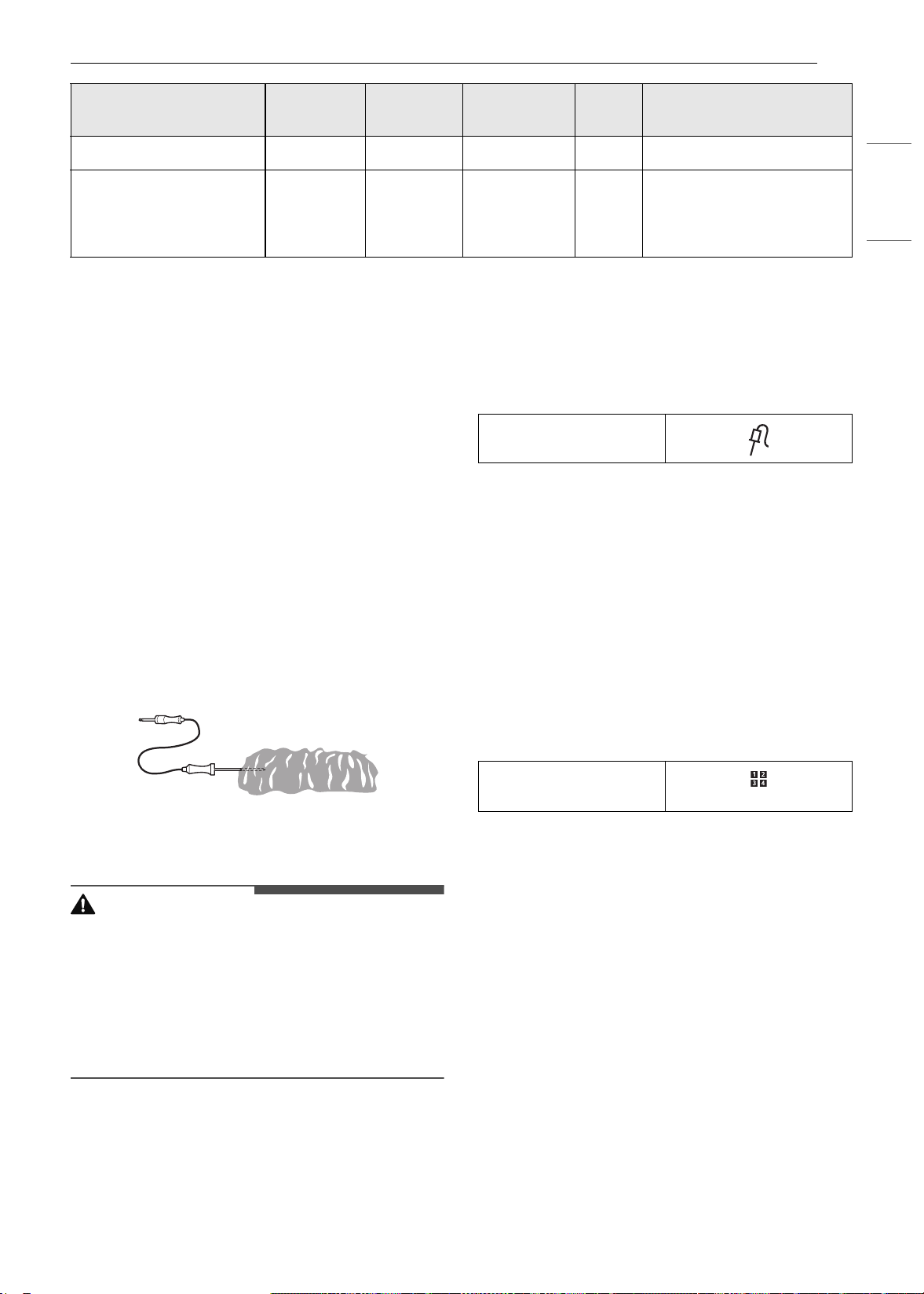
53FUNCIONAMIENTO
ESPAÑOL
Modo Probe (Sonda)
La sonda mide con precisión la temperatura
interna de la carne, las aves y los estofados.
Desenchufe y extraiga siempre la sonda del horno
antes de retirar la comida. Antes de usar, inserte la
sonda en el centro de la parte más gruesa de la
carne, en el muslo interno o en la pechuga de las
aves, alejada de la grasa o los huesos. Coloque la
comida en el horno y enchufe la sonda para carne
al conector hembra. Mantenga la sonda lo más
alejada de las fuentes de calor que sea posible.
• La sonda no se puede utilizar en los modos Broil
(Asar), Sous Vide (Cocción al vacío), Steam
Maintenance (Mantenimiento de vapor), Rapid
Heat Roast + (Rostizado al calor rápido +) Self
Clean (Autolimpieza), Speed Cleaning (Limpieza
rápida), Warm (Calentar) o Proof (Leudar).
• Para cortes de carne delgados, inserte la sonda
en el lado más grueso de la carne.
Cómo utilizar la función Meat Probe
(Sonda para carne)
PRECAUCIÓN
• Utilice siempre un guante para horno al retirar la
sonda de temperatura. NO presione el elemento
asador. Si no respeta esta advertencia, se
pueden producir lesiones personales graves.
• Para evitar daños en la sonda para carne, no use
pinzas para tirar de la sonda al retirarla.
• No guarde la sonda para carne dentro del horno.
1 Inserte la sonda en el alimento.
2 Conecte la sonda al conector hembra del
horno. Aparecerá en la pantalla la leyenda
“Probe is connected” (La sonda está
conectada) y aparece el ícono de la sonda en
la parte superior de la pantalla.
3 Presione un modo de cocción adecuado.
4 Configure la temperatura del horno y de la
sonda. Deslícese por los números en la
pantalla o presione el ícono del teclado
numérico para ingresar los números
directamente.
• La temperatura predefinida para la sonda
es de 150 °F (65 °C), pero puede modificarse
a cualquier temperatura entre 80 °F (27 °C)
y 210 °F (100 °C).
5 Si lo desea, configure el tiempo de inicio
retrasado con el mismo método. Presione la
tecla de flecha en el lado derecho de la
pantalla para ver la configuración adicional.
6 Presione Start (Iniciar). Si se ha configurado
un tiempo de inicio retrasado, aparece el
tiempo de inicio en la pantalla.
7 Cuando se alcanza la temperatura
configurada para la sonda, el horno se apaga
de forma automática.
Camarones frescos 50 400
C
15-25
Vegetales mixtos 35 425
C
13-23 Pinte o rocíe ligeramente
con 4 cucharadas de aceite
de oliva. Agregue sal y
pimienta a gusto.
Puntos recomendados
Cantidad
(onzas)
Temp. (°F)
Posición del
estante
Hora Guía
Ícono de sonda
Icono de botón
numérico
es-us_main.book.book Page 53 Monday, April 8, 2024 1:14 PM
54 FUNCIONAMIENTO
NOTA
• Calcular el tiempo de cocción total por peso ya
no es necesario cuando se utiliza esta función.
Consulte el Cuadro de temperatura de sonda
recomendada para configurar la temperatura de
la sonda.
Cambio de la temperatura de la sonda
durante la cocción
1 Presione Edit (Editar) en la pantalla para que
aparezca la pantalla Cook Settings
(Configuración de cocción).
2 Ajuste la configuración como lo desee.
3 Presione Iniciar.
Para detener la cocción
Presione Stop (Detener) en la pantalla, y
seleccione Yes (Sí).
NOTA
•Presione Stop (Detener) en la pantalla en
cualquier momento para cancelar una operación
de cocción.
• Para evitar que se dañe la sonda, asegúrese de
que la comida esté totalmente descongelada
antes de insertarla.
• Mientras el modo de sonda está en
funcionamiento, la función SpeedClean
(Limpieza rápida) no responde.
Guía para sonda recomendada
Cuadro de ubicaciones recomendadas de la sonda
Categoría Ejemplos de alimento Ubicación de la sonda
Carne picada y mezclas de carnes
Pastel de carne americano
Insértela en la parte más gruesa
Albóndigas
Ternera, cordero, carne vacuna
fresca
Bistecs, asados, chuletas
Insértela en la parte más gruesa,
lejos de huesos, grasa y cartílagos.
Aves
Pollo o pavo enteros
Insértela en la parte más gruesa
de la pierna, evitando el hueso
Asados o pechugas de aves
Pato, ganso, faisán
Relleno (solo o en el ave)
Insértela en la parte más gruesa
del plato
Cerdo y jamón
Cerdo jugoso
Insértela en la parte más gruesa,
lejos de huesos, grasa y cartílagos.
Jamón jugoso (crudo)
Jamón precocido (recalentar y
servir)
Restos de comida y estofados
Restos de comida
Insértela en la parte más gruesa
del plato
Guisados
Mariscos
Pescado entero
Insértela en la parte más gruesa
del pescado.
Filete de pescado (corte lateral)
Rodajas o porciones
es-us_main.book.book Page 54 Monday, April 8, 2024 1:14 PM
55FUNCIONAMIENTO
ESPAÑOL
Cuadro de temperatura de sonda recomendada
Modo Favorite (Favorito)
Para los menús de cocción utilizados con
frecuencia, puede combinar hasta tres
temperaturas y modos de cocción diferentes en
una tecla de acceso rápido.
Cómo crear un favorito
• Cuando combina dos o más modos de cocción,
debe configurar un tiempo de cocción o la
temperatura de sonda antes de seleccionar un
modo de cocción adicional.
• La función de sonda no se puede utilizar con los
modos Broil (Asar), Sous Vide (Cocción al vacío),
Steam Maintenance (Mantenimiento de vapor),
Warm (Calentar) o Proof (Leudar).
1 Presione Favorite (Favorito) en la pantalla
Cooking Modes (Modos de cocción).
2 Presione Create (Crear) para crear una nueva
tecla de acceso rápido.
3 Seleccione un modo de cocción enumerado
en la pantalla y configure la temperatura de
cocción deseada.
4 Presione Set Cook Time (Configurar tiempo
de cocción) o Set Probe (Configurar sonda).
5 Si no hay fases de cocción adicionales,
presione Done (Listo). Para agregar otra fase
de cocción, configure un tiempo de cocción o
temperatura de sonda para la fase anterior.
Luego, presione Add Cook Stage (Añadir fase
de cocción).
Categoría Ejemplos de alimento
Temperatura
interna objetivo
Cocción deseada
Carne picada y
mezclas de carnes
Pastel de carne americano 160 °F (71 °C)
Albóndigas 165 °F (74 °C)
Ternera, cordero,
carne vacuna
fresca
Asados 145 °F (63 °C)
Poco cocida: 120 °F (49 °C).
Medio cocido: 125 °F (52 °C)
Término medio: 130 °F (54 °C)
Término medio, bien cocido:
135 °F (57 °C)
Bien cocido: 140 °F (60 °C)
Aves
Pollo o pavo enteros
165 °F (74 °C)
Asados o pechugas de aves
Pato, ganso, faisán
Relleno (solo o en el ave)
Cerdo y jamón
Cerdo jugoso
145 °F (63 °C)
Bien cocido: 170 °F (77 °C)
Jamón jugoso (crudo) Bien cocido: 160 °F (71 °C)
Jamón precocido (recalentar y
servir)
140 °F (60 °C)
Restos de comida
y estofados
Restos de comida
165 °F (74 °C)
Guisados
Mariscos Pescado entero
145 °F (62.8 °C)Filete de pescado (corte lateral)
Rodajas o porciones
es-us_main.book.book Page 55 Monday, April 8, 2024 1:14 PM

56 FUNCIONAMIENTO
6 Repita los pasos 3 a 5 hasta que se hayan
ingresado todas las fases de cocción
deseadas. Luego presione Done (Listo).
7 Ingrese un nombre para su receta con teclado
y presione Save (Guardar).
8 El nombre de la receta se agrega al menú
Favorite (Favorito).
NOTA
• Si la sonda se insertó en el conector del horno
para agregar una temperatura de sonda,
recuerde retirarla.
• Después de haber usado el modo de vapor
durante 8 horas, la próxima vez que se
selecciona el modo de vapor aparece en la
pantalla un recordatorio para eliminar el sarro
del producto. No podrá volver a usar el modo de
vapor hasta que no se ejecute la función de
eliminación del sarro. Para evitar este retraso,
ejecute la función de eliminación del sarro cada
2-3 usos del modo de vapor.
• Si aparece el recordatorio de eliminación de
sarro, pulse OK para ejecutar la función
Descaling (Eliminar sarro).
• El leudado no funciona cuando el horno está por
encima de los 125 °F (52 °C).
• Si utiliza la función Proof (Leudar) después de
cocinar, espere a que el horno se enfríe primero.
• El modo Proof (Leudar) solo se puede configurar
como una etapa única, no como parte de una
cocción de múltiples etapas.
Cómo editar un favorito
• La función Edit (Editar) no puede agregar o
eliminar fases de cocción a una receta. Solo se
puede modificar la temperatura del horno, la
temperatura de la sonda y el tiempo de cocción.
1 Presione Favorite (Favorito) en la pantalla
Cooking Modes (Modos de cocción).
2 Seleccione la receta a editar y luego presione
el ícono del lápiz en la parte inferior izquierda
de la pantalla.
3 Edite las configuraciones para la primera fase
de cocción y presione Done (Listo) para
proceder a la siguiente fase, si es que existe.
4 Edite la siguiente fase de cocción, presione
Done (Listo) y continúe con todas las fases de
cocción de la misma manera.
5 Una vez que se haya editado la última fase de
cocción, ingrese un nuevo nombre para la
receta o mantenga el nombre anterior. Luego
presione Save (Guardar).
Cómo borrar mi Favorito
1 Presione Favorite (Favorito) en la pantalla
Cooking Modes (Modos de cocción).
2 Seleccione la receta y presione el ícono del
bote de basura en la parte inferior izquierda
de la pantalla.
3 Presione Sí.
Modo Auto Cook (Cocción
automática)
La función Auto Cook (Cocción automática) ofrece
orientación para cocinar alimentos o platos que
pueden ser inusuales. Contiene programas
preconfigurados para cocinar diversos alimentos
populares con recomendaciones sobre
precalentamiento, accesorios y posición de los
estantes para lograr resultados óptimos.
NOTA
• Esta función contiene un temporizador
preprogramado y niveles de potencia solo para
recetas con Sonda. Para las recetas sin sonda, el
horno debe apagarse de forma manual cuando
se termine de cocinar.
Configuración del modo Auto Cook
(Cocción automática)
1 Pulse Auto Cook (Cocción automática) en la
pantalla Cooking Modes (Modos de cocción).
2 Pulse una categoría para filtrar las opciones.
3 Deslícese o presione las letras para encontrar
y seleccionar un elemento.
es-us_main.book.book Page 56 Monday, April 8, 2024 1:14 PM

57FUNCIONAMIENTO
ESPAÑOL
4 Siga las recomendaciones en la pantalla en
relación con los accesorios y la posición del
estante.
5 Pulse Start (Iniciar).
es-us_main.book.book Page 57 Monday, April 8, 2024 1:14 PM
58 FUNCIONAMIENTO
Guía de Auto Cook (Cocción automática)
• Primero precaliente el horno para la mayoría de los elementos.
• Precaliente durante 5 minutos durante el asado.
• Si utiliza una sonda, inserte después de precalentar.
NOTA
• Si cocina cortes de carne finos, inserte la sonda en la parte más gruesa de la carne. Si la sonda no se
inserta de manera correcta, el horno podría apagarse antes de lo debido. Consulte la sección Probe
(Sonda) para ver instrucciones.
Carne de res
Menú
Accesorios/Utensilios
de cocina
Posición del
estante
Tiempo de
cocción en
minutos.
Lomo de carne de
res
Poco cocidos
Rostizar en la asadera
B
30~60
Medio cocido
B
35~65
Término medio
B
40~70
Término medio,
bien cocido
B
45~75
Bien cocidos
B
50~80
Asar a la cacerola
Cacerola para horno
con tapa
B
50~80
es-us_main.book.book Page 58 Monday, April 8, 2024 1:14 PM
59FUNCIONAMIENTO
ESPAÑOL
Carne asada
Poco cocidos
Rostizar en la asadera
B
40~70
Medio cocido
B
45~75
Término medio
B
50~80
Término medio,
bien cocido
B
55~85
Bien cocidos
B
60~90
Asado londinense
Poco cocidos
E
3~10 + 3~10
Medio cocido
E
5~15 + 3~10
Término medio
E
5~15 + 5~10
Término medio,
bien cocido
E
8~15 + 5~10
Bien cocidos
E
10~15 + 8~15
Filete
Poco cocidos
E
3~10 + 3~10
Medio cocido
E
5~15 + 3~10
Término medio
E
5~15 + 5~10
Término medio
E
8~15 + 5~10
Bien cocidos
E
10~15 + 8~15
Adobo para carne de res
C
20~50
Pan de carne Molde para pan
B
40~60
Cerdo
Menú
Accesorios/
Utensilios de
cocina
Posición del
estante
Tiempo de
cocción en
minutos.
Paleta de cerdo Cacerola
B
60~90
Chuletas de cerdo
Rostizar en la
asadera
D
30~50
Lomo de cerdo
B
50~80
Solomillo de cerdo
B
20~40
Carne de res
Menú
Accesorios/Utensilios
de cocina
Posición del
estante
Tiempo de
cocción en
minutos.
es-us_main.book.book Page 59 Monday, April 8, 2024 1:14 PM
60 FUNCIONAMIENTO
Cordero
Menú
Accesorios/
Utensilios de
cocina
Posición del
estante
Tiempo de
cocción en
minutos.
Estante
Rostizar en la
asadera
B
10~30
Pata de cordero con hueso
D
20~40
Ternera
Menú
Accesorios/
Utensilios de
cocina
Posición del
estante
Tiempo de
cocción en
minutos.
Solomillo de ternera
Rostizar en la
asadera
B
80~100
Chuletas de ternera
E
4~15 + 3~10
Arrollado de ternera para rostizar
B
50~70
Costillas de ternera para rostizar
B
50~80
Filete de ternera
B
50~80
Pescado
Menú
Accesorios/Utensilios
de cocina
Posición del
estante
Tiempo de
cocción en
minutos.
Filetes de pescado
Fuente para el horno
D
10~15
Entero
D
15~30
Camarones
Rostizar en la asadera
E
5~15
Colas de langostas
D
20~30
Filete de salmón
Poco cocidos
Fuente para el horno
D
15~20
Medio cocido
D
20~25
Bien cocidos
D
15~30
es-us_main.book.book Page 60 Monday, April 8, 2024 1:14 PM
61FUNCIONAMIENTO
ESPAÑOL
Aves
Menú
Accesorios/Utensilios
de cocina
Posición del
estante
Tiempo de
cocción en
minutos.
Pechuga
Patas y muslos
Fuente para el horno
D
20~40
Alitas (Frescas)
Rostizar en la asadera
E
8~20
Alitas (Congeladas)
D
20~40
Pechugas Fuente para el horno
D
20~40
Filetes Cacerola
D
20~30
Entero
Rostizar en la asadera
B
60~80
Pavo entero
B
150~240
Cazuela
Menú
Accesorios/
Utensilios de
cocina
Posición del
estante
Tiempo de
cocción en
minutos.
Lasaña fresca
Fuente para el
horno
C
50~70
Pizza
Menú
Accesorios/
Utensilios de
cocina
Posición del
estante
Tiempo de
cocción en
minutos.
Masa de pizza fina congelada
Directamente sobre
el estante
C
10~20
Sobre asadera para
pizza
C
10~20
Sobre piedra para
pizza
C
10~20
Masa de pizza leudada congelada
Directamente sobre
el estante
C
10~20
Sobre asadera para
pizza
C
10~20
Sobre piedra para
pizza
C
10~20
Desde cero/Casera
Directamente sobre
el estante
C
10~20
Sobre asadera para
pizza
C
10~20
Sobre piedra para
pizza
C
10~20
es-us_main.book.book Page 61 Monday, April 8, 2024 1:14 PM
62 FUNCIONAMIENTO
Postres
Menú
Accesorios/Utensilios
de cocina
Posición del
estante
Tiempo de
cocción en
minutos.
Con chocolate y nueces Fuente para el horno
C
30~40
Tarta de queso Molde para pasteles
C
60~70
Pastel de frutas
Toda la tarta
Molde de tarta
C
25~45
Horneado parcial
de la corteza
inferior solamente
C
20~40
Tarta de frutas Molde para tarta
C
20~40
Pasteles
Pastel en capas
Molde para pasteles
C
25~45
Pastel de ángel
C
30~40
Muffins/Pastelitos Molde para muffins
C
20~30
Hojaldre
Bandejas para hornear
C
20~40
Galletas
Bandeja individual
C
15~20
Bandeja múltiple
B+D
20~28
Panecitos/Bollos
C
10~20
Soufflé Fuente de soufflé
B
60~80
Varios
Menú
Accesorios/
Utensilios de
cocina
Posición del
estante
Tiempo de
cocción en
minutos.
Proof (Leudar)
Bol para horno con
tapa
C
30~40
Secado/Deshidratación (frutas o
vegetales)
Bandejas para
hornear
C
120~480
Rostizado lento
Rostizar en la
asadera
B
120~240
Pan (vapor)
Menú
Accesorios/Utensilios
de cocina
Posición del
estante
Tiempo de
cocción en
minutos.
Pan blanco
Casero
Molde para pan
C
20~50
Congelado
C
20~50
Horneado parcial
C
20~50
es-us_main.book.book Page 62 Monday, April 8, 2024 1:14 PM
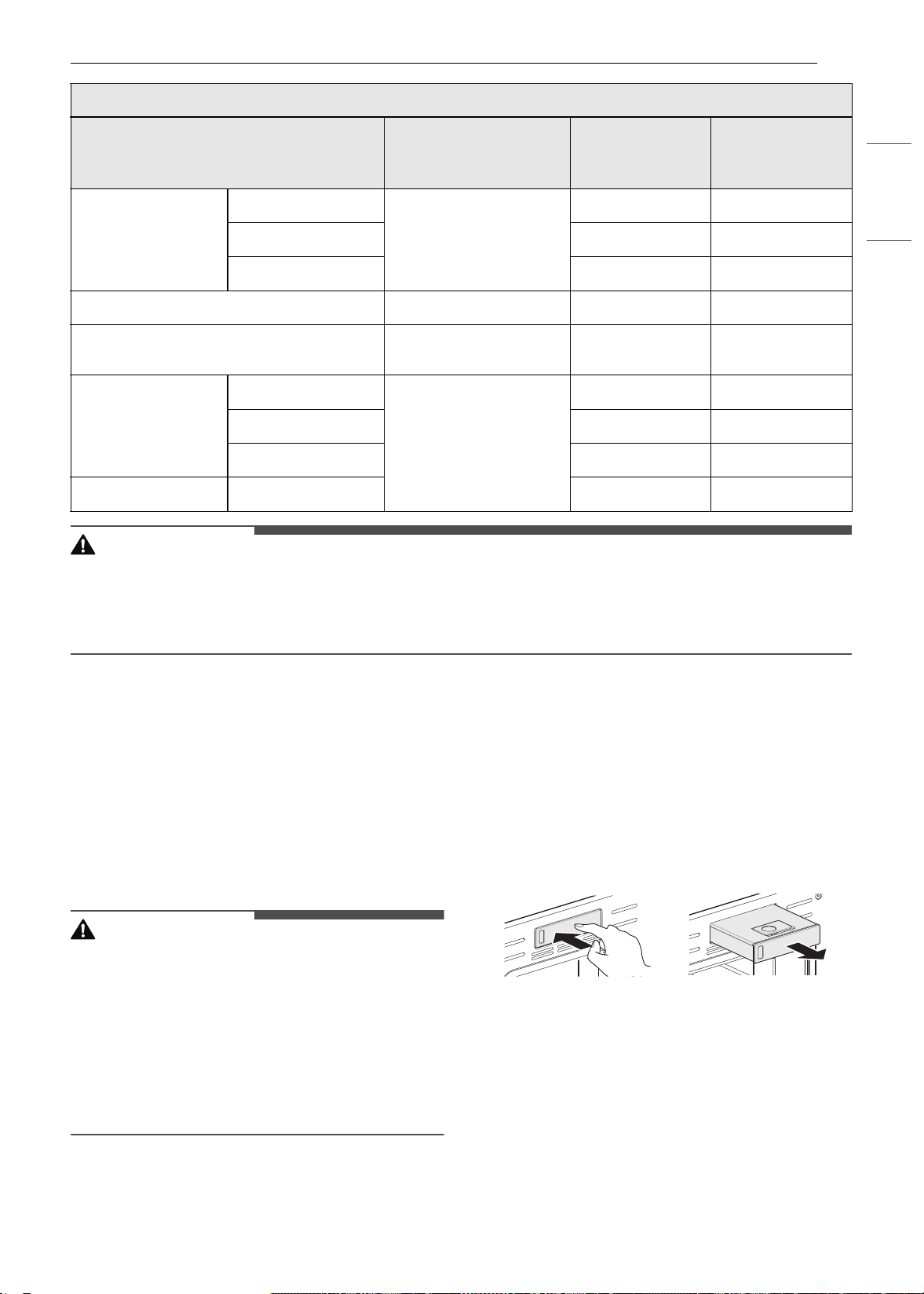
63FUNCIONAMIENTO
ESPAÑOL
PRECAUCIÓN
• Tenga cuidado cuando abra la puerta del horno durante la cocción al vapor o cuando esta haya
finalizado, ya que el vapor caliente puede causar quemaduras.
• Después de cualquier ciclo de cocción al vapor se ejecutará automáticamente la función de secado. Es
normal escuchar el funcionamiento de la bomba de vapor durante la función de secado.
Función Steam (Vapor)
La cocción al vapor utiliza el calor húmedo del
vapor para cocinar los alimentos. Se trata de un
método de cocción ideal para alimentos delicados,
como mariscos, que pueden perder nutrientes
cuando se hierven.
El horno ofrece 2 métodos de cocción al vapor:
Steam Bake (Hornear a vapor) y Sous Vide
(Cocción al vacío).
PRECAUCIÓN
• Tenga cuidado cuando abra la puerta del horno
durante la cocción al vapor o cuando esta haya
finalizado, ya que el vapor caliente puede causar
quemaduras.
• Después de cualquier ciclo de cocción al vapor se
ejecutará automáticamente la función de
secado. Es normal escuchar el funcionamiento
de la bomba de vapor durante la función de
secado.
Cómo usar el tanque del alimentador
de vapor
El tanque del alimentador de vapor se ubica sobre
la cavidad del horno.
1 Empuje suavemente el frente del tanque del
alimentador de vapor para deslizarlo hacia
afuera.
2 Extraiga el tanque y colóquelo sobre una
superficie plana.
3 Retire la cubierta del tanque o abra la tapa de
llenado en la parte frontal de la cubierta del
tanque.
Baguette
Casero
Pan baguette perforado
C
15~35
Congelado
C
15~35
Horneado parcial
C
15~35
Pan con pasas de uva y canela Molde para pan
C
20~40
Pan con nueces
Molde para pan o
bandeja perforada
C
40~50
Pan integral
Casero
Molde para pan
C
25~45
Congelado
C
25~45
Horneado parcial
C
25~45
Pan de banana Casero
C
25~50
Pan (vapor)
Menú
Accesorios/Utensilios
de cocina
Posición del
estante
Tiempo de
cocción en
minutos.
es-us_main.book.book Page 63 Monday, April 8, 2024 1:14 PM
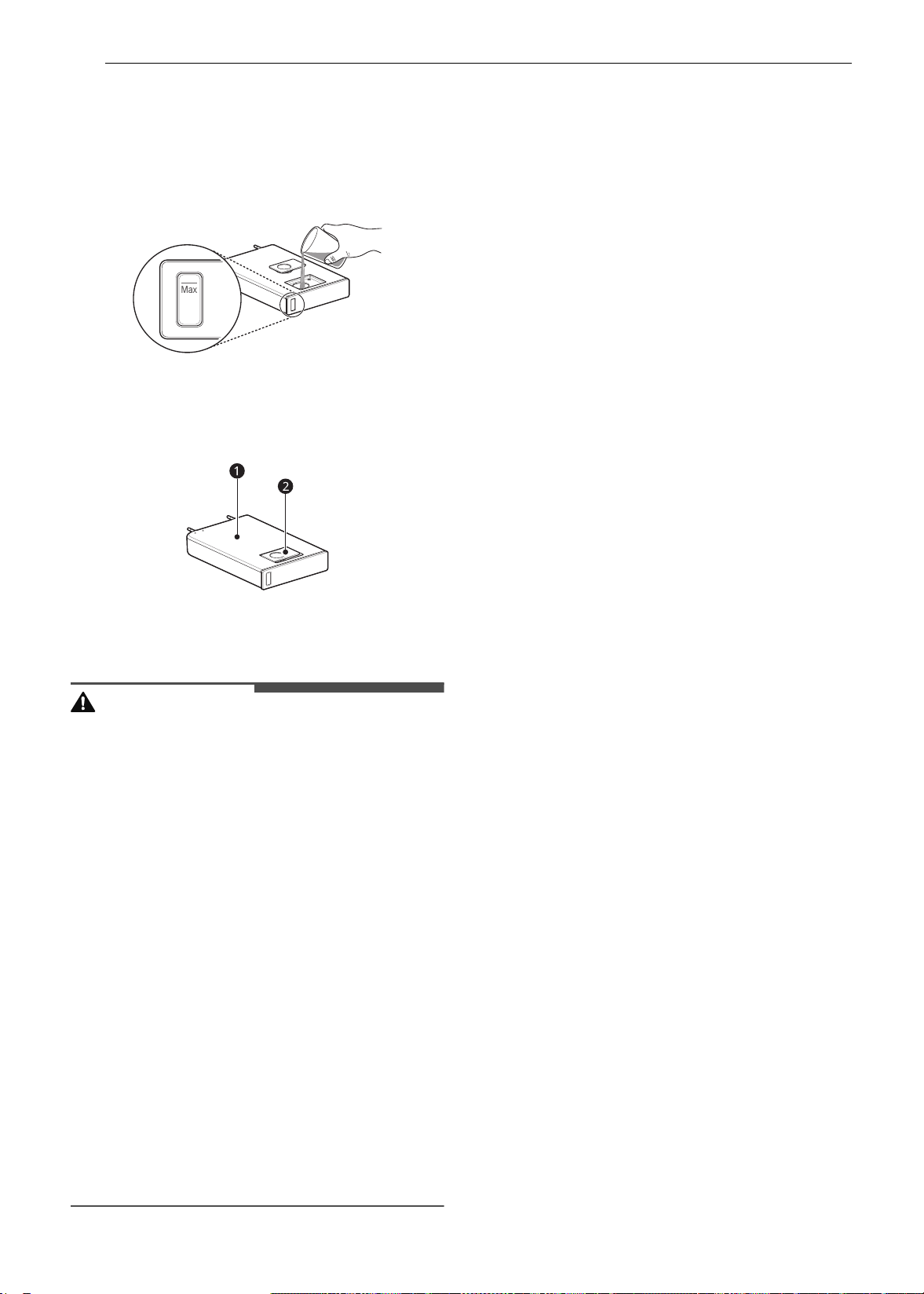
64 FUNCIONAMIENTO
4 Llene el tanque hasta la línea de llenado
máximo ubicada en su parte delantera. De ser
posible, utilice agua filtrada y destilada. El
agua dura puede causar obstrucciones en el
generador de vapor más con más rapidez
debido a la acumulación de sarro.
5 Ensamble la cubierta o cierre bien la tapa de
llenado.
a Cubierta del tanque
b Tapa de llenado
PRECAUCIÓN
• Asegúrese de que la cubierta del tanque del
alimentador de vapor y la tapa de llenado estén
cerradas antes de colocar el tanque en el horno.
• Use solamente agua potable.
• No llene el tanque del alimentador de vapor con
ningún líquido o mezcla que no sea agua.
• No llene el tanque del alimentador de vapor con
agua caliente.
• Llene el tanque del alimentador de vapor hasta
la línea indicada en el frente.
• No incline el tanque del alimentador de vapor
mientras está lleno.
• Descarte cualquier agua sobrante y limpie el
tanque del alimentador de vapor después de
cocinar.
• Utilice el tanque del alimentador de vapor solo
para su uso previsto que es el de proporcionar
agua para la cocción al vapor.
• Controle el nivel del agua en el tanque y rellene
cuando sea necesario para la cocción al vapor.
Utilice guantes para horno para evitar
quemaduras al manipular el tanque caliente.
6 Inserte cuidadosamente el tanque en la
ranura del alimentador de vapor,
asegurándose de mantenerlo nivelado
mientras lo transporta. Si no se mantiene
nivelado, drenará agua de los tubos en la
parte trasera.
7 Deslice el tanque en la abertura hasta que se
ubique correctamente en su lugar.
Modo Steam Bake (Hornear a
vapor)
El modo Steam Bake (Hornear a vapor) calienta los
alimentos gradualmente, usando tanto los
quemadores del horno como el calor húmedo del
vapor. El horno se puede programar para cocinar a
cualquier temperatura entre 210 °F (100 °C) y 550
°F (285 °C). Las opciones de temperatura
predeterminadas comienzan a los 350 °F (175 °C).
Configuración del modo Steam Bake
(Hornear a vapor)
1 Presione Steam Cook (Cocción al vapor) en la
pantalla Cooking Modes (Modos de cocción).
2 Presione Steam Bake (Hornear a vapor) en la
pantalla.
3 Seleccione la temperatura deseada y el nivel
de vapor: Baja, Media, Alta.
4 Si lo desea, puede desplazarse para ajustar el
tiempo de cocción y el tiempo de inicio
retrasado. Presione la tecla de flecha en el
lado derecho de la pantalla para ver la
configuración de la hora de inicio retrasado.
5 Presione Iniciar.
6 Una vez finalizada la cocción deje que el
horno se enfríe por completo. Luego limpie
cualquier resto de agua que haya quedado en
el interior del horno.
es-us_main.book.book Page 64 Monday, April 8, 2024 1:14 PM

65FUNCIONAMIENTO
ESPAÑOL
NOTA
• Al iniciarse el horneado a vapor, aparece un
indicador en la pantalla que muestra el estado
de la función de vapor.
• Asegúrese de que el tanque del alimentador de
vapor esté lleno de agua antes de iniciar el modo
Steam Bake (Hornear a vapor). Si el tanque se
queda sin agua durante la cocción se emitirá una
alarma y aparecerá una ventana emergente en
la pantalla. El horno sigue cocinando sin vapor.
• Recuerde desagotar el tanque del alimentador
de vapor después del uso.
• Es posible que, cuando aumente la temperatura
del horno, no sea visible el vapor.
• Es normal escuchar un sonido de agua hirviendo
desde el generador de vapor mientras se
ejecutan las funciones de vapor.
Cómo cambiar la configuración de
cocción al vapor
1 Presione Edit (Editar) en la pantalla para que
aparezca la pantalla Cook Settings
(Configuración de cocción).
2 Ajuste la configuración como lo desee.
3 Presione Iniciar.
Para detener la cocción a vapor
Presione Stop (Detener) en la pantalla, y
seleccione Yes (Sí).
Sous vide (Cocción al vacío)
La función Sous vide (Cocción al vacío) utiliza vapor
para cocinar alimentos de modo "lento y suave".
Utilícela para cocinar carne, pescado, mariscos,
aves o verduras. Los alimentos deben estar
envasados al vacío en bolsas.
No es necesario precalentar el horno cuando se
utiliza la función de cocción al vacío.
Consulte la guía de cocción para conocer las
configuraciones de cocción al vacío
recomendadas.
Beneficios de la cocción al vacío
Las bajas temperaturas y los tiempos de cocción
prolongados utilizados en la cocción al vacío
ofrecen muchos beneficios.
• Más saludable
En comparación con otros métodos de cocción,
la cocción al vacío retiene la mayoría de los
nutrientes en los alimentos.
• Seguro y conveniente
Los tiempos de cocción prolongados utilizados
en la cocción al vacío permiten que los alimentos
se pasteuricen. Debido a que los alimentos están
envasados al vacío antes de la cocción, las bolsas
sin abrir se pueden enfriar rápidamente para
guardarlas con facilidad después de la cocción.
• Resultados crujientes y húmedos
El control fino de la temperatura de la cocción al
vacío es una excelente forma de lograr una
textura perfecta cuando se cocinan carnes y
aves. Las temperaturas bajas utilizadas retienen
más la humedad en los alimentos que los
métodos de cocción convencionales. Después de
la cocción, un dorado final en una sartén añade
un acabado crujiente perfecto.
Configuración del modo de cocción al
vacío (Sous Vide)
1 Llene el tanque con agua hasta el nivel
máximo indicado en su parte delantera.
2 Coloque el estante estándar en la posición C
y coloque la bolsa sellada con los alimentos
sobre ella.
3 Presione Steam Cook (Cocción al vapor) en la
pantalla Cooking Modes (Modos de cocción).
4 Presione Sous vide (Cocción al vacío) en la
pantalla.
5 Seleccione la temperatura deseada.
6 Si lo desea, puede desplazarse para ajustar el
tiempo de cocción y el tiempo de inicio
retrasado. Presione la tecla de flecha en el
lado derecho de la pantalla para ver la
configuración de la hora de inicio retrasado.
7 Presione Iniciar.
es-us_main.book.book Page 65 Monday, April 8, 2024 1:14 PM
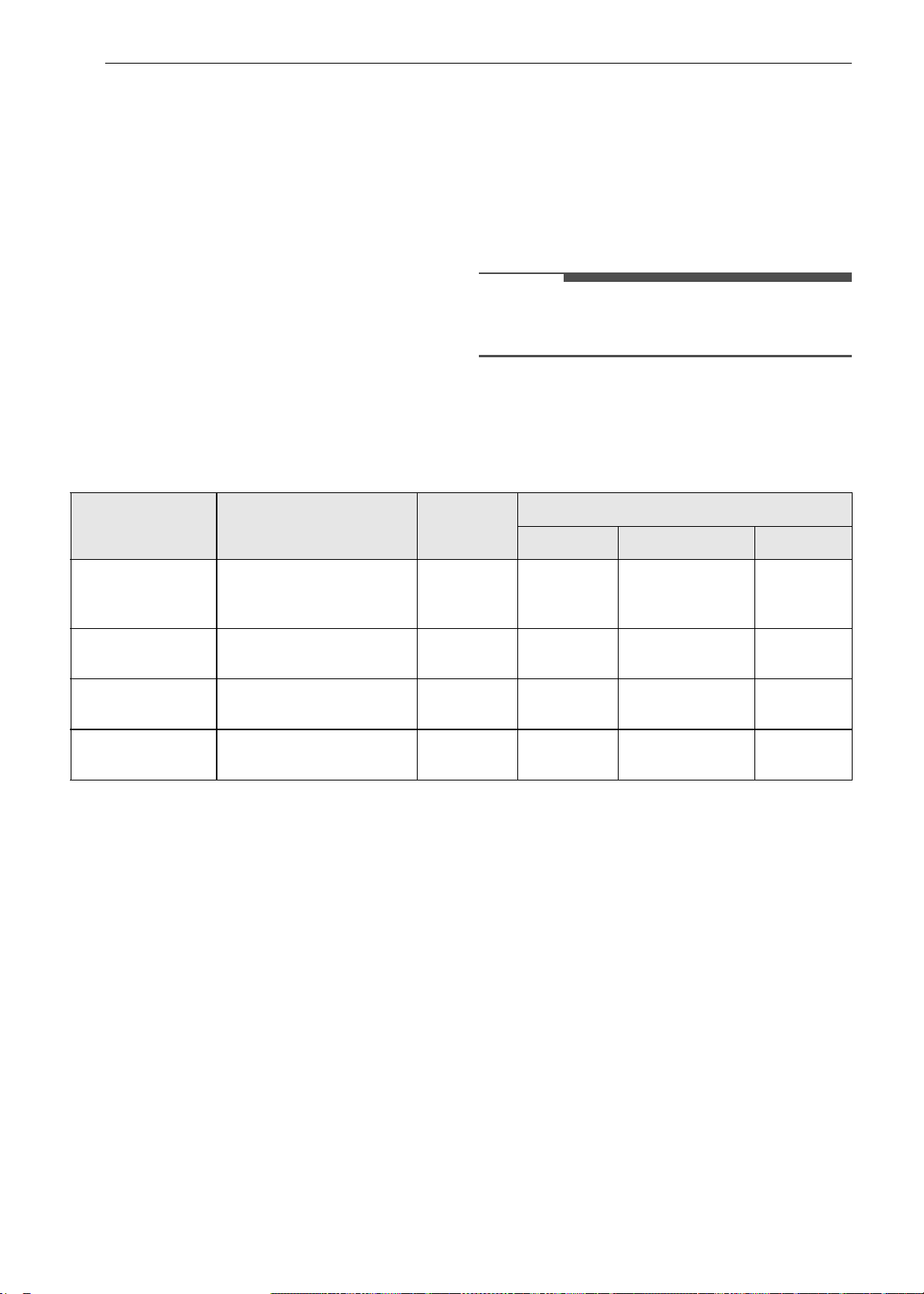
66 FUNCIONAMIENTO
8 Una vez finalizada la cocción deje que el
horno se enfríe por completo. Luego limpie
cualquier resto de agua que haya quedado en
el interior del horno.
Cómo cambiar la configuración de
cocción al vacío
1 Presione Edit (Editar) en la pantalla para que
aparezca la pantalla cook settings
(configuración de cocción).
2 Ajuste la configuración como lo desee.
3 Presione Iniciar.
Para detener la cocción
Presione Stop (Detener) en la pantalla, y
seleccione Yes (Sí).
NOTA
• Es posible que a medida que aumente la
temperatura del horno no sea visible el vapor.
Guía de cocción al vacío (Sous Vide)
El tamaño, peso, espesor, la temperatura de inicio y sus preferencias personales afectarán los tiempos de
funcionamiento. Esta guía es solo una referencia. Ajuste el tiempo de cocción según su preferencia.
• Cocine durante 30 min. o 1 hora más si utiliza carnes de un espesor superior a 1".
• Si utiliza cortes de carne más grandes, trócelos para que coincidan con el peso recomendado. Tenga
cuidado de no colocar los trozos de carne demasiado juntos.
Modo de Inicio remoto
Si el electrodoméstico está registrado en una red
Wi-Fi hogareña, la función de precalentamiento
del horno puede iniciarse o detenerse a través de
la aplicación para teléfonos inteligentes LG ThinQ.
Cómo preparar el horno para un inicio
remoto
1 Abra la puerta del horno para asegurarse de
que esté vacío y listo para el
precalentamiento. No coloque alimentos en
su interior. Cierre la puerta del horno. El Inicio
remoto solo se puede configurar cuando la
puerta del horno está cerrada.
2 Presione SETTINGS (CONFIGURACIÓN), en la
parte inferior central de la pantalla. Presione
Remote Start (Inicio remoto) en la segunda
pantalla de Configuración y luego seleccione
On (Encender). Siga las instrucciones del
mensaje emergente que aparece en la
pantalla.
3 Siga las instrucciones que se detallan en la
aplicación de teléfonos inteligentes LG ThinQ
para utilizar la función de inicio remoto.
Comida
Cantidad
(onzas)
Temp.
(°F)
Hora
Min. Objetivo Máx.
Bistec de carne de
vaca
(Medio cocido)
1" de espesor
14,1-17,6 onzas
135 - 2.5 horas 3 horas
Pechuga
de pollo
4,2-5,3 onzas 149 - 2.5 horas 3 horas
Salmón 1" de espesor
7onzas
140 - 2 horas 2.5 horas
Espárragos 2,8 onzas (6 c/u)
5,6 onzas (12 c/u)
185 20 min. 30 min. 45 min.
es-us_main.book.book Page 66 Monday, April 8, 2024 1:14 PM

67FUNCIONAMIENTO
ESPAÑOL
NOTA
• La función Inicio remoto se encuentra
desconectada en las siguientes situaciones:
- Inicio remoto nunca está configurado en la
aplicación del teléfono inteligente.
- El estado del Inicio remoto indica "ready"
(listo).
- Inicio remoto experimenta un problema
durante el funcionamiento.
• El ícono de Wi-Fi en la pantalla muestra el estado
de la conexión de red del electrodoméstico. Si el
ícono de Wi-Fi no se ilumina, con su teléfono
inteligente seleccione la red de Wi-Fi o vuelva a
registrar el producto.
• Una conexión a Wi-Fi defectuosa podría retrasar
la función Inicio remoto.
• Desconecte la sonda si se encuentra instalada.
es-us_main.book.book Page 67 Monday, April 8, 2024 1:14 PM
68 FUNCIONES INTELIGENTES
FUNCIONES INTELIGENTES
Aplicación LG ThinQ
Esta característica solo está disponible en modelos
con Wi-Fi.
La aplicación LG ThinQ le permite comunicarse
con el electrodoméstico usando un teléfono
inteligente.
Funciones de la aplicación LG ThinQ
• EasyClean
- Le permite configurar alertas de EasyClean,
leer la guía de instrucciones, y simular y
comparar consumos de energía entre
EasyClean y los ciclos de autolimpieza.
• Configuración
- Esta función le permite ajustar varias opciones
en el horno y en la aplicación.
• Smart Diagnosis
TM
- Esta función brinda información útil para
diagnosticar y resolver problemas con el
producto conforme a su patrón de uso.
• Monitoreo
- Esta función le ayuda a comprobar el estado
actual, el tiempo restante, la configuración de
cocción y la hora de finalización en un lugar.
• Notificaciones de productos
- Active los Avisos Automáticos para recibir
notificaciones del estado del electrodoméstico.
Las notificaciones se emiten incluso si la
aplicación LG ThinQ no está abierta.
• Temporizador
- Se puede configurar el temporizador desde la
aplicación.
NOTA
• Si cambia de enrutador inalámbrico, proveedor
de Internet o contraseña, borre el
electrodoméstico conectado desde la aplicación
LG ThinQ y conéctelo de nuevo.
• Esta información está actualizada en el
momento de su publicación. La aplicación está
sujeta a cambios, con fines de mejorar el
producto, sin previo aviso a los usuarios.
Instalación de la aplicación LG
ThinQ y conexión de un
electrodoméstico LG
Modelos con código QR
Escanee el código QR adjunto al producto con la
cámara o alguna aplicación de lectura de códigos
QR de su teléfono inteligente.
Modelos sin código QR
1 Busque la aplicación LG ThinQ en la tienda
Google Play o Apple App Store desde su
teléfono inteligente e instálela.
2 Ejecute la aplicación LG ThinQ e inicie sesión
con su cuenta existe o cree una cuenta de LG
para iniciar sesión.
3 Pulse el botón Agregar (~) en la aplicación LG
ThinQ para conectar su electrodoméstico LG.
Siga las instrucciones en la aplicación y
complete el proceso.
NOTA
• Para verificar la conexión Wi-Fi, revise que el
indicador Wi-Fi en el panel de control esté
encendido.
• El electrodoméstico funciona únicamente con
redes Wi-Fi de 2.4 GHz. Contacte a su proveedor
de servicios de internet o verifique el manual del
enrutador inalámbrico para revisar la frecuencia
de su red.
• LG ThinQ no es responsable por ningún
problema de conexión de red, falla, mal
funcionamiento o error causado por la conexión
de red.
• El entorno inalámbrico circundante puede hacer
que el servicio de red inalámbrica funcione
lentamente.
• Si la distancia entre el electrodoméstico y el
enrutador inalámbrico es demasiada, la señal
es-us_main.book.book Page 68 Monday, April 8, 2024 1:14 PM
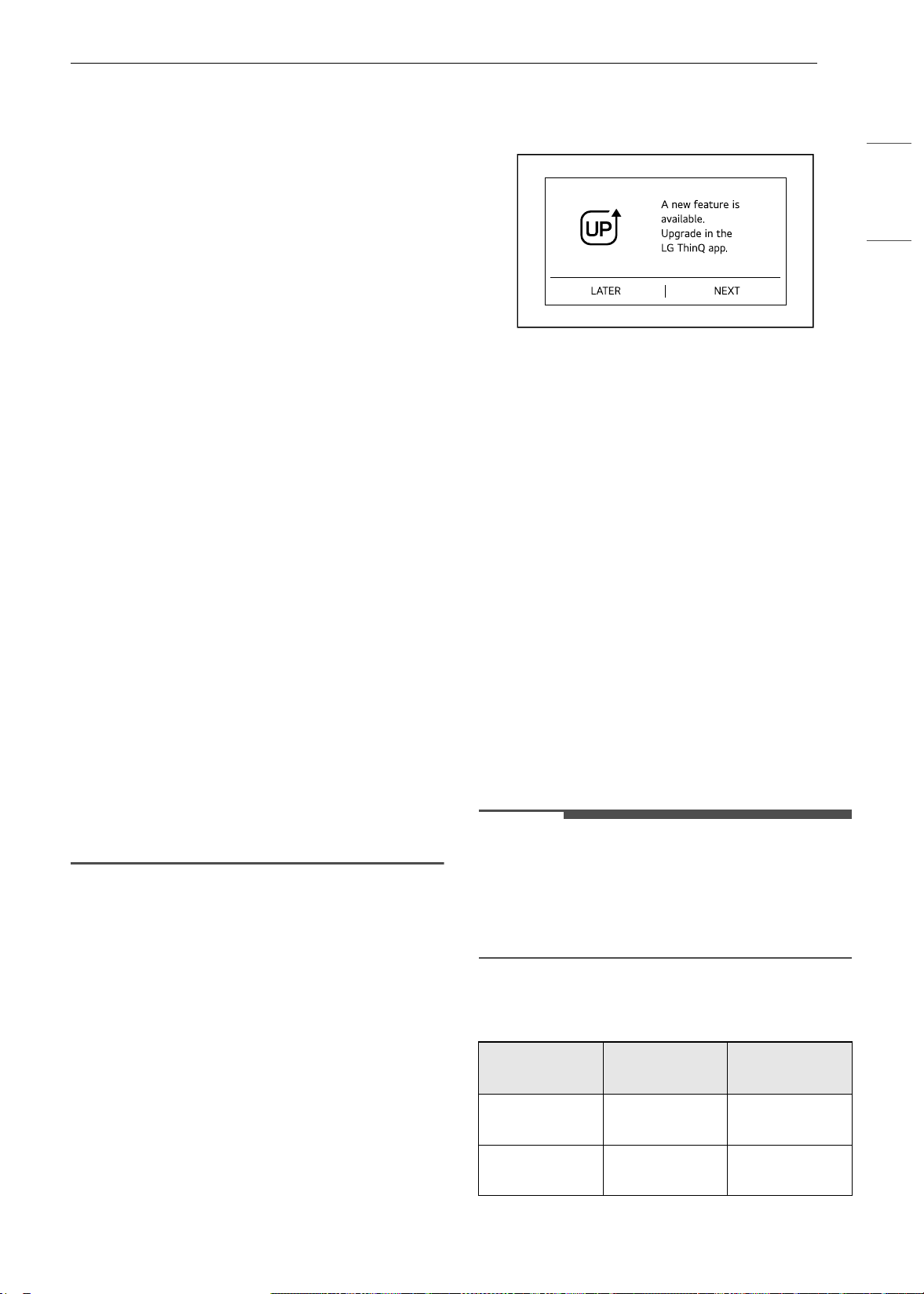
69FUNCIONES INTELIGENTES
ESPAÑOL
será débil. Probablemente le tome más tiempo
conectarse o no pueda instalar la aplicación.
• Si el aparato tiene problemas para conectarse a
la red Wi-Fi, es posible que se encuentre
demasiado lejos del enrutador. Adquiera un
repetidor Wi-Fi (extensor de alcance) para
mejorar la intensidad de la señal Wi-Fi.
• Es posible que la conexión de red no funcione
bien por cuestiones relacionadas con su
proveedor de servicios de Internet.
• Es posible que el equipo no se conecte a la red
Wi-Fi o que se interrumpa la conexión debido al
entorno de la red doméstica.
• Si el electrodoméstico no puede conectarse
debido a problemas con la transmisión de la
señal inalámbrica, desconéctelo y espere
alrededor de un minuto antes de intentarlo de
nuevo.
• Si el cortafuegos de su enrutador inalámbrico
está activado, desactívelo o añada una
excepción a éste.
• El nombre de la red inalámbrica (SSID) debe ser
una combinación de letras y números. (No utilice
símbolos especiales).
• La interfaz de usuario (IU) del teléfono
inteligente puede variar dependiendo del
sistema operativo (OS) del móvil y del fabricante.
• Es posible que la configuración de red falle si el
protocolo de seguridad del enrutador está en
WEP. Cambie el protocolo de seguridad por otro
(se recomienda el WPA2) y conecte el producto
de nuevo.
• Para volver a conectar el electrodoméstico o
agregar otro usuario, mantenga presionado el
botón Wi-Fi durante 3 segundos. Ejecute la
aplicación LG ThinQ y siga las instrucciones en
ella para conectar el electrodoméstico.
Actualización de características LG
Disfrute de nuevas características mediante la
actualización de su producto a través de la
aplicación LG ThinQ.
Si una función actualizable está disponible,
aparece una notificación de actualización en la
pantalla y suena una melodía después de que se
ha terminado o se ha cancelado la cocción.
Por ejemplo, es posible que las luces de la pantalla
se enciendan en una secuencia hasta que aparezca
φπ.
1 Cuando hay actualizaciones disponibles, se
envían notificaciones de actualización a su
teléfono inteligente.
2 Presione la notificación de actualización en su
teléfono inteligente para ingresar al LG
UPgrade Center en la aplicación LG ThinQ.
3 Una vez en el LG UPgrade Center, seleccione
una nueva característica y presione el botón
Upgrade.
• No desenchufe el producto durante la
actualización; de lo contrario, podría
interrumpir el proceso de actualización.
4 Cuando haya finalizado la actualización,
compruebe la guía en la aplicación LG ThinQ
para obtener las configuraciones de la
característica en detalle.
NOTA
• Esta característica solo está disponible en
algunos modelos.
• Cuando haya finalizado la actualización, las
funciones reales del producto pueden diferir de
las descritas en el manual del propietario.
Especificaciones del módulo RF
Tipo
Rango de
frecuencia
Potencia de
salida (máx.)
Wi-Fi
2412 - 2462
MHz
< 30 dBm
Bluetooth
†
2402 - 2480
MHz
< 30 dBm
es-us_main.book.book Page 69 Monday, April 8, 2024 1:14 PM

70 FUNCIONES INTELIGENTES
† Esta característica solo está disponible en
algunos modelos.
Declaración de la FCC
Este equipo ha sido probado y cumple con los
límites para un dispositivo digital de Clase B, de
acuerdo con la parte 15 de las Reglas de la FCC
para el módulo transmisor y la parte 18 de las
Reglas de la FCC para este equipo. Estos límites
están diseñados para ofrecer una protección
razonable contra interferencias dañinas en una
instalación residencial. Este equipo genera, usa y
puede emitir energía de radiofrecuencia y, si no se
instala y utiliza de acuerdo con las instrucciones,
podría causar interferencias dañinas a las
comunicaciones por radio. Sin embargo, no se
garantiza que dicha interferencia no pueda ocurrir
en instalaciones particulares. Si este equipo causa
interferencia dañina a la recepción de radio o
televisión, que se puede determinar encendiendo
y apagando el equipo, se aconseja al usuario
intentar corregir la interferencia realizando alguna
de las siguientes acciones:
• Reorientar o reubicar la antena receptora.
• Aumentar la separación entre el equipo y el
receptor.
• Conecte el equipo a una toma de corriente en un
circuito diferente al que está conectado el
receptor.
• Consultar al vendedor o a un técnico de radio/TV
con experiencia para solicitar ayuda.
Este dispositivo (el módulo transmisor contenido
en este producto) cumple con la parte 15 de las
Reglas FCC. La operación está sujeta a las
siguientes dos condiciones:
(1) Este dispositivo no debe causar interferencia
dañina, y
(2) Este dispositivo debe aceptar cualquier
interferencia que reciba, incluida la interferencia
que pueda causar un funcionamiento no deseado.
Cualquier cambio o modificación en la
construcción de este dispositivo, que no cuente
con la aprobación expresa de la parte responsable
del cumplimiento, puede anular la autorización del
usuario para operarlo.
Declaración sobre exposición a la
radiación de RF de la FCC
Este equipo cumple con los límites de exposición a
la radiación de la FCC establecidos para entornos
no controlados. Este transmisor no se debe ubicar
ni operar junto con ninguna otra antena ni
transmisor.
El equipo se debe instalar y operar con una
distancia mínima de 20 cm (7.8 pulg.) entre la
antena y su cuerpo. Los usuarios deben seguir las
instrucciones de operación específicas de manera
tal de cumplir con las normas de exposición a la
RF.
Software de código abierto
Para obtener el código fuente bajo GPL, LGPL, MPL
y otras licencias de código abierto con las
obligaciones para divulgar el código abierto, que
contiene este producto, y para acceder a todos los
términos de la licencia, avisos de derechos de
autor y otros documentos relevantes, visite https:/
/opensource.lge.com.
LG Electronics también le proporcionará el código
abierto en un CD-ROM por un costo que cubra los
gastos de dicha distribución (como el costo del
medio, del envío y de la manipulación) una vez
realizado el pedido por correo electrónico a la
dirección openso[email protected].
Esta oferta es válida para todo aquel que reciba
esta información durante un período de tres años
después de que se envíe el último cargamento de
este producto.
Función Smart Diagnosis
TM
Esta característica solo está disponible en el
modelo con el logo
c o d.
Utilice esta función como ayuda para diagnosticar
y resolver problemas con su electrodoméstico.
NOTA
• Por motivos no atribuibles a la negligencia de
LGE, es posible que el servicio no funcione
debido a factores externos como, por ejemplo, la
falta de disponibilidad de Wi-Fi, desconexión de
Wi-Fi, política de la tienda de aplicaciones local o
falta de disponibilidad de aplicaciones, entre
otros.
• Esta función puede estar sujeta a cambios sin
previo aviso y puede tener una forma diferente
según dónde se encuentre ubicado.
Uso de LG ThinQ para diagnosticar
problemas
Si experimenta un problema con su
electrodoméstico equipado con Wi-Fi, este puede
transmitir datos sobre la resolución de problemas
a un teléfono inteligente con la aplicación LG
ThinQ.
es-us_main.book.book Page 70 Monday, April 8, 2024 1:14 PM
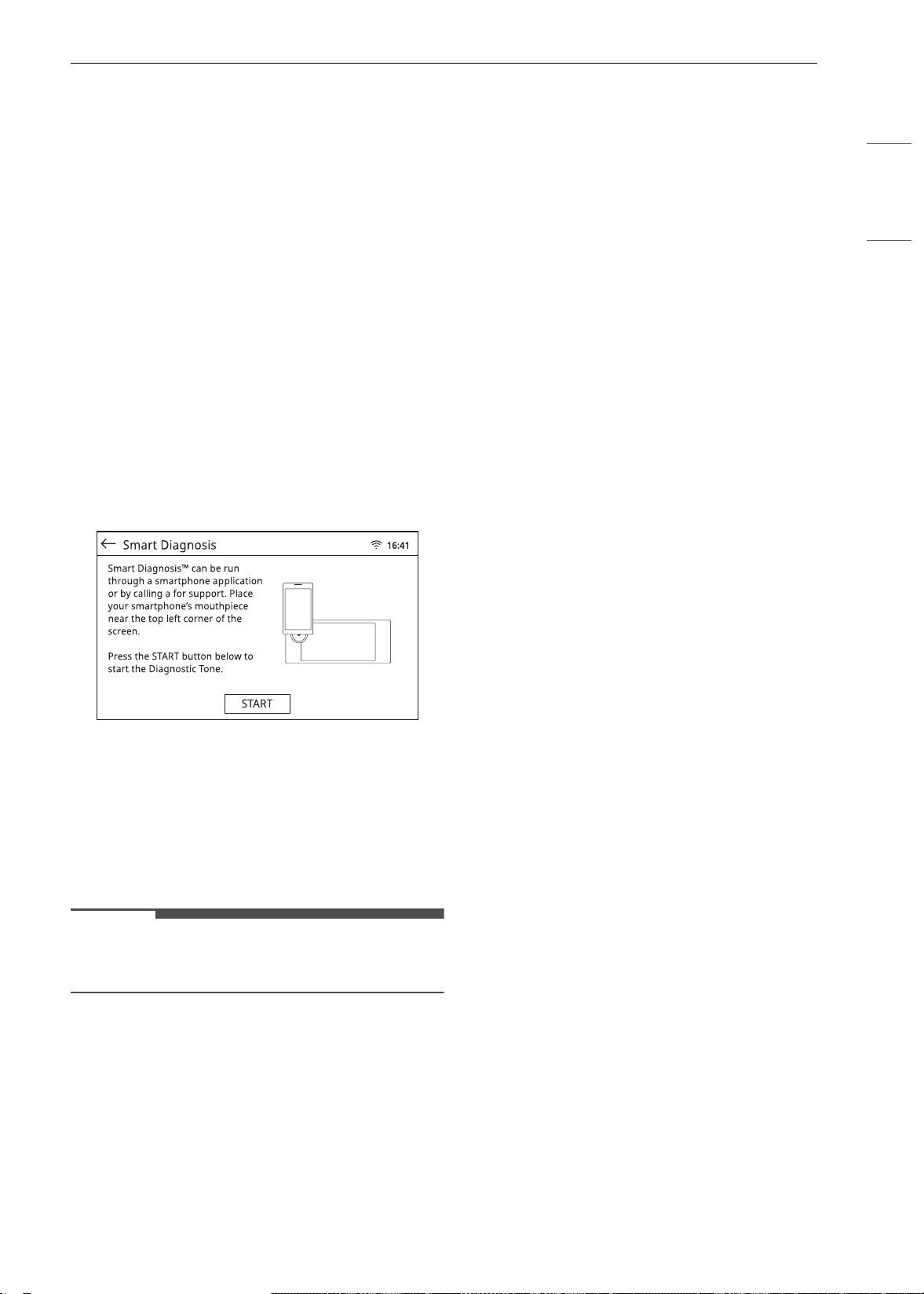
71FUNCIONES INTELIGENTES
ESPAÑOL
• Inicie la aplicación LG ThinQ y seleccione la
función Smart Diagnosis en el menú. Siga las
instrucciones provistas en la aplicación LG
ThinQ.
Uso del diagnóstico audible para
diagnosticar problemas
Siga las instrucciones a continuación para utilizar
el método de diagnóstico audible.
• Inicie la aplicación LG ThinQ y seleccione la
función Smart Diagnosis en el menú. Siga las
instrucciones para el diagnóstico audible
provistas en la aplicación LG ThinQ.
1 Coloque el auricular de su teléfono inteligente
cerca de la esquina superior izquierda de la
pantalla.
2 Presione el botón de START.
3 Mantenga el teléfono en su sitio hasta que
haya terminado la transmisión de tonos. La
aplicación mostrará la cuenta regresiva del
tiempo. Una vez que haya finalizado la cuenta
regresiva del tiempo y los tonos se hayan
detenido, aparecerá el diagnóstico en la
aplicación.
NOTA
• Para obtener resultados óptimos, no mueva el
teléfono mientras se transmitan los tonos.
es-us_main.book.book Page 71 Monday, April 8, 2024 1:14 PM
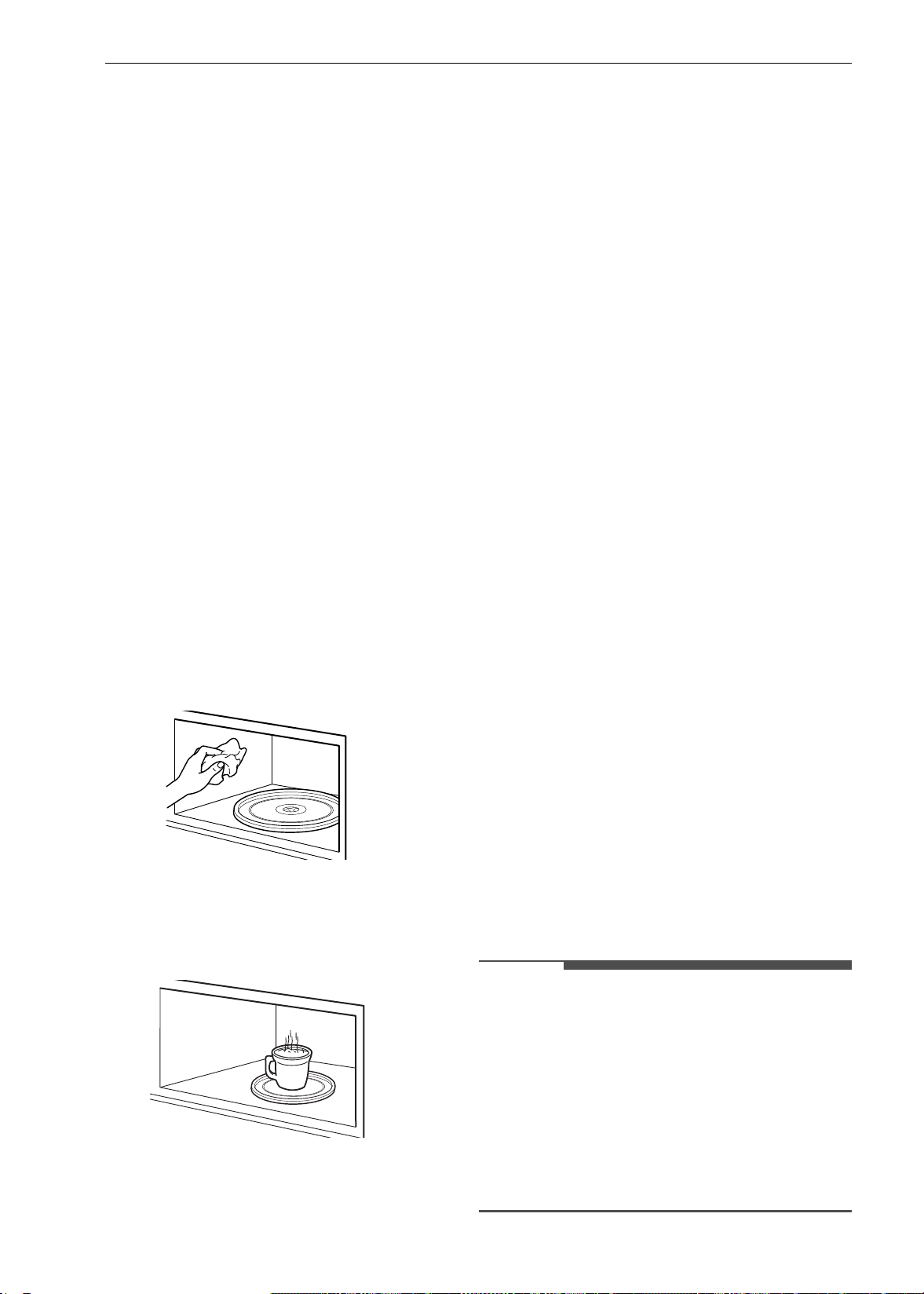
72 MANTENIMIENTO
MANTENIMIENTO
Limpieza
Consejos Generales de Limpieza
• Se puede usar una espátula plástica como
raspador para quitar los restos o residuos antes
de la limpieza del horno o durante el proceso.
• Puede resultar de ayuda usar el lado áspero de
una esponja que no raye para quitar manchas
quemadas mejor que con una esponja blanda o
una toalla.
• Algunas esponjas que no rayan, como las hechas
de espuma de melamina, disponibles en las
tiendas locales, también pueden ayudar a
mejorar la limpieza.
Limpieza del interior del horno
superior
Lave a menudo con agua tibia jabonosa y una
esponja o paño suave. Use solo jabones suaves no
abrasivos o un detergente suave. Mantenga
limpias las áreas donde la puerta y el marco del
horno se tocan al cerrar la puerta.
Limpie bien con un paño limpio. Con el tiempo, las
superficies pueden mancharse con salpicaduras
de partículas de comida durante la cocción. Esto es
normal.
Para la suciedad difícil, hierva una taza de agua en
el horno durante 2 o 3 minutos. El vapor ablandará
la suciedad. Para deshacerse de los olores del
interior del horno, hierva una taza de agua con un
poco de jugo de limón o vinagre.
Exterior
Panel de control
Para evitar que el panel de control se active
durante la limpieza, desconecte el
electrodoméstico de la alimentación eléctrica.
Limpie las salpicaduras con un paño húmedo y
limpiacristales. Elimine la suciedad más difícil con
una solución de agua tibia jabonosa. No use
ningún tipo de abrasivos.
Reborde decorativo y pintado
Para la limpieza general, use un paño con agua
jabonosa caliente. En el caso de suciedad más
difícil y grasa acumulada, aplique detergente
líquido directamente sobre la suciedad. Déjelo
reposar allí entre 30 y 60 minutos. Enjuague con
un paño húmedo y seque. No use limpiadores
abrasivos.
Superficies de acero inoxidable
Para evitar hacer rayas, no use esponjas de lana de
acero.
1 Coloque una pequeña cantidad de limpiador
o pulidor para electrodomésticos de acero
inoxidable en un paño o una toalla de papel
húmedos.
2 Limpie un área pequeña y friegue siguiendo
el grano del acero inoxidable si corresponde.
3 Seque y saque brillo con un paño suave o una
toalla de papel secos y limpios.
4 Repita si fuera necesario.
NOTA
• Para limpiar la superficie de acero inoxidable,
utilice agua tibia jabonosa, limpiador o pulidor
para acero inoxidable.
• Limpie siempre en la dirección del acabado de la
superficie de metal.
• Los limpiadores o pulidores para
electrodomésticos de acero inoxidable pueden
comprarse por Internet o en la mayoría de los
comercios minoristas de electrodomésticos o
artículos para el hogar.
es-us_main.book.book Page 72 Monday, April 8, 2024 1:14 PM
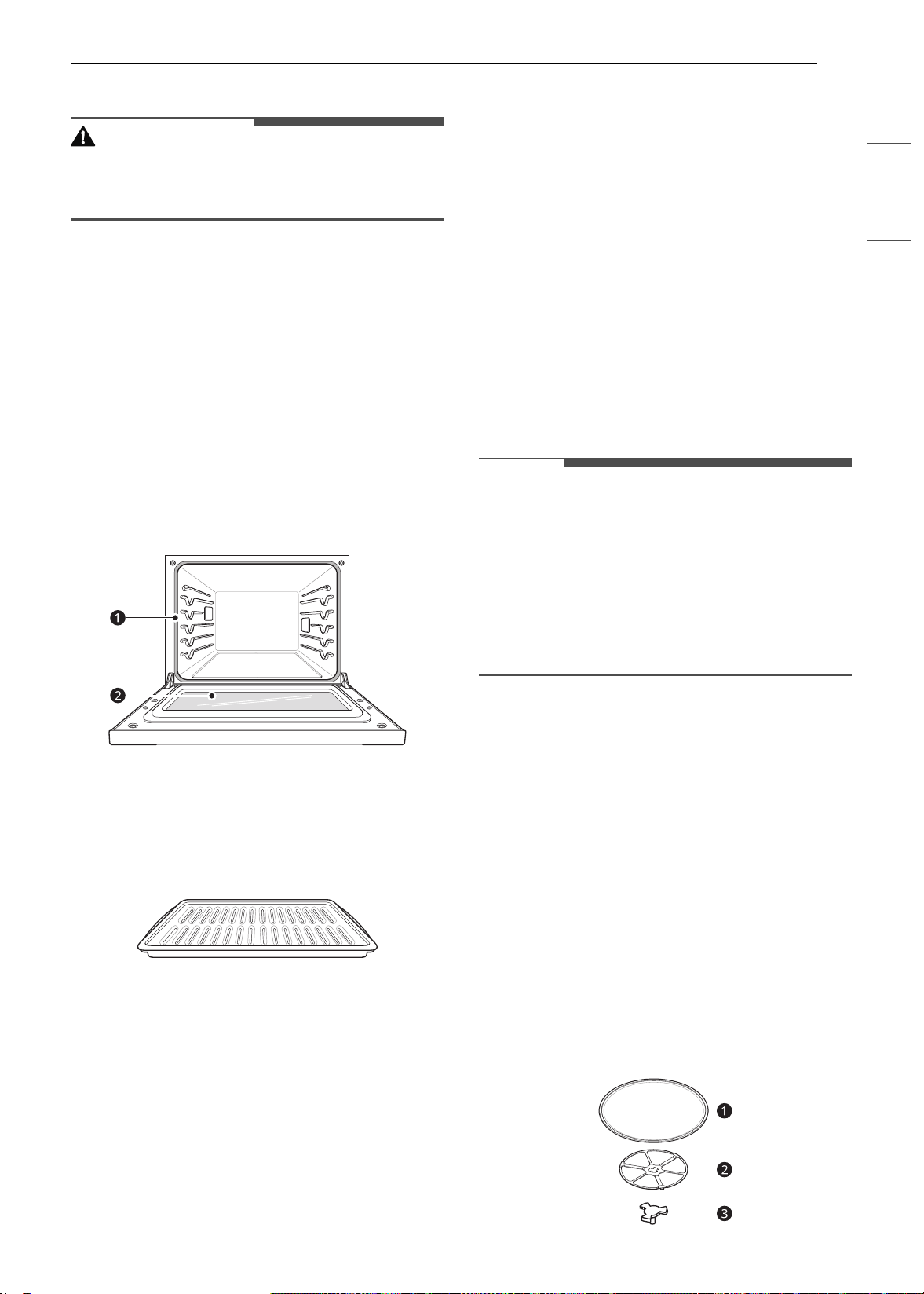
73MANTENIMIENTO
ESPAÑOL
Puerta del horno
PRECAUCIÓN
• No use limpiadores ásperos ni materiales
abrasivos de limpieza en el exterior de la puerta
del horno. Si lo hace, podría causar daños.
• Use agua jabonosa para limpiar bien la puerta
del horno. Enjuague bien. No sumerja la puerta
en agua.
• Puede usar un limpiador para vidrios en la parte
externa de la puerta del horno. No rocíe agua ni
limpiador para vidrios en las ventilaciones de la
puerta.
• No use limpiadores para horno, polvos
limpiadores ni materiales abrasivos de limpieza
en el exterior de la puerta del horno.
• No limpie la junta de la puerta del horno. La
junta está hecha de material tejido que es
fundamental para lograr un buen sellado. Se
debe tener cuidado de no frotar, dañar ni quitar
esta junta.
a No limpie manualmente la junta de la puerta
del horno
b Limpie manualmente la puerta
Asadera y rejilla
• No guarde una asadera o rejilla sucia en ninguna
parte del electrodoméstico.
• No limpie la asadera ni la rejilla en el modo de
autolimpieza. (Disponible en algunos modelos)
• Retire la rejilla de la asadera. Vierta la grasa de la
asadera en un recipiente adecuado con cuidado.
• Lave y enjuague la asadera y la rejilla con agua
caliente y una esponja abrasiva plástica o con
jabón.
• Si hay comida quemada, rocíe la rejilla con
limpiador mientras está caliente y cúbrala con
toallas de papel húmedas o un paño de cocina.
Al sumergir la asadera se removerán los restos
de comida quemada.
• Tanto la asadera como la rejilla se pueden
limpiar con un limpiador para horno comercial o
en el lavavajillas.
Estantes del horno
Retire los estantes del horno antes de iniciar el
ciclo Self Clean y la función EasyClean.
1 Limpie con un limpiador abrasivo suave.
• Los alimentos derramados en las guías
pueden atascar los estantes.
2 Enjuague con agua limpia y seque.
NOTA
• Si limpia los estantes usando el ciclo Self Clean
(no recomendado), el color cambiará a azul claro
y el acabado perderá el brillo. Una vez finalizado
el ciclo Self Clean y después de que el horno se
haya enfriado, frote los laterales de los estantes
con papel encerado o con un paño que contenga
una pequeña cantidad de aceite vegetal. Esto
hará que los estantes se deslicen más fácilmente
en las guías.
Cavidad del horno
NO utilice limpiadores para horno.
NUNCA limpie una superficie de porcelana tibia o
caliente con una esponja húmeda; puede causar
astillamiento o agrietamiento (pequeñas grietas
finas). Los alimentos derramados deben limpiarse
cuando el horno está frío. Los alimentos
reaccionan con la porcelana a altas temperaturas y
pueden causar manchas oscuras permanentes. Al
limpiar una mancha, utilice solo limpiadores o
esponjas no abrasivos.
Bandeja de vidrio y anillo giratorio
Para limpiar la bandeja de vidrio y el anillo
giratorio, lávelos con agua jabonosa templada.
Para las áreas muy sucias, use un producto de
limpieza suave y una esponja abrasiva.
es-us_main.book.book Page 73 Monday, April 8, 2024 1:14 PM
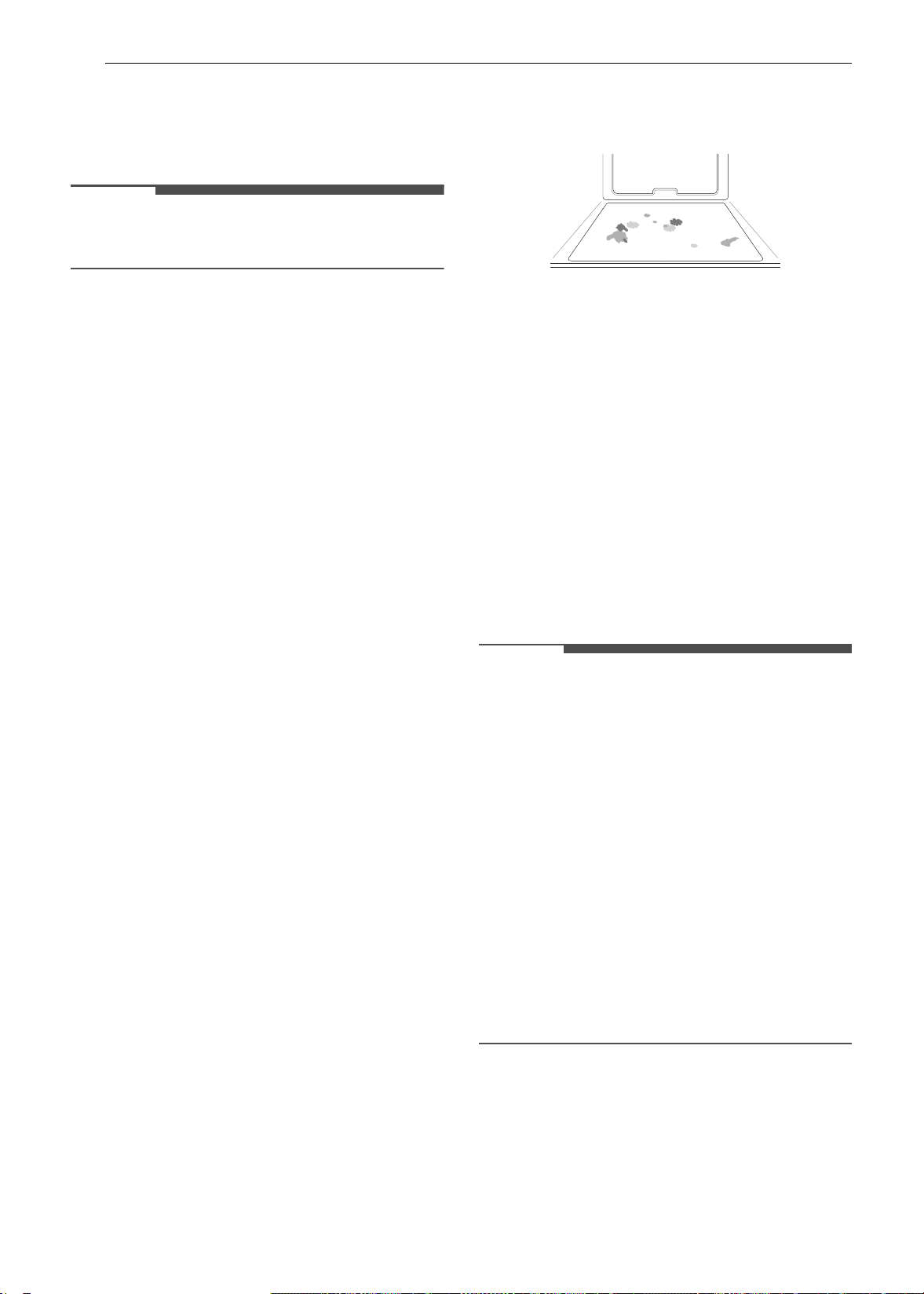
74 MANTENIMIENTO
a Bandeja de vidrio
b Anillo giratorio
c Eje
NOTA
• La bandeja de vidrio y el anillo giratorio son
aptos para lavavajillas.
EasyClean (Horno inferior)
La tecnología esmaltada de LG EasyClean ofrece
dos opciones de limpieza para el interior del horno
inferior. La función EasyClean se beneficia con el
nuevo esmalte de LG que ayuda a despegar la
suciedad sin usar químicos fuertes y funciona
SOLAMENTE CON AGUA durante apenas 10
minutos a baja temperatura para aflojar la
suciedad LEVE antes de la limpieza manual.
Si bien la función EasyClean es rápida y eficaz para
la suciedad LEVE y en pequeñas cantidades, la
función Self Clean se puede usar para quitar la
suciedad DIFÍCIL acumulada. La intensidad y la
alta temperatura del ciclo Self Clean pueden
producir humo, de modo que se deberán abrir las
ventanas para ventilar. En comparación con el
proceso más intenso de Self Clean, el horno LG le
brinda la opción de limpiar con MENOS CALOR, en
MENOS TIEMPO y, prácticamente, SIN HUMO NI
VAPORES. Puede reducir el uso de energía
limpiando la suciedad leve del horno con la
función EasyClean en lugar de usar Self Clean.
Cuando sea necesario, se ofrece también la opción
de Self Clean para una limpieza del horno más
prolongada y profunda y para quitar la suciedad
más difícil acumulada.
• Para limpiar áreas difíciles de alcanzar, como la
superficie trasera del horno, es mejor usar el
ciclo Self Clean.
Beneficios de EasyClean
• Ayuda a aflojar la suciedad leve antes de la
limpieza manual
• EasyClean solo usa agua; no usa limpiadores
químicos
• Favorece la experiencia con Self Clean.
- Retrasa la necesidad de un ciclo Self Clean
- Minimiza el humo y los olores
- Puede acortar el tiempo de Self Clean
Cuándo usar EasyClean
• Ejemplo de suciedad en el horno
Caso 1
- Forma de la suciedad: gotitas o manchitas
- Tipos de suciedad: queso u otros ingredientes
- Alimentos comunes que pueden ensuciar el
horno: pizza
Caso 2
- Forma de la suciedad: salpicadura leve
- Tipos de suciedad: grasa/aceite
- Alimentos comunes que pueden ensuciar el
horno: bistecs, asados / pescado, asado /
carne rostizada a baja temperatura
Guía de instrucciones de EasyClean
NOTA
• Permita que el horno se enfríe a temperatura
ambiente antes de usar el ciclo EasyClean. Si la
cavidad del horno alcanza una temperatura
superior a 150 °F (65 °C), el ciclo EasyClean no se
activará hasta que la cavidad del horno se enfríe.
• El horno debe estar nivelado para garantizar que
la superficie inferior de la cavidad esté
completamente cubierta con agua al comienzo
del ciclo EasyClean.
• Para obtener mejores resultados, use agua
destilada o filtrada. El agua del grifo puede dejar
depósitos minerales en la base del horno.
• La suciedad quemada en varios ciclos de cocción
será más difícil de quitar con el ciclo EasyClean.
• No abra la puerta del horno durante el ciclo
EasyClean. El agua no se calienta lo suficiente si
se abre la puerta durante este ciclo.
1 Quite los estantes y los accesorios del horno.
2 Raspe y retire los residuos quemados con un
raspador plástico.
es-us_main.book.book Page 74 Monday, April 8, 2024 1:14 PM
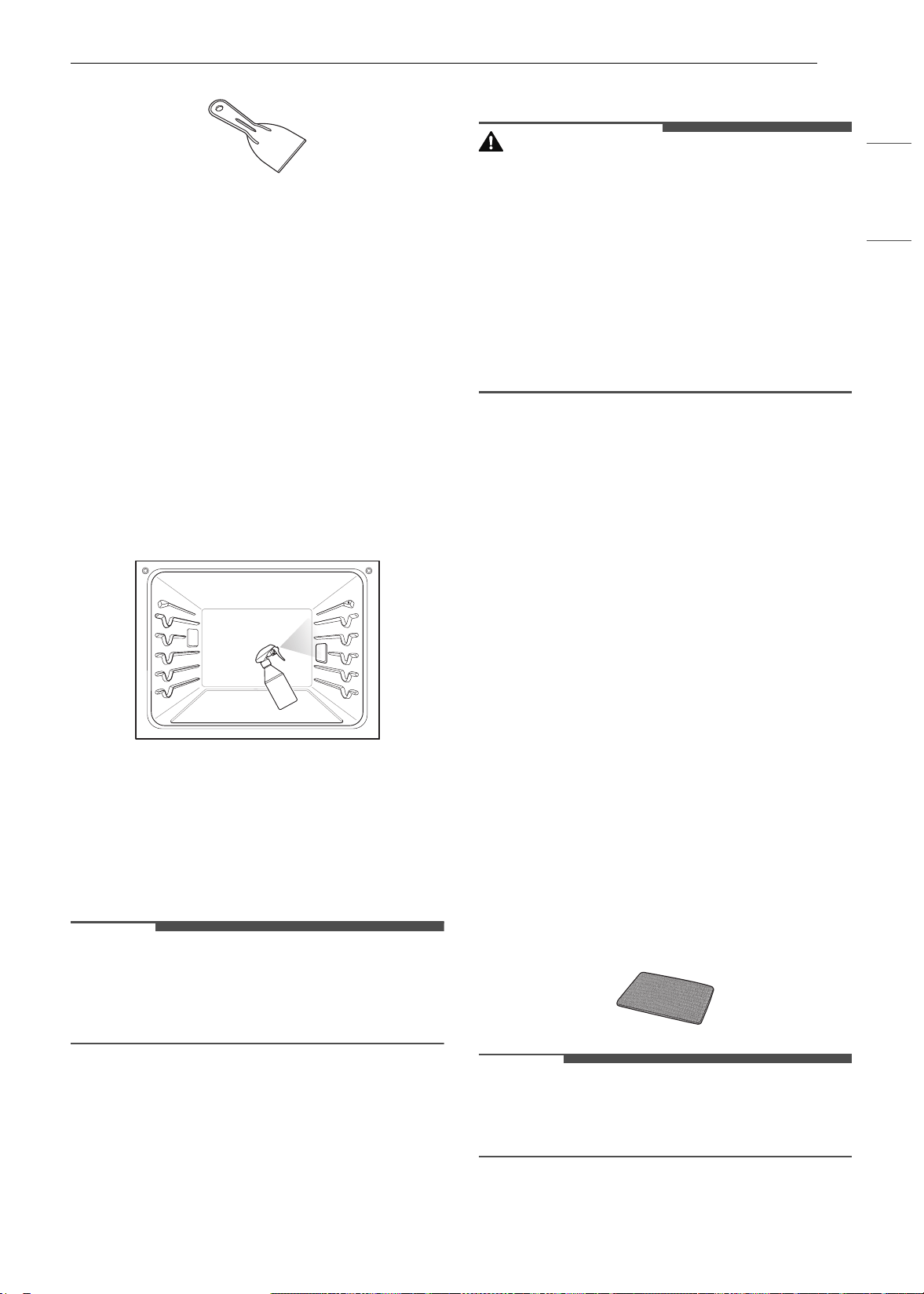
75MANTENIMIENTO
ESPAÑOL
• Raspadores plásticos sugeridos:
- Espátula de plástico dura
- Raspador plástico para bandejas
- Raspador plástico para pintura
- Tarjeta de crédito vieja
3 Llene un envase rociador con agua (10 oz o
300 ml) y utilícelo para rociar bien las
superficies interiores del horno.
4 Use por lo menos 1/5 (2 oz o 60 ml) del agua
de la botella para saturar completamente la
suciedad en las paredes y las esquinas del
horno.
5 Rocíe o vierta el agua restante (8 oz o 240 ml)
en el centro de la base de la cavidad del
horno. La hendidura en la base del horno
debe estar totalmente cubierta para sumergir
toda la suciedad. Agregue agua si fuera
necesario.
NOTA
• Si limpia varios hornos, use una botella de agua
entera para cada uno. No rocíe agua
directamente en la puerta. Si lo hace, el agua
caerá al piso.
6 Cierre la puerta del horno. Presione
EasyClean.
7 Presione START.
PRECAUCIÓN
• Algunas superficies pueden quedar calientes
después del ciclo EasyClean. Use guantes de
goma cuando limpie para evitar quemaduras.
• Durante el ciclo EasyClean, el horno se calienta
lo suficiente como para provocar quemaduras.
Espere hasta que el ciclo termine antes de
limpiar la superficie interna del horno. Si no
espera, podría quemarse.
• Evite apoyarse o posarse sobre el vidrio de la
puerta del horno mientras limpia la cavidad del
horno.
8 Sonará un tono al final del ciclo de 10
minutos. Pulse End of the Cleaning (Fin de
limpieza) en la pantalla para finalizar el modo
EasyClean y el tono.
9 Después del ciclo de limpieza y durante la
limpieza manual, debe quedar suficiente agua
en la base del horno para sumergir
completamente la suciedad. Agregue agua si
fuera necesario. Coloque una toalla en el piso
frente al horno para absorber el agua que
pueda derramarse durante la limpieza
manual.
10 Limpie la cavidad del horno inmediatamente
después del ciclo EasyClean fregando con
una esponja o un paño de limpieza húmedos
que no rayen. (El lado para refregar no rayará
el acabado). Se puede derramar un poco de
agua en las ventilaciones de la parte inferior
cuando se realice la limpieza, pero se
recogerá en una bandeja que se encuentra
debajo de la cavidad del horno y no dañará el
quemador.
NOTA
• No use esponjas de acero ni paños o limpiadores
abrasivos, ya que estos materiales pueden dañar
en forma permanente la superficie del horno.
es-us_main.book.book Page 75 Monday, April 8, 2024 1:14 PM
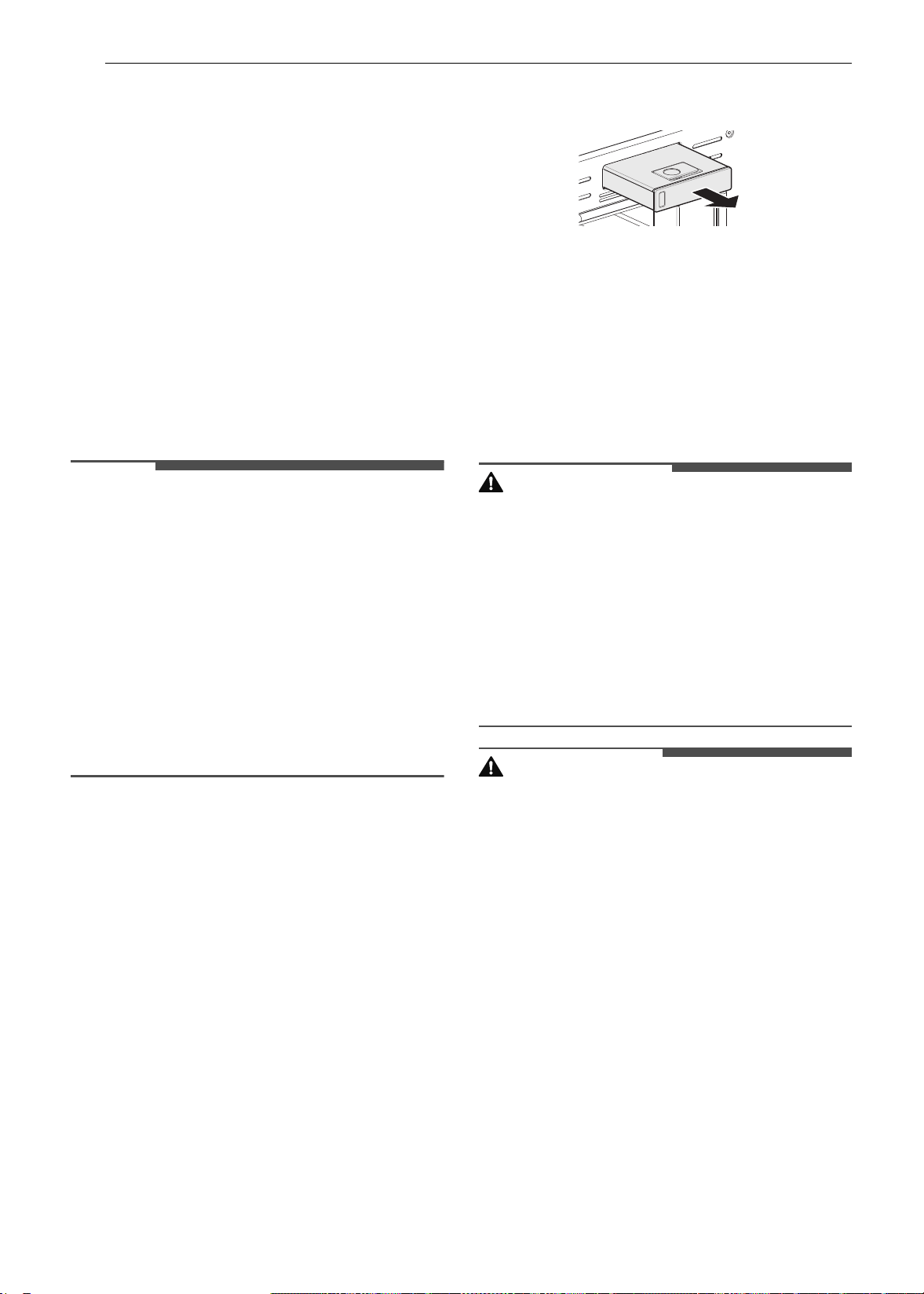
76 MANTENIMIENTO
11 Una vez que haya limpiado la cavidad del
horno, quite el exceso de agua con una toalla
limpia y seca. Vuelva a colocar los estantes y
demás accesorios.
12 Si queda alguna suciedad leve, repita los
pasos anteriores y asegúrese de empapar
bien las áreas sucias.
• Si queda suciedad rebelde después de
varios ciclos EasyClean, ejecute el ciclo Self
Clean. Asegúrese de que se hayan retirado
de la cavidad del horno los estantes y los
demás accesorios y de que la superficie de
la cavidad esté seca antes de ejecutar el
ciclo Self Clean. Consulte la sección Self
Clean del manual del propietario para
obtener más detalles.
NOTA
• La junta de la cavidad puede quedar mojada
cuando termine el ciclo EasyClean. Esto es
normal. No limpie la junta.
• Si quedan depósitos minerales en la base del
horno después de la limpieza, use un paño o una
esponja impregnada en vinagre para quitarlos.
• Es normal que el ventilador funcione durante el
ciclo EasyClean.
• No es recomendable el uso de limpiadores
comerciales o blanqueadores para limpiar el
horno. Utilice un limpiador líquido suave con un
valor de pH inferior a 12.7 para evitar que el
esmalte pierda el color.
Self Clean (Horno inferior)
El ciclo Self Clean usa temperaturas sumamente
altas para limpiar la cavidad del horno. Mientras se
ejecuta el ciclo Self Clean es posible que perciba
humo u olor. Esto es normal, especialmente si el
horno está muy sucio. Durante el ciclo Self Clean,
se debe ventilar bien la cocina para minimizar los
olores de la limpieza.
Antes de comenzar Self Clean
• Limpie solo las partes mencionadas en el
manual. Quite el tanque de agua, los estantes
del horno, la asadera, la rejilla de la asadera, los
recipientes, el papel de aluminio o cualquier otro
material del horno.
- Si se dejan los estantes en la cavidad del horno
durante el ciclo Self Clean se decolorarán y
será difícil deslizarlos hacia adentro o hacia
afuera.
- Si no retira el tanque de agua del horno, suena
un pitido y el ciclo Self Clean no se inicia.
• La cocina debe estar bien ventilada para
minimizar los olores de la limpieza. Abra una
ventana o encienda un ventilador o extractor
antes de la autolimpieza.
• Limpie los derrames difíciles en la base del
horno.
• Asegúrese de que la tapa de la luz del horno esté
en su lugar y que la luz esté apagada.
• Limpie el marco del horno y la puerta con agua
jabonosa caliente. Enjuague bien.
ADVERTENCIA
• Si el horno está muy sucio con aceite, realice una
autolimpieza del horno antes de volver a
utilizarlo. El aceite puede provocar un incendio.
• En caso de un incendio en el horno durante la
autolimpieza, apáguelo y espere a que se
apague el fuego. No fuerce la puerta para
abrirla. El ingreso de aire fresco a las
temperaturas de autolimpieza puede producir
un estallido de llamas en el horno. Si no sigue
estas instrucciones podría sufrir quemaduras
graves.
PRECAUCIÓN
• No use limpiadores para horno. No deben
usarse limpiadores comerciales ni
revestimientos protectores para horno de
ningún tipo alrededor de las piezas del horno.
• Aparece un código de error
F en la pantalla del
horno y suenan tres pitidos largos durante el
proceso de autolimpieza si el modo de
autolimpieza no funciona correctamente.
Desconecte la energía eléctrica del fusible
principal o el disyuntor y hágalo revisar por un
técnico calificado.
• Si el modo de autolimpieza no funciona
correctamente, apague el horno y desconecte la
alimentación eléctrica. Hágalo revisar por un
técnico calificado.
• Es normal que las piezas del horno se calienten
durante el ciclo Self Clean. No toque la puerta, la
ventana ni el área de ventilación del horno
durante el ciclo Self Clean.
• No deje a niños pequeños sin supervisión cerca
del electrodoméstico. Durante el ciclo Self
es-us_main.book.book Page 76 Monday, April 8, 2024 1:14 PM
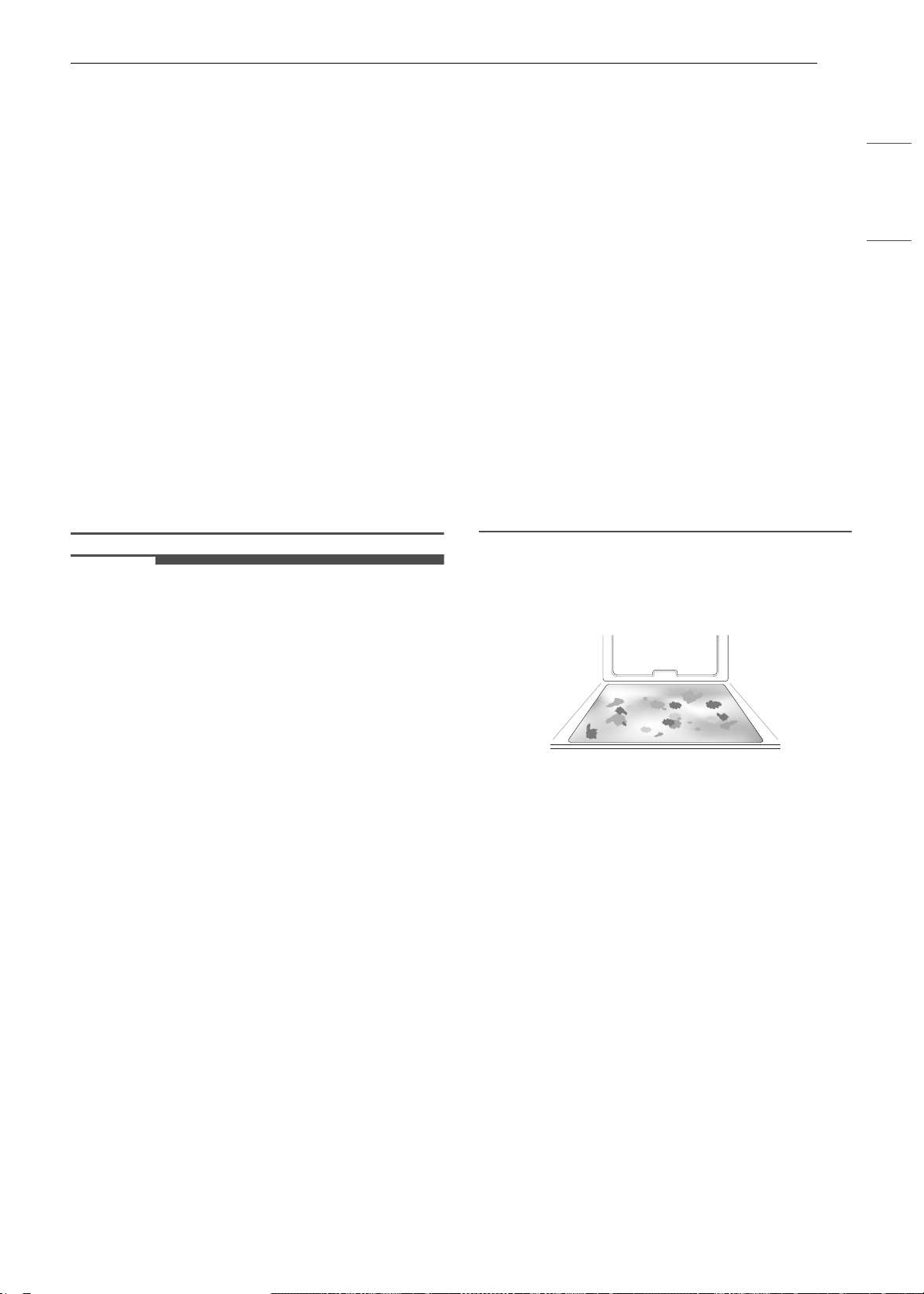
77MANTENIMIENTO
ESPAÑOL
Clean, el exterior del horno puede estar muy
caliente al tacto.
• Si tiene aves domésticas, llévelas a otra sala bien
ventilada. La salud de algunas aves es muy
sensible a los vapores emanados durante el ciclo
Self Clean de cualquier horno.
• No recubra las paredes del horno, los estantes,
el fondo ni ninguna otra parte del horno con
papel de aluminio ni ningún otro material. Esto
destruye la distribución de calor, produce
resultados de horneado deficientes y causa
daños permanentes al interior del horno (el
papel de aluminio se fundirá en la superficie
interior del horno).
• No fuerce la puerta del horno para abrirla.
Podría dañar el sistema automático de bloqueo
de la puerta. Tenga cuidado cuando abra la
puerta del horno después del ciclo Self Clean.
Ubíquese al costado del horno cuando abra la
puerta para dejar que salgan el aire y el vapor
calientes. El horno todavía puede estar MUY
CALIENTE.
NOTA
• La luz del horno no se puede encender durante
el ciclo Self Clean. La luz del horno no se puede
encender hasta que la temperatura sea inferior
a 500 ℉ (260 ℃) después de completar el ciclo
Self Clean.
• Limpie el marco del horno y la puerta con agua
jabonosa caliente. Enjuague bien.
• No limpie la junta. La fibra de vidrio de la junta
de la puerta del horno no resiste la abrasión. Es
fundamental que la junta permanezca intacta. Si
nota que está gastada o deshilachada,
reemplácela.
• Es normal que el ventilador funcione durante el
ciclo Self Clean.
• A medida que el horno se calienta, es posible
que escuche ruidos por la expansión y
contracción de las piezas metálicas. Es normal y
no dañará el horno.
• Es posible que note un poco de ceniza blanca en
el horno. Límpiela con un paño húmedo o una
esponja de lana de acero con jabón después de
que el horno se enfríe. Si el horno no está limpio
después de un ciclo Self Clean, repita el ciclo.
• Si se dejaron los estantes en el horno y no se
deslizan bien después de un ciclo Self Clean,
aplique a los estantes y sus soportes un poco de
aceite vegetal para que se desplacen con
facilidad.
• Tras un ciclo Self Clean, pueden aparecer líneas
finas en la porcelana, debido a que fue sometida
a frío y calor. Esto es normal y no afecta el
desempeño.
• No se puede iniciar el ciclo Self Clean si está
activa la función Lock Out.
• Una vez que se haya configurado el ciclo Self
Clean, la puerta del horno se traba
automáticamente. No podrá abrir la puerta del
horno hasta que el horno se haya enfriado. El
bloqueo se libera de manera automática.
• Una vez que la puerta se haya trabado, la luz
indicadora de bloqueo
k dejará de parpadear y
quedará encendida. Espere unos 15 segundos
para que se active la traba de la puerta del
horno.
• Si el reloj está configurado para una
visualización de 12 horas (predeterminado), la
función Self Clean retrasada nunca se podrá
iniciar con más de 12 horas de anticipación.
• Luego de que se apague el horno, el ventilador
de refrigeración seguirá funcionando hasta que
el horno se haya enfriado.
Cuándo usar Self Clean
• Ejemplo de suciedad en el horno
Caso 1
• Forma de la suciedad: salpicadura mediana a
grande
• Tipos de suciedad: grasa/aceite
• Alimentos comunes que pueden ensuciar el
horno: carne rostizada a alta temperatura
Caso 2
• Forma de la suciedad: gotas o manchas
• Tipos de suciedad: relleno o suciedad de
alimentos con azúcar
• Alimentos comunes que pueden ensuciar el
horno: tartas
Caso 3
• Forma de la suciedad: gotas o manchas
• Tipos de suciedad: crema o salsa de tomate
• Alimentos comunes que pueden ensuciar el
horno: estofados
es-us_main.book.book Page 77 Monday, April 8, 2024 1:14 PM
78 MANTENIMIENTO
NOTA
• El ciclo Self Clean puede usarse para suciedad
que se haya acumulado con el tiempo.
Ajuste de Self Clean
La función Self Clean tiene ciclos de 3, 4 o 5 horas.
Guía de suciedad para Self Clean
1 Quite todos los estantes y los accesorios del
horno.
2 Presione Clean (Limpieza), Self Clean
(Autolimpieza) en ese orden.
El horno comienza de manera
predeterminada el ciclo de autolimpieza de
cuatro horas recomendado para un horno
moderadamente sucio.
3 Seleccione el tiempo de ciclo deseado.
4 Si lo desea, deslícese para configurar una
hora de inicio retardado o presione el icono
de botón numérico para ingresar la hora de
inicio directamente.
5 Presione Start (Iniciar). Aparece el tiempo
restante o el tiempo de inicio retardado en la
pantalla.
6 Una vez que configura el ciclo de
autolimpieza, la puerta del horno se bloquea
automáticamente y aparece el icono de
bloqueo.
• No podrá abrir la puerta del horno hasta
que el horno se haya enfriado. El bloqueo se
libera de manera automática cuando baja la
temperatura.
PRECAUCIÓN
• No fuerce la puerta del horno para abrirla
cuando vea el icono del candado. La puerta
permanece trabada hasta que baja la
temperatura del horno. Si abre la puerta a la
fuerza, se dañará.
• Es posible que deba cancelar o interrumpir el
ciclo Self Clean debido al exceso de humo o la
presencia de fuego en el horno. Para cancelar la
función Self Clean, pulse Stop en la pantalla.
Durante la autolimpieza
•El ciclo Self Clean usa temperaturas sumamente
altas para limpiar la cavidad del horno. Mientras
se ejecuta el ciclo Self Clean es posible que
perciba humo u olor. Esto es normal,
especialmente si el horno está muy sucio.
• A medida que el horno se calienta, es posible
que escuche ruidos por la expansión y
contracción de las piezas metálicas. Es normal y
no dañará el horno.
• No fuerce la puerta del horno para abrirla
cuando vea el candado
k. La puerta permanece
trabada hasta que baja la temperatura del
horno. Si abre la puerta a la fuerza, se dañará.
Después del ciclo de autolimpieza
• La puerta permanece trabada hasta que baja la
temperatura del horno.
• Es posible que note un poco de ceniza blanca en
el horno. Límpiela con un paño húmedo o una
esponja con jabón después de que el horno se
enfríe. Si el horno no está limpio después de un
ciclo de autolimpieza, repita el ciclo.
• Si se dejaron los estantes en el horno y no se
deslizan bien después de un ciclo de
autolimpieza, aplique a los estantes y sus
soportes un poco de aceite vegetal para que se
desplacen con mayor facilidad.
• Pueden aparecer líneas finas en la porcelana
porque fue sometida a frío y calor. Esto es
normal y no afecta su desempeño.
Limpieza del tanque del
alimentador de vapor
El tanque del alimentador de vapor se usa durante
las funciones de cocción al vapor. De ser posible,
use agua destilada y filtrada.
Nivel de suciedad Ajuste del ciclo
Cavidad del horno
levemente sucia
3 horas
Cavidad del horno
moderadamente sucia
4 horas
Cavidad del horno muy
sucia
5 horas
Icono de botón
numérico
es-us_main.book.book Page 78 Monday, April 8, 2024 1:14 PM
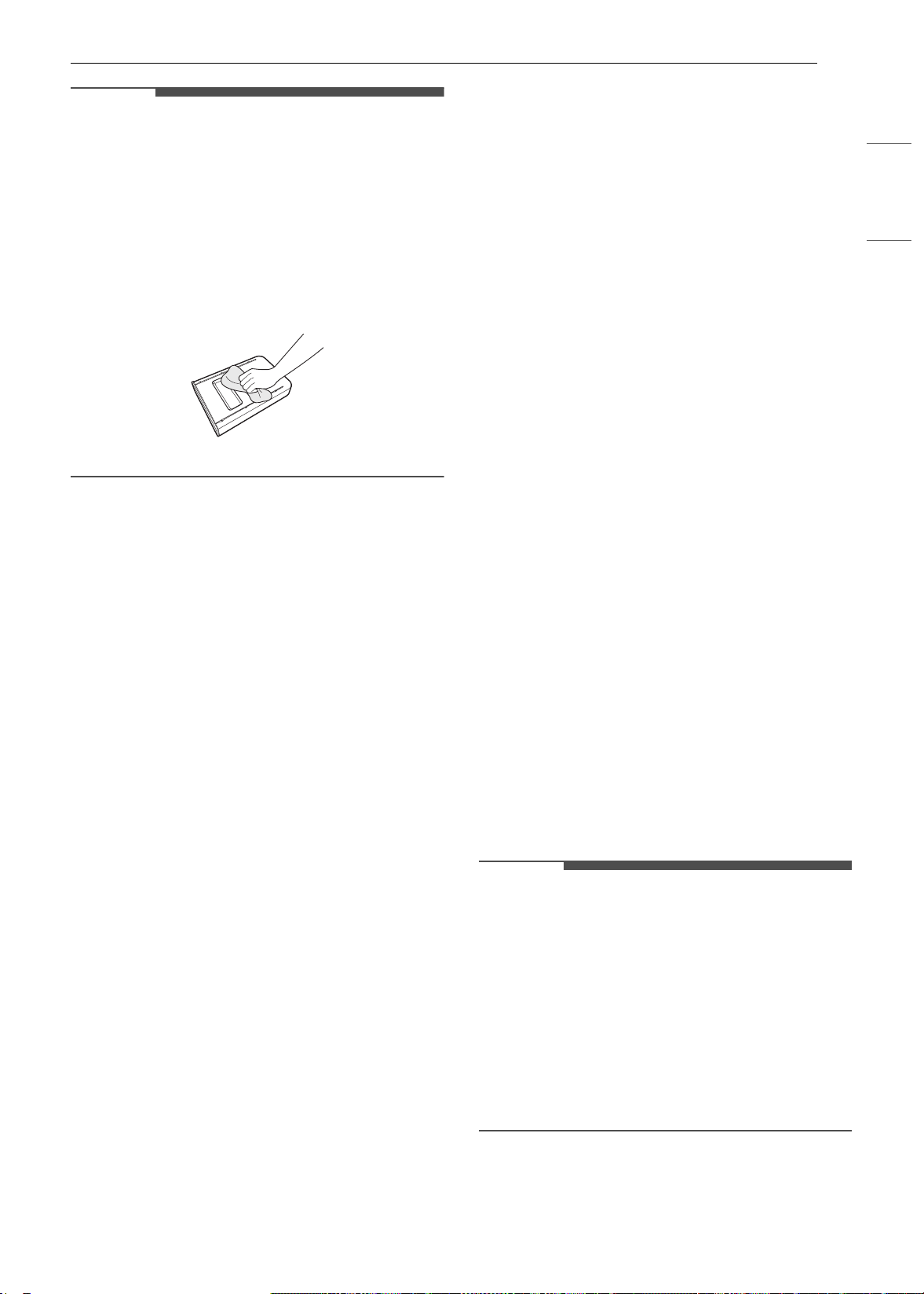
79MANTENIMIENTO
ESPAÑOL
NOTA
• Después de usar la función de vapor, el tanque
del alimentador de vapor debe vaciarse. Para
evitar olores y bacterias, limpie y seque el
tanque del alimentador de vapor después de
cada uso.
• No lo lave en lavavajillas.
• Si el tanque del alimentador de vapor no se
desliza normalmente hacia adentro, limpie la
parte inferior del tanque.
Sarro generado por el agua dura
Al usarse agua dura en el tanque del alimentador
de vapor, el generador de vapor puede quedar
obstruido con el sarro propio del agua dura. En
áreas donde el agua es dura, ejecute la función
Descaling (Eliminación de sarro) con frecuencia o
use agua destilada.
Limpieza de sarro en la parte de
abajo del horno inferior
Para eliminar los depósitos minerales que quedan
en la parte inferior del horno luego de utilizar el
modo de vapor, use un paño o una esponja
impregnados en vinagre o una solución ligera de
ácido cítrico. Para quitar el sarro difícil de limpiar o
si se formó ampliamente en el horno, use la
función Descaling (Eliminación del sarro).
Descaling (Eliminación del sarro)
Use esta función para quitar los residuos blancos
que se forman luego de que se usa el generador
de vapor durante un período prolongado.
La función de eliminación del sarro se ejecuta
durante 1 hora y 43 minutos. Saldrá agua del
generador de vapor mientras se está limpiando.
Para obtener instrucciones sobre cómo llenar y
vaciar el tanque del alimentador de vapor,
consulte "Cómo usar el tanque del alimentador de
vapor."
Configuración de Descaling (Eliminación
del sarro)
1 Llene el tanque del alimentador de vapor con
una mezcla de agua y ácido cítrico en una
proporción de 20:1. Por ejemplo, use 4 cdas.
de ácido cítrico en 4 1/4 tazas de agua (20 g
de ácido cítrico en 1000 ml de agua).
2 Inserte el tanque del alimentador de vapor en
la abertura sobre la cavidad del horno y
empújelo hasta que quede correctamente
ubicado en su lugar.
3 Presione Clean (Limpiar) en la pantalla
Cooking Modes (Modos de cocción). Presione
Steam Maintenance (Mantenimiento de
vapor) y Descaling (Eliminación del sarro) en
ese orden.
4 Después de 1 hora y 43 minutos de
eliminación de sarro, aparecerá una ventana
emergente en la pantalla. Siga las
instrucciones, vacíe el tanque y llénelo con
agua limpia.
5 Inserte el tanque e inicie la función Rinsing
(Enjuague).
6 Cuando termine de ejecutarse la función de
Enjuague, seque el interior del horno con un
paño suave. Deje la puerta del horno abierta y
deje secar el horno por completo.
NOTA
• La función de Enjuague debe ejecutarse incluso
si se canceló la función de Eliminación del sarro.
• Si después de la limpieza de sarro queda agua
en la parte inferior del horno, puede dejar un
residuo después de usar el horno. Para
eliminarlo, consulte las instrucciones en
"Limpieza de sarro en la parte inferior del
horno."
• Después de ejecutar la función Descaling
(Eliminación de sarro), limpie el tanque del
alimentador de vapor.
es-us_main.book.book Page 79 Monday, April 8, 2024 1:14 PM
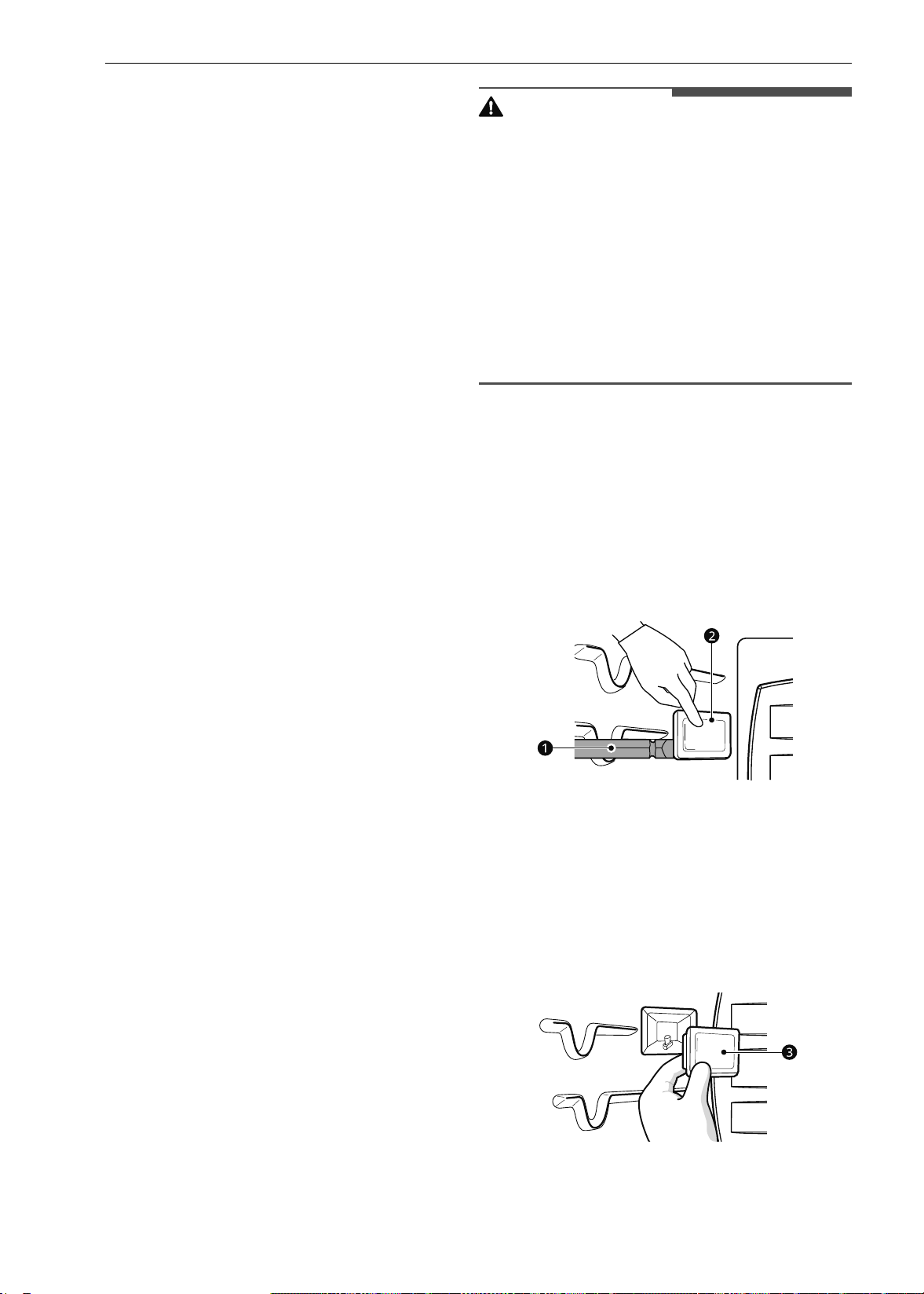
80 MANTENIMIENTO
Secado del interior del horno
inferior
La función Drying (secado) elimina el agua que
queda en el generador de vapor. La función lleva
poco más de 1 minuto y se ejecuta
automáticamente después de cualquier ciclo de
cocción de vapor. La función de secado también se
puede iniciar de forma manual de ser necesario.
Configuración de Drying (Secado)
1 Asegúrese de que el tanque del alimentador
de vapor esté vacío.
2 Presione Clean (Limpiar) en la pantalla
Cooking Modes (Modos de cocción). Presione
Steam Maintenance (Mantenimiento de
vapor) y Descaling (Eliminación del sarro) en
ese orden.
3 Presione Start (Iniciar) para iniciar el Drying
(Secado). El tiempo restante aparece en
pantalla.
Uso de la función Evaporation
(Evaporación) (Horno inferior)
Utilice la función Evaporation (Evaporación) para
secar la cavidad del horno después de un ciclo de
cocción al vapor. La evaporación se ejecuta
durante 12 minutos.
Configuración de Evaporation
(Evaporación)
1 Presione Clean (Limpiar) en la pantalla
Cooking Modes (Modos de cocción). Presione
Steam Maintenance (Mantenimiento de
vapor) y Evaporation (Evaporación) en ese
orden.
2 Presione Start (Iniciar) para iniciar la
evaporación. El tiempo restante aparece en
pantalla.
Mantenimiento periódico
Cambio de la luz del horno
La luz del horno es una bombilla de luz halógena
estándar para horno de 25 watts.
ADVERTENCIA
• Asegúrese de que el horno y la bombilla estén
fríos.
• Desconecte la energía eléctrica del
electrodoméstico del fusible principal o el panel
disyuntor. Si no lo hace, podría causar lesiones
graves, descargas eléctricas o la muerte.
• Use guantes para cambiar la luz del horno. Los
fragmentos de vidrio de las bombillas rotas
pueden provocar lesiones.
• Gire suavamente el destornillador para cambiar
la luz del horno. Si aplica demasiada fuerza, el
vidrio o el horno pueden romperse.
1 Desenchufe el horno o desconéctelo de la
alimentación eléctrica.
2 Extraiga los estantes del horno.
3 Deslice un destornillador plano a entre la
carcasa y la tapa de vidrio de la luz b.
4 Sostenga la tapa de vidrio de la luz con dos
dedos para evitar que la tapa caiga en la parte
inferior del horno.
5 Gire suavemente el destornillador para aflojar
la tapa de la luz de vidrio
c.
6 Retire la bombilla de la cavidad.
es-us_main.book.book Page 80 Monday, April 8, 2024 1:14 PM

81MANTENIMIENTO
ESPAÑOL
7 Reemplace la bombilla y vuelva a colocar la
tapa de la luz hasta ajustarla correctamente
en su lugar.
8 Enchufe el horno o vuelva a conectar la
energía eléctrica.
es-us_main.book.book Page 81 Monday, April 8, 2024 1:14 PM

82 SOLUCIÓN DE PROBLEMAS
SOLUCIÓN DE PROBLEMAS
Preguntas Frecuentes
Preguntas frecuentes
Acerca del horno superior
P: ¿Puedo usar una rejilla en mi horno superior para recalentar y cocinar en dos niveles al mismo
tiempo?
R: Solo use la rejilla que viene con su horno superior. El uso de cualquier otra rejilla puede ocasionar un
bajo rendimiento en la cocción y/o arcos eléctricos, lo cual puede dañar su horno.
P: ¿Se daña el horno superior si se lo hace funcionar estando vacío?
R: Sí. Nunca ponga el horno en funcionamiento si está vacío o sin la bandeja de vidrio.
P: ¿Pasa la energía de microondas a través de la pantalla de visualización de la puerta?
R: No. La pantalla de metal hace rebotar la energía hacia la cavidad del horno. Las aberturas (o puertos)
solo permiten el paso de la luz, no de la energía de microondas.
P: ¿Por qué veo un reflejo luminoso alrededor de la carcasa externa?
R: Se trata de un reflejo de la luz del horno superior, la cual se encuentra ubicada entre la cavidad del
horno y la pared externa del horno.
P: ¿Qué son los diferentes sonidos que emite el horno superior cuando está en funcionamiento?
R: El sonido de clic se debe al interruptor mecánico que gira el magnetrón del horno de microondas en
ON (encendido) y OFF (apagado).
Los ruidos sordos y el zumbido potente se deben al cambio de energía en el magnetrón al
encenderse y apagarse con el interruptor mecánico. El cambio en la velocidad del ventilador se debe
al cambio en la tensión de línea que causa el encendido y apagado del magnetrón.
P: ¿Se puede dañar mi horno superior si la comida se cocina en exceso?
R: Como con cualquier otro electrodoméstico de cocina, es posible cocinar la comida de más, hasta el
punto en que se genere humo, e incluso fuego, y daño en el interior del horno. Siempre es mejor que
se mantenga cerca del horno mientras está cocinando.
P: ¿Por qué se recomienda un tiempo de reposo una vez que se completó el tiempo de cocción en
el microondas?
R: El tiempo de reposo permite que los alimentos se sigan cocinando de manera uniforme durante unos
minutos después del ciclo de cocción del horno de microondas propiamente dicho. El tiempo de
reposo será más o menos prolongado dependiendo de la densidad de los alimentos.
P: ¿Por qué se necesita tiempo adicional para cocinar alimentos almacenados en el refrigerador?
R: Al igual que en la cocción convencional, la temperatura inicial de los alimentos incide en el tiempo de
cocción total. Se necesita más tiempo para cocinar alimentos que se conservaron en el refrigerador
en comparación con los alimentos que se encuentran a temperatura ambiente.
P: ¿Puedo usar bandejas de metal o de aluminio en mi horno superior?
R: El metal utilizable incluye papel de aluminio para protección (use pequeñas láminas planas) y
bandejas de aluminio poco profundas (si la bandeja tiene ¾ de pulgada de profundidad y está llena
de comida para absorber la energía de microondas). Nunca permita que el metal toque las paredes ni
la puerta.
P: La puerta de mi horno superior suele parecer ondulada. ¿Es normal esto?
es-us_main.book.book Page 82 Monday, April 8, 2024 1:14 PM

83SOLUCIÓN DE PROBLEMAS
ESPAÑOL
Acerca del horno inferior
R: Este aspecto es normal y no afecta el funcionamiento de su horno.
P: ¿Por qué no se mueve la bandeja de vidrio?
R: El lado correcto de la bandeja debe mirar hacia arriba y la bandeja debe asentarse firmemente en el
eje central. El soporte no funciona correctamente. Vuelva a colocar la bandeja de vidrio y reinicie el
horno. Cocinar sin la bandeja de vidrio puede producir una cocción deficiente.
P: ¿Por qué se calienta el plato cuando cocino comida en él? Pensé que esto no sucedía.
R: A medida que la comida se calienta, esta transmite el calor al plato. Utilice paños aislantes para
retirar la comida después de la cocción.
P: ¿Qué significa el "tiempo de reposo"?
R: El tiempo de reposo significa que se debería retirar la comida del horno y cubrirla durante un tiempo
adicional después de la cocción. Este proceso permite que finalice la cocción, ahorra energía y libera
el horno para utilizarlo para otros fines.
P: ¿Puedo preparar palomitas de maíz en mi horno superior? ¿Cómo obtengo los mejores
resultados?
R: Sí. Prepare palomitas de maíz envasadas para cocción en microondas siguiendo las pautas del
fabricante o use el botón Popcorn (Palomitas de maíz) preprogramado.
No utilice bolsas de papel regulares. Mediante la prueba auditiva podrá detener el horno tan pronto
como disminuyan las explosiones de las palomitas a una cada uno o dos segundos. No trate de hacer
explotar de nuevo los granos que no explotaron. También puede usar máquinas especiales de hacer
palomitas aptas para microondas. Al usar una de estas máquinas, asegúrese de seguir las
indicaciones del fabricante. No prepare palomitas en recipientes de vidrio.
P: ¿Por qué sale vapor de la salida de ventilación?
R: Durante la cocción, se produce normalmente vapor. El horno superior ha sido diseñado para ventilar
el vapor por la salida superior.
P: Mi nuevo horno no cocina como el que tenía antes. ¿Hay algún problema con los ajustes de
temperatura?
R: No, su horno se probó y calibró en la fábrica. Durante los primeros usos, siga cuidadosamente los
tiempos y las temperaturas de su receta. Si todavía piensa que el horno nuevo se calienta o enfría
demasiado, puede ajustar su temperatura para adecuarla a sus necesidades específicas de cocción.
Consulte la sección Cambio de configuraciones del horno de este manual para obtener
instrucciones fáciles sobre cómo ajustar el termostato.
P: ¿Es normal que se escuche un chasquido que proviene de la parte trasera del horno cuando lo
uso?
R: Su nuevo electrodoméstico está diseñado para mantener un control más estricto de la temperatura
del horno. Es posible que escuche los elementos calentadores del horno hacer un chasquido al
encenderse y apagarse con más frecuencia en su horno nuevo. Esto es NORMAL.
P: ¿Por qué parpadea el reloj?
R: Esto significa que el producto acaba de enchufarse o que hubo una interrupción del suministro
eléctrico. Para eliminar el parpadeo del reloj, toque cualquier botón y reinicie el reloj si es necesario.
P: Durante la cocción por convección, el ventilador se detiene cuando abro la puerta. ¿Es normal?
R: Sí, es normal. Cuando se abre la puerta, el ventilador de convección se detiene hasta que se cierra la
puerta.
P: ¿Puedo usar papel de aluminio para que recolecte el goteo en la cavidad del horno?
es-us_main.book.book Page 83 Monday, April 8, 2024 1:14 PM

84 SOLUCIÓN DE PROBLEMAS
PRECAUCIÓN
• Se puede utilizar papel de aluminio para envolver los alimentos dentro del horno, pero no permita que el
papel de aluminio entre en contacto con los elementos para calentar/asar del horno expuestos. El papel
de aluminio podría derretirse o prenderse fuego, lo que ocasionaría humo, incendio o lesiones.
R: Nunca utilice papel de aluminio para revestir la base o los laterales del horno. El papel se derretirá y
se pegará a la superficie de la base del horno y no se podrá quitar. En lugar de eso, coloque una
bandeja forrada con papel de aluminio sobre un estante inferior del horno y úsela para recolectar el
goteo. (Si ya se ha derretido el papel de aluminio en la base del horno, esto no interferirá con el
rendimiento del horno).
P: ¿Puedo usar papel de aluminio en los estantes?
R: No cubra los estantes con papel de aluminio. Cubrir estantes por completo con papel de aluminio
restringe el flujo de aire, generando resultados de cocción deficientes. Coloque una bandeja cubierta
con papel de aluminio debajo de tartas de frutas u otros alimentos ácidos o dulces para evitar que los
derrames dañen el acabado del horno.
P: ¿Puedo dejar los estantes en el horno cuando ejecute un ciclo de autolimpieza? (En algunos
modelos)
R: No. Aunque no dañará los estantes, esto los decolorará y no se deslizarán bien cuando los use. Quite
todos los elementos del horno antes de comenzar un ciclo Self Clean (autolimpieza).
P: ¿Qué debo hacer si los estantes están pegajosos y es difícil deslizarlos hacia dentro y hacia
fuera?
R: Con el tiempo, se puede hacer difícil deslizar los estantes. Aplique una pequeña cantidad de aceite de
oliva en los extremos de los estantes. Este actuará como lubricante para un mejor deslizamiento.
P: ¿Por qué no se pueden operar los botones de función?
R:
Asegúrese de que el electrodoméstico no esté en modo Lock Out. El ícono del candado
k aparecerá
en la pantalla si el modo Lock Out está activado. Para desactivar el modo Lock Out, consulte la
sección Función de Bloqueo. Suena la melodía de desbloqueo y aparece
Loc en la pantalla hasta que
los controles se desbloquean.
P: Mi electrodoméstico todavía está sucio después de ejecutar el ciclo EasyClean. ¿Qué más debo
hacer?
R: El ciclo EasyClean solo ayuda a aflojar la suciedad leve del electrodoméstico para ayudar en la
limpieza manual del horno. No quita automáticamente toda la suciedad después del ciclo. Es
necesario fregar un poco el electrodoméstico después de haber ejecutado el ciclo EasyClean.
P: Probé fregar el horno después de ejecutar EasyClean, pero queda suciedad. ¿Qué puedo hacer?
R: La función EasyClean tiene un mejor resultado cuando la suciedad se empapa y sumerge totalmente
en agua antes de ejecutar el ciclo y durante la limpieza manual. Si la suciedad no está
suficientemente empapada en agua, puede tener un efecto negativo sobre el desempeño de la
limpieza. Repita el proceso EasyClean utilizando suficiente agua.
La suciedad de azúcar y algunos residuos grasosos son particularmente difíciles de limpiar. Si queda
suciedad rebelde, use la función Self Clean para limpiar bien el horno.
P: La suciedad de las paredes del horno no sale. ¿Cómo puedo dejar limpias las paredes del horno?
R: La suciedad en las paredes laterales y traseras de su electrodoméstico puede resultar más difícil de
empapar totalmente con agua. Intente repetir el proceso EasyClean con más de ¼ de taza (2 oz o
60 ml) del producto recomendado.
P: ¿EasyClean quita toda la suciedad y las manchas por completo?
es-us_main.book.book Page 84 Monday, April 8, 2024 1:14 PM

85SOLUCIÓN DE PROBLEMAS
ESPAÑOL
R: Depende del tipo de suciedad. Las manchas de azúcar y algunas de grasa son particularmente
difíciles de limpiar. Además, si las manchas no están muy empapadas en agua, esto puede tener un
efecto negativo en el desempeño de la limpieza.
Si todavía quedan manchas rebeldes o acumulación, use la función Self Clean. Consulte la sección
Self Clean del manual del propietario.
P: ¿Hay algún truco para eliminar algo de la suciedad rebelde?
R: Se recomienda raspar la suciedad con un raspador plástico antes de limpiar manualmente y mientras
limpia. También se recomienda saturar por completo con agua la suciedad.
Sin embargo, hay suciedad que es más difícil de limpiar que otra. Para la suciedad rebelde, se
recomienda usar el ciclo Self Clean. Consulte la sección Self Clean del manual del propietario para
obtener más detalles.
P: ¿Es seguro que el ventilador de convección o el elemento calentador se mojen durante la
función EasyClean?
R: Sí. Tanto el ventilador de convección como el elemento calentador pueden mojarse un poco durante
la limpieza. Sin embargo, no es necesario aplicar un rocío directo sobre el quemador del asador ni los
elementos calentadores porque se limpian automáticamente durante el uso regular.
P: ¿Debo usar toda el agua 1 ¼ tazas (10 oz o 300 ml) para la función EasyClean?
R: Sí. Se recomienda encarecidamente rociar o verter 1 taza (8 oz o 240 ml) de agua en la base y otro ¼
de taza (2 oz o 60 ml) de agua en las paredes y otras áreas sucias para saturar por completo la
suciedad a fin de lograr un mejor resultado de la limpieza.
P: Veo humo que sale de las ventilaciones del electrodoméstico durante la función EasyClean. ¿Es
normal?
R: Esto es normal. No es humo. En realidad, es vapor del agua que está en la cavidad del horno. Cuando
el horno se calienta brevemente durante la función EasyClean, el agua de la cavidad se evapora y
sale por las ventilaciones del horno.
P: ¿Con qué frecuencia debo usar EasyClean?
R: EasyClean se puede usar las veces que desee. EasyClean funciona mejor cuando el horno está
LEVEMENTE sucio, por ejemplo, con salpicaduras de grasa LEVES y gotitas de queso. Consulte la
sección EasyClean del manual del propietario para obtener más información.
P: ¿Qué se necesita para EasyClean?
R: Un envase rociador con 1¼ tazas (10 oz o 300 ml) de agua, un raspador plástico, una esponja que no
raye y una toalla. No debe usar esponjas abrasivas como las de trabajo pesado ni lana de acero.
P: ¿Cómo puedo mantener la seguridad de los niños alrededor del electrodoméstico?
R: Los niños deben estar bajo supervisión cuando estén alrededor del electrodoméstico en uso y hasta
que las superficies se hayan enfriado. También puede usar la función de Lock Out (Bloqueo) para
evitar que los niños enciendan accidentalmente el horno. La función de Lock Out desactiva la
mayoría de los botones del panel de control. Consulte la sección Función de Bloqueo del manual del
propietario para obtener más detalles. (En modelos sin la opción de Self Clean, la función de Lock
Out bloquea los controles, pero no traba la puerta del horno).
es-us_main.book.book Page 85 Monday, April 8, 2024 1:14 PM
86 SOLUCIÓN DE PROBLEMAS
Antes de llamar al servicio técnico
Revise esta sección antes de llamar para servicio; hacerlo le ahorrará tiempo y dinero.
Cocción
Problemas Causas posibles y solución
Arcos eléctricos o
chispas
El utensilio de cocina no es apto para microondas.
• Si tiene dudas, pruebe los utensilios antes de usarlos.
No haga funcionar el horno cuando esté vacío.
• Coloque los alimentos en el horno.
Comida cocida de
manera desigual,
comida cocida de
más, comida sin
cocción suficiente,
comida mal
descongelada
Vigile atentamente la comida en el horno de microondas mientras se cocina.
• Consulte los Consejos para cocinar en la sección Funcionamiento del horno de
microondas superior.
Si la pantalla indica
la cuenta regresiva
del tiempo pero el
horno no cocina.
La puerta del horno no está cerrada.
• Compruebe que la puerta del horno esté bien cerrada.
El horno no funciona El enchufe del electrodoméstico no está introducido completamente en el
tomacorriente.
• Verifique que el enchufe eléctrico esté conectado a un tomacorriente con tensión y
adecuada conexión a tierra.
Es posible que se haya quemado un fusible o saltado el disyuntor de la vivienda.
• Reemplace el fusible o reinicie el disyuntor.
Los controles del horno no se configuraron correctamente.
• Consulte el capítulo FUNCIONAMIENTO.
El horno está demasiado caliente.
• Deje enfriar el horno por debajo de la temperatura de bloqueo.
Sale vapor a través
de la ventilación del
horno.
Cocinar comidas muy húmedas produce vapor.
•Esto es normal.
El aparato no
funciona.
El cable no está enchufado correctamente.
• Asegúrese de que el cable esté enchufado correctamente al tomacorriente. Verifique los
disyuntores.
El cableado de servicio no está completo.
• Comuníquese con un electricista para obtener ayuda.
Corte de energía.
• Controle las luces de la vivienda para asegurarse. Llame a la compañía de servicio eléctrico
local para recibir mantenimiento.
El horno hace
demasiado humo
durante el asado.
El control no está configurado correctamente.
• Siga las instrucciones que figuran en Cambio de configuraciones.
La carne se encuentra muy cerca del elemento.
• Cambie la posición del estante para dejar un espacio adecuado entre la carne y el
elemento. Precaliente el elemento de asado para sellar los jugos.
es-us_main.book.book Page 86 Monday, April 8, 2024 1:14 PM
87SOLUCIÓN DE PROBLEMAS
ESPAÑOL
El horno hace
demasiado humo
durante el asado.
No se ha preparado bien la carne.
• Quite el exceso de grasa de la carne. Corte los costados restantes de grasa para evitar que
se enrulen.
La asadera está mal colocada y no se escurre la grasa.
• Siempre coloque la rejilla sobre la asadera con las estrías hacia arriba y las ranuras hacia
abajo para que la grasa caiga dentro de la asadera.
Se ha acumulado grasa en las superficies del horno. La grasa antigua o las salpicaduras
de comida provocan humo excesivo.
• Es necesaria una limpieza regular cuando se asa frecuentemente.
Los alimentos no se
hornean o rostizan
correctamente
Los controles del horno no se configuraron correctamente.
• Consulte el capítulo FUNCIONAMIENTO.
La posición del estante es incorrecta o está mal nivelado.
• Consulte el capítulo FUNCIONAMIENTO.
Se está utilizando un utensilio de cocina incorrecto o de un tamaño inapropiado.
• Consulte el capítulo FUNCIONAMIENTO.
El papel metálico que se utiliza en la asadera y la rejilla no se colocó de manera correcta
y no se realizaron los cortes recomendados.
• Consulte el capítulo FUNCIONAMIENTO.
En algunas áreas puede haber baja tensión eléctrica.
• Precaliente el elemento de asado entre 5 y 7 minutos.
• Consulte el capítulo FUNCIONAMIENTO.
Se debe ajustar el sensor del horno.
• Consulte el capítulo FUNCIONAMIENTO.
Los alimentos no se
asan de manera
adecuada
Los controles del horno no se configuraron correctamente.
• Asegúrese de seleccionar el modo Broil correctamente.
Se está usando una posición de estante inadecuada.
• Consulte la Guía de asado.
Los utensilios de cocina no son los adecuados para asar.
• Use la asadera y la rejilla.
El papel metálico que se utiliza en la asadera y la rejilla no se colocó de manera correcta
y no se realizaron los cortes recomendados.
• Consulte el capítulo FUNCIONAMIENTO.
En algunas áreas puede haber baja tensión eléctrica.
• Precaliente el elemento de asado entre 5 y 7 minutos. Consulte la Guía de asado.
La temperatura del
horno es demasiado
alta o baja
Se debe ajustar el sensor del horno.
• Consulte el capítulo FUNCIONAMIENTO.
Hay demasiado
humo durante el
ciclo SelfClean (En
algunos modelos)
Suciedad excesiva.
• Apague la función Self Clean (Autolimpieza). Abra las ventanas para que salga el humo.
Espere hasta que se cancele el modo Self Clean. Limpie el exceso de suciedad y vuelva a
configurar el ciclo de limpieza.
Un olor a quemado o
a aceite sale de la
ventilación
Esto es normal en un horno nuevo.
• Desaparecerá con el tiempo. Para acelerar el proceso, configure un ciclo Self Clean
(Autolimpieza) de un mínimo de 3 horas. Consulte la sección Self Clean (Autolimpieza).
Problemas Causas posibles y solución
es-us_main.book.book Page 87 Monday, April 8, 2024 1:14 PM
88 SOLUCIÓN DE PROBLEMAS
Partes y Características
Se junta humedad en
la ventana del horno
o sale vapor de la
ventilación del horno
Esto sucede al cocinar alimentos muy húmedos.
•Esto es normal.
Se usó demasiada agua para limpiar la ventana.
• No use demasiada agua para limpiar la ventana.
El horno no cocina
con vapor (en
algunos modelos)
Ensamble inadecuado
• Asegúrese de deslizar el tanque en la abertura hasta que se ubique correctamente en su
lugar.
El desagüe del tanque de agua puede encontrarse obstruido con el sarro del agua dura.
• Si esto sucede, se debe ejecutar la función de eliminación del sarro antes de usar la
función de vapor.
El agua se acumula
en la base del horno
durante o después
de la cocción al vapor
(en algunos modelos)
Durante la cocción de vapor, el agua se transfiere del tanque de agua a la base del
horno.
• Es normal que la base del horno se llene de agua durante el modo Steam (vapor) o una vez
que finaliza la cocción al vapor.
• Si el agua deja depósitos minerales en la parte inferior del horno, límpielos con un paño o
esponja humedecido en vinagre.
Luego de la cocción
al vapor aparecen
residuos blancos en
la base del horno (en
algunos modelos)
El uso de agua dura en el tanque de agua tiene como consecuencia que se genere sarro
en la base del horno.
• Para eliminar los depósitos minerales que se acumulan en la base del horno, use un paño
o una esponja impregnados en vinagre o una solución ligera de ácido cítrico.
El módulo de cocción
al vacío emite un
pitido durante el
funcionamiento (en
algunos modelos)
Esta alerta suena cuando el módulo de cocción al vacío está funcionando sin agua en el
tanque del alimentador de vapor.
• Llene el tanque del alimentador de vapor al nivel recomendado antes de usarlo
Problemas Causas posibles y solución
El control del horno
suena y aparece un
código de error F.
El control electrónico detectó una condición de falla.
• Apague la función del horno que está usando para borrar la pantalla y detener el pitido.
Reprograme el horno. Si la falla se repite, registre el número de falla y comuníquese con
un agente del servicio técnico.
- [Caso 1]
Código: F-9
Causa: el horno no calienta (horno superior)
- [Caso 2]
Código: F-19
Causa: el horno no calienta (horno inferior)
Se enciende
k en la
pantalla cuando
usted quiere cocinar.
La puerta del horno está bloqueada porque la temperatura dentro del horno no
descendió por debajo de la temperatura de bloqueo.
• Pulse el botón STOP (Detener). Deje enfriar el horno.
La luz del horno no
funciona.
Es hora de reemplazar la bombilla o la bombilla no está suelta.
• Reemplace o ajuste la bombilla. Consulte la sección "Cambio de la luz del horno" en el
manual del propietario.
Problemas Causas posibles y solución
es-us_main.book.book Page 88 Monday, April 8, 2024 1:14 PM
89SOLUCIÓN DE PROBLEMAS
ESPAÑOL
Ruidos
El ventilador de
enfriamiento sigue
funcionando
después de apagar el
horno.
El ventilador se apaga automáticamente cuando los componentes electrónicos se han
enfriado lo suficiente.
•Esto es normal.
El horno no realiza la
función Self Clean
(Autolimpieza).
La temperatura del horno es demasiado elevada para establecer la operación Self
Clean.
• Deje enfriar el electrodoméstico y reinicie los controles.
Los controles del horno no se configuraron correctamente.
• Consulte la sección Self Clean (Autolimpieza).
No se puede iniciar un ciclo Self Clean si la puerta del horno está abierta.
• Cierre la puerta del horno.
La puerta del horno
no se abre después
de un ciclo Self Clean
El horno está demasiado caliente.
• Deje enfriar el horno por debajo de la temperatura de bloqueo.
El control y la puerta pueden estar bloqueados.
• Deje enfriar el horno durante aproximadamente una hora después de completar un ciclo
Self Clean. Puede abrir la puerta cuando desaparezca el candado
k.
El horno no está
limpio después de un
ciclo Self Clean
Los controles del horno no se configuraron correctamente.
• Consulte la sección Self Clean (Autolimpieza).
El horno está muy sucio.
• Limpie los derrames difíciles antes de iniciar el ciclo de limpieza. Es posible que los hornos
con suciedad difícil necesiten otro ciclo Self Clean o durante más tiempo.
El ventilador de
convección se
detiene (en algunos
modelos)
El ventilador de convección se detiene durante un ciclo de horneado por convección.
Esto permite lograr un calor más parejo durante el ciclo.
• No es una falla de la cocina y debe considerarse un funcionamiento normal.
La hora mostrada
está parpadeando
(en algunos modelos)
Esto significa que el producto se ha enchufado recién o que se ha interrumpido el
suministro eléctrico.
• Pulse la tecla Clock (Reloj) y restablezca la hora o pulse cualquier tecla para detener el
parpadeo.
Los estantes del
horno no deslizan
correctamente (en
algunos modelos)
Los estantes brillantes de color plateado se limpiaron en un ciclo Self Clean
(Autolimpieza).
• Aplique una pequeña cantidad de aceite vegetal en una toalla de papel y limpie los bordes
de los estantes del horno con ella.
Problemas Causas posibles y solución
Ruido de crujidos o
chasquidos
Es el sonido del metal calentándose y enfriándose durante las funciones de cocción y
Self Clean.
•Esto es normal.
Ruido del ventilador Un ventilador de convección puede encenderse y apagarse automáticamente.
•Esto es normal.
Problemas Causas posibles y solución
es-us_main.book.book Page 89 Monday, April 8, 2024 1:14 PM
90 SOLUCIÓN DE PROBLEMAS
Wi-Fi
Problemas Causas posibles y solución
Problemas para
conectar el
electrodoméstico y
el teléfono
inteligente a la red
Wi-Fi
La contraseña para la red Wi-Fi se introdujo de forma incorrecta.
• Elimine su red Wi-Fi doméstica y comience el proceso de conexión nuevamente.
Los Datos Móviles para su teléfono inteligente están activados.
• Desactive los Datos Móviles en su teléfono inteligente antes de conectar el
electrodoméstico.
El nombre de la red inalámbrica (SSID) se ha configurado incorrectamente.
• El nombre de la red inalámbrica (SSID) debe ser una combinación de letras y números. (No
utilice símbolos especiales).
La frecuencia del enrutador no es de 2.4 GHz.
• Sólo se admite una frecuencia de enrutador de 2.4 GHz. Configure el enrutador
inalámbrico a 2.4 GHz y conecte el electrodoméstico a éste. Para verificar la frecuencia del
enrutador, consulte con su proveedor de servicios de internet o con el fabricante del
enrutador.
El electrodoméstico y el enrutador están demasiado alejados.
• Si el electrodoméstico se encuentra muy lejos del enrutador, puede que la señal sea débil y
que la conexión no sea configurada correctamente. Coloque el enrutador más cerca del
electrodoméstico o compre e instale un repetidor Wi-Fi.
Durante la configuración de Wi-Fi, la aplicación requiere una contraseña para conectar
el producto (en determinados teléfonos).
• Ubique el nombre de la red que comienza con "LG" en Configuración > Redes. Tenga en
cuenta la última parte del nombre de la red.
- Si el nombre de la red aparece como LGE_Appliance_XX-XX-XX, ingrese lge12345.
- Si el nombre de la red se asemeja a LGE_Appliance_XXXX, ingrese XXXX dos veces como
su contraseña. Por ejemplo, si el nombre de la red aparece como LGE_Appliance_8b92,
debería ingresar 8b928b92 como su contraseña. En esta instancia, la contraseña detecta
mayúsculas y minúsculas, y los últimos 4 caracteres son únicos a su electrodoméstico.
es-us_main.book.book Page 90 Monday, April 8, 2024 1:14 PM
91GARANTÍA LIMITADA
ESPAÑOL
GARANTÍA LIMITADA
EE. UU.
TÉRMINOS Y CONDICIONES
AVISO DE ARBITRAJE: ESTA GARANTÍA LIMITADA CONTIENE UNA CLÁUSULA DE ARBITRAJE QUE LE
DEMANDA A USTED Y A LG ELECTRONICS (“LG”) RESOLVER CONFLICTOS A TRAVÉS DE UN ARBITRAJE
VINCULANTE EN LUGAR DE HACERLO EN EL TRIBUNAL, A MENOS QUE USTED DECIDA NO PARTICIPAR.
EN EL ARBITRAJE, NO ESTÁN PERMITIDAS LAS ACCIONES COLECTIVAS NI LOS JUICIOS CON JURADO.
VEA A CONTINUACIÓN LA SECCIÓN “PROCEDIMIENTO PARA RESOLVER CONFLICTOS”.
En caso de que su Horno eléctrico LG ("Producto") presente alguna falla por defectos de materiales o de
fabricación bajo uso apropiado y normal durante el período de garantía establecido más abajo, el mismo
será reparado o reemplazado por LG, a su opción. Esta garantía limitada es válida únicamente para el
comprador final original del producto (“Usted”) y únicamente cuando el producto ha sido comprado de
forma legal y utilizado dentro de los Estados Unidos, incluidos los territorios de los EE. UU.
• Los productos y las piezas de repuesto están cubiertos durante el tiempo restante del período original
de garantía o noventa (90) días, lo que resulte mayor.
• Los productos y las piezas de repuesto pueden ser nuevos, reparados, reacondicionados o reconstruidos
por la fábrica.
• Los productos o las piezas reemplazadas serán propiedad de LG.
• Es necesario presentar prueba de la compra minorista especificando el modelo del Producto y la fecha
de compra para obtener el servicio de garantía conforme a la presente garantía limitada.
SALVO LO PROHIBIDO POR LA LEY, TODA GARANTÍA DE COMERCIALIZACIÓN O IDONEIDAD
IMPLÍCITA, PARA UN PROPÓSITO PARTICULAR EN EL PRODUCTO, ESTÁ LIMITADA A LA DURACIÓN DE
LA GARANTÍA ARRIBA EXPRESADA. BAJO NINGUNA CIRCUNSTANCIA DEBERÁ LG O SUS
DISTRIBUIDORES/REPRESENTANTES SER RESPONSABLE POR CUALQUIER DAÑO INDIRECTO,
INCIDENTAL, CONSECUENTE, ESPECIAL, O PUNITIVO, LO CUAL INCLUYE PERO NO SE LIMITA A,
PÉRDIDA DE FONDOS DEL COMERCIO, GANANCIAS PERDIDAS, INTERRUPCIÓN DEL TRABAJO,
DETERIORO DE OTROS BIENES, COSTO DE REMOVER Y REINSTALAR EL PRODUCTO, PÉRDIDA DE USO, O
CUALQUIER OTRO DAÑO YA SEA BASADO EN CONTRATO, PERJUICIO, U OTROS. LA RESPONSABILIDAD
TOTAL DE LG, EN CASO EXISTA, NO EXCEDERÁ EL PRECIO QUE USTED PAGÓ POR ADQUIRIR EL
PRODUCTO.
ALGUNOS ESTADOS NO PERMITEN LA EXCLUSIÓN O LIMITACIÓN DE DAÑOS INCIDENTALES O
EMERGENTES, O LIMITACIONES A LA DURACIÓN DE LA GARANTÍA IMPLÍCITA, POR LO QUE LA
EXCLUSIÓN O LIMITACIÓN ANTERIORMENTE MENCIONADA PODRÍAN NO CORRESPONDER EN SU
CASO. ESTA GARANTÍA LIMITADA LE OTORGA DERECHOS LEGALES ESPECÍFICOS Y ES POSIBLE QUE
USTED CUENTE CON OTROS DERECHOS QUE VARÍAN SEGÚN EL ESTADO.
ESTA GARANTÍA LIMITADA NO CUBRE LO SIGUIENTE
• Viajes del servicio técnico para entregar, buscar o instalar el producto, instruir al cliente sobre la
operación del mismo, corregir el cableado o las reparaciones/instalaciones no autorizadas.
• Daño o fallo del producto al operar durante fallas e interrupciones del suministro eléctrico, o resultado
de un servicio eléctrico inadecuado.
Período de garantía Alcance de la garantía CÓMO SE MANEJA EL SERVICIO
Dos (2) años a partir de la fecha
original de compra
Piezas y mano de obra (solo piezas
internas / funcionales)
LG suministrará toda la mano de
obra y el mantenimiento a
domicilio sin cargo para
reemplazar las piezas defectuosas.
Diez (10) años a partir de la fecha
original de compra
Inverter del Magnetrón
únicamente
es-us_main.book.book Page 91 Monday, April 8, 2024 1:14 PM

92 GARANTÍA LIMITADA
• Daños o fallos del Producto causados por tuberías de agua rotas o con fugas, tuberías de agua
congeladas, líneas de desagüe obstruidas, suministro de agua inadecuado o interrumpido, o suministro
de aire inadecuado.
• Daño o fallo del producto resultantes de operar el producto en una atmósfera corrosiva o contraria a las
instrucciones detalladas en el manual del propietario del producto.
• Daños o fallos del producto causados por accidentes, pestes y alimañas, rayos, viento, incendio,
inundaciones, hechos de fuerza mayor, o cualquier otra causa fuera del control de LG.
• Daños o fallos del Producto causados por modificaciones o alteraciones no autorizadas, o por utilizar el
Producto para fines distintos de lo previsto, o pérdida de agua cuando el Producto no se instaló
adecuadamente.
• Daños o fallos del Producto causados por corriente eléctrica o voltaje incorrectos, o códigos de cañería.
• Daños o fallos del producto causados por el transporte, almacenamiento y/o manejo, incluye rayas,
muescas, astillados y/u otros daños al acabado del producto, a menos que tales daños se informen
dentro del plazo de una (1) semana de la entrega.
• Daños o fallos del producto resultantes de mal uso, abuso, instalación, reparación o mantenimiento
incorrectos. Una reparación incorrecta incluye el uso de piezas no autorizadas, aprobadas o
especificadas por LG. La instalación o el mantenimiento inadecuados incluye aquellos contrarios a lo
especificado en el manual del usuario del producto.
• Daños o fallos del Producto causados por el uso de piezas, componentes, accesorios, productos de
limpieza consumibles, u otros productos o servicios no autorizados por LG.
• Daños o artículos faltantes con la caja abierta o que hayan estado en exhibición.
• Productos reacondicionados o cualquier producto vendido con los avisos "En el estado actual", "En el
sitio actual", "Con todos sus defectos" o similares.
• Productos cuyos números de serie originales hayan sido retirados, alterados o no se puedan determinar
fácilmente.
• Aumentos en los costos de los servicios públicos y otros gastos adicionales de dichos servicios.
• Cualquier ruido asociado con la operación normal.
• Productos utilizados de otra forma que no sea uso doméstico usual y normal (p. ej., uso comercial o
industrial) o de forma contraria al manual del usuario del Producto.
• Costos asociados con la remoción y reinstalación del Producto para reparaciones o la remoción y
reinstalación del Producto si está instalado en una ubicación inalcanzable o no está instalado de acuerdo
con el Manual del propietario del producto.
• Accesorios, componentes extraíbles o partes consumibles (por ejemplo, estantes, compartimentos de la
puerta, cajones, filtros de agua o aire, rejillas, bombillas, baterías, etc. según corresponda), excepto las
partes internas/funcionales cubiertas por esta garantía limitada.
El costo de la reparación o el reemplazo en estas circunstancias excluidas estará a su cargo.
PARA OBTENER SERVICIO EN GARANTÍA E INFORMACIÓN ADICIONAL
Llame al 1-800-243-0000 y seleccione la opción apropiada desde el menú.
O visite nuestro sitio web en http://www.lg.com
O por correo: LG Electronics Customer Service P.O. Box 240007 Huntsville, AL 35813 ATTN: CIC
PROCEDIMIENTO PARA RESOLVER CONFLICTOS
TODOS LOS CONFLICTOS ENTRE USTED Y LG QUE SURJAN FUERA DE O RELACIONADOS DE ALGUNA
MANERA CON ESTA GARANTÍA LIMITADA O CON EL PRODUCTO, SE RESOLVERÁN EXCLUSIVAMENTE A
TRAVÉS DE UN ARBITRAJE VINCULANTE Y NO EN UNA CORTE DE JURISDICCIÓN GENERAL. ARBITRAJE
VINCULANTE SIGNIFICA QUE USTED Y LG RENUNCIAN AL DERECHO DE UN JUICIO CON JURADO Y A
REALIZAR O PARTICIPAR EN UNA DEMANDA COLECTIVA.
Definiciones. Para el propósito de esta sección, las referencias a “LG” significan: LG Electronics U.S.A., Inc.,
sus empresas matrices, subsidiarias y filiales y cada uno de sus directivos, directores, empleados, agentes,
beneficiarios, predecesores en interés, sucesores, cesionarios y proveedores; las referencias a “conflicto” o
es-us_main.book.book Page 92 Monday, April 8, 2024 1:14 PM

93GARANTÍA LIMITADA
ESPAÑOL
“reclamación” incluirán cualquier conflicto, reclamo o controversia de cualquier tipo, sin importar (ya sea
basado en contrato, agravio, estatuto, regulación, ordenanza, fraude, falsa representación o cualquier
teoría legal o equitativa) que surja de o esté relacionada con cualquier forma de venta, condición o
desempeño del producto o de esta Garantía Limitada.
Aviso de disputa. En caso de que usted desee iniciar un procedimiento de arbitraje, primero debe
notificar a LG por escrito al menos 30 días antes de iniciar el arbitraje enviando una carta a LG a LG
Electronics, USA, Inc. Atención: Legal Department- Arbitration 111 Sylvan Avenue, Englewood Cliffs, NJ
07632 USA. Usted y LG aceptan participar en discusiones de buena fe en un intento de resolver su reclamo
de manera amistosa. En la carta debe proporcionar su nombre, dirección y número de teléfono; identificar
el producto que es objeto de la reclamación; y describir la naturaleza del reclamo y el remedio que busca.
Si usted y LG no pueden resolver la disputa dentro de 30 días, cualquiera de las partes puede proceder a
presentar una demanda de arbitraje.
Acuerdo de arbitraje vinculante y renuncia de demanda colectiva. En caso de no resolver la disputa
durante el período de 30 días después de enviar una notificación por escrito a LG, Usted y LG se
comprometen a resolver cualquier reclamo entre nosotros, solamente a través de arbitraje vinculante
sobre una base individual, a menos que usted se excluya, conforme a lo dispuesto a continuación.
Cualquier conflicto entre usted y LG no estarán combinados o consolidados con una controversia
relacionada con cualquier otro producto o reclamo de otra persona o entidad. Más específicamente y sin
prejuicio de lo anterior, no procederá bajo ninguna circunstancia cualquier disputa entre usted y LG como
parte de una acción colectiva o representativa. En lugar del arbitraje, cualquiera de las partes podrá iniciar
una acción individual en la corte de reclamos menores, pero tales acciones en la corte de reclamos
menores no podrán ser realizadas en una acción colectiva o representativa.
Normas y procedimientos de arbitraje. Para comenzar con el arbitraje de un reclamo, usted o LG deben
realizar una demanda escrita para arbitraje. El arbitraje será administrado por la Asociación Americana de
Arbitraje (AAA) y se llevará a cabo ante un árbitro único bajo las Normas de Arbitraje del Consumidor de la
AAA, que tienen efecto al momento de inicio del arbitraje (en adelante “Normas de la AAA”) y bajo los
procedimientos establecidos en esta sección. Las Normas de la AAA están disponibles en línea en
www.adr.org/consumer. Envíe una copia de su solicitud de arbitraje por escrito, así como una copia de
esta disposición, a la AAA de la forma descrita en las Normas de la AAA. También debe enviar una copia de
su solicitud por escrito a LG en LG Electronics, USA, Inc. Atención: Legal Department- Arbitration 111
Sylvan Avenue, Englewood Cliffs, NJ 07632 USA. Si hay un conflicto entre las Normas de la AAA y las reglas
establecidas en esta sección, prevalecerán dichas reglas de esta sección. Esta disposición de arbitraje se
rige por la Ley Federal de Arbitraje. El juicio se puede introducir en el laudo arbitral en cualquier tribunal
de jurisdicción competente. Todos son temas para que el árbitro tome sus decisiones, excepto aquellos
asuntos relativos al alcance y aplicabilidad de la cláusula de arbitraje y de la capacidad de arbitraje de la
controversia para que el tribunal decida. El árbitro se regirá por los términos de esta disposición.
Legislación vigente. La legislación del estado de su residencia regirá esta Garantía Limitada, así como
todas las disputas entre nosotros, salvo que sea invalidada o inconsistente con leyes federales aplicables.
Tarifas / Costos. Usted no debe pagar ninguna tarifa para comenzar un arbitraje. Al recibir su solicitud de
arbitraje por escrito, LG pagará todos los gastos administrativos rápidamente a la AAA, a menos que usted
solicite más de $25,000 por daños, en cuyo caso
el pago de estos gastos
se regirá por las Normas de la
AAA. Salvo disposición contraria prevista en el presente documento, LG pagará a la AAA todos los gastos
documentales, administrativos y de arbitraje para cualquier arbitraje iniciado, de conformidad con las
Normas de la AAA y esta disposición de arbitraje. Si usted prevalece en el arbitraje, LG pagará los
honorarios y gastos de sus abogados, siempre y cuando sean razonables, considerando factores que
incluyen, entre otros, el monto de la compra y el monto del reclamo. No obstante lo anterior, si la ley
aplicable permite una adjudicación de honorarios y gastos razonables de abogados, un árbitro puede
otorgarlos en la misma medida que lo haría un tribunal. Si el árbitro considera que la sustancia de su
reclamo o la reparación solicitada en la demanda es frívola o se utiliza para un propósito inadecuado
(calificado según las normas establecidas en la Norma Federal de Procedimiento Civil 11 (b)), el pago de
todos los honorarios de arbitraje se regirá por las Normas de la AAA. En tal situación usted se compromete
a reembolsar a LG todos los fondos erogados previamente por ella, cuyo pago es, por otra parte, su
obligación, según las Normas de la AAA. Salvo disposición contraria, LG renuncia a cualquier derecho que
pudiera tener para solicitarle los honorarios y gastos de sus abogados, si LG prevalece en el arbitraje.
Audiencias y ubicación. Si su reclamo es por $25,000 o menos, usted puede optar que el arbitraje sea
realizado únicamente sobre la base de: (1) documentos presentados al árbitro, (2) a través de una
audiencia telefónica o (3) por una audiencia en persona, según lo establecido por las Normas de la AAA. Si
es-us_main.book.book Page 93 Monday, April 8, 2024 1:14 PM

94 GARANTÍA LIMITADA
su reclamo excede $25,000, el derecho a una audiencia estará determinado por las Normas de la AAA.
Cualquier audiencia de arbitraje en persona se realizará en un lugar dentro del distrito judicial federal en
el cual resida, a menos que ambos acuerden otra ubicación o estemos de acuerdo con el arbitraje
telefónico.
Exclusión. Usted puede quedarse fuera de este procedimiento de resolución de la disputa. Si se excluye, ni
usted ni LG pueden solicitar al otro que participe en un procedimiento de arbitraje. Para excluirse usted
debe enviar una notificación a LG, en un lapso de hasta 30 días continuos, contados a partir de la fecha de
la primera compra del consumidor del producto, ya sea por: (i) el envío de un correo electrónico a
con el siguiente Asunto: “Exclusión del arbitraje” o (ii) llamada al 1-800-980-2973. Debe
incluir en el correo electrónico de exclusión o suministrar por teléfono: (a) su nombre y dirección; (b) la
fecha en la cual el producto fue comprado; (c) el nombre o el número del modelo del producto; y (d) el
número del serial (el número del serial puede ser hallado (i) en el producto, o (ii) en la dirección de https://
www.lg.com/us/support/repair-service/schedule-repair-continued al hacer clic en “Find My Model & Serial
Number”).
Sólo puede excluirse del procedimiento de resolución de conflictos en la forma descrita anteriormente (es
decir, por correo electrónico o por teléfono); ninguna otra forma de notificación será efectiva para hacerlo.
Excluirse de este procedimiento de resolución de controversias no afectará de ninguna manera la
cobertura de la Garantía Limitada, por lo que usted continuará disfrutando de todos sus beneficios. Si
conserva este producto y no se excluye, usted acepta todos los términos y condiciones de la cláusula de
arbitraje descrita anteriormente.
es-us_main.book.book Page 94 Monday, April 8, 2024 1:14 PM

95Memorándum
es-us_main.book.book Page 95 Monday, April 8, 2024 1:14 PM
LG Customer Information Center
Register your product Online!
www.lg.com
For inquiries or comments,
visit www.lg.com or call:
1-800-243-0000
U.S.A.
1-888-542-2623
CANADA
es-us_main.book.book Page 100 Monday, April 8, 2024 1:14 PM