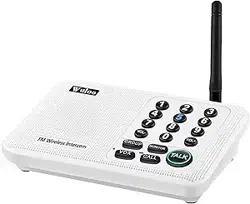

Wireless Intercom Manual
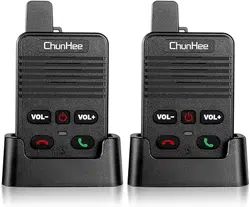
Model: HI05
Features
* Full Duplex
* Long Standby Time
* 5 Ringtones Avaliable
* Adjustable Volume
* 1640ft Working Range
* Type-C Charge Port
* Rechargeable Battery
* Low Battery Alert
* Clear & Loud Voice
Instruduction
The ChunHee HI05 Wireless Intercom is a simple and secure
way to communicate between multiple intercoms within an
area of up to 1,640ft (500m).
* Please read this manual thoroughly. It will help us to know
how to use this intercom system and make the operation
easier.
* The intercom contains non-repairable parts. Opening them
may damage sensitive components and will void the
warranty.
Unlimited Communication, Unlimited Life!

Wireless Intercom Manual
Model: HI05
Features
* Full Duplex
* Long Standby Time
* 5 Ringtones Avaliable
* Adjustable Volume
* 1640ft Working Range
* Type-C Charge Port
* Rechargeable Battery
* Low Battery Alert
* Clear & Loud Voice
Instruduction
The ChunHee HI05 Wireless Intercom is a simple and secure
way to communicate between multiple intercoms within an
area of up to 1,640ft (500m).
* Please read this manual thoroughly. It will help us to know
how to use this intercom system and make the operation
easier.
* The intercom contains non-repairable parts. Opening them
may damage sensitive components and will void the
warranty.
Unlimited Communication, Unlimited Life!
Parts List
Specification
Technology
Full Duplex
Frequency
2404-2480 MHZ
Output Power
2 W
Channel Quantity
1
Battery Cell Composition
Lithium Polymer
Battery Capacity
1000mAh
Working Range
500 Meters i.e. 1640ft
Weight
95g
Standby Time(Fully Power)
72-96 Hours
Operating Temperature
-20℉ -140℉
Chimes Quantity
5 Chimes
Volume Levels
8 Levels
Size
9.4*5.4*14.6cm(Including Charging Seat)
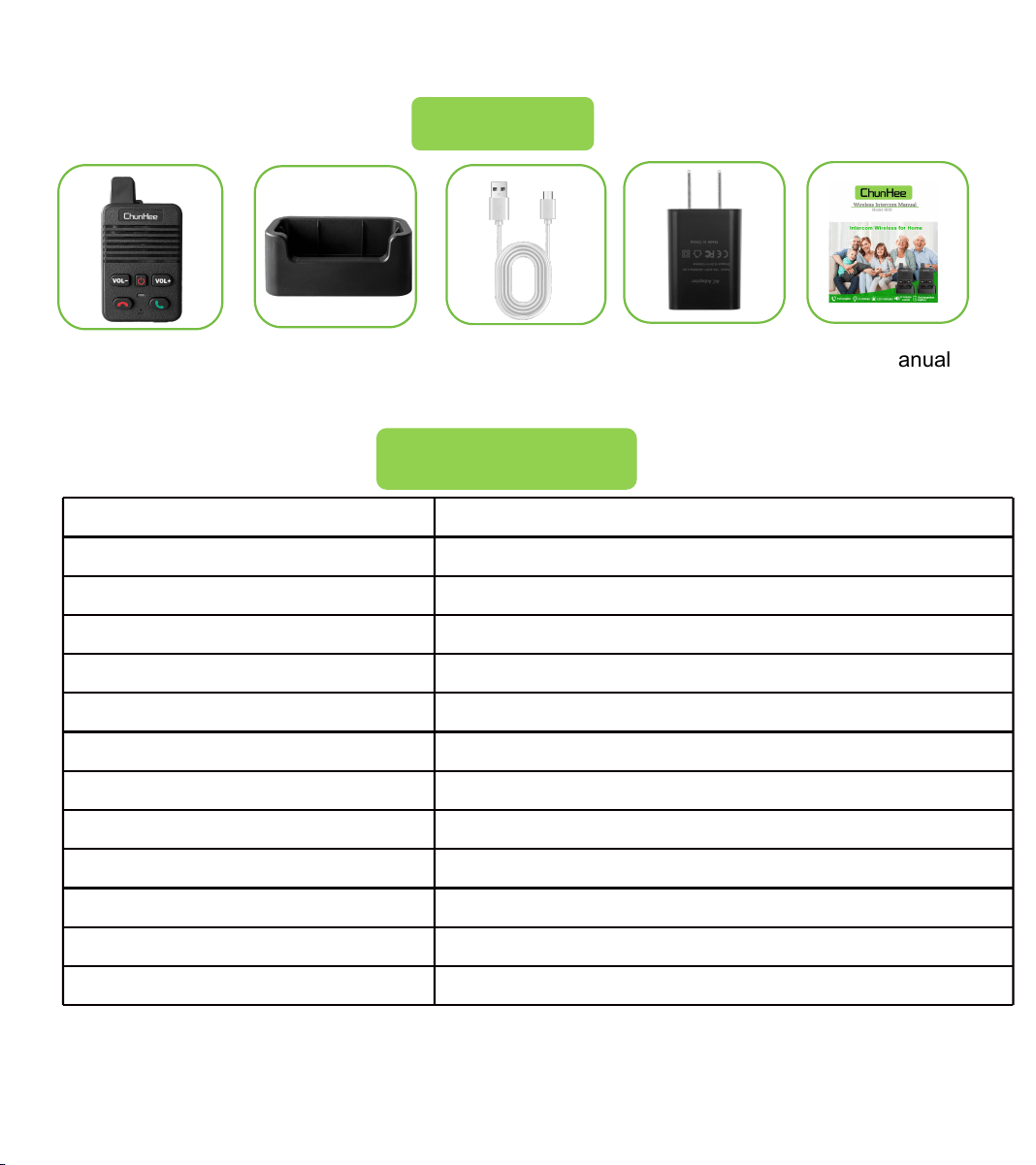
Intercom Charge Station USB Cable Charge Adapter
User’s Manual
* The product does not include lanyards and screws.
* Actual working range may vary depending on the installation and operating
environment
Overview
① Antenna
② Lanyard Hole
③ Speaker
④ Volume Decrease
⑤ Volume Increase
⑥ Power
⑦ Hang Up
⑧ Call/Answer
⑨ Indicator
⑩ Mic
⑪ Charge Port
⑫ Lanyard Hole
⑬ Wall-mount Hole
⑭ Anti-slip Pad
Parts List
Specification
Technology
Full Duplex
Frequency
2404-2480 MHZ
Output Power
2 W
Channel Quantity
1
Battery Cell Composition
Lithium Polymer
Battery Capacity
1000mAh
Working Range
500 Meters i.e. 1640ft
Weight
95g
Standby Time(Fully Power)
72-96 Hours
Operating Temperature
-20℉ -140℉
Chimes Quantity
5 Chimes
Volume Levels
8 Levels
Size
9.4*5.4*14.6cm(Including Charging Seat)
Intercom Charge Station USB Cable Charge Adapter
User’s Manual
* The product does not include lanyards and screws.
* Actual working range may vary depending on the installation and operating
environment
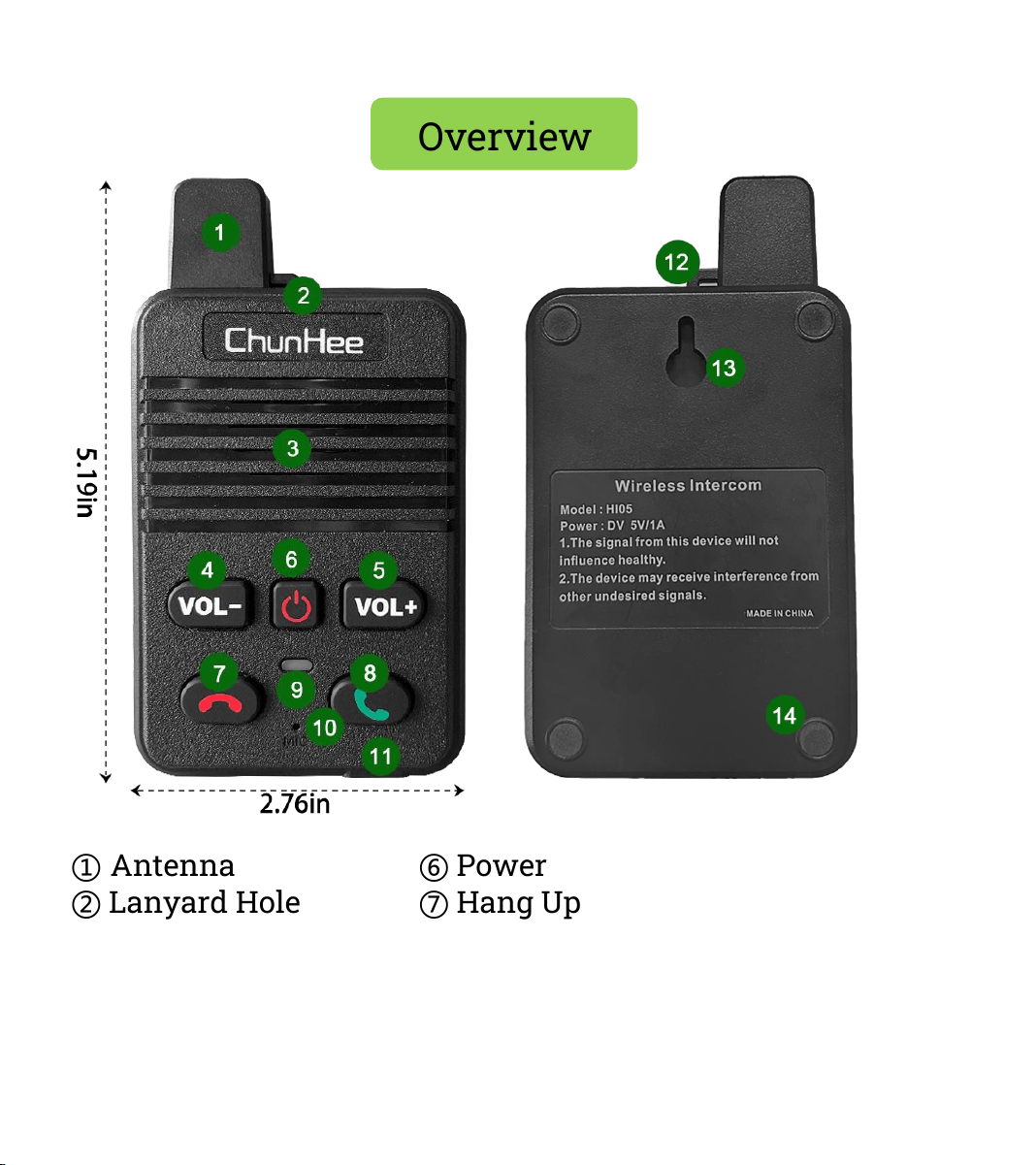
Overview
① Antenna
② Lanyard Hole
③ Speaker
④ Volume Decrease
⑤ Volume Increase
⑥ Power
⑦ Hang Up
⑧ Call/Answer
⑨ Indicator
⑩ Mic
⑪ Charge Port
⑫ Lanyard Hole
⑬ Wall-mount Hole
⑭ Anti-slip Pad
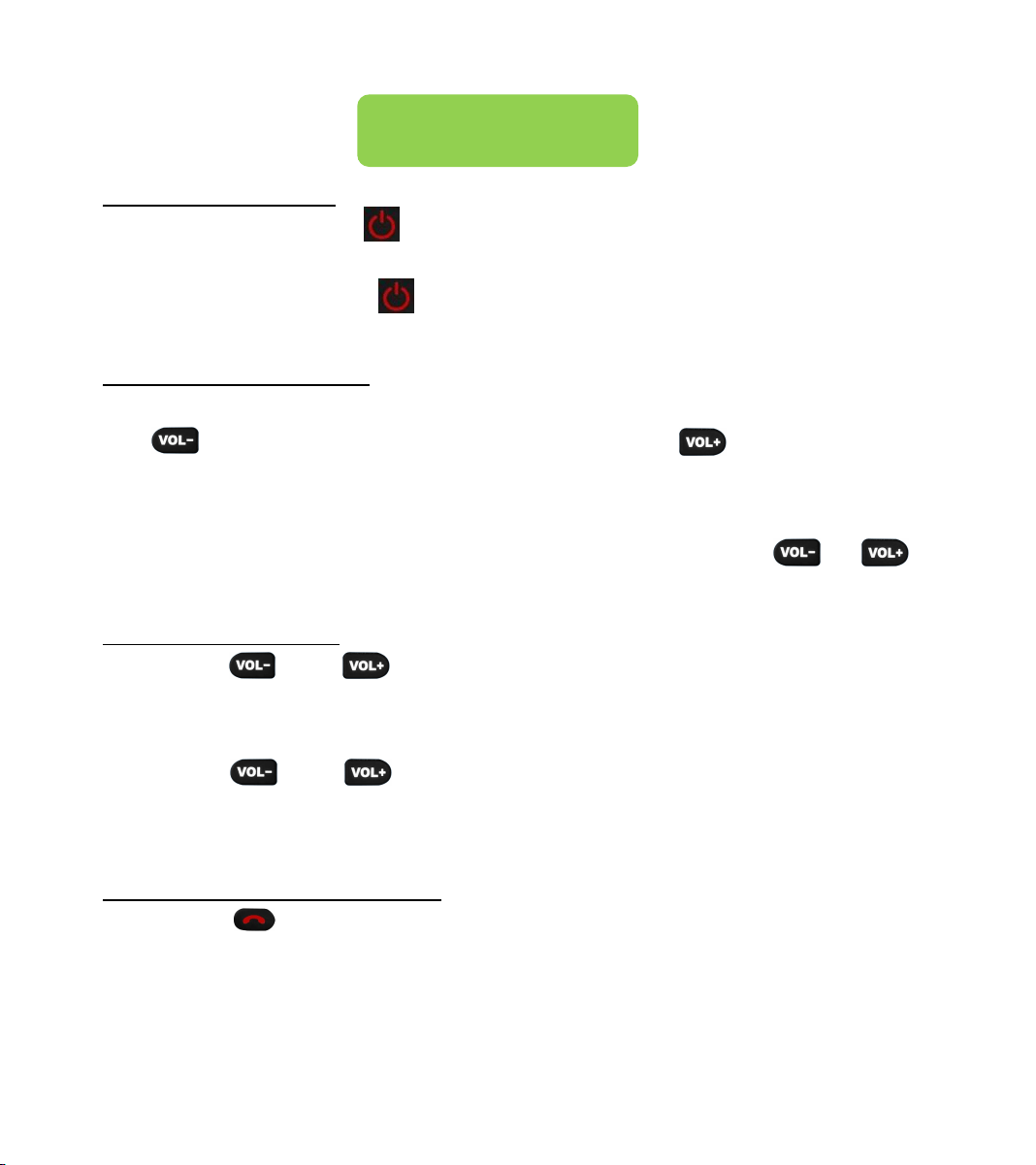
Basic Operate
① Turn ON/OFF
Turn ON: Hold the button for 5 seconds till hear “Power
On”to release.
Turn OFF: Hold the button for 5 seconds till hear“Power
OFF”to release.
② Volume Change
When the intercom on the ringing or calling status: Press
the to decrease the volume, Press the to increase the
volume levels.
* There are 8 volume levels available, you will hear a
“Do”voice prompt sound when you press the or if
the volume level is on the 1 (Min.) or 8 (Max.) level.
③ Intercom Pair
Hold the and buttons at the same time on the one
intercom for 5 seconds till hear a “Searching” voice prompt
to release.
Hold the and buttons at the same time on the other
intercom that you need to connect for 5 seconds till hear a
“Successful” voice prompt to pair.
④ Change the Ringtone
Hold the button for 5 seconds until hear the ringtone to
release the button to change the ringtone of the intercom (5
Chimes available).
*Note: You will hear a beep sound at first, but please keep
holding the button till hear a ringtone sound to release.
⑤ Talk
Like a phone use:
Step 1: Press the to calling the person you wanna talk
with.
Step 2: The person you called press the to answer you.
Then both of you can talk with each other.
Step 3: Press the button to finish the calling.
Basic Operate
Video Guide
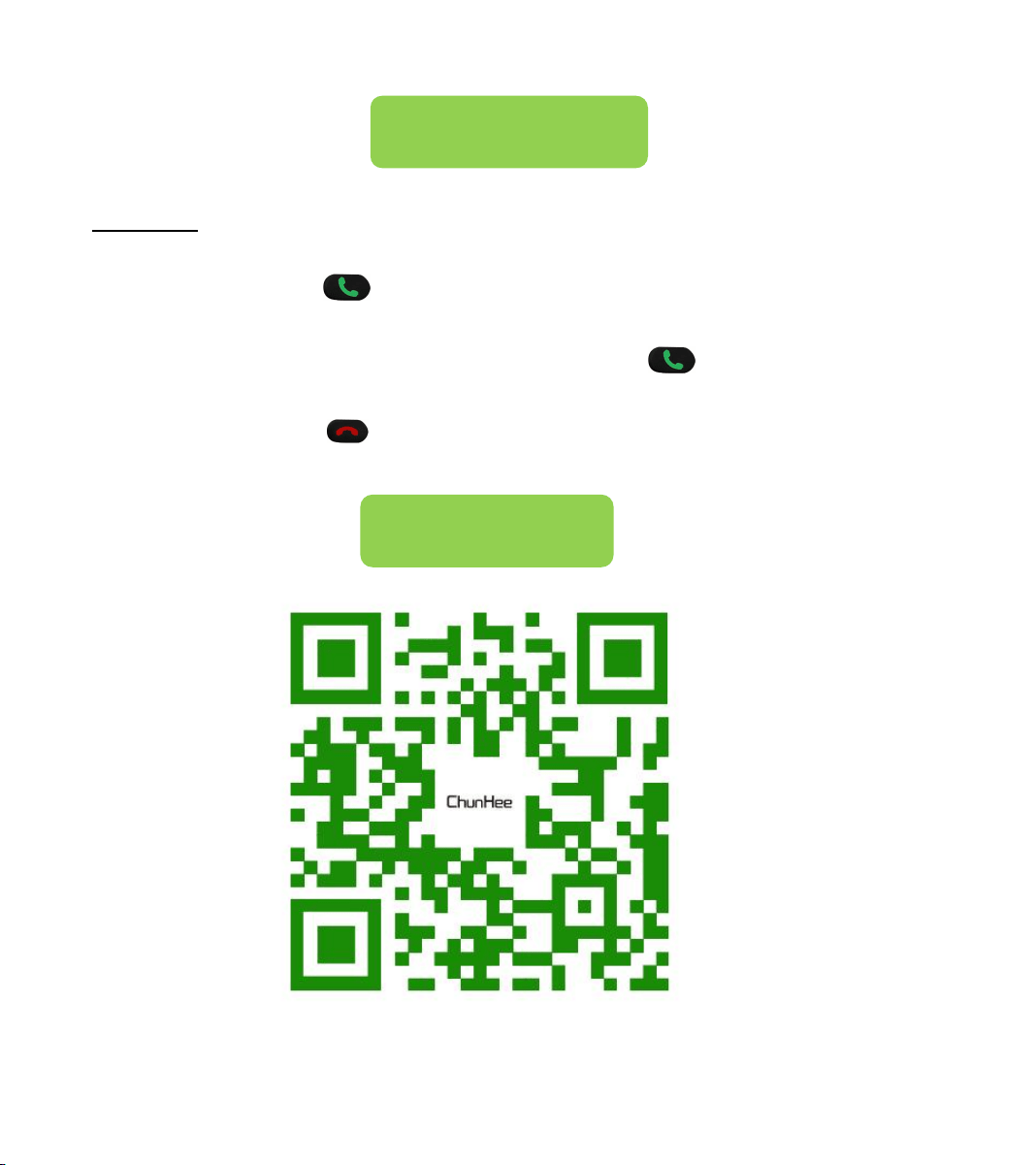
Basic Operate
① Turn ON/OFF
Turn ON: Hold the button for 5 seconds till hear “Power
On”to release.
Turn OFF: Hold the button for 5 seconds till hear“Power
OFF”to release.
② Volume Change
When the intercom on the ringing or calling status: Press
the to decrease the volume, Press the to increase the
volume levels.
* There are 8 volume levels available, you will hear a
“Do”voice prompt sound when you press the or if
the volume level is on the 1 (Min.) or 8 (Max.) level.
③ Intercom Pair
Hold the and buttons at the same time on the one
intercom for 5 seconds till hear a “Searching” voice prompt
to release.
Hold the and buttons at the same time on the other
intercom that you need to connect for 5 seconds till hear a
“Successful” voice prompt to pair.
④ Change the Ringtone
Hold the button for 5 seconds until hear the ringtone to
release the button to change the ringtone of the intercom (5
Chimes available).
*Note: You will hear a beep sound at first, but please keep
holding the button till hear a ringtone sound to release.
⑤ Talk
Like a phone use:
Step 1: Press the to calling the person you wanna talk
with.
Step 2: The person you called press the to answer you.
Then both of you can talk with each other.
Step 3: Press the button to finish the calling.
Basic Operate
Video Guide

Indicator
* Charging Status:
1) Turn off status: Red color while charging.
2) Turn on status: Red color and with flashes blue color every 5
second.
Note: The light will goes out while fully charged.
* Standby Status: Blue color flashes every 5 seconds.
On a full charge, the standby time of the intercom is about 72-
96 Hours. (Please charge the intercom before first use.)
There has a low battery alert while the radio is low battery, it
will send a voice prompt every 20 seconds until it is turned off.
(If the radio runs out of power and turns off, turn it on when
fully charged.)
Low Battery Alert
* The microphone will beep while the device is within 1 meter.
Please don't worry about it, just need to separate them from
each other.
* We suggest to place the product into the charge station to
charge, it will protect the intercom.
* The intercom system does have not a waterproof design,
please take the product away from water.
* The intercom system is powered by battery, please Do not
place the the product in a flammable or explosive environment.
Warm Tips
Troubleshooting
Q1: Can’t turn on the intercom.
A1: 1) Charge for the intercom at least 1 hour.
2) Wait 5 seconds then hold the power button for 5-8s till
hear ‘Power On’ voice prompt.
Q2: The voice is weak or intermittent during receiving.
A2: 1) Recharge the battery.
2) Increase the volume level.
Q3: Can’t communicate with other intercom
A3: 1) Pair for the intercom.
2) All intercoms press the hang up button to stop talk, then
one of the intercom press the Green Call button to make a
new call, other intercoms waiting for the calling.
Q4: Unable to hear anyone because of too much noise and
hiss.
A4: 1) Move towards other members (make the distance of
the intercoms within 150ft).
2) Move to an open and flat area, restart the intercom, and
try again.
3) Stay away from equipment that will cause interference.
*If you have any question about the intercom, please
contact us without hesitant!

Indicator
* Charging Status:
1) Turn off status: Red color while charging.
2) Turn on status: Red color and with flashes blue color every 5
second.
Note: The light will goes out while fully charged.
* Standby Status: Blue color flashes every 5 seconds.
On a full charge, the standby time of the intercom is about 72-
96 Hours. (Please charge the intercom before first use.)
There has a low battery alert while the radio is low battery, it
will send a voice prompt every 20 seconds until it is turned off.
(If the radio runs out of power and turns off, turn it on when
fully charged.)
Low Battery Alert
* The microphone will beep while the device is within 1 meter.
Please don't worry about it, just need to separate them from
each other.
* We suggest to place the product into the charge station to
charge, it will protect the intercom.
* The intercom system does have not a waterproof design,
please take the product away from water.
* The intercom system is powered by battery, please Do not
place the the product in a flammable or explosive environment.
Warm Tips
Troubleshooting
Q1: Can’t turn on the intercom.
A1: 1) Charge for the intercom at least 1 hour.
2) Wait 5 seconds then hold the power button for 5-8s till
hear ‘Power On’ voice prompt.
Q2: The voice is weak or intermittent during receiving.
A2: 1) Recharge the battery.
2) Increase the volume level.
Q3: Can’t communicate with other intercom
A3: 1) Pair for the intercom.
2) All intercoms press the hang up button to stop talk, then
one of the intercom press the Green Call button to make a
new call, other intercoms waiting for the calling.
Q4: Unable to hear anyone because of too much noise and
hiss.
A4: 1) Move towards other members (make the distance of
the intercoms within 150ft).
2) Move to an open and flat area, restart the intercom, and
try again.
3) Stay away from equipment that will cause interference.
*If you have any question about the intercom, please
contact us without hesitant!
We provide a 30-day money-back guarantee for any reason
(free shipping) and 1-year warranty (transportation prepaid)
to the original purchaser against manufacturing defects in
materials and workmanship.
Note: This Warranty is void if the damage is caused by or
attributed to acts of God, physical or electrical misuse or
abuse, neglect, repair or alteration, improper or abnormal
usage, or faulty installation, or any other reason.
Contact our friendly support team for quick solutions.
Friendly reminder: When contacting us for help, be sure to
have your product handy for troubleshooting!
Contact us
* Order list--Choose the order--Get help with order.
* Contact our email to get service..
Email: Chunhe[email protected]
Customer Service
Customer Guarantee

We provide a 30-day money-back guarantee for any reason
(free shipping) and 1-year warranty (transportation prepaid)
to the original purchaser against manufacturing defects in
materials and workmanship.
Note: This Warranty is void if the damage is caused by or
attributed to acts of God, physical or electrical misuse or
abuse, neglect, repair or alteration, improper or abnormal
usage, or faulty installation, or any other reason.
Contact our friendly support team for quick solutions.
Friendly reminder: When contacting us for help, be sure to
have your product handy for troubleshooting!
Contact us
* Order list--Choose the order--Get help with order.
* Contact our email to get service..
Email: Chunheeus@126.com
Customer Service
Customer Guarantee