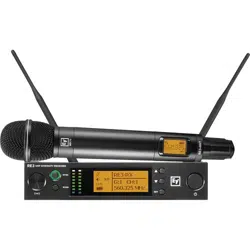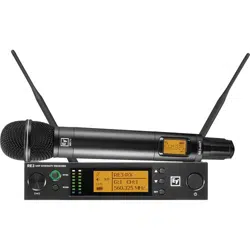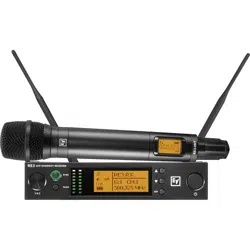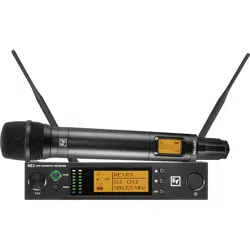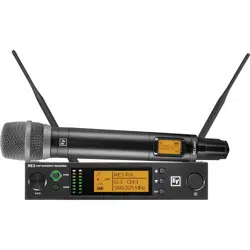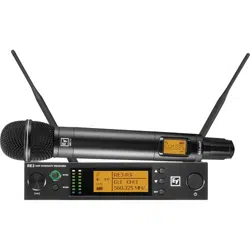
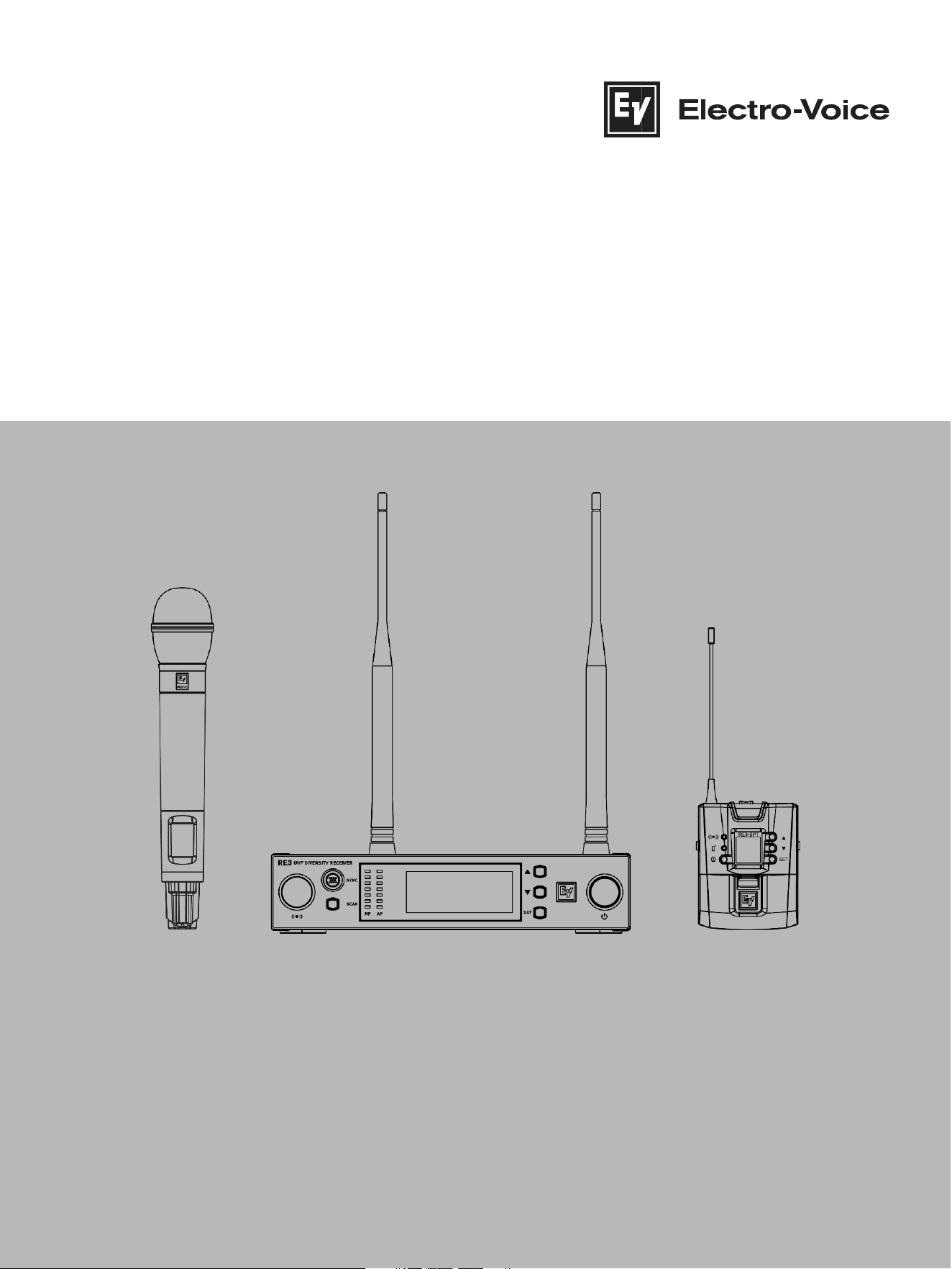
RE3 UHF Wireless
en Installation manual

2
en | Table of contents
RE3 UHF
Wireless
20
21.06 | 3 | F.01U.362.808 Installation manual Electro-
Voice

RE3
UHF Wireless Table of contents | en 3
Electro
-Voice Installation manual 2021.06 | 03 | F.01U.362.808
Table of contents
Table of contents 3
1 Safety, precautions, and notices 4
1.1 Important safety instructions 4
1.2 Battery precautions 5
1.3 Notices 5
1.4 Licensing, certifications, restrictions and manufacturers declarations 6
2 Short information 10
2.1 Shipping contents 11
3 Description 13
4 Glossary of terms 15
5 Best practices for successful operation 17
6 Quick setup 19
6.1 Preparing the receiver 19
6.2 Preparing the transmitter 19
6.3 Sync the transmitter to the receiver 19
6.4 Ensure transmitter input sensitivity is set for best signal level 20
7 RE3-RX receiver 21
7.1 Product identification 21
7.2 LCD display 24
7.3 RE3-RX setup menu 25
8 RE3-HHT handheld transmitter 40
8.1 Product identification 40
8.2 LCD display 42
8.3 Installing batteries 43
8.4 RE3-HHT setup menu 43
9 RE3-BPT bodypack transmitter 47
9.1 Product identification 47
9.2 LCD display 49
9.3 Installing batteries 50
9.4 RE3-BPT Setup Menu 50
10 Accessories for RE3 54
11 Troubleshooting and FAQ 56
11.1 Troubleshooting 56
11.2 Frequently Asked Questions 62
12 Technical data 67
13 Frequency Group / Channel Tables 77

4
en | Safety, precautions, and notices
RE3 UHF
Wireless
20
21.06 | 3 | F.01U.362.808 Installation manual Electro-
Voice
1 Safety, precautions, and notices
1.1 Important safety instructions
1. Read these instructions.
2. Keep these instructions.
3. Heed all warnings.
4. Follow all instructions.
5. Do not use this apparatus near water.
6. Clean only with a dry cloth.
7. Do not block any ventilation openings. Install in accordance with the manufacturer's
instructions.
8. Do not install near any heat sources such as radiators, heat registers, stoves, or other
apparatus (including amplifiers) that produce heat.
9. Do not defeat the safety purpose of the polarized or grounding-type plug where present.
A polarized plug has two blades with one wider than the other. A grounding type plug
has two blades and a third grounding prong. The wide blade or the third prong is
provided for your safety. If the provided plug does not fit into your outlet, consult an
electrician for replacement of the obsolete outlet.
10. Protect the power cord from being walked on or pinched particularly at plugs,
convenience receptacles, and the point where they exit from the apparatus.
WARNING: TO REDUCE THE RISK OF
FIRE OR ELECTRIC SHOCK, DO NOT
OVEREXPOSE THIS APPLIANCE TO RAIN
OR MOISTURE
AVIS: RISQUE DE CHOC ELECTRIQUE, NE
PAS OUVRIR.
WARNING: THE MAINS PLUG OR DC
INLET IS USED AS A DISCONNECT
DEVICE. THE DISCONNECT DEVICE SHALL
REMAIN READILY OPERABLE.
WARNING: CONNECT ONLY TO MAINS
SOCKET WITH PROTECTIVE EARTHING
CONNECTION.
WARNING: TO REDUCE THE RISK OF
ELECTRIC SHOCK, DO NOT REMOVE
COVER (OR BACK) AS THERE ARE NO
USER-SERVICABLE PARTS INSIDE. REFER
SERVICING TO QUALIFIED PERSONNEL.
The exclamation point within an
equilateral triangle is intended to
alert the user to the presence of
important operating and
maintenance (servicing)
instructions in the literature
accompanying the appliance.

RE3
UHF Wireless Safety, precautions, and notices | en 5
Electro
-Voice Installation manual 2021.06 | 03 | F.01U.362.808
11. Only use attachments/accessories specified by the manufacturer.
12. Unplug the apparatus during lightning storms or when unused for long periods of time.
13. Refer all servicing to qualified service personnel. Servicing is required when the
apparatus has been damaged in any way, such as power-supply cord or plug is
damaged, liquid has been spilled or objects have fallen into the apparatus, the
apparatus has been exposed to rain or moisture, does not operate normally, or has
been dropped.
14. No naked flame sources, such as lighted candles, should be placed on the apparatus.
15. To reduce the risk of fire or electric shock, do not expose this apparatus to rain or
moisture. The apparatus should not be exposed to dripping or splashing. Objects filled
with liquids, such as vases or open beverage containers should not be placed on
apparatus.
16. To completely disconnect DC power from this apparatus, the DC power supply cord
must be unplugged from the apparatus, or the apparatus’ external power supply must
be unplugged from the AC socket.
17. To completely disconnect AC power from this apparatus’ external power supply, the
power supply plug must be unplugged at the AC socket.
1.2 Battery precautions
Keep batteries out of the reach of children.
Observe and install batteries according to the correct polarity as marked on the battery and
the transmitter battery compartment.
Do not expose the battery to excessive heat such as sunshine, fire, or other sources of
high heat.
Always consider the environment issues and follow local regulations when disposing of
batteries.
Remove depleted battery immediately.
Danger of explosion if battery is incorrectly replaced. Replace only with the same or
equivalent type.
Use only disposable LR6(AA) alkaline or NiMH batteries.
Do not mix new batteries with old ones in the transmitter at the same time.
Do not use different battery types or models.
Do not use a leaking battery. If battery leakage occurs, avoid contact with skin. If contact
occurs, immediately wash thoroughly with soap and water.
If battery leakage comes into contact with your eyes, immediately flush with water and seek
medical attention.
Remove and safely store batteries away from the transmitter when the transmitter will not
be used for 60 or more days.
1.3 Notices
Old electrical and electronic appliances

6
en | Safety, precautions, and notices
RE3 UHF
Wireless
20
21.06 | 3 | F.01U.362.808 Installation manual Electro-
Voice
Electrical or electronic devices that are no longer serviceable must be collected separately
and sent for environmentally compatible recycling (in accordance with the European Waste
Electrical and Electronic Equipment Directive). To dispose of old electrical or electronic
devices, you should use the return and collection systems put in place in the country
concerned.
Copyright and disclaimer
All rights reserved. No part of this document may be reproduced or transmitted in any form
by any means, electronic, mechanical, photocopying, recording, or otherwise, without the
prior written permission of the publisher. For information on getting permission for reprints
and excerpts, contact Electro-Voice. All content including specifications, data, and
illustrations in this manual are subject to change without prior notice.
1.4 Licensing, certifications, restrictions and manufacturers
declarations
Regarding handheld transmitters RE3-HHT-5L (480-524 MHz), RE3-HHT-5H (560-596 MHz),
RE3-HHT-6M (653-663 MHz), and bodypack transmitters RE3-BPT-5L (480-524 MHz), RE3-
BPT-5H (560-596 MHz), and RE3-BPT-6M (653-663 MHz):
1.4.1 FCC information
Certified under FCC Part 15 and FCC Part 74.
FCC ID: B5DH2285L, B5DH2285H, B5DH2286M, B5DB1245L, B5DB1245H, B5DB1246M.

RE3
UHF Wireless Safety, precautions, and notices | en 7
Electro
-Voice Installation manual 2021.06 | 03 | F.01U.362.808
NOTE: Regarding RE3-HHT-6M (653-663 MHz) and RE3-BPT-6M (653-663 MHz); use of
frequencies beginning at 653.000 MHz up to 657.000 MHz is covered under FCC Part 74 ID
numbers B5DH2286M and B5DB1246M, and require an LPAS user license, however use of
frequencies between 657.025 up to 663.000 MHz is covered under FCC Part 15, and do not
require an additional user license. For more information, see
https://www.fcc.gov/consumers/guides/operation-wireless-microphones.
CAUTION: Changes or modification made by the user could void the user’s authority to
operate the equipment.
This equipment has been tested and found to comply with the limits for a Class B digital
device, pursuant to Part 15 of the FCC Rules. These limits are designed to provide
reasonable protection against harmful interference in a residential installation. This
equipment generates, uses, and can radiate radio frequency energy and, if not installed and
used in accordance with the instructions, may cause harmful interference to radio
communications. However, there is no guarantee that interference will not occur in a
particular installation. If this equipment does cause harmful interference to radio or
television reception, which can be determined by turning the equipment off and on, the
user is encouraged to try to correct the interference by one or more of the following
measures:
Reorient or relocate the receiving antenna.
Increase the separation between the equipment and the receiver.
Connect the equipment to an outlet on a circuit different from that to which the
receiver is connected.
Consult the dealer or an experienced radio/TV technician for help.
1.4.2 IC (Industry Canada)
FCC Supplier’s Declaration of Conformity
47 CFR, Section 2.1077 Compliance
Information
Product Identifier:
Electro-Voice:
RE3 Wireless Receiver, AASP Active Antenna Splitter, ALPA
Active Log Periodic Antenna, RFAMP Antenna Booster, BC2
Battery Charger
Responsible Party – U.S. Contact Information
Bosch Security Systems, Inc.
130 Perinton Parkway
Fairport, NY 14450
USA
Tel: +1 (585) 223-4060
FCC Compliance Statement
This device complies with Part 15 of the FCC Rules. Operation is
subject to the following two conditions: (1) This device may not be

8
en | Safety, precautions, and notices
RE3 UHF
Wireless
20
21.06 | 3 | F.01U.362.808 Installation manual Electro-
Voice
Certified in Canada by IC under RSS-102, and RSS-210, and RSS-Gen
IC: 1321A-RE3HHT488, 1321A-RE3HHT560, 1321A-RE3HHT653, 1321A-RE3BPT488, 1321A-
RE3BPT560, 1321A-RE3BPT653.
This Class B digital apparatus complies with Canadian ICES-003. Cet appareil numérique
de la classe B est conforme à la norme NMB-003 du Canada.
This device complies with Industry Canada license-exempt RSS standard(s). Operation is
subject to the following two conditions:
(1) This device may not cause interference, and
(2) This device must accept any interference, including interference that may cause
undesired operation of the device.
Le présent appareil est conforme aux CNR d'Industrie Canada applicables aux appareils
radio exempts de licence. L'exploitation est autorisée aux deux conditions suivantes :
(1) l'appareil ne doit pas produire de brouillage, et
(2) l'utilisateur de l'appareil doit accepter tout brouillage radioélectrique subi, même si le
brouillage est susceptible d'en compromettre le fonctionnement.
NOTE: Regarding RE3-HHT-6M (653-663 MHz) and RE3-BPT-6M (653-663 MHz); the use of
frequencies between 653.025 up to 663.000 MHz, please check the Canada’s ISED
(Innovation, Science and Economic Development) website for the current information of the
license status of this band.
1.4.3 Licensing information
Licensing: A ministerial license to operate this equipment may be required in certain areas.
Consult your national authority for possible requirements. Changes or modifications not
expressly approved by Electro-Voice could void your authority to operate the equipment.
Licensing of Electro-Voice wireless microphone equipment is the user’s responsibility, and
licensability depends on the user’s classification and application, and upon the selected
frequencies on which it will operate. Electro-Voice advises the user to contact the
appropriate telecommunications authority concerning proper licensing, and before
selecting and ordering frequency bands.
1.4.4 EU (European Union)
The CE Declaration of Conformity can be obtained and downloaded from:
www.electrovoice.com
This Equipment is in compliance with the following directives:
2011/65/EU RoHS Directive
2012/19/EU WEEE Directive
2014/53/EU RED Directive
Regarding (applies to) handheld transmitter RE3-HHT-5L (480-524 MHz), RE3-HHT-5H (560-
596 MHz), RE3-HHT-6M (653-663 MHz), RE3-HHT-8M (823-865 MHz), and bodypack
transmitter RE3-BPT-5L (480-524 MHz), RE3-BPT-5H (560-596 MHz), RE3-BPT-6M (653-663
MHz), and RE3-BPT-8M (823-865 MHz):
This equipment is intended for use in wireless microphone applications.

RE3
UHF Wireless Safety, precautions, and notices | en 9
Electro
-Voice Installation manual 2021.06 | 03 | F.01U.362.808
Some countries in the EEA (European Economic Area) have restrictions placed on this
equipment. If an EEA country is not listed it did not have any restrictions of the product at
the time this document was published.
The country codes used in regard to these restrictions are the following:
Austria (AT), Belgium (BE), Cyprus (CY), Denmark (DK), Germany (DE), Greece (EL), Spain
(ES), Ireland (IE), Iceland (IS), Latvia (LV), Lithuania (LT), Malta (MT), Norway (NO), Slovakia
(SK), Sweden (SE) and United Kingdom (UK).
Listed below are these restrictions:
Transmitters in the ranges, 488 – 524 MHz, 560 – 596 MHz and 653 – 663 MHz,
require a license in the following countries: AT, BE, CY, DE, IE, LV, LT, SK, SE, UK.
Transmitters in the ranges, 488 – 524 MHz, 560 – 596 MHz and 653 – 663 MHz,
require the transmitter be used in TV white spaces: AT, DK, IS, MT, NO, ES.
Transmitters in the ranges, 488 – 524 MHz, 560 – 596 MHz and 653 – 663 MHz, if
used outdoor will have geographical restrictions of operation in the United
Kingdom (UK)
Transmitters in the range, 823 – 865, require a license for use in the 823 – 832 MHz
range in the following countries: AT, BE, CY, EL, IE, LV, LT, UK.
Transmitters in the range, 488 – 524 MHz, may only use the range 510 – 524 MHz in
Norway (NO).
Note: TV white spaces are gaps between operating TV broadcast stations where there are
no active TV broadcasts.
Always consult your national authority before placing equipment into operation as
requirements and spectrum usage can change.
1.4.5 AU and NZ
This device operates under an ACMA class license and must comply with all the terms of
that license including operating frequencies.

10
en | Short information
RE3 UHF
Wireless
20
21.06 | 3 | F.01U.362.808 Installation manual Electro-
Voice
2 Short information
The following table lists products in a family, with CTN (Commercial Type Number) and
identifying product name DESCRIPTION.
CTN
DESCRIPTION
RE3-ND76-5L
Handheld set with ND76 head 488-524MHz
RE3-ND76-5H
Handheld set with ND76 head 560-596MHz
RE3-ND76-6M
Handheld set with ND76 head 653-663MHz
RE3-ND76-8M
Handheld set with ND76 head 823-865MHz
RE3-ND76-T
Handheld set with ND76 head 803-806MHz
RE3-ND86-5L
Handheld set with ND86 head 488-524MHz
RE3-ND86-5H
Handheld set with ND86 head 560-596MHz
RE3-ND86-6M
Handheld set with ND86 head 653-663MHz
RE3-ND86-8M
Handheld set with ND86 head 823-865MHz
RE3-ND86-T
Handheld set with ND86 head 803-806MHz
RE3-ND96-5L
Handheld set with ND96 head 488-524MHz
RE3-ND96-5H
Handheld set with ND96 head 560-596MHz
RE3-ND96-6M
Handheld set with ND96 head 653-663MHz
RE3-ND96-8M
Handheld set with ND96 head 823-865MHz
RE3-ND96-T
Handheld set with ND96 head 803-806MHz
RE3-RE420-5L
Handheld set with RE420 head 488-524MHz
RE3-RE420-5H
Handheld set with RE420 head 560-596MHz
RE3-RE420-6M
Handheld set with RE420 head 653-663MHz
RE3-RE420-8M
Handheld set with RE420 head 823-865MHz
RE3-RE420-T
Handheld set with RE420 head 803-806MHz
RE3-RE520-5L
Handheld set with RE520 head 488-524MHz
RE3-RE520-5H
Handheld set with RE520 head 560-596MHz
RE3-RE520-6M
Handheld set with RE520 head 653-663MHz
RE3-RE520-8M
Handheld set with RE520 head 823-865MHz
RE3-RE520-T
Handheld set with RE520 head 803-806MHz
RE3-BPOL-5L
Bodypack set, omni lavalier 488-524MHz
RE3-BPOL-5H
Bodypack set, omni lavalier 560-596MHz
RE3-BPOL-6M
Bodypack set, omni lavalier 653-663MHz

RE3
UHF Wireless Short information | en 11
Electro
-Voice Installation manual 2021.06 | 03 | F.01U.362.808
RE3-BPOL-8M
Bodypack set, omni lavalier 823-865MHz
RE3-BPOL-T
Bodypack set, omni lavalier 803-806MHz
RE3-BPCL-5L
Bodypack set, cardioid mic 488-524MHz
RE3-BPCL-5H
Bodypack set, cardioid mic 560-596MHz
RE3-BPCL-6M
Bodypack set, cardioid mic 653-663MHz
RE3-BPCL-8M
Bodypack set, cardioid mic 823-865MHz
RE3-BPCL-T
Bodypack set, cardioid mic 803-806MHz
RE3-BPHW-5L
Bodypack set, headworn mic 488-524MHz
RE3-BPHW-5H
Bodypack set, headworn mic 560-596MHz
RE3-BPHW-6M
Bodypack set, headworn mic 653-663MHz
RE3-BPHW-8M
Bodypack set, headworn mic 823-865MHz
RE3-BPHW-T
Bodypack set, headworn mic 803-806MHz
RE3-BPGC-5L
Bodypack instrument set 488-524MHz
RE3-BPGC-5H
Bodypack instrument set 560-596MHz
RE3-BPGC-6M
Bodypack instrument set 653-663MHz
RE3-BPGC-8M
Bodypack instrument set 823-865MHz
RE3-BPGC-T
Bodypack instrument set 803-806MHz
RE3-BPNID-5L
Bodypack set, no input device 488-524MHz
RE3-BPNID-5H
Bodypack set, no input device 560-596MHz
RE3-BPNID-6M
Bodypack set, no input device 653-663MHz
RE3-BPNID-8M
Bodypack set, no input device 823-865MHz
RE3-BPNID-T
Bodypack set, no input device 803-806MHz
2.1 Shipping contents
This manual is packaged in a preconfigured set containing a receiver and its supplied
accessories, as well as a transmitter and its supplied accessories. The delivered set
configurations vary.
2.1.1 Items contained in all sets
Quantity
Component
1
Receiver
2
Receiver antennas

12
en | Short information
RE3 UHF
Wireless
20
21.06 | 3 | F.01U.362.808 Installation manual Electro-
Voice
1
Receiver power supply with four power convention specific AC plug
clips
2
Rack-mount brackets
2
Rack-mount bracket hole filler plugs
1
Pack of four (4) screws to mount rack brackets
1
Safety booklet
1
Installation manual
2.1.2 Set variants (based upon configuration ordered)
Handheld sets (RE3-ND76, RE3-ND86, RE3-ND96, RE3-RE420, and RE3-RE520)
Bodypack sets (RE3-BPOL, RE3-BPCL, RE3-BPHW, RE3-BPGC, and RE3-BPNID)
Quantity
Component
1
Handheld transmitter body
1
Handheld transmitter stand adapter
2
AA alkaline batteries
1
Microphone head
Based on the set configuration, the package will contain one (1)
microphone head from the following list:
RE3-ND76 contains 1 ND76-RC3 thread-on head and data
sheet
RE3-ND86 contains 1 ND86-RC3 thread-on head and data
sheet
RE3-ND96 contains 1 ND96-RC3 thread-on head and data
sheet
RE3-RE420 contains 1 RE420-RC3 thread-on head and data
sheet
RE3-RE520 contains 1 RE520-RC3 thread-on head and data
sheet
Quantity
Component
1
Bodypack transmitter
2
AA alkaline batteries
1
Input device
Based on the set configuration, the package will contain one input
device from the following list:

RE3
UHF Wireless Description | en 13
Electro
-Voice Installation manual 2021.06 | 03 | F.01U.362.808
NOTE: RE3-BPNID does not contain an input device.
3 Description
Thank you for choosing an Electro-Voice wireless microphone product. Please take time to
consult this manual to understand all the features and functions built into your Electro-
Voice wireless set and fully utilize its performance capabilities.
RE3 is a range of RF wireless microphone products operating in the UHF portion of the
radio spectrum. The use of this portion of the radio spectrum falls under local government
regulations which may require the user to obtain and maintain a license to operate the
wireless product. It is the user’s responsibility to know and adhere to local license
requirements.
Primary products, such as receivers and transmitters, are preconfigured into sets covering
a wide variety of common applications, making them ideal performance and presentation
solutions for both portable productions, as well as fixed installation applications. All sets
contain one ½ rack space receiver with antennas, power supply and rack mount, one
transmitter with batteries and its input device (as applicable), as well as user
documentation sheets.
Additionally, the RE3 extended portfolio contains an extensive assortment of optional
accessories to aid in the creation of large, multi-channel, professional-application systems.
For a full list of available accessories, see Accessories for RE3, page 48 of this manual.
Set features
Rack mountable ½ space receiver with mounting hardware
Robust metal handheld and bodypack transmitter bodies
Easy-to-read LDC displays
Frequency scanning for selecting open frequencies
Sync function links transmitter to receiver
Keylock function protects settings from unwanted changes
Diversity reception technology for trouble-free operation
Broad selection of transmitter microphone types maximize application diversity
Wide selection of tuning bandwidths to help compensate for changing global RF
regulations
Frequencies independently adjustable in 25kHz steps
RE3-BPOL contains 1 RE3-ACC-OL3 omnidirectional lavalier
microphone, clip, windscreen, and data sheet
RE3-BPCL contains 1 RE3-ACC-CL3 cardioid lavalier
microphone clip, windscreen, and data sheet
RE3-BPHW contains 1 RE3-ACC-HW3 cardioid headworn
microphone, windscreen, and data sheet
RE3-BPGC contains 1 RE3-ACC-GC3 instrument cable with ¼”
plug and data sheet

14
en | Description
RE3 UHF
Wireless
20
21.06 | 3 | F.01U.362.808 Installation manual Electro-
Voice
Eight groups of pre-coordinated frequencies with up to 22 coordinated channels per
group
Simple multi-channel system setup
Transmitters powered by common AA cells
Selectable hi and low transmitter power in most global regions.
Extensive selection of optional system accessories available
See also
Technical data, page 58
Frequency Group / Channel Tables, page 67

RE3
UHF Wireless Glossary of terms | en 15
Electro
-Voice Installation manual 2021.06 | 03 | F.01U.362.808
4 Glossary of terms
Term
Definition
System vs set
Because the terms system and set can be used interchangeably, thereby
causing confusion, this manual refers to a set as a single mated pair of
one transmitter and one receiver. Whereas a system is the collection of
multiple wireless sets and antenna distribution items.
Set
A pre-packaged combination of receiver, receiver antenna, receiver
power supply, transmitter, transmitter input device, and other supplied
accessories. For example, if you purchased an RE3-ND76-5L, the
manufacturer considers it a set. Also it is the basic hardware
combination of a mated transmitter and receiver.
SET
A multi-purpose menu navigation key which functions as an enter key, a
menu advance key, an item select key, and a save or store key.
Scroll
To navigate up and down menus or item options using the ▲ and ▼
buttons.
Group
A predefined combination of intermodulation-free frequencies.
Channel
As it relates to frequencies within a group, it is the exact frequency a set
can be tuned to.
As it relates to a multi-channel system, it is the quantity of unique paired
transmitters and receivers. For example, a multi-channel system
consisting of eight receivers and eight mated transmitters is said to be
an eight channel system.
Intermodulation
The adverse reception interference that occurs when two or more non-
coordinated frequencies produce harmonics which disrupt reception of
one or more channels.
SYNC
The operation of synchronizing a receiver’s transmitter data to the
mated transmitter.
RX
Abbreviation for receiver.
TX
Abbreviation for transmitter.
RF
Abbreviation for radio frequency. RE3 is an RF wireless microphone set
operating in the UHF radio spectrum.
UHF
Abbreviation for ultra-high frequency, and is the term when applied to
wireless microphone products as the portion of radio spectrum shared
with UHF television signals between 470MHz and 865MHz. Those limits
vary by country where used.
MHz
Abbreviation for megahertz denoting frequencies measuring in the
millions of cycles per second. A common reference for wireless
microphones using this shortened numerical expression could be

16
en | Glossary of t erms
RE3 UHF
Wireless
20
21.06 | 3 | F.01U.362.808 Installation manual Electro-
Voice
652.725MHz (six-hundred fifty-two million, seven hundred twenty-five
thousand cycles per second).
Multi-channel
system
A system made up of two or more sets where each set is tuned to a
specific frequency (channel) which does not interfere with the operation
of other member sets within the system. A multi-channel system can be
made up of sets all from the same frequency band, or sets from multiple
frequency bands.
When using multiple sets operating in the same frequency band, each
set must be operating on a frequency-coordinated channel within the
same group.

RE3
UHF Wireless Best practices for successful operation | en 17
Electro
-Voice Installation manual 2021.06 | 03 | F.01U.362.808
5 Best practices for successful operation
Never attempt to operate two or more transmitters on the same frequency at the same
time. While multiple receivers can successfully tune to a single transmitted frequency,
multiple transmitters simultaneously operating on the same frequency will immediately
interfere with each other. If a goal is to create a combo system by adding an optional
transmitter (one bodypack transmitter and one handheld transmitter to work with one
receiver), only one of those transmitters can be on and tuned to the receiver at a time.
Ensure the receiver’s antennas are properly attached, exposed (not buried within a
rack) and oriented as suggested in the Preparing the receiver section, page 17.
Scan for open frequencies first with transmitter off. The receiver antennas must be
properly connected for best scan results.
When scanning and synchronizing a multi-channel system, scan and synchronize one
system at a time. To begin, have all transmitters off and scan system receiver 1 first.
Then turn on system transmitter 1 and sync it to receiver 1. Leaving system transmitter
1 on, move on to receiver 2. With system transmitter 1 on, scan system receiver 2 and
tune it to the next open frequency within the same group as system 1. Turn on system
transmitter 2 and sync it to system receiver 2. Then leave system transmitter 2 on.
Follow this process while scanning and syncing all channels within a multi-channel
system.
Always have all member sets of a multi-channel system within the same frequency
band operating in the same frequency group. Mixing frequencies (channels) from
different groups within the same frequency band is not recommended. Channels within
a group are intermodulation-free. Simultaneous operation of channels from different
groups may lead to intermodulation interference.
If desired, use the receiver’s mic configuration menu items to set transmitter operating
parameters prior to syncing the transmitter to the receiver. If a receiver’s mic
configuration is changed since the last transmitter sync, resync the transmitter to
update its parameter settings.
Properly setting transmitter sensitivity is key to optimum performance. Best practice:
While observing the receiver’s AF meter activity, adjust the transmitter sensitivity so
that high vocal peaks light the yellow LED segment. Under extremely loud vocal peaks,
an occasional red LED segment light is OK, but a solid and constant red LED should be
avoided.
Choosing transmitter low or high power: The transmitter in your set may have two
output power setting options (8M band has only one). The higher setting may not be
appropriate for your application as it is possible that high may be too high based on the

18
en |
RE3 UHF
Wireless
20
21.06 | 3 | F.01U.362.808 Installation manual Electro-
Voice
distance between the transmitter and receiver antennas, or other systems within close
proximity in a multi-channel system. Low is likely to be sufficient when the set is in a
small to medium size room or space. High may be the best choice for large rooms or
spaces where the distance between transmitter and receiver antennas is substantial or
existing RF conditions limit the range between transmitter and receiver. Simple
performance tests will help identify best settings, and having two output power options
will aid in successful operation.
A large multi-channel system can be made up of sets operating in different frequency
bands. This is a good method to follow when maximizing a high channel count system
potential. Based on RF conditions in the operating vicinity, select appropriate numbers
of sets from available bands in your country to achieve a desired high channel count
system.

RE3
UHF Wireless Quick setup | en 19
Electro
-Voice Installation manual 2021.06 | 03 | F.01U.362.808
6 Quick setup
6.1 Preparing the receiver
a. Remove the receiver, packaged power supply kit and two antennas from the product
carton.
b. Place the receiver either on a stable flat surface or in a 19” rack using the rack kit
supplied.
c. Locate the power supply and attach the supplied AC wall outlet clip which is
appropriate for your country’s mains power by sliding it into the power supply head,
and plug the DC power lead end of the cable into the receiver DC input jack.
d. Locate, unwrap, and attach the two supplied receiver antennas by inserting them
onto the receiver’s BNC antenna jacks and locking them into place by applying a
right-hand twist. Take special care to ensure the receiver antennas are exposed to
open air, not touching any items that would ground them, and oriented 90 degrees to
one another and positioned at 45 degrees relative to the floor.
e. Turn on the receiver by pressing the power button.
f. Ensure the transmitter for this set is turned off.
g. Press the scan button and follow the scanning instructions described in Scanning
for open channels, page 24.
h. After the scan is complete, select the group and channel from the results list which
best matches your system needs.
i. Follow the scanning instructions in Scanning for open channels, page 24 to return
the receiver’s display to the home screen.
j. Leave the receiver on until the desired mating transmitter has been prepared and
synced.
6.2 Preparing the transmitter
a. Remove the transmitter, batteries, and input device (if supplied) from the product
carton.
b. Insert the batteries into the transmitter paying close attention to the battery polarity
(+ and -) and matching those polarities to the + and – poles of the battery
compartment battery clips.
c. Connect the transmitter’s input device to the transmitter (a bodypack set will contain
either a lavalier microphone, headworn microphone, or instrument cable – a
handheld set will contain a thread-on microphone head.
d. Turn on the transmitter by pressing the power button.
6.3 Sync the transmitter to the receiver
a. Locate the transmitter’s sync port and the receiver’s sync emitter which are both
identified with the symbol.
b. Maintaining direct line of sight and a separation distance of two to twelve inches
between the transmitter and receiver ports.

20
en | Quick setup
RE3 UHF
Wireless
20
21.06 | 3 | F.01U.362.808 Installation manual Electro-
Voice
c. Directly aim the transmitter sync port at the receiver sync emitter.
d. Press the sync button on the front of the receiver to begin the syncing process
(green LED flashes on receiver).
e. Hold the transmitter in place until the sync process is complete. Upon successful
sync the transmitter will be tuned to the receiver and ready for use.
6.4 Ensure transmitter input sensitivity is set for best signal level
a. While viewing receiver AF meter activity, perform as you would in a normal
performance using proper microphone placement.
b. Observe the AF meter LED segments. Ideal level should show all green LEDs and
the yellow LED lit on emphasis peaks. An occasional red LED is OK, but a constant,
solid red LED should be avoided.
c. Adjust transmitter input sensitivity until item b above is achieved.
Upon successful completion of this section, your set is ready for operation.

RE3
UHF Wireless RE3-RX r eceiver | en 21
Electro
-Voice Installation manual 2021.06 | 03 | F.01U.362.808
7 RE3-RX receiver
7.1 Product identification
ID
Item
Description, usage and notes
1
Sync signal
emitter
This port emits the sync signal to the transmitter. When
synchronizing the transmitter to the receiver, aim the
transmitter’s unobstructed sync port directly toward this emitter.
A direct line of sight is required. Maintain a distance between two
inches and twelve inches (or between 5cm and 30cm) for best
sync performance.
2 SCAN button
Briefly pressing the SCAN button opens the frequency scan
menu.
Pressing and holding the SCAN button for three seconds opens
the scan all groups option directly.
3 SYNC button
A dual-purpose action button.
Primary purpose: press to initiate synchronization of the
receiver’s stored transmitter settings to the transmitter while the
receiver is not in parameter edit mode.
Secondary purpose: As a menu escape button while in parameter
edit mode, press once to return to the previous menu without
saving any changes made. Pressing multiple times will escape
back the number of menus relative to the number of button
pushes made with a final destination of the home screen.

22
en | RE3-RX r eceiver
RE3 UHF
Wireless
20
21.06 | 3 | F.01U.362.808 Installation manual Electro-
Voice
4 SYNC button LED
A circular LED indicator surrounding the SYNC button. The LED
will rapidly flash green during the sync operation and will glow
solid green when sync operation is successful. The LED will
remain solid green after a successful sync operation. If sync fails,
the LED will flash green slowly and constantly until a successful
sync operation.
5 SET button
The most commonly used menu navigation button, it is a multi-
purpose action button which functions as an enter key, a menu
advance key, an item select key, and a save or store key.
6 Power button
Turns the receiver on or off. Press in to turn receiver on. Press in
again to turn receiver off.
7 ▼ down button
This is a dual-purpose menu navigation button.
As a menu scroll button, press to scroll downward through main
menu items.
As an editable parameter value adjuster, pressing the ▼ button
will decrease the displayed value of the current parameter, or the
next state condition value below the displayed state value.
Pressing while displaying main operating menu decreases audio
output level.
8 ▲ up button
This is a dual-purpose menu navigation button.
As a menu scroll button, press to scroll upward through main
menu items.
As an editable parameter value adjuster, pressing the ▲ button
will increase the displayed value of the current parameter, or the
next state condition value above the displayed state value.
Pressing while displaying main operating menu increases audio
output level.
9
LCD display
Backlit LCD displays all operating information and menus.
10 AF meter
AF (audio frequency) meter is a seven-segment LED containing
five green, one yellow, and one red segments. It displays the
audio signal strength received from the transmitter. Fewer lit
segments indicate a weaker audio signal compared to more lit
segments indicating a stronger audio signal. Red warns of a
potential clip.
11 RF meter
RF (radio frequency) meter is a seven-segment LED indicator. It
displays the RF signal strength received from the transmitter.
Fewer lit segments indicate a weaker radio signal compared to
more lit segments indicating a stronger radio signal.
12 Antenna A jack
BNC RF jack to attach either a supplied half-wave whip antenna,
or antenna extension coax cable connected to a front-mounted or

RE3
UHF Wireless RE3-RX r eceiver | en 23
Electro
-Voice Installation manual 2021.06 | 03 | F.01U.362.808
remote extension antenna. This jack supplies 12 volts DC booster
feed to power in-line RF amplifiers or active antennas when
antenna power is set to on (factory default). The RE3 diversity
receiver requires connecting antennas to both antenna jacks.
13
AF output jack
(unbalanced
audio)
¼” audio output jack (¼” TS). Using a standard unbalanced
instrument cable with ¼” plugs, connect this to the unbalanced
line input jack on a mixer, powered loudspeaker, or instrument
amplifier.
14
AF output jack
(balanced audio)
XLR audio output jack (XLRM). Using a standard balanced
microphone cable, connect this to the balanced microphone input
jack (mic level) on a mixer, powered loudspeaker, or signal
processor.
15 Antenna B jack
BNC RF jack to attach either a supplied half-wave whip antenna,
or antenna extension coax cable connected to a front-mounted or
remote extension antenna. This jack also supplies 12 volts DC
booster feed to power in-line RF amplifiers or active antennas
when antenna power is set to on (factory default). The RE3
diversity receiver requires connecting antennas to both antenna
jacks.
16 DC power jack
Connection point for receiver’s external power supply. This is
where a DC distribution lead connects when using the optional
AASP antenna splitter.

24
en | RE3-RX r eceiver
RE3 UHF
Wireless
20
21.06 | 3 | F.01U.362.808 Installation manual Electro-
Voice
7.2 LCD display
ID
Item
Description, usage and notes
a
Antenna status
icon
indicates the diversity circuit is choosing antenna A signal at
the moment.
indicates the diversity circuit is choosing antenna B signal at
the moment.
indicates there is no antenna signal present for the diversity
circuit to choose.
b
Audio output
volume level
Displays the receiver audio output volume level. Menu item
adjustment allows settings between 0dB to -50dB in 1dB
increments. Beyond -50 is MUTE.
c
Transmitter
activity status
Displays the following possible transmitter audio states:
LIVE indicates mated transmitter audio is live and present at the
receiver.
MUTE indicates mated transmitter is in mute mode.
NoSYNC indicates no synced transmitter is on.
d
Mated transmitter
battery status
icon
Indicates the synced transmitter’s battery life.
= between 40% and 100% charge remains.
= between 20% and 39% charge remains.
= between 10% and 19% charge remains.
= below 10% charge remains. Low Battery begins flashing
on display.
= no battery info present.
e
KeyLock mode
icon
Indicates receiver KeyLock mode is on. Icon disappears from
display when off. See turning on and off KeyLock below.
f Frequency in MHz
The portion of the receiver’s tuned frequency to the left of the
decimal in millions.
g Frequency in kHz
The portion of the receiver’s tuned frequency to the right of the
decimal in thousands.
h
Group number
The group number of the receiver’s tuned frequency.

RE3
UHF Wireless RE3-RX r eceiver | en 25
Electro
-Voice Installation manual 2021.06 | 03 | F.01U.362.808
i
Channel
The channel number of the receiver’s tuned frequency.
7.3 RE3-RX setup menu
7.3.1 RE3-RX menu operation
Navigating and using the RE3-RX menu system is simple and intuitive. To change from the
home screen to the menu, press and hold the SET button for three seconds.
SET is the most commonly used menu navigation button. It is a multi-purpose action
button which functions as an enter key, a menu advance key, an item select key, and a save
or store key.
Use the ▲ and ▼ navigation buttons to scroll through menus and change values or item
states.
SYNC serves as a menu exit button while in menu or edit menu modes. Briefly press once
to return to the previous menu without saving any changes made. Briefly pressing multiple
times will escape back the number of menus relative to the number of button pushes made
with a final destination of the home screen.
NOTE: Once saved and stored, menu setting changes are recalled the next time receiver is
powered up.
NOTE: Remember to SAVE wanted edits prior to escaping out of a submenu.
7.3.2 Menu items overview
Steps to navigating operating menu and submenus:
Press and hold SET for three seconds.
Scroll up and down using the ▲ and ▼ buttons.
Press SET to select an item for investigation or editing. Also, press SET to advance
to some submenu option parameters.
Item
Description
1. Scan
Submenu selection to scan for open frequencies. Selecting opens
scan submenu.

26
en | RE3-RX r eceiver
RE3 UHF
Wireless
20
21.06 | 3 | F.01U.362.808 Installation manual Electro-
Voice
2. Frequency
Submenu selection to access manual control in setting frequency.
Selecting opens frequency submenu.
3. Group/Channel
Submenu selection to access manual control in setting group and
channel. Selecting opens Group/Channel submenu.
4. Squelch
Submenu selection to access squelch setting to control background
radio noise. Selecting opens squelch submenu. Factory default is 0
(zero).
5. Mic Config
Submenu selection to access a variety of microphone transmitter
parameters, which transfer to the transmitter during SYNC operation.
Selecting opens MicConfig submenu.
6. Volume
Submenu selection to access manual control of receiver output
volume. Selecting opens setup volume submenu.
7. RX output level
Submenu selection to access manual control of receiver output level.
Selecting opens output level submenu where MIC level or LINE level
are options.
8. Antenna Power
Submenu selection to access manual control of receiver antenna
booster feed voltage. Selecting opens Antenna Power submenu where
ON and OFF are options. Factory default is ON.
9. Keylock
Submenu selection to access manual control of Keylock feature
operating status. Selecting opens Keylock where ON and OFF are
options. Factory default is OFF.
a. Display option
Submenu selection to access manual control of receiver display
characteristics. Selecting opens Display Options submenu where
contrast and brightness are controlled. Factory defaults are 4.
b. Reset
Submenu selection to access a manual receiver reset to factory
default settings. Selecting opens reset submenu.
c. Exit Returns to home screen.
7.3.3 Scanning for open channels
Three methods are available. 1) Briefly press the SCAN button on the front panel to open
the Scan submenu (arrive at step 1 below). 2) Press and hold SCAN button on the front
panel for 3 seconds to enter “Scan All Groups” dialog (arrive at step 2 below). 3) Select 1
from the main menu to open Scan submenu.
1 Select 1. All Groups and press SET to begin scan process.

RE3
UHF Wireless RE3-RX r eceiver | en 27
Electro
-Voice Installation manual 2021.06 | 03 | F.01U.362.808
2 Press SET to start, or SYNC to quit.
3 Wait for scanning process to complete.
4
When scan is complete, view the results list.
Scroll through groups using ▲ or ▼ noting open channel
quantity per group.
Press SET on the group number having the number of open
channels which best meets your wireless system needs. This
advances to the CH number.
5
CH number is highlighted and displays the first open channel
in the group. While highlighted, scrolling through the open
channels using ▲ or ▼ will identify all open channels in the
group. Note that some channel numbers will not appear as
they are not open at the time of the scan.
Press SET on CH number. This selects that group and
channel the set will operate on.
6 This also returns to Result List on the scan menu.
7
Either scroll ▼down to Exit and press SET, or press SYNC on
the receiver front panel to return to the home screen. The
selected Group/Channel and associated Frequency displays
on the home screen.
OR
NOTE: This group and channel must be set on the transmitter as well. Follow the SYNC
operation steps to sync the transmitter to the receiver, or manually set the transmitter to
this group and channel.
NOTE: This process is required for any system of sets, either a single set system, or a
multi-channel system.
ALL SETS in a multi-channel system operating on the same frequency band MUST use the
same group number.
7.3.4 Using the result list during the same session
A session is the period of time after a scan has been performed prior to a receiver power-
down. All scan data is stored in temporary memory until power-down. The session expires
upon receiver power-down.

28
en | RE3-RX r eceiver
RE3 UHF
Wireless
20
21.06 | 3 | F.01U.362.808 Installation manual Electro-
Voice
During a session, you can return to the result list to select a different group and channel, or
just a different channel within the same group.
1 Enter the main menu and select Scan by pressing SET.
2
Press ▼ to scroll down to Result List. Press SET to enter
Result List.
3
Scroll through groups using the ▲ or ▼ buttons noting open
channel quantity per group. Select either the same previous
group or a new group by pressing SET. This advances to the
channel and CH # highlights.
4
Press the ▲ or ▼ button to scroll through open channels.
Note that some channel numbers may be skipped because
they were not clear at the time of the scan.
Press SET on CH number.
This selects that group and channel the set will operate on.
5 This also returns to Result List on the scan menu.
6
Either scroll ▼down to Exit and press SET, or briefly press
SYNC on the receiver front panel to escape to the home
screen. The selected Group/Channel and associated
Frequency displays on the home screen.
OR
7.3.5 Scanning current group
The current assigned group, or a particular selected group can be scanned individually.
This process will locate clear channels within that group individually.
1 Enter the main menu and select Scan by pressing SET.
2
Press the ▼ button to scroll down to Current Group. Press
SET to enter Result List.

RE3
UHF Wireless RE3-RX r eceiver | en 29
Electro
-Voice Installation manual 2021.06 | 03 | F.01U.362.808
3
The current assigned group is displayed. Prepare to scan
that group, or scroll through other groups using ▲ or ▼.
Select the group to scan by pressing SET. The scan of that
group begins. When the scan is complete, the highlight box
advances to channel, and the first clear channel in that group
appears.
4
Either press SET to save the channel displayed and exit, or
press ▲ or ▼ to scroll through to locate the next open
channel. A brief scan occurs while locating the next clear
channel. Some channel numbers may be skipped because
they were not clear at the time of the scan. Press SET to
save. This selects that group and channel the set will
operate on.
5 This returns to Current Group on the scan menu.
6
Either scroll ▼down to Exit and press SET, or briefly press
SYNC on the receiver front panel to return to the home
screen. The selected Group/Channel and associated
Frequency displays on the home screen.
OR
7.3.6 Return
Selecting Return in the Scan menu returns to the main menu.
1
While in the Scan menu, press the ▼ button to scroll down to
Return. Press SET.
2 The screen returns to the main menu.
3
Either scroll ▼down to Exit and press SET, or briefly press
SYNC on the receiver front panel to return to the home
screen.
OR
4 Home screen
.

30
en | RE3-RX r eceiver
RE3 UHF
Wireless
20
21.06 | 3 | F.01U.362.808 Installation manual Electro-
Voice
7.3.7 Manually setting frequency
Setting custom frequencies manually does not benefit from the scan function of locating
clear channels. It is important to note that manually entered custom frequencies may
experience interference, which can be avoided by using the scan function.
1
Press the
▼
button to scroll down to Frequency on the main
menu. Select by pressing SET to enter the Setup Frequency
screen.
2
The three digits to the left of the decimal are in millions (MHz)
and are highlighted. Pressing ▲ increases frequency in
increments of 1 MHz per press, pressing ▼decreases
frequency in increments of 1 MHz per press. Press SET to
move to next set of three digits.
3
The three digits to the right of the decimal are in thousands
(kHz). Pressing ▲ increases frequency in increments of 25
kHz per press, ▼decreases frequency in increments of 25
kHz per press.
The G:__ and CH:__ under the frequency will populate when
a preset group and channel match the frequency dialed in.
4
Press SET to save the custom frequency and to exit to the
main menu.
5
Either scroll ▼down to Exit and press SET, or briefly press
SYNC on the receiver front panel to return to the home
screen. The selected custom Frequency displays on the
home screen.
OR
7.3.8 Manually setting group and channel
Setting group and channel manually does not benefit from the scan function of locating
clear channels. It is important to note that manually entered group/channel combination
may experience interference, which can be avoided by using the scan function.
1
Press the
▼
button to scroll down to Group/Channel on the
main menu. Select by pressing SET to enter the Setup Group
screen.

RE3
UHF Wireless RE3-RX r eceiver | en 31
Electro
-Voice Installation manual 2021.06 | 03 | F.01U.362.808
2
The current selected group number is highlighted. Pressing
▲ increases the group number (1-8) in single digit
increments, and pressing ▼ decreases the group number (1-
8) in single digit increments. Press SET to move to Channel.
3
The current selected channel number is highlighted. Pressing
▲ increases the channel number (up to max of 22) in single
digit increments, and pressing ▼ decreases the channel
number in single digit increments. The frequencies above the
G:__ CH__ change to display the frequency of the changed
group and channel.
4
Press SET to save the chosen Group/Channel and return to
the main menu.
5
Either scroll ▼down to Exit and press SET, or briefly press
SYNC on the receiver front panel to return to the home
screen. The selected custom Frequency displays on the
home screen.
OR
7.3.9 Adjusting receiver squelch
Setting the squelch appropriately based on conditions is important to controlling
background radio noise, as well as maintaining the desired radio system range (the
functional distance between transmitter and receiver antennas). Squelch is basically a
noise gate across the receiver’s audio path that is keyed open by a combination of audio
path signal level, and the presence of a unique combination of tone codes in the received
signal. Squelch sets the threshold where the received signal amplitude will open the noise
gate. Signals above the threshold will open the audio path gate, while signal levels below
the threshold will not open the gate.
NOTE: Improperly set squelch negatively affects system range (the distance between
transmitter and receiver).
1
Press the▼ button to scroll down to Squelch on the main
menu. Select by pressing SET to enter the Setup Squelch
screen.
2
The display shows the current squelch setting. The numbers
on this scale are arbitrary values from -5 to the left of 0, to
+10 to the right of 0. Higher number values tighten the gate
threshold, while lower number values loosen the gate
threshold.

32
en | RE3-RX r eceiver
RE3 UHF
Wireless
20
21.06 | 3 | F.01U.362.808 Installation manual Electro-
Voice
3
Pressing the ▲ button moves the fader bar to the right while
increasing the displayed value in single digit increments
thereby tightening the noise gate, and pressing the ▼ button
moves the fader bar to the left while decreasing the displayed
value in single digit increments thereby loosening the noise
gate.
4 Press SET to save and return to main menu.
5
Either scroll ▼down to Exit and press SET, or briefly press
SYNC on the receiver front panel to return to the home
screen.
OR

RE3
UHF Wireless RE3-RX r eceiver | en 33
Electro
-Voice Installation manual 2021.06 | 03 | F.01U.362.808
7.3.10 Mic Config submenu
Operating parameters of the transmitter can be set up within the MicConfig submenu and
written to the transmitter during the SYNC operation.
Enter the submenu as follows:
1
Press the ▼ or ▲ button to scroll to MicConfig in the main
menu. Select by pressing SET to enter the MicConfig screen.
2 Press the ▼ or ▲ button to highlight the item to edit.
3 Press SET to toggle over and highlight the parameter on the right.
4
When highlighted, press ▼ or ▲ to make numerical or status changes to that
parameter.
5 Press SET to toggle back to the menu option side on left.
6 Continue to scroll
▼
or
▲
to other items for editing.
7
When finished, scroll to Save Settings and press SET to save settings to prevent
settings being lost.
8 Exit Without Save option exits to the main menu without save.
Parameter description and setting options:
Item
Description
Setting options
Sensitivit
y
A means for the transmitter audio input stage to
match the output of the connected microphone.
Lower values may produce lower transmitter audio
gain. Higher values may produce higher transmitter
audio gain.
-15dB, -12dB, -9dB, -
6dB, -3dB, 0dB, 3dB,
6dB, 9dB, 12dB, 15dB
Attenuate
When set to on, the transmitter audio input stage is
attenuated by 20dB, reducing the gain between the
microphone output and the transmitter’s audio input
preamp.
Off or On

34
en | RE3-RX r eceiver
RE3 UHF
Wireless
20
21.06 | 3 | F.01U.362.808 Installation manual Electro-
Voice
RFPower
Selects transmitter RF output power. This option is
band specific.
NOTE: 8M Band is not adjustable.
Lo or High
AutoOFF
Assigns a time period for the transmitter to
automatically turn off once mute is engaged to
conserve battery life.
Off, 1 minute, 10
minutes, and 30
minutes
KeyLock
Prevents unwanted tampering with, or changes to
transmitter parameter settings.
Off or On
Mic
Display
Selects the tuning information displayed on the
transmitter home screen.
Freq. or GP/CH
SYNC
Config
Allows selection of MicConfig items synced to the
transmitter during SYNC operation. Scroll with the ▼
and ▲ buttons. Select or deselect using SET.
Save
Settings
Saves setting changes and exits to main menu.
Exit
Without
Save
Exits to the main menu without saving changes.
7.3.11 Adjusting receiver volume
Setting the receiver output gain through menu item 6, Volume sets the gain leaving the
receiver and arriving at the destination circuit; either a microphone preamp, or a line in
preamp.
1
Press the ▼ button to scroll down to Volume from the main
menu. Select by pressing SET to enter the Volume screen.
2
The display shows the current volume setting in dB of
attenuation where 0 dB is the highest output volume, and -50
is the lowest output volume before mute.
3
Use the ▲ and ▼ buttons to adjust to the desired volume.
Pressing ▲ increases the volume by 1 dB (press and hold the
▲ button quickly increases the value) and pressing
▼decreases the volume by 1 dB (press and hold ▼ button
quickly decreases the value).

RE3
UHF Wireless RE3-RX r eceiver | en 35
Electro
-Voice Installation manual 2021.06 | 03 | F.01U.362.808
4 Press SET to save changes and return to main menu.
5
Either scroll ▼down to Exit and press SET, or briefly press
SYNC on the receiver front panel to return to the home
screen.
OR
7.3.12 Adjusting receiver output level
Setting the receiver output level through menu item 7, RX Output Level assigns either mic
level, or line level to the receiver XLR and ¼” TS output jacks. This is an important step in
ensuring the signal level leaving the receiver is appropriate for the destination circuit of
either a microphone preamp, or a line in preamp.
1
Press the
▼
button to scroll down to RX Output Level from
the main menu. Select by pressing SET to enter the RX
Output Level screen.
2
The display shows the current volume setting of either MIC or
LINE.
3
To select desired level, pressing the ▲ button toggles from
MIC to LINE, and the ▼ button toggles from LINE to MIC.
4 Press SET to save changes and return to main menu.
5
Either scroll ▼down to Exit and press SET, or briefly press
SYNC on the receiver front panel to return to the home
screen.
OR
7.3.13 Turning antenna power on and off
The receiver antenna jacks can supply 12vDC booster feed to power the optional RFAMP
booster, or ALPA active antenna.

36
en | RE3-RX r eceiver
RE3 UHF
Wireless
20
21.06 | 3 | F.01U.362.808 Installation manual Electro-
Voice
1
From the main menu, press the ▼ button to scroll down to
Antenna Power.
2 The display choices are ON or OFF.
3
To select, pressing the ▲ button toggles from OFF to ON,
and the ▼ button toggles from ON to OFF.
4 Press SET to save changes and return to main menu.
5
Either scroll ▼ down to Exit and press SET, or briefly press
SYNC on the receiver front panel to return to the home
screen.
OR
7.3.14 Keylock
The receiver can be set to Keylock mode, thereby preventing unwanted tampering with, or
changes to receiver parameter settings. Menu item 9, Keylock, accesses settings of either
on or off.
To turn Keylock ON
1
From the main menu, press the ▼ button to scroll down to
Keylock. Select by pressing SET to enter the Keylock screen.
2 The display shows the setting of OFF.
3 Use the ▲ button to toggle from OFF to ON.
4
Press SET to save changes. The display returns to the home
screen where the icon appears. Access to menus is now
LOCKED until unlock is performed.
To turn Keylock OFF

RE3
UHF Wireless RE3-RX r eceiver | en 37
Electro
-Voice Installation manual 2021.06 | 03 | F.01U.362.808
Entering the menus is not possible when Keylock is on. Keylock must be turned off to
access menus.
1 Press and hold SET for two seconds to enter Keylock screen.
2 The display shows the setting of ON.
3 Press the▼ button to toggle from ON to OFF.
4
Press SET to save changes. The display returns to the home
screen where the icon no longer appears.
7.3.15 Adjusting display options: contrast and brightness
Adjustments to the display contrast and brightness are made in menu item a, Display
Options.
1
Press the
▼
button to scroll down to Display Options from
the main menu. Select by pressing SET to enter the Display
Options screen where the screen shows the current settings.
2
Contrast setting is highlighted. To make any changes, press
the ▲ button to assign higher contrast value, or press the ▼
button to assign lower contrast value. Press set to move to
brightness.
3
Current brightness value is highlighted. To make any
changes, press the ▲ button to assign higher brightness
value, or press the ▼ button to assign lower brightness
value.
4
Press SET to save changes. The display then returns to the
main menu.
5 Press SET to save. The display returns to the main menu.
6
Either scroll ▼down to Exit and press SET, or briefly press
SYNC on the receiver front panel to return to the home

38
en | RE3-RX r eceiver
RE3 UHF
Wireless
20
21.06 | 3 | F.01U.362.808 Installation manual Electro-
Voice
screen. The contrast and brightness changes will impact the
appearance of all screens.
OR

RE3
UHF Wireless RE3-RX r eceiver | en 39
Electro
-Voice Installation manual 2021.06 | 03 | F.01U.362.808
7.3.16 System reset
Resetting the receiver in menu item b, Reset restores all settings to factory default. Be very
sure you want to do this as all custom settings will be erased.
1
Press the ▼ button to scroll down to Reset from the main
menu. Select by pressing SET to enter the Reset screen.
2
The reset screen displays the warning message shown. No is
highlighted as the default option.
3
Press
▲
to toggle to Yes.
(NOTE: If Yes is highlighted and you wish to change to No,
press the ▼ button to select and highlight No).
4
Press SET when you are sure of your choice.
If No is selected, Cancel is displayed and the screen returns
to the main menu.
If Yes is selected, dialogs of “ Resetting” and “ Reboot”
consecutively appear. The receiver restarts with factory
default settings. The display then shows the home screen
with G:1 and CH:1 as default.
7.3.17 Exit
Select item c, Exit to return to home screen.
1
From the main menu, press the ▼ button to scroll down to
Exit. Press SET.
2 The home screen displays.

40
en | RE3-HHT handheld transmitter
RE3 UHF
Wireless
20
21.06 | 3 | F.01U.362.808 Installation manual Electro-
Voice
8 RE3-HHT handheld transmitter
8.1 Product identification
ID
Item
Description, usage and notes
1 Microphone head
RE3 handheld transmitter sets are available with the following
microphone head options: ND76-RC3, ND86-RC3, ND96-RC3,
RE420-RC3, and RE520-RC3. The heads are interchangeable via
the easy-to-use thread-on connection.

RE3
UHF Wireless RE3-HHT handheld tr ansmitter | en 41
Electro
-Voice Installation manual 2021.06 | 03 | F.01U.362.808
2
Transmitter
handle / battery
cover
This section provides a primary gripping and mounting area, and
serves as sliding cover for the battery compartment.
3 Control section
This section contains the LCD display, three menu navigation
buttons, power button, charging contacts, LED indicator, and the
sync port on opposite side of display.
4
Sliding menu
navigation button
cover
This sliding cover protects the menu navigation buttons. Sliding
the cover toward the LCD display reveals the buttons. Close the
cover by sliding it in the other direction protects the buttons.
5 LCD Display Backlit LCD displays all operating information and menus.
6
Battery
compartment
Holds two AA or AA-size rechargeable cells. Install AA cells
according to polarity orientation as shown.
7 Charging contact
Three charging contacts, one to the left of the power button and
two to the right are for use when using the optional BC2 battery
charger and rechargeable cells.
8 Power button
This is a multi-purpose button, functioning as a power on and off
switch, a transmitter mute switch, as well as a menu escape
switch.
To power ON transmitter: press for one second
To power OFF transmitter: press and hold until transmitter turns
off. PW OFF is displayed.
To MUTE transmitter: press briefly (less than one second). MUTE
appears on LCD.
To UNMUTE transmitter (when muted): press briefly (less than
one second). MUTE disappears on LCD display.
While in parameter edit mode, press to return to home screen.
CANCEL appears on the screen and no setting changes are
saved.
9 Charging contacts
Three charging contacts, one to the left of the power button and
two to the right are for use when using the optional BC2 battery
charger and rechargeable cells.
10 LED indicator
Indicates transmitter operating status as follows:
Glows solid green when transmitter is on.
Flashes green when transmitter is in mute mode.
Glows solid red when battery is low.
11
Transmitter tail
end
The lowermost surface in the display and control section.

42
en | RE3-HHT handheld transmitter
RE3 UHF
Wireless
20
21.06 | 3 | F.01U.362.808 Installation manual Electro-
Voice
12 SET button
The most commonly used menu navigation button, it is a multi-
purpose action button which functions as an enter key, a menu
advance key, and a save or store key.
13 ▼ down button
This menu navigation button adjusts the value of an editable
parameter. Pressing the ▼ button will decrease the displayed
value of the current parameter, or the next state condition value
below the displayed state value.
14 ▲ up button
This menu navigation button adjusts the value of an editable
parameter. Pressing the ▲ button will increase the displayed
value of the current parameter, or the next state condition value
above the displayed state value.
15
Display and
control section -
Rear
The side opposite of the LCD display and the sliding navigation
button cover
16 Sync signal port
When syncing the transmitter to the receiver, aim the
transmitter’s unobstructed sync port directly toward the
receiver’s sync emitter. A direct line of sight is required. Maintain
a distance between two inches and twelve inches (or between
5cm and 30cm) for best sync performance. The LED indicator
(#10) flashes blue during the sync operation and glows solid blue
for three seconds when sync operation is successful. The LED
return to green after syncing.
8.2 LCD display
ID
Item
Description, usage and notes
a RF power icon
The RF power indicator is always visible.
indicates RF power is set to low.
indicates RF power is set to high (band specific).
b
Frequency in
MHz
The portion of the tuned frequency to the left of the decimal in
millions when the transmitter home screen is set to Freq.

RE3
UHF Wireless RE3-HHT handheld tr ansmitter | en 43
Electro
-Voice Installation manual 2021.06 | 03 | F.01U.362.808
c AutoOff icon
The display shows this icon when auto off is engaged. It begins
flashing when the transmitter is muted indicating the countdown
to shutoff has begun.
d
Mute
The display shows MUTE only when the transmitter is muted.
e Frequency in kHz
The portion of the tuned frequency to the right of the decimal in
thousands when the transmitter home screen is set to Freq.
f
Battery status
icon
Indicates battery life.
= between 40% and 100% charge remains.
= between 20% and 39% charge remains.
= between 10% and 19% charge remains.
= below 10% charge remains.
BATTLo appears on the display and the empty cell icon begins
flashing when batteries are nearing empty.
g
Keylock icon
Indicates transmitter is in lock mode.
8.3 Installing batteries
While gripping the transmitter handle/battery cover section (item 2 shown above)
with one hand, grip the control section (item 3 shown above) with the other hand.
Using a left-hand twist, unscrew the control section until it is free from the handle.
Slide the control section away from the handle until the battery compartment (item 6
shown above) is fully exposed.
Gently rotate the hinged protective battery cover to expose the battery chamber.
Note the battery polarity markings (+ and -) on the protective cover. Both positive
(+) contacts are adjacent to the control section male threads.
Install two fresh, high quality AA alkaline batteries (or fully charged AA size NiMH
rechargeable cells) paying close attention to match the polarity markings (+ and -)
on each battery to the polarity markings (+ and -) of the battery contacts as shown
on the battery cover.
Once both new batteries are properly installed, rotate the hinged protective battery
cover downward until the cover is in contact with the batteries.
Applying the same gripping technique used while opening the transmitter to expose
the batteries, gently slide the battery compartment back inside the handle until the
control section can move no further. Using a right hand twist, screw the control
section onto the handle section until it is tightly threaded on. Be careful not to
overtighten the threads.
8.4 RE3-HHT setup menu
Editing any of the following parameters locally on the transmitter is possible. These edits
will override the settings synchronized from the mated receiver. Additionally, any
parameter value changes made locally on the transmitter may be overwritten the next time

44
en | RE3-HHT handheld transmitter
RE3 UHF
Wireless
20
21.06 | 3 | F.01U.362.808 Installation manual Electro-
Voice
the transmitter is synced to the mated receiver if those parameters are selected in the
receiver’s sync configuration.
NOTE: No local edits will be possible if the transmitter is in Keylock mode (lock icon
displayed). See unlocking instructions below.
NOTE: Press and hold SET for three seconds to enter parameter edit mode. The frequency
in millions will begin flashing. Once in parameter edit mode, pressing SET multiple times
will advance through the adjustable parameters one parameter per press. The press and
hold of SET to enter parameter edit mode counts as the first SET button press.

RE3
UHF Wireless RE3-HHT handheld transmitter | en 45
Electro
-Voice Installation manual 2021.06 | 03 | F.01U.362.808
Function
# of SET
button
presses
Result
Frequency setup
The three digits to the
left of the decimal are
in millions (MHz).
The three digits to the
right of the decimal
are in thousands
(kHz).
1 Millions
▲ increases frequency in
increments of 1 MHz per press.
▼decreases frequency in
increments of 1 MHz per press.
2 Thousands
▲ increases frequency in
increments of 25 kHz per press.
▼decreases frequency in
increments of 25 kHz per press.
To save changes:
Press SET while thousands is flashing,
SAVE is displayed / returns to home screen.
Group setup
The digit to the left of
the (-) is the group
number
The digit(s) to the
right of the (-) is the
channel number
3 G: #
▲ increases the group number (1-8)
in increments of one.
▼decreases the group number (1-8)
in increments of one.
4 CH: #
▲ increases the channel number
(up to 22) in increments of one.
▼decreases the channel number
(up to 22) in increments of one.
To save changes:
Press SET while channel number is flashing.
SAVE is displayed / returns to home screen.
Sensitivity setup
Indication on display:
SENSIT
Displays current
sensitivity setting
value
5
▲ increases the numeric value in
increments of 3dB.
▼ decreases the numeric value in
increments of 3dB.
Setting options (low to high): -15dB,
-12dB, -9dB, -6dB, -3dB, 0dB, 3dB,
6dB, 9dB, 12dB, 15dB.
To save changes:
Press SET while displaying sensitivity numeric
value.
SENSIT is displayed briefly / returns to home
screen.

46
en | RE3-HHT handheld transmitter
RE3 UHF
Wireless
20
21.06 | 3 | F.01U.362.808 Installation manual Electro-
Voice
RF Output Power
setup
Indication on display:
RF PWR
NOTE: Does not
appear in 8M Band
menu routine
6
▲changes low to high.
▼changes high to low.
High (RFPHI) will be displayed
indicating high RF power.
Low (RFPLo) will be displayed
indicating low RF power.
To save changes:
Press SET while displaying RF power value.
SAVE is displayed briefly / returns to home screen.
Auto Off setup
Indication on display:
AUToOF
Assigns a time period
for the transmitter to
automatically turn off
once mute is engaged
to conserve battery
life.
7
Use ▲ or ▼ to navigate
Options are: Off, 1 minute, 10
minutes, and 30 minutes.
Displayed as OFF, 1, 10, or 30.
This icon will be displayed
indicating an AutoOff timer is set
and will begin flashing once
transmitter is put into MUTE.
To save changes:
Press SET while displaying AutoOFF value.
SAVE is displayed briefly / returns to home screen.
Key Lock setup
Indication on display:
Loc
Keylock prevents
unwanted tampering
with, or changes to
transmitter parameter
settings. It can be set
up locally on the
transmitter, or synced
from the receiver in
the receiver's Mic
Config settings.
8
To lock the
transmitter
Upon entering the Loc screen,
pressing ▲ changes OFF to On.
is displayed indicating Keylock is
on.
Press SET while displaying Loc On.
StorE is displayed / returns to home
screen.
OR
While pressing and holding ▲,
press and hold SET for two
seconds to turn lock ON. will be
displayed and transmitter is locked.
To unlock
the
transmitter
To unlock, press and hold SET until
On begins flashing. Pressing ▼
toggles On to OFF.
Press SET while displaying
LocOFF.
StorE is displayed / returns to home
screen.

RE3
UHF Wireless RE3-BPT bodypack transmitter | en 47
Electro
-Voice Installation manual 2021.06 | 03 | F.01U.362.808
OR
While pressing and holding ▲,
press and hold SET for two
seconds to turn lock OFF. will
disappear and transmitter is
unlocked.
9 RE3-BPT bodypack transmitter
9.1 Product identification
ID
Item
Description, usage and notes
1 Antenna
Flexible antenna. The transmitter will function best when the
antenna is oriented vertically (pointing up), exposed to open air,
and not in contact with bare skin.
2 LDC display
Backlit LCD displays all operating information and menus. See
display section below for details.

48
en | RE3-BPT bodypack transmitter
RE3 UHF
Wireless
20
21.06 | 3 | F.01U.362.808 Installation manual Electro-
Voice
3 Sync signal port
When syncing the transmitter to the receiver, aim the
transmitter’s unobstructed sync port directly toward the
receiver’s sync emitter. A direct line of sight is required. Maintain
a distance between two inches and twelve inches (or between
5cm and 30cm) for best sync performance. The blue LED next to
the battery alert icon will flash blue during the sync operation and
will glow solid blue for three seconds when sync operation is
successful.
4 Battery alert LED
This is a multi-purpose status alert LED: Sync / battery low. Glows
solid red when battery low. Flashing blue while syncing. Solid
blue for three seconds when the transmitter is successfully
sync’d to the receiver.
5 Power button
This is a multi-purpose button, functioning as a power on and off
switch, as well as a menu escape switch.
To power ON transmitter: press briefly.
To power OFF transmitter: press and hold for three seconds.
Transmitter turns off.
While in parameter edit mode, press to escape to home screen.
CANCEL appears on the screen and no setting changes are
saved.
6
Battery door
latch/lock
Slide the latch downward to unlock the battery door. Continue
pressing the latch downward while rotating the bottom-hinged
door downward to open the battery compartment door.
7
Battery door
Covers and protects batteries.
8
Battery
compartment
Holds two AA or AA-size rechargeable cells. Install AA cells
according to polarity orientation as shown.
9 SET button
The most commonly used menu navigation button, it is a multi-
purpose action button which functions as an enter key, a menu
advance key, and a save or store key.
10 ▲ (up button)
This menu navigation button adjusts the value of an editable
parameter. Pressing the ▲ button will increase the displayed
value of the current parameter, or the next state condition value
above the displayed state value.
11 ▼ (down button)
This menu navigation button adjusts the value of an editable
parameter. Pressing the ▼ button will decrease the displayed
value of the current parameter, or the next state condition value
below the displayed state value.
12 Mute switch
This toggle switch engages mute / unmute function, and the
colored LED indicates statuses. Sliding the illuminated switch
into the mute position silences the audio. Sliding the illuminated

RE3
UHF Wireless RE3-BPT bodypack transmitter | en 49
Electro
-Voice Installation manual 2021.06 | 03 | F.01U.362.808
switch away from mute position makes audio live. LED color
indicators:
ON = solid green. Mute = flashing red. Low battery = solid red.
13
Charging contact
(one)
Three charging contacts, one to the left side and two on the right
are for use when using the optional BC2 battery charger and
rechargeable cells.
14
Charging
contacts (two)
Three charging contacts, one to the left side and two on the right
are for use when using the optional BC2 battery charger and
rechargeable cells.
15 4-pin mini jack
This is the audio input jack where the audio input device (lavalier
or headworn microphone, or instrument cable) connects to the
transmitter.
16 Belt clip
Using its spring action, this clip secures the transmitter to a belt,
waistband, or other stable location.
9.2 LCD display
ID
Item
Description, usage and notes
a RF power icon
The RF power indicator is always visible.
indicates RF power is set to low.
indicates RF power is set to high (band specific).
b
Battery status
icon
Indicates battery life.
= between 40% and 100% charge remains.
= between 20% and 39% charge remains.
= between 10% and 19% charge remains.
= below 10% charge remains.
bAttLo appears on the display and the empty cell icon begins
flashing when batteries are nearing empty.
c
Frequency in
MHz
The first portion of the tuned frequency to the left of the decimal
in millions when the transmitter home screen is set to Freq. If

50
en | RE3-BPT bodypack transmitter
RE3 UHF
Wireless
20
21.06 | 3 | F.01U.362.808 Installation manual Electro-
Voice
screen is set to display Group/Channel, this screen area will
display current group number.
d Frequency in kHz
The second portion of the tuned frequency to the right of the
decimal in thousands when the transmitter home screen is set to
Freq. If screen is set to display Group/Channel, this screen area
will display current channel number.
e Keylock icon Indicates transmitter is in lock mode.
f MHz
Image is visible the transmitter home screen is set to Freq. Image
does not appear when the transmitter home screen is set to
Group/Channel.
g AutoOff icon
This icon indicates auto off is engaged. It begins flashing when
the transmitter is muted indicating the countdown to shutoff has
begun.
h Mute icon The display shows MUTE only when the transmitter is muted.
9.3 Installing batteries
Gently press the sliding magnetic battery door latch (item 6 shown above)
downward to unlock, while at the same time rotating the hinged battery door (item 8
shown above) downward to fully open the battery compartment.
Install two fresh, high quality AA alkaline batteries (or fully charged AA size NiMH
rechargeable cells) paying close attention to match the polarity markings (+ and -)
on each battery to the polarity markings (+ and -) on the battery contacts.
Rotate the hinged battery door upward until the compartment door latches shut.
The magnetic latch will lock the compartment door.
9.4 RE3-BPT Setup Menu
Editing any of the following parameters locally on the transmitter is possible. These edits
will override the settings synced from the mated receiver. Additionally, any parameter value
changes made locally on the transmitter may be overwritten the next time the transmitter is
synced to the mated receiver if those parameters are selected in the receiver’s sync
configuration.
NOTE: No local edits will be possible if the transmitter is in Keylock mode (lock icon
displayed). See unlocking instructions below.
NOTE: Press and hold SET for three seconds to enter parameter edit mode. The frequency
in millions will begin flashing. Once in parameter edit mode, pressing SET multiple times
will advance through the adjustable parameters one parameter per press. The press and
hold of SET to enter parameter edit mode counts as the first SET button press.

RE3
UHF Wireless RE3-BPT bodypack transmitter | en 51
Electro
-Voice Installation manual 2021.06 | 03 | F.01U.362.808
Function
# of SET
button
presses
Result
Frequency setup
The three digits to the
left of the decimal are
in millions (MHz).
The three digits to the
right of the decimal
are in thousands
(kHz).
1 Millions
▲ increases frequency in
increments of 1 MHz per press.
▼decreases frequency in
increments of 1 MHz per press.
2 Thousands
▲ increases frequency in
increments of 25 kHz per press.
▼decreases frequency in
increments of 25 kHz per press.
To save changes:
Press SET while thousands is flashing.
StorE is displayed / returns to home screen.
Group / Channel setup
The digit to the left of
the (-) is the group
number
The digit(s) to the right
of the (-) is the
channel number
3 G: #
▲ increases the group number (1-8)
in single digit increments.
▼decreases the group number (1-8)
in single digit increments.
4 CH: #
▲ increases the channel number
(up to 22) in single digit increments.
▼decreases the channel number
(up to 22) in increments of one.
To save changes:
Press SET while channel number is flashing.
StorE is displayed / returns to home screen.
Sensitivity setup
Indication on display:
SEnSit
Displays current
sensitivity setting
value
5
▲ increases the numeric value in
increments of 3dB.
▼ decreases the numeric value in
increments of 3dB.
Setting options (low to high): -15dB,
-12dB, -9dB, -6dB, -3dB, 0dB, 3dB,
6dB, 9dB, 12dB, 15dB.
To save changes:
Press SET while displaying sensitivity numeric
value.
SENSIT is displayed briefly / returns to home
screen.

52
en | RE3-BPT bodypack transmitter
RE3 UHF
Wireless
20
21.06 | 3 | F.01U.362.808 Installation manual Electro-
Voice
Attenuation setup
Indication on display:
Att
When attenuation is
set to on, the
transmitter audio
input stage is
attenuated by 20dB.
6
▲ changes OFF to On, applying
20dB attenuation.
▼ changes On to OFF.
To save changes:
Press SET to store the attenuation status value.
StorE is displayed / returns to home screen.
RF Output Power
setup
Indication on display:
rFP
NOTE: Does not
appear in 8M Band
menu routine.
7
▲changes low to high.
▼changes high to low.
Low (rFP Lo) will appear on the
display indicating low RF power.
High (rFP Hi) will appear on the
display indicating high RF power.
To save changes:
Press SET while displaying RF power value.
StorE is displayed briefly / returns to home screen.
Auto Off setup
Indication on display:
AutoOF
Assigns a time period
for the transmitter to
automatically turn off
once mute is engaged
to conserve battery
life.
8
Use ▲ or ▼ to navigate.
Options are: Off, 1 minute, 10
minutes, and 30 minutes.
Displayed as OFF, 1, 10, or 30.
This icon will be displayed indicating
AutoOff timer is set and will begin
flashing once when is put into MUTE.
To save changes:
Press SET while displaying AutoOFF value.
StorE is displayed briefly / returns to home screen.
Key Lock setup
Indication on display:
Loc
Keylock prevents
unwanted tampering
9
To lock the
transmitter
Upon entering the Loc screen,
pressing ▲ changes OFF to On.
is displayed indicating Keylock is
on.
Press SET while displaying Loc On.
StorE is displayed / returns to home
screen.

RE3
UHF Wireless RE3-BPT bodypack transmitter | en 53
Electro
-Voice Installation manual 2021.06 | 03 | F.01U.362.808
with, or changes to
transmitter parameter
settings. It can be set
up locally on the
transmitter, or synced
from the receiver in
the receiver's Mic
Config settings.
OR
While pressing and holding ▲,
press and hold SET for two seconds
to turn lock ON. is displayed and
the transmitter is locked.
To unlock
the
transmitter
To unlock, press and hold SET until
On begins flashing. Pressing ▼
toggles On to OFF.
Press SET while displaying LocOFF.
StorE is displayed / returns to home
screen.
OR
While pressing and holding ▲,
press and hold SET for two seconds
to turn lock OFF. will disappear
and transmitter is unlocked.

54
en | Accessories for RE3
RE3 UHF
Wireless
20
21.06 | 3 | F.01U.362.808 Installation manual Electro-
Voice
10 Accessories for RE3
Additional transmitters
RE3-HHT76
RE3 Handheld transmitter with ND76 head
RE3-HHT86
RE3 Handheld transmitter with ND86 head
RE3-HHT96
RE3 Handheld transmitter with ND96 head
RE3-HHT420
RE3 Handheld transmitter with RE420 head
RE3-HHT520
RE3 Handheld transmitter with RE520 head
RE3-BPT
RE3 Bodypack transmitter
Extra receiver
RE3-RX
RE3 1/2-space receiver with power supply
Antenna distribution
RE3-ACC-AASP
Active antenna splitter, 2-in, 8-out
RE3-ACC-PASP
Passive splitter kit
Extension antennas and boosters
RE3-ACC-PLPA
Passive log periodic antenna
RE3-ACC-ALPA
Active log periodic antenna
RE3-ACC-RFAMP
Active RF antenna booster
Rack mounting
RE3-ACC-RMK1
Rack mount kit for single RE3 receiver
RE3-ACC-RMK2
Rack mount kit for two RE3 receivers
Handheld transmitter microphone heads
ND76-RC3
Wireless head with ND76 capsule
ND86-RC3
Wireless head with ND86 capsule
ND96-RC3
Wireless head with ND96 capsule
RE420-RC3
Wireless head with RE420 capsule
RE520-RC3
Wireless head with RE520 capsule
Handheld transmitter accessory
RE3-ACC-HHTSA1
Stand adapter for RE3-HHT transmitter
RE3 series bodypack transmitter input devices
RE3-ACC-OL3
Omnidirectional lavalier mic with 4-pin mini plug
RE3-ACC-CL3
Cardioid lavalier mic with 4-pin mini plug
RE3-ACC-HW3
Headworn mic with 4-pin mini plug
RE3-ACC-GC3
Instrument cable; 1/4" to 4-pin mini plug

RE3
UHF Wireless Accessories for RE3 | en 55
Electro
-Voice Installation manual 2021.06 | 03 | F.01U.362.808
Compatible EV and TELEX bodypack transmitter input devices
OLM10
Omnidirectional lavalier condenser mic with 4-pin mini plug
ULM18
Uni-Directional Lapel Mic
ULM21
Cardioid lavalier condenser mic with 4-pin mini plug
RE92TX
Premium cardioid lapel microphone with 4-pin mini plug
RE97LTX-BEIGE
Miniature omnidirectional lapel microphone with 4-pin mini plug,
beige
RE97LTX-BLACK
Miniature omnidirectional lapel microphone with 4-pin mini plug,
black
RE920TX
Premium cardioid instrument mic with a custom shock mounting clip
and 4-pin mini plug
RE97TX-BEIGE
Omnidirectional low profile headworn microphone in light beige
color with 4-pin mini plug
RE97TX-BLACK
Omnidirectional low profile headworn microphone in black color with
4-pin mini plug
RE97-2TX-BEIGE
Omnidirectional low profile, double ear headworn microphone with 4-
pin mini plug
HM2
Headworn cardioid condenser vocal mic with 4-pin mini plug
HM3
Omnidirectional headworn Mic
HM7
Headworn cardioid condenser vocal mic with 4-pin mini plug
WPHS-746
Headworn condenser vocal mic with 4-pin mini plug. Waterproofing
material covers mic and headband
PH-21
Headworn, cardioid condenser mic with 4-pin mini plug
WLM-50
Omni-directional electret lapel mic with 4-pin mini plug
MAC-G3
Guitar cord featuring George L's cable with 4-pin mini plug
Antenna cables
RE3-ACC-CXUF
Rear to front mount antenna cable kit
RE3-ACC-CXU2
2 foot antenna coax cable (pair)
RE3-ACC-CXU10
10 foot, 50 ohm BNC coax cable (pair)
RE3-ACC-CXU25
25 foot, 50 ohm low loss BNC coax cable
RE3-ACC-CXU50
50 foot, 50 ohm low loss BNC coax cable
RE3-ACC-CXU75
75 foot, 50 ohm low loss BNC coax cable
RE3-ACC-CXU100
100 foot, 50 ohm low loss BNC coax cable
Battery charging
RE3-ACC-BC2
2-up battery charger. Charges one or two transmitters with
rechargeable cells at a time.

56
en | Troubleshooting and FAQ
RE3 UHF
Wireless
20
21.06 | 3 | F.01U.362.808 Installation manual Electro-
Voice
11 Troubleshooting and FAQ
11.1 Troubleshooting
Unpredictable battery
consumption.
Poor quality or stale
batteries.
Fresh battery life should be >8
hours. Use fresh, good quality
alkaline batteries for longest
battery life. Transmitter output
power will affect battery
consumption as high power
setting uses more current.
Receiver will not turn
on.
Power supply not plugged in.
Ensure power supply is
plugged into AC power, and its
DC connector is fully plugged
into receiver DC input jack.
DC power distribution cable
from AASP splitter not
properly connected (if used).
Ensure DC distribution cable is
fully plugged into receiver DC
input jack and the other end is
fully plugged into an AASP DC
output jack.
AC mains circuit is off.
Ensure AC circuit is live by
testing another AC powered
item. If necessary, locate and
reset circuit breaker.
Power button may be
damaged.
The RE3 receiver power button
is robust and durable, and is
unlikely to fail. If other listed
resolutions do not solve the
problem contact your local
Electro-Voice service center.
Transmitter will not
turn on.
Dead batteries.
Replace with fresh, high-quality
alkaline batteries.
Battery polarity reversed.
Ensure battery + and - ends are
in contact with the like-marked
battery compartment contacts.
Power button may be
damaged.
RE3 transmitter power buttons
are robust and durable, and are
unlikely to fail. If properly-
inserted and known-to-be-fresh
batteries will still not turn on
transmitter, contact your local
Electro-Voice service center.

RE3
UHF Wireless Troubleshooting and FAQ | en 57
Electro
-Voice Installation manual 2021.06 | 03 | F.01U.362.808
Symptom Possible cause Possible resolution
Short transmission
range.
Transmit power too low.
Set transmitter power to high
setting.
Receiver squelch set too
high.
Adjust receiver squelch by trying
lower number values until desired
range is achieved.
Improperly placed receiver
antennas.
Place receiver antennas out in the
open in the shared space of the
transmitter away from reflective or
grounding surfaces.
Disconnected, incorrect, or
failed antenna cable.
Ensure a known-to-be functional
and appropriate 50Ω BNC-
terminated cable is fully connected
at the antenna and receiver.
Competing RF signal at the
receiver.
Turn off the transmitter and
observe the receiver RF meter. If
any RF is showing, follow the scan
process and select a new clear
frequency. Then turn on the
transmitter and resync it to the
receiver’s new data.
Low AF signal on
receiver meter.
Transmitter sensitivity set
too low.
Adjust transmitter sensitivity so
that high vocal peaks light the
yellow LED segment. Under
extremely loud vocal peaks, an
occasional red LED segment light
is OK, but a solid and constant red
LED should be avoided.
Unstable radio
reception.
Radio interference.
Turn off the RE3 transmitter and
observe the receiver RF meter. If
any RF is showing, follow the scan
process and select a clear
frequency. Then turn on the
transmitter and resync it to the
receiver’s new data.
Improperly placed receiver
antennas.
Place receiver antennas out in the
open in the shared space of the
transmitter away from reflective or
grounding surfaces.

58
en | Troubleshooting and FAQ
RE3 UHF
Wireless
20
21.06 | 3 | F.01U.362.808 Installation manual Electro-
Voice
Disconnected, incorrect, or
failed antenna cable.
Ensure known-to-be functional and
appropriate 50Ω BNC-terminated
cables are fully connected at the
antenna and receiver.

RE3
UHF Wireless Troubleshooting and FAQ | en 59
Electro
-Voice Installation manual 2021.06 | 03 | F.01U.362.808
Symptom Possible cause Possible resolution
Audible dropouts.
Intermittent signal
connection at transmitter.
Check for fully connected
microphone head or bodypack
input device. Ensure proper
connection. Determine if a short is
causing dropout by shaking cable
or manipulating the mic head
connection. Use functioning input
signal device.
Intermittent receiver output
signal.
Check for fully functioning audio
output cable between receiver and
sound system input. Test cable by
manipulating it at either end near
connectors. Replace cable if
shorted or intermittent.
Radio interference.
Turn off the transmitter and
observe the receiver RF meter. If
any RF is showing, follow the scan
process and select a clear
frequency. Then turn on the
transmitter and resync it to the
receiver’s new data.
Receiver squelch set too
high.
Adjust receiver squelch by trying
lower number values until stable
audio is achieved.
Improperly placed receiver
antennas.
Place receiver antennas out in the
open in the shared space of the
transmitter away from reflective or
grounding surfaces.
Receiver display
always shows same
antenna (A or B)
received.
Disconnected antenna.
Check and correct both antenna
connections at receiver and
antenna jacks.
Improperly placed receiver
antennas.
Place receiver antennas out in the
open in the shared space of the
transmitter away from reflective or
grounding surfaces.
Disconnected, incorrect, or
failed antenna cable.
Ensure a known-to-be functional
and appropriate 50Ω BNC-
terminated cable is fully connected
at the antenna and receiver.

60
en | Troubleshooting and FAQ
RE3 UHF
Wireless
20
21.06 | 3 | F.01U.362.808 Installation manual Electro-
Voice
Symptom Possible cause Possible resolution
Receiver display
shows no antenna.
No synced transmitter on
the frequency.
Turn on transmitter and ensure
proper sync to receiver.
No antennas connected.
Properly connect antennas as
system configuration requires.
Active booster or antenna
not receiving DC power (if
used).
Turn on antenna DC power at
receiver or AASP splitter.
Receiver RF meter
shows no RF.
No transmitter turned on or
synced.
Turn on synced transmitter. If not
synced, follow sync process.
Antennas not connected.
Ensure both antennas are properly
connected.
Active booster or antenna
not receiving DC power (if
used).
Turn on antenna DC power at
receiver or AASP splitter.
Antenna splitter turned off
(if used).
Ensure AASP antenna splitter is
turned on.
Receiver RF meter
shows RF signal
even when synced
transmitter is off.
Another RF source is active
and generating RF on that
frequency which will affect
system performance, range,
and contribute to possible
dropouts.
With the RE3 transmitter off, follow
the scan process and select a new
clear frequency. Then turn on the
transmitter and resync it to the
receiver’s new data.
Low RF signal when
using remote
antennas.
Improper antenna selection.
Choose an antenna designed for
the remote antenna application
such as the optional PLPA or ALPA
log periodic, or RFAMP booster
with the receiver’s stock ½ wave
antenna attached.
Improper cable selection.
A long cable run requires low loss
cable made for the application.
Improper antenna
placement.
Antennas should be placed out in
the open, preferably in the space
where the transmitter is, and not
near or touching reflective or
grounding materials.
DC booster feed not on for
active antenna or booster.
Make sure the receiver or AASP
splitter antenna power is turned on.

RE3
UHF Wireless Troubleshooting and FAQ | en 61
Electro
-Voice Installation manual 2021.06 | 03 | F.01U.362.808
Transmit power may be too
low for needed range.
Set transmitter power to high (if
equipped).

62
en | Troubleshooting and FAQ
RE3 UHF
Wireless
20
21.06 | 3 | F.01U.362.808 Installation manual Electro-
Voice
Symptom Possible cause Possible resolution
Transmitter will not
sync to receiver.
Transmitter and receiver
may not be in the same
frequency band.
Ensure transmitter is the same
frequency band as the receiver.
Obstructed sync port or
sync emitter.
Ensure that the receiver sync
emitter and transmitter sync port
are not obstructed and clear of
debris. Clear obstruction or debris
if required.
Direct line of sight between
sync emitter and sync port
is obstructed.
Ensure clear line of sight between
receiver sync emitter and the
transmitter sync port. Aim port
directly at emitter.
Transmitter sync port out of
range with receiver sync
emitter.
Maintain recommended range of 2-
12 inches between receiver sync
emitter and the transmitter sync
port.
Receiver display
shows NoSYNC.
Synced transmitter is either
off or has not been synced.
Turn on synced transmitter. If not
synced, follow sync process.
Receiver display
shows mute.
Synced transmitter is in
mute.
Unmute transmitter when
necessary.
Sound system input
not receiving high
enough signal.
Receiver audio output level
too low.
Use receiver up arrow button to
adjust output gain to desired level
for sound system input.
Sound system input
receiving too much
gain.
Receiver audio output level
too high.
Use receiver down arrow button to
adjust output gain to desired level
for sound system input.
11.2 Frequently Asked Questions
Q – Why was my system working fine at sound check, then suddenly it started getting
interference during the performance?
A – Using RF wireless can be quite tricky. Sources of competitive RF are everywhere, and
they can appear unpredictably. A competing RF signal that wasn’t present during your
sound check probably went active during the show. This could be another member of the
wireless microphone community in the venue that was off during sound check – possibly
another performer’s wireless rig was turned on during your show, and now is interfering
with your system. The source could also be a computer (CPU) positioned near the receiver
or antennas that wasn’t on earlier. It could even be as pesky as a cell phone near either the
transmitter or receiver, which while not being used for a call, is sending GPS signals

RE3
UHF Wireless Troubleshooting and FAQ | en 63
Electro
-Voice Installation manual 2021.06 | 03 | F.01U.362.808
periodically, emitting a signal (if close enough to the transmitter or receiver) which could
be creating sporadic audible interference. To resolve, rescan the receiver and select a new
clear frequency. Then resync the transmitter to the new receiver data.
Q – It seems that when the performer walks way out into the audience, the system starts
losing signal. Why am I not getting the range from the system I need?
A – This could indicate a variety of influencing factors. The first thing to check is if your
system is, or is not, sharing a frequency with another signal at the receiver. While
observing the receiver’s RF meter, turn off the transmitter. If the RF meter continues to
show signal after the transmitter is off, your transmitter is competing with another signal at
the receiver. To solve, perform the scan process, tune the receiver to a new clear
frequency, then turn on and sync the transmitter to the new receiver data. The second thing
to check is receiver antenna placement and cables. Ensure that your antennas are out in
the open in the shared space of the transmitter (meaning not behind walls or in another
room), away from reflective or grounding surfaces, and connected to the receiver with
appropriately-rated 50Ω BNC-terminated coax cable. The third thing to check is the receiver
squelch. Many times, having the squelch set too high will greatly reduce system range. Try
lowering the squelch (number value) to increase system range. The fourth thing to check is
transmitter output power. If a compromised range is accompanied with low RF signal on
the receiver’s RF meter, set the transmitter output power to high, then look for improved
range.
Q – Why is it hard to find an open frequency in my location?
A – RE3 shares the UHF radio spectrum primarily with UHF television broadcasters.
Geographically, some broadcast areas are more densely packed with television broadcast
signals than others. A full system scan looks through the entire tuning bandwidth of the
receiver and will locate frequencies which are not affected by UHF television or other RF
signals. Knowing your local RF environment is important. Those local television stations
which broadcast their strong and wide signals into the air are regulated by the government,
and consulting government databases will help identify the frequency areas occupied by
local broadcasters. RE3 tuning bandwidths are relatively wide, allowing generous tuning
options, however if the airwaves aligning with your particular RE3 tuning bandwidth are
filled up with UHF television, finding open frequencies will be difficult. Selecting the best
band for your area is important. Something to consider is if you are using your RE3 set in
the USA or Canada, the 6M band will have no competing UHF television signals because
653-663MHz is designated for wireless microphones only as a result of the reallocation of
600MHz initiatives.
Q – I manually created frequencies for my multi-channel system. Why am I getting
interference between the channels?
A – Manually creating custom tuning schemes without the assistance of frequency
coordination software may contribute to the problem described. RE3 frequency groups are
strategically created to be intermodulation free using advanced frequency coordination
software. It’s likely that your self-made grouping has created destructive intermodulation

64
en | Troubleshooting and FAQ
RE3 UHF
Wireless
20
21.06 | 3 | F.01U.362.808 Installation manual Electro-
Voice
artifacts which would be avoided by staying with our factory groups. Use RE3 factory
groupings. They work well.
Q – Why doesn’t the extra RE3 transmitter I bought online work with my RE3 set?
A – The set you originally purchased was pre-configured with a matching transmitter and
receiver, which both operate in the same frequency band (5L, 5H, 6M, etc.). If you add
another transmitter, it has to be of the same frequency band to work. As this particular
question is about additional transmitters, it should be pointed out that adding a second
transmitter to an existing set with plans to use both transmitters at the same time with the
one existing receiver will not work. At any given time, one of the two transmitters tuned to
the receiver’s frequency must be off. If they are both on and the same time, substantial
interference will occur.
Q – Will the lavalier microphone I have with my older RE-2 system work with RE3?
A – Yes. Legacy Electro-Voice bodypack transmitter input devices with 4-pin mini
connectors are compatible with RE3.
Q – I want to put together an eight-channel RE3 system with two remote antennas on the
stage feeding the receiver rack. What do I need?
A – First, choose the frequency band or bands your system will be operating in. Based on
your location, you’ll need to evaluate available spectrum and how it aligns with the RE3
band options. Knowing that information, one option would be to select the same band for
all eight sets. Another option is to split the eight by selecting four sets from one band, and
the other four from another band, thereby allowing room to compensate for unforeseen
changes. You’ll probably be rack mounting your receivers, so you’ll need four RMK2 dual
rack mount kits, which will mount the eight receivers in four rack spaces. You’ll need two
AASP active antenna splitters which will cascade the RF from two antennas into the eight
receivers. You’ll need either two PLPA passive log periodic antennas, or two ALPA active
log periodic antennas on stage. They will mount on standard microphone stands. Choosing
between the two will be influenced by coverage area and the length of antenna cable
between antenna and receiver rack. The PLPA, although passive, has 10dB of passive gain,
and may be fine if the receiver rack is on stage, however the ALPA active antenna has
adjustable gain (selectable 3dB and 10dB amplified), and if the cable run to the receiver
rack is lengthy, it may be the best choice. You decide. You’ll need TWO low-loss coax
cables to run the antenna signals to the first AASP splitter. Choices are RE3-ACC-CXU25
twenty-five foot, RE3-ACC-CXU50 fifty foot, RE3-ACC-CXU75 seventy-five foot, or RE3-ACC-
CXU100 one hundred foot. The splitter has all cables required if you connect your remote
antenna cables to the rear of the first AASP, but if you want to attach the antenna cables at
the front of the rack, you’ll need to add an RE3-ACC-CXUF rear to front mount antenna
cable kit. That should do it.
Q – Why am I not seeing much audio level on my receiver AF meter?

RE3
UHF Wireless Troubleshooting and FAQ | en 65
Electro
-Voice Installation manual 2021.06 | 03 | F.01U.362.808
A – The transmitter input sensitivity likely needs to be adjusted. It has 30dB of adjustment
(-15dB at lowest gain to +15dB at highest gain). On the transmitter, press and hold SET
until the characters on the display begin to flash. Continue to progressively press SET until
reaching the sensitivity parameter. Press the up button to increase the displayed value.
Pressing SET will store the new setting. Continue working with this setting until the
receiver’s AF meter yellow LED is lighting upon high voice peaks. An occasional red LED
will be OK.
Q – My receiver is in lock mode. How do I unlock it?
A – Press and hold the SET button for two seconds then use down button to select OFF.
Then press SET. Receiver is unlocked.
Q – Why does my receiver RF meter show RF signal present before I turn on the mated
transmitter?
A – There is a competing RF signal now present on that frequency. With the RE3
transmitter off, follow the scan process and select a new clear frequency. Then turn on the
transmitter and resync it to the receiver’s new data.
Q – The frequency I’ve had my set tuned to has always worked flawlessly. Why is it that
when I traveled to an out-of-town gig, I’m getting interference there?
A – RF environments change city-to-city. When traveling, it’s important to remember that
UHF television broadcasts are not always on the same channel in every city. Something in
the city or venue you traveled to is different. Follow the scan process and select a new
clear frequency. Then turn on the transmitter and resync it to the receiver’s new data.
Q – Our RE3 systems have been working fine in the small venue we play. We decided to try
high power on the lead vocal mic transmitter, and now we’re having all kinds of problems.
What could be wrong?
A – In your small venue, high output power on any or all of your mics may be too much
because of transmitter-to-transmitter, and transmitter-to-receiver proximity. Too much RF
gain can actually be more destructive than low RF gain. High RF gain is most useful for
long transmission distances, but at short distances, it may contribute to intermodulation
with nearby transmitters and receivers. If the low power setting was working for you, switch
back to it.
Q – I have a long distance between where I want my antennas mounted and where the
receivers will be located. Do I need antenna boosters and high-end coax?
A – This might be a very good idea. The purpose of using antenna boosters and/or active
antennas is to compensate for the signal loss incurred by the antenna-to-receiver coax
cable run. The system you describe will be improved with active RF antenna components
and low-loss coax. Coax cable performance is measured by loss factors, i.e., dB of loss per
100 meters. The goal is to deliver to the receiver the approximate RF gain which is received
at the antenna. The RE3 optional antenna coax cables should perform as per: 25-foot

66
en | Troubleshooting and FAQ
RE3 UHF
Wireless
20
21.06 | 3 | F.01U.362.808 Installation manual Electro-
Voice
CXU25 will lose approximately 1.3 dB on the run, the 50-foot CXU50 will lose approximately
1.4 dB on the run, the 75-foot CXU75 will lose approximately 2.4 dB on the run, and the 100-
foot CXU100 will lose approximately 4.4 dB on the run. Factoring in the gains of the
antennas, the passive log periodic PLPA is +10 dB, the active log periodic ALPA is either +3
dB or +10 dB (selectable), and the active booster RFAMP is +10 dB. So for example, if your
antenna cable run is 100 feet, and you deploy ALPA (set to +10 dB) followed by CXU100 (-
4.4 dB), the net RF gain at the receiver is approximately +5.6 dB, which is fine. A handy way
to think of it is booster/antenna gain minus cable loss equals net received RF gain. We
should also emphasize that an RF boosting device should precede the loss, not make up
for it after the loss (place a booster at the antenna location, and not the receiver location).
Q – I’m using an RE3 bodypack wireless for my bass guitar with active pickups and I’m
blasting the receiver hard. What could be wrong?
A – Your bodypack transmitter input pad should be engaged. Locate the -20 dB attenuator
setting in the menu and set it to ON. If further transmitter audio signal gain reduction is
necessary, locate the sensitivity setting in the menu and bring the sensitivity down a few
dB as well.

RE3
UHF Wireless Techni cal data | en 67
Electro
-Voice Installation manual 2021.06 | 03 | F.01U.362.808
12 Technical data
RE3-RX receiver
Frequency Oscillation
Mode:
Phase-locked loop (PLL)
Carrier Frequency Range:
470 - 865 MHz
(tuning
bandwidth is band dependent)
Band Names
Tuning Bandwidths and Carrier
Frequency Ranges
5L: 36 MHz (488-524 MHz)
5H:
36 MHz (560-596 MHz)
6M:
10 MHz (653-663 MHz)
T:
3 MHz (803-806 MHz)
8M:
(823-865 MHz)
8M is split into two segments:
9 MHz (823-832 MHz)
2 MHz (863-865 MHz)
Sync Frequency:
Ultrasonic 40 kHz
Diversity:
Antenna diversity
Bandwidth:
36MHz
Signal/Noise Ratio:
>100dB(A)
Total Harmonic Distortion (Thd):
<0.6%@1kHz
Receiving Sensitivity:
-81dBm for -12dB SINAD
Frequency Response:
63Hz~16kHz±2dB (BPT)
51Hz~16
kHz±2dB (HHT)
Antenna Type:
Detachable ½ wave with BNC connector
Antenna Booster Power:
DC12 - 15V/100mA
Function Display By:
LCD
Contents Of Display:
Group, channel, frequency, antenna A/B, transmitter
battery level, transmitter status (mute, live, or no sync),
output level attenuation, AF indication, RF indication, key
lock indicator.
Control Functions:
Power, scan, frequency, group, channel, squelch, TX
sensitivity, TX attenuation, TX RF p
ower, TX auto off, TX
key lock, TX display info, TX sync configuration, RX
output volume, RX output level, RX antenna booster
power, RX key lock, RX display contrast, RX display
brightness, RX system reset.
Sync Data Options:
Frequency, group, channel, sensitivity level, attenuation
status, RF power, auto off status, key lock status,
transmitter display (freq or Gp/Ch)

68
en | Technical data
RE3 UHF
Wireless
20
21.06 | 3 | F.01U.362.808 Installation manual Electro-
Voice
Audio Frequency Output Level:
¼” (6.3mm) Phone Jack
:
-10dBV
XLR Jack
: -4dBV (Line) & -24dBV (MIC)
Audio Frequency Output
Impedance:
240
Ω
(unbalanced)
1400
Ω
(balanced)
Squelch and noise muting:
Noise muting and tone code locking
Output Ports:
1 x balanced XLRM jack
1 x unbalanced ¼” TS (6.3mm) jack
Power Supply:
DC12~15V/500mA
Finish:
Black polyurethane paint
Dimensions:
Width: 8.27 inch (210mm)
Height: (with feet attached) 1.85 inch (47mm)
Height: (without feet attached) 1.73 inch (44mm)
Depth: (including antenna jack) 6.89 inch (175mm)
Depth: (not including antenna jack) 6.1 inch (155mm)
RE3-HHT handheld transmitter
Frequency Oscillation Mode:
Phase-locked loop (PLL)
Band Names
Tuning Bandwidths and Carrier
Frequency Ranges
5L: 36 MHz (488-524 MHz)
5H:
36 MHz (560-596 MHz)
6M:
10 MHz (653-663 MHz)
T:
3 MHz (803-806 MHz)
8M:
(823-865 MHz)
8M is split into two segments:
9 MHz (823-832 MHz)
2 MHz (863-865 MHz)
Sync Frequency:
Ultrasonic
RF Power Output:
Frequency band specific as shown below
5L
(488-524MHz): Low 10mW / High 50mW
5H
(560-596MHz): Low 10mW / High 50mW
6M
(653-663MHz): Low 10mW / High 20mW
T
(803-806MHz): Low 10mW / High 50mW
8M
(823-865MHz): 10mW
Display By:
LCD + LED
Function Controls:
Power, mute, group, channel, frequency, sensitivity
adjustment, RF power, auto off, key lock.
RF Stability:
<±10kHz@Fc
Modulation Frequency Shift:
Wideband FM
±48kHz deviation

RE3
UHF Wireless Techni cal data | en 69
Electro
-Voice Installation manual 2021.06 | 03 | F.01U.362.808
Harmonic Radiation:
<-50dBc
Battery:
2 x AA alkaline battery or NiMH rechargeable battery
Charging Contacts:
Yes
Microphone Head Coupling:
1.25” diameter, 28 UN-2A thread pitch
Microphone Electrical Contact:
3-ring/3-pin
Finish:
Black polyurethane paint
Dimensions (without head):
Height: 7.52 inch (191mm)
Width at threaded end: 1.46 inch (37mm)
Width at control cover: 0.856 inch (22mm)
RE3-BPT bodypack transmitter
Frequency Oscillation Mode:
Phase
-locked loop (PLL)
Band Names:
Tuning Bandwidths and Carrier
Frequency Ranges:
5L: 36 MHz (488-524 MHz)
5H:
36 MHz (560-596 MHz)
6M:
10 MHz (653-663 MHz)
T:
3 MHz (803-806 MHz)
8M:
(823-865 MHz)
8M is split into two segments:
9 MHz (823-832 MHz)
2 MHz (863-865 MHz)
Sync Frequency:
Ultrasonic
RF Power Output:
Frequency band specific as shown below
5L
(488-524MHz): Low 10mW / High 50mW
5H
(560-596MHz): Low 10mW / High 50mW
6M
(653-663MHz): Low 10mW / High 20mW
T
(803-806MHz): Low 10mW / High 50mW
8M
(823-865MHz): 10mW
Display By:
LCD + LED
Function Controls:
Power, mute, group, channel, frequency, sensitivity
adjustment, input level attenuation, RF power, auto off,
key lock.
RF Stability:
<±10kHz@Fc
Modulation Frequency Shift:
Wideband FM
±48kHz deviation
Harmonic Radiation:
<
-50dBc
Input Jack:
4
-pin mini jack

70
en | Technical data
RE3 UHF
Wireless
20
21.06 | 3 | F.01U.362.808 Installation manual Electro-
Voice
Battery:
2 x AA
alkaline battery or NiMH rechargeable battery
Charging contacts:
Yes
Dimensions (without antenna):
Height: 3.2 inch (81.5mm)
Width: 2.54 inch (64.5mm)
Depth: 0.98 inch (25mm)
RE3-OL3 omnidirectional lavalier
Element Type:
Self
-biased Condenser
Frequency Response:
60Hz
- 15 kHz
Polar Pattern:
Omnidirectional
Sensitivity: Open Circuit Voltage.
1 kHz:
17.5mV/Pascal
(-35 dBV/PA)
Maximum SPL:
130dB SPL
Impedance:
2200 ohms
Power Requirements:
3-9 VDC
Polarity:
Positive
pressure on diaphragm produces positive
voltage at pin 2 relative to pin 1
Electrical Contact Pinouts:
Pin #1 - Ground, Shield
Pin #2
- Audio
Pin #3 - Bias Voltage
Dimensions (Cable length) :
57.1" [1450mm]
Dimensions (Head length) :
0.36" [9.2mm]
Dimensions (Head diameter) :
0.2" [5mm]
Microphone Connector:
4-pin mini plug
Head Finish:
Non-reflecting Black
Material:
Brass, Steel wire cloth grille, Black flexible PVC cable
RE3-CL3 cardioid lavalier
Element Type:
Self-biased Condenser
Frequency Response:
100Hz - 15 kHz
Polar Pattern:
Cardioid
Sensitivity: Open Circuit Voltage.
1 kHz:
20mV/Pascal
(-34 dBV/PA)

RE3
UHF Wireless Techni cal data | en 71
Electro
-Voice Installation manual 2021.06 | 03 | F.01U.362.808
Maximum SPL:
115dB SPL
Impedance:
3700 ohms
Power Requirements:
3-9 VDC
Polarity:
Positive pressure on diaphragm produces positive
voltage at pin 2 relative to pin 1
Electrical Contact Pinouts:
Pin #1 - Ground, Shield
Pin #2 - Audio
Pin #3 - Bias Voltage
Pin #4 - N/C
Dimensions (Cable length) :
56.3" [1430mm]
Dimensions (Head length) :
1.04" [26.4mm]
Dimensions (Head diameter) :
0.4" [10.1mm]
Microphone Connector:
4-pin mini plug
Head Finish:
Non-reflecting Black
Material:
Die cast aluminum, Steel wire cloth grille, Black
flexible PVC cable
RE3-HW3 headworn microphone
Element Type:
Self-biased Condenser
Frequency Response:
30Hz - 18 kHz
Polar Pattern:
Supercardioid
Sensitivity: Open Circuit Voltage.
1 kHz:
0.5mV/Pascal
(-47 dBV/PA)
Maximum SPL:
130dB SPL
Impedance:
1000 ohms
Power Requirements:
3-9 VDC
Polarity:
Positive pressure on diaphragm produces positive
voltage at pin 2 relative to pin 1
Electrical Contact Pinouts:
Pin #1 - Ground, Shield
Pin #2 - Audio
Pin #3 - Bias Voltage
Pin #4 - N/C

72
en | Technical data
RE3 UHF
Wireless
20
21.06 | 3 | F.01U.362.808 Installation manual Electro-
Voice
Dimensions (Cable length) :
45.28" [1150mm]
Dimensions (Boom length) :
5.83" [148mm]
Microphone Connector:
4-pin mini plug
Head Finish:
Non-reflecting Black
Material:
Black stainless steel painted adjustable headband
frame. Molded back facing connector joint with 2.5mm
jack for detachable cable, black textured PU. Black
painted steel 100mm x 4.5mm flexible mic positing
tube. Integrated black TPR mic shock mount. Clear
soft silicone tubing at ear contact points.
RE3-GC3 instrument cable
Electrical Contact Pinouts:
Pin #1 - Ground, Shield
Pin #2 - Audio
Pin #3 - N/C
Pin #4 - N/C
Connectors:
6.5mm (1/4 inch) phone plug
4-pin mini plug
Dimensions, Cable Length with
Connectors:
32.7” (830mm)
ND76-RC3 dynamic cardioid microphone head
Element Type:
Dynamic neodymium magnet structure
Frequency response, Close:
30 Hz – 17 kHz
Frequency response, Far:
70 Hz – 17 kHz
Polar Pattern:
Cardioid
Sensitivity, Open Circuit
Voltage @ 1 kHz:
5.6 mV/Pascal
(-45 dBV/Pa)
Maximum SPL:
135.5 dB SPL (1% THD)
Power Requirements:
4-8 VDC
Polarity:
Positive pressure on diaphragm produces positive
voltage at center contact relative to ground contact
Electrical Contact:
3-Ring / 3-Pin

RE3
UHF Wireless Techni cal data | en 73
Electro
-Voice Installation manual 2021.06 | 03 | F.01U.362.808
Threaded Coupling:
1.25” Diameter
28 UN-2A Thread Pitch
Finish:
Black polyurethane paint
Materials:
Aluminum, steel, steel wire grille screen
Dimensions, Length:
Diameter:
3.6 in (91 mm)
2.0 in (50.5 mm)
ND86-RC3 dynamic supercardioid microphone head
Element Type:
Dynamic neodymium magnet structure
Frequency response, Close:
30 Hz – 17 kHz
Frequency response, Far:
70 Hz – 17 kHz
Polar Pattern:
Supercardioid
Sensitivity, Open Circuit
Voltage @ 1 kHz:
5.6 mV/Pascal
(-45 dBV/Pa)
Maximum SPL:
134.5 dB SPL (1% THD)
Power Requirements:
4-8 VDC
Polarity:
Positive pressure on diaphragm produces positive
voltage at center contact relative to ground contact
Electrical Contact:
3-Ring / 3-Pin
Threaded Coupling:
1.25” Diameter
28 UN-2A Thread Pitch
Finish:
Black polyurethane paint
Materials:
Aluminum, steel, steel wire grille screen
Dimensions, Length:
Diameter:
3.6 in (91 mm)
2.0 in (50.5 mm)
ND96-RC3 dynamic supercardioid microphone head
Element Type:
Dynamic neodymium magnet structure
Frequency response, Close:
30 Hz – 15 kHz
Frequency response, Far:
140 Hz – 15 kHz
Polar Pattern:
Supercardioid
Sensitivity, Open Circuit
Voltage @ 1 kHz in flat position:
4.7 mV/Pascal
(-46.5 dBV/Pa)

74
en | Technical data
RE3 UHF
Wireless
20
21.06 | 3 | F.01U.362.808 Installation manual Electro-
Voice
Sensitivity, Open Circuit
Voltage @ 1 kHz in vocal
presence position:
3.2 mV/Pascal
(-50 dBV/Pa)
Maximum SPL:
136.5 dB SPL (1@ THD)
Power Requirements:
4-8 VDC
Polarity:
Positive pressure on diaphragm produces positive
voltage at center contact relative to ground contact
Electrical Contact:
3-Ring / 3-Pin
Threaded Coupling:
1.25” Diameter
28 UN-2A Thread Pitch
Finish:
Black polyurethane paint
Materials:
Aluminum, steel, steel wire grille screen
Dimensions, Length:
Diameter:
3.3 in (83.5 mm)
2.0 in (50.5 mm)
RE420-RC3 condenser cardioid microphone head
Element Type:
Self-biased Condenser
Frequency Response:
50 Hz to 20,000 Hz
Polar Pattern:
Cardioid
Sensitivity: Open Circuit Voltage.
1 kHz:
5.6mV/Pascal
(-45 dBV/PA)
Clipping (max SPL) :
137 dB SPL (1% THD)
Self Noise:
22 dB SPL " A" weighted (0 dB = 20 micropascals)
Dynamic Range:
115 dB
Signal-to-Noise Ratio:
72 dB
Power Requirements:
4-8 VDC
Polarity:
Positive pressure on diaphragm produces positive
voltage at center contact relative to ground contact
Electrical Contact:
3-Ring / 3-Pin
Threaded Coupling:
1.25” Diameter
28 UN-2A Thread Pitch
Finish:
Black polyurethane paint
Materials:
Aluminum, steel, steel wire grille screen

RE3
UHF Wireless Techni cal data | en 75
Electro
-Voice Installation manual 2021.06 | 03 | F.01U.362.808
Dimensions, Length:
Diameter
:
3.36 in (85.3 mm)
1.95 in (49.6 mm)

76
en | Technical data
RE3 UHF
Wireless
20
21.06 | 3 | F.01U.362.808 Installation manual Electro-
Voice
RE520-RC3 condenser supercardioid microphone head
Element Type:
Self-biased Condenser
Frequency Response:
40 Hz to 20,000 Hz
Polar Pattern:
Supercardioid
Sensitivity: Open Circuit Voltage.
1 kHz:
5.6mV/Pascal
(-45 dBV/PA)
Clipping (max SPL):
139 dB SPL (1% THD)
Self Noise:
22 dB SPL "A" weighted (0 dB = 20 micropascals)
Dynamic Range:
117 dB
Signal-to-Noise Ratio:
72 dB
Power Requirements:
4-8 VDC
Polarity:
Positive pressure on diaphragm produces positive
voltage at center contact relative to ground contact
Electrical Contact:
3-Ring / 3-Pin
Threaded Coupling:
1.25” Diameter
28 UN-2A Thread Pitch
Finish:
Black polyurethane paint
Materials:
Aluminum, steel, steel wire grille screen
Dimensions, Length:
Diameter:
3.36 in (85.3 mm)
1.95 in (49.6 mm)

RE3
UHF Wireless Frequency Group / Channel Tables | en 77
Electro
-Voice Installation manual 2021.06 | 03 | F.01U.362.808
13 Frequency Group / Channel Tables
Band 5L (488-524 MHz)

78
en | Frequency Group / Channel Tables
RE3 UHF
Wireless
20
21.06 | 3 | F.01U.362.808 Installation manual Electro-
Voice
Band 5H (560-596 MHz)

RE3
UHF Wireless Frequency Group / Channel Tables | en 79
Electro
-Voice Installation manual 2021.06 | 03 | F.01U.362.808
Band 6M (653-663 MHz)

80
en | Frequency Group / Channel Tables
RE3 UHF
Wireless
20
21.06 | 3 | F.01U.362.808 Installation manual Electro-
Voice
Band T (803-806 MHz)
Band 8M (823-865 MHz)

RE3
UHF Wireless Frequency Group / Channel Tables | en 81
Electro
-Voice Installation manual 2021.06 | 03 | F.01U.362.808

82
en | Frequency Group / Channel Tables
RE3 UHF
Wireless
20
21.06 | 3 | F.01U.362.808 Installation manual Electro-
Voice
Bosch Sicherheitssysteme GmbH Bosch Security Systems, LLC
Robert-Bosch-Ring 5 12000 Portland Avenue South
85630 Grasbrunn Burnsville MN 55337
Germany USA
www.boschsecurity.com www.electrovoice.com
© Bosch Sicherheitssysteme GmbH, 2018