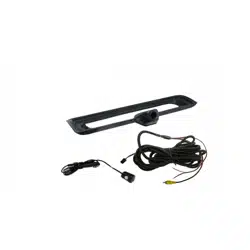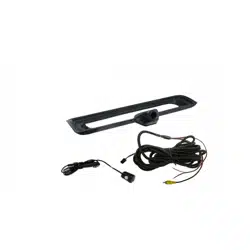

Installation Guide
PCAM-CHMSL-RAM
CHMSL Camera
RAM Truck (2013-2018, 2019 Classic)
PCAM-CHMSL-RAM

3
email - [email protected] (US) - tel - 800-477-2267
Installation Guide
2
email - [email protected] (US) - tel - 800-477-2267
Illustrations are typical and may not match exact vehicle details.
Cover all surfaces with tape or plastic protection lm to protect against
scratching and damage. EchoMaster is in no way responsible for any damage
that may incur during installation.
This product has been validated in the vehicles listed on the application guide only.
Care must be taken when installing this accessory to ensure damage does not occur
to the vehicle. The installation of this accessory should follow approved guidelines to
ensure proper installation. Read entire instructions thoroughly before starting.
This document covers such items as:
- Vehicle Protection (use of covers and blankets, cleaning chemicals, etc).
- Vehicle Disassembly / Reassembly (panel removal, part storage, etc).
- Electrical Component Disassembly / Reassembly (battery disconnection,
connector removal, etc).
NOTES:
Removed Parts: Inspect the vehicle and parts for any damage.
Place all removed parts on a protected surface in an area where they will not get
damaged.
Connectors: When disconnecting connectors, do not pull on the wires; pull by
holding the connectors.
Retain the factory tailgate camera if equipped.
Prior to Installation
PCAM-CHMSL-RAM
CHMSL Camera for RAM Trucks
Installation Guide
3
email - [email protected] (US) - tel - 800-477-2267
Illustrations are typical and may not match exact vehicle details.
2
email - [email protected] (US) - tel - 800-477-2267
Illustrations are typical and may not match exact vehicle details.
CAUTION
Consult your vehicle owner’s manual to disconnect the battery. Do not disconnect
ANY airbag connectors or indicators. Doing so may result in activating a diagnostic
code. These codes will require the dealer to perform the reset procedure which may
incur a reset fee. If you are unsure of any vehicle trim removal process consult the
OEM service manual.
Removing vehicle trim panels in extreme hot and/or cold climate could result in
damage. Use care when removing all vehicle trims.
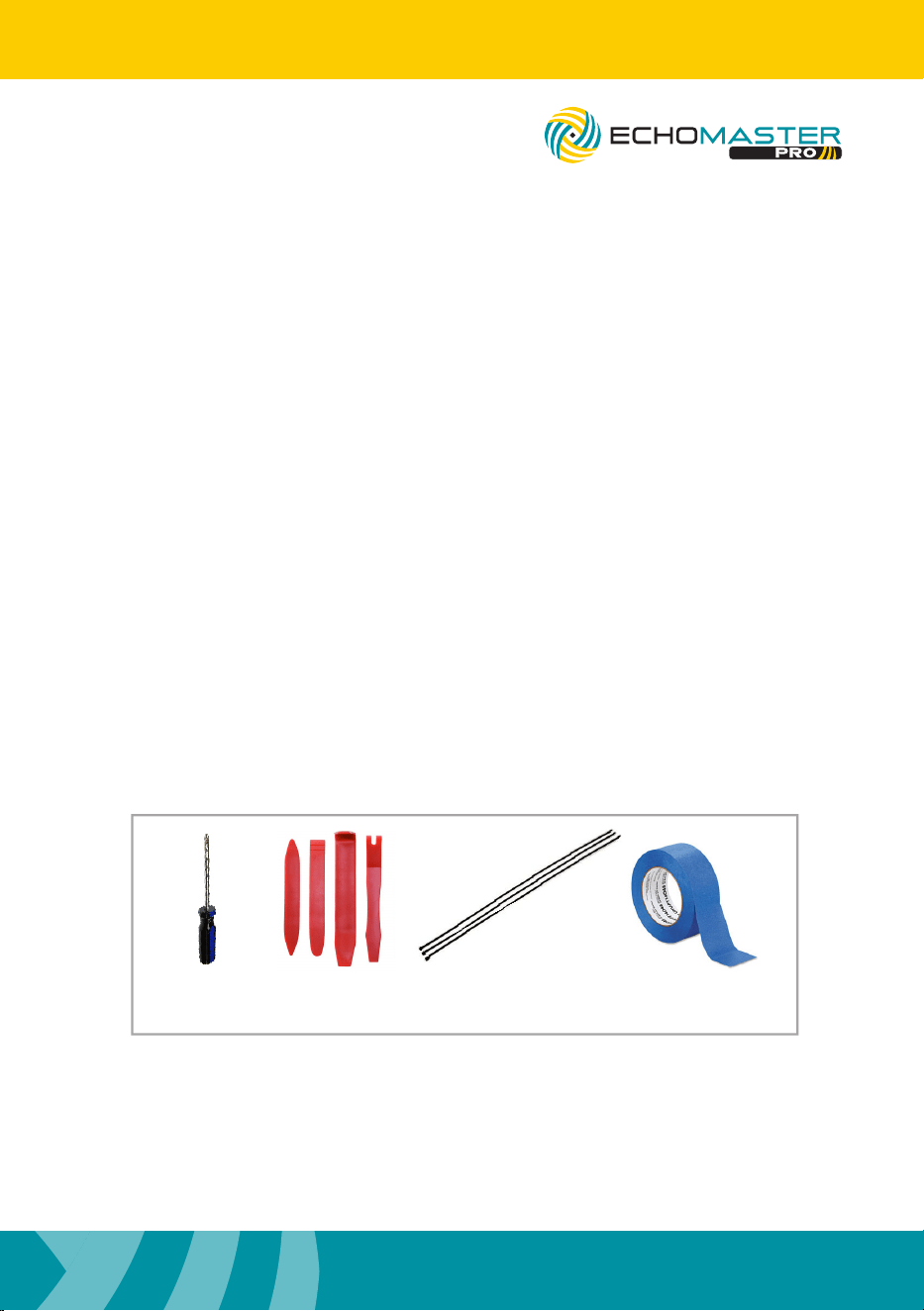
Using painter’s Blue tape on the vehicle trim panels can help limit any scratches
and/or marring. Use a nylon trim panel removal tool whenever possible.
Vehicle Preparation & Protection
Required Tools
PCAM-CHMSL-RAM
CHMSL Camera for RAM Trucks
Philips
Screwdriver
Nylon
Panel Tools
Wire Feeder Blue Tape
5
email - [email protected] (US) - tel - 800-477-2267
Installation Guide
4
email - [email protected] (US) - tel - 800-477-2267
Illustrations are typical and may not match exact vehicle details.
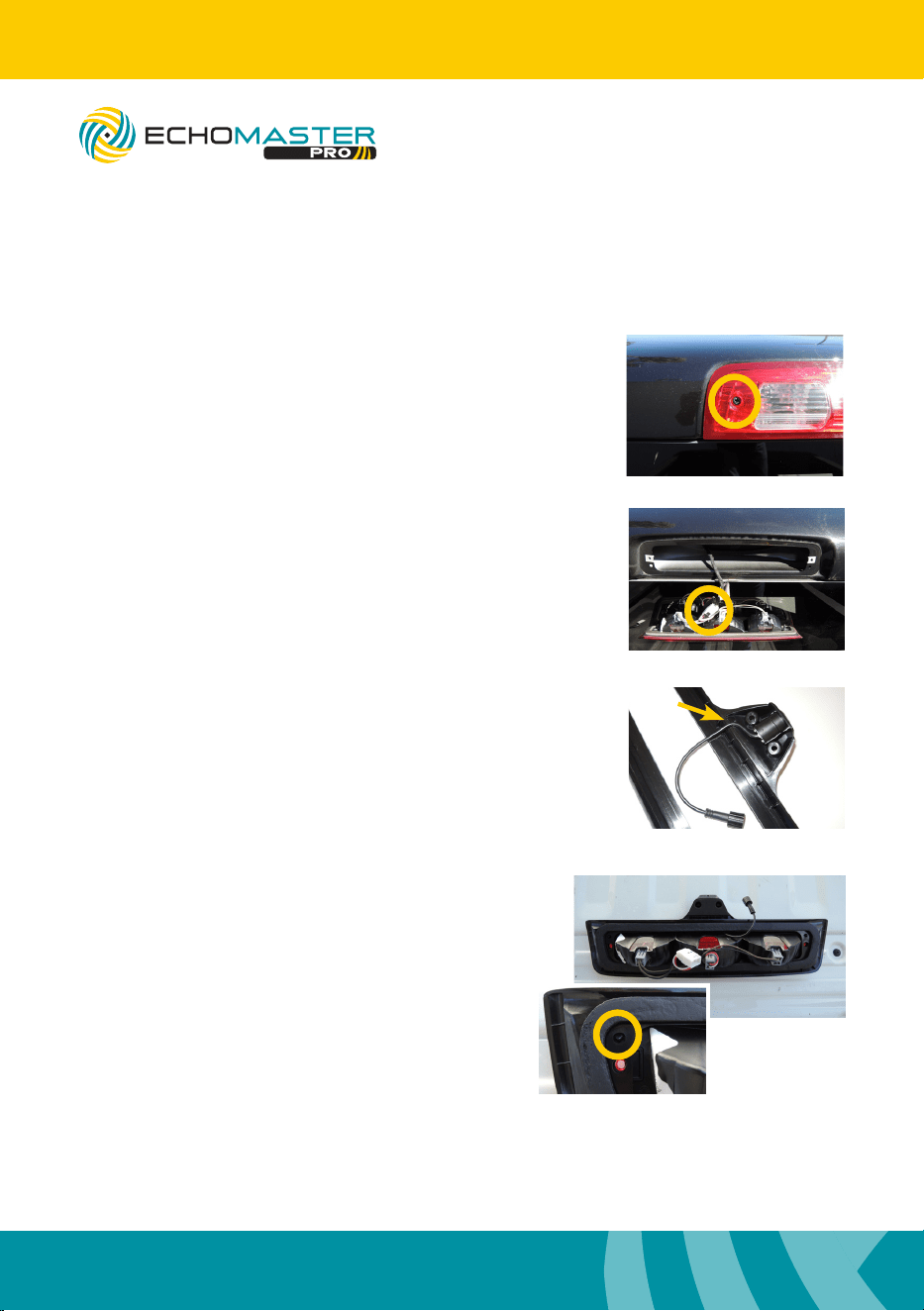
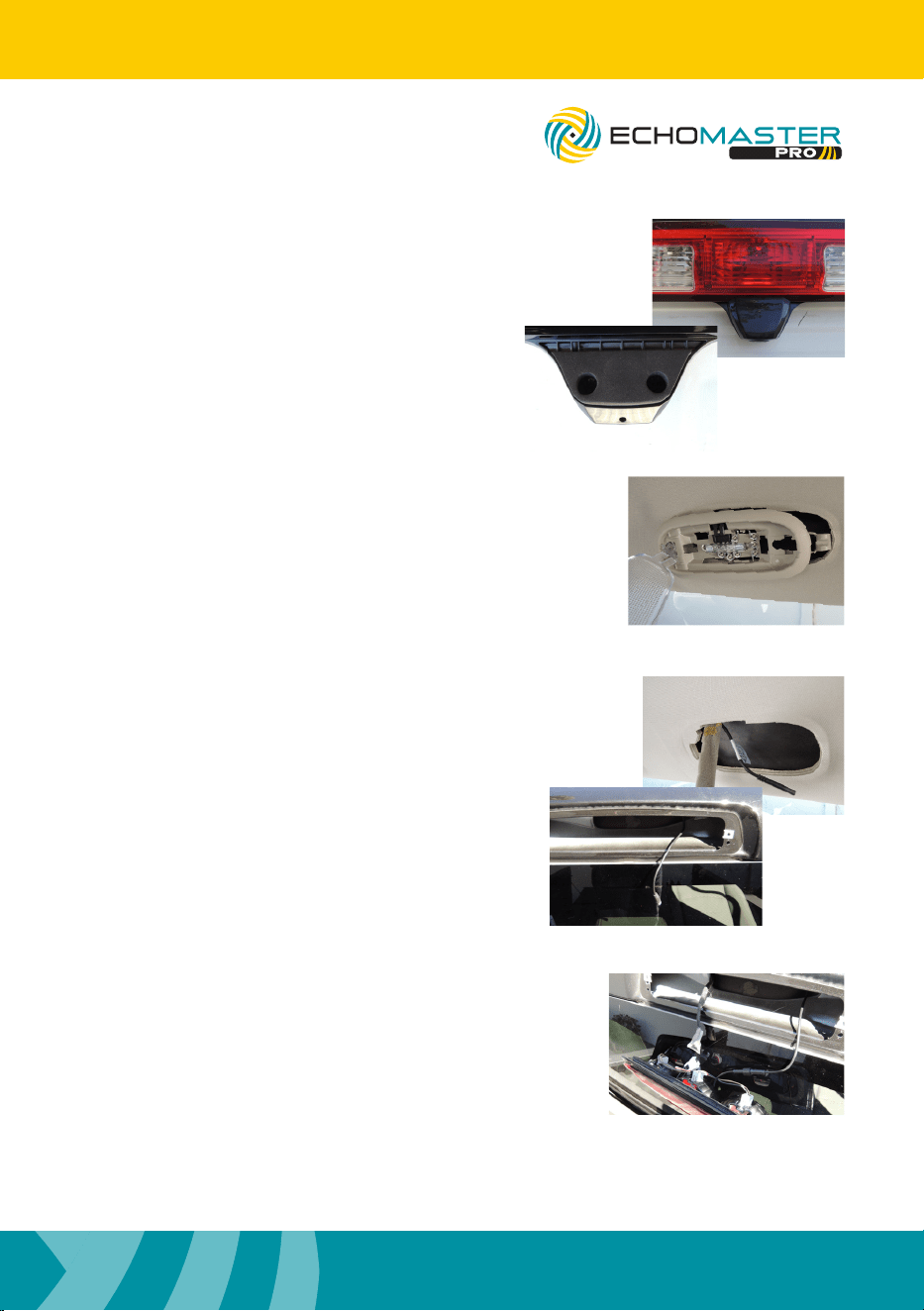
Installing CHMSL Camera
Step 1
Remove the 2 x Philips screws
that secure third brake light
Step 2
Grab the light at the bottom and pull
up and out, then disconnect the white
connector on the back.
Step 3
Insert camera into CHMSL bezel, making
sure to align the at side on the camera
with the at side on the bezel. Route cable
through notch on the bezel.
Step 4
Align the mounting pins on the brake light
with the holes in the CHMSL bezel and snap
bezel into place.
PCAM-CHMSL-RAM
CHMSL Camera for RAM Trucks
Installation Guide
5
email - [email protected] (US) - tel - 800-477-2267
Illustrations are typical and may not match exact vehicle details.
4
email - [email protected] (US) - tel - 800-477-2267
Illustrations are typical and may not match exact vehicle details.
Step 5
Install the top cap on the camera housing
and fasten with 2 x Philips screws provided.
Step 6
Inside the truck, remove the dome light from
the headliner.
Step 7
From either direction, feed the camera cable
from the dome light opening to third brake
light opening.
Step 8
Connect the camera cable to the camera, recon-
nect factory brake light plug and then remount
brake light and camera assembly using the origi-
nal 2 x Philips screws.
PCAM-CHMSL-RAM
CHMSL Camera for RAM Trucks
7
email - [email protected] (US) - tel - 800-477-2267
Installation Guide
6
email - [email protected] (US) - tel - 800-477-2267
Illustrations are typical and may not match exact vehicle details.
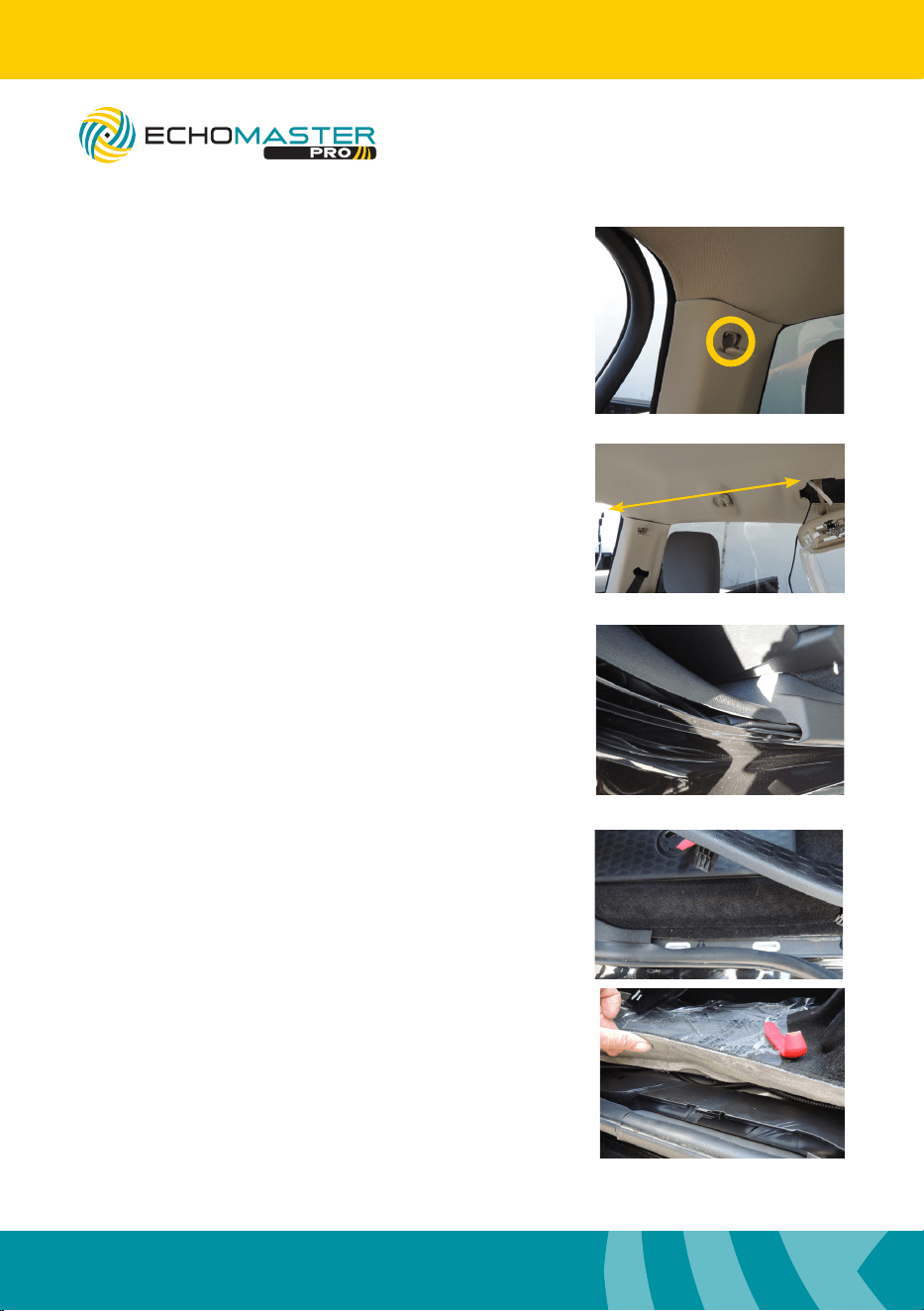
Step 9
Remove 1 x Philips screw from the top of the C
pillar panel and pull to release top clip. Remove
the rubber door moulding from the headliner to
the oor.
Step 10
Using a long zip tie or exible wire shing tool,
sh the camera cable from the dome light opening
across to the C pillar.
Step 11
With rubber moulding removed, run the camera cable
down the C pillar and then under carpet and trim.
Step 12
Remove rear and front door sill trim and route cable
under carpet next to factory wire harness to the front
of the vehicle.
PCAM-CHMSL-RAM
CHMSL Camera for RAM Trucks
Installation Guide
7
email - [email protected] (US) - tel - 800-477-2267
Illustrations are typical and may not match exact vehicle details.
6
email - [email protected] (US) - tel - 800-477-2267
Illustrations are typical and may not match exact vehicle details.
PCAM-CHMSL-RAM
CHMSL Camera for RAM Trucks
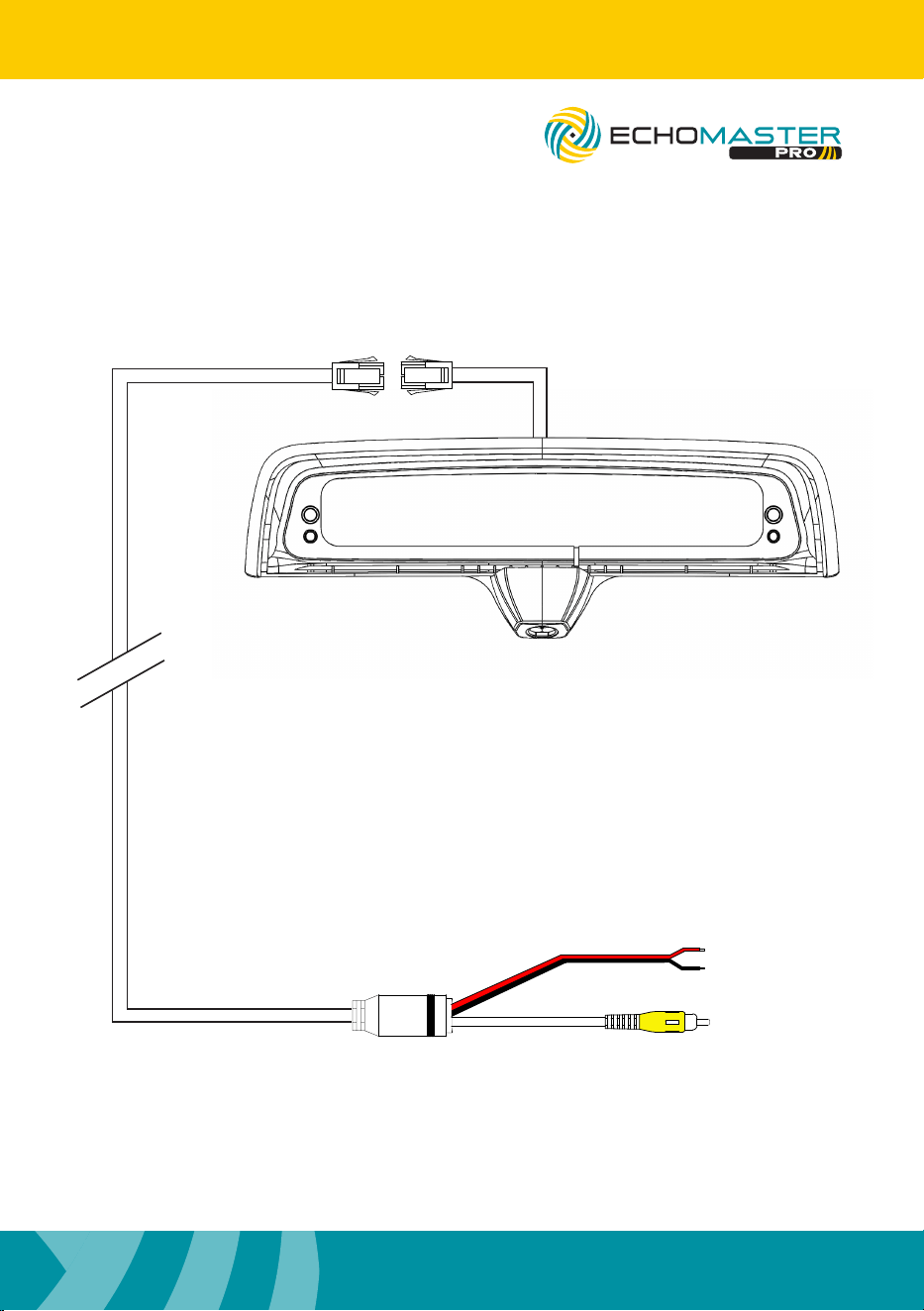
Wiring Diagram
Power 12V
Ground
Video
4.5m / 14.7 ft

Clearwater Florida 33760
EchoMaster is a Power Brand of AAMP Global.
www.echomaster.com
email - [email protected] - tel- 866-766-2267 (US)
AGREEMENT: End user agrees to use this product in compliance with the instructions and terms
of use above and with all State and Federal laws. ECHOMASTER provides instructions and safety
warnings with respect to this product and disclaims all liability for any use not in conformity with
those instructions or other misuse of its product. If you do not agree, please discontinue use
immediately and contact EchoMaster. This product is intended for off-road use and passenger
use only.
REV. 180919
IG-PCAM-CHMSL-RAM