OWNER’S MANUAL
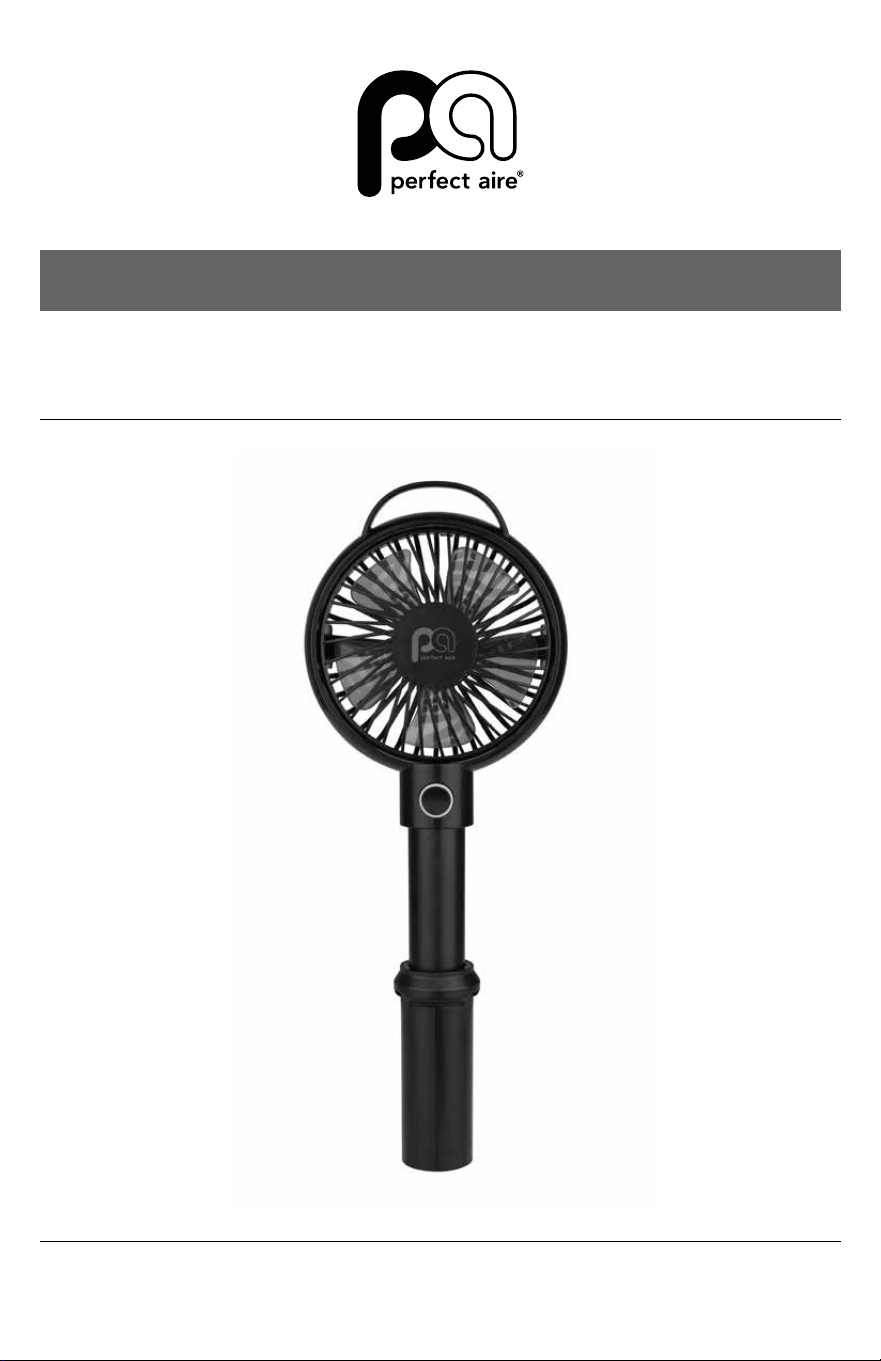
4" HANDHELD FAN
MODEL 1PAFHAND
2
SAFETY & PRECAUTIONS
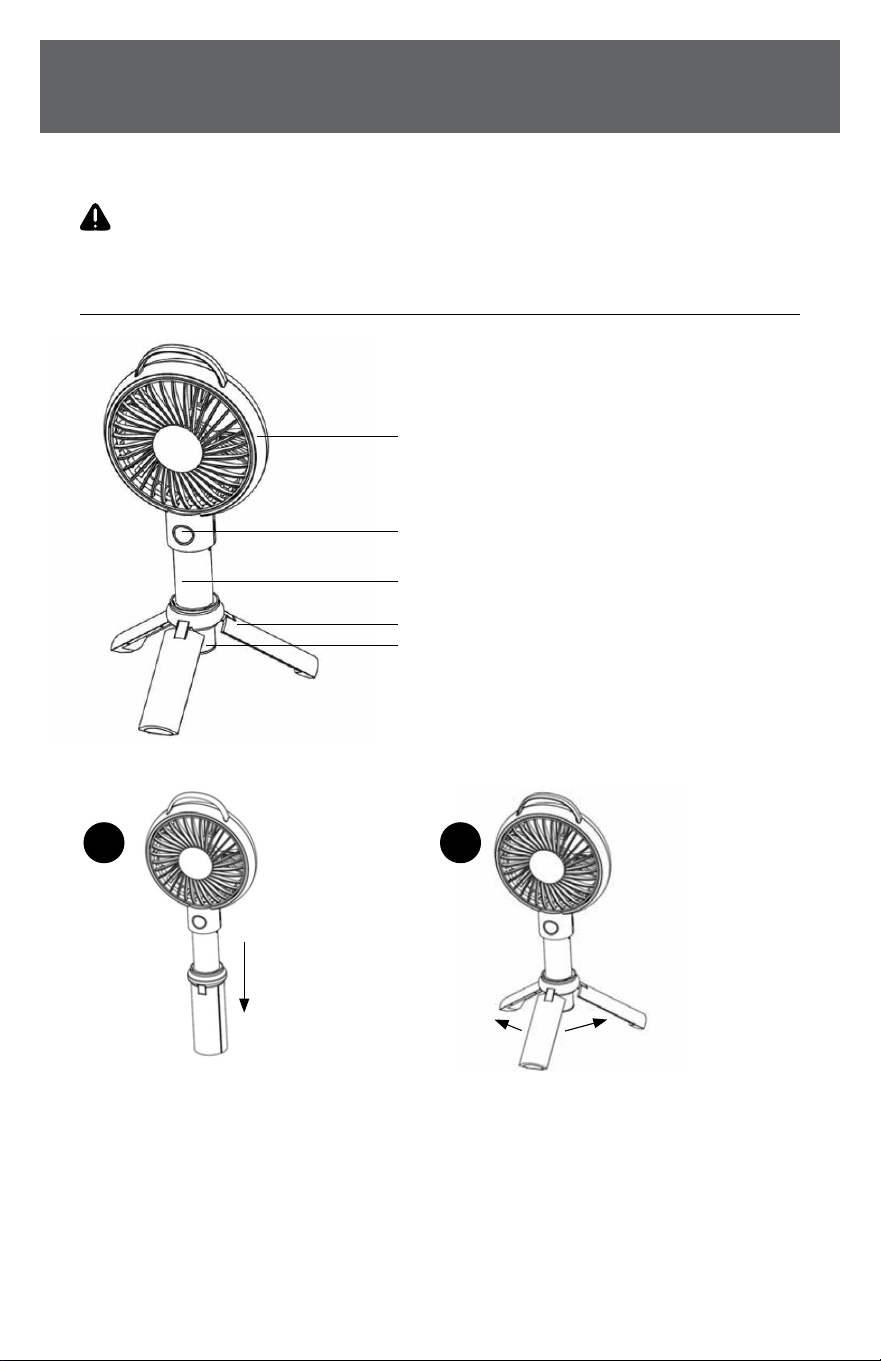
DIAGRAM
OPEN THE TRIPOD BASE
1. Pull the Telescopic handle downwards. (Picture 1)
2. PulltheTelescopichandleouttomakeitstandonaatsurface.(Picture2)
3. Placethefanonaatsurfacetooperate.
PLEASE SAVE THESE INSTRUCTIONS
WARNING
READ THIS OWNER’S MANUAL CAREFULLY BEFORE USE.
PRODUCT DIAGRAM
Vertical tilt adjustment
Power button & charge indicator
Telescopic handle
Tripod base
Pull the telescopic
handle down
Pull the telescopic
handle out
Battery
21

3
FAN OPERATION
CHARGING STATUS
1. Connectthefanwithpower
through USB cable
2. A RED LED light represents
charging status
3. When the LED light turns BLUE,
itisfullycharged
4. Whenthefanisinusestatus,
the LED light will turn WHITE color.
OPERATING THE FAN
1. Pushpowerbuttononce,andthefan
starts operating at its highest speed
2. Push power button a second time, and
thefanoperatesatitsmediumspeed
3. Push power button a third time, and
thefanoperatesatitslowestspeed
4. Pushpowerbuttonafourthtime,and
thefanwillturno.
5. Verticaltiltcanbemanuallyadjusted.
WORKING HOURS - when fully charged
• Atthelowestfanspeed,thefanworks
forabout5 hours
• Atthemiddlefanspeed,thefanworks
forabout3 hours
• Atthehighestfanspeed,thefan
worksforabout2 hours
WARNING
• Don’tdisassembletheproductbyyourself
• Don’t put the product in wet place
• Don’t put the product near hot place
• Don’tputtheproductnearanyliquid
• Childrenshouldbesupervisedbyadultswhenusing
SPECIAL ATTENTION:
1. Whenoperating,thefanblade
revolves at a high speed. Please don’t
putangerorotherobjectsinthe
fanblades.
2. Pleasedon’tusethefaninhumid
and wet weather or wet environment,
as it could cause the product
damageortomalfunction.
3. Pleasechargethefanwithstandard
DC 5V voltage. Remove the USB
cable when charging is completed.
4. Don’tplacethefanonammables
when charging.
5. Ifthefangetstoohotoroutof
shape,orifthebatteryisleaking
while charging, please stop charging
immediately.
6. Please keep the product at
32°F-104°FdegreesFahrenheit.
7. Please don’t place the product in
are,otherwisethebatterywill
explode.
8. Please don’t hit or smash the
product.Repeatedhittingmay
damage the product.
9. Please don’t dismantle, change or
repairtheproductbyyourself.
10. Pleasedon’treplacebatteryby
yourself,andreplacefollowedby
professionalguidance.

844-4PA-AIRE | 844-472-2473 | support@perfectaire.us
CANADA SUPPORT 877-997-2473 | supportcanada@perfectaire.us
www.perfectaire.us
Printed in China | 0822_M989
For your records, staple your sales receipt
to this manual and record the following:
Date of Purchase: ____________________________________
Place of Purchase: ___________________________________
NOTE:Proofofpurchaseisrequiredforallwarrantyclaims.
WHAT’S IN THE BOX
• Fan (1)
• USB Cable (1)
• User Manual (1)
PRODUCT SPECIFICATIONS:
Input: DC 5 Volts – 1 Amp
Speed Level: 3 Speeds – High / Medium / Low
Battery capacity:2000mAh
NOTE:Asaresultofcontinualimprovements,thedesignandspecicationsof
theproductwithinmaydierslightlytotheunitillustratedonthepackaging.
5401 Dansher Road
Countryside, IL 60525
SCAN CODE TO
LEAVE A REVIEW
THANK
YOU FOR
YOUR
PURCHASE!
As a small
business,
reviews are
everything!