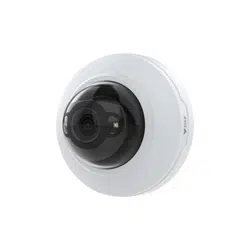


AXISM4215-VDomeCamera
TableofContents
Installation................................................3
Previewmode..................................................3
Getstarted................................................4
Findthedeviceonthenetwork....................................4
Openthedevice'swebinterface....................................4
Setanewpasswordfortherootaccount............................4
Securepasswords...............................................4
Verifythatnoonehastamperedwiththermware....................5
Webinterfaceoverview..........................................5
Congureyourdevice........................................6
Basicsettings..................................................6
Adjusttheimage................................................6
Viewandrecordvideo............................................10
Setuprulesforevents...........................................11
Audio.........................................................13
Thedeviceinterface.........................................14
Status........................................................14
Video.........................................................15
Recordings.....................................................24
Apps..........................................................24
System........................................................
25
Maintenance...................................................
40
Learnmore................................................42
Long-distanceconnections........................................42
Viewarea......................................................
42
Remotefocusandzoom..........................................
42
Privacymasks..................................................
42
Overlays.......................................................
43
Streamingandstorage...........................................43
Applications....................................................44
Security.......................................................
45
Specications..............................................46
Productoverview................................................
46
LEDindicators..................................................
46
SDcardslot....................................................
46
Buttons.......................................................
46
Connectors....................................................
47
Cleaningrecommendations...................................48
Troubleshooting............................................49
Resettofactorydefaultsettings...................................49
Firmwareoptions...............................................49
Checkthecurrentrmwareversion.................................
49
Upgradethermware............................................49
Technicalissues,clues,andsolutions................................
50
Performanceconsiderations.......................................52
Contactsupport.................................................52
2
AXISM4215-VDomeCamera
Installation
Installation
Towatchthisvideo,gotothewebversionofthisdocument.
help.axis.com/?&piaId=88759§ion=install
HowtoinstallanAXISM42Seriesdomecamera
Previewmode
Previewmodeisidealforinstallerswhennetuningthecameraviewduringtheinstallation.Nologinisrequiredtoaccessthe
cameraviewinpreviewmode.Itisavailableonlyinfactorydefaultedstateforalimitedtimefrompoweringupthedevice.
Towatchthisvideo,gotothewebversionofthisdocument.
help.axis.com/?&piaId=88759§ion=preview-mode
Thisvideodemonstratehowtousepreviewmode.
3

AXISM4215-VDomeCamera
Getstarted
Getstarted
Findthedeviceonthenetwork
TondAxisdevicesonthenetworkandassignthemIPaddressesinWindows®,useAXISIPUtilityorAXISDeviceManager.Both
applicationsarefreeandcanbedownloadedfromaxis.com/support.
FormoreinformationabouthowtondandassignIPaddresses,gotoHowtoassignanIPaddressandaccessyourdevice.
Browsersupport
Youcanusethedevicewiththefollowingbrowsers:
Chrome
TM
Firefox
®
Edge
®
Safari
®
Windows
®
recommended
xx
macOS
®
recommended
x
Otheroperatingsystems
xx
Ifyouneedmoreinformationaboutrecommendedbrowsers,gotoaxis.com/browser-support.
Openthedevice'swebinterface
1.OpenabrowserandtypetheIPaddressorhostnameoftheAxisdevice.
IfyoudonotknowtheIPaddress,useAXISIPUtilityorAXISDeviceManagertondthedeviceonthenetwork.
2.Typetheusernameandpassword.Ifyouaccessthedeviceforthersttime,youmustsettherootpassword.SeeSetanew
passwordfortherootaccountonpage4.
Setanewpasswordfortherootaccount
Thedefaultadministratorusernameisroot.There’snodefaultpasswordfortherootaccount.Yousetapasswordtherst
timeyoulogintothedevice.
1.Typeapassword.Followtheinstructionsaboutsecurepasswords.SeeSecurepasswordsonpage4.
2.Retypethepasswordtoconrmthespelling.
3.ClickAdduser.
Important
Ifyoulosethepasswordfortherootaccount,gotoResettofactorydefaultsettingsonpage49andfollowtheinstructions.
Securepasswords
Important
Axisdevicessendtheinitiallysetpasswordincleartextoverthenetwork.Toprotectyourdeviceaftertherstlogin,set
upasecureandencryptedHTTPSconnectionandthenchangethepassword.
Thedevicepasswordistheprimaryprotectionforyourdataandservices.Axisdevicesdonotimposeapasswordpolicyasthey
maybeusedinvarioustypesofinstallations.
Toprotectyourdatawestronglyrecommendthatyou:
•Useapasswordwithatleast8characters,preferablycreatedbyapasswordgenerator.
4

AXISM4215-VDomeCamera
Getstarted
•Don’texposethepassword.
•Changethepasswordatarecurringinterval,atleastonceayear.
Verifythatnoonehastamperedwiththermware
TomakesurethatthedevicehasitsoriginalAxisrmware,ortotakefullcontrolofthedeviceafterasecurityattack:
1.Resettofactorydefaultsettings.SeeResettofactorydefaultsettingsonpage49.
Afterthereset,securebootguaranteesthestateofthedevice.
2.Congureandinstallthedevice.
Webinterfaceoverview
Thisvideogivesyouanoverviewofthedevice’swebinterface.
Towatchthisvideo,gotothewebversionofthisdocument.
help.axis.com/?&piaId=88759§ion=web-interface-overview
Axisdevicewebinterface
5

AXISM4215-VDomeCamera
Configureyourdevice
Configureyourdevice
Basicsettings
Setthemountingposition
1.GotoVideo>Installation>Mountingposition.
2.ClickChange.
3.SelectamountingpositionandclickSaveandrestart.
Setthepowerlinefrequency
1.GotoVideo>Installation>Powerlinefrequency.
2.ClickChange.
3.SelectapowerlinefrequencyandclickSaveandrestart.
Settheorientation
1.GotoVideo>Installation>Rotate.
2.Select0,90,180or270degrees.
SeealsoMonitorlongandnarrowareasonpage7.
Adjusttheimage
Thissectionincludesinstructionsaboutconguringyourdevice.Ifyouwanttolearnmoreabouthowcertainfeatureswork,go
toLearnmoreonpage42.
Adjustthezoomandfocus
Toadjustthezoom:
1.GotoVideo>Installationandadjustthezoomslider.
Toadjustthefocus:
1.Click
toshowtheautofocusarea.
2.Adjusttheautofocusareatocoverthepartoftheimagethatyouwanttobeinfocus.
Ifyoudon’tselectanautofocusarea,thecamerafocusesontheentirescene.Werecommendthatyoufocusona
staticobject.
3.ClickAutofocus.
4.Tonetunethefocus,adjustthefocusslider.
Reducemotionblurinlow-lightconditions
Toreducemotionblurinlow-lightconditions,adjustoneormoreofthefollowingsettingsinVideo>Image>Exposure:
•MovetheBlur-noisetrade-offslidertowardLowmotionblur.
Note
Whenyouincreasethegain,imagenoisealsoincreases.
6
AXISM4215-VDomeCamera
Configureyourdevice
•SetMaxshuttertoashortertime,andMaxgaintoahighervalue.
Ifyoustillhaveproblemswithmotionblur:
•Increasethelightlevelinthescene.
•Mountthecamerasothatobjectsmovetowarditorawayfromitratherthansideways.
Handlesceneswithstrongbacklight
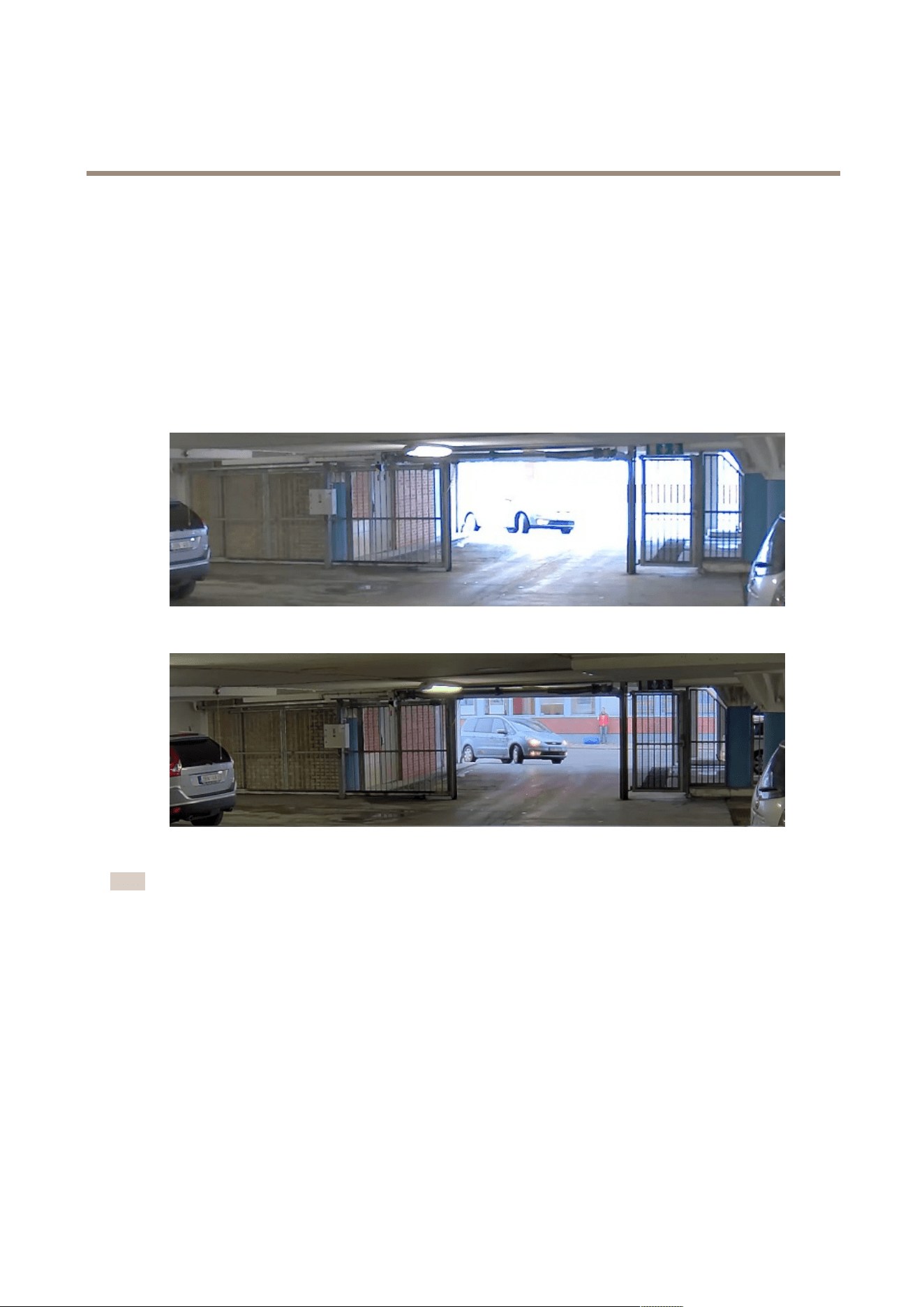
Dynamicrangeisthedifferenceinlightlevelsinanimage.Insomecasesthedifferencebetweenthedarkestandthebrightest
areascanbesignicant.Theresultisoftenanimagewhereeitherthedarkorthebrightareasarevisible.Widedynamicrange
(WDR)makesbothdarkandbrightareasoftheimagevisible.
ImagewithoutWDR.
ImagewithWDR.
Note
•WDRcancauseartifactsintheimage.
1.GotoImage>Widedynamicrange.
2.TurnonWDR.
3.Ifyoustillhaveproblems,gotoExposureandadjusttheExposurezonetocovertheareaofinterest.
FindoutmoreaboutWDRandhowtouseitataxis.com/web-articles/wdr.
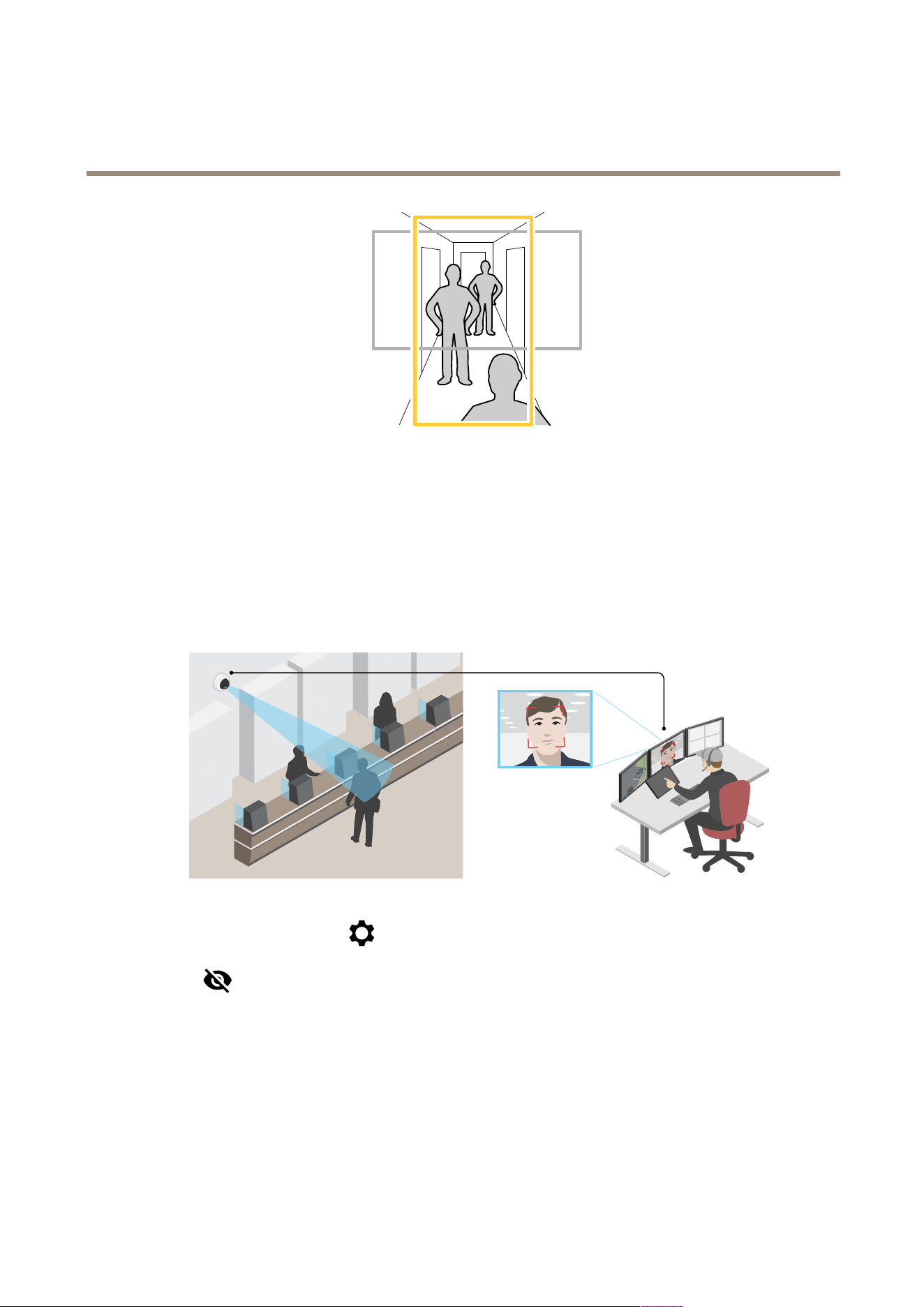
Monitorlongandnarrowareas
Usecorridorformattobetterutilizethefulleldofviewinalongandnarrowarea,forexampleastaircase,hallway,road,ortunnel.
7
AXISM4215-VDomeCamera
Configureyourdevice
1.Dependingonyourdevice,turnthecameraorthe3-axislensinthecamera90°or270°.
2.Ifthedevicedoesn’thaveautomaticrotationoftheview,gotoVideo>Installation.
3.Rotatetheview90°or270°.
Verifythepixelresolution
Toverifythatadenedpartoftheimagecontainsenoughpixelsto,forexample,recognizethefaceofaperson,youcanusethe
pixelcounter.
1.GotoVideo>Imageandclick.
2.Click
forPixelcounter.
3.Inthecamera’sliveview,adjustthesizeandpositionoftherectanglearoundtheareaofinterest,forexamplewhere
youexpectfacestoappear.
Youcanseethenumberofpixelsforeachoftherectangle’ssides,anddecideifthevaluesareenoughforyourneeds.
Hidepartsoftheimagewithprivacymasks
Youcancreateoneorseveralprivacymaskstohidepartsoftheimage.
1.GotoVideo>Privacymasks.
8

AXISM4215-VDomeCamera
Configureyourdevice
2.Click.
3.Clickthenewmaskandtypeaname.
4.Adjustthesizeandplacementoftheprivacymaskaccordingtoyourneeds.
5.Tochangethecolorforallprivacymasks,clickPrivacymasksandselectacolor.
SeealsoPrivacymasksonpage42
Showanimageoverlay
Youcanaddanimageasanoverlayinthevideostream.
1.GotoVideo>Overlays.
2.SelectImageandclick
.
3.ClickImages.
4.Draganddropanimage.
5.ClickUpload.
6.ClickManageoverlay.
7.Selecttheimageandaposition.Youcanalsodragtheoverlayimageintheliveviewtochangetheposition.
Showatextoverlay
Youcanaddatexteldasanoverlayinthevideostream.Thisisusefulforexamplewhenyouwanttodisplaythedate,timeora
companynameinthevideostream.
1.GotoVideo>Overlays.
2.SelectTextandclick.
3.Typethetextyouwanttodisplayinthevideostream.
4.Selectaposition.Youcanalsodragtheoverlaytexteldintheliveviewtochangetheposition.
Recordandwatchvideo
Recordvideodirectlyfromthecamera
1.GotoVideo>Image.
2.Tostartarecording,click
.
Ifyouhaven’tsetupanystorage,click
and.Forinstructionsonhowtosetupnetworkstorage,seeSetup
networkstorageonpage10
3.Tostoprecording,click
again.
Watchvideo
1.GotoRecordings.
9

AXISM4215-VDomeCamera
Configureyourdevice
2.Clickforyourrecordinginthelist.
Viewandrecordvideo
Thissectionincludesinstructionsaboutconguringyourdevice.Tolearnmoreabouthowstreamingandstorageworks,goto
Streamingandstorageonpage43.
Reducebandwidthandstorage
Important
Reducingthebandwidthcanresultinlossofdetailsintheimage.
1.GotoVideo>Stream.
2.Click
intheliveview.
3.SelectVideoformatH.264.
4.GotoVideo>Stream>GeneralandincreaseCompression.
5.GotoVideo>Stream>H.264andH.265encodinganddooneormoreofthefollowing:
-SelecttheZipstreamlevelthatyouwanttouse.
Note
TheZipstreamsettingsareusedforbothH.264andH.265.
-TurnonDynamicFPS.
-TurnonDynamicGOPandsetahighUpperlimitGOPlengthvalue.
Note
Mostwebbrowsersdon’tsupportH.265decodingandbecauseofthisthedevicedoesn’tsupportitinitswebinterface.
InsteadyoucanuseavideomanagementsystemorapplicationthatsupportsH.265decoding.
Setupnetworkstorage
Tostorerecordingsonthenetwork,youneedtosetupyournetworkstorage.
1.GotoSystem>Storage.
2.ClickAddnetworkstorageunderNetworkstorage.
3.TypetheIPaddressofthehostserver.
4.TypethenameofthesharedlocationonthehostserverunderNetworkshare.
5.Typetheusernameandpassword.
6.SelecttheSMBversionorleaveitonAuto.
7.SelectAddshareevenifconnectionfailsifyouexperiencetemporaryconnectionissues,oriftheshareisnotyet
congured.
8.ClickAdd.
10

AXISM4215-VDomeCamera
Configureyourdevice
Viewalivevideostreamonamonitor
YourcameracantransmitalivevideostreamtoanHDMImonitorevenwithoutanetworkconnection.Usethemonitorfor
surveillancepurposesorforpublicviewing,forexampleinastore.
1.ConnectanexternalmonitorusingtheHDMIconnector.
2.GotoSystem>VideooutandturnonHDMI.
3.SelectaSource.Rotatetheimageifneeded.
Setuprulesforevents
Youcancreaterulestomakeyourdeviceperformanactionwhencertaineventsoccur.Aruleconsistsofconditionsandactions.
Theconditionscanbeusedtotriggertheactions.Forexample,thedevicecanstartarecordingorsendanemailwhenitdetects
motion,orshowanoverlaytextwhilethedeviceisrecording.
Tolearnmore,checkoutourguideGetstartedwithrulesforevents.
Triggeranaction
1.GotoSystem>Eventsandaddarule.Theruledeneswhenthedevicewillperformcertainactions.Youcanset
uprulesasscheduled,recurring,ormanuallytriggered.
2.EnteraName.
3.SelecttheConditionthatmustbemettotriggertheaction.Ifyouspecifymorethanoneconditionfortherule,allofthe
conditionsmustbemettotriggertheaction.
4.SelectwhichActionthedeviceshouldperformwhentheconditionsaremet.
Note
Ifyoumakechangestoanactiverule,therulemustbeturnedonagainforthechangestotakeeffect.
Note
Ifyouchangethedenitionofastreamprolethatisusedinarule,thenyouneedtorestartalltherulesthatusethat
streamprole.
Recordvideowhenthecameradetectsanobject
ThisexampleexplainshowtosetupthecameratostartrecordingtotheSDcardwhenthecameradetectsanobject.Therecording
willincludevesecondsbeforedetectionandoneminuteafterdetectionends.
Beforeyoustart:
•MakesureyouhaveanSDcardinstalled.
MakesurethatAXISObjectAnalyticsisrunning:
1.GotoApps>AXISObjectAnalytics.
2.Starttheapplicationifitisnotalreadyrunning.
3.Makesureyouhavesetuptheapplicationaccordingtoyourneeds.
Createarule:
1.GotoSystem>Eventsandaddarule.
2.Typeanamefortherule.
3.Inthelistofconditions,underApplication,selectObjectAnalytics.
11

AXISM4215-VDomeCamera
Configureyourdevice
4.Inthelistofactions,underRecordings,selectRecordvideowhiletheruleisactive.
5.Inthelistofstorageoptions,selectSD_DISK.
6.Selectacameraandastreamprole.
7.Settheprebuffertimeto5seconds.
8.Setthepostbuffertimeto1minute.
9.ClickSave.
Showatextoverlayinthevideostreamwhenthedevicedetectsanobject
Thisexampleexplainshowtodisplaythetext“Motiondetected”whenthedevicedetectsanobject.
MakesurethatAXISObjectAnalyticsisrunning:
1.GotoApps>AXISObjectAnalytics.
2.Starttheapplicationifitisnotalreadyrunning.
3.Makesureyouhavesetuptheapplicationaccordingtoyourneeds.
Addtheoverlaytext:
1.GotoVideo>Overlays.
2.UnderOverlays,selectTextandclick
.
3.Enter#Dinthetexteld.
4.Choosetextsizeandappearance.
5.Topositionthetextoverlay,click
andselectanoption.
Createarule:
1.GotoSystem>Eventsandaddarule.
2.Typeanamefortherule.
3.Inthelistofconditions,underApplication,selectObjectAnalytics.
4.Inthelistofactions,underOverlaytext,selectUseoverlaytext.
5.Selectavideochannel.
6.InText,type“Motiondetected”.
7.Settheduration.
8.ClickSave.
Sendanemailautomaticallyifsomeonespraypaintsthelens
Activatethetamperingdetection:
1.GotoSystem>Detectors>Cameratampering.
2.SetadurationforTriggerafter.Thevalueindicatesthetimethatmustpassbeforeanemailissent.
3.TurnonTriggerondarkimagestodetectifthelensissprayed,covered,orrenderedseverelyoutoffocus.
12

AXISM4215-VDomeCamera
Configureyourdevice
Addanemailrecipient:
4.GotoSystem>Events>Recipientsandaddarecipient.
5.Typeanamefortherecipient.
6.SelectEmail.
7.Typeanemailaddresstosendtheemailto.
8.Thecameradoesn’thaveit’sownemailserver,soithastologintoanotheremailservertosendmails.Fillintherestofthe
informationaccordingtoyouremailprovider.
9.Tosendatestemail,clickTest.
10.ClickSave.
Createarule:
11.GotoSystem>Events>Rulesandaddarule.
12.Typeanamefortherule.
13.Inthelistofconditions,underVideo,selectTampering.
14.Inthelistofactions,underNotications,selectSendnoticationtoemailandthenselecttherecipientfromthelist.
15.Typeasubjectandamessagefortheemail.
16.ClickSave.
Audio
Addaudiotoyourrecording
Turnonaudio:
1.GotoVideo>Stream>Audioandincludeaudio.
2.Ifthedevicehasmorethanoneinputsource,selectthecorrectoneinSource.
3.GotoAudio>Devicesettingsandturnonthecorrectinputsource.
4.Ifyoumakeanychangestotheinputsource,clickApplychanges.
Editthestreamprolethatisusedfortherecording:
5.GotoSystem>Streamprolesandselectthestreamprole.
6.SelectIncludeaudioandturniton.
7.ClickSave.
13
AXISM4215-VDomeCamera
Thedeviceinterface
Thedeviceinterface
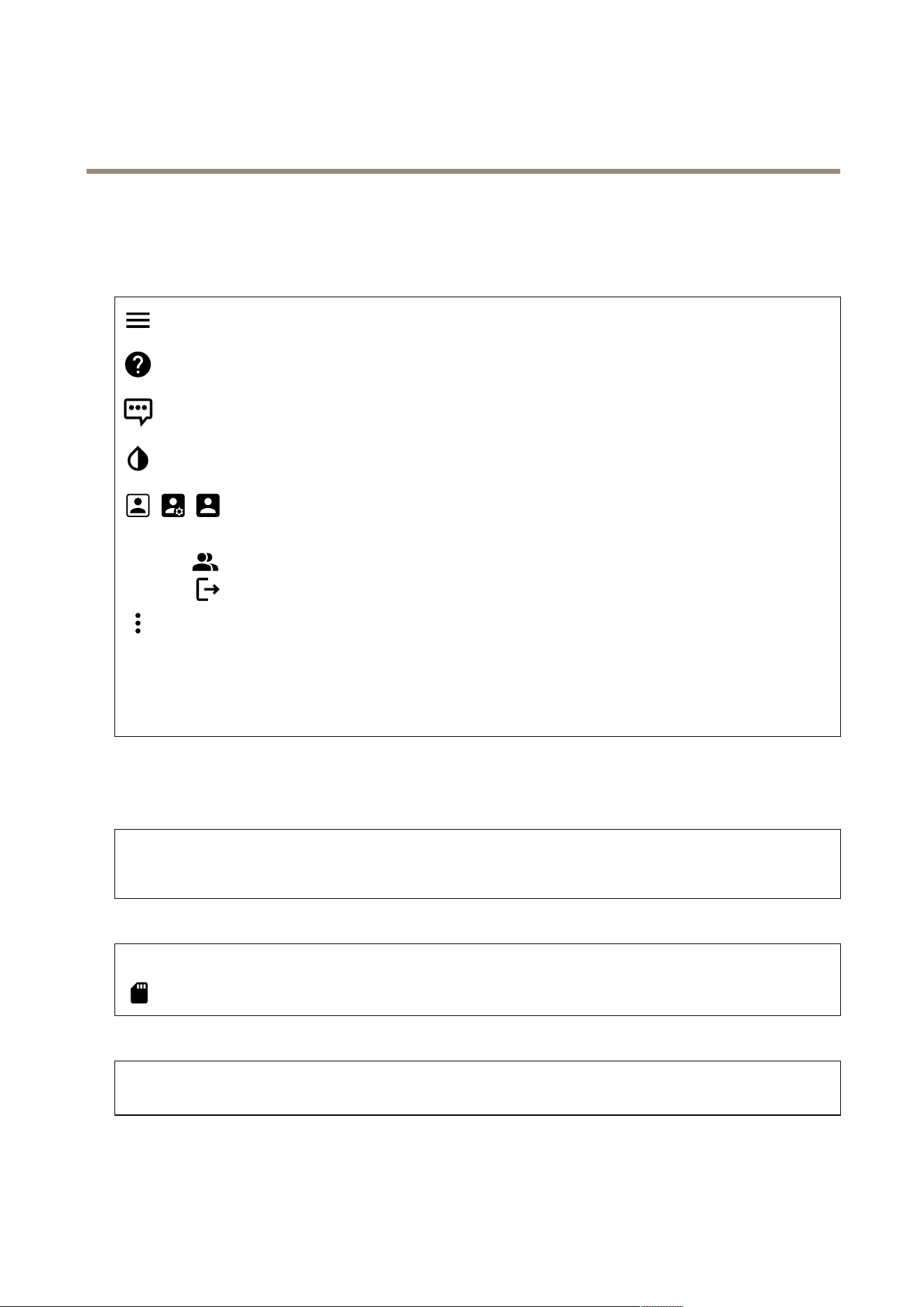
Toreachthedeviceinterface,typethedevice’sIPaddressinawebbrowser.
Showorhidethemainmenu.
Accesstheproducthelp.
Changethelanguage.
Setlightthemeordarktheme.
Theusermenucontains:
•Informationabouttheuserwhoisloggedin.
•
Changeuser:Logoutthecurrentuserandloginanewuser.
•
Logout:Logoutthecurrentuser.
Thecontextmenucontains:
•Analyticsdata:Accepttosharenon-personalbrowserdata.
•Feedback:Shareanyfeedbacktohelpusimproveyouruserexperience.
•Legal:Viewinformationaboutcookiesandlicenses.
•About:Viewdeviceinformation,includingrmwareversionandserialnumber.
•Legacydeviceinterface:Changethedeviceinterfacetothelegacydeviceinterface.
Status
Timesyncstatus
ShowsNTPsynchronizationinformation,includingifthedeviceisinsyncwithanNTPserverandthetimeremaininguntil
thenextsync.
NTPsettings:ClicktogototheDateandtimepagewhereyoucanchangetheNTPsettings.
Ongoingrecordings
Recordings:Showseachongoingrecordinganditssource.Formoreinformation,seeRecordingsonpage24
Showsthestoragespacewheretherecordingissaved.
Deviceinfo
Showsdeviceinformation,includingrmwareversionandserialnumber.
Upgradermware:ClicktogototheMaintenancepagewhereyoucandoarmwareupgrade.
Connectedclients
14
AXISM4215-VDomeCamera
Thedeviceinterface
Viewdetails:Clicktoshowallclientsthatareconnectedtothedevice.
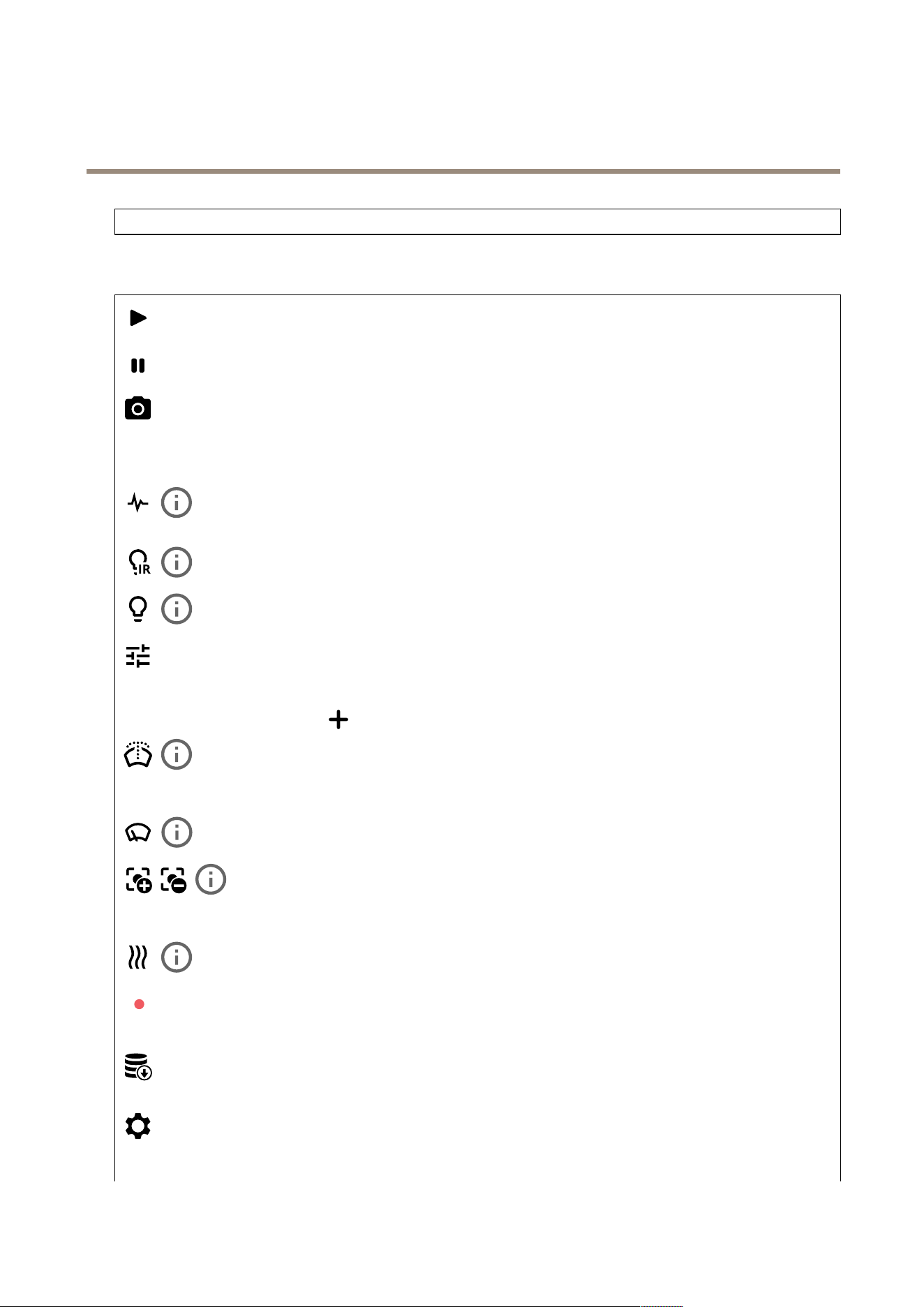
Video
Clicktoplaythelivevideostream.
Clicktofreezethelivevideostream.
Clicktotakeasnapshotofthelivevideostream.Theleissavedinthe‘Downloads’folderonyourcomputer.Theimage
lenameis[snapshot_YYYY_MM_DD_HH_MM_SS.jpg].Thesizeofthesnapshotdependsonthecompressionthatisapplied
fromthespecicweb-browserenginewherethesnapshotisreceived,therefore,thesnapshotsizemayvaryfromtheactual
compressionsettingthatisconguredinthedevice.
ClicktoshowI/Ooutputports.Usetheswitchtoopenorclosethecircuitofaport,forexampletotestexternal
devices.
ClicktomanuallyturnonorturnofftheIRillumination.
Clicktomanuallyturnonorturnoffthewhitelight.
Clicktoaccessonscreencontrols:
•Predenedcontrols:Turnontousetheavailableonscreencontrols.
•Customcontrols:Click
Addcustomcontroltoaddanonscreencontrol.
Startsthewasher.Whenthesequencestarts,thecameramovestotheconguredpositiontoreceivethewash
spray.Whenthewholewashsequenceiscompleted,thecamerareturnstoitspreviousposition.Thisiconisonlyvisiblewhenthe
washerisconnectedandcongured.
Startsthewiper.
Addsorremovesafocusrecallarea.Whenyouaddafocusrecallarea,thecamerasavesthefocussettingsat
thatspecicpan/tiltrange.Whenyouhavesetafocusrecallareaandthecameraentersthatareaintheliveview,thecamera
recallsthepreviouslysavedfocus.It’senoughtocoverhalfoftheareaforthecameratorecallthefocus.
Clicktomanuallyturnontheheaterforaselectedperiodoftime.
Clicktostartacontinuousrecordingofthelivevideostream.Clickagaintostoptherecording.Ifarecordingisongoing,it
willresumeautomaticallyafterareboot.
Clicktoshowthestoragethatisconguredforthedevice.Tocongurethestorageyouneedtobeloggedinasan
administrator.
Clicktoaccessmoresettings:
•Videoformat:Selecttheencodingformattouseintheliveview.
15
AXISM4215-VDomeCamera
Thedeviceinterface
•Clientstreaminformation:Turnontoshowdynamicinformationaboutthevideostreamusedbythebrowserthat
showsthelivevideostream.Thebitrateinformationdiffersfromtheinformationshowninatextoverlay,becauseof
differentinformationsources.Thebitrateintheclientstreaminformationisthebitrateofthelastsecond,andit
comesfromtheencodingdriverofthedevice.Thebitrateintheoverlayistheaveragebitrateofthelast5seconds,
anditcomesfromthebrowser.Bothvaluescoveronlytherawvideostreamandnottheadditionalbandwidth
generatedwhenit’stransportedoverthenetworkthroughUDP/TCP/HTTP.
•Adaptivestream:Turnontoadapttheimageresolutiontotheviewingclient’sactualdisplayresolution,toimprove
theuserexperienceandhelppreventapossibleoverloadoftheclient’shardware.Theadaptivestreamisonly
appliedwhenyouviewthelivevideostreaminthewebinterfaceinabrowser.Whenadaptivestreamisturnedon,
themaximumframerateis30fps.Ifyoutakeasnapshotwhileadaptivestreamisturnedon,itwillusetheimage
resolutionselectedbytheadaptivestream.
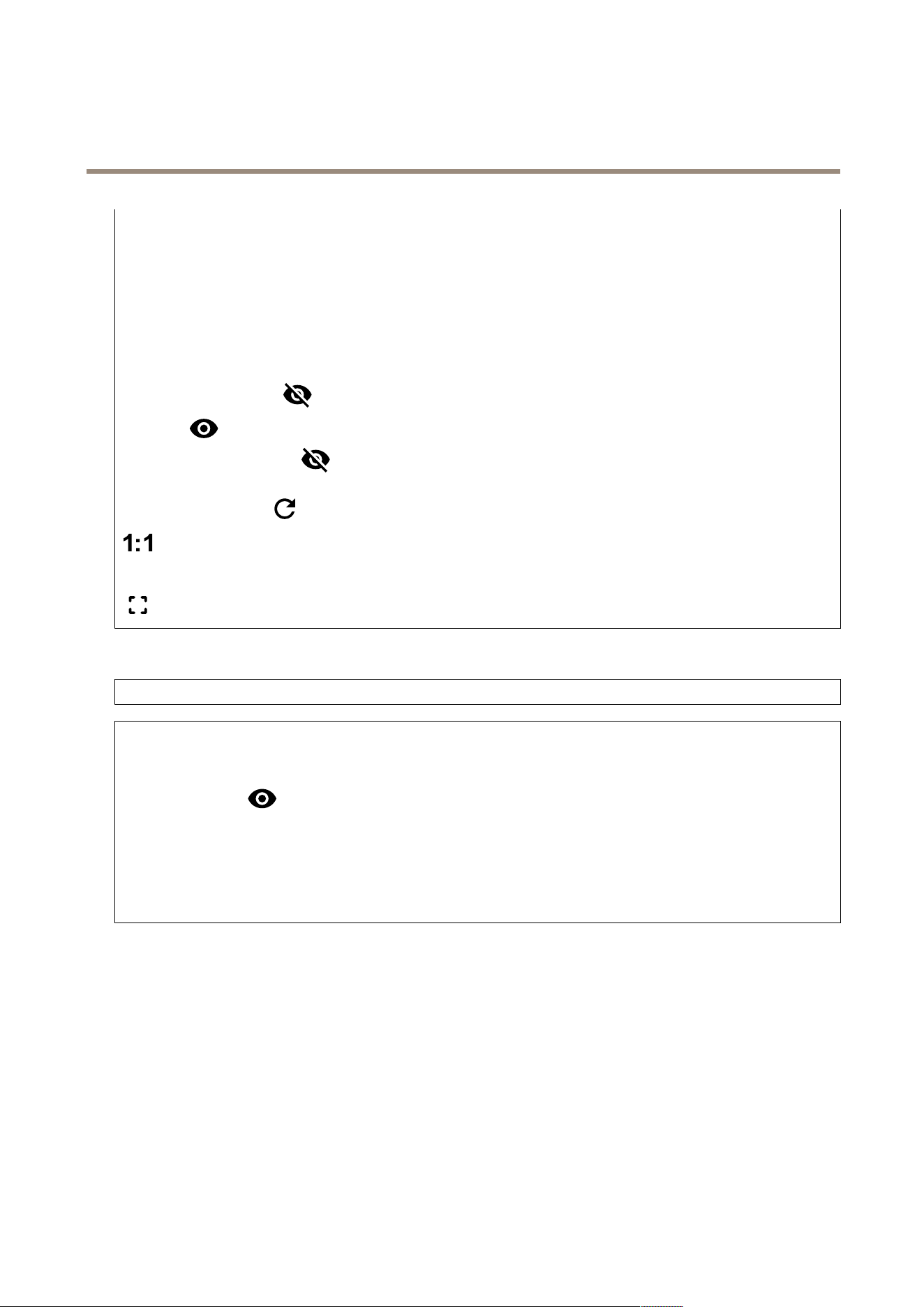
•Levelgrid:Click
toshowthelevelgrid.Thegridhelpsyoudecideiftheimageishorizontallyaligned.Click
tohideit.
•Pixelcounter:Click
toshowthepixelcounter.Dragandresizetheboxtocontainyourareaofinterest.Youcan
alsodenethepixelsizeoftheboxintheWidthandHeightelds.
•Refresh:Click
torefreshthestillimageintheliveview.
Clicktoshowtheliveviewatfullresolution.Ifthefullresolutionislargerthanyourscreensize,usethesmallerimageto
navigateintheimage.
Clicktoshowthelivevideostreaminfullscreen.PressESCtoexitfullscreenmode.
Installation
Rotate:Selectthepreferredimageorientation.
Zoom:Usetheslidertoadjustthezoomlevel.
Autofocusafterzooming:Toggletoturnonautofocusafterzooming.
Autofocusarea:Click
toshowtheautofocusarea.Thisareashouldincludetheareaofinterest.
Autofocus:Clicktomakethecamerafocusontheselectedarea.Ifyoudon’tselectanautofocusarea,thecamerafocuses
ontheentirescene.
Resetfocus:Clicktomakethefocusreturntoitsoriginalposition.
Focus:Usetheslidertosetthefocusmanually.
Image
Appearance
16
AXISM4215-VDomeCamera
Thedeviceinterface
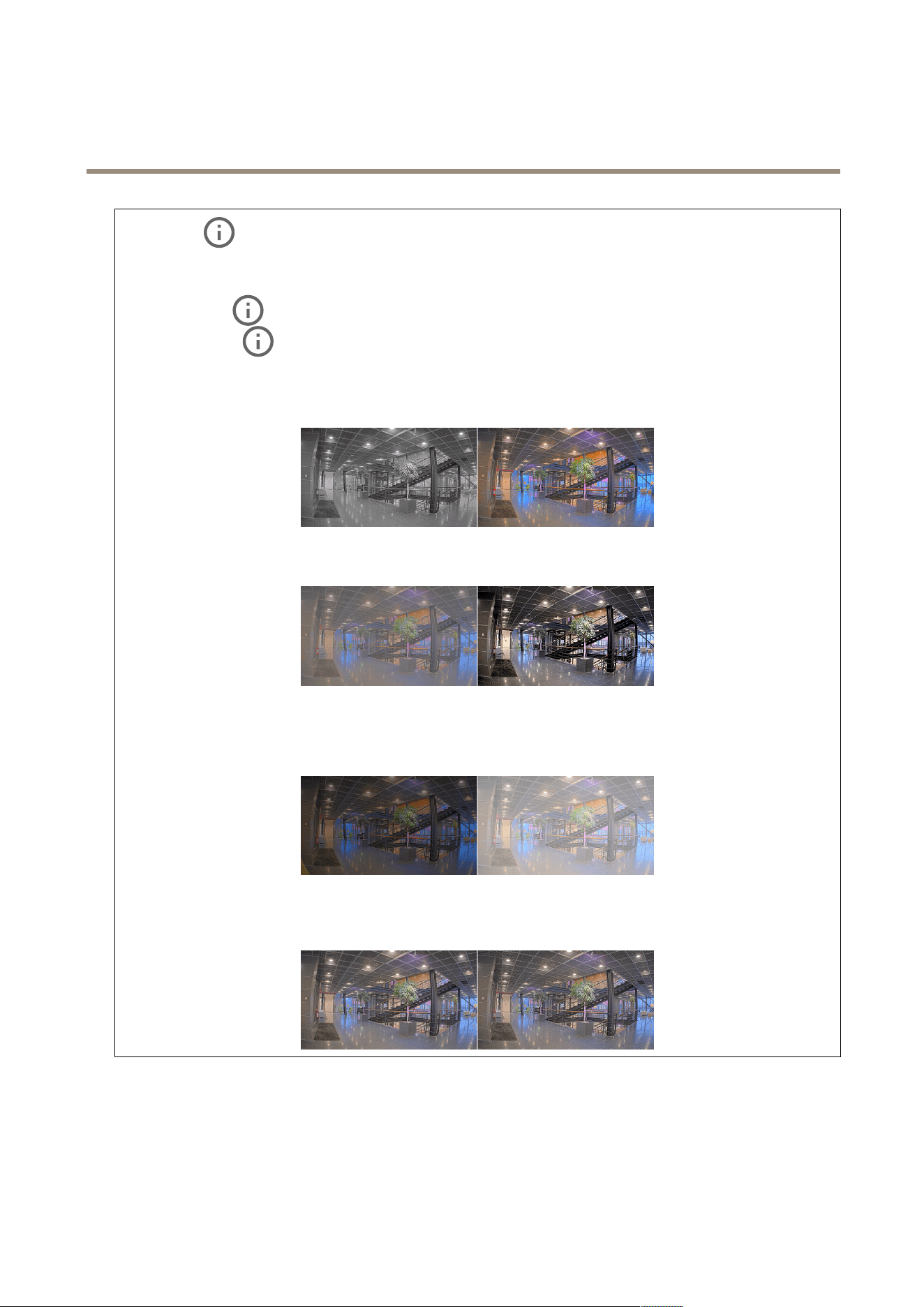
Sceneprole:Selectasceneprolethatsuitsyoursurveillancescenario.Asceneproleoptimizesimagesettings,
includingcolorlevel,brightness,sharpness,contrast,andlocalcontrast,foraspecicenvironmentorpurpose.
•Forensic:Suitableforsurveillancepurposes.
•Indoor
:Suitableforindoorenvironments.
•Outdoor
:Suitableforoutdoorenvironments.
•Vivid:Usefulfordemonstrationpurposes.
•Trafcoverview:Suitableforvehicletrafcmonitoring.
Saturation:Usetheslidertoadjustthecolorintensity.Youcanforexamplegetagrayscaleimage.
Contrast:Usetheslidertoadjustthedifferencebetweenlightanddark.
Brightness:Usetheslidertoadjustthelightintensity.Thiscanmakeobjectseasiertosee.Brightnessisappliedafterimage
capture,anddoesn’taffecttheinformationintheimage.Togetmoredetailsfromadarkarea,it’susuallybettertoincrease
gainorexposuretime.
Sharpness:Usetheslidertomakeobjectsintheimageappearsharperbyadjustingtheedgecontrast.Ifyouincreasethe
sharpness,itmayincreasethebitrateandtheamountofstoragespaceneededaswell.
Widedynamicrange
17
AXISM4215-VDomeCamera
Thedeviceinterface
WDR:Turnontomakebothbrightanddarkareasoftheimagevisible.
Localcontrast
:Usetheslidertoadjustthecontrastoftheimage.Ahighervaluemakesthecontrasthigherbetween
darkandlightareas.
Tonemapping
:Usetheslidertoadjusttheamountoftonemappingthatisappliedtotheimage.Ifthevalueissetto
zeroonlythestandardgammacorrectionisapplied,whileahighervalueincreasesthevisibilityofthedarkestandbrightest
partsintheimage.
Whitebalance
Whenthecameradetectsthecolortemperatureoftheincominglight,itcanadjusttheimagetomakethecolorslookmore
natural.Ifthisisnotsufcient,youcanselectasuitablelightsourcefromthelist.
Theautomaticwhitebalancesettingreducestheriskofcolorickerbyadaptingtochangesgradually.Ifthelightingchanges,or
whenthecameraisrststarted,itcantakeupto30secondstoadapttothenewlightsource.Ifthereismorethanonetype
oflightsourceinascene,thatistheydifferincolortemperature,thedominatinglightsourceactsasareferenceforthe
automaticwhitebalancealgorithm.Thisbehaviorcanbeoverriddenbychoosingaxedwhitebalancesettingthatmatches
thelightsourceyouwanttouseasareference.
Lightenvironment:
•Automatic:Automaticidenticationandcompensationforthelightsourcecolor.Thisistherecommendedsetting
whichcanbeusedinmostsituations.
•Automatic–outdoors
:Automaticidenticationandcompensationforthelightsourcecolor.Thisisthe
recommendedsettingwhichcanbeusedinmostoutdoorsituations.
•Custom–indoors
:Fixedcoloradjustmentforaroomwithsomearticiallightotherthanuorescentlighting
andgoodforanormalcolortemperaturearound2800K.
•Custom–outdoors
:Fixedcoloradjustmentforsunnyweatherconditionswithacolortemperaturearound
5500K.
•Fixed–uorescent1:Fixedcoloradjustmentforuorescentlightingwithacolortemperaturearound4000K.
•Fixed–uorescent2:Fixedcoloradjustmentforuorescentlightingwithacolortemperaturearound3000K.
•Fixed–indoors:Fixedcoloradjustmentforaroomwithsomearticiallightotherthanuorescentlightingand
goodforanormalcolortemperaturearound2800K.
•Fixed–outdoors1:Fixedcoloradjustmentforsunnyweatherconditionswithacolortemperaturearound5500K.
•Fixed–outdoors2:Fixedcoloradjustmentforcloudyweatherconditionwithacolortemperaturearound6500K.
•Streetlight–mercury
:Fixedcoloradjustmentforultravioletemissioninmercuryvaporlightscommon
instreetlighting.
•Streetlight–sodium
:Fixedcoloradjustmentthatcompensatesfortheyelloworangecolorofsodiumvapor
lightscommoninstreetlighting.
•Holdcurrent:Keepthecurrentsettingsanddonotcompensateforlightchanges.
•Manual
:Fixthewhitebalancewiththehelpofawhiteobject.Dragthecircletoanobjectthatyouwant
thecameratointerpretaswhiteintheliveviewimage.UsetheRedbalanceandBluebalancesliderstoadjustthe
whitebalancemanually.
Day-nightmode
18
AXISM4215-VDomeCamera
Thedeviceinterface
IR-cutlter:
•Auto:SelecttoautomaticallyturnonandofftheIR-cutlter.Whenthecameraisindaymode,theIR-cutlter
isturnedonandblocksincominginfraredlight,andwheninnightmode,theIR-cutlteristurnedoffandthe
camera’slightsensitivityincreases.
•On:SelecttoturnontheIR-cutlter.Theimageisincolor,butwithreducedlightsensitivity.
•Off:SelecttoturnofftheIR-cutlter.Theimageisinblackandwhiteforincreasedlightsensitivity.
Threshold:Usetheslidertoadjustthelightthresholdwherethecamerachangesfromdaymodetonightmode.
•MovetheslidertowardsBrighttodecreasethethresholdfortheIR-cutlter.Thecamerachangestonightmode
earlier.
•MovetheslidertowardsDarktoincreasethethresholdfortheIR-cutlter.Thecamerachangestonightmodelater.
IRlight
Ifyourdevicedoesn’thavebuilt-inillumination,thesecontrolsareonlyavailablewhenyouhaveconnectedasupportingAxis
accessory.
Allowillumination:Turnontoletthecamerausethebuilt-inlightinnightmode.
Synchronizeillumination:Turnontoautomaticallysynchronizetheilluminationwiththesurroundinglight.Thesynchronization
betweendayandnightonlyworksiftheIR-cutlterissettoAutoorOff.
Automaticilluminationangle
:Turnontousetheautomaticilluminationangle.
Illuminationangle
:Usetheslidertomanuallysettheilluminationangle,forexampleiftheangleneedstobedifferent
fromthecamera’sangleofview.Ifthecamerahasawideangleofview,youcansettheilluminationangletoanarrowerangle,
whichequalsagreaterteleposition.Thiswillresultindarkcornersintheimage.
IRwavelength
:SelectthedesiredwavelengthfortheIRlight.
Whitelight
Allowillumination:Turnontoletthecamerausewhitelightinnightmode.
Synchronizeillumination
:Turnontoautomaticallysynchronizethewhitelightwiththesurroundinglight.
Exposure
Exposuremode:Selectanexposuremodetoreducerapidlychangingirregulareffectsintheimage,forexampleickerproduced
bydifferenttypesoflightsources.Werecommendyoutousetheautomaticexposuremode,orthesamefrequencyasyour
powernetwork.
•Automatic:Thecameraadjuststheaperture,gainandshutterautomatically.
•Automaticaperture
:Thecameraadjuststheapertureandgainautomatically.Theshutterisxed.
•Automaticshutter
:Thecameraadjuststheshutterandgainautomatically.Theapertureisxed.
•Holdcurrent:Locksthecurrentexposuresettings.
•Flicker-free
:Thecameraadjuststheapertureandgainautomatically,andusesonlythefollowingshutter
speeds:1/50s(50Hz)and1/60s(60Hz).
•Flicker-free50Hz
:Thecameraadjuststheapertureandgainautomatically,andusestheshutterspeed1/50s.
19
AXISM4215-VDomeCamera
Thedeviceinterface
•Flicker-free60Hz:Thecameraadjuststheapertureandgainautomatically,andusestheshutterspeed1/60s.
•Flicker-reduced
:Thisisthesameasicker-free,butthecameramightuseshutterspeedsfasterthan
1/100s(50Hz)and1/120s(60Hz)forbrighterscenes.
•Flicker-reduced50Hz
:Thisisthesameasicker-free,butthecameramightuseshutterspeedsfaster
than1/100sforbrighterscenes.
•Flicker-reduced60Hz
:Thisisthesameasicker-free,butthecameramightuseshutterspeedsfaster
than1/120sforbrighterscenes.
•Manual
:Theaperture,gainandshutterarexed.
Exposurezone:Useexposurezonestooptimizetheexposureinaselectedpartofthescene,forexample,theareainfront
ofanentrancedoor.
Note
Theexposurezonesarerelatedtotheoriginalimage(unrotated),andthenamesofthezonesapplytotheoriginalimage.
Thismeans,forexample,thatifthevideostreamisrotated90°,thentheUpperzonebecomestheRightzoneinthe
stream,andLeftbecomesLower.
•Automatic:Suitableformostsituations.
•Center:Usesaxedareainthecenteroftheimagetocalculatetheexposure.Theareahasaxedsizeand
positionintheliveview.
•Full
:Usestheentireliveviewtocalculatetheexposure.
•Upper
:Usesanareawithaxedsizeandpositionintheupperpartoftheimagetocalculatetheexposure.
•Lower
:Usesanareawithaxedsizeandpositioninthelowerpartoftheimagetocalculatetheexposure.
•Left
:Usesanareawithaxedsizeandpositionintheleftpartoftheimagetocalculatetheexposure.
•Right
:Usesanareawithaxedsizeandpositionintherightpartoftheimagetocalculatetheexposure.
•Spot:Usesanareawithaxedsizeandpositionintheliveviewtocalculatetheexposure.
•Custom:Usesanareaintheliveviewtocalculatetheexposure.Youcanadjustthesizeandpositionofthearea.
Maxshutter:Selecttheshutterspeedtoprovidethebestimage.Lowshutterspeeds(longerexposure)mightcausemotionblur
whenthereismovement,andatoohighshutterspeedmightaffecttheimagequality.Maxshutterworkswithmaxgainto
improvetheimage.
Maxgain:Selectthesuitablemaxgain.Ifyouincreasethemaxgain,itimprovesthevisiblelevelofdetailindarkimages,but
alsoincreasesthenoiselevel.Morenoisecanalsoresultinincreaseduseofbandwidthandstorage.Ifyousetthemaxgain
toahighvalue,imagescandifferalotifthelightconditionsareverydifferentfromdaytonight.Maxgainworkswithmax
shuttertoimprovetheimage.
Motion-adaptiveexposure
:Selecttoreducemotionblurinlow-lightconditions.
Blur-noisetrade-off:Usetheslidertoadjusttheprioritybetweenmotionblurandnoise.Ifyouwanttoprioritizelowbandwidth
andhavelessnoiseattheexpenseofdetailsinmovingobjects,movetheslidertowardsLownoise.Ifyouwanttoprioritizethe
preservationofdetailsinmovingobjectsattheexpenseofnoiseandbandwidth,movetheslidertowardsLowmotionblur.
Note
Youcanchangetheexposureeitherbyadjustingtheexposuretimeorbyadjustingthegain.Ifyouincreasetheexposure
time,itresultsinmoremotionblur,andifyouincreasethegainitresultsinmorenoise.IfyouadjusttheBlur-noise
trade-offtowardsLownoise,theautomaticexposurewillprioritizelongerexposuretimesoverincreasinggain,andthe
oppositeifyouadjustthetrade-offtowardsLowmotionblur.Boththegainandexposuretimewilleventuallyreach
theirmaximumvaluesinlow-lightconditions,regardlessofthepriorityset.
20
AXISM4215-VDomeCamera
Thedeviceinterface
Lockaperture:TurnontokeeptheaperturesizesetbytheApertureslider.Turnofftoallowthecameratoautomatically
adjusttheaperturesize.Youcan,forexample,locktheapertureforsceneswithpermanentlightconditions.
Aperture:Usetheslidertoadjusttheaperturesize,thatis,howmuchlightpassesthroughthelens.Toallowmorelight
toenterthesensorandtherebyproduceabrighterimageinlow-lightconditions,movetheslidertowardsOpen.Anopenaperture
alsoreducesthedepthofeld,whichmeansthatobjectsclosetoorfarfromthecameracanappearunfocused.Toallowmoreof
theimagetobeinfocus,movetheslidertowardsClosed.
Exposurelevel:Usetheslidertoadjusttheimageexposure.
Defog
:Turnontodetecttheeffectsoffoggyweatherandautomaticallyremovethemforaclearerimage.
Note
WerecommendyounottoturnonDefoginsceneswithlowcontrast,largelightlevelvariations,orwhentheautofocusis
slightlyoff.Thiscanaffecttheimagequality,forexample,byincreasingthecontrast.Furthermore,toomuchlightcan
negativelyimpacttheimagequalitywhendefogisactive.
Optics
Temperaturecompensation:Turnonifyouwantthefocuspositiontobecorrectedbasedonthetemperatureintheoptics.
IRcompensation
:TurnonifyouwantthefocuspositiontobecorrectedwhenIR-cutlterisoffandwhenthereisIRlight.
Calibratezoomandfocus:Clicktoresettheopticsandthezoomandfocussettingstothefactorydefaultposition.Youneedto
dothisiftheopticshavelostcalibrationduringtransport,orifthedevicehasbeenexposedtoextremevibrations.
Stream
General
Resolution:Selecttheimageresolutionsuitableforthesurveillancescene.Ahigherresolutionincreasesbandwidthandstorage.
Framerate:Toavoidbandwidthproblemsonthenetworkorreducestoragesize,youcanlimittheframeratetoaxedamount.
Ifyouleavetheframerateatzero,theframerateiskeptatthehighestpossiblerateunderthecurrentconditions.Ahigher
frameraterequiresmorebandwidthandstoragecapacity.
Compression:Usetheslidertoadjusttheimagecompression.Highcompressionresultsinalowerbitrateandlowerimagequality.
Lowcompressionimprovestheimagequality,butusesmorebandwidthandstoragewhenyourecord.
Signedvideo
:Turnontoaddthesignedvideofeaturetothevideo.Signedvideoprotectsthevideofromtamperingby
addingcryptographicsignaturestothevideo.
H.26xencoding
21

AXISM4215-VDomeCamera
Thedeviceinterface
Zipstream:Abitratereductiontechnology,optimizedforvideosurveillance,thatreducestheaveragebitrateinanH.264orH.265
streaminrealtime.AxisZipstreamappliesahighbitrateinsceneswheretherearemultipleregionsofinterest,forexamplein
sceneswithmovingobjects.Whenthesceneismorestatic,Zipstreamappliesalowerbitrate,andtherebyreducestherequired
storage.Tolearnmore,seeReducingthebitratewithAxisZipstream
Selectthedesiredlevelofbitratereduction:
•Off:Nobitratereduction.
•Low:Novisiblequalitydegradationinmostscenes.Thisisthedefaultoptionanditcanbeusedinalltypes
ofscenestoreducethebitrate.
•Medium:Visibleeffectsinsomescenesthroughlessnoiseandaslightlylowerlevelofdetailinregionsoflower
interest,forexamplewherethere’snomovement.
•High:Visibleeffectsinsomescenesthroughlessnoiseandalowerlevelofdetailinregionsoflowerinterest,
forexamplewherethere’snomovement.Werecommendthislevelforcloud-connecteddevicesanddevicesthat
uselocalstorage.
•Higher:Visibleeffectsinsomescenesthroughlessnoiseandalowerlevelofdetailinregionsoflowerinterest,
forexamplewherethere’snomovement.
•Extreme:Visibleeffectsinmostscenes.Thebitrateisoptimizedforsmallestpossiblestorage.
Optimizeforstorage:Optimizesettingsforstoringthestreambyminimizingthebitratewhilemaintainingquality.The
optimizationisnotappliedtothestreamshowninthewebclient.TurningonOptimizeforstoragealsoturnsonDynamicGOP.
DynamicFPS(framespersecond):Turnontoallowthebandwidthtovarybasedonthelevelofactivityinthescene.More
activityrequiresmorebandwidth.
Lowerlimit
:Enteravaluetoadjusttheframeratebetweenminimalfpsandthestreamdefaultfpsbasedonscene
motion.Werecommendyoutouselowerlimitinsceneswithverylittlemotion,wherethefpscoulddropto1orlower.
DynamicGOP(GroupofPictures):TurnontodynamicallyadjusttheintervalbetweenI-framesbasedonthelevelofactivity
inthescene.
Upperlimit:EnteramaximumGOPlength,thatis,themaximumnumberofP-framesbetweentwoI-frames.AnI-frame
isaself-containedimageframethatisindependentofotherframes.
P-frames:AP-frameisapredictedimagethatshowsonlythechangesintheimagefromthepreviousframe.Enterthedesired
numberofP-frames.Thehigherthenumber,thelessbandwidthisrequired.However,iftherearenetworkcongestion,therecould
beanoticeabledeteriorationinthevideoquality.
Bitratecontrol:
•Average:Selecttoautomaticallyadjustthebitrateoveralongertimeperiodandprovidethebestpossibleimage
qualitybasedontheavailablestorage.
-Clicktocalculatethetargetbitratebasedonavailablestorage,retentiontime,andbitratelimit.
-Targetbitrate:Enterdesiredtargetbitrate.
-Retentiontime:Enterthenumberofdaystokeeptherecordings.
-Storage:Showstheestimatedstoragethatcanbeusedforthestream.
-Maximumbitrate:Turnontosetabitratelimit.
-Bitratelimit
:Enterabitratelimitthatishigherthanthetargetbitrate.
•Maximum:Selecttosetamaximuminstantbitrateofthestreambasedonyournetworkbandwidth.
-Maximum:Enterthemaximumbitrate.
•Variable:Selecttoallowthebitratetovarybasedonthelevelofactivityinthescene.Moreactivityrequiresmore
bandwidth.Werecommendthisoptionformostsituations.
Orientation
Mirror:Turnontomirrortheimage.
22
AXISM4215-VDomeCamera
Thedeviceinterface
Overlays
:Clicktoaddanoverlay.Selectthetypeofoverlayfromthedropdownlist:
•Text:Selecttoshowatextthatisintegratedintheliveviewimageandvisibleinallviews,recordingsandsnapshots.
Youcanenteryourowntext,andyoucanalsoincludepre-conguredmodierstoautomaticallyshowforexample
time,date,framerate.
-
:Clicktoaddthedatemodier%Ftoshowyyyy-mm-dd.
-
:Clicktoaddthetimemodier%Xtoshowhh:mm:ss(24-hourclock).
-Modiers:Clicktoselectanyofthemodiersshowninthelisttoaddthemtothetextbox.Forexample,
%ashowsthedayoftheweek.
-Size:Selectthedesiredfontsize.
-Appearance:Selectthetextcolorandbackgroundcolor,forexample,whitetextonablackbackground
(default).
-
:Selectthepositionoftheoverlayintheimage.
•Image:Selecttoshowastaticimagesuperimposedoverthevideostream.Youcanuse.bmp,.png,.jpeg,or.svgles.
Touploadanimage,clickImages.Beforeyouuploadanimage,youcanchooseto:
-Scalewithresolution:Selecttoautomaticallyscaletheoverlayimagetotthevideoresolution.
-Usetransparency:SelectandentertheRGBhexadecimalvalueforthatcolor.UsetheformatRRGGBB.
Examplesofhexadecimalvalues:FFFFFFforwhite,000000forblack,FF00000forred,6633FFforblue,and
669900forgreen.Onlyfor.bmpimages.
•Streamingindicator:Selecttoshowananimationsuperimposedoverthevideostream.Theanimation
indicatesthatthevideostreamislive,evenifthescenedoesn’tcontainanymotion.
-Appearance:Selecttheanimationcolorandbackgroundcolor,forexample,redanimationonatransparent
background(default).
-Size:Selectthedesiredfontsize.
-
:Selectthepositionoftheoverlayintheimage.
Viewareas
:Clicktocreateaviewarea.
Clicktheviewareatoaccesssettings.
Name:Enteranamefortheviewarea.Themaximumlengthis64characters.
Aspectratio:Selectdesiredaspectratio.Theresolutionadjustsautomatically.
PTZ:Turnontousepan,tilt,andzoomfunctionalityintheviewarea.
Privacymasks
:Clicktocreateanewprivacymask.Themaximumnumberofmasksdependonthecomplexityofallmaskscombined.
Eachmaskcanhavemaximum10anchorpoints.
Privacymasks:Clicktochangethecolorofallprivacymasks,ortodeleteallprivacymaskspermanently.
Maskx:Clicktorename,disable,orpermanentlydeletethemask.
23
AXISM4215-VDomeCamera
Thedeviceinterface
Recordings
Ongoingrecordings:Showallongoingrecordingsonthecamera.
Selecttostartarecordingonthecamera.
Choosewhichstoragedevicetosaveto.
Selecttostoparecordingonthecamera.
Triggeredrecordingswillendbothwhenmanuallystoppedandwhenthecameraisshutdown.
Continuousrecordingswillcontinueuntilmanuallystopped.Evenifthecameraisshutdown,therecordingwillcontinue
whenthecamerastartsupagain.
Clicktoplaytherecording.
Clicktostopplayingtherecording.
Clicktoshowmoreinformationandoptionsabouttherecording.
Setexportrange:Ifyouonlywanttoexportpartoftherecording,enterfromwhentowhen.
Clicktodeletetherecording.
Export:Clicktoexport(partof)therecording.
Clicktoltertherecordings.
From:Showrecordingsdoneafteracertainpointintime.
To:Showrecordingsupuntilacertainpointintime.
Source
:Showrecordingsbasedonsource.
Event:Showrecordingsbasedonevents.
Storage:Showrecordingsbasedonstoragetype.
Apps
Addapp:Clicktoinstallanewapp.
Findmoreapps:ClicktogotoanoverviewpageofAxisapps.
Allowunsignedapps:Turnontoallowinstallationofunsignedapps.
Note
Thedevice’sperformancemightbeaffectedifyourunseveralappsatthesametime.
24

AXISM4215-VDomeCamera
Thedeviceinterface
Usetheswitchnexttotheappnametostartorstoptheapp.
Open:Clicktoaccesstheapp’ssettings.Theavailablesettingsdependontheapplication.Someapplicationsdon’thaveany
settings.
Thecontextmenucancontainoneormoreofthefollowingoptions:
•Open-sourcelicense:Clicktoviewinformationaboutopen-sourcelicensesusedintheapp.
•Applog:Clicktoviewalogoftheappevents.Thelogishelpfulwhenyoucontactsupport.
•Activatelicensewithakey:Iftheapprequiresalicense,youneedtoactivateit.Usethisoptionifyourdevice
doesn’thaveinternetaccess.
Ifyoudon’thavealicensekey,gotoaxis.com/products/analytics.YouneedalicensecodeandtheAxisproductserial
numbertogeneratealicensekey.
•Activatelicenseautomatically:Iftheapprequiresalicense,youneedtoactivateit.Usethisoptionifyourdevicehas
internetaccess.Youneedalicensecodetoactivatethelicense.
•Deactivatethelicense:Deactivatethelicensetouseitinanotherdevice.Ifyoudeactivatethelicense,youalso
removeitfromthedevice.Todeactivatethelicenserequiresinternetaccess.
•Settings:Conguretheparameters.
•Delete:Deletetheapppermanentlyfromthedevice.Ifyoudon’tdeactivatethelicenserst,itremainsactive.
System
Dateandtime
Thetimeformatdependsonthewebbrowser’slanguagesettings.
Note
Werecommendyoutosynchronizethedevice’sdateandtimewithanNTPserver.
Synchronization:Selectanoptionforsynchronizingthedevice’sdateandtime.
•Automaticdateandtime(manualNTSKEservers):SynchronizewiththesecureNTPkeyestablishmentservers
connectedtotheDHCPserver.
-ManualNTSKEservers:EntertheIPaddressofoneortwoNTPservers.WhenyouusetwoNTPservers,
thedevicesynchronizesandadaptsitstimebasedoninputfromboth.
•Automaticdateandtime(NTPserversusingDHCP):SynchronizewiththeNTPserversconnectedtotheDHCPserver.
-FallbackNTPservers:EntertheIPaddressofoneortwofallbackservers.
•Automaticdateandtime(manualNTPservers):SynchronizewithNTPserversofyourchoice.
-ManualNTPservers:EntertheIPaddressofoneortwoNTPservers.WhenyouusetwoNTPservers,the
devicesynchronizesandadaptsitstimebasedoninputfromboth.
•Customdateandtime:Manuallysetthedateandtime.ClickGetfromsystemtofetchthedateandtimesettings
oncefromyourcomputerormobiledevice.
Timezone:Selectwhichtimezonetouse.Timewillbeautomaticallyadjustedfordaylightsavingtimeandstandardtime.
Note
Thesystemusesthedateandtimesettingsinallrecordings,logsandsystemsettings.
Network
IPv4
25

AXISM4215-VDomeCamera
Thedeviceinterface
AssignIPv4automatically:SelecttoletthenetworkrouterassignanIPaddresstothedeviceautomatically.Werecommend
automaticIP(DHCP)formostnetworks.
IPaddress:EnterauniqueIPaddressforthedevice.StaticIPaddressescanbeassignedatrandomwithinisolatednetworks,
providedthateachaddressisunique.Toavoidconicts,werecommendyoutocontactyournetworkadministratorbeforeyou
assignastaticIPaddress.
Subnetmask:Enterthesubnetmasktodenewhataddressesareinsidethelocalareanetwork.Anyaddressoutsidethelocal
areanetworkgoesthroughtherouter.
Router:EntertheIPaddressofthedefaultrouter(gateway)usedtoconnectdevicesthatareattachedtodifferentnetworksand
networksegments.
IPv6
AssignIPv6automatically:SelecttoturnonIPv6andtoletthenetworkrouterassignanIPaddresstothedeviceautomatically.
Hostname
Assignhostnameautomatically:Selecttoletthenetworkrouterassignahostnametothedeviceautomatically.
Hostname:Enterthehostnamemanuallytouseasanalternativewayofaccessingthedevice.TheHostnameisusedintheserver
reportandinthesystemlog.AllowedcharactersareA–Z,a–z,0–9and-.
DNSservers
AssignDNSautomatically:SelecttolettheDHCPserverassignsearchdomainsandDNSserveraddressestothedevice
automatically.WerecommendautomaticDNS(DHCP)formostnetworks.
Searchdomains:Whenyouuseahostnamethatisnotfullyqualied,clickAddsearchdomainandenteradomaininwhichto
searchforthehostnameusedbythedevice.
DNSservers:ClickAddDNSserverandentertheIPaddressoftheDNSserver.ThisprovidesthetranslationofhostnamestoIP
addressesonyournetwork.
HTTPandHTTPS
Allowaccessthrough:SelectifauserisallowedtoconnecttothedevicethroughtheHTTP,HTTPS,orbothHTTPandHTTPS
protocols.
HTTPSisaprotocolthatprovidesencryptionforpagerequestsfromusersandforthepagesreturnedbythewebserver.The
encryptedexchangeofinformationisgovernedbytheuseofanHTTPScerticate,whichguaranteestheauthenticityoftheserver.
TouseHTTPSonthedevice,youmustinstallanHTTPScerticate.GotoSystem>Securitytocreateandinstallcerticates.
Note
IfyouviewencryptedwebpagesthroughHTTPS,youmightexperienceadropinperformance,especiallywhenyou
requestapageforthersttime.
HTTPport:EntertheHTTPporttouse.Port80oranyportintherange1024-65535areallowed.Ifyouareloggedinasan
administrator,youcanalsoenteranyportintherange1-1023.Ifyouuseaportinthisrange,yougetawarning.
HTTPSport:EntertheHTTPSporttouse.Port443oranyportintherange1024-65535areallowed.Ifyouareloggedinasan
administrator,youcanalsoenteranyportintherange1-1023.Ifyouuseaportinthisrange,yougetawarning.
Certicate:SelectacerticatetoenableHTTPSforthedevice.
Networkdiscoveryprotocols
26

AXISM4215-VDomeCamera
Thedeviceinterface
Bonjour
®
:Turnontoallowautomaticdiscoveryonthenetwork.
Bonjourname:Enterafriendlynametobevisibleonthenetwork.ThedefaultnameisthedevicenameandMACaddress.
UPnP
®
:Turnontoallowautomaticdiscoveryonthenetwork.
UPnPname:Enterafriendlynametobevisibleonthenetwork.ThedefaultnameisthedevicenameandMACaddress.
WS-Discovery:Turnontoallowautomaticdiscoveryonthenetwork.
One-clickcloudconnection
One-clickcloudconnection(O3C)togetherwithanO3Cserviceprovideseasyandsecureinternetaccesstoliveandrecordedvideo
fromanylocation.Formoreinformation,seeaxis.com/end-to-end-solutions/hosted-services.
AllowO3C:
•One-click:Thedefaultsetting.PressandholdthecontrolbuttononthedevicetoconnecttoanO3Cserviceoverthe
internet.YouneedtoregisterthedevicewiththeO3Cservicewithin24hoursafteryoupressthecontrolbutton.
Otherwise,thedevicedisconnectsfromtheO3Cservice.Onceyouhaveregisteredthedevice,Alwaysisenabledand
thedevicestaysconnectedtotheO3Cservice.
•Always:ThedeviceconstantlyattemptstoconnecttoanO3Cserviceovertheinternet.Onceyouhaveregisteredthe
device,itstaysconnectedtotheO3Cservice.Usethisoptionifthecontrolbuttononthedeviceisoutofreach.
•No:DisablestheO3Cservice.
Proxysettings:Ifneeded,entertheproxysettingstoconnecttotheproxyserver.
Host:Entertheproxyserver’saddress.
Port:Entertheportnumberusedforaccess.
LoginandPassword:Ifneeded,enterusernameandpasswordfortheproxyserver.
Authenticationmethod:
•Basic:ThismethodisthemostcompatibleauthenticationschemeforHTTP.It’slesssecurethantheDigestmethod
becauseitsendstheusernameandpasswordunencryptedtotheserver.
•Digest:Thismethodismoresecurebecauseitalwaystransfersthepasswordencryptedacrossthenetwork.
•Auto:Thisoptionletsthedeviceselecttheauthenticationmethoddependingonthesupportedmethods.Itprioritizes
theDigestmethodovertheBasicmethod.
Ownerauthenticationkey(OAK):ClickGetkeytofetchtheownerauthenticationkey.Thisisonlypossibleifthedeviceis
connectedtotheinternetwithoutarewallorproxy.
SNMP
TheSimpleNetworkManagementProtocol(SNMP)allowsremotemanagementofnetworkdevices.
SNMP:SelecttheversionofSNMPtouse.
•v1andv2c:
-Readcommunity:Enterthecommunitynamethathasread-onlyaccesstoallsupportedSNMPobjects.The
defaultvalueispublic.
-Writecommunity:Enterthecommunitynamethathasread/writeaccesstoallsupportedSNMPobjects
(exceptread-onlyobjects).Thedefaultvalueiswrite.
-Activatetraps:Turnontoactivatetrapreporting.Thedeviceusestrapstosendmessagesforimportant
eventsorstatuschangestoamanagementsystem.Inthedeviceinterface,youcansetuptrapsforSNMPv1
andv2c.TrapsareautomaticallyturnedoffifyouchangetoSNMPv3orturnoffSNMP.IfyouuseSNMPv3,
youcansetuptrapsthroughtheSNMPv3managementapplication.
-Trapaddress:EntertheIPaddressorhostnameofthemanagementserver.
-Trapcommunity:Enterthecommunitytousewhenthedevicesendsatrapmessagetothemanagement
system.
-Traps:
-Coldstart:Sendsatrapmessagewhenthedevicestarts.
27

AXISM4215-VDomeCamera
Thedeviceinterface
-Warmstart:SendsatrapmessagewhenyouchangeanSNMPsetting.
-Linkup:Sendsatrapmessagewhenalinkchangesfromdowntoup.
-Authenticationfailed:Sendsatrapmessagewhenanauthenticationattemptfails.
Note
AllAxisVideoMIBtrapsareenabledwhenyouturnonSNMPv1andv2ctraps.Formoreinformation,see
AXISOSPortal>SNMP.
•v3:SNMPv3isamoresecureversion,whichprovidesencryptionandsecurepasswords.TouseSNMPv3,we
recommendyoutoactivateHTTPS,asthepasswordisthensentthroughHTTPS.Thisalsopreventsunauthorized
partiestoaccessunencryptedSNMPv1andv2ctraps.IfyouuseSNMPv3,youcansetuptrapsthroughtheSNMPv3
managementapplication.
-Passwordfortheaccount“initial”:EntertheSNMPpasswordfortheaccountnamed“initial”.Althoughthe
passwordcanbesentwithoutactivatingHTTPS,wedon’trecommendit.TheSNMPv3passwordcanonly
besetonce,andpreferablyonlywhenHTTPSisenabled.Oncethepasswordisset,thepasswordeldisno
longerdisplayed.Tosetthepasswordagain,youmustresetthedevicetofactorydefaultsettings.
Security
Certicates
Certicatesareusedtoauthenticatedevicesonanetwork.Thedevicesupportstwotypesofcerticates:
•Client/servercerticates
Aclient/servercerticatevalidatesthedevice’sidentity,andcanbeself-signedorissuedbyaCerticateAuthority(CA).
Aself-signedcerticateofferslimitedprotectionandcanbeusedbeforeaCA-issuedcerticatehasbeenobtained.
•CAcerticates
YoucanuseaCAcerticatetoauthenticateapeercerticate,forexampletovalidatetheidentityofanauthentication
serverwhenthedeviceconnectstoanetworkprotectedbyIEEE802.1X.Thedevicehasseveralpre-installedCA
certicates.
Theseformatsaresupported:
•Certicateformats:.PEM,.CER,and.PFX
•Privatekeyformats:PKCS#1andPKCS#12
Important
Ifyouresetthedevicetofactorydefault,allcerticatesaredeleted.Anypre-installedCAcerticatesarereinstalled.
Filterthecerticatesinthelist.
Addcerticate:Clicktoaddacerticate.
Thecontextmenucontains:
•Certicateinformation:Viewaninstalledcerticate’sproperties.
•Deletecerticate:Deletethecerticate.
•Createcerticatesigningrequest:Createacerticatesigningrequesttosendtoaregistrationauthoritytoapply
foradigitalidentitycerticate.
IEEE802.1x
28

AXISM4215-VDomeCamera
Thedeviceinterface
IEEE802.1xisanIEEEstandardforport-basednetworkadmissioncontrolprovidingsecureauthenticationofwiredandwireless
networkdevices.IEEE802.1xisbasedonEAP(ExtensibleAuthenticationProtocol).
ToaccessanetworkprotectedbyIEEE802.1x,networkdevicesmustauthenticatethemselves.Theauthenticationisperformedby
anauthenticationserver,typicallyaRADIUSserver(forexampleFreeRADIUSandMicrosoftInternetAuthenticationServer).
Certicates
WhenconguredwithoutaCAcerticate,servercerticatevalidationisdisabledandthedevicetriestoauthenticateitself
regardlessofwhatnetworkitisconnectedto.
Whenusingacerticate,inAxis'implementation,thedeviceandtheauthenticationserverauthenticatethemselveswithdigital
certicatesusingEAP-TLS(ExtensibleAuthenticationProtocol-TransportLayerSecurity).
Toallowthedevicetoaccessanetworkprotectedthroughcerticates,asignedclientcerticatemustbeinstalledonthedevice.
Clientcerticate:SelectaclientcerticatetouseIEEE802.1x.Theauthenticationserverusesthecerticatetovalidatethe
client’sidentity.
CAcerticate:SelectaCAcerticatetovalidatetheauthenticationserver’sidentity.Whennocerticateisselected,thedevice
triestoauthenticateitselfregardlessofwhatnetworkitisconnectedto.
EAPidentity:Entertheuseridentityassociatedwiththeclientcerticate.
EAPOLversion:SelecttheEAPOLversionthatisusedinthenetworkswitch.
UseIEEE802.1x:SelecttousetheIEEE802.1xprotocol.
Preventbrute-forceattacks
Blocking:Turnontoblockbrute-forceattacks.Abrute-forceattackusestrial-and-errortoguesslogininfoorencryptionkeys.
Blockingperiod:Enterthenumberofsecondstoblockabrute-forceattack.
Blockingconditions:Enterthenumberofauthenticationfailuresallowedpersecondbeforetheblockstarts.Youcansetthe
numberoffailuresallowedbothonpagelevelanddevicelevel.
IPaddresslter
Uselter:SelecttolterwhichIPaddressesthatareallowedtoaccessthedevice.
Policy:ChoosewhethertoAllowaccessorDenyaccessforcertainIPaddresses.
Addresses:EntertheIPnumbersthatareeitherallowedordeniedaccesstothedevice.YoucanalsousetheCIDRformat.
Custom-signedrmwarecerticate
ToinstalltestrmwareorothercustomrmwarefromAxisonthedevice,youneedacustom-signedrmwarecerticate.The
certicateveriesthatthermwareisapprovedbyboththedeviceownerandAxis.Thermwarecanonlyrunonaspecic
devicewhichisidentiedbyitsuniqueserialnumberandchipID.Custom-signedrmwarecerticatescanonlybecreated
byAxis,sinceAxisholdsthekeytosignthem.
ClickInstalltoinstallthecerticate.Youneedtoinstallthecerticatebeforeyouinstallthermware.
29

AXISM4215-VDomeCamera
Thedeviceinterface
Users
Adduser:Clicktoaddanewuser.Youcanaddupto100users.
Username:Enterauniqueusername.
Newpassword:Enterapasswordfortheuser.Passwordsmustbe1to64characterslong.OnlyASCIIprintablecharacters(code
32to126)areallowedinthepassword,forexampleletters,numbers,punctuation,andsomesymbols.
Repeatpassword:Enterthesamepasswordagain.
Role:
•Administrator:Hasfullaccesstoallsettings.Administratorscanalsoadd,update,andremoveotherusers.
•Operator:Hasaccesstoallsettingsexcept:
-AllSystemsettings.
-Addingapps.
•Viewer:Hasaccessto:
-Watchandtakesnapshotsofavideostream.
-Watchandexportrecordings.
-WithPTZuseraccess:pan,tilt,andzoom.
Thecontextmenucontains:
Updateuser:Edittheuser’sproperties.
Deleteuser:Deletetheuser.Youcan’tdeletetherootuser.
Anonymoususers
Allowanonymousviewers:Turnontoallowanyonetoaccessthedeviceasaviewerwithouthavingtologinwithauseraccount.
AllowanonymousPTZoperators:Turnontoallowanonymoususerstopan,tilt,andzoomtheimage.
Events
Rules
Aruledenestheconditionsthatmustbemetfortheproducttoperformanaction.Thelistshowsallthecurrentlycongured
rulesintheproduct.
Note
Youcancreateupto256actionrules.
Addarule:Clicktocreatearule.
Name:Enteranamefortherule.
Waitbetweenactions:Entertheminimumtime(hh:mm:ss)thatmustpassbetweenruleactivations.Itisusefuliftheruleis
activatedbyforexampleday-nightmodeconditions,toavoidthatsmalllightchangesduringsunriseandsunsetactivate
therulerepeatedly.
Condition:Selectaconditionfromthelist.Aconditionmustbemetforthedevicetoperformanaction.Ifmultiple
conditionsaredened,allofthemmustbemettotriggertheaction.Forinformationaboutspecicconditions,see
Getstartedwithrulesforevents.
30

AXISM4215-VDomeCamera
Thedeviceinterface
Usethisconditionasatrigger:Selecttomakethisrstconditionfunctiononlyasastartingtrigger.Itmeansthatoncetherule
isactivateditremainsactiveforaslongasalltheotherconditionsaremet,nomatterthestateoftherstcondition.Ifyoudon’t
selectthisoption,therulewillsimplybeactivewheneveralltheconditionsaremet.
Invertthiscondition:Selectifyouwanttheconditiontobetheoppositeofyourselection.
Addacondition:Clicktoaddanadditionalcondition.
Action:Selectanactionfromthelistandenteritsrequiredinformation.Forinformationaboutspecicactions,see
Getstartedwithrulesforevents.
Recipients
Youcansetupyourdevicetonotifyrecipientsabouteventsorsendles.Thelistshowsalltherecipientscurrentlyconguredin
theproduct,alongwithinformationabouttheirconguration.
Note
Youcancreateupto20recipients.
Addarecipient:Clicktoaddarecipient.
Name:Enteranamefortherecipient.
Type:Selectfromthelist:
•FTP
-Host:Entertheserver'sIPaddressorhostname.Ifyouenterahostname,makesurethataDNSserveris
speciedunderSystem>Network>IPv4andIPv6.
-Port:EntertheportnumberusedbytheFTPserver.Thedefaultis21.
-Folder:Enterthepathtothedirectorywhereyouwanttostoreles.Ifthisdirectorydoesn’talreadyexist
ontheFTPserver,youwillgetanerrormessagewhenuploadingles.
-Username:Entertheusernameforthelogin.
-Password:Enterthepasswordforthelogin.
-Usetemporarylename:Selecttouploadleswithtemporary,automaticallygeneratedlenames.The
lesgetrenamedtothedesirednameswhentheuploadcompletes.Iftheuploadisaborted/interrupted,
youdon’tgetanycorruptles.However,youprobablystillgetthetemporaryles.Thiswayyouknowthat
alllesthathavethedesiredname,arecorrect.
-UsepassiveFTP:UndernormalcircumstancestheproductsimplyrequeststhetargetFTPservertoopenthe
dataconnection.ThedeviceactivelyinitiatesboththeFTPcontrolanddataconnectionstothetargetserver.
ThisisnormallyneededifthereisarewallbetweenthedeviceandthetargetFTPserver.
•HTTP
-URL:EnterthenetworkaddresstotheHTTPserverandthescriptthatwillhandletherequest.Forexample:
http://192.168.254.10/cgi-bin/notify.cgi.
-Username:Entertheusernameforthelogin.
-Password:Enterthepasswordforthelogin.
-Proxy:TurnonandentertherequiredinformationifaproxyservermustbepassedtoconnecttotheHTTP
server.
•HTTPS
-URL:EnterthenetworkaddresstotheHTTPSserverandthescriptthatwillhandletherequest.Forexample:
https://192.168.254.10/cgi-bin/notify.cgi.
-Validateservercerticate:SelecttovalidatethecerticatethatwascreatedbyHTTPSserver.
-Username:Entertheusernameforthelogin.
-Password:Enterthepasswordforthelogin.
-Proxy:TurnonandentertherequiredinformationifaproxyservermustbepassedtoconnecttotheHTTPS
server.
•Networkstorage
31

AXISM4215-VDomeCamera
Thedeviceinterface
YoucanaddnetworkstoragesuchasaNAS(NetworkAttachedStorage)anduseitasarecipienttostoreles.
ThelesarestoredintheMatroska(MKV)leformat.
-Host:EntertheIPaddressorhostnameforthenetworkstorage.
-Share:Enterthenameoftheshareonthehost.
-Folder:Enterthepathtothedirectorywhereyouwanttostoreles.
-Username:Entertheusernameforthelogin.
-Password:Enterthepasswordforthelogin.
•SFTP
-Host:Entertheserver'sIPaddressorhostname.Ifyouenterahostname,makesurethataDNSserveris
speciedunderSystem>Network>IPv4andIPv6.
-Port:EntertheportnumberusedbytheSFTPserver.Thedefaultis22.
-Folder:Enterthepathtothedirectorywhereyouwanttostoreles.Ifthisdirectorydoesn’talreadyexiston
theSFTPserver,youwillgetanerrormessagewhenuploadingles.
-Username:Entertheusernameforthelogin.
-Password:Enterthepasswordforthelogin.
-SSHhostpublickeytype(MD5):Enterthengerprintoftheremotehost’spublickey(a32-digit
hexadecimalstring).TheSFTPclientsupportsSFTPserversusingSSH-2withRSA,DSA,ECDSA,andED25519
hostkeytypes.RSAisthepreferredmethodduringnegotiation,followedbyECDSA,ED25519,andDSA.Make
suretoentertherightMD5hostkeythatisusedbyyourSFTPserver.WhiletheAxisdevicesupportsboth
MD5andSHA-256hashkeys,werecommendusingSHA-256duetostrongersecurityoverMD5.Formore
informationonhowtocongureanSFTPserverwithanAxisdevice,gototheAXISOSPortal.
-SSHhostpublickeytype(SHA256):Enterthengerprintoftheremotehost’spublickey(a43-digitBase64
encodedstring).TheSFTPclientsupportsSFTPserversusingSSH-2withRSA,DSA,ECDSA,andED25519host
keytypes.RSAisthepreferredmethodduringnegotiation,followedbyECDSA,ED25519,andDSA.Make
suretoentertherightMD5hostkeythatisusedbyyourSFTPserver.WhiletheAxisdevicesupportsboth
MD5andSHA-256hashkeys,werecommendusingSHA-256duetostrongersecurityoverMD5.Formore
informationonhowtocongureanSFTPserverwithanAxisdevice,gototheAXISOSPortal.
-Usetemporarylename:Selecttouploadleswithtemporary,automaticallygeneratedlenames.The
lesgetrenamedtothedesirednameswhentheuploadcompletes.Iftheuploadisaborted/interrupted,
youdon’tgetanycorruptles.However,youprobablystillgetthetemporaryles.Thiswayyouknowthat
alllesthathavethedesiredname,arecorrect.
•SIPorVMS
:
SIP:SelecttomakeaSIPcall.
VMS:SelecttomakeaVMScall.
-FromSIPaccount:Selectfromthelist.
-ToSIPaddress:EntertheSIPaddress.
-Test:Clicktotestthatyourcallsettingsworks.
•Email
-Sendemailto:Entertheemailaddresstosendemailsto.Toentermultipleaddresses,usecommasto
separatethem.
-Sendemailfrom:Entertheemailaddressofthesendingserver.
-Username:Entertheusernameforthemailserver.Leavethiseldemptyifthemailserverdoesnot
requireauthentication.
-Password:Enterthepasswordforthemailserver.Leavethiseldemptyifthemailserverdoesnotrequire
authentication.
-Emailserver(SMTP):EnterthenameoftheSMTPserver,forexamplesmtp.gmail.com,smtp.mail.yahoo.com.
-Port:EntertheportnumberfortheSMTPserver,usingvaluesintherange0-65535.Thedefaultvalueis587.
-Encryption:Touseencryption,selecteitherSSLorTLS.
-Validateservercerticate:Ifyouuseencryption,selecttovalidatetheidentityofthedevice.Thecerticate
canbeself-signedorissuedbyaCerticateAuthority(CA).
-POPauthentication:TurnontoenterthenameofthePOPserver,forexamplepop.gmail.com.
Note
Someemailprovidershavesecurityltersthatpreventusersfromreceivingorviewinglargeamountof
attachments,fromreceivingscheduledemailsandsimilar.Checktheemailprovider'ssecuritypolicytoavoid
youremailaccountbeinglockedormissingoutonyourexpectedemails.
•TCP
-Host:Entertheserver'sIPaddressorhostname.Ifyouenterahostname,makesurethataDNSserveris
speciedunderSystem>Network>IPv4andIPv6.
-Port:Entertheportnumberusedtoaccesstheserver.
32
AXISM4215-VDomeCamera
Thedeviceinterface
Test:Clicktotestthesetup.
Thecontextmenucontains:
Viewrecipient:Clicktoviewalltherecipientdetails.
Copyrecipient:Clicktocopyarecipient.Whenyoucopy,youcanmakechangestothenewrecipient.
Deleterecipient:Clicktodeletetherecipientpermanently.
Schedules
Schedulesandpulsescanbeusedasconditionsinrules.Thelistshowsalltheschedulesandpulsescurrentlyconguredinthe
product,alongwithinformationabouttheirconguration.
Addschedule:Clicktocreateascheduleorpulse.
Manualtrigger
Themanualtriggerisusedtomanuallytriggerarule.Themanualtriggercanforexamplebeusedtovalidateactionsduring
productinstallationandconguration.
MQTT
MQTT(MessageQueuingTelemetryTransport)isastandardmessagingprotocolfortheInternetofThings(IoT).Itwasdesignedfor
simpliedIoTintegrationandisusedinawidevarietyofindustriestoconnectremotedeviceswithasmallcodefootprintand
minimalnetworkbandwidth.TheMQTTclientinAxisdevicermwarecansimplifyintegrationofdataandeventsproducedinthe
devicetosystemswhicharenotvideomanagementsystems(VMS).
SetupthedeviceasanMQTTclient.MQTTcommunicationisbasedontwoentities,theclientsandthebroker.Theclientscan
sendandreceivemessages.Thebrokerisresponsibleforroutingmessagesbetweenclients.
YoucanlearnmoreaboutMQTTinAXISOSPortal.
ALPN
ALPNisaTLS/SSLextensionthatallowsfortheselectionofanapplicationprotocolduringthehandshakephaseoftheconnection
betweentheclientandserver.ThisisusedtoenableMQTTtrafcoverthesameportthatisusedforotherprotocols,suchasHTTP.
Insomecases,theremightnotbeadedicatedportopenforMQTTcommunication.AsolutioninsuchcasesistouseALPNto
negotiatetheuseofMQTTastheapplicationprotocolonastandardport,allowedbytherewalls.
MQTTclient
Connect:TurnonorofftheMQTTclient.
Status:ShowsthecurrentstatusoftheMQTTclient.
Broker
Host:EnterthehostnameorIPaddressoftheMQTTserver.
Protocol:Selectwhichprotocoltouse.
Port:Entertheportnumber.
•1883isthedefaultvalueforMQTToverTCP
•8883isthedefaultvalueforMQTToverSSL
•80isthedefaultvalueforMQTToverWebSocket
33

AXISM4215-VDomeCamera
Thedeviceinterface
•443isthedefaultvalueforMQTToverWebSocketSecure
ALPNprotocol:EntertheALPNprotocolnameprovidedbyyourMQTTbrokerprovider.ThisisonlyapplicablewithMQTToverSSL
andMQTToverWebSocketSecure.
Username:Entertheusernamethattheclientwillusetoaccesstheserver.
Password:Enterapasswordfortheusername.
ClientID:EnteraclientID.Theclientidentierissenttotheserverwhentheclientconnectstoit.
Cleansession:Controlsthebehavioratconnectionanddisconnectiontime.Whenselected,thestateinformationisdiscarded
atconnectanddisconnect.
Keepaliveinterval:Thekeepaliveintervalenablestheclienttodetectwhentheserverisnolongeravailablewithouthaving
towaitforthelongTCP/IPtimeout.
Timeout:Thetimeintervalinsecondstoallowaconnecttocomplete.Defaultvalue:60
Devicetopicprex:UsedinthedefaultvaluesforthetopicintheconnectmessageandLWTmessageontheMQTTclienttab,
andinthepublicationconditionsontheMQTTpublicationtab.
Reconnectautomatically:Specieswhethertheclientshouldreconnectautomaticallyafteradisconnect.
Connectmessage
Speciesifamessageshouldbesentoutwhenaconnectionisestablished.
Sendmessage:Turnontosendmessages.
Usedefault:Turnofftoenteryourowndefaultmessage.
Topic:Enterthetopicforthedefaultmessage.
Payload:Enterthecontentforthedefaultmessage.
Retain:SelecttokeepthestateofclientonthisTopic
QoS:ChangetheQoSlayerforthepacketow.
LastWillandTestamentmessage
TheLastWillTestament(LWT)letsaclientprovideatestamentalongwithitscredentialswhenconnectingtothebroker.Ifthe
clientdisconnectsungracefullyatsomepointlater(maybebecausehispowersourcedied),itcanletthebrokerdeliveramessage
tootherclients.ThisLWTmessagehasthesameformasanordinarymessageandgetsroutedviathesamemechanics.
Sendmessage:Turnontosendmessages.
Usedefault:Turnofftoenteryourowndefaultmessage.
Topic:Enterthetopicforthedefaultmessage.
Payload:Enterthecontentforthedefaultmessage.
Retain:SelecttokeepthestateofclientonthisTopic
QoS:ChangetheQoSlayerforthepacketow.
MQTTpublication
34

AXISM4215-VDomeCamera
Thedeviceinterface
Usedefaulttopicprex:Selecttousethedefaulttopicprex,thatisdenedinthedevicetopicprexintheMQTTclienttab.
Includetopicname:SelecttoincludethetopicthatdescribestheconditionintheMQTTtopic.
Includetopicnamespaces:SelecttoincludeONVIFtopicnamespacesintheMQTTtopic.
Includeserialnumber:Selecttoincludethedevice’sserialnumberintheMQTTpayload.
Addcondition:Clicktoaddacondition.
Retain:DeneswhichMQTTmessagesaresentasretained.
•None:Sendallmessagesasnon-retained.
•Property:Sendonlystatefulmessagesasretained.
•All:Sendbothstatefulandstatelessmessagesasretained.
QoS:SelectthedesiredlevelfortheMQTTpublication.
MQTTsubscriptions
Addsubscription:ClicktoaddanewMQTTsubscription.
Subscriptionlter:EntertheMQTTtopicthatyouwanttosubscribeto.
Usedevicetopicprex:AddthesubscriptionlterasprextotheMQTTtopic.
Subscriptiontype:
•Stateless:SelecttoconvertMQTTmessagesintoastatelessmessage.
•Stateful:SelecttoconvertMQTTmessagesintoacondition.Thepayloadisusedasthestate.
QoS:SelectthedesiredlevelfortheMQTTsubscription.
Storage
Networkstorage
Addnetworkstorage:Clicktoaddanetworksharewhereyoucansaverecordings.
•Address:EntertheIPaddressorhostnameofthehostserver,typicallyaNAS(NetworkAttachedStorage).We
recommendyoutocongurethehosttouseaxedIPaddress(notDHCPsinceadynamicIPaddresscanchange)or
thatyouuseDNS.WindowsSMB/CIFSnamesarenotsupported.
•Networkshare:Enterthenameofthesharedlocationonthehostserver.SeveralAxisdevicescanusethesame
networkshare,sinceeachdevicegetsitsownfolder.
•User:Iftheserverrequiresalogin,entertheusername.Tologintoaspecicdomainserver,type
DOMAIN\username.
•Password:Iftheserverrequiresalogin,enterthepassword.
•SMBversion:SelecttheSMBstorageprotocolversiontoconnecttotheNAS.IfyouselectAuto,thedevicetries
tonegotiateoneofthesecureversionsSMB:3.02,3.0,or2.1.Select1.0or2.0toconnecttoolderNASthatdon’t
supporthigherversions.YoucanreadmoreaboutSMBsupportinAxisdeviceshere.
•Addshareevenifconnectiontestfails:Selecttoaddthenetworkshareevenifanerrorisdiscoveredduringthe
connectiontest.Theerrorcanbe,forexample,thatyoudidn’tenterapasswordeventhoughtheserverrequiresone.
Removenetworkstorage:Clicktoremovetheconnectiontothenetworkshare.Thisremovesallsettingsforthenetworkshare.
Writeprotect:Turnontostopwritingtothenetworkshareandprotectrecordingsfrombeingremoved.Youcan’tformata
write-protectednetworkshare.
Ignore:Turnontostopstoringrecordingsonthenetworkshare.
Retentiontime:Selecthowlongtokeeprecordings,tolimittheamountofoldrecordingsortocomplywithregulationsregarding
datastorage.Ifthenetworkstoragebecomesfull,oldrecordingsareremovedbeforetheselectedtimeperiodhaspassed.
35

AXISM4215-VDomeCamera
Thedeviceinterface
Tools
•Testconnection:Testtheconnectiontothenetworkshare.
•Format:Formatthenetworkshare,forexamplewhenyouneedtoquicklyerasealldata.CIFSistheavailable
lesystemoption.
ClickUsetooltoactivatetheselectedtool.
Onboardstorage
Important
Riskofdatalossandcorruptedrecordings.DonotremovetheSDcardwhilethedeviceisrunning.UnmounttheSD
cardbeforeyouremoveit.
Unmount:ClicktosafelyremovetheSDcard.
Writeprotect:TurnontostopwritingtotheSDcardandprotectrecordingsfrombeingremoved.Youcan’tformata
write-protectedSDcard.
Autoformat:TurnontoautomaticallyformatanewlyinsertedSDcard.Itformatsthelesystemintoext4.
Ignore:TurnontostopstoringrecordingsontheSDcard.WhenyouignoretheSDcard,thedevicenolongerrecognizesthatthe
cardexists.Thesettingisonlyavailableforadministrators.
Retentiontime:Selecthowlongtokeeprecordings,tolimittheamountofoldrecordingsortocomplywithregulationsregarding
datastorage.IftheSDcardbecomesfull,oldrecordingsareremovedbeforetheselectedtimeperiodhaspassed.
Tools
•Check:CheckforerrorsontheSDcard.Thisonlyworksfortheext4lesystem.
•Repair:Repairerrorsintheext4lesystem.TorepairanSDcardwiththeVFATlesystem,ejecttheSDcard,insertit
inacomputerandperformadiskrepair.
•Format:FormattheSDcard,forexamplewhenyouneedtochangethelesystemorquicklyerasealldata.VFAT
andext4arethetwoavailablelesystemoptions.Therecommendedformatisext4,duetoitsresilienceagainst
datalossifthecardisejectedorifthereisanabruptpowerloss.However,youneedathird-partyext4driveror
applicationtoaccessthelesystemfromWindows®.
•Encrypt:UsethistooltoformattheSDcardandenableencryption.EncryptdeletesalldatastoredontheSDcard.
AfterusingEncryptdatathat’sstoredontheSDcardisprotectedusingencryption.
•Decrypt:UsethistooltoformattheSDcardwithoutencryption.DecryptdeletesalldatastoredontheSDcard.After
usingDecryptdatathat’sstoredontheSDcardisnotprotectedusingencryption.
•Changepassword:ChangethepasswordrequiredtoencrypttheSDcard.
ClickUsetooltoactivatetheselectedtool.
Weartrigger:SetavaluefortheSDcardwearlevelatwhichyouwanttotriggeranaction.Thewearlevelrangesfrom0–200%.
AnewSDcardthathasneverbeenusedhasawearlevelof0%.Awearlevelof100%indicatesthattheSDcardiscloseto
itsexpectedlifetime.Whenthewear-levelreaches200%thereisahighriskoftheSDcardmalfunctioning.Werecommend
settingtheweartriggerbetween80–90%.ThisgivesyoutimetodownloadanyrecordingsaswellasreplacetheSDcardin
timebeforeitpotentiallywearsout.Theweartriggerallowsyoutosetupaneventandgetanoticationwhenthewear
levelreachesyoursetvalue.
Streamproles
Clicktocreateandsavegroupsofvideostreamsettings.Youcanusethesettingsindifferentsituations,forexample
incontinuousrecordingsorwhenyouuserulestorecord.
36
AXISM4215-VDomeCamera
Thedeviceinterface
ONVIF
ONVIFusers
ONVIF(OpenNetworkVideoInterfaceForum)isaglobalinterfacestandardthatmakesiteasierforend-users,integrators,
consultants,andmanufacturerstotakeadvantageofthepossibilitiesofferedbynetworkvideotechnology.ONVIFenables
interoperabilitybetweendifferentvendorproducts,increasedexibility,reducedcostandfuture-proofsystems.
WhenyoucreateanONVIFuser,youautomaticallyenableONVIFcommunication.UsetheusernameandpasswordforallONVIF
communicationwiththedevice.FormoreinformationseetheAxisDeveloperCommunityataxis.com.
Adduser:ClicktoaddanewONVIFuser.
Username:Enterauniqueusername.
Newpassword:Enterapasswordfortheuser.Passwordsmustbe1to64characterslong.OnlyASCIIprintablecharacters(code
32to126)areallowedinthepassword,forexampleletters,numbers,punctuation,andsomesymbols.
Repeatpassword:Enterthesamepasswordagain
Role:
•Administrator:Hasfullaccesstoallsettings.Administratorscanalsoadd,update,andremoveotherusers.
•Operator:Hasaccesstoallsettingsexcept:
-AllSystemsettings.
-Addingapps.
•Mediauser:Allowsaccesstothevideostreamonly.
Thecontextmenucontains:
Updateuser:Edittheuser’sproperties.
Deleteuser:Deletetheuser.Youcan’tdeletetherootuser.
ONVIFmediaproles
AnONVIFmediaproleconsistsofasetofcongurationsthatyoucanusetochangemediastreamsettings.
Addmediaprole:ClicktoaddanewONVIFmediaprole.
prole_x:Clickaproletoedit.
Analyticsmetadata
Metadataproducers
Metadataproducersliststhechannelsusedbyappsandthemetadatatheyarestreamingfromthedevice.
Producer:Theappproducingthemetadata.
Channel:Thechannelusedbytheapp.Checktoenablethemetadatastream.Unchecktodisablethestreamforcompatibility
orresourcesmanagementreasons.
Detectors
Cameratampering
37

AXISM4215-VDomeCamera
Thedeviceinterface
Thecameratamperingdetectorgeneratesanalarmwhenthescenechanges,forexamplebecausethelensiscovered,sprayed
orseverelyputoutoffocus,andthetimeinTriggerafterhaspassed.Thetamperingdetectoronlyactivateswhenthecamera
hasnotmovedforatleast10seconds.Duringthisperiodthedetectorsetsupascenemodeltouseasacomparisontodetect
tamperingincurrentimages.Forthescenemodeltobesetupproperly,makesurethatthecameraisinfocus,thelighting
conditionsarecorrect,andthecameradoesn’tpointatascenethatlackscontours,forexampleablankwall.Cameratampering
canbeusedasaconditiontotriggeractions.
Triggerafter:Entertheminimumtimethatthetamperingconditionsmustbeactivebeforethealarmtriggers.Thiscanhelp
preventfalsealarmsforknownconditionsthataffecttheimage.
Triggerondarkimages:Itisverydifculttogeneratealarmswhenthecameralensissprayed,sinceitisimpossibletodistinguish
thateventfromothersituationswheretheimageturnsdarkinasimilarway,forexamplewhenthelightingconditionschange.
Turnonthisparametertogeneratealarmsforallcaseswheretheimageturnsdark.Whenit’sturnedoff,thedevicedoesn’t
generateanyalarmwhentheimageturnsdark.
Note
Fordetectionoftamperingattemptsinstaticandnon-crowdedscenes.
Videoout
HDMI
YoucanconnectanexternalmonitortothedevicethroughanHDMIcable.
Singlesource
Astreamfromasinglecameraisdisplayedontheexternalmonitor.
•Source:Selectonlyonecamera.
•Rotateimage180°:Clicktorotatetheimage.
•Mirrorimage:Clicktoiptheimage.
•Dynamicoverlays
:Clicktooverlay.
Quadview
Viewstreamsfromfourseparatecamerasatthesametimeontheexternalmonitor.
•Sources:Selectadifferentcamerafromeachofthefourdrop-downlists.Theimagebesidethesourceshowswhere
thevideofromthatcamerawillbedisplayedonthescreen.
•Rotateimage180°:Clicktorotateallimages.
Playlist
Singlestreamsfrommultiplecamerasalternateontheexternalmonitor.
•Rotateimage180°:Clicktorotatetheimagefromallsources.
•
:Clicktoaddacameratotheplaylist.
•Source:Selectthedesiredcamera.
•Duration:Sethowlong(inmm:ss)theplaylistwillstreamfromthiscameraineachrotation.
•Mirrorimage:Clicktoiptheimage.
•Create:Clicktosave.
Picture-in-picture
Twostreamsaredisplayedontheexternalmonitoratthesametime.Onestreamllsthedisplayandtheotherisasmaller
picture.Position,picturesizeandbordersarecustomizable.
•Picture-in-picture
-Source:Selectthecamerathatwillstreamasthesmallerpicture.
-Rotateimage180°:Clicktorotatetheimage.
38

AXISM4215-VDomeCamera
Thedeviceinterface
-Mirrorimage:Clicktoiptheimage.
-Position:Selectwhereonthescreenthepictureshouldappear.
-Picturesize:Dragtheslidertosetthesize(%ofscreen)ofthepicture.
-Border:Clicktotogglebordersforthepictureonoroff.
-
:Dragtheslidertosetthethicknessfortheentireborder.
-
:Dragtheslidertosetthethicknessforthetopborder.
-
:Dragtheslidertosetthethicknessfortherightborder.
-
:Dragtheslidertosetthethicknessforthebottomborder.
-
:Dragtheslidertosetthethicknessfortheleftborder.
-Bordercolor:Selectabordercolor.
•Mainview
-Source:Selectthecamerathatwillstreamonthefulldisplay.
-Rotateimage180°:Clicktorotatetheimage.
-Mirrorimage:Clicktoiptheimage.
Accessories
Networkspeakerpairing
NetworkspeakerpairingallowsyoutouseacompatibleAxisnetworkspeakerasifitisconnecteddirectlytothecamera.Once
paired,thespeakeractsasanaudiooutdevicewhereyoucanplayaudioclipsandtransmitsoundthroughthecamera.
Important
Forthisfeaturetoworkwithavideomanagementsoftware(VMS),youmustrstpairthecamerawiththenetwork
speaker,thenaddthecameratoyourVMS.
Address:EnterhostnameorIPaddresstothenetworkspeaker.
Username:Enterusername.
Password:Enterpasswordfortheuser.
Clearelds:Clicktoclearallelds.
Connect:Clicktoestablishconnectiontothenetworkspeaker.
Logs
Reportsandlogs
Reports
•Viewthedeviceserverreport:Clicktoshowinformationabouttheproductstatusinapop-upwindow.TheAccess
LogisautomaticallyincludedintheServerReport.
•Downloadthedeviceserverreport:Clicktodownloadtheserverreport.Itcreatesa.ziplethatcontainsacomplete
serverreporttextleinUTF–8format,aswellasasnapshotofthecurrentliveviewimage.Alwaysincludetheserver
report.ziplewhenyoucontactsupport.
•Downloadthecrashreport:Clicktodownloadanarchivewithdetailedinformationabouttheserver'sstatus.The
crashreportcontainsinformationthatisintheserverreportaswellasdetaileddebuginformation.Thisreportmight
containsensitiveinformationsuchasnetworktraces.Itcantakeseveralminutestogeneratethereport.
Logs
•Viewthesystemlog:Clicktoshowinformationaboutsystemeventssuchasdevicestartup,warningsandcritical
messages.
•Viewtheaccesslog:Clicktoshowallfailedattemptstoaccessthedevice,forexamplewhenawronglogin
passwordisused.
39

AXISM4215-VDomeCamera
Thedeviceinterface
Networktrace
Important
Anetworktracelemightcontainsensitiveinformation,forexamplecerticatesorpasswords.
Anetworktracelecanhelpyoutroubleshootproblemsbyrecordingactivityonthenetwork.Selectthedurationofthetracein
secondsorminutes,andclickDownload.
Remotesystemlog
Syslogisastandardformessagelogging.Itallowsseparationofthesoftwarethatgeneratesmessages,thesystemthatstores
them,andthesoftwarethatreportsandanalyzesthem.Eachmessageislabeledwithafacilitycode,whichindicatesthesoftware
typegeneratingthemessage,andassignedaseveritylevel.
Server:Clicktoaddanewserver.
Host:EnterthehostnameorIPaddressoftheserver.
Format:Selectwhichsyslogmessageformattouse.
•RFC3164
•RFC5424
Protocol:Selecttheprotocolandporttouse:
•UDP(Defaultportis514)
•TCP(Defaultportis601)
•TLS(Defaultportis6514)
Severity:Selectwhichmessagestosendwhentriggered.
CAcerticateset:Seethecurrentsettingsoraddacerticate.
Plaincong
PlaincongisforadvanceduserswithexperienceofAxisdeviceconguration.Mostparameterscanbesetandeditedfrom
thispage.
Maintenance
Restart:Restartthedevice.Thisdoesnotaffectanyofthecurrentsettings.Runningapplicationsrestartautomatically.
Restore:Returnmostsettingstothefactorydefaultvalues.Afterwardsyoumustrecongurethedeviceandapps,reinstallany
appsthatdidn’tcomepreinstalled,andrecreateanyeventsandPTZpresets.
Important
Theonlysettingssavedafterrestoreare:
•Bootprotocol(DHCPorstatic)
•StaticIPaddress
•Defaultrouter
•Subnetmask
•802.1Xsettings
•O3Csettings
40

AXISM4215-VDomeCamera
Thedeviceinterface
Factorydefault:Returnallsettingstothefactorydefaultvalues.AfterwardsyoumustresettheIPaddresstomakethedevice
accessible.
Note
AllAxisdevicermwareisdigitallysignedtoensurethatyouonlyinstallveriedrmwareonyourdevice.Thisfurther
increasestheoverallminimumcybersecuritylevelofAxisdevices.Formoreinformation,seethewhitepaper“Signed
rmware,secureboot,andsecurityofprivatekeys”ataxis.com.
Firmwareupgrade:Upgradetoanewrmwareversion.Newrmwarereleasescancontainimprovedfunctionality,bug
xes,andcompletelynewfeatures.Werecommendyoutoalwaysusethelatestrelease.Todownloadthelatestrelease,go
toaxis.com/support.
Whenyouupgrade,youcanchoosebetweenthreeoptions:
•Standardupgrade:Upgradetothenewrmwareversion.
•Factorydefault:Upgradeandreturnallsettingstothefactorydefaultvalues.Whenyouchoosethisoption,youcan’t
reverttothepreviousrmwareversionaftertheupgrade.
•Autorollback:Upgradeandconrmtheupgradewithinthesettime.Ifyoudon’tconrm,thedevicerevertstothe
previousrmwareversion.
Firmwarerollback:Reverttothepreviouslyinstalledrmwareversion.
41

AXISM4215-VDomeCamera
Learnmore
Learnmore
Long-distanceconnections
Thisproductsupportsber-opticcableinstallationsthroughamediaconverter.Fiber-opticcableinstallationsofferanumber
ofbenetssuchas:
•Long-distanceconnection
•Highspeed
•Longlifetime
•Largecapacityofdatatransmission
•Electromagneticinterferenceimmunity
Findoutmoreaboutber-opticcableinstallationsonaxis.com/technologies/ber-optics.
ForinformationabouthowtoinstallthemediaconverterseetheInstallationGuideforthisproduct.
Viewarea
Aviewareaisacroppedpartofthefullview.Youcanstreamandstoreviewareasinsteadofthefullviewtominimizebandwidth
andstorageneeds.IfyouenablePTZforaviewarea,youcanpan,tiltandzoomwithinit.Byusingviewareasyoucanremoveparts
ofthefullview,forexample,thesky.
Whenyousetupaviewarea,werecommendyoutosetthevideostreamresolutiontothesamesizeasorsmallerthantheviewarea
size.Ifyousetthevideostreamresolutionlargerthantheviewareasizeitimpliesdigitallyscaledupvideoaftersensorcapture,
whichrequiresmorebandwidthwithoutaddingimageinformation.
Remotefocusandzoom
Theremotefocusandzoomfunctionalityallowsyoutomakefocusandzoomadjustmentstoyourcamerafromacomputer.Itisa
convenientwaytoensurethatthescene’sfocus,viewingangleandresolutionareoptimizedwithouthavingtovisitthecamera’s
installationlocation.
Privacymasks
Aprivacymaskisauser-denedareathatpreventsusersfromviewingapartofthemonitoredarea.Inthevideostream,privacy
masksappearasblocksofsolidcolor.
You’llseetheprivacymaskonallsnapshots,recordedvideo,andlivestreams.
YoucanusetheVAPIX®applicationprogramminginterface(API)tohidetheprivacymasks.
Important
Ifyouusemultipleprivacymasksitmayaffecttheproduct’sperformance.
Youcancreateseveralprivacymasks.Themaximumnumberofmasksdependsonthecomplexityofallthemaskscombined.The
moreanchorpointsineachmask,thefewermasksyoucancreate.Eachmaskcanhave3to10anchorpoints.
Important
Setthezoomandfocusbeforeyoucreateaprivacymask.
42

AXISM4215-VDomeCamera
Learnmore
Note
IfyouviewthevideostreamoverHDMIandrestarttheproduct,theprivacymaskswilldisappear.Toshowtheprivacy
masksagain,restartthevideostream.
Overlays
Note
ImageandtextoverlaywillnotbedisplayedonvideostreamoverHDMI.
Overlaysaresuperimposedoverthevideostream.Theyareusedtoprovideextrainformationduringrecordings,suchasatimestamp,
orduringproductinstallationandconguration.Youcanaddeithertextoranimage.
Streamingandstorage
Videocompressionformats
Decidewhichcompressionmethodtousebasedonyourviewingrequirements,andonthepropertiesofyournetwork.The
availableoptionsare:
MotionJPEG
MotionJPEG,orMJPEG,isadigitalvideosequencethatismadeupofaseriesofindividualJPEGimages.Theseimagesarethen
displayedandupdatedataratesufcienttocreateastreamthatshowsconstantlyupdatedmotion.Fortheviewertoperceivemotion
videotheratemustbeatleast16imageframespersecond.Fullmotionvideoisperceivedat30(NTSC)or25(PAL)framespersecond.
TheMotionJPEGstreamusesconsiderableamountsofbandwidth,butprovidesexcellentimagequalityandaccesstoeveryimage
containedinthestream.
H.264orMPEG-4Part10/AVC
Note
H.264isalicensedtechnology.TheAxisproductincludesoneH.264viewingclientlicense.Toinstalladditionalunlicensed
copiesoftheclientisprohibited.Topurchaseadditionallicenses,contactyourAxisreseller.
H.264can,withoutcompromisingimagequality,reducethesizeofadigitalvideolebymorethan80%comparedtotheMotion
JPEGformatandbyasmuchas50%comparedtoolderMPEGformats.Thismeansthatlessnetworkbandwidthandstoragespace
arerequiredforavideole.Orseenanotherway,highervideoqualitycanbeachievedforagivenbitrate.
H.265orMPEG-HPart2/HEVC
H.265can,withoutcompromisingimagequality,reducethesizeofadigitalvideolebymorethan25%comparedtoH.264.
Note
•H.265islicensedtechnology.TheAxisproductincludesoneH.265viewingclientlicense.Installingadditionalunlicensed
copiesoftheclientisprohibited.Topurchaseadditionallicenses,contactyourAxisreseller.
•Mostwebbrowsersdon’tsupportH.265decodingandbecauseofthisthecameradoesn’tsupportitinitswebinterface.
InsteadyoucanuseavideomanagementsystemorapplicationsupportingH.265decoding.
HowdoImage,Stream,andStreamprolesettingsrelatetoeachother?
TheImagetabcontainscamerasettingsthataffectallvideostreamsfromtheproduct.Ifyouchangesomethinginthistab,it
immediatelyaffectsallvideostreamsandrecordings.
TheStreamtabcontainssettingsforvideostreams.Yougetthesesettingsifyourequestavideostreamfromtheproductanddon’t
specifyforexampleresolution,orframerate.WhenyouchangethesettingsintheStreamtab,itdoesn’taffectongoingstreams,but
itwilltakeeffectwhenyoustartanewstream.
43
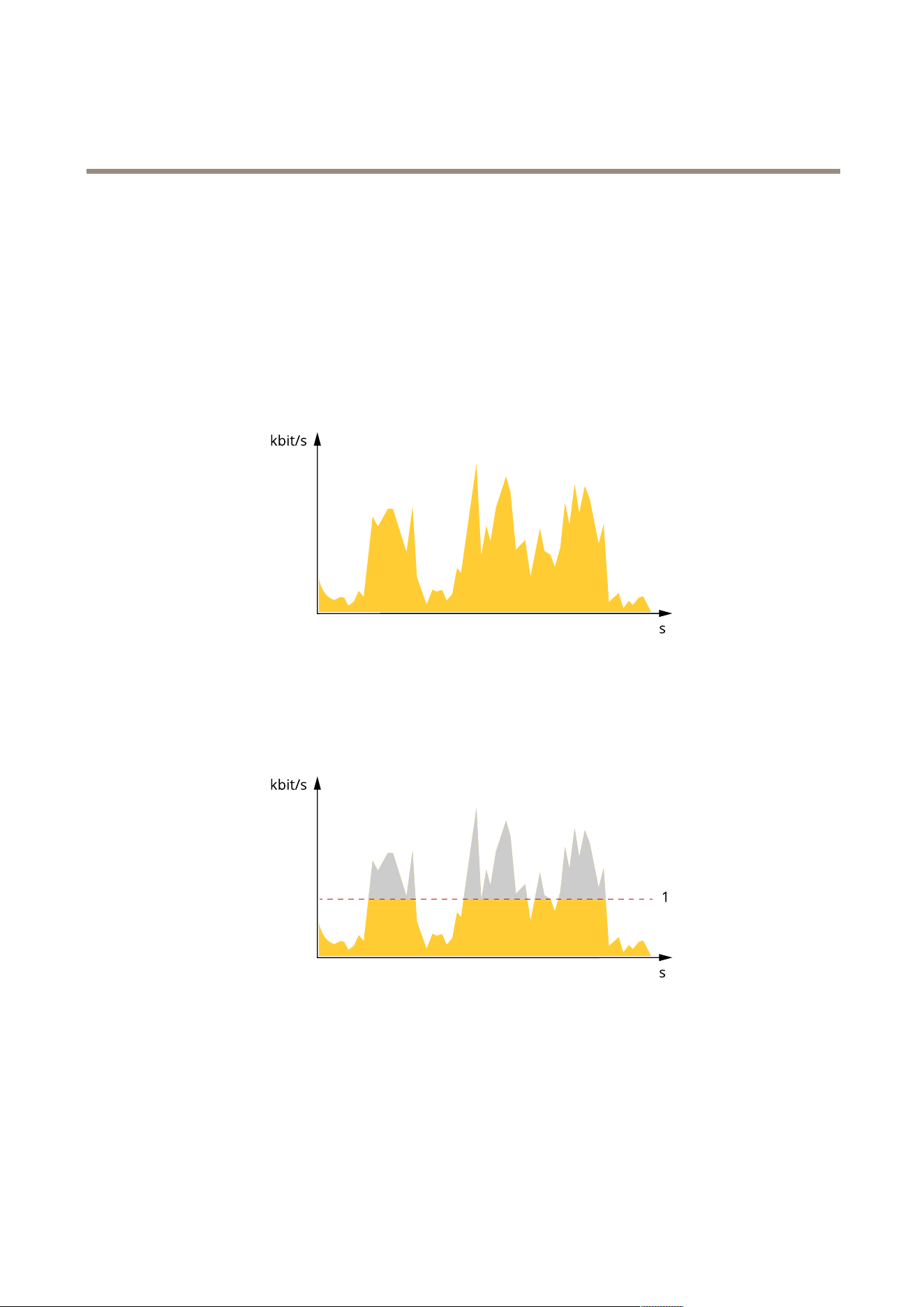
AXISM4215-VDomeCamera
Learnmore
TheStreamprolessettingsoverridethesettingsfromtheStreamtab.Ifyourequestastreamwithaspecicstreamprole,the
streamcontainsthesettingsofthatprole.Ifyourequestastreamwithoutspecifyingastreamprole,orrequestastreamprole
thatdoesn'texistintheproduct,thestreamcontainsthesettingsfromtheStreamtab.
Bitratecontrol
Bitratecontrolhelpsyoutomanagethebandwidthconsumptionofyourvideostream.
Variablebitrate(VBR)
Variablebitrateallowsthebandwidthconsumptiontovarydependingonthelevelofactivityinthescene.Themoreactivity,
themorebandwidthyouneed.Withvariablebitrateyouareguaranteedconstantimagequality,butyouneedtomakesure
youhavestoragemargins.
Maximumbitrate(MBR)
Maximumbitrateletsyousetatargetbitratetohandlebitratelimitationsinyoursystem.Youmightseeadeclineinimagequalityor
framerateastheinstantaneousbitrateiskeptbelowthespeciedtargetbitrate.Youcanchoosetoprioritizeeitherimagequality
orframerate.Werecommendthatyoucongurethetargetbitratetoahighervaluethantheexpectedbitrate.Thisgivesyoua
marginincasethereisahighlevelofactivityinthescene.
1
Targetbitrate
Applications
WithapplicationsyoucangetmoreoutofyourAxisdevice.AXISCameraApplicationPlatform(ACAP)isanopenplatformthat
makesitpossibleforthirdpartiestodevelopanalyticsandotherapplicationsforAxisdevices.Applicationscanbepreinstalledonthe
device,availablefordownloadforfree,orforalicensefee.Tondoutmoreaboutavailableapplications,downloads,trialsand
licenses,gotoaxis.com/products/acap/application-gallery.
TondtheusermanualsforAxisapplications,gotohelp.axis.com.
44
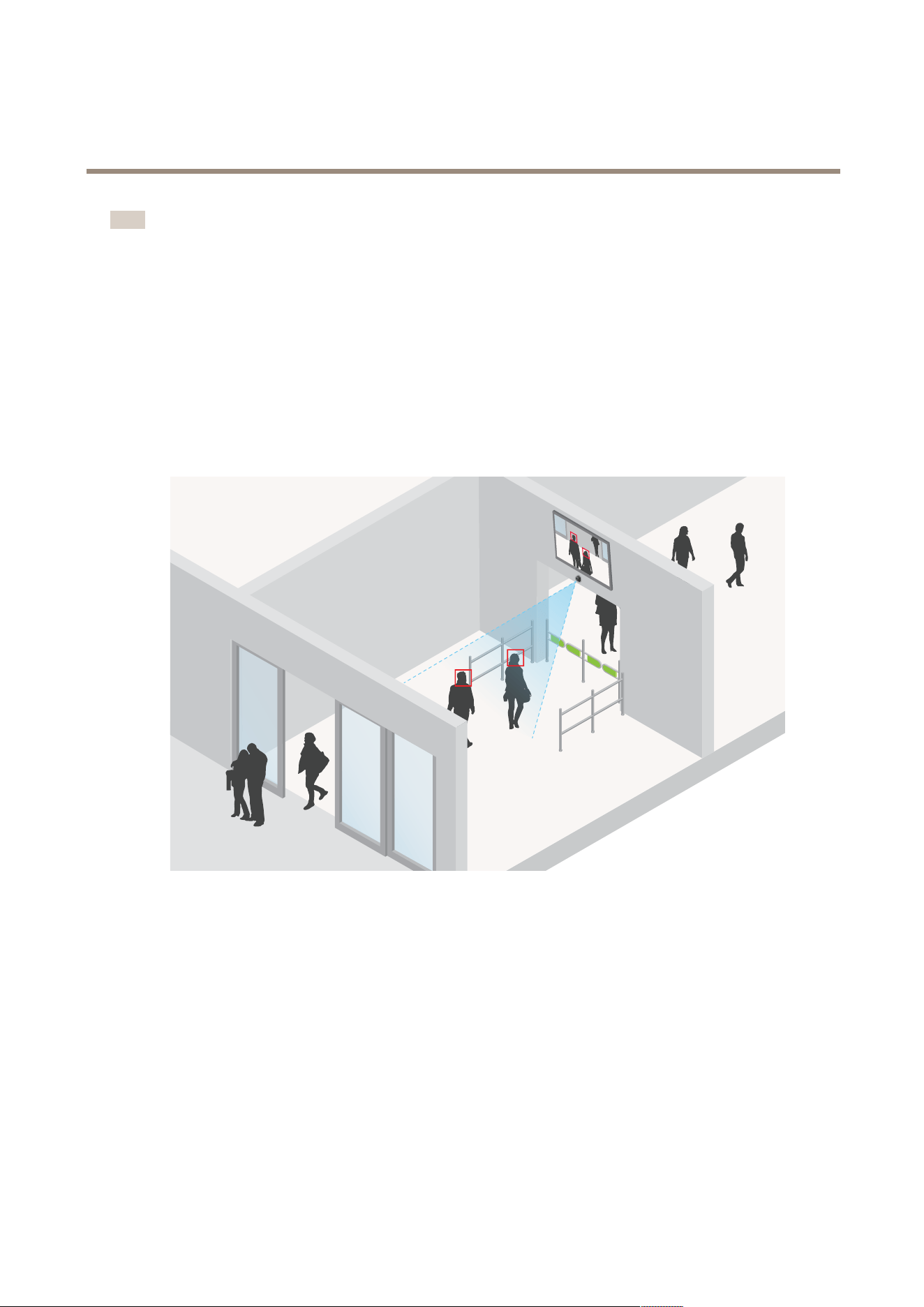
AXISM4215-VDomeCamera
Learnmore
Note
•Severalapplicationscanrunatthesametimebutsomeapplicationsmightnotbecompatiblewitheachother.Certain
combinationsofapplicationsmightrequiretoomuchprocessingpowerormemoryresourceswhenruninparallel.Verify
thattheapplicationsworktogetherbeforedeployment.
AXISObjectAnalytics
AXISObjectAnalyticsisananalyticapplicationthatcomespreinstalledonthecamera.Itdetectsobjectsthatmoveinthesceneand
classiesthemas,forexample,humansorvehicles.Youcansetuptheapplicationtosendalarmsfordifferenttypesofobjects.To
ndoutmoreabouthowtheapplicationworks,seeAXISObjectAnalyticsusermanual.
AXISFaceDetector
AXISFaceDetectorisanapplicationthatdetectsfacesinapredenedareaofthelivevideo.Thedetectedfacesaremarked
withinboxes.
Tondoutmoreabouttheapplication,seeaxis.com/products/axis-face-detector
Security
AxisEdgeVault
AxisEdgeVaultisasecurecryptographiccomputemodulewhichcanbeusedforcryptographicoperationsonsecurelystored
certicates.EdgeVaultprovidestamperprotectedstorage,enablingeachdevicetoprotectitssecrets.Itsetsafoundationforsafe
implementationofmoreadvancedsecurityfeatures.
45
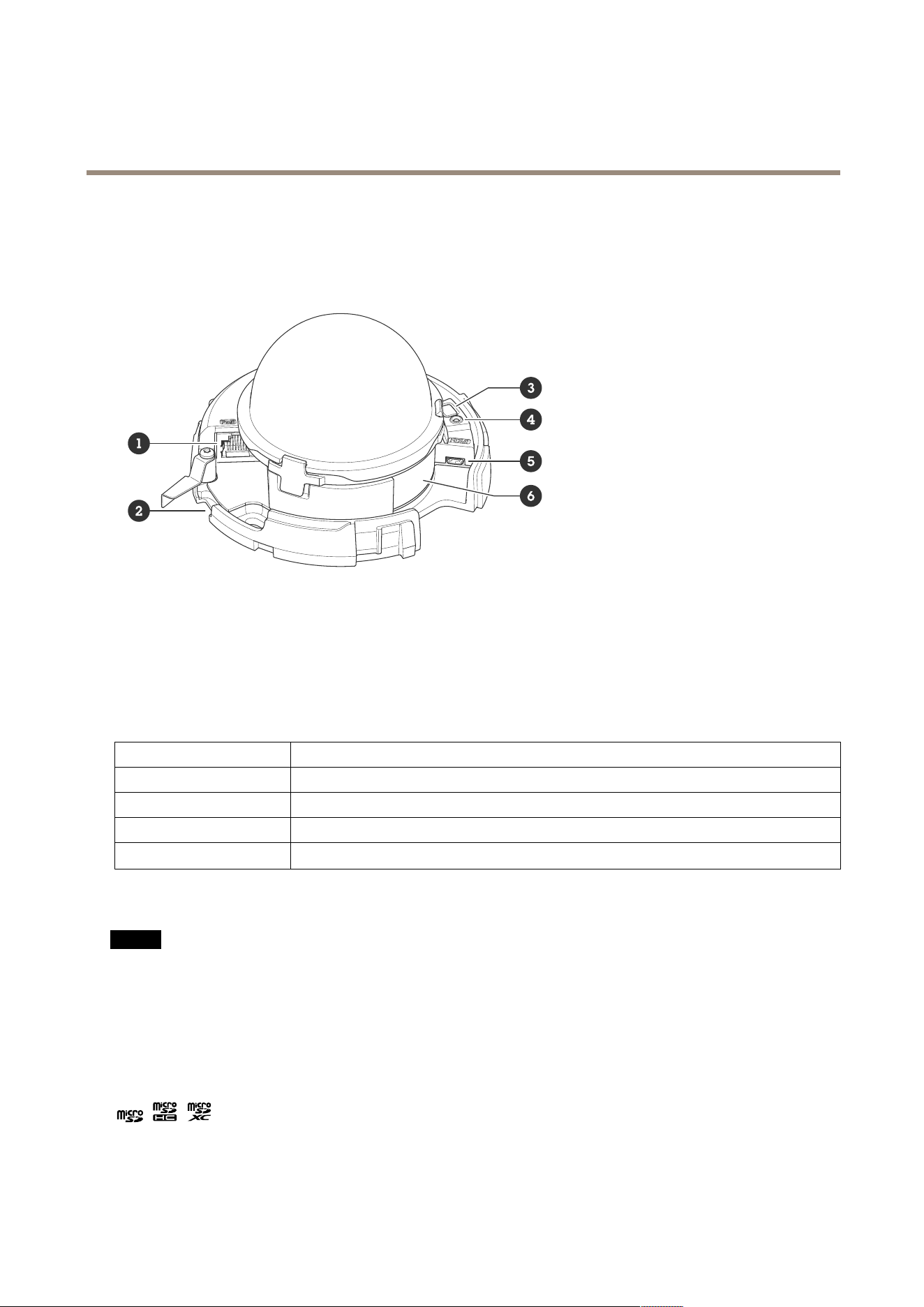
AXISM4215-VDomeCamera
Specifications
Specifications
Productoverview
1
Networkconnector(PoE)
2
SDmemorycardslot
3
Controlbutton
4
StatusLEDindicator
5
HDMIconnector
6
Partnumber(P/N)&Serialnumber(S/N)
LEDindicators
StatusLED
Indication
Unlit
Connectionandnormaloperation.
GreenShowssteadygreenfor10secondsfornormaloperationafterstartupcompleted.
Amber
Steadyduringstartup.Flashesduringrmwareupgradeorresettofactorydefault.
Amber/RedFlashesamber/redifnetworkconnectionisunavailableorlost.
SDcardslot
NO NO
NO
TICE TICE
TICE
•RiskofdamagetoSDcard.Don’tusesharptools,metalobjects,orexcessiveforcewheninsertingorremovingtheSDcard.
Useyourngerstoinsertandremovethecard.
•Riskofdatalossandcorruptedrecordings.UnmounttheSDcardfromthedevice’swebinterfacebeforeremovingit.
Don’tremovetheSDcardwhiletheproductisrunning.
ThisdevicesupportsmicroSD/microSDHC/microSDXCcards.
ForSDcardrecommendations,seeaxis.com.
microSD,microSDHC,andmicroSDXCLogosaretrademarksofSD-3CLLC.microSD,microSDHC,microSDXCare
trademarksorregisteredtrademarksofSD-3C,LLCintheUnitedStates,othercountriesorboth.
46

AXISM4215-VDomeCamera
Specifications
Buttons
Controlbutton
Thecontrolbuttonisusedfor:
•Resettingtheproducttofactorydefaultsettings.SeeResettofactorydefaultsettingsonpage49.
•Connectingtoaone-clickcloudconnection(O3C)serviceovertheinternet.Toconnect,pressandholdthebutton
forabout3secondsuntilthestatusLEDashesgreen.
Connectors
HDMIconnector
UsetheHDMI
TM
connectortoconnectadisplayorpublicviewmonitor.
Networkconnector
RJ45EthernetconnectorwithPoweroverEthernet(PoE).
47

AXISM4215-VDomeCamera
Cleaningrecommendations
Cleaningrecommendations
NO NO
NO
TICE TICE
TICE
Neveruseharshdetergent,forexamplegasoline,benzene,oracetone.
1.Useacanofcompressedairtoremoveanydustorloosedirtfromthedevice.
2.Ifnecessary,cleanthelenswithasoftclothdampenedwithlukewarmwater.
Note
Avoidcleaningindirectsunlightoratelevatedtemperatures,asthismaycausestainswhenthewaterdropletsdry.
48

AXISM4215-VDomeCamera
Troubleshooting
Troubleshooting
Resettofactorydefaultsettings
Important
Resettofactorydefaultshouldbeusedwithcaution.Aresettofactorydefaultresetsallsettings,includingtheIPaddress,to
thefactorydefaultvalues.
Note
ForproductswithmultipleIPaddresseschannel1willhavetheaddress192.168.0.90,channel2willhavetheaddress
192.168.0.91andsoon.
Toresettheproducttothefactorydefaultsettings:
1.Disconnectpowerfromtheproduct.
2.Pressandholdthecontrolbuttonwhilereconnectingpower.SeeProductoverviewonpage46.
3.Keepthecontrolbuttonpressedfor15–30secondsuntilthestatusLEDindicatorashesamber.
4.Releasethecontrolbutton.TheprocessiscompletewhenthestatusLEDindicatorturnsgreen.Theproducthasbeenreset
tothefactorydefaultsettings.IfnoDHCPserverisavailableonthenetwork,thedefaultIPaddressis192.168.0.90.
5.UsetheinstallationandmanagementsoftwaretoolstoassignanIPaddress,setthepassword,andaccessthedevice.
Theinstallationandmanagementsoftwaretoolsareavailablefromthesupportpagesonaxis.com/support.
6.Refocustheproduct.
Youcanalsoresetparameterstofactorydefaultthroughthedevice’swebinterface.GotoMaintenance>Factorydefaultand
clickDefault.
Firmwareoptions
Axisoffersproductrmwaremanagementaccordingtoeithertheactivetrackorthelong-termsupport(LTS)tracks.Beingonthe
activetrackmeanscontinuouslygettingaccesstoallthelatestproductfeatures,whiletheLTStracksprovideaxedplatformwith
periodicreleasesfocusedmainlyonbugxesandsecurityupdates.
Usingrmwarefromtheactivetrackisrecommendedifyouwanttoaccessthenewestfeatures,orifyouuseAxisend-to-endsystem
offerings.TheLTStracksarerecommendedifyouusethird-partyintegrations,whicharenotcontinuouslyvalidatedagainstthelatest
activetrack.WithLTS,theproductscanmaintaincybersecuritywithoutintroducinganysignicantfunctionalchangesoraffecting
anyexistingintegrations.FormoredetailedinformationaboutAxisproductrmwarestrategy,gotoaxis.com/support/rmware.
Checkthecurrentrmwareversion
Firmwareisthesoftwarethatdeterminesthefunctionalityofnetworkdevices.Whenyoutroubleshootaproblem,werecommend
youtostartbycheckingthecurrentrmwareversion.Thelatestrmwareversionmightcontainacorrectionthatxesyour
particularproblem.
Tocheckthecurrentrmware:
1.Gotothedevice’swebinterface>Status.
2.SeethermwareversionunderDeviceinfo.
49

AXISM4215-VDomeCamera
Troubleshooting
Upgradethermware
Important
•Preconguredandcustomizedsettingsaresavedwhenyouupgradethermware(providedthatthefeaturesareavailablein
thenewrmware)althoughthisisnotguaranteedbyAxisCommunicationsAB.
•Makesurethedeviceremainsconnectedtothepowersourcethroughouttheupgradeprocess.
Note
Whenyouupgradethedevicewiththelatestrmwareintheactivetrack,theproductreceivesthelatestfunctionality
available.Alwaysreadtheupgradeinstructionsandreleasenotesavailablewitheachnewreleasebeforeyouupgradethe
rmware.Tondthelatestrmwareandthereleasenotes,gotoaxis.com/support/rmware.
1.Downloadthermwareletoyourcomputer,availablefreeofchargeataxis.com/support/rmware.
2.Logintothedeviceasanadministrator.
3.GotoMaintenance>FirmwareupgradeandclickUpgrade.
Whentheupgradehasnished,theproductrestartsautomatically.
YoucanuseAXISDeviceManagertoupgrademultipledevicesatthesametime.Findoutmoreat
axis.com/products/axis-device-manager.
Technicalissues,clues,andsolutions
Ifyoucan’tndwhatyou’relookingforhere,trythetroubleshootingsectionataxis.com/support.
Problemsupgradingthermware
FirmwareupgradefailureIfthermwareupgradefails,thedevicereloadsthepreviousrmware.Themostcommonreason
isthatthewrongrmwarelehasbeenuploaded.Checkthatthenameofthermwarele
correspondstoyourdeviceandtryagain.
Problemsafterrmware
upgrade
Ifyouexperienceproblemsafterarmwareupgrade,rollbacktothepreviouslyinstalledversion
fromtheMaintenancepage.
ProblemssettingtheIPaddress
Thedeviceislocatedona
differentsubnet
IftheIPaddressintendedforthedeviceandtheIPaddressofthecomputerusedtoaccessthe
devicearelocatedondifferentsubnets,youcannotsettheIPaddress.Contactyournetwork
administratortoobtainanIPaddress.
TheIPaddressisbeingused
byanotherdevice
DisconnecttheAxisdevicefromthenetwork.Runthepingcommand(inaCommand/DOSwindow,
typepingandtheIPaddressofthedevice):
•Ifyoureceive:Replyfrom<IPaddress>:bytes=32;time=10...
thismeansthattheIPaddressmayalreadybeinusebyanotherdeviceonthenetwork.
ObtainanewIPaddressfromthenetworkadministratorandreinstallthedevice.
•Ifyoureceive:Requesttimedout,thismeansthattheIPaddressisavailable
forusewiththeAxisdevice.Checkallcablingandreinstallthedevice.
PossibleIPaddressconict
withanotherdeviceonthe
samesubnet
ThestaticIPaddressintheAxisdeviceisusedbeforetheDHCPserversetsadynamicaddress.
ThismeansthatifthesamedefaultstaticIPaddressisalsousedbyanotherdevice,theremay
beproblemsaccessingthedevice.
50

AXISM4215-VDomeCamera
Troubleshooting
Thedevicecan’tbeaccessedfromabrowser
Can’tlogin
WhenHTTPSisenabled,ensurethatthecorrectprotocol(HTTPorHTTPS)isusedwhenattempting
tologin.Youmayneedtomanuallytypehttporhttpsinthebrowser’saddresseld.
Ifthepasswordfortheuserrootislost,thedevicemustberesettothefactorydefaultsettings.
SeeResettofactorydefaultsettingsonpage49.
TheIPaddresshasbeen
changedbyDHCP
IPaddressesobtainedfromaDHCPserveraredynamicandmaychange.IftheIPaddresshasbeen
changed,useAXISIPUtilityorAXISDeviceManagertolocatethedeviceonthenetwork.Identify
thedeviceusingitsmodelorserialnumber,orbytheDNSname(ifthenamehasbeencongured).
Ifrequired,astaticIPaddresscanbeassignedmanually.Forinstructions,gotoaxis.com/support.
Certicateerrorwhenusing
IEEE802.1X
Forauthenticationtoworkproperly,thedateandtimesettingsintheAxisdevicemustbe
synchronizedwithanNTPserver.GotoSystem>Dateandtime.
Thedeviceisaccessiblelocallybutnotexternally
Toaccessthedeviceexternally,werecommendyoutouseoneofthefollowingapplicationsforWindows
®
:
•AXISCompanion:freeofcharge,idealforsmallsystemswithbasicsurveillanceneeds.
•AXISCameraStation:30-daytrialversionfreeofcharge,idealforsmalltomid-sizesystems.
Forinstructionsanddownload,gotoaxis.com/vms.
Problemswithstreaming
MulticastH.264only
accessiblebylocalclients
Checkifyourroutersupportsmulticasting,orifyouneedtoconguretheroutersettingsbetween
theclientandthedevice.YoumightneedtoincreasetheTTL(TimeToLive)value.
NomulticastH.264
displayedintheclient
CheckwithyournetworkadministratorthatthemulticastaddressesusedbytheAxisdevice
arevalidforyournetwork.
Checkwithyournetworkadministratortoseeifthereisarewallthatpreventsviewing.
PoorrenderingofH.264
images
Ensurethatyourgraphicscardusesthelatestdriver.Youcanusuallydownloadthelatestdrivers
fromthemanufacturer’swebsite.
Colorsaturationisdifferent
inH.264andMotionJPEG
Modifythesettingsforyourgraphicsadapter.Gototheadapter’sdocumentationformore
information.
Lowerframeratethan
expected
•SeePerformanceconsiderationsonpage52.
•Reducethenumberofapplicationsrunningontheclientcomputer.
•Limitthenumberofsimultaneousviewers.
•Checkwiththenetworkadministratorthatthereisenoughbandwidthavailable.
•Lowertheimageresolution.
Can'tselectH.265encoding
inliveview
Webbrowsersdon’tsupportH.265decoding.Useavideomanagementsystemorapplication
thatsupportsH.265decoding.
Problemsretrievingadditionalvideostreams
•‘VideoError’displayedinAXISCompanion,or
•‘Stream:Error.Somethingwentwrong.Maybetherearetoomanyviewers.’inChrome/Firefox,or
•‘503serviceunavailable’errorinQuickTime,or
•‘Cameranotavailable’displayedinAXISCameraStation,or
•‘Errorreadingvideostream’messageinbrowserwhenusingtheJavaapplet
Thiscameraisdesignedtodeliveruptofourdifferentstreams.Ifafthuniquestreamisrequested,thecameracan’tprovideit,and
anerrormessageisdisplayed.Theerrormessagedependsonthewaythestreamisrequested.Thestreamsareusedonarstcome,
rstservedbasis.Examplesofinstancesthatuseastreamare:
•Liveviewinginawebbrowserorotherapplication
•Whilerecording-continuousormotiontriggeredrecording
•Aneventthatusesimagesonthecamera,forexampleaneventthatsendsane-mailwithanimageeveryhour
51

AXISM4215-VDomeCamera
Troubleshooting
•Aninstalledandrunningapplication,suchasAXISVideoMotionDetection,willalwaysconsumeavideostream,whether
itisusedornot.Astoppedapplicationdoesnotconsumeavideostream.
Thecameracandelivermorethanfoursimultaneousstreamsprovidedthecongurationofanyadditionalstreamisidenticaltoany
oftherstfourstreams.Identicalcongurationimpliesexactlythesameresolution,framerate,compression,videoformat,rotation
etc.Formoreinformationseethewhitepaper“Maxnumberofuniquevideostreamcongurations”,availableataxis.com.
Can’tconnectoverport8883withMQTToverSSL
Therewallblockstrafc
usingport8883asit’s
deemedinsecure.
Insomecasestheserver/brokermightnotprovideaspecicportforMQTTcommunication.Itmay
stillbepossibletouseMQTToveraportnormallyusedforHTTP/HTTPStrafc.
•Iftheserver/brokersupportsWebSocket/WebSocketSecure(WS/WSS),typicallyon
port443,usethisprotocolinstead.Checkwiththeserver/brokerprovidertoseeif
WS/WSSissupportedandwhichportandbasepathtouse.
•Iftheserver/brokersupportsALPN,theuseofMQTTcanbenegotiatedoveranopen
port,suchas443.Checkwithyourserver/brokerprovidertoseeifALPNissupported
andwhichALPNprotocolandporttouse.
Performanceconsiderations
Whensettingupyoursystem,itisimportanttoconsiderhowvarioussettingsandsituationsaffecttheperformance.Somefactors
affecttheamountofbandwidth(thebitrate)required,otherscanaffecttheframerate,andsomeaffectboth.Iftheloadonthe
CPUreachesitsmaximum,thisalsoaffectstheframerate.
Thefollowingfactorsarethemostimportanttoconsider:
•Highimageresolutionorlowercompressionlevelsresultinimagescontainingmoredatawhichinturnaffectsthe
bandwidth.
•RotatingtheimageintheGUIcanincreasetheproduct'sCPUload.
•AccessbylargenumbersofMotionJPEGorunicastH.264clientsaffectsthebandwidth.
•AccessbylargenumbersofMotionJPEGorunicastH.265clientsaffectsthebandwidth.
•Simultaneousviewingofdifferentstreams(resolution,compression)bydifferentclientsaffectsbothframerateand
bandwidth.
Useidenticalstreamswhereverpossibletomaintainahighframerate.Streamprolescanbeusedtoensurethat
streamsareidentical.
•AccessingMotionJPEGandH.264videostreamssimultaneouslyaffectsbothframerateandbandwidth.
•AccessingMotionJPEGandH.265videostreamssimultaneouslyaffectsbothframerateandbandwidth.
•Heavyusageofeventsettingsaffectstheproduct’sCPUloadwhichinturnaffectstheframerate.
•UsingHTTPSmayreduceframerate,inparticularifstreamingMotionJPEG.
•Heavynetworkutilizationduetopoorinfrastructureaffectsthebandwidth.
•Viewingonpoorlyperformingclientcomputerslowersperceivedperformanceandaffectsframerate.
•RunningmultipleAXISCameraApplicationPlatform(ACAP)applicationssimultaneouslymayaffecttheframerateand
thegeneralperformance.
Contactsupport
Contactsupportataxis.com/support.
52

UsermanualVer.M1.8
AXISM4215-VDomeCamera
Date:May2023
©AxisCommunicationsAB,2023
Partno.T10193817