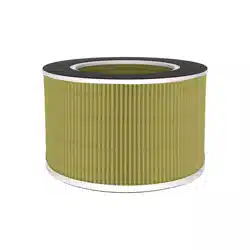
Air Purifier Replacement Filter
Please read this user manual thoroughly before using the product.
Model: AV-P300-RF
USER MANUAL
Fit for AV-P300
Black & White

Copyright © Since 2019, Arovec, Australia.
All Rights Reserved.

TABLE OF CONTENTS
4
5
6
9
9
10
1 x Replacement Filter AV-P300-RF
1 x User Manual
THANK YOU FOR CHOOSING TO BUY AN
AROVEC AIR PURIFIER REPLACEMENT FILTER
We are here to help you with any ques�ons.
Customer Support - AUSTRALIA
www.arovec.com.au
[email protected]om.au
@aroveclifestyle
Introduc�on
Parts Name
Replacing The Filter
Cleaning & Care
Disposal
Customer Support - Australia
PACKAGE CONTENTS

4
INTRODUCTION
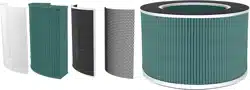
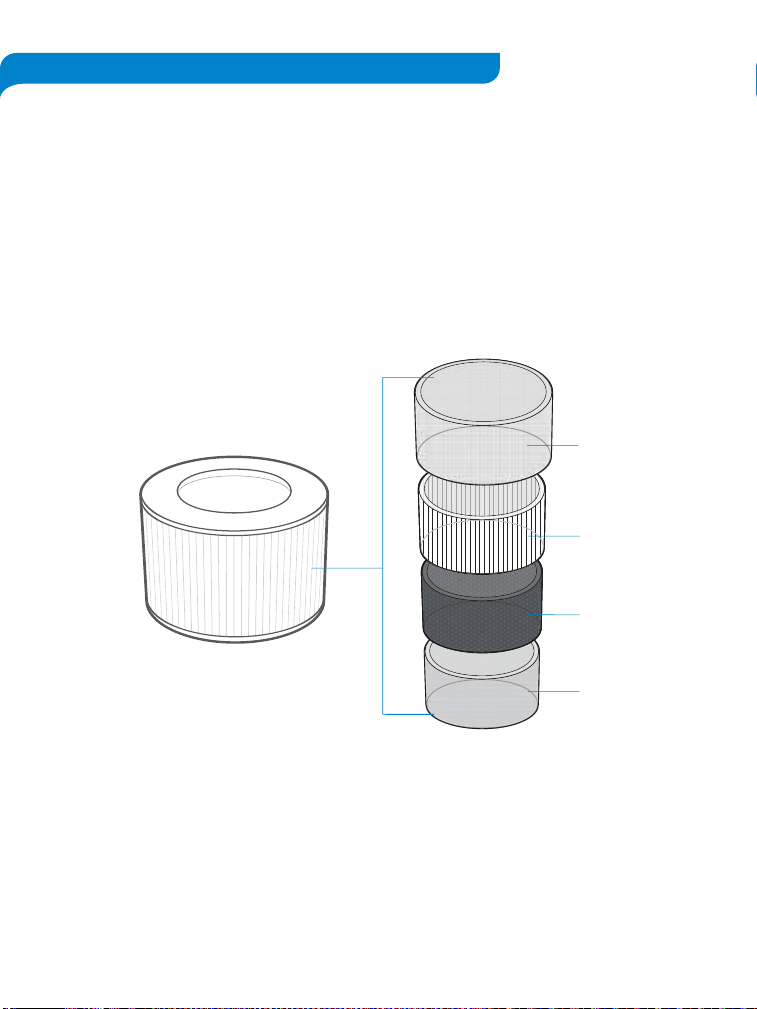
High Efficiency Filtra�on System: This replacement filter contains mul�ple stage filtra�on
system, which filters out 99.97% airborne harmful pollutants including par�culate ma�ers
PM2.5, VOCs, dust, pollen, odour, allergens, cigare�e & other smokes, cooking smell, pet
dander & smell, mould, bacteria and other airborne contaminants as small as 0.3μm with 100%
ozone free safe opera�on.
1. Preliminary Filter: Captures large par�cles such as dust, pet dander and hair.
2. True HEPA Filter: High grade H13 True HEPA Filter traps fine par�cles such as PM2.5,
dust mites, allergens, airborne bacteria, pollen, mould and other airborne
contaminants as small as 0.3μm.
3. High-Efficiency Ac�vated Carbon Filter: adsorbs various odours and smokes such as
cigare�e smoke, fumes, cooking smell, pet odours, hazardouse gases and VOCs.
4. Polypropylene Net: Extra protec�on of Ac�vated Carbon Filter for its enhanced
efficiency.
PARTS NAME
1. Filter Pack
a. Preliminary Filter
b. H13 True HEPA Filter
c. Ac�vated Carbon Filter
d. Polypropylene Net
5
Filter Internal Details
Filter Pack
a
b
c
d

REPLACING THE FILTER
6
The ( ) will light up to remind you to replace the filter.
DO NOT wash or reuse the filter. Only use Arovec AV-P300-RF replacement filter when
changing the filter is required. This will help your air purifier to work effec�vely and last
longer.
Replacement filter is available at www.arovec.com.au
When to Replace the Filter:
• It’s best to change the filter every 4-5 months (3000 hours used). You may need to change
the filter more o�en or less o�en, depending on how much you use your air purifier and on
how much pollu�on is in the air.
• You don’t need to wait for the ( ) to turn ON for changing the filter. You may
need to change the filter if you no�ce any of the following:
- Increased noise from the air purifier when it is switched ON.
- No effec�ve difference in air quality.
- Decreased airflow.
- Unusual odours.
- Clogged filter.
7
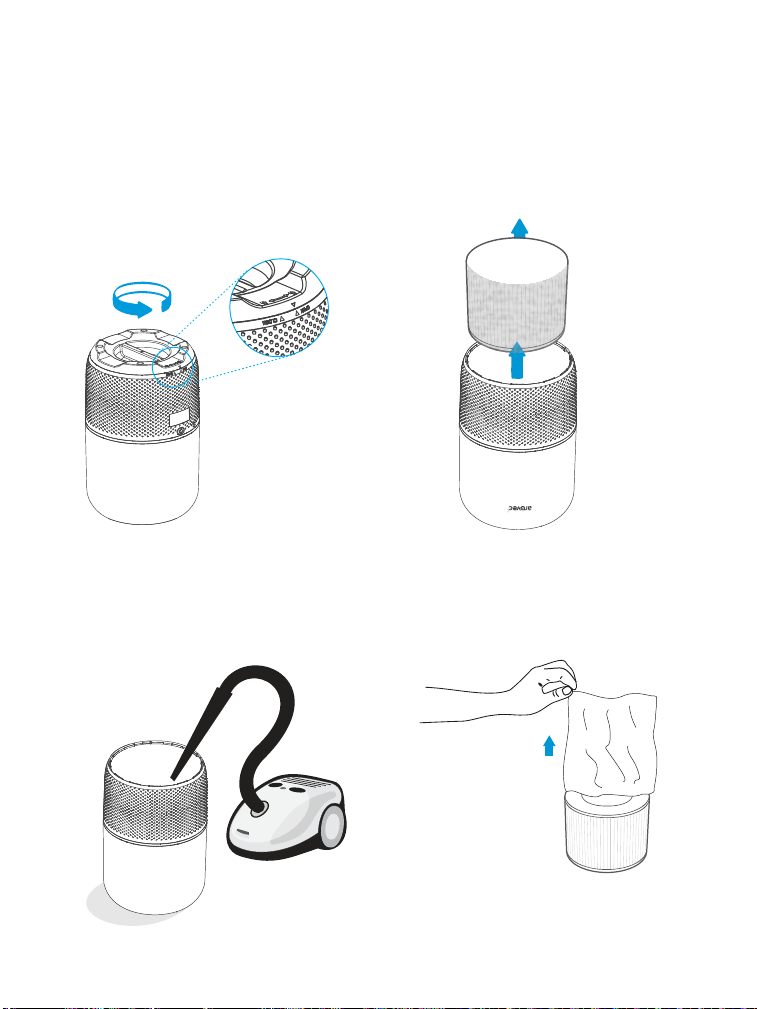
Steps for Replacing the Filter:
1. Turn OFF and unplug the air purifier.
2. Turn the air purifier upside down on a so�
cloth. [Figure 1.1]
3. Turn the base cover an�clockwise to
unlock the cover. [Figure 1.1]
4. Remove the base cover. [Figure 1.2]
5. Remove the used filter from the air
purifier. [Figure 1.2]
6. Clean any remaining dust or hair inside the
air purifier with a vacuum cleaner.
DO NOT use water or any liquids to clean
the air purifier. [Figure 1.3]
Follow these steps to replace the filter:
Figure 1.1
Figure 1.2
Figure 1.3
Figure 1.4
7. Remove the new filter from its packaging.
[Figure 1.4]
8
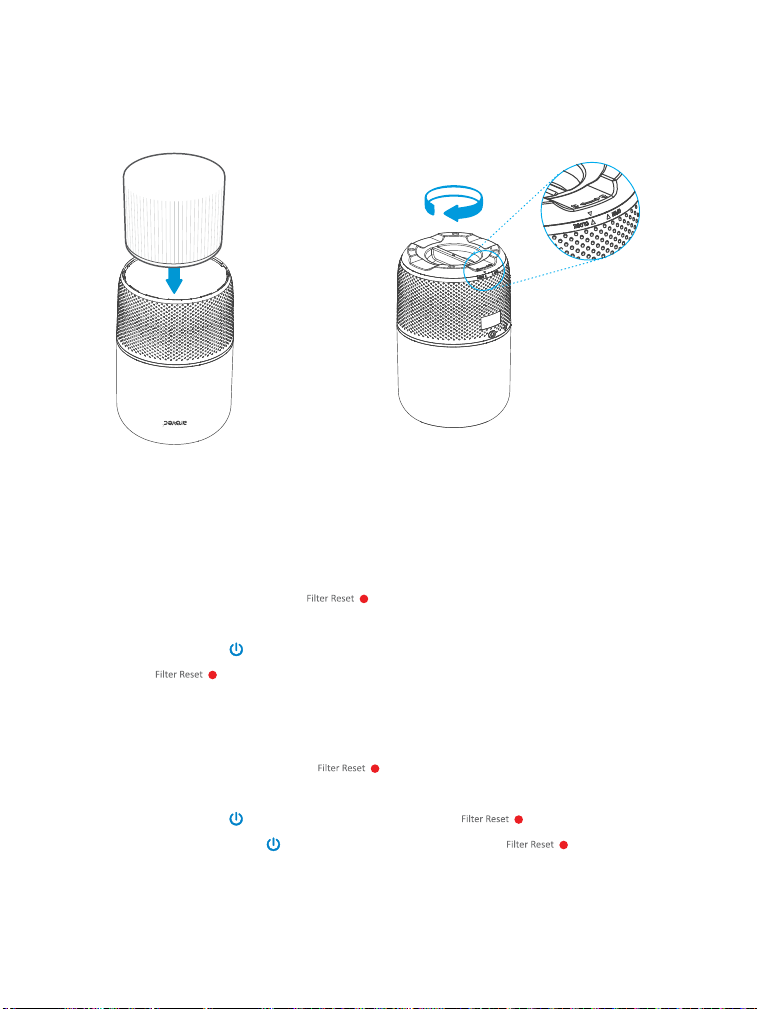
9. Put the base cover back on and turn it
clockwise to lock the cover. [Figure 1 .6]
Figure 1.6
You need to reset the air purifier in two condi�ons.
1. If the filter was replaced a�er the ( ) light up:
- Turn ON the air purifier.
- Press and hold ( ) for 3-5 seconds.
- The ( ) light should turn OFF, which indicates that the air purifier has been
reset.
- You can use the air purifier with the new filter.
2. If the filter was replaced before the ( ) light up:
- Plug in the air purifier a�er filter replacement, but do not turn ON the air purifier.
- Press and hold ( ) for 3-5 seconds to light up the ( ).
- Press and hold again ( ) for 3-5 seconds to turn OFF the ( ), the reset
is now complete.
- You can turn on and use the air purifier with the new filter.
Rese�ng the Air Purifier A�er Filter Replacement:
Figure 1.5
8. Place the new filter into the air purifier.
[Figure 1.5]
9
CLEANING & CARE
STORAGE
DISPOSAL
• Turn OFF and unplug the air purifier before you clean it.
• Wipe down the outside of air purifier regularly with a so� and clean cloth.
• DO NOT use any harsh cleaning agents e.g., bleach or alcohol to clean any part of the
air purifier.
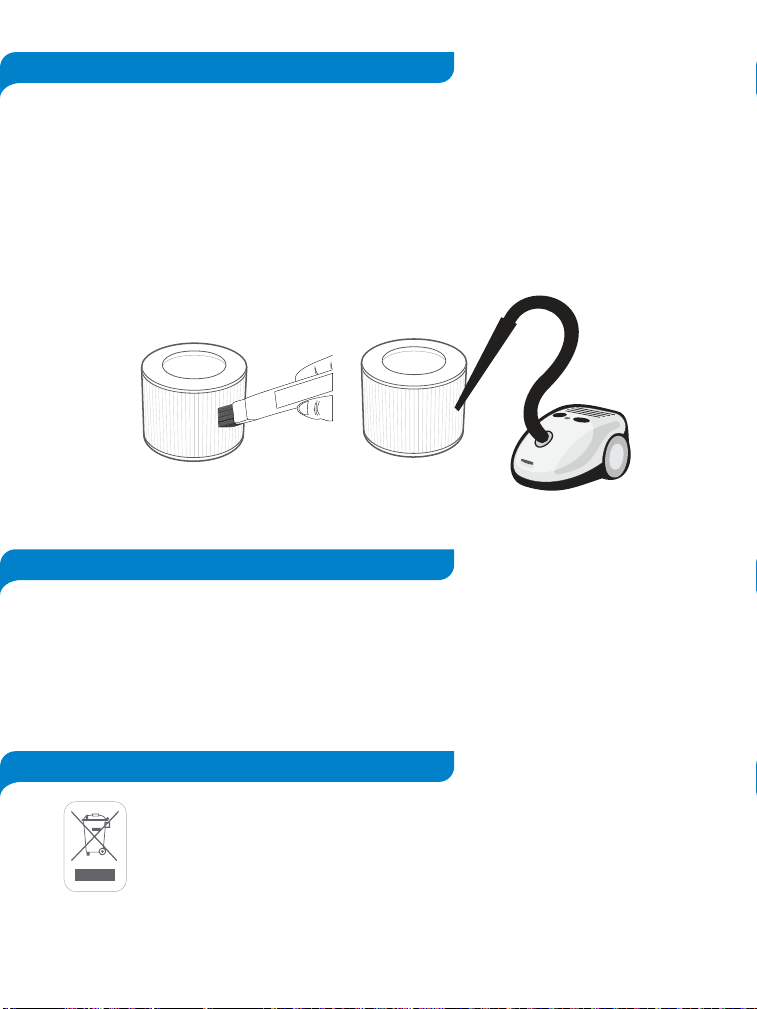
Cleaning the filter
• To increase the efficiency and life of the filter, clean it at least once a month using a so�
brush or vacuum cleaner to remove large par�cles, hair and dust. Do not clean the filter
with water or any other liquids. [Figure 2.1]
• If not using the air purifier for an extended period of �me, it is a good idea to wrap the air
purifier in plas�c packaging and store in a dry place to avoid moisture damage.
• It is not recommended to store the used filter for long period of �me.
• Store the air purifier in an upright posi�on. Do not store anything on the top of air purifier.
Figure 2.1
To prevent possible harm to the environment or human health from uncontrolled
waste disposal, separate the unneeded air purifier and its related accessories
from other types of wastes. Ask your local council where to dispose of your air
purifier and its related accessories. You should not throw your air purifier and its
related accessories away with the daily normal household waste.

CUSTOMER SUPPORT - AUSTRALIA
10
Feel free to contact our helpful customer support team with any questions
or inquiries regarding your product.
Your satisfaction is our priority.
Contact:
Ausbrilliant Brands
PO Box2, Ermington NSW 1700, Australia
www.arovec.com.au
support@arovec.com.au
Please provide your order number when you contact customer support.
Alterna�vely, you may contact us using the contact us form on the website.